ignition TOYOTA PROACE 2017 Owner's Guide
[x] Cancel search | Manufacturer: TOYOTA, Model Year: 2017, Model line: PROACE, Model: TOYOTA PROACE 2017Pages: 516, PDF Size: 91.65 MB
Page 72 of 516
72
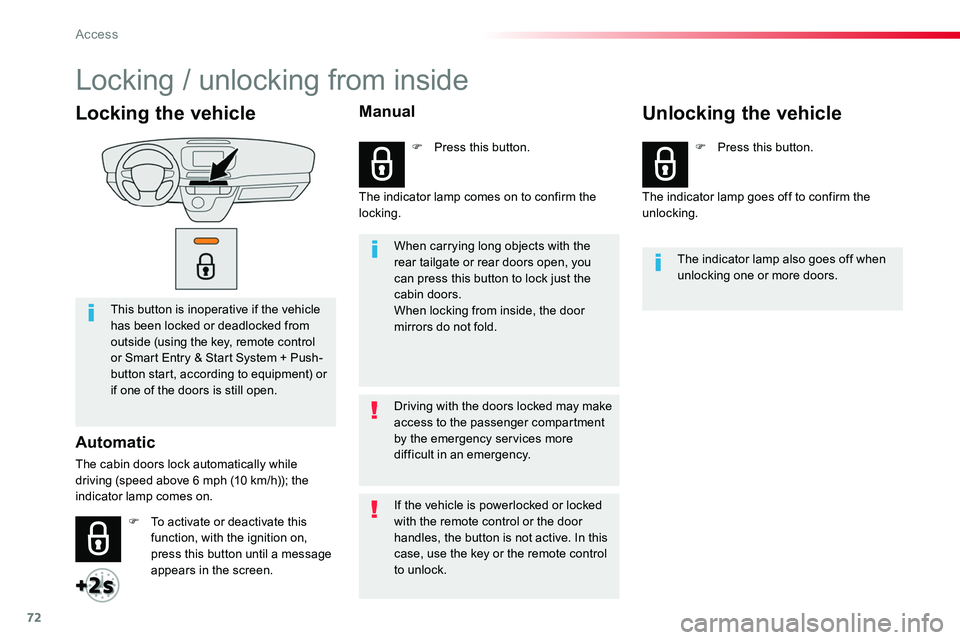
Locking the vehicle
This button is inoperative if the vehicle has been locked or deadlocked from outside (using the key, remote control or Smart Entry & Start System + Push-button start, according to equipment) or if one of the doors is still open.
Automatic
The cabin doors lock automatically while driving (speed above 6 mph (10 km/h)); the indicator lamp comes on.
When carrying long objects with the rear tailgate or rear doors open, you can press this button to lock just the cabin doors.When locking from inside, the door mirrors do not fold.
The indicator lamp also goes off when unlocking one or more doors.
Driving with the doors locked may make access to the passenger compartment by the emergency services more difficult in an emergency.
F To activate or deactivate this function, with the ignition on, press this button until a message appears in the screen.
F Press this button.F Press this button.
If the vehicle is powerlocked or locked with the remote control or the door handles, the button is not active. In this case, use the key or the remote control to unlock.
Manual
The indicator lamp comes on to confirm the locking.The indicator lamp goes off to confirm the unlocking.
Unlocking the vehicle
Locking / unlocking from inside
Access
Page 73 of 516
73
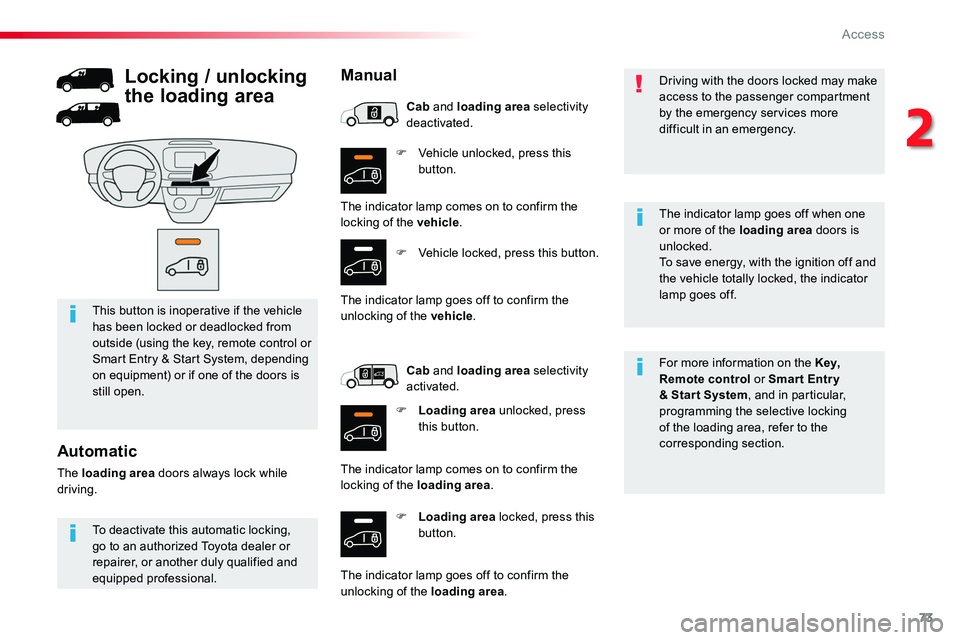
F Vehicle unlocked, press this button.
F Loading area locked, press this button.
For more information on the Key, Remote control or Smar t Entr y & Star t System, and in particular, programming the selective locking of the loading area, refer to the corresponding section.
This button is inoperative if the vehicle has been locked or deadlocked from outside (using the key, remote control or Smart Entry & Start System, depending on equipment) or if one of the doors is still open.
Driving with the doors locked may make access to the passenger compartment by the emergency services more difficult in an emergency.
The indicator lamp goes off when one
or more of the loading area doors is unlocked.To save energy, with the ignition off and the vehicle totally locked, the indicator lamp goes off.
To deactivate this automatic locking, go to an authorized Toyota dealer or repairer, or another duly qualified and equipped professional.
Automatic
The loading area doors always lock while driving.
Locking / unlocking
the loading area
Manual
The indicator lamp comes on to confirm the locking of the vehicle.
F Vehicle locked, press this button.
The indicator lamp goes off to confirm the unlocking of the vehicle.
Cab and loading area selectivity deactivated.
Cab and loading area selectivity activated.
F Loading area unlocked, press this button.
The indicator lamp comes on to confirm the locking of the loading area.
The indicator lamp goes off to confirm the unlocking of the loading area.
2
Access
Page 78 of 516
78
Electric sliding side door(s)
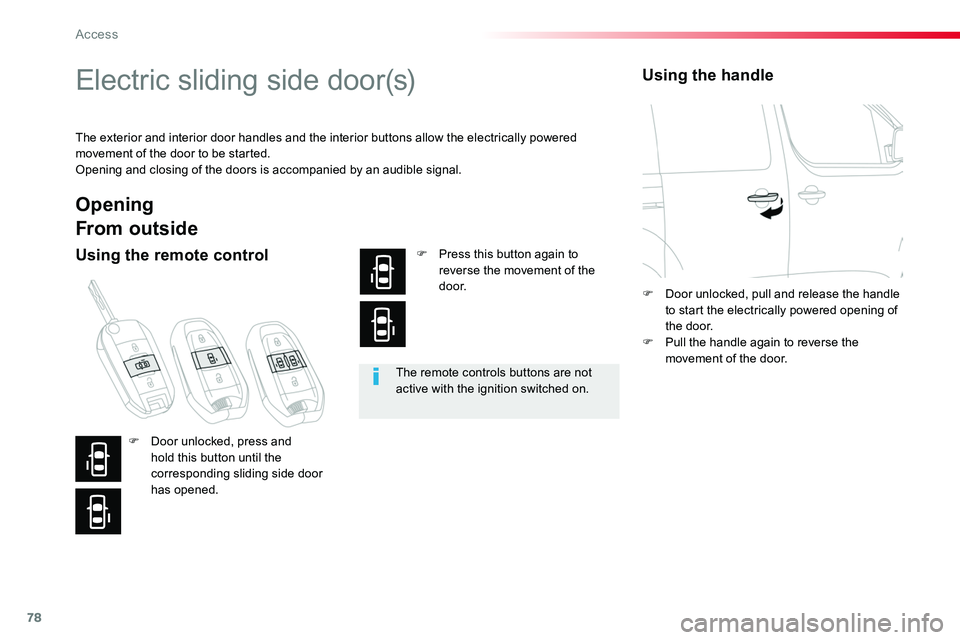
The exterior and interior door handles and the interior buttons allow the electrically powered movement of the door to be started.Opening and closing of the doors is accompanied by an audible signal.
The remote controls buttons are not active with the ignition switched on.
Opening
From outside
Using the remote controlF Press this button again to reverse the movement of the d o o r.
Using the handle
F Door unlocked, press and hold this button until the corresponding sliding side door has opened.
F Door unlocked, pull and release the handle to start the electrically powered opening of the door.F Pull the handle again to reverse the movement of the door.
Access
Page 82 of 516
82
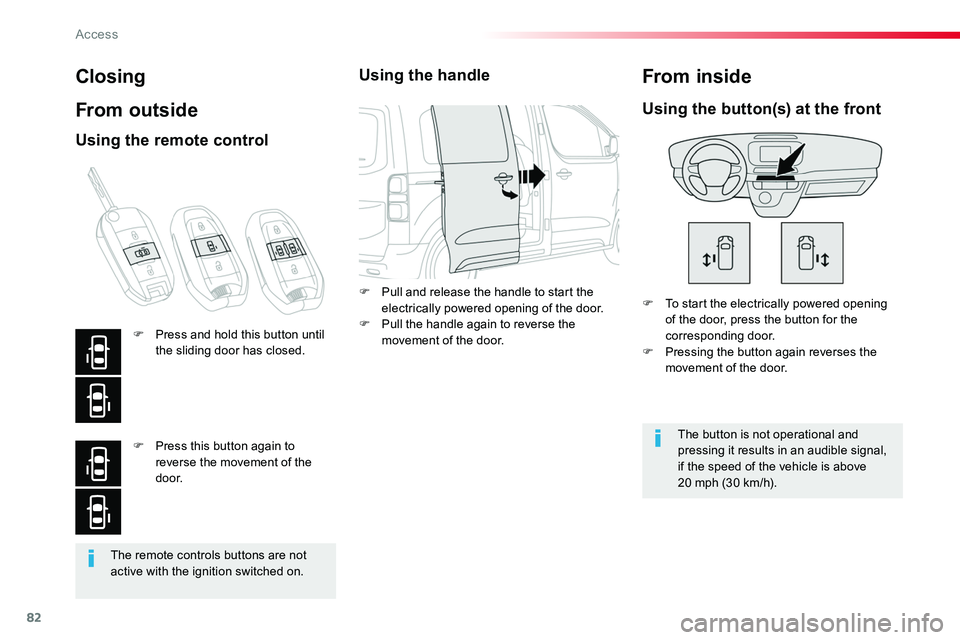
The remote controls buttons are not active with the ignition switched on.
Closing
From outside
F To start the electrically powered opening of the door, press the button for the corresponding door.F Pressing the button again reverses the movement of the door.
Using the button(s) at the front
The button is not operational and pressing it results in an audible signal, if the speed of the vehicle is above 20 mph (30 km/h).
From inside
Using the remote control
F Press and hold this button until the sliding door has closed.
F Press this button again to reverse the movement of the d o o r.
Using the handle
F Pull and release the handle to start the electrically powered opening of the door.F Pull the handle again to reverse the movement of the door.
Access
Page 90 of 516
90
Ensure that no person or object could prevent the correct opening or closing of the doors.Be aware of children when operating the doors.
If "Hands-full access self-locking" is selected in the vehicle menu and after closing the door, check that your vehicle has locked correctly.This is because locking will not take place:- if the ignition is on,- if one of the doors or the rear tailgate is open,
- if a "Smart Entry & Start System" remote control is inside the vehicle.If a number of gestures with your foot have no effect, wait a few seconds before starting again.The system is automatically deactivated in heavy rain or with accumulations of snow.If the system fails to work, check that the remote control is not exposed to a source of electromagnetic interference (smar tphone, ...).Operation may be affected if using a prosthetic leg.This system may not work correctly if your vehicle is fitted with a towbar.
The sliding door may open or close erratically if:- your vehicle is fitted with a towbar,- you attach or detach a trailer,- you fit or remove a bicycle carrier,- you load or unload bicycles on a bicycle carrier,- you remove or raise something behind the vehicle,
- an animal approaches the bumper,- you wash your vehicle,- a service is being carried out on your vehicle,- you change a wheel.To avoid unwanted operation, keep the key away from the detection zone or deactivate the function in the vehicle configuration menu.
Access
Page 95 of 516
95
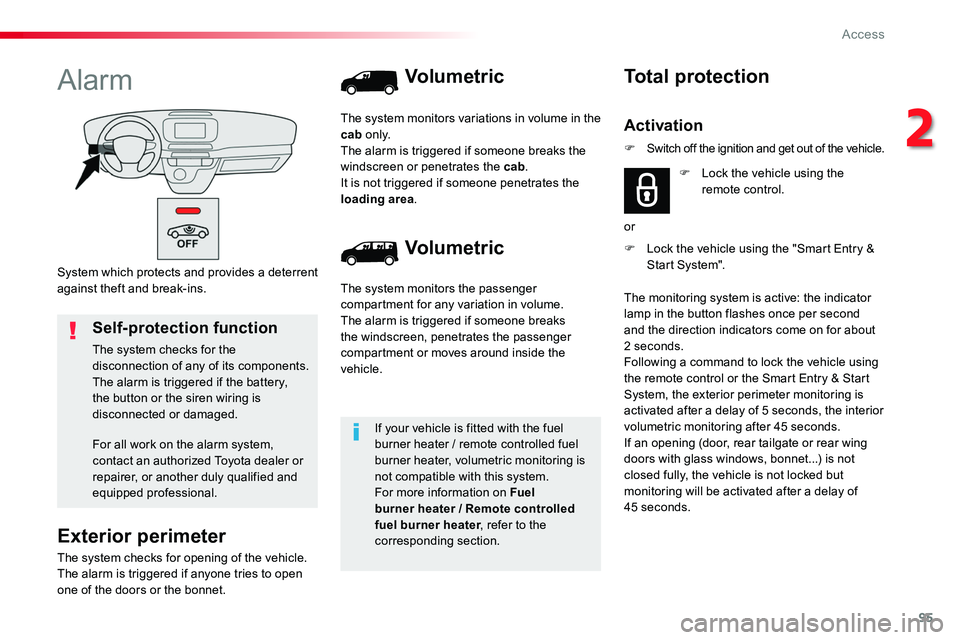
System which protects and provides a deterrent against theft and break-ins.
Alarm
Exterior perimeter
The system checks for opening of the vehicle.The alarm is triggered if anyone tries to open one of the doors or the bonnet.
Self-protection function
The system checks for the disconnection of any of its components.The alarm is triggered if the battery, the button or the siren wiring is disconnected or damaged.
For all work on the alarm system, contact an authorized Toyota dealer or repairer, or another duly qualified and equipped professional.
Volumetric
Volumetric
The system monitors the passenger compartment for any variation in volume.The alarm is triggered if someone breaks the windscreen, penetrates the passenger compartment or moves around inside the vehicle.
The system monitors variations in volume in the cab o n l y.The alarm is triggered if someone breaks the windscreen or penetrates the cab.It is not triggered if someone penetrates the loading area.
If your vehicle is fitted with the fuel burner heater / remote controlled fuel burner heater, volumetric monitoring is not compatible with this system.For more information on Fuel burner heater / Remote controlled fuel burner heater, refer to the corresponding section.
F Lock the vehicle using the "Smart Entry & Start System".
Total protection
Activation
F Lock the vehicle using the remote control.
or
The monitoring system is active: the indicator lamp in the button flashes once per second and the direction indicators come on for about 2 seconds.Following a command to lock the vehicle using the remote control or the Smart Entry & Start System, the exterior perimeter monitoring is activated after a delay of 5 seconds, the interior volumetric monitoring after 45 seconds.If an opening (door, rear tailgate or rear wing doors with glass windows, bonnet...) is not closed fully, the vehicle is not locked but monitoring will be activated after a delay of 45 seconds.
F Switch off the ignition and get out of the vehicle.
2
Access
Page 96 of 516
96
Deactivation
F Press this unlocking button on the remote control.
or
F Unlock the vehicle using the "Smart Entry & Start System".
If the vehicle locks itself automatically (this occurs after 30 seconds if one of the doors is not opened), the monitoring system is reactivated automatically.
The monitoring system is deactivated: the indicator lamp in the button is off and the direction indicators flash for about 2 seconds.
Protection - exterior
perimeter monitoring only
Deactivate the interior volumetric monitoring to avoid unwanted triggering of the alarm in certain cases such as:- occupant(s) present in the vehicle,- leaving a window partially open,- washing your vehicle,- changing a wheel,- towing your vehicle,- transport on a ferry.
Volumetric monitoring
Deactivation
F Switch off the ignition and within ten seconds press this button until its indicator lamp is on fixed.
F Get out of the vehicle.
Reactivation
The indicator lamp in the button goes off.
F Immediately lock the vehicle using the remote control or the "Smart Entry & Start System".
Only the exterior perimeter protection system is active: the indicator lamp in the button flashes once per second.To be effective, this deactivation must be done every time the ignition is switched off.
F Deactivate the exterior perimeter monitoring by unlocking the vehicle using the remote control or the "Smart Entry & Start System".
F Reactivate the full alarm system by locking the vehicle using the remote control or the "Smart Entry & Start System".
The indicator lamp in the button flashes once per second again.
Triggering of the alarm
This is indicated by sounding of the siren and flashing of the direction indicators for thirty seconds.The monitoring functions remain active until the alarm has been triggered eleven times in succession.
When the vehicle is unlocked using the remote control or the "Smart Entry & Start System", rapid flashing
of the indicator lamp in the button informs you that the alarm was triggered during your absence.When the ignition is switched on, this flashing stops immediately.
Access
Page 97 of 516
97
Failure of the remote control
To deactivate the monitoring functions:F Unlock the vehicle using the key (integral with the remote control with Smart Entry & Start System) in the driver's door lock.F Open the door; the alarm is triggered.F Switch on the ignition; the alarm stops. The indicator lamp in the button goes off.
Locking the vehicle without
activating the alarm
F Lock or deadlock the vehicle using the key (integral with the remote control with Smart Entry & Start System) in the driver's door lock.
Operating fault
When the ignition is switched on, fixed illumination of the indicator lamp in the button indicates a fault in the system.Have it checked by an authorized Toyota dealer or repairer, or another duly qualified and equipped professional.
Automatic activation
This function is either not available, an option or is standard.2 minutes after the last opening (door or boot) is closed, the system is activated automatically.
F To avoid triggering the alarm on entering the vehicle, first press the unlocking button on the remote control or unlock the vehicle using the "Smart Entry & Start System".
2
Access
Page 98 of 516
98
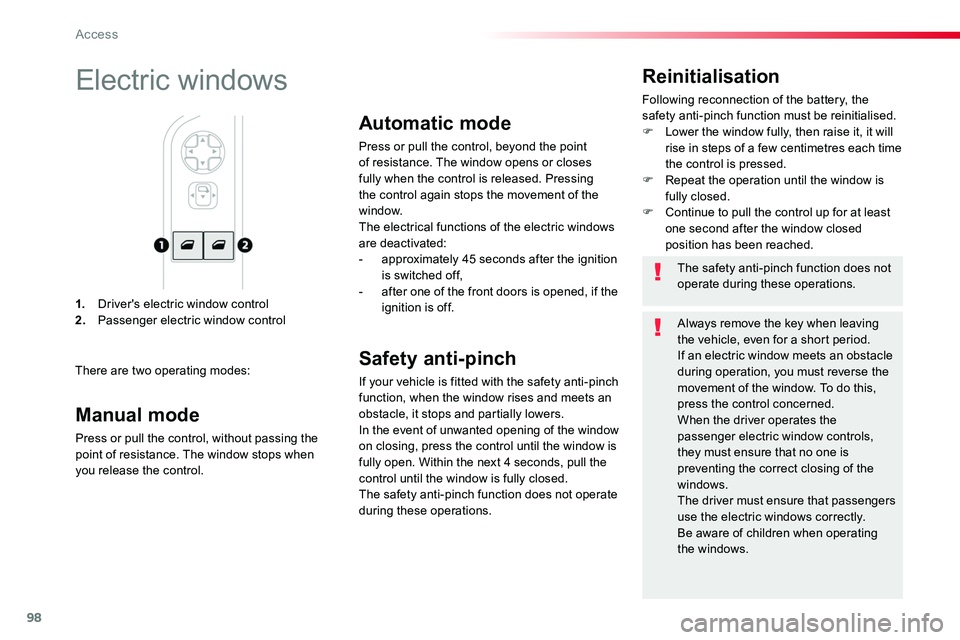
1. Driver's electric window control2. Passenger electric window control
Reinitialisation
Following reconnection of the battery, the safety anti-pinch function must be reinitialised.F Lower the window fully, then raise it, it will rise in steps of a few centimetres each time the control is pressed.F Repeat the operation until the window is fully closed.F Continue to pull the control up for at least one second after the window closed position has been reached.
Electric windows
There are two operating modes:
The safety anti-pinch function does not operate during these operations.
Always remove the key when leaving the vehicle, even for a short period.If an electric window meets an obstacle during operation, you must reverse the movement of the window. To do this, press the control concerned.When the driver operates the passenger electric window controls, they must ensure that no one is preventing the correct closing of the windows.The driver must ensure that passengers use the electric windows correctly.Be aware of children when operating the windows.
Manual mode
Press or pull the control, without passing the point of resistance. The window stops when you release the control.
Automatic mode
Press or pull the control, beyond the point of resistance. The window opens or closes fully when the control is released. Pressing the control again stops the movement of the window.
The electrical functions of the electric windows are deactivated:- approximately 45 seconds after the ignition is switched off,- after one of the front doors is opened, if the ignition is off.
Safety anti-pinch
If your vehicle is fitted with the safety anti-pinch function, when the window rises and meets an obstacle, it stops and partially lowers.In the event of unwanted opening of the window on closing, press the control until the window is fully open. Within the next 4 seconds, pull the control until the window is fully closed.The safety anti-pinch function does not operate during these operations.
Access
Page 119 of 516
119
Mats
Fitting
Removal
Refitting
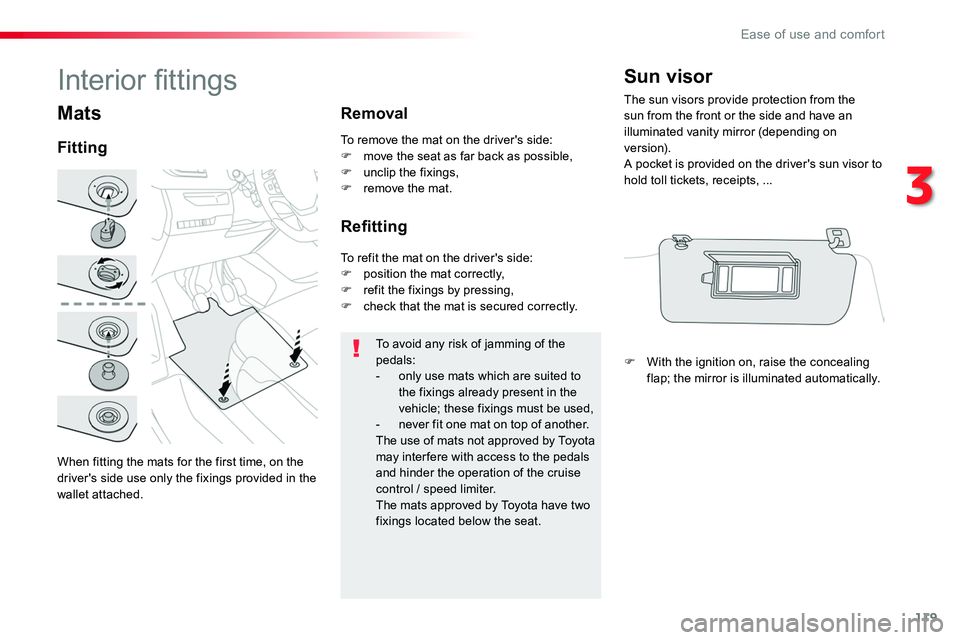
To avoid any risk of jamming of the pedals:- only use mats which are suited to the fixings already present in the vehicle; these fixings must be used,- never fit one mat on top of another.The use of mats not approved by Toyota may inter fere with access to the pedals and hinder the operation of the cruise control / speed limiter.The mats approved by Toyota have two fixings located below the seat.
To remove the mat on the driver's side:F move the seat as far back as possible,F unclip the fixings,F remove the mat.
To refit the mat on the driver's side:F position the mat correctly,F refit the fixings by pressing,F check that the mat is secured correctly.
Sun visor
The sun visors provide protection from the sun from the front or the side and have an illuminated vanity mirror (depending on ve r s i o n).A pocket is provided on the driver's sun visor to hold toll tickets, receipts, ...
F With the ignition on, raise the concealing flap; the mirror is illuminated automatically.
Interior fittings
When fitting the mats for the first time, on the driver's side use only the fixings provided in the wallet attached.
3
Ease of use and comfort