start TOYOTA PROACE 2018 Owners Manual
[x] Cancel search | Manufacturer: TOYOTA, Model Year: 2018, Model line: PROACE, Model: TOYOTA PROACE 2018Pages: 516, PDF Size: 90.91 MB
Page 482 of 516
482
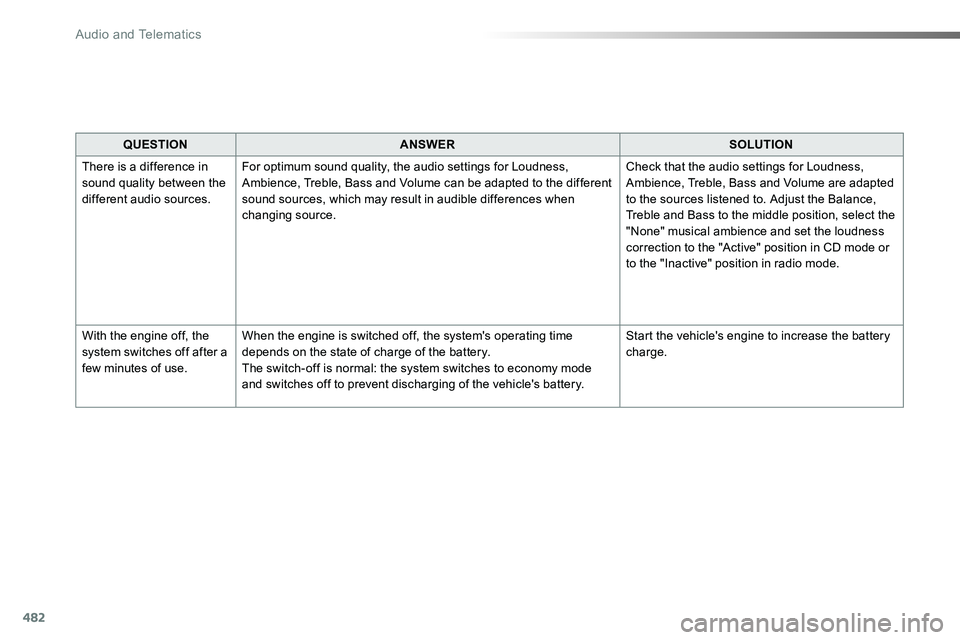
QUESTIONANSWERSOLUTION
There is a difference in sound quality between the different audio sources.
For optimum sound quality, the audio settings for Loudness, Ambience, Treble, Bass and Volume can be adapted to the different sound sources, which may result in audible differences when changing source.
Check that the audio settings for Loudness, Ambience, Treble, Bass and Volume are adapted to the sources listened to. Adjust the Balance, Treble and Bass to the middle position, select the "None" musical ambience and set the loudness correction to the "Active" position in CD mode or to the "Inactive" position in radio mode.
With the engine off, the system switches off after a few minutes of use.
When the engine is switched off, the system's operating time depends on the state of charge of the battery.The switch-off is normal: the system switches to economy mode and switches off to prevent discharging of the vehicle's battery.
Start the vehicle's engine to increase the battery charge.
Audio and Telematics
Page 486 of 516
486
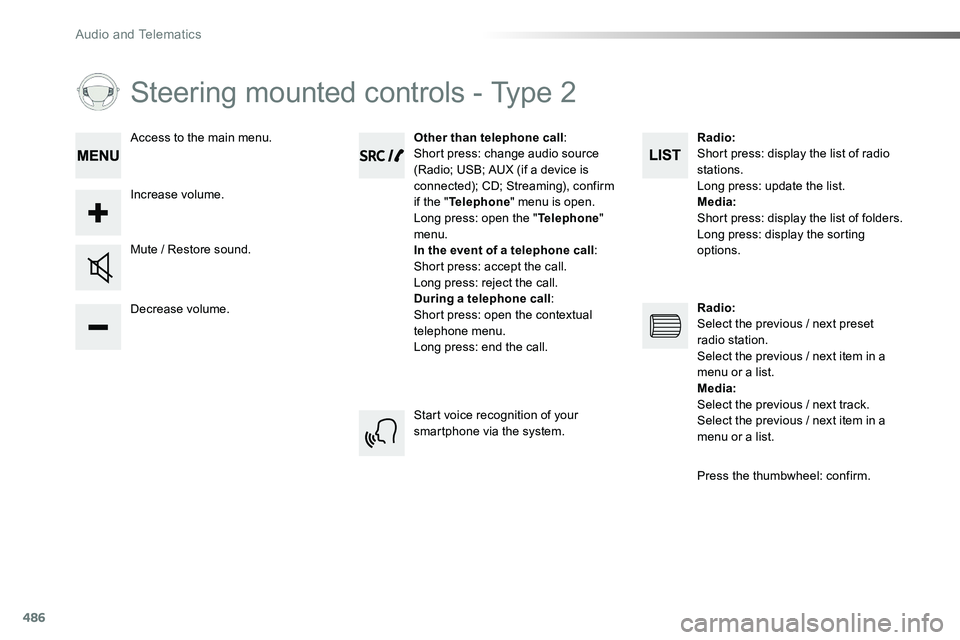
Steering mounted controls - Type 2
Decrease volume.
Mute / Restore sound.
Other than telephone call:Short press: change audio source (Radio; USB; AUX (if a device is connected); CD; Streaming), confirm if the "Telephone" menu is open.Long press: open the "Telephone" menu.In the event of a telephone call:Short press: accept the call.Long press: reject the call.During a telephone call:Short press: open the contextual telephone menu.Long press: end the call.
Increase volume.
Access to the main menu.
Start voice recognition of your smartphone via the system.
Radio:Short press: display the list of radio stations.Long press: update the list.Media:Short press: display the list of folders.Long press: display the sorting options.
Radio:Select the previous / next preset radio station.Select the previous / next item in a menu or a list.Media:Select the previous / next track.Select the previous / next item in a
menu or a list.
Press the thumbwheel: confirm.
Audio and Telematics
Page 491 of 516
491
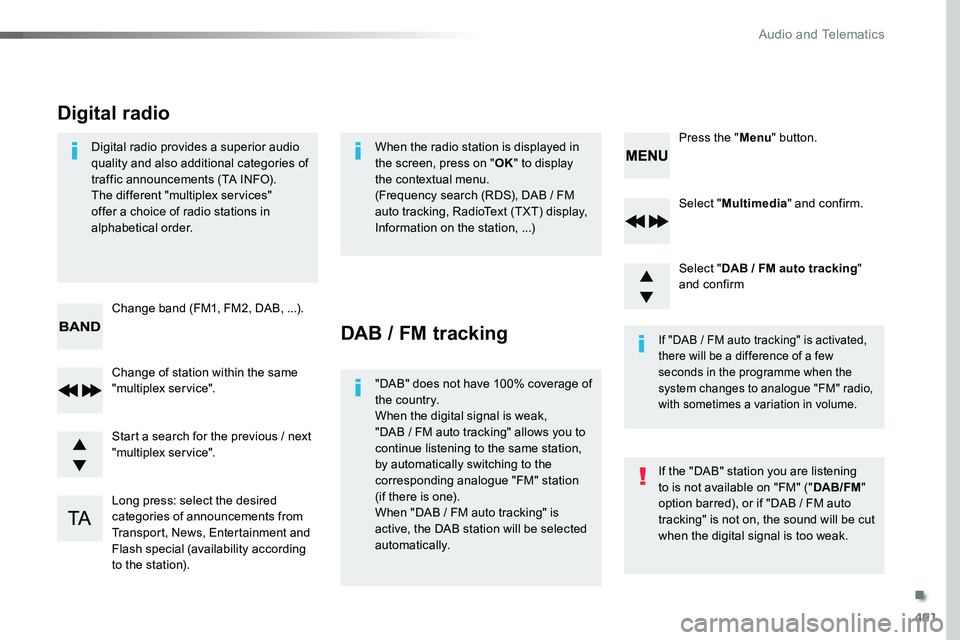
Select "Multimedia" and confirm.
Select "DAB / FM auto tracking" and confirm
Long press: select the desired categories of announcements from Transport, News, Entertainment and Flash special (availability according to the station).
Change of station within the same "multiplex service".
Press the "Menu" button.
Start a search for the previous / next "multiplex service".
Change band (FM1, FM2, DAB, ...).
Digital radio provides a superior audio quality and also additional categories of traffic announcements (TA INFO).The different "multiplex services" offer a choice of radio stations in alphabetical order.
Digital radio
When the radio station is displayed in the screen, press on "OK" to display the contextual menu.(Frequency search (RDS), DAB / FM auto tracking, RadioText (TXT) display, Information on the station, ...)
DAB / FM tracking
"DAB" does not have 100% coverage of the country.When the digital signal is weak,
"DAB / FM auto tracking" allows you to continue listening to the same station, by automatically switching to the corresponding analogue "FM" station (if there is one).When "DAB / FM auto tracking" is active, the DAB station will be selected automatically.
If "DAB / FM auto tracking" is activated, there will be a difference of a few seconds in the programme when the system changes to analogue "FM" radio, with sometimes a variation in volume.
If the "DAB" station you are listening to is not available on "FM" ("DAB/FM" option barred), or if "DAB / FM auto tracking" is not on, the sound will be cut when the digital signal is too weak.
.
Audio and Telematics
Page 495 of 516
495
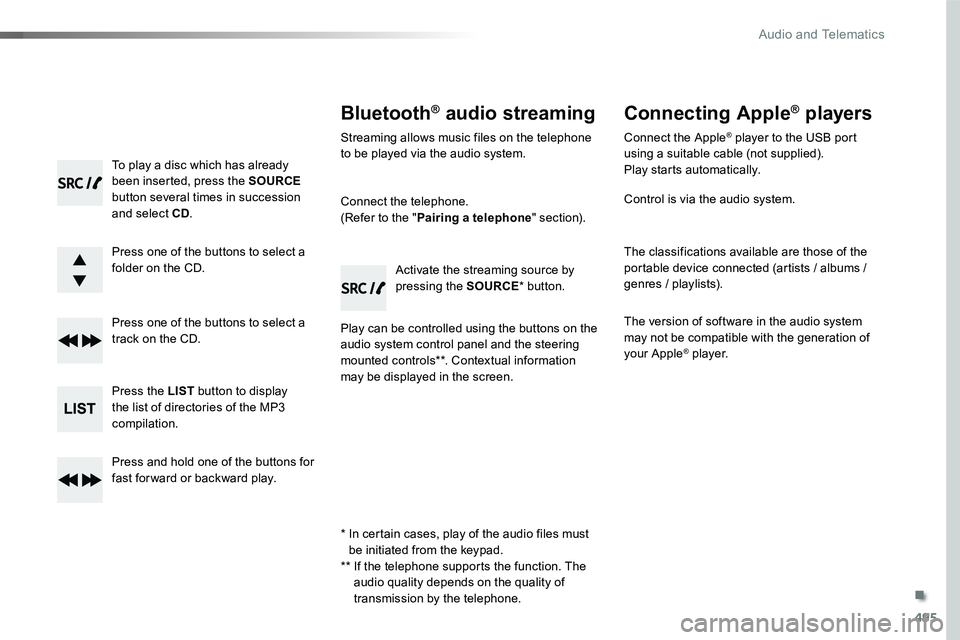
To play a disc which has already been inserted, press the SOURCE button several times in succession and select CD.
Press one of the buttons to select a folder on the CD.
Press one of the buttons to select a track on the CD.
Press the LIST button to display the list of directories of the MP3 compilation.
Press and hold one of the buttons for fast for ward or backward play.
Bluetooth® audio streaming
Streaming allows music files on the telephone to be played via the audio system.
Connect the telephone.(Refer to the "Pairing a telephone" section).
Play can be controlled using the buttons on the audio system control panel and the steering mounted controls**. Contextual information may be displayed in the screen.
Activate the streaming source by pressing the SOURCE* button.
Connecting Apple® players
Connect the Apple® player to the USB port using a suitable cable (not supplied).Play starts automatically.
Control is via the audio system.
The classifications available are those of the portable device connected (artists / albums / genres / playlists).
The version of software in the audio system may not be compatible with the generation of your Apple® player.
* In certain cases, play of the audio files must be initiated from the keypad.** If the telephone supports the function. The audio quality depends on the quality of transmission by the telephone.
.
Audio and Telematics
Page 501 of 516
501
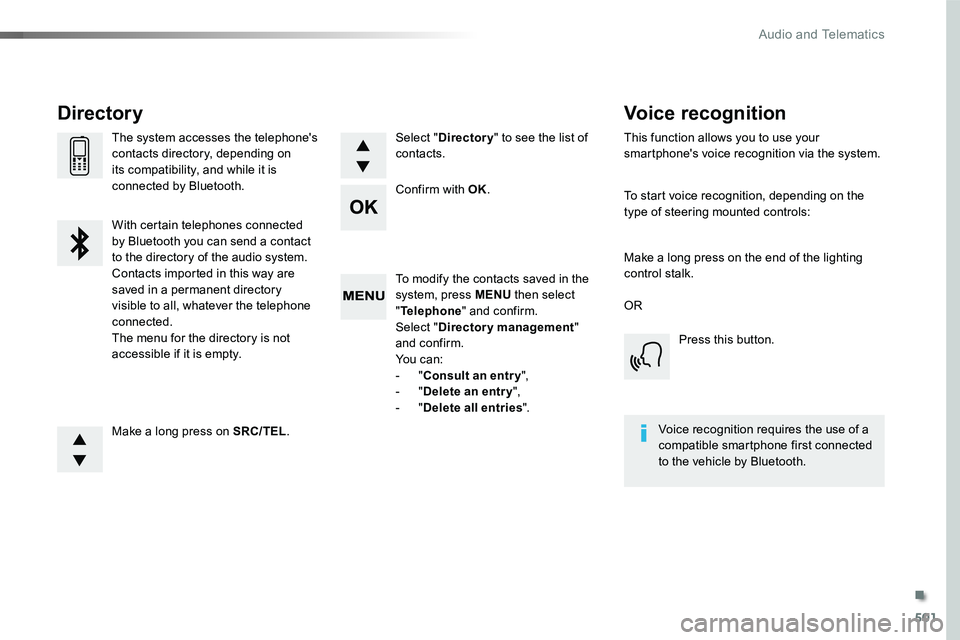
To modify the contacts saved in the system, press MENU then select "Telephone" and confirm.Select "Directory management" and confirm.Yo u c a n :- "Consult an entr y",- "Delete an entry",- "Delete all entries".
Make a long press on SRC/TEL.
The system accesses the telephone's contacts directory, depending on its compatibility, and while it is connected by Bluetooth.
With certain telephones connected by Bluetooth you can send a contact to the directory of the audio system.Contacts imported in this way are saved in a permanent directory visible to all, whatever the telephone connected.The menu for the directory is not accessible if it is empty.
Select "Directory" to see the list of contacts.
Directory
Confirm with OK.
OR
Voice recognition
This function allows you to use your smartphone's voice recognition via the system.
To start voice recognition, depending on the type of steering mounted controls:
Make a long press on the end of the lighting control stalk.
Press this button.
Voice recognition requires the use of a compatible smartphone first connected to the vehicle by Bluetooth.
.
Audio and Telematics
Page 502 of 516
502
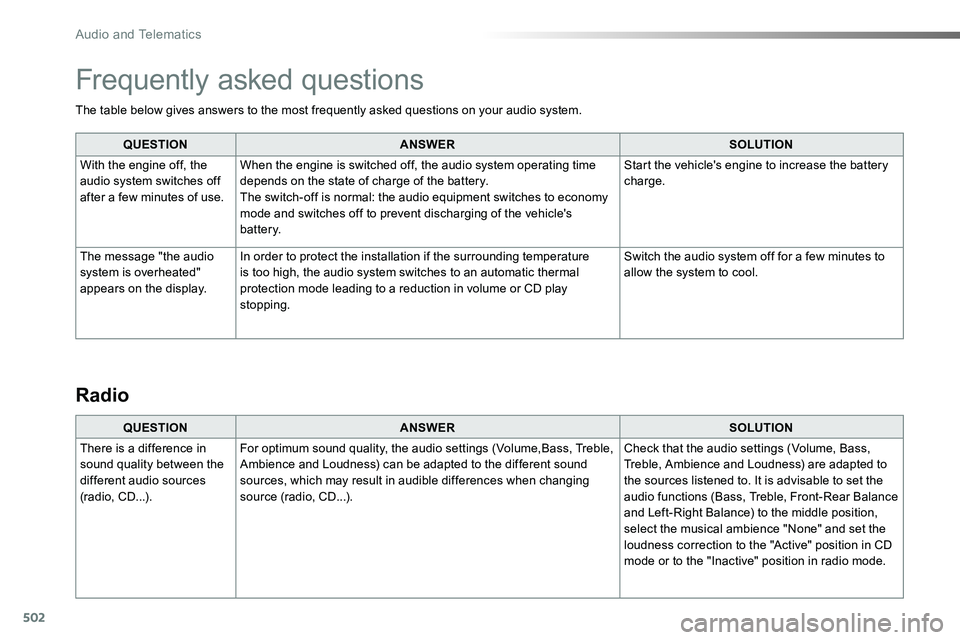
The table below gives answers to the most frequently asked questions on your audio system.
QUESTIONANSWERSOLUTION
With the engine off, the audio system switches off after a few minutes of use.
When the engine is switched off, the audio system operating time depends on the state of charge of the battery.The switch-off is normal: the audio equipment switches to economy mode and switches off to prevent discharging of the vehicle's battery.
Start the vehicle's engine to increase the battery charge.
The message "the audio system is overheated" appears on the display.
In order to protect the installation if the surrounding temperature is too high, the audio system switches to an automatic thermal protection mode leading to a reduction in volume or CD play stopping.
Switch the audio system off for a few minutes to allow the system to cool.
Frequently asked questions
QUESTIONANSWERSOLUTION
There is a difference in sound quality between the different audio sources (radio, CD...).
For optimum sound quality, the audio settings (Volume,Bass, Treble, Ambience and Loudness) can be adapted to the different sound sources, which may result in audible differences when changing source (radio, CD...).
Check that the audio settings (Volume, Bass, Treble, Ambience and Loudness) are adapted to the sources listened to. It is advisable to set the audio functions (Bass, Treble, Front-Rear Balance and Left-Right Balance) to the middle position, select the musical ambience "None" and set the loudness correction to the "Active" position in CD mode or to the "Inactive" position in radio mode.
Radio
Audio and Telematics
Page 505 of 516
505
QUESTIONANSWERSOLUTION
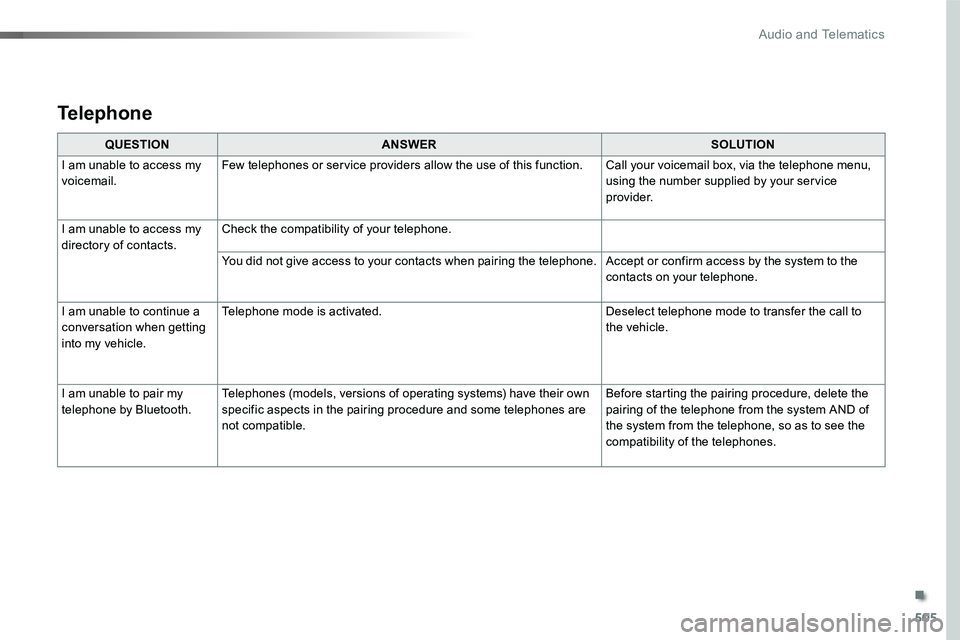
I am unable to access my voicemail.Few telephones or service providers allow the use of this function.Call your voicemail box, via the telephone menu, using the number supplied by your service provider.
I am unable to access my directory of contacts.Check the compatibility of your telephone.
You did not give access to your contacts when pairing the telephone.Accept or confirm access by the system to the contacts on your telephone.
I am unable to continue a conversation when getting into my vehicle.
Telephone mode is activated.Deselect telephone mode to transfer the call to the vehicle.
I am unable to pair my telephone by Bluetooth.Telephones (models, versions of operating systems) have their own specific aspects in the pairing procedure and some telephones are not compatible.
Before starting the pairing procedure, delete the pairing of the telephone from the system AND of the system from the telephone, so as to see the compatibility of the telephones.
Telephone
.
Audio and Telematics
Page 508 of 516
508
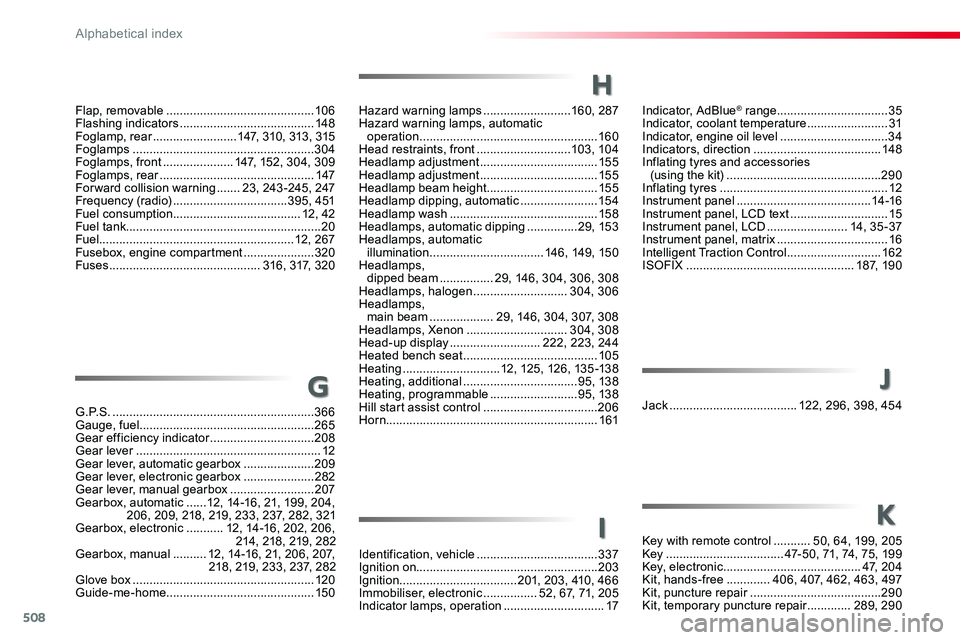
Indicator, AdBlue® range .................................35Indicator, coolant temperature ........................31Indicator, engine oil level ................................34Indicators, direction ......................................148Inflating tyres and accessories (using the kit) ..............................................290Inflating tyres ..................................................12Instrument panel ........................................14 -16Instrument panel, LCD text .............................15Instrument panel, LCD ........................14, 35 -37Instrument panel, matrix .................................16Intelligent Traction Control ............................162ISOFIX ..................................................187, 190
Hazard warning lamps ..........................160, 287Hazard warning lamps, automatic operation .....................................................160Head restraints, front ............................103, 104Headlamp adjustment ...................................155Headlamp adjustment ...................................155Headlamp beam height .................................155Headlamp dipping, automatic .......................15 4Headlamp wash ............................................15 8Headlamps, automatic dipping ...............29, 153Headlamps, automatic illumination ..................................146, 149, 150Headlamps, dipped beam ................29, 146, 304, 306, 308Headlamps, halogen ............................304, 306Headlamps, main beam ...................29, 146, 304, 307, 308Headlamps, Xenon ..............................304, 308Head-up display ...........................222, 223, 244Heated bench seat ........................................105Heating .............................12, 125, 126, 135 -138Heating, additional ..................................95, 138Heating, programmable ..........................95, 138Hill start assist control ..................................206Horn...............................................................161
H
Flap, removable ............................................10 6Flashing indicators ........................................148Foglamp, rear .........................147, 310, 313, 315Foglamps ......................................................304Foglamps, front .....................147, 152, 304, 309Foglamps, rear ..............................................147Forward collision warning .......23, 243 -245, 247Frequency (radio) ..................................395, 451Fuel consumption ......................................12, 42Fuel tank..........................................................20Fuel..........................................................12, 267Fusebox, engine compartment .....................320Fuses .............................................316, 317, 320
G . P. S . ............................................................366Gauge, fuel....................................................265Gear efficiency indicator ...............................208Gear lever .......................................................12Gear lever, automatic gearbox .....................209Gear lever, electronic gearbox .....................282Gear lever, manual gearbox .........................207Gearbox, automatic ......12, 14-16, 21, 199, 204, 206, 209, 218, 219, 233, 237, 282, 321Gearbox, electronic ...........12, 14-16, 202, 206, 214, 218, 219, 282Gearbox, manual ..........12, 14-16, 21, 206, 207, 218, 219, 233, 237, 282Glove box ......................................................120Guide-me-home ............................................150
GJack ......................................122, 296, 398, 454
Key with remote control ...........50, 64, 199, 205Key ...................................47-50, 71, 74, 75, 199Key, electronic .........................................47, 204Kit, hands-free .............406, 407, 462, 463, 497Kit, puncture repair .......................................290Kit, temporary puncture repair .............289, 290
Identification, vehicle ....................................337Ignition on......................................................203Ignition ...................................201, 203, 410, 466Immobiliser, electronic ................52, 67, 71, 205Indicator lamps, operation ..............................17
J
KI
Alphabetical index
Page 510 of 516
510
Roof rack ...............................................272, 273Running out of fuel (Diesel) ..........................327
Safety, children .....................171, 174-176, 182, 187, 188, 190, 193Saturation of the Diesel Particle Filter (DPF) ..........................................................281SCR (Selective Catalytic Reduction) ............283SCR system ..................................................283Screen menu map .......352, 354, 356, 358, 360, 362, 370, 372, 374, 378, 384, 386, 388, 390, 392, 400, 402, 404, 412, 414, 416, 434, 440, 442, 444, 446, 448, 456, 458, 460, 468, 470, 472Screen, instrument panel ..........................40, 41Screen, multifunction (with audio system) ....487Screenwash ..................................................15 8Screenwash, rear ..........................................157Seat and bench seat, rear, on rails ..............11 6Seat and bench seat, rear, fixed ...........113 , 11 6Seat belts ......................166, 168, 169, 180, 181Seat belts, rear ..............................................167Seat, front bench, 2-seat ......................104, 167Seat, rear bench ...........................................11 6Seats, electric ...............................................102Seats, front bench .........................................105Seats, front ......................................99, 101, 102Seats, heated ........................................103, 105Seats, rear .............................................11 0 , 113
S
Selector, gear ................................................214Serial number, vehicle ..................................337Service (warning lamp) ...................................28Service indicator .......................................31, 33Service ............................................................28Servicing .........................................................12Settings .................412, 414, 416, 468, 470, 472Settings, system ....................................420, 476Side repeater ................................................305Sidelamps .............146, 304-306, 310, 313, 315Sliding side door, electric ............................49, 57, 64, 65, 78 - 84Sliding side door, hands-free ..............87, 89, 90Sliding side door, manual .........................75 -77Sliding side window ......................................124Smart Cargo ..................................................10 6Smart Entry & Start System ............55, 59, 60, 63 - 65, 68, 70, 71, 74, 75, 202, 205Snow chains .........................................262, 268Snow chains, link ..........................................268Socket, 12 V accessory ................................121Socket, auxiliary ...........................398, 454, 494Socket, JACK .......................122, 398, 454, 494Sockets, audio ..............................................12 2Speed limiter .................................224, 227, 229Speedometer .............................................14 -16Stability control (ESC).............................25, 161Starting the engine .......................................19 9Starting the vehicle ......202, 204, 206, 209, 214Station, radio ........................394, 395, 450, 451Stay, bonnet ..................................................276Steering mounted controls, audio ..................................344, 432, 485, 486Steering wheel, adjustment ............................99Stop & Start ................22, 29, 42, 132, 135, 218, 220, 265, 276, 281, 321, 324Stop (warning lamp) ........................................18Stop .................................................................18Stopping the vehicle ............202, 204, 209, 214
Radio Media ........388, 390, 392, 444, 446, 448Radio ...................394, 398, 450, 454, 488, 489Radio, digital (Digital Audio Broadcasting - DA B)...................................396, 397, 452, 453Range ..............................................................42Range, AdBlue ................................................35RDS .......................................................395, 451Rear screen, demisting .........................13 3, 13 4Recharging the battery .................................323Recirculation, air ...................125, 126, 128, 131Reduction of electrical load ..........................270Regeneration of the Diesel Particle Filter (DPF) ..........................................................281Reinitialisation of the Tyre Pressure Warning System (TPWS) ..........................................263Reinitialising the remote control ...............54, 70Reminder, key in ignition ...............................201Reminder, lighting on ....................................148Remote control ........................47-50, 52, 55 -59, 67, 68, 71, 74, 75Removing a wheel ........................................299Removing the mat .........................................11 9Replacing bulbs .....303, 304, 310, 311, 313 -315Replacing fuses ....................................316, 317Replacing the air filter ...................................281Replacing the oil filter ...................................281Replacing the passenger compartment filter .............................................................281Reservoir, headlamp wash ...........................280Reservoir, screenwash .................................280Reset journey ..................................................41Resetting the service indicator .......................33Resetting the trip recorder ..............................38Rev counter ................................................14 -16Reversing camera (on interior mirror) ..........258Reversing camera .........................................259Reversing lamp .............................310, 313, 315Road Sign Assist ..........225, 226, 229, 232, 236Roof bars ...............................................272, 273
R
Alphabetical index