start TOYOTA PROACE 2018 Workshop Manual
[x] Cancel search | Manufacturer: TOYOTA, Model Year: 2018, Model line: PROACE, Model: TOYOTA PROACE 2018Pages: 516, PDF Size: 90.91 MB
Page 149 of 516
149
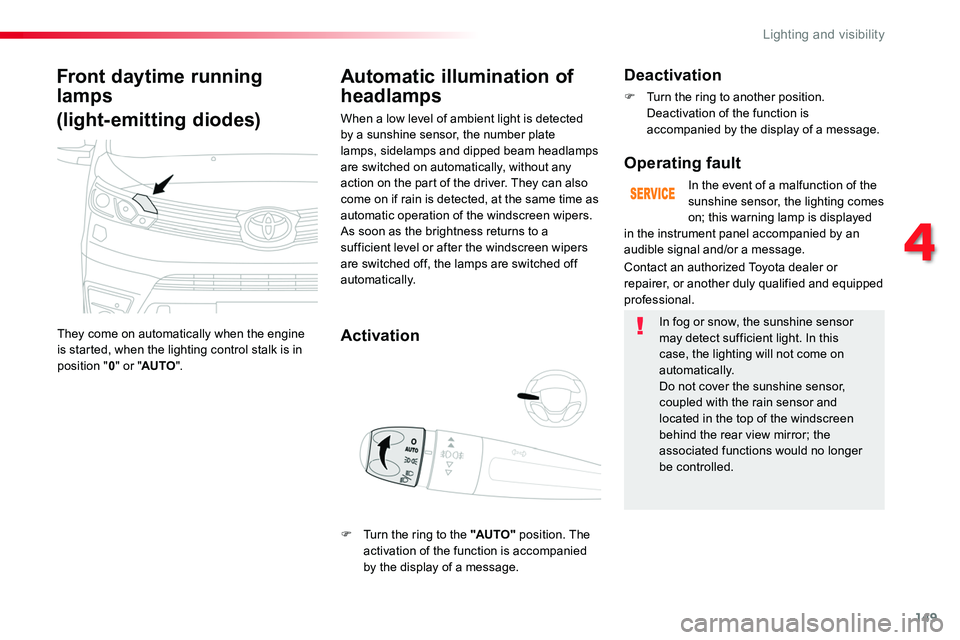
Front daytime running
lamps
(light-emitting diodes)
They come on automatically when the engine is started, when the lighting control stalk is in position "0" or "AUTO".
Automatic illumination of
headlamps
Activation
When a low level of ambient light is detected by a sunshine sensor, the number plate lamps, sidelamps and dipped beam headlamps are switched on automatically, without any action on the part of the driver. They can also come on if rain is detected, at the same time as automatic operation of the windscreen wipers.As soon as the brightness returns to a sufficient level or after the windscreen wipers are switched off, the lamps are switched off automatically.
Deactivation
F Turn the ring to another position. Deactivation of the function is accompanied by the display of a message.
Operating fault
In the event of a malfunction of the sunshine sensor, the lighting comes on; this warning lamp is displayed
Contact an authorized Toyota dealer or repairer, or another duly qualified and equipped professional.
in the instrument panel accompanied by an audible signal and/or a message.
In fog or snow, the sunshine sensor may detect sufficient light. In this case, the lighting will not come on automatically.Do not cover the sunshine sensor, coupled with the rain sensor and located in the top of the windscreen behind the rear view mirror; the associated functions would no longer be controlled.
F Turn the ring to the "AUTO" position. The activation of the function is accompanied by the display of a message.
4
Lighting and visibility
Page 151 of 516
151
Exterior welcome lighting
The remote switching on of the lighting makes your approach to the vehicle easier in poor light. It is activated when the lighting control is in the "AUTO" position and the level of light detected by the sunshine sensor is low.
Switching on
F Press the open padlock on the remote control or one of the front door handles with Smart Entry & Start System.
Switching off
The exterior welcome lighting switches off automatically after a set time, when the ignition is switched on or on locking the vehicle.
Programming
The activation, deactivation and choice of welcome lighting duration can be set.
The dipped beam headlamps and sidelamps come on; your vehicle is also unlocked.
In the vehicle settings menu, activate/deactivate "Welcome lighting".
With the touch screen
With the audio system
In the "Personalisation-configuration" menu, activate/deactivate "Welcome lighting".
4
Lighting and visibility
Page 163 of 516
163
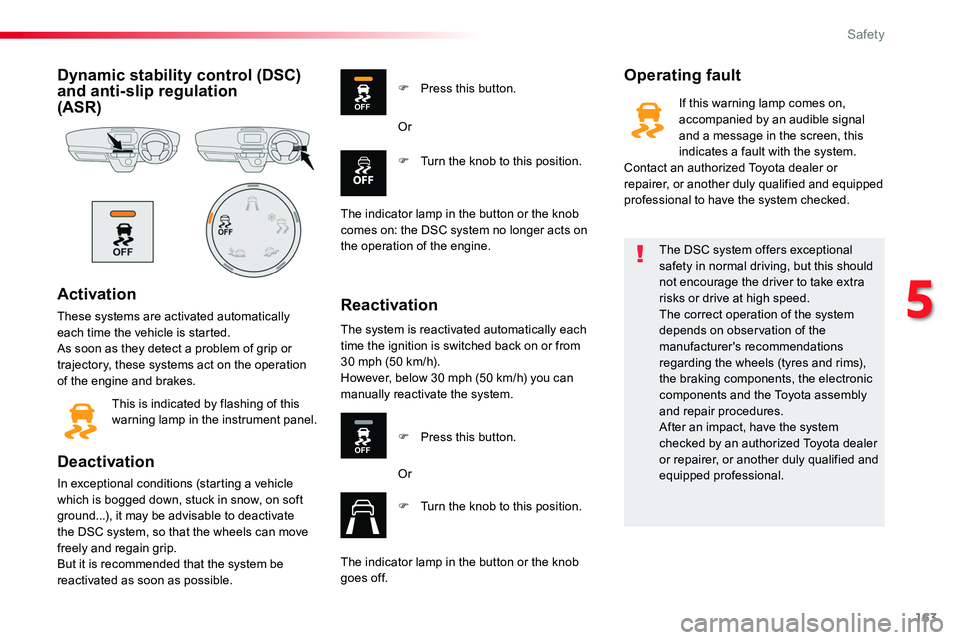
Dynamic stability control (DSC) and anti-slip regulation (ASR)
Activation
These systems are activated automatically each time the vehicle is started.As soon as they detect a problem of grip or trajectory, these systems act on the operation of the engine and brakes.
This is indicated by flashing of this warning lamp in the instrument panel.
Deactivation
In exceptional conditions (starting a vehicle which is bogged down, stuck in snow, on soft ground...), it may be advisable to deactivate the DSC system, so that the wheels can move freely and regain grip.But it is recommended that the system be reactivated as soon as possible.
Operating fault
Reactivation
F Press this button.
F Turn the knob to this position.
Or
The indicator lamp in the button or the knob
comes on: the DSC system no longer acts on the operation of the engine.
The system is reactivated automatically each time the ignition is switched back on or from 30 mph (50 km/h).However, below 30 mph (50 km/h) you can manually reactivate the system.
F Press this button.
Or
F Turn the knob to this position.
The indicator lamp in the button or the knob goes off.
The DSC system offers exceptional safety in normal driving, but this should not encourage the driver to take extra risks or drive at high speed.The correct operation of the system depends on observation of the manufacturer's recommendations regarding the wheels (tyres and rims), the braking components, the electronic components and the Toyota assembly and repair procedures.After an impact, have the system checked by an authorized Toyota dealer or repairer, or another duly qualified and equipped professional.
If this warning lamp comes on, accompanied by an audible signal and a message in the screen, this indicates a fault with the system.Contact an authorized Toyota dealer or repairer, or another duly qualified and equipped professional to have the system checked.
5
Safety
Page 195 of 516
195
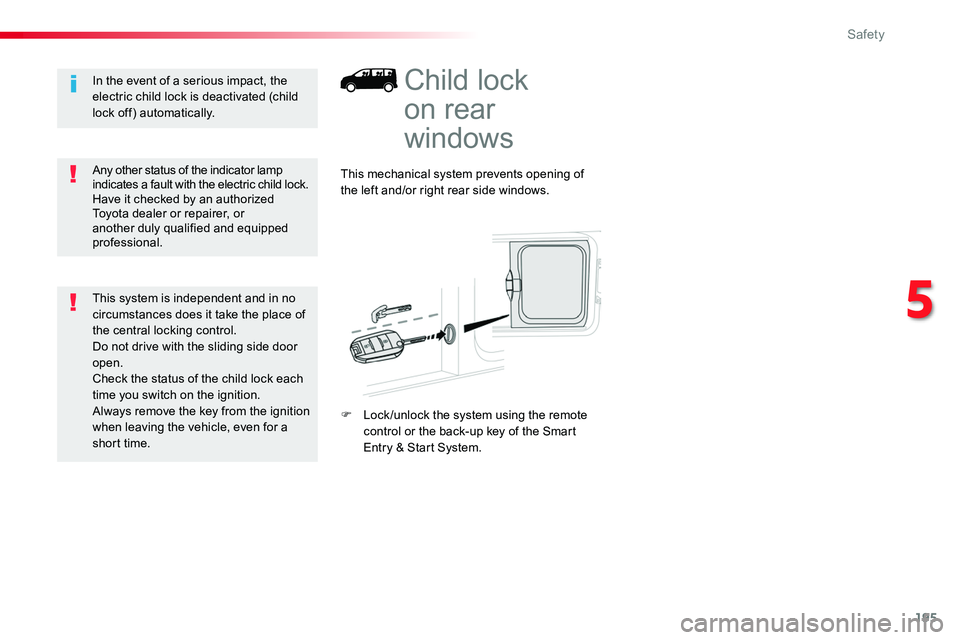
Child lock
on rear
windows
This mechanical system prevents opening of the left and/or right rear side windows.
F Lock /unlock the system using the remote control or the back-up key of the Smart Entry & Start System.
Any other status of the indicator lamp indicates a fault with the electric child lock.Have it checked by an authorized Toyota dealer or repairer, or another duly qualified and equipped professional.
In the event of a serious impact, the electric child lock is deactivated (child lock off) automatically.
This system is independent and in no circumstances does it take the place of the central locking control.Do not drive with the sliding side door open.Check the status of the child lock each time you switch on the ignition.Always remove the key from the ignition when leaving the vehicle, even for a
short time.
5
Safety
Page 196 of 516
196
Driving recommendations
Observe the driving regulations and remain vigilant whatever the traffic conditions.Pay close attention to the traffic and keep your hands on the wheel so that you are ready to react at any time to any eventuality.On a long journey, a break every two hours is strongly recommended.In difficult weather, drive smoothly, anticipate
the need to brake and increase the distance from other vehicles.
Never drive with the parking brake applied - Risk of overheating and damage to the braking system!Risk of fire!As the exhaust system of your vehicle is very hot, even several minutes after switching off the engine, do not park or run the engine over areas where inflammable substances and materials are present: grass, leaves, etc.
Never leave a vehicle unsupervised with the engine running. If you have to leave your vehicle with the engine running, apply the parking brake and put the gearbox into neutral or position N or P, depending on the type of gearbox.
Driving on flooded roads
We strongly advise against driving on flooded
roads, as this could cause serious damage to the engine or gearbox, as well as to the electrical systems of your vehicle.
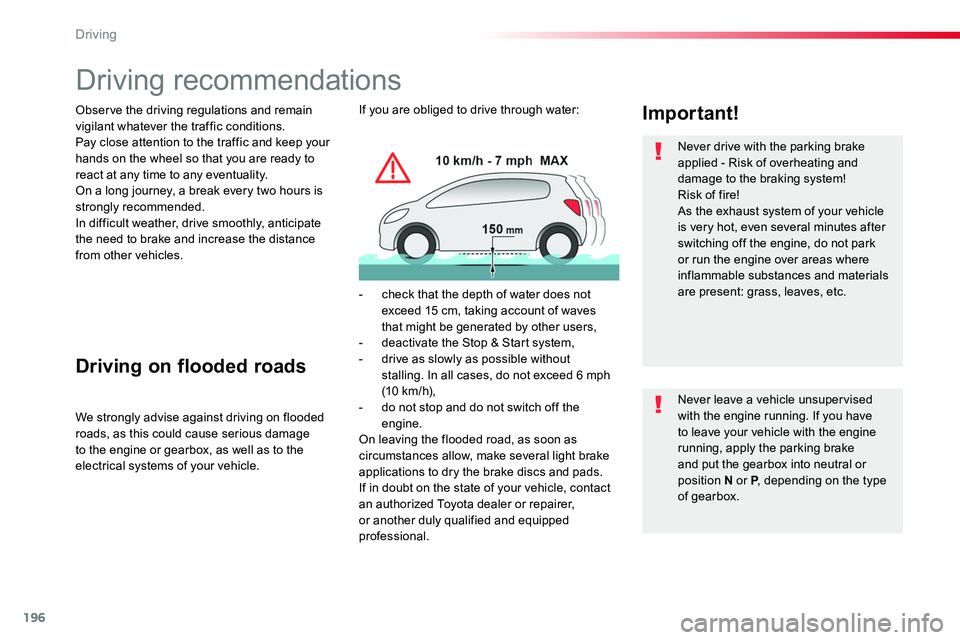
Important!If you are obliged to drive through water:
- check that the depth of water does not exceed 15 cm, taking account of waves that might be generated by other users,- deactivate the Stop & Start system,- drive as slowly as possible without stalling. In all cases, do not exceed 6 mph (10 km/h),- do not stop and do not switch off the engine.On leaving the flooded road, as soon as circumstances allow, make several light brake applications to dry the brake discs and pads.If in doubt on the state of your vehicle, contact an authorized Toyota dealer or repairer, or another duly qualified and equipped professional.
Driving
Page 199 of 516
199
Starting-switching off the engine, manual key, remote control
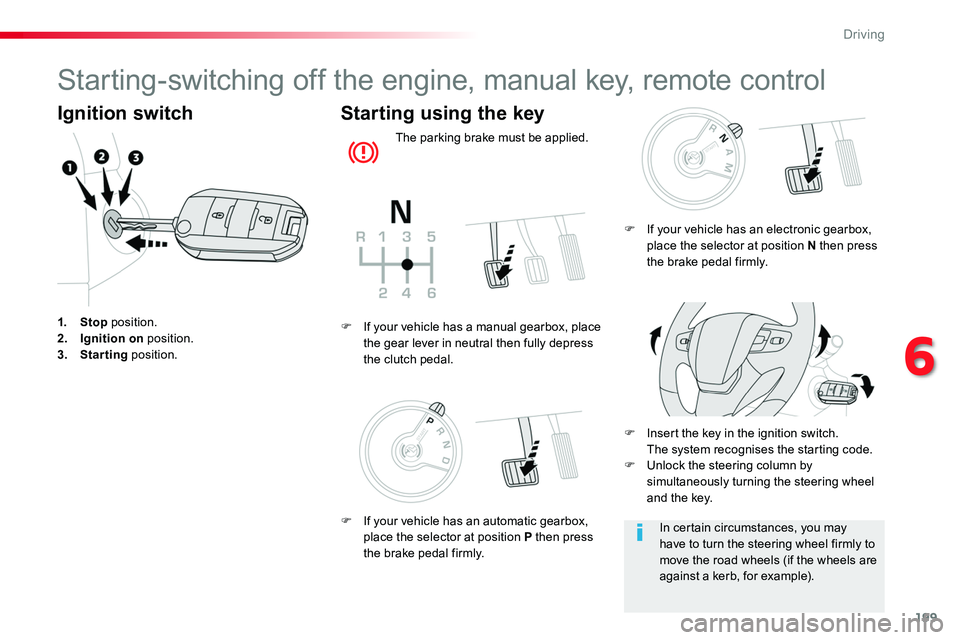
Ignition switch
1. Stop position.2. Ignition on position.3. Starting position.
Starting using the key
The parking brake must be applied.
F Insert the key in the ignition switch. The system recognises the starting code.F Unlock the steering column by simultaneously turning the steering wheel and the key.
F If your vehicle has a manual gearbox, place the gear lever in neutral then fully depress the clutch pedal.
In certain circumstances, you may have to turn the steering wheel firmly to move the road wheels (if the wheels are against a kerb, for example).
F If your vehicle has an electronic gearbox, place the selector at position N then press the brake pedal firmly.
F If your vehicle has an automatic gearbox, place the selector at position P then press the brake pedal firmly.
6
Driving
Page 200 of 516
200
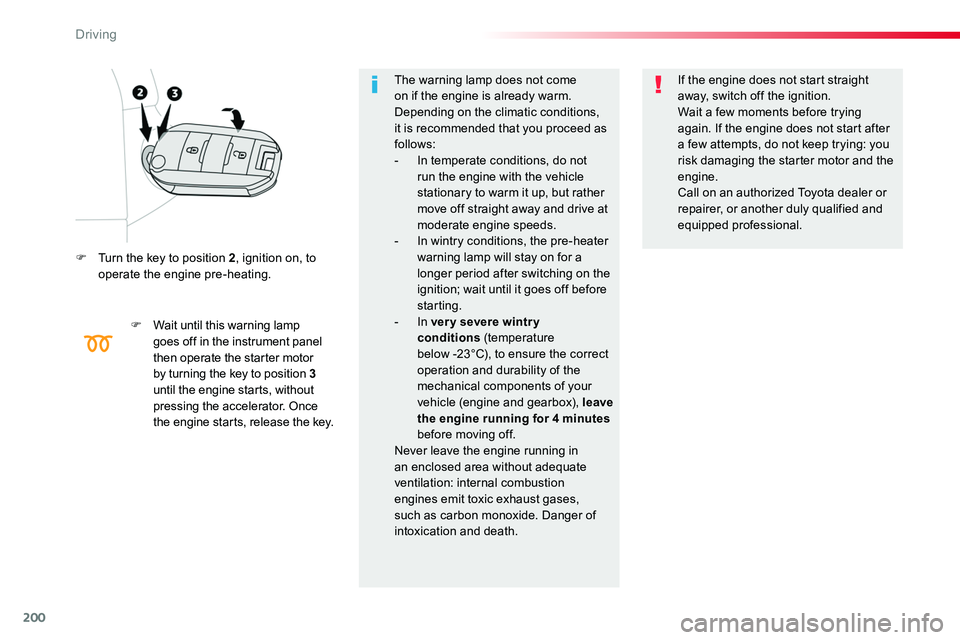
F Turn the key to position 2, ignition on, to operate the engine pre-heating.
F Wait until this warning lamp goes off in the instrument panel then operate the starter motor by turning the key to position 3 until the engine starts, without pressing the accelerator. Once the engine starts, release the key.
The warning lamp does not come on if the engine is already warm. Depending on the climatic conditions, it is recommended that you proceed as follows:- In temperate conditions, do not run the engine with the vehicle stationary to warm it up, but rather move off straight away and drive at
moderate engine speeds.- In wintry conditions, the pre-heater warning lamp will stay on for a longer period after switching on the ignition; wait until it goes off before starting.- In ver y severe wintr y conditions (temperature below -23°C), to ensure the correct operation and durability of the mechanical components of your vehicle (engine and gearbox), leave the engine running for 4 minutes before moving off.Never leave the engine running in an enclosed area without adequate ventilation: internal combustion engines emit toxic exhaust gases, such as carbon monoxide. Danger of intoxication and death.
If the engine does not start straight away, switch off the ignition.Wait a few moments before trying again. If the engine does not start after a few attempts, do not keep trying: you risk damaging the starter motor and the engine.Call on an authorized Toyota dealer or repairer, or another duly qualified and
equipped professional.
Driving
Page 202 of 516
202
For Diesel vehicles, in sub-zero temperatures the engine will not start until the pre-heater warning lamp has gone off.If this warning lamp comes on after pressing the "START/STOP" button, press down on the brake or clutch pedal until the warning lamp goes off, without pressing the "START/STOP" button again, until the engine starts and runs.
Starting
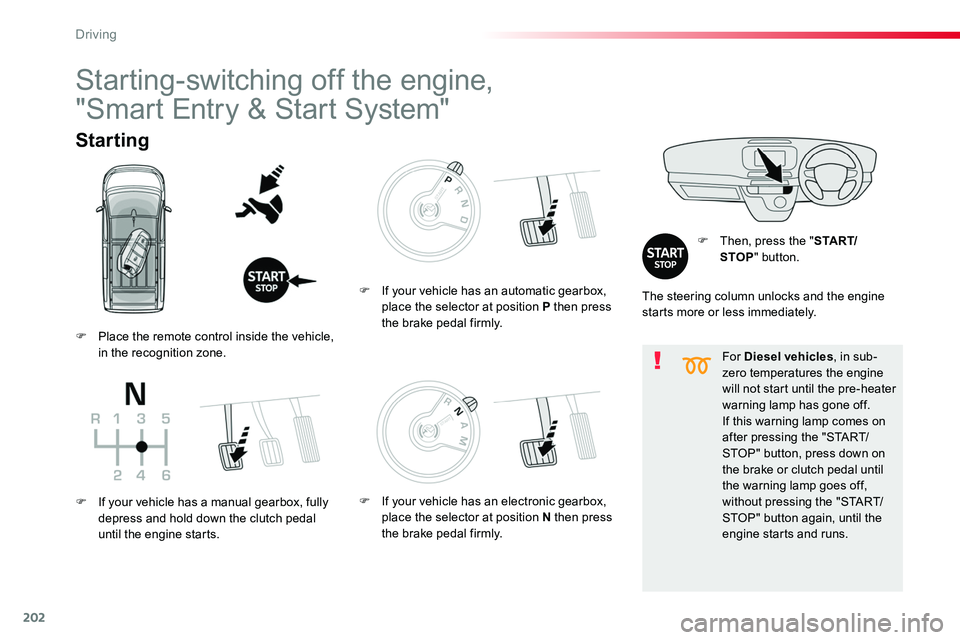
F Then, press the "S TA R T/STOP" button.
Starting-switching off the engine,
"Smart Entry & Start System"
The steering column unlocks and the engine starts more or less immediately.
F Place the remote control inside the vehicle, in the recognition zone.
F If your vehicle has a manual gearbox, fully depress and hold down the clutch pedal until the engine starts.
F If your vehicle has an automatic gearbox, place the selector at position P then press the brake pedal firmly.
F If your vehicle has an electronic gearbox, place the selector at position N then press the brake pedal firmly.
Driving
Page 203 of 516
203
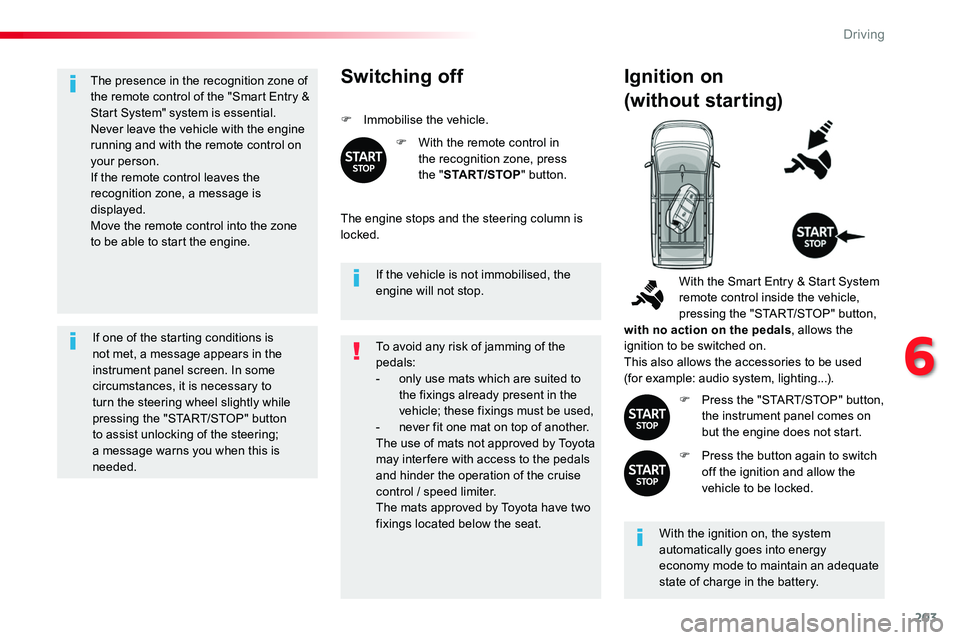
The presence in the recognition zone of the remote control of the "Smart Entry & Start System" system is essential.Never leave the vehicle with the engine running and with the remote control on your person.If the remote control leaves the recognition zone, a message is displayed.
Move the remote control into the zone to be able to start the engine.
If one of the starting conditions is not met, a message appears in the instrument panel screen. In some circumstances, it is necessary to turn the steering wheel slightly while pressing the "START/STOP" button
to assist unlocking of the steering; a message warns you when this is needed.
If the vehicle is not immobilised, the engine will not stop.
Switching off
F Immobilise the vehicle.
F With the remote control in the recognition zone, press the "START/STOP" button.
The engine stops and the steering column is locked.
Ignition on
(without starting)
With the ignition on, the system automatically goes into energy economy mode to maintain an adequate state of charge in the battery.
With the Smart Entry & Start System remote control inside the vehicle, pressing the "START/STOP" button, with no action on the pedals, allows the ignition to be switched on.This also allows the accessories to be used (for example: audio system, lighting...).
F Press the "START/STOP" button, the instrument panel comes on but the engine does not start.
F Press the button again to switch off the ignition and allow the vehicle to be locked.
To avoid any risk of jamming of the pedals:- only use mats which are suited to the fixings already present in the vehicle; these fixings must be used,- never fit one mat on top of another.The use of mats not approved by Toyota may inter fere with access to the pedals and hinder the operation of the cruise control / speed limiter.The mats approved by Toyota have two fixings located below the seat.
6
Driving
Page 204 of 516
204
Back-up starting
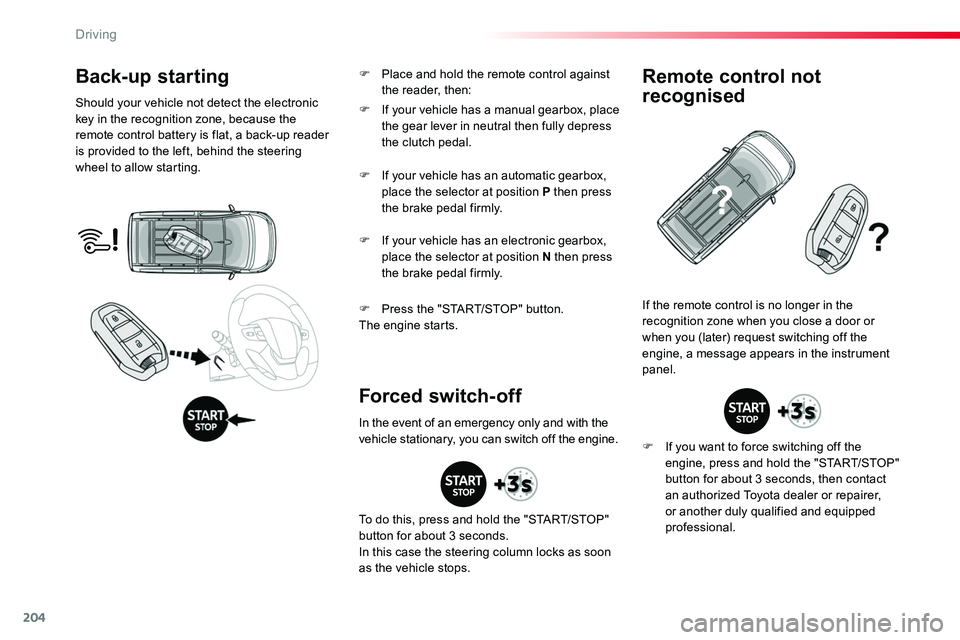
Should your vehicle not detect the electronic key in the recognition zone, because the remote control battery is flat, a back-up reader is provided to the left, behind the steering wheel to allow starting.
F Press the "START/STOP" button.The engine starts.
If the remote control is no longer in the recognition zone when you close a door or when you (later) request switching off the engine, a message appears in the instrument panel.
Forced switch-off
Remote control not
recognised
F If you want to force switching off the engine, press and hold the "START/STOP" button for about 3 seconds, then contact an authorized Toyota dealer or repairer, or another duly qualified and equipped professional.
F If your vehicle has a manual gearbox, place the gear lever in neutral then fully depress the clutch pedal.
F If your vehicle has an automatic gearbox, place the selector at position P then press the brake pedal firmly.
F If your vehicle has an electronic gearbox, place the selector at position N then press the brake pedal firmly.
In the event of an emergency only and with the vehicle stationary, you can switch off the engine.
To do this, press and hold the "START/STOP" button for about 3 seconds.In this case the steering column locks as soon as the vehicle stops.
F Place and hold the remote control against the reader, then:
Driving