Drive mode TOYOTA PROACE 2023 Workshop Manual
[x] Cancel search | Manufacturer: TOYOTA, Model Year: 2023, Model line: PROACE, Model: TOYOTA PROACE 2023Pages: 360, PDF Size: 70.22 MB
Page 263 of 360
263
Bluetooth® audio system
10
Bluetooth® audio system
NOTIC E
The different functions and settings described vary according to the version and configuration of your vehicle.
WARNI NG
As a safety measure and because it requires sustained attention by the driver, the pairing of a Bluetooth mobile telephone with the Bluetooth hands-free system of your audio system must be done with the vehicle stationary and the ignition on.
WARNI NG
Your audio system is coded in such a way that it will only operate in your vehicle.All work on the system must be carried out exclusively by a dealer or qualified workshop, to avoid any risk of electrocution, fire or mechanical faults.
NOTIC E
To avoid discharging the battery, the audio system may switch off after a few minutes if the engine is not running.
First steps
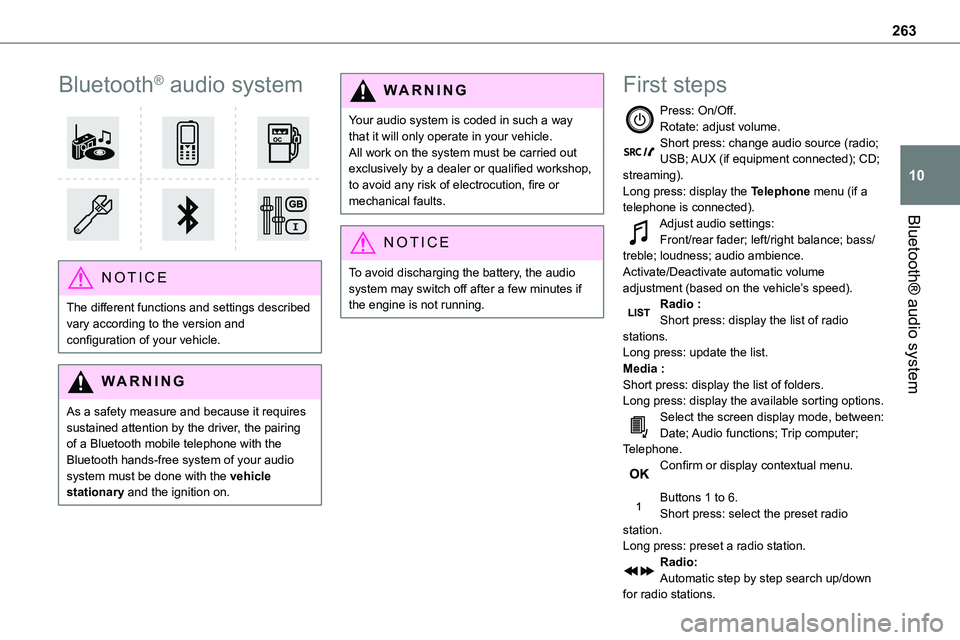
Press: On/Off.Rotate: adjust volume.Short press: change audio source (radio; USB; AUX (if equipment connected); CD; streaming).Long press: display the Telephone menu (if a telephone is connected).
Adjust audio settings:Front/rear fader; left/right balance; bass/treble; loudness; audio ambience.Activate/Deactivate automatic volume adjustment (based on the vehicle’s speed).Radio :Short press: display the list of radio stations.Long press: update the list.Media :Short press: display the list of folders.Long press: display the available sorting options.Select the screen display mode, between:Date; Audio functions; Trip computer; Telephone.Confirm or display contextual menu.
Buttons 1 to 6.Short press: select the preset radio station.Long press: preset a radio station.Radio:Automatic step by step search up/down for radio stations.
Page 276 of 360
276
TOYOTA Pro Touch
Multimedia audio system -
Applications - Bluetooth®
telephone
NOTIC E
The functions and settings described vary according to the vehicle version and configuration, as well as the country of sale.
WARNI NG
For safety reasons and because they require sustained attention by the driver, the following operations must be carried out with the vehicle stationary and the ignition on:– Pairing the smartphone with the system via Bluetooth.– Using the smartphone.
– Connecting to the CarPlay® or Android Auto applications (certain applications stop displaying when the vehicle is moving).– Changing the system settings and configuration.
NOTIC E
The system is protected so that it only operates in the vehicle.The message Energy economy mode is displayed when the system is about to go into standby.
First steps
With the engine running, a press mutes the sound.With the ignition off, a press turns the system on.Increase or decrease the volume using the wheel or the "plus" or "minus" buttons (depending on the equipment).Use the buttons on either side of or below the
touch screen to access the menus, then press the virtual buttons on the touch screen.Depending on the model, use the "Source" and "Menu" buttons on the left of the touch screen to access the menus, then press the virtual buttons on the touch screen.At all times it is possible to display the rolling menus by pressing the screen briefly with three fingers.All touch-sensitive areas on the screen are white.On pages with multiple tabs at the bottom of the screen, you can switch between pages either by tapping the tab for the desired page or by swiping the pages to the left or right with your finger.Press in the shaded area to go back up a level or confirm.Press the back arrow to go back a level or confirm.
Page 291 of 360
291
TOYOTA Pro Touch with navigation system
12
TOYOTA Pro Touch with
navigation system
GPS navigation -
Applications - Multimedia
audio system - Bluetooth®
telephone
NOTIC E
The functions and settings described vary according to the vehicle version and configuration, as well as the country of sale.
WARNI NG
For safety reasons and because they require sustained attention by the driver, the following operations must be carried out with the vehicle stationary and the ignition on:– Pairing the smartphone with the system via Bluetooth.– Using the smartphone.
– Connecting to the CarPlay® or Android Auto applications (certain applications stop displaying when the vehicle is moving).– Watching a video (the video stops when the vehicle starts to move again).– Changing the system settings and configuration.
NOTIC E
The system is protected so that it only operates in the vehicle.The message Energy economy mode is displayed when the system is about to go into standby.
NOTIC E
System and map updates can be downloaded from the Brand's website.The update procedure is also available there.
First steps
With the engine running, a press mutes the sound.With the ignition off, a press turns the system on.Increase or decrease the volume using the wheel or the "plus" or "minus" buttons (depending on the equipment).Use the menu buttons on either side of or below
the touch screen for access to the menus, then press the virtual buttons in the touch screen.Depending on the model, use the "Source" or "Menu" buttons to access the rolling menus, then press the virtual buttons in the touch screen.Display the rolling menus at any time by pressing the screen briefly with three fingers.All of the touch areas of the screen are white.Press the back arrow to go back a level.Press "OK" to confirm.
WARNI NG
The touch screen is of the "capacitive" type.To clean the screen, use a soft, non-abrasive cloth (e.g. spectacles cloth) with no additional product.Do not use sharp objects on the screen.Do not touch the screen with wet hands.
Certain information is displayed permanently in the side bars or in the upper bar of the touch screen (depending on equipment):
Page 322 of 360
322
Changing the remote control battery 38Changing to free-wheeling 223, 250Charge level indicator (Electric) 22Charging cable 202Charging cable (Electric) 201Charging connector (Electric) 200, 206–207, 209Charging flap (Electric) 200, 206–207, 209
Charging system (Electric) 5, 9, 27, 198, 215Charging the traction battery (Electric) 22, 198, 206–207, 209Checking the engine oil level 19–20Checking the levels 215–217Checking tyre pressures (using the kit) 229–232Checks 214, 217–220Checks, routine 217–219Child lock 146–147Child lock on rear windows 147Children 11 9, 127, 133–134, 142, 142–143, 142–143Children (safety) 146Child seats 11 9, 123–124, 126–130, 143Child seats, conventional 126–130Child seats, i-Size 143Child seats, ISOFIX 133–134, 142, 142–143, 142–143Cleaning (advice) 199, 224–226Closing the boot 47Closing the doors 30, 34–35, 46–47Collision Risk Alert 184–185Compressor, tyre inflation 229
Configuration, vehicle 26–27Connected applications 304Connection, Bluetooth 271, 285–286, 305, 310–3 11Connection, Wi-Fi network 305–306Connectivity 304Consumption figures 27Container, AdBlue® 221
Control, emergency boot release 38Control, emergency door 31, 36–37Control, heated seats 55Control stalk, lighting 99Control stalk, wipers 105–107Control unit 201–202Courtesy lamp 96Courtesy lamp, front 96–98, 242Courtesy lamp, rear 96–98, 242Courtesy lamps 96–98, 242Cover, load space 78Crew cab, fixed 72–73Crew cab, folding 73Cruise control 172, 174–175, 177–180Cruise control, adaptive 175, 180, 182–184Cruise control by speed limit recognition 174–175Cruise control, dynamic with Stop function 174–175Cup holder 74
D
DAB (Digital Audio Broadcasting) - Digital radio 267, 282, 308Date (setting) 29, 288, 314Daytime running lamps 101, 238–240Deactivating the passenger airbag 120, 125Deactivation of DSC (ESC) 11 3
Deadlocking 35–36Deferred charging 28, 208Deferred charging (Electric) 27–28, 200, 206Defrosting 57, 91Demisting 91Demisting, rear 91Demisting, rear screen 91Dimensions 260Dipstick 19–20, 215Direction indicators 100, 238–239, 241, 243Display, head-up 171–172Domestic charging 202Domestic charging (Electric) 207, 209, 258Door pockets 75Doors, rear 46–47Doors, side 42Doors, side-hinged 34–36, 46–47, 241Driver’s attention warning 188Drive selector (Electric) 164, 219Driving 148–149Driving aids camera (warnings) 170Driving aids (recommendations) 169Driving economically 8Driving modes 165