ESP TOYOTA PROACE CITY 2020 Service Manual
[x] Cancel search | Manufacturer: TOYOTA, Model Year: 2020, Model line: PROACE CITY, Model: TOYOTA PROACE CITY 2020Pages: 272, PDF Size: 61.18 MB
Page 112 of 272
11 2
NOTIC E
The inflation pressures defined for the vehicle can be found on the tyre pressure label.For more information on the Identification markings, refer to the corresponding section.
WARNI NG
Checking tyre pressuresThis check should be done when the tyres are "cold" (vehicle stopped for 1 hour or after a journey of less than 10 km (6 miles) at moderate speeds).Otherwise, add 0.3 bar to the pressures shown on the label.
NOTIC E
Snow chainsThe system does not have to be reinitialised after fitting or removing snow chains.
NOTIC E
Spare wheelThe steel spare wheel does not have an under-inflation detection sensor.
Under-inflation alert
This is signalled by the fixed illumination of this warning lamp, accompanied by an audible signal and, depending on equipment, the display of a message.► Reduce speed immediately, avoid excessive steering movements and avoid sudden braking.► Stop the vehicle as soon as it is safe to do so.
WARNI NG
The loss of pressure detected does not always cause visible bulging of the tyre.Do not rely on just a visual check.
► Using a compressor, such as the one in the temporary puncture repair kit, check the pressures of the four tyres when cold.► If it is not possible to make this check immediately, drive carefully at reduced speed.► In the event of a puncture, use the temporary puncture repair kit or the spare wheel (depending on equipment).
NOTIC E
The alert is kept active until the system is reinitialised.
Reinitialisation
Reinitialise the system after adjusting one or more tyre pressures and after changing one or more wheels.
WARNI NG
Before reinitialising the system, make sure that the pressures of the four tyres are correct for the conditions of use of the vehicle and
conform to the values written on the tyre pressure label.Check the pressures of the four tyres before performing the reinitialisation.The system does not advise if a pressure is incorrect at the time of reinitialisation.
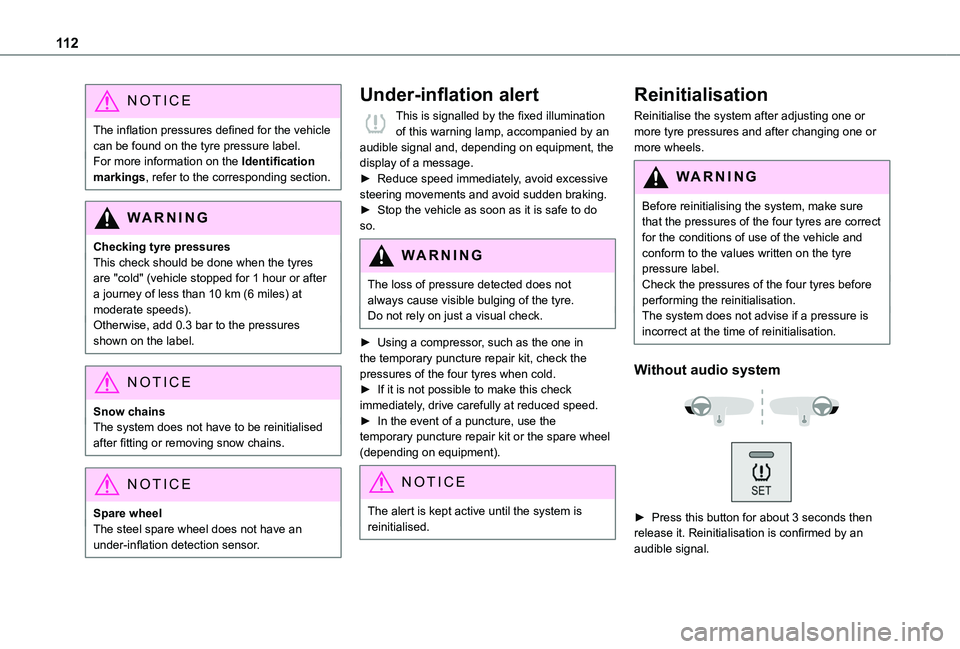
Without audio system
► Press this button for about 3 seconds then release it. Reinitialisation is confirmed by an audible signal.
Page 114 of 272
11 4
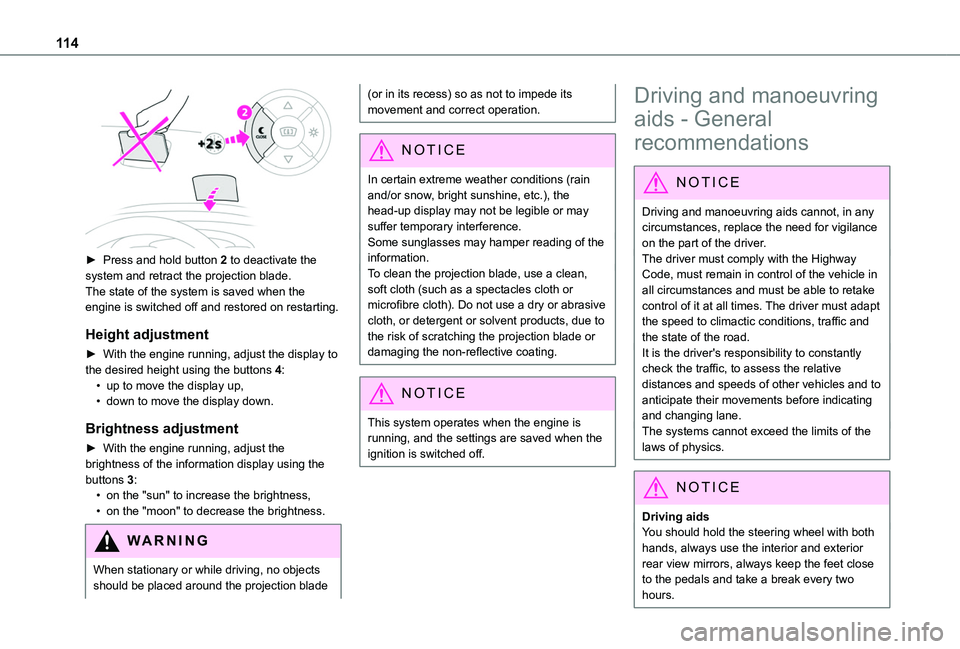
► Press and hold button 2 to deactivate the system and retract the projection blade.The state of the system is saved when the engine is switched off and restored on restarting.
Height adjustment
► With the engine running, adjust the display to the desired height using the buttons 4:• up to move the display up,• down to move the display down.
Brightness adjustment
► With the engine running, adjust the brightness of the information display using the buttons 3:• on the "sun" to increase the brightness,• on the "moon" to decrease the brightness.
W ARNI NG
When stationary or while driving, no objects should be placed around the projection blade
(or in its recess) so as not to impede its movement and correct operation.
NOTIC E
In certain extreme weather conditions (rain and/or snow, bright sunshine, etc.), the head-up display may not be legible or may suffer temporary interference.Some sunglasses may hamper reading of the
information.To clean the projection blade, use a clean, soft cloth (such as a spectacles cloth or microfibre cloth). Do not use a dry or abrasive cloth, or detergent or solvent products, due to the risk of scratching the projection blade or damaging the non-reflective coating.
NOTIC E
This system operates when the engine is running, and the settings are saved when the ignition is switched off.
Driving and manoeuvring
aids - General
recommendations
NOTIC E
Driving and manoeuvring aids cannot, in any circumstances, replace the need for vigilance on the part of the driver.The driver must comply with the Highway Code, must remain in control of the vehicle in all circumstances and must be able to retake control of it at all times. The driver must adapt the speed to climactic conditions, traffic and the state of the road.It is the driver's responsibility to constantly check the traffic, to assess the relative distances and speeds of other vehicles and to anticipate their movements before indicating and changing lane.The systems cannot exceed the limits of the
laws of physics.
NOTIC E
Driving aidsYou should hold the steering wheel with both hands, always use the interior and exterior rear view mirrors, always keep the feet close to the pedals and take a break every two hours.
Page 117 of 272
11 7
Driving
6
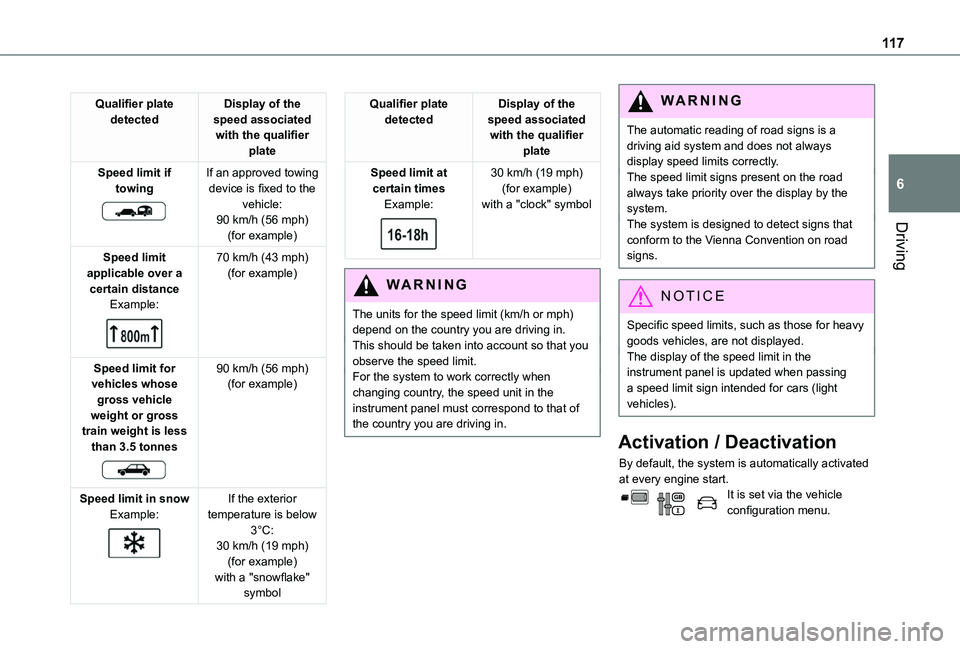
Qualifier plate detectedDisplay of the speed associated with the qualifier plate
Speed limit if towing
If an approved towing device is fixed to the vehicle:90 km/h (56 mph) (for example)
Speed limit applicable over a certain distanceExample:
70 km/h (43 mph) (for example)
Speed limit for vehicles whose gross vehicle weight or gross train weight is less than 3.5 tonnes
90 km/h (56 mph) (for example)
Speed limit in snowExample:
If the exterior temperature is below 3°C:
30 km/h (19 mph) (for example)with a "snowflake" symbol
Qualifier plate detectedDisplay of the speed associated with the qualifier plate
Speed limit at certain timesExample:
30 km/h (19 mph) (for example)with a "clock" symbol
WARNI NG
The units for the speed limit (km/h or mph) depend on the country you are driving in.This should be taken into account so that you observe the speed limit.For the system to work correctly when changing country, the speed unit in the instrument panel must correspond to that of the country you are driving in.
WARNI NG
The automatic reading of road signs is a driving aid system and does not always display speed limits correctly.The speed limit signs present on the road always take priority over the display by the system. The system is designed to detect signs that conform to the Vienna Convention on road signs.
NOTIC E
Specific speed limits, such as those for heavy goods vehicles, are not displayed.The display of the speed limit in the instrument panel is updated when passing a speed limit sign intended for cars (light vehicles).
Activation / Deactivation
By default, the system is automatically activated at every engine start.It is set via the vehicle configuration menu.
Page 118 of 272
11 8
Information displayed on
the instrument panel
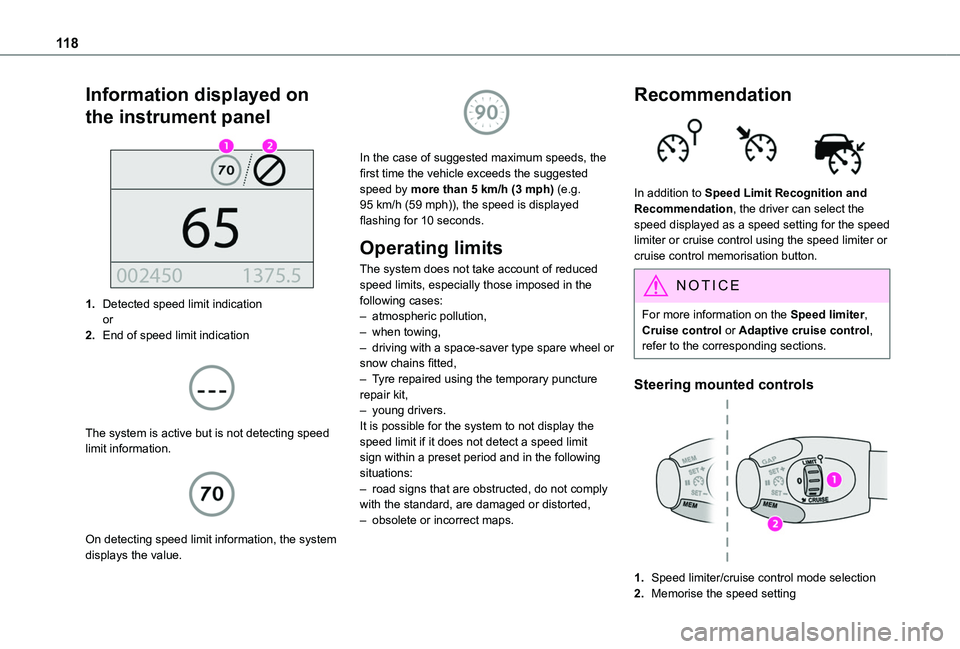
1.Detected speed limit indicationor
2.End of speed limit indication
The system is active but is not detecting speed limit information.
On detecting speed limit information, the system displays the value.
In the case of suggested maximum speeds, the first time the vehicle exceeds the suggested speed by more than 5 km/h (3 mph) (e.g. 95 km/h (59 mph)), the speed is displayed flashing for 10 seconds.
Operating limits
The system does not take account of reduced speed limits, especially those imposed in the following cases:– atmospheric pollution,– when towing,– driving with a space-saver type spare wheel or snow chains fitted,– Tyre repaired using the temporary puncture repair kit,– young drivers.It is possible for the system to not display the speed limit if it does not detect a speed limit sign within a preset period and in the following situations:– road signs that are obstructed, do not comply with the standard, are damaged or distorted,– obsolete or incorrect maps.
Recommendation
In addition to Speed Limit Recognition and Recommendation, the driver can select the speed displayed as a speed setting for the speed limiter or cruise control using the speed limiter or cruise control memorisation button.
NOTIC E
For more information on the Speed limiter, Cruise control or Adaptive cruise control, refer to the corresponding sections.
Steering mounted controls
1.Speed limiter/cruise control mode selection
2.Memorise the speed setting
Page 120 of 272
120
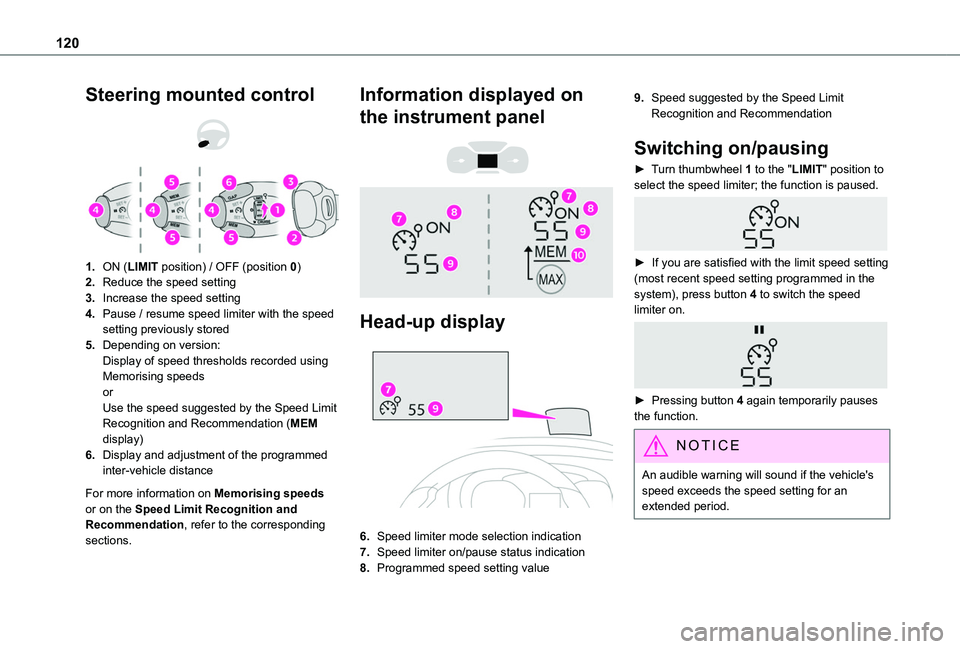
Steering mounted control
1.ON (LIMIT position) / OFF (position 0)
2.Reduce the speed setting
3.Increase the speed setting
4.Pause / resume speed limiter with the speed setting previously stored
5.Depending on version:Display of speed thresholds recorded using Memorising speedsorUse the speed suggested by the Speed Limit Recognition and Recommendation (MEM display)
6.Display and adjustment of the programmed inter-vehicle distance
For more information on Memorising speeds or on the Speed Limit Recognition and Recommendation, refer to the corresponding sections.
Information displayed on
the instrument panel
Head-up display
6.Speed limiter mode selection indication
7.Speed limiter on/pause status indication
8.Programmed speed setting value
9.Speed suggested by the Speed Limit Recognition and Recommendation
Switching on/pausing
► Turn thumbwheel 1 to the "LIMIT" position to select the speed limiter; the function is paused.
► If you are satisfied with the limit speed setting (most recent speed setting programmed in the system), press button 4 to switch the speed limiter on.
► Pressing button 4 again temporarily pauses the function.
NOTIC E
An audible warning will sound if the vehicle's speed exceeds the speed setting for an extended period.
Page 123 of 272
123
Driving
6
For more information on Memorising speeds or on the Speed Limit Recognition and Recommendation, refer to the corresponding sections.
Information displayed on
the instrument panel
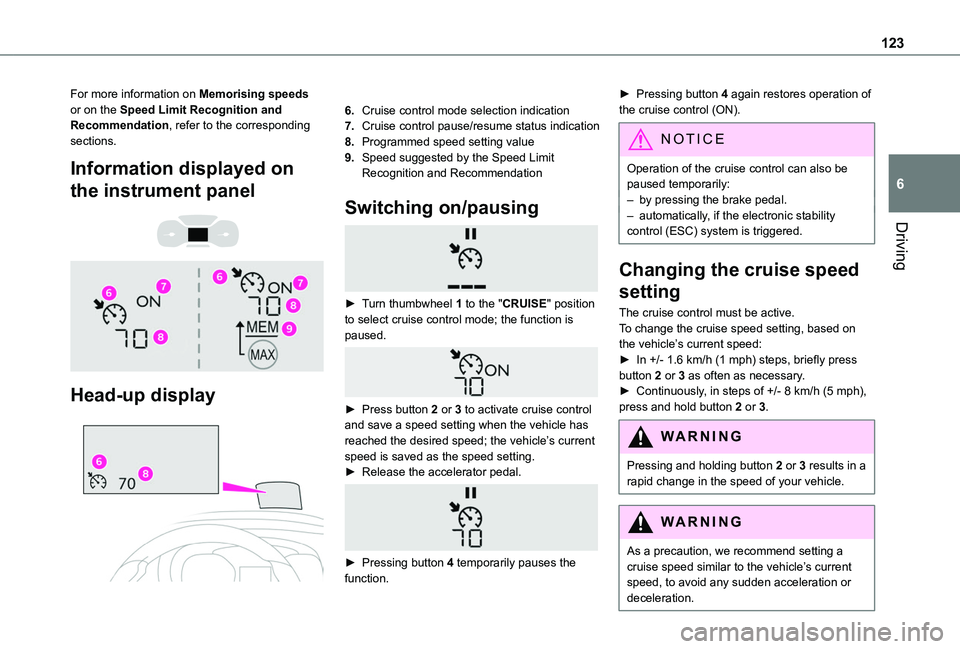
Head-up display
6.Cruise control mode selection indication
7.Cruise control pause/resume status indication
8.Programmed speed setting value
9.Speed suggested by the Speed Limit Recognition and Recommendation
Switching on/pausing
► Turn thumbwheel 1 to the "CRUISE" position to select cruise control mode; the function is paused.
► Press button 2 or 3 to activate cruise control and save a speed setting when the vehicle has reached the desired speed; the vehicle’s current
speed is saved as the speed setting.► Release the accelerator pedal.
► Pressing button 4 temporarily pauses the function.
► Pressing button 4 again restores operation of the cruise control (ON).
NOTIC E
Operation of the cruise control can also be paused temporarily:– by pressing the brake pedal.– automatically, if the electronic stability control (ESC) system is triggered.
Changing the cruise speed
setting
The cruise control must be active.To change the cruise speed setting, based on the vehicle’s current speed:► In +/- 1.6 km/h (1 mph) steps, briefly press button 2 or 3 as often as necessary.► Continuously, in steps of +/- 8 km/h (5 mph), press and hold button 2 or 3.
WARNI NG
Pressing and holding button 2 or 3 results in a rapid change in the speed of your vehicle.
WARNI NG
As a precaution, we recommend setting a cruise speed similar to the vehicle’s current speed, to avoid any sudden acceleration or deceleration.
Page 128 of 272
128
WARNI NG
If any of the following malfunctions occurs, do not use the system:– Following an impact on the windscreen close to the camera.– Brake lamps not working.
WARNI NG
If the vehicle has undergone any of the following modifications, do not use the system:– Carrying long objects on roof bars or a roof rack.– Towing.– Front end of the vehicle modified (for example by adding long-range headlamps or painting the front bumper).
Malfunction
In the event of a cruise control malfunction, dashes are displayed instead of the cruise control speed setting.This warning lamp comes on, accompanied by an audible signal and an onscreen message, to indicate a system malfunction.Have the system checked by a TOYOTA dealer or a qualified workshop.
NOTIC E
The adaptive cruise control deactivates automatically if the use of a “space-saver” type spare wheel is detected or in the event of a malfunction of the lateral brake lamps or trailer brake lamps (for approved trailers).
Memorising speeds
This function, used only for the speed limiter and programmable cruise control, lets you save speed settings that will subsequently be proposed for the purpose of configuring these two systems.You can memorise multiple speed settings for each of the two systems.By default, some speed settings are already memorised.
WARNI NG
As a safety measure, the driver must only change speed settings when stationary.
Changing a speed setting
In the Driving / Vehicle touch screen menu, select "Driving functions" then "Memorised speed settings".
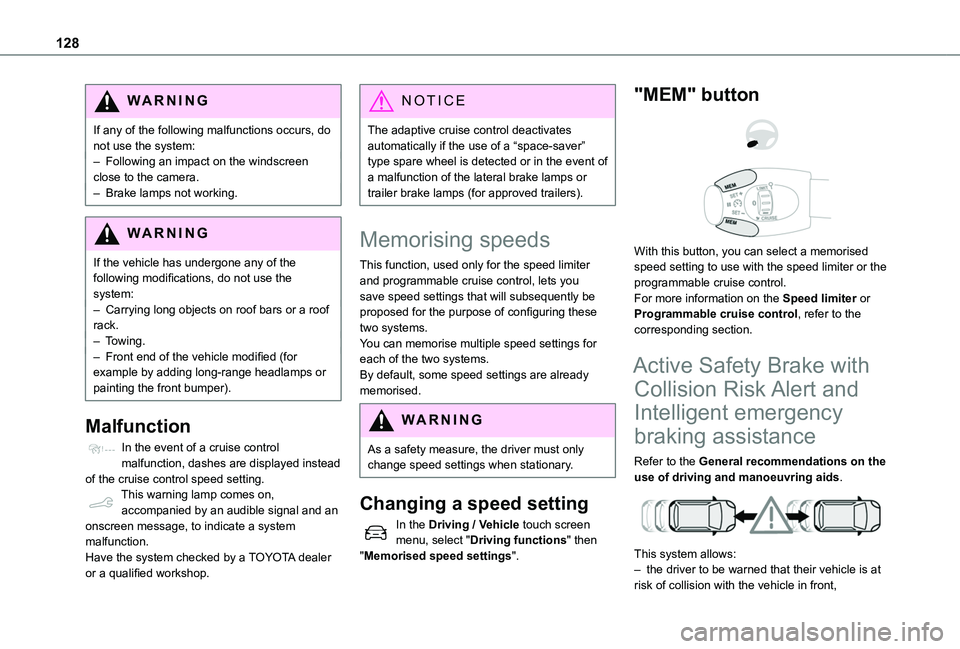
"MEM" button
With this button, you can select a memorised speed setting to use with the speed limiter or the programmable cruise control.For more information on the Speed limiter or Programmable cruise control, refer to the corresponding section.
Active Safety Brake with
Collision Risk Alert and
Intelligent emergency
braking assistance
Refer to the General recommendations on the use of driving and manoeuvring aids.
This system allows:– the driver to be warned that their vehicle is at risk of collision with the vehicle in front,
Page 129 of 272
129
Driving
6
– a collision to be prevented, or its severity to be limited, by reducing the vehicle’s speed.This system is comprised of three functions:– Collision Risk Alert,– Intelligent emergency braking assistance,– Active Safety Brake (automatic emergency braking).
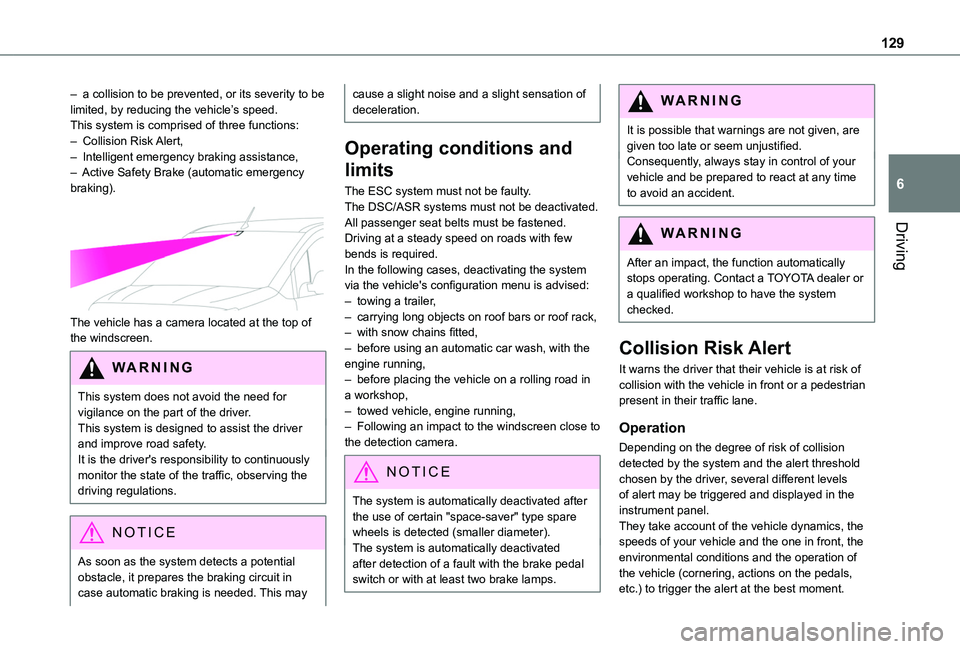
The vehicle has a camera located at the top of the windscreen.
W ARNI NG
This system does not avoid the need for vigilance on the part of the driver.This system is designed to assist the driver and improve road safety.It is the driver's responsibility to continuously monitor the state of the traffic, observing the
driving regulations.
NOTIC E
As soon as the system detects a potential obstacle, it prepares the braking circuit in case automatic braking is needed. This may
cause a slight noise and a slight sensation of deceleration.
Operating conditions and
limits
The ESC system must not be faulty.The DSC/ASR systems must not be deactivated.All passenger seat belts must be fastened.Driving at a steady speed on roads with few bends is required.In the following cases, deactivating the system via the vehicle's configuration menu is advised:– towing a trailer,– carrying long objects on roof bars or roof rack,– with snow chains fitted,– before using an automatic car wash, with the engine running,– before placing the vehicle on a rolling road in a workshop,– towed vehicle, engine running,– Following an impact to the windscreen close to the detection camera.
NOTIC E
The system is automatically deactivated after the use of certain "space-saver" type spare wheels is detected (smaller diameter).The system is automatically deactivated after detection of a fault with the brake pedal switch or with at least two brake lamps.
WARNI NG
It is possible that warnings are not given, are given too late or seem unjustified.Consequently, always stay in control of your vehicle and be prepared to react at any time to avoid an accident.
WARNI NG
After an impact, the function automatically stops operating. Contact a TOYOTA dealer or a qualified workshop to have the system checked.
Collision Risk Alert
It warns the driver that their vehicle is at risk of collision with the vehicle in front or a pedestrian present in their traffic lane.
Operation
Depending on the degree of risk of collision detected by the system and the alert threshold chosen by the driver, several different levels of alert may be triggered and displayed in the instrument panel.They take account of the vehicle dynamics, the speeds of your vehicle and the one in front, the environmental conditions and the operation of the vehicle (cornering, actions on the pedals, etc.) to trigger the alert at the best moment.
Page 133 of 272
133
Driving
6
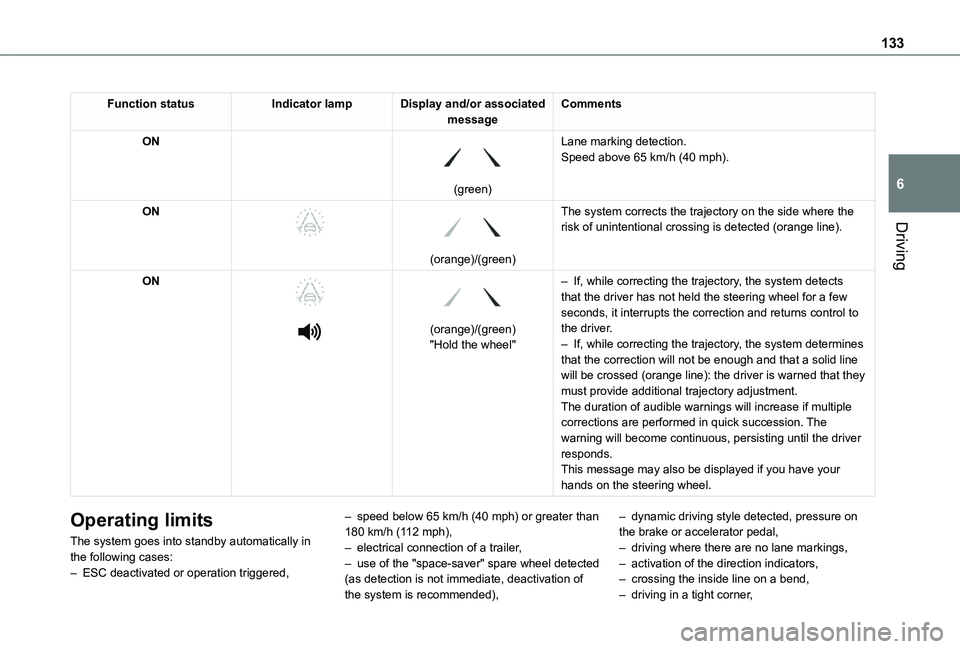
Function statusIndicator lampDisplay and/or associated messageComments
ON
(green)
Lane marking detection.Speed above 65 km/h (40 mph).
ON
(orange)/(green)
The system corrects the trajectory on the side where the risk of unintentional crossing is detected (orange line).
ON
(orange)/(green)"Hold the wheel"
– If, while correcting the trajectory, the system detects that the driver has not held the steering wheel for a few seconds, it interrupts the correction and returns control to the driver.– If, while correcting the trajectory, the system determines that the correction will not be enough and that a solid line will be crossed (orange line): the driver is warned that they must provide additional trajectory adjustment.The duration of audible warnings will increase if multiple corrections are performed in quick succession. The warning will become continuous, persisting until the driver responds.This message may also be displayed if you have your hands on the steering wheel.
Operating limits
The system goes into standby automatically in the following cases:– ESC deactivated or operation triggered,
– speed below 65 km/h (40 mph) or greater than 180 km/h (112 mph),– electrical connection of a trailer,– use of the "space-saver" spare wheel detected (as detection is not immediate, deactivation of the system is recommended),
– dynamic driving style detected, pressure on the brake or accelerator pedal,– driving where there are no lane markings,– activation of the direction indicators,– crossing the inside line on a bend,– driving in a tight corner,
Page 136 of 272
136
Contact a TOYOTA dealer or a qualified workshop to have the system checked.
NOTIC E
The system may suffer temporary interference in certain weather conditions (rain, hail, etc.).In particular, driving on a wet surface or moving from a dry area to a wet area can cause false alerts (for example, the presence
of a fog of water droplets in the blind spot angle is interpreted as a vehicle).In bad or wintry weather, ensure that the sensors are not covered by mud, ice or snow.Take care not to cover the warning zone in the door mirrors or the detection zones on the front and rear bumpers with adhesive labels or other objects; they may hamper correct operation of the system.
Active Blind Spot
Monitoring System
In addition to the fixed warning lamp in the door mirror on the side in question, a correction of trajectory will be felt if you attempt to cross a lane marking with the direction indicators on, to help you avoid a collision.This system is the combination of the Active Lane Departure Warning System and Blind Spot Monitoring System.
These two functions must be activated and in operation.The speed of the vehicle must be between 65 and 140 km/h (40 and 87 mph) inclusive.These functions are especially suitable for driving on motorways and main roads.For more information on the Active Lane Departure Warning System and Blind Spot Monitoring System, refer to the corresponding sections.
WARNI NG
This system is a driving aid which cannot, in any circumstances, replace the need for vigilance on the part of the driver.
Distraction detection
Refer to the General recommendations on the use of driving and manoeuvring aids.Take a break in case of feeling tired or at least every 2 hours.Depending on version, the function consists of just the "Coffee Break Alert" system, or of this combined with the "Driver Attention Warning" system.
WARNI NG
These systems are in no way designed to keep the driver awake or to prevent the driver from falling asleep at the wheel. It is the driver’s responsibility to stop if feeling tired.
Activation/Deactivation
The function is activated or deactivated via the vehicle configuration menu.The state of the system stays in the memory when the ignition is switched off.
Coffee Break Alert
The system triggers an alert as soon as it detects that the driver has not taken a break after two hours of driving at a speed above 65 km/h (40 mph).This alert is issued via the display of a message encouraging you to take a break, accompanied
by an audible signal.If the driver does not follow this advice, the alert is repeated hourly until the vehicle is stopped.The system resets itself if one of the following conditions is met:– engine running, the vehicle has been stationary for more than 15 minutes,– the ignition has been switched off for a few minutes,