steering TOYOTA PROACE CITY VERSO 2021 Owner's Guide
[x] Cancel search | Manufacturer: TOYOTA, Model Year: 2021, Model line: PROACE CITY VERSO, Model: TOYOTA PROACE CITY VERSO 2021Pages: 272, PDF Size: 57.64 MB
Page 136 of 272
136
Deactivation/Activation
By default, the system is automatically activated at every engine start.This system can be deactivated or activated via the vehicle settings menu.Deactivation of the system is signalled by the illumination of this indicator lamp, accompanied by the display of a message.
Malfunction
In the event of a system malfunction, this warning lamp comes on on the instrument panel, accompanied by an onscreen message and an audible signal.Contact a TOYOTA dealer or a qualified workshop to have the system checked.If these warning lamps come on after the engine has been switched off and then restarted, contact a TOYOTA dealer or a qualified workshop to have the system checked.
Active Lane Departure
Warning System
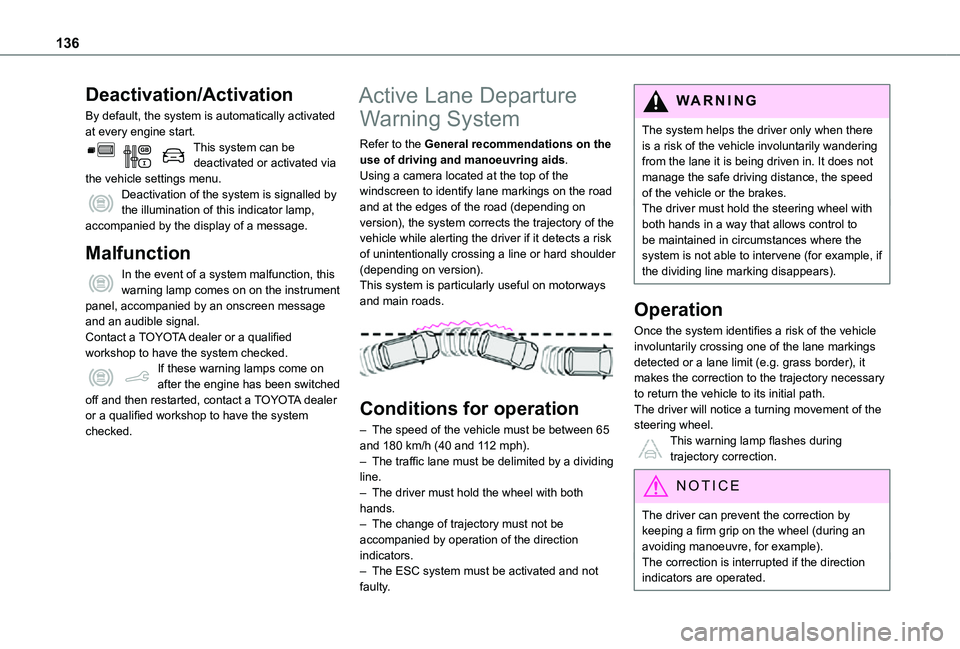
Refer to the General recommendations on the use of driving and manoeuvring aids.Using a camera located at the top of the windscreen to identify lane markings on the road and at the edges of the road (depending on version), the system corrects the trajectory of the vehicle while alerting the driver if it detects a risk of unintentionally crossing a line or hard shoulder (depending on version).This system is particularly useful on motorways and main roads.
Conditions for operation
– The speed of the vehicle must be between 65 and 180 km/h (40 and 112 mph).– The traffic lane must be delimited by a dividing line.– The driver must hold the wheel with both hands.– The change of trajectory must not be accompanied by operation of the direction indicators.– The ESC system must be activated and not faulty.
WARNI NG
The system helps the driver only when there is a risk of the vehicle involuntarily wandering from the lane it is being driven in. It does not manage the safe driving distance, the speed of the vehicle or the brakes.The driver must hold the steering wheel with both hands in a way that allows control to be maintained in circumstances where the system is not able to intervene (for example, if the dividing line marking disappears).
Operation
Once the system identifies a risk of the vehicle involuntarily crossing one of the lane markings detected or a lane limit (e.g. grass border), it makes the correction to the trajectory necessary to return the vehicle to its initial path.The driver will notice a turning movement of the steering wheel.This warning lamp flashes during
trajectory correction.
NOTIC E
The driver can prevent the correction by keeping a firm grip on the wheel (during an avoiding manoeuvre, for example).The correction is interrupted if the direction indicators are operated.
Page 138 of 272
138
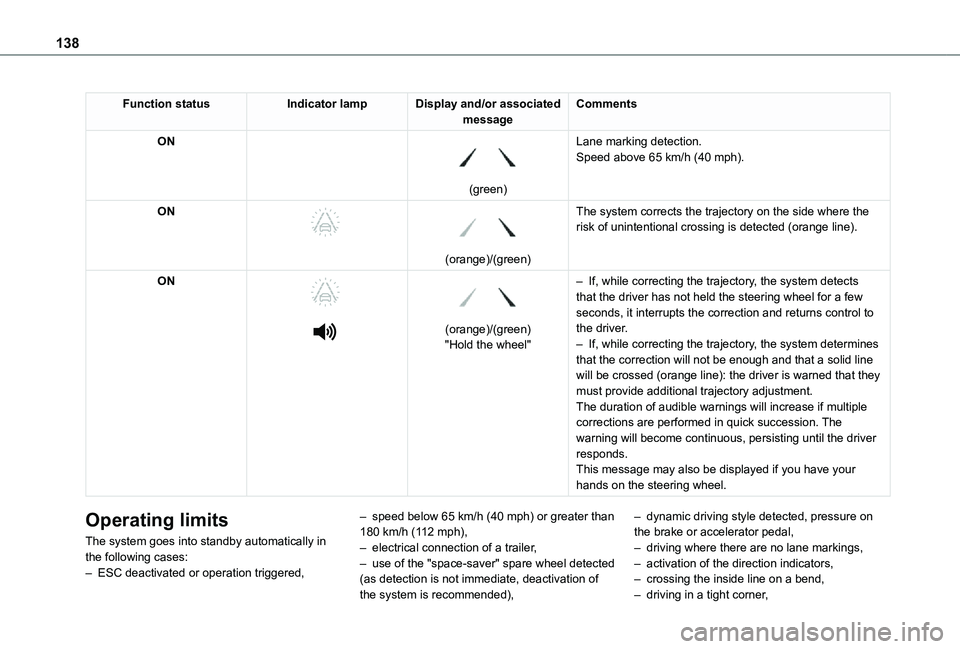
Function statusIndicator lampDisplay and/or associated messageComments
ON
(green)
Lane marking detection.Speed above 65 km/h (40 mph).
ON
(orange)/(green)
The system corrects the trajectory on the side where the risk of unintentional crossing is detected (orange line).
ON
(orange)/(green)"Hold the wheel"
– If, while correcting the trajectory, the system detects that the driver has not held the steering wheel for a few seconds, it interrupts the correction and returns control to the driver.– If, while correcting the trajectory, the system determines that the correction will not be enough and that a solid line will be crossed (orange line): the driver is warned that they must provide additional trajectory adjustment.The duration of audible warnings will increase if multiple corrections are performed in quick succession. The warning will become continuous, persisting until the driver responds.This message may also be displayed if you have your hands on the steering wheel.
Operating limits
The system goes into standby automatically in the following cases:– ESC deactivated or operation triggered,
– speed below 65 km/h (40 mph) or greater than 180 km/h (112 mph),– electrical connection of a trailer,– use of the "space-saver" spare wheel detected (as detection is not immediate, deactivation of the system is recommended),
– dynamic driving style detected, pressure on the brake or accelerator pedal,– driving where there are no lane markings,– activation of the direction indicators,– crossing the inside line on a bend,– driving in a tight corner,
Page 139 of 272
139
Driving
6
– inactivity by the driver detected during correction.
NOTIC E
During a correction, if the driver is inactive (not holding the steering wheel for 10 seconds), a warning message appears.If the driver remains inactive (not holding the steering wheel for 2 more seconds), the
correction is interrupted.
WARNI NG
The following situations may interfere with the operation of the system or prevent it from working:– insufficient contrast between the road surface and the shoulders (e.g. shade),– lane markings worn, hidden (snow, mud) or multiple (roadworks, etc.),– running close to the vehicle in front (the lane markings may not be detected),– roads that are narrow, winding, etc.
Risk of undesirable operation
We recommend deactivating the system in the following driving situations:
– driving on damaged, unstable or very slippery (ice) road surfaces,– unfavourable weather conditions,– driving on a speed circuit,
– driving on a rolling road.
Deactivation / Activation
► Press this button to deactivate / reactivate the system at any time. Deactivation is signalled by the lighting of the indicator lamp in the button and this warning lamp in the instrument panel.The system is automatically reactivated every time the ignition is switched on.
Malfunction
In the event of a system malfunction, these warning lamps come on on the instrument panel, accompanied by an onscreen message and an audible signal.Have the system checked by a TOYOTA dealer or a qualified workshop.
Blind Spot Monitoring
System
Refer to the General recommendations on the use of driving and manoeuvring aids.
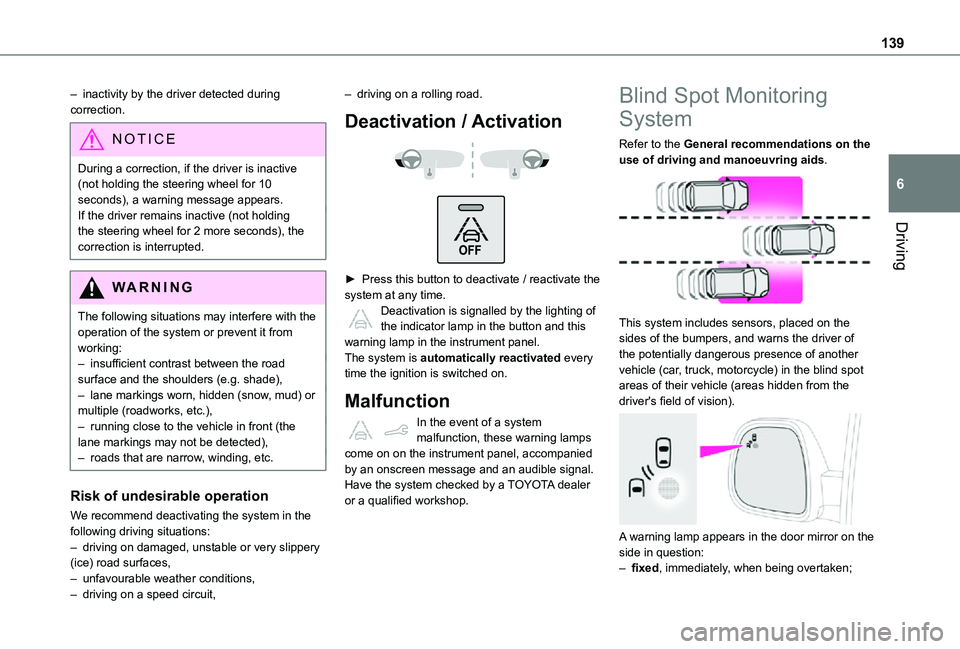
This system includes sensors, placed on the sides of the bumpers, and warns the driver of the potentially dangerous presence of another vehicle (car, truck, motorcycle) in the blind spot areas of their vehicle (areas hidden from the driver's field of vision).
A warning lamp appears in the door mirror on the side in question:– fixed, immediately, when being overtaken;
Page 143 of 272
143
Driving
6
WARNI NG
The following situations may interfere with the operation of the system or prevent it from working:– lane markings absent, worn, hidden (snow, mud) or multiple (roadworks),– close to the vehicle ahead (lane markings not detected),– roads that are narrow, winding, etc.
Parking sensors
Refer to the General recommendations on the use of driving and manoeuvring aids.
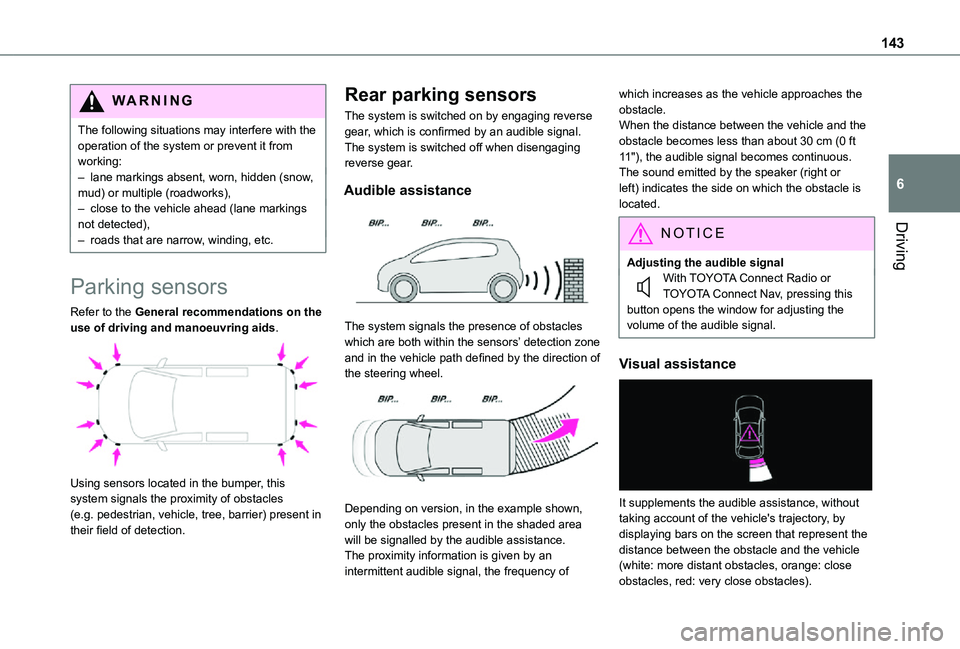
Using sensors located in the bumper, this system signals the proximity of obstacles (e.g. pedestrian, vehicle, tree, barrier) present in their field of detection.
Rear parking sensors
The system is switched on by engaging reverse gear, which is confirmed by an audible signal.The system is switched off when disengaging reverse gear.
Audible assistance
The system signals the presence of obstacles which are both within the sensors’ detection zone and in the vehicle path defined by the direction of the steering wheel.
Depending on version, in the example shown, only the obstacles present in the shaded area will be signalled by the audible assistance.The proximity information is given by an intermittent audible signal, the frequency of
which increases as the vehicle approaches the obstacle.When the distance between the vehicle and the obstacle becomes less than about 30 cm (0 ft 11"), the audible signal becomes continuous.The sound emitted by the speaker (right or left) indicates the side on which the obstacle is located.
NOTIC E
Adjusting the audible signalWith TOYOTA Connect Radio or TOYOTA Connect Nav, pressing this button opens the window for adjusting the volume of the audible signal.
Visual assistance
It supplements the audible assistance, without taking account of the vehicle's trajectory, by displaying bars on the screen that represent the distance between the obstacle and the vehicle (white: more distant obstacles, orange: close obstacles, red: very close obstacles).
Page 146 of 272
146
to be seen. It is automatically deleted if the vehicle remains stationary for too long.
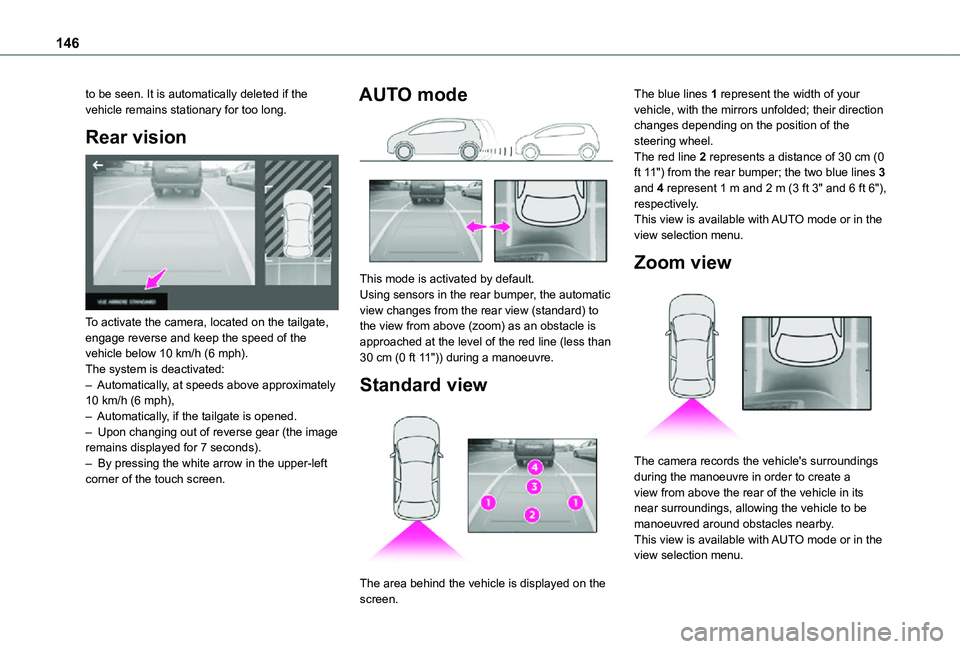
Rear vision
To activate the camera, located on the tailgate, engage reverse and keep the speed of the vehicle below 10 km/h (6 mph).The system is deactivated:– Automatically, at speeds above approximately 10 km/h (6 mph),– Automatically, if the tailgate is opened.– Upon changing out of reverse gear (the image remains displayed for 7 seconds).– By pressing the white arrow in the upper-left corner of the touch screen.
AUTO mode
This mode is activated by default.Using sensors in the rear bumper, the automatic view changes from the rear view (standard) to the view from above (zoom) as an obstacle is approached at the level of the red line (less than 30 cm (0 ft 11")) during a manoeuvre.
Standard view
The area behind the vehicle is displayed on the
screen.
The blue lines 1 represent the width of your vehicle, with the mirrors unfolded; their direction changes depending on the position of the steering wheel.The red line 2 represents a distance of 30 cm (0 ft 11") from the rear bumper; the two blue lines 3 and 4 represent 1 m and 2 m (3 ft 3" and 6 ft 6"), respectively.This view is available with AUTO mode or in the view selection menu.
Zoom view
The camera records the vehicle's surroundings during the manoeuvre in order to create a view from above the rear of the vehicle in its near surroundings, allowing the vehicle to be manoeuvred around obstacles nearby.This view is available with AUTO mode or in the view selection menu.
Page 148 of 272
148
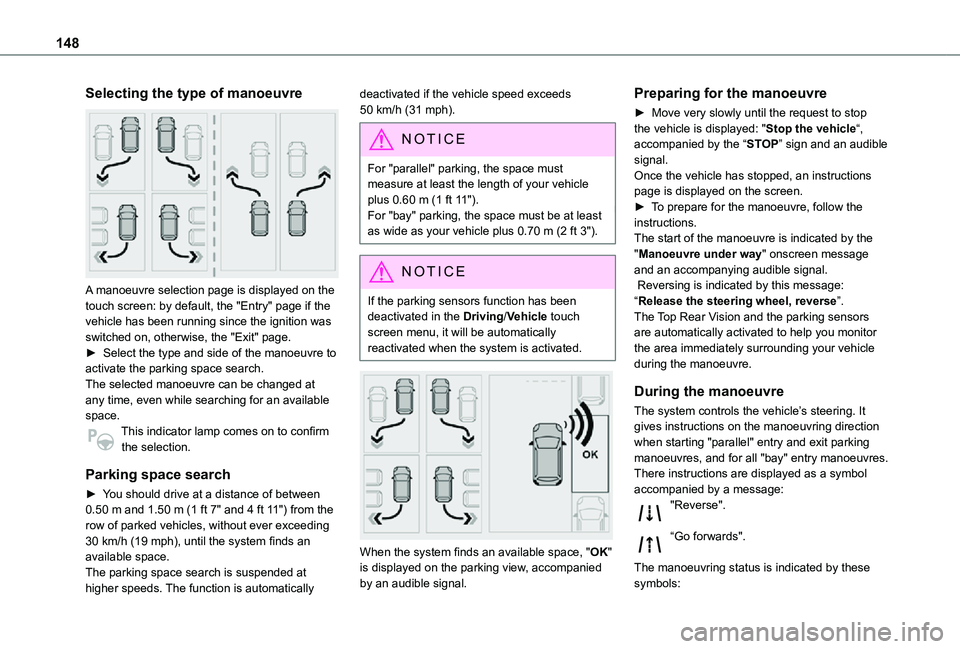
Selecting the type of manoeuvre
A manoeuvre selection page is displayed on the touch screen: by default, the "Entry" page if the vehicle has been running since the ignition was switched on, otherwise, the "Exit" page.► Select the type and side of the manoeuvre to activate the parking space search.The selected manoeuvre can be changed at any time, even while searching for an available space.This indicator lamp comes on to confirm
the selection.
Parking space search
► You should drive at a distance of between 0.50 m and 1.50 m (1 ft 7" and 4 ft 11") from the row of parked vehicles, without ever exceeding 30 km/h (19 mph), until the system finds an available space.The parking space search is suspended at higher speeds. The function is automatically
deactivated if the vehicle speed exceeds 50 km/h (31 mph).
NOTIC E
For "parallel" parking, the space must measure at least the length of your vehicle plus 0.60 m (1 ft 11").For "bay" parking, the space must be at least as wide as your vehicle plus 0.70 m (2 ft 3").
NOTIC E
If the parking sensors function has been deactivated in the Driving/Vehicle touch screen menu, it will be automatically reactivated when the system is activated.
When the system finds an available space, "OK" is displayed on the parking view, accompanied by an audible signal.
Preparing for the manoeuvre
► Move very slowly until the request to stop the vehicle is displayed: "Stop the vehicle“, accompanied by the “STOP” sign and an audible signal.Once the vehicle has stopped, an instructions page is displayed on the screen.► To prepare for the manoeuvre, follow the instructions. The start of the manoeuvre is indicated by the "Manoeuvre under way" onscreen message and an accompanying audible signal. Reversing is indicated by this message: “Release the steering wheel, reverse”.The Top Rear Vision and the parking sensors are automatically activated to help you monitor the area immediately surrounding your vehicle during the manoeuvre.
During the manoeuvre
The system controls the vehicle’s steering. It gives instructions on the manoeuvring direction when starting "parallel" entry and exit parking
manoeuvres, and for all "bay" entry manoeuvres.There instructions are displayed as a symbol accompanied by a message:"Reverse".
“Go forwards".
The manoeuvring status is indicated by these symbols:
Page 149 of 272
149
Driving
6
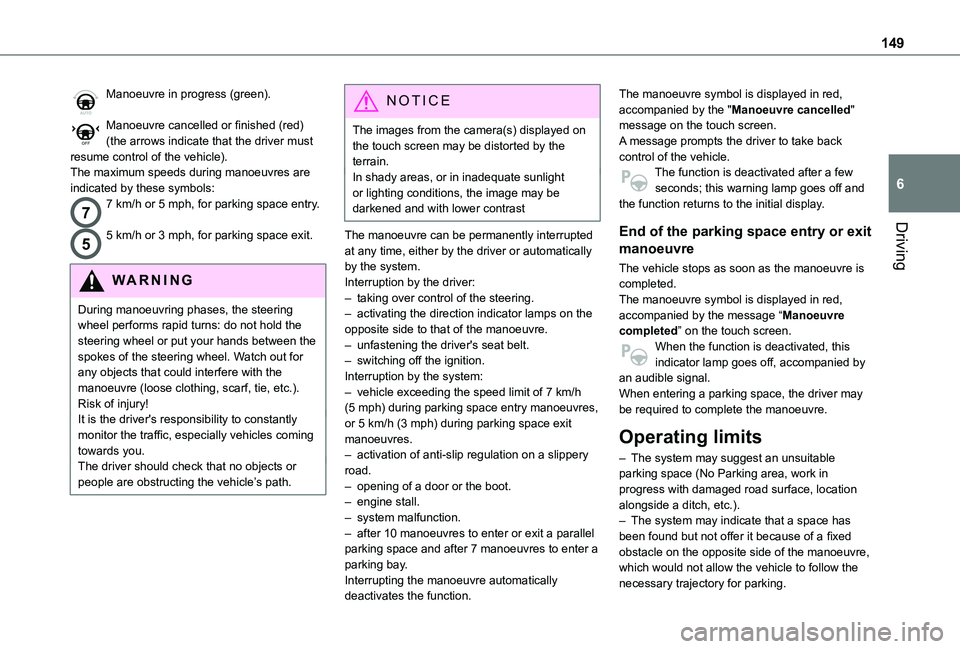
Manoeuvre in progress (green).
Manoeuvre cancelled or finished (red) (the arrows indicate that the driver must resume control of the vehicle).The maximum speeds during manoeuvres are indicated by these symbols:
77 km/h or 5 mph, for parking space entry.
55 km/h or 3 mph, for parking space exit.
WARNI NG
During manoeuvring phases, the steering wheel performs rapid turns: do not hold the steering wheel or put your hands between the spokes of the steering wheel. Watch out for any objects that could interfere with the manoeuvre (loose clothing, scarf, tie, etc.). Risk of injury!It is the driver's responsibility to constantly monitor the traffic, especially vehicles coming towards you.The driver should check that no objects or people are obstructing the vehicle’s path.
NOTIC E
The images from the camera(s) displayed on the touch screen may be distorted by the terrain.In shady areas, or in inadequate sunlight or lighting conditions, the image may be darkened and with lower contrast
The manoeuvre can be permanently interrupted at any time, either by the driver or automatically by the system.Interruption by the driver:– taking over control of the steering.– activating the direction indicator lamps on the opposite side to that of the manoeuvre.– unfastening the driver's seat belt.– switching off the ignition.Interruption by the system:– vehicle exceeding the speed limit of 7 km/h (5 mph) during parking space entry manoeuvres, or 5 km/h (3 mph) during parking space exit manoeuvres.
– activation of anti-slip regulation on a slippery road.– opening of a door or the boot.– engine stall.– system malfunction.– after 10 manoeuvres to enter or exit a parallel parking space and after 7 manoeuvres to enter a parking bay.Interrupting the manoeuvre automatically
deactivates the function.
The manoeuvre symbol is displayed in red, accompanied by the "Manoeuvre cancelled" message on the touch screen.A message prompts the driver to take back control of the vehicle.The function is deactivated after a few seconds; this warning lamp goes off and the function returns to the initial display.
End of the parking space entry or exit
manoeuvre
The vehicle stops as soon as the manoeuvre is completed.The manoeuvre symbol is displayed in red, accompanied by the message “Manoeuvre completed” on the touch screen.When the function is deactivated, this indicator lamp goes off, accompanied by an audible signal.When entering a parking space, the driver may be required to complete the manoeuvre.
Operating limits
– The system may suggest an unsuitable parking space (No Parking area, work in progress with damaged road surface, location alongside a ditch, etc.).– The system may indicate that a space has been found but not offer it because of a fixed obstacle on the opposite side of the manoeuvre, which would not allow the vehicle to follow the necessary trajectory for parking.
Page 150 of 272
150
– The system may indicate that a space has been found but not engage the manoeuvre because the road is too narrow.– The system is not designed to perform the parking manoeuvre on a sharp bend.– The system does not detect spaces that are much larger than the vehicle or are bounded by obstacles that are very low (pavements, studs, etc.) or very thin (trees, posts, wire fences, etc.).– Certain obstacles located in the sensors’ blind spots may not be detected or may no longer be detected during the manoeuvre.– Certain materials (fabrics) absorb sound waves: pedestrians may not be detected.– A front or rear impact to the vehicle can upset the sensors’ settings, which is not always detected by the system: distance measurements may be distorted.– If the boot is heavily loaded, the vehicle may tilt, affecting distance measurements.The vehicle's sensors and camera(s) may be impaired by:– accumulated snow or fallen leaves on the
road,– adverse weather conditions (heavy rain, thick fog, falling snow),– noise interference from noisy vehicles and machinery (lorries, pneumatic drills, etc.).
WARNI NG
Do not use the function under the following exterior conditions:– Alongside a soft shoulder (e.g. ditch) or quay or on the edge of a drop.– When the road surface is slippery (e.g. ice).
WARNI NG
If any of the following malfunctions occurs, do not use the system:– If a tyre is under-inflated.– If one of the bumpers is damaged.– If one of the cameras is faulty.
WARNI NG
If the vehicle has undergone any of the following modifications, do not use the function:– When carrying an object extending beyond
the dimensions of the vehicle (ladder on the roof bars, bicycle carrier on the tailgate, etc.).– With a non-approved towball in place.– With snow chains fitted.– When driving on a small-diameter or "space-saver" type spare wheel.– When the wheels fitted are a different size from the original ones.– After modifying one or both bumpers
(added protection).
– If the sensors have been repainted other than by the TOYOTA dealer network.– With sensors not approved for the vehicle.
Malfunctions
When the function is not activated, this indicator lamp will flash briefly and an audible signal will be emitted to indicate a system malfunction.If the malfunction occurs while the system is in use, the warning lamp goes off.If the parking sensor malfunction occurs during use, indicated by this warning lamp coming on, it causes the function to deactivate.In the event of a malfunction, have the system checked by a TOYOTA dealer or a qualified workshop.In the event of a power steering malfunction, this warning lamp is displayed on the instrument panel, accompanied by a warning message.You must stop as soon as it is safe to do
so. Contact a TOYOTA dealer or a qualified workshop.
Page 188 of 272
188
Towing
Procedure for having your vehicle towed or for towing another vehicle using the towing eye.
NOTIC E
General recommendationsObserve the legislation in force in the country where you are driving.Ensure that the weight of the towing vehicle is higher than that of the towed vehicle.
The driver must remain at the wheel of the towed vehicle and must have a valid driving licence.When towing a vehicle with all four wheels on the ground, always use an approved towbar; ropes and straps are prohibited.The towing vehicle must move off gently.When the vehicle is towed with its engine off, there is no longer braking and steering assistance.
WARNI NG
A professional recovery service must be called if:– broken down on a motorway or main road;– not possible to put the gearbox into neutral, unlock the steering, or release the parking brake;– not possible to tow a vehicle with an automatic gearbox, with the engine running;– towing with only two wheels on the ground;– four-wheel drive vehicle;– no approved towbar available.
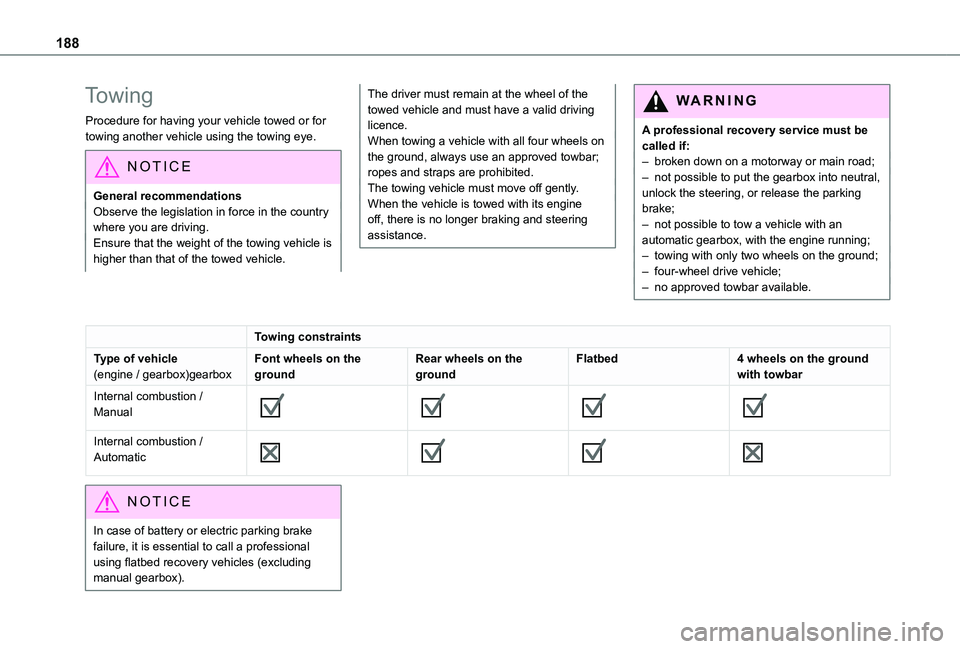
Towing constraints
Type of vehicle(engine / gearbox)gearboxFont wheels on the groundRear wheels on the groundFlatbed4 wheels on the ground with towbar
Internal combustion / Manual
Internal combustion / Automatic
NOTIC E
In case of battery or electric parking brake failure, it is essential to call a professional using flatbed recovery vehicles (excluding manual gearbox).
Page 196 of 272
196
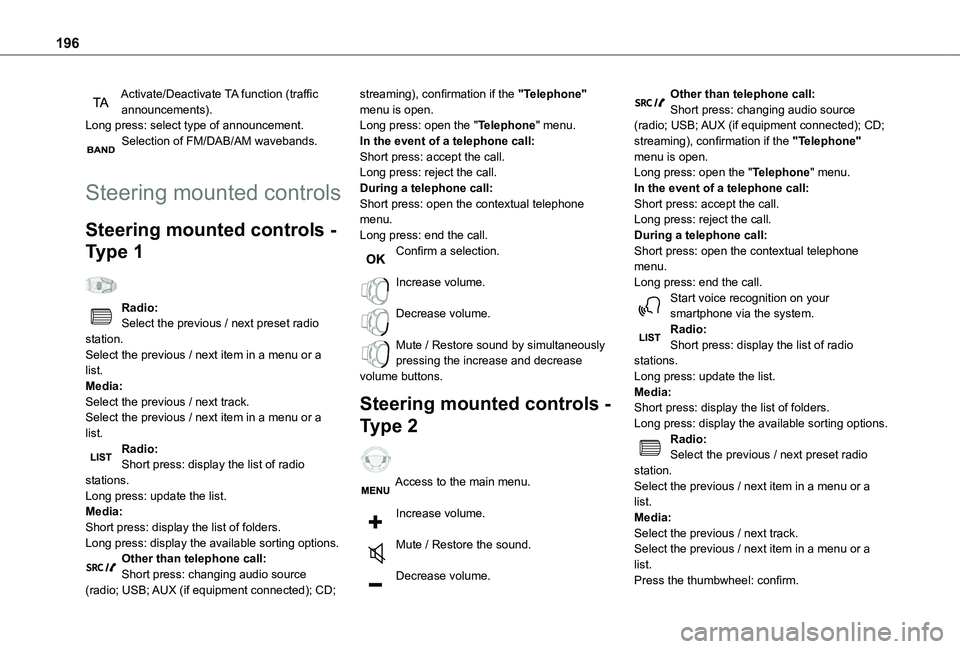
Activate/Deactivate TA function (traffic announcements).Long press: select type of announcement.Selection of FM/DAB/AM wavebands.
Steering mounted controls
Steering mounted controls -
Type 1
Radio:Select the previous / next preset radio station.Select the previous / next item in a menu or a list.Media:Select the previous / next track.Select the previous / next item in a menu or a list.
Radio:Short press: display the list of radio stations.Long press: update the list.Media:Short press: display the list of folders.Long press: display the available sorting options.Other than telephone call:Short press: changing audio source (radio; USB; AUX (if equipment connected); CD;
streaming), confirmation if the "Telephone" menu is open.Long press: open the "Telephone" menu.In the event of a telephone call:Short press: accept the call.Long press: reject the call.During a telephone call:Short press: open the contextual telephone menu.Long press: end the call.Confirm a selection.
Increase volume.
Decrease volume.
Mute / Restore sound by simultaneously pressing the increase and decrease volume buttons.
Steering mounted controls -
Type 2
Access to the main menu.
Increase volume.
Mute / Restore the sound.
Decrease volume.
Other than telephone call:Short press: changing audio source (radio; USB; AUX (if equipment connected); CD; streaming), confirmation if the "Telephone" menu is open.Long press: open the "Telephone" menu.In the event of a telephone call:Short press: accept the call.Long press: reject the call.During a telephone call:Short press: open the contextual telephone menu.Long press: end the call.Start voice recognition on your smartphone via the system.Radio:Short press: display the list of radio stations.Long press: update the list.Media:Short press: display the list of folders.Long press: display the available sorting options.Radio:
Select the previous / next preset radio station.Select the previous / next item in a menu or a list.Media:Select the previous / next track.Select the previous / next item in a menu or a list.Press the thumbwheel: confirm.