stop start TOYOTA PROACE EV 2021 Owner's Manual
[x] Cancel search | Manufacturer: TOYOTA, Model Year: 2021, Model line: PROACE EV, Model: TOYOTA PROACE EV 2021Pages: 360, PDF Size: 68.91 MB
Page 150 of 360
150
NOTIC E
If a genuine TOYOTA towing device is used, the rear parking sensors will be deactivated automatically to avoid the audible signal.
When driving
Cooling
Towing a trailer uphill causes the coolant temperature to increase. The maximum towable load depends on the gradient and the exterior temperature. The fan’s cooling capacity does not increase with engine speed.► Reduce speed and lower the engine speed to limit the amount of heating produced.In all cases, pay attention to the coolant temperature.If this warning lamp and the STOP warning lamp come on, stop the vehicle and switch off the engine as soon as possible.
Brakes
Braking distances are increased when towing a trailer. To avoid overheating the brakes, the use of engine braking is recommended.
Side wind
Bear in mind that the vehicle will be more susceptible to wind when towing.
Anti-theft protection
Electronic immobiliser
The remote control contains an electronic chip which has a special code. When the ignition is switched on, this code must be recognised in order for starting to be possible.A few seconds after switching off the ignition, this system locks the engine control system, therefore preventing the engine from being started in the event of a break-in.In the event of a fault, you are informed by illumination of this warning lamp, an audible signal and a message on the screen.The vehicle will not start; contact any authorized Toyota retailer or Toyota authorized repairer, or any reliable repairer as soon as possible.
Starting/switching off the
engine
Starting
The parking brake must be applied.
► With a manual gearbox, place the gear lever in neutral, fully depress the clutch pedal and keep the pedal down until the engine starts.► With an automatic gearbox, place the selector in position P then depress the brake pedal.
With the conventional key / With the
remote control key
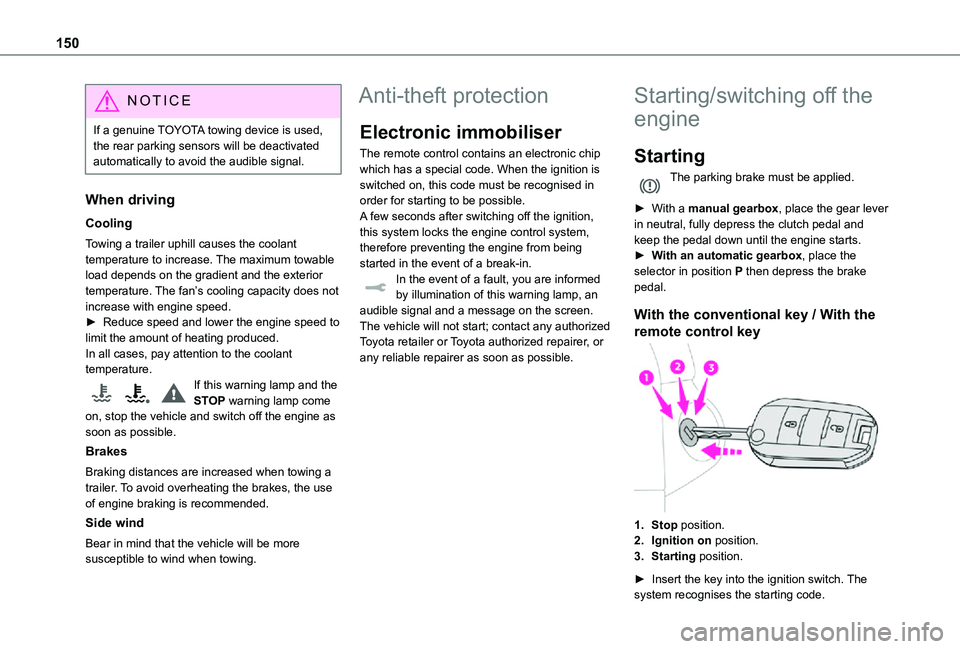
1.Stop position.
2.Ignition on position.
3.Starting position.
► Insert the key into the ignition switch. The system recognises the starting code.
Page 151 of 360
151
Driving
6
► Unlock the steering column by simultaneously turning the steering wheel and the key.
NOTIC E
In certain circumstances, a significant effort may be required to turn the steering wheel (if the wheels are against a kerb, for example).
► Turn the key to position 2, ignition on, to operate the engine preheating system.
► Wait until this warning lamp goes off in the instrument panel, then operate the starter motor by turning the key to position 3 without pressing the accelerator pedal, until the engine starts. Once the engine starts, release the key.
NOTIC E
The warning lamp does not come on if the engine is already hot.In certain climatic conditions, it is advised to follow the recommendations below:– In mild conditions, do not leave the engine at idle to warm up but move off straight away and drive at moderate speed. – In wintry conditions, the preheater warning lamp will stay on for a longer period after switching on the ignition; wait until it goes off before starting.– In very severe wintry conditions (temperature below -23°C), to ensure correct operation and durability of the mechanical components of the vehicle (engine and gearbox), leave the engine running for 4 minutes before starting the vehicle.Never leave the engine running in an enclosed area without adequate ventilation: internal combustion engines emit toxic exhaust gases, such as carbon monoxide.
Danger of poisoning and death!
WARNI NG
If the engine does not start immediately, switch off the ignition.Wait a few seconds before operating the starter motor again. If the engine does not start after several attempts, do not keep trying: risk of damaging the starter motor and the engine.Contact any authorized Toyota retailer or Toyota authorized repairer, or any reliable repairer.
With the Smart Entry & Start
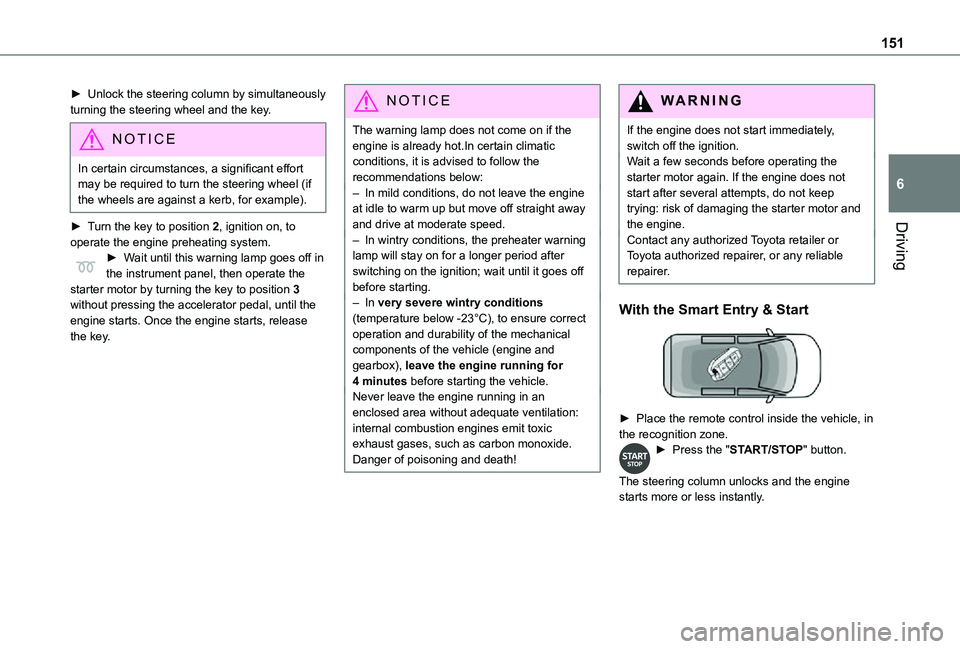
► Place the remote control inside the vehicle, in the recognition zone.► Press the "START/STOP" button.
The steering column unlocks and the engine starts more or less instantly.
Page 152 of 360
152
NOTIC E
The warning lamp does not come on if the engine is already warm. In some climatic conditions, it is advised to follow the recommendations below:– In mild conditions, do not leave the engine at idle to warm up but move off straight away and drive at moderate speed. – In wintry conditions, when the ignition is switched on, the duration of lighting of the preheating indicator lamp is extended. Wait until it goes off before starting the engine.– In very severe wintry conditions (temperature below -23°C), to ensure correct operation and durability of the mechanical components of the vehicle, engine and gearbox, leave the engine running for 4 minutes before moving off.Never leave the engine running in an enclosed area without adequate ventilation: internal combustion engines emit toxic exhaust gases, such as carbon monoxide.
Danger of poisoning and death!
WARNI NG
For Diesel vehicles, when the temperature is below zero, starting will only occur once the preheating warning lamp is off.If this warning lamp comes on after pressing the "START/STOP" button, press down on the brake or clutch pedal until the warning lamp goes off, without pressing the "START/STOP" button again, until the engine starts and runs.
NOTIC E
The presence of the “Smart Entry & Start” system remote control is imperative in the recognition zone.Never leave the vehicle with the engine running and with the remote control on your person.If the remote control leaves the recognition zone, a message is displayed.Move the remote control into the zone in order to be able to start the engine.
NOTIC E
If one of the starting conditions is not met, a message is displayed in the instrument panel. In some circumstances, it is necessary to turn the steering wheel while pressing the "START/STOP" button to assist unlocking of the steering column. A message is displayed.
Switching off
With the conventional key/With the
remote control key
► Immobilise the vehicle.► Turn the key all the way to position 1 (Stop) and remove it from the ignition.► To lock the steering column, turn the steering wheel until it locks.
NOTIC E
To facilitate unlocking of the steering column, it is recommended that the wheels be returned to the straight ahead position before switching off the engine.
► Check that the parking brake is correctly applied, particularly on sloping ground.
Page 153 of 360
153
Driving
6
WARNI NG
Never switch off the ignition before the complete immobilisation of the vehicle. With the engine off, the braking and steering assistance systems are also turned off: risk of loss of control of the vehicle.
NOTIC E
As a safety measure, never leave the vehicle without taking the remote control with you, even for a short time.
NOTIC E
Avoid attaching heavy objects to the key or the remote control, which would weigh down on its blade in the ignition switch and could cause a malfunction.
Key left in the ignition
NOTIC E
When opening the driver's door, an alert message is displayed, accompanied by an audible signal, to remind you that the key is still in the ignition switch at position 1 (Stop).If the key has been left in the ignition switch at position 2 (Ignition on), the ignition will be
switched off automatically after one hour.To switch the ignition back on, turn the key to position 1 (Stop), then back to position 2 (Ignition on).
With Smart Entry & Start
► Immobilise the vehicle.► With the remote control in the recognition zone, press the "START/STOP" button.The engine stops and the steering column locks.
NOTIC E
If the vehicle is not immobilised, the engine will not stop.
WARNI NG
To avoid any risk of jamming the pedals:– only use mats which are suited to the fixings already present in the vehicle; these fixings must be used,– never place one mat on top of another.The use of mats not approved by TOYOTA may interfere with access to the pedals and hinder the operation of the cruise control / speed limiter.The mats approved by TOYOTA have two fixings located below the seat.
Starting/Switching off the
electric motor
Starting
The drive selector must be in mode P.► If using a conventional or remote control key, depress the brake pedal and turn the key until it reaches position 3.
► If using Smart Entry & Start, depress the brake pedal and briefly press the "START/STOP" button.► Keep your foot on the brake pedal until the READY indicator lamp comes on and an audible signal is emitted, indicating that the vehicle is ready to drive.► With your foot on the brake, select mode D or R.
► Release the brake pedal, then accelerate.
Page 154 of 360
154
On starting, the instrument panel lights up and the power indicator needle performs one sweep then moves to the "neutral" position. The steering column automatically unlocks (you may hear a sound and feel the steering wheel move).
Switching off
► If using a conventional or remote control key, turn the key fully to position 1 (Stop).► If using Smart Entry & Start, press the "START/STOP" button.Before exiting the vehicle, check that:– The drive selector is in mode P.– The READY indicator lamp is off.
NOTIC E
The drive selector moves automatically to mode P when the motor is switched off or when the driver's door is opened.
NOTIC E
If the driver's door is opened while the required conditions for stopping are not satisfied, an audible signal is emitted, accompanied by the display of a warning message.
Special case with Smart
Entry & Start
Switching on the ignition without
starting the engine
With the Smart Entry & Start system’s electronic key inside the vehicle, pressing the "START/STOP" button, with no action on the pedals, allows the ignition to be switched on.► Pressing this button again switches off the ignition and allows the vehicle to be locked.
Back-up starting
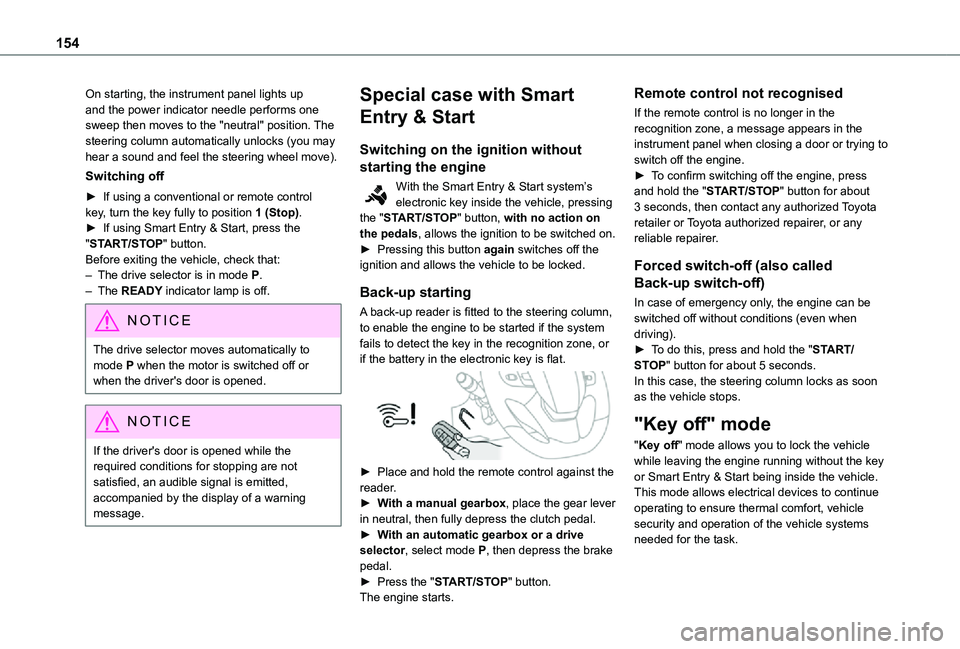
A back-up reader is fitted to the steering column, to enable the engine to be started if the system fails to detect the key in the recognition zone, or if the battery in the electronic key is flat.
► Place and hold the remote control against the reader.► With a manual gearbox, place the gear lever in neutral, then fully depress the clutch pedal.► With an automatic gearbox or a drive selector, select mode P, then depress the brake pedal.► Press the "START/STOP" button.The engine starts.
Remote control not recognised
If the remote control is no longer in the recognition zone, a message appears in the instrument panel when closing a door or trying to switch off the engine.► To confirm switching off the engine, press and hold the "START/STOP" button for about 3 seconds, then contact any authorized Toyota retailer or Toyota authorized repairer, or any reliable repairer.
Forced switch-off (also called
Back-up switch-off)
In case of emergency only, the engine can be switched off without conditions (even when driving).► To do this, press and hold the "START/STOP" button for about 5 seconds.In this case, the steering column locks as soon as the vehicle stops.
"Key off" mode
"Key off" mode allows you to lock the vehicle while leaving the engine running without the key or Smart Entry & Start being inside the vehicle.This mode allows electrical devices to continue operating to ensure thermal comfort, vehicle security and operation of the vehicle systems needed for the task.
Page 157 of 360
157
Driving
6
► Depress the brake pedal.► While maintaining pressure on the brake pedal, briefly push the control lever.
NOTIC E
If you push the control lever without pressing the brake pedal, the parking brake is not released and a message is displayed.
Manual application
With the vehicle stationary:► Pull briefly on the control lever.The control lever indicator lamp flashes to confirm the application request.
Automatic operation
Automatic release
First ensure that the engine is running and that the driver's door is closed.The electric parking brake gradually releases automatically as the vehicle moves off.With a manual gearbox► Fully depress the clutch pedal and engage first gear or reverse.► Depress the accelerator pedal and release the clutch pedal.With an automatic gearbox► Depress the brake pedal.► Select mode D, M or R.
► Release the brake pedal and depress the accelerator pedal.With a drive selector► Depress the brake pedal.► Select mode D, B or R.► Release the brake pedal and depress the accelerator pedal.
NOTIC E
With an automatic gearbox or drive selector, if the brake does not release automatically, check that the front doors are properly closed.
WARNI NG
When stationary with the engine running, do not depress the accelerator pedal unnecessarily. Risk of parking brake release.
Automatic application
With the vehicle stationary, the parking brake is applied automatically when the engine is switched off.
WARNI NG
It is not applied automatically if the engine stalls or enters STOP mode with Stop & Start.
NOTIC E
In automatic mode, the parking brake can be manually applied or released at any time using the control.
Special cases
Immobilising the vehicle with the
engine running
To immobilise the vehicle with the engine running, briefly pull the control lever.
Parking the vehicle with the brake
released
WARNI NG
In very cold conditions (ice), applying the parking brake is not recommended.To immobilise the vehicle, engage a gear or place the chocks against one of the wheels.
NOTIC E
With an automatic gearbox or drive selector, mode P is automatically selected when the ignition is switched off. The wheels are
blocked.For more information on Free-wheeling, refer to the corresponding section.
Page 158 of 360
158
NOTIC E
With an automatic gearbox or drive selector, while mode N is selected, opening the driver’s door triggers an audible signal. It stops when the driver's door closes again.
Deactivating automatic
operation
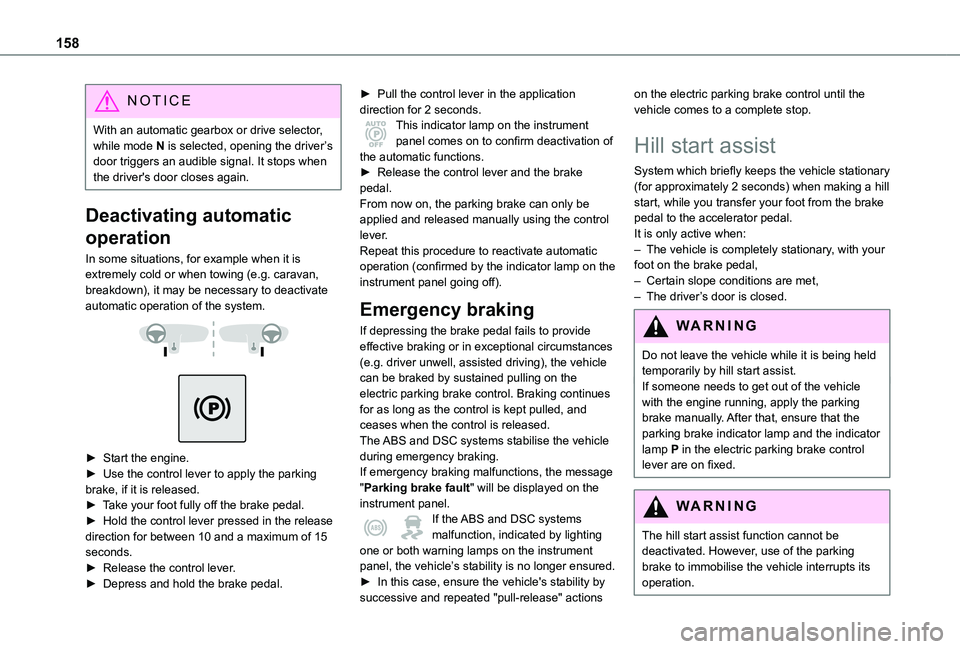
In some situations, for example when it is extremely cold or when towing (e.g. caravan, breakdown), it may be necessary to deactivate automatic operation of the system.
► Start the engine.► Use the control lever to apply the parking brake, if it is released.► Take your foot fully off the brake pedal.► Hold the control lever pressed in the release direction for between 10 and a maximum of 15 seconds.► Release the control lever.► Depress and hold the brake pedal.
► Pull the control lever in the application direction for 2 seconds.This indicator lamp on the instrument panel comes on to confirm deactivation of the automatic functions.► Release the control lever and the brake pedal.From now on, the parking brake can only be applied and released manually using the control lever.Repeat this procedure to reactivate automatic operation (confirmed by the indicator lamp on the instrument panel going off).
Emergency braking
If depressing the brake pedal fails to provide effective braking or in exceptional circumstances (e.g. driver unwell, assisted driving), the vehicle can be braked by sustained pulling on the electric parking brake control. Braking continues for as long as the control is kept pulled, and ceases when the control is released.The ABS and DSC systems stabilise the vehicle
during emergency braking.If emergency braking malfunctions, the message "Parking brake fault" will be displayed on the instrument panel.If the ABS and DSC systems malfunction, indicated by lighting one or both warning lamps on the instrument panel, the vehicle’s stability is no longer ensured.► In this case, ensure the vehicle's stability by
successive and repeated "pull-release" actions
on the electric parking brake control until the vehicle comes to a complete stop.
Hill start assist
System which briefly keeps the vehicle stationary (for approximately 2 seconds) when making a hill start, while you transfer your foot from the brake pedal to the accelerator pedal.It is only active when:– The vehicle is completely stationary, with your foot on the brake pedal,– Certain slope conditions are met,– The driver’s door is closed.
WARNI NG
Do not leave the vehicle while it is being held temporarily by hill start assist.If someone needs to get out of the vehicle with the engine running, apply the parking brake manually. After that, ensure that the parking brake indicator lamp and the indicator lamp P in the electric parking brake control lever are on fixed.
WARNI NG
The hill start assist function cannot be deactivated. However, use of the parking brake to immobilise the vehicle interrupts its operation.
Page 160 of 360
160
NOTIC E
As a safety precaution and to facilitate engine starting:– always select neutral,– depress the clutch pedal.
Gear efficiency indicator
(Depending on engine.)This system helps reduce fuel consumption by recommending the most appropriate gear.
Operation
Depending on the driving situation and the vehicle's equipment, the system may advise to skip one or more gears.Gear shift recommendations should not be considered compulsory. In fact, the road layout, the traffic density and safety remain the deciding factors when choosing the best gear. The driver therefore remains responsible for deciding
whether or not to follow the indications issued by the system.This function cannot be deactivated.On certain Diesel versions with manual gearbox, the system may suggest changing into neutral (N is displayed in the instrument panel) so that the engine can go into standby (STOP mode with Stop & Start), in certain driving conditions.
NOTIC E
With an automatic gearbox, the system is only active in manual operation.
The information appears in the instrument panel, in the form of an ascending or descending arrow and the recommended gear.
NOTIC E
The system adapts its gear shift recommendation according to the driving conditions (slope, load, etc.) and the driver’s requirements (request for power, acceleration, braking, etc.).The system never suggests:– engaging first gear.– engaging reverse.
Automatic gearbox
Automatic 6 or 8-speed gearbox, with electronic management of gear changes. It also offers a manual mode with sequential gear changes via control paddles located behind the steering wheel.
Gear selector
WARNI NG
To turn the gear selector in complete safety, it is recommended that you keep your foot on the brake pedal.
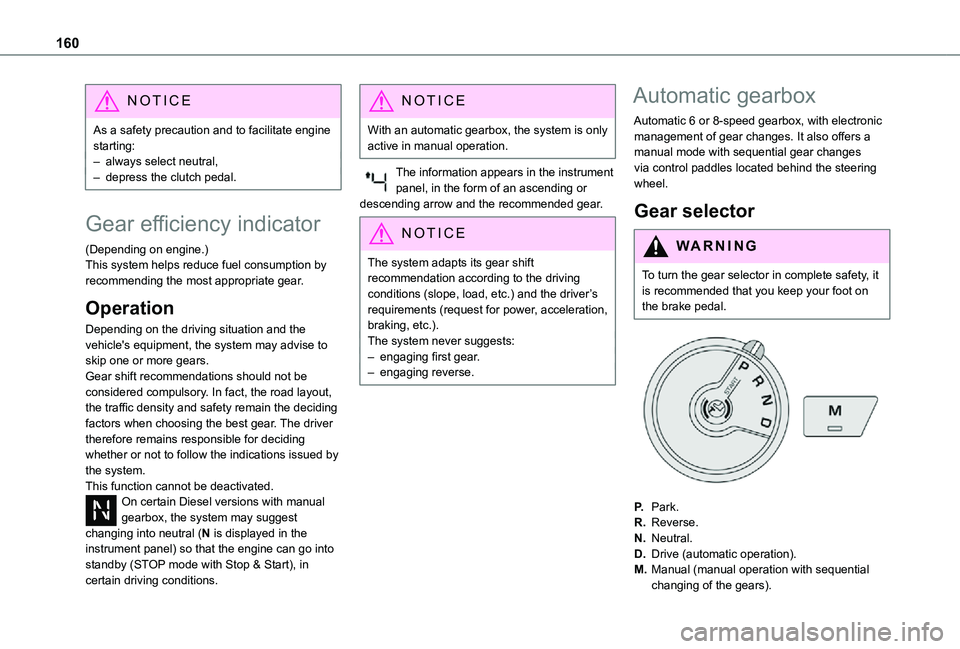
P.Park.
R.Reverse.
N.Neutral.
D.Drive (automatic operation).
M.Manual (manual operation with sequential changing of the gears).
Page 166 of 360
166
Eco
Optimises energy consumption, by reducing the output of the heating and air conditioning (without actually deactivating them) and limiting both motor torque and power.
Power
Provides equivalent vehicle performance when fully laden (GVW) to when the vehicle is in Normal mode and when unladen.
Stop & Start
The Stop & Start function puts the engine temporarily into standby - STOP mode - during phases when the vehicle is stopped (red lights, queues, etc.). The engine restarts automatically - START mode - as soon as the driver wishes to move off again.Primarily designed for urban use, the function is intended to reduce fuel consumption and exhaust emissions as well as the noise level when stationary.
The function does not affect the functionalities of the vehicle, in particular the braking.
WARNI NG
Driving on flooded roadsBefore entering into a flooded area, it is strongly recommended that you deactivate the Stop & Start system.For more information on Driving recommendations, particularly on flooded roads, refer to the corresponding section.
Deactivation/Reactivation
With/without audio system
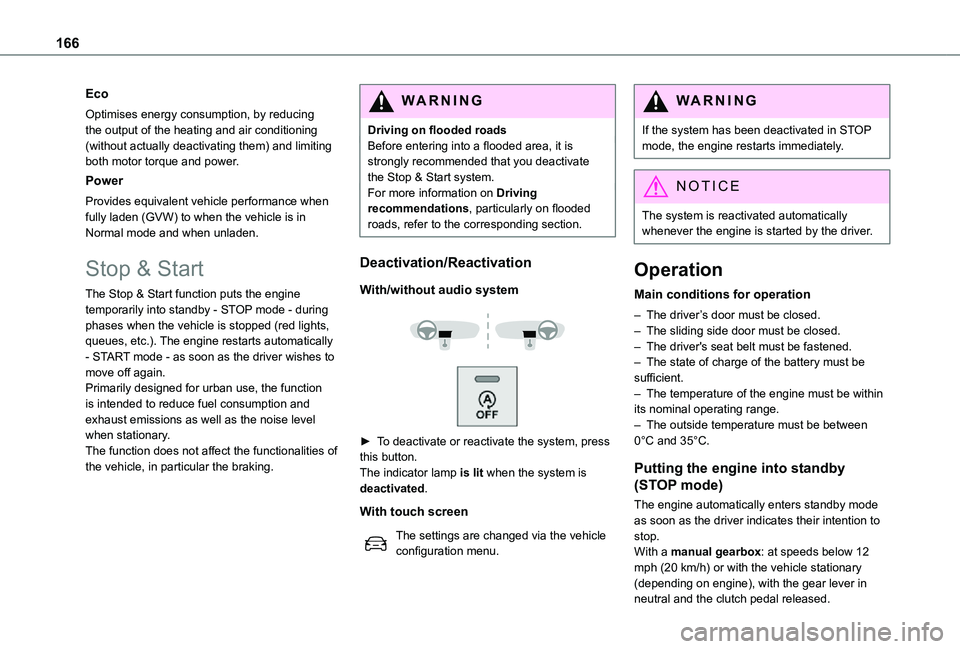
► To deactivate or reactivate the system, press this button.The indicator lamp is lit when the system is deactivated.
With touch screen
The settings are changed via the vehicle configuration menu.
WARNI NG
If the system has been deactivated in STOP mode, the engine restarts immediately.
NOTIC E
The system is reactivated automatically whenever the engine is started by the driver.
Operation
Main conditions for operation
– The driver’s door must be closed.– The sliding side door must be closed.– The driver's seat belt must be fastened.– The state of charge of the battery must be sufficient.– The temperature of the engine must be within its nominal operating range.– The outside temperature must be between 0°C and 35°C.
Putting the engine into standby
(STOP mode)
The engine automatically enters standby mode as soon as the driver indicates their intention to stop.With a manual gearbox: at speeds below 12 mph (20 km/h) or with the vehicle stationary (depending on engine), with the gear lever in neutral and the clutch pedal released.
Page 167 of 360
167
Driving
6
With an automatic gearbox: with the brake pedal depressed or the gear selector in position N, with the vehicle stationary.
Time counter
A time counter adds up the time spent in standby during the journey. It is reset to zero every time the ignition is switched on.
Special cases:
The engine will not go into standby if all of the conditions for operation are not met and in the following cases.– Steep slope (ascending or descending).– Vehicle has not exceeded 10 km/h (6 mph) since the last engine start (with the key or the “START/STOP” button).– Needed to maintain a comfortable temperature in the passenger compartment.– Demisting active.In these cases, this indicator lamp flashes for a few seconds, then goes off.
NOTIC E
After the engine has restarted, STOP mode is not available until the vehicle has reached a speed of 8 km/h (5 mph).
NOTIC E
During parking manoeuvres, STOP mode is not available for a few seconds after coming out of reverse gear or turning the steering wheel.
Restarting the engine (START mode)
The engine automatically restarts as soon as the driver indicates the intention of moving off again.With a manual gearbox: with the clutch pedal fully depressed.With an automatic gearbox:– With the selector in position D or M: with the brake pedal released.– With the selector in position N and the brake pedal released: with the selector at D or M.– With the selector in position P and the brake pedal depressed: with the selector at R, N, D or M.– Reverse gear engaged.
Special cases
The engine will restart automatically if all conditions for operation are met again and in the following case.– With a manual gearbox: vehicle speed exceeds 16 mph (25 km/h) or 2 mph (3 km/h) (depending on the engine).– With an automatic gearbox, vehicle speed exceeds 2 mph (3 km/h).
In this case, this indicator lamp flashes for a few seconds, then goes off.
Malfunctions
Depending on the vehicle’s equipment:In the event of a system malfunction, this warning lamp flashes on the instrument panel.The warning lamp in this button flashes and a message appears, accompanied by an audible signal.Have it checked by any authorized Toyota retailer or Toyota authorized repairer, or any reliable repairer.
The vehicle stalls in STOP mode
All of the instrument panel warning lamps come on if there is a fault.Depending on version, a warning message may also be displayed, prompting you to place the gear selector in position N and depress the brake pedal.► Switch off the ignition then start the engine
again with the key or the "START/STOP" button.