key TOYOTA PROACE VERSO 2020 Workshop Manual
[x] Cancel search | Manufacturer: TOYOTA, Model Year: 2020, Model line: PROACE VERSO, Model: TOYOTA PROACE VERSO 2020Pages: 418, PDF Size: 39.32 MB
Page 350 of 418
350
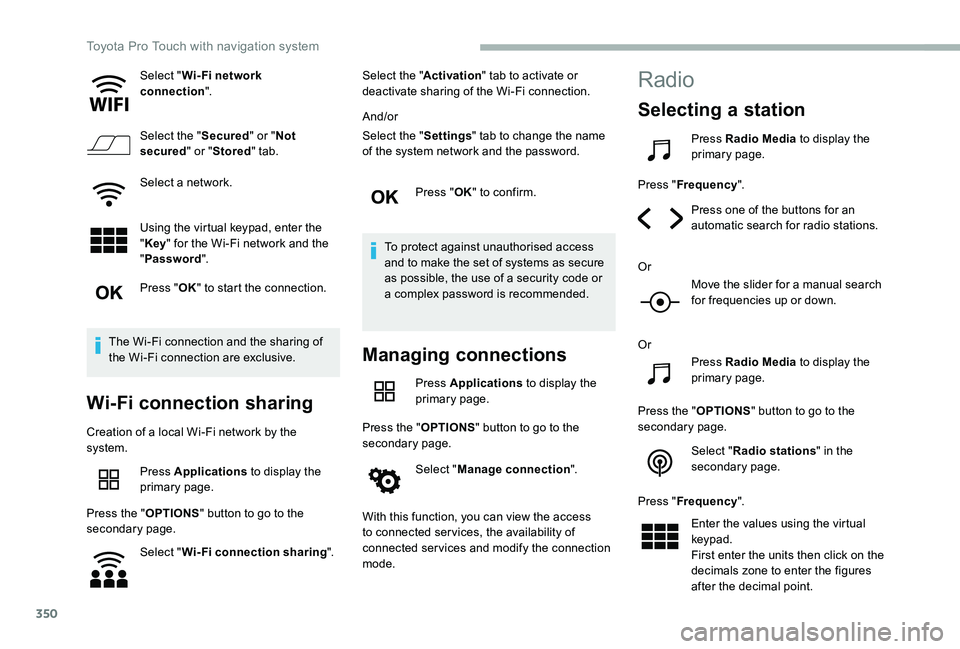
Select "Wi- Fi network connection".
Select the "Secured" or "Not secured" or "Stored" tab.
Select a network.
Using the virtual keypad, enter the "Key" for the Wi-Fi network and the
"Password".
Press "OK" to start the connection.
The Wi-Fi connection and the sharing of the Wi-Fi connection are exclusive.
Wi-Fi connection sharing
Creation of a local Wi-Fi network by the system.
Press Applications to display the primary page.
Press the "OPTIONS" button to go to the secondary page.
Select "Wi-Fi connection sharing".
Select the "Activation" tab to activate or deactivate sharing of the Wi-Fi connection.
And/or
Select the "Settings" tab to change the name of the system network and the password.
Press "OK" to confirm.
To protect against unauthorised access and to make the set of systems as secure as possible, the use of a security code or a complex password is recommended.
Managing connections
Press Applications to display the primary page.
Press the "OPTIONS" button to go to the secondary page.
Select "Manage connection".
With this function, you can view the access to connected ser vices, the availability of connected services and modify the connection mode.
Radio
Selecting a station
Press Radio Media to display the primary page.
Press "Frequency".
Press one of the buttons for an automatic search for radio stations.
Or
Move the slider for a manual search for frequencies up or down.
Or
Press Radio Media to display the primary page.
Press the "OPTIONS" button to go to the secondary page.
Select "Radio stations" in the secondary page.
Press "Frequency".
Enter the values using the virtual keypad.First enter the units then click on the decimals zone to enter the figures after the decimal point.
Toyota Pro Touch with navigation system
Page 356 of 418
356
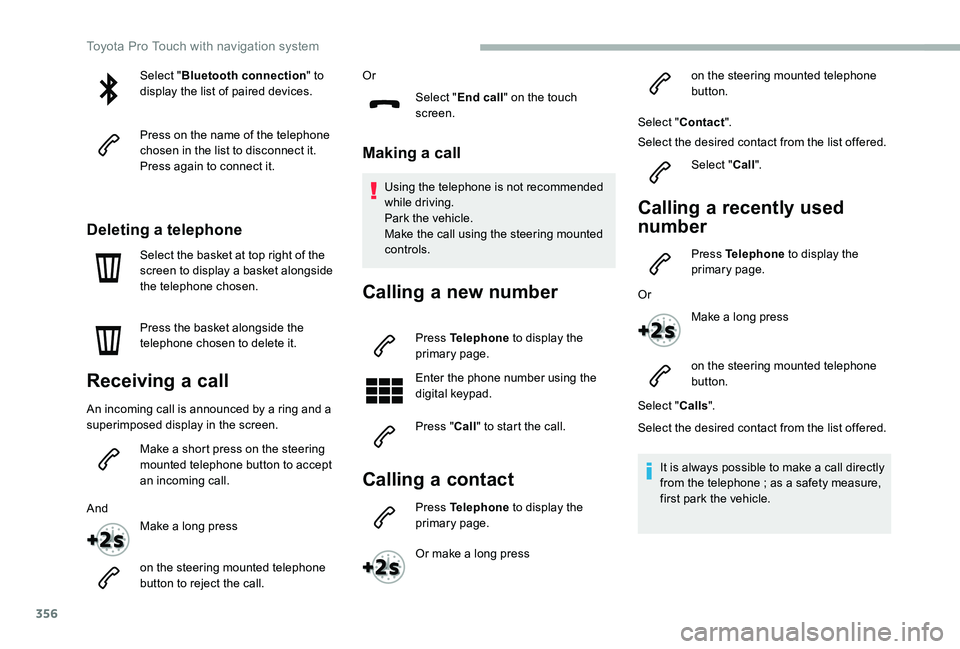
Select "Bluetooth connection" to display the list of paired devices.
Press on the name of the telephone chosen in the list to disconnect it.Press again to connect it.
Deleting a telephone
Select the basket at top right of the screen to display a basket alongside the telephone chosen.
Press the basket alongside the telephone chosen to delete it.
Receiving a call
An incoming call is announced by a ring and a superimposed display in the screen.
Make a short press on the steering mounted telephone button to accept an incoming call.
And
Make a long press
on the steering mounted telephone button to reject the call.
Or
Select "End call" on the touch screen.
Making a call
Using the telephone is not recommended while driving.Park the vehicle.Make the call using the steering mounted controls.
Calling a new number
Press Telephone to display the primary page.
Enter the phone number using the digital keypad.
Press "Call" to start the call.
Calling a contact
Press Telephone to display the primary page.
Or make a long press
on the steering mounted telephone button.
Select "Contact".
Select the desired contact from the list offered.
Select "Call".
Calling a recently used
number
Press Telephone to display the primary page.
Or
Make a long press
on the steering mounted telephone button.
Select "Calls".
Select the desired contact from the list offered.
It is always possible to make a call directly from the telephone ; as a safety measure, first park the vehicle.
Toyota Pro Touch with navigation system
Page 358 of 418
358
Press the "OPTIONS" button to go to the secondary page.
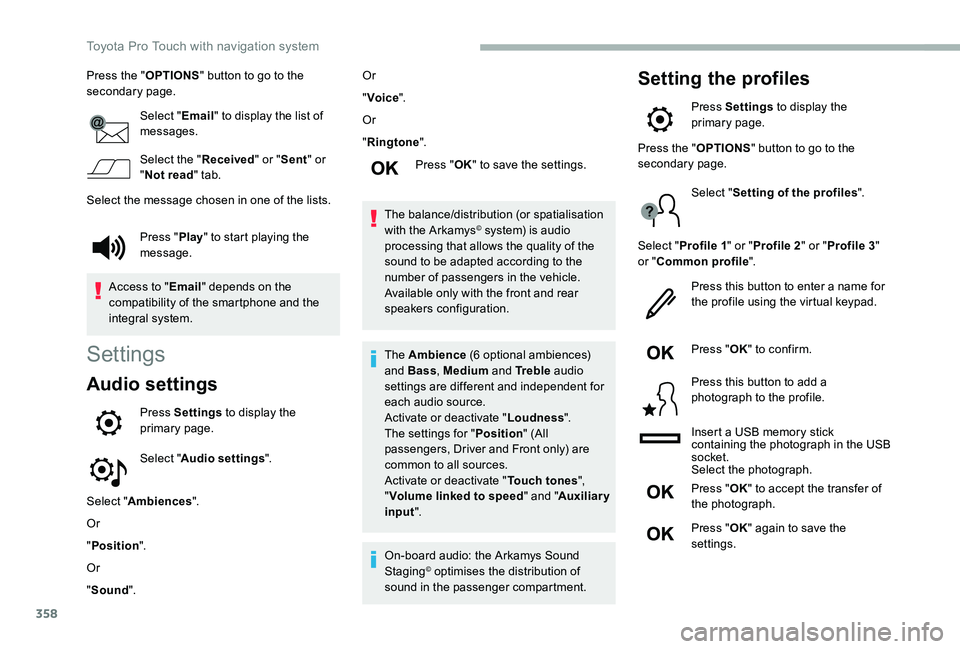
Select "Email" to display the list of messages.
Select the "Received" or "Sent" or "Not read" tab.
Select the message chosen in one of the lists.
Settings
Audio settings
Press Settings to display the primary page.
Select "Audio settings".
Select "Ambiences".
Or
"Position".
Or
"Sound".
Or
"Voice".
Or
"Ringtone".
Press "OK" to save the settings.
The balance/distribution (or spatialisation with the Arkamys© system) is audio processing that allows the quality of the sound to be adapted according to the number of passengers in the vehicle.Available only with the front and rear speakers configuration.
The Ambience (6 optional ambiences) and Bass, Medium and Tr e b l e audio settings are different and independent for each audio source.Activate or deactivate "Loudness".The settings for "Position" (All passengers, Driver and Front only) are common to all sources.Activate or deactivate "Touch tones", "Volume linked to speed" and "Auxiliary input".
On-board audio: the Arkamys Sound Staging© optimises the distribution of sound in the passenger compartment.
Setting the profiles
Press Settings to display the primary page.
Press "Play" to start playing the message.
Access to "Email" depends on the compatibility of the smartphone and the integral system.
Press the "OPTIONS" button to go to the secondary page.
Select "Setting of the profiles".
Select "Profile 1" or "Profile 2" or "Profile 3" or "Common profile".
Press this button to enter a name for the profile using the virtual keypad.
Press "OK" to confirm.
Press this button to add a photograph to the profile.
Insert a USB memory stick containing the photograph in the USB socket.Select the photograph.
Press "OK" to accept the transfer of the photograph.
Press "OK" again to save the settings.
Toyota Pro Touch with navigation system
Page 360 of 418
360
Select "Date".
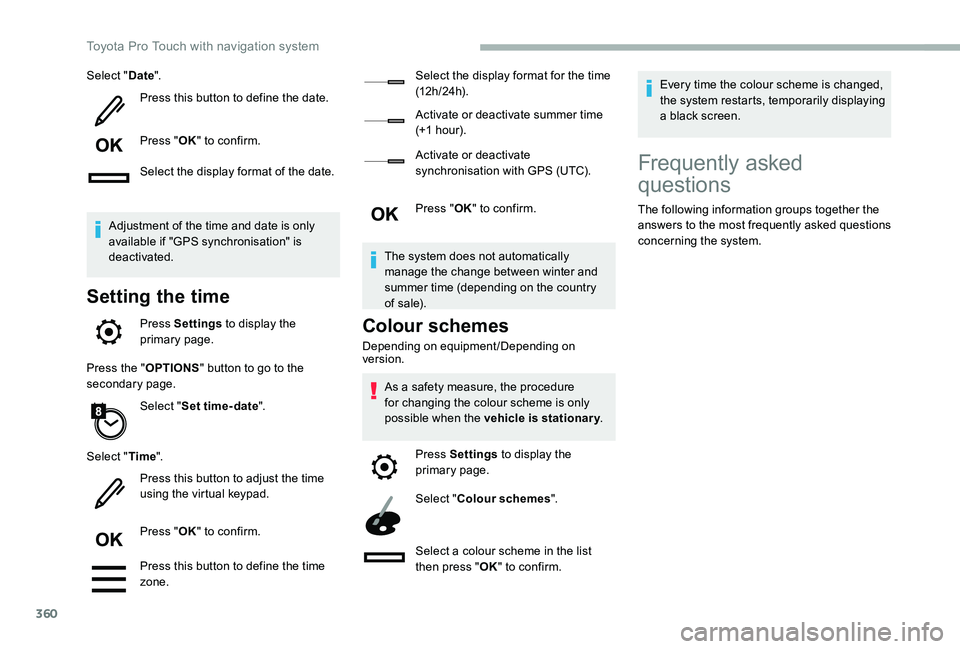
Press this button to define the date.
Press "OK" to confirm.
Select the display format of the date.
Adjustment of the time and date is only available if "GPS synchronisation" is deactivated.
Setting the time
Press Settings to display the primary page.
Press the "OPTIONS" button to go to the secondary page.
Select "Set time-date".
Select "Time".
Press this button to adjust the time using the virtual keypad.
Press "OK" to confirm.
Press this button to define the time zone.
Select the display format for the time (12 h / 24 h).
Activate or deactivate summer time (+1 hour).
Activate or deactivate synchronisation with GPS (UTC).
Press "OK" to confirm.
The system does not automatically manage the change between winter and summer time (depending on the country of s a l e).
Colour schemes
Depending on equipment/Depending on version.
As a safety measure, the procedure for changing the colour scheme is only possible when the vehicle is stationary.
Press Settings to display the primary page.
Select "Colour schemes".
Select a colour scheme in the list then press "OK" to confirm.
Every time the colour scheme is changed, the system restarts, temporarily displaying a black screen.
Frequently asked
questions
The following information groups together the answers to the most frequently asked questions concerning the system.
Toyota Pro Touch with navigation system
Page 371 of 418
371
Applications
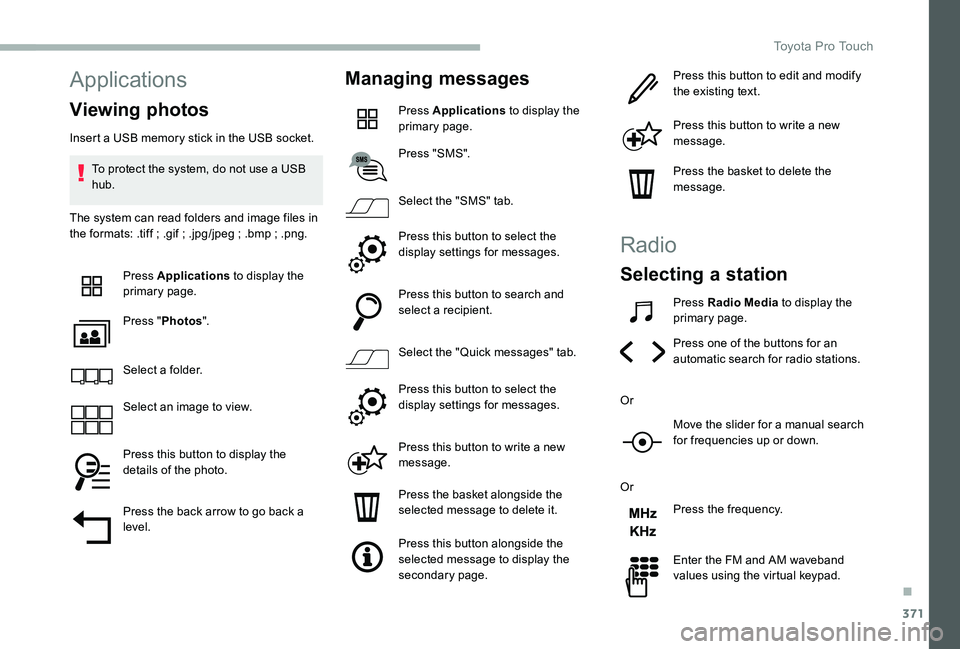
Viewing photos
Insert a USB memory stick in the USB socket.
To protect the system, do not use a USB hub.
The system can read folders and image files in the formats: .tiff ; .gif ; .jpg/jpeg ; .bmp ; .png.
Press Applications to display the primary page.
Press "Photos".
Select a folder.
Select an image to view.
Press this button to display the details of the photo.
Press the back arrow to go back a level.
Managing messages
Press Applications to display the primary page.
Press "SMS".
Select the "SMS" tab.
Press this button to select the display settings for messages.
Press this button to search and select a recipient.
Select the "Quick messages" tab.
Press this button to select the display settings for messages.
Press this button to write a new message.
Press the basket alongside the selected message to delete it.
Press this button alongside the selected message to display the secondary page.
Press this button to edit and modify the existing text.
Press this button to write a new message.
Press the basket to delete the message.
Radio
Selecting a station
Press Radio Media to display the primary page.
Press one of the buttons for an automatic search for radio stations.
Or
Move the slider for a manual search for frequencies up or down.
Or
Press the frequency.
Enter the FM and AM waveband values using the virtual keypad.
.
Toyota Pro Touch
Page 379 of 418
379
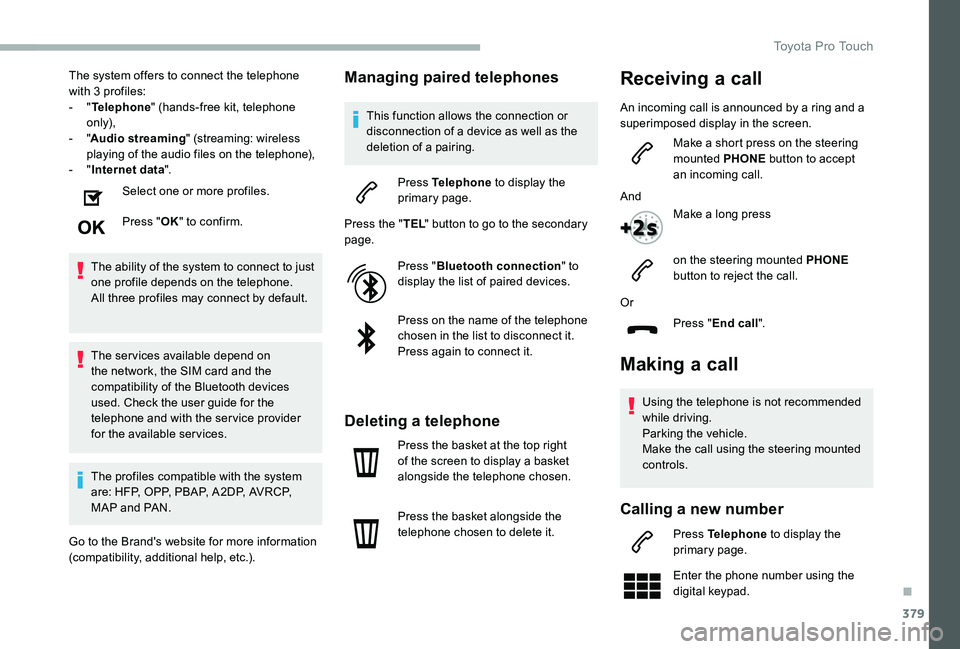
The system offers to connect the telephone with 3 profiles:- "Telephone" (hands-free kit, telephone only),- "Audio streaming" (streaming: wireless playing of the audio files on the telephone),- "Internet data".
Select one or more profiles.
Press "OK" to confirm.
The ability of the system to connect to just one profile depends on the telephone.All three profiles may connect by default.
The ser vices available depend on the network, the SIM card and the compatibility of the Bluetooth devices used. Check the user guide for the telephone and with the ser vice provider for the available ser vices.
The profiles compatible with the system are: HFP, OPP, PBAP, A 2DP, AVRCP, MAP and PAN.
Go to the Brand's website for more information (compatibility, additional help, etc.).
Managing paired telephones
This function allows the connection or disconnection of a device as well as the deletion of a pairing.
Press Telephone to display the primary page.
Press the "TEL" button to go to the secondary page.
Press "Bluetooth connection" to display the list of paired devices.
Press on the name of the telephone chosen in the list to disconnect it.Press again to connect it.
Deleting a telephone
Press the basket at the top right of the screen to display a basket alongside the telephone chosen.
Press the basket alongside the telephone chosen to delete it.
Making a call
Using the telephone is not recommended while driving.Parking the vehicle.
Make the call using the steering mounted controls.
Calling a new number
Press Telephone to display the primary page.
Enter the phone number using the digital keypad.
Or
Press "End call".
Receiving a call
An incoming call is announced by a ring and a superimposed display in the screen.
Make a short press on the steering mounted PHONE button to accept an incoming call.
And
Make a long press
on the steering mounted PHONE button to reject the call.
.
Toyota Pro Touch
Page 380 of 418
380
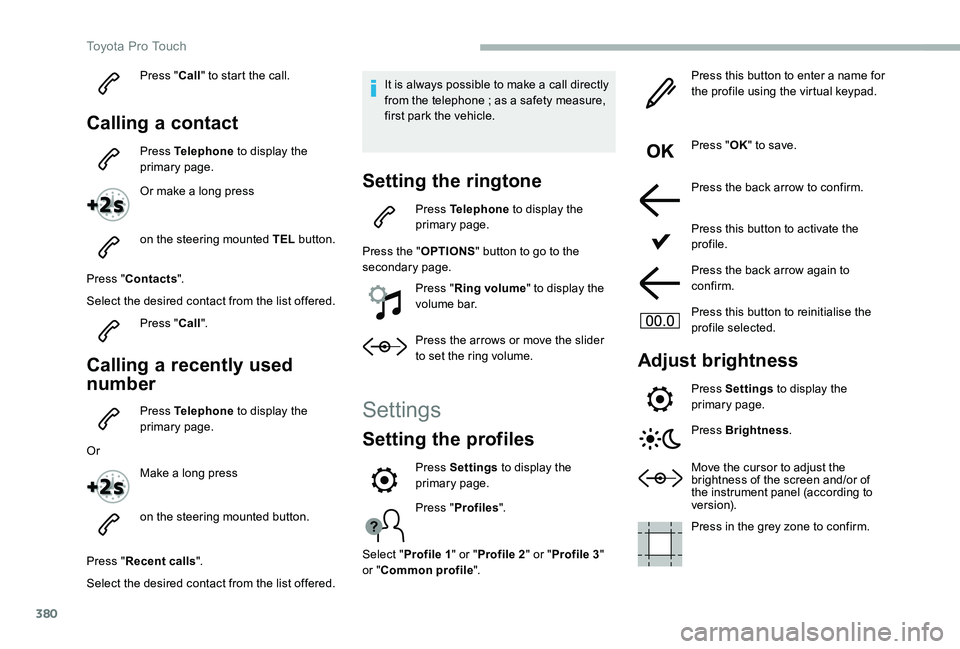
Press "Call" to start the call.
Calling a contact
Press Telephone to display the primary page.
Or make a long press
on the steering mounted TEL button.
Press "Contacts".
Select the desired contact from the list offered.
Press "Call".
Calling a recently used
number
Press Telephone to display the primary page.
Or
Make a long press
on the steering mounted button.
Press "Recent calls".
Select the desired contact from the list offered.
It is always possible to make a call directly from the telephone ; as a safety measure, first park the vehicle.
Setting the ringtone
Press Telephone to display the primary page.
Press the "OPTIONS" button to go to the secondary page.
Press "Ring volume" to display the volume bar.
Press the arrows or move the slider to set the ring volume.
Settings
Setting the profiles
Press "Profiles".
Select "Profile 1" or "Profile 2" or "Profile 3" or "Common profile".
Press this button to enter a name for the profile using the virtual keypad.
Press "OK" to save.
Press the back arrow to confirm.
Press this button to activate the profile.
Press the back arrow again to confirm.
Press this button to reinitialise the profile selected.
Adjust brightness
Press Settings to display the primary page.
Press Brightness.
Move the cursor to adjust the brightness of the screen and/or of the instrument panel (according to ve r s i o n).
Press in the grey zone to confirm.
Press Settings to display the primary page.
Toyota Pro Touch
Page 381 of 418
381
Modifying system settings
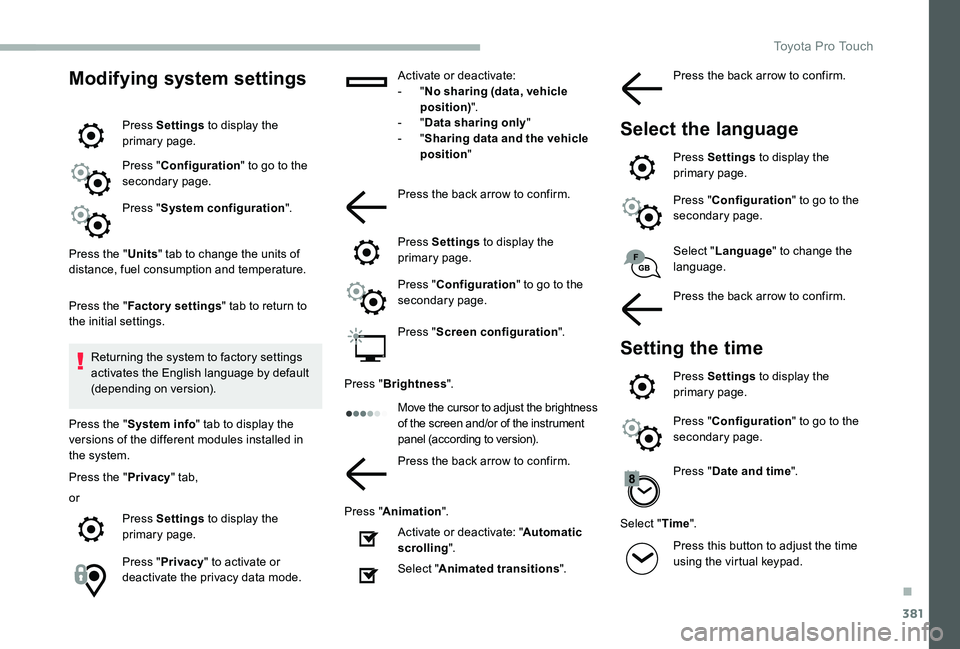
Press Settings to display the primary page.
Press "Configuration" to go to the secondary page.
Press "System configuration".
Press the "Units" tab to change the units of distance, fuel consumption and temperature.
Press the "Factory settings" tab to return to the initial settings.
Returning the system to factory settings activates the English language by default (depending on version).
Press the "System info" tab to display the versions of the different modules installed in the system.
Press the "Privacy" tab,
or
Press Settings to display the primary page.
Press "Privacy" to activate or deactivate the privacy data mode.
Activate or deactivate:- "No sharing (data, vehicle position)".- "Data sharing only"- "Sharing data and the vehicle position"
Press the back arrow to confirm.
Press Settings to display the primary page.
Press "Configuration" to go to the secondary page.
Press "Screen configuration".
Press "Brightness".
Move the cursor to adjust the brightness of the screen and/or of the instrument panel (according to version).
Press the back arrow to confirm.
Press "Animation".
Activate or deactivate: "Automatic scrolling".
Select "Animated transitions".
Select "Language" to change the language.
Press the back arrow to confirm.
Setting the time
Press Settings to display the primary page.
Press "Configuration" to go to the secondary page.
Press "Date and time".
Select "Time".
Press this button to adjust the time using the virtual keypad.
Press the back arrow to confirm.
Select the language
Press Settings to display the primary page.
Press "Configuration" to go to the secondary page.
.
Toyota Pro Touch
Page 399 of 418
399
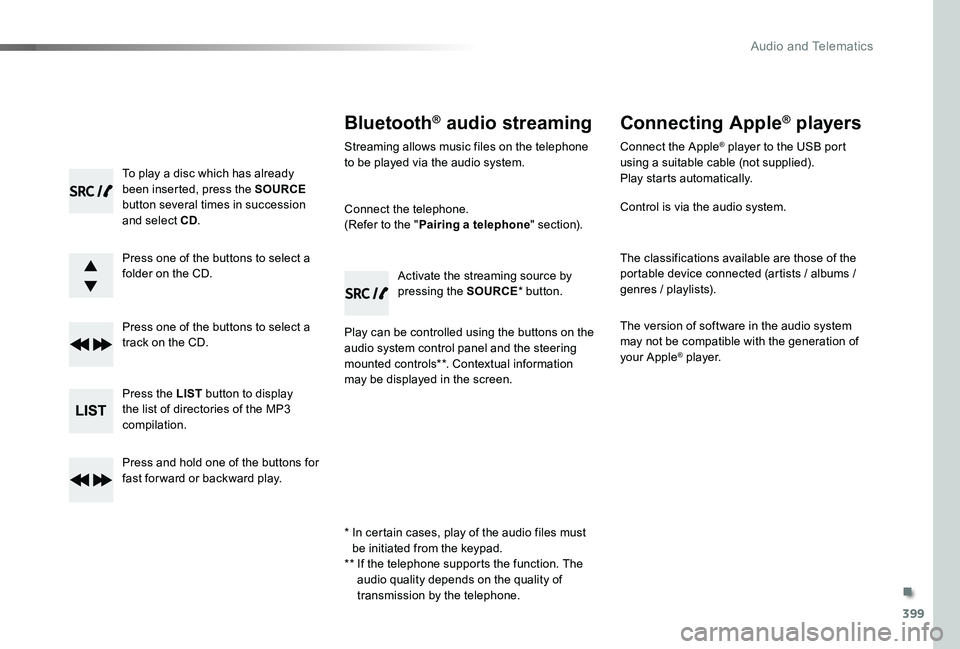
To play a disc which has already been inserted, press the SOURCE button several times in succession and select CD.
Press one of the buttons to select a folder on the CD.
Press one of the buttons to select a track on the CD.
Press the LIST button to display the list of directories of the MP3 compilation.
Press and hold one of the buttons for fast for ward or backward play.
Bluetooth® audio streaming
Streaming allows music files on the telephone to be played via the audio system.
Connect the telephone.(Refer to the "Pairing a telephone" section).
Play can be controlled using the buttons on the audio system control panel and the steering mounted controls**. Contextual information may be displayed in the screen.
Activate the streaming source by pressing the SOURCE* button.
Connecting Apple® players
Connect the Apple® player to the USB port using a suitable cable (not supplied).Play starts automatically.
Control is via the audio system.
The classifications available are those of the portable device connected (artists / albums / genres / playlists).
The version of software in the audio system may not be compatible with the generation of your Apple® player.
* In certain cases, play of the audio files must be initiated from the keypad.** If the telephone supports the function. The audio quality depends on the quality of
transmission by the telephone.
.
Audio and Telematics
Page 404 of 418
404
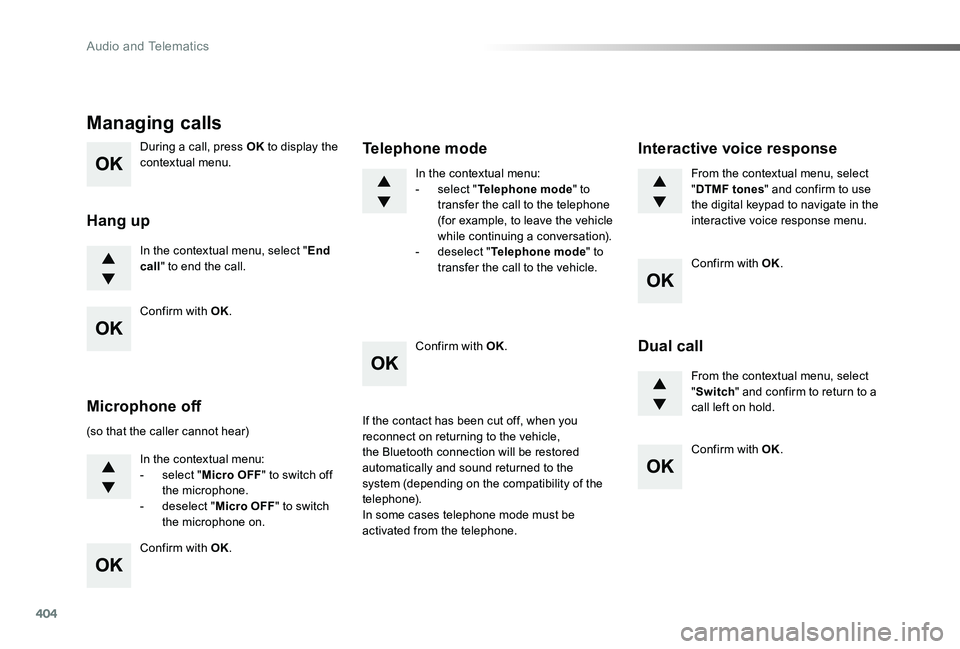
During a call, press OK to display the contextual menu.
In the contextual menu, select "End call" to end the call.
Managing calls
Hang up
(so that the caller cannot hear)
In the contextual menu:- select "Micro OFF" to switch off the microphone.- deselect "Micro OFF" to switch the microphone on.
In the contextual menu:- select "Telephone mode" to transfer the call to the telephone (for example, to leave the vehicle while continuing a conversation).- deselect "Telephone mode" to transfer the call to the vehicle.
Microphone off
Telephone mode
If the contact has been cut off, when you reconnect on returning to the vehicle,
the Bluetooth connection will be restored automatically and sound returned to the system (depending on the compatibility of the telephone).In some cases telephone mode must be activated from the telephone.
From the contextual menu, select "DTMF tones" and confirm to use the digital keypad to navigate in the interactive voice response menu.
From the contextual menu, select "Switch" and confirm to return to a call left on hold.
Interactive voice response
Dual call
Confirm with OK.
Confirm with OK.
Confirm with OK.
Confirm with OK.
Confirm with OK.
Audio and Telematics