ignition TOYOTA PROACE VERSO EV 2024 User Guide
[x] Cancel search | Manufacturer: TOYOTA, Model Year: 2024, Model line: PROACE VERSO EV, Model: TOYOTA PROACE VERSO EV 2024Pages: 360, PDF Size: 70.22 MB
Page 24 of 360
24
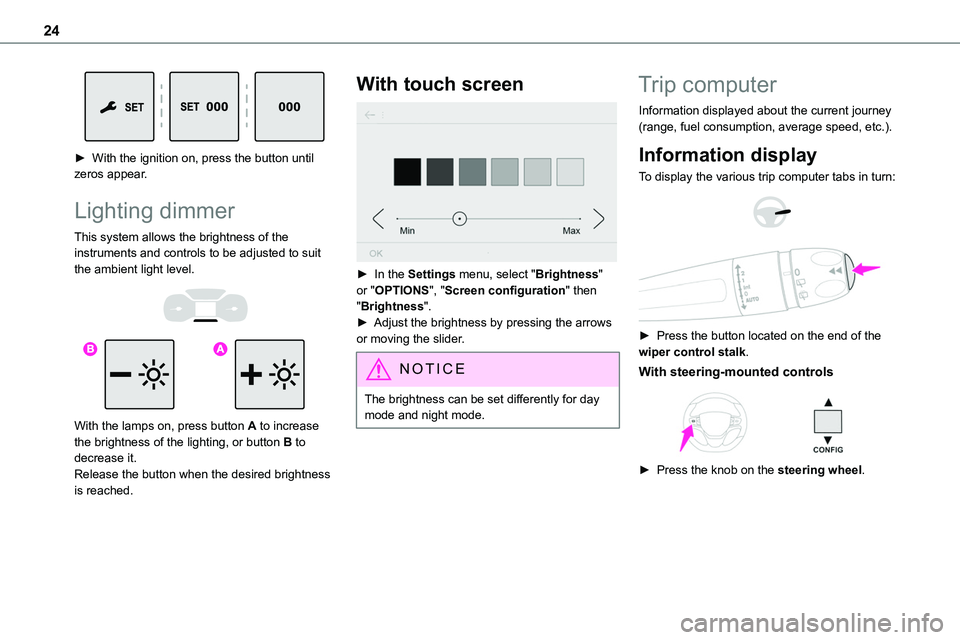
► With the ignition on, press the button until zeros appear.
Lighting dimmer
This system allows the brightness of the instruments and controls to be adjusted to suit the ambient light level.
With the lamps on, press button A to increase the brightness of the lighting, or button B to decrease it.Release the button when the desired brightness is reached.
With touch screen
► In the Settings menu, select "Brightness" or "OPTIONS", "Screen configuration" then "Brightness".► Adjust the brightness by pressing the arrows or moving the slider.
NOTIC E
The brightness can be set differently for day mode and night mode.
Trip computer
Information displayed about the current journey (range, fuel consumption, average speed, etc.).
Information display
To display the various trip computer tabs in turn:
► Press the button located on the end of the wiper control stalk.
With steering-mounted controls
► Press the knob on the steering wheel.
Page 26 of 360
26
Current consumption
(mpg or l/100 km or km/l)(miles/kWh or kWh/100 km or km/kWh) (Electric) / Calculated during the last few seconds.This function is only displayed at speeds above 19 mph (30 km/h) (Diesel).
Average consumption
(mpg or l/100 km or km/l)(miles/kWh or kWh/100 km or km/kWh) (Electric) / Calculated since the last trip computer reset.
Average speed
(km/h or mph)Calculated since the last trip computer reset.
Distance travelled
(km or miles)Calculated since the last trip computer reset.
Stop & Start time counter
(minutes/seconds or hours/minutes)
If your vehicle is fitted with Stop & Start, a time counter calculates the time spent in STOP mode during a journey.It resets to zero every time the ignition is switched on.
Touch screen
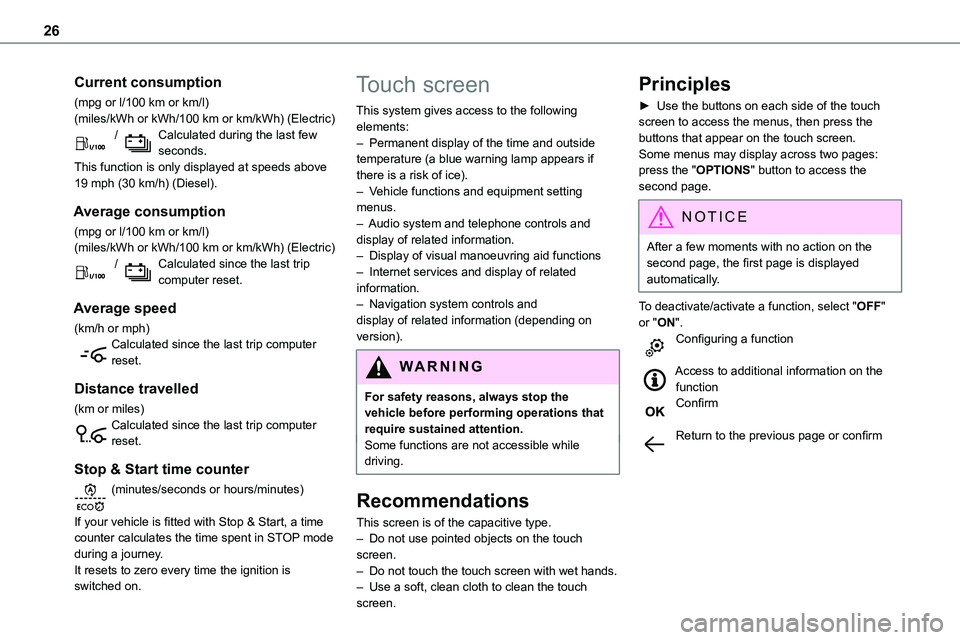
This system gives access to the following elements:– Permanent display of the time and outside temperature (a blue warning lamp appears if there is a risk of ice).– Vehicle functions and equipment setting menus.
– Audio system and telephone controls and display of related information.– Display of visual manoeuvring aid functions– Internet services and display of related information.– Navigation system controls and display of related information (depending on version).
WARNI NG
For safety reasons, always stop the vehicle before performing operations that require sustained attention.Some functions are not accessible while driving.
Recommendations
This screen is of the capacitive type.
– Do not use pointed objects on the touch screen.– Do not touch the touch screen with wet hands.– Use a soft, clean cloth to clean the touch screen.
Principles
► Use the buttons on each side of the touch screen to access the menus, then press the buttons that appear on the touch screen.Some menus may display across two pages: press the "OPTIONS" button to access the second page.
NOTIC E
After a few moments with no action on the second page, the first page is displayed automatically.
To deactivate/activate a function, select "OFF" or "ON".Configuring a function
Access to additional information on the functionConfirm
Return to the previous page or confirm
Page 28 of 360
28
– Green bar chart: energy recovered during deceleration and braking, used to recharge the battery.The average result for the current trip is stated in kWh/100 km.► You can change the displayed time scale by pressing the - or + buttons.
NOTIC E
A current trip is any trip of more than 20 minutes without switching off the ignition.
Charging
This page allows you to programme deferred charging.For more information on Charging the traction battery (Electric), refer to the corresponding section.
Remotely-operable
functions (Electric)
(Available soon)
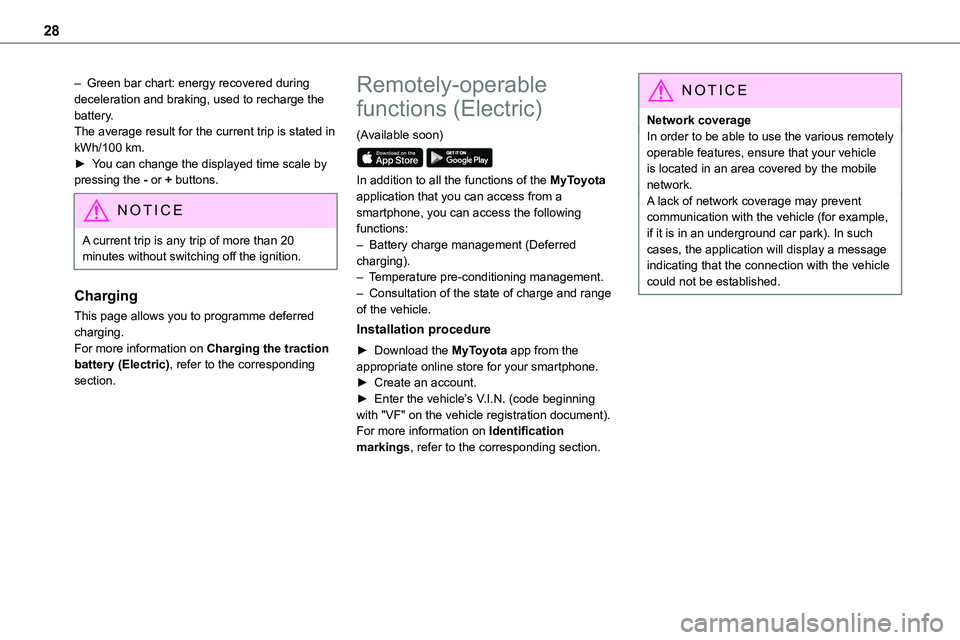
In addition to all the functions of the MyToyota application that you can access from a smartphone, you can access the following functions:– Battery charge management (Deferred charging).– Temperature pre-conditioning management.– Consultation of the state of charge and range of the vehicle.
Installation procedure
► Download the MyToyota app from the appropriate online store for your smartphone.► Create an account.► Enter the vehicle’s V.I.N. (code beginning with "VF" on the vehicle registration document).For more information on Identification markings, refer to the corresponding section.
NOTIC E
Network coverageIn order to be able to use the various remotely operable features, ensure that your vehicle is located in an area covered by the mobile network.A lack of network coverage may prevent communication with the vehicle (for example,
if it is in an underground car park). In such cases, the application will display a message indicating that the connection with the vehicle could not be established.
Page 30 of 360
30
Electronic key with
remote control function
and built-in key,
NOTIC E
If one of the doors or the boot is still open or if the electronic key for the Smart Entry & Start
system has been left inside the vehicle, central locking will not take place.However, if the vehicle is fitted with an alarm, it will be activated after 45 seconds.
NOTIC E
If the vehicle is unlocked but the doors or boot are not subsequently opened, the vehicle will automatically lock itself again after about 30 seconds. If the vehicle is fitted with an alarm, it will be reactivated automatically.
NOTIC E
Automatic door mirror folding and unfolding can be deactivated by any authorized Toyota retailer or Toyota authorized repairer, or any reliable repairer.
WARNI NG
As a safety measure, never leave the vehicle, even for a short time, without taking the Smart Entry & Start system’s electronic key with you.Be aware of the risk of theft of the vehicle if the key is present in one of the defined areas while the vehicle is unlocked.
If a door is not properly closed (except the right-hand door with side-hinged rear doors):– when the vehicle is stationary and engine running, this warning lamp comes on, accompanied by a warning message for a few seconds, – when the vehicle is moving (at speeds above 6 mph (10 km/h)), this warning lamp comes on, accompanied by an audible signal and a warning message for a few seconds.
Remote control key
This allows the central locking or unlocking of the vehicle using the door lock or remotely.It also allows the vehicle to be located, the fuel filler cap to be removed and refitted and the engine to be started or switched off, as well as providing protection against theft.
NOTIC E
The remote control buttons are not active with the ignition switched on.
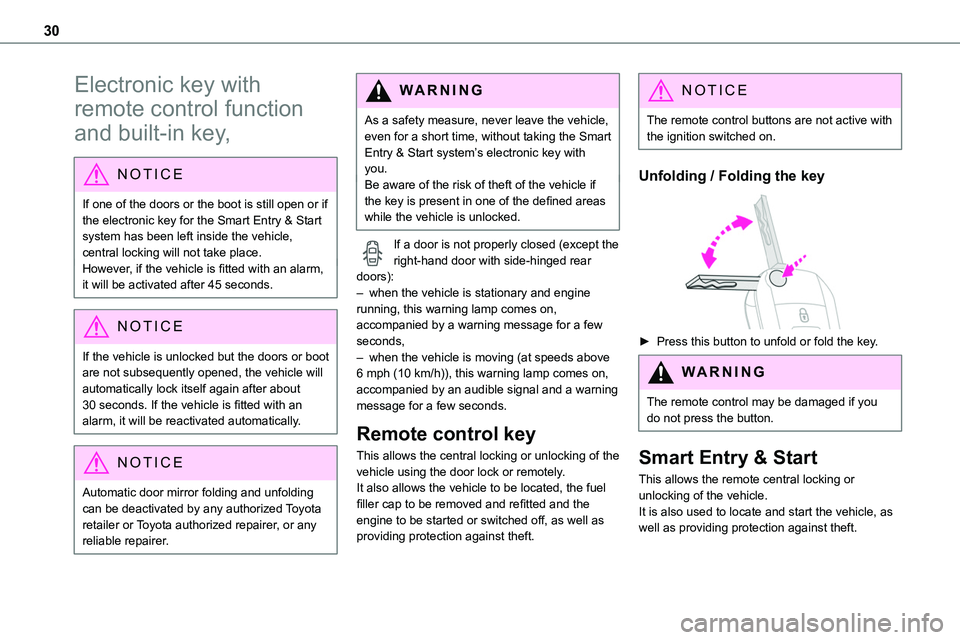
Unfolding / Folding the key
► Press this button to unfold or fold the key.
WARNI NG
The remote control may be damaged if you do not press the button.
Smart Entry & Start
This allows the remote central locking or unlocking of the vehicle.It is also used to locate and start the vehicle, as well as providing protection against theft.
Page 31 of 360
31
Access
2
Integral key
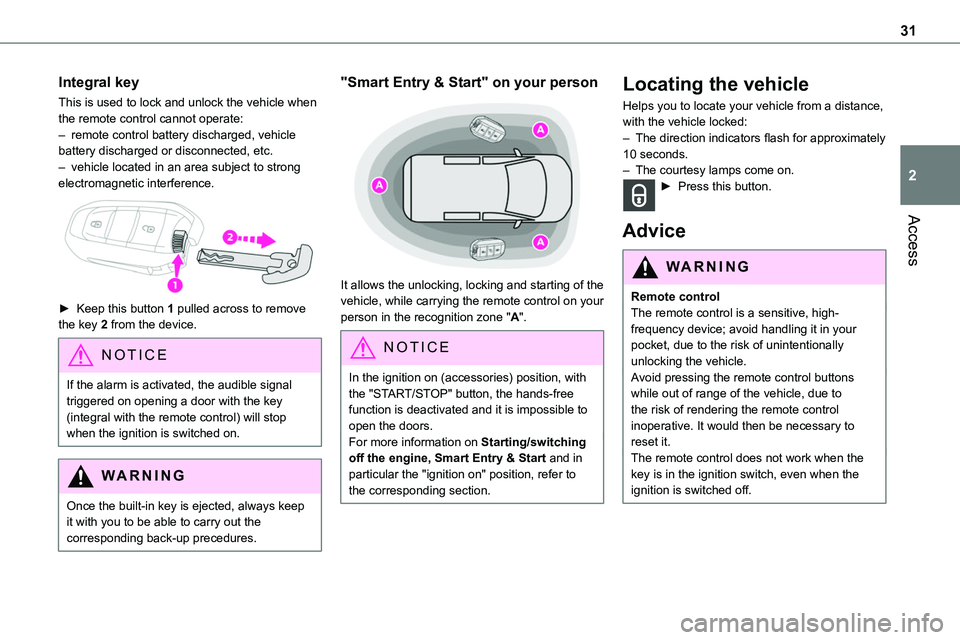
This is used to lock and unlock the vehicle when the remote control cannot operate:– remote control battery discharged, vehicle battery discharged or disconnected, etc.– vehicle located in an area subject to strong electromagnetic interference.
► Keep this button 1 pulled across to remove the key 2 from the device.
NOTIC E
If the alarm is activated, the audible signal triggered on opening a door with the key (integral with the remote control) will stop when the ignition is switched on.
WARNI NG
Once the built-in key is ejected, always keep it with you to be able to carry out the corresponding back-up precedures.
"Smart Entry & Start" on your person
It allows the unlocking, locking and starting of the vehicle, while carrying the remote control on your person in the recognition zone "A".
NOTIC E
In the ignition on (accessories) position, with the "START/STOP" button, the hands-free function is deactivated and it is impossible to open the doors.For more information on Starting/switching off the engine, Smart Entry & Start and in particular the "ignition on" position, refer to the corresponding section.
Locating the vehicle
Helps you to locate your vehicle from a distance, with the vehicle locked:– The direction indicators flash for approximately 10 seconds.– The courtesy lamps come on.► Press this button.
Advice
WARNI NG
Remote controlThe remote control is a sensitive, high-frequency device; avoid handling it in your pocket, due to the risk of unintentionally unlocking the vehicle.Avoid pressing the remote control buttons while out of range of the vehicle, due to the risk of rendering the remote control inoperative. It would then be necessary to reset it.The remote control does not work when the key is in the ignition switch, even when the ignition is switched off.
Page 32 of 360
32
WARNI NG
Anti-theft protectionDo not modify the electronic vehicle immobiliser, as this might result in malfunctions.For vehicles with a key ignition switch, remember to remove the key and turn the steering wheel to engage the steering lock.
WARNI NG
Locking the vehicleDriving with the doors locked could make it more difficult for the emergency services to enter the passenger compartment in an emergency.As a safety precaution, remove the key from the ignition or take the electronic key with you when leaving the vehicle, even for a short time.
NOTIC E
Purchasing a second-hand vehicleHave the key codes memorised by any authorized Toyota retailer or Toyota authorized repairer, or any reliable repairer, to ensure that the keys in your possession are the only ones able to start the vehicle.
WARNI NG
To preserve the battery charge in the electronic key and the vehicle's battery, the "hands-free" functions are set to hibernation mode after 21 days without use. To restore these functions, press one of the remote control buttons or start the engine with the electronic key in the reader.
For more information on starting with the Smart Entry & Start system, refer to the corresponding section.
NOTIC E
Electrical interferenceThe electronic key may not operate if close to certain electronic devices such as telephones (switched on or on standby) or laptop computers, strong magnetic fields, etc. If this happens, remove the electronic key from the electronic device.
WARNI NG
Accumulations (water, dust, grime, salt, etc.) on the inner surface of the door handle may
affect detection.If cleaning the inner surface of the door handle using a cloth does not restore detection, contact any authorized Toyota
retailer or Toyota authorized repairer, or any reliable repairer.A sudden splash of water (stream of water, high pressure jet washer, etc.) may be identified by the system as the desire to open the vehicle.
Unlocking/Complete or
selective unlocking
Unlocking/Complete
unlocking
NOTIC E
Unlocking is signalled by rapid flashing of the direction indicators for a few seconds.Depending on version, the door mirrors unfold and the alarm is deactivated.
With the key
► To unlock the vehicle fully, turn the key in the front left-hand door lock towards the front of the vehicle.If the vehicle has an alarm, it will not be deactivated. Opening a door will trigger the alarm, which can be stopped by switching the ignition on.
Page 37 of 360
37
Access
2
► Turn the key rearwards again within 5 seconds to deadlock the vehicle.
NOTIC E
If the vehicle is fitted with an alarm, it will not be activated when locking with the key.If the alarm is activated, the siren sounds when the door is opened; switch on the ignition to stop it.
NOTIC E
If the vehicle is unlocked with the key in the lock after locking it with the remote control or the Smart Entry & Start system, all doors and the boot are unlocked.If the vehicle is unlocked with the key in the lock after locking it with the key, only the doors (front door and sliding side door(s)) are unlocked. The side-hinged doors and tailgate are not unlocked. Switching on the ignition unlocks them.
Central locking not
functioning
Use these procedures in the following cases:
– Central locking malfunction.– Battery disconnected or discharged.
WARNI NG
In the event of a malfunction of the central locking system, the battery must be disconnected to ensure that the vehicle is locked fully.
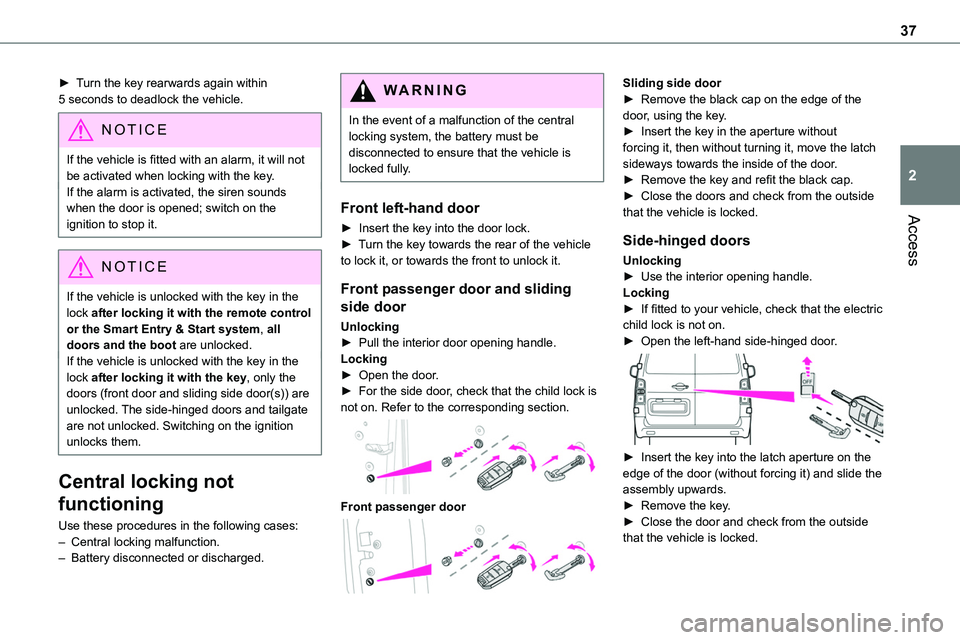
Front left-hand door
► Insert the key into the door lock.► Turn the key towards the rear of the vehicle to lock it, or towards the front to unlock it.
Front passenger door and sliding
side door
Unlocking► Pull the interior door opening handle.Locking► Open the door.► For the side door, check that the child lock is not on. Refer to the corresponding section.
Front passenger door
Sliding side door► Remove the black cap on the edge of the door, using the key.► Insert the key in the aperture without forcing it, then without turning it, move the latch sideways towards the inside of the door.► Remove the key and refit the black cap.► Close the doors and check from the outside that the vehicle is locked.
Side-hinged doors
Unlocking► Use the interior opening handle.Locking► If fitted to your vehicle, check that the electric child lock is not on.► Open the left-hand side-hinged door.
► Insert the key into the latch aperture on the edge of the door (without forcing it) and slide the assembly upwards.► Remove the key.► Close the door and check from the outside that the vehicle is locked.
Page 39 of 360
39
Access
2
► Switch the ignition off.► Turn the key to position 2 (Ignition on).► Immediately press the closed padlock button for a few seconds.► Switch off the ignition and remove the key from the ignition switch.The remote control is now fully operational again.
With Smart Entry & Start
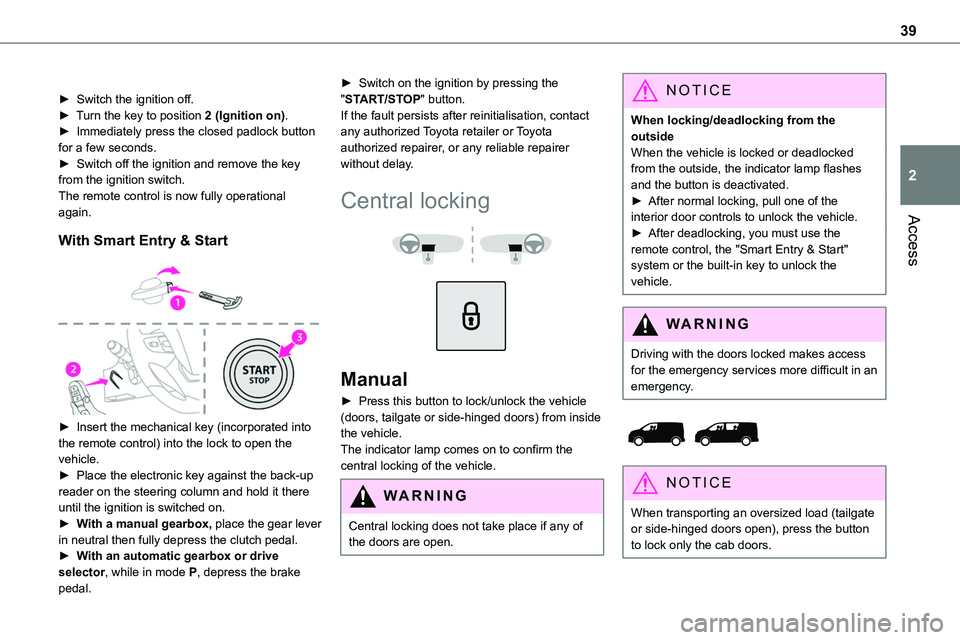
► Insert the mechanical key (incorporated into the remote control) into the lock to open the vehicle.► Place the electronic key against the back-up reader on the steering column and hold it there until the ignition is switched on.► With a manual gearbox, place the gear lever in neutral then fully depress the clutch pedal.► With an automatic gearbox or drive selector, while in mode P, depress the brake
pedal.
► Switch on the ignition by pressing the "START/STOP" button.If the fault persists after reinitialisation, contact any authorized Toyota retailer or Toyota authorized repairer, or any reliable repairer without delay.
Central locking
Manual
► Press this button to lock/unlock the vehicle (doors, tailgate or side-hinged doors) from inside the vehicle. The indicator lamp comes on to confirm the central locking of the vehicle.
WARNI NG
Central locking does not take place if any of
the doors are open.
NOTIC E
When locking/deadlocking from the outsideWhen the vehicle is locked or deadlocked from the outside, the indicator lamp flashes and the button is deactivated.► After normal locking, pull one of the interior door controls to unlock the vehicle.
► After deadlocking, you must use the remote control, the "Smart Entry & Start" system or the built-in key to unlock the vehicle.
WARNI NG
Driving with the doors locked makes access for the emergency services more difficult in an emergency.
NOTIC E
When transporting an oversized load (tailgate or side-hinged doors open), press the button to lock only the cab doors.
Page 40 of 360
40
NOTIC E
When transporting an oversized load (tailgate or side-hinged doors open), press the button to lock only the front and rear doors (sliding side door).
NOTIC E
When locking from inside, the door mirrors do not fold.Central locking from the inside does not operate if one of the doors is open (indicated by a mechanical noise coming from the locks).When the tailgate or side-hinged doors are open, only the other doors are locked (the button does not light up).
Automatic (anti-intrusion
security)
The doors and the tailgate or the side-hinged doors can lock automatically while driving (speed
above 6 mph (10 km/h)).To deactivate/reactivate this function (activated by default):
► Press the button until an audible signal is heard and/or a message appears on the screen.
Electric sliding side
door(s)
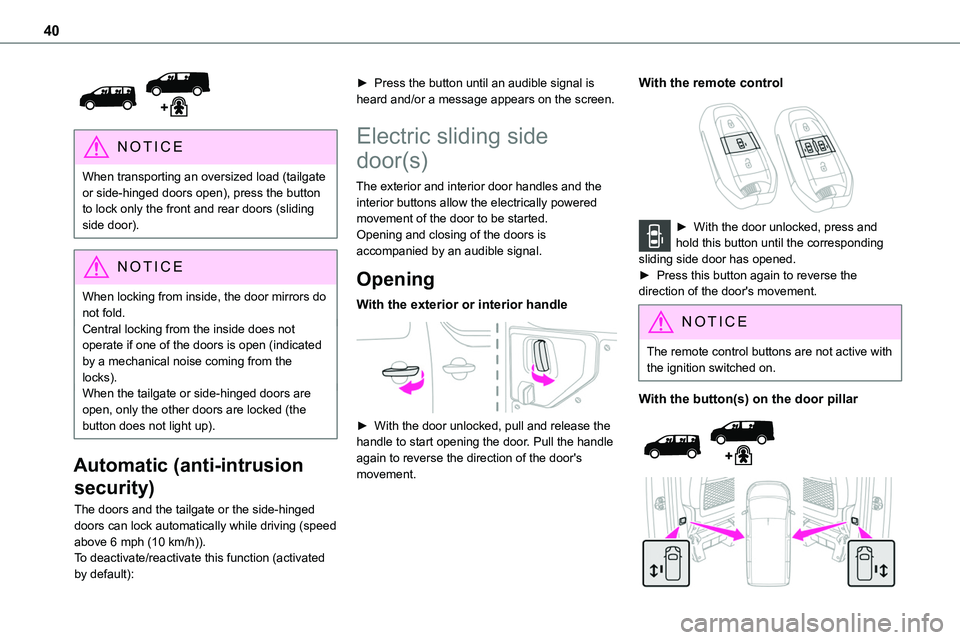
The exterior and interior door handles and the interior buttons allow the electrically powered movement of the door to be started.
Opening and closing of the doors is accompanied by an audible signal.
Opening
With the exterior or interior handle
► With the door unlocked, pull and release the handle to start opening the door. Pull the handle again to reverse the direction of the door's movement.
With the remote control
► With the door unlocked, press and hold this button until the corresponding sliding side door has opened. ► Press this button again to reverse the direction of the door's movement.
NOTIC E
The remote control buttons are not active with the ignition switched on.
With the button(s) on the door pillar
Page 41 of 360
41
Access
2
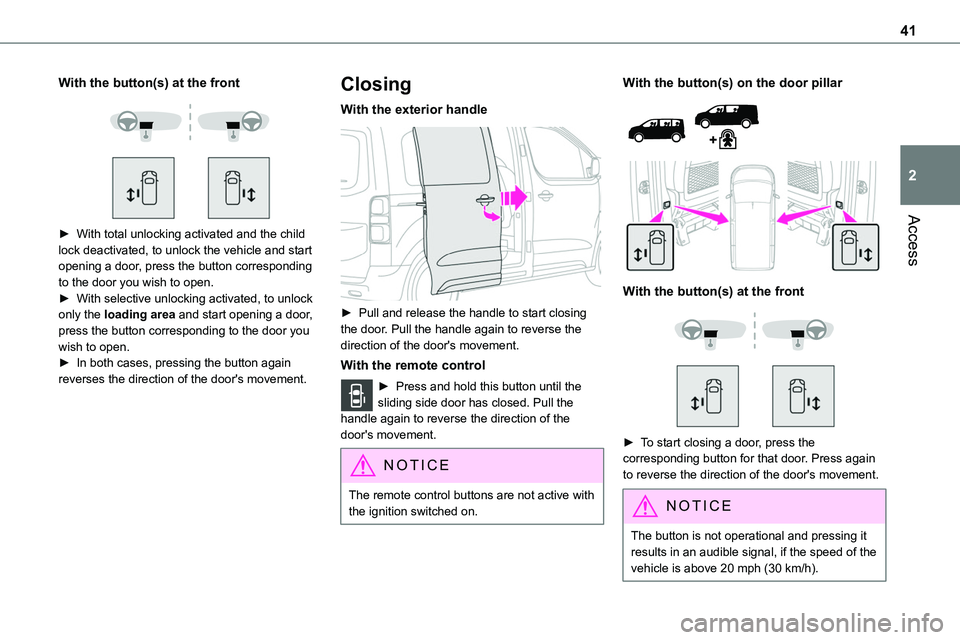
With the button(s) at the front
► With total unlocking activated and the child lock deactivated, to unlock the vehicle and start opening a door, press the button corresponding to the door you wish to open.► With selective unlocking activated, to unlock only the loading area and start opening a door, press the button corresponding to the door you wish to open.► In both cases, pressing the button again reverses the direction of the door's movement.
Closing
With the exterior handle
► Pull and release the handle to start closing the door. Pull the handle again to reverse the direction of the door's movement.
With the remote control
► Press and hold this button until the sliding side door has closed. Pull the handle again to reverse the direction of the door's movement.
NOTIC E
The remote control buttons are not active with the ignition switched on.
With the button(s) on the door pillar
With the button(s) at the front
► To start closing a door, press the corresponding button for that door. Press again to reverse the direction of the door's movement.
NOTIC E
The button is not operational and pressing it results in an audible signal, if the speed of the vehicle is above 20 mph (30 km/h).