Door TOYOTA RAIZE 2023 User Guide
[x] Cancel search | Manufacturer: TOYOTA, Model Year: 2023, Model line: RAIZE, Model: TOYOTA RAIZE 2023Pages: 516, PDF Size: 44.62 MB
Page 56 of 516
541-2. Safety information for children
RAIZE_OM_General_BZ358E
WARNING
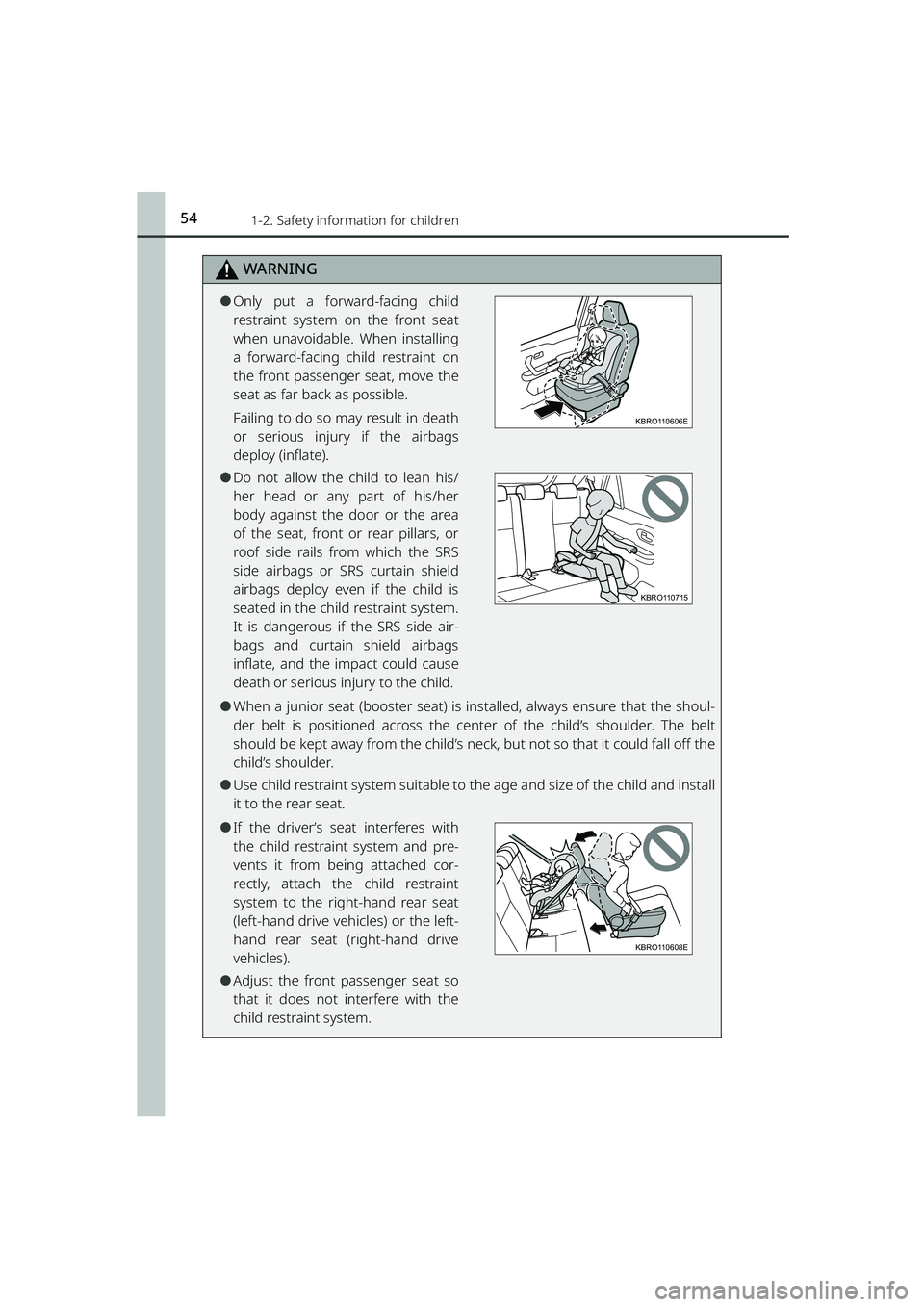
⚫Only put a forward-facing child
restraint system on the front seat
when unavoidable. When installing
a forward-facing child restraint on
the front passenger seat, move the
seat as far back as possible.
Failing to do so may result in death
or serious injury if the airbags
deploy (inflate).
⚫Do not allow the child to lean his/
her head or any part of his/her
body against the door or the area
of the seat, front or rear pillars, or
roof side rails from which the SRS
side airbags or SRS curtain shield
airbags deploy even if the child is
seated in the child restraint system.
It is dangerous if the SRS side air-
bags and curtain shield airbags
inflate, and the impact could cause
death or serious injury to the child.
⚫When a junior seat (booster seat) is installed, always ensure that the shoul-
der belt is positioned across the cent er of the child’s shoulder. The belt
should be kept away from the child’s neck , but not so that it could fall off the
child’s shoulder.
⚫Use child restraint system suitable to th e age and size of the child and install
it to the rear seat.
⚫If the driver’s seat interferes with
the child restraint system and pre-
vents it from being attached cor-
rectly, attach the child restraint
system to the right-hand rear seat
(left-hand drive vehicles) or the left-
hand rear seat (right-hand drive
vehicles).
⚫Adjust the front passenger seat so
that it does not interfere with the
child restraint system.
KBRO110606E
KBRO110715
KBRO110608E
RAIZE_OM_General_BZ358E.book 54 ページ 2022年5月17日 火曜日 午後1時59分
Page 75 of 516
731-4. Theft deterrent system
RAIZE_OM_General_BZ358E✽
: If equipped
For safety and security
1
Alarm✽
The alarm
The alarm uses the emergency flashers and sound to give an alert when
an intrusion is detected.
The alarm is triggered in the following situations when the alarm is set:
⚫A locked door is unlocked and open ed in any way other than using the
key-free function or wireless remote control.
⚫The hood is opened.
Setting the alarm system
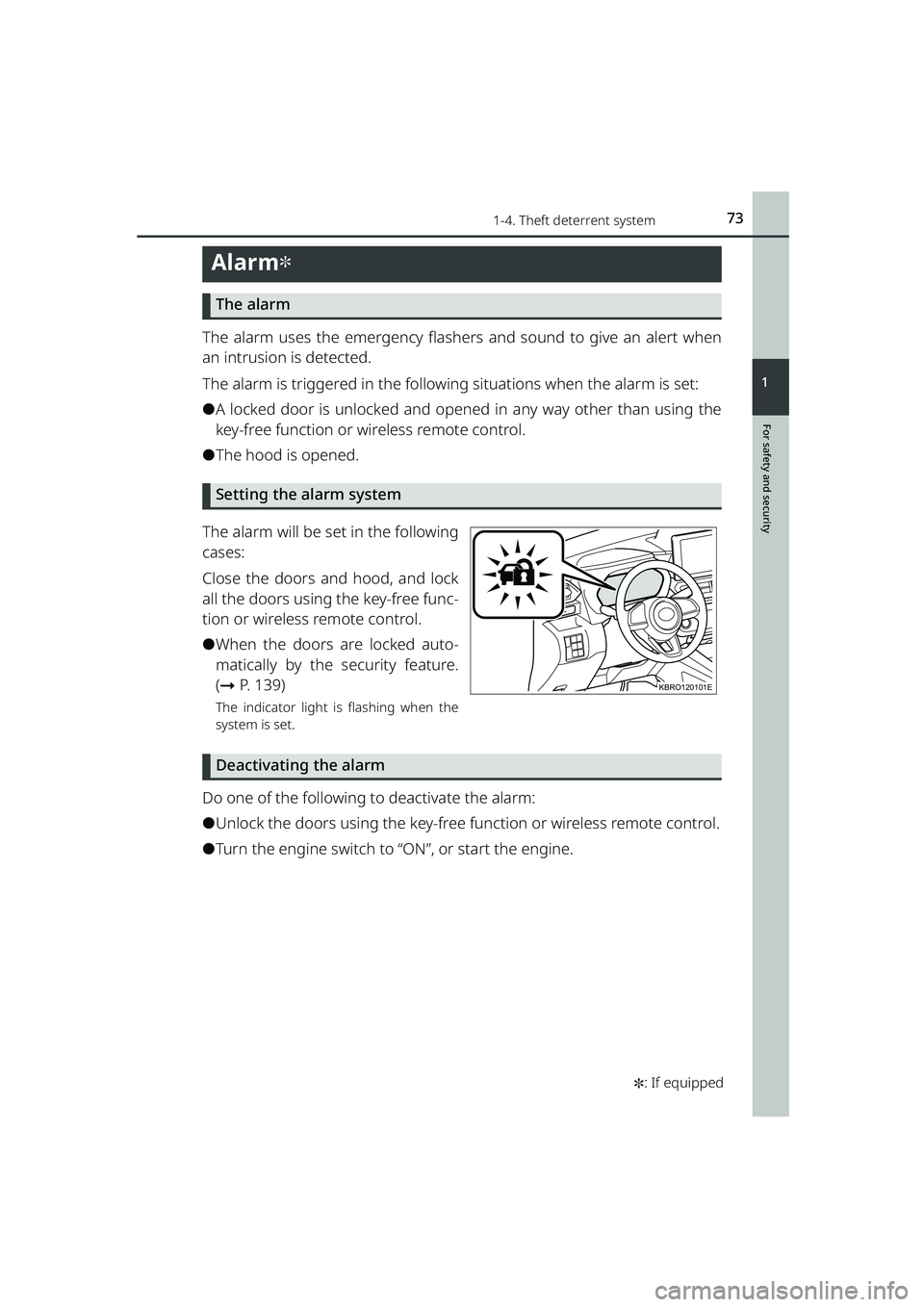
The alarm will be set in the following
cases:
Close the doors and hood, and lock
all the doors using the key-free func-
tion or wireless remote control.
⚫When the doors are locked auto-
matically by the security feature.
( ➞ P. 1 3 9 )
The indicator light is flashing when the
system is set.
Deactivating the alarm
Do one of the following to deactivate the alarm:
⚫Unlock the doors using the key-free function or wireless remote control.
⚫Turn the engine switch to “ON”, or start the engine.
KBRO120101E
RAIZE_OM_General_BZ358E.book 73 ページ 2022年5月17日 火曜日 午後1時59分
Page 76 of 516
741-4. Theft deterrent system
RAIZE_OM_General_BZ358E
Stopping the alarm
Do one of the following to stop the alarm:
⚫Press the lock or unlock button of the wireless remote control.
⚫Press the lock/unlock switch on the front door while carrying the elec-
tronic key with you.
⚫Press the lock button on the back do or while carrying the electronic key
with you (when opening the driver’s door).
⚫Press the back door opener switch on the back door while carrying the
electronic key with you (when closing the driver’s door).
⚫Get in the car with the electronic key.
⚫Turn the engine switch to “ON”, or start the engine.
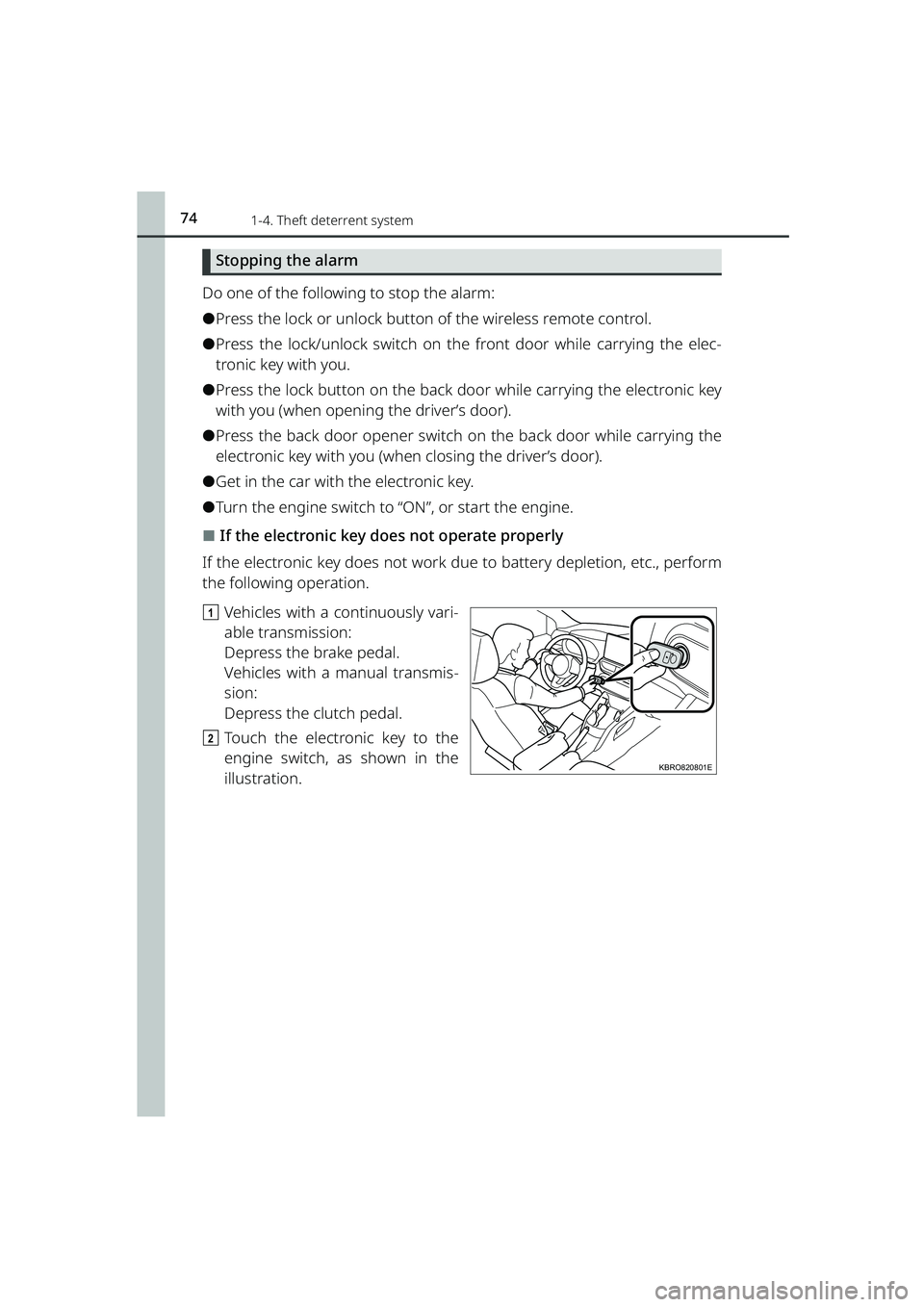
⬛If the electronic key does not operate properly
If the electronic key does not work du e to battery depletion, etc., perform
the following operation.
a Vehicles with a continuously vari-
able transmission:
Depress the brake pedal.
Vehicles with a manual transmis-
sion:
Depress the clutch pedal.
b Touch the electronic key to the
engine switch, as shown in the
illustration.
KBRO820801E
RAIZE_OM_General_BZ358E.book 74 ページ 2022年5月17日 火曜日 午後1時59分
Page 77 of 516
751-4. Theft deterrent system
RAIZE_OM_General_BZ358E
For safety and security
1
⬛System maintenance
The vehicle has a maintenance-free type alarm system.
⬛Items to check before locking the vehicle
To prevent unexpected triggering of the alarm and vehicle theft, make sure of
the following:
⚫Nobody is in the vehicle.
⚫The windows are closed before the alarm is set.
⚫No valuables or other personal items are left in the vehicle.
⬛Triggering of the alarm
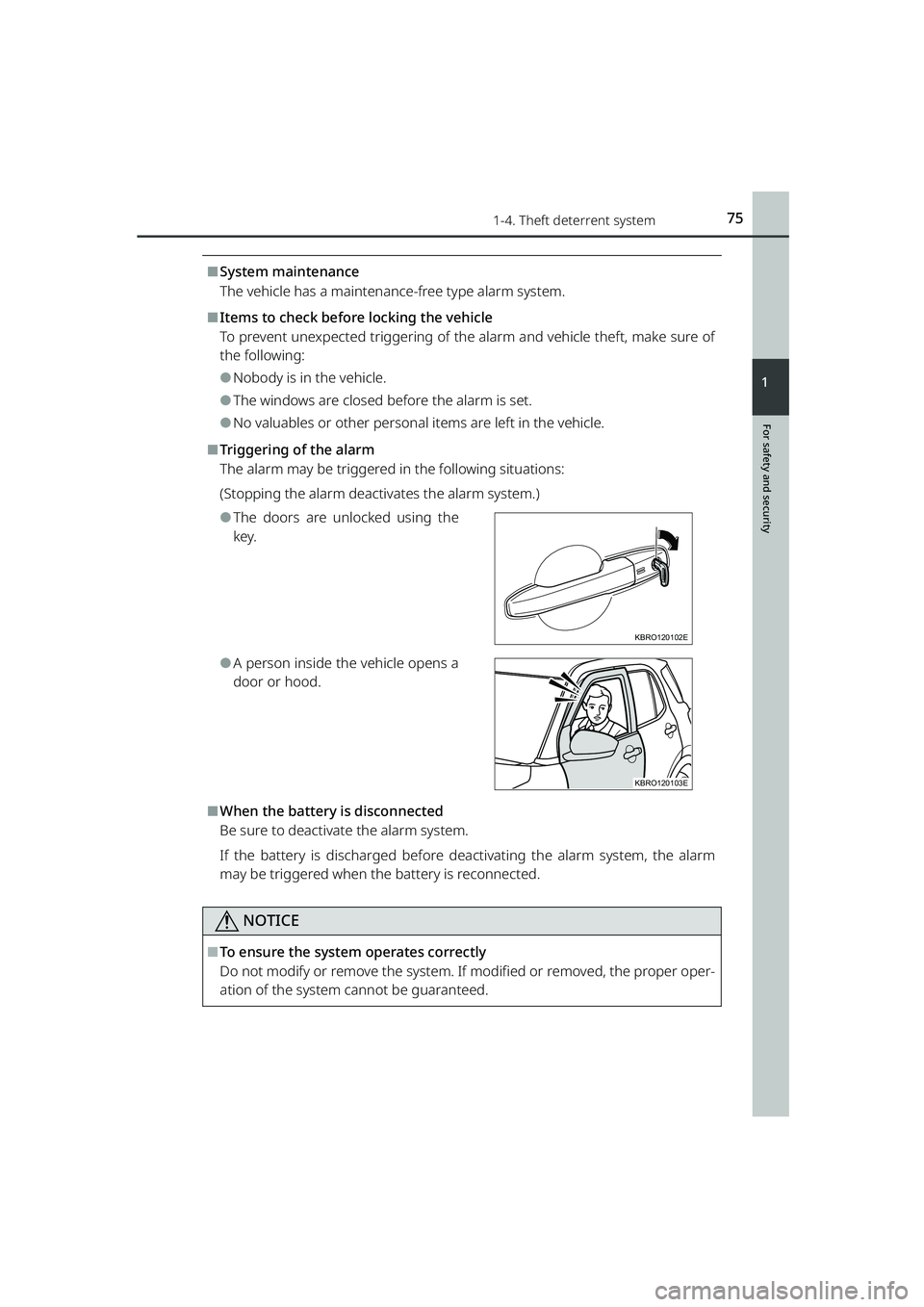
The alarm may be triggered in the following situations:
(Stopping the alarm deactivates the alarm system.)
⚫The doors are unlocked using the
key.
⚫A person inside the vehicle opens a
door or hood.
⬛When the battery is disconnected
Be sure to deactivate the alarm system.
If the battery is discharged before de activating the alarm system, the alarm
may be triggered when the battery is reconnected.
NOTICE
⬛To ensure the system operates correctly
Do not modify or remove the system. If modified or removed, the proper oper-
ation of the system cannot be guaranteed.
KBRO120102E
KBRO120103E
RAIZE_OM_General_BZ358E.book 75 ページ 2022年5月17日 火曜日 午後1時59分
Page 82 of 516
802-1. Instrument cluster
RAIZE_OM_General_BZ358E✽
: If equipped
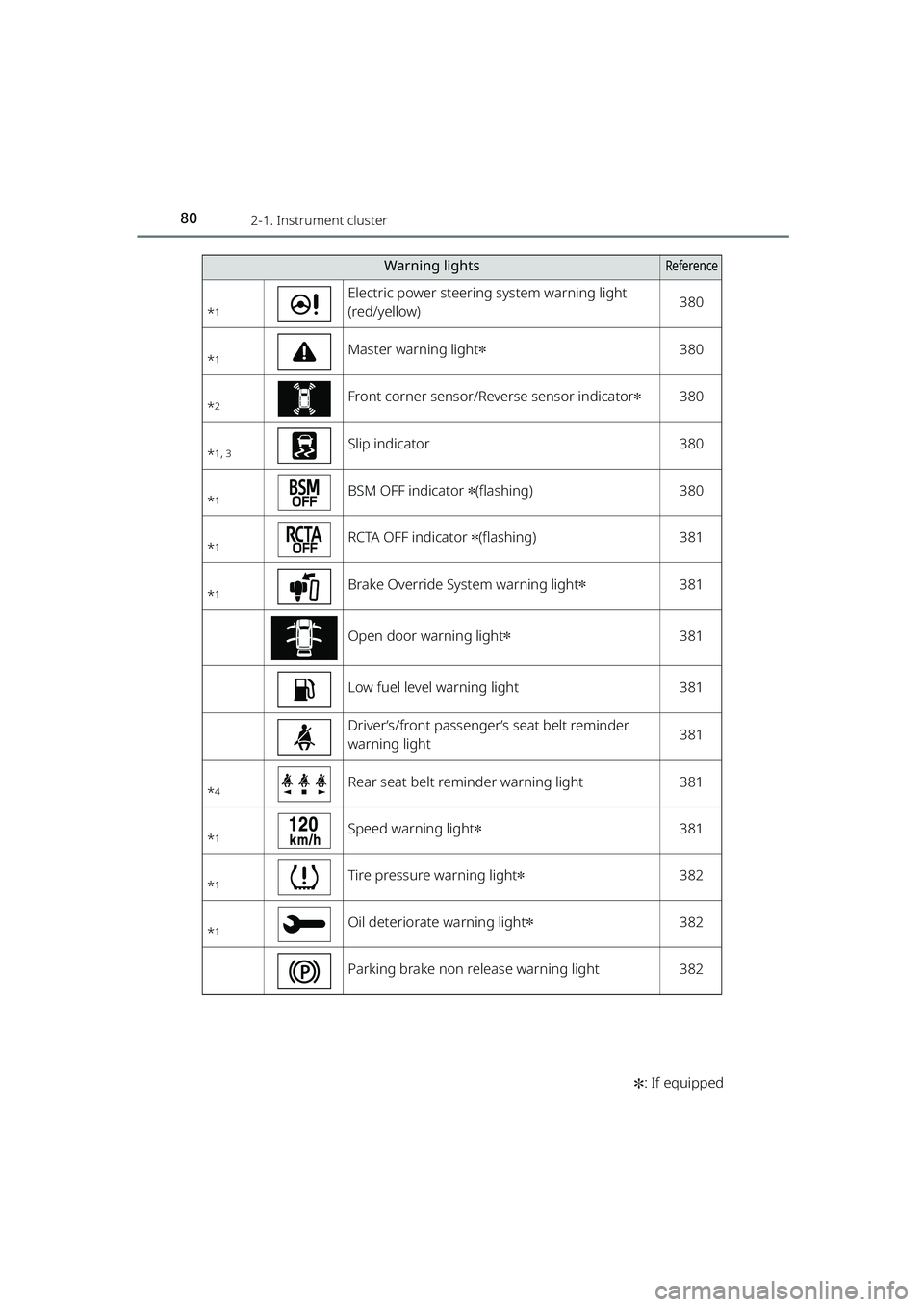
*1
Electric power steering system warning light
(red/yellow)380
*1Master warning light✽380
*2Front corner sensor/Reverse sensor indicator✽380
*1, 3Slip indicator380
*1BSM OFF indicator ✽(flashing)380
*1RCTA OFF indicator ✽(flashing)381
*1Brake Override System warning light✽381
Open door warning light✽381
Low fuel level warning light381
Driver’s/front passenger’s seat belt reminder
warning light381
*4Rear seat belt reminder warning light381
*1Speed warning light✽381
*1Tire pressure warning light✽382
*1Oil deteriorate warning light✽382
Parking brake non release warning light382
Warning lightsReference
RAIZE_OM_General_BZ358E.book 80 ページ 2022年5月17日 火曜日 午後1時59分
Page 94 of 516
922-1. Instrument cluster
RAIZE_OM_General_BZ358E✽
: If equipped
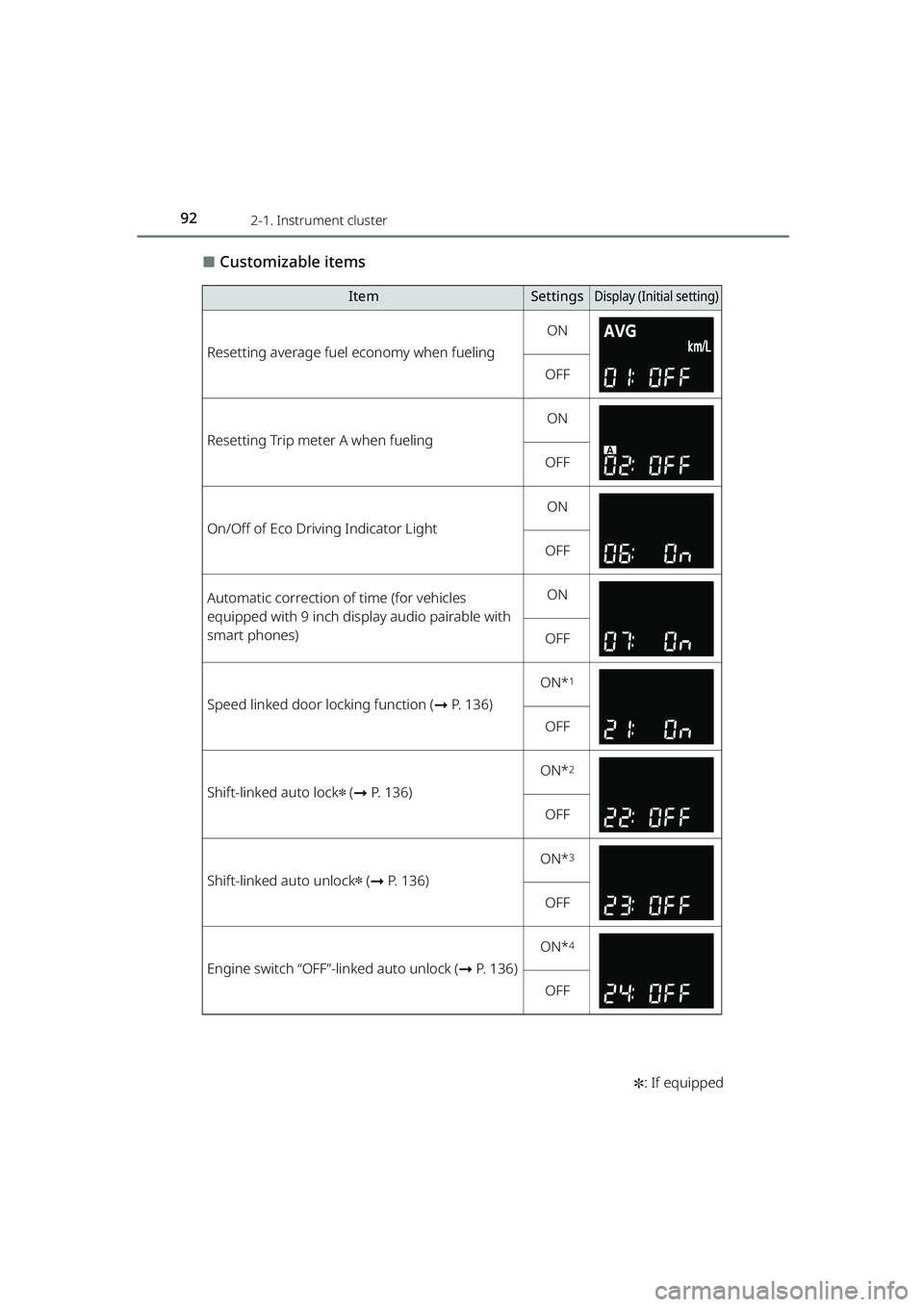
⬛Customizable items
ItemSettingsDisplay (Initi al setting)
Resetting average fuel economy when fueling
ON
OFF
Resetting Trip meter A when fueling
ON
OFF
On/Off of Eco Driving Indicator Light
ON
OFF
Automatic correction of time (for vehicles
equipped with 9 inch display audio pairable with
smart phones)ON
OFF
Speed linked door locking function ( ➞P. 136)
ON*1
OFF
Shift-linked auto lock✽ (➞ P. 136)
ON*2
OFF
Shift-linked auto unlock✽ (➞ P. 136)
ON*3
OFF
Engine switch “OFF”-linked auto unlock ( ➞P. 136)
ON*4
OFF
RAIZE_OM_General_BZ358E.book 92 ページ 2022年5月17日 火曜日 午後1時59分
Page 95 of 516
932-1. Instrument cluster
RAIZE_OM_General_BZ358E✽
: If equipped
Instrument cluster
2
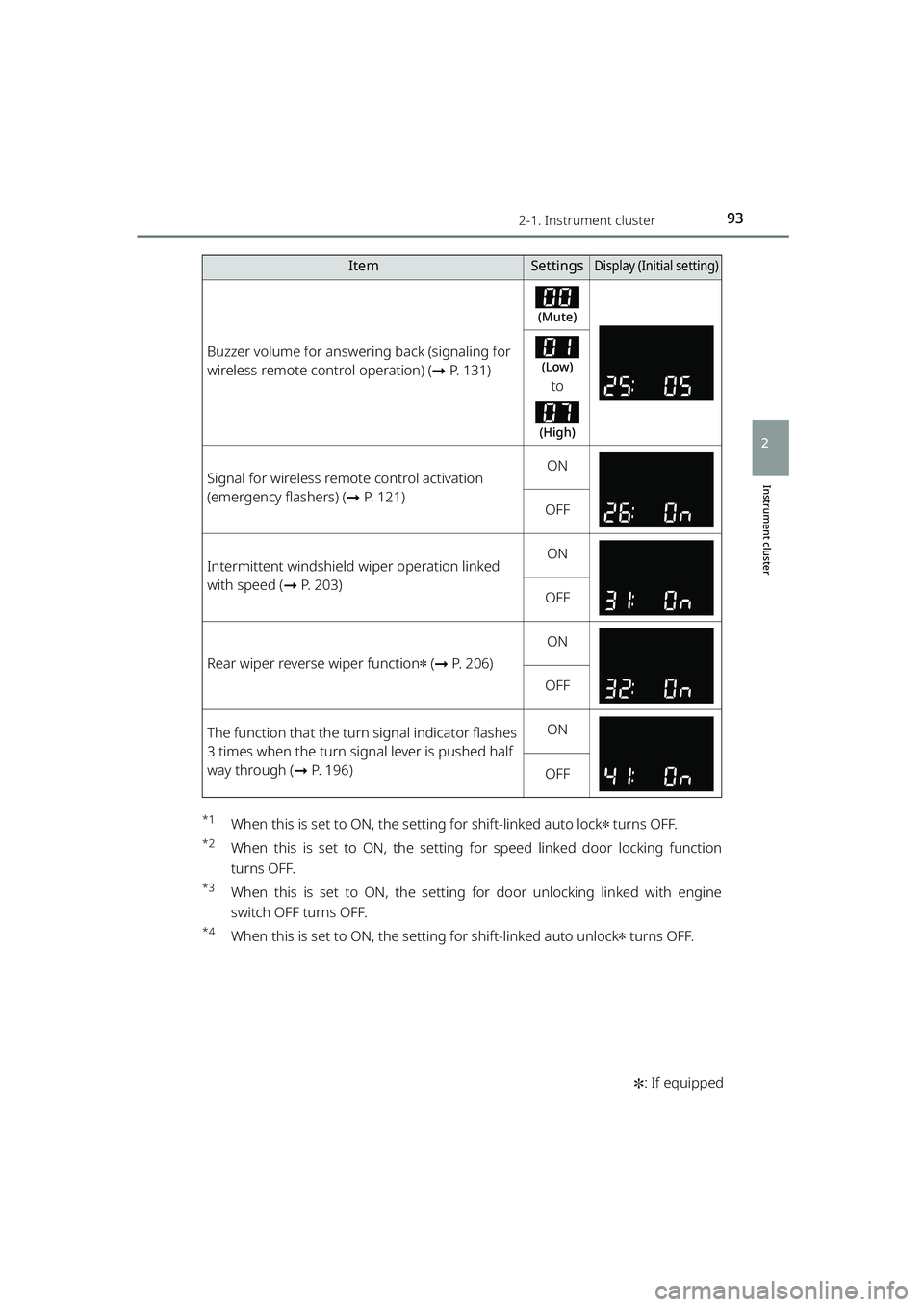
*1When this is set to ON, the setting for shift-linked auto lock✽ turns OFF.
*2When this is set to ON, the setting for speed linked door locking function
turns OFF.
*3When this is set to ON, the setting for door unlocking linked with engine
switch OFF turns OFF.
*4When this is set to ON, the se tting for shift-linked auto unlock✽ turns OFF.
Buzzer volume for answering back (signaling for
wireless remote control operation) ( ➞P. 131)
(Mute)
(Low)
to
(High)
Signal for wireless remote control activation
(emergency flashers) ( ➞P. 121)ON
OFF
Intermittent windshield wiper operation linked
with speed ( ➞P. 203)ON
OFF
Rear wiper reverse wiper function✽ (➞ P. 206)
ON
OFF
The function that the turn signal indicator flashes
3 times when the turn signal lever is pushed half
way through ( ➞P. 196)ON
OFF
ItemSettingsDisplay (Initi al setting)
RAIZE_OM_General_BZ358E.book 93 ページ 2022年5月17日 火曜日 午後1時59分
Page 106 of 516
1042-1. Instrument cluster
RAIZE_OM_General_BZ358E✽
: If equipped
Settings
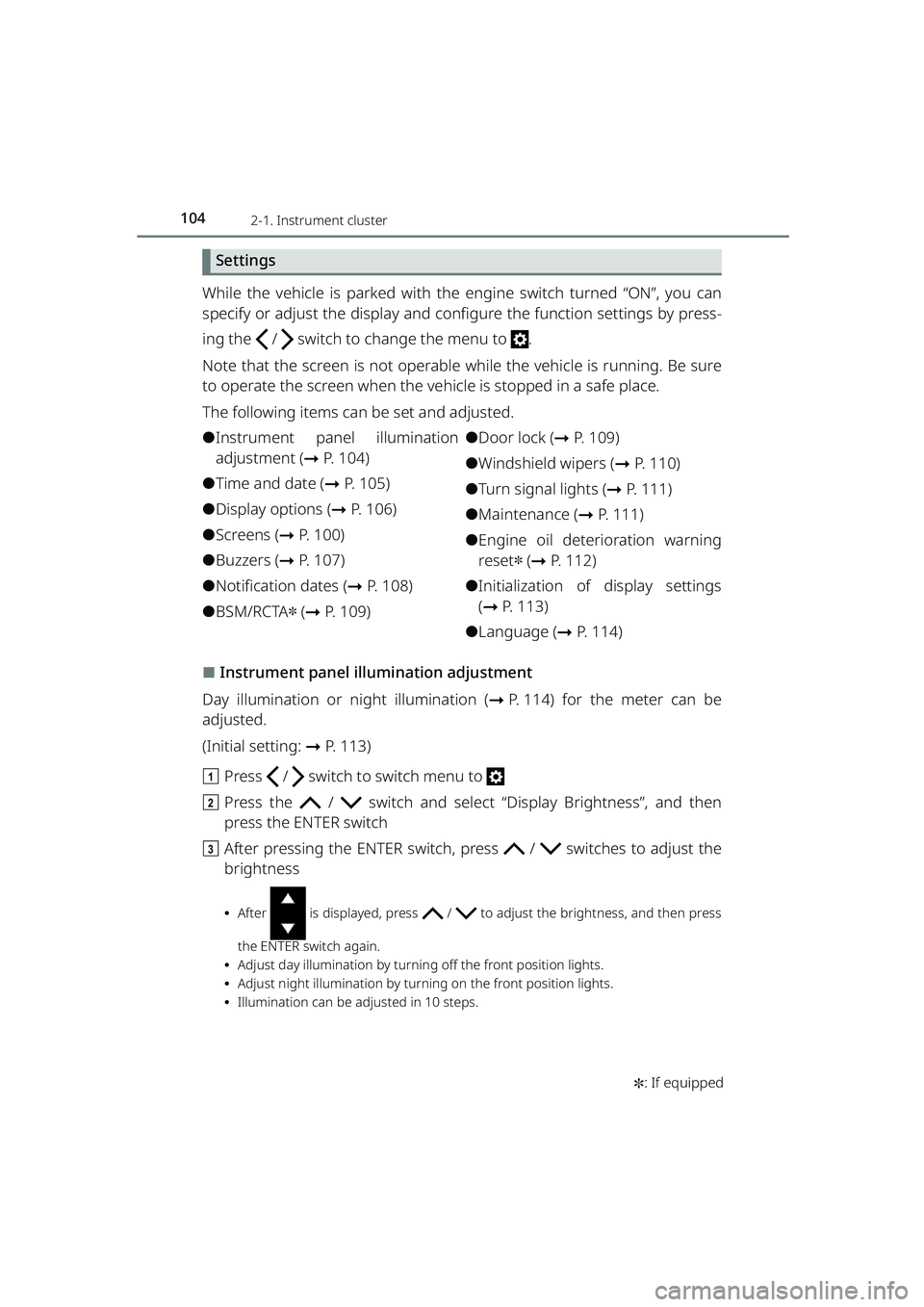
While the vehicle is parked with the engine switch turned “ON”, you can
specify or adjust the display and configure the function settings by press-
ing the / switch to change the menu to .
Note that the screen is not operable while the vehicle is running. Be sure
to operate the screen when the ve hicle is stopped in a safe place.
The following items can be set and adjusted.
⚫Instrument panel illumination
adjustment (➞ P. 104)
⚫Time and date ( ➞P. 105)
⚫Display options ( ➞P. 106)
⚫Screens ( ➞P. 1 0 0 )
⚫Buzzers (➞ P. 107)
⚫Notification dates ( ➞P. 108)
⚫BSM/RCTA✽ (➞ P. 109)
⚫Door lock ( ➞P. 109)
⚫Windshield wipers ( ➞P. 110)
⚫Turn signal lights ( ➞P. 111)
⚫Maintenance ( ➞P. 111)
⚫Engine oil deterioration warning
reset
✽ (➞ P. 112)
⚫Initialization of display settings
(➞ P. 113)
⚫Language (➞ P. 114)
⬛Instrument panel illumination adjustment
Day illumination or ni ght illumination (➞P. 114) for the meter can be
adjusted.
(Initial setting: ➞P. 113)
a Press / switch to switch menu to
b Press the / switch and select “Display Brightness”, and then
press the ENTER switch
c After pressing the ENTER switch, pr ess / switches to adjust the
brightness
⦁ After is displayed, press / to adjust the brightness, and then press
the ENTER switch again.
⦁ Adjust day illumination by turnin g off the front position lights.
⦁ Adjust night illumination by turning on the front position lights.
⦁ Illumination can be adjusted in 10 steps.
RAIZE_OM_General_BZ358E.book 104 ページ 2022年5月17日 火曜日 午後1時59分
Page 111 of 516
1092-1. Instrument cluster
RAIZE_OM_General_BZ358E✽
: If equipped
Instrument cluster
2
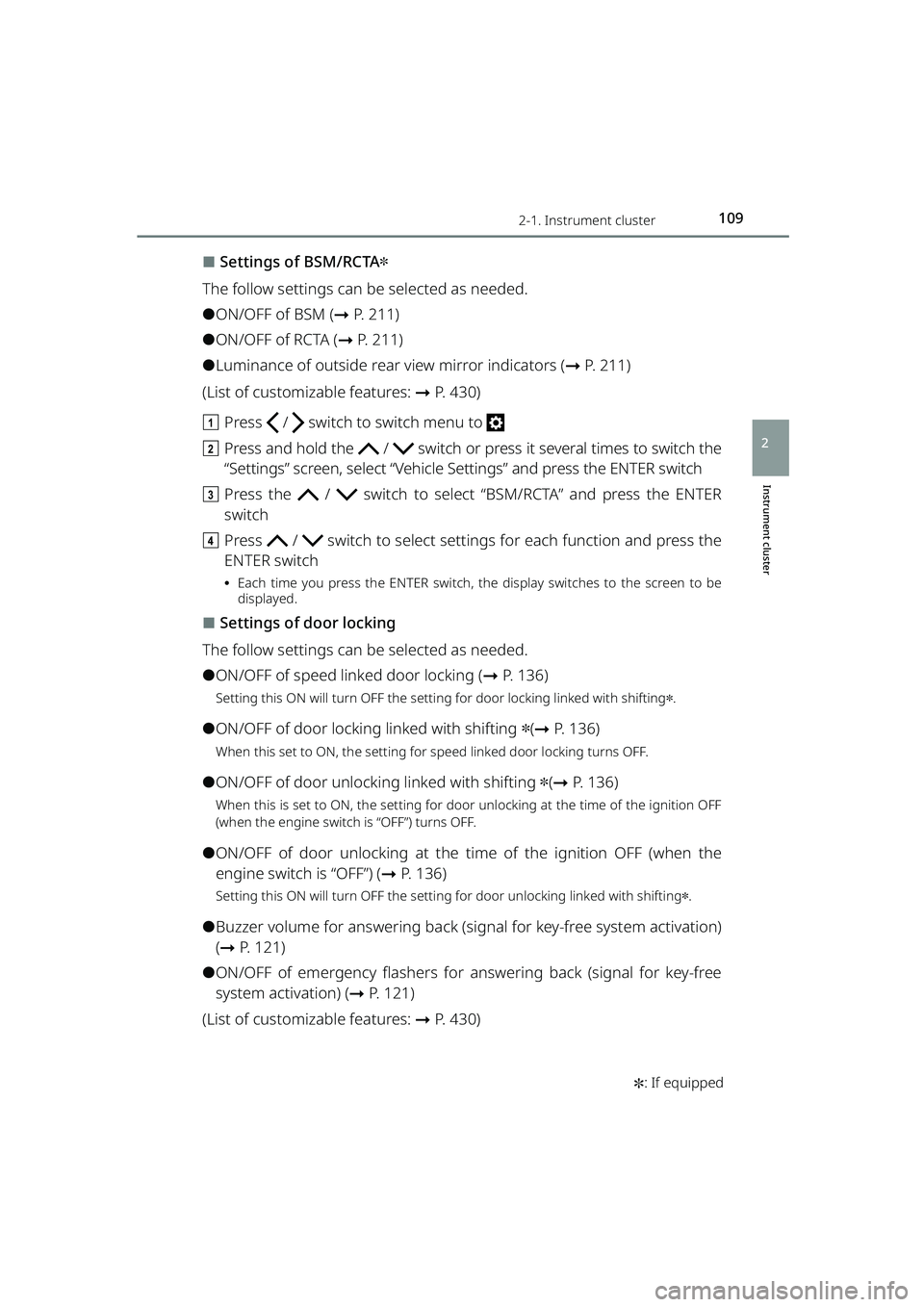
⬛Settings of BSM/RCTA✽
The follow settings can be selected as needed.
⚫ON/OFF of BSM ( ➞P. 211)
⚫ON/OFF of RCTA ( ➞P. 2 1 1 )
⚫Luminance of outside rear view mirror indicators ( ➞P. 211)
(List of customizable features: ➞ P. 430)
a Press / switch to switch menu to
b Press and hold the / switch or press it several times to switch the
“Settings” screen, select “Vehicle Settings” and press the ENTER switch
c Press the / switch to select “BSM/RCTA” and press the ENTER
switch
d Press / switch to select setting s for each function and press the
ENTER switch
⦁ Each time you press the ENTER switch, the display switches to the screen to be
displayed.
⬛Settings of door locking
The follow settings can be selected as needed.
⚫ON/OFF of speed linked door locking ( ➞P. 136)
Setting this ON will turn OFF the setting for door locking linked with shifting✽.
⚫ON/OFF of door locking linked with shifting ✽(➞ P. 136)
When this set to ON, the setting for speed linked door locking turns OFF.
⚫ON/OFF of door unlocking linked with shifting ✽(➞ P. 136)
When this is set to ON, the setting for door unlocking at the time of the ignition OFF
(when the engine switch is “OFF”) turns OFF.
⚫ON/OFF of door unlocking at the time of the ignition OFF (when the
engine switch is “OFF”) ( ➞P. 136)
Setting this ON will turn OFF the setting for door unlocking linked with shifting✽.
⚫Buzzer volume for answering back (s ignal for key-free system activation)
( ➞ P. 1 2 1 )
⚫ON/OFF of emergency flashers for answering back (signal for key-free
system activation) ( ➞P. 121)
(List of customizable features: ➞ P. 430)
RAIZE_OM_General_BZ358E.book 109 ページ 2022年5月17日 火曜日 午後1時59分
Page 112 of 516
1102-1. Instrument cluster
RAIZE_OM_General_BZ358E
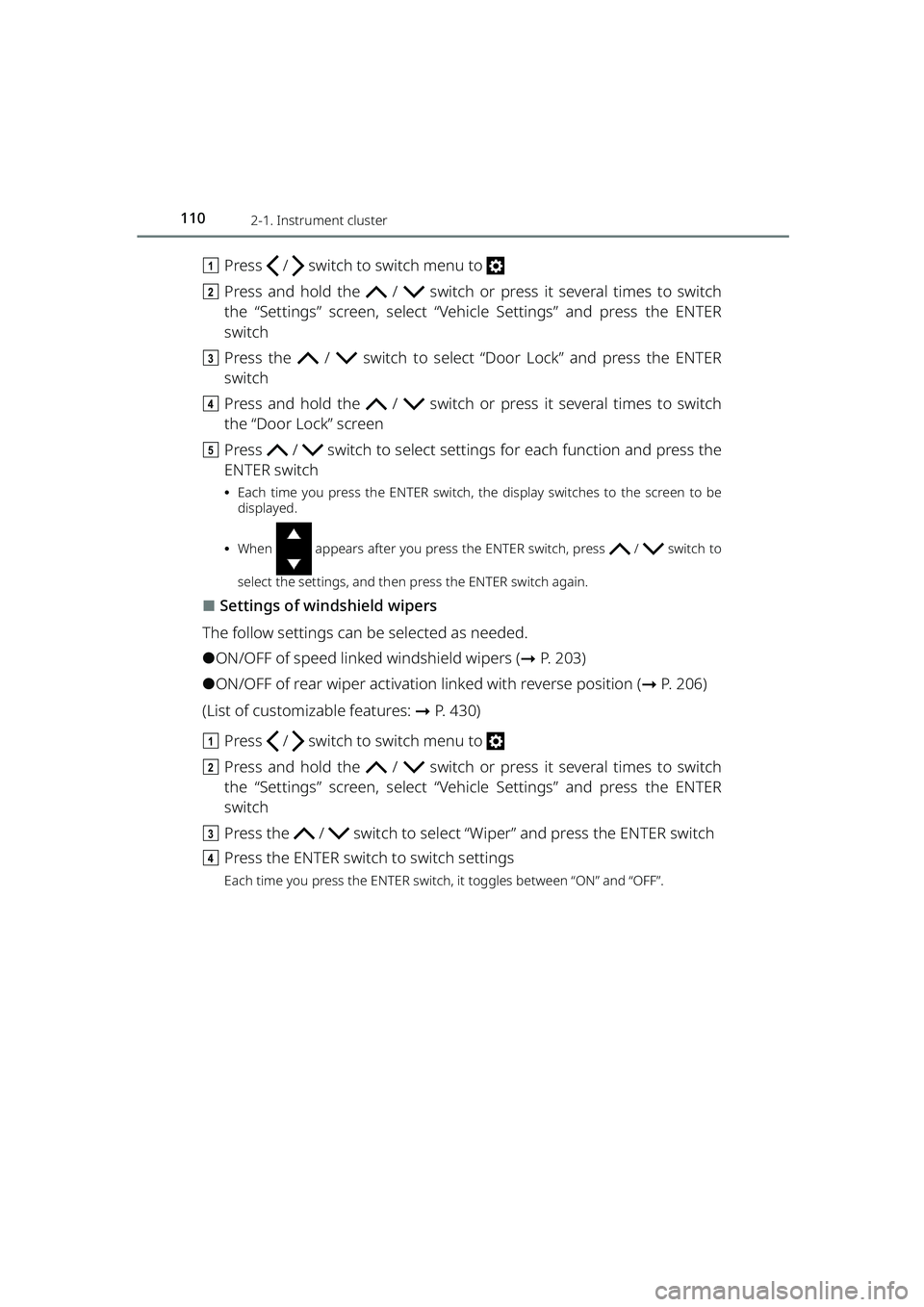
aPress / switch to switch menu to
b Press and hold the / switch or press it several times to switch
the “Settings” screen, select “Vehicle Settings” and press the ENTER
switch
c Press the / switch to select “Door Lock” and press the ENTER
switch
d Press and hold the / switch or press it several times to switch
the “Door Lock” screen
e Press / switch to select setting s for each function and press the
ENTER switch
⦁ Each time you press the ENTER switch, the display switches to the screen to be
displayed.
⦁ When appears after you press the ENTER switch, press / switch to
select the settings, and then press the ENTER switch again.
⬛Settings of windshield wipers
The follow settings can be selected as needed.
⚫ON/OFF of speed linked windshield wipers ( ➞P. 203)
⚫ON/OFF of rear wiper activation linked with reverse position ( ➞P. 2 0 6 )
(List of customizable features: ➞ P. 430)
a Press / switch to switch menu to
b Press and hold the / switch or press it several times to switch
the “Settings” screen, select “Vehicle Settings” and press the ENTER
switch
c Press the / switch to select “Wiper” and press the ENTER switch
d Press the ENTER switch to switch settings
Each time you press the ENTER switch, it toggles between “ON” and “OFF”.
RAIZE_OM_General_BZ358E.book 110 ページ 2022年5月17日 火曜日 午後1時59分