engine TOYOTA RAV4 2019 Accessories, Audio & Navigation (in English)
[x] Cancel search | Manufacturer: TOYOTA, Model Year: 2019, Model line: RAV4, Model: TOYOTA RAV4 2019Pages: 244, PDF Size: 6.8 MB
Page 107 of 244
1073-4. Setup
3
Navigation system
economy can be improved.
The capacity of the hybrid bat-
tery is limited. When it is fully
charged, regeneration cannot
occur, and when the battery is
depleted, it may be forcibly
charged by the engine. The sys-
tem predicts these situations to
adjust the battery charge level in
advance, effectively utilizing the
battery.
●The system operates when start-
ing route guidance and the posi-
tion of the vehicle is along the
guided route. (The system does
not operate in parking lots, etc.)
●When multiple destinations are
set, the system will continue to
operate to the last destination.
*: This function is not made avail-
able in some countries or areas.
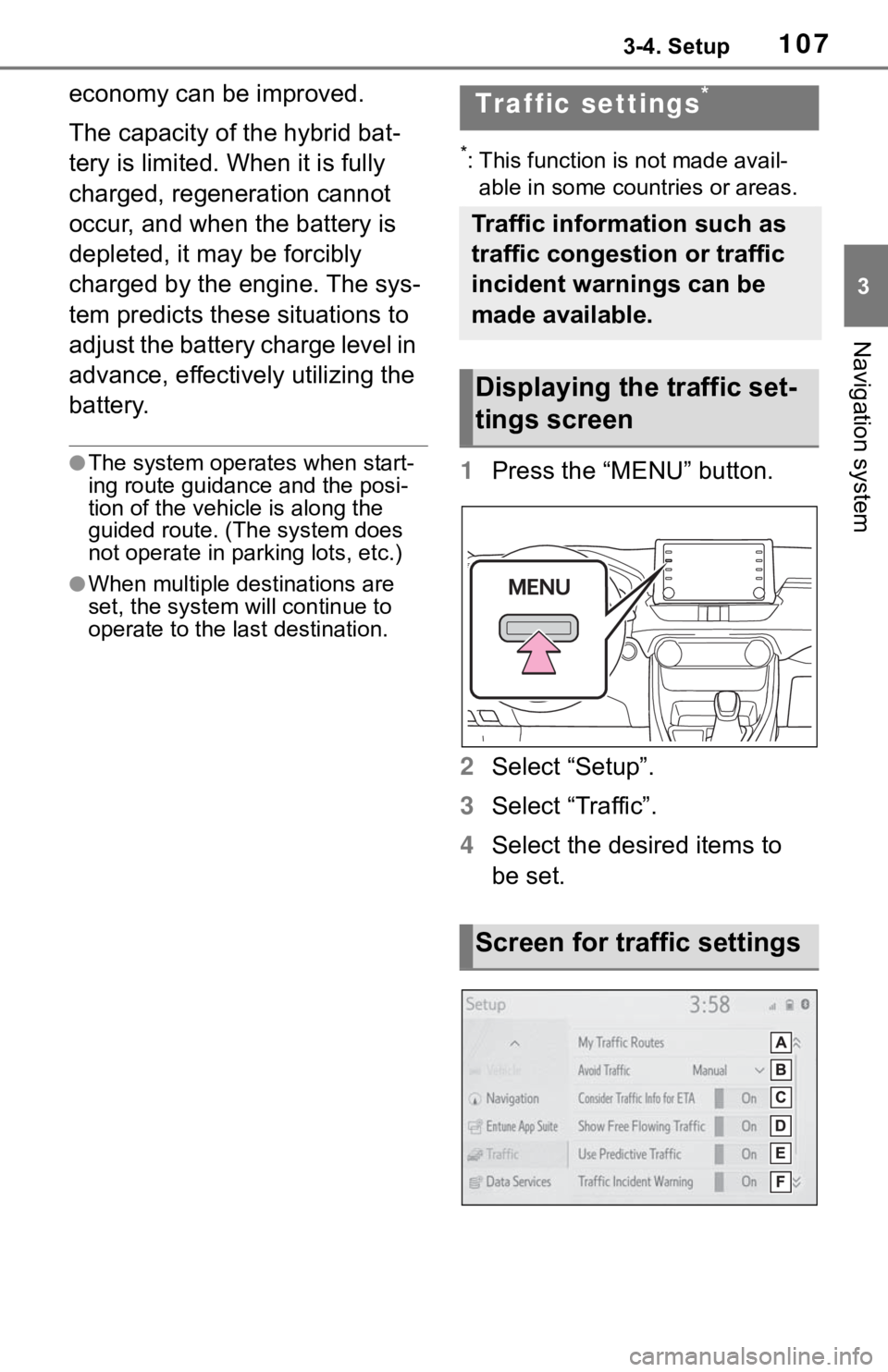
1 Press the “MENU” button.
2 Select “Setup”.
3 Select “Traffic”.
4 Select the desired items to
be set.
Traffic settings*
Traffic information such as
traffic congestion or traffic
incident warnings can be
made available.
Displaying the traffic set-
tings screen
Screen for traffic settings
Page 119 of 244
1194-1. Basic operation
4
Audio/visual system
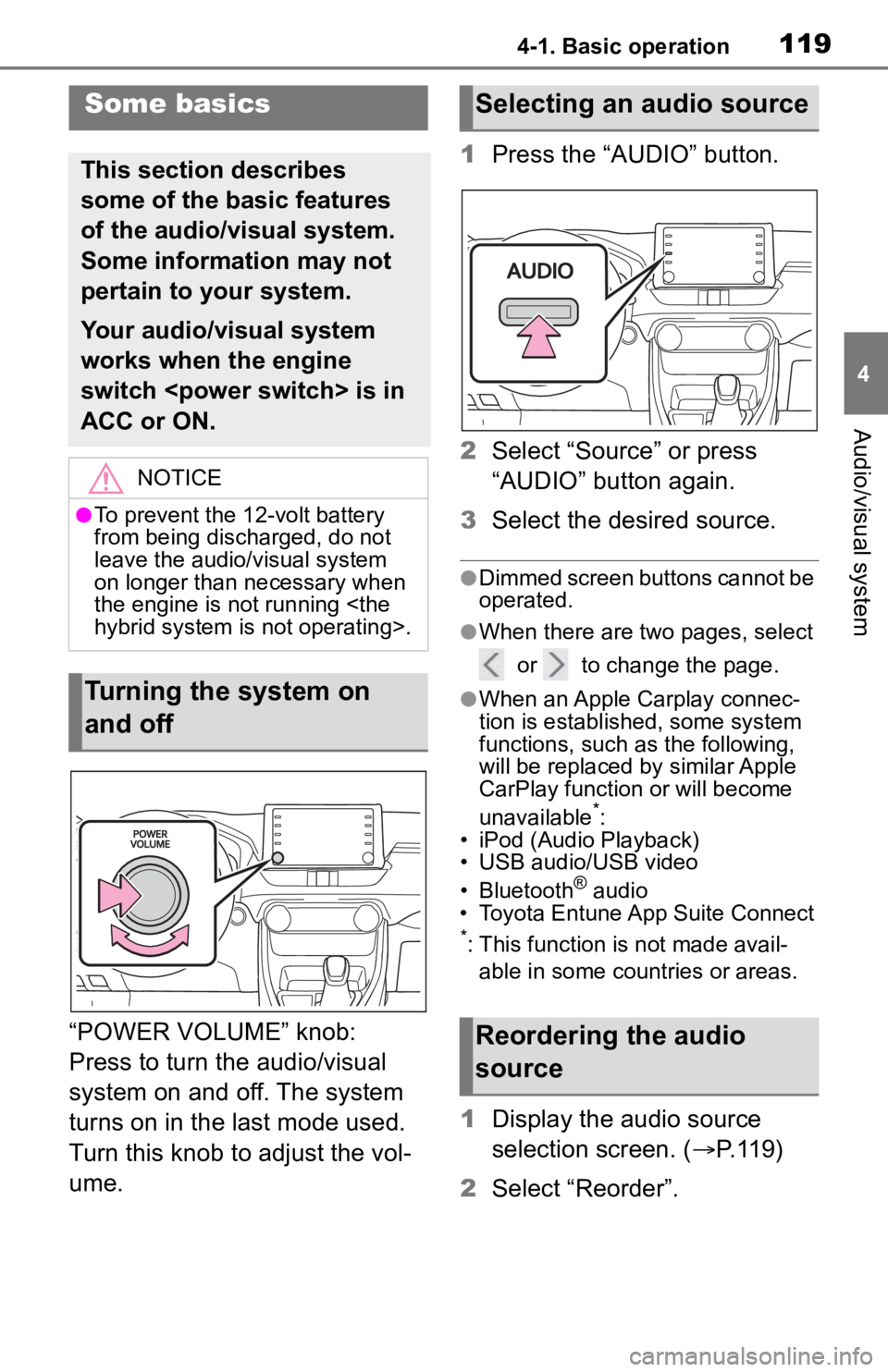
“POWER VOLUME” knob:
Press to turn the audio/visual
system on and off. The system
turns on in the last mode used.
Turn this knob to adjust the vol-
ume.1
Press the “AUDIO” button.
2 Select “Source” or press
“AUDIO” button again.
3 Select the desired source.
●Dimmed screen buttons cannot be
operated.
●When there are tw o pages, select
or to change the page.
●When an Apple Carplay connec-
tion is established, some system
functions, such as the following,
will be replaced by similar Apple
CarPlay function or will become
unavailable
*:
• iPod (Audio Playback)
• USB audio/USB video
• Bluetooth
® audio
• Toyota Entune App Suite Connect
*: This function is not made avail-
able in some countries or areas.
1 Display the audio source
selection screen. ( P.119)
2 Select “Reorder”.
Some basics
This section describes
some of the basic features
of the audio/visual system.
Some information may not
pertain to your system.
Your audio/visual system
works when the engine
switch
ACC or ON.
NOTICE
●To prevent the 12-volt battery
from being discharged, do not
leave the audio/visual system
on longer than necessary when
the engine is not running
Turning the system on
and off
Selecting an audio source
Reordering the audio
source
Page 138 of 244
1384-3. Media operation
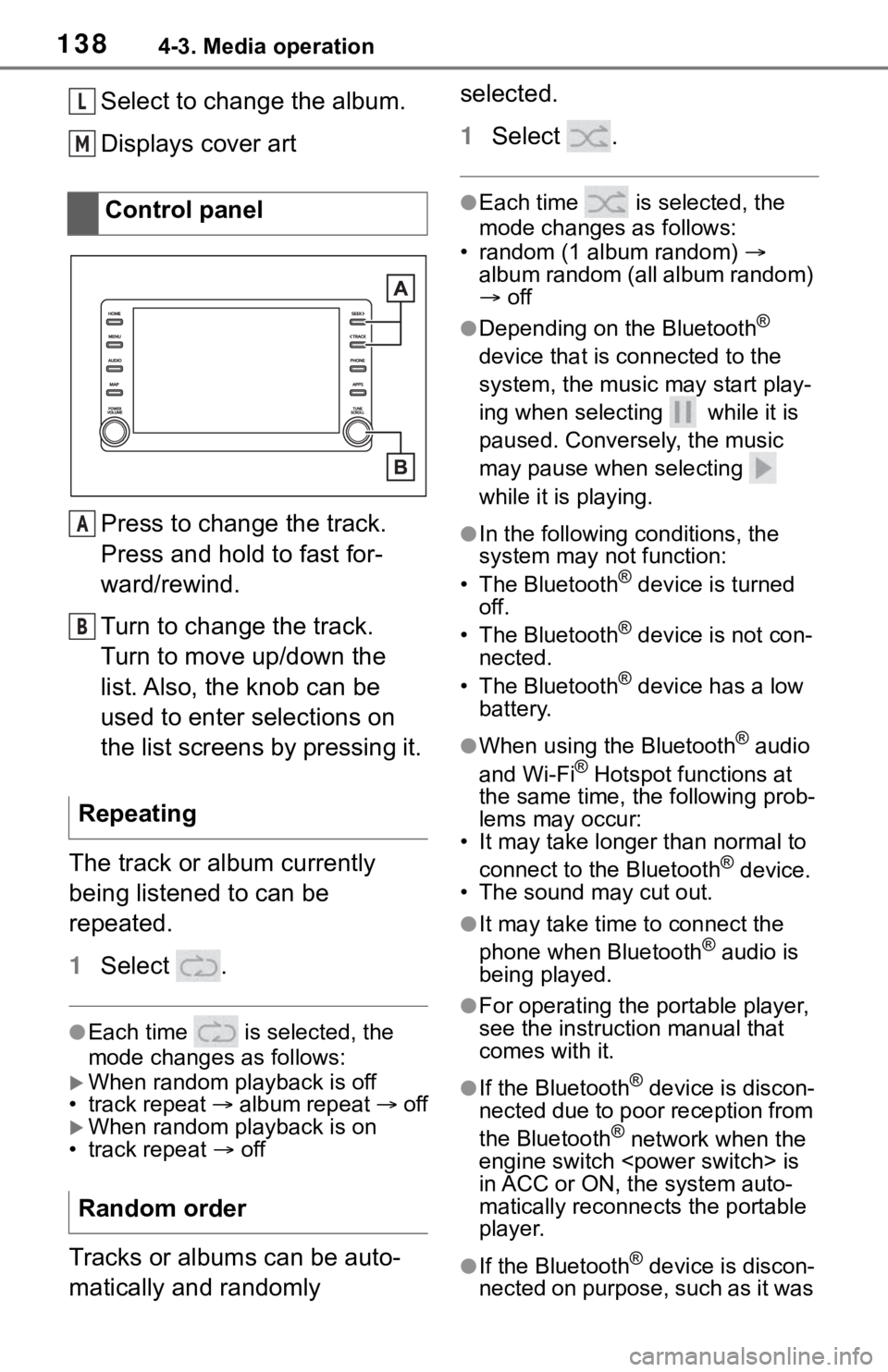
Select to change the album.
Displays cover art
Press to change the track.
Press and hold to fast for-
ward/rewind.
Turn to change the track.
Turn to move up/down the
list. Also, the knob can be
used to enter selections on
the list screens by pressing it.
The track or album currently
being listened to can be
repeated.
1 Select .
●Each time is selected, the
mode changes as follows:
When random playback is off
• track repeat album repeat off
When random playback is on
• track repeat off
Tracks or albums can be auto-
matically and randomly selected.
1
Select .
●Each time is selected, the
mode changes as follows:
• random (1 album random)
album random (all album random)
off
●Depending on the Bluetooth®
device that is connected to the
system, the music may start play-
ing when selecting while it is
paused. Conversely, the music
may pause when selecting
while it is playing.
●In the following c onditions, the
system may not function:
• The Bluetooth
® device is turned
off.
• The Bluetooth
® device is not con-
nected.
• The Bluetooth
® device has a low
battery.
●When using the Bluetooth® audio
and Wi-Fi® Hotspot functions at
the same time, the following prob-
lems may occur:
• It may take longer than normal to
connect to the Bluetooth
® device.
• The sound may cut out.
●It may take time to connect the
phone when Bluetooth® audio is
being played.
●For operating the portable player,
see the instruction manual that
comes with it.
●If the Bluetooth® device is discon-
nected due to poor reception from
the Bluetooth
® network when the
engine switch
is
in ACC or ON, the system auto-
matically reconnects the portable
player.
●If the Bluetooth® device is discon-
nected on purpose, such as it was
Control panel
Repeating
Random order
L
M
A
B
Page 156 of 244
1565-1. Voice command system operation
5-1.Voice command system operation
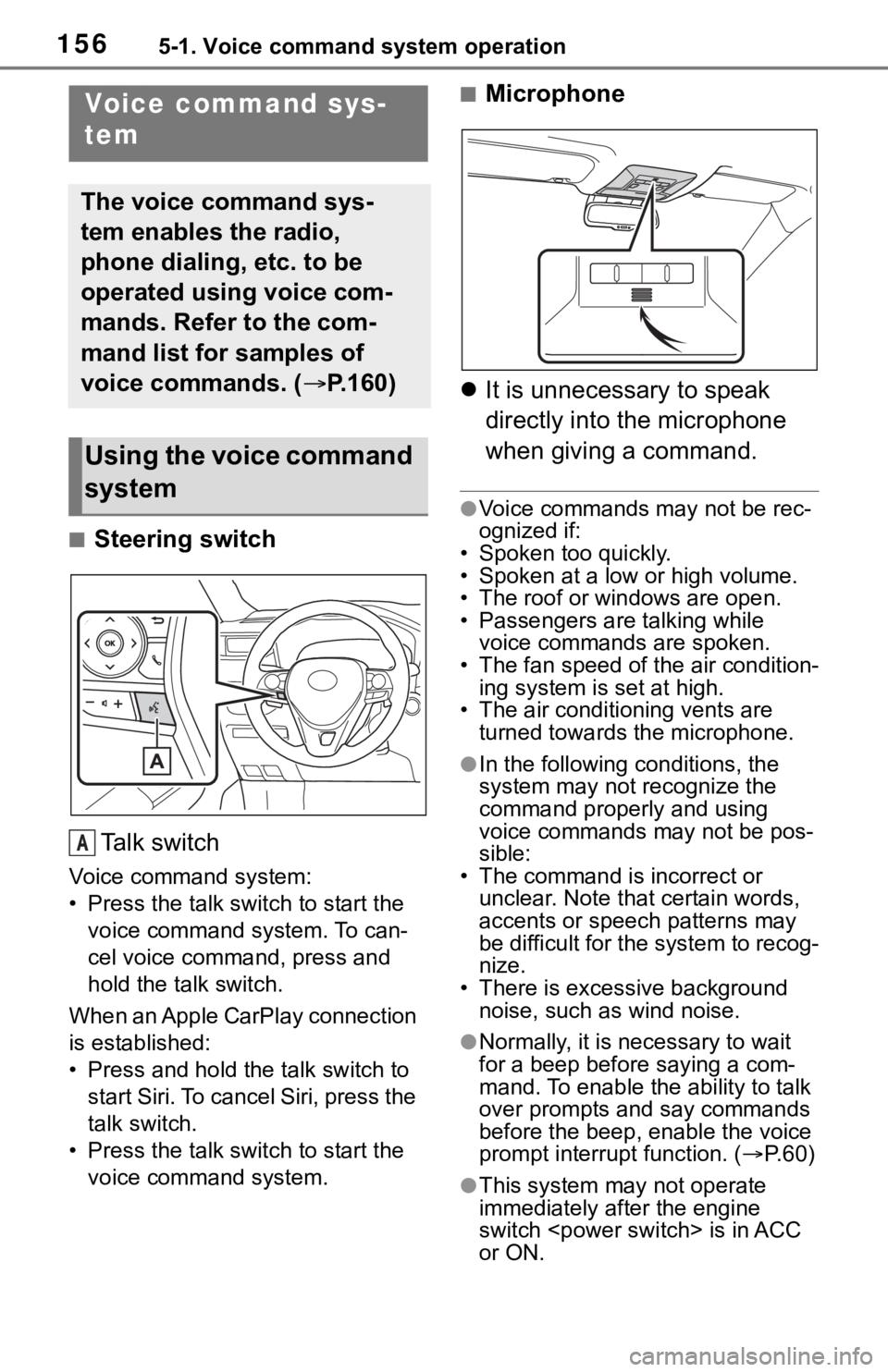
■Steering switchTa l k s w i t c h
Voice command system:
• Press the talk switch to start the voice command system. To can-
cel voice command, press and
hold the talk switch.
When an Apple CarPlay connection
is established:
• Press and hold the talk switch to start Siri. To cancel Siri, press the
talk switch.
• Press the talk switch to start the voice command system.
■Microphone
It is unnecessary to speak
directly into the microphone
when giving a command.
●Voice commands may not be rec-
ognized if:
• Spoken too quickly.
• Spoken at a low or high volume.
• The roof or windows are open.
• Passengers are talking while voice commands are spoken.
• The fan speed of the air condition-
ing system is set at high.
• The air conditioning vents are turned towards the microphone.
●In the following c onditions, the
system may not recognize the
command properly and using
voice commands may not be pos-
sible:
• The command is incorrect or unclear. Note that certain words,
accents or speech patterns may
be difficult for the system to recog-
nize.
• There is excessive background
noise, such as wind noise.
●Normally, it is necessary to wait
for a beep before saying a com-
mand. To enable th e ability to talk
over prompts and say commands
before the beep, enable the voice
prompt interrupt function. ( P. 6 0 )
●This system may not operate
immediately after the engine
switch
or ON.
Voice command sys-
tem
The voice command sys-
tem enables the radio,
phone dialing, etc. to be
operated using voice com-
mands. Refer to the com-
mand list for samples of
voice commands. ( P.160)
Using the voice command
system
A
Page 193 of 244
1937-2. Setup
7
Phone
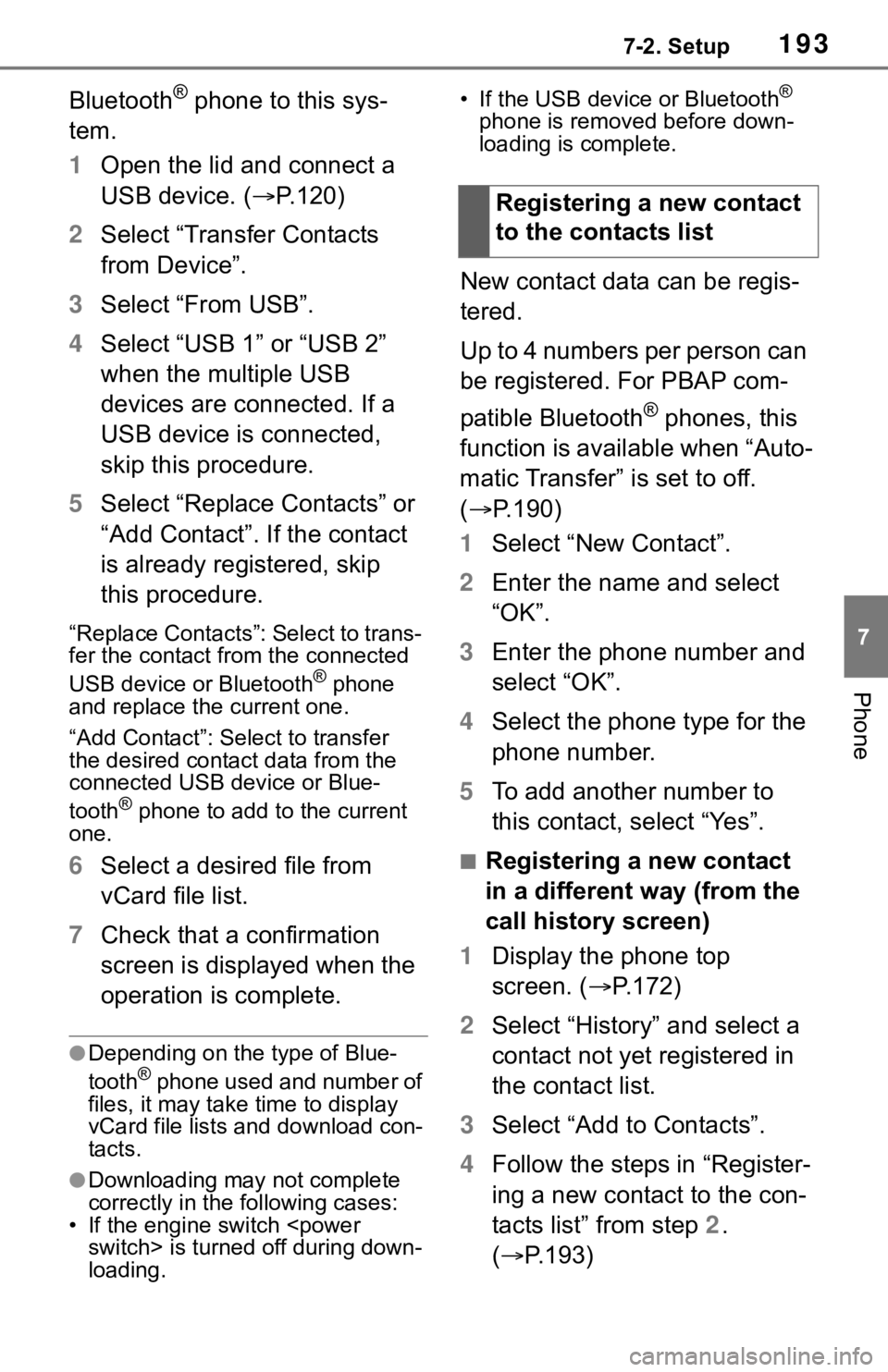
Bluetooth® phone to this sys-
tem.
1 Open the lid and connect a
USB device. ( P.120)
2 Select “Transfer Contacts
from Device”.
3 Select “From USB”.
4 Select “USB 1” or “USB 2”
when the multiple USB
devices are connected. If a
USB device is connected,
skip this procedure.
5 Select “Replace Contacts” or
“Add Contact”. If the contact
is already registered, skip
this procedure.
“Replace Contacts”: Select to trans-
fer the contact fro m the connected
USB device or Bluetooth
® phone
and replace the current one.
“Add Contact”: Select to transfer
the desired contact data from the
connected USB device or Blue-
tooth
® phone to add to the current
one.
6 Select a desired file from
vCard file list.
7 Check that a confirmation
screen is displayed when the
operation is complete.
●Depending on the type of Blue-
tooth® phone used and number of
files, it may take time to display
vCard file lists and download con-
tacts.
●Downloading may not complete
correctly in the following cases:
• If the engine switch
loading. • If the USB device or Bluetooth
®
phone is removed before down-
loading is complete.
New contact data can be regis-
tered.
Up to 4 numbers per person can
be registered. For PBAP com-
patible Bluetooth
® phones, this
function is available when “Auto-
matic Transfer” is set to off.
( P.190)
1 Select “New Contact”.
2 Enter the name and select
“OK”.
3 Enter the phone number and
select “OK”.
4 Select the phone type for the
phone number.
5 To add another number to
this contact, select “Yes”.
■Registering a new contact
in a different way (from the
call history screen)
1 Display the phone top
screen. ( P.172)
2 Select “History” and select a
contact not yet registered in
the contact list.
3 Select “Add to Contacts”.
4 Follow the steps in “Register-
ing a new contact to the con-
tacts list” from step 2.
( P.193)
Registering a new contact
to the contacts list
Page 199 of 244
1997-3. What to do if...
7
Phone
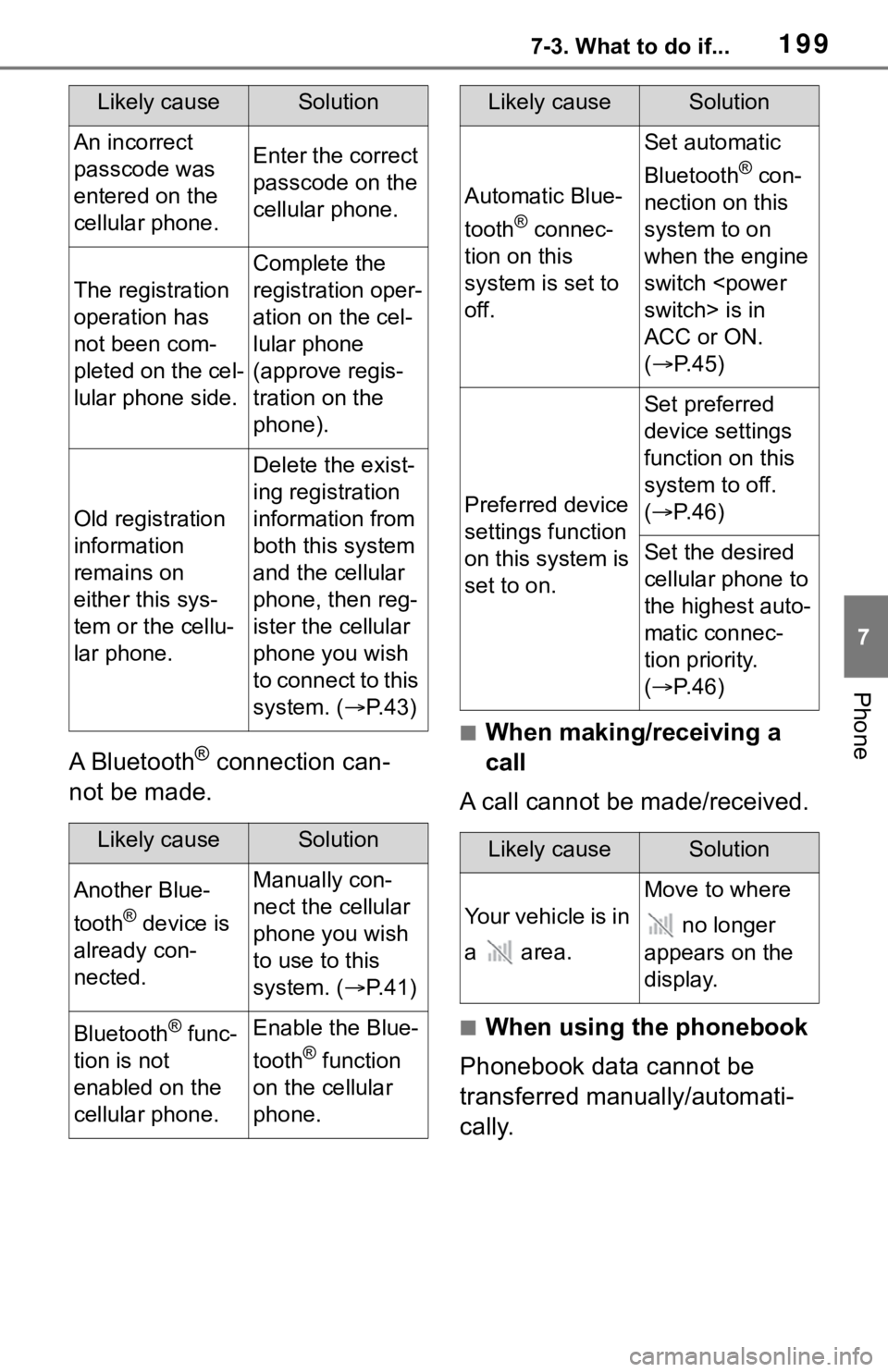
A Bluetooth® connection can-
not be made.
■When making/receiving a
call
A call cannot be made/received.
■When using the phonebook
Phonebook data cannot be
transferred manually/automati-
cally.
Likely causeSolution
An incorrect
passcode was
entered on the
cellular phone.Enter the correct
passcode on the
cellular phone.
The registration
operation has
not been com-
pleted on the cel-
lular phone side.
Complete the
registration oper-
ation on the cel-
lular phone
(approve regis-
tration on the
phone).
Old registration
information
remains on
either this sys-
tem or the cellu-
lar phone.
Delete the exist-
ing registration
information from
both this system
and the cellular
phone, then reg-
ister the cellular
phone you wish
to connect to this
system. ( P. 4 3 )
Likely causeSolution
Another Blue-
tooth
® device is
already con-
nected.
Manually con-
nect the cellular
phone you wish
to use to this
system. ( P. 4 1 )
Bluetooth® func-
tion is not
enabled on the
cellular phone.Enable the Blue-
tooth
® function
on the cellular
phone.
Automatic Blue-
tooth
® connec-
tion on this
system is set to
off.
Set automatic
Bluetooth
® con-
nection on this
system to on
when the engine
switch
ACC or ON.
( P. 4 5 )
Preferred device
settings function
on this system is
set to on.
Set preferred
device settings
function on this
system to off.
( P. 4 6 )
Set the desired
cellular phone to
the highest auto-
matic connec-
tion priority.
( P. 4 6 )
Likely causeSolution
Your vehicle is in
a area.
Move to where
no longer
appears on the
display.
Likely causeSolution
Page 201 of 244
2017-3. What to do if...
7
Phone
tus is displayed at the top of the
screen each time the engine
switch
or ON.
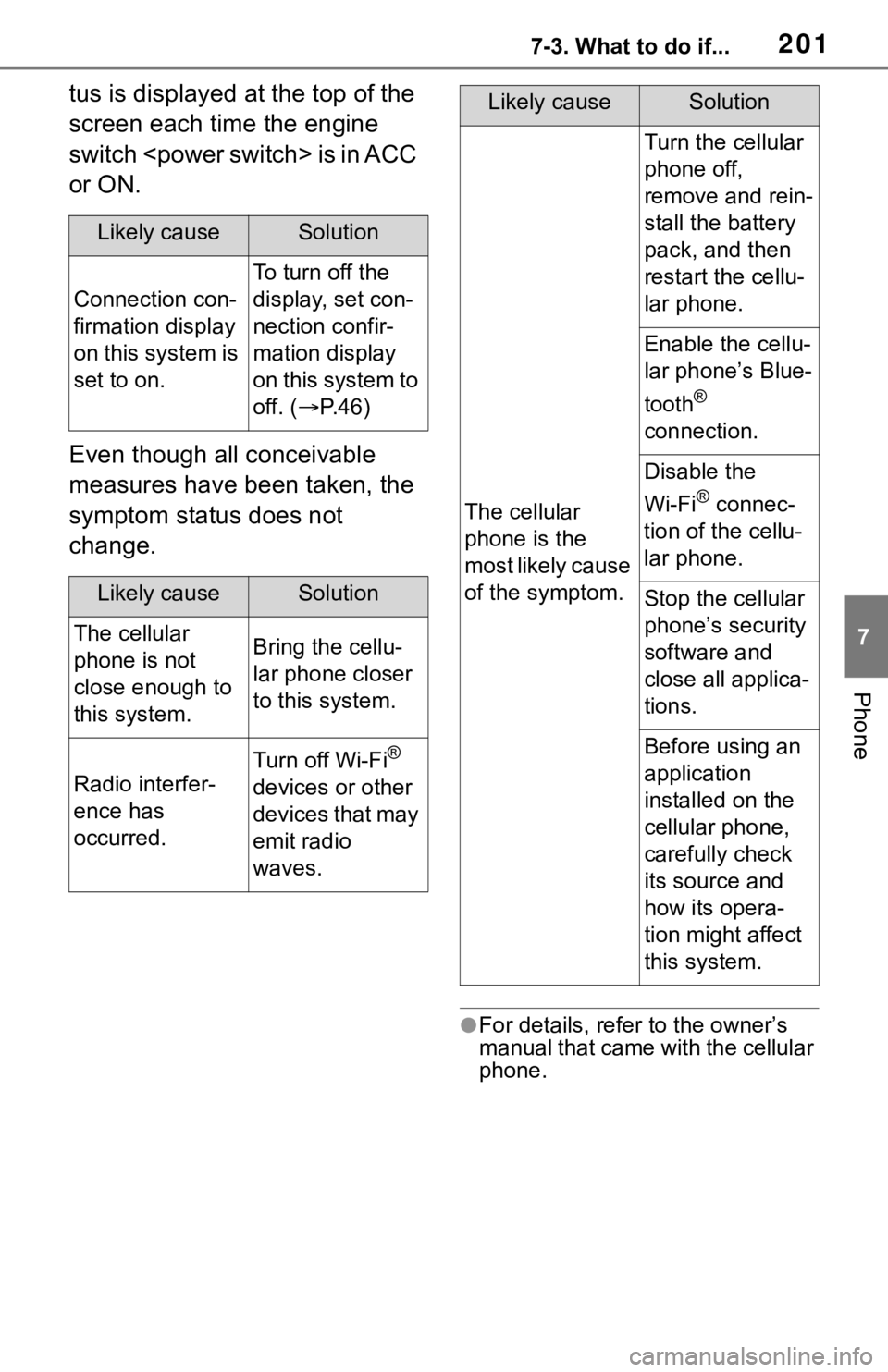
Even though all conceivable
measures have been taken, the
symptom status does not
change.
●For details, refer to the owner’s
manual that came with the cellular
phone.
Likely causeSolution
Connection con-
firmation display
on this system is
set to on.
To turn off the
display, set con-
nection confir-
mation display
on this system to
off. (P. 4 6 )
Likely causeSolution
The cellular
phone is not
close enough to
this system.Bring the cellu-
lar phone closer
to this system.
Radio interfer-
ence has
occurred.
Turn off Wi-Fi®
devices or other
devices that may
emit radio
waves.
The cellular
phone is the
most likely cause
of the symptom.
Turn the cellular
phone off,
remove and rein-
stall the battery
pack, and then
restart the cellu-
lar phone.
Enable the cellu-
lar phone’s Blue-
tooth
®
connection.
Disable the
Wi-Fi
® connec-
tion of the cellu-
lar phone.
Stop the cellular
phone’s security
software and
close all applica-
tions.
Before using an
application
installed on the
cellular phone,
carefully check
its source and
how its opera-
tion might affect
this system.
Likely causeSolution
Page 211 of 244
2118-1. Toyota Entune overview
8
Toyota Entune
*: Vehicles equipped with DCM
●Free/Open Source Software Infor-
mation
This product contains Free/Open
Source Software (FOSS).
The license information and/or the
source code of such FOSS can be
found at the following URL.
https://www.toyota.com/
opensource/dcm
●Exposure to radio frequency sig-
nals:
The connected service system
installed in your vehicle includes a
low power radio transmitter and
receiver. The system receives and
also sends out radio frequency
(RF) signals.
●In August 1996, the Federal Com-
munications Commission (FCC)
adopted RF exposure guidelines
with safety levels for mobile wire-
less phones. Those guidelines are
consistent with the safety stan-
dards previously set by both U.S.
and international standards bod-
ies.
• ANSI (American National Stan-
dards Institute) C95.1 [1992]
• NCRP (National Council on Radi- ation Protection and Measure-
ment) Report 86 [1986]
• ICNIRP (Intern ational Commis-
sion on Non-Ionizing Radiation
Protection) [1996]
●These standards are based on
comprehensive and periodic eval-
uations of the relevant scientific lit- erature. Over 120 scientists,
engineers, and physicians from
universities, government health
agencies, and industry reviewed
the available body of research to
develop the ANSI Standard
(C95.1).
●The design of Toyota Entune sys-
tem complies with the FCC guide-
lines in addition to those
standards.
●Contact with the Toyota Entune
center is dependent upon the
telematics device being in opera-
tive condition, cellular connection
availability, navigation map data,
and GPS satellite signal recep-
tion, which can lim
it the ability to
reach the Toyota Entune center or
receive support. Enrollment and
Telematics Subscription Service
Agreement required. A variety of
subscription terms are available;
charges vary by subscription term
selected.
●The Toyota Entune center offers
support in multiple languages.
●Select Safety Connect-sub-
scribed vehicles are capable of
communicating vehicle informa-
tion. Please see the terms and
conditions for additional details.
Owners who do not wish to have
their vehicle transmit this informa-
tion can opt out at the time of
enrollment or b y calling 1-800-
331-4331 in the United States, 1-
888-869-6828 in Canada, and 1-
877-855-8377 in Puerto Rico, and
following the prompts for Safety
Connect.
●For further details about the ser-
vice, contact your Toyota dealer.
●Toyota Entune functions are not
subject to section 255 of the Tele-
communications Act and the sys-
tem is not TTY compatible.
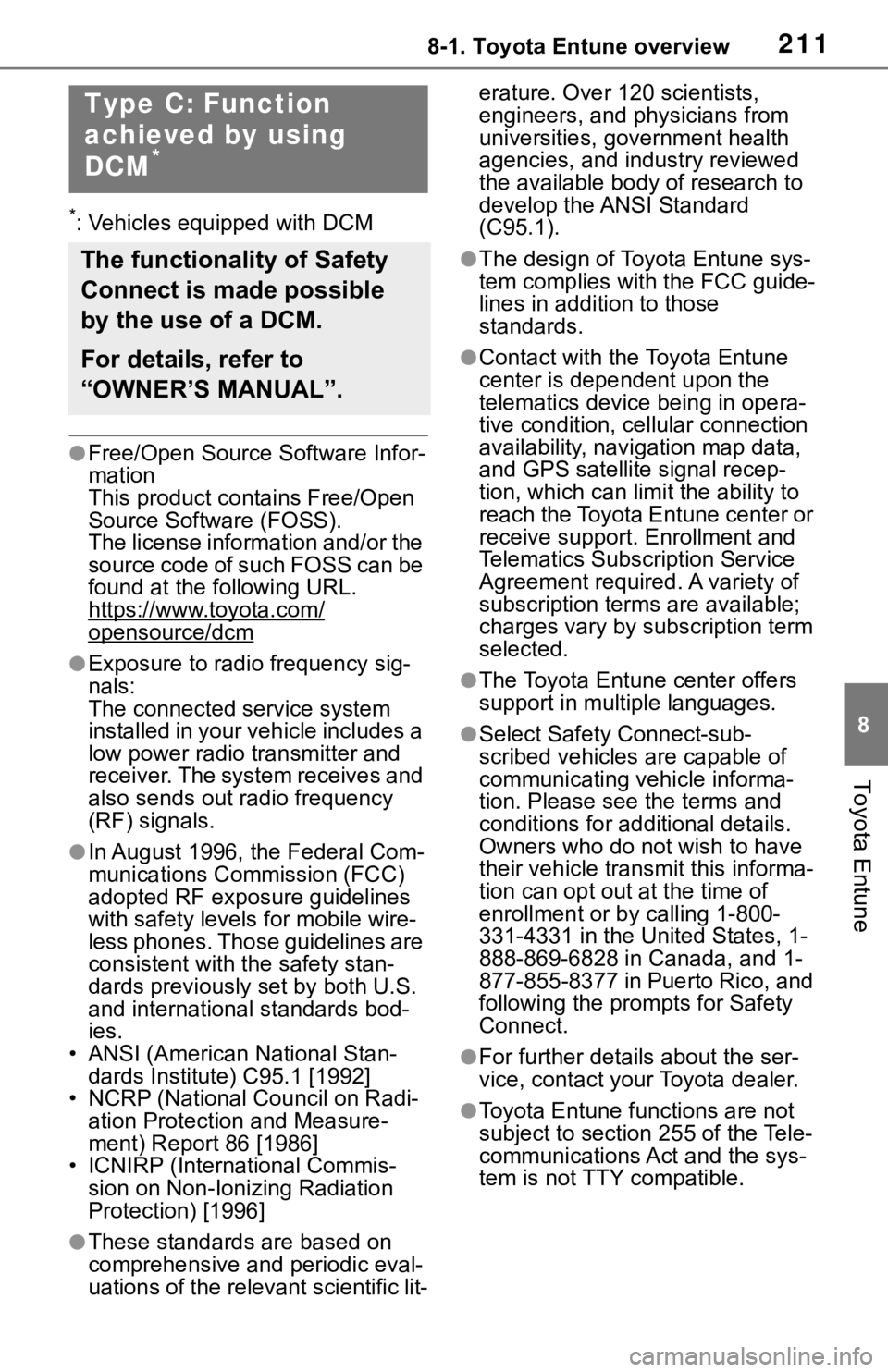
Type C: Function
achieved by using
DCM
*
The functionality of Safety
Connect is made possible
by the use of a DCM.
For details, refer to
“OWNER’S MANUAL”.