navigation TOYOTA RAV4 HYBRID 2020 Owners Manual (in English)
[x] Cancel search | Manufacturer: TOYOTA, Model Year: 2020, Model line: RAV4 HYBRID, Model: TOYOTA RAV4 HYBRID 2020Pages: 744, PDF Size: 31.43 MB
Page 20 of 744
20Pictorial index
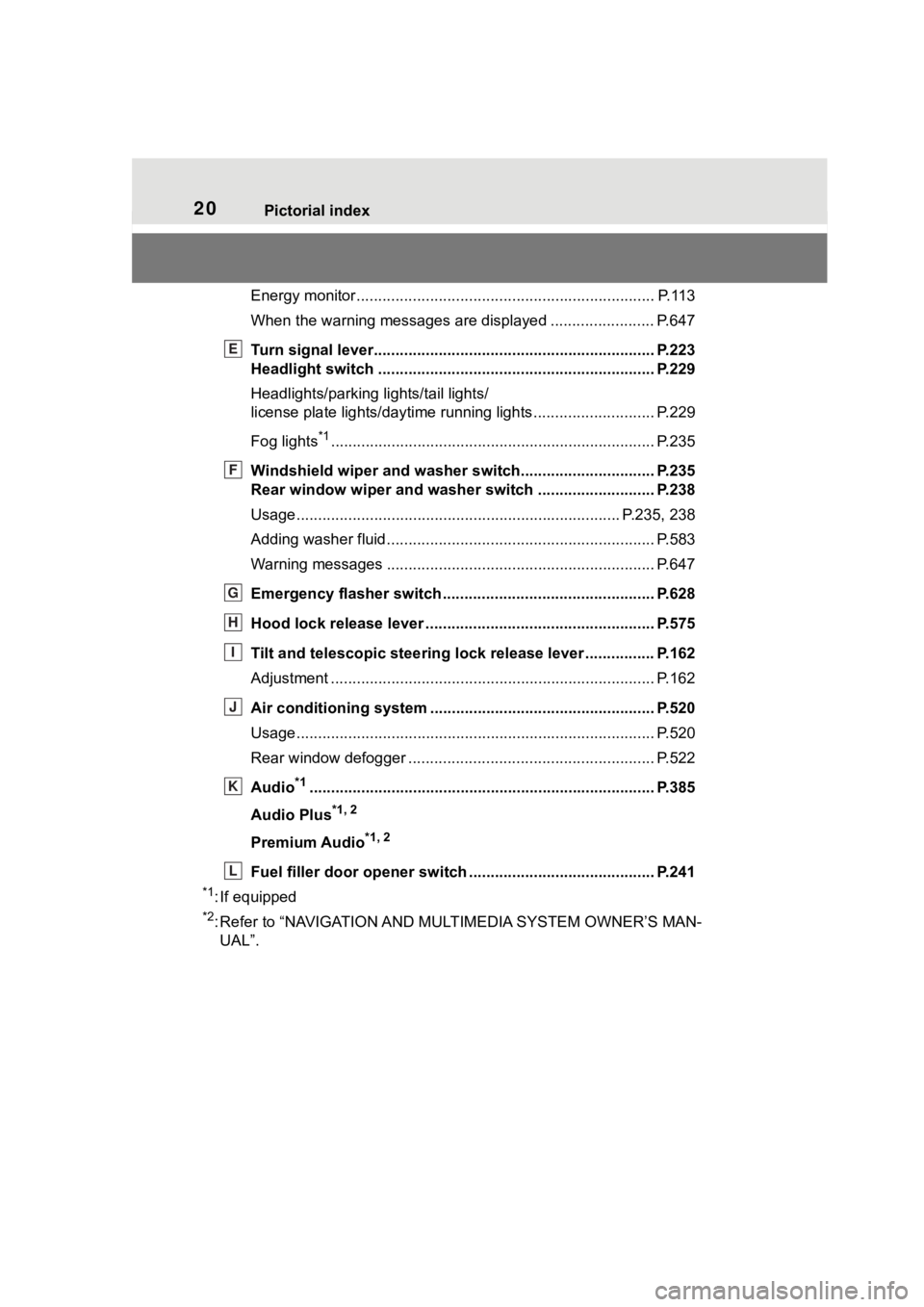
Energy monitor..................................................................... P.113
When the warning messages are displayed ........................ P. 6 4 7
Turn signal lever.............................................. ................... P.223
Headlight switch ............................................... ................. P.229
Headlights/parking lights/tail lights/
license plate lights/daytime running lights .................... ........ P.229
Fog lights
*1............................................................... ............ P.235
Windshield wiper and washer switch............................... P.235
Rear window wiper and washer switch ........................... P.238
Usage.......................................................... ................. P.235, 238
Adding washer fluid .............................................................. P.583
Warning messages ............................................... ............... P.647
Emergency flasher switch ....................................... .......... P.628
Hood lock release lever ........................................ ............. P.575
Tilt and telescopic steering lock release lever ................P. 1 6 2
Adjustment ..................................................... ...................... P.162
Air conditioning system ............................. ....................... P.520
Usage................................................................................... P.520
Rear window defogger ........................................... .............. P.522
Audio
*1............................................................... ................. P.385
Audio Plus
*1, 2
Premium Audio*1, 2
Fuel filler door opener swi tch ........................................... P.241
*1: If equipped
*2: Refer to “NAVIGATION AND MULTIMEDIA SYSTEM OWNER’S MAN-
UAL”.
E
F
G
H
I
J
K
L
Page 22 of 744
22Pictorial index
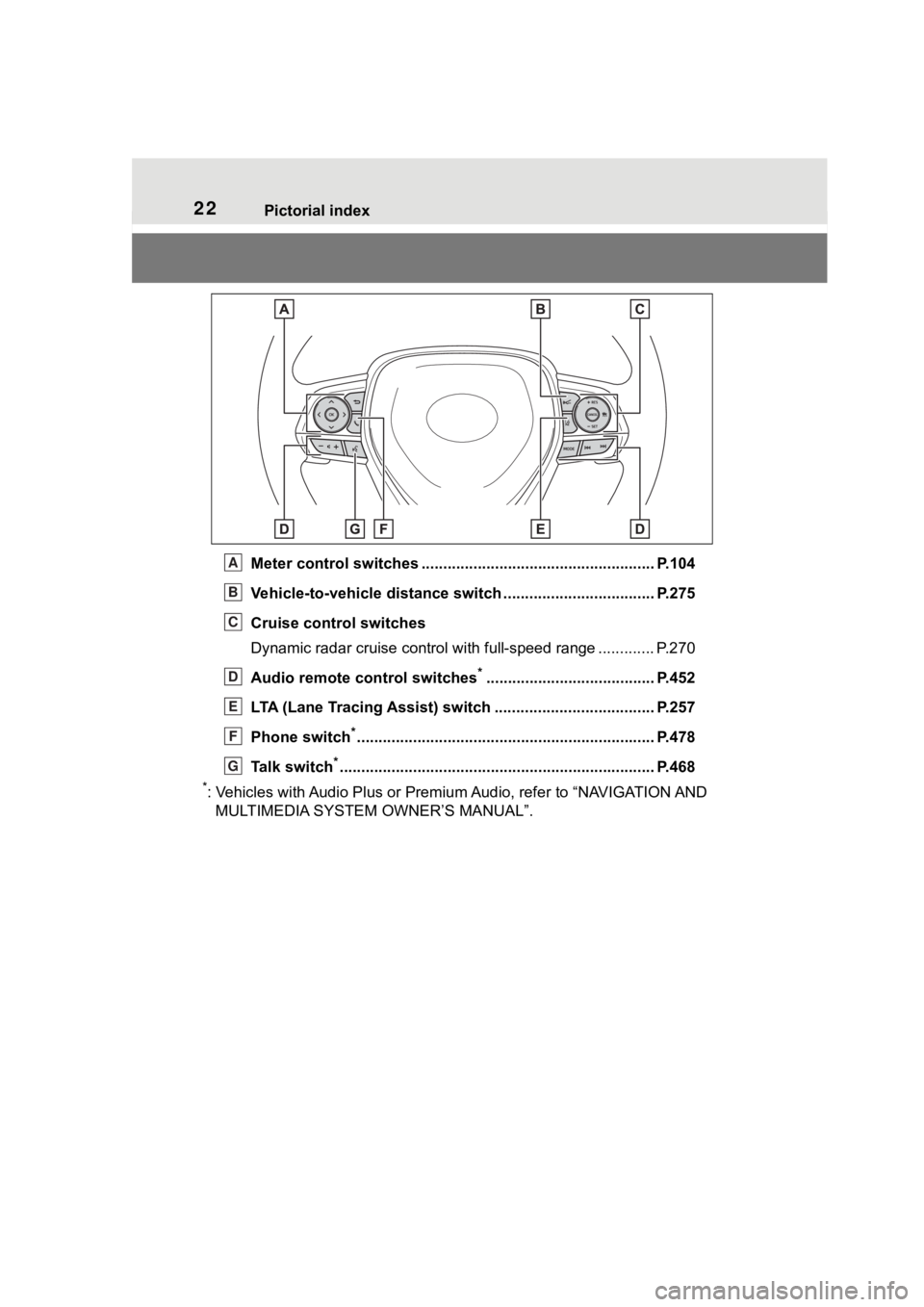
Meter control switches ...................................................... P.104
Vehicle-to-vehicle distance switch ................................... P.275
Cruise control switches
Dynamic radar cruise control with full-speed range ............. P. 2 7 0
Audio remote control switches
*....................................... P.452
LTA (Lane Tracing Assist) switch ............................... ...... P.257
Phone switch
*............................................................... ...... P.478
Talk switch
*............................................................... .......... P.468
*: Vehicles with Audio Plus or Premium Audio, refer to “NAVIGATION AND
MULTIMEDIA SYSTEM OWNER’S MANUAL”.
A
B
C
D
E
F
G
Page 75 of 744
751-4. Hybrid system
1
For safety and security
*: This function can only be used in
the mainland U.S.A. It cannot be
used in other states and territo-
ries, including Alaska and Hawaii.
This system operates based on
the driving situation and traffic
information to enhance fuel
economy.
For details about Predictive effi-
cient drive (Predictive decelera-
tion support/Predictive SOC
control), refer to “NAVIGATION
AND MULTIMEDIA SYSTEM
OWNER’S MANUAL”.
■Predictive deceleration sup-
port
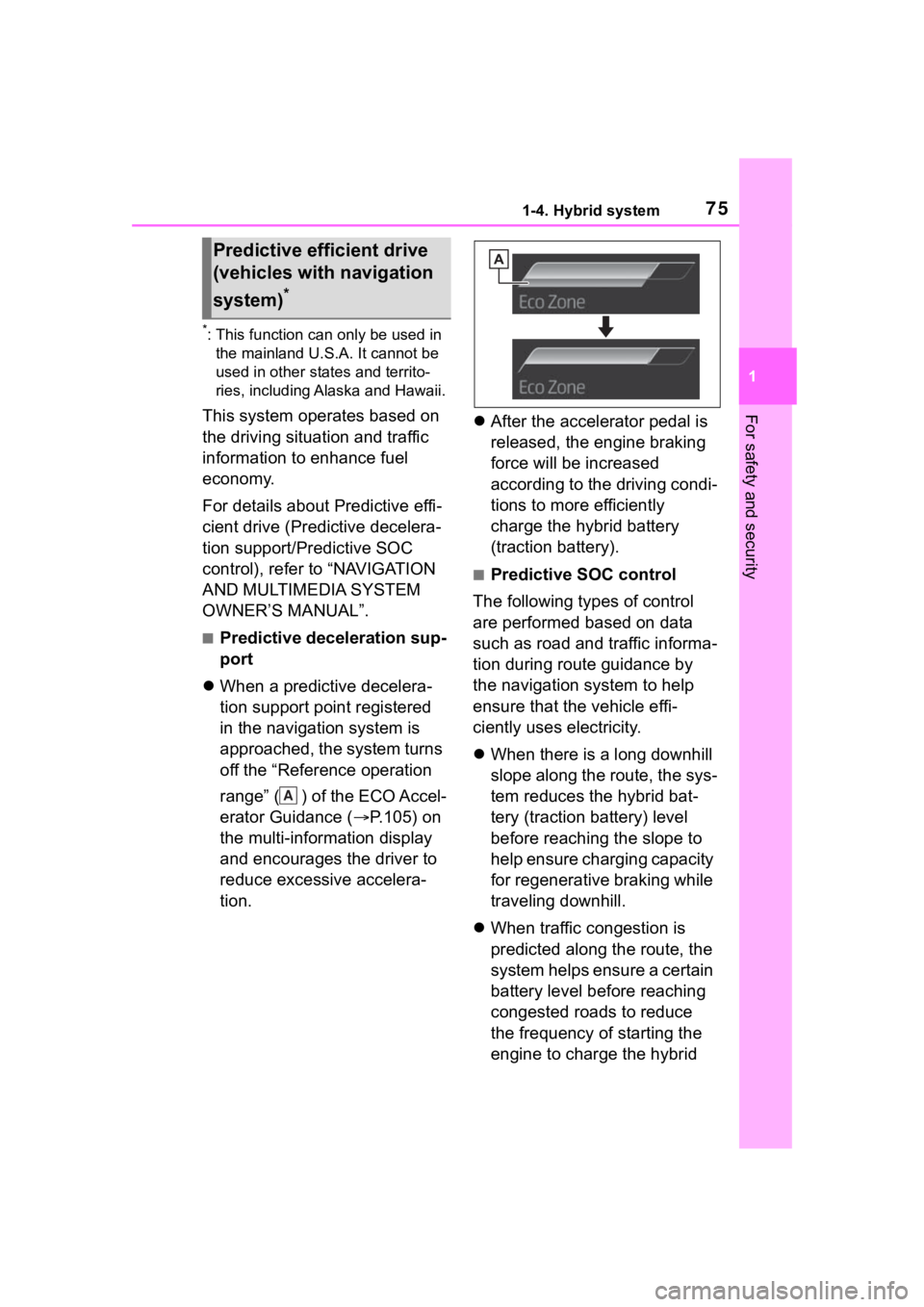
When a predictive decelera-
tion support point registered
in the navigation system is
approached, the system turns
off the “Reference operation
range” ( ) of the ECO Accel-
erator Guidance ( P.105) on
the multi-information display
and encourages the driver to
reduce excessive accelera-
tion.
After the accelerator pedal is
released, the engine braking
force will be increased
according to the driving condi-
tions to more efficiently
charge the hybrid battery
(traction battery).
■Predictive SOC control
The following types of control
are performed based on data
such as road and traffic informa-
tion during route guidance by
the navigation system to help
ensure that the vehicle effi-
ciently uses electricity.
When there is a long downhill
slope along the route, the sys-
tem reduces the hybrid bat-
tery (traction battery) level
before reaching the slope to
help ensure charging capacity
for regenerative braking while
traveling downhill.
When traffic congestion is
predicted along the route, the
system helps ensure a certain
battery level before reaching
congested roads to reduce
the frequency of starting the
engine to charge the hybrid
Predictive efficient drive
(vehicles with navigation
system)
*
A
Page 97 of 744
972-1. Instrument cluster
2
Vehicle status information and indicators
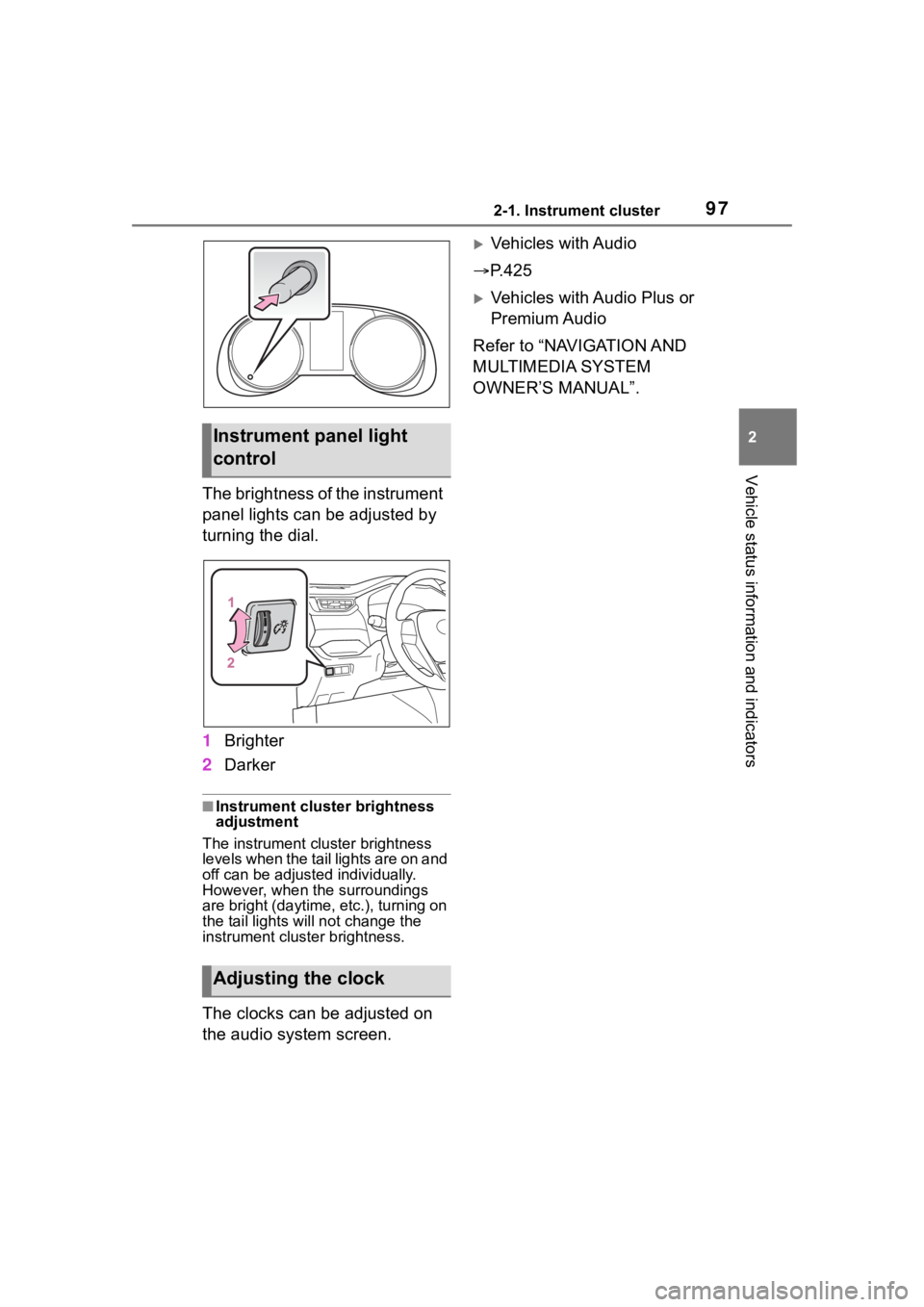
The brightness of the instrument
panel lights can be adjusted by
turning the dial.
1Brighter
2 Darker
■Instrument cluster brightness
adjustment
The instrument cluster brightness
levels when the tail lights are on and
off can be adjusted individually.
However, when the surroundings
are bright (daytime, etc.), turning on
the tail lights will not chan ge the
instrument cluster brightness.
The clocks can be adjusted on
the audio system screen.
Vehicles with Audio
P.425
Vehicles with Audio Plus or
Premium Audio
Refer to “NAVIGATION AND
MULTIMEDIA SYSTEM
OWNER’S MANUAL”.
Instrument panel light
control
Adjusting the clock
Page 102 of 744
1022-1. Instrument cluster
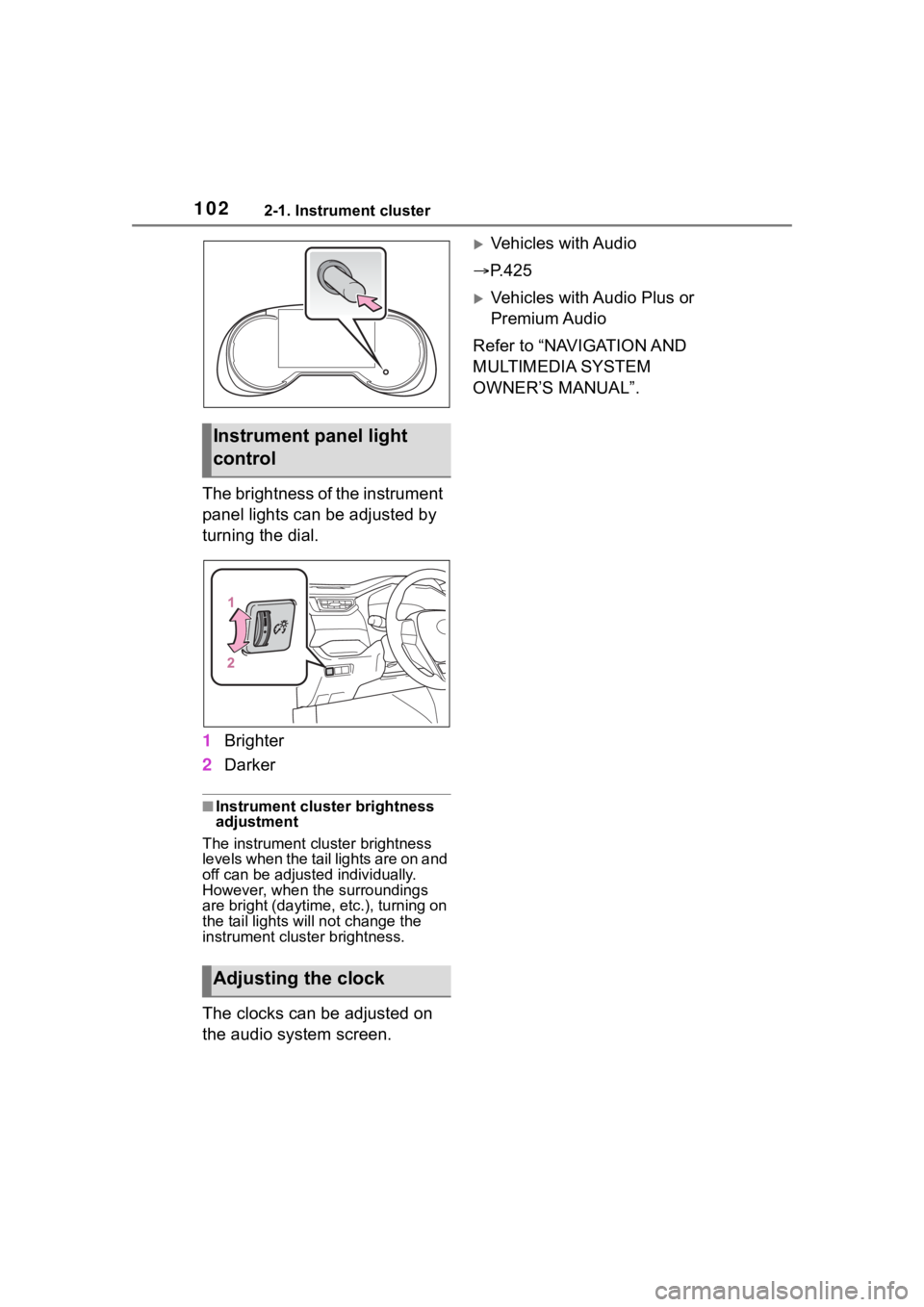
The brightness of the instrument
panel lights can be adjusted by
turning the dial.
1Brighter
2 Darker
■Instrument cluster brightness
adjustment
The instrument cluster brightness
levels when the tail lights are on and
off can be adjusted individually.
However, when the surroundings
are bright (daytime, etc.), turning on
the tail lights will not chan ge the
instrument cluster brightness.
The clocks can be adjusted on
the audio system screen.
Vehicles with Audio
P.425
Vehicles with Audio Plus or
Premium Audio
Refer to “NAVIGATION AND
MULTIMEDIA SYSTEM
OWNER’S MANUAL”.
Instrument panel light
control
Adjusting the clock
Page 104 of 744
1042-1. Instrument cluster
■The multi-information display is
displayed when
The power swit ch is in ON.
■When changing driving mode
Background color of the multi-infor-
mation display is changed following
the selected drivi ng mode or when
Trail Mode is turned on. ( P.365,
366)
■Liquid crystal display
Small spots or light spots may
appear on the display. This phenom-
enon is characteristi c of liquid crys-
tal displays, and there is no problem
continuing to use the display.
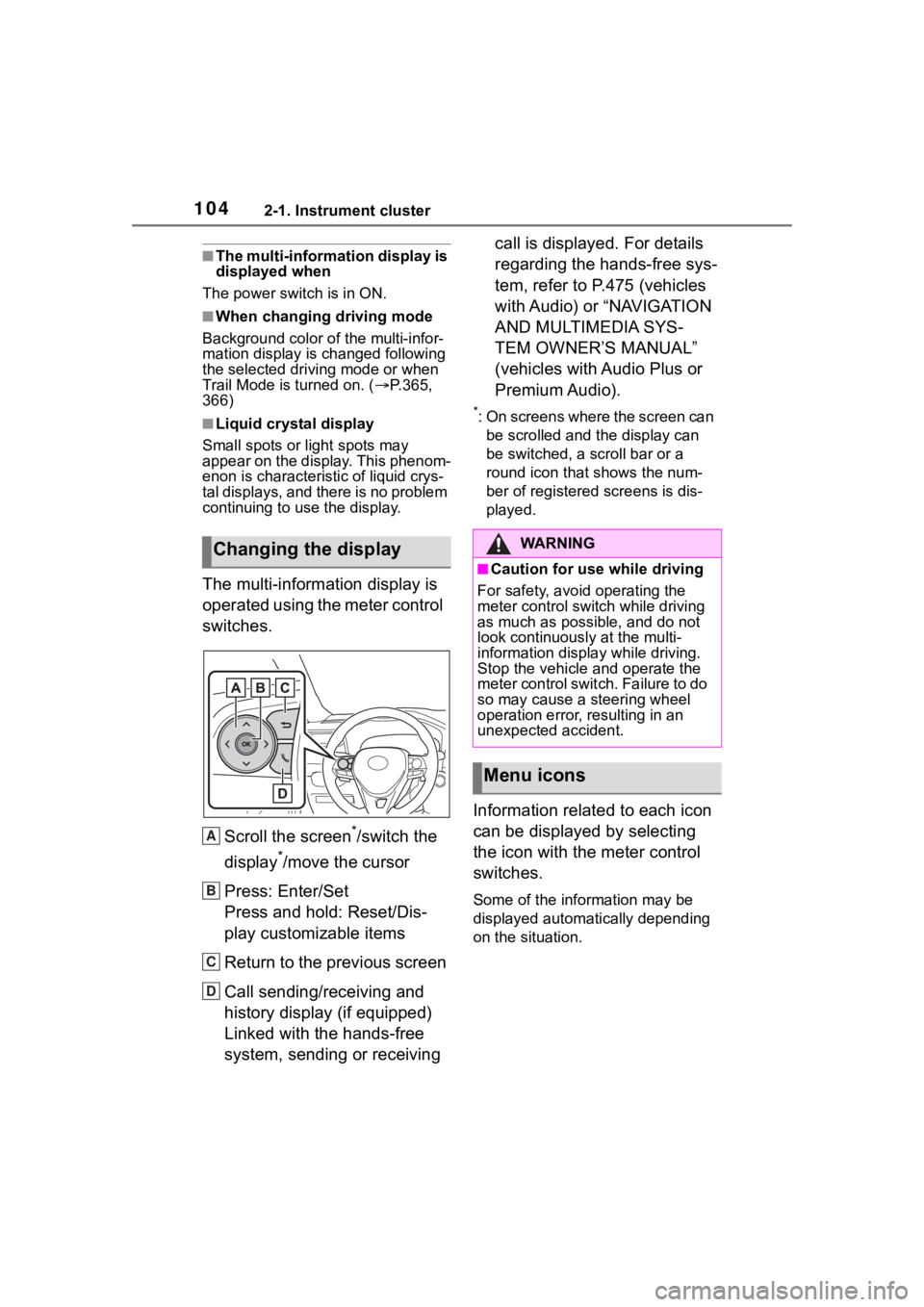
The multi-information display is
operated using the meter control
switches.
Scroll the screen
*/switch the
display
*/move the cursor
Press: Enter/Set
Press and hold: Reset/Dis-
play customizable items
Return to the previous screen
Call sending/receiving and
history display (if equipped)
Linked with the hands-free
system, sending or receiving call is displayed. For details
regarding the hands-free sys-
tem, refer to P.475 (vehicles
with Audio) or “NAVIGATION
AND MULTIMEDIA SYS-
TEM OWNER’S MANUAL”
(vehicles with Audio Plus or
Premium Audio).
*: On screens where the screen can
be scrolled and the display can
be switched, a scroll bar or a
round icon that shows the num-
ber of registered screens is dis-
played.
Information related to each icon
can be displayed by selecting
the icon with the meter control
switches.
Some of the information may be
displayed automatically depending
on the situation.
Changing the display
A
B
C
D
:$ 5 1 , 1 *
■Caution for use while driving
For safety, avoid operating the
meter control switch while driving
as much as possible, and do not
look continuously at the multi-
information displa y while driving.
Stop the vehicle and operate the
meter control swit ch. Failure to do
so may cause a steering wheel
operation error, resulting in an
unexpected accident.
Menu icons
Page 107 of 744
1072-1. Instrument cluster
2
Vehicle status information and indicators
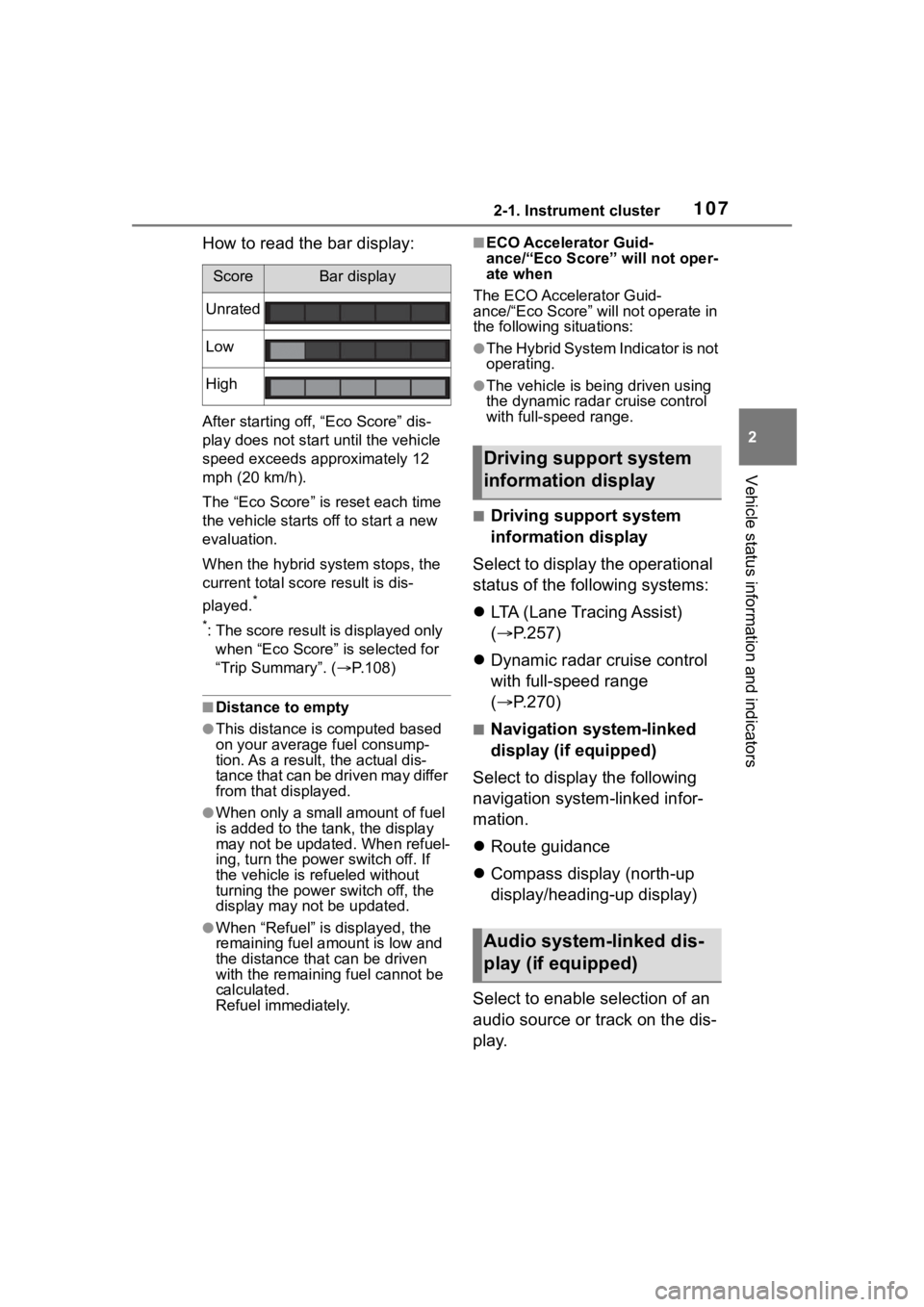
How to read the bar display:
After starting off, “Eco Score” dis-
play does not start until the vehicle
speed exceeds approximately 12
mph (20 km/h).
The “Eco Score” is reset each time
the vehicle starts off to start a new
evaluation.
When the hybrid system stops, the
current total score result is dis-
played.
*
*
: The score result is displayed only when “Eco Score” is selected for
“Trip Summary”. ( P.108)
■Distance to empty
●This distance is computed based
on your averag e fuel consump-
tion. As a result, the actual dis-
tance that can be driven may differ
from that displayed.
●When only a small amount of fuel
is added to the tank, the display
may not be updated. When refuel-
ing, turn the power switch off. If
the vehicle is refueled without
turning the power switch off, the
display may not be updated.
●When “Refuel” is displayed, the
remaining fuel amount is low and
the distance that can be driven
with the remaining fuel cannot be
calculated.
Refuel immediately.
■ECO Accelerator Guid-
ance/“Eco Score” will not oper-
ate when
The ECO Accelerator Guid-
ance/“Eco Score” will not operate in
the following situations:
●The Hybrid System Indicator is not
operating.
●The vehicle is bei ng driven using
the dynamic radar cruise control
with full-speed range.
■Driving support system
information display
Select to display the operational
status of the following systems:
LTA (Lane Tracing Assist)
( P.257)
Dynamic radar cruise control
with full-speed range
( P.270)
■Navigation system-linked
display (if equipped)
Select to display the following
navigation system-linked infor-
mation.
Route guidance
Compass display (north-up
display/heading-up display)
Select to enable selection of an
audio source or track on the dis-
play.
ScoreBar display
Unrated
Low
High
Driving support system
information display
Audio system-linked dis-
play (if equipped)
Page 112 of 744
1122-1. Instrument cluster
when the power switch is turned off.
“Pop-Up Display”
Select to enable/d isable the follow-
ing pop-up displays, which may
appear in some situations.
• Intersection guidance display of the navigation system-linked sys-
tem (if equipped)
• Incoming call di splay of the
hands-free phone system (if
equipped)
• Audio operation (if equipped)
• Volume operati on (if equipped)
• Voice control (if equipped)
“MID OFF”
A blank screen is displayed.
“Default Settings”
Select to reset the meter display
settings.
■Suspension of the settings dis-
play
●In the following si tuations, opera-
tion of the setting s display will be
temporarily suspended.
• When a warning message
appears on the multi-information
display
• When the vehicle begins to move
●Settings for functions not
equipped to the vehicle are not
displayed.
●When a function is turned off, the
related settings for that function
are not selectable.
Select to display warning mes-
sages and measures to be
taken if a malfunction is
detected. ( P.647)
Displays suggestions to the
driver in the following situations.
To select a response to a dis-
played suggestion, use the
meter control switches.
■Suggestion to turn on the
headlights
If the headlight switch is in other
than or , and the vehicle
speed is 3 mph (5 km/h) or
higher for a certain amount of
time when the surroundings are
WA R N I N G
■Cautions during setting up
the display
As the hybrid system needs to be
operating during setting up the
display, ensure that the vehicle is
parked in a place with adequate
ventilation. In a closed area such
as a garage, exhaust gases
including harmful carbon monox-
ide (CO) may collect and enter
the vehicle. This may lead to
death or a serious health hazard.
NOTICE
■During setting up the display
To prevent 12-volt battery dis-
charge, ensure that the hybrid
system is operating while setting
up the display features.
Warning message display
Suggestion function
Page 113 of 744
1132-1. Instrument cluster
2
Vehicle status information and indicators
dark, a suggestion message will
be displayed.
■Suggestion to turn off the
headlights
If the headlights are left on for a
certain amount of time after the
power switch has been turned
off, a suggestion message will
be displayed.
When the headlight switch is in
the AUTO position: The mes-
sage asking if you wish to turn
the headlights off is displayed.
To turn the headlights off, select
“Yes”.
If the driver’s door is opened after
the power switch is turned off, this
suggestion message will not be dis-
played.
■Customization
The suggestion function can be
turned on/off. (Customizable fea-
tures: P.698)
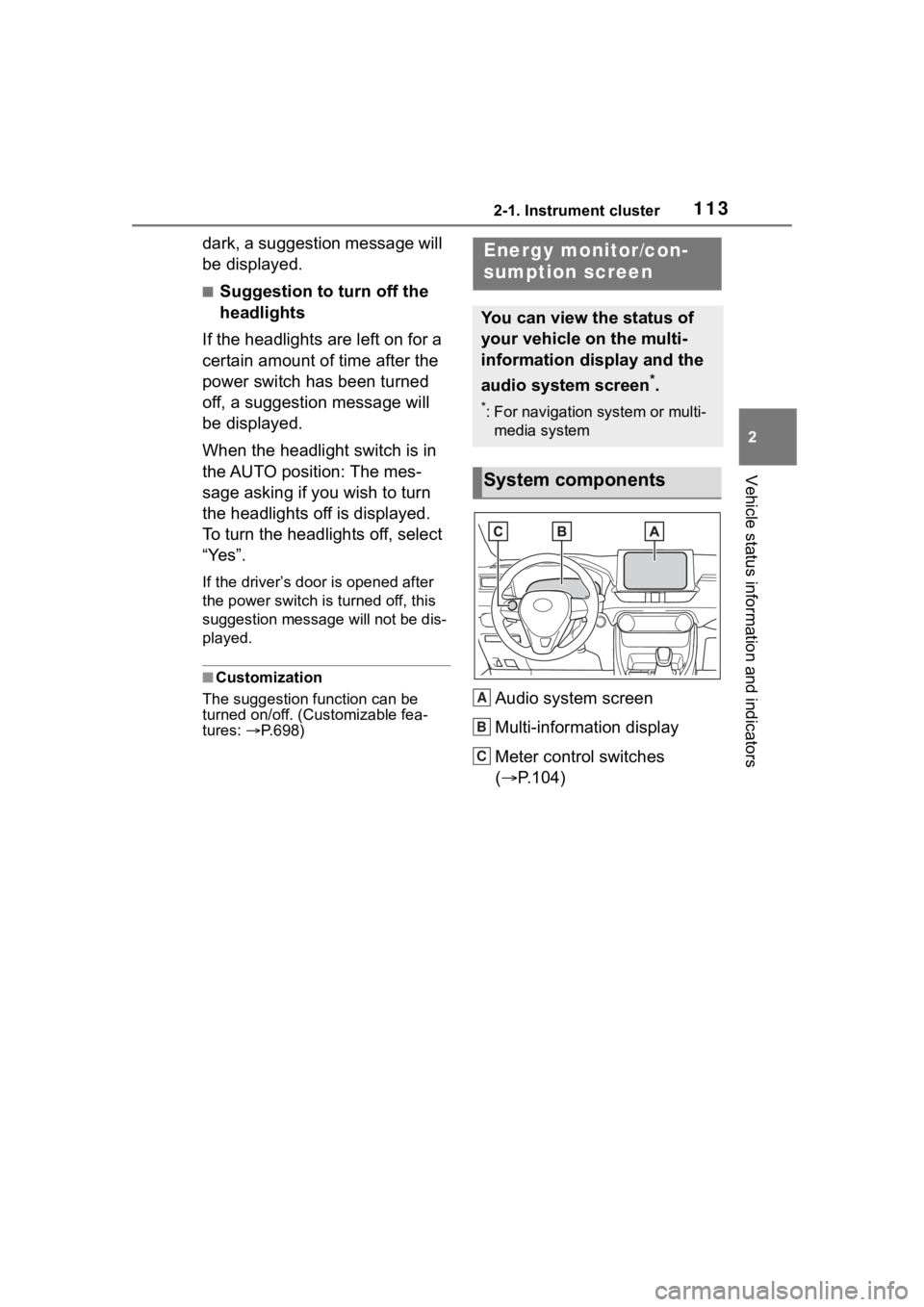
Audio system screen
Multi-information display
Meter control switches
( P.104)
Energy monitor/con-
sumption screen
You can view the status of
your vehicle on the multi-
information display and the
audio system screen
*.
*: For navigation system or multi-
media system
System components
A
B
C
Page 267 of 744
2674-5. Using the driving support systems
4
Driving
*: If equippedWhen the front camera recog-
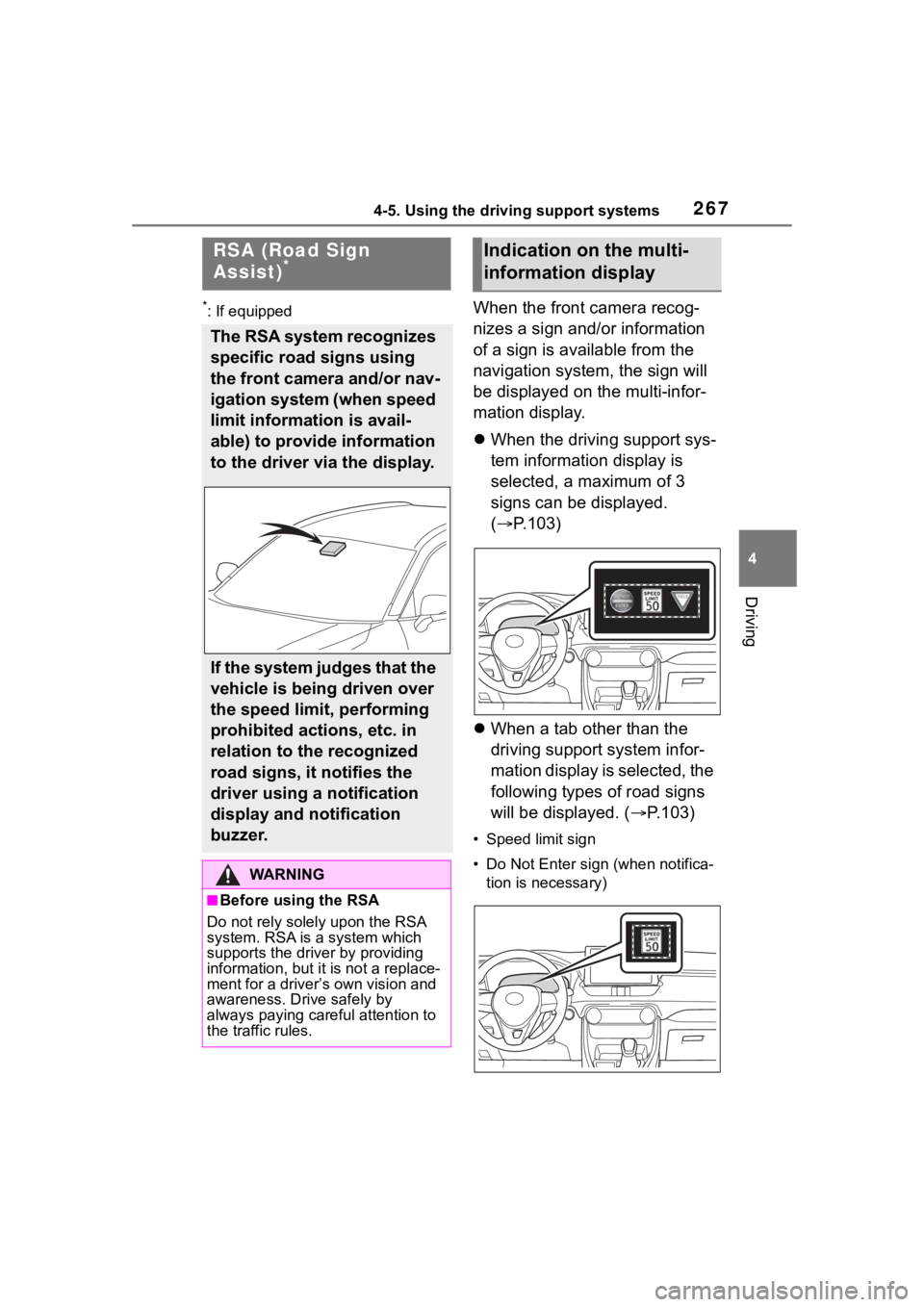
nizes a sign and/or information
of a sign is available from the
navigation system, the sign will
be displayed on the multi-infor-
mation display.
When the driving support sys-
tem information display is
selected, a maximum of 3
signs can be displayed.
( P.103)
When a tab other than the
driving support system infor-
mation display is selected, the
following types of road signs
will be displayed. ( P.103)
• Speed limit sign
• Do Not Enter sign (when notifica-
tion is necessary)
RSA (Road Sign
Assist)*
The RSA system recognizes
specific road signs using
the front camera and/or nav-
igation system (when speed
limit information is avail-
able) to provide information
to the driver via the display.
If the system judges that the
vehicle is being driven over
the speed limit, performing
prohibited actions, etc. in
relation to the recognized
road signs, it notifies the
driver using a notification
display and notification
buzzer.
WA R N I N G
■Before using the RSA
Do not rely solely upon the RSA
system. RSA is a system which
supports the driver by providing
information, but it is not a replace-
ment for a driver’s own vision and
awareness. Drive safely by
always paying careful attention to
the traffic rules.
Indication on the multi-
information display