driver TOYOTA RAV4 PRIME 2021 (in English) Owner's Manual
[x] Cancel search | Manufacturer: TOYOTA, Model Year: 2021, Model line: RAV4 PRIME, Model: TOYOTA RAV4 PRIME 2021Pages: 616, PDF Size: 34.66 MB
Page 162 of 616
1623-1. Instrument cluster
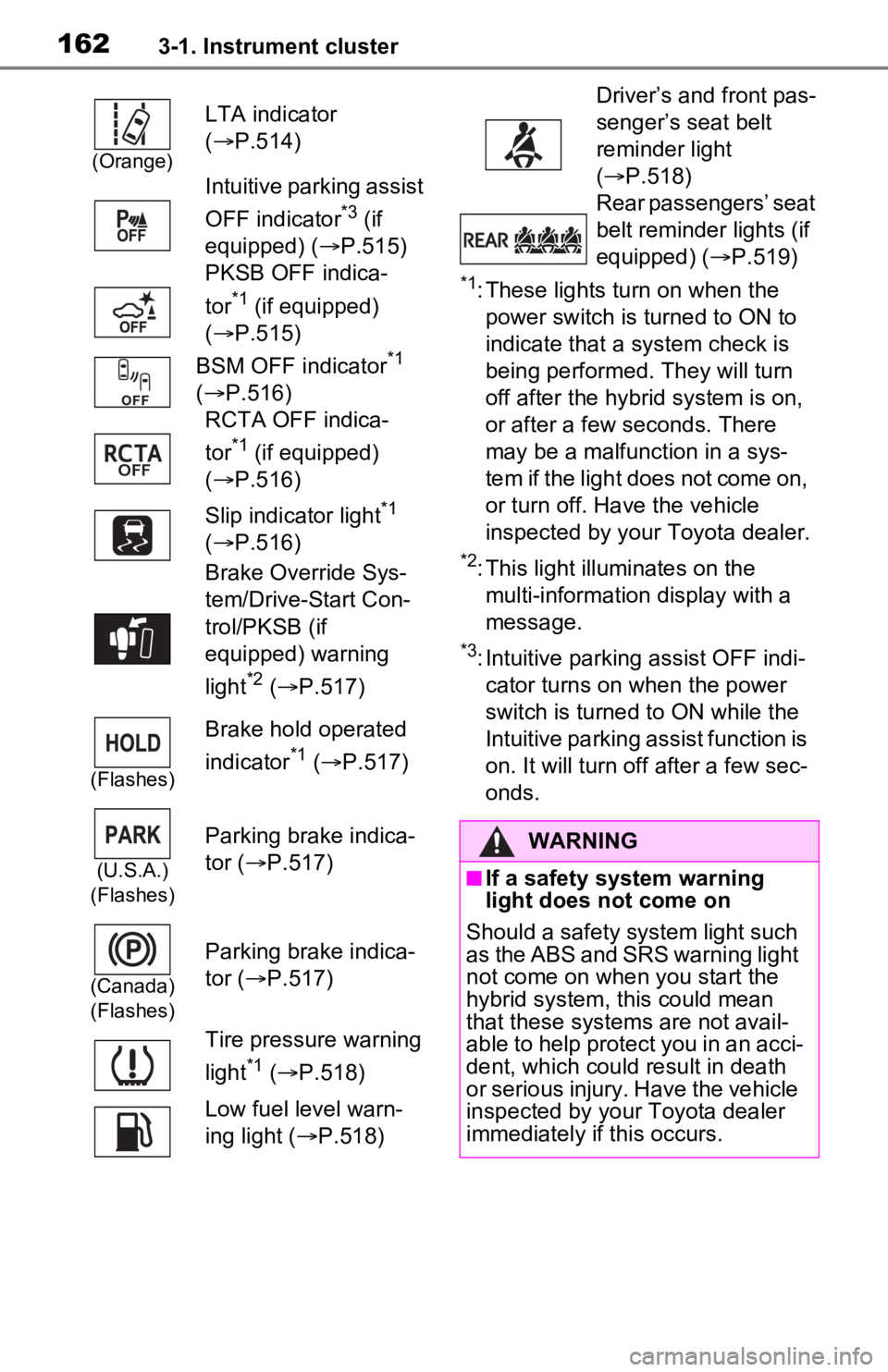
*1: These lights turn on when the
power switch is turned to ON to
indicate that a system check is
being performed. They will turn
off after the hybrid system is on,
or after a few seconds. There
may be a malfunction in a sys-
tem if the light does not come on,
or turn off. Have the vehicle
inspected by your Toyota dealer.
*2: This light illuminates on the multi-information display with a
message.
*3: Intuitive parking assist OFF indi-cator turns on wh en the power
switch is turned t o ON while the
Intuitive parking assist function is
on. It will turn off after a few sec-
onds.
(Orange)
LTA indicator
( P.514)
Intuitive parking assist
OFF indicator
*3 (if
equipped) ( P.515)
PKSB OFF indica-
tor
*1 (if equipped)
( P.515)
BSM OFF indicator
*1
( P.516)
RCTA OFF indica-
tor
*1 (if equipped)
( P.516)
Slip indicator light
*1
( P.516)
Brake Override Sys-
tem/Drive-Start Con-
trol/PKSB (if
equipped) warning
light
*2 ( P.517)
(Flashes)
Brake hold operated
indicator
*1 ( P.517)
(U.S.A.)
(Flashes)
Parking brake indica-
tor ( P.517)
(Canada)
(Flashes)
Parking brake indica-
tor ( P.517)
Tire pressure warning
light
*1 ( P.518)
Low fuel level warn-
ing light ( P.518)
Driver’s and front pas-
senger’s seat belt
reminder light
( P.518)
Rear passengers’ seat
belt reminder lights (if
equipped) ( P.519)
WARNING
■If a safety system warning
light does not come on
Should a safety system light such
as the ABS and SRS warning light
not come on when you start the
hybrid system, this could mean
that these system s are not avail-
able to help protect you in an acci-
dent, which could result in death
or serious injury. Have the vehicle
inspected by your Toyota dealer
immediately if this occurs.
Page 163 of 616
1633-1. Instrument cluster
3
Vehicle status information and indicators
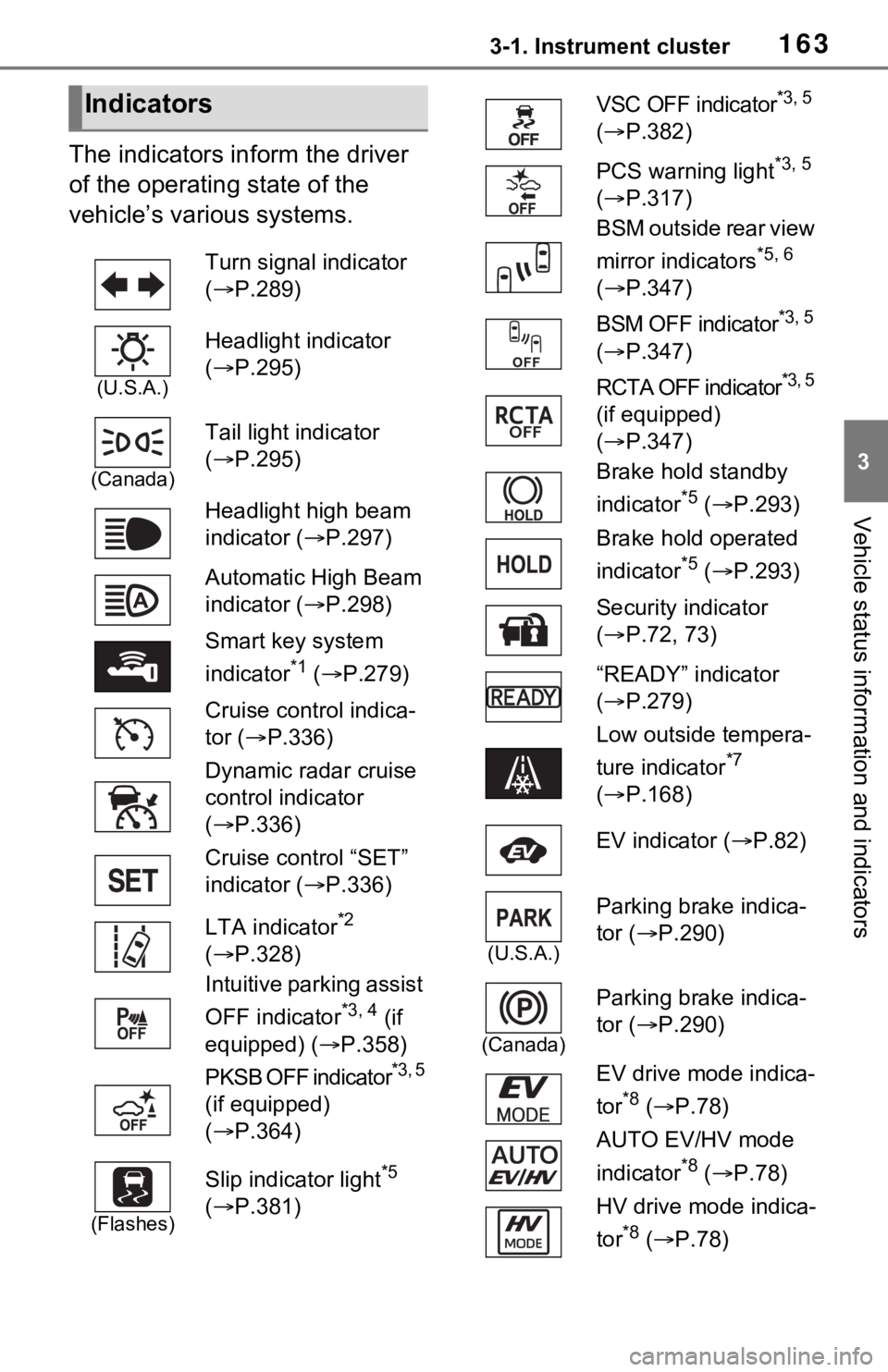
The indicators inform the driver
of the operating state of the
vehicle’s various systems.
Indicators
Turn signal indicator
( P.289)
(U.S.A.)
Headlight indicator
( P.295)
(Canada)
Tail light indicator
( P.295)
Headlight high beam
indicator ( P.297)
Automatic High Beam
indicator ( P.298)
Smart key system
indicator
*1 ( P.279)
Cruise control indica-
tor ( P.336)
Dynamic radar cruise
control indicator
( P.336)
Cruise control “SET”
indicator ( P.336)
LTA indicator
*2
( P.328)
Intuitive parking assist
OFF indicator
*3, 4 (if
equipped) ( P.358)
PKSB OFF indicator
*3, 5
(if equipped)
( P.364)
(Flashes)
Slip indicator light*5
( P.381)
VSC OFF indicator*3, 5
( P.382)
PCS warning light
*3, 5
( P.317)
BSM outside rear view
mirror indicators
*5, 6
( P.347)
BSM OFF indicator
*3, 5
( P.347)
RCTA OFF indicator
*3, 5
(if equipped)
( P.347)
Brake hold standby
indicator
*5 ( P.293)
Brake hold operated
indicator
*5 ( P.293)
Security indicator
( P.72, 73)
“READY” indicator
( P.279)
Low outside tempera-
ture indicator
*7
( P.168)
EV indicator ( P.82)
(U.S.A.)
Parking brake indica-
tor ( P.290)
(Canada)
Parking brake indica-
tor (P.290)
EV drive mode indica-
tor
*8 ( P.78)
AUTO EV/HV mode
indicator
*8 ( P.78)
HV drive mode indica-
tor
*8 ( P.78)
Page 166 of 616
1663-1. Instrument cluster
When the gauge is in the green zone, EV driving is possible. When the
gauge is in the blue zone, EV driving is no longer possible (in this situation,
the vehicle switches to HV mode) . Charge the hybrid battery (traction bat-
tery) to allow EV driving.
Odometer and trip meter
Odometer:
Displays the total distance th at the vehicle has been driven
Trip meter:
Displays the distance the vehicle has been driven since the meter was last
reset. Trip meters “A” and “B” c an be used to record and display different
distances independently.
Outside temperature ( P.168)
Multi-information display
Presents the driver with a variety of driving-related data ( P.170)
Displays warning messages if a malfunction occurs (P.523)
Shift position and shift range indicator
Displays the selected shift posit ion or selected shift range (P.285)
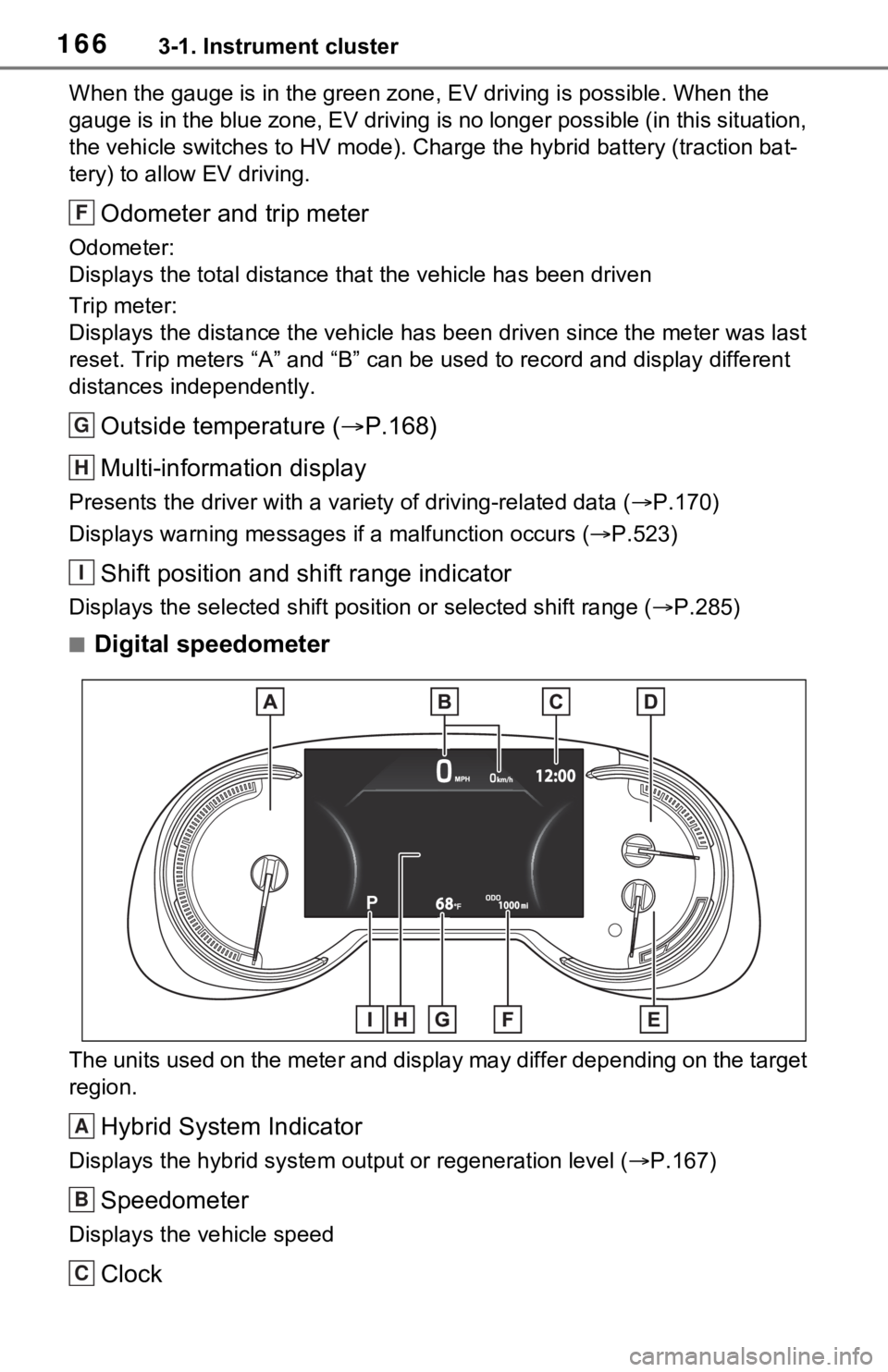
■Digital speedometer
The units used on the meter and display may differ depending on the target
region.
Hybrid System Indicator
Displays the hybrid system output or regeneration level ( P.167)
Speedometer
Displays the vehicle speed
Clock
F
G
H
I
A
B
C
Page 167 of 616
1673-1. Instrument cluster
3
Vehicle status information and indicators
Automatically adjusts the time by using the GPS time informatio n (GPS
clock).
For details, refer to “Navigation and Multimedia System Owner’s Manual” or
“Multimedia Owner’s Manual”.
Fuel gauge
Displays the quantity of fu el remaining in the tank
SOC (State of Charge) gauge
Displays the amount of charge rem aining in the traction battery.
When the gauge is in the green zo ne, EV driving is possible. When the
gauge is in the blue zone, EV driving is no longer possible (in this situation,
the vehicle switches to HV mode) . Charge the hybrid battery (traction bat-
tery) to allow EV driving.
Odometer and trip meter
Odometer:
Displays the total distance th at the vehicle has been driven
Trip meter:
Displays the distance the vehicle has been driven since the meter was last
reset. Trip meters “A” and “B” c an be used to record and display different
distances independently.
Outside temperature ( P.168)
Multi-information display
Presents the driver with a variety of driving-related data ( P.170)
Displays warning messages if a malfunction occurs (P.523)
Shift position and shift range indicator
Displays the selected shift posit ion or selected shift range (P.285)
■The meters and display illumi-
nate when
The power swit ch is in ON.
■When changing driving mode
Speedometer color is changed fol-
lowing the selected driving mode or
when Trail Mode is turned on.
( P.377, 379)
■Hybrid System Indicator
The display content s of the Hybrid
System Indicator are different in EV
mode and HV mode.
D
E
F
G
H
I
Page 169 of 616
1693-1. Instrument cluster
3
Vehicle status information and indicators
●Displays the outside temperature
within the range of -40°F (-40°C)
to 122°F (50°C).
●When the outside temperature is
approximately 37°F (3°C) or
lower, the indicator will flash
for approximately 10 seconds,
then stay on.
■Liquid crystal display
P.171
■Customization
Settings (e. g. meter display) can be
changed on the screen of the
multi-informat ion display. (P.177)
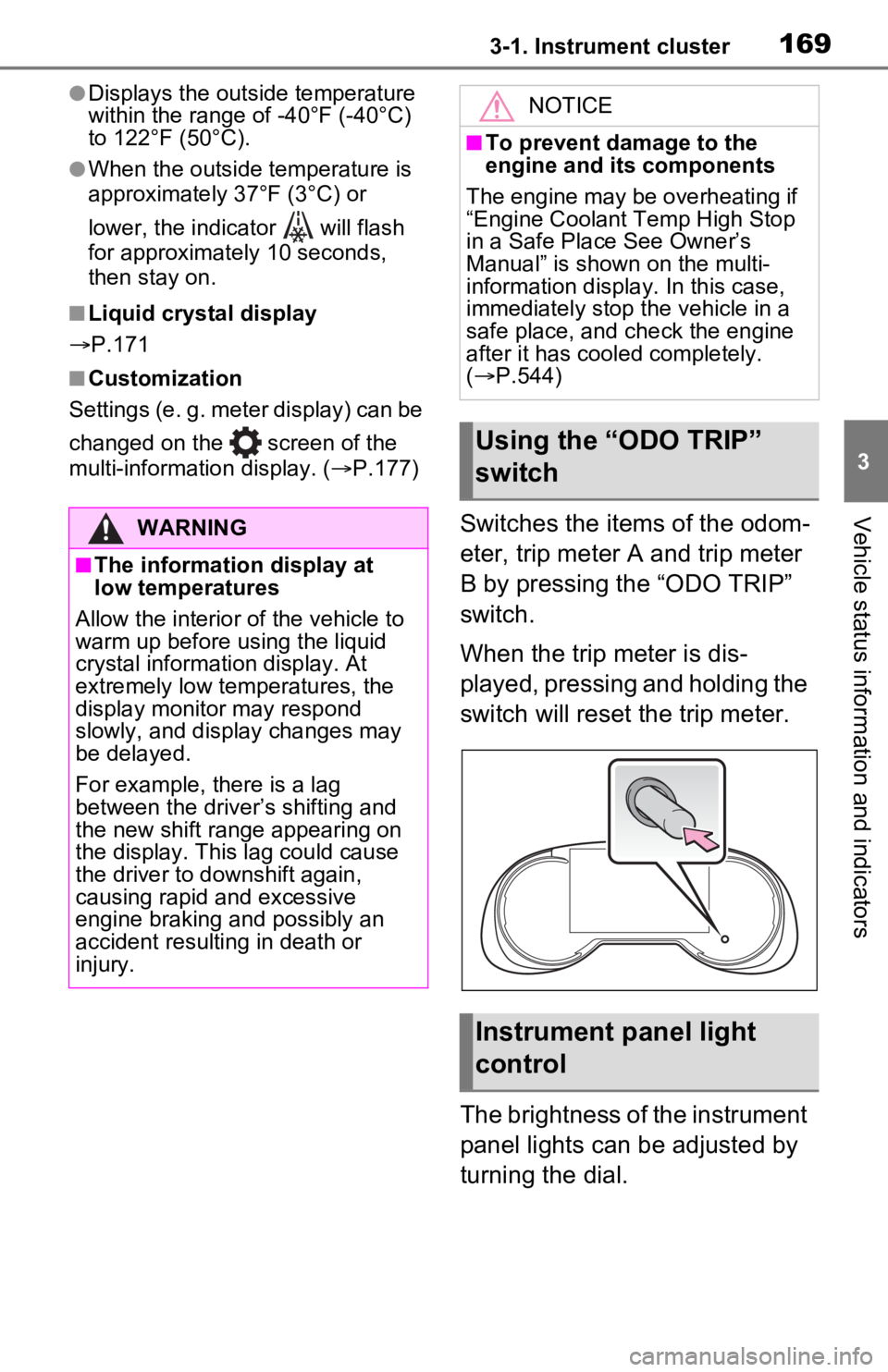
Switches the items of the odom-
eter, trip meter A and trip meter
B by pressing the “ODO TRIP”
switch.
When the trip meter is dis-
played, pressing and holding the
switch will reset the trip meter.
The brightness of the instrument
panel lights can be adjusted by
turning the dial.WARNING
■The information display at
low temperatures
Allow the interior of the vehicle to
warm up before u sing the liquid
crystal informat ion display. At
extremely low temperatures, the
display monitor may respond
slowly, and display changes may
be delayed.
For example, there is a lag
between the driver’s shifting and
the new shift range appearing on
the display. This lag could cause
the driver to downshift again,
causing rapid and excessive
engine braking and possibly an
accident resulting in death or
injury.
NOTICE
■To prevent damage to the
engine and its components
The engine may be overheating if
“Engine Coolant Temp High Stop
in a Safe Place See Owner’s
Manual” is shown on the multi-
information displa y. In this case,
immediately stop the vehicle in a
safe place, and c heck the engine
after it has cooled completely.
( P.544)
Using the “ODO TRIP”
switch
Instrument panel light
control
Page 178 of 616
1783-1. Instrument cluster
system.
“Brightness”
Select to switch the brightness of
the outside rear view mirror indica-
tors. ( P.347)
“Sensitivity”
Select to change the alert timing for
an approaching vehicle.
■ (Intuitive parking
assist) (if equipped)
( P.356)
Select to set up the following
items.
Intuitive parking assist on/off
Select to enable/disable the Intui-
tive parking assist.
“Volume”
Select to set the volume of the
buzzer which sounds when the
Intuitive parking assist is operated.
■RCTA (Rear Cross Traffic
Alert) (P.347)
RCTA (Rear Cross Traffic
Alert) on/off
Select to enable/disable the RCTA
system.
“Volume”
Select to change t he RCTA buzzer
volume.
■ PKSB (Parking Sup-
port Brake System) (if
equipped) ( P.363)
Select to enable/disable the
Parking Support Brake function.
■“HUD Main” (if equipped)
( P.182)
HUD on/off
Select to enable/disable the head-
up display.
“HUD Brightness/Position”
Select to adjust the brightness or
vertical position of the head-up dis-
play.
“HUD Driving Support”
Select to change the items dis-
played on the head-up display.
“HUD Rotation”
Select to adjus t the angle of the
head-up display.
■ RSA (Road Sign
Assist) (if equipped)
( P.333)
Select to set up the following
items.
Road Sign Assist on/off
Select to enable /disable the RSA
system.
“Notification Method”
Select to change each notification
method used to notify the driver
when the system recognizes
excess speed, no overtaking and
no-entry sign.
“Notification Level”
Select to change each notification
level used to notify the driver when
the system recognizes a speed limit
sign.
■Vehicle Settings
“Charging Settings”
Page 181 of 616
1813-1. Instrument cluster
3
Vehicle status information and indicators
Select to display warning mes-
sages and measures to be
taken if a malfunction is
detected. (P.523)
Displays suggestions to the
driver in the following situations.
To select a response to a dis-
played suggestion, use the
meter control switches.
■Suggestion to enable the
power back door (if
equipped)
If the power back door system is
disabled on the screen and
the power back door switch on
the instrument panel is oper- ated, a suggestion message will
be displayed asking if you wish
to enable the power back door
system. To enable the power
back door system, select “Yes”.
After enabling the power back door
system, press the power back door
switch again to op
en or close the
power back door.
■Suggestion to turn on the
headlights
If the headlight switch is in other
than or , and the vehicle
speed is 3 mph (5 km/h) or
higher for a certain amount of
time when the surroundings are
dark, a suggestion message will
be displayed.
■Suggestion to turn off the
headlights
If the headlights are left on for a
certain amount of time after the
power switch has been turned
off, a suggestion message will
be displayed.
When the headlight switch is in
the AUTO position: The mes-
sage asking if you wish to turn
the headlights off is displayed.
To turn the headlights off, select
“Yes”.
If the driver’s door is opened after
the power switch is turned off, this
suggestion message will not be dis-
played.
■Customization
The suggestion fu nction can be
turned on/off. (Customizable fea-
WARNING
■Cautions during setting up
the display
As the hybrid system needs to be
operating during setting up the
display, ensure that the vehicle is
parked in a place with adequate
ventilation. In a closed area such
as a garage, exhaust gases
including harmful carbon monox-
ide (CO) may collect and enter
the vehicle. This may lead to
death or a seri ous health hazard.
NOTICE
■During setting up the display
To prevent 12-vo lt battery dis-
charge, ensure that the hybrid
system is operating while setting
up the display features.
Warning message display
Suggestion function
Page 183 of 616
1833-1. Instrument cluster
3
Vehicle status information and indicators
tor/tachometer (P.186)
■Head-up display will operate
when
The power swit ch is in ON.
■When using the head-up dis-
play
The head-up display may seem
dark or hard to see when viewed
through sunglasses, especially
polarized sunglasses. Adjust the
brightness of the head-up display or
remove your sunglasses.
■Street name display (vehicles
with navigation system)
Only street names which are
included in the map data will be dis-
played.
WARNING
■When using the head-up dis-
play
●Check that the position and
brightness of the head-up dis-
play image does not interfere
with safe driving. Incorrect
adjustment of the image’s posi-
tion or brightness may obstruct
the driver’s view and lead to an
accident, resulting in death or
serious injury.
●Do not continuously look at the
head-up display while driving as
you may fail to see pedestrians,
objects on the r oad, etc. ahead
of the vehicle.
NOTICE
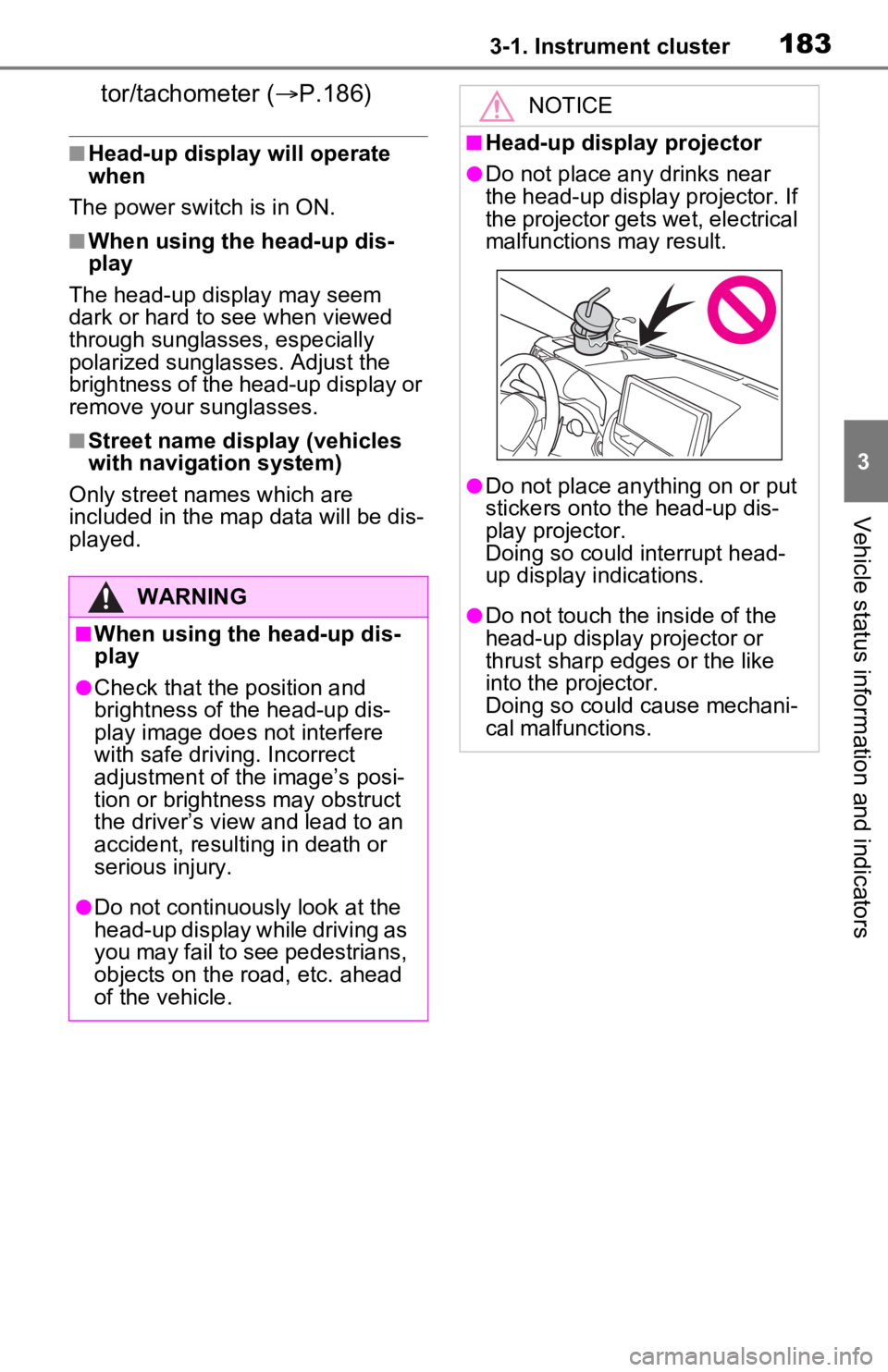
■Head-up display projector
●Do not place any drinks near
the head-up display projector. If
the projector gets wet, electrical
malfunctions may result.
●Do not place any thing on or put
stickers onto the head-up dis-
play projector.
Doing so could interrupt head-
up display indications.
●Do not touch the inside of the
head-up display projector or
thrust sharp edges or the like
into the projector.
Doing so could cause mechani-
cal malfunctions.
Page 195 of 616
1954-1. Key information
4
Before driving
on your person without turning the
power switch to OFF or other pas-
sengers from unintentionally taking
the key out of the vehicle, etc., a
message that prompts the user to
confirm the state of the electronic
key or power switch mode may be
shown on the multi -information dis-
play. In those cases, follow the
instructions on the display immedi-
ately.
■If “Key Battery Low Replace
Key Battery” is displayed on
the multi-information display
The electronic key has a low bat-
tery. Replace the electronic key bat-
tery. ( P.493)
■Replacing the battery
P.493
■Confirmation of the registered
key number
The number of keys already regis-
tered to the vehicle can be con-
firmed. Ask your Toyota dealer for
details.
■If “A New Key has been Regis-
tered Contact Your Dealer for
Details” is displayed on the
multi-information display
This message will be displayed
each time the driver’s door is
opened when the doors are
unlocked from the outside for
approximately 10 days after a new
electronic key has been registered.
If this message is displayed but you
have not had a new electronic key
registered, ask your Toyota dealer
to check if an unknown electronic
key (other than those in your pos-
session) has been registered.
NOTICE
■To prevent key damage
●Do not drop the keys, subject
them to strong shocks or bend
them.
●Do not expose the keys to high
temperatures for long periods of
time.
●Do not get the keys wet or wash
them in an ultrasonic washer,
etc.
●Do not attach m etallic or mag-
netic materials to the keys or
place the keys close to such
materials.
●Do not disassemble the keys.
●Do not attach a s ticker or any-
thing else to the surface of the
electronic key.
●Do not place the keys near
objects that produce magnetic
fields, such as TVs, audio sys-
tems and induction cookers.
●Do not place the keys near
medical electrical equipment
such as low-frequency therapy
equipment or microwave ther-
apy equipment, and do not
receive medical attention with
the keys on your person.
■Carrying the electronic key
on your person
Carry the electronic key 3.9 in.
(10 cm) or more away from elec-
tric appliances that are turned on.
Radio waves emitte d from electric
appliances within 3.9 in. (10 cm)
of the electronic key may interfere
with the key, cau sing the key to
not function properly.
■In case of a smart key system
malfunction or other key-
related problems
P.537
■When an electronic key is lost
P.536
Page 198 of 616
1984-2. Opening, closing and locking the doors
4-2.Opening, closing and locking the doors
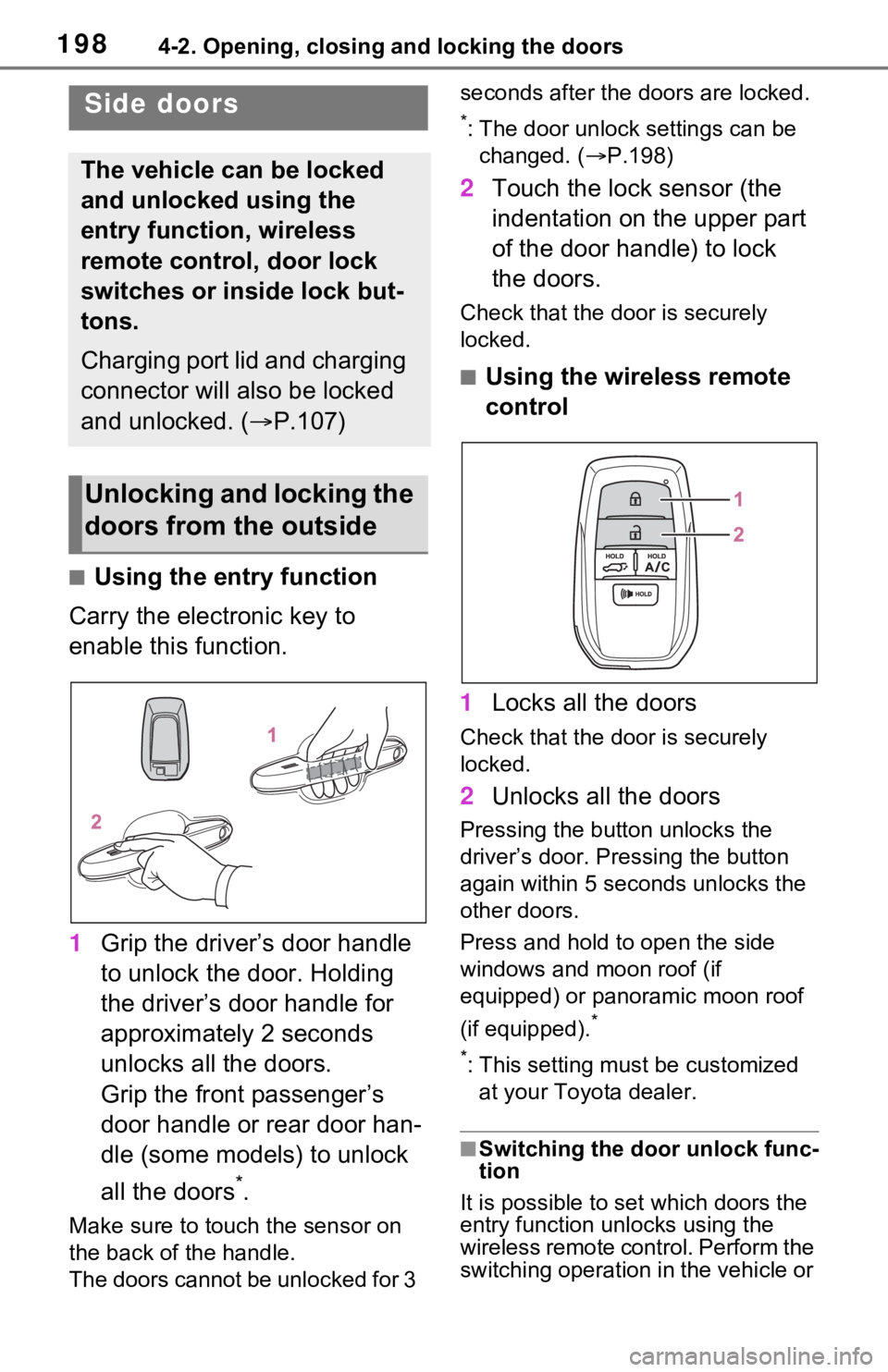
■Using the entry function
Carry the electronic key to
enable this function.
1 Grip the driver’s door handle
to unlock the door. Holding
the driver’s door handle for
approximately 2 seconds
unlocks all the doors.
Grip the front passenger’s
door handle or rear door han-
dle (some models) to unlock
all the doors
*.
Make sure to touch the sensor on
the back of the handle.
The doors cannot be unlocked for 3 seconds after the doors are locked.
*: The door unlock settings can be
changed. ( P.198)
2 Touch the lock sensor (the
indentation on the upper part
of the door handle) to lock
the doors.
Check that the d oor is securely
locked.
■Using the wireless remote
control
1 Locks all the doors
Check that the d oor is securely
locked.
2 Unlocks all the doors
Pressing the button unlocks the
driver’s door. Pressing the button
again within 5 seconds unlocks the
other doors.
Press and hold to open the side
windows and moon roof (if
equipped) or panoramic moon roof
(if equipped).
*
*
: This setting must be customized at your Toyota dealer.
■Switching the door unlock func-
tion
It is possible to set which doors the
entry function unlocks using the
wireless remote control. Perform the
switching operation in the vehicle or
Side doors
The vehicle can be locked
and unlocked using the
entry function, wireless
remote control, door lock
switches or inside lock but-
tons.
Charging port lid and charging
connector will also be locked
and unlocked. ( P.107)
Unlocking and locking the
doors from the outside