driver TOYOTA RAV4 PRIME 2021 (in English) Workshop Manual
[x] Cancel search | Manufacturer: TOYOTA, Model Year: 2021, Model line: RAV4 PRIME, Model: TOYOTA RAV4 PRIME 2021Pages: 616, PDF Size: 34.66 MB
Page 265 of 616
2655-1. Before driving
5
Driving
Cargo capacity depends on the
total weight of the occupants.
(Cargo capacity) = (Total load
capacity) - (Total weight of occu-
pants)
Steps for Determining Correct
Load Limit
(1) Locate the statement “The
combined weight of occupants
and cargo should never exceed
XXX kg or XXX lbs.” on your
vehicle’s placard.
(2) Determine the combined
weight of the driver and passen-
gers that will be riding in your
vehicle.
(3) Subtract the combined
weight of the driver and passen-
gers from XXX kg or XXX lbs.
(4) The resulting figure equals
the available amount of cargo
and luggage load capacity.
Cargo and luggage
Take notice of the following
information about storage
precautions, cargo capacity
and load.
WARNING
■Things that must not be car-
ried in the luggage compart-
ment
The following things may cause a
fire if loaded in the luggage com-
partment:
●Receptacles co ntaining gaso-
line
●Aerosol cans
■Storage precautions
Observe the following precau-
tions.
Failure to do so m ay prevent the
pedals from being depressed
properly, may bloc k the driver’s
vision, or may result in items hit-
ting the driver or passengers, pos-
sibly causing an accident.
●Stow cargo and luggage in the
luggage compartment when-
ever possible.
●Do not stack anything in the lug-
gage compartment higher than
the seatbacks.
●Do not place cargo or luggage
in or on the following locations.
• At the feet of the driver
• On the front passenger or rear seats (when stacking items)
• On the luggage cover (if equipped)
• On the instrument panel
• On the dashboard
●Secure all items in the occupant
compartment.
●When you fold down the rear
seats, long items should not be
placed directly behind the front
seats.
●Never allow anyon e to ride in
the luggage compartment. It is
not designed for passengers.
They should ride in their seats
with their seat belts properly
fastened. Otherw ise, they are
much more likely to suffer death
or serious bodily injury, in the
event of sudden braking, sud-
den swerving or an accident.
Capacity and distribution
Page 272 of 616
2725-1. Before driving
base vehicle with one driver,
one front passenger, hitch and
hitch systems (if required).
Additional optional equipment, pas-
sengers and cargo in the vehicle
will reduce the tra iler weight rating
so as not to exceed GCWR, GVWR
and GAWR.
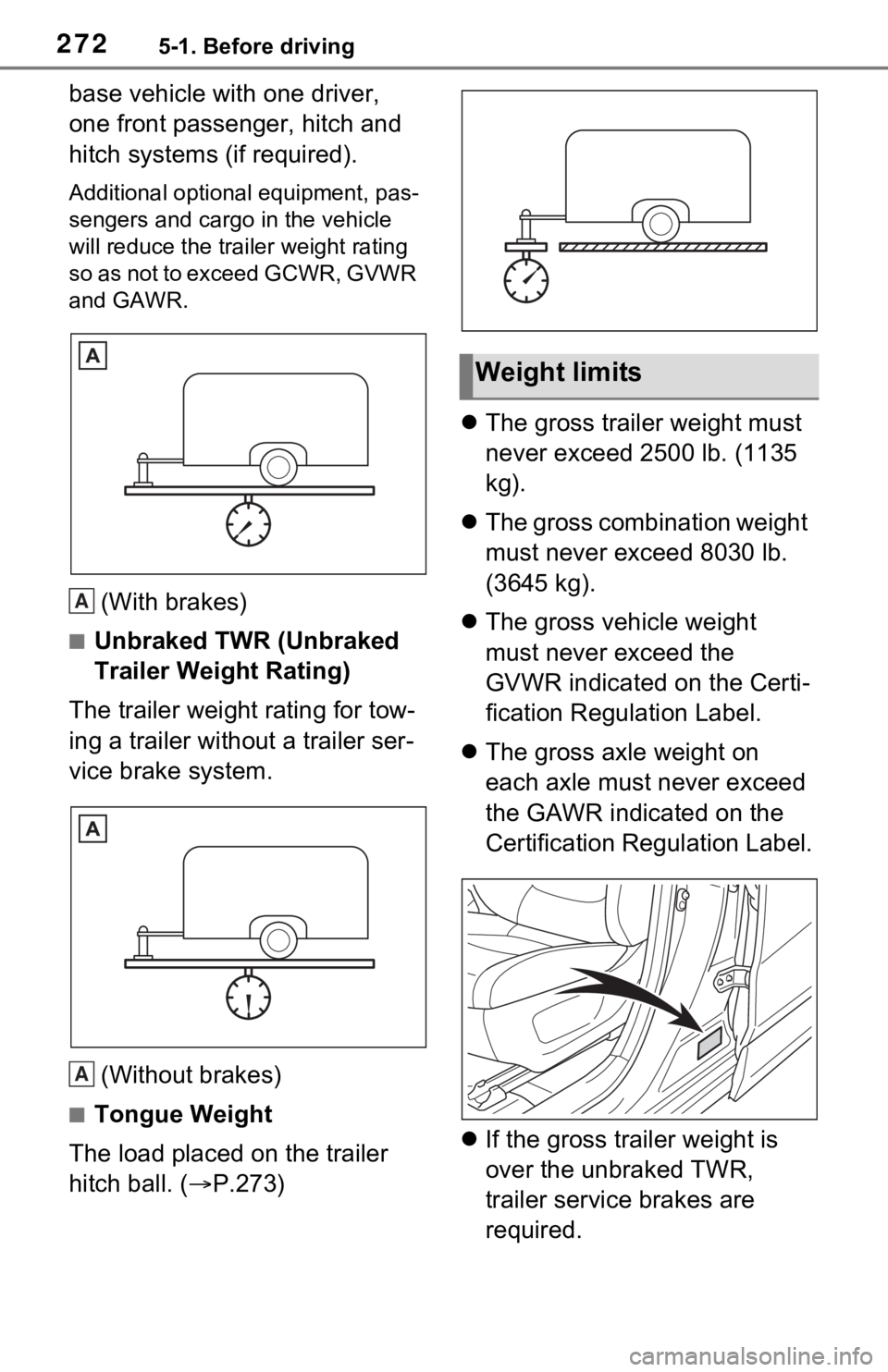
(With brakes)
■Unbraked TWR (Unbraked
Trailer Weight Rating)
The trailer weight rating for tow-
ing a trailer without a trailer ser-
vice brake system.
(Without brakes)
■Tongue Weight
The load placed on the trailer
hitch ball. ( P.273)
The gross trailer weight must
never exceed 2500 lb. (1135
kg).
The gross combination weight
must never exceed 8030 lb.
(3645 kg).
The gross vehicle weight
must never exceed the
GVWR indicated on the Certi-
fication Regulation Label.
The gross axle weight on
each axle must never exceed
the GAWR indicated on the
Certification Regulation Label.
If the gross trailer weight is
over the unbraked TWR,
trailer service brakes are
required.
A
A
Weight limits
Page 279 of 616
2795-2. Driving procedures
5
Driving
5-2.Driving procedures
1Check that the AC charging
cable is disconnected.
( P.123)
2 Pull the parking brake switch
to check that the parking
brake is set. ( P.290)
The parking brake indicator will
come on.
3Check that the shift lever is
set in P.
4 Firmly depress the brake
pedal.
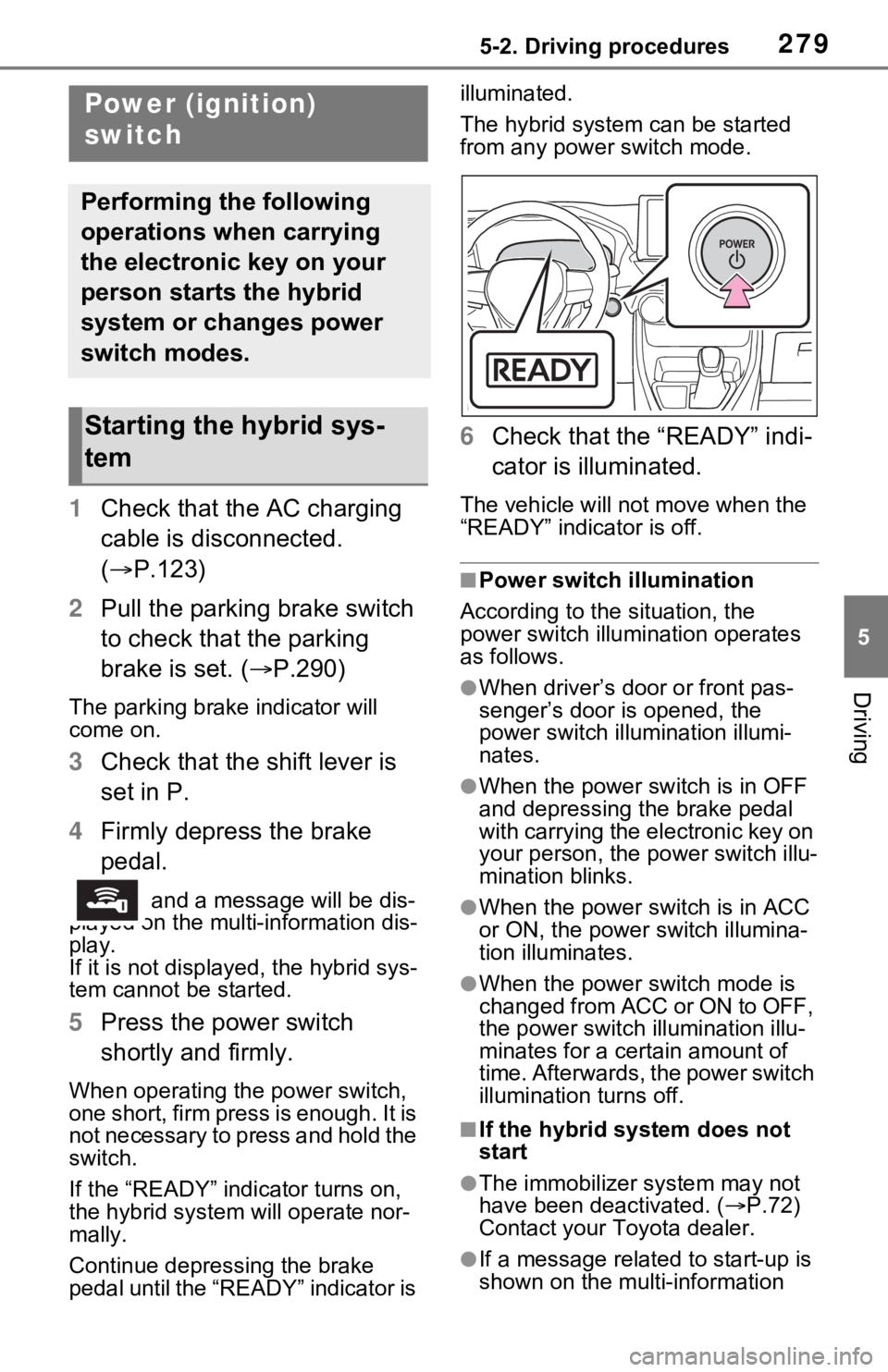
and a messa ge will be dis-
played on the multi-information dis-
play.
If it is not displayed, the hybrid sys-
tem cannot be started.
5 Press the power switch
shortly and firmly.
When operating the power switch,
one short, firm press is enough. It is
not necessary to press and hold the
switch.
If the “READY” indicator turns on,
the hybrid system will operate nor-
mally.
Continue depressing the brake
pedal until the “READY” indicator is illuminated.
The hybrid system can be started
from any power switch mode.
6
Check that the “READY” indi-
cator is illuminated.
The vehicle will not move when the
“READY” indicator is off.
■Power switch illumination
According to the situation, the
power switch illu mination operates
as follows.
●When driver’s door or front pas-
senger’s door is opened, the
power switch illu mination illumi-
nates.
●When the power switch is in OFF
and depressing t he brake pedal
with carrying the electronic key on
your person, the power switch illu-
mination blinks.
●When the power switch is in ACC
or ON, the power switch illumina-
tion illuminates.
●When the power switch mode is
changed from ACC or ON to OFF,
the power switch illumination illu-
minates for a certain amount of
time. Afterwards, the power switch
illumination turns off.
■If the hybrid system does not
start
●The immobilizer system may not
have been deactivated. ( P.72)
Contact your Toyota dealer.
●If a message related to start-up is
shown on the multi-information
Power (ignition)
switch
Performing the following
operations when carrying
the electronic key on your
person starts the hybrid
system or changes power
switch modes.
Starting the hybrid sys-
tem
Page 281 of 616
2815-2. Driving procedures
5
Driving
■Operation of the power switch
●If the switch is not pressed shortly
and firmly, the power switch mode
may not change or the hybrid sys-
tem may not start.
●If attempting to restart the hybrid
system immediately after turning
the power switch to OFF, the
hybrid system may not start in
some cases. After turning the
power switch to OFF, please wait
a few seconds before restarting
the hybrid system.
■Customization
If the smart key system has been
deactivated in a customized setting,
refer to P.538.
1 Stop the vehicle completely.
2 If the parking brake is in man-
ual mode, set the parking
brake. ( P.290)
Check the parking brake indicator
is illuminated.
3 Shift the shift lever to P.
4 Press the power switch
shortly and firmly.
The hybrid system will stop, and the
meter display will be extinguished.
Release the shift lever when press-
ing the power switch.
5 Release the brake pedal and
check that “ACCESSORY” or
“IGNITION ON” is not shown
on the multi-information dis-
play.
■Automatic hybrid system shut
off feature
●The vehicle is equipped with a
feature that automatically shuts off
the hybrid system when the shift
lever is in P with the hybrid system
operating for an extended period.
●The hybrid system will automati-
cally shut off after approximately 1
hour if it has been left operating
while the shift lever is in P.
WARNING
■When starting the hybrid sys-
tem
Always start the hybrid system
while sitting in the driver’s seat.
Do not depress the accelerator
pedal while starting the hybrid
system under any circumstances.
Doing so may cause an accident
resulting in dea th or serious
injury.
■Caution while driving
If hybrid system f ailure occurs
while the vehicle is moving, do not
lock or open the doors until the
vehicle reaches a safe and com-
plete stop. Activation of the steer-
ing lock in this circumstance may
lead to an accident, resulting in
death or serious injury.
NOTICE
■When starting the hybrid sys-
tem
If the hybrid system becomes diffi-
cult to start, have your vehicle
checked by your Toyota dealer
immediately.
■Symptoms indicating a mal-
function with the power
switch
If the power switch seems to be
operating somewhat differently
than usual, such as the switch
sticking slightly, there may be a
malfunction. Contact your Toyota
dealer immediately.
Stopping the hybrid sys-
tem
Page 282 of 616

2825-2. Driving procedures
●The message asking if you wish to
enable/disable the automatic
hybrid system shut off feature will
sometimes be displayed on the
multi-informat ion display.
Leaving the vehicle as is or select-
ing “Perform Auto Off” keeps the
automatic hybrid system shut off
feature enabled, and selecting
“Keep Vehicle On” disables the
automatic hybrid system shut off
feature.
●The timer for the automatic hybrid
system shut off feature will reset if
the brake pedal is depressed or if
the shift lever is in a position other
than P.
●After the vehicle is parked, if the
door is locked with the door lock
switch ( P.201) from the inside
or the mechanical key ( P.537)
from the outside, the automatic
hybrid system shut off fe ature will
be disabled. The timer for the
automatic hybrid system shut off
feature will be re-enabled if the
driver’s door is opened.
WARNING
■Stopping the hybrid system
in an emergency
●If you want to stop the hybrid
system in an emergency while
driving the vehicle, press and
hold the power s witch for more
than 2 seconds, or press it
briefly 3 times or more in suc-
cession. ( P.505)
However, do not touch the
power switch while driving
except in an emergency. Turn-
ing the hybrid s ystem off while
driving will not cause a loss of
steering or braking control.
However, power assist for the
steering wheel may be lost mak-
ing it difficult to steer smoothly
before stopping the vehicle
depending on the remaining
charge in the 12-volt battery or
usage conditions. In this situa-
tion, you should p ull over and
stop the vehicle as soon as it is
safe to do so.
●If the power switch is operated
while the vehicle is running, a
warning message will be shown
on the multi-information display
and a buzzer sounds.
●When restarting the hybrid sys-
tem after an emergency shut-
down, shift the shift lever to N
and press the power switch
shortly and firmly.
Page 286 of 616
2865-2. Driving procedures
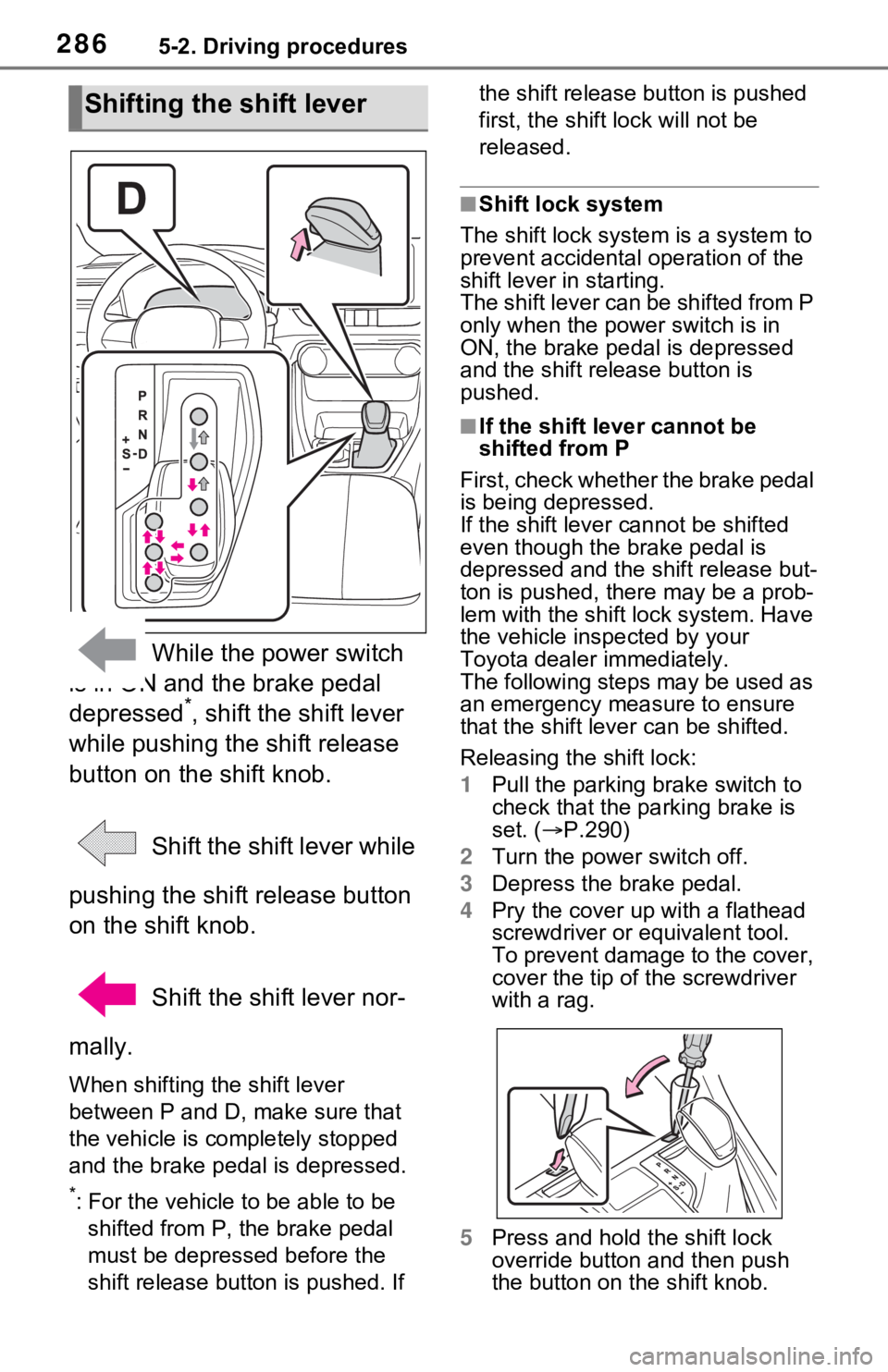
While the power switch
is in ON and the brake pedal
depressed
*, shift the shift lever
while pushing the shift release
button on the shift knob.
Shift the shift lever while
pushing the shift release button
on the shift knob.
Shift the shift lever nor-
mally.
When shifting the shift lever
between P and D, make sure that
the vehicle is completely stopped
and the brake pedal is depressed.
*: For the vehicle to be able to be
shifted from P, the brake pedal
must be depresse d before the
shift release button is pushed. If the shift release button is pushed
first, the shift lock will not be
released.
■Shift lock system
The shift lock syste m is a system to
prevent accidental operation of the
shift lever in starting.
The shift lever can be shifted from P
only when the power switch is in
ON, the brake pedal is depressed
and the shift release button is
pushed.
■If the shift lever cannot be
shifted from P
First, check whether the brake pedal
is being depressed.
If the shift lever cannot be shifted
even though the brake pedal is
depressed and the shift release but-
ton is pushed, the re may be a prob-
lem with the shift lock system. Have
the vehicle inspected by your
Toyota dealer immediately.
The following steps may be used as
an emergency measure to ensure
that the shift lev er can be shifted.
Releasing the shift lock:
1 Pull the parking brake switch to
check that the parking brake is
set. ( P.290)
2 Turn the power switch off.
3 Depress the brake pedal.
4 Pry the cover up with a flathead
screwdriver or equivalent tool.
To prevent damage to the cover,
cover the tip of the screwdriver
with a rag.
5 Press and hold the shift lock
override button and then push
the button on the shift knob.
Shifting the shift lever
Page 291 of 616
2915-2. Driving procedures
5
Driving
When the shift lever is shifted
from P, the parking brake will
be released, and the parking
brake indicator light and park-
ing brake switch indicator will
turn off.
When the shift lever is shifted
to P, the parking brake will be
set, and the parking brake
indicator light and parking
brake switch indicator will turn
on.
Operate the shift lever with the
vehicle stopped and the brake
pedal depressed.
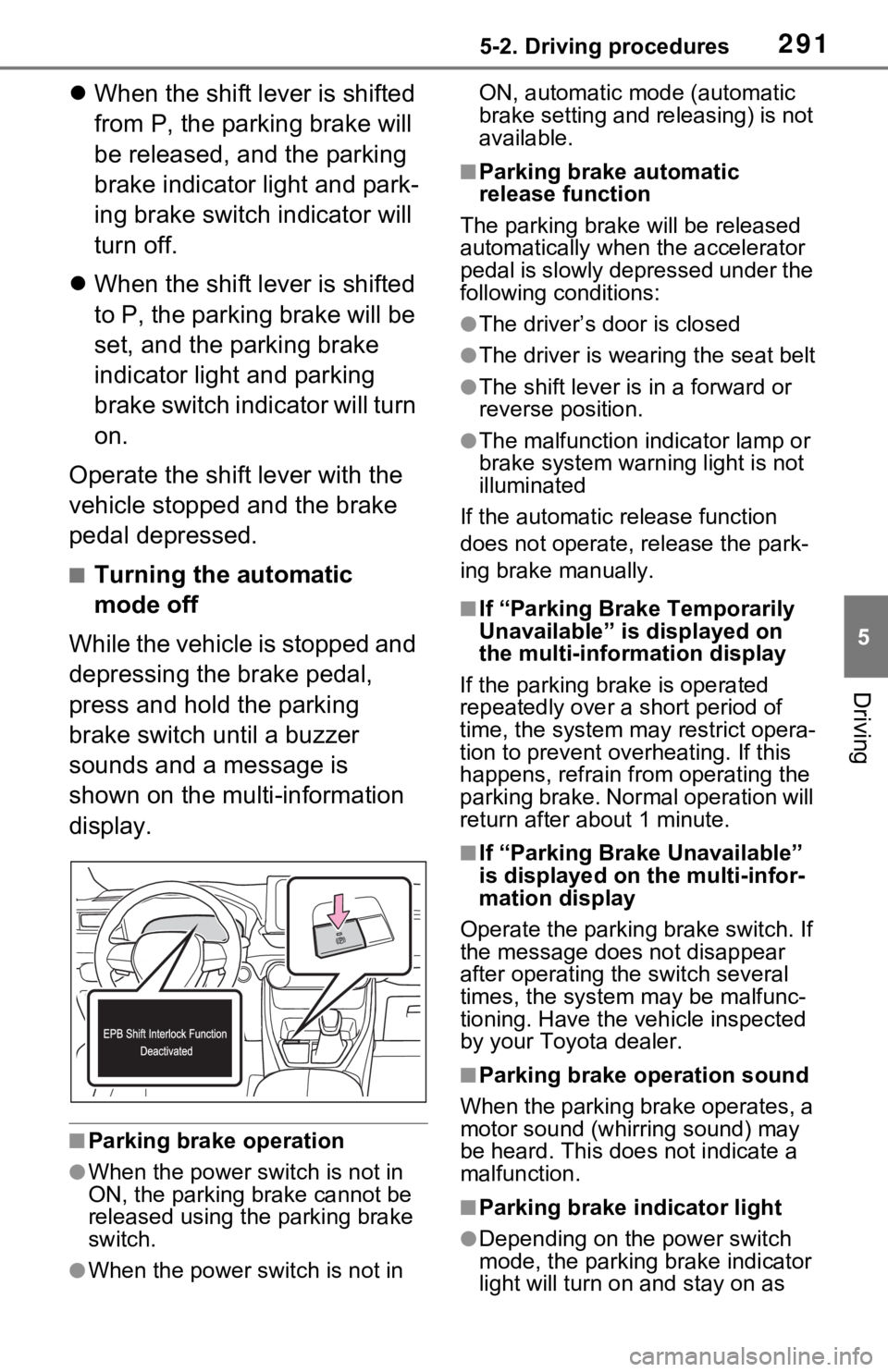
■Turning the automatic
mode off
While the vehicle is stopped and
depressing the brake pedal,
press and hold the parking
brake switch until a buzzer
sounds and a message is
shown on the multi-information
display.
■Parking brake operation
●When the power s witch is not in
ON, the parking brake cannot be
released using the parking brake
switch.
●When the power s witch is not in ON, automatic mode (automatic
brake setting and releasing) is not
available.
■Parking brake automatic
release function
The parking brake will be released
automatically when the accelerator
pedal is slowly depressed under the
following conditions:
●The driver’s door is closed
●The driver is wearing the seat belt
●The shift lever is in a forward or
reverse position.
●The malfunction in dicator lamp or
brake system warning light is not
illuminated
If the automatic release function
does not operate, release the park-
ing brake manually.
■If “Parking Brake Temporarily
Unavailable” is displayed on
the multi-info rmation display
If the parking brake is operated
repeatedly over a short period of
time, the system may restrict opera-
tion to prevent ove rheating. If this
happens, refrain from operating the
parking brake. Normal operation will
return after about 1 minute.
■If “Parking Brake Unavailable”
is displayed on the multi-infor-
mation display
Operate the parking brake switch. If
the message does not disappear
after operating the switch several
times, the system may be malfunc-
tioning. Have the vehicle inspected
by your Toyo ta dealer.
■Parking brake operation sound
When the parking brake operates, a
motor sound (whirr ing sound) may
be heard. This does not indicate a
malfunction.
■Parking brake indicator light
●Depending on the power switch
mode, the parking brake indicator
light will turn on and stay on as
Page 293 of 616
2935-2. Driving procedures
5
Driving
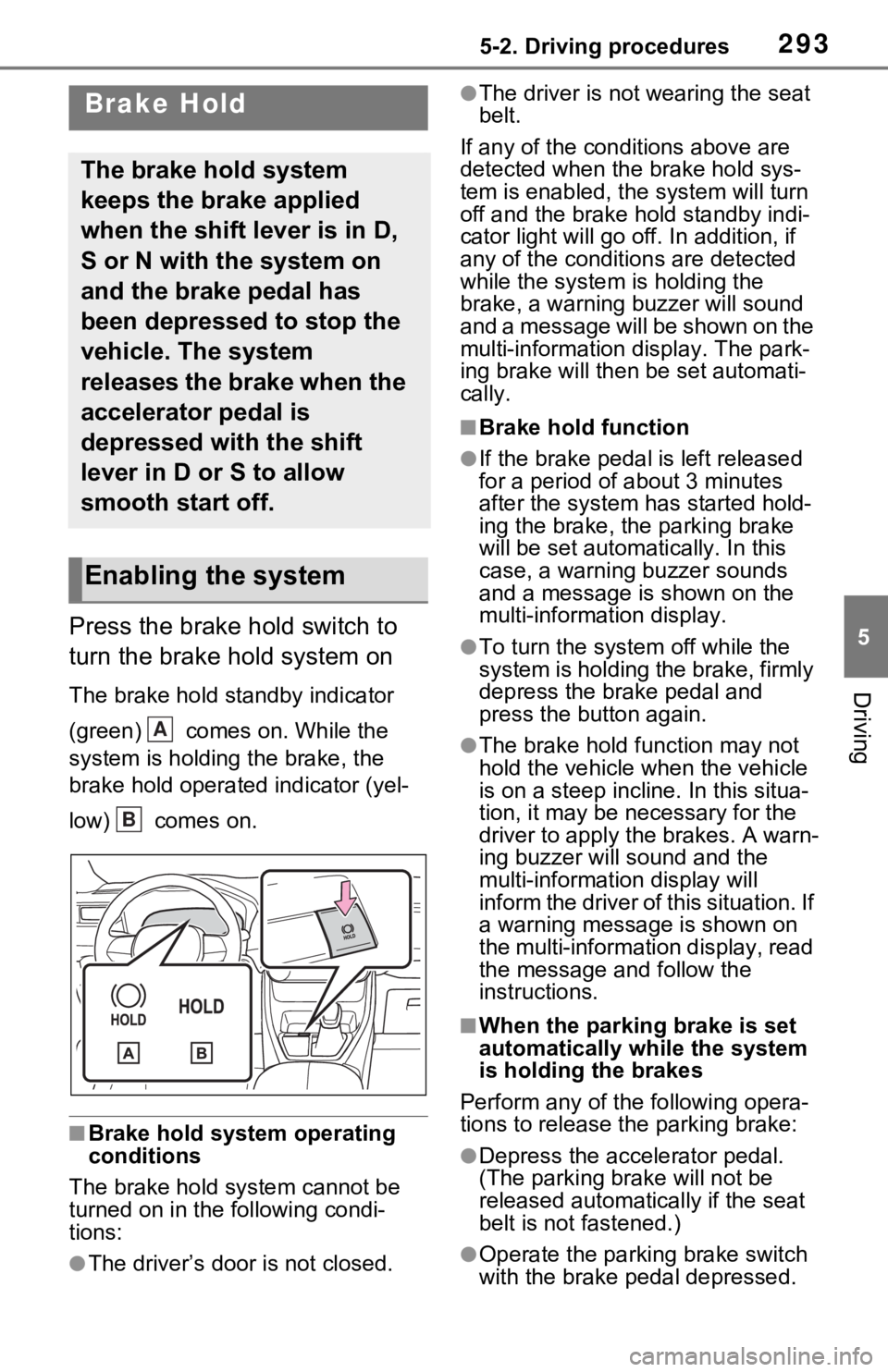
Press the brake hold switch to
turn the brake hold system on
The brake hold standby indicator
(green) comes on. While the
system is holding the brake, the
brake hold operated indicator (yel-
low) comes on.
■Brake hold system operating
conditions
The brake hold system cannot be
turned on in the following condi-
tions:
●The driver’s doo r is not closed.
●The driver is not wearing the seat
belt.
If any of the cond itions above are
detected when the brake hold sys-
tem is enabled, the system will turn
off and the brake hold standby indi-
cator light will go off. In addition, if
any of the conditions are detected
while the system is holding the
brake, a warning buzzer will sound
and a message will be shown on the
multi-information display. The park-
ing brake will then be set automati-
cally.
■Brake hold function
●If the brake pedal is left released
for a period of about 3 minutes
after the system has started hold-
ing the brake, the parking brake
will be set automatically. In this
case, a warning buzzer sounds
and a message is shown on the
multi-information display.
●To turn the syste m off while the
system is holding the brake, firmly
depress the brake pedal and
press the button again.
●The brake hold function may not
hold the vehicle when the vehicle
is on a steep incline. In this situa-
tion, it may be ne cessary for the
driver to apply the brakes. A warn-
ing buzzer will sound and the
multi-information display will
inform the driver of this situation. If
a warning message is shown on
the multi-information display, read
the message and follow the
instructions.
■When the parking brake is set
automatically while the system
is holding the brakes
Perform any of the following opera-
tions to release the parking brake:
●Depress the accelerator pedal.
(The parking brake will not be
released automatically if the seat
belt is not fastened.)
●Operate the parkin g brake switch
with the brake pedal depressed.
Brake Hold
The brake hold system
keeps the brake applied
when the shift lever is in D,
S or N with the system on
and the brake pedal has
been depressed to stop the
vehicle. The system
releases the brake when the
accelerator pedal is
depressed with the shift
lever in D or S to allow
smooth start off.
Enabling the system
A
B
Page 294 of 616

2945-2. Driving procedures
Make sure that the parking brake
indicator light goes off. (P.290)
■When an inspection at your
Toyota dealer is necessary
When the brake hold standby indi-
cator (green) does not illuminate
even when the brake hold switch is
pressed with the brake hold system
operating conditions met, the sys-
tem may be malfunctioning. Have
the vehicle inspected at your Toyota
dealer.
■If “Brake Hold Malfunction
Press Brake to Deactivate Visit
Your Dealer” or “Brake Hold
Malfunction Visit Your Dealer”
is displayed on the multi-infor-
mation display
The system may be malfunctioning.
Have the vehicle inspected by your
Toyota dealer.
■Warning messages and buzzers
Warning messages and buzzers are
used to indicate a system malfunc-
tion or to inform the driver of the
need for caution. If a warning mes-
sage is shown on the multi-informa-
tion display, read the message and
follow the instructions.
■If the brake hold operated indi-
cator flashes
P.517
WARNING
■When the vehicle is on a
steep incline
When using the brake hold sys-
tem on a steep incline, exercise
caution. The brake hold function
may not hold the vehicle in such a
situation.
■When stopped on a slippery
road
The system cannot stop the vehi-
cle when the gripping ability of the
tires has been exceeded. Do not
use the system w hen stopped on
a slippery road.
NOTICE
■When parking the vehicle
The brake hold system is not
designed for use when parking
the vehicle for a long period of
time. Turning the power switch off
while the system is holding the
brake may release the brake,
which would cause the vehicle to
move. When operating the power
switch, depress the brake pedal,
shift the shift lever to P and set
the parking brake.
Page 296 of 616
2965-3. Operating the lights and wipers
to other drivers during daytime
driving, the daytime running lights
turn on automatically when all of
the following conditions are met.
(The daytime running lights are
not designed for use at night.)
• The hybrid system is operating
• The parking brake is released
• For the U.S.A.: The headlight
switch is in the or position
• For Canada: The headlight switch
is in the position
• The surroundings are bright
The daytime running lights remain
on after they illumi nate, even if the
parking brake is set again.
●For the U.S.A.: Daytime running
lights can be turned off by operat-
ing the switch.
●Compared to turning on the head-
lights, the daytime running light
system offers gre ater durability
and consumes less electricity, so
it can help improve fuel economy.
■LED accessory lights (if
equipped)
To make your vehicle more visible
to other drivers during daytime driv-
ing, the LED accessory lights turn
on automatically when the parking
brake is released while the hybrid
system is operating.
When the parking lights are turned
on, the LED accessory lights dim.
■Headlight control sensor (if
equipped)
The sensor may not function prop-
erly if an object is placed on the sen-
sor, or anything that blocks the
sensor is affixed to the windshield.
Doing so interfere s with the sensor
detecting the level of ambient light
and may cause the automatic head-
light system to malfunction.
■Automatic light off system
●When the headlights are on: The
lights turn off 30 s econds after the
power switch is turned to ACC or
OFF and a door is opened and
closed. (The lights turn off imme-
diately if on the key is
pressed after all the doors are
closed.)
●When only the tail lights are on:
The tail lights turn off automati-
cally if the power switch is turned
to ACC or OFF and the driver’s
door is opened.
To turn the lights on again, turn the
power switch to ON, or turn the light
switch to the or position
once and then back to or
position.
■Light reminder buzzer
A buzzer sounds when the power
switch is turned to ACC or OFF and
the driver’s door is opened while the
lights are turned on.
■Automatic headlight leveling
system (if equipped)
The level of the headlights is auto-
matically adjusted according to the
number of passengers and the load-
ing condition of the vehicle to
ensure that the headlights do not
interfere with o ther road users.
■Windshield wiper linked head-
light illumination (if equipped)
When driving during daytime with
the headlight switch turned to , if
the windshield wipers are used, the
headlights will turn o n automatically