ECU TOYOTA RAV4 PRIME 2022 Owner's Guide
[x] Cancel search | Manufacturer: TOYOTA, Model Year: 2022, Model line: RAV4 PRIME, Model: TOYOTA RAV4 PRIME 2022Pages: 624, PDF Size: 24.01 MB
Page 64 of 624
641-2. Child safety
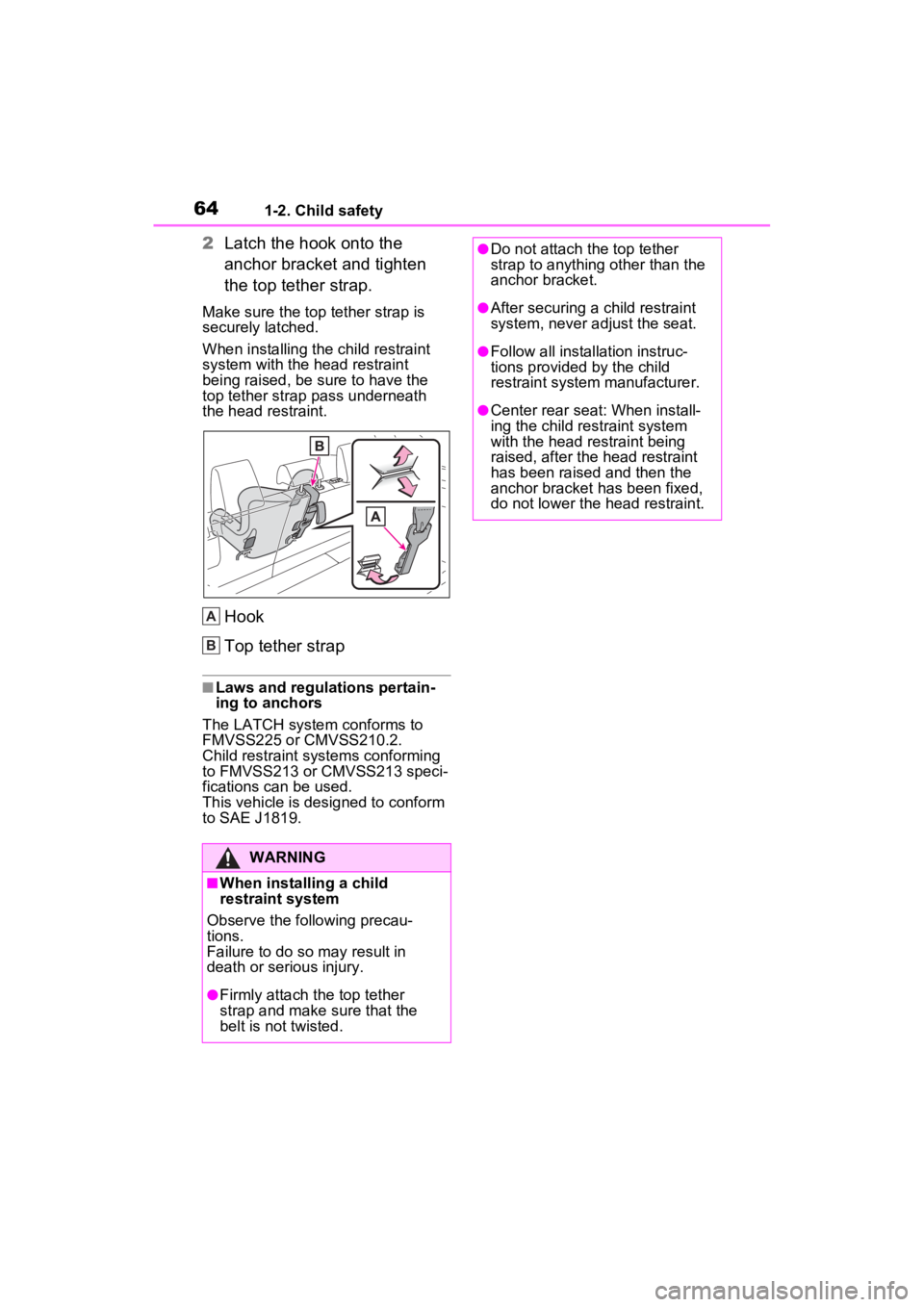
2Latch the hook onto the
anchor bracket and tighten
the top tether strap.
Make sure the top tether strap is
securely latched.
When installing the child restraint
system with the head restraint
being raised, be sure to have the
top tether strap pass underneath
the head restraint.
Hook
Top tether strap
■Laws and regulations pertain-
ing to anchors
The LATCH system conforms to
FMVSS225 or CMVSS210.2.
Child restraint systems conforming
to FMVSS213 or CMVSS213 speci-
fications can be used.
This vehicle is designed to conform
to SAE J1819.
WARNING
■When installing a child
restraint system
Observe the following precau-
tions.
Failure to do so m ay result in
death or serious injury.
●Firmly attach t he top tether
strap and make sure that the
belt is not twisted.
A
B
●Do not attach the top tether
strap to anything other than the
anchor bracket.
●After securing a child restraint
system, never adjust the seat.
●Follow all installation instruc-
tions provided by the child
restraint system manufacturer.
●Center rear seat: When install-
ing the child res traint system
with the head restraint being
raised, after the head restraint
has been raised and then the
anchor bracket has been fixed,
do not lower the head restraint.
Page 65 of 624
651-3. Emergency assistance
1
For safety and security
1-3.Emergency assistance
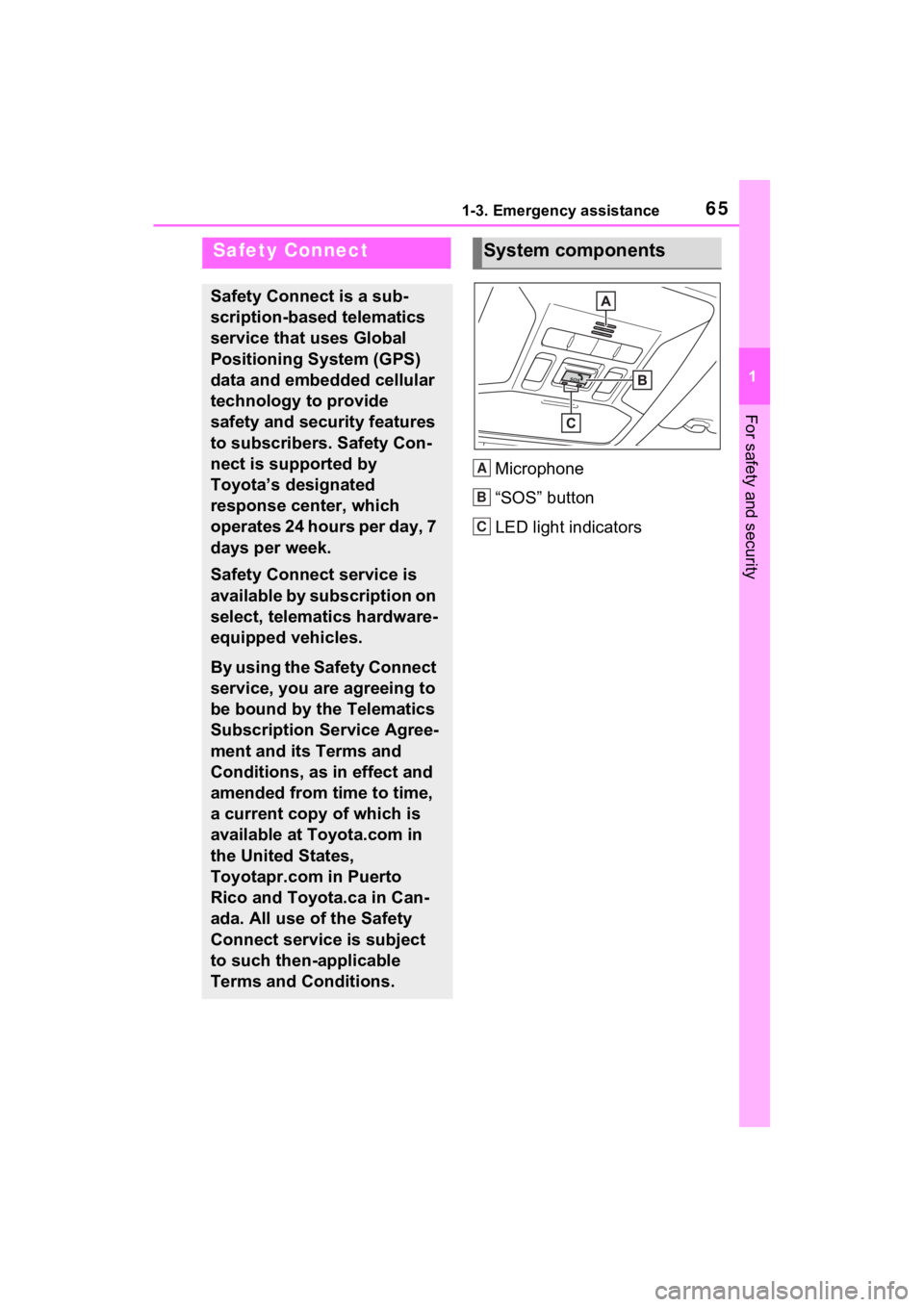
Microphone
“SOS” button
LED light indicators
Safety Connect
Safety Connect is a sub-
scription-based telematics
service that uses Global
Positioning System (GPS)
data and embedded cellular
technology to provide
safety and security features
to subscribers. Safety Con-
nect is supported by
Toyota’s designated
response center, which
operates 24 hours per day, 7
days per week.
Safety Connect service is
available by subscription on
select, telematics hardware-
equipped vehicles.
By using the Safety Connect
service, you are agreeing to
be bound by the Telematics
Subscription Service Agree-
ment and its Terms and
Conditions, as in effect and
amended from time to time,
a current copy of which is
available at Toyota.com in
the United States,
Toyotapr.com in Puerto
Rico and Toyota.ca in Can-
ada. All use of the Safety
Connect service is subject
to such then-applicable
Terms and Conditions.
System components
A
B
C
Page 67 of 624
671-3. Emergency assistance
1
For safety and security
Subscribers have the following
Safety Connect services avail-
able:
Automatic Collision Notifica-
tion
*
Helps drivers re ceive necessary
response from emergency service
providers. (
P.68)
*: U.S. Patent No. 7,508,298 B2
Stolen Vehicle Location
Helps drivers in the event of vehicle
theft. (
P.69)
Emergency Assistance Button
(“SOS”)
Connects drivers to response-cen-
ter support. (
P.69)
Enhanced Roadside Assis-
tance
Provides drivers various on-road
assistance. (
P.69)
After you have signed the
Telematics Subscription Ser-
vice Agreement and are
enrolled, you can begin receiv-
ing services.
A variety of subscription terms
are available for purchase. Con-
tact your Toyota dealer, call the
following appropriate Customer
Experience Center or push the
“SOS” button in your vehicle for
further subscription details.
The United States
1-800-331-4331
Canada
1-888-869-6828
Puerto Rico
1-877-855-8377
ServicesSubscription
Page 69 of 624

691-3. Emergency assistance
1
For safety and security
ment or severe rear-end colli-
sion, the system is designed to
automatically call the response
center. The responding agent
receives the vehicle’s location
and attempts to speak with the
vehicle occupants to assess the
level of emergency. If the occu-
pants are unable to communi-
cate, the agent automatically
treats the call as an emergency,
contacts the nearest emer-
gency services provider to
describe the situation, and
requests that assistance be sent
to the location.
■Stolen Vehicle Location
If your vehicle is stolen, Safety
Connect can work with local
authorities to assist them in
locating and recovering the
vehicle. After filing a police
report, call the Customer Experi-
ence Center at 1-800-331-4331
in the United States, 1-877-855-
8377 in Puerto Rico or 1-888-
869-6828 in Canada, and follow
the prompts for Safety Connect
to initiate this service.
In addition to assisting law
enforcement with recovery of a
stolen vehicle, Safety-Connect-
equipped vehicle location data
may, under certain circum-
stances, be shared with third
parties to locate your vehicle.
Further information is available
at Toyota.com in the United
States, Toyotapr.com in Puerto Rico and Toyota.ca in Canada.
■Emergency Assistance But-
ton (“SOS”)
In the event of an emergency on
the road, push the “SOS” button
to reach the Safety Connect
response center. The answering
agent will determine your vehi-
cle’s location, assess the emer-
gency, and dispatch the
necessary assistance required.
If you accidentally press the “SOS”
button, tell the response-center
agent that you are not experiencing
an emergency.
■Enhanced Roadside Assis-
tance
Enhanced Roadside Assistance
adds GPS data to the already
included warranty-based Toyota
roadside service.
Subscribers can press the
“SOS” button to reach a Safety
Connect response-center agent,
who can help with a wide range
of needs, such as: towing, flat
tire, fuel delivery, etc. For a
description of the Enhanced
Roadside Assistance services
and their limitations, please see
the Safety Connect Terms and
Conditions, which are available
at Toyota.com in the United
States, Toyotapr.com in Puerto
Rico and Toyota.ca in Canada.
Page 71 of 624
711-4. Theft deterrent system
1
For safety and security
1-4.Theft deterrent system
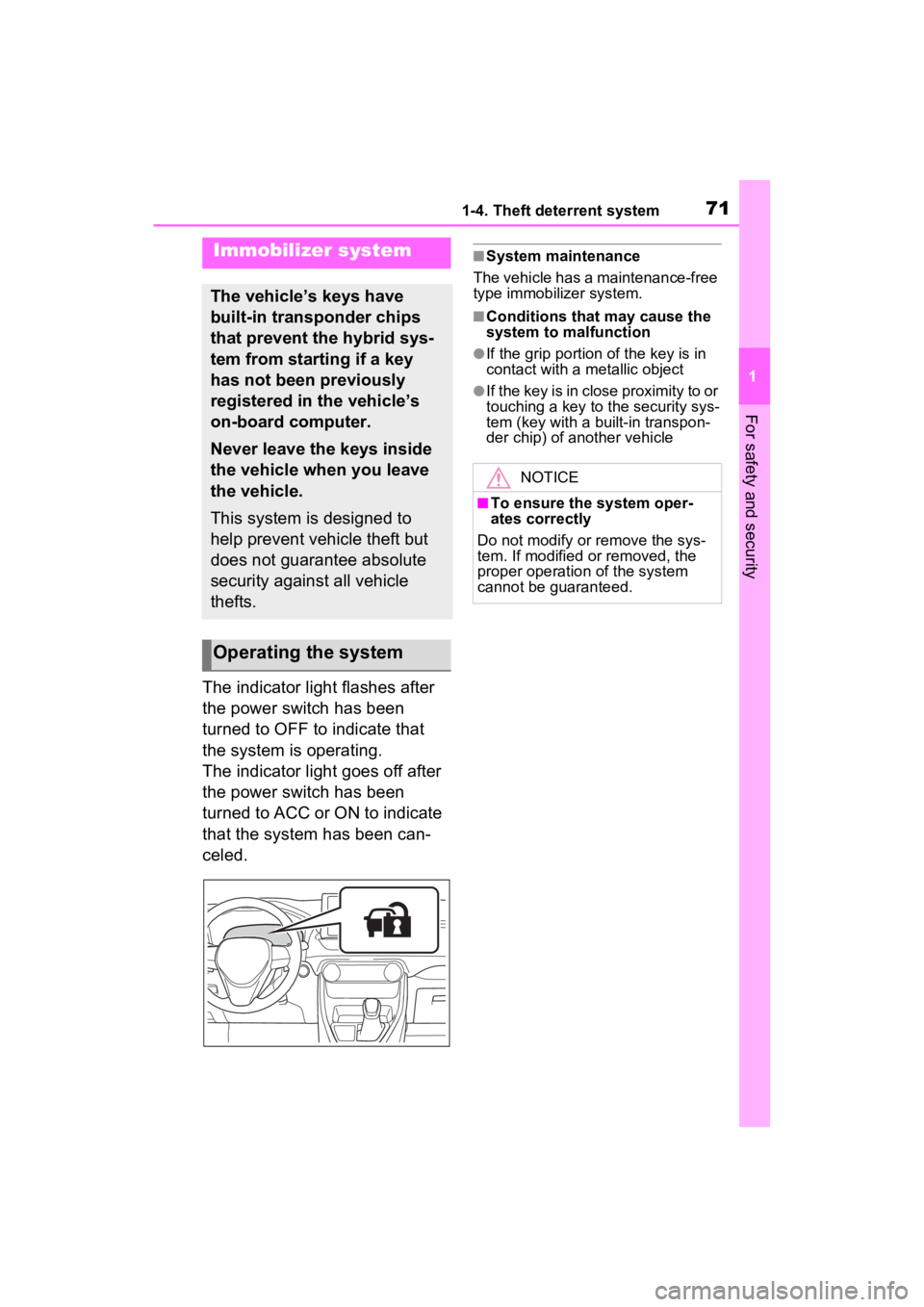
The indicator light flashes after
the power switch has been
turned to OFF to indicate that
the system is operating.
The indicator light goes off after
the power switch has been
turned to ACC or ON to indicate
that the system has been can-
celed.
■System maintenance
The vehicle has a maintenance-free
type immobilizer system.
■Conditions that may cause the
system to malfunction
●If the grip portion of the key is in
contact with a metallic object
●If the key is in close proximity to or
touching a key to the security sys-
tem (key with a built-in transpon-
der chip) of another vehicle
Immobilizer system
The vehicle’s keys have
built-in transponder chips
that prevent the hybrid sys-
tem from starting if a key
has not been previously
registered in the vehicle’s
on-board computer.
Never leave the keys inside
the vehicle when you leave
the vehicle.
This system is designed to
help prevent vehicle theft but
does not guarantee absolute
security against all vehicle
thefts.
Operating the system
NOTICE
■To ensure the system oper-
ates correctly
Do not modify or remove the sys-
tem. If modified or removed, the
proper operation of the system
cannot be guaranteed.
Page 72 of 624
721-4. Theft deterrent system
*: If equipped
■Items to check before lock-
ing the vehicle
To prevent unexpected trigger-
ing of the alarm and vehicle
theft, make sure of the following:
Nobody is in the vehicle.
The side windows and moon
roof (if equipped) or pan-
oramic moon roof (if
equipped) are closed before
the alarm is set.
No valuables or other per-
sonal items are left in the
vehicle.
■Setting
Close the doors and hood, and
lock all the doors. The system will be set automatically after 30
seconds.
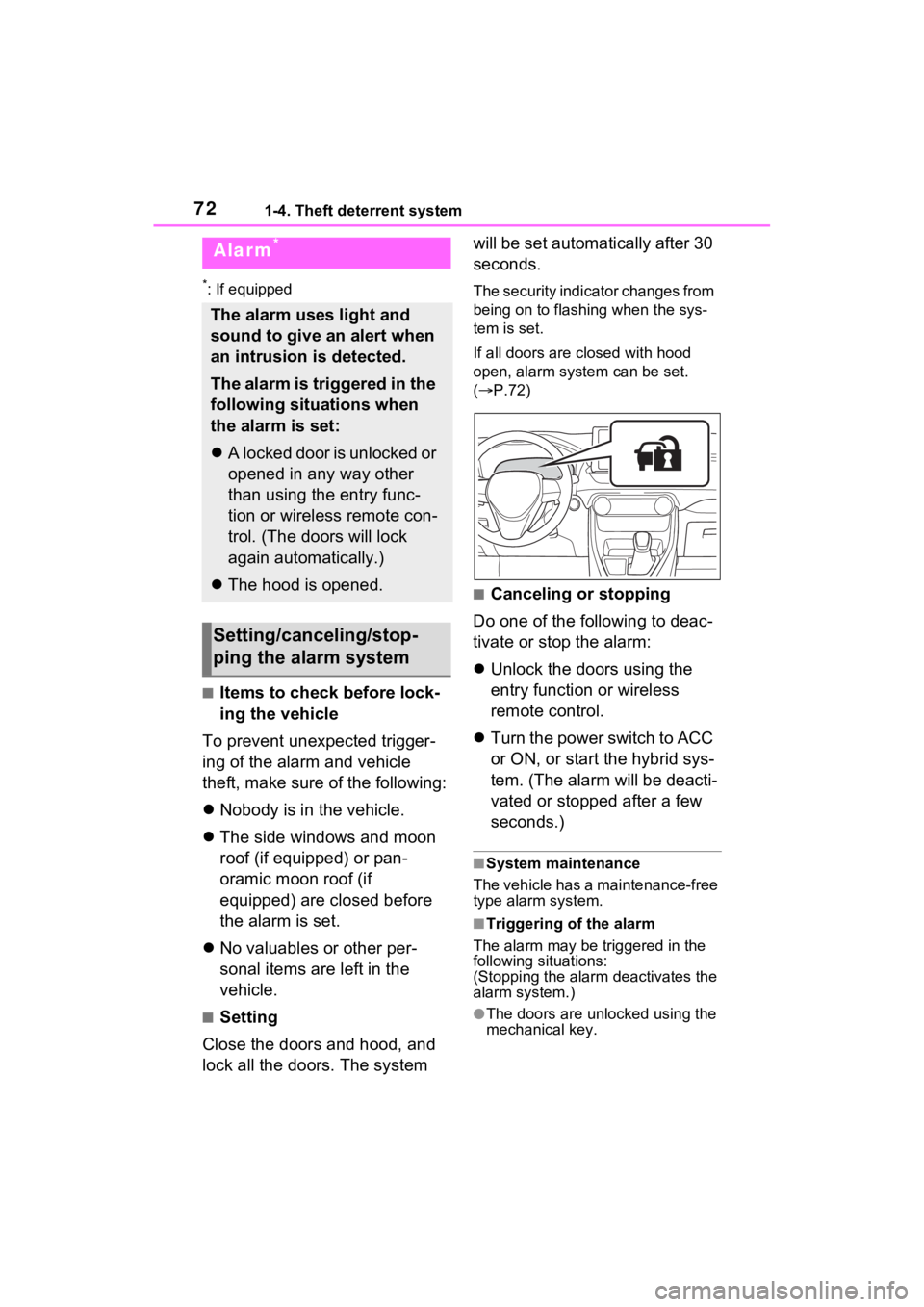
The security indicator changes from
being on to flashing when the sys-
tem is set.
If all doors are closed with hood
open, alarm system can be set.
(
P.72)
■Canceling or stopping
Do one of the following to deac-
tivate or stop the alarm:
Unlock the doors using the
entry function or wireless
remote control.
Turn the power switch to ACC
or ON, or start the hybrid sys-
tem. (The alarm will be deacti-
vated or stopped after a few
seconds.)
■System maintenance
The vehicle has a maintenance-free
type alarm system.
■Triggering of the alarm
The alarm may be triggered in the
following situations:
(Stopping the alarm deactivates the
alarm system.)
●The doors are unlocked using the
mechanical key.
Alarm*
The alarm uses light and
sound to give an alert when
an intrusion is detected.
The alarm is triggered in the
following situations when
the alarm is set:
A locked door is unlocked or
opened in any way other
than using the entry func-
tion or wireless remote con-
trol. (The doors will lock
again automatically.)
The hood is opened.
Setting/canceling/stop-
ping the alarm system
Page 73 of 624
731-4. Theft deterrent system
1
For safety and security
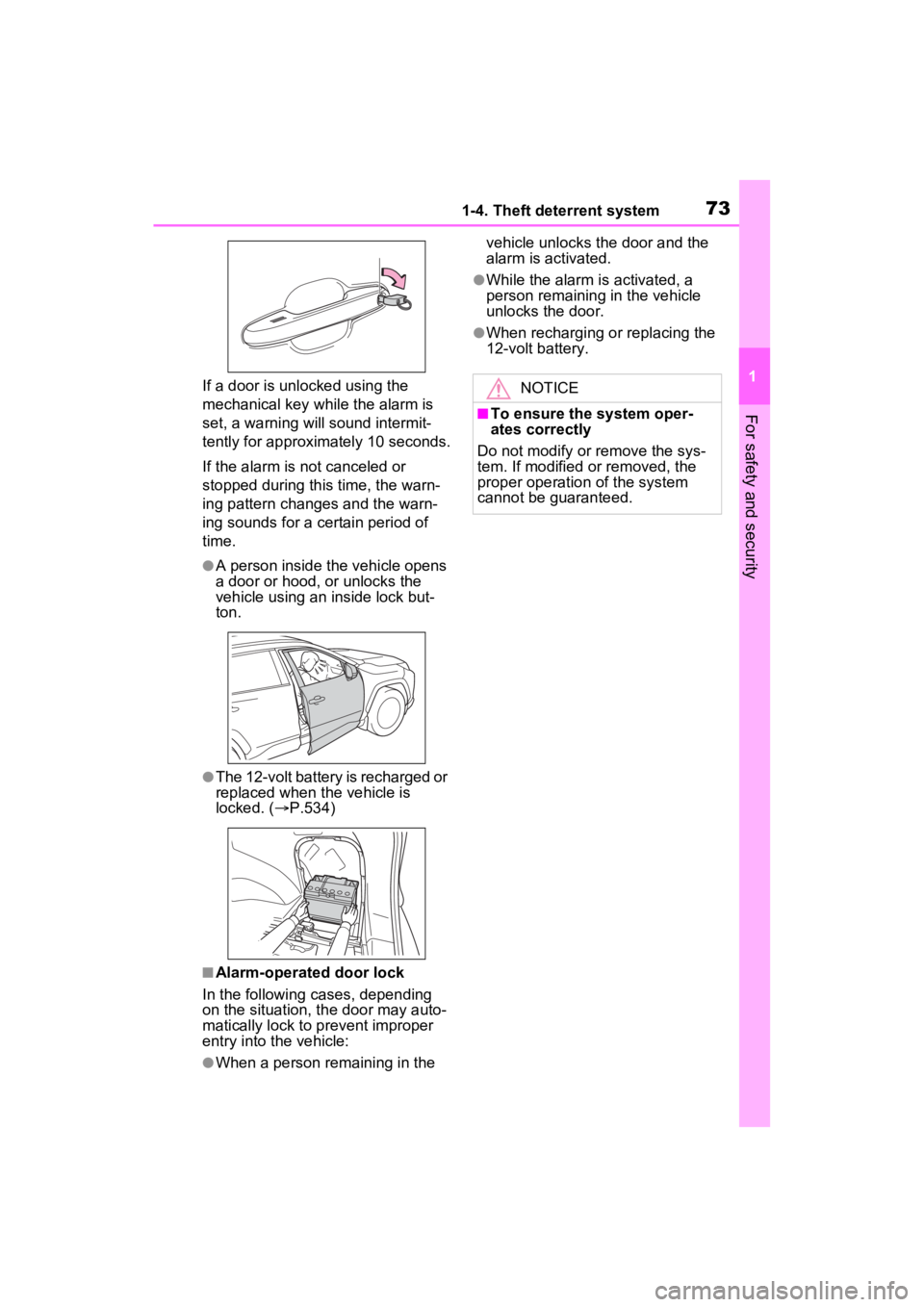
If a door is unlocked using the
mechanical key while the alarm is
set, a warning will sound intermit-
tently for approximately 10 seconds.
If the alarm is not canceled or
stopped during this time, the warn-
ing pattern change s and the warn-
ing sounds for a certain period of
time.
●A person inside the vehicle opens
a door or hood, or unlocks the
vehicle using an inside lock but-
ton.
●The 12-volt battery is recharged or
replaced when the vehicle is
locked. ( P.534)
■Alarm-operated door lock
In the following cases, depending
on the situation, th e door may auto-
matically lock to p revent improper
entry into the vehicle:
●When a person remaining in the vehicle unlocks the door and the
alarm is activated.
●While the alarm i
s activated, a
person remaining in the vehicle
unlocks the door.
●When recharging or replacing the
12-volt battery.
NOTICE
■To ensure the system oper-
ates correctly
Do not modify or remove the sys-
tem. If modified or removed, the
proper operation of the system
cannot be guaranteed.
Page 103 of 624
1032-2. Charging
2
Plug-in hybrid system
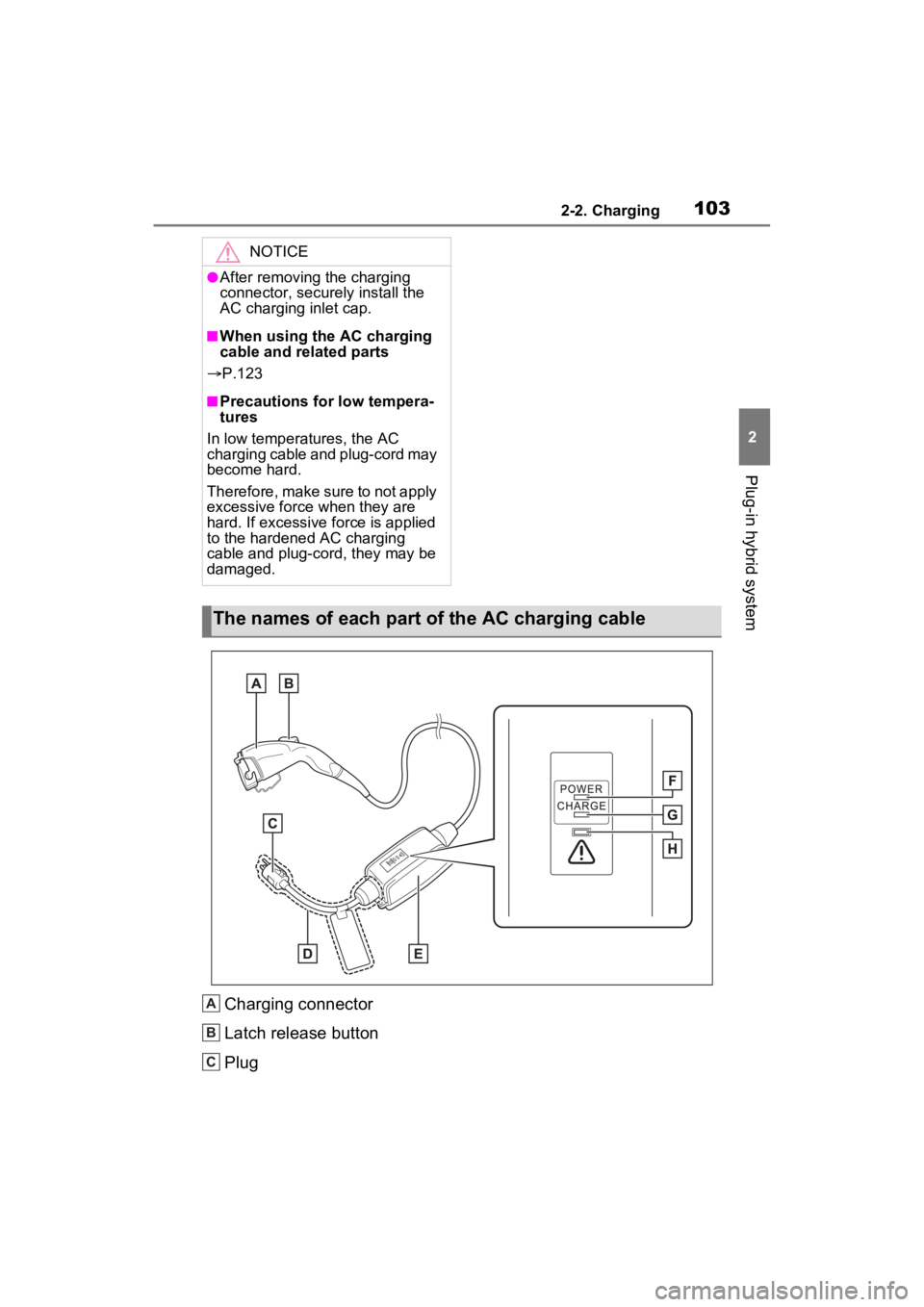
Charging connector
Latch release button
Plug
NOTICE
●After removing the charging
connector, securely install the
AC charging inlet cap.
■When using the AC charging
cable and related parts
P.123
■Precautions for low tempera-
tures
In low temperatures, the AC
charging cable and plug-cord may
become hard.
Therefore, make sure to not apply
excessive force when they are
hard. If excessive force is applied
to the hardened AC charging
cable and plug-cord, they may be
damaged.
The names of each part of the AC charging cable
A
B
C
Page 106 of 624
1062-2. Charging
For safety, inspect the AC
charging cable on a routine
basis.
Plug tempera-
ture increase
detection
FlashesNot illumi-nated
An increase in the tempera-
ture of the plug is detected
due to an improper connec-
tion between the outlet and
plug.
Check that the plug is
securely connected to
the outlet
AC charging
cable life span
notice
IlluminatedFlashes
The number of charges
using the AC charging cable
is nearing the end of its
usable life span.
Consult your Toyota
dealer
AC charging
cable life spanIlluminatedIlluminated
The number of charges
using the AC charging cable
has exceeded its usable
number of charges.
Consult your Toyota
dealer
StatusPower indi-
catorError warning indicatorCause/Correction procedure
Inspecting and maintain-
ing the AC charging cable
WARNING
■Routine inspection
Check the following points regu-
larly.
Failure to do so may cause an
unexpected accident, resulting in
death or serious injury.
●The AC charging cable, plug,
charging connector, CCID
(Charging Circuit Interrupting
Device) etc. have not been
damaged.
●The outlet has not been dam-
aged.
●The plug can be securely
inserted into the outlet.
●The plug does not get extremely
hot during use.
●The tip of the plug has not been
deformed.
●The plug is not dirtied by dust
etc.
Remove the plug fr om the outlet
before inspecting it. If any abnor-
malities are found in the AC
charging cable as a result of the
inspection, immediately stop use
and consult your Toyota dealer.
Page 108 of 624
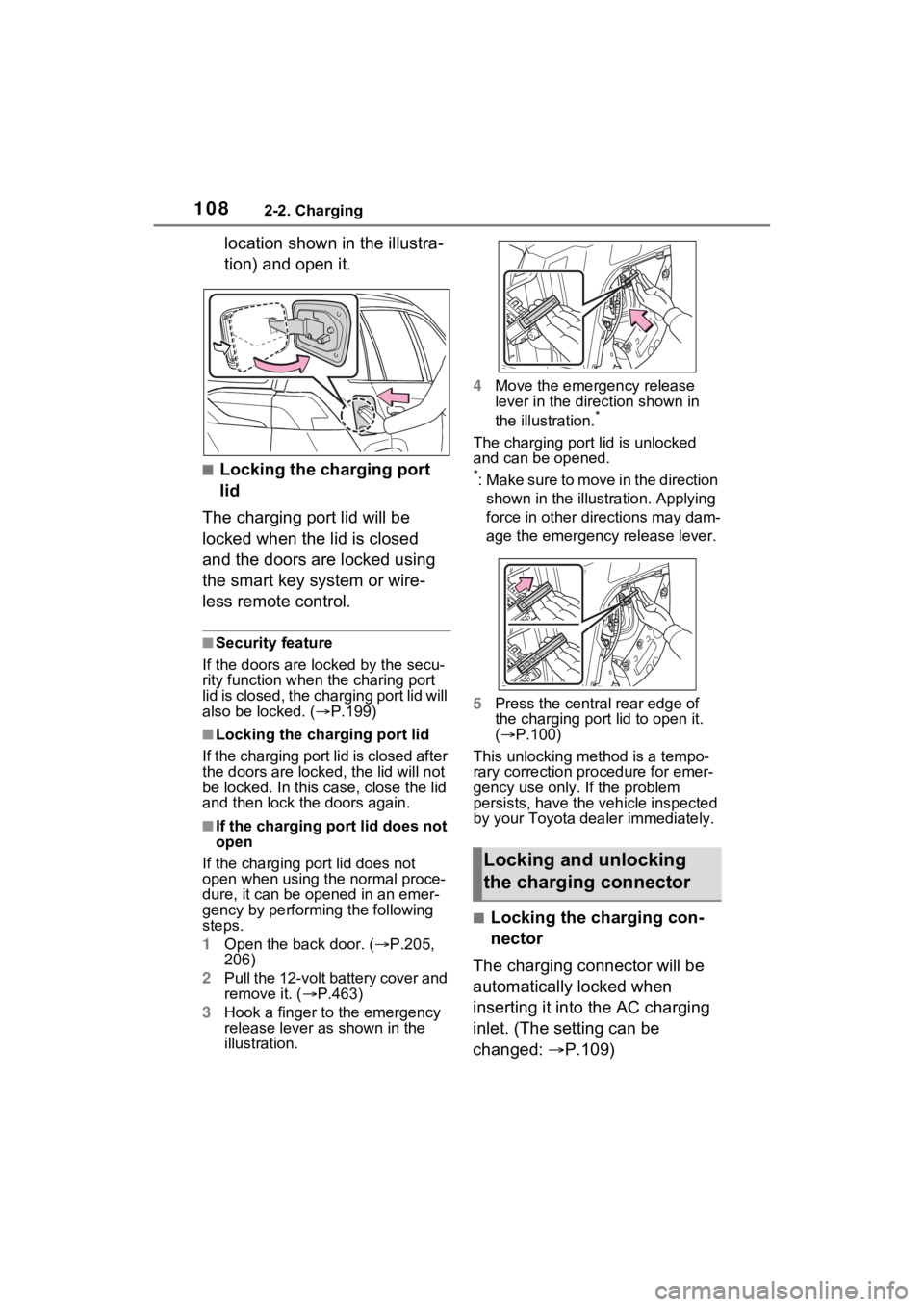
1082-2. Charging
location shown in the illustra-
tion) and open it.
■Locking the charging port
lid
The charging port lid will be
locked when the lid is closed
and the doors are locked using
the smart key system or wire-
less remote control.
■Security feature
If the doors are l ocked by the secu-
rity function when the charing port
lid is closed, the cha rging port lid will
also be locked. ( P.199)
■Locking the char ging port lid
If the charging port lid is closed after
the doors are lock ed, the lid will not
be locked. In this case, close the lid
and then lock the doors again.
■If the charging port lid does not
open
If the charging port lid does not
open when using the normal proce-
dure, it can be ope ned in an emer-
gency by performing the following
steps.
1 Open the back door. ( P.205,
206)
2 Pull the 12-volt battery cover and
remove it. ( P.463)
3 Hook a finger to the emergency
release lever as shown in the
illustration. 4
Move the emergency release
lever in the direction shown in
the illustration.
*
The charging port lid is unlocked
and can be opened.
*: Make sure to move in the direction
shown in the illust ration. Applying
force in other directions may dam-
age the emergency release lever.
5 Press the central rear edge of
the charging port lid to open it.
( P.100)
This unlocking method is a tempo-
rary correction procedure for emer-
gency use only. If the problem
persists, have the vehicle inspected
by your Toyota dea ler immediately.
■Locking the charging con-
nector
The charging connector will be
automatically locked when
inserting it into the AC charging
inlet. (The setting can be
changed: P.109)
Locking and unlocking
the charging connector