lock TOYOTA SEQUOIA 2008 2.G Repair Manual
[x] Cancel search | Manufacturer: TOYOTA, Model Year: 2008, Model line: SEQUOIA, Model: TOYOTA SEQUOIA 2008 2.GPages: 596, PDF Size: 12.93 MB
Page 180 of 596
180 2-3. Operating the lights and wipers
■The windshield wiper and washer can be operated when
The engine switch must be in the ON position.
■ If no windshield washer fluid sprays
Check that the washer nozzles are not blocked and if there is washer fluid in
the windshield washer fluid reservoir.
NOTICE
■When the windshield is dry
Do not use the wipers, as they may damage the windshield.
■ When there is no washer fluid spray from the nozzle
Damage to the washer fluid pump may be caused if the lever is pulled
toward you and held continually.
■ When a nozzle becomes block
Do not try to clear it with a pin or other object. The nozzle will be damaged.
Page 184 of 596
184 2-4. Using other driving systems
■Cruise control can be set when
●The shift lever is in D or the shift range position must be in 4 or 5 in S
mode (5-speed models).
● The shift lever is in D or the shift range position must be in between 4 and
6 in S mode (6-speed models).
● Vehicle speed is more than approximately 25 mph (40 km/h).
■ Accelerating
The vehicle can be accelerated normally.
■ Automatic cruise control cancelation
The set speed is automatically cancelled in any of the following situations.
●Actual vehicle speed falls more than 10 mph (16 km/h) below the preset
vehicle speed.
At this time, the memorized set speed is not retained.
● Actual vehicle speed is below 25 mph (40 km/h).
● VSC is activated.
● The operation cannot be switched for 5 seconds or more after operating
the front wheel drive control switch or the center differential lock switch.
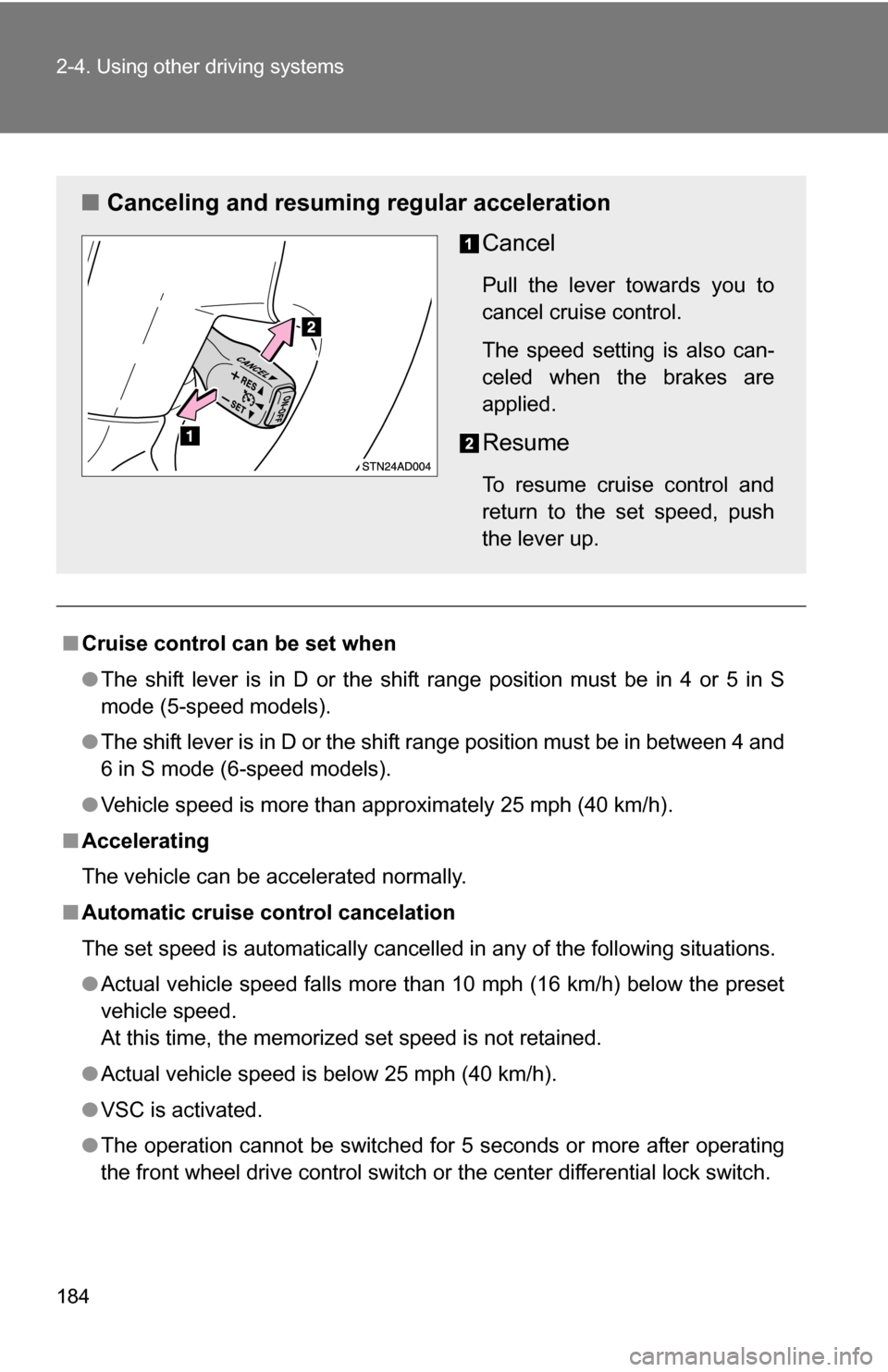
■ Canceling and resuming regular acceleration
Cancel
Pull the lever towards you to
cancel cruise control.
The speed setting is also can-
celed when the brakes are
applied.
Resume
To resume cruise control and
return to the set speed, push
the lever up.
Page 191 of 596
191
2-4. Using other
driving systems
2
When driving
■Automatically canceling vehicle-to-vehicle distance control
Vehicle-to-vehicle distance control driving is automatically canceled in the
following situations.
●Vehicle speed falls below 25 mph (40 km/h)
● VSC is activated
● The sensor cannot operate correctly because it is covered in some way.
*
●The windshield wipers are operating at high or low speed.*
●The operation cannot be switched for 5 seconds or more after operating
the front wheel drive control switch or the center differential lock switch.
*: Vehicle-to-vehicle distance control driving must be reset by pressing the
ON-OFF button again.
If vehicle-to-vehicle distance control driving is automatically canceled for any
other reason, there may be a malfunction in the system. Contact your Toyota
dealer.
■ Automatically cancelling constant speed control
The set speed is automatically canceled in the following situations.
●Actual vehicle speed is more than 10 mph (16 km/h) below the preset
vehicle speed
At this time, the memorized set speed is not retained.
● Vehicle speed falls below 25 mph (40 km/h)
● VSC is activated
● The operation cannot be switched for 5 seconds or more after operating
the front wheel drive control switch or the center differential lock switch.
■ Vehicle-to-vehicle distance settings
Select a distance from the table below. Note that the distances shown corre-
spond to a vehicle speed of 55 mph (90 km/h). Vehicle-to-vehicle distance
increases/decreases in accordance with vehicle speed.
Distance optionsVehicle-to-vehicle distance
Long Approximately 245 ft. (75 m)
Medium Approximately 165 ft. (50 m) Short Approximately 100 ft. (30 m)
Page 209 of 596
209
2-4. Using other
driving systems
2
When driving
Shifting between 4H and 4L
■ Shifting from 4H to 4L
Stop the vehicle completely.
Shift the shift lever to N.
Push and turn the front wheel dr ive control switch fully clock-
wise.
Maintain this condition until the 4LO indicator turns on.
■ Shifting from 4L to 4H
Stop the vehicle completely.
Shift the shift lever to N.
Turn the front wheel drive cont rol switch fully counterclock-
wise.
Maintain this condition until the 4LO indicator turns off.
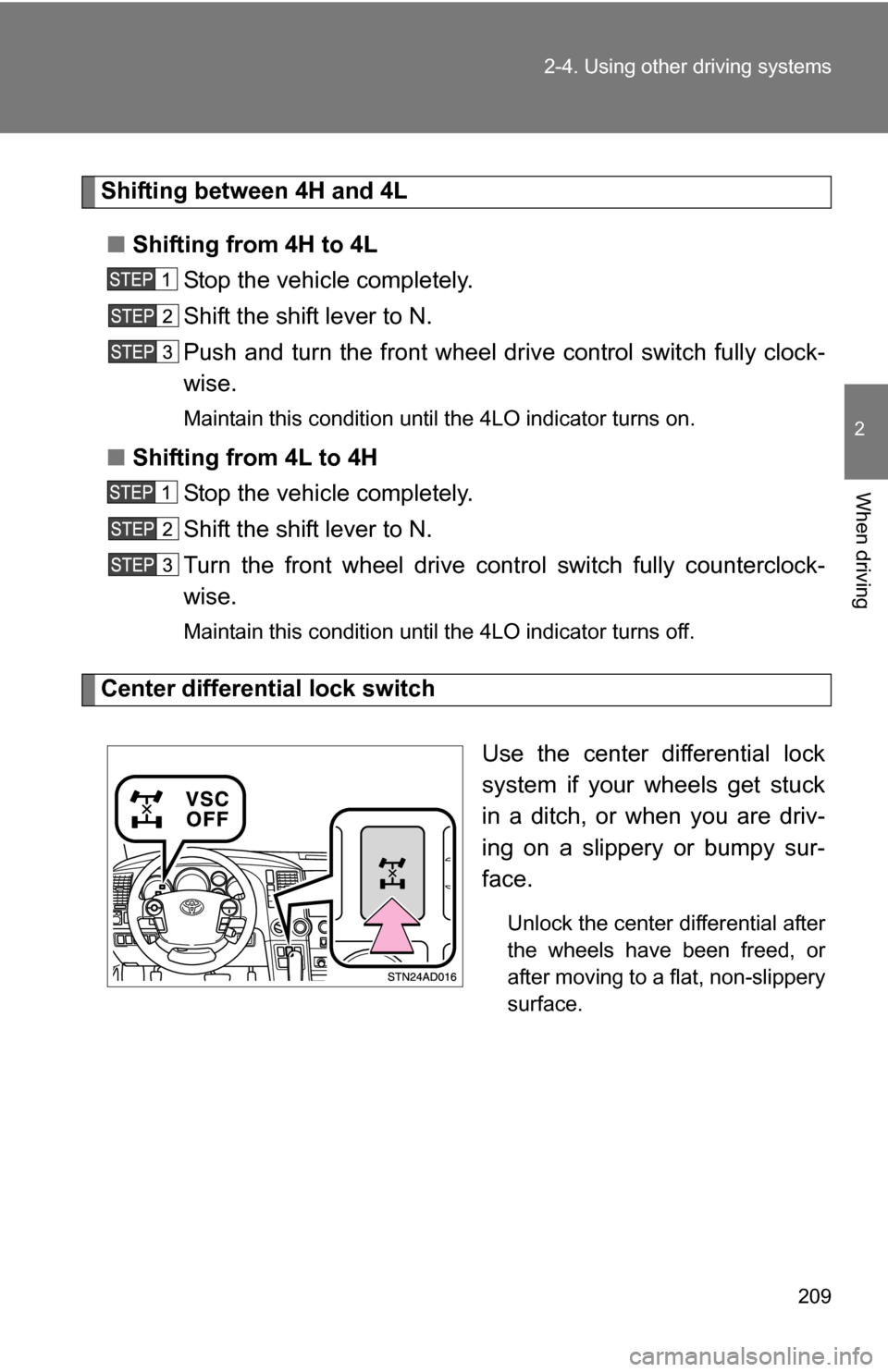
Center differential lock switch
Use the center differential lock
system if your wheels get stuck
in a ditch, or when you are driv-
ing on a slippery or bumpy sur-
face.
Unlock the center differential after
the wheels have been freed, or
after moving to a flat, non-slippery
surface.
Page 210 of 596
210 2-4. Using other driving systems
■Shifting between 2WD and 4H
●Reduce your speed to less than 62 mph (100 km/h) and set the front
drive control switch between 2WD and 4H.
When the ambient temperature is 5.0° F (-15°C) or lower, shifting from
2WD to 4H can be performed with the vehicle speed below 43 mph (70
km/h).
● If the 4HI indicator does not go off when you shift from 4H to 2WD, drive
straight ahead while accelerating or decelerating, or drive in reverse.
■ Four-wheel drive usage frequency
You should drive in four-wheel drive for at least 10 miles (16 km) each
month.
This will assure that the front drive components are lubricated.
■ The center differential lock switch can be operated when
●The front drive control switch is in the 4H or 4L position.
● The vehicle speed is less than 62 mph (100 km/h)
■ Center differential lock system
●When the center differential is locked, the vehicle stability control system
is automatically turned off and the center differential lock and VSC OFF
indicator come on.
● When the front drive control switch is turned to the 2WD position, the
center differential is automatically unlocked.
● If the operation is not completed, the center differential lock indicator
blinks. If the indicator does not go off when unlocking the center differen-
tial, drive straight ahead while accelerating or decelerating, or drive \
in
reverse.
■ If the 4LO indicator, 4HI indicator or the center differential lock indica-
tor blinks
● If the 4LO indicator continues to blink when shifting between 4H and 4L,
stop the vehicle completely, move the shift lever to N and operate the
switch again.
● If the shift lever is moved before the 4LO indicator has turned on/off, a
beep sounds and the transfer position may not successfully change. In
this case, stop the vehicle completely, return the shift lever to N and oper-
ate the switch again.
Page 211 of 596
211
2-4. Using other
driving systems
2
When driving
●If the engine coolant temperature is too low, transfer mode may not be
able to shift. When the engine is warmer turn the switch again.
If the 4LO indicator, 4HI indicator or the center differential lock indicator con-
tinues to blink even after attempting the above, there may be a malfunction
in the engine, the brake system or the four-wheel drive system. In this case,
you may not be able to shift between 2WD and 4H, 4H and 4L, and the cen-
ter differential lock may not be operable. Have the vehicle inspected by your
Toyota dealer immediately.
CAUTION
■ Shift from 2WD to 4H while driving
Never move the front wheel drive control switch if wheels are slipping.
Stop the slipping or spinning before shifting.
NOTICE
■To prevent damage to the center differential
●For normal driving on dry and hard surface roads, unlock the center differ-
ential.
● Unlock the center differential after the wheels are out of the ditch or off the
loose or bumpy surface.
● Do not push the center differential lock switch when the vehicle is corner-
ing or when its wheels are spinning freely off the ground.
Page 214 of 596
214
2-4. Using other driving systems
Driving assist systems
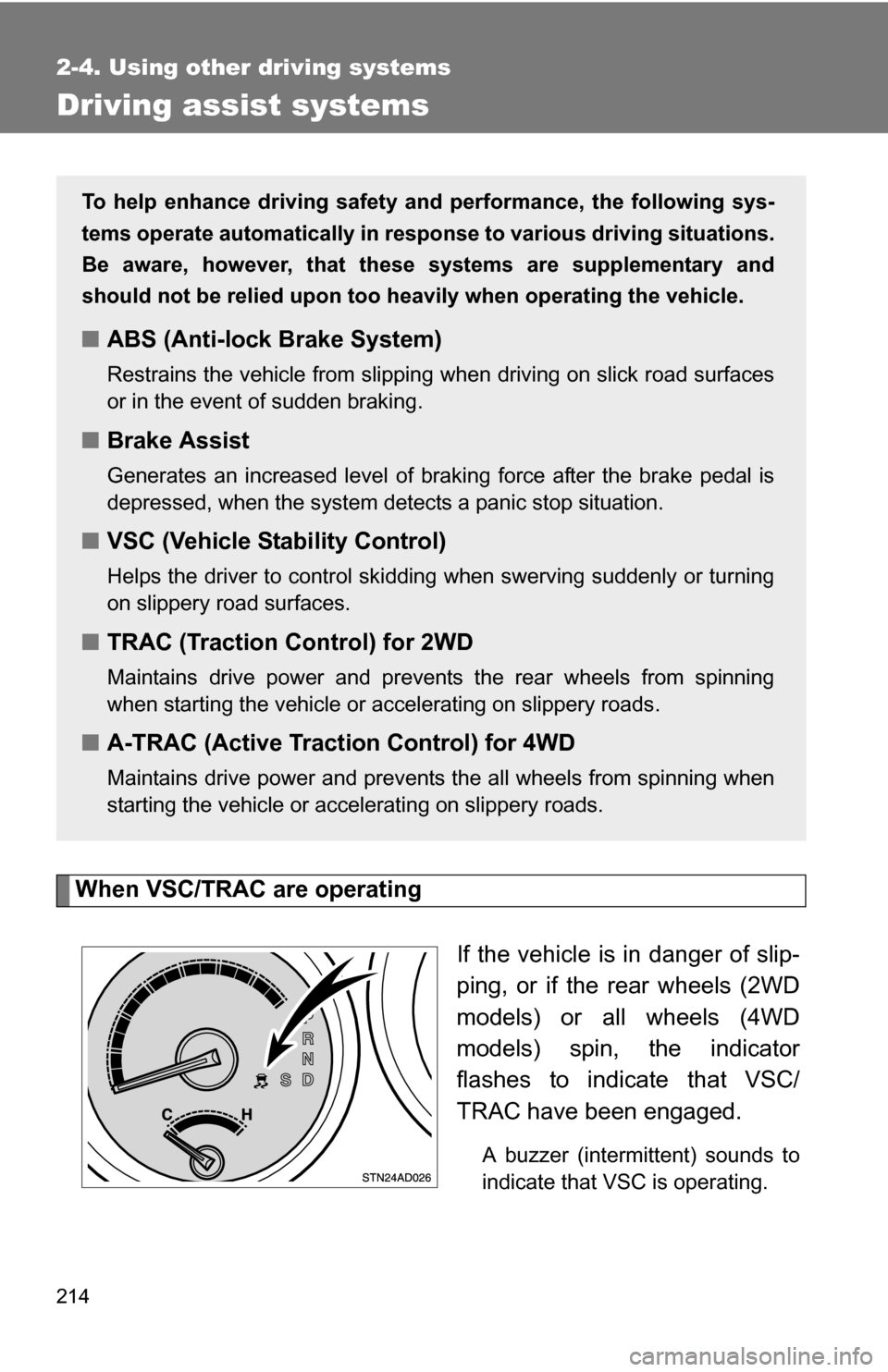
When VSC/TRAC are operatingIf the vehicle is in danger of slip-
ping, or if the rear wheels (2WD
models) or all wheels (4WD
models) spin, the indicator
flashes to indicate that VSC/
TRAC have been engaged.
A buzzer (intermittent) sounds to
indicate that VSC is operating.
To help enhance driving safety and performance, the following sys-
tems operate automatically in res ponse to various driving situations.
Be aware, however, that these systems are supplementary and
should not be relied upon too h eavily when operating the vehicle.
■ABS (Anti-lock Brake System)
Restrains the vehicle from slipping when driving on slick road surfaces
or in the event of sudden braking.
■Brake Assist
Generates an increased level of braking force after the brake pedal is
depressed, when the system detects a panic stop situation.
■VSC (Vehicle Stability Control)
Helps the driver to control skidding when swerving suddenly or turning
on slippery road surfaces.
■TRAC (Traction Control) for 2WD
Maintains drive power and prevents the rear wheels from spinning
when starting the vehicle or accelerating on slippery roads.
■A-TRAC (Active Traction Control) for 4WD
Maintains drive power and prevents the all wheels from spinning when
starting the vehicle or accelerating on slippery roads.
Page 216 of 596
216 2-4. Using other driving systems
To disable VSC or TRAC (4H and 4L mode on 4WD models)If the vehicle gets stuck in fresh snow or mud, VSC or TRAC may
reduce power from the engine to the wheels. You may need to turn
the system off to enable you to rock the vehicle in order to free it.
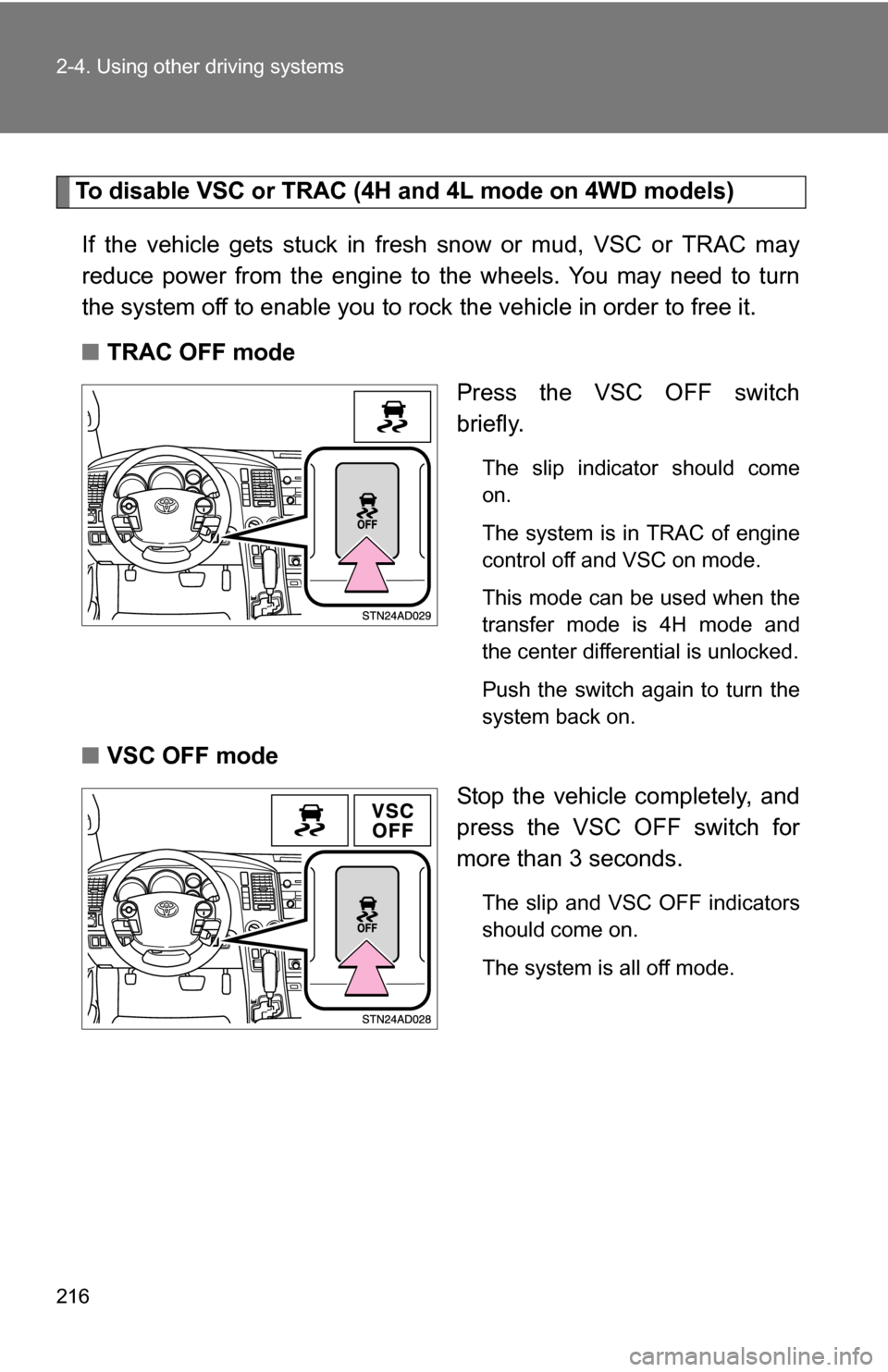
■ TRAC OFF mode
Press the VSC OFF switch
briefly.
The slip indicator should come
on.
The system is in TRAC of engine
control off and VSC on mode.
This mode can be used when the
transfer mode is 4H mode and
the center differential is unlocked.
Push the switch again to turn the
system back on.
■VSC OFF mode
Stop the vehicle completely, and
press the VSC OFF switch for
more than 3 seconds.
The slip and VSC OFF indicators
should come on.
The system is all off mode.
Page 223 of 596
223
2-5. Driving information
2
When driving
NOTICE
■
To prevent the water damage
●Take all necessary safety measures to ensure that water damage to the
engine or other components does not occur.
● Water entering the engine air intake will cause severe engine damage.
● Water entering the automatic transmission will cause deterioration in shift
quality, locking up of your transmission accompanied by vibration, and ulti-
mately damage.
● Water can wash the grease from wheel bearings, causing rusting and pre-
mature failure, and may also enter the differentials, transmission and
transfer case, reducing the gear oil’s lubricating qualities.
■ When you drive through water
If driving through water, such as when crossing shallow streams, first check
the depth of the water and the bottom of the river bed for firmness. Drive
slowly and avoid deep water.
■ Inspection after off-road driving
●Sand and mud that has accumulat ed in brake drums and around brake
discs may affect braking efficiency and may damage brake system compo-
nents.
● Always perform a maintenance inspection after each day of off-road driv-
ing that has taken you through rough terrain, sand, mud, or water. For
scheduled maintenance information, refer to the “Scheduled Maintenance
Guide” or “Owner’s Manual Supplement”.
Page 227 of 596
227
2-5. Driving information
2
When driving
CAUTION
■Roof luggage carrier precautions
To use the roof rails as a roof luggag
e carrier, you must fit the roof rails
with two or more genuine Toyota cross rails or their equivalent.
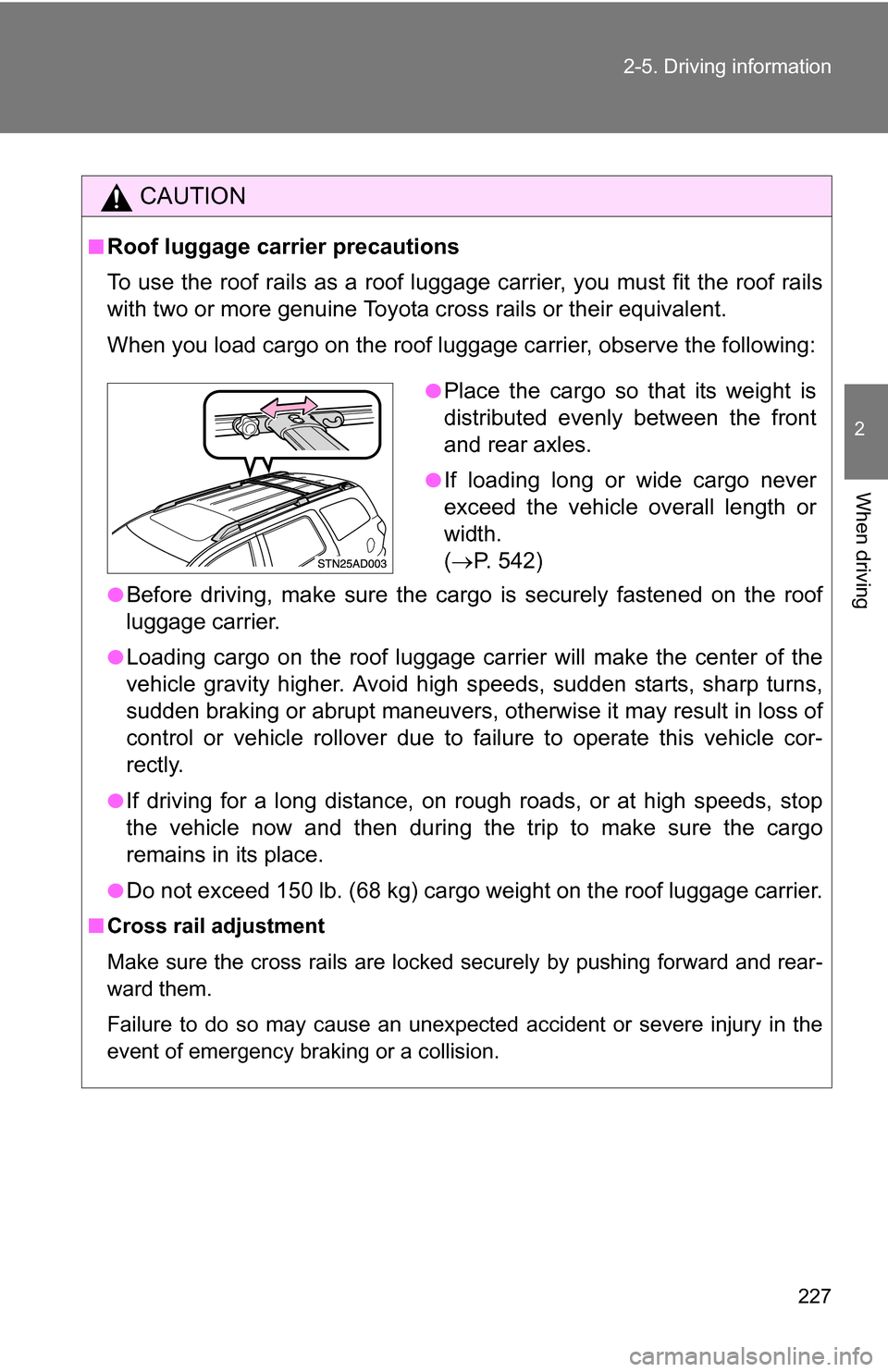
When you load cargo on the roof luggage carrier, observe the following:
●Before driving, make sure the cargo is securely fastened on the roof
luggage carrier.
●Loading cargo on the r oof luggage carrier will make the center of the
vehicle gravity higher. Avoid high speeds, sudden starts, sharp turns,
sudden braking or abrupt maneuvers, otherwise it may result in loss of
control or vehicle rollover due to failure to operate this vehicle cor-
rectly.
●If driving for a long distance, on rough roads, or at high speeds, stop
the vehicle now and then during the trip to make sure the cargo
remains in its place.
●Do not exceed 150 lb. (68 kg) cargo weight on the roof luggage carrier.
■ Cross rail adjustment
Make sure the cross rails are locked securely by pushing forward and rear-
ward them.
Failure to do so may cause an unexpected accident or severe injury in the
event of emergency braking or a collision.
●Place the cargo so that its weight is
distributed evenly between the front
and rear axles.
●If loading long or wide cargo never
exceed the vehicle overall length or
width.
( P. 542)