audio TOYOTA SEQUOIA 2010 2.G Manual Online
[x] Cancel search | Manufacturer: TOYOTA, Model Year: 2010, Model line: SEQUOIA, Model: TOYOTA SEQUOIA 2010 2.GPages: 660, PDF Size: 12.29 MB
Page 358 of 660
358 3-4. Using the rear audio/video system
■Vo l u m e
●Adjust the volume when you connect the headphones to the jack. Loud
sounds may have a significant impact on the human body.
● Conversational speech on some DVDs is recorded at a low volume to
emphasize the impact of sound effects. If you adjust the volume assum-
ing that the conversations represent the maximum volume level that the
DVD will play, you may be startled by louder sound effects or when you
change to a different audio source. Be sure to adjust the volume with this
in mind.
CAUTION
■While driving
Do not use headphones.
Doing so may cause an accident, resulting in death or serious injury.
■ When the rear seat entert ainment system is not used
Keep the display closed.
In the event of an accident or sudden braking, the opened display may hit an
occupant’s body, resulting in injury.
■ To prevent accidents and electric shock
Do not disassemble or modify the remote controller.
■ When the remote controller is not used
Stow the remote controller.
Injuries may result in the event of an accident or sudden braking.
■ Removed batteries and other parts
Keep away from children.
These parts are small and if swallowed by a child they can cause choking.
Page 359 of 660
359
3-4. Using the rear audio/video system
3
Interior features
NOTICE
■
For normal operation after replacing the batteries
Observe the following precautions to prevent accidents.
●Always work with dry hands.
Moisture may cause the battery to rust.
● Do not touch or move any other components inside the remote controller.
● Do not bend any of the battery terminals.
Page 360 of 660
360
3-4. Using the rear audio/video system
Using the DVD player (DVD video)
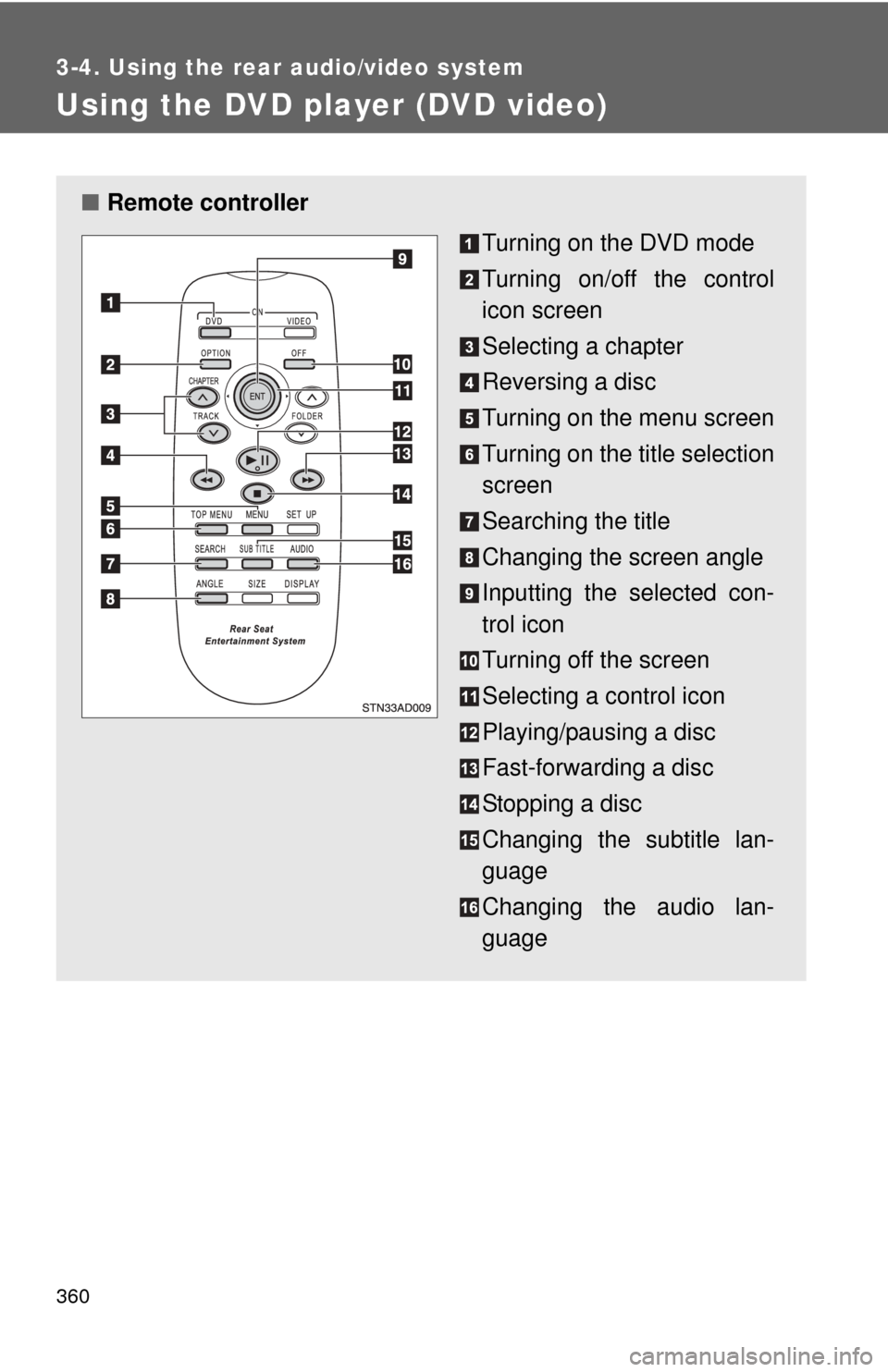
■Remote controller
Turning on the DVD mode
Turning on/off the control
icon screen
Selecting a chapter
Reversing a disc
Turning on the menu screen
Turning on the title selection
screen
Searching the title
Changing the screen angle
Inputting the selected con-
trol icon
Turning off the screen
Selecting a control icon
Playing/pausing a disc
Fast-forwarding a disc
Stopping a disc
Changing the subtitle lan-
guage
Changing the audio lan-
guage
Page 361 of 660
361
3-4. Using the rear audio/video system
3
Interior features
■
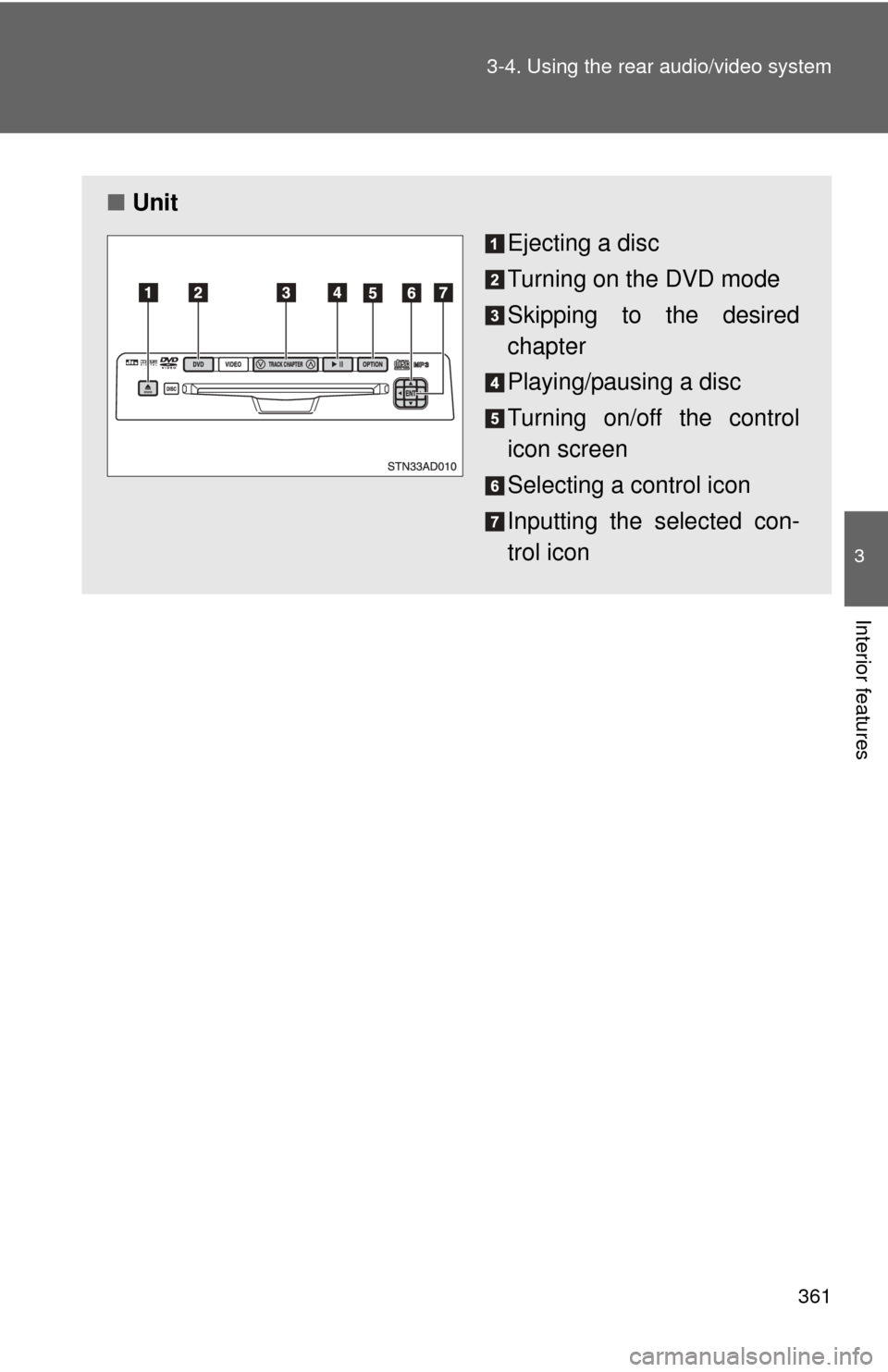
Unit
Ejecting a disc
Turning on the DVD mode
Skipping to the desired
chapter
Playing/pausing a disc
Turning on/off the control
icon screen
Selecting a control icon
Inputting the selected con-
trol icon
Page 362 of 660
362 3-4. Using the rear audio/video system
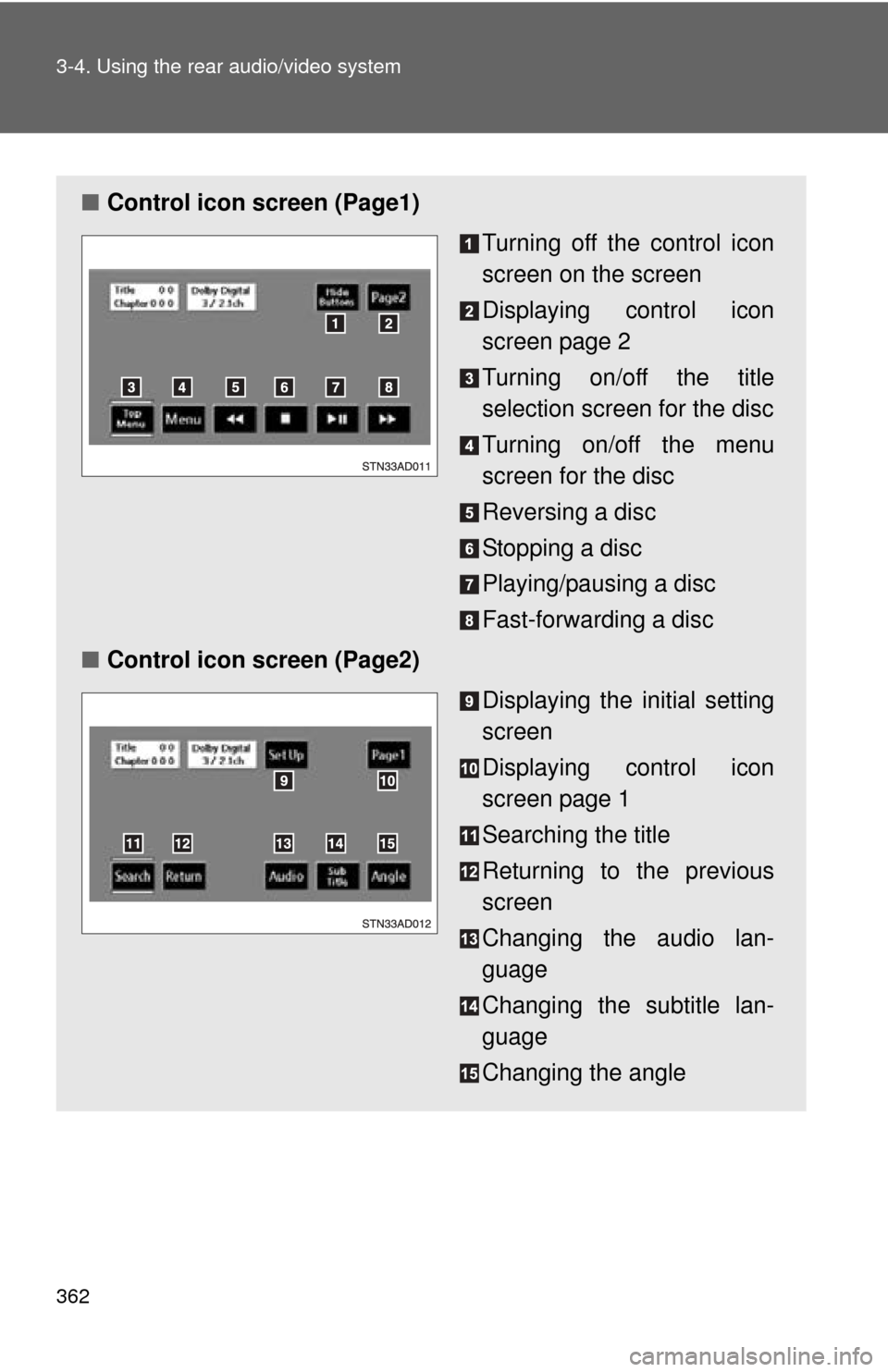
■Control icon screen (Page1)
Turning off the control icon
screen on the screen
Displaying control icon
screen page 2
Turning on/off the title
selection screen for the disc
Turning on/off the menu
screen for the disc
Reversing a disc
Stopping a disc
Playing/pausing a disc
Fast-forwarding a disc
■ Control icon screen (Page2)
Displaying the initial setting
screen
Displaying control icon
screen page 1
Searching the title
Returning to the previous
screen
Changing the audio lan-
guage
Changing the subtitle lan-
guage
Changing the angle
Page 363 of 660
363
3-4. Using the rear audio/video system
3
Interior features
Turning on/off the control icon screen
Press or to turn on the control icon screen.
Press or once again or select to turn off the control
icon screen.
NOTICE
■ Cleaning the screen
Wipe the screen with a dry soft cloth.
If the screen is wiped with a rough cloth, the surface of the screen may be
scratched.
■ To prevent damage to the remote controller
●Keep the remote controller away from direct sunlight, heat and high
humidity.
● Do not drop or knock the remote controller against hard objects.
● Do not sit on or place heavy objects on the remote controller.
■ DVD player
Never try to disassemble or oil any part of the DVD player. Do not insert any-
thing other than a disc into the slot.
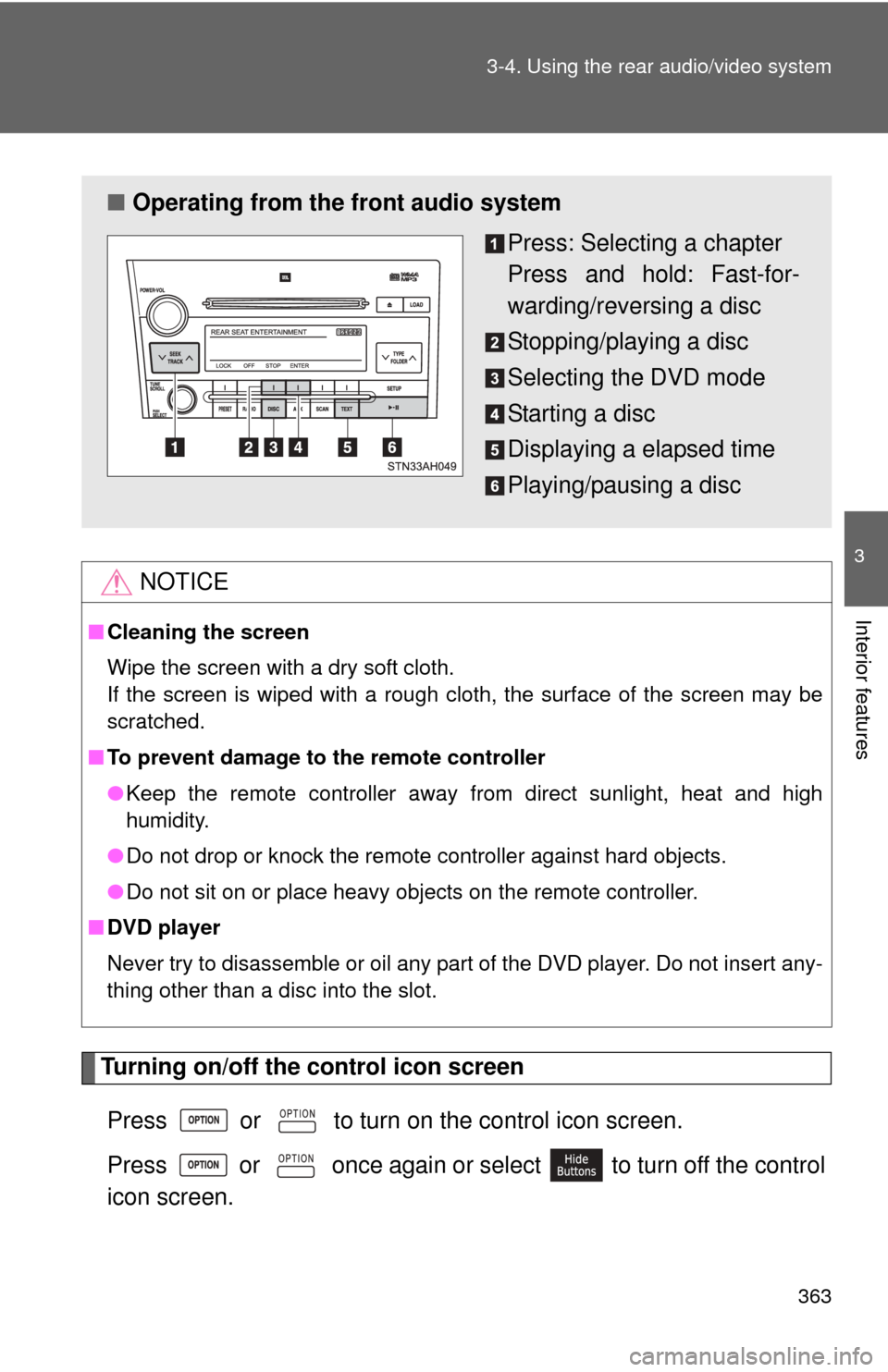
■ Operating from the front audio system
Press: Selecting a chapter
Press and hold: Fast-for-
warding/reversing a disc
Stopping/playing a disc
Selecting the DVD mode
Starting a disc
Displaying a elapsed time
Playing/pausing a disc
Page 364 of 660
364 3-4. Using the rear audio/video system
Turning on the title selection screenPress or select to turn on the title selection screen. For
the operation of the title selectio n screen, see the separate manual
for the DVD disc.
Turning on the menu screen
Press or select to turn on the menu screen. For the oper-
ation of the menu screen, see the separate manual for the DVD disc.
Returning to the previous screen
Select to return to the previous screen. For the operation of the
menu screen, see the separate manual for the DVD disc.
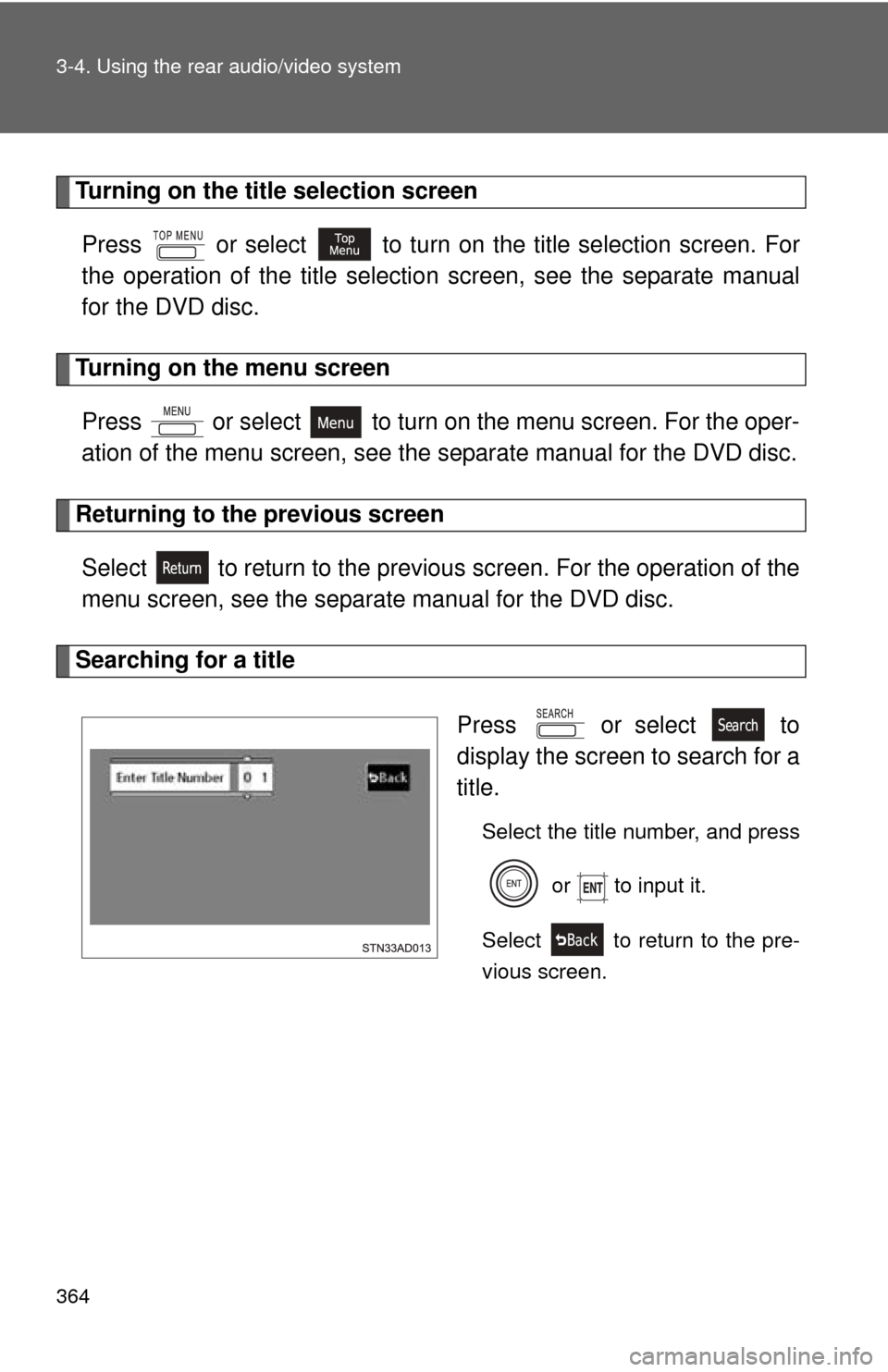
Searching for a title
Press or select to
display the screen to search for a
title.
Select the title number, and press or to input it.
Select to return to the pre-
vious screen.
Page 365 of 660
365
3-4. Using the rear audio/video system
3
Interior features
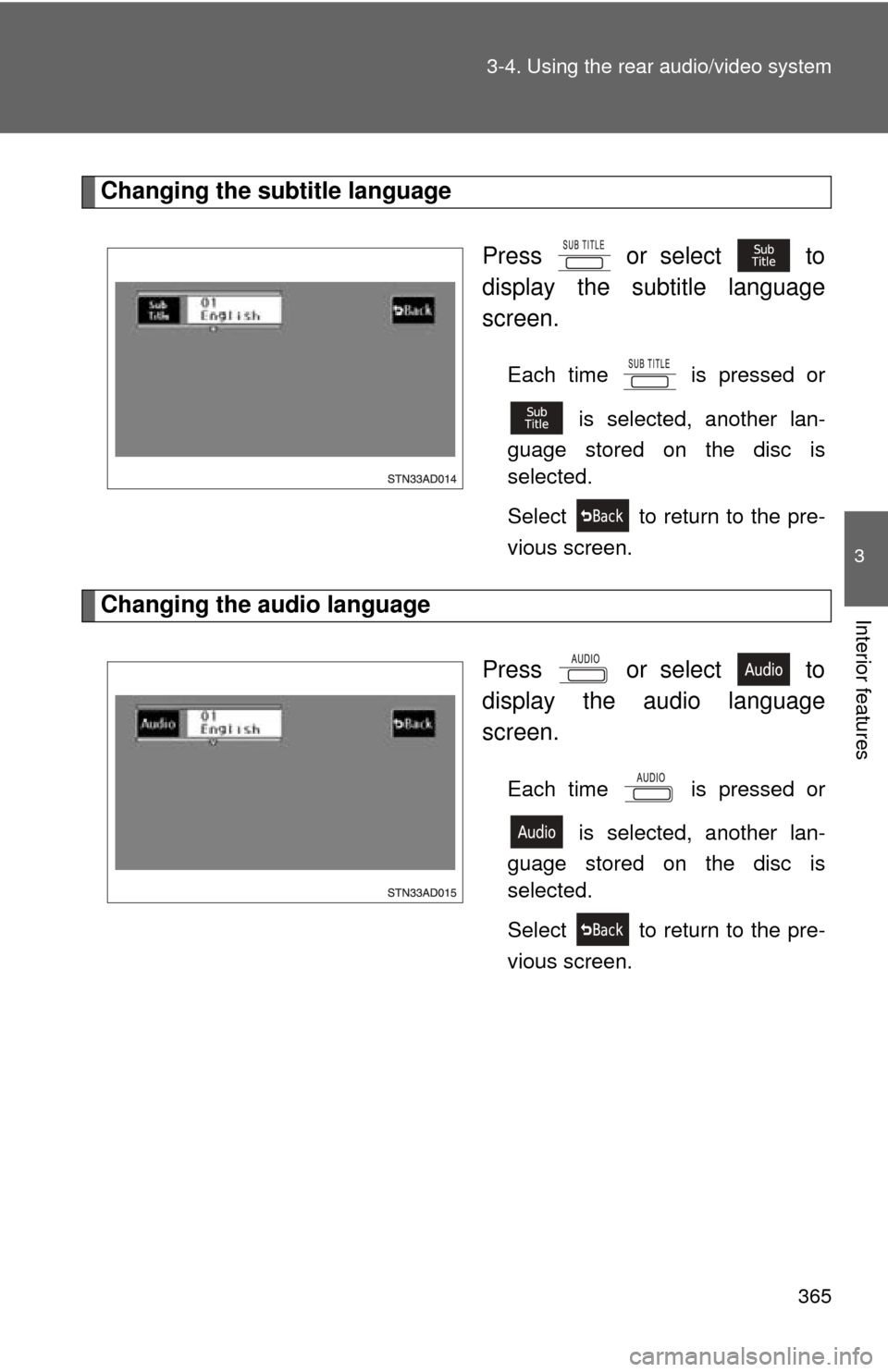
Changing the subtitle language
Press or select to
display the subtitle language
screen.
Each time is pressed or is selected, another lan-
guage stored on the disc is
selected.
Select to return to the pre-
vious screen.
Changing the audio language
Press or select to
display the audio language
screen.
Each time is pressed or is selected, another lan-
guage stored on the disc is
selected.
Select to return to the pre-
vious screen.
Page 366 of 660
366 3-4. Using the rear audio/video system
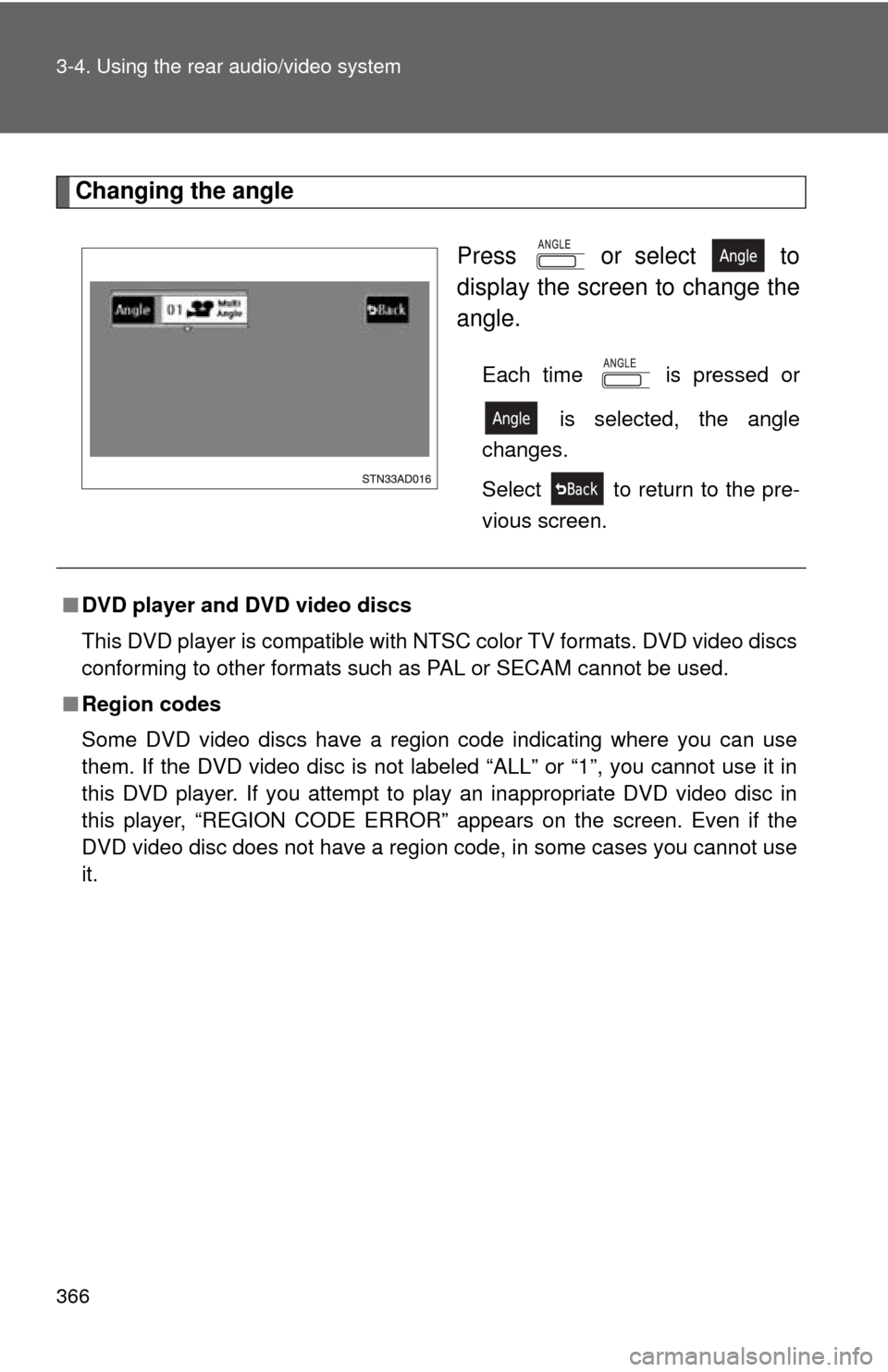
Changing the angle Press or select to
display the screen to change the
angle.
Each time is pressed or is selected, the angle
changes.
Select to return to the pre-
vious screen.
■ DVD player and DVD video discs
This DVD player is compatible with NTSC color TV formats. DVD video discs
conforming to other formats such as PAL or SECAM cannot be used.
■ Region codes
Some DVD video discs have a region code indicating where you can use
them. If the DVD video disc is not labeled “ALL” or “1”, you cannot use it in
this DVD player. If you attempt to play an inappropriate DVD video disc in
this player, “REGION CODE ERROR” appears on the screen. Even if the
DVD video disc does not have a region code, in some cases you cannot use
it.
Page 367 of 660
367
3-4. Using the rear audio/video system
3
Interior features
■
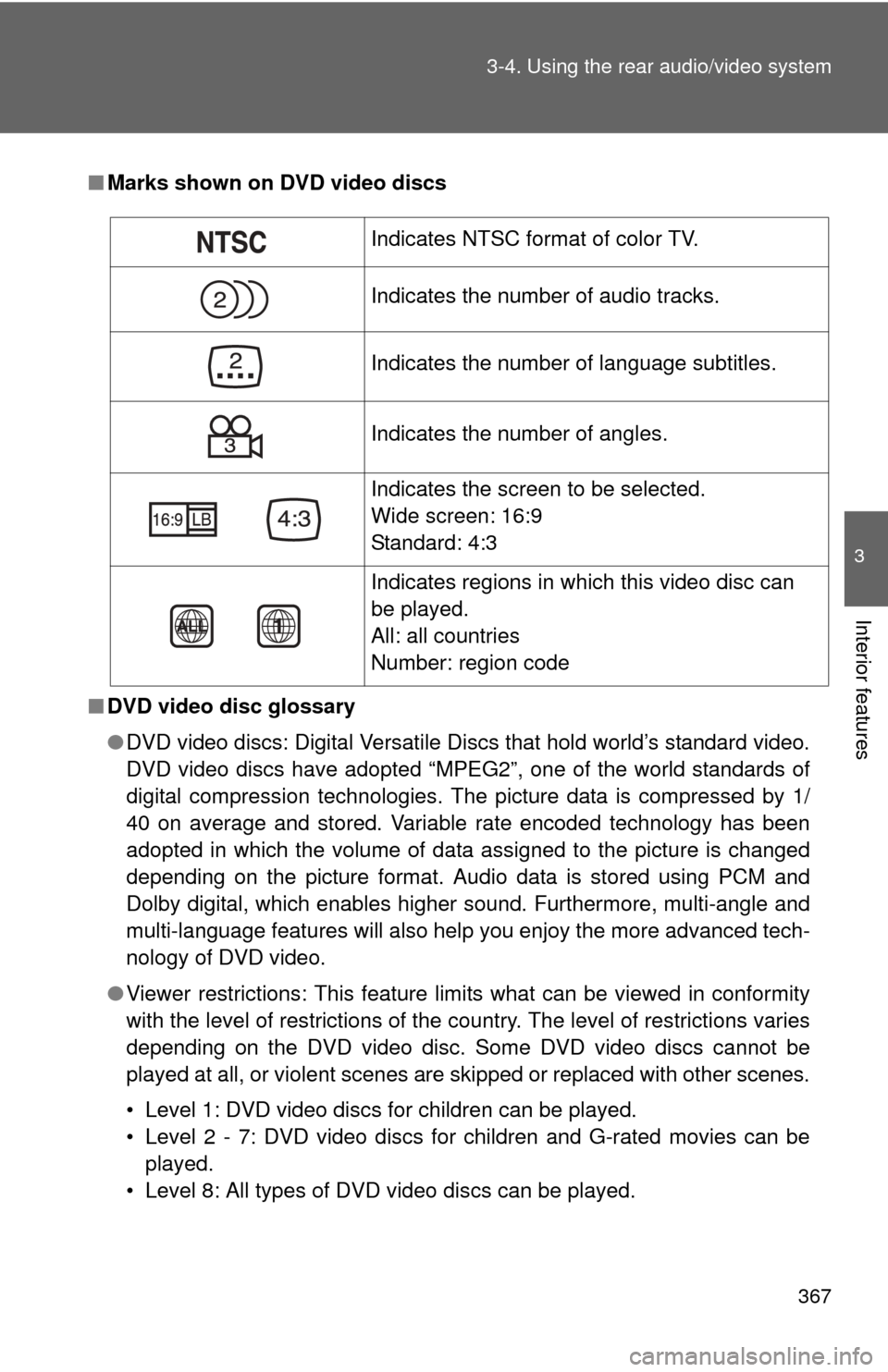
Marks shown on DVD video discs
■ DVD video disc glossary
●DVD video discs: Digital Versatile Discs that hold world’s standard video.
DVD video discs have adopted “MPEG2”, one of the world standards of
digital compression technologies. The picture data is compressed by 1/
40 on average and stored. Variable rate encoded technology has been
adopted in which the volume of data assigned to the picture is changed
depending on the picture format. Audio data is stored using PCM and
Dolby digital, which enables higher sound. Furthermore, multi-angle and
multi-language features will also help you enjoy the more advanced tech-
nology of DVD video.
● Viewer restrictions: This feature limits what can be viewed in conformity
with the level of restrictions of the country. The level of restrictions varies
depending on the DVD video disc. Some DVD video discs cannot be
played at all, or violent scenes are skipped or replaced with other scenes.
• Level 1: DVD video discs for children can be played.
• Level 2 - 7: DVD video discs for children and G-rated movies can be
played.
• Level 8: All types of DVD video discs can be played.
Indicates NTSC format of color TV.
Indicates the number of audio tracks.
Indicates the number of language subtitles.
Indicates the number of angles.
Indicates the screen to be selected.
Wide screen: 16:9
Standard: 4:3
Indicates regions in which this video disc can
be played.
All: all countries
Number: region code