change time TOYOTA SEQUOIA HYBRID 2023 Owner's Manual
[x] Cancel search | Manufacturer: TOYOTA, Model Year: 2023, Model line: SEQUOIA HYBRID, Model: TOYOTA SEQUOIA HYBRID 2023Pages: 628, PDF Size: 14.27 MB
Page 253 of 628
2534-5. Using the driving support systems
Owners Manual_USA_M0C043_en
4
Driving
■Enabling/disabling the pre-
collision system
The pre-collision system can be
enabled/disabled on
( P.577) of the multi-informa-
tion display.
The system is a utomatically
enabled each time the power
switch is turned to ON.
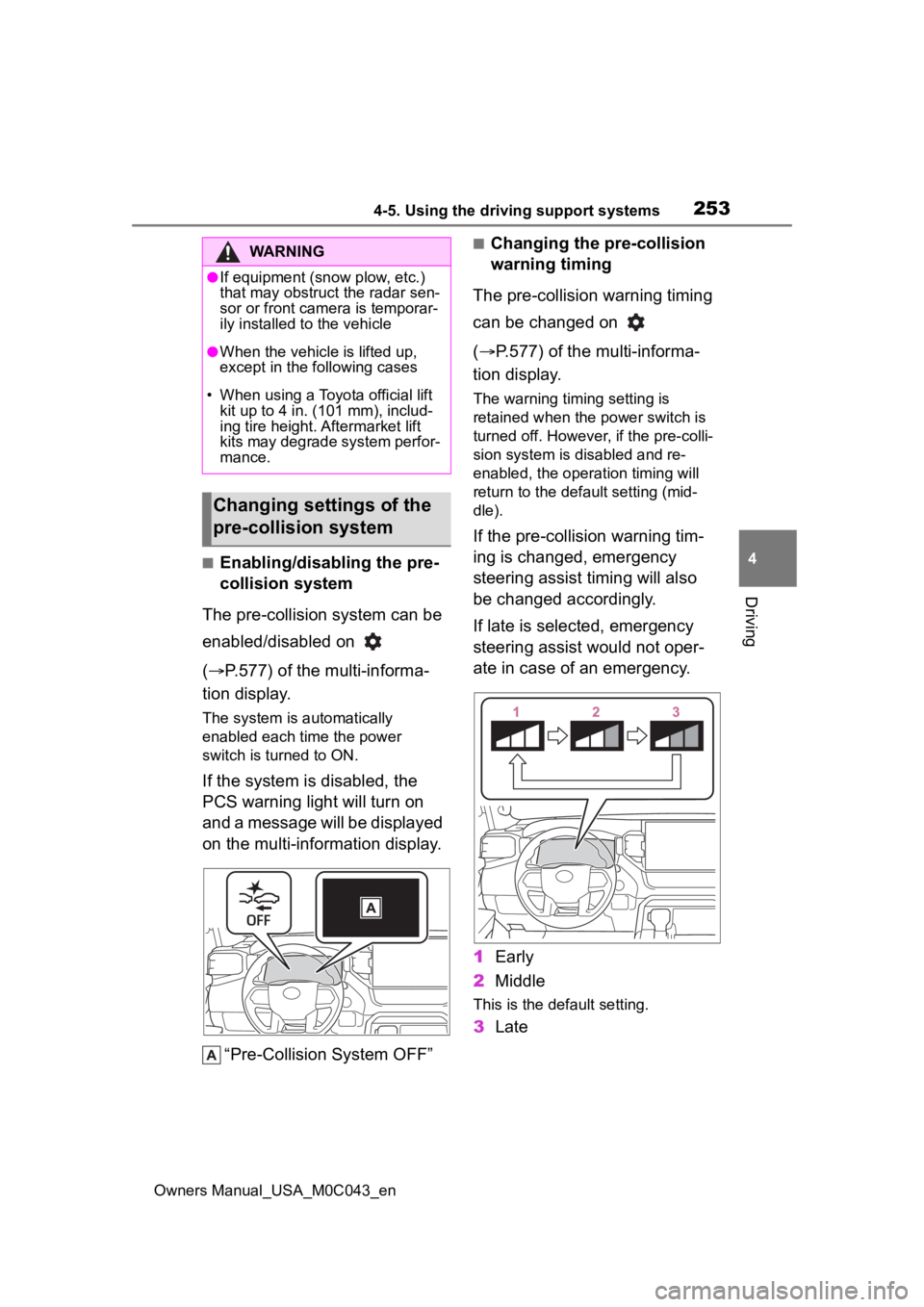
If the system is disabled, the
PCS warning light will turn on
and a message will be displayed
on the multi-information display.
“Pre-Collision System OFF”
■Changing the pre-collision
warning timing
The pre-collision warning timing
can be changed on
( P.577) of the multi-informa-
tion display.
The warning timing setting is
retained when the power switch is
turned off. However, if the pre-colli-
sion system is disabled and re-
enabled, the operation timing will
return to the default setting (mid-
dle).
If the pre-collision warning tim-
ing is changed, emergency
steering assist timing will also
be changed accordingly.
If late is selected, emergency
steering assist would not oper-
ate in case of an emergency.
1 Early
2 Middle
This is the default setting.
3Late
WARNING
●If equipment (snow plow, etc.)
that may obstruct the radar sen-
sor or front camera is temporar-
ily installed to the vehicle
●When the vehicle is lifted up,
except in the following cases
• When using a Toyota official lift kit up to 4 in. (101 mm), includ-
ing tire height. Aftermarket lift
kits may degrade system perfor-
mance.
Changing settings of the
pre-collision system
Page 259 of 628
2594-5. Using the driving support systems
Owners Manual_USA_M0C043_en
4
Driving
• If a vehicle ahead is irregularly shaped, such as a tractor or side
car
• If a vehicle ahead is a child sized bicycle, a bicycle that is carrying a
large load, a bicycle ridden by
more than one person, or a
uniquely shaped bicycle (bicycle
with a child seat, tandem bicycle,
etc.)
• If a pedestrian/or t he riding height
of a bicyclist ahead is shorter than
approximately 3.2 ft. (1 m) or taller
than approximately 6.5 ft. (2 m)
• If a pedestrian/bicyclist is wearing
oversized clothing (a rain coat,
long skirt, etc.), making their sil-
houette obscure
• If a pedestrian is bending forward or squatting or bicyclist is bending
forward
• If a pedestrian/bicyclist is moving fast
• If a pedestrian is pushing a
stroller, wheelchair, bicycle or
other vehicle
• When driving in inclement weather
such as heavy rain, fog, snow or a
sandstorm
• When driving through steam or
smoke
• When the surrounding area is dim, such as at dawn or dusk, or while
at night or in a t unnel, making a
detectable object appear to be
nearly the same color as its sur-
roundings
• When driving in a place where the surrounding brightness changes
suddenly, such as at the entrance
or exit of a tunnel
• After the hybrid system has
started the vehicle has not been
driven for a certain amount of time
• While making a left/right turn and
for a few seconds after making a
left/right turn
• While driving on a curve and for a
few seconds after driving on a
curve
• If your vehicle is skidding
• If the front of the vehicle is raised or lowered • If the wheels are misaligned
• If a wiper blade is blocking the
front camera
• The vehicle is being driven at extremely high speeds
• When driving on a hill
• If the radar sensor or front camera
is misaligned
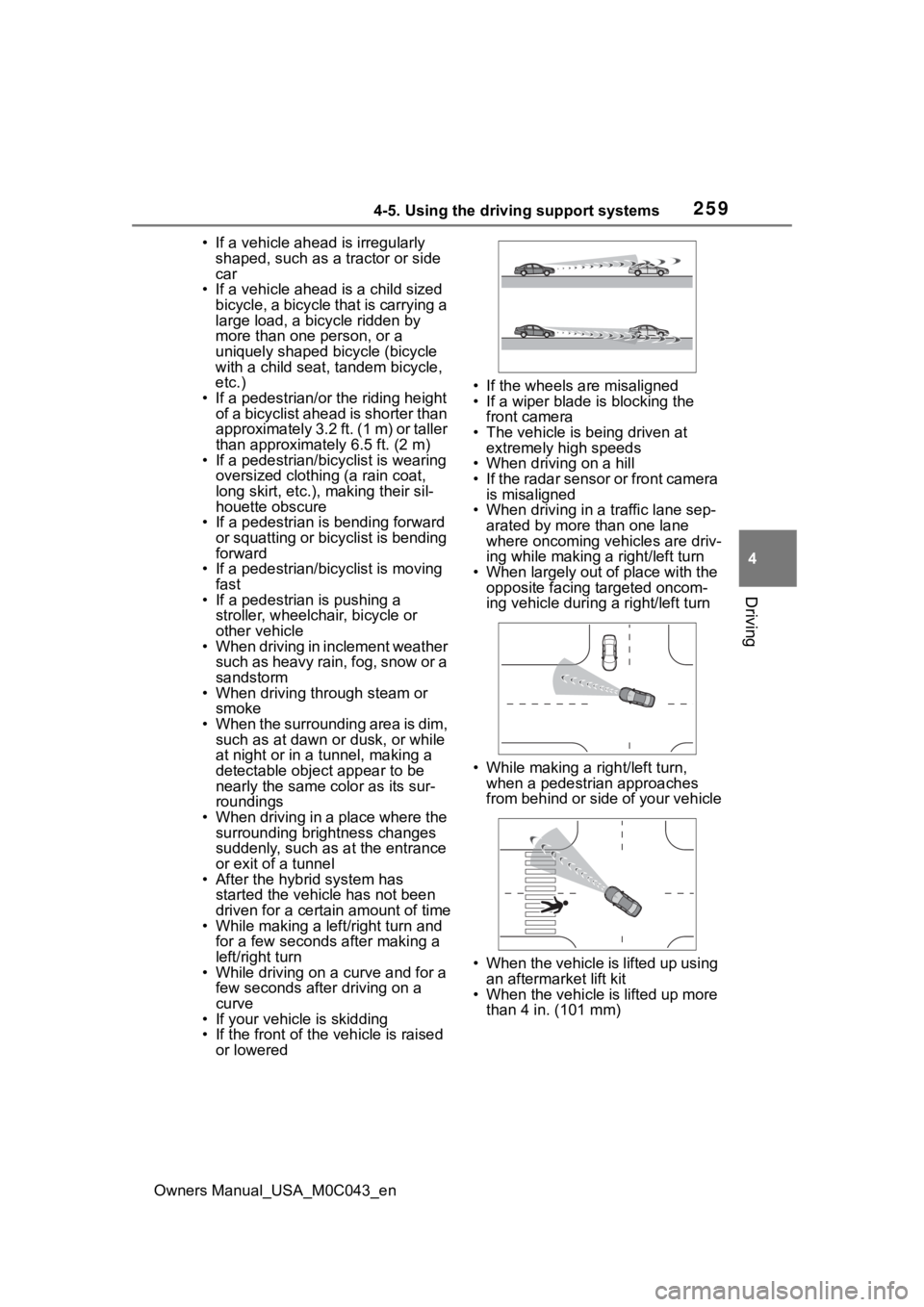
• When driving in a traffic lane sep-
arated by more than one lane
where oncoming vehicles are driv-
ing while making a right/left turn
• When largely out of place with the opposite facing targeted oncom-
ing vehicle during a right/left turn
• While making a right/left turn,
when a pedestrian approaches
from behind or side of your vehicle
• When the vehicle is lifted up using an aftermarket lift kit
• When the vehicle is lifted up more than 4 in. (101 mm)
Page 271 of 628
2714-5. Using the driving support systems
Owners Manual_USA_M0C043_en
4
Driving
Depending on the vehicle condition
and road conditions, the warning
may not operate. Also, if the system
determines that the vehicle is driv-
ing around a curv e, warnings will
occur earlier than during straight-
lane driving.
●When the system determines that
the driver is driving without hold-
ing the steering wheel while the
steering wheel assist of the steer-
ing assist function is operating.
If the driver continues to keep their
hands off of the steering wheel and
the steering wheel assist is operat-
ing, the buzzer sounds and the
driver is warned. Each time the
buzzer sounds, the continuing time
of the buzzer becomes longer.
The buzzer also sounds even if the
alert type is set to .
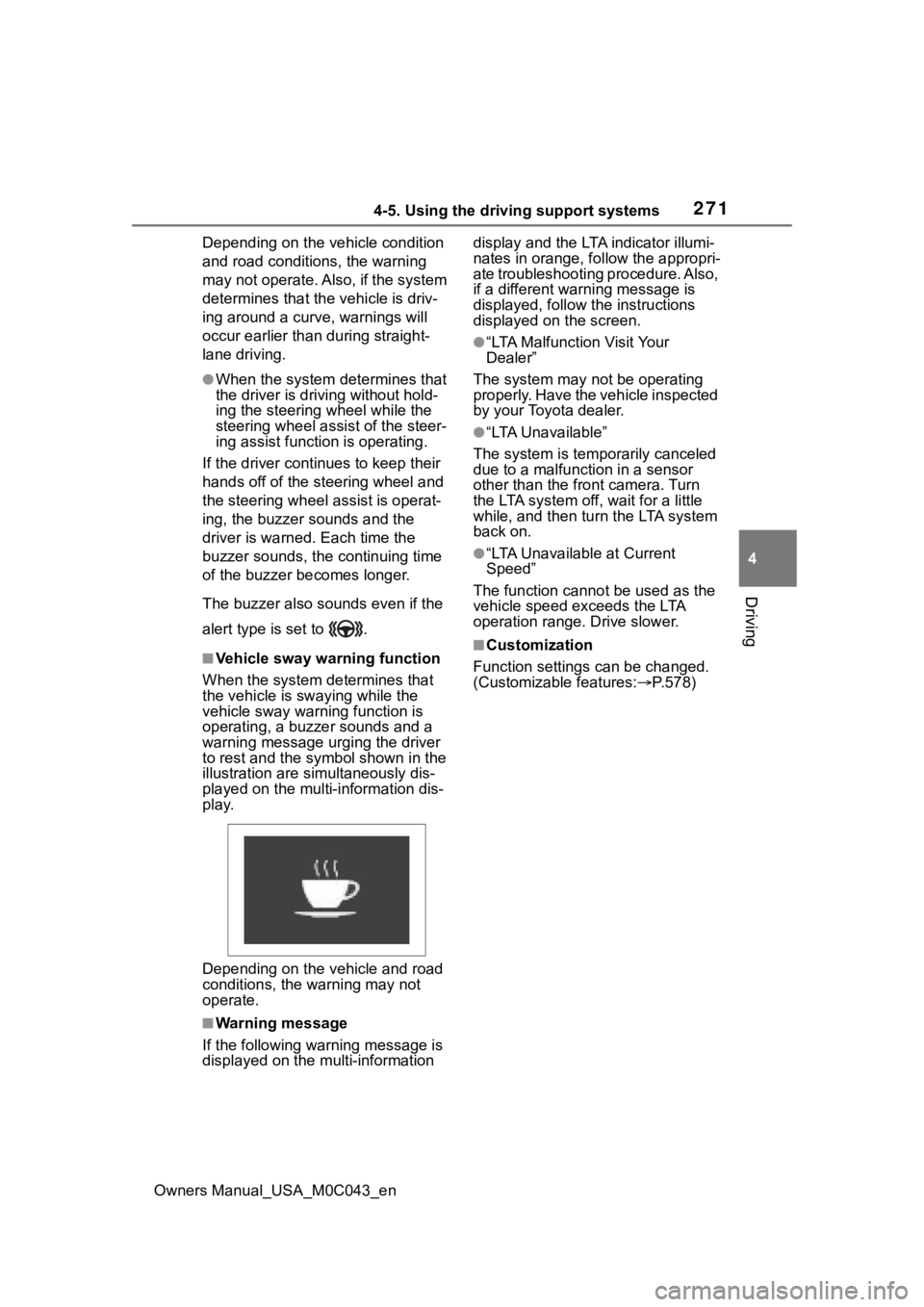
■Vehicle sway warning function
When the system de termines that
the vehicle is swaying while the
vehicle sway warning function is
operating, a buzzer sounds and a
warning message urging the driver
to rest and the symbol shown in the
illustration are sim ultaneously dis-
played on the multi-information dis-
play.
Depending on the vehicle and road
conditions, the warning may not
operate.
■Warning message
If the follo wing warning message is
displayed on the multi-information display and the LTA indicator illumi-
nates in orange, follow the appropri-
ate troubleshooting procedure. Also,
if a different warning message is
displayed, follow the instructions
displayed on the screen.
●“LTA Malfunction Visit Your
Dealer”
The system may not be operating
properly. Have the vehicle inspected
by your Toyota dealer.
●“LTA Unavailable”
The system is temporarily canceled
due to a malfunction in a sensor
other than the front camera. Turn
the LTA system off, wait for a little
while, and then tu rn the LTA system
back on.
●“LTA Unavailable at Current
Speed”
The function cannot be used as the
vehicle speed exceeds the LTA
operation range. Drive slower.
■Customization
Function settings can be changed.
(Customizable features: P.578)
Page 274 of 628
2744-5. Using the driving support systems
Owners Manual_USA_M0C043_en
●Dirt, snow, stickers, etc., are on
the windshield near the front cam-
era.
●In inclement weather such as
heavy rain, fog, snow or sand
storms
●Light from an oncoming vehicle,
the sun, etc., enters the front cam-
era.
●The sign is dirty, faded, tilted or
bent.
●The contrast of electronic sign is
low.
●All or part of the sign is hidden by
the leaves of a tree, a pole, etc.
●The sign is only visible to the front
camera for a short amount of time.
●The driving scene (turning, lane
change, etc.) is judged incorrectly.
●If a sign not appropriate for the
currently traveled lane, but the
sign exists directly after a freeway
branches, or in an adjacent lane
just before merging.
●Stickers are attached to the rear of
the preceding vehicle.
●A sign resembling a system com-
patible sign is recognized.
●Side road speed signs may be
detected and displayed (if posi-
tioned in sight of the front camera)
while the vehicle is traveling on
the main road.
●Roundabout exit road speed signs
may be detected and displayed (if
positioned in sight of the front
camera) while traveling on a
roundabout.
●The front of the vehicle is raised or
lowered due to the carried load.
●The surrounding brightness is not
sufficient or changes suddenly.
●When a sign intended for trucks,
etc., is recognized.
●The navigation system map data
is outdated.
●The navigation system is not oper-
ating.
●The speed information displayed
on the meter and on the naviga-
tion system may be different due
to the navigation system using
map data.
■Speed limit sign display
If the power switch was last turned
off while a speed limit sign was dis-
played on the multi-information dis-
play, the same sig n displays again
when the power switch is turned to
ON.
■If “RSA Malfunction Visit Your
Dealer” is shown
The system may be malfunctioning.
Have the vehicle inspected by your
Toyota dealer.
■Customization
Some functions can be customized.
(Customizable features: P.578)
Page 278 of 628
2784-5. Using the driving support systems
Owners Manual_USA_M0C043_en
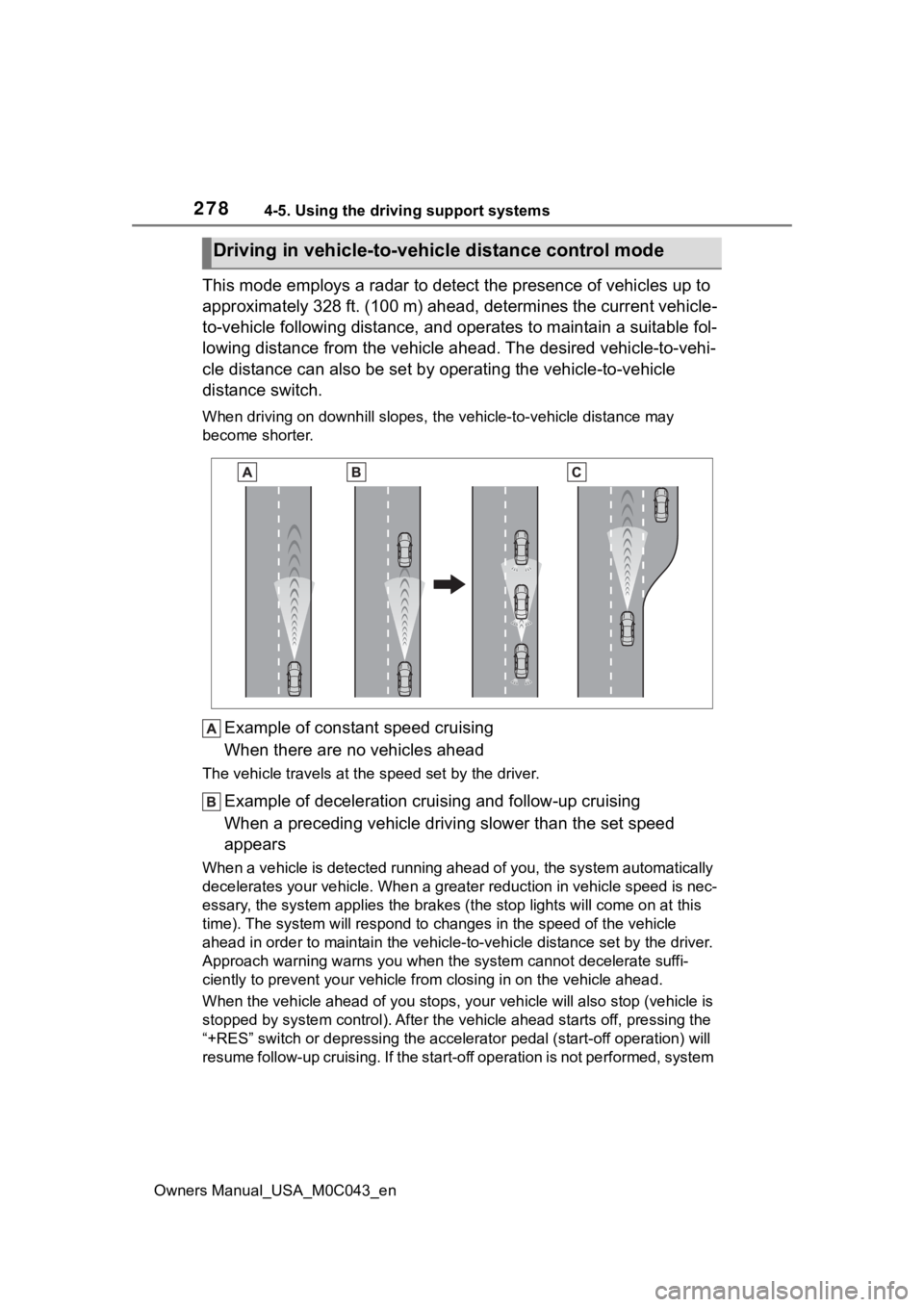
This mode employs a radar to detect the presence of vehicles up to
approximately 328 ft. (100 m) ahead, determines the current vehicle-
to-vehicle following distance, and operates to maintain a suitable fol-
lowing distance from the vehicle ahead. The desired vehicle-to- vehi-
cle distance can also be set by operating the vehicle-to-vehicl e
distance switch.
When driving on downhill slopes, t he vehicle-to-vehicle distance may
become shorter.
Example of constant speed cruising
When there are no vehicles ahead
The vehicle travels at the speed set by the driver.
Example of deceleration crui sing and follow-up cruising
When a preceding vehicle driving slower than the set speed
appears
When a vehicle is detected runni ng ahead of you, the system automatically
decelerates your vehicle. When a greater reduction in vehicle s peed is nec-
essary, the system applies the brakes (the stop lights will come on at this
time). The system will respond to changes in the speed of the vehicle
ahead in order to maintain the vehicle-to-vehicle distance set by the driver.
Approach warning warns you when the system cannot decelerate suffi-
ciently to prevent your vehicle from closing in on the vehicle ahead.
When the vehicle ahead of you st ops, your vehicle will also stop (vehicle is
stopped by system control). Afte r the vehicle ahead starts off, pressing the
“+RES” switch or depressing the accelerator pedal (start-off operation) will
resume follow-up cruising. If the start-off operation is not pe rformed, system
Driving in vehicle-to-vehicle distance control mode
Page 280 of 628
2804-5. Using the driving support systems
Owners Manual_USA_M0C043_enThe vehicle speed at the moment
the switch is released becomes the
set speed.
■Adjusting the set speed by
the switch
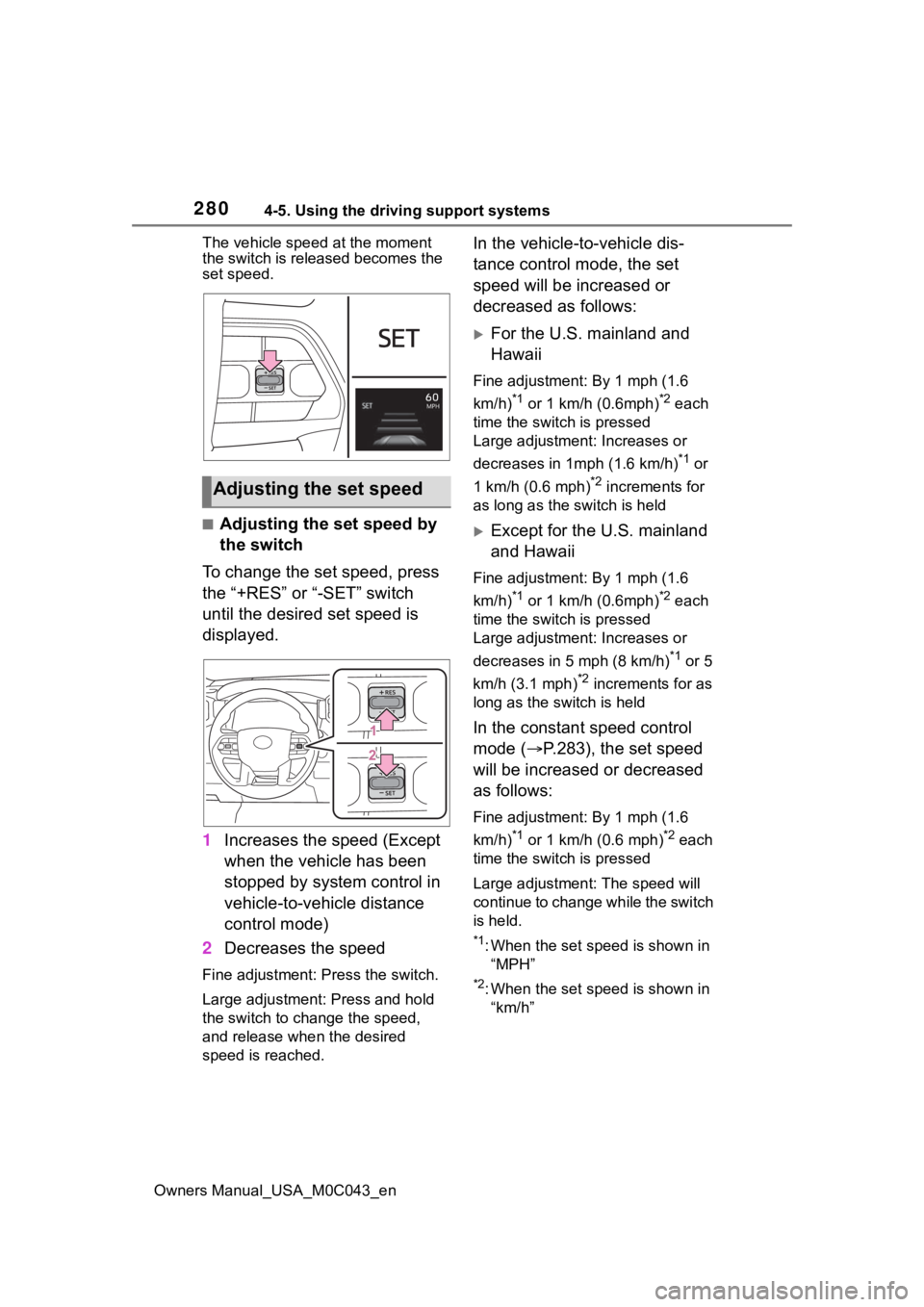
To change the set speed, press
the “+RES” or “-SET” switch
until the desired set speed is
displayed.
1 Increases the speed (Except
when the vehicle has been
stopped by system control in
vehicle-to-vehicle distance
control mode)
2 Decreases the speed
Fine adjustment: Press the switch.
Large adjustment: Press and hold
the switch to change the speed,
and release when the desired
speed is reached.
In the vehicle-to-vehicle dis-
tance control mode, the set
speed will be increased or
decreased as follows:
For the U.S. mainland and
Hawaii
Fine adjustment: By 1 mph (1.6
km/h)
*1 or 1 km/h (0.6mph)*2 each
time the switch is pressed
Large adjustment: Increases or
decreases in 1mph (1.6 km/h)
*1 or
1 km/h (0.6 mph)
*2 increments for
as long as the switch is held
Except for the U.S. mainland
and Hawaii
Fine adjustment: By 1 mph (1.6
km/h)
*1 or 1 km/h (0.6mph)*2 each
time the switch is pressed
Large adjustment: Increases or
decreases in 5 mph (8 km/h)
*1 or 5
km/h (3.1 mph)
*2 increments for as
long as the switch is held
In the constant speed control
mode ( P.283), the set speed
will be increased or decreased
as follows:
Fine adjustment: By 1 mph (1.6
km/h)
*1 or 1 km/h (0.6 mph)*2 each
time the switch is pressed
Large adjustmen t: The speed will
continue to change while the switch
is held.
*1: When the set speed is shown in “MPH”
*2: When the set speed is shown in “km/h”
Adjusting the set speed
Page 284 of 628
2844-5. Using the driving support systems
Owners Manual_USA_M0C043_en
■When the vehicle stops while
follow-up cruising
●Pressing the “+RES” switch while
the vehicle ahead stops will
resume follow-up cruising if the
vehicle ahead starts off within
approximately 3 seconds after the
switch is pressed.
●If the vehicle ahead starts off
within 3 seconds after your vehicle
stops, follow-up cruising will be
resumed.
■Automatic cancelation of vehi-
cle-to-vehicle distance control
mode
Vehicle-to-vehicle distance control
mode is automatically canceled in
the following situations.
●VSC is activated.
●TRAC is activated for a period of
time.
●When the VSC or TRAC system is
turned off.
●The sensor cannot detect cor-
rectly because i t is covered in
some way.
●When the brake control or output
restriction control of a driving sup-
port system operates. (For exam-
ple: Pre-Collision System, Drive-
Start Control)
●The center differential lock/unlock
is not completed within 5 seconds
while the cruise con trol system is
on.
●The parking brake is operated.
●The vehicle is stopped by system
control on a steep incline.
●The following are detected when
the vehicle has been stopped by
system control:
• The driver is not wearing a seat belt.
• The driver’s door is opened.
• The vehicle has been stopped for
about 3 minutes.
If vehicle-to-vehicle distance control
mode is automatically canceled for any reasons other than the above,
there may be a malfunction in the
system. Contact you
r Toyota dealer.
■Automatic cancelation of con-
stant speed control mode
Constant speed control mode is
automatically cance led in the follow-
ing situations:
●Actual vehicle speed is more than
approximately 10 mph (16 km/h)
below the set vehicle speed.
●Actual vehicle speed falls below
approximately 20 mph (30 km/h).
●VSC is activated.
●TRAC is activated for a period of
time.
●When the VSC or TRAC system is
turned off.
●When the brake control or output
restriction control of a driving sup-
port system operates. (For exam-
ple: Pre-Collision System, Drive-
Start Control)
●The center differe ntial lock/unlock
is not completed within 5 seconds
while the cruise control system is
on.
●The parking brake is operated.
If constant speed control mode is
automatically canceled for any rea-
sons other than the above, there
may be a malfunction in the system.
Contact your Toyota dealer.
■Brake operation
A brake operation sound may be
heard and the brake pedal response
may change, but these are not mal-
functions.
■Warning messages and buzzers
for dynamic radar cruise con-
trol with full-speed range
Warning messages and buzzers are
used to indicate a system malfunc-
tion or to inform the driver of the
need for caution while driving. If a
warning message is shown on the
multi-information display, read the
message and follow the instruc-
Page 288 of 628
2884-5. Using the driving support systems
Owners Manual_USA_M0C043_en
■Turning the Blind Spot Mon-
itor on/off
Use the meter control switches
to turn on/off the function.
( P.98)
1 Press or to select .
2 Press or to select “
BSM” and then press .
When the BSM function is disabled,
the BSM OFF indicator ( P.91) illu-
minates. (Each time the power
switch is turned off then changed to
ON, the Blind Spot Monitor will be
enabled automatically.)
■Setting the trailer type
Use the meter control switches
to select the trailer type.
( P.98)
1 Press or to select .
WARNING
●Keep the sensors and the sur-
rounding areas on the rear
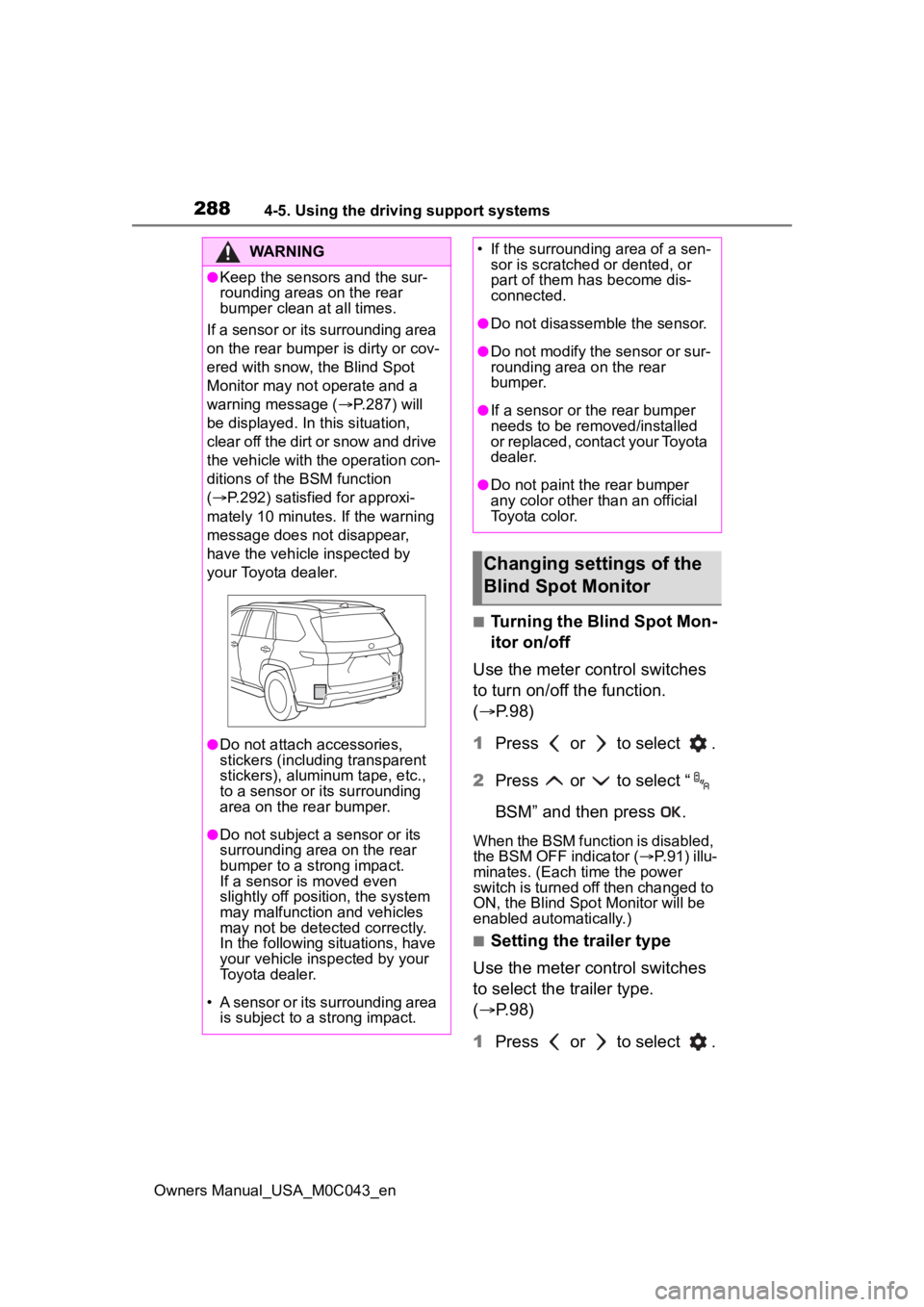
bumper clean at all times.
If a sensor or its surrounding area
on the rear bumper is dirty or cov-
ered with snow, the Blind Spot
Monitor may not operate and a
warning message ( P.287) will
be displayed. In this situation,
clear off the dirt or snow and drive
the vehicle with the operation con-
ditions of the BSM function
( P.292) satisfied for approxi-
mately 10 minutes. If the warning
message does not disappear,
have the vehicle inspected by
your Toyota dealer.
●Do not attach accessories,
stickers (including transparent
stickers), aluminum tape, etc.,
to a sensor or its surrounding
area on the rear bumper.
●Do not subject a sensor or its
surrounding area on the rear
bumper to a strong impact.
If a sensor is moved even
slightly off position, the system
may malfunction and vehicles
may not be detected correctly.
In the following si tuations, have
your vehicle inspected by your
Toyota dealer.
• A sensor or its surrounding area is subject to a strong impact.
• If the surrounding area of a sen- sor is scratched or dented, or
part of them h as become dis-
connected.
●Do not disassemble the sensor.
●Do not modify the sensor or sur-
rounding area on the rear
bumper.
●If a sensor or the rear bumper
needs to be removed/installed
or replaced, contact your Toyota
dealer.
●Do not paint the rear bumper
any color other t han an official
Toyota color.
Changing settings of the
Blind Spot Monitor
Page 300 of 628
3004-5. Using the driving support systems
Owners Manual_USA_M0C043_en
When 2 or more sensors
simultaneously detect a static
object, the buzzer sounds for
the nearest object.
Even when the sensors are
operating, the buzzer will be
muted in some situations.
(automatic buzzer mute func-
tion)
■Adjusting the buzzer vol-
ume
The buzzer volume can be
adjusted on the multi-informa-
tion display.
Use the meter control switches
to change settings. ( P. 9 8 )
1 Press or of the meter
control switch to select .
2 Press or of the meter
control switch to select
and then press and hold .
3 Select the volume and then
press .
Each time the switch is pressed,
the volume lev el will change
between 1, 2, and 3.
■Muting a buzzer
A mute button will be displayed
on the multi-information display
when an object is detected. To
mute the buzzer, press .
The buzzers for the intuitive
parking assist and RCTA func-
tion (if equipped) will be muted simultaneously.
Mute will be canceled automati-
cally in the following situations:
When the shift position is
changed.
When the vehicle speed
exceeds a certain speed.
When there is a malfunction
in a sensor or the system is
temporarily unavailable.
When the operating function
is disabled manually.
When the power switch is
turned off.
Page 302 of 628
3024-5. Using the driving support systems
Owners Manual_USA_M0C043_enThe buzzer also sounds for approx-
imately 1 second immediately after
the RCTA function is turned on.
Use the meter control switches
to enable/disable the RCTA
function. (
P. 9 8 )
1 Press or to select .
2 Press or to select
“RCTA” and then press .
When the RCTA function is dis-
abled, the “RCTA OFF” indicator
( P.91) illuminates. (Each time the
power switch is turned off then
changed to ON, the RCTA function
will be enabled a utomatically.)
■When towing a trailer
When Auto Trailer Detection (ATD)
( P.289) is activated, the function
automatically turns off.
■Outside rear view mirror indica-
tor visibility
In strong sunlight, the outside rear
view mirror indicato r may be difficult
to see.
■Hearing the RCTA buzzer
The RCTA buzzer may be difficult to
hear over loud noises, such as high
audio volume.
■When “Rear Cross Traffic Alert
Unavailable” is shown on the
multi-information display
The sensor voltage has become
abnormal, or water, snow, mud, etc.,
may be built up in the vicinity of the
sensor area of t he rear bumper.
( P.288)
Removing the water, snow, mud,
etc., from the vicinity of the sensor area should return it to normal. Also,
the sensor may not function nor-
mally when used in extremely hot or
cold weather.
■When “Rear Cross Traffic Alert
Malfunction Visit Your Dealer”
is shown on the
multi-informa-
tion display
There may be a sensor malfunction
or misaligned. Have the vehicle
inspected at your Toyota dealer.
■Radar sensors
P.288
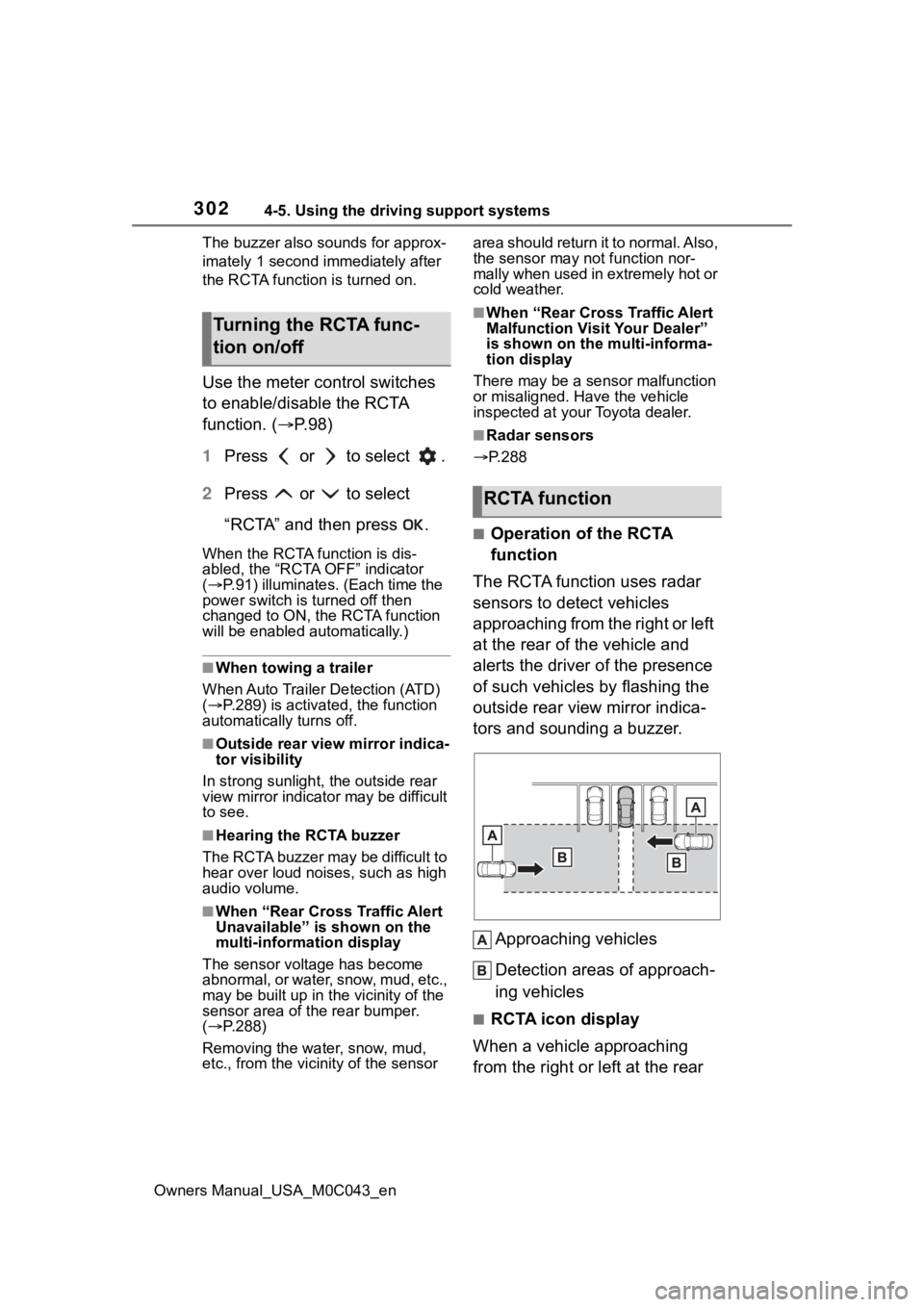
■Operation of the RCTA
function
The RCTA function uses radar
sensors to detect vehicles
approaching from the right or left
at the rear of the vehicle and
alerts the driver of the presence
of such vehicles by flashing the
outside rear view mirror indica-
tors and sounding a buzzer.
Approaching vehicles
Detection areas of approach-
ing vehicles
■RCTA icon display
When a vehicle approaching
from the right or left at the rear
Turning the RCTA func-
tion on/off
RCTA function