change time TOYOTA SEQUOIA HYBRID 2023 Owners Manual
[x] Cancel search | Manufacturer: TOYOTA, Model Year: 2023, Model line: SEQUOIA HYBRID, Model: TOYOTA SEQUOIA HYBRID 2023Pages: 628, PDF Size: 14.27 MB
Page 6 of 628
6
Owners Manual_USA_M0C043_en
Please note that this manual
applies to all models and
explains all equipment, including
options. Therefore, you may find
explanations for equipment not
installed on your vehicle and the
illustrations used may differ from
your vehicle.
All specifications provided in this
manual are current at the time of
printing. Over time, your vehicle
may receive updates that modify
the vehicle and make material in
this manual incomplete and/or
inaccurate. Because of Toyota’s
interest in continual product
improvement, Toyota reserves
the right to make changes to this
manual at any time without
notice.
If Toyota chooses to update the
manual, updated versions can
be viewed by selecting your
vehicle by model and year at the
following URL or on your mobile
device if you have access to the
Toyota app.
www.toyota.com/owners
Approximately five hours after
the hybrid system is turned off, you may hear sound coming
from under the vehicle for sev-
eral minutes. This is the sound
of a fuel evaporation leakage
check and it does not indicate a
malfunction.
A wide variety of non-genuine
spare parts and accessories for
Toyota vehicles are currently
available in the market. You
should know that Toyota does
not warrant these products and
is not responsible for their per-
formance, repair, or replace-
ment, or for any damage they
may cause to, or adverse effect
they may have on, your Toyota
vehicle.
This vehicle should not be modi-
fied with non-genuine Toyota
products. Modification with non-
genuine Toyota products could
affect its performance, safety or
durability, and may even violate
governmental regulations. In
addition, damage or perfor-
mance problems resulting from
the modification may not be cov-
ered under warranty.
Also, remodeling like this will
have an effect on advanced
safety equipment such as Toy-
ota Safety Sense 2.5 and there
is a danger that it will not work
For your information
Main Owner’s Manual
Noise from under vehicle
after turning off the hybrid
system
Accessories, spare parts
and modification of your
To y o t a
Page 95 of 628
952-1. Instrument cluster
Owners Manual_USA_M0C043_en
2
Vehicle status information and indicators
■Display items
Odometer
Displays the total distance the vehi-
cle has been driven.
Trip meter A/Trip meter B
Displays the distance the vehicle
has been driven since the meter
was last reset. Trip meters A and B
can be used to record and display
different distances independently.
Distance until next engine oil
change
Displays the distance the vehicle
can be driven until an oil change is
necessary.
■Changing the display
Each time the “ODO TRIP”
switch is pressed, the displayed
item will be changed. When the
trip meter is displayed, pressing
and holding the switch will reset
the trip meter.
WARNING
For example, there is a lag
between the driver’s shifting and
the new gear number appearing
on the display. This lag could
cause the driver to downshift
again, causing rapid and exces-
sive engine braking and possibly
an accident resulting in death or
injury.
NOTICE
■To prevent damage to the
engine and its components
●Do not let the i ndicator needle
of the tachomete r enter the red
zone, which indicates the maxi-
mum engine speed.
●The engine may be overheating
if the engine coolant tempera-
ture gauge is in the red zone
(H). In this case, immediately
stop the vehicle in a safe place,
and check the engine after it
has cooled completely.
( P.543)
■Voltmeter
When the voltmeter indicates 19
V or higher or 9 V or lower while
the hybrid system is operating,
there may be a 12- volt battery or
charging system malfunction.
Have the vehicle inspected at
your Toyota dealer.
■Engine oil pressure gauge
When the value of the engine oil
pressure gauge drops while the
engine is running, stop the vehicle
in a safe place immediately and
check the amoun t of engine oil.
( P.466)
When the oil pressure drops even
though the engine oil amount has
not decreased, or i f the oil pres-
sure does not increase when
engine oil is added, contact your
Toyota dealer, as there may be a
problem with the lubrication sys-
tem.
Odometer and trip meter
display
Page 96 of 628
962-1. Instrument cluster
Owners Manual_USA_M0C043_en
■Pop-up display
In some situations the following
will be temporarily displayed:
Distance until next engine oil
change
Displays the distan ce until the next
engine oil change. This display will
be displayed in the following situa-
tions:
When the power switch is
turned to ON.
When a warning message
indicating that oil mainte-
nance should be performed
soon or is required is dis-
played.
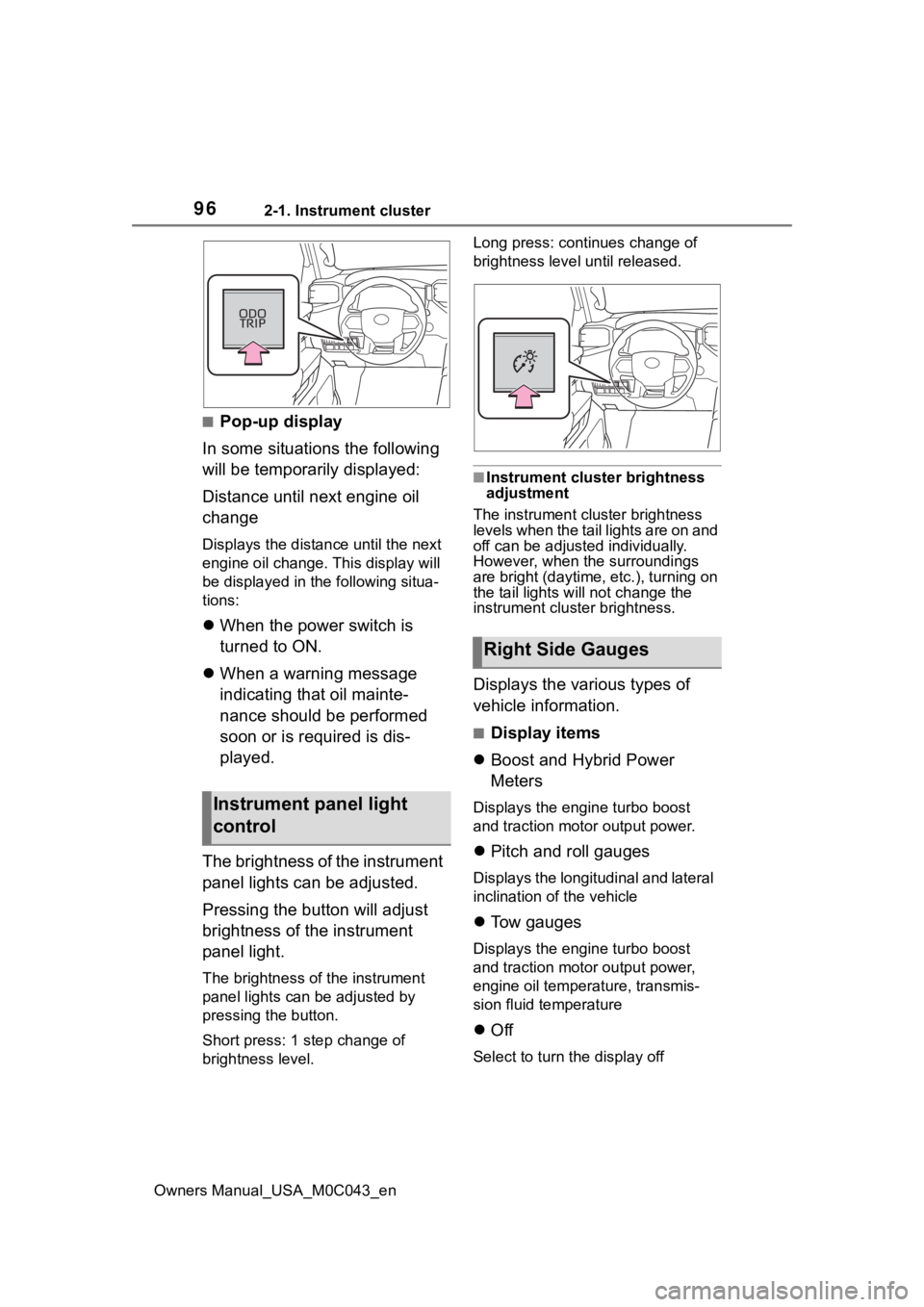
The brightness of the instrument
panel lights can be adjusted.
Pressing the button will adjust
brightness of the instrument
panel light.
The brightness of the instrument
panel lights can be adjusted by
pressing the button.
Short press: 1 s tep change of
brightness level. Long press: continues change of
brightness level until released.
■Instrument cluster brightness
adjustment
The instrument cluster brightness
levels when the tail lights are on and
off can be adjusted individually.
However, when the surroundings
are bright (daytime, etc.), turning on
the tail lights will not change the
instrument cluster brightness.
Displays the various types of
vehicle information.
■Display items
Boost and Hybrid Power
Meters
Displays the engine turbo boost
and traction motor output power.
Pitch and roll gauges
Displays the longitudinal and lateral
inclination of the vehicle
Tow gauges
Displays the engine turbo boost
and traction motor output power,
engine oil temperature, transmis-
sion fluid temperature
Off
Select to turn the display off
Instrument panel light
control
Right Side Gauges
Page 100 of 628
1002-1. Instrument cluster
Owners Manual_USA_M0C043_ention. As a result, the actual dis-
tance that can be driven may differ
from that displayed.
●When only a small amount of fuel
is added to the tank, the display
may not be updated. When refuel-
ing, turn the power
switch to OFF.
If the vehicle is refueled without
turning the power switch to OFF,
the display may not be updated.
●When “Refuel” is displayed, the
remaining fuel amount is low and
the distance that can be driven
with the remaining fuel cannot be
calculated. Refuel immediately.
■Hybrid System Indicator
The Hybrid System Indicator will not
operate in the following situations:
●The “READY” indicator is not illu-
minated.
●The shift lever is in a range other
than D or S.
Select to display the following
navigation system-linked infor-
mation:
Route guidance to destination
Compass display (heading-up
display)
Select to enable selection of an
audio source or track on the
meter using the meter control
switches.
This menu icon can be set to be
displayed/not displayed in .
■Trailer brake
Displays trailer brake control
status ( P.388) and trailer
type
*.
*: To select the trailer, press and
hold the meter control switch.
( P.102)
■Trailer Mode BSM
Displays trailer length
* and
trailer blind spot status
( P.286).
*: To select the trailer, press and
hold the meter control switch.
( P.102)
■Drive information
2 items that are selected using
the “Drive Info Items” setting
(average speed, distance and
total time) can be displayed ver-
tically.
The displayed information
changes according to the “Drive
Info Type” setting (since the sys-
tem was started or between
resets). ( P.101)
Use the displayed information as a
reference only.
Following items will be displayed.
“Trip”
• “Average Speed”: Displays the
average vehicle speed since
hybrid system start
*
Navigation system-linked
display
Audio system-linked dis-
play
Vehicle information dis-
play
Page 101 of 628
1012-1. Instrument cluster
Owners Manual_USA_M0C043_en
2
Vehicle status information and indicators
• “Distance”: Displ ays the distance
driven since hybrid system start
*
• “Total Time”: Displays the elapsed time since hybrid system start
*
*
: These items are reset each time the hybrid system stops.
“Total”
• “Average Speed”: Displays the
average vehicle speed since the
display was reset
*
• “Distance”: Displ ays the distance
driven since the display was
reset
*
• “Total Time”: Displays the elapsed
time since the display was reset
*
*
: To reset, display the desired item
and press and hold the meter
control switch.
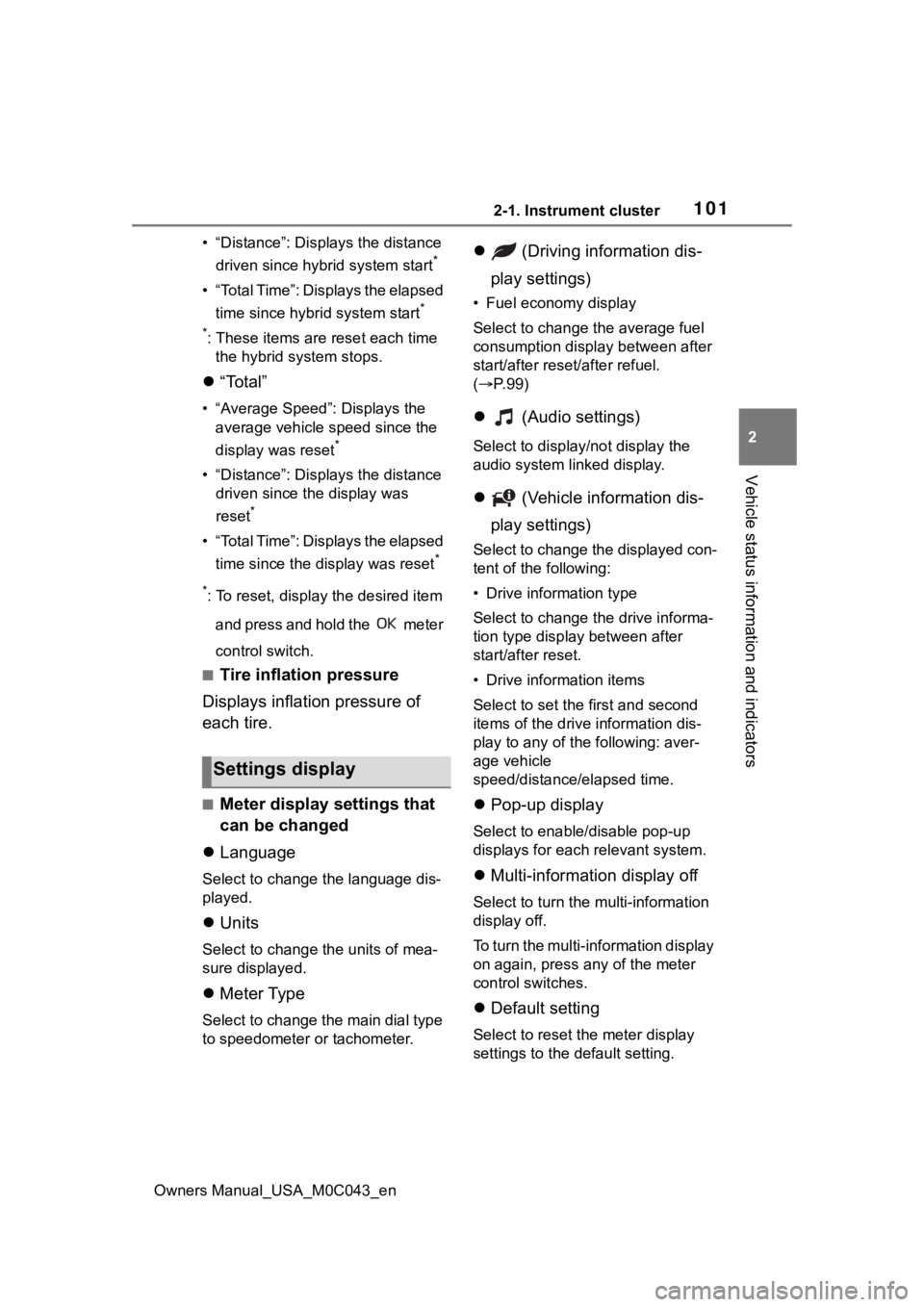
■Tire inflation pressure
Displays inflation pressure of
each tire.
■Meter display settings that
can be changed
Language
Select to change the language dis-
played.
Units
Select to change t he units of mea-
sure displayed.
Meter Type
Select to change the main dial type
to speedometer or tachometer.
(Driving information dis-
play settings)
• Fuel economy display
Select to change the average fuel
consumption display between after
start/after reset/after refuel.
( P. 9 9 )
(Audio settings)
Select to displa y/not display the
audio system linked display.
(Vehicle information dis-
play settings)
Select to change the displayed con-
tent of the following:
• Drive information type
Select to change the drive informa-
tion type display between after
start/after reset.
• Drive information items
Select to set the first and second
items of the drive information dis-
play to any of the following: aver-
age vehicle
speed/distance/elapsed time.
Pop-up display
Select to enable/disable pop-up
displays for each relevant system.
Multi-information display off
Select to turn the multi-information
display off.
To turn the multi-information display
on again, press any of the meter
control switches.
Default setting
Select to reset the meter display
settings to the default setting.
Settings display
Page 108 of 628
1082-1. Instrument cluster
Owners Manual_USA_M0C043_en
■Outside temperature display
●When the ambient temperature is
approximately 37°F (3°C) or
lower, the low outside temperature
indicator will flash for approxi-
mately 10 seconds and the out-
side temperature display will turn
off. In this case, the display will be
displayed again when the outside
temperature becomes approxi-
mately 41°F (5°C) or higher.
●In the following situations, the cor-
rect outside tempe rature may not
be displayed, or the display may
take longer than normal to
change:
• When stopped, or driving at low speeds (less than 16 mph [25
km/h])
• When the outside temperature has changed su ddenly (at the
entrance/exit of a garage, tunnel,
etc.)
●When “--” is displayed, the system
may be malfunction ing. Take your
vehicle to your Toyota dealer.
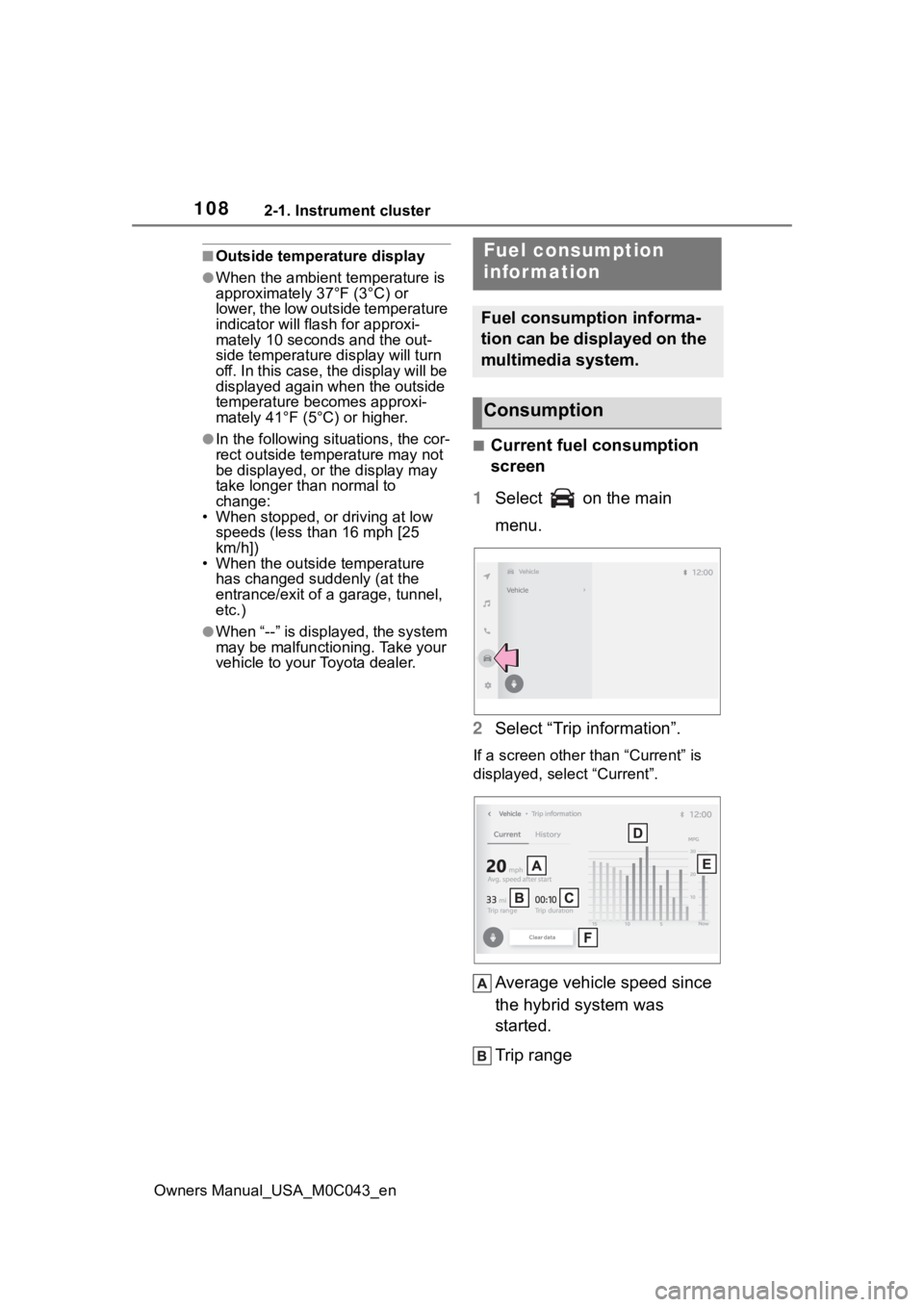
■Current fuel consumption
screen
1 Select on the main
menu.
2 Select “Trip information”.
If a screen other than “Current” is
displayed, select “Current”.
Average vehicle speed since
the hybrid system was
started.
Trip range
Fuel consumption
information
Fuel consumption informa-
tion can be displayed on the
multimedia system.
Consumption
Page 115 of 628
1153-2. Opening, closing and locking the doors
Owners Manual_USA_M0C043_en
3
Before driving
3-2.Opening, closing and locking the doors
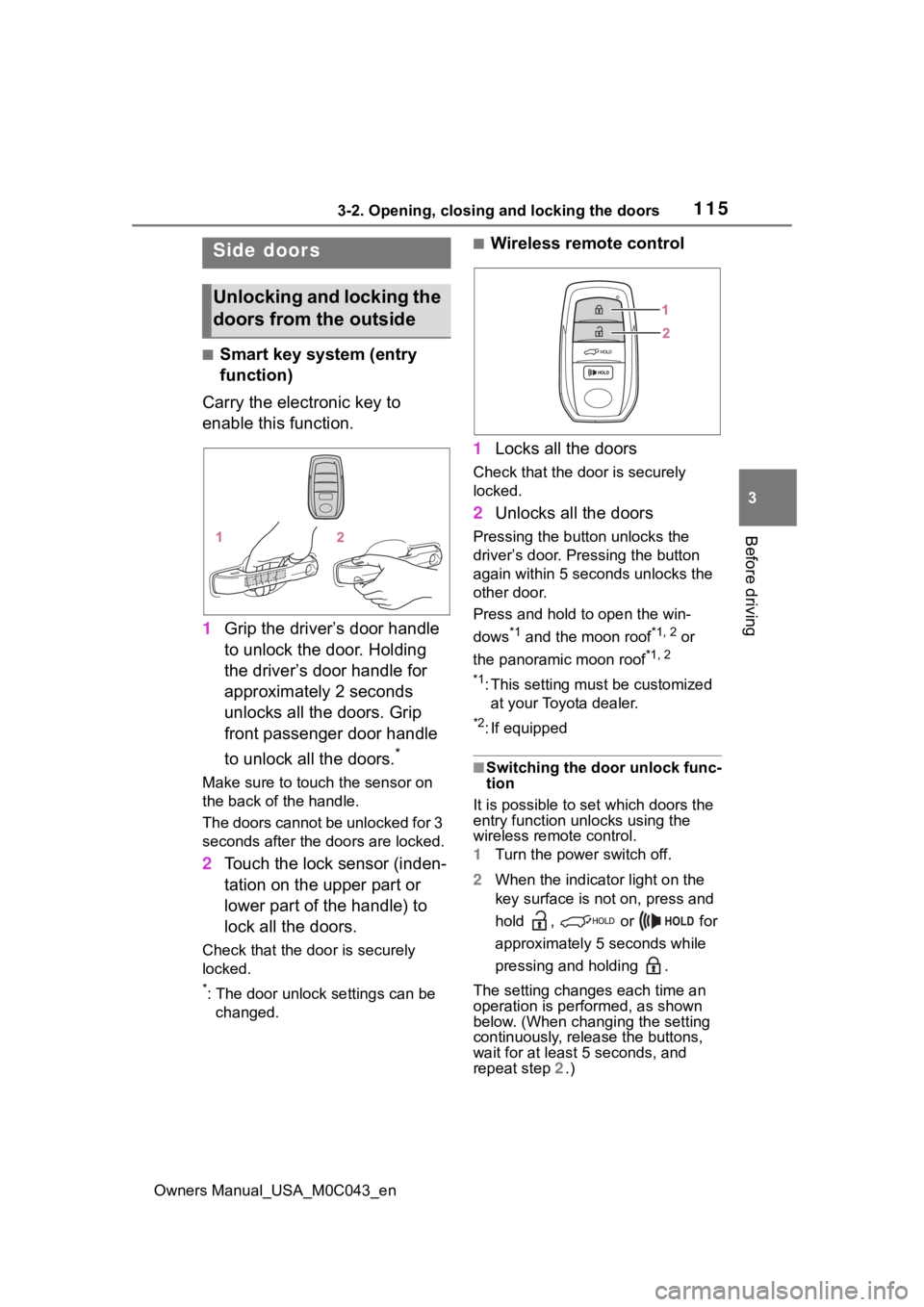
■Smart key system (entry
function)
Carry the electronic key to
enable this function.
1 Grip the driver’s door handle
to unlock the door. Holding
the driver’s door handle for
approximately 2 seconds
unlocks all the doors. Grip
front passenger door handle
to unlock all the doors.
*
Make sure to touch the sensor on
the back of the handle.
The doors cannot be unlocked for 3
seconds after the doors are locked.
2Touch the lock sensor (inden-
tation on the upper part or
lower part of the handle) to
lock all the doors.
Check that the door is securely
locked.
*: The door unlock settings can be
changed.
■Wireless remote control
1 Locks all the doors
Check that the d oor is securely
locked.
2 Unlocks all the doors
Pressing the button unlocks the
driver’s door. Pressing the button
again within 5 seconds unlocks the
other door.
Press and hold to open the win-
dows
*1 and the moon roof*1, 2 or
the panoramic moon roof
*1, 2
*1
: This setting must be customized at your Toyota dealer.
*2: If equipped
■Switching the door unlock func-
tion
It is possible to set which doors the
entry function unlocks using the
wireless remote control.
1 Turn the power switch off.
2 When the indicator light on the
key surface is not on, press and
hold , or for
approximately 5 seconds while
pressing and holding .
The setting changes each time an
operation is per formed, as shown
below. (When changing the setting
continuously, release the buttons,
wait for at least 5 seconds, and
repeat step 2 .)
Side doors
Unlocking and locking the
doors from the outside
Page 116 of 628
1163-2. Opening, closing and locking the doors
Owners Manual_USA_M0C043_enTo prevent unintended triggering of
the alarm, unlock
the doors using
the wireless remote control and
open and close a door once after
the settings have been changed. (If
a door or the glass hatch is not
opened within 60 seconds after
is pressed, the do ors will be locked
again and the ala rm will automati-
cally be set.)
In a case that the alarm is triggered,
immediately stop the alarm. ( P. 8 4 )
■Impact detection door lock
release system
In the event that t he vehicle is sub-
ject to a strong impact, all the doors
are unlocked. Depending on the
force of the impact or the type of
accident, however, the system may
not operate.
■Operation signals
A buzzer sounds and the emer-
gency flashers flash to indicate that
the doors have been
locked/unlocked. (Locked: once;
Unlocked: twice)
A buzzer sounds to indicate that the
windows are operating.
■Security feature
If a door or the glass hatch is not
opened within approximately 60
seconds after the vehicle is
unlocked, the security feature auto-
matically locks the vehicle again.
■When the doors cannot be
locked by the lock sensor on
the upper part of the door han-
dle
If the door will not lock even when
the topside sensor area is touched,
try touching both the topside and
underside sensor areas at the same
time.
■Open door warning buzzer
If an attempt to lock the doors
and/or the glass hatch is made
when a door is not fully closed, a
buzzer sounds continuously for 5
seconds. Fully close the door and/or
the glass hatch to stop the buzzer,
and lock the vehicle once more.
■Setting the alarm
Locking the doors will set the alarm
system. ( P. 8 4 )
■Conditions affecting the opera-
tion of the smart key system or
wireless remote control
P.141
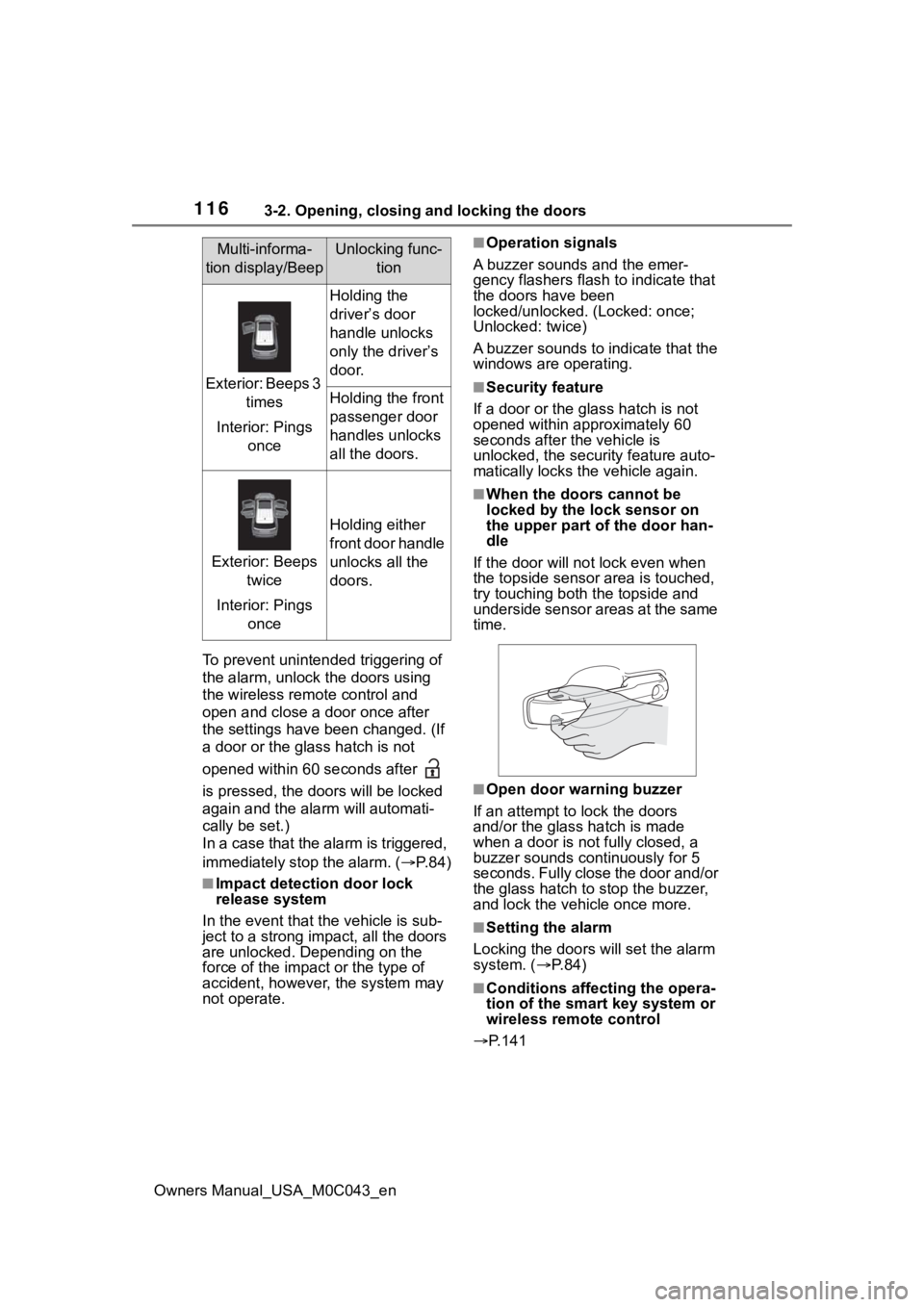
Multi-informa-
tion display/BeepUnlocking func- tion
Exterior: Beeps 3 times
Interior: Pings once
Holding the
driver’s door
handle unlocks
only the driver’s
door.
Holding the front
passenger door
handles unlocks
all the doors.
Exterior: Beeps twice
Interior: Pings once
Holding either
front door handle
unlocks all the
doors.
Page 135 of 628
1353-2. Opening, closing and locking the doors
Owners Manual_USA_M0C043_en
3
Before driving
The settings of the power back
door system can be changed by
displaying the “Vehicle Set-
tings” screen from the
setting screen of the multi-infor-
mation display. ( P.101)
The changed power back door set-
tings are not reset by turning the
power switch to OFF. In order to
NOTICE
■Hands Free Power Back Door
precautions
The kick sensor is located behind
lower center part of the rear
bumper. Observe the following to
ensure that the Hands Free
Power Back Door function oper-
ates properly:
●Keep the lower center part of
the rear bumper clean at all
times.
If the lower center part of the
rear bumper is dirty or covered
with snow, the kick sensor may
not operate. In this situation,
clean off the dirt or snow, move
the vehicle from the current
position and then check if the
kick sensor operates.
If it does not operate, have the
vehicle inspected by your Toy-
ota dealer.
●Do not apply coatings that have
a rain cleari ng (hydrophilic)
effect, or other coatings, to the
lower center par t of the rear
bumper.
●Do not park the vehicle near
objects that may move and con-
tact the lower center part of the
rear bumper, such as grass or
trees.
If the vehicle has been parked
for a while near objects that
may move and contact the
lower center par t of the rear
bumper, such as grass or trees,
the kick sensor may not oper-
ate. In this situation, move the
vehicle from the current position
and then check if the kick sen-
sor operates. If it does not oper-
ate, have the vehicle inspected
by your Toyota dealer.
●Do not subject the kick sensor
or its surroundi ng area to a
strong impact.
If the kick sensor or its sur-
rounding area has been sub-
jected to a strong impact, the
kick sensor may not operate
properly. If the kick sensor does
not operate in the following situ-
ations, have the vehicle
inspected by your Toyota
dealer.
• The kick sensor or its surround- ing area has been subjected to
a strong impact.
• The lower center part of the rear bumper is scratched or dam-
aged.
●Do not disassemble the rear
bumper.
●Do not attach stickers to the
rear bumper.
●Do not paint the rear bumper.
●If a bicycle carrier or similar
heavy object is attached to the
power back doo r, disable the
Hands Free Power Back Door.
Changing settings of the
power back door system
(vehicles with power back
door)
Page 142 of 628

1423-2. Opening, closing and locking the doors
Owners Manual_USA_M0C043_en
●When the vehicle is parked in a
pay parking spot where radio
waves are emitted.
■Note for the entry function
●Even when the electronic key is
within the effective range (detec-
tion areas), the system may not
operate properly in the following
cases:
• The electronic key is too close to the window or outside door han-
dle, near the ground, or in a high
place when the doors are locked
or unlocked.
• The electronic key is near the
ground or in a high place, or too
close to the center of the rear
bumper.
• The electronic key is on the instru- ment panel, or floor, or in the door
pockets or glove box when the
hybrid system is s tarted or power
switch modes are changed.
●Do not leave the electronic key on
top of the instrument panel or near
the door pockets when exiting the
vehicle. Depending on the radio
wave reception conditions, it may
be detected by the antenna out-
side the cabin and the doors will
become lockable from the outside,
possibly trapping the electronic
key inside the vehicle.
●As long as the electronic key is
within the effective range, the
doors may be locked or unlocked
by anyone. However, only the
doors detecting the electronic key
can be used to unl ock the vehicle.
●Even if the electronic key is not
inside the vehicle, it may be possi-
ble to start the hybrid system if the
electronic key is near the window.
●The doors may unlock or lock if a
large amount of water splashes on
the door handle, such as in the
rain or in a car wash, when the
electronic key is within the effec-
tive range. (The doors will auto-
matically be locked after
approximately 60 seconds if the doors or the glass hatch are not
opened and closed.)
●If the wireless remote control is
used to lock the doors when the
electronic key is near the vehicle,
there is a possib
ility that the door
may not be unlocked by the entry
function. (Use the wireless remote
control to unlock the doors.)
●Touching the door lock sensor
while wearing gloves may delay or
prevent lock operation.
●When the lock operation is per-
formed using the lock sensor, rec-
ognition signals will be shown up
to two consecutive times. After
this, no recognition signals will be
given.
●If the door handle becomes wet
while the electronic key is within
the effective range, the door may
lock and unlock repeatedly. In this
case, follow the following correc-
tion procedures to wash the vehi-
cle:
• Place the electronic key in a loca-
tion 6 ft. (2 m) or more away from
the vehicle. (Take care to ensure
that the key is not stolen.)
• Set the electronic key to battery- saving mode to disable the smart
key system. ( P.141)
●If the electronic key is inside the
vehicle and a door handle
becomes wet during a car wash, a
message may be shown on the
multi-information display and a
buzzer will sound outside the vehi-
cle. To turn off the alarm, lock all
the doors.
●The lock sensor may not work
properly if it comes into contact
with ice, snow, m ud, etc. Clean
the lock sensor and attempt to
operate it again.
●A sudden approach to the effec-
tive range or door handle may pre-
vent the doors from being
unlocked. In this case, return the
door handle to the original position
and check that t he doors unlock