display TOYOTA SUPRA 2019 Owners Manual
[x] Cancel search | Manufacturer: TOYOTA, Model Year: 2019, Model line: SUPRA, Model: TOYOTA SUPRA 2019Pages: 456, PDF Size: 88.65 MB
Page 235 of 456
235
3
Supra Owner's Manual3-1. CONTROLS
CONTROLS
detect a change in the speed limit
on the route, it is possible to adopt
this new speed limit value for the
following systems:
Manual Speed Limiter.
Cruise Control.
Adaptive Cruise Control with
Stop & Go function.
The speed value is proposed as a
new desired speed for adopting.
The relevant system must be acti-
vated for the speed value to be
adopted.Via Toyota Supra Command:
1"My vehicle"
2"Vehicle settings"
3"Speed Assistant"
A message is displayed in the
instrument cluster if the system and
the Cruise Control are switched on. Safety notes
WARNING
The system does not relieve you of
your personal responsibility to assess
the traffic situation correctly. Due to
system limitations, it cannot respond
independently and appropriately in all
traffic conditions. There is a danger of
accidents. Adapt your driving style to
the traffic conditions. Observe the
traffic situation and intervene actively
if the situation warrants it.
WARNING
The desired speed may be acciden-
tally set incorrectly or called up by
mistake. There is a danger of acci-
dents. Adjust the desired speed to the
traffic conditions. Observe the traffic
situation and intervene actively if the
situation warrants it.
Overview
Buttons on the steering wheel
ButtonFunction
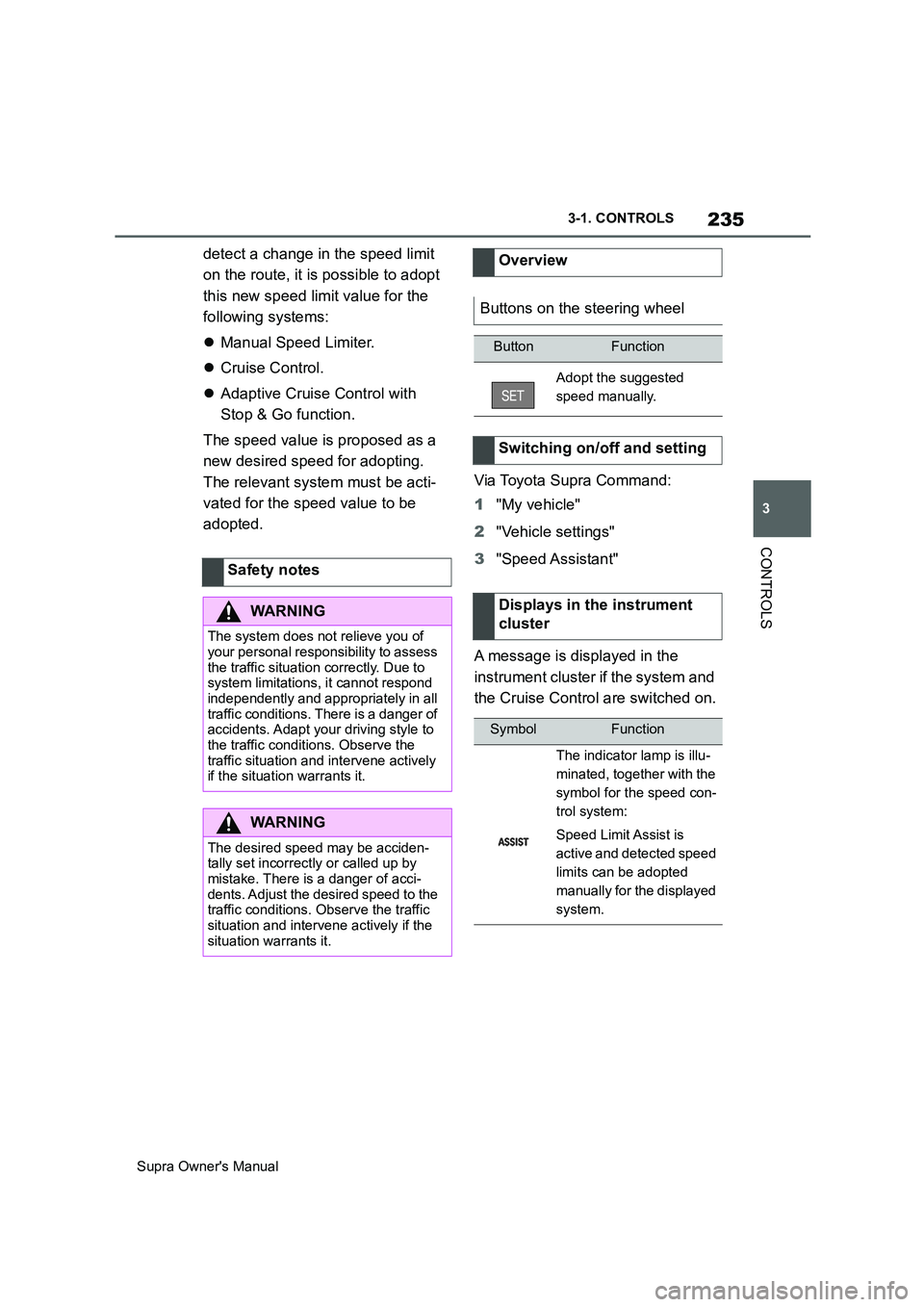
Adopt the suggested
speed manually.
Switching on/off and setting
Displays in the instrument
cluster
SymbolFunction
The indicator lamp is illu-
minated, together with the
symbol for the speed con-
trol system:
Speed Limit Assist is
active and detected speed
limits can be adopted
manually for the displayed
system.
Page 236 of 456
236
Supra Owner's Manual3-1. CONTROLS
In manual mode, a detected speed
limit can be manually adopted for
Cruise Control.
It is possible to set whether the
speed limit should be accepted
exactly, or with a tolerance of –15
km/h, –10 mph to +15 km/h, +10
mph.
Via Toyota Supra Command:
1"My vehicle"
2"Vehicle settings"
3"Speed Assistant"
4"Adjust speed limits"5Confirm the desired setting.
Speed Limit Assist based on the
Speed Limit Info system.
Take into account the Speed Limit
Info system limits, see page 163.
Depending on the country, dis-
played speed limits may not be
available for acceptance, or only
available with restrictions, for
example with speed information
from the navigation system.
Cruise Control without distance
control: depending on the system, it
may not be possible to adopt speed
limits automatically.
Speed limits that are ahead may
only be adopted for Adaptive
Cruise Control.
The system may not respond to
speed limits if the navigation sys-
tem cannot determine the position
of the vehicle with certainty.
Parking Sensor provides assis-
tance when parking the vehicle.
Objects in front of or behind the
vehicle as it slowly approaches are
indicated by means of acoustic sig-
nals and a display on the Control
Display.
Depending on the equipment ver-
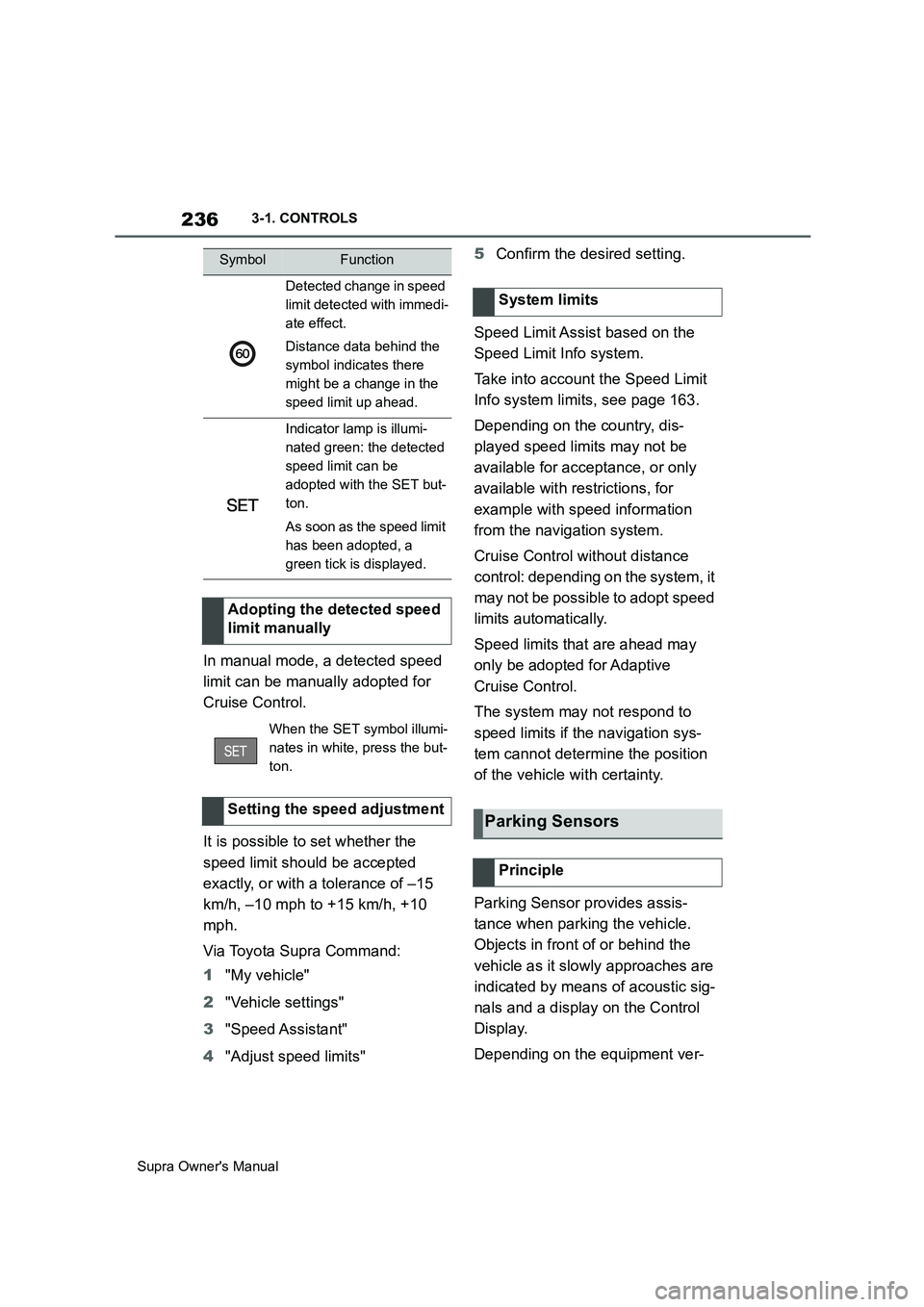
Detected change in speed
limit detected with immedi-
ate effect.
Distance data behind the
symbol indicates there
might be a change in the
speed limit up ahead.
Indicator lamp is illumi-
nated green: the detected
speed limit can be
adopted with the SET but-
ton.
As soon as the speed limit
has been adopted, a
green tick is displayed.
Adopting the detected speed
limit manually
When the SET symbol illumi-
nates in white, press the but-
ton.
Setting the speed adjustment
SymbolFunction
System limits
Parking Sensors
Principle
Page 239 of 456
239
3
Supra Owner's Manual3-1. CONTROLS
CONTROLS
in, an alternating continuous tone
sounds.
Automatic transmission: the inter-
mittent tone and the continuous
tone are switched off when selector
lever position P is engaged.
With the vehicle at a standstill, the
intermittent sound is switched off
after a short period of time.
■Volume control
The Parking Sensor acoustic signal
volume can be adjusted.
Via Toyota Supra Command:
1"My vehicle"
2"System settings"
3"Sounds"
4"Volume settings"
5"Parking Sensor"
6Set the desired value.
The setting is saved for the cur-
rently used driver profile.
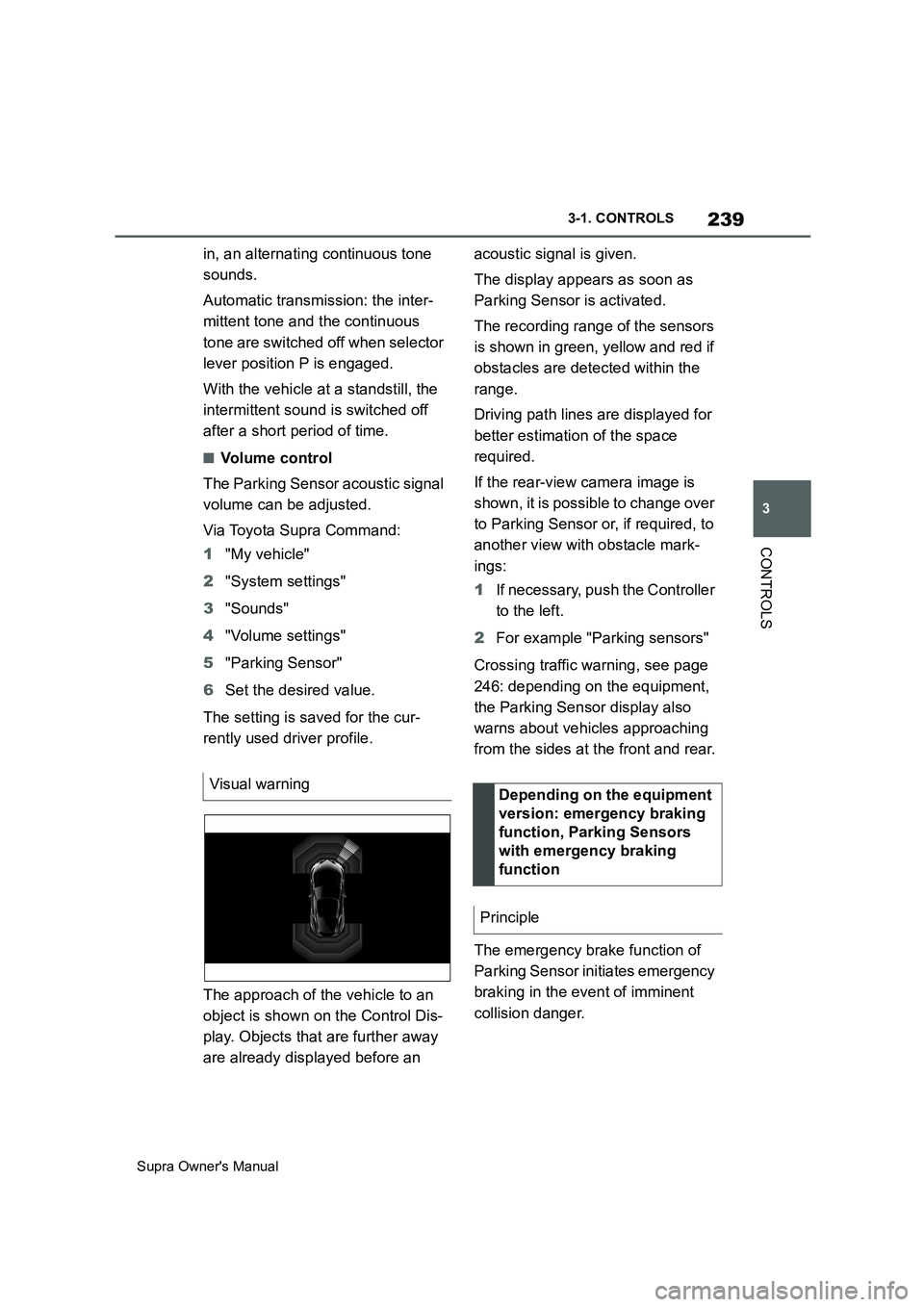
The approach of the vehicle to an
object is shown on the Control Dis-
play. Objects that are further away
are already displayed before an acoustic signal is given.
The display appears as soon as
Parking Sensor is activated.
The recording range of the sensors
is shown in green, yellow and red if
obstacles are detected within the
range.
Driving path lines are displayed for
better estimation of the space
required.
If the rear-view camera image is
shown, it is possible to change over
to Parking Sensor or, if required, to
another view with obstacle mark-
ings:
1If necessary, push the Controller
to the left.
2For example "Parking sensors"
Crossing traffic warning, see page
246: depending on the equipment,
the Parking Sensor display also
warns about vehicles approaching
from the sides at the front and rear.
The emergency brake function of
Parking Sensor initiates emergency
braking in the event of imminent
collision danger. Visual warning
Depending on the equipment
version: emergency braking
function, Parking Sensors
with emergency braking
function
Principle
Page 240 of 456
240
Supra Owner's Manual3-1. CONTROLS
Due to the system limits, a collision
cannot be prevented under all cir-
cumstances.
The function is available at speeds
below walking speed when driving
or rolling in reverse.
Pressing the accelerator pedal
interrupts the braking intervention.
After emergency braking to a stop,
it is possible to continue a slow
approach to the obstacle. To
approach, lightly depress the accel-
erator.
If the accelerator is depressed
more firmly, the vehicle pulls away
as normal. Manual braking is possi-
ble at any time.
The system uses the ultrasonic
sensors of Parking Sensor and
Park Assistant.
Via Toyota Supra Command:
1"My vehicle"2"Vehicle settings"
3"Parking"
4"Active PDC emergency inter-
vention"
5"Active PDC emergency interv."
The setting is saved for the cur-
rently used driver profile.
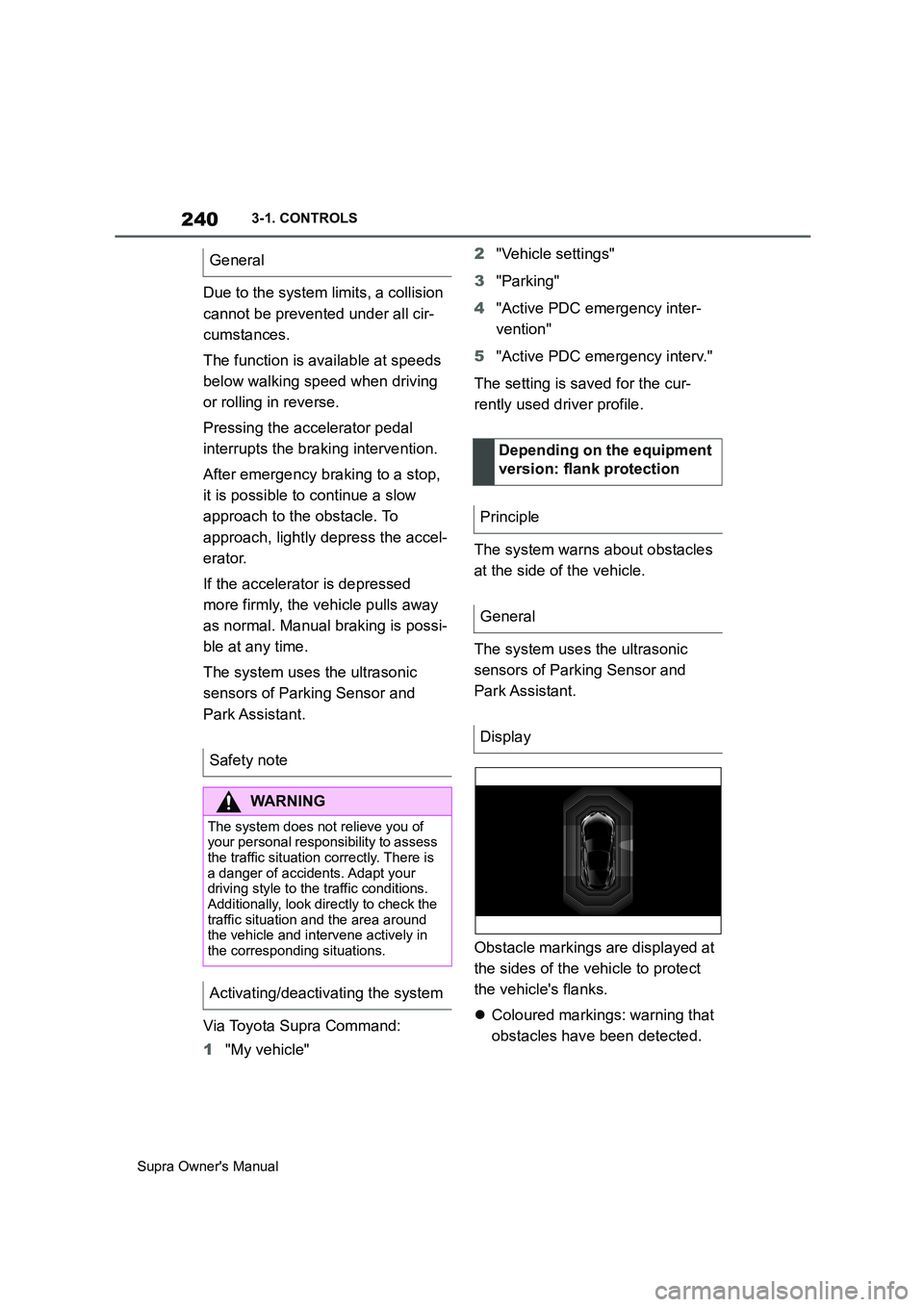
The system warns about obstacles
at the side of the vehicle.
The system uses the ultrasonic
sensors of Parking Sensor and
Park Assistant.
Obstacle markings are displayed at
the sides of the vehicle to protect
the vehicle's flanks.
Coloured markings: warning that
obstacles have been detected. General
Safety note
WARNING
The system does not relieve you of
your personal responsibility to assess
the traffic situation correctly. There is
a danger of accidents. Adapt your
driving style to the traffic conditions.
Additionally, look directly to check the
traffic situation and the area around
the vehicle and intervene actively in
the corresponding situations.
Activating/deactivating the system
Depending on the equipment
version: flank protection
Principle
General
Display
Page 242 of 456
242
Supra Owner's Manual3-1. CONTROLS
the outline of the vehicle.
Under the following conditions, the
system may issue a warning even
though there is no obstacle in the
detection range:
In heavy rain.
If the sensors are very soiled or
covered with ice.
If the sensors are covered with
snow.
On rough road surfaces.
On uneven surfaces, for exam-
ple speed bumps.
In large, rectangular buildings
with smooth walls, for example
underground car parks.
In washing bays and car washes.
Due to dense exhaust gases.
Due to other ultrasonic sources,
for example sweeping machines,
steam-jet cleaners or neon lights.
To reduce false alarms, for example
in automatic car washes, switch off,
see page 238, automatic activation
of Parking Sensor when obstacles
are detected if necessary.
A vehicle message is shown.Parking Sensor has failed. Have
the system checked by any author-
ized Toyota retailer or Toyota
authorized repairer, or any reliable
repairer.
The rear-view camera provides
assistance when reverse parking or
manoeuvring. It does this by show-
ing an image of the area behind the
vehicle on the Control Display. False alarms
Malfunction
A white symbol is shown and
the capture area of the sen-
sors is shown in dark colour
on the Control Display.
Rear-view camera
Principle
Safety note
WARNING
The system does not relieve you of
your personal responsibility to assess
the traffic situation correctly. There is
a danger of accidents. Adapt your
driving style to the traffic conditions.
Additionally, look directly to check the
traffic situation and the area around
the vehicle and intervene actively in
the corresponding situations.
Page 243 of 456
243
3
Supra Owner's Manual3-1. CONTROLS
CONTROLS
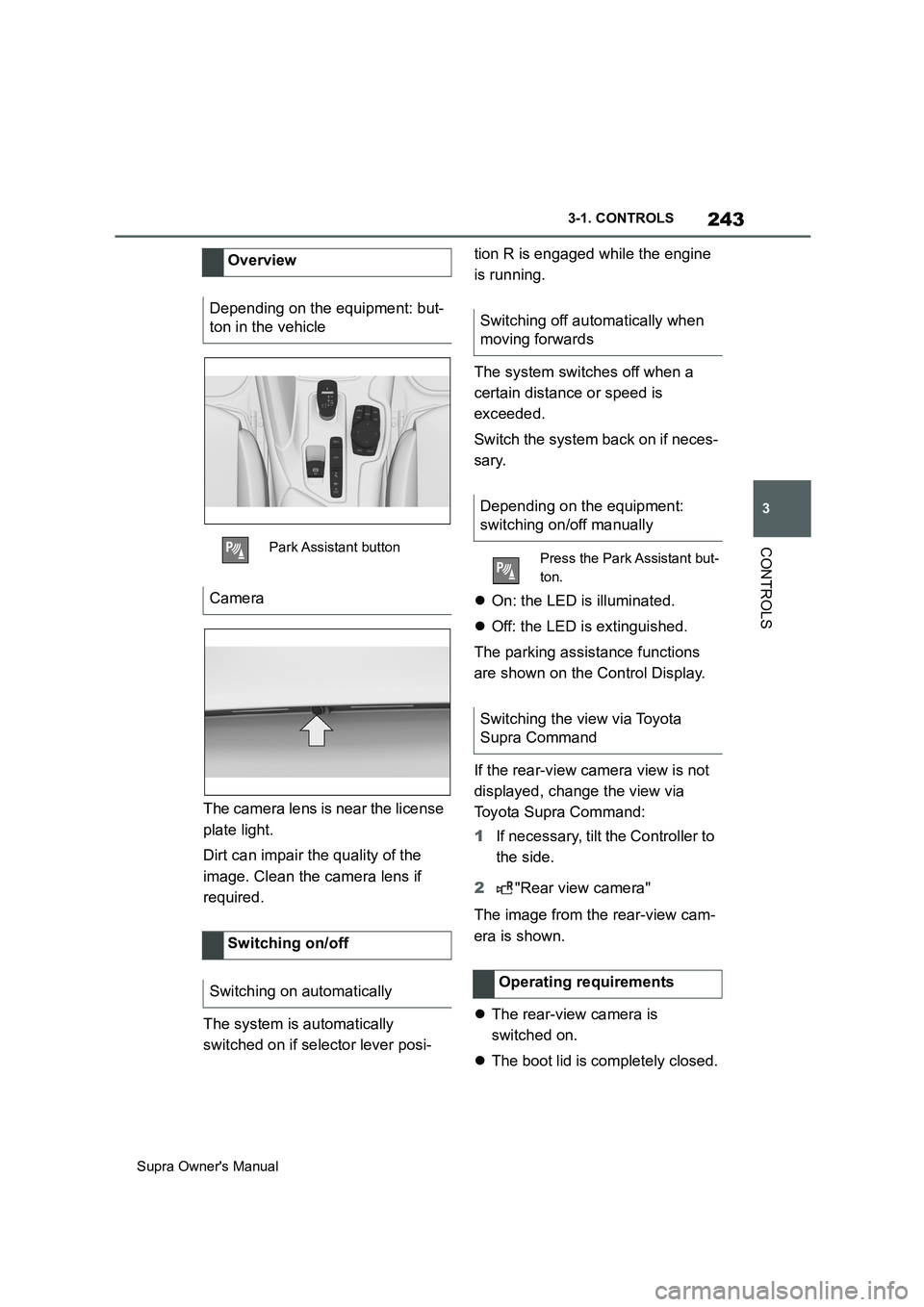
The camera lens is near the license
plate light.
Dirt can impair the quality of the
image. Clean the camera lens if
required.
The system is automatically
switched on if selector lever posi-tion R is engaged while the engine
is running.
The system switches off when a
certain distance or speed is
exceeded.
Switch the system back on if neces-
sary.
On: the LED is illuminated.
Off: the LED is extinguished.
The parking assistance functions
are shown on the Control Display.
If the rear-view camera view is not
displayed, change the view via
Toyota Supra Command:
1If necessary, tilt the Controller to
the side.
2"Rear view camera"
The image from the rear-view cam-
era is shown.
The rear-view camera is
switched on.
The boot lid is completely closed. Overview
Depending on the equipment: but-
ton in the vehicle
Park Assistant button
Camera
Switching on/off
Switching on automatically
Switching off automatically when
moving forwards
Depending on the equipment:
switching on/off manually
Press the Park Assistant but-
ton.
Switching the view via Toyota
Supra Command
Operating requirements
Page 244 of 456
244
Supra Owner's Manual3-1. CONTROLS
Keep the detection area of the
camera clear. Projecting loads or
carrier systems that are not con-
nected to a trailer socket can
restrict the detection area of the
camera.
A number of assistance functions
can be active simultaneously.
The assistance functions can be
activated manually.
1If necessary, tilt the Controller to
the right.
2With the corresponding equip-
ment: "Camera picture"
3
"Parking guide lines".
Driving path lines and turning circle
lines are shown, see page
244.
"Obstacle marking."
Depending on the equipment, the
obstacles detected by Parking Sensors
are displayed, see page
245, by mark-
ings.
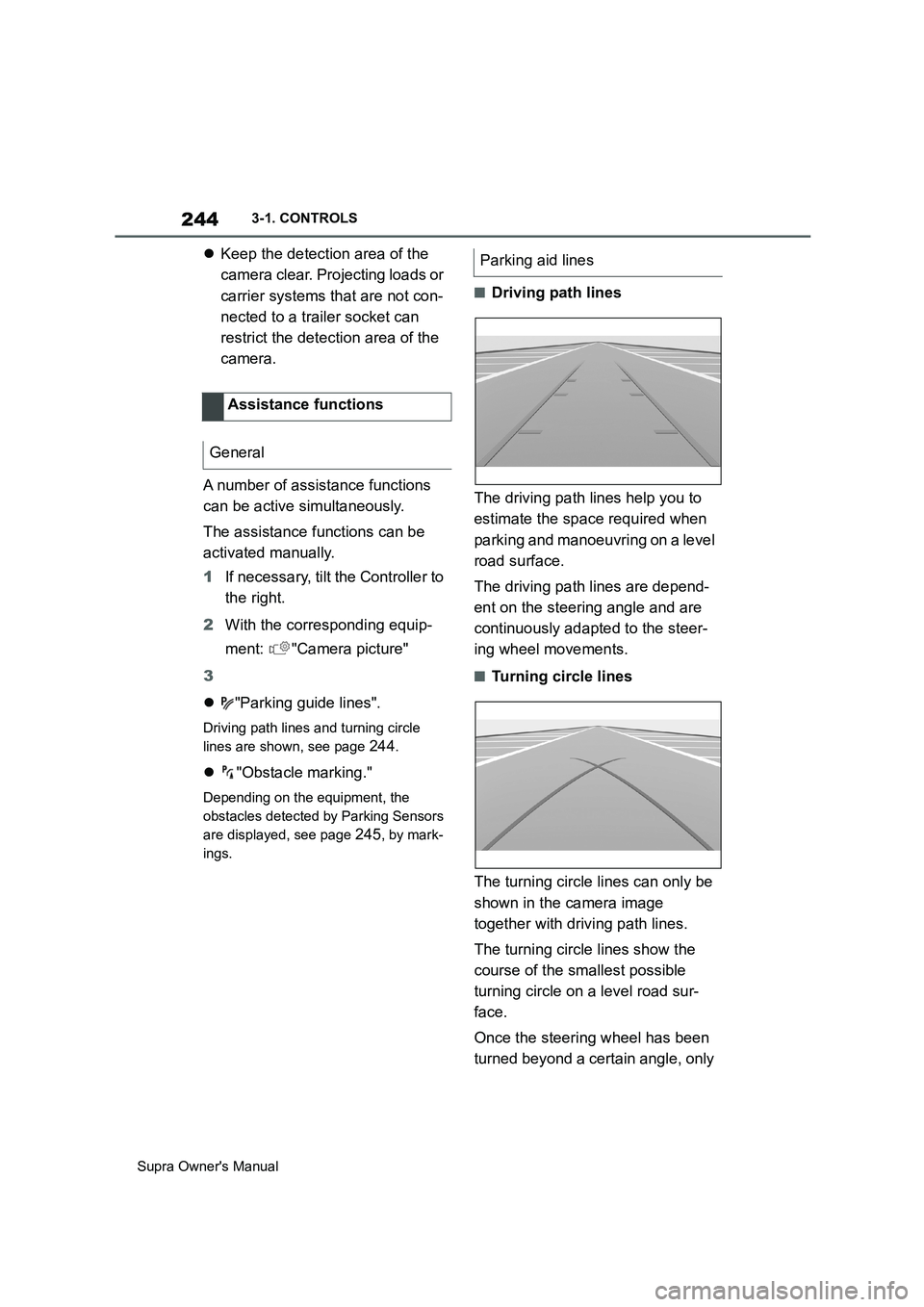
■Driving path lines
The driving path lines help you to
estimate the space required when
parking and manoeuvring on a level
road surface.
The driving path lines are depend-
ent on the steering angle and are
continuously adapted to the steer-
ing wheel movements.
■Turning circle lines
The turning circle lines can only be
shown in the camera image
together with driving path lines.
The turning circle lines show the
course of the smallest possible
turning circle on a level road sur-
face.
Once the steering wheel has been
turned beyond a certain angle, only Assistance functions
General
Parking aid lines
Page 245 of 456
245
3
Supra Owner's Manual3-1. CONTROLS
CONTROLS
one turning circle line is displayed.
■Parking with the help of driv-
ing path and turning circle
lines
1Position the vehicle so that the
red turning circle line is within
the boundaries of the parking
space.
2Turn the steering wheel so that
the green driving path line cov-
ers the corresponding turning
circle line.
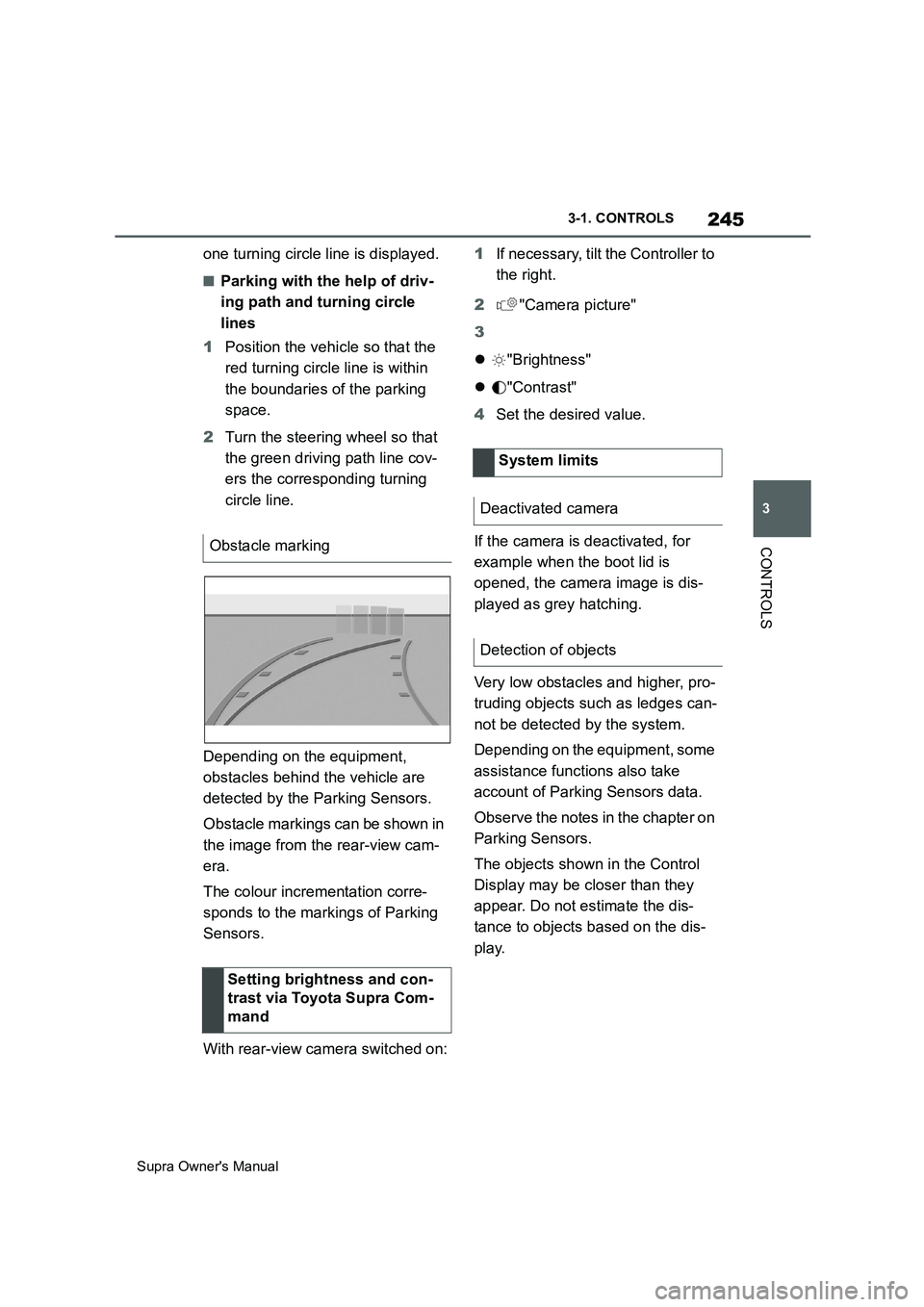
Depending on the equipment,
obstacles behind the vehicle are
detected by the Parking Sensors.
Obstacle markings can be shown in
the image from the rear-view cam-
era.
The colour incrementation corre-
sponds to the markings of Parking
Sensors.
With rear-view camera switched on:1If necessary, tilt the Controller to
the right.
2"Camera picture"
3
"Brightness"
"Contrast"
4Set the desired value.
If the camera is deactivated, for
example when the boot lid is
opened, the camera image is dis-
played as grey hatching.
Very low obstacles and higher, pro-
truding objects such as ledges can-
not be detected by the system.
Depending on the equipment, some
assistance functions also take
account of Parking Sensors data.
Observe the notes in the chapter on
Parking Sensors.
The objects shown in the Control
Display may be closer than they
appear. Do not estimate the dis-
tance to objects based on the dis-
play. Obstacle marking
Setting brightness and con-
trast via Toyota Supra Com-
mand
System limits
Deactivated camera
Detection of objects
Page 247 of 456
247
3
Supra Owner's Manual3-1. CONTROLS
CONTROLS
2Tilt the Controller to the right.
3"Settings"
4"Cross-traffic alert"
5"Cross-traffic alert"
Or via Toyota Supra Command:
1"My vehicle"
2"Vehicle settings"
3"Parking"
4"Cross-traffic alert"
5"Cross-traffic alert"
If the system was activated on the
Control Display, it is switched on
automatically as soon as Parking
Sensors or Panorama View is
active and a gear is engaged.
The system is switched on at the
rear when reverse gear is engaged.
The system switches off automati-
cally in the following situations:
If walking speed is exceeded.
When a certain distance is
exceeded.
During active parking with the
Park Assistant.
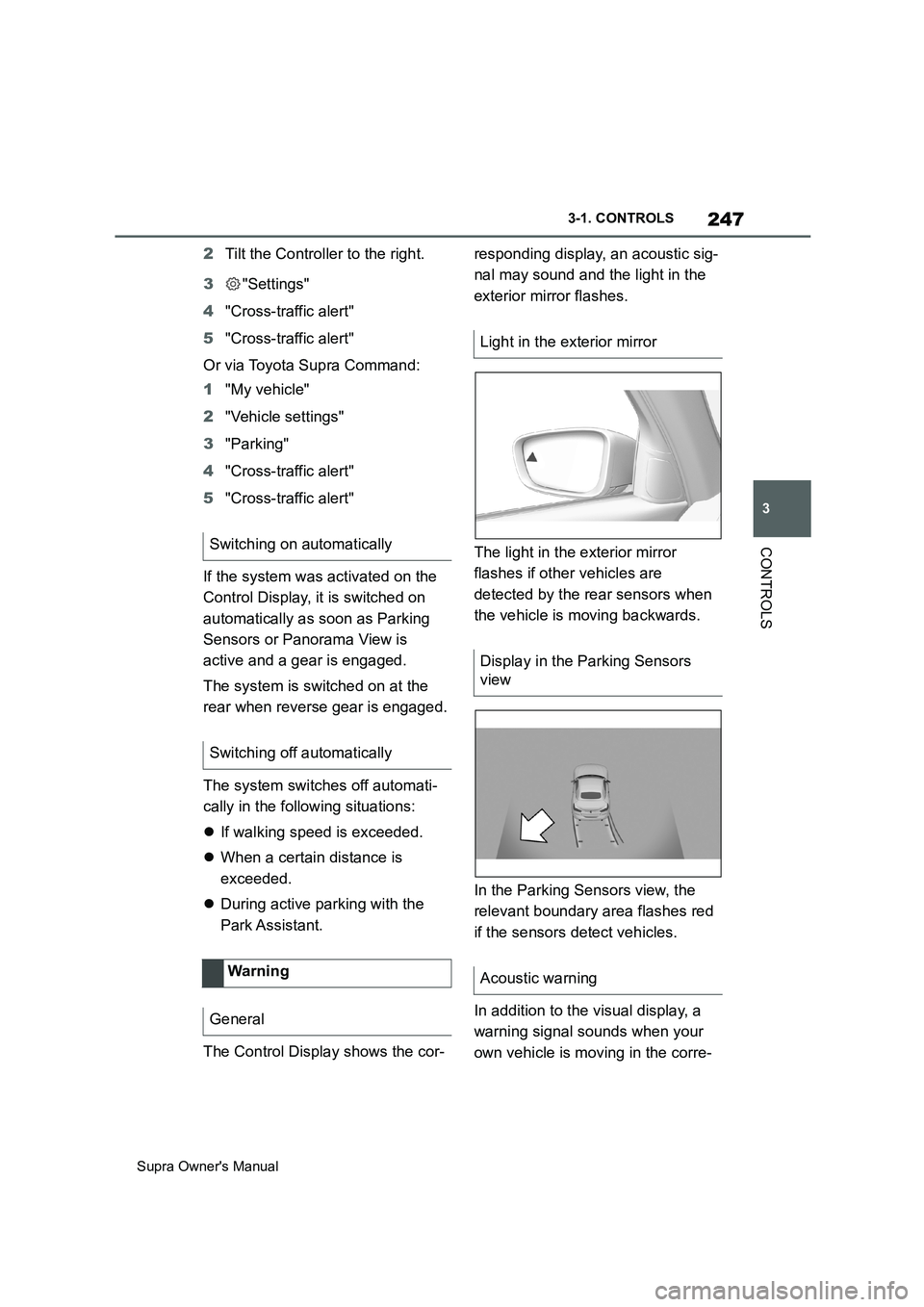
The Control Display shows the cor-responding display, an acoustic sig-
nal may sound and the light in the
exterior mirror flashes.
The light in the exterior mirror
flashes if other vehicles are
detected by the rear sensors when
the vehicle is moving backwards.
In the Parking Sensors view, the
relevant boundary area flashes red
if the sensors detect vehicles.
In addition to the visual display, a
warning signal sounds when your
own vehicle is moving in the corre- Switching on automatically
Switching off automatically
Wa rning
General
Light in the exterior mirror
Display in the Parking Sensors
view
Acoustic warning
Page 253 of 456
253
3
Supra Owner's Manual3-1. CONTROLS
CONTROLS
body and into the footwell.
The cooling function, see page 251,
is switched on automatically in the
AUTO programme.
The AUTO programme is automati-
cally switched off when the air dis-
tribution is set manually.
If the air outside the vehicle has an
unpleasant odour or contains pol-
lutants, the supply to the interior of
the vehicle can be shut off. The air
inside the vehicle is then recircu-
lated.
The LED is illuminated when the
recirculated-air mode is switched
on.
When the left LED is illuminated:
Automatic recirculated air mode
If the pollution sensor detects pollutants
in the outside air, the air mode is auto-
matically changed from outside air
mode to recirculated air mode.
When the right LED is illuminated:
Recirculated air mode
The air in the cabin is continuously
recirculated.
The recirculated-air mode automat-ically switches off after a given time
depending on the ambient condi-
tions, to avoid condensation.
Continuous recirculated-air mode
deteriorates the air quality in the
interior and condensation on the
windows increases.
If there is condensation, shut down
recirculated-air mode or remove the
condensation, see page 254.
The air flow for air conditioning can
be set manually.
To be able to adjust the air flow
manually, first switch off the AUTO
programme.
Selected air flow is shown on the
climate display.
In order to protect the battery the
air flow rate is reduced, if neces-
sary. Recirculated-air mode
Principle
Operation
Press the button repeat-
edly to call up an operating
mode.
To adjust the air flow manu-
ally
Principle
General
Operation
Press left or right side of
button: reduce or increase
air flow.