display TOYOTA SUPRA 2019 Owners Manual
[x] Cancel search | Manufacturer: TOYOTA, Model Year: 2019, Model line: SUPRA, Model: TOYOTA SUPRA 2019Pages: 456, PDF Size: 88.65 MB
Page 254 of 456
254
Supra Owner's Manual3-1. CONTROLS
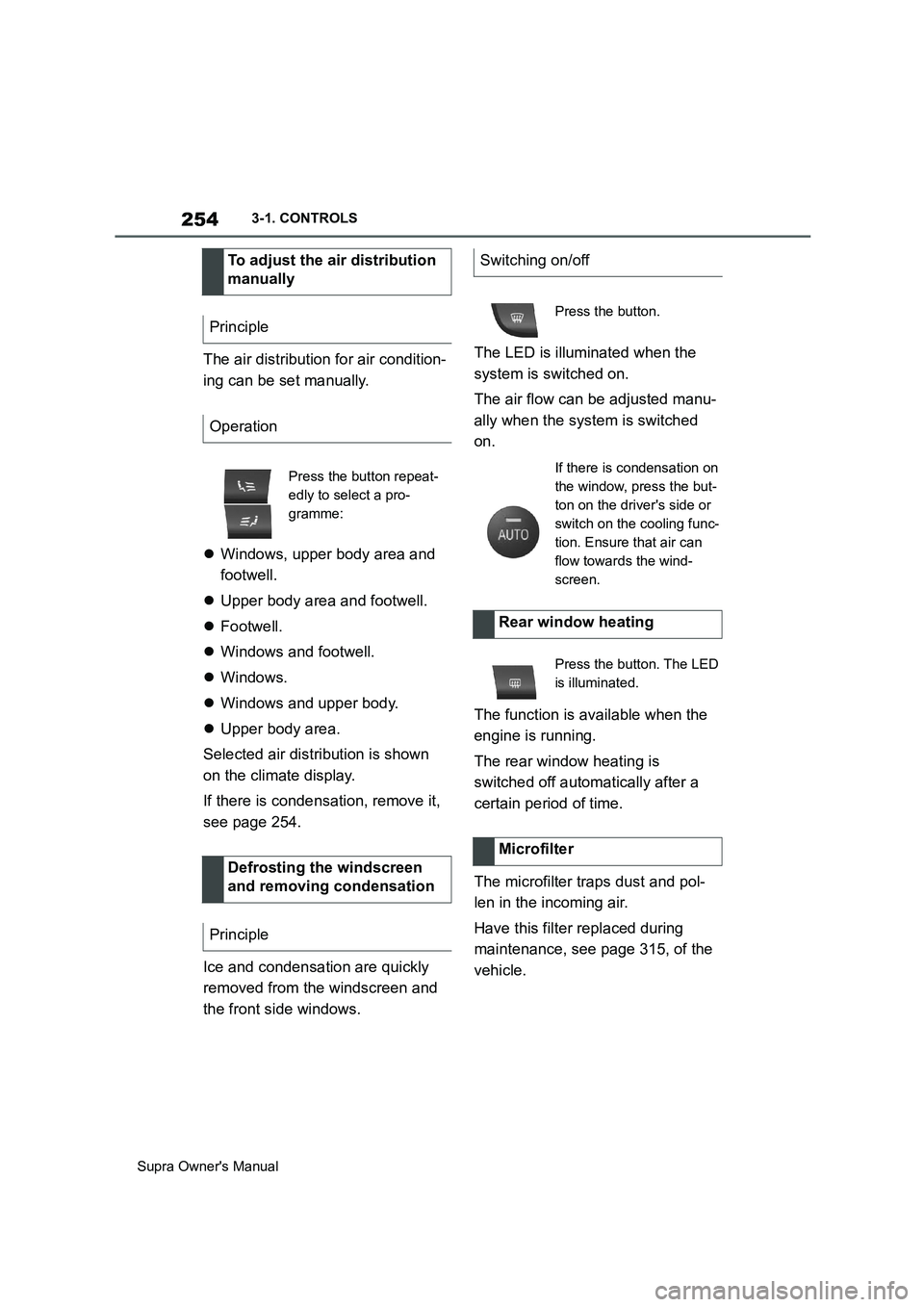
The air distribution for air condition-
ing can be set manually.
Windows, upper body area and
footwell.
Upper body area and footwell.
Footwell.
Windows and footwell.
Windows.
Windows and upper body.
Upper body area.
Selected air distribution is shown
on the climate display.
If there is condensation, remove it,
see page 254.
Ice and condensation are quickly
removed from the windscreen and
the front side windows.The LED is illuminated when the
system is switched on.
The air flow can be adjusted manu-
ally when the system is switched
on.
The function is available when the
engine is running.
The rear window heating is
switched off automatically after a
certain period of time.
The microfilter traps dust and pol-
len in the incoming air.
Have this filter replaced during
maintenance, see page 315, of the
vehicle. To adjust the air distribution
manually
Principle
Operation
Press the button repeat-
edly to select a pro-
gramme:
Defrosting the windscreen
and removing condensation
Principle
Switching on/off
Press the button.
If there is condensation on
the window, press the but-
ton on the driver's side or
switch on the cooling func-
tion. Ensure that air can
flow towards the wind-
screen.
Rear window heating
Press the button. The LED
is illuminated.
Microfilter
Page 256 of 456
256
Supra Owner's Manual3-1. CONTROLS
tery. As a result, the maximum
activation time is restricted to protect
the battery. After the engine is started
or after driving a short distance, the
system will be available again.
Ensure that the date and time
are set correctly in the vehicle.
Open the side nozzles to allow
the air to enter the passenger
compartment.
The system can be switched on or
off in various ways.
The system switches off automati-
cally after a certain period of time. It
continues to run for a short time
after it has been switched off.
If the vehicle is in standby state, the
independent ventilation can be
switched on or off via the buttons of
the automatic air conditioning.
Press any button, except:
Rear window heating.
Seat heating.
Menu.
The system switches off after leav-
ing and locking the vehicle.
1"My Vehicle" 2"Vehicle settings"
3"Climate comfort"
4"Auxiliary ventilation"
5"Activate now"
To ensure a pleasant interior tem-
perature in the vehicle at the start
of the journey, it is possible to set
different departure times.
One-off departure time: the time
can be set.
System is switched on once.
Departure time with day of the
week: time and day of the week
can be set.
The system is switched on in good time
before the set departure time on the
required days of the week.
The departure time is preselected
in two steps:
Set departure times.
Activate departure time. Switching on/off directly
General
Using the button
Via Toyota Supra Command
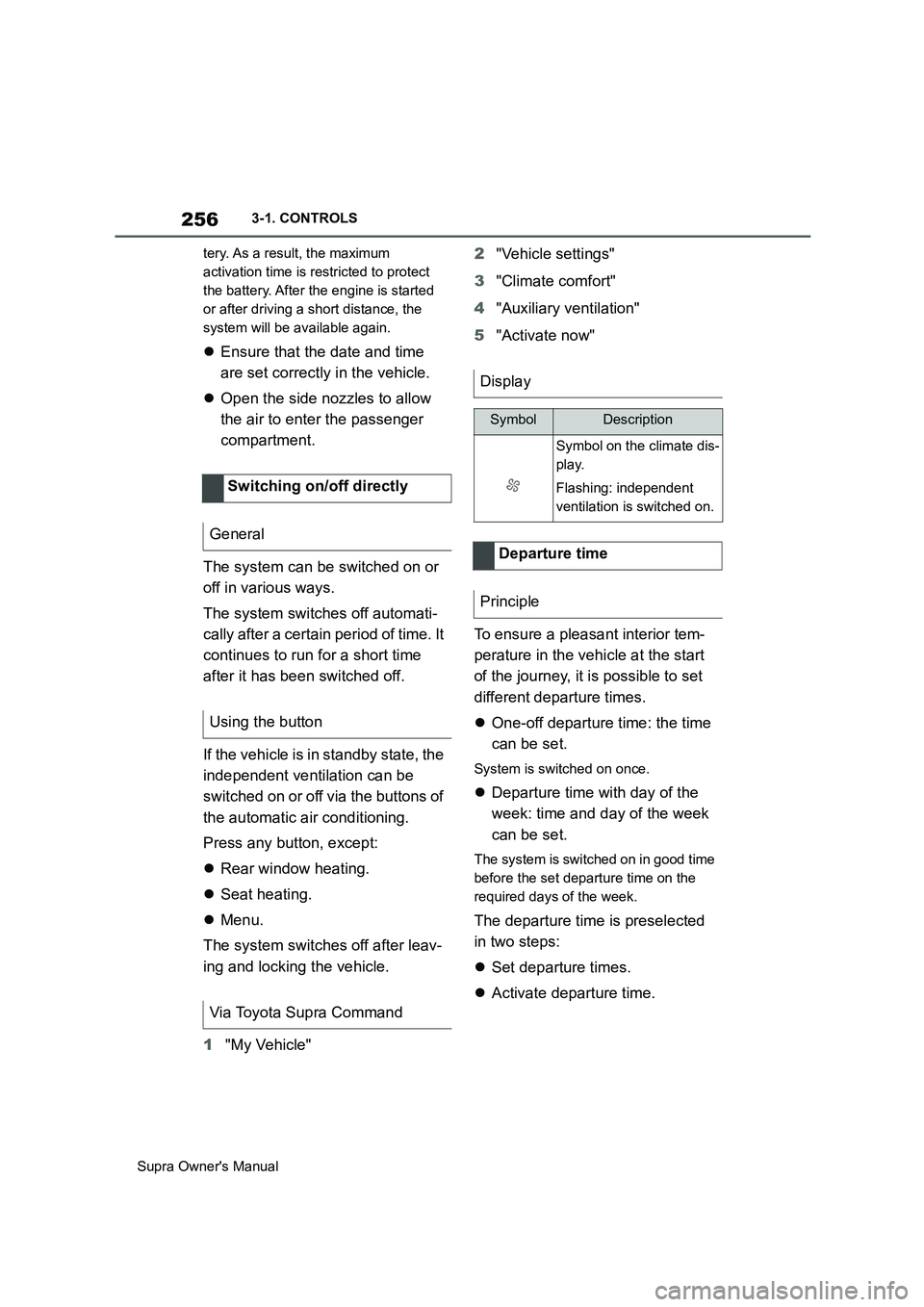
Display
SymbolDescription
Symbol on the climate dis-
play.
Flashing: independent
ventilation is switched on.
Departure time
Principle
Page 257 of 456
257
3
Supra Owner's Manual3-1. CONTROLS
CONTROLS
■Via Toyota Supra Command
1"My vehicle"
2"Vehicle settings"
3"Climate comfort"
4"Auxiliary ventilation"
5Select the required departure
time.
6Setting the departure time.
7Select the day of the week if
necessary.
■Operating requirements
If a departure time is to control
when the independent ventilation is
switched on, the relevant depar-
ture time must be activated first.
■Via Toyota Supra Command
1"My vehicle"
2"Vehicle settings"
3"Climate comfort"
4"Auxiliary ventilation"
5"For departure time"
6Activate the required departure
time.
The symbol on the climate dis-
play signals that a departure time
has been activated.This chapter describes all standard,
country-specific and special equip-
ment available for the model series.
It may therefore describe equip-
ment and functions which are not
installed in your vehicle, for exam-
ple on account of the optional
equipment selected or the country
specification. This also applies to
safety-relevant functions and sys-
tems. Please comply with the rele-
vant laws and regulations when
using the corresponding functions
and systems.
Fold the sun visor downwards or
upwards.
A vanity mirror is situated in the sun
visor behind a cover. The mirror
light switches on when the cover is
opened.
The cigarette lighter attachment
can be used as a socket for electri- Setting the departure time
Activating the departure time
Display
Interior equipment
Vehicle equipment
Sun visor
Glare protection
Vanity mirror
Power sockets
Principle
Page 268 of 456
268
Supra Owner's Manual4-1. DRIVING HINTS
Noise, for example caused by
the radiator fan running, even
some minutes after stopping the
engine.
It is normal for the radiator fan to
keep running for several minutes,
even after short trips.
Various driver profiles ensure that
the exhaust gas particle filter is
self-cleaning. If, in addition to the
self-cleaning function, the exhaust
gas particle filter needs to be
actively cleaned while driving, a
vehicle message is displayed.
Proceed as follows the next time
you drive outside of built-up areas
for around 30 minutes:
Deactivate Cruise Control sys-
tems.
Take your foot off the accelerator
repeatedly and allow the vehicle
to roll in overrun mode, see page
273.
If possible, drive at alternating
speeds.Cleaning the exhaust gas
particle filter while drivingRadio signals
WARNING
Certain vehicle functions may be
affected by interference from high-fre-
quency radio signals. Such signals
originate from various transmitter sys-
tems, for example, from air traffic bea-
cons or relay stations for mobile
telecommunications.
We recommend you consult any
authorized Toyota retailer or Toyota
authorized repairer, or any reliable
repairer should you experience any
difficulties in this regard.
Mobile communication in the
vehicle
WARNING
There is a possibility of reciprocal
interference between the vehicle elec-
tronics and mobile radio devices.
Radiation is generated when mobile
radio devices are transmitting. There
is a danger of injury or damage to
property. If possible, only use mobile
radio devices, for example mobile
telephones, in the interior if they are
connected directly to an external
antenna in order to eliminate recipro-
cal interference and to dissipate the
radiation from vehicle's interior.
Page 276 of 456
276
Supra Owner's Manual5-1. MOBILITY
5-1.MOBILITY
This chapter describes all standard,
country-specific and special equip-
ment available for the model series.
It may therefore describe equip-
ment and functions which are not
installed in your vehicle, for exam-
ple on account of the optional
equipment selected or the country
specification. This also applies to
safety-relevant functions and sys-
tems. Please comply with the rele-
vant laws and regulations when
using the corresponding functions
and systems.
Before refuelling, observe the notes
on fuel quality, see page 307.
When refuelling, insert the filler
nozzle fully into the filler neck. Lift-
ing the filler nozzle during refuelling
results in the following:
The fuel supply being cut off pre-
maturely.
Fuel vapour and fumes being
recovered less effectively.
The fuel tank is full when the filler
nozzle cuts out for the first time.
Please comply with the safety regu-
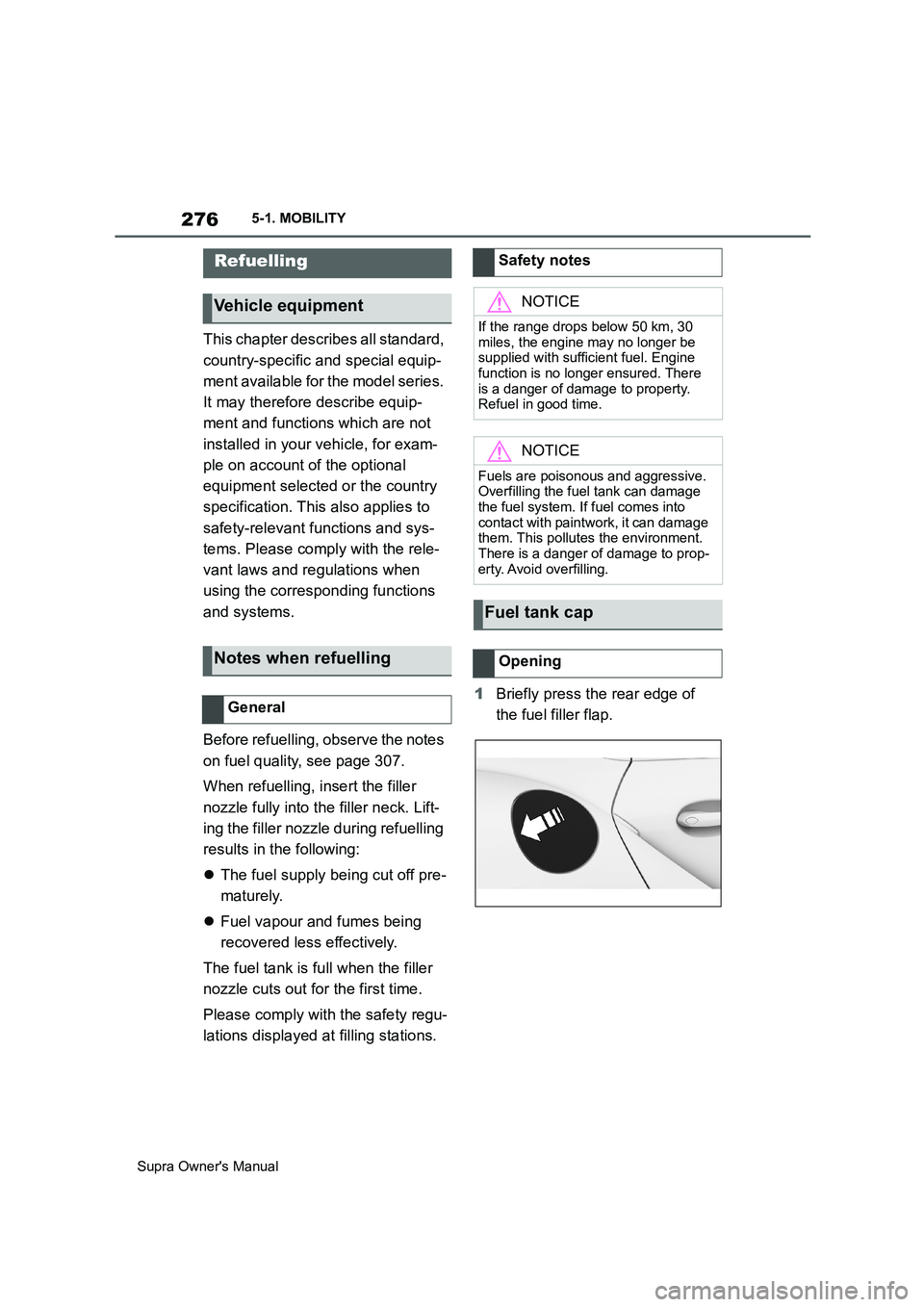
lations displayed at filling stations.1Briefly press the rear edge of
the fuel filler flap.
Refuelling
Vehicle equipment
Notes when refuelling
General
Safety notes
NOTICE
If the range drops below 50 km, 30
miles, the engine may no longer be
supplied with sufficient fuel. Engine
function is no longer ensured. There
is a danger of damage to property.
Refuel in good time.
NOTICE
Fuels are poisonous and aggressive.
Overfilling the fuel tank can damage
the fuel system. If fuel comes into
contact with paintwork, it can damage
them. This pollutes the environment.
There is a danger of damage to prop-
erty. Avoid overfilling.
Fuel tank cap
Opening
Page 279 of 456
279
5
Supra Owner's Manual5-1. MOBILITY
MOBILITY
for the respective load conditions
will apply, in accordance with the
vehicle's actual load condition.
Example: for a partially loaded
vehicle, the optimum tyre inflation
pressure is the one stated for a par-
tially loaded vehicle.
More information regarding wheels
and tyres can be obtained from any
authorized Toyota retailer or Toyota
authorized repairer, or any reliable
repairer.
The current tire pressure of each
installed wheel can be displayed on
the control display.
To ensure that they are displayed
correctly, the tyre sizes must be
stored in the system and must have
been set, see page 290, for the
mounted tyres.
The current tyre inflation pressure
value is shown on each tyre.Tyres heat up while driving. The
tyre inflation pressure increases
with the temperature of the tyre.
Tyres have a natural, uniform loss
of tyre inflation pressure.
Inflating devices can display a pres-
sure that may be up to 0.1 bar too
low.
The tyre inflation pressure inscrip-
tions on the tyre inflation pressure
sign on the door pillar only relate to
cold tyres or tyres at the same tem-
perature as the ambient tempera-
ture.
Only check the tyre inflation pres-
sures when the tyres are cold, i.e.:
• A driving distance of max. 2 km,
1.25 miles has not been
exceeded.
• If the vehicle has not moved
again for at least 2 hours after a
journey.
Regularly check the tyre inflation
pressure of the emergency wheel in
the boot and correct the pressure if
necessary.
1Determine the specified tyre
inflation pressures for the tyres For Australia/New Zealand
WARNING
The inflation pressures on the tyre
label are applicable only for tyres
explicitly mentioned on the label.
Inflation pressures for tyres that may
be covered by the label – by size,
speed category and load rating/load
index – but not explicitly mentioned
on the label may be different. Please
obtain adequate inflation pressures in
accordance with the tyre manufac-
turer's specifications from your tyre
dealer.
On the Control Display
Checking the tyre inflation
pressure
General
Checking using tyre inflation pres-
sure inscriptions on the door pillar
Page 280 of 456
280
Supra Owner's Manual5-1. MOBILITY
when fitted to the vehicle, see
page 278.
2Check the tyre inflation pressure
in all four tyres, using a pressure
gauge, for example.
3Correct the tyre inflation pres-
sure if the current tyre inflation
pressure value deviates from
the specified value.
4Check whether all valve caps
are screwed onto the tyre
valves.
Via Toyota Supra Command:
1"My vehicle"
2"Vehicle status"
3"Tyre Pressure Monitor"
4Check if the current tyre inflation
pressures match the specified
tyre pressure value.
5Correct the tyre inflation pres-
sure if the current tyre inflation
pressure value deviates from
the specified value.
For Tyre Pressure Monitor (TPM):
For tyres that cannot be found in
the tyre inflation pressure inscrip-
tions on the Control Display, reset
the Tyre Pressure Monitor (TPM).Q = up to 160 km/h/100 mph
R = up to 170 km/h/106 mph
S = up to 180 km/h/112 mph
T = up to 190 km/h/118 mph
H = up to 210 km/h/131 mph
V = up to 240 km/h/150 mph
W = up to 270 km/h/167 mph
Y = up to 300 km/h/186 mph
The tyre tread depth should not be
less than 3 mm, 0.12 in, otherwise
there is a high risk of aquaplaning.
The tyre tread depth should not be
less than 4 mm, 0.16 in, otherwise
the vehicle's suitability for winter
use is restricted.
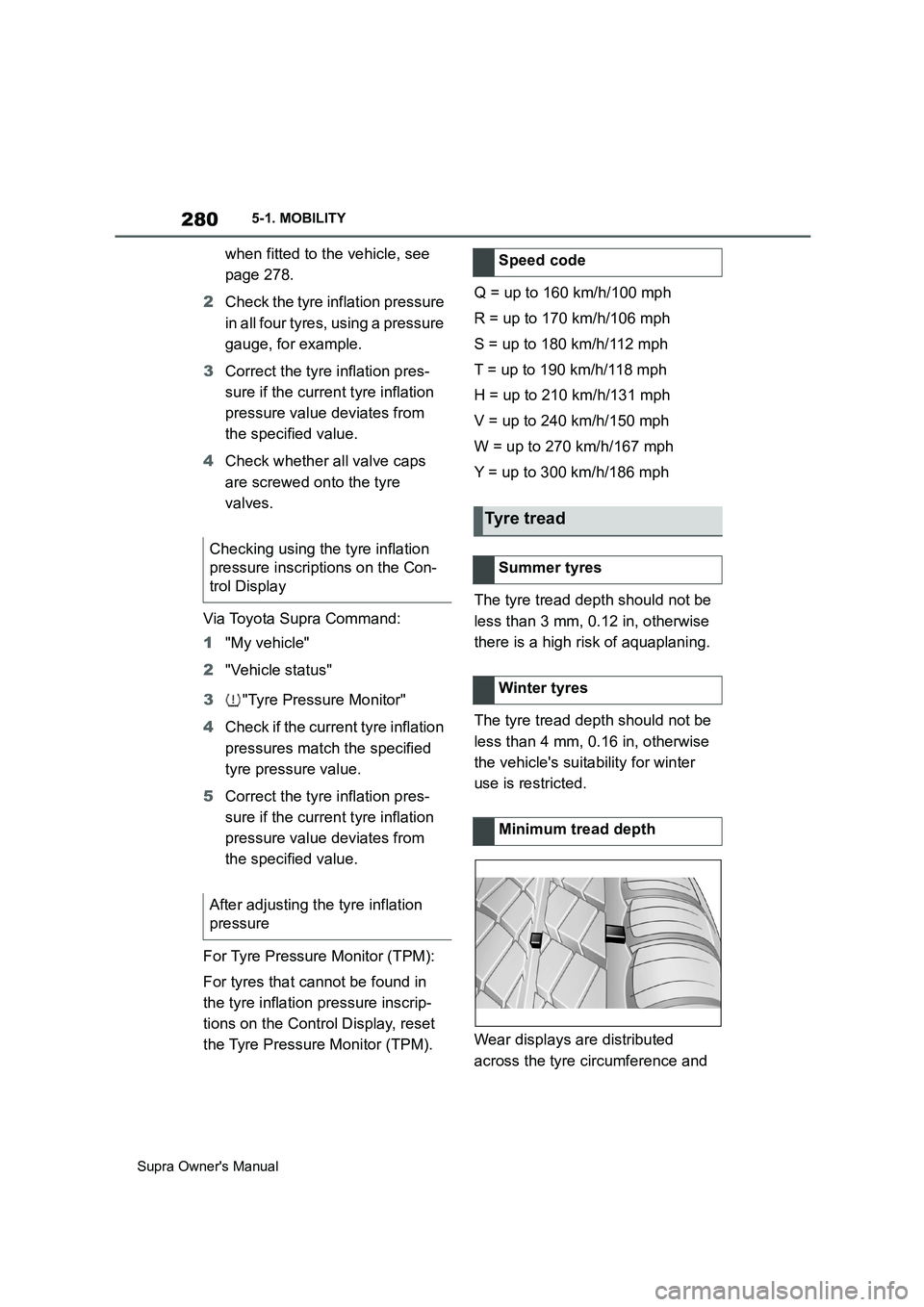
Wear displays are distributed
across the tyre circumference and Checking using the tyre inflation
pressure inscriptions on the Con-
trol Display
After adjusting the tyre inflation
pressureSpeed code
Tyre tread
Summer tyres
Winter tyres
Minimum tread depth
Page 281 of 456
281
5
Supra Owner's Manual5-1. MOBILITY
MOBILITY
have the legally prescribed mini-
mum height of 1.6 mm, approxi-
mately 0.06 in.
The positions of the wear displays
are identified on the tyre's side wall
by TWI, Tread Wear Indicator.
Inspect tyres regularly for damage,
the presence of foreign bodies and
wear.
Vehicle behaviour that may indicate
tyre damage or other faults:
• Unusual vibrations.
• Unusual tyre or running noises.
• Unusual vehicle response, such
as pronounced pulling to the left
or right.
Damage can be caused by the fol-
lowing situations, for example:
• Driving over kerbs.
• Road damage.
• Tyre inflation pressure insuffi-
cient.
• Vehicle overloading.
• Incorrect tyre storage.
Irrespective of the tyre tread depth,
change tyres after 6 years at the
latest.
The date of manufacture of the tyre
is indicated on the tyre sidewall.
Tyre damage
General
Safety notes
WARNING
If the tyres are damaged, the tyre
inflation pressure may be reduced,
which in turn could cause you to lose
control of the vehicle. There is a dan-
ger of accidents. If you suspect tyre
damage while you are driving, imme-
diately reduce speed and bring the
vehicle to a stop. Have the wheels
and tyres checked. To do so, carefully
drive to any authorized Toyota retailer
or Toyota authorized repairer, or any
reliable repairer. If necessary, have
the vehicle towed or transported
there. Do not repair damaged tyres,
but have them replaced instead.
WARNING
Tyres can become damaged by run-
ning over obstacles, for example
kerbs or road damage, at high speed.
Larger wheels have a smaller tyre
cross-section. The smaller the tyre
cross-section, the higher the risk of
tyre damage. There is a danger of
accidents and damage to property. If
possible, drive around obstacles or
drive over them slowly and carefully.
Age of tyres
Recommendation
Date of manufacture
Page 290 of 456
290
Supra Owner's Manual5-1. MOBILITY
ble.
Tire chains cannot be mounted.
Snow tires should be used instead.
The system monitors the tyre infla-
tion pressure in the four fitted tyres.
The system warns if the tyre infla-
tion pressure in one or more tyres
has fallen.
Sensors in the tyre valves measure
the tyre inflation pressure and tyre
temperature.
The system detects the fitted tyres
automatically. The system shows
the preset specified pressures on
the Control Display and compares
them to the current tyre inflation
pressures.
If tyres are fitted which are not
listed on the tyre inflation pressure
labels in the vehicle, see page 278, for example tyres with special
approval, the system must be
actively reset. The current tyre
inflation pressures are then
accepted as the specified values.
To operate the system, also please
comply with the other information
and notes in the chapter Tyre infla-
tion pressure, see page 278.
The following requirements must be
met for the system, otherwise relia-
ble signalling of a loss of tyre infla-
tion pressure is not ensured:
• After each tyre or wheel change,
the system has detected the fit-
ted tyres, updated the relevant
information and, after a short
journey, shown it on the Control
Display.
If the system does not detect the tyres
Snow chains
Selecting tire chains
NOTICE
■Driving with tire chains
Do not fit tire chains. Tire chains may
damage the vehicle body and sus-
pension, and adversely affect driving
performance.
Tyre Pressure Monitor (TPM)
Principle
General
Safety note
WARNING
The display showing the specified
tyre inflation pressures does not
replace the tyre inflation pressure
information on the vehicle. If incorrect
data has been entered into the tyre
settings, the specified tyre inflation
pressures will also be incorrect. As a
result, reliable signalling of a loss of
tyre inflation pressure can no longer
be guaranteed. There is a danger of
injury and damage to property. Make
sure that the tyre sizes of the fitted
tyres are displayed correctly and that
they match the specifications on the
tyres and the tyre inflation pressure
information.
Operating requirements
Page 291 of 456
291
5
Supra Owner's Manual5-1. MOBILITY
MOBILITY
automatically, enter the specifications
for the fitted tyres in the tyre settings.
• In the case of tyres with special
approval:
• After every tyre or wheel change, a
reset must be carried out with the
correct tyre inflation pressure.
• A reset must be carried out after the
tyre inflation pressure has been
adjusted to a new value.
• Wheels with TPM wheel elec-
tronics.
If the system does not detect the
tyres automatically, the specifica-
tions for the fitted tyres can be
entered in the tyre settings.
The tyre sizes of the fitted tyres can
be found in the tyre inflation pres-
sure information, see page 278, or
directly on the tyres.
The tyre specifications do not have
to be re-entered if the tyre inflation
pressure is corrected.
For summer and winter tyres, the
last tyre specifications entered in
each case are saved. This means
that the settings of the sets of tyres
last used can be selected after a
tyre or wheel change.
Via Toyota Supra Command:
1"My vehicle"2"Vehicle status"
3"Tyre Pressure Monitor"
Via Toyota Supra Command:
1"Tyre settings"
2Select tyres:
• "Summer tyres"
• "Winter tyres/all-season tyres"
3"Current:"
4Select the type of tyre fitted on
the rear axle:
• Tyre size, for example 245/45
R18 96 Y.
• In the case of tyres with special
approval: "Other tyre"
5Select the load status of the
vehicle if a tyre size has been
selected.
6"Confirm settings"
The measurement of the current
tyre inflation pressure is started.
The progress of the measurement
is shown.
The status of the system, for exam-
ple whether the system is active,
can be shown on the Control Dis-
play.
Via Toyota Supra Command:
1"My vehicle" Tyre settings
General
Calling up the menu
Adjusting the settings
Status display
Current status