ECU TOYOTA SUPRA 2019 User Guide
[x] Cancel search | Manufacturer: TOYOTA, Model Year: 2019, Model line: SUPRA, Model: TOYOTA SUPRA 2019Pages: 456, PDF Size: 88.65 MB
Page 138 of 456
138
Supra Owner's Manual3-1. CONTROLS
■General
Use during the journey serves as
an emergency brake.
Pull and hold the switch. Vehicle brakes strongly for as long as the
switch is pulled.
A vehicle message is shown.
Apply the parking brake when the
vehicle is stationary.
1Switch on drive-ready state.
2 Automatic transmission:
press the switch with the brake
pedal depressed or selector
lever position P engaged.
LED and indicator lamp turn off.
The parking brake is released.
The parking brake is automatically
released on driving off.
LED and indicator lamp turn off.
If the parking brake fails or malfunc-
tions:
After getting out, secure the vehicle
to prevent it from rolling away, for
example with a chock.
WARNING
●Engaging selector lever position N.
●Operating vehicle equipment.
There is a risk of accidents or injury.
Do not leave children or pets unsu-
pervised in the vehicle. When leaving
the vehicle, take the remote control
with you and lock the vehicle.
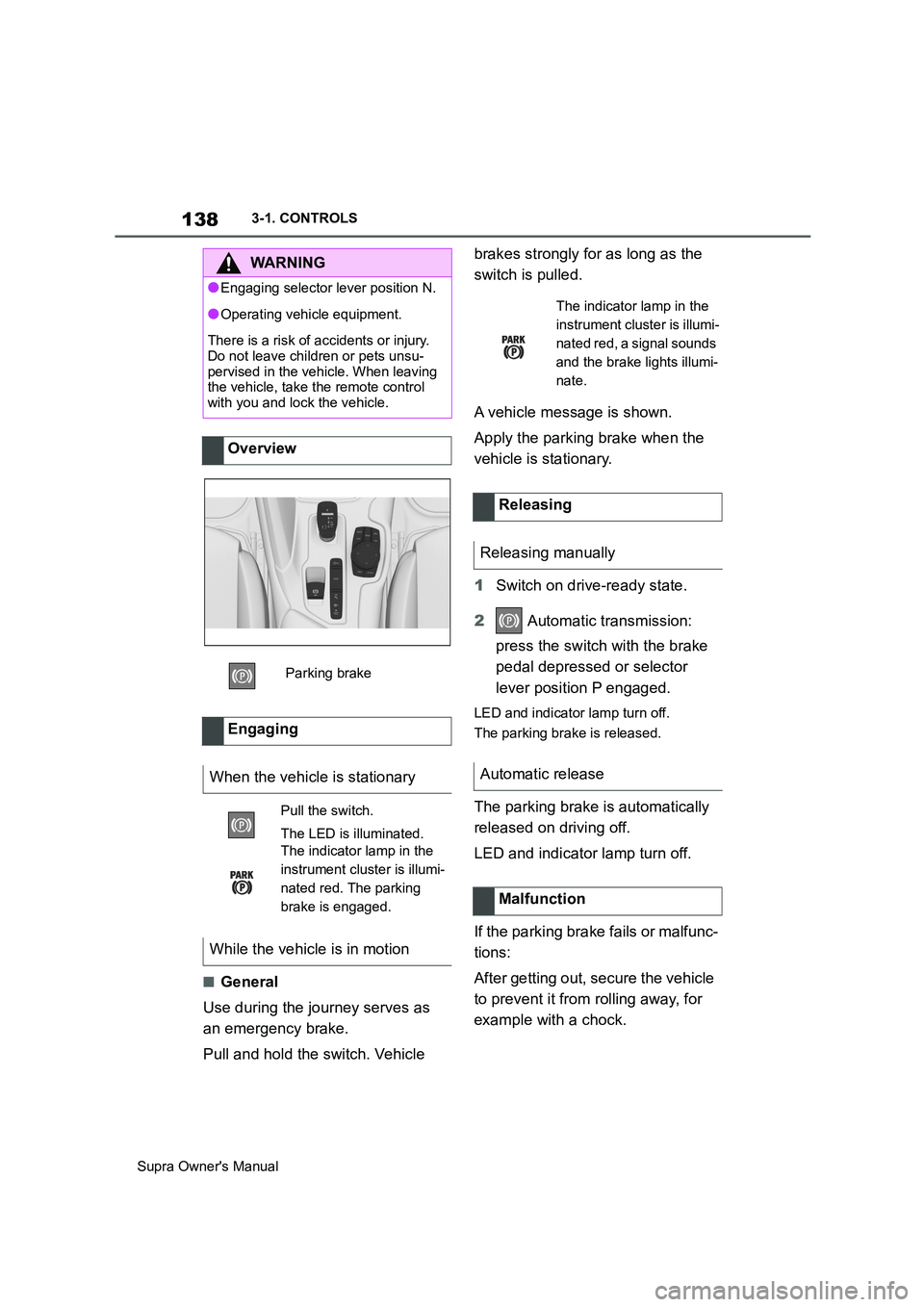
Overview
Parking brake
Engaging
When the vehicle is stationary
Pull the switch.
The LED is illuminated.
The indicator lamp in the
instrument cluster is illumi-
nated red. The parking
brake is engaged.
While the vehicle is in motion
The indicator lamp in the
instrument cluster is illumi-
nated red, a signal sounds
and the brake lights illumi-
nate.
Releasing
Releasing manually
Automatic release
Malfunction
Page 144 of 456
144
Supra Owner's Manual3-1. CONTROLS
Selector lever position for all nor-
mal driving. All gears for forward
driving are selected automatically.
Only engage selector lever posi-
tion R when the vehicle is station-
ary.
In selector lever position N, the
vehicle can be pushed or can roll
without power from the engine, for
example in car washes, see page
145.
Selector lever position for parking
the vehicle, for example. In selector
lever position P, the transmission
blocks the drive wheels.
Only engage selector lever posi-
tion P when the vehicle is station-
ary.
■P is engaged automatically
Selector lever position P is auto-
matically engaged in the following
situations, for example:
After switching off drive-ready
state if selector lever position R,
D or M is engaged.
After switching off standby state
if selector lever position N is
engaged.
If, while the vehicle is at a stand-
still and selector lever position D,
M or R is engaged, the driver's
seat belt is unfastened, the
driver's door is opened and the
brake pedal is not depressed.
Apply the brakes until you are
ready to drive off, otherwise the
vehicle will move when a drive posi-
tion is selected.
The selector lever will only move
from position P to another selector
lever position if drive-ready state is
switched on and the brake pedal is
depressed.
Where applicable, selector lever
position P can only be changed
once all technical requirements are
fulfilled. Safety note
WARNING
An unsecured vehicle can start mov-
ing and rolling away. There is a dan-
ger of accidents. Before leaving the
vehicle, secure it to prevent it from
rolling away, for example by applying
the parking brake.
Selector lever positions
D drive position
R Reverse
N neutral
P Park
Engaging selector lever posi-
tions
General
Operating requirements
Page 148 of 456
148
Supra Owner's Manual3-1. CONTROLS
Before the transmission lockout is
released, apply the parking brake
to prevent the vehicle from rolling
away.
1Apply the brakes and keep them
applied.
2Press the start/stop button. The
starter must be heard to start
turning. Press and hold the
start/stop button.
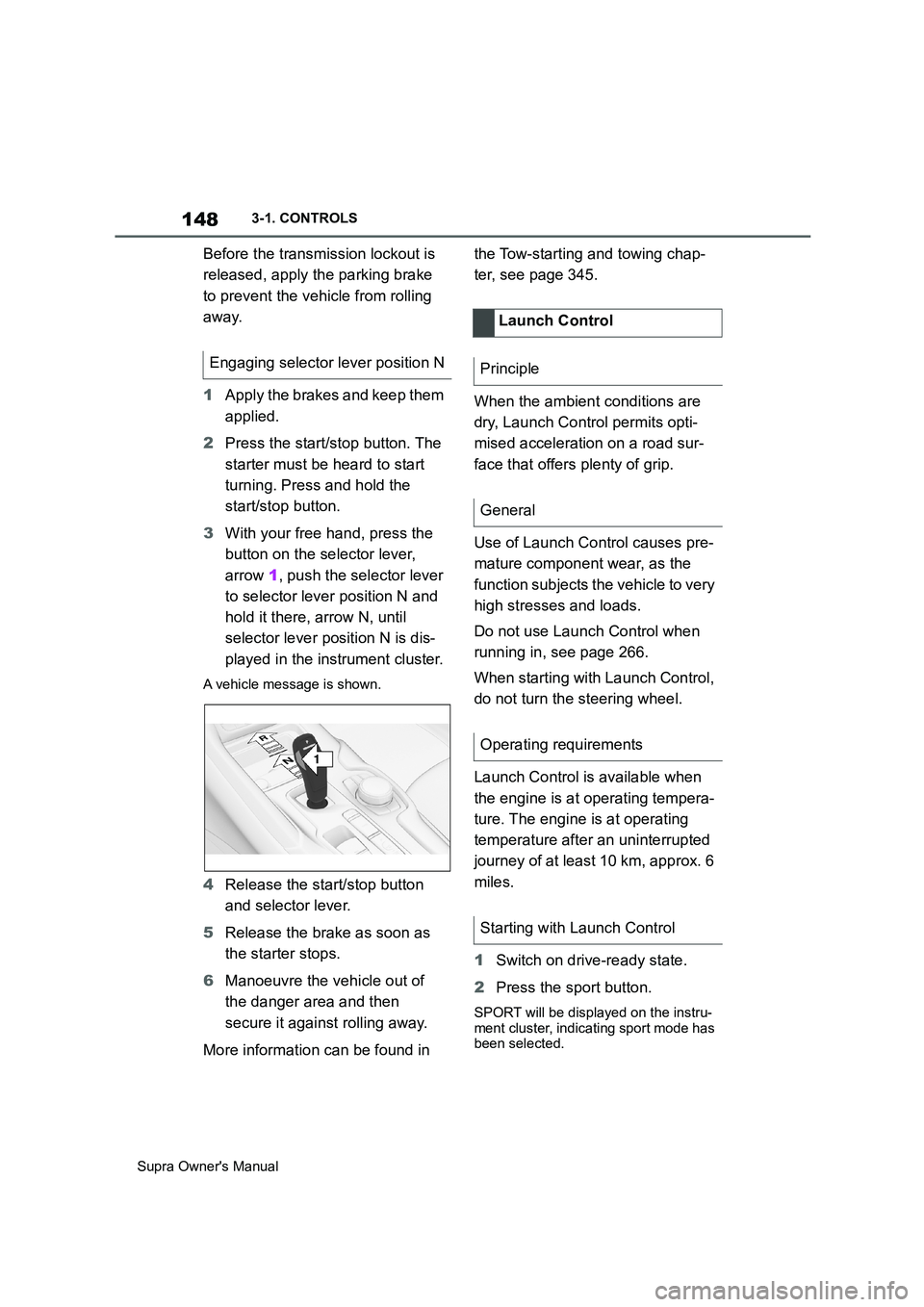
3With your free hand, press the
button on the selector lever,
arrow 1, push the selector lever
to selector lever position N and
hold it there, arrow N, until
selector lever position N is dis-
played in the instrument cluster.
A vehicle message is shown.
4Release the start/stop button
and selector lever.
5Release the brake as soon as
the starter stops.
6Manoeuvre the vehicle out of
the danger area and then
secure it against rolling away.
More information can be found in the Tow-starting and towing chap-
ter, see page 345.
When the ambient conditions are
dry, Launch Control permits opti-
mised acceleration on a road sur-
face that offers plenty of grip.
Use of Launch Control causes pre-
mature component wear, as the
function subjects the vehicle to very
high stresses and loads.
Do not use Launch Control when
running in, see page 266.
When starting with Launch Control,
do not turn the steering wheel.
Launch Control is available when
the engine is at operating tempera-
ture. The engine is at operating
temperature after an uninterrupted
journey of at least 10 km, approx. 6
miles.
1Switch on drive-ready state.
2Press the sport button.
SPORT will be displayed on the instru-
ment cluster, indicating sport mode has
been selected.
Engaging selector lever position N
1
R
N
Launch Control
Principle
General
Operating requirements
Starting with Launch Control
Page 206 of 456
206
Supra Owner's Manual3-1. CONTROLS
If the vehicle leaves the lane and
the lane marking is detected, the
steering wheel vibrates in accord-
ance with the steering wheel vibra-
tion setting.
If the turn indicator is switched on
before changing lanes, no warning
is issued.
If a lane marking is crossed in the
speed range up to 210 km/h,
approx. 130 mph, the system may
intervene not only by vibrating but
also with a brief active steering
intervention. The steering interven-
tion helps to keep the vehicle in
lane. Steering intervention can be
felt at the steering wheel, and can
be overridden manually at any time.
With active steering intervention,
the display flashes in the instru-
ment cluster.If the system executes an active
steering intervention multiple times
within 3 minutes without the driver
touching the steering wheel, an
acoustic warning is emitted. A short
warning signal sounds on the sec-
ond steering intervention. A longer
warning signal sounds from the
third steering intervention onwards.
A vehicle message is also dis-
played.
The warning signal and vehicle
message tell the driver to pay more
attention to the lane.
The warning is interrupted in the
following situations:
Automatically after approxi-
mately 3 seconds.
On returning to the correct lane.
If the vehicle is braking heavily.
On indicating.
If Vehicle Stability Control VSC
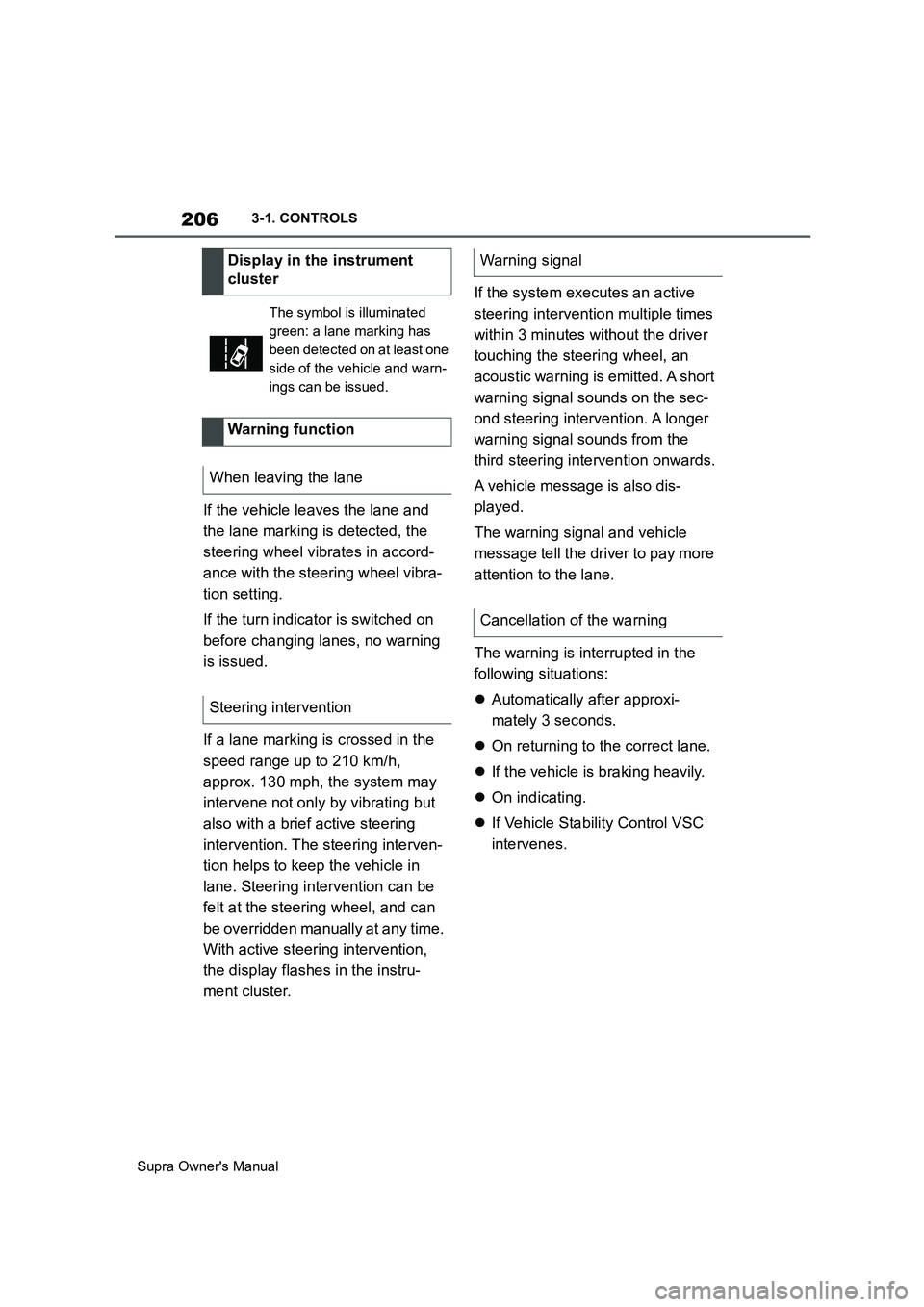
intervenes. Display in the instrument
cluster
The symbol is illuminated
green: a lane marking has
been detected on at least one
side of the vehicle and warn-
ings can be issued.
Warning function
When leaving the lane
Steering intervention
Warning signal
Cancellation of the warning
Page 226 of 456
226
Supra Owner's Manual3-1. CONTROLS
cles driving in front.
Depending on the vehicle settings,
the characteristics of the Cruise
Control may change.
The distance can be set in several
stages, and is dependent on the
individual speed for reasons of
safety.
If the vehicle ahead brakes to a
standstill and sets off again shortly
afterwards, the system can recog-
nise this within the given context.
Safety notes
WARNING
The system does not relieve you of
your personal responsibility to assess
the traffic situation correctly. Due to
system limitations, it cannot respond
independently and appropriately in all
traffic conditions. There is a danger of
accidents. Adapt your driving style to
the traffic conditions. Observe the
traffic situation and intervene actively
if the situation warrants it.
WARNING
An unsecured vehicle can start mov-
ing and rolling away. There is a dan-
ger of accidents. Before leaving the
vehicle, secure it to prevent it from
rolling away.
Observe the following to ensure that
the vehicle is secured against rolling
away:
●Apply the parking brake.
●Turn the front wheels towards the
kerb on upward or downward gradi-
ents.
●Additionally secure the vehicle on
upward or downward gradients, for
example with a chock.
WARNING
The desired speed may be acciden-
tally set incorrectly or called up by
mistake. There is a danger of acci-
dents. Adjust the desired speed to the
traffic conditions. Observe the traffic
situation and intervene actively if the
situation warrants it.
WARNING
There is a danger of accidents if the
difference in speed relative to other
vehicles is excessively high. This may
occur, for example, in the following
situations:
●When quickly approaching a slowly
moving vehicle.
●If another vehicle suddenly veers
into the vehicle's own lane.
●When quickly approaching station-
ary vehicles.
There is a danger of injury or even
death. Observe the traffic situation
and intervene actively if the situation
warrants it.
Page 260 of 456
260
Supra Owner's Manual3-1. CONTROLS
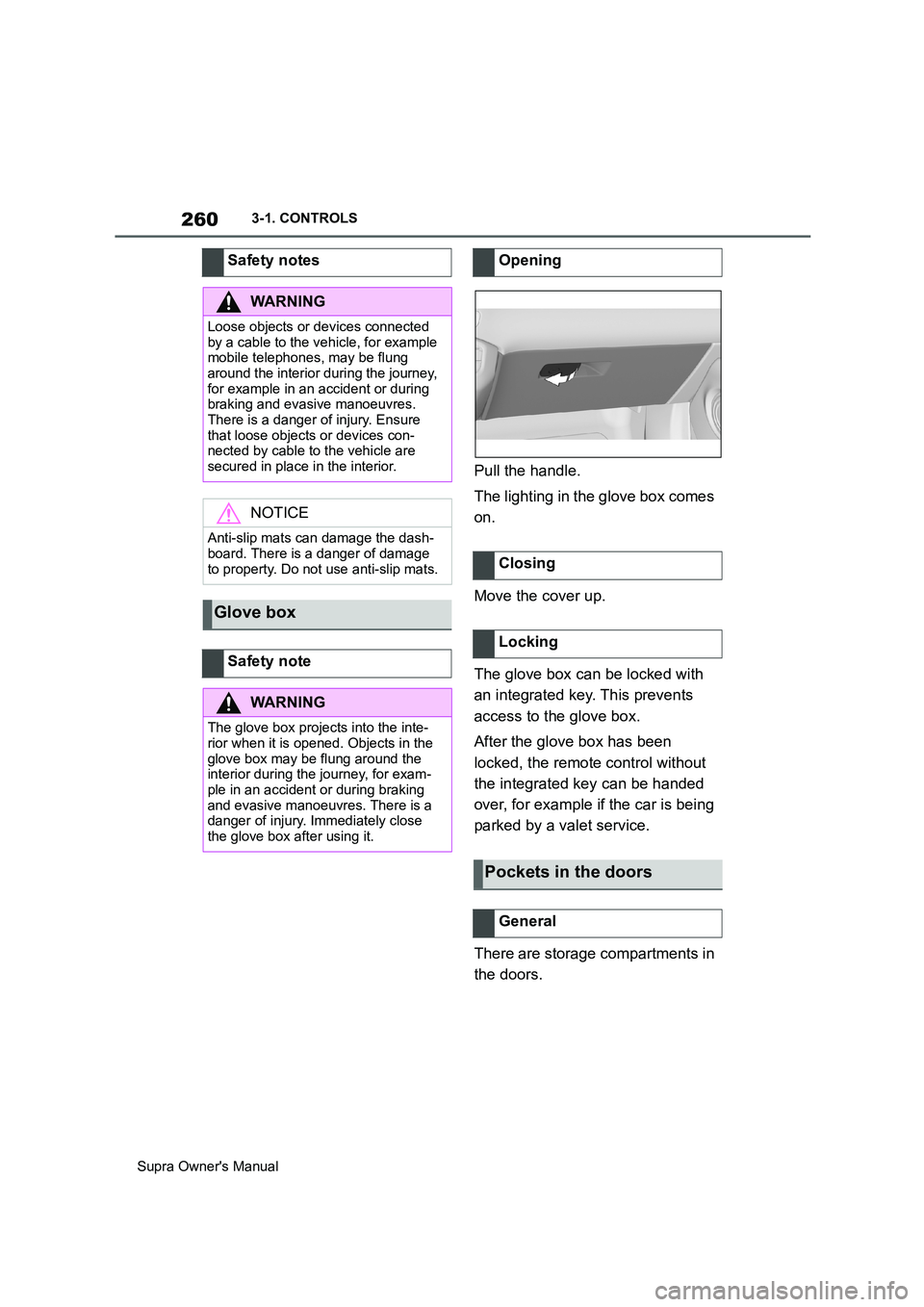
Pull the handle.
The lighting in the glove box comes
on.
Move the cover up.
The glove box can be locked with
an integrated key. This prevents
access to the glove box.
After the glove box has been
locked, the remote control without
the integrated key can be handed
over, for example if the car is being
parked by a valet service.
There are storage compartments in
the doors. Safety notes
WARNING
Loose objects or devices connected
by a cable to the vehicle, for example
mobile telephones, may be flung
around the interior during the journey,
for example in an accident or during
braking and evasive manoeuvres.
There is a danger of injury. Ensure
that loose objects or devices con-
nected by cable to the vehicle are
secured in place in the interior.
NOTICE
Anti-slip mats can damage the dash-
board. There is a danger of damage
to property. Do not use anti-slip mats.
Glove box
Safety note
WARNING
The glove box projects into the inte-
rior when it is opened. Objects in the
glove box may be flung around the
interior during the journey, for exam-
ple in an accident or during braking
and evasive manoeuvres. There is a
danger of injury. Immediately close
the glove box after using it.
Opening
Closing
Locking
Pockets in the doors
General
Page 262 of 456
262
Supra Owner's Manual3-1. CONTROLS
Wrap protective material around
any sharp corners and edges on
the load.
Heavy transported loads: stow
as far forward and as low down as possible, ideally directly
behind the boot partition.
Small and lightweight trans-
ported loads: can be secured
with retaining straps, a luggage
net or other suitable straps.
Large and heavy transported
loads: secure with lashing straps.
Equipment for securing the trans-
ported load, for example lashing
straps, tensioning straps or luggage
nets, must be secured to the lash-
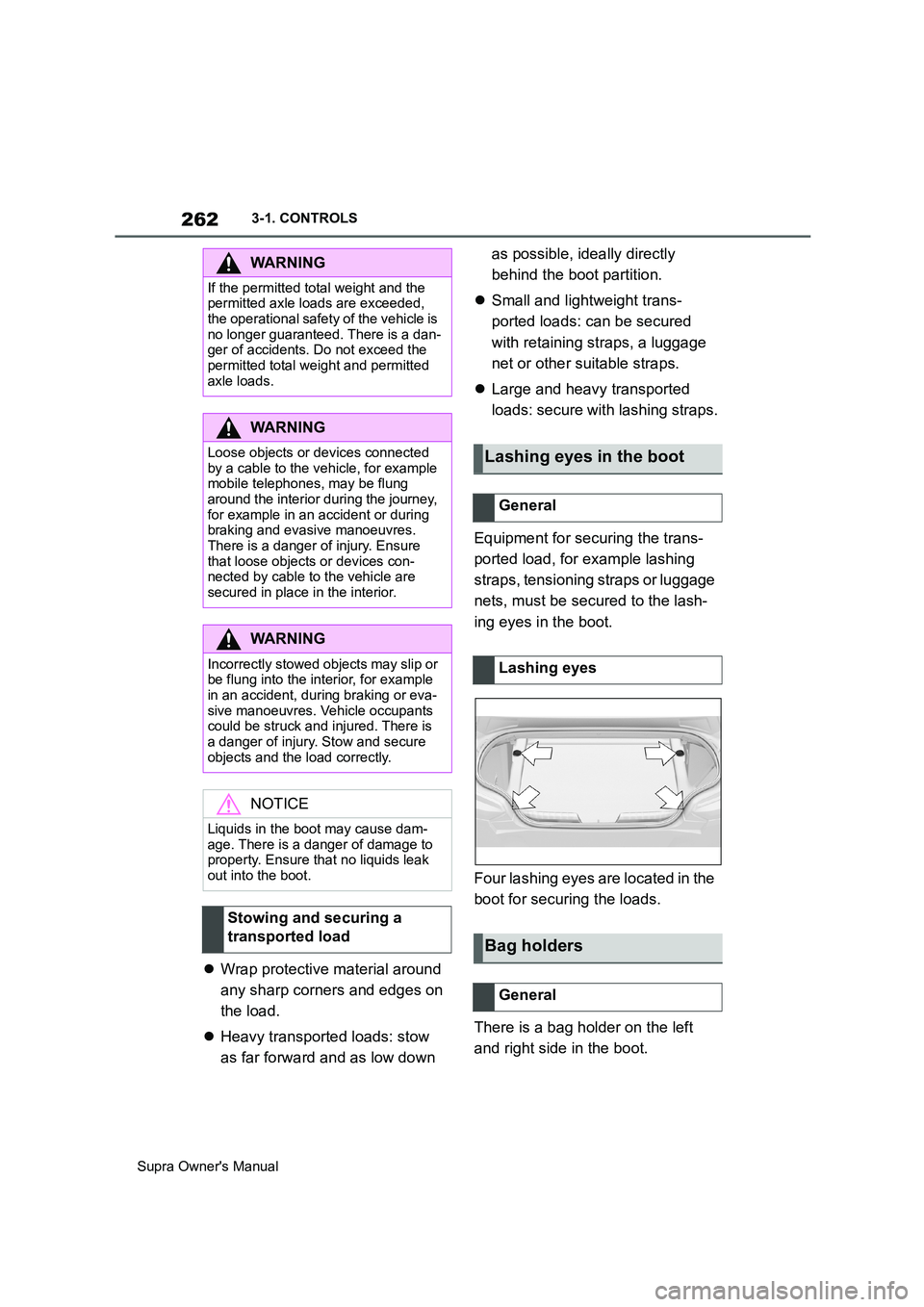
ing eyes in the boot.
Four lashing eyes are located in the
boot for securing the loads.
There is a bag holder on the left
and right side in the boot.
WARNING
If the permitted total weight and the
permitted axle loads are exceeded,
the operational safety of the vehicle is
no longer guaranteed. There is a dan-
ger of accidents. Do not exceed the
permitted total weight and permitted
axle loads.
WARNING
Loose objects or devices connected
by a cable to the vehicle, for example
mobile telephones, may be flung
around the interior during the journey,
for example in an accident or during
braking and evasive manoeuvres.
There is a danger of injury. Ensure
that loose objects or devices con-
nected by cable to the vehicle are
secured in place in the interior.
WARNING
Incorrectly stowed objects may slip or
be flung into the interior, for example
in an accident, during braking or eva-
sive manoeuvres. Vehicle occupants
could be struck and injured. There is
a danger of injury. Stow and secure
objects and the load correctly.
NOTICE
Liquids in the boot may cause dam-
age. There is a danger of damage to
property. Ensure that no liquids leak
out into the boot.
Stowing and securing a
transported load
Lashing eyes in the boot
General
Lashing eyes
Bag holders
General
Page 263 of 456
263
3
Supra Owner's Manual3-1. CONTROLS
CONTROLSThere is a tensioning strap on the
right-hand trim panel for securing
small objects.
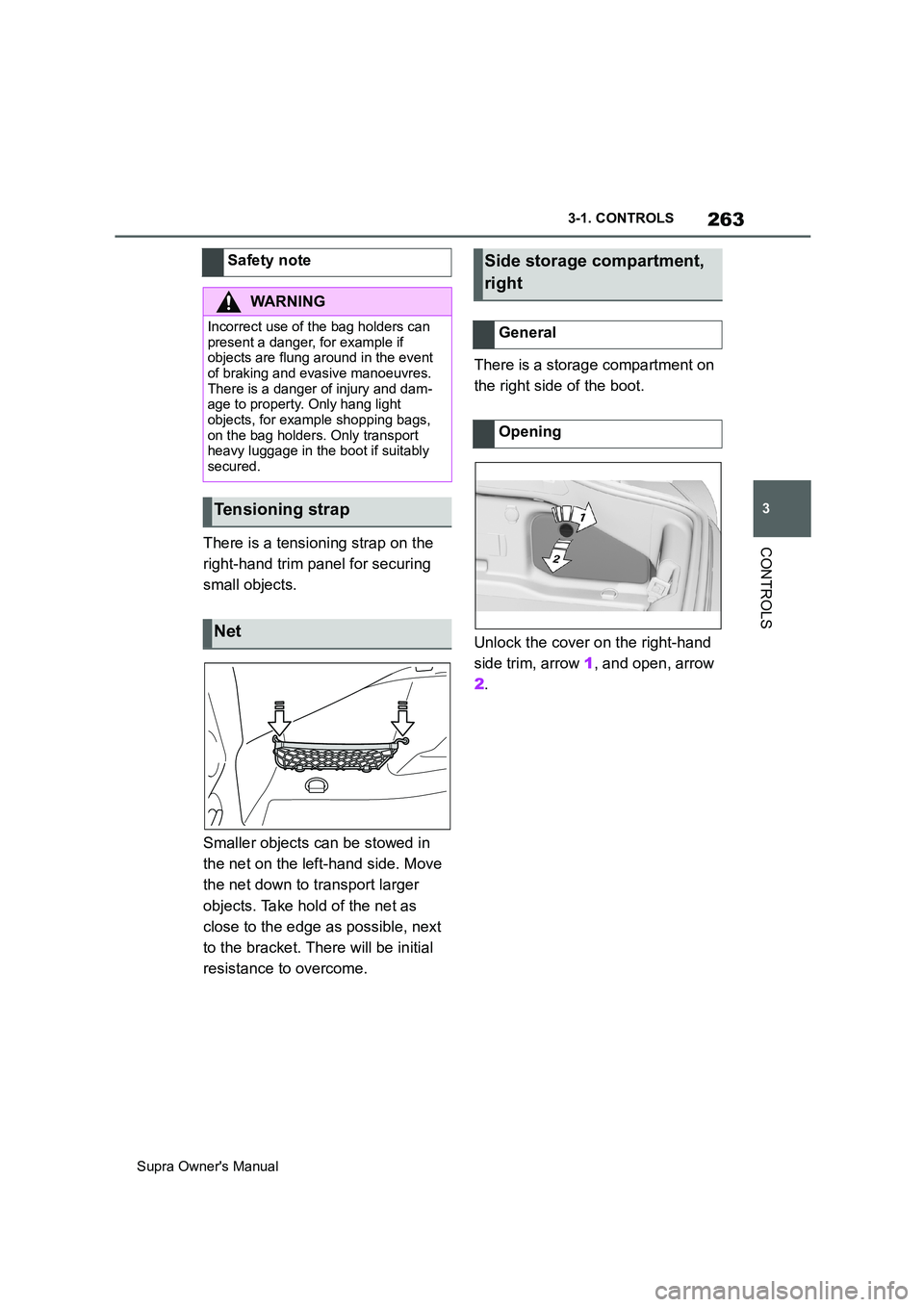
Smaller objects can be stowed in
the net on the left-hand side. Move
the net down to transport larger
objects. Take hold of the net as
close to the edge as possible, next
to the bracket. There will be initial
resistance to overcome.There is a storage compartment on
the right side of the boot.
Unlock the cover on the right-hand
side trim, arrow 1, and open, arrow
2. Safety note
WARNING
Incorrect use of the bag holders can
present a danger, for example if
objects are flung around in the event
of braking and evasive manoeuvres.
There is a danger of injury and dam-
age to property. Only hang light
objects, for example shopping bags,
on the bag holders. Only transport
heavy luggage in the boot if suitably
secured.
Tensioning strap
Net
Side storage compartment,
right
General
Opening
Page 270 of 456
270
Supra Owner's Manual4-1. DRIVING HINTS
This situation, known as aquaplan-
ing, means that the tyre can actu-
ally lose contact completely with
the road surface and the vehicle
can neither be steered, nor the
brakes properly applied.
Please comply with the following
when driving through water:
Only drive through still water.
Only drive through water up to a
max. depth of 25 cm, 9.8 in.
Drive through water at a walking
speed of no more than 5 km/h, 3
mph.
The vehicle is equipped with the
Anti-lock Brake System ABS as
standard.
Perform full braking in situations that require it.
The vehicle remains steerable. Any
obstacles can be avoided by per-
forming steering movements as
smoothly as possible.
A pulsing of the brake pedal and
hydraulic regulating sounds indi-
cate that the Anti-lock Brake Sys-
tem ABS is regulating.
In certain braking situations, the
perforated brake discs can cause
functional noise. However, func-
tional noises have no effect on the
efficiency and operational safety of
the brakes.
In damp weather, on gritted roads
and in heavy rain, apply the brakes
lightly every few kilometres/miles. Driving through water
General
Safety note
NOTICE
Driving through excessively deep
water too fast can result in water
entering the engine compartment,
electrical system or transmission.
There is a danger of damage to prop-
erty. When driving through water, do
not exceed the maximum water depth
and speed specified above.
Safe braking
General
Objects in the range of movement
of the pedals
WARNING
Objects in the driver's footwell can
restrict the pedal travel or block a
pedal that has been pressed. There is
a danger of accidents. Stow items in
the vehicle so that they are secure
and cannot get into the driver's
footwell. Only use floor mats that are
suitable for the vehicle and can be
securely fastened to the floor. Do not
use loose floor mats, and do not place
several floor mats on top of one
another. Make sure that there is suffi-
cient space for the pedals. Ensure
that floor mats are securely reat-
tached after having been removed, for
example for cleaning.
Wet roads
Page 303 of 456
303
5
Supra Owner's Manual5-1. MOBILITY
MOBILITY
two wheel studs crosswise until
finger-tight.
If non-original light alloy wheels not
from the vehicle manufacturer are fit-
ted, the wheel studs belonging to the
wheels may also have to be used.
4Tighten the remaining wheels
tuds until finger-tight and then
tighten all the wheel studs
crosswise.
5Turn the jack crank anticlock-
wise to retract the jack and
lower the vehicle.
6Remove the jack and stow it
securely.
1Tighten the wheel studs cross-
wise. The tightening torque
is140 Nm, approximately 101 lb
ft.
2Stow the faulty wheel in the
boot, if necessary.
Due to its size, the faulty wheel cannot
be accommodated under the boot floor.
3Check tyre inflation pressure at
the next opportunity and correct
as necessary.
4Reset the Tyre Pressure Monitor
(TPM).
5Check the tight fit of the wheel
studs using a calibrated torque
wrench.
6Drive to the nearest any author-
ized Toyota retailer or Toyota
authorized repairer, or any relia-ble repairer to have the dam-
aged tyre replaced.
In case of a flat tyre, the emergency
wheel can be used as a replace-
ment for the defective tyre. The
emergency wheel is intended for
short-term use until the defective
wheel has been replaced.
Only fit one emergency wheel at
most.
Additionally, regularly check the
tyre inflation pressure of the emer-
gency wheel in the boot and correct
the pressure if necessary. After changing the wheel
Emergency wheel
Principle
General
Safety note
WARNING
The emergency wheel has special
dimensions. When driving with an
emergency wheel, the driving proper-
ties may change, for example
reduced directional stability when
braking, longer braking distance and
modified self-steering behaviour in
the limit range. There is a danger of
accidents. Drive with care and do not
exceed a speed of 80 km/h, 50 mph.