display TOYOTA SUPRA 2019 Owner's Manual
[x] Cancel search | Manufacturer: TOYOTA, Model Year: 2019, Model line: SUPRA, Model: TOYOTA SUPRA 2019Pages: 456, PDF Size: 88.65 MB
Page 55 of 456
55
3
Supra Owner's Manual3-1. CONTROLS
CONTROLS
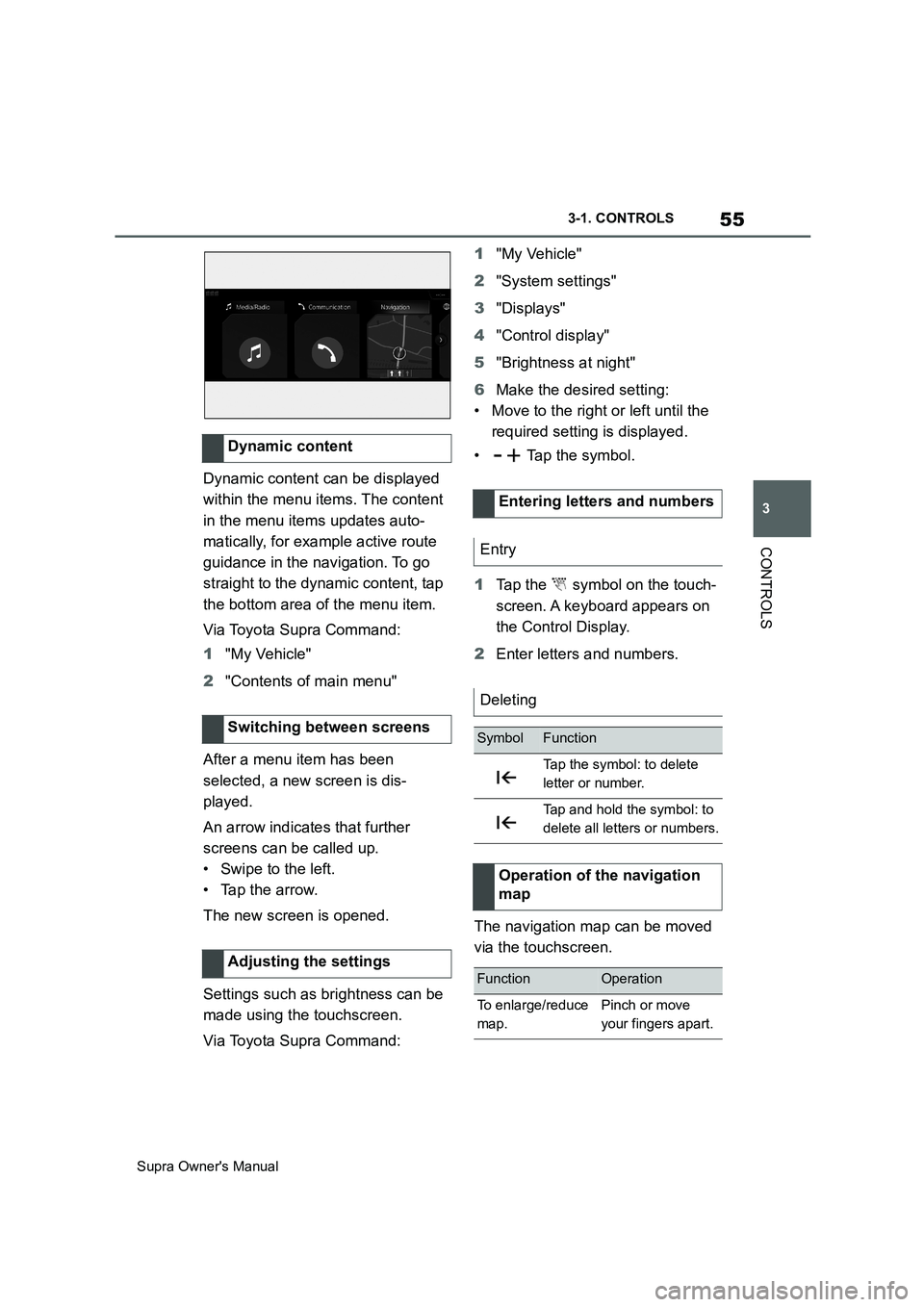
Dynamic content can be displayed
within the menu items. The content
in the menu items updates auto-
matically, for example active route
guidance in the navigation. To go
straight to the dynamic content, tap
the bottom area of the menu item.
Via Toyota Supra Command:
1"My Vehicle"
2"Contents of main menu"
After a menu item has been
selected, a new screen is dis-
played.
An arrow indicates that further
screens can be called up.
• Swipe to the left.
• Tap the arrow.
The new screen is opened.
Settings such as brightness can be
made using the touchscreen.
Via Toyota Supra Command:1"My Vehicle"
2"System settings"
3"Displays"
4"Control display"
5"Brightness at night"
6Make the desired setting:
• Move to the right or left until the
required setting is displayed.
• Tap the symbol.
1Tap the symbol on the touch-
screen. A keyboard appears on
the Control Display.
2Enter letters and numbers.
The navigation map can be moved
via the touchscreen. Dynamic content
Switching between screens
Adjusting the settings
Entering letters and numbers
Entry
Deleting
SymbolFunction
Tap the symbol: to delete
letter or number.
Tap and hold the symbol: to
delete all letters or numbers.
Operation of the navigation
map
FunctionOperation
To enlarge/reduce
map.Pinch or move
your fingers apart.
Page 56 of 456
56
Supra Owner's Manual3-1. CONTROLS
Some of the functions of the Toyota
Supra Command can be operated
with the touchpad of the Controller.
Via Toyota Supra Command:
1"My Vehicle"
2"System settings"
3"Touchpad"
4Select the desired setting:
• "Write": to enter letters and num-
bers.
• "Map": to operate the map.
• "Search fields": to write letters
without selecting the list field.
• "Audio feedback": to have the
entered letters and numbers
read out.
Entering letters requires a bit of
practice to begin with. Pay attention
to the following when entering:
• The system recognises upper
and lower case and numbers. It
may be necessary to switch
between upper and lower case,
numbers and characters, see
page 54.
• Enter characters as they are dis-
played on the Control Display.
• Always enter associated charac-ters, for example accents or
dots, so that the letter will be cor-
rectly detected. The input option
depends on the language that
has been set. You may need to
enter special characters using
the Controller.
The map of the navigation system
can be moved using the touchpad.
Touchpad
General
Selecting functions
Entering letters and numbers
Entering special characters
EntryOperation
To delete a charac-
ter.Swipe on the
touchpad to the
left.
To enter a space.
Swipe in the mid-
dle of the touchpad
to the right.
To enter a hyphen.
Swipe at the top of
the touchpad to the
right.
To enter an under-
score.
Swipe at the bot-
tom of the
touchpad to the
right.
Operating map
FunctionOperation
To move map.
Swipe in the
appropriate direc-
tion.
To enlarge/reduce
map.
Pinch together or
move your fingers
apart on the
touchpad.
To display menu.Tap once.
Page 57 of 456
57
3
Supra Owner's Manual3-1. CONTROLS
CONTROLS
Toyota Supra Command functions,
for example radio stations, naviga-
tion destinations and telephone
numbers, can be saved to Favour-
ites buttons and called up directly.
The settings are saved for the cur-
rently used driver profile.
1Select function via Toyota Supra
Command.
2 Press and hold the
desired button until a signal
sounds.
Press the button.
The function is carried out immedi-
ately. If you have selected a tele-
phone number for example, the
connection will also be established.
Touch the buttons with your finger.
Do not wear gloves or use objects.
The button assignment is displayed
at the top edge of the screen.1Press and hold buttons 1 and 8
simultaneously for approx. 5
seconds.
2"OK"
Favourites buttons
General
Saving a function
Performing a function
Displaying the button assign-
ment
Clearing the button assign-
ment
Page 58 of 456
58
Supra Owner's Manual3-1. CONTROLS
This chapter describes all standard,
country-specific and special equip-
ment available for the model series.
It may therefore describe equip-
ment which is not installed in your
vehicle, for example on account of
the optional equipment selected or
the country specification. This also
applies to safety-relevant functions
and systems. Please comply with
the relevant laws and regulations
when using the corresponding func-
tions and systems.
The voice control system enables
most of the functions shown in the
Control Display to be operated by
spoken commands. The system
provides spoken announcements to
assist you with input.
• Functions that can only be used
when the vehicle is stationary
can only be operated via the
voice control system to a limited
extent.
• The system has a special micro-
phone on the driver's side.
• ›...‹ indicates commands for the
voice control system in the
Owner's Manual.• Commands, numbers and let-
ters should be spoken fluently,
with the usual emphasis and at a
normal volume and speed.
• Always say the commands in the
language of the voice control
system.
• When selecting the radio sta-
tion, use the customary pronun-
ciation of the station name as it is
displayed on the Control Display.
›[...] Station ...‹, for example,
Classic Radio station.
In order for the voice commands to
be detected, a language must be
set using Toyota Supra Command
that is supported by the voice con-
trol system.
Selecting the language, see page
61.
1 Press the button on the
steering wheel.
2Wait for the acoustic signal.
3Say the command.
It is possible that no further spoken
commands are available. In this
Voice control system
Vehicle equipment
Principle
General
Operating requirements
Saying voice commands
Activating the voice control
system
This symbol on the Control
Display shows that the voice
control system is active.
Page 59 of 456
59
3
Supra Owner's Manual3-1. CONTROLS
CONTROLS
case, switch to Toyota Supra Com-
mand to operate the function.
A smartphone connected to the
vehicle can be operated via voice
control.
To do this, activate voice control on
the smartphone.
1 Press and hold the but-
ton on the steering wheel for
approx. 3 seconds.
Voice control in the smartphone is acti-
vated.
2 Release the button.
If activation is successful, a confirma-
tion appears on the Control Display.
If it was not possible to activate
voice control, the list of Bluetooth
devices appears on the Control
Display.
Most of the menu items on the Con-
trol Display can be said as com-
mands.
Commands from other menus can be spoken as well.
Some list entries, for example tele-
phone book entries, can also be
selected using the voice control
system. When doing this, say the
list entries exactly as they are
shown in the relevant list.
The following is displayed in the
upper area of the Control Display:
• Some of the possible commands
for the current menu.
• Some of the possible commands
from other menus.
• Voice recognition status.
• Encrypted connection unavail-
able.
• To have possible voice com-
mands read aloud: ›Voice com-
mands‹.
• To have information about the
voice control system read aloud:
›General information on voice
control‹.
• To have help on the current
menu read aloud: ›Help‹.
The commands for the menu items
are spoken exactly as they are
selected using the Controller. Switching off the voice con-
trol system
Press the button on the steer-
ing wheel or say ›Cancel‹.
Operating a smartphone via
voice control
Possible commands
General
Displaying possible com-
mands
Help with the voice control
system
An example: calling up
sound settings
Page 62 of 456
62
Supra Owner's Manual3-1. CONTROLS
Via Toyota Supra Command:
1"My Vehicle"
2"System settings"
3"Date and time"
4"Time zone:"
5Select the desired setting.
The setting is saved for the cur-
rently used driver profile.
Via Toyota Supra Command:
1"My Vehicle"
2"System settings"
3"Date and time"
4"Time"
5Turn the Controller until the
desired hours are displayed.
6Press the Controller.
7Turn the Controller until the
desired minutes are displayed.
8Press the Controller.
Via Toyota Supra Command:
1"My Vehicle"
2"System settings"
3"Date and time"
4"Time format:"5Select the desired setting.
The setting is saved for the cur-
rently used driver profile.
Depending on the equipment, the
time, date and, if necessary, time
zone are updated automatically.
Via Toyota Supra Command:
1"My Vehicle"
2"System settings"
3"Date and time"
4"Automatic time setting"
The setting is saved for the cur-
rently used driver profile.
Via Toyota Supra Command:
1"My Vehicle"
2"System settings"
3"Date and time"
4"Date:"
5Turn the Controller until the
desired day is displayed.
6Press the Controller.
7Alter the setting for the month
and year.
Via Toyota Supra Command:
1"My Vehicle"
Time
Setting the time zone
Setting the time
Setting the time format
Automatic time setting
Date
Setting the date
Setting the date format
Page 63 of 456
63
3
Supra Owner's Manual3-1. CONTROLS
CONTROLS
2"System settings"
3"Date and time"
4"Date format:"
5Select the desired setting.
The setting is saved for the cur-
rently used driver profile.
Depending on the country specifi-
cations, it is possible to select the
units of measurement for various
values, for example consumption,
distances and temperature.
Via Toyota Supra Command:
1"My Vehicle"
2"System settings"
3"Units"
4Select the desired menu item.
5Select the desired setting.
The setting is saved for the cur-
rently used driver profile.
If vehicle tracking is activated, the
current vehicle position can be dis-
played in the Toyota Supra Apps.Via Toyota Supra Command:
1"My Vehicle"
2"Vehicle settings"
3"Vehicle tracking"
4"Vehicle tracking"
Information windows are automati-
cally shown on the Control Display
for some functions. Some of these
information windows can be acti-
vated or deactivated.
Via Toyota Supra Command:
1"My Vehicle"
2"System settings"
3"Pop-ups"
4Select the desired setting.
The setting is saved for the cur-
rently used driver profile.
Via Toyota Supra Command:
1"My Vehicle"
2"System settings"
3"Displays"
4"Control display"
5"Brightness at night"
Setting units of measure-
ment
Activating/deactivating dis-
play of the current vehicle
position
Principle
Activating/deactivating
Activating/deactivating
information windows
Control Display
Brightness
Page 64 of 456
64
Supra Owner's Manual3-1. CONTROLS
6Turn the Controller until the
desired brightness is obtained.
7Press the Controller.
The setting is saved for the cur-
rently used driver profile.
Depending on the lighting condi-
tions, the brightness adjustment
may not be immediately apparent.
The content displayed in some
menu items of the main menu can
be selected.
1 Press the button.
2"Contents of main menu"
3Select the desired menu and
desired content.
The setting is saved for the cur-
rently used driver profile.
The menu shows all messages
received by the vehicle, centrally in
the form of a list.
The following messages can be
displayed:
• Traffic messages.
• Vehicle messages.
• Communication messages, for example email, SMS or remind-
ers.
• Service requirement messages.
Messages are additionally dis-
played in the status field.
Via Toyota Supra Command:
1"Notifications"
2Select the required message.
The associated menu is opened
and the message displayed.
All messages which are not vehicle
messages can be deleted from the
list. Vehicle messages remain for
as long as they are relevant.
Via Toyota Supra Command:
1"Notifications"
2Select the required message if
necessary.
3 Press the button.
4"Delete this notification" or
"Delete all notifications"
The following settings can be per-
formed:
• Select the applications from
which messages are permitted.
• Sort the sequence of messages
by date or priority.
Via Toyota Supra Command: Selecting the content of the
main menu
Messages
Principle
General
Calling up messages
Deleting messages
Settings
Page 65 of 456
65
3
Supra Owner's Manual3-1. CONTROLS
CONTROLS
1"My Vehicle"
2"System settings"
3"Notifications"
4Select the desired setting.
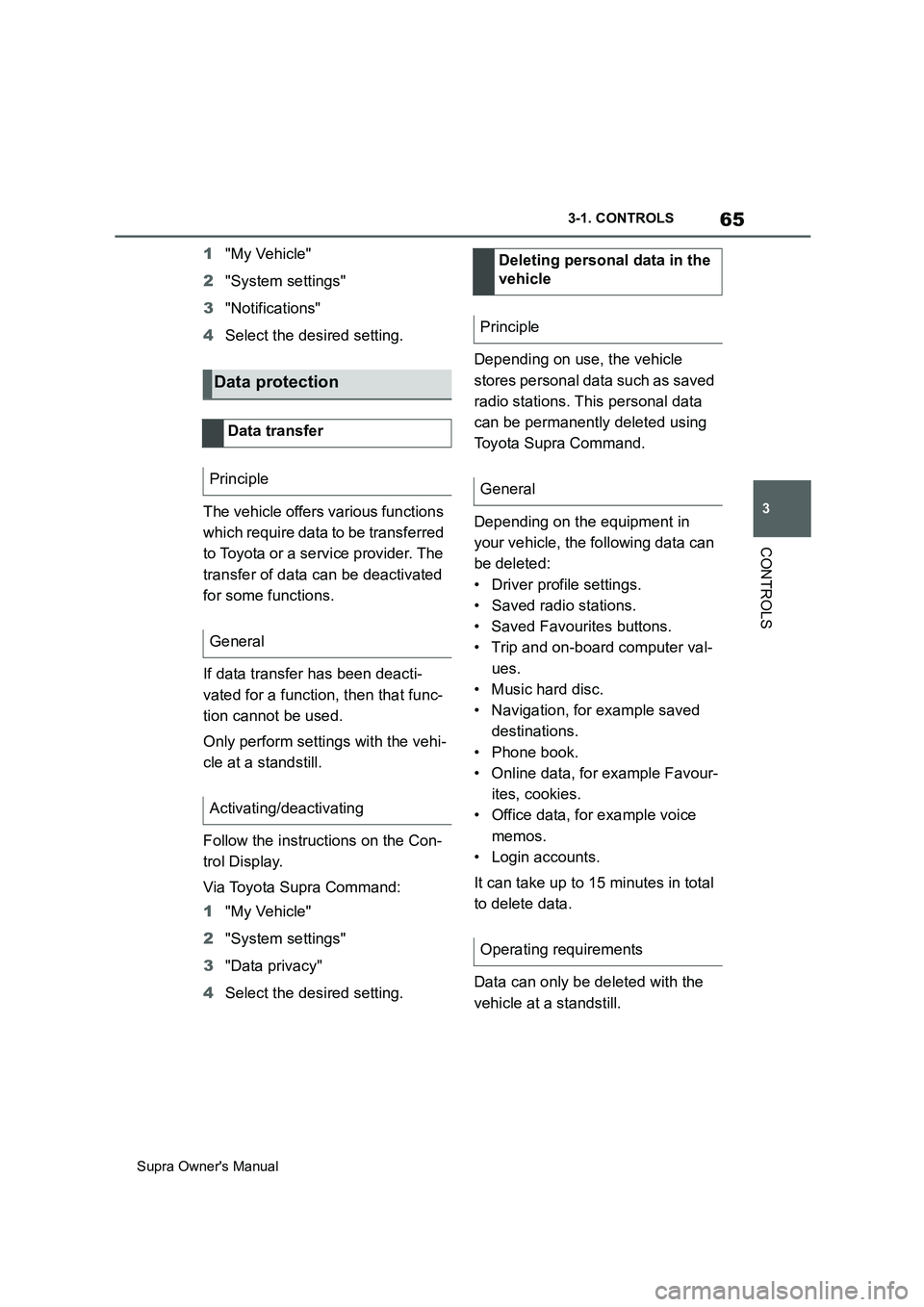
The vehicle offers various functions
which require data to be transferred
to Toyota or a service provider. The
transfer of data can be deactivated
for some functions.
If data transfer has been deacti-
vated for a function, then that func-
tion cannot be used.
Only perform settings with the vehi-
cle at a standstill.
Follow the instructions on the Con-
trol Display.
Via Toyota Supra Command:
1"My Vehicle"
2"System settings"
3"Data privacy"
4Select the desired setting.Depending on use, the vehicle
stores personal data such as saved
radio stations. This personal data
can be permanently deleted using
Toyota Supra Command.
Depending on the equipment in
your vehicle, the following data can
be deleted:
• Driver profile settings.
• Saved radio stations.
• Saved Favourites buttons.
• Trip and on-board computer val-
ues.
• Music hard disc.
• Navigation, for example saved
destinations.
• Phone book.
• Online data, for example Favour-
ites, cookies.
• Office data, for example voice
memos.
• Login accounts.
It can take up to 15 minutes in total
to delete data.
Data can only be deleted with the
vehicle at a standstill.
Data protection
Data transfer
Principle
General
Activating/deactivating
Deleting personal data in the
vehicle
Principle
General
Operating requirements
Page 66 of 456
66
Supra Owner's Manual3-1. CONTROLS
Follow the instructions on the Con-
trol Display.
Via Toyota Supra Command:
1"My Vehicle"
2"System settings"
3"Data privacy"
4"Delete personal data"
5"Delete personal data"
6"OK"
7Exit and lock the vehicle.
Deletion is completed after 15 min-
utes.
If not all data is deleted, repeat the
deletion process if required.
Switch-on drive-ready state to can-
cel data deletion.
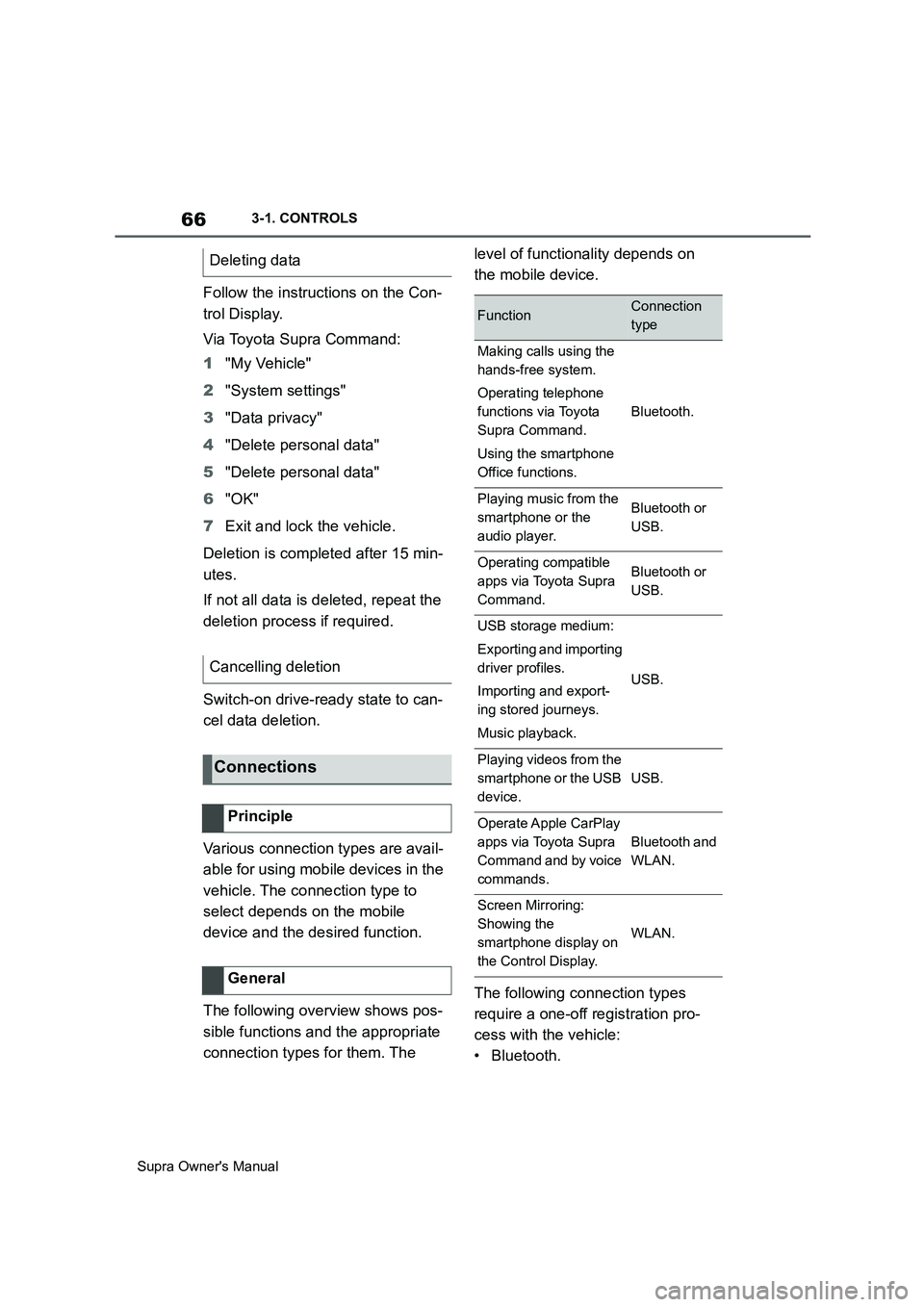
Various connection types are avail-
able for using mobile devices in the
vehicle. The connection type to
select depends on the mobile
device and the desired function.
The following overview shows pos-
sible functions and the appropriate
connection types for them. The level of functionality depends on
the mobile device.
The following connection types
require a one-off registration pro-
cess with the vehicle:
•Bluetooth. Deleting data
Cancelling deletion
Connections
Principle
General
FunctionConnection
type
Making calls using the
hands-free system.
Operating telephone
functions via Toyota
Supra Command.
Using the smartphone
Office functions.
Bluetooth.
Playing music from the
smartphone or the
audio player.Bluetooth or
USB.
Operating compatible
apps via Toyota Supra
Command.Bluetooth or
USB.
USB storage medium:
Exporting and importing
driver profiles.
Importing and export-
ing stored journeys.
Music playback.
USB.
Playing videos from the
smartphone or the USB
device.
USB.
Operate Apple CarPlay
apps via Toyota Supra
Command and by voice
commands.
Bluetooth and
WLAN.
Screen Mirroring:
Showing the
smartphone display on
the Control Display.
WLAN.