display TOYOTA SUPRA 2019 User Guide
[x] Cancel search | Manufacturer: TOYOTA, Model Year: 2019, Model line: SUPRA, Model: TOYOTA SUPRA 2019Pages: 456, PDF Size: 88.65 MB
Page 39 of 456
3
39
Supra Owner's Manual
3
CONTROLS
CONTROLS
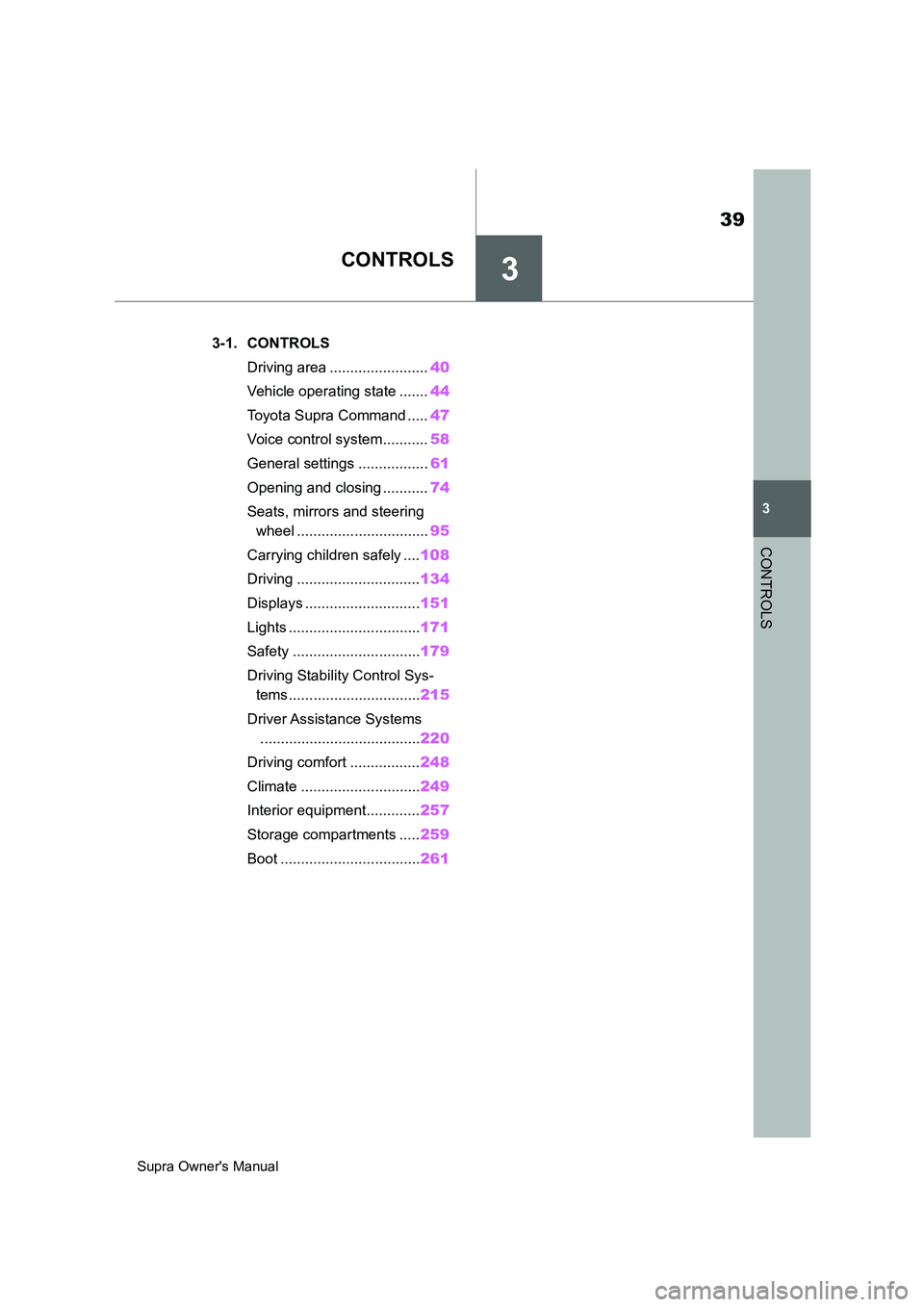
.3-1. CONTROLS
Driving area ........................40
Vehicle operating state .......44
Toyota Supra Command .....47
Voice control system...........58
General settings .................61
Opening and closing ...........74
Seats, mirrors and steering
wheel ................................95
Carrying children safely ....108
Driving ..............................134
Displays ............................151
Lights ................................171
Safety ...............................179
Driving Stability Control Sys-
tems ................................215
Driver Assistance Systems
.......................................220
Driving comfort .................248
Climate .............................249
Interior equipment.............257
Storage compartments .....259
Boot ..................................261
Page 42 of 456
42
Supra Owner's Manual3-1. CONTROLS
14 To release the bonnet
P. 3 0 615 Unlocking the boot lid P.77
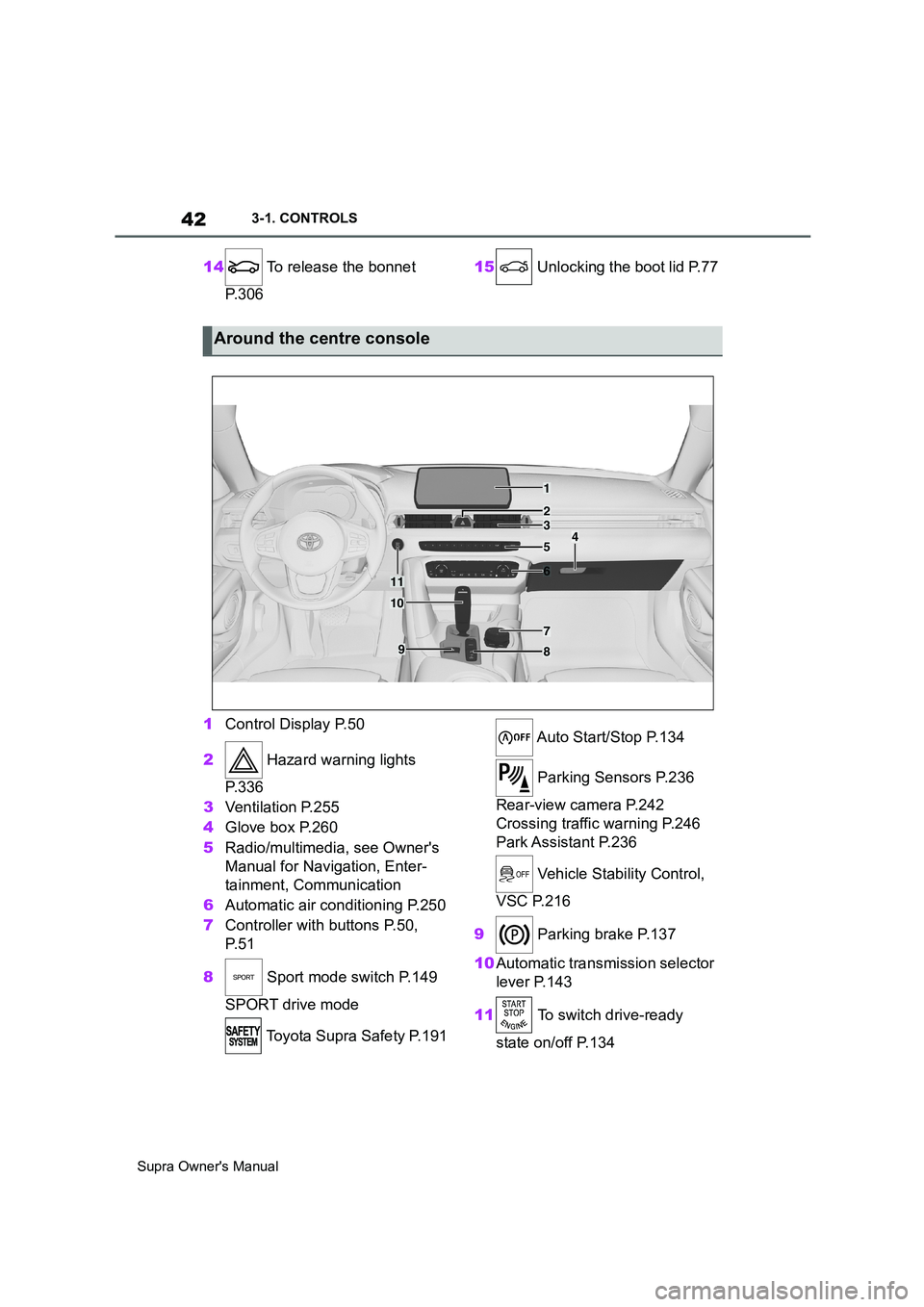
1Control Display P.50
2 Hazard warning lights
P. 3 3 6
3Ventilation P.255
4Glove box P.260
5Radio/multimedia, see Owner's
Manual for Navigation, Enter-
tainment, Communication
6Automatic air conditioning P.250
7Controller with buttons P.50,
P. 5 1
8 Sport mode switch P.149
SPORT drive mode
Toyota Supra Safety P.191 Auto Start/Stop P.134
Parking Sensors P.236
Rear-view camera P.242
Crossing traffic warning P.246
Park Assistant P.236
Vehicle Stability Control,
VSC P.216
9 Parking brake P.137
10Automatic transmission selector
lever P.143
11 To switch drive-ready
state on/off P.134
Around the centre console
1
4
23
5
6
7
89
10
11
Page 45 of 456
45
3
Supra Owner's Manual3-1. CONTROLS
CONTROLS
The vehicle switches automatically
to idle state under the following
conditions:
• After a few minutes, if no opera-
tion is performed on the vehicle.
• When the battery state of charge
is low.
• When leaving the vehicle, if one
of the front doors is opened,
depending on the Toyota Supra
Command setting.
Idle state is not established auto-
matically during a telephone call.
Via Toyota Supra Command:
1"My Vehicle"
2"Vehicle setteing"
3"Doors/Key"
4"Switch off after door opening"
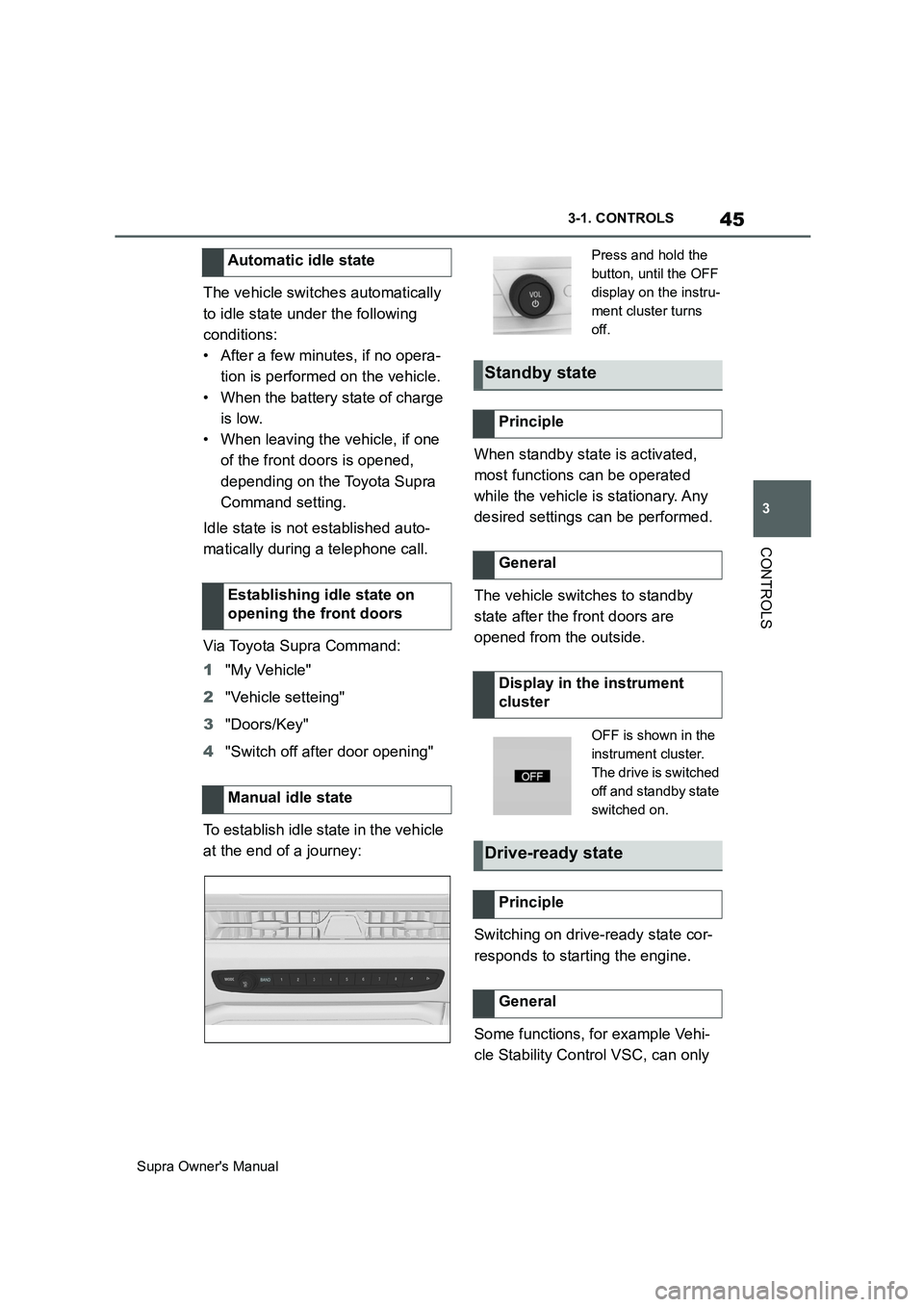
To establish idle state in the vehicle
at the end of a journey:When standby state is activated,
most functions can be operated
while the vehicle is stationary. Any
desired settings can be performed.
The vehicle switches to standby
state after the front doors are
opened from the outside.
Switching on drive-ready state cor-
responds to starting the engine.
Some functions, for example Vehi-
cle Stability Control VSC, can only Automatic idle state
Establishing idle state on
opening the front doors
Manual idle state
Press and hold the
button, until the OFF
display on the instru-
ment cluster turns
off.
Standby state
Principle
General
Display in the instrument
cluster
OFF is shown in the
instrument cluster.
The drive is switched
off and standby state
switched on.
Drive-ready state
Principle
General
Page 46 of 456
46
Supra Owner's Manual3-1. CONTROLS
be operated when drive-ready state
is switched on.
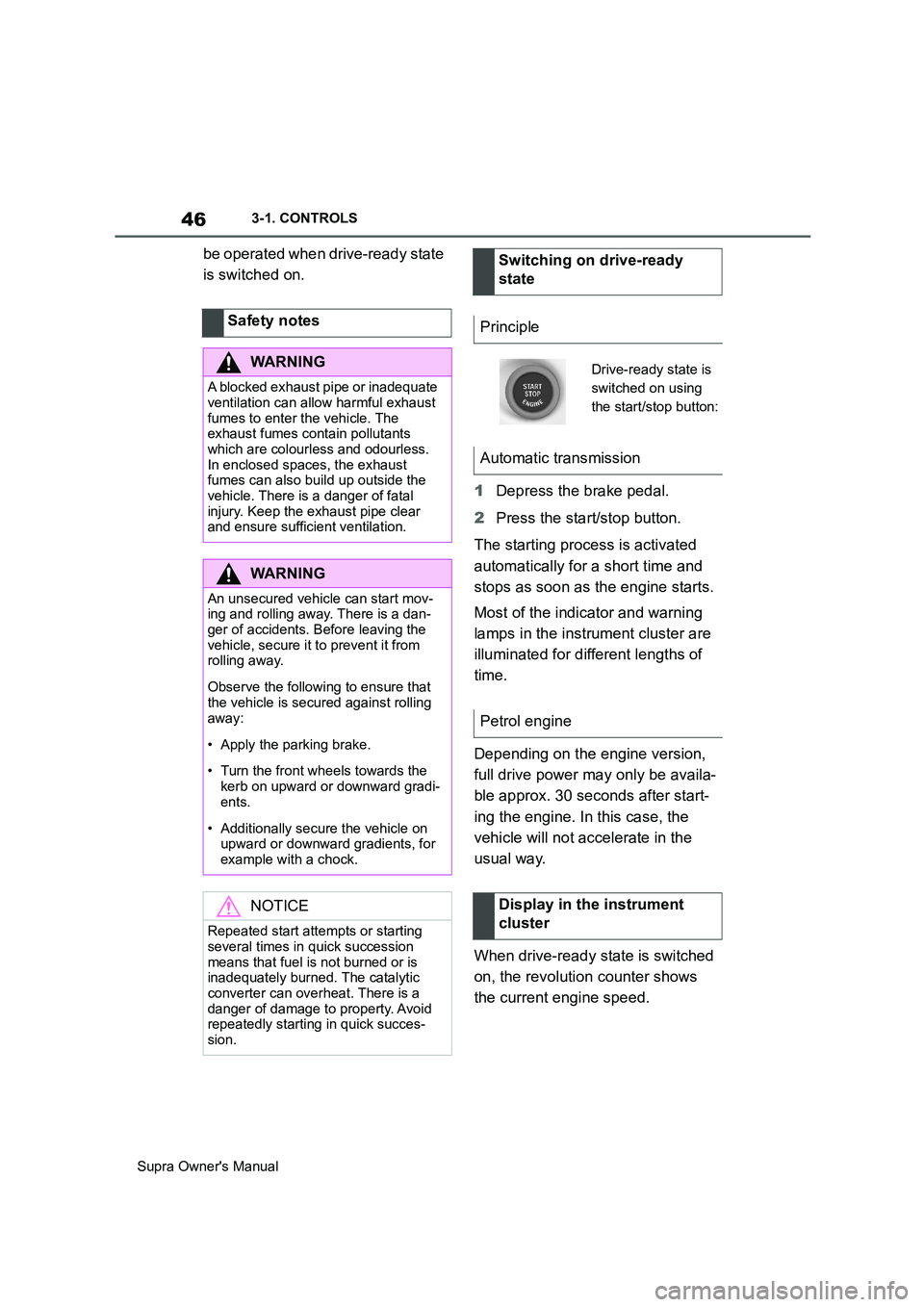
1Depress the brake pedal.
2Press the start/stop button.
The starting process is activated
automatically for a short time and
stops as soon as the engine starts.
Most of the indicator and warning
lamps in the instrument cluster are
illuminated for different lengths of
time.
Depending on the engine version,
full drive power may only be availa-
ble approx. 30 seconds after start-
ing the engine. In this case, the
vehicle will not accelerate in the
usual way.
When drive-ready state is switched
on, the revolution counter shows
the current engine speed. Safety notes
WARNING
A blocked exhaust pipe or inadequate
ventilation can allow harmful exhaust
fumes to enter the vehicle. The
exhaust fumes contain pollutants
which are colourless and odourless.
In enclosed spaces, the exhaust
fumes can also build up outside the
vehicle. There is a danger of fatal
injury. Keep the exhaust pipe clear
and ensure sufficient ventilation.
WARNING
An unsecured vehicle can start mov-
ing and rolling away. There is a dan-
ger of accidents. Before leaving the
vehicle, secure it to prevent it from
rolling away.
Observe the following to ensure that
the vehicle is secured against rolling
away:
• Apply the parking brake.
• Turn the front wheels towards the
kerb on upward or downward gradi-
ents.
• Additionally secure the vehicle on
upward or downward gradients, for
example with a chock.
NOTICE
Repeated start attempts or starting
several times in quick succession
means that fuel is not burned or is
inadequately burned. The catalytic
converter can overheat. There is a
danger of damage to property. Avoid
repeatedly starting in quick succes-
sion.
Switching on drive-ready
state
Principle
Drive-ready state is
switched on using
the start/stop button:
Automatic transmission
Petrol engine
Display in the instrument
cluster
Page 48 of 456
48
Supra Owner's Manual3-1. CONTROLS
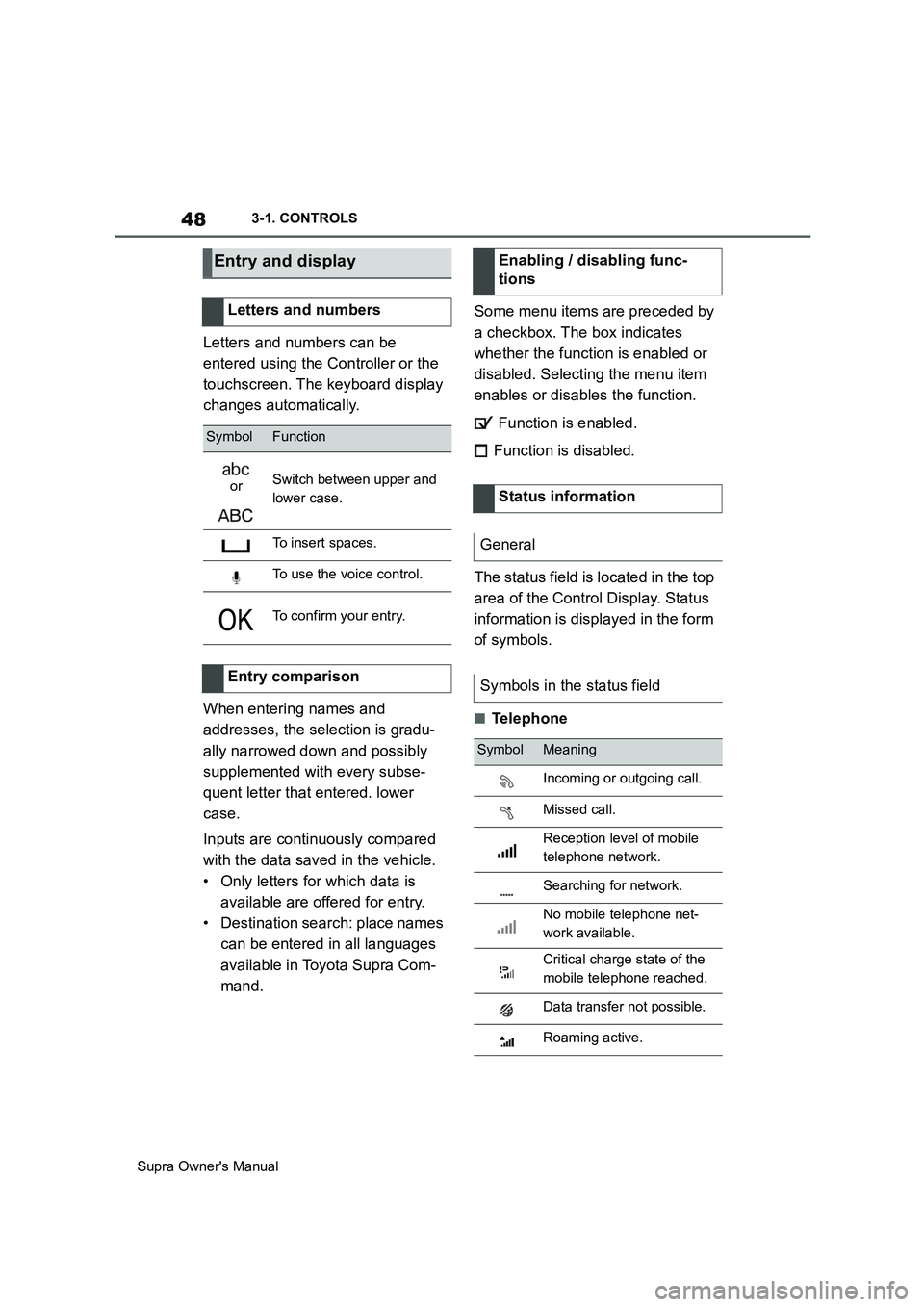
Letters and numbers can be
entered using the Controller or the
touchscreen. The keyboard display
changes automatically.
When entering names and
addresses, the selection is gradu-
ally narrowed down and possibly
supplemented with every subse-
quent letter that entered. lower
case.
Inputs are continuously compared
with the data saved in the vehicle.
• Only letters for which data is
available are offered for entry.
• Destination search: place names
can be entered in all languages
available in Toyota Supra Com-
mand.Some menu items are preceded by
a checkbox. The box indicates
whether the function is enabled or
disabled. Selecting the menu item
enables or disables the function.
Function is enabled.
Function is disabled.
The status field is located in the top
area of the Control Display. Status
information is displayed in the form
of symbols.
■Telephone
Entry and display
Letters and numbers
SymbolFunction
orSwitch between upper and
lower case.
To insert spaces.
To use the voice control.
To confirm your entry.
Entry comparison
Enabling / disabling func-
tions
Status information
General
Symbols in the status field
SymbolMeaning
Incoming or outgoing call.
Missed call.
Reception level of mobile
telephone network.
Searching for network.
No mobile telephone net-
work available.
Critical charge state of the
mobile telephone reached.
Data transfer not possible.
Roaming active.
Page 49 of 456
49
3
Supra Owner's Manual3-1. CONTROLS
CONTROLS
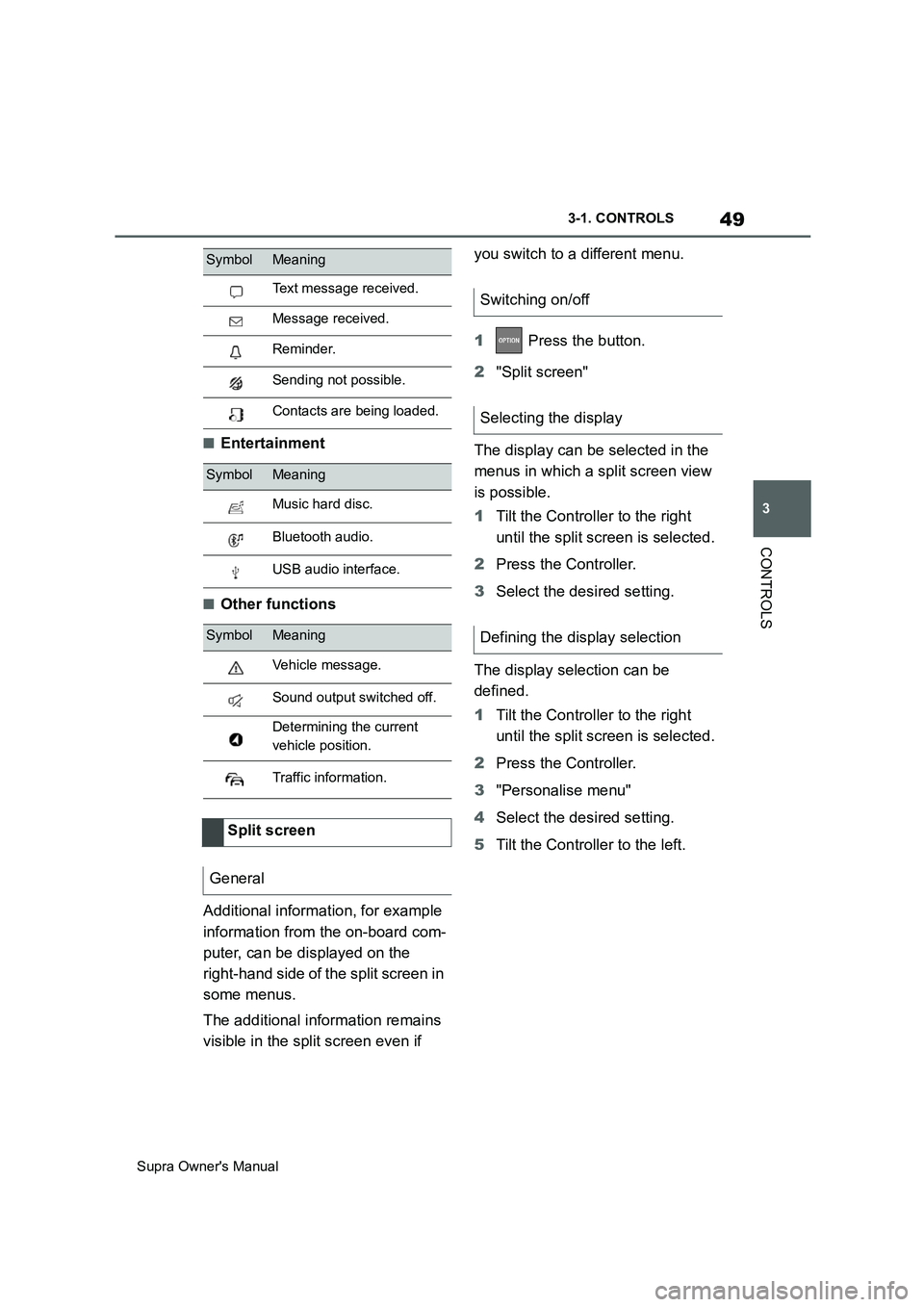
■Entertainment
■Other functions
Additional information, for example
information from the on-board com-
puter, can be displayed on the
right-hand side of the split screen in
some menus.
The additional information remains
visible in the split screen even if you switch to a different menu.
1 Press the button.
2"Split screen"
The display can be selected in the
menus in which a split screen view
is possible.
1Tilt the Controller to the right
until the split screen is selected.
2Press the Controller.
3Select the desired setting.
The display selection can be
defined.
1Tilt the Controller to the right
until the split screen is selected.
2Press the Controller.
3"Personalise menu"
4Select the desired setting.
5Tilt the Controller to the left.
Text message received.
Message received.
Reminder.
Sending not possible.
Contacts are being loaded.
SymbolMeaning
Music hard disc.
Bluetooth audio.
USB audio interface.
SymbolMeaning
Vehicle message.
Sound output switched off.
Determining the current
vehicle position.
Traffic information.
Split screen
General
SymbolMeaning
Switching on/off
Selecting the display
Defining the display selection
Page 50 of 456
50
Supra Owner's Manual3-1. CONTROLS
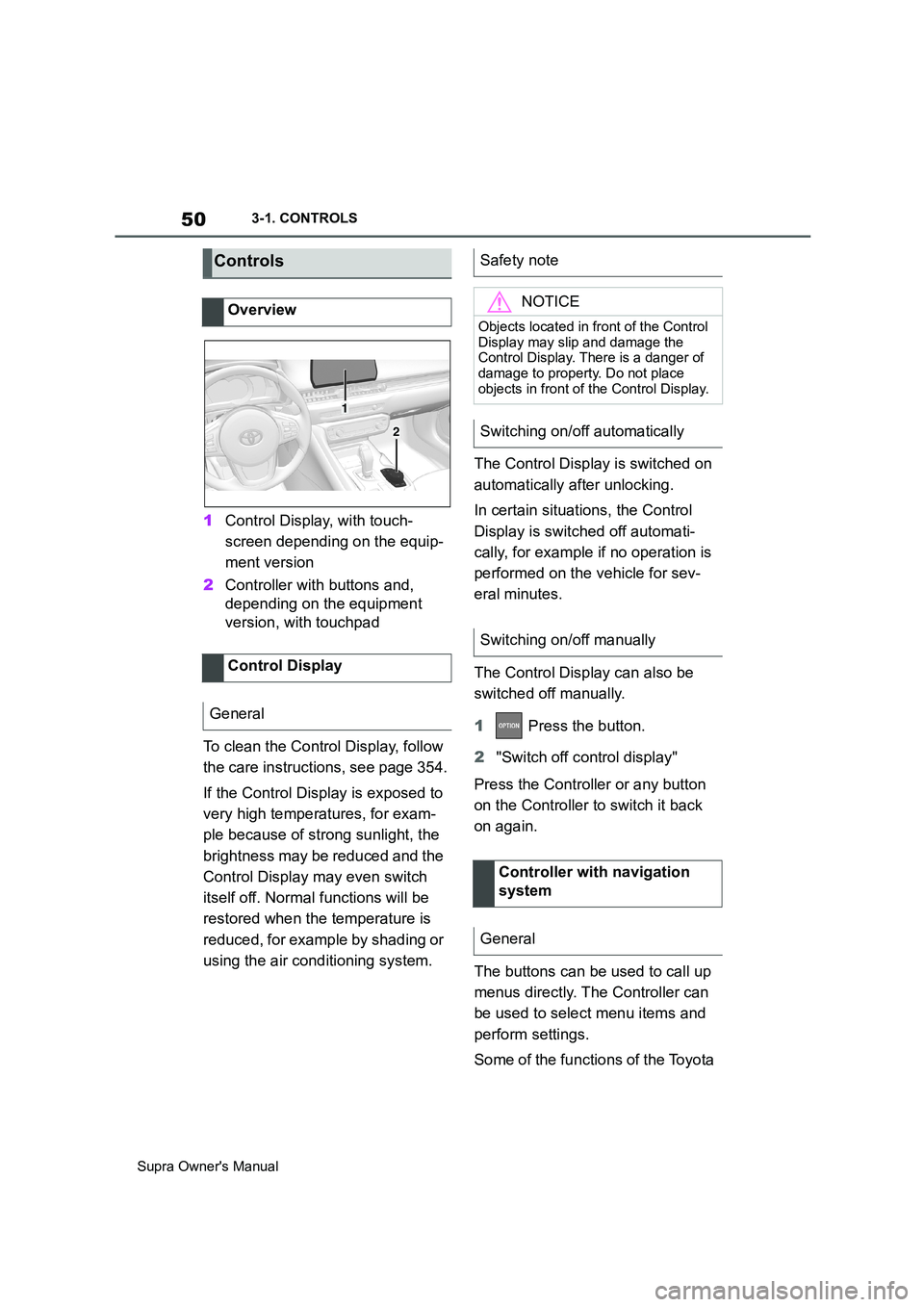
1Control Display, with touch-
screen depending on the equip-
ment version
2Controller with buttons and,
depending on the equipment
version, with touchpad
To clean the Control Display, follow
the care instructions, see page 354.
If the Control Display is exposed to
very high temperatures, for exam-
ple because of strong sunlight, the
brightness may be reduced and the
Control Display may even switch
itself off. Normal functions will be
restored when the temperature is
reduced, for example by shading or
using the air conditioning system.The Control Display is switched on
automatically after unlocking.
In certain situations, the Control
Display is switched off automati-
cally, for example if no operation is
performed on the vehicle for sev-
eral minutes.
The Control Display can also be
switched off manually.
1 Press the button.
2"Switch off control display"
Press the Controller or any button
on the Controller to switch it back
on again.
The buttons can be used to call up
menus directly. The Controller can
be used to select menu items and
perform settings.
Some of the functions of the Toyota
Controls
Overview
Control Display
General
1
2
Safety note
NOTICE
Objects located in front of the Control
Display may slip and damage the
Control Display. There is a danger of
damage to property. Do not place
objects in front of the Control Display.
Switching on/off automatically
Switching on/off manually
Controller with navigation
system
General
Page 52 of 456
52
Supra Owner's Manual3-1. CONTROLS
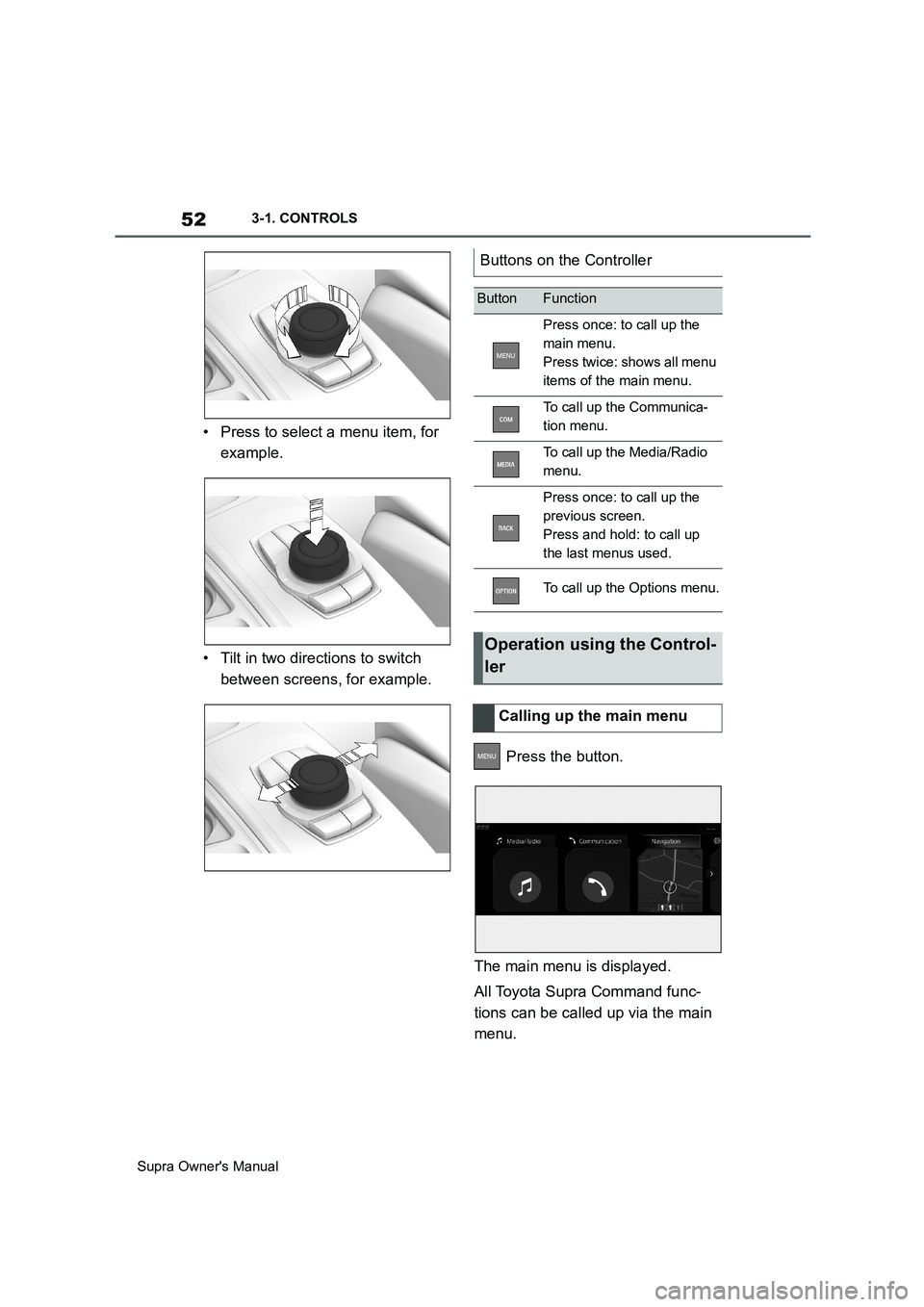
• Press to select a menu item, for
example.
• Tilt in two directions to switch
between screens, for example.
Press the button.
The main menu is displayed.
All Toyota Supra Command func-
tions can be called up via the main
menu.
Buttons on the Controller
ButtonFunction
Press once: to call up the
main menu.
Press twice: shows all menu
items of the main menu.
To call up the Communica-
tion menu.
To call up the Media/Radio
menu.
Press once: to call up the
previous screen.
Press and hold: to call up
the last menus used.
To call up the Options menu.
Operation using the Control-
ler
Calling up the main menu
Page 53 of 456
53
3
Supra Owner's Manual3-1. CONTROLS
CONTROLS
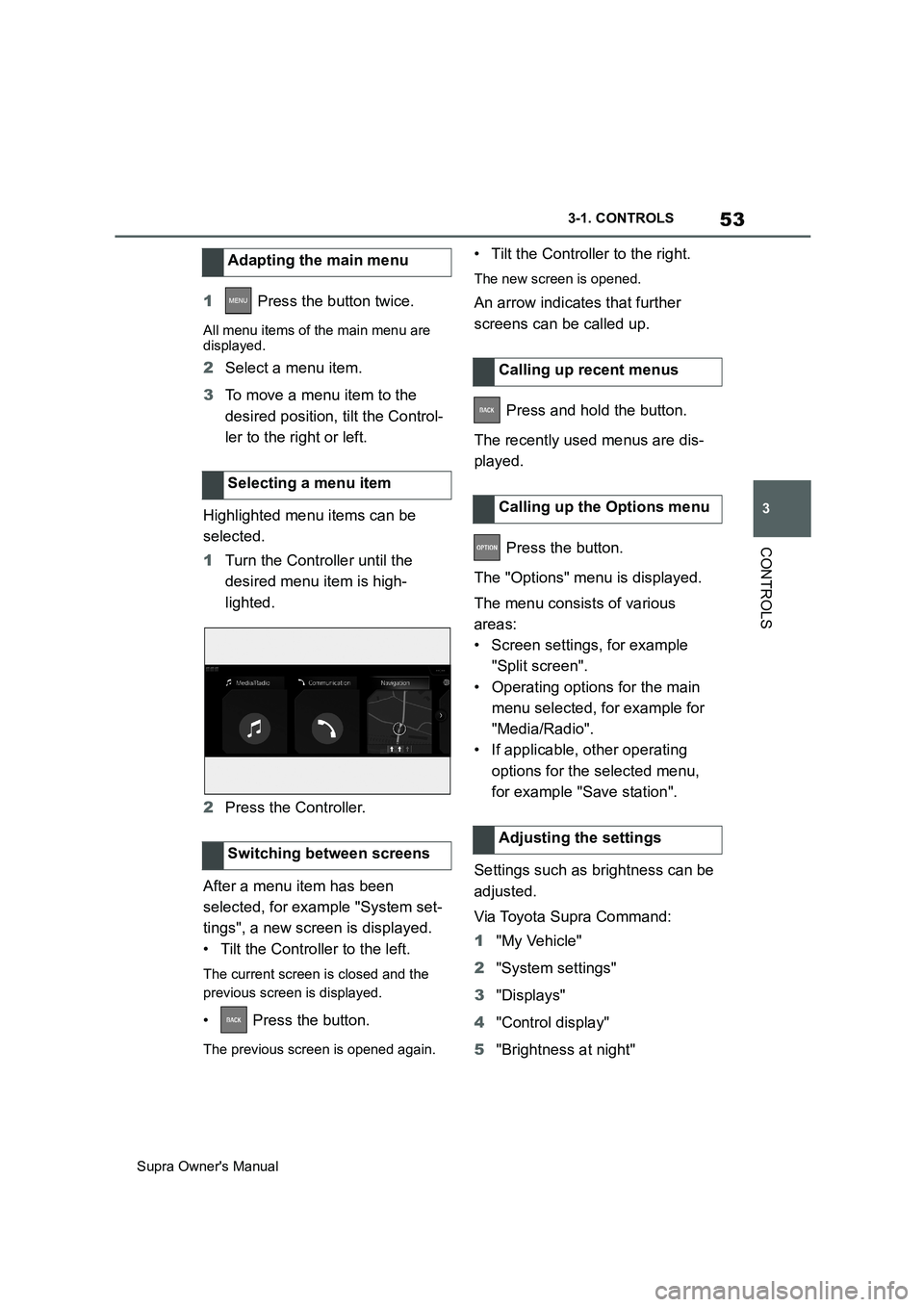
1 Press the button twice.
All menu items of the main menu are
displayed.
2Select a menu item.
3To move a menu item to the
desired position, tilt the Control-
ler to the right or left.
Highlighted menu items can be
selected.
1Turn the Controller until the
desired menu item is high-
lighted.
2Press the Controller.
After a menu item has been
selected, for example "System set-
tings", a new screen is displayed.
• Tilt the Controller to the left.
The current screen is closed and the
previous screen is displayed.
• Press the button.
The previous screen is opened again.
• Tilt the Controller to the right.
The new screen is opened.
An arrow indicates that further
screens can be called up.
Press and hold the button.
The recently used menus are dis-
played.
Press the button.
The "Options" menu is displayed.
The menu consists of various
areas:
• Screen settings, for example
"Split screen".
• Operating options for the main
menu selected, for example for
"Media/Radio".
• If applicable, other operating
options for the selected menu,
for example "Save station".
Settings such as brightness can be
adjusted.
Via Toyota Supra Command:
1"My Vehicle"
2"System settings"
3"Displays"
4"Control display"
5"Brightness at night" Adapting the main menu
Selecting a menu item
Switching between screens
Calling up recent menus
Calling up the Options menu
Adjusting the settings
Page 54 of 456
54
Supra Owner's Manual3-1. CONTROLS
6Turn the Controller until the
desired setting is displayed.
7Press the Controller.
1Turn the Controller: to select let-
ters or numbers.
2: to confirm your entry.
For alphabetical lists with more
than 30 entries, the letters for which
entries are available can be dis-
played on the left.
1Turn the Controller quickly to the
left or right.
All the letters for which an entry is avail-
able are shown on the left.
2Select the initial letter of the
desired entry.
The first entry of the selected letter is
displayed.
The Control Display is equipped
with a touchscreen.
Touch the touchscreen with your
fingers. Do not use any objects.
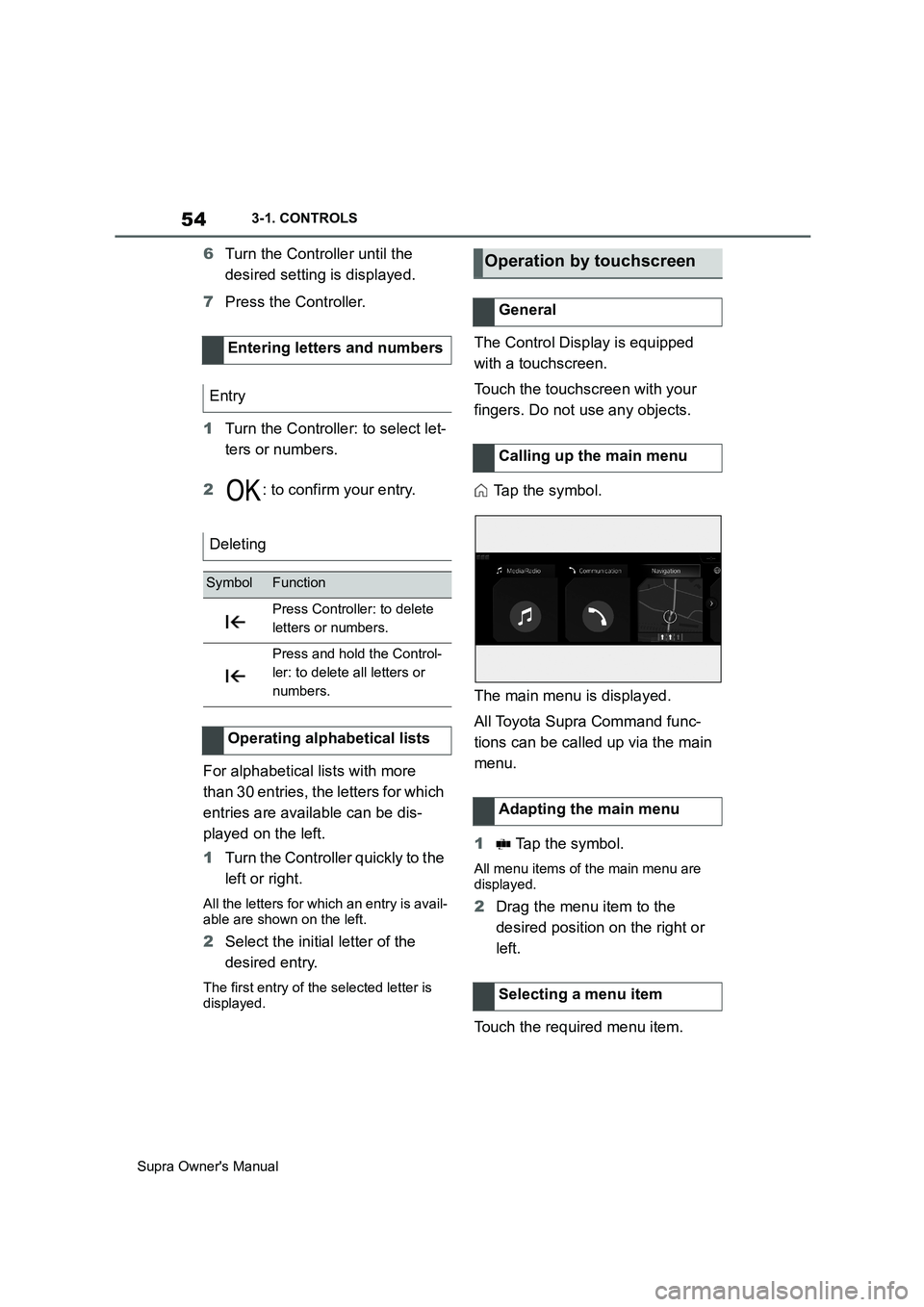
Tap the symbol.
The main menu is displayed.
All Toyota Supra Command func-
tions can be called up via the main
menu.
1 Tap the symbol.
All menu items of the main menu are
displayed.
2Drag the menu item to the
desired position on the right or
left.
Touch the required menu item. Entering letters and numbers
Entry
Deleting
SymbolFunction
Press Controller: to delete
letters or numbers.
Press and hold the Control-
ler: to delete all letters or
numbers.
Operating alphabetical lists
Operation by touchscreen
General
Calling up the main menu
Adapting the main menu
Selecting a menu item