air conditioning TOYOTA SUPRA 2019 Owners Manual
[x] Cancel search | Manufacturer: TOYOTA, Model Year: 2019, Model line: SUPRA, Model: TOYOTA SUPRA 2019Pages: 456, PDF Size: 88.65 MB
Page 34 of 456
34
Supra Owner's Manual2-1. QUICK REFERENCE
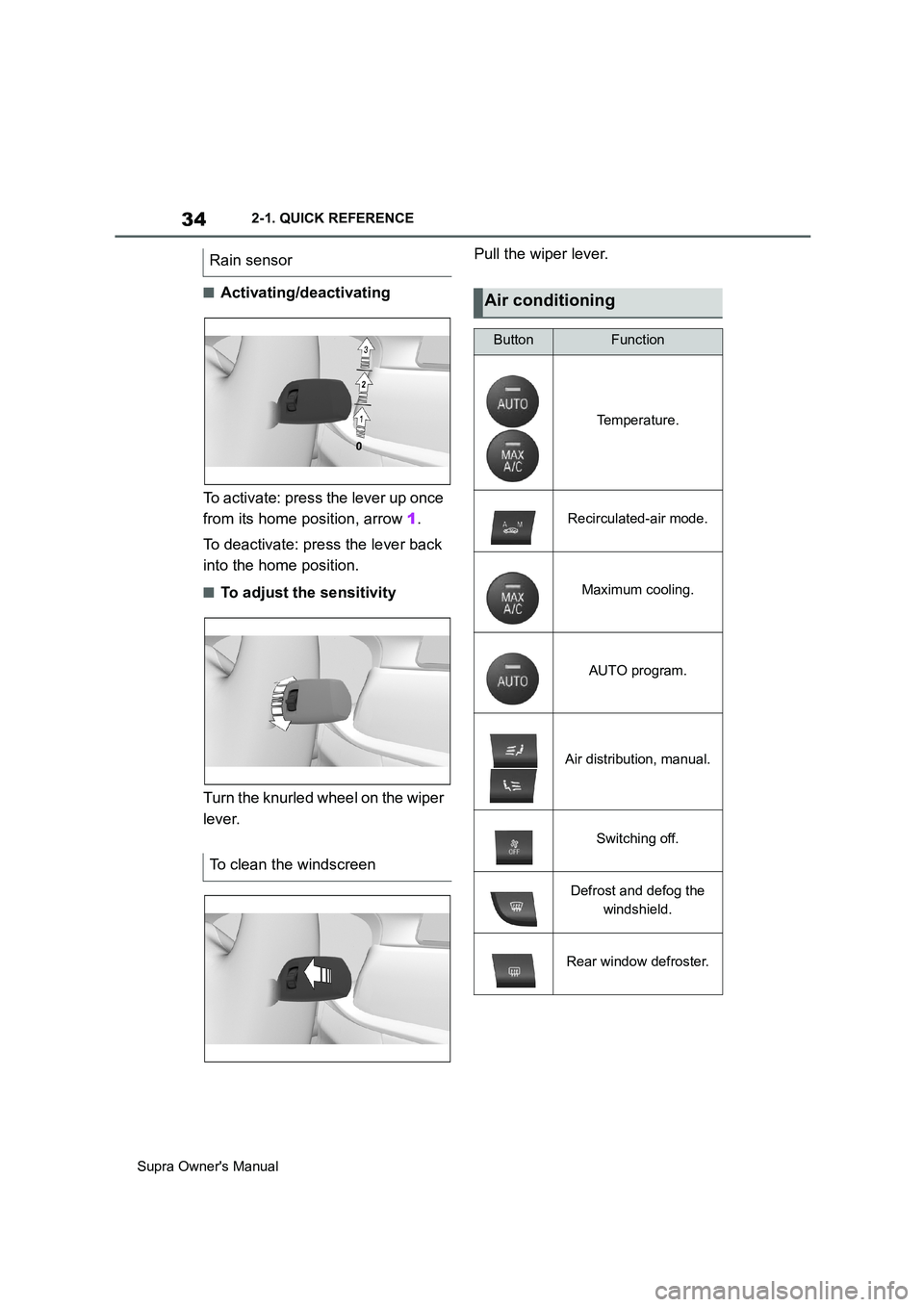
■Activating/deactivating
To activate: press the lever up once
from its home position, arrow 1.
To deactivate: press the lever back
into the home position.
■To adjust the sensitivity
Turn the knurled wheel on the wiper
lever.Pull the wiper lever.
Rain sensor
To clean the windscreen
Air conditioning
ButtonFunction
Temperature.
Recirculated-air mode.
Maximum cooling.
AUTO program.
Air distribution, manual.
Switching off.
Defrost and defog the
windshield.
Rear window defroster.
Page 42 of 456
42
Supra Owner's Manual3-1. CONTROLS
14 To release the bonnet
P. 3 0 615 Unlocking the boot lid P.77
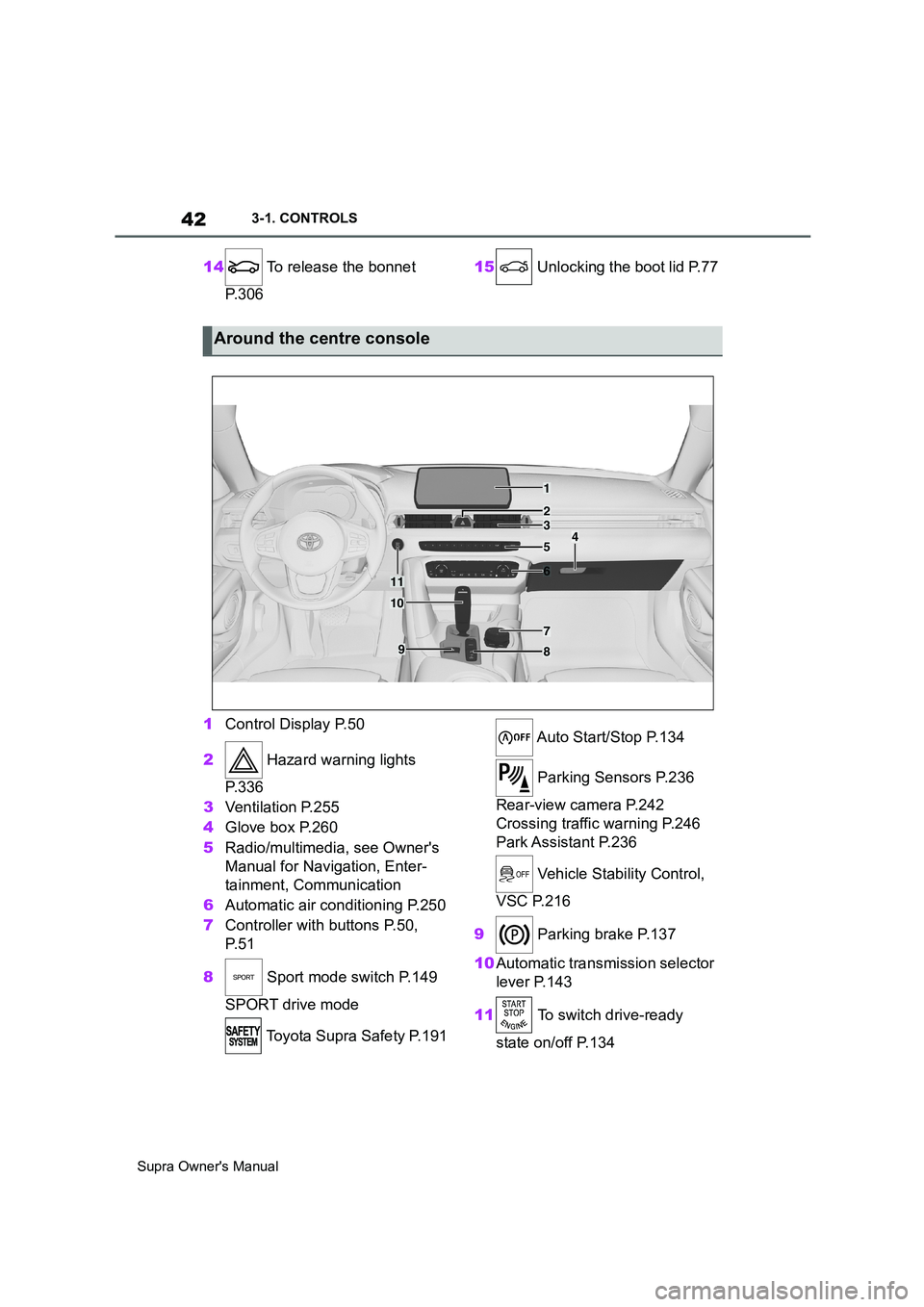
1Control Display P.50
2 Hazard warning lights
P. 3 3 6
3Ventilation P.255
4Glove box P.260
5Radio/multimedia, see Owner's
Manual for Navigation, Enter-
tainment, Communication
6Automatic air conditioning P.250
7Controller with buttons P.50,
P. 5 1
8 Sport mode switch P.149
SPORT drive mode
Toyota Supra Safety P.191 Auto Start/Stop P.134
Parking Sensors P.236
Rear-view camera P.242
Crossing traffic warning P.246
Park Assistant P.236
Vehicle Stability Control,
VSC P.216
9 Parking brake P.137
10Automatic transmission selector
lever P.143
11 To switch drive-ready
state on/off P.134
Around the centre console
1
4
23
5
6
7
89
10
11
Page 50 of 456
50
Supra Owner's Manual3-1. CONTROLS
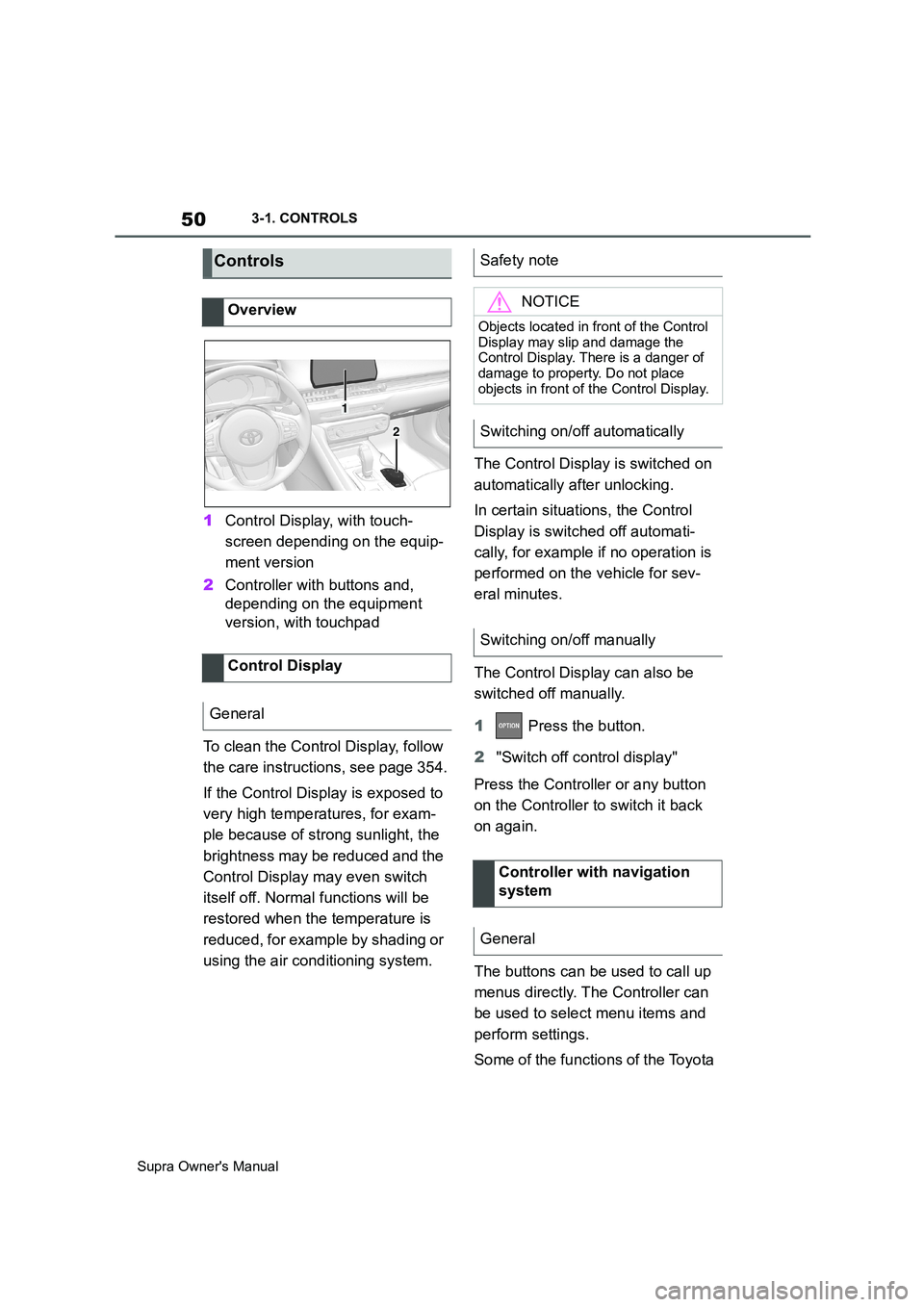
1Control Display, with touch-
screen depending on the equip-
ment version
2Controller with buttons and,
depending on the equipment
version, with touchpad
To clean the Control Display, follow
the care instructions, see page 354.
If the Control Display is exposed to
very high temperatures, for exam-
ple because of strong sunlight, the
brightness may be reduced and the
Control Display may even switch
itself off. Normal functions will be
restored when the temperature is
reduced, for example by shading or
using the air conditioning system.The Control Display is switched on
automatically after unlocking.
In certain situations, the Control
Display is switched off automati-
cally, for example if no operation is
performed on the vehicle for sev-
eral minutes.
The Control Display can also be
switched off manually.
1 Press the button.
2"Switch off control display"
Press the Controller or any button
on the Controller to switch it back
on again.
The buttons can be used to call up
menus directly. The Controller can
be used to select menu items and
perform settings.
Some of the functions of the Toyota
Controls
Overview
Control Display
General
1
2
Safety note
NOTICE
Objects located in front of the Control
Display may slip and damage the
Control Display. There is a danger of
damage to property. Do not place
objects in front of the Control Display.
Switching on/off automatically
Switching on/off manually
Controller with navigation
system
General
Page 87 of 456
87
3
Supra Owner's Manual3-1. CONTROLS
CONTROLS
are also restored if the vehicle is
used in the intervening period by
someone with a different remote
control.
Changes to settings are saved
automatically in the currently used
driver profile.
If a different driver profile is
selected via Toyota Supra Com-
mand, the settings saved there are
automatically applied. The new
driver profile is allocated to the
remote control currently used.
A guest profile is also available
which is not allocated to any remote
control. It can be used to perform
settings on the vehicle without
changing the personal driver pro-
files.
To ensure that the correct driver
profile can be set, the system must
be able to allocate the detected
remote control uniquely to the
driver.
This is ensured if the following con-
ditions are met:
• The driver is only carrying their
own remote control.
• The driver unlocks the vehicle.
• The driver enters the vehicle
through the driver's door.
The name of the currently used
driver profile is displayed when the Control Display is switched on.
Select a driver profile, see page 88.
As soon as the engine is started or
any button pressed, the display
selected last is shown on the Con-
trol Display.
To cancel the welcome screen via
Toyota Supra Command: "OK"
Settings for the following systems
and functions are saved in the cur-
rently used driver profile. Which
settings can be saved depends on
the country and equipment.
• Unlocking and locking.
•Lights.
• Air conditioning.
• Radio.
• Instrument cluster.
• Favourites buttons.
• Volumes, sound.
• Control Display.
• Navigation.
• Parking Sensors.
• Rear-view camera.
• Head-Up Display.
•Sport mode switch.
• Seat position, exterior mirror
position
The positions set via the seat memory
and the last position set are saved.
• Cruise Control.
• Toyota Supra Safety. Operating requirements
Currently used driver profile
Settings
Page 135 of 456
135
3
Supra Owner's Manual3-1. CONTROLS
CONTROLS
If the engine was not switched off
automatically when the vehicle
came to a stop, it can be switched
off manually:
Rapidly press the brake pedal
from the current position.
Engaging the selector lever in
position P.
If all the operating requirements
have been met, the engine is shut
down.
The air flow rate of the air condi-
tioning system is reduced when the
engine is not running.
■General
The engine is not shut down auto-
matically in the following situations:On steep downward gradients.
Brake not pressed strongly
enough.
High outside temperature and
operation of the automatic air
conditioning.
Interior not heated or cooled to
the desired temperature.
Where there is a risk of conden-
sation when the automatic air
conditioning is switched on.
Engine or other parts not at oper-
ating temperature.
Engine cooling is required.
Sharp steering angle or steering
operation.
Vehicle battery is heavily dis-
charged.
At high altitudes.
Bonnet is unlocked.
Park Assistant is activated.
Stop-and-go traffic.
Automatic transmission: selector
lever position in N or R.
After reversing.
Use of fuel with high ethanol
content.
■Automatic transmission
For driving off, the engine automati-
cally starts under the following con- Automatic transmission: manual
engine stop
Air conditioning system when the
vehicle is parked
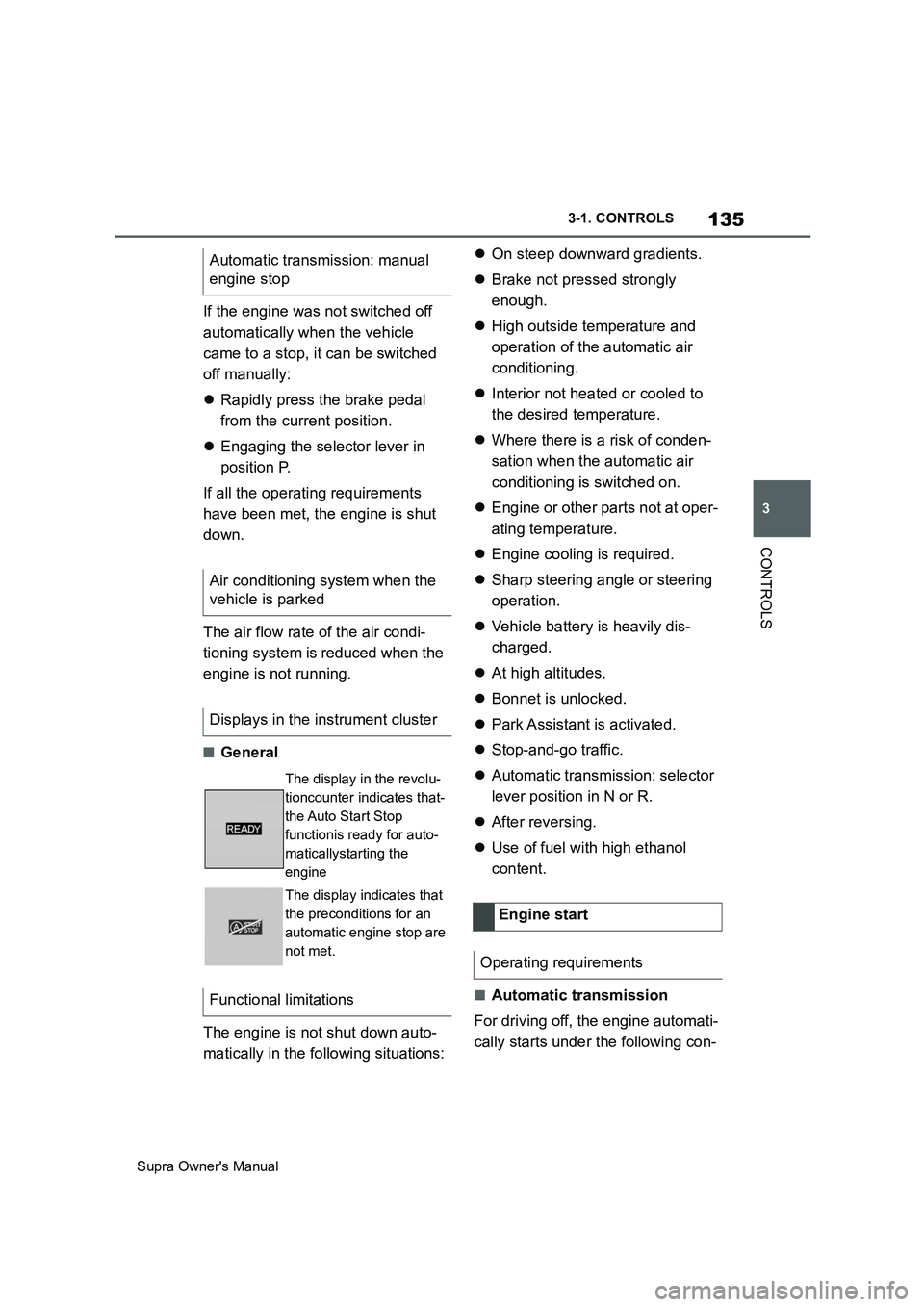
Displays in the instrument cluster
The display in the revolu-
tioncounter indicates that-
the Auto Start Stop
functionis ready for auto-
maticallystarting the
engine
The display indicates that
the preconditions for an
automatic engine stop are
not met.
Functional limitations
Engine start
Operating requirements
Page 136 of 456
136
Supra Owner's Manual3-1. CONTROLS
ditions:
By releasing the brake pedal.
After starting the engine, accelerate
as normal.
After an automatic shut down, the
engine will not restart automatically,
if one of the following conditions is
met:
Driver's seat belt unbuckled and
driver's door open.
Bonnet has been unlocked.
Several indicator lamps illuminate
for various lengths of time.
The engine can only be started
using the start/stop button.
Even if you do not want to drive off,
the engine restarts automatically in
the following situations:
Very high temperature in the
interior when the cooling function
is switched on.
Very low temperature in the inte-
rior when the heating is switched
on.
Where there is a risk of conden-
sation when the automatic air
conditioning is switched on.
The driver applies lock to the
steering wheel.Automatic transmission:
Shift from selector lever position D to N
or R.
Automatic transmission:
Shift from selector lever position P to N,
D or R.
Vehicle battery is heavily dis-
charged.
Start of an oil level measure-
ment.
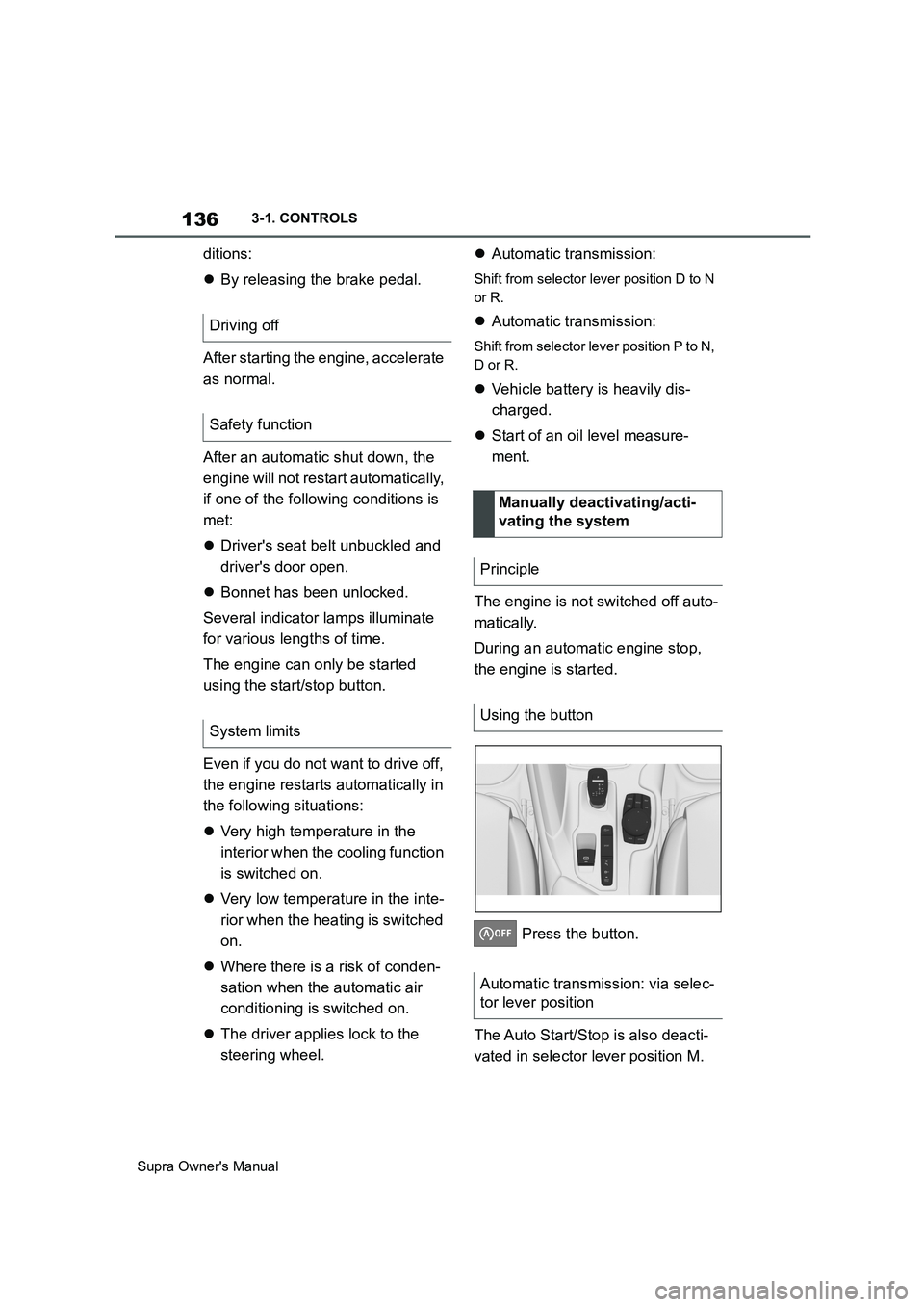
The engine is not switched off auto-
matically.
During an automatic engine stop,
the engine is started.
Press the button.
The Auto Start/Stop is also deacti-
vated in selector lever position M. Driving off
Safety function
System limits
Manually deactivating/acti-
vating the system
Principle
Using the button
Automatic transmission: via selec-
tor lever position
Page 249 of 456
249
3
Supra Owner's Manual3-1. CONTROLS
CONTROLS
The damper configurations are
assigned to the different drive
modes of the sport mode switch,
see page 149.
Performance Control increases the
agility of the vehicle.
Individual wheels are braked to
increase agility for a sporty driving
style. The resulting braking effect is
largely compensated for by a simul-
taneous engine control action.This chapter describes all standard,
country-specific and special equip-
ment available for the model series.
It may therefore describe equip-
ment and functions which are not
installed in your vehicle, for exam-
ple on account of the optional
equipment selected or the country
specification. This also applies to
safety-relevant functions and sys-
tems. Please comply with the rele-
vant laws and regulations when
using the corresponding functions
and systems.
The air quality in the vehicle is
improved by the following compo-
nents:
Emissions-tested interior.
Microfilter.
Air-conditioning system for regu-
lating temperature, air flow and
recirculated-air mode.
Automatic recirculated-air control
AUC.
Independent ventilation.
Drive modeDamper configura-
tion
NORMALBalanced
SPORTFirm
Performance Control
Climate
Vehicle equipment
Interior air quality
Page 250 of 456
250
Supra Owner's Manual3-1. CONTROLS
Safety notes
WARNING
When using the air conditioning sys-
tem, seat heaters, etc. for a long
period of time, make sure that no
body parts are kept near the air out-
lets or in direct contact with the seat,
as doing so may lead to minor burns
or chill burns. If you feel unusual while
using the air conditioning system or
seat heaters, stop use or change the
setting immediately.
Automatic air conditioning
Overview
Buttons in the vehicle
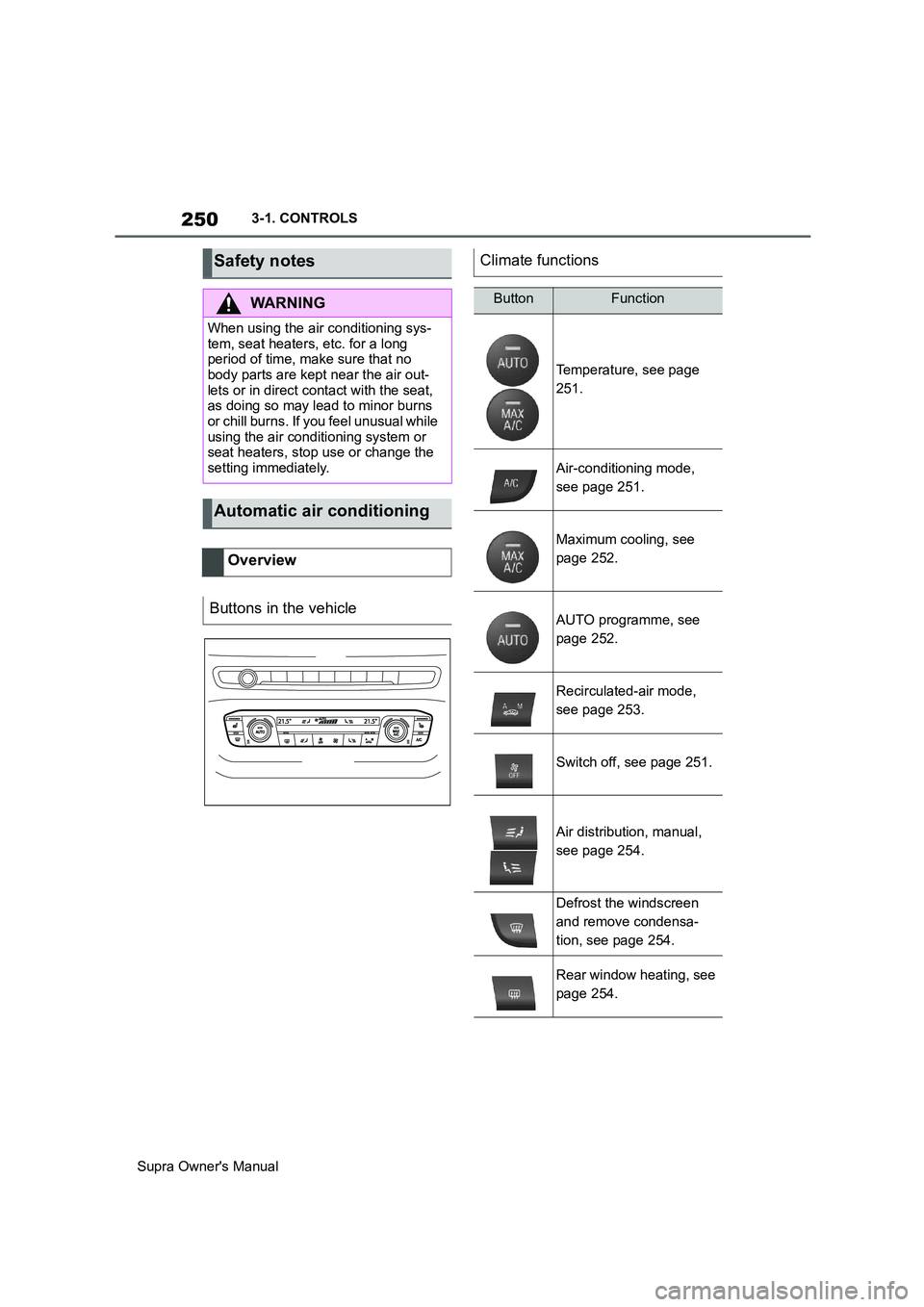
Climate functions
ButtonFunction
Temperature, see page
251.
Air-conditioning mode,
see page 251.
Maximum cooling, see
page 252.
AUTO programme, see
page 252.
Recirculated-air mode,
see page 253.
Switch off, see page 251.
Air distribution, manual,
see page 254.
Defrost the windscreen
and remove condensa-
tion, see page 254.
Rear window heating, see
page 254.
Page 251 of 456
251
3
Supra Owner's Manual3-1. CONTROLS
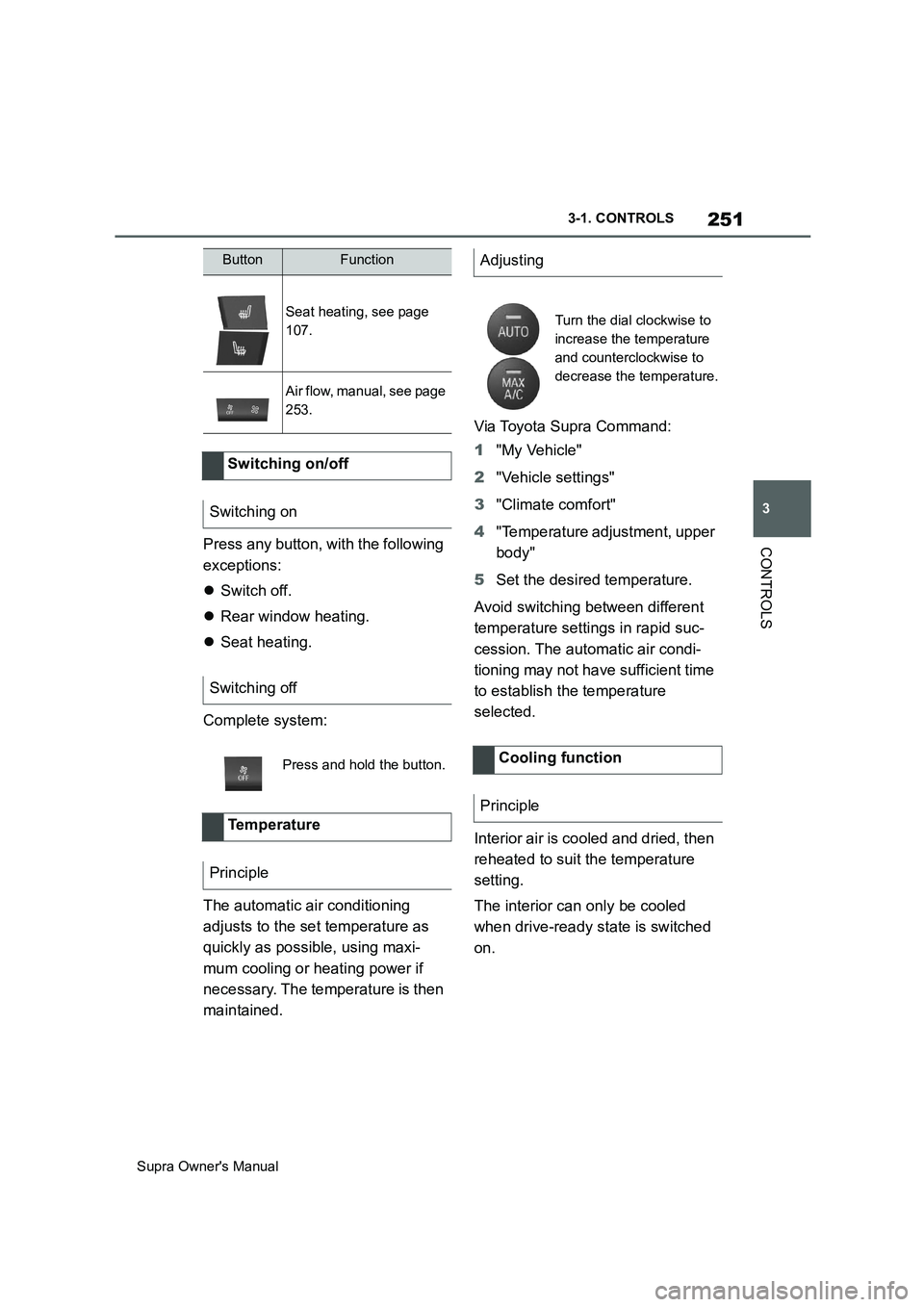
CONTROLSPress any button, with the following
exceptions:
Switch off.
Rear window heating.
Seat heating.
Complete system:
The automatic air conditioning
adjusts to the set temperature as
quickly as possible, using maxi-
mum cooling or heating power if
necessary. The temperature is then
maintained.Via Toyota Supra Command:
1"My Vehicle"
2"Vehicle settings"
3"Climate comfort"
4"Temperature adjustment, upper
body"
5Set the desired temperature.
Avoid switching between different
temperature settings in rapid suc-
cession. The automatic air condi-
tioning may not have sufficient time
to establish the temperature
selected.
Interior air is cooled and dried, then
reheated to suit the temperature
setting.
The interior can only be cooled
when drive-ready state is switched
on.
Seat heating, see page
107.
Air flow, manual, see page
253.
Switching on/off
Switching on
Switching off
Press and hold the button.
Te m p e r a t u r e
Principle
ButtonFunctionAdjusting
Turn the dial clockwise to
increase the temperature
and counterclockwise to
decrease the temperature.
Cooling function
Principle
Page 253 of 456
253
3
Supra Owner's Manual3-1. CONTROLS
CONTROLS
body and into the footwell.
The cooling function, see page 251,
is switched on automatically in the
AUTO programme.
The AUTO programme is automati-
cally switched off when the air dis-
tribution is set manually.
If the air outside the vehicle has an
unpleasant odour or contains pol-
lutants, the supply to the interior of
the vehicle can be shut off. The air
inside the vehicle is then recircu-
lated.
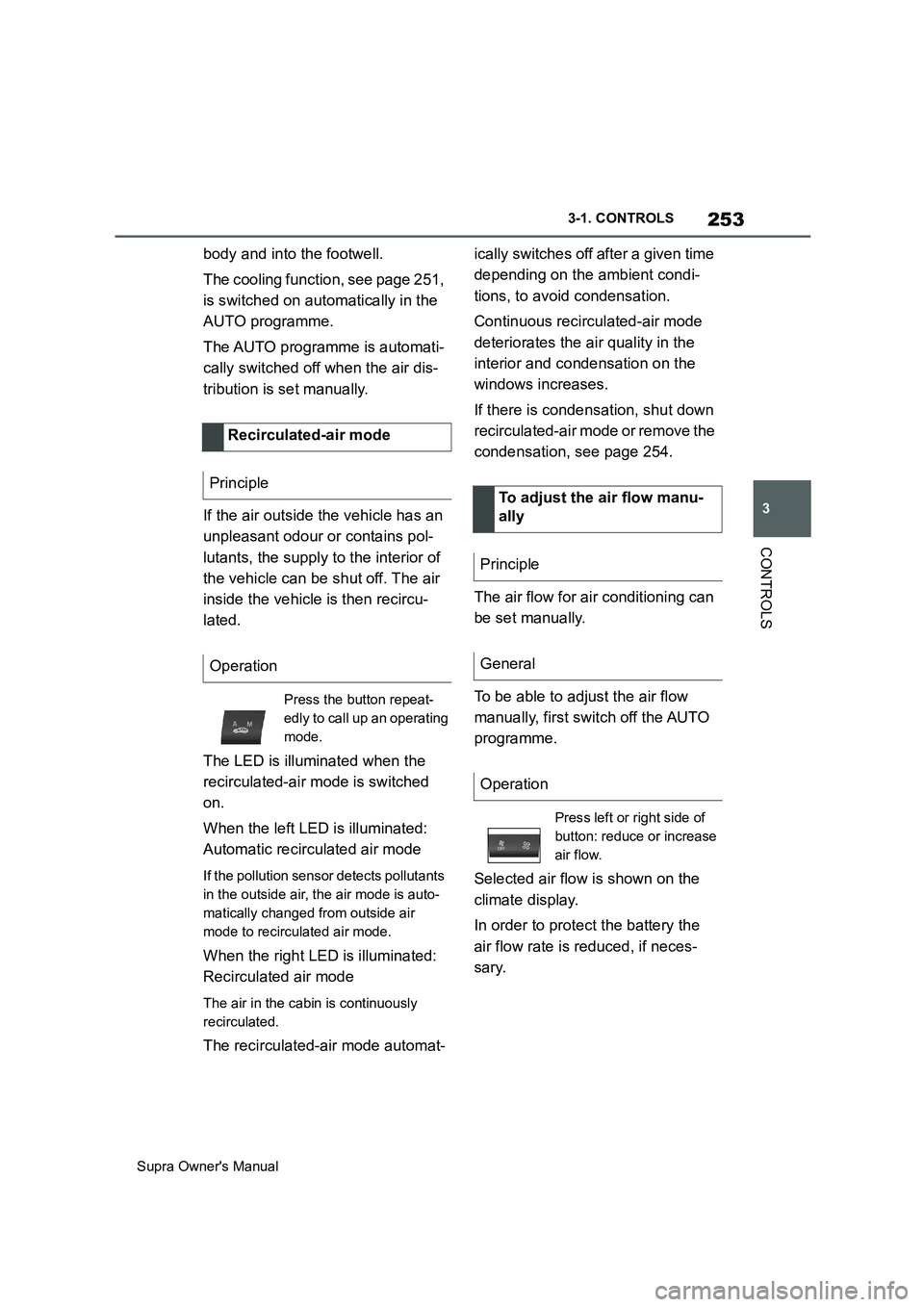
The LED is illuminated when the
recirculated-air mode is switched
on.
When the left LED is illuminated:
Automatic recirculated air mode
If the pollution sensor detects pollutants
in the outside air, the air mode is auto-
matically changed from outside air
mode to recirculated air mode.
When the right LED is illuminated:
Recirculated air mode
The air in the cabin is continuously
recirculated.
The recirculated-air mode automat-ically switches off after a given time
depending on the ambient condi-
tions, to avoid condensation.
Continuous recirculated-air mode
deteriorates the air quality in the
interior and condensation on the
windows increases.
If there is condensation, shut down
recirculated-air mode or remove the
condensation, see page 254.
The air flow for air conditioning can
be set manually.
To be able to adjust the air flow
manually, first switch off the AUTO
programme.
Selected air flow is shown on the
climate display.
In order to protect the battery the
air flow rate is reduced, if neces-
sary. Recirculated-air mode
Principle
Operation
Press the button repeat-
edly to call up an operating
mode.
To adjust the air flow manu-
ally
Principle
General
Operation
Press left or right side of
button: reduce or increase
air flow.