seat adjustment TOYOTA SUPRA 2019 Owners Manual
[x] Cancel search | Manufacturer: TOYOTA, Model Year: 2019, Model line: SUPRA, Model: TOYOTA SUPRA 2019Pages: 456, PDF Size: 88.65 MB
Page 27 of 456
27
2
Supra Owner's Manual2-1. QUICK REFERENCE
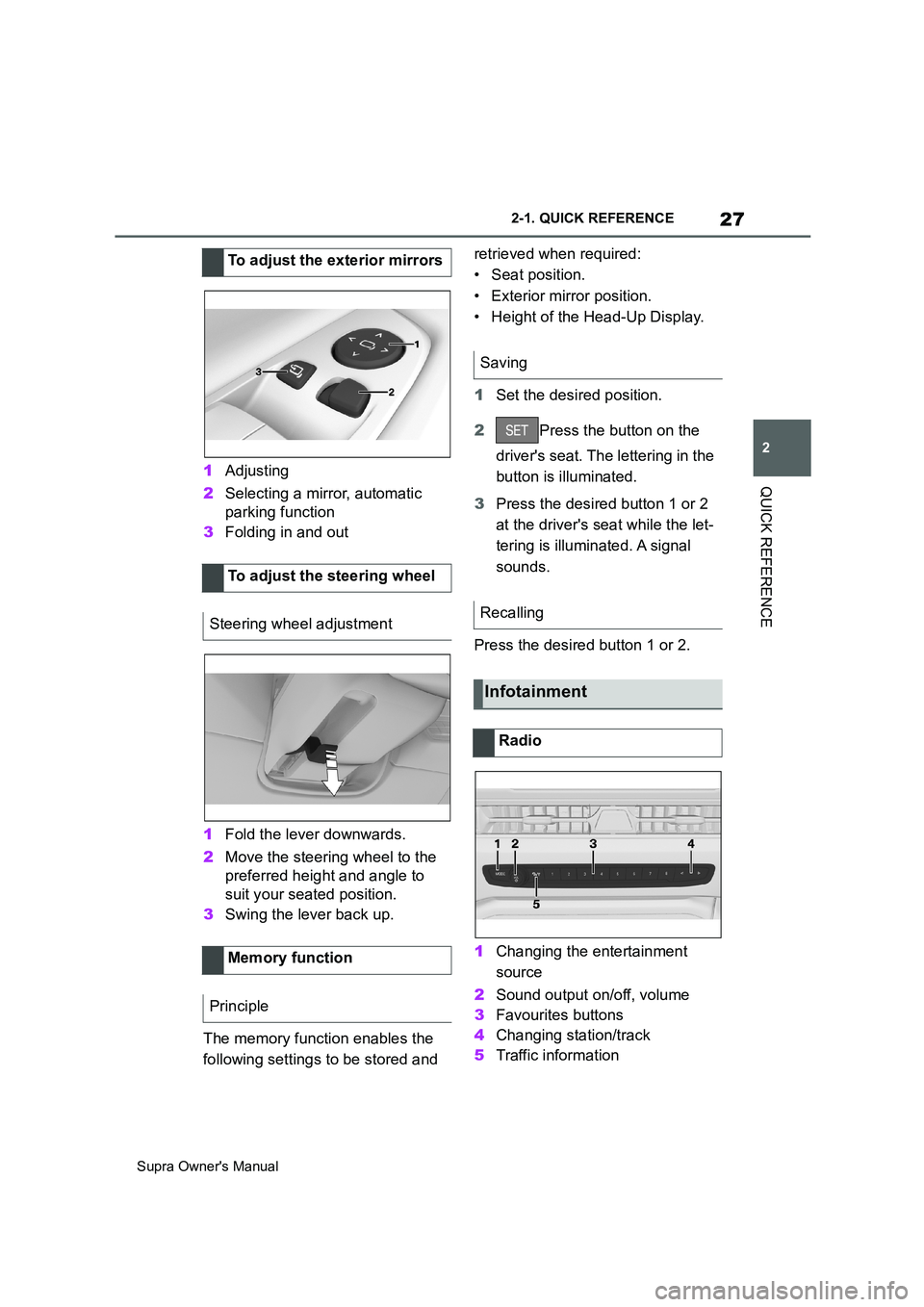
QUICK REFERENCE1Adjusting
2Selecting a mirror, automatic
parking function
3Folding in and out
1Fold the lever downwards.
2Move the steering wheel to the
preferred height and angle to
suit your seated position.
3Swing the lever back up.
The memory function enables the
following settings to be stored and retrieved when required:
• Seat position.
• Exterior mirror position.
• Height of the Head-Up Display.
1Set the desired position.
2Press the button on the
driver's seat. The lettering in the
button is illuminated.
3Press the desired button 1 or 2
at the driver's seat while the let-
tering is illuminated. A signal
sounds.
Press the desired button 1 or 2.
1Changing the entertainment
source
2Sound output on/off, volume
3Favourites buttons
4Changing station/track
5Traffic information To adjust the exterior mirrors
To adjust the steering wheel
Steering wheel adjustment
Memory function
Principle
Saving
Recalling
Infotainment
Radio
Page 95 of 456
95
3
Supra Owner's Manual3-1. CONTROLS
CONTROLS
This chapter describes all standard,
country-specific and special equip-
ment available for the model series.
It may therefore describe equip-
ment and functions which are not
installed in your vehicle, for exam-
ple on account of the optional
equipment selected or the country
specification. This also applies to
safety-relevant functions and sys-
tems. Please comply with the rele-
vant laws and regulations when
using the corresponding functions
and systems.
A seating position that suitably
reflects the requirements of the
occupants is essential for relaxed
driving with minimum fatigue.
In an accident, the correct seating
position plays an important role.
Comply with the notes in the follow-
ing chapters:
• Seats, see page 95.
• Seat belts, see page 98.
• Head restraints, see page 103.
• Airbags, see page 179.
Seats, mirrors and steer-
ing wheel
Vehicle equipment
Safe seating position
Seats
Safety notes
WARNING
Adjusting the seat during a journey
could cause the seat to move unex-
pectedly. You could lose control of the
vehicle. There is a danger of acci-
dents. Only adjust the seat on the
driver's side when at a standstill.
WARNING
If the backrest is angled back too far,
the protective effect of the seat belt
will no longer be guaranteed. There is
a danger of sliding under the seat belt
in the event of an accident. There is a
danger of injury or even death. Adjust
the seat before starting the journey.
Adjust the backrest to the most
upright position possible, and do not
change it during the journey.
WARNING
There is a risk of entrapment when
the seats are being moved. There is a
danger of injury or damage to prop-
erty. Before making any adjustment,
make sure that the area of movement
of the seat is clear.
Page 103 of 456
103
3
Supra Owner's Manual3-1. CONTROLS
CONTROLS
• Pull the seat belt tongue diago-
nally across the body and push it
into the belt buckle until it audibly
engages into place.
• It is important to adjust the belt
length correctly. To adjust the lap
belt and check whether the belt
tongue has engaged correctly in
the buckle, pull upwards on the
shoulder section of the belt until
the lap belt fits tightly.
• The diagonal shoulder strap
adjusts automatically to allow
freedom of movement.
• To release the seat belt, press
the button on the buckle.
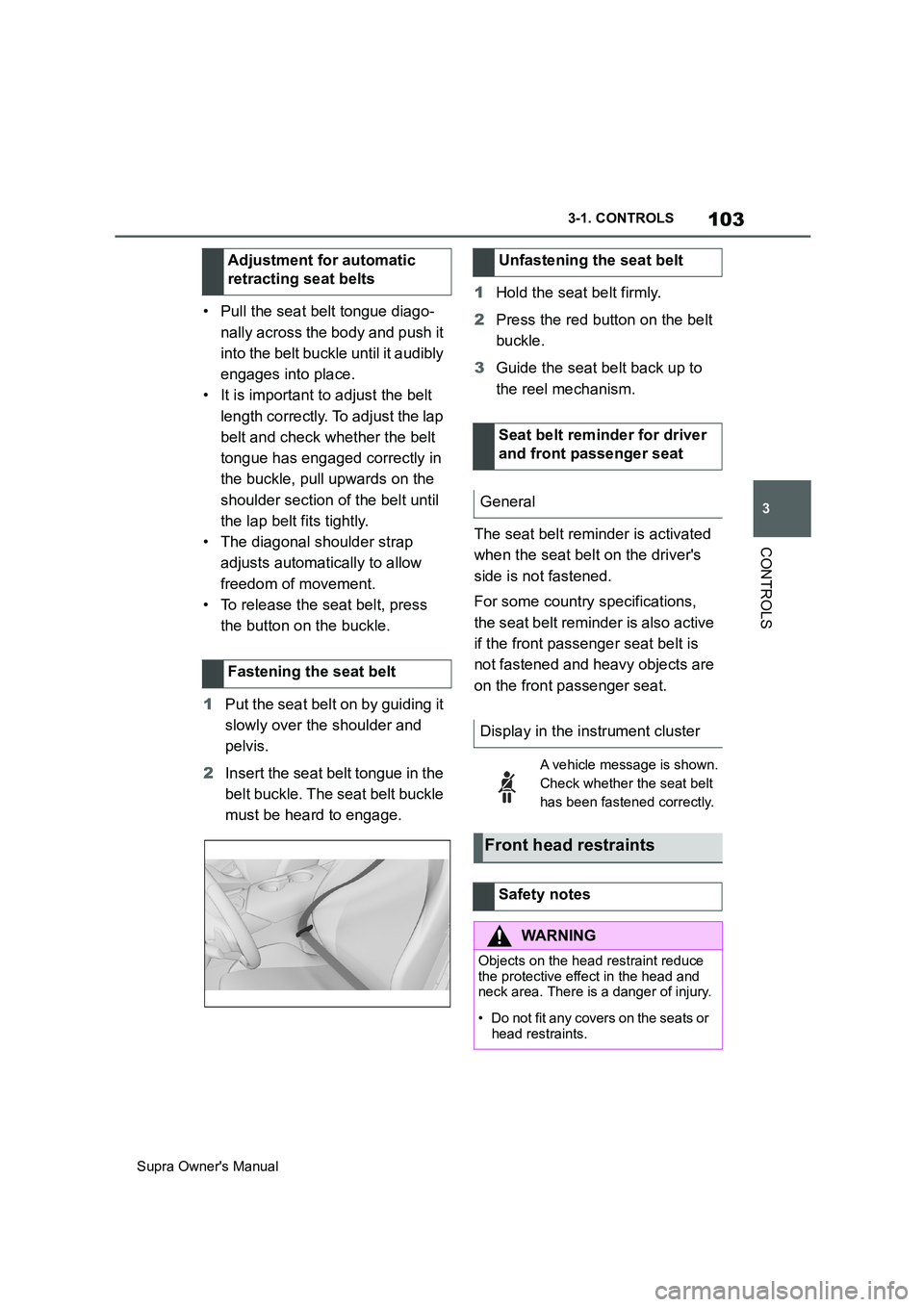
1Put the seat belt on by guiding it
slowly over the shoulder and
pelvis.
2Insert the seat belt tongue in the
belt buckle. The seat belt buckle
must be heard to engage.1Hold the seat belt firmly.
2Press the red button on the belt
buckle.
3Guide the seat belt back up to
the reel mechanism.
The seat belt reminder is activated
when the seat belt on the driver's
side is not fastened.
For some country specifications,
the seat belt reminder is also active
if the front passenger seat belt is
not fastened and heavy objects are
on the front passenger seat. Adjustment for automatic
retracting seat belts
Fastening the seat belt
Unfastening the seat belt
Seat belt reminder for driver
and front passenger seat
General
Display in the instrument cluster
A vehicle message is shown.
Check whether the seat belt
has been fastened correctly.
Front head restraints
Safety notes
WARNING
Objects on the head restraint reduce
the protective effect in the head and
neck area. There is a danger of injury.
• Do not fit any covers on the seats or
head restraints.
Page 104 of 456
104
Supra Owner's Manual3-1. CONTROLS
The head restraints are integrated
into the seatback and cannot be
adjusted.
The distance from the back of the
head is set via the backrest angle.
Adjust the distance so that the head
restraint is as close as possible to
the back of the head.
The head restraints cannot be
removed.
The mirror setting is saved for the
currently used driver profile, see
page 90. If a driver profile is
selected, the saved position is
called up automatically.
The current exterior mirror position can be saved with the memory
function, see page 106.
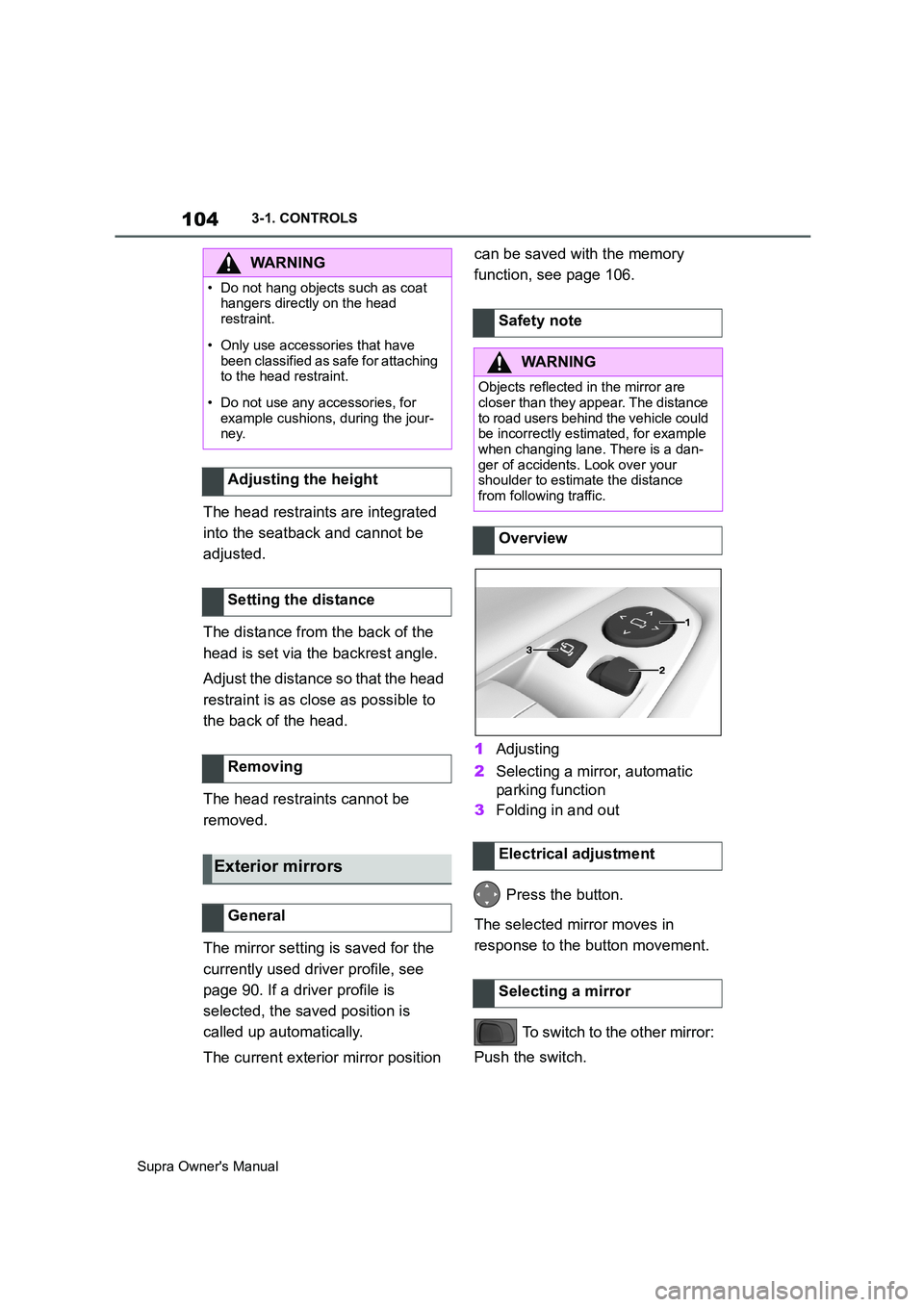
1Adjusting
2Selecting a mirror, automatic
parking function
3Folding in and out
Press the button.
The selected mirror moves in
response to the button movement.
To switch to the other mirror:
Push the switch.
WARNING
• Do not hang objects such as coat
hangers directly on the head
restraint.
• Only use accessories that have
been classified as safe for attaching
to the head restraint.
• Do not use any accessories, for
example cushions, during the jour-
ney.
Adjusting the height
Setting the distance
Removing
Exterior mirrors
General
Safety note
WARNING
Objects reflected in the mirror are
closer than they appear. The distance
to road users behind the vehicle could
be incorrectly estimated, for example
when changing lane. There is a dan-
ger of accidents. Look over your
shoulder to estimate the distance
from following traffic.
Overview
Electrical adjustment
Selecting a mirror
Page 106 of 456
106
Supra Owner's Manual3-1. CONTROLS
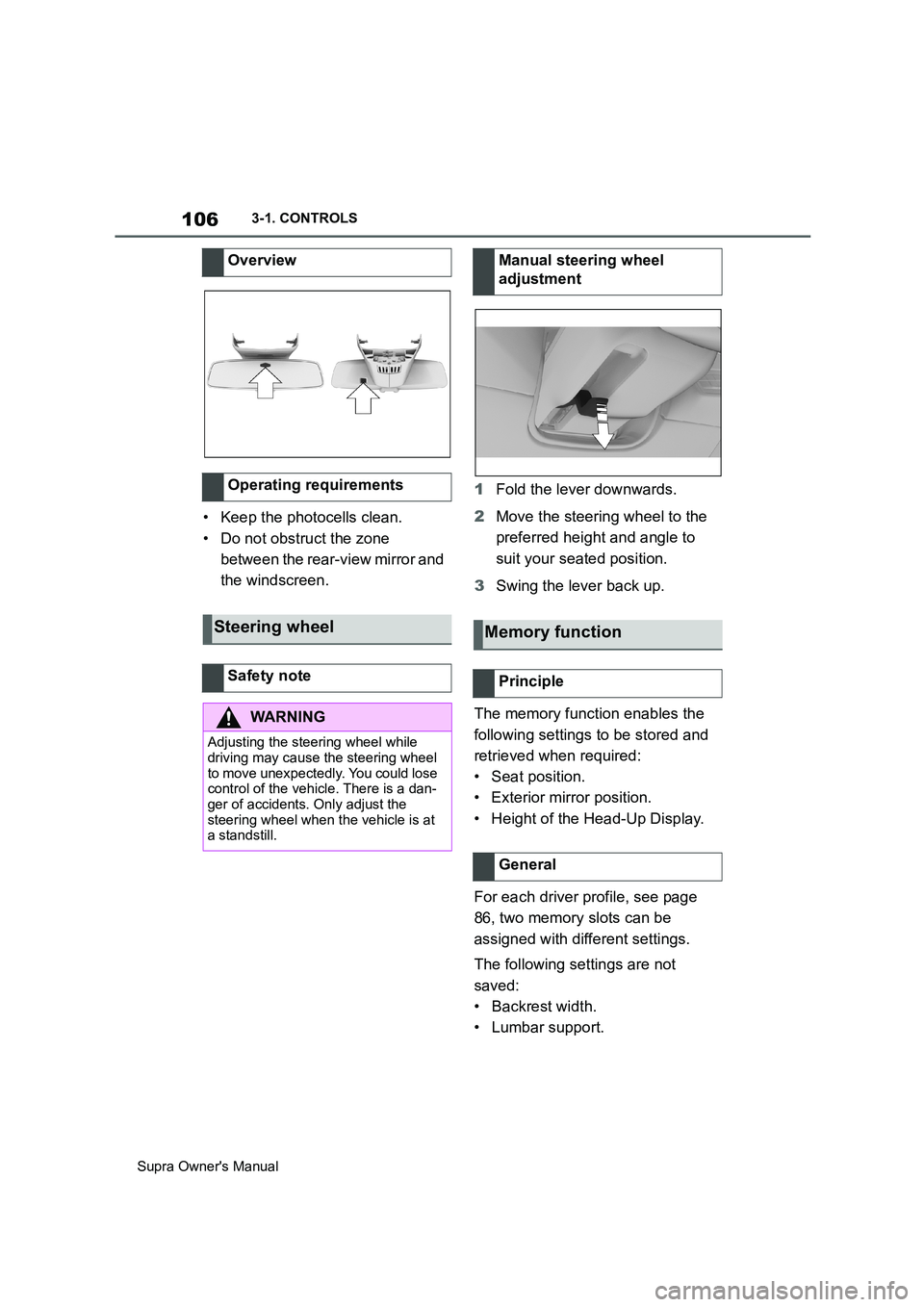
• Keep the photocells clean.
• Do not obstruct the zone
between the rear-view mirror and
the windscreen.1Fold the lever downwards.
2Move the steering wheel to the
preferred height and angle to
suit your seated position.
3Swing the lever back up.
The memory function enables the
following settings to be stored and
retrieved when required:
• Seat position.
• Exterior mirror position.
• Height of the Head-Up Display.
For each driver profile, see page
86, two memory slots can be
assigned with different settings.
The following settings are not
saved:
• Backrest width.
• Lumbar support. Overview
Operating requirements
Steering wheel
Safety note
WARNING
Adjusting the steering wheel while
driving may cause the steering wheel
to move unexpectedly. You could lose
control of the vehicle. There is a dan-
ger of accidents. Only adjust the
steering wheel when the vehicle is at
a standstill.
Manual steering wheel
adjustment
Memory function
Principle
General
Page 107 of 456
107
3
Supra Owner's Manual3-1. CONTROLS
CONTROLS
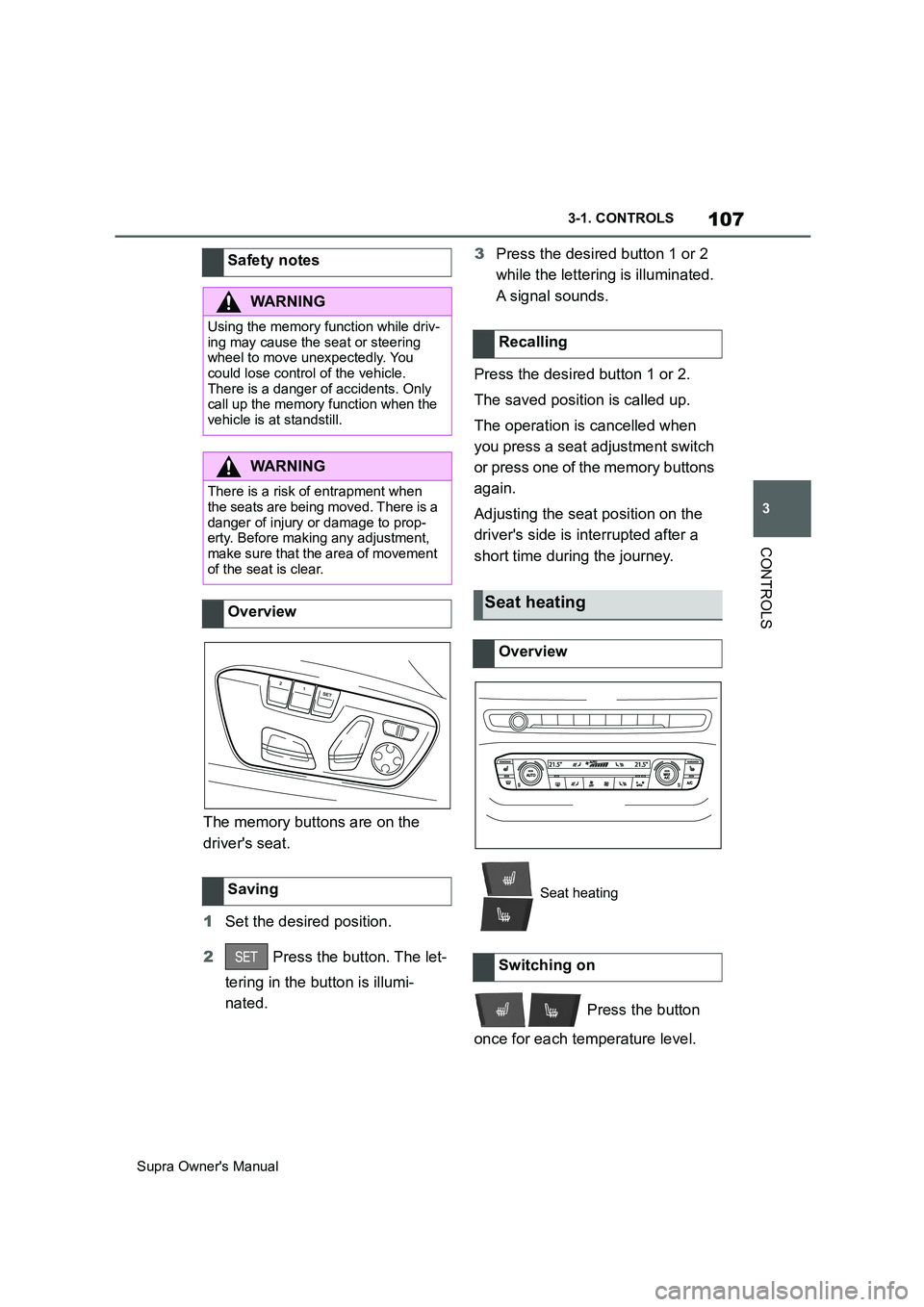
The memory buttons are on the
driver's seat.
1Set the desired position.
2 Press the button. The let-
tering in the button is illumi-
nated.3Press the desired button 1 or 2
while the lettering is illuminated.
A signal sounds.
Press the desired button 1 or 2.
The saved position is called up.
The operation is cancelled when
you press a seat adjustment switch
or press one of the memory buttons
again.
Adjusting the seat position on the
driver's side is interrupted after a
short time during the journey.
Press the button
once for each temperature level. Safety notes
WARNING
Using the memory function while driv-
ing may cause the seat or steering
wheel to move unexpectedly. You
could lose control of the vehicle.
There is a danger of accidents. Only
call up the memory function when the
vehicle is at standstill.
WARNING
There is a risk of entrapment when
the seats are being moved. There is a
danger of injury or damage to prop-
erty. Before making any adjustment,
make sure that the area of movement
of the seat is clear.
Overview
Saving
Recalling
Seat heating
Overview
Seat heating
Switching on
Page 111 of 456
111
3
Supra Owner's Manual3-1. CONTROLS
CONTROLS
Please note the following warning
because your vehicle has been
equipped with a front airbag for the
front passenger seat that cannot be
deactivated:Before fitting a child restraint on the
front passenger seat, make sure
that the front and side airbags on
the passenger side are disabled.
Deactivating the front passenger
airbags with key switch, see page
188. Safety notes
WARNING
If child restraint systems and their
attachment systems have been dam-
aged or subjected to stresses in an
accident, their protective function may
be limited or may fail completely. A
child might not be adequately
restrained, for example in the event of
an accident or braking and evasive
manoeuvres. There is a danger of
injury or even death. If child restraint
systems and their attachment sys-
tems have been damaged or sub-
jected to stresses in an accident,
have them checked by any authorized
Toyota retailer or Toyota authorized
repairer, or any reliable repairer and
renewed if necessary.
WARNING
If the seat adjustment or child seat
installation is incorrect, the child
restraint system may have limited sta-
bility or may not be stable at all. There
is a danger of injury or even death.
Make sure the child restraint system
is firmly positioned against the back-
rest. Wherever possible, adapt the
backrest angle of all the relevant seat
backrests and adjust the seats cor-
rectly. Make sure that the seats and
their backrests are correctly engaged
or locked.
For Australia/New Zealand:
Installation of child restraints
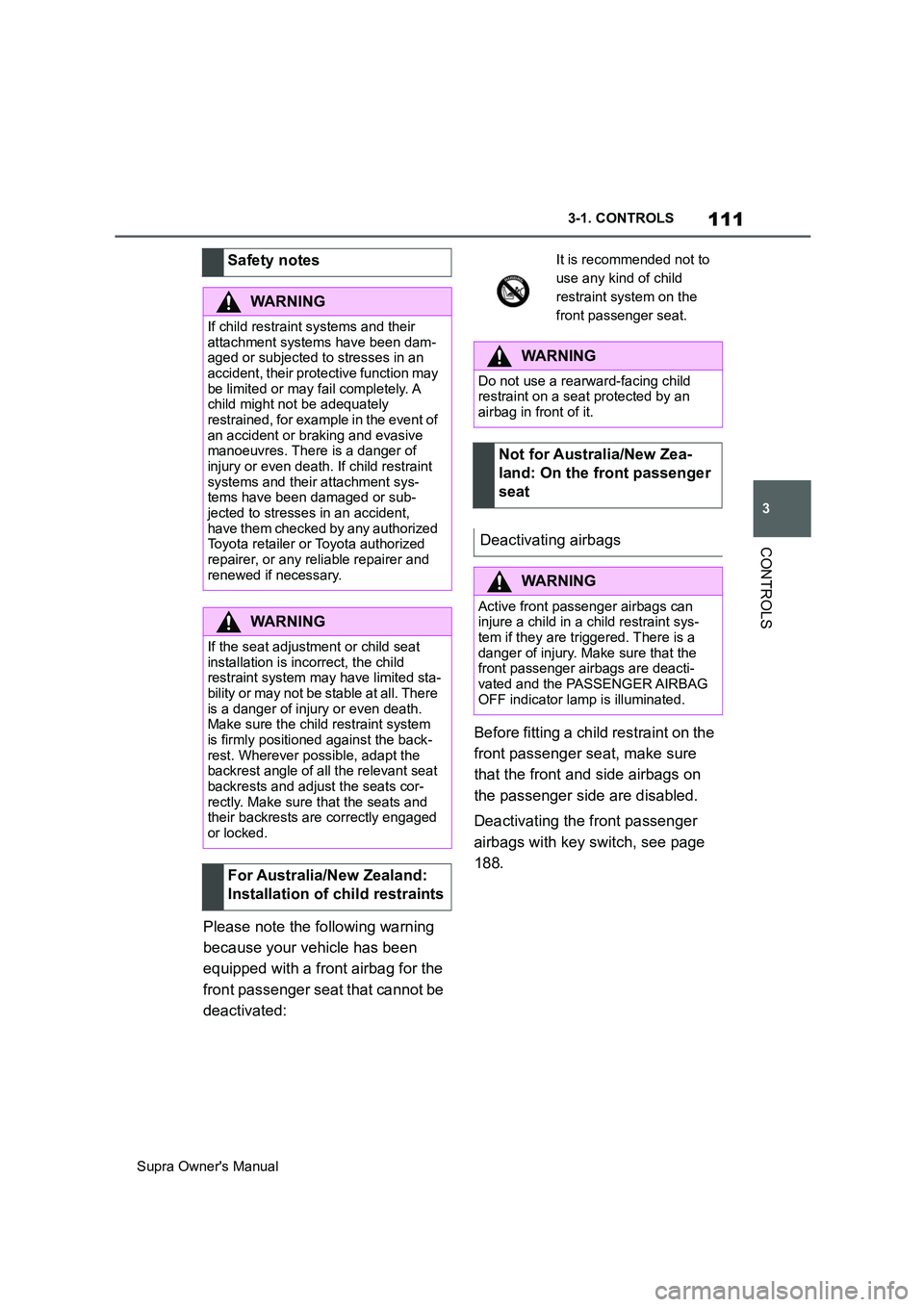
It is recommended not to
use any kind of child
restraint system on the
front passenger seat.
WARNING
Do not use a rearward-facing child
restraint on a seat protected by an
airbag in front of it.
Not for Australia/New Zea-
land: On the front passenger
seat
Deactivating airbags
WARNING
Active front passenger airbags can
injure a child in a child restraint sys-
tem if they are triggered. There is a
danger of injury. Make sure that the
front passenger airbags are deacti-
vated and the PASSENGER AIRBAG
OFF indicator lamp is illuminated.
Page 251 of 456
251
3
Supra Owner's Manual3-1. CONTROLS
CONTROLSPress any button, with the following
exceptions:
Switch off.
Rear window heating.
Seat heating.
Complete system:
The automatic air conditioning
adjusts to the set temperature as
quickly as possible, using maxi-
mum cooling or heating power if
necessary. The temperature is then
maintained.Via Toyota Supra Command:
1"My Vehicle"
2"Vehicle settings"
3"Climate comfort"
4"Temperature adjustment, upper
body"
5Set the desired temperature.
Avoid switching between different
temperature settings in rapid suc-
cession. The automatic air condi-
tioning may not have sufficient time
to establish the temperature
selected.
Interior air is cooled and dried, then
reheated to suit the temperature
setting.
The interior can only be cooled
when drive-ready state is switched
on.
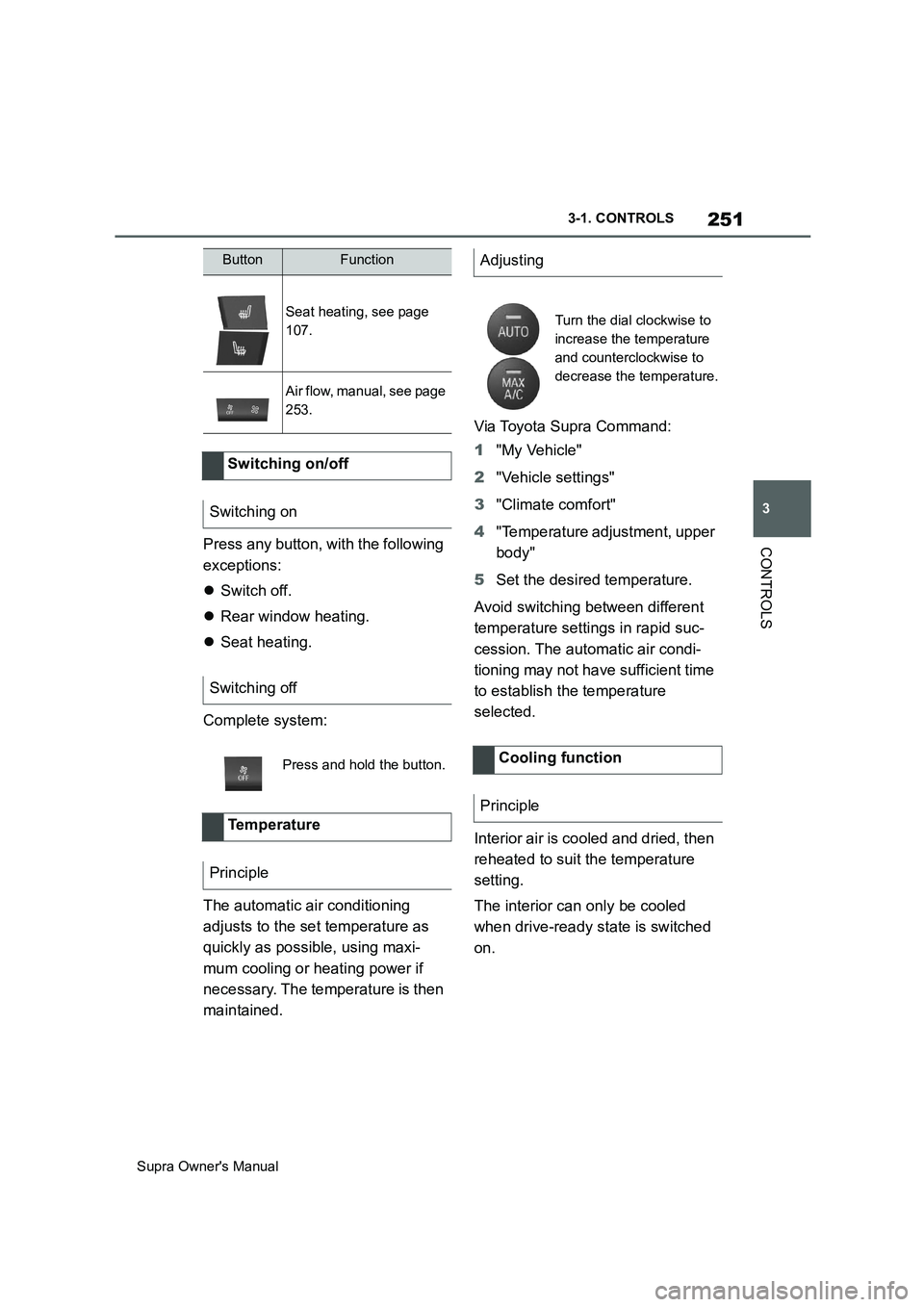
Seat heating, see page
107.
Air flow, manual, see page
253.
Switching on/off
Switching on
Switching off
Press and hold the button.
Te m p e r a t u r e
Principle
ButtonFunctionAdjusting
Turn the dial clockwise to
increase the temperature
and counterclockwise to
decrease the temperature.
Cooling function
Principle
Page 445 of 456
445
Supra Owner's ManualAlphabetical Index
Bonnet ........................................... 306
Boot ............................................... 261
Boot lid ............................................ 85
Boot lid via remote control ............ 77
Boot lid, emergency release .......... 86
Boot, emergency release ............... 86
Bottle holder, see Cupholder....... 261
Brake assist .................................. 216
Brake assist, adaptive .................. 216
Brake lights, see Bulbs and lights
..................................................... 327
Brake system ................................ 267
Braking safely ............................... 270
Braking, notes .............................. 270
Break recommendations, see Driver
Attention Control........................ 213
Breakdown Assist ........................ 336
Breakdown assistance................. 336
Breakdown, help........................... 336
Brightness, Control Display .......... 63
Bulbs and lights ........................... 327
Button SOS, see Automatic emer-
gency call .................................... 338
Button, start/stop.......................... 134
Buttons on the steering wheel ...... 40
C
Call up mirror adjustment .............. 90
Call up seat adjustment ................. 90
Calling up steering wheel adjust-
ment............................................... 90
Camera lenses, care..................... 353
Camera, rear-view camera, without
Surround View ............................ 242
Camera-based assistance systems,
see Toyota Supra Safety ............ 191
Camera-based Cruise Control, see
Adaptive Cruise Control ............ 225
Can holder, see Cupholder .......... 261
Car wash ....................................... 348
Care of displays, screens ............ 354
Care of upholstery fabrics ........... 352
Care products ............................... 350
Care, Head-Up Display ................. 354Care, see Vehicle wash ................ 348
Care, vehicle.................................. 350
Carpet, care ................................... 353
CarPlay, connection to the vehicle70
Carrying children .......................... 109
Carrying children safely ............... 109
Catalytic converter, see Hot exhaust
system ......................................... 267
CBS Condition Based Service ..... 315
CC, see Cruise Control................. 222
Central locking system .................. 81
Central screen, see Control Display
....................................................... 50
Centre console ................................ 42
Changes, technical, see Your own
safety ...............................................6
Changing bulbs, see Bulbs and
lights ............................................ 327
Changing gear, Automatic transmis-
sion .............................................. 143
Chassis number, see Vehicle identifi-
cation number............................... 17
Checking the oil level electronically
..................................................... 309
Child restraint systems, i-Size..... 113
Child restraint systems, see Carry-
ing children safely ...................... 109
Child seat mounting ..................... 110
Child seat mountings, ISOFIX ..... 112
Child seats, see Carrying children
safely ........................................... 109
Chrome surfaces, care ................. 352
Chrome-plated surfaces, care ..... 352
Cleaning of displays, screens ..... 354
Cleaning, Head-Up Display .......... 354
Comfort closing with the remote
control ........................................... 76
Comfort opening using the remote
control ........................................... 76
Compact wheel, see Emergency
wheel ........................................... 303
Compartments in the doors ......... 260
Compressor................................... 286
Condensation when vehicle is
parked.......................................... 271