engine oil TOYOTA SUPRA 2019 Owners Manual
[x] Cancel search | Manufacturer: TOYOTA, Model Year: 2019, Model line: SUPRA, Model: TOYOTA SUPRA 2019Pages: 456, PDF Size: 88.65 MB
Page 36 of 456
36
Supra Owner's Manual2-1. QUICK REFERENCE
A current measurement is available
after approximately 30 minutes of
normal driving.
Via Toyota Supra Command:
1"My Vehicle"
2"Vehicle status"
3"Engine oil level"
Different messages are shown on
the Control Display, depending on
the engine oil level. Follow these
messages
Safely stop the vehicle and switch
off drive-ready state before topping
up with engine oil.
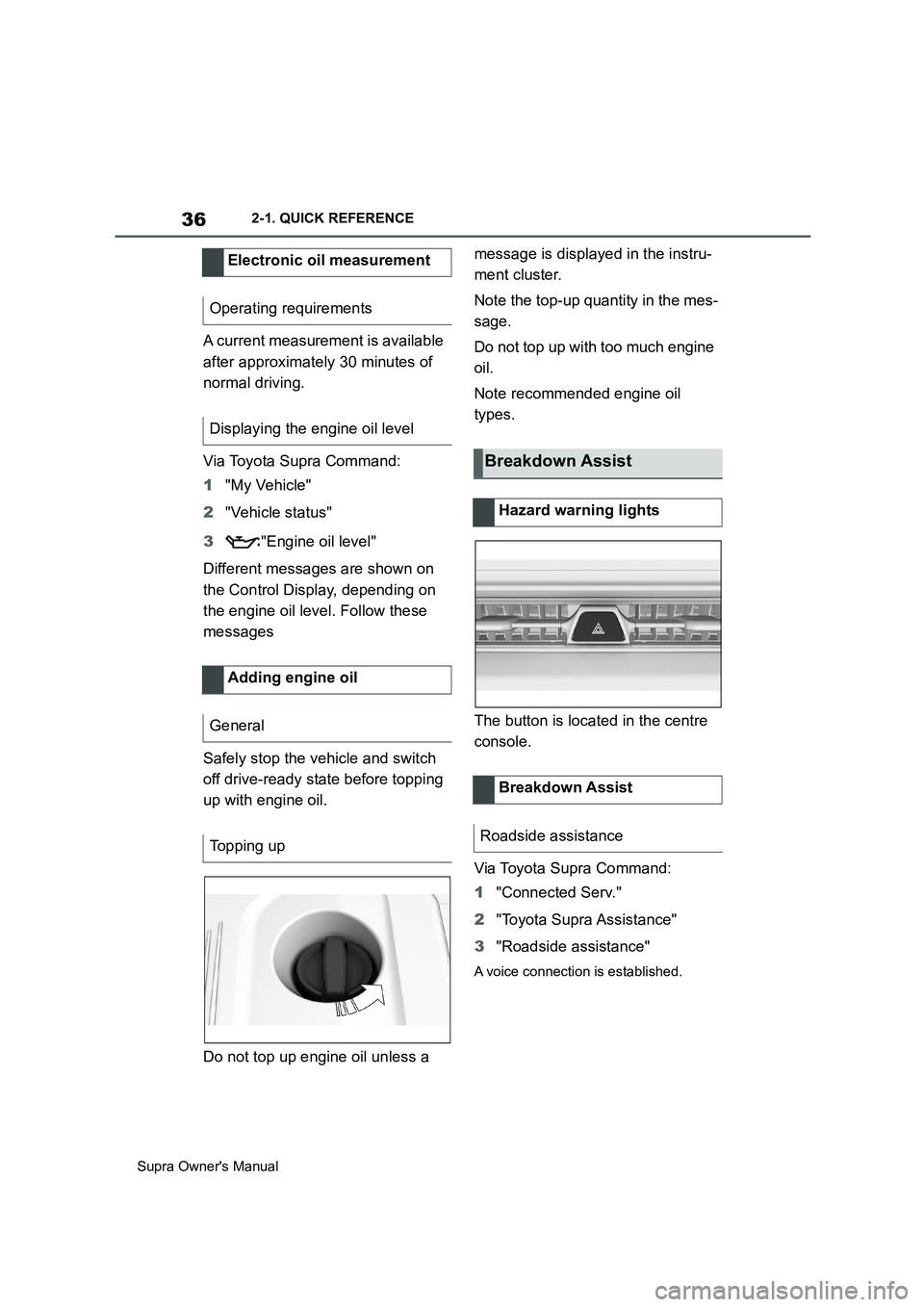
Do not top up engine oil unless a message is displayed in the instru-
ment cluster.
Note the top-up quantity in the mes-
sage.
Do not top up with too much engine
oil.
Note recommended engine oil
types.
The button is located in the centre
console.
Via Toyota Supra Command:
1"Connected Serv."
2"Toyota Supra Assistance"
3"Roadside assistance"
A voice connection is established.
Electronic oil measurement
Operating requirements
Displaying the engine oil level
Adding engine oil
General
Topping up
Breakdown Assist
Hazard warning lights
Breakdown Assist
Roadside assistance
Page 136 of 456
136
Supra Owner's Manual3-1. CONTROLS
ditions:
By releasing the brake pedal.
After starting the engine, accelerate
as normal.
After an automatic shut down, the
engine will not restart automatically,
if one of the following conditions is
met:
Driver's seat belt unbuckled and
driver's door open.
Bonnet has been unlocked.
Several indicator lamps illuminate
for various lengths of time.
The engine can only be started
using the start/stop button.
Even if you do not want to drive off,
the engine restarts automatically in
the following situations:
Very high temperature in the
interior when the cooling function
is switched on.
Very low temperature in the inte-
rior when the heating is switched
on.
Where there is a risk of conden-
sation when the automatic air
conditioning is switched on.
The driver applies lock to the
steering wheel.Automatic transmission:
Shift from selector lever position D to N
or R.
Automatic transmission:
Shift from selector lever position P to N,
D or R.
Vehicle battery is heavily dis-
charged.
Start of an oil level measure-
ment.
The engine is not switched off auto-
matically.
During an automatic engine stop,
the engine is started.
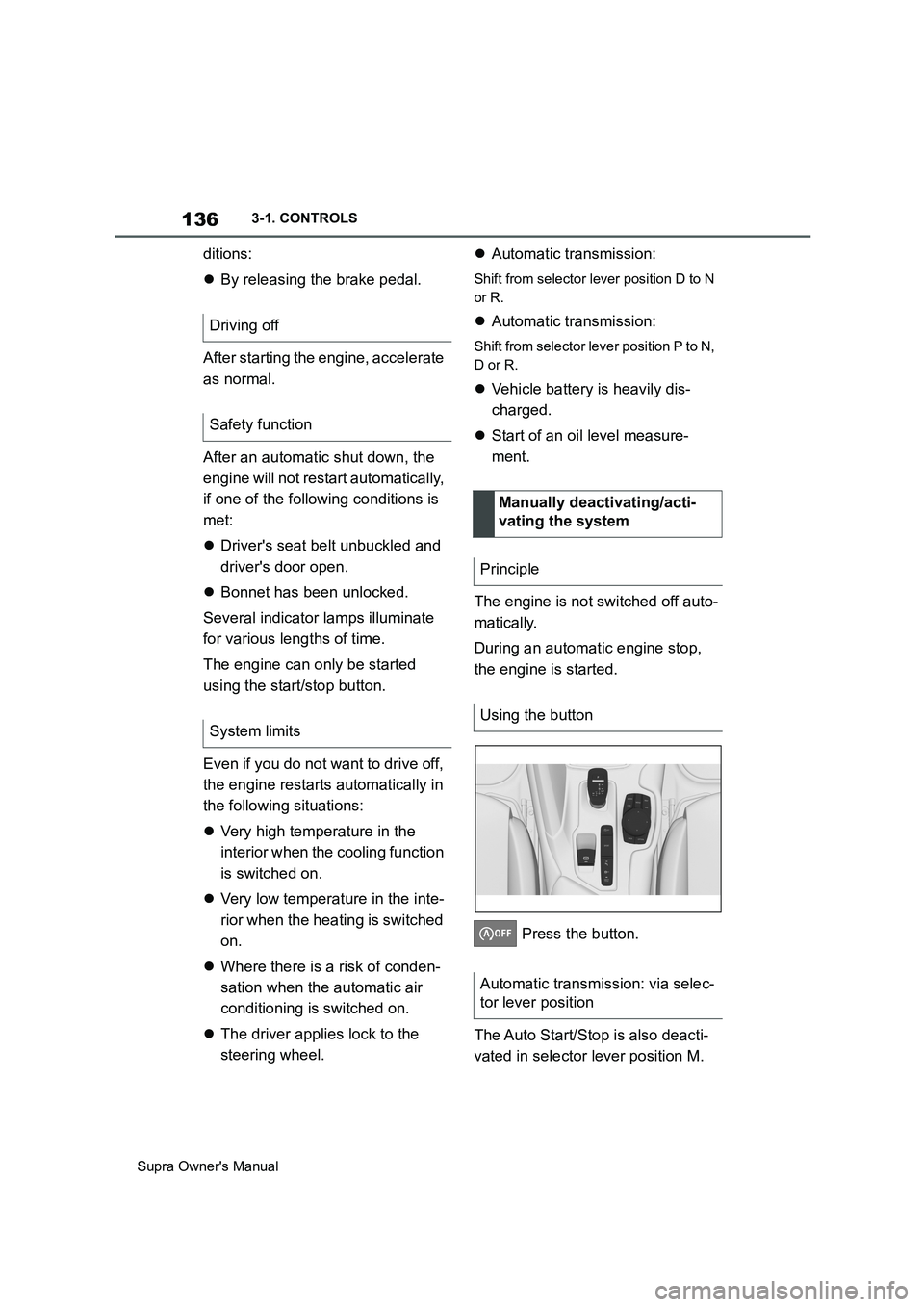
Press the button.
The Auto Start/Stop is also deacti-
vated in selector lever position M. Driving off
Safety function
System limits
Manually deactivating/acti-
vating the system
Principle
Using the button
Automatic transmission: via selec-
tor lever position
Page 168 of 456
168
Supra Owner's Manual3-1. CONTROLS
Via Toyota Supra Command:
1"My Vehicle"
2"Vehicle settings"
3"Speed warning"
4"Warning at:"
5Turn the Controller until the
desired speed is displayed.
6Press the Controller.
Via Toyota Supra Command:
1"My Vehicle"
2"Vehicle settings"
3"Speed warning"
4"Speed warning"
Via Toyota Supra Command:
1"My Vehicle"
2"Vehicle settings"
3"Speed warning"
4"Select current speed"
The status can be displayed or
actions performed for some sys-
tems.Via Toyota Supra Command:
1"My vehicle"
2"Vehicle status"
• "Tyre Pressure Monitor": Sta-
tus of the Tyre Pressure Monitor,
see page 290
• "Engine oil level": Electronic
oil measurement, see page 309.
• "Vehicle messages": Vehicle
messages are stored in the
background and can be shown
on the Control Display. Display-
ing of saved vehicle messages,
see page 152.
• "Service requirements": dis-
play of the service requirements,
see page 159.
• "Remote maintenance call":
Remote maintenance call.
The system projects important
information, for example the speed,
into the driver's field of vision.
The driver can register this informa-
tion without having to divert atten-
tion from the road. Adjusting the speed warning
Activating/deactivating the
speed warning
Setting the current speed as
the speed warning
Vehicle status
General
Calling up the vehicle status
Overview of the information
Head-Up Display (vehicles
with head-up display)
Principle
Page 198 of 456
198
Supra Owner's Manual3-1. CONTROLS
appearance.
Two-wheeled vehicles ahead.
At speeds over approx. 250 km/h,
155 mph, the system is temporarily
disabled. As soon as the speed
drops back below this value, the
system responds once again
according to its settings.
The system may have limited func-
tionality in the following situations,
for example:
In thick fog, wet conditions or
snow.
On sharp bends.
When Driving Stability Control
Systems are limited or deacti-
vated, for example VSC OFF.
If the field of view of the camera
or the windscreen in front of the
rear-view mirror is soiled or cov-
ered.
If the camera has overheated
due to excessively high tempera-
tures and has been temporarily
deactivated.
Depending on the equipment
version: if the radar sensors are
soiled or covered.
Up to 10 seconds after starting
the engine using the start/stop
button.
During the camera calibration process immediately after vehi-
cle delivery.
When there is sustained glare
due to oncoming light, for exam-
ple the sun is low in the sky.
The greater the sensitivity of the
warning settings, for example warn-
ing time, the more warnings will be
displayed. As a result, there may be
an increased number of premature
or unjustified warnings and reac-
tions.
The system can help to avoid acci-
dents with pedestrians and cyclists.
If an accident cannot be avoided,
the system helps to reduce the col-
lision speed.
The system warns of the possible
risk of collision in the urban speed
range and brakes automatically, as
necessary.
At speeds above approx. 5 km/h, 3
mph, the system warns of the pos-
sible risk of collision with pedestri-
ans and cyclists.
Pedestrians and cyclists are taken
into account if they are located Upper speed limit
Functional limitations
Sensitivity of the warnings
Person warning with City
light braking function
Principle
General
Page 202 of 456
202
Supra Owner's Manual3-1. CONTROLS
Braking can be discontinued either
by depressing the accelerator pedal
or by actively moving the steering
wheel.
The detection of objects may be
limited. Take into account the
detection range limits and the func-
tional limitations.
The system reacts to pedestrians
and cyclists if your own speed is
below approx. 85 km/h, 53 mph.
The detection ability of the system
is limited.
As a result, the system may fail to
give warnings or may give warnings
late.
It is possible that the following are
not detected, for example:
Partially concealed pedestrians.
Pedestrians who are not detected as such, because of the
viewing angle or outline.
Pedestrians outside the detec-
tion range.
Pedestrians less than approxi-
mately 80 cm, 32 in tall.
The system may have limited func-
tionality in some situations, for
example:
In thick fog, wet conditions or
snow.
On sharp bends.
If vehicle stability control sys-
tems are deactivated, for exam-
ple VSC OFF.
If the field of view of the camera
or the windscreen in front of the
rear-view mirror is soiled or cov-
ered.
If the camera has overheated
due to excessively high tempera-
tures and has been temporarily
deactivated.
Depending on the equipment
version: if the radar sensors are
soiled or covered.
Up to 10 seconds after starting
the engine using the start/stop
button.
During the camera calibration
process immediately after vehi-
cle delivery.
When there is sustained glare
due to oncoming light, for exam- System limits
Safety note
WARNING
The system may not respond at all, or
may respond too late, incorrectly or
without justification due to limits of the
system. There is a danger of acci-
dents or damage to property.
Observe the information on the sys-
tem limits and intervene actively if
necessary.
Upper speed limit
Detection range
Functional limitations
Page 207 of 456
207
3
Supra Owner's Manual3-1. CONTROLS
CONTROLS
The system may have limited func-
tionality in the following situations,
for example:
In thick fog, wet conditions or
snow.
When there are missing, worn,
poorly visible, merging/separat-
ing or ambiguous lane markings;
for example, in areas where
there are roadworks.
If lane markings are covered by
snow, ice, dirt or water.
On sharp bends or narrow roads.
If lane markings are not white.
If lane markings are obscured by
objects.
If the vehicle is too close to the
vehicle ahead.
When there is sustained glare
due to oncoming light, for exam-
ple the sun is low in the sky.
If the field of view of the camera or the windscreen in front of the
rear-view mirror is soiled or cov-
ered.
If the camera has overheated
due to excessively high tempera-
tures and has been temporarily
deactivated.
Up to 10 seconds after starting
the engine using the start/stop
button.
During the camera calibration
process immediately after vehi-
cle delivery.
A vehicle message may be dis-
played in the event of limited func-
tionality.
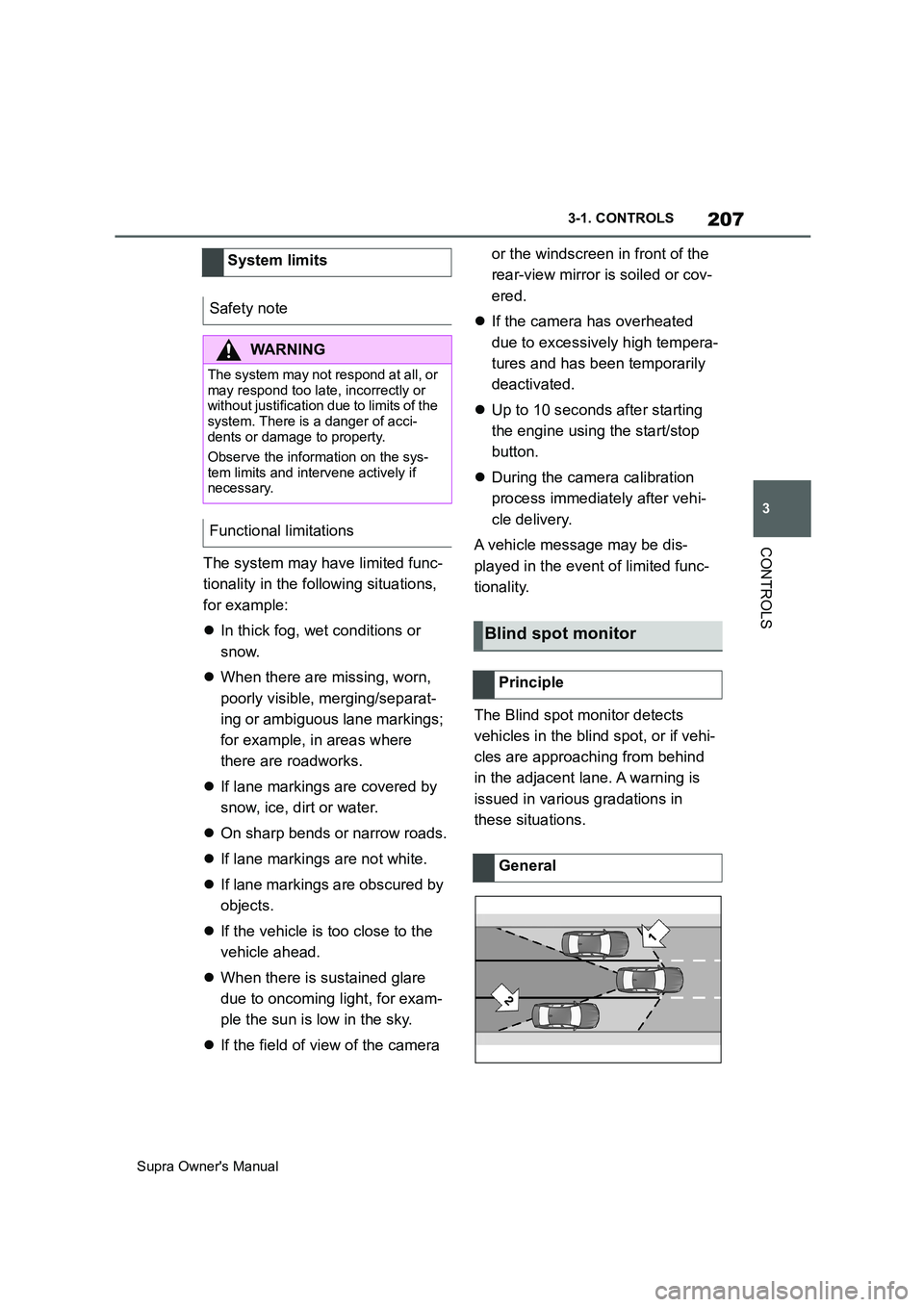
The Blind spot monitor detects
vehicles in the blind spot, or if vehi-
cles are approaching from behind
in the adjacent lane. A warning is
issued in various gradations in
these situations. System limits
Safety note
WARNING
The system may not respond at all, or
may respond too late, incorrectly or
without justification due to limits of the
system. There is a danger of acci-
dents or damage to property.
Observe the information on the sys-
tem limits and intervene actively if
necessary.
Functional limitations
Blind spot monitor
Principle
General
Page 234 of 456
234
Supra Owner's Manual3-1. CONTROLS
road.
In such cases, depress the acceler-
ator pedal.
The following restrictions may apply
if the weather or lighting conditions
are unfavourable:
Impaired detection of vehicles.
Brief interruptions when vehicles
have already been detected.
Examples of unfavourable weather
or lighting conditions:
Wet roads.
Snowfall.
Slush.
Fog.
Oncoming light.
Pay attention when driving and
respond to the prevailing traffic con-
ditions. If necessary, intervene
actively, for example by braking,
steering or manoeuvring.
The desired speed is also main-
tained on a downhill stretch. The
vehicle may drive slower than the
desired speed on uphill gradients if
the engine power is not sufficient.The system cannot be activated if
the radar sensor is not correctly
aligned, for example following park-
ing damage.
A vehicle message is displayed if
the system has failed.
Have the system checked by any
authorized Toyota retailer or Toyota
authorized repairer, or any reliable
repairer.
The system may have limited func-
tionality if the radar sensor detec-
tion range is partially covered, for
example by the number plate
holder.
The function for detecting and
responding to stationary vehicles
when approaching may be limited
in the following situation:
During the camera calibration
process immediately after vehi-
cle delivery.
Failure or soiling of the camera.
A vehicle message is shown.
When the systems in the vehicle
(Speed Limit Info, for example) Weather
Engine powerMalfunction
Radar sensor
Camera
Speed Limit Assist
Principle
Page 288 of 456
288
Supra Owner's Manual5-1. MOBILITY
1Switch off compressor.
2Read off the tyre inflation pres-
sure as shown on the tyre pres-
sure indicator.
To be able to continue the journey,
a tyre inflation pressure of at least 2
bar must be reached.
1Unscrew the filler hose of the
sealant container from the tyre
valve.
2Press the red unlocking device.
3Remove the sealant container
from the compressor.
4Pack and store the sealant con-
tainer to avoid soiling the boot.
1Unplug the connector from the
socket in the vehicle interior.
2Drive forwards and backwards
by 10 m, approximately 400
inches, to distribute the sealant
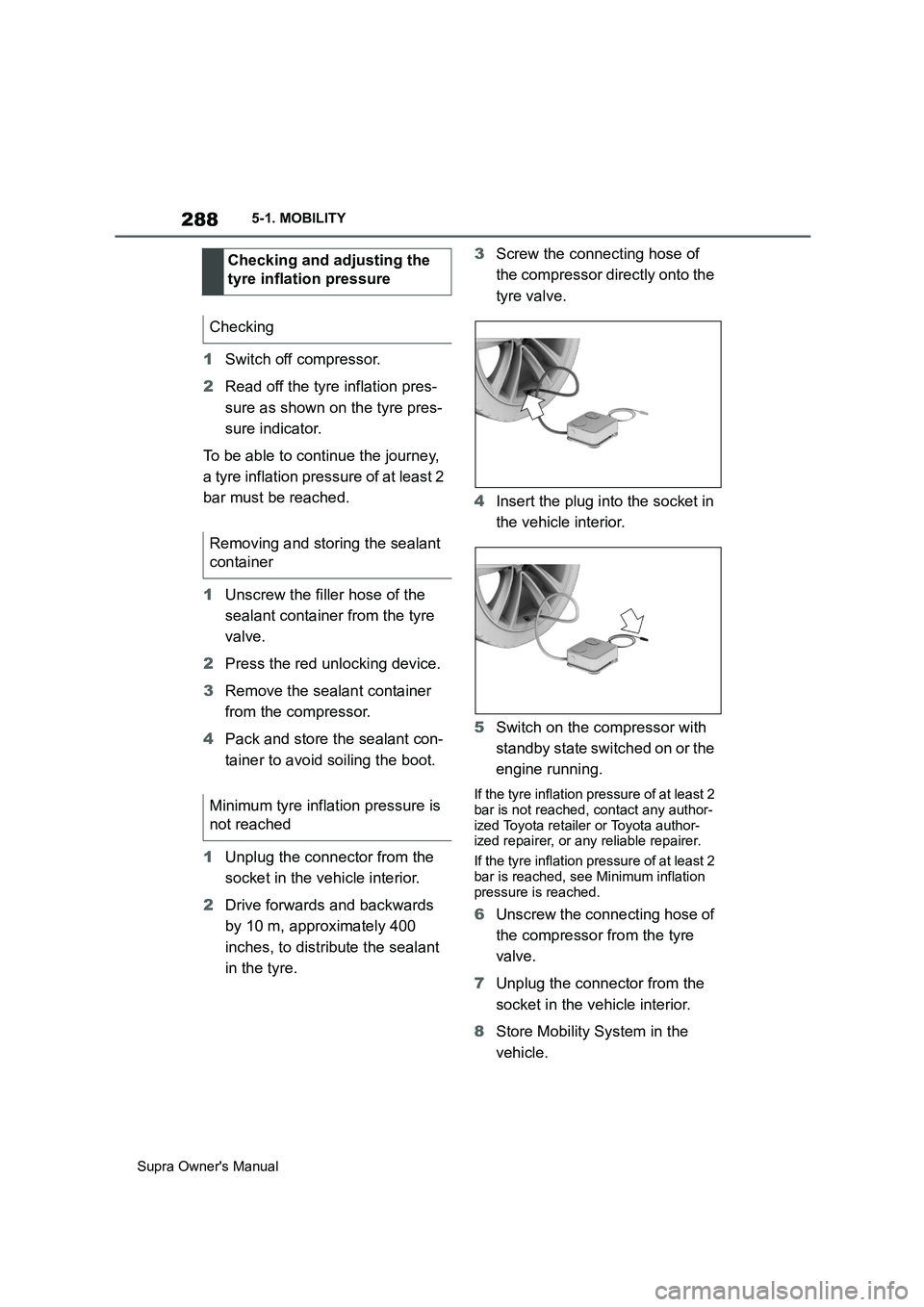
in the tyre.3Screw the connecting hose of
the compressor directly onto the
tyre valve.
4Insert the plug into the socket in
the vehicle interior.
5Switch on the compressor with
standby state switched on or the
engine running.
If the tyre inflation pressure of at least 2
bar is not reached, contact any author-
ized Toyota retailer or Toyota author-
ized repairer, or any reliable repairer.
If the tyre inflation pressure of at least 2
bar is reached, see Minimum inflation
pressure is reached.
6Unscrew the connecting hose of
the compressor from the tyre
valve.
7Unplug the connector from the
socket in the vehicle interior.
8Store Mobility System in the
vehicle. Checking and adjusting the
tyre inflation pressure
Checking
Removing and storing the sealant
container
Minimum tyre inflation pressure is
not reached
Page 305 of 456
305
5
Supra Owner's Manual5-1. MOBILITY
MOBILITY
This chapter describes all standard,
country-specific and special equip-
ment available for the model series.
It may therefore describe equip-
ment and functions which are not installed in your vehicle, for exam-
ple on account of the optional
equipment selected or the country
specification. This also applies to
safety-relevant functions and sys-
tems. Please comply with the rele-
vant laws and regulations when
using the corresponding functions
and systems.
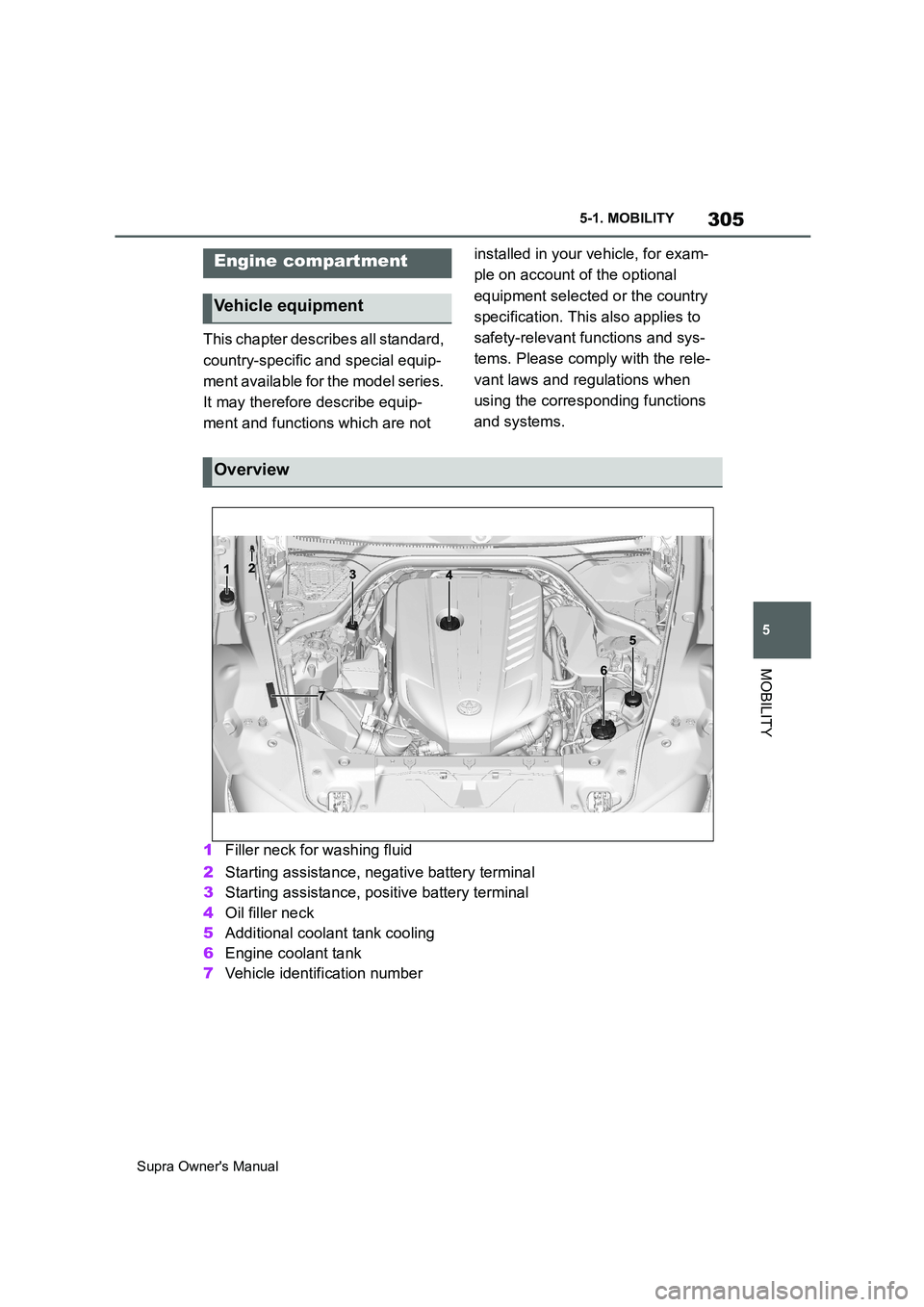
1Filler neck for washing fluid
2Starting assistance, negative battery terminal
3Starting assistance, positive battery terminal
4Oil filler neck
5Additional coolant tank cooling
6Engine coolant tank
7Vehicle identification number
Engine compartment
Vehicle equipment
Overview
Page 308 of 456
308
Supra Owner's Manual5-1. MOBILITY
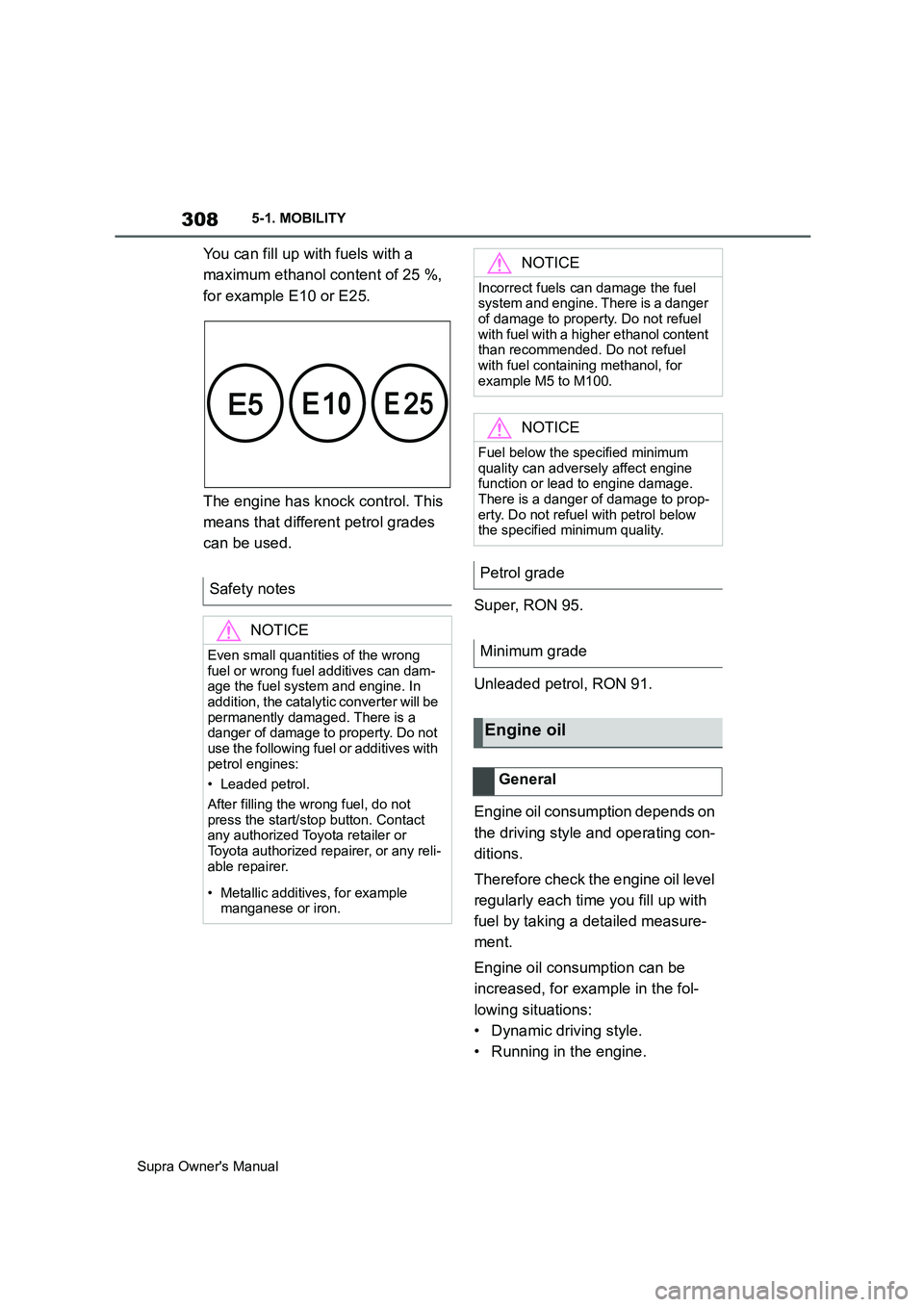
You can fill up with fuels with a
maximum ethanol content of 25 %,
for example E10 or E25.
The engine has knock control. This
means that different petrol grades
can be used.
Super, RON 95.
Unleaded petrol, RON 91.
Engine oil consumption depends on
the driving style and operating con-
ditions.
Therefore check the engine oil level
regularly each time you fill up with
fuel by taking a detailed measure-
ment.
Engine oil consumption can be
increased, for example in the fol-
lowing situations:
• Dynamic driving style.
• Running in the engine. Safety notes
NOTICE
Even small quantities of the wrong
fuel or wrong fuel additives can dam-
age the fuel system and engine. In
addition, the catalytic converter will be
permanently damaged. There is a
danger of damage to property. Do not
use the following fuel or additives with
petrol engines:
• Leaded petrol.
After filling the wrong fuel, do not
press the start/stop button. Contact
any authorized Toyota retailer or
Toyota authorized repairer, or any reli-
able repairer.
• Metallic additives, for example
manganese or iron.
NOTICE
Incorrect fuels can damage the fuel
system and engine. There is a danger
of damage to property. Do not refuel
with fuel with a higher ethanol content
than recommended. Do not refuel
with fuel containing methanol, for
example M5 to M100.
NOTICE
Fuel below the specified minimum
quality can adversely affect engine
function or lead to engine damage.
There is a danger of damage to prop-
erty. Do not refuel with petrol below
the specified minimum quality.
Petrol grade
Minimum grade
Engine oil
General