fuel TOYOTA SUPRA 2019 Owners Manual
[x] Cancel search | Manufacturer: TOYOTA, Model Year: 2019, Model line: SUPRA, Model: TOYOTA SUPRA 2019Pages: 456, PDF Size: 88.65 MB
Page 2 of 456
2
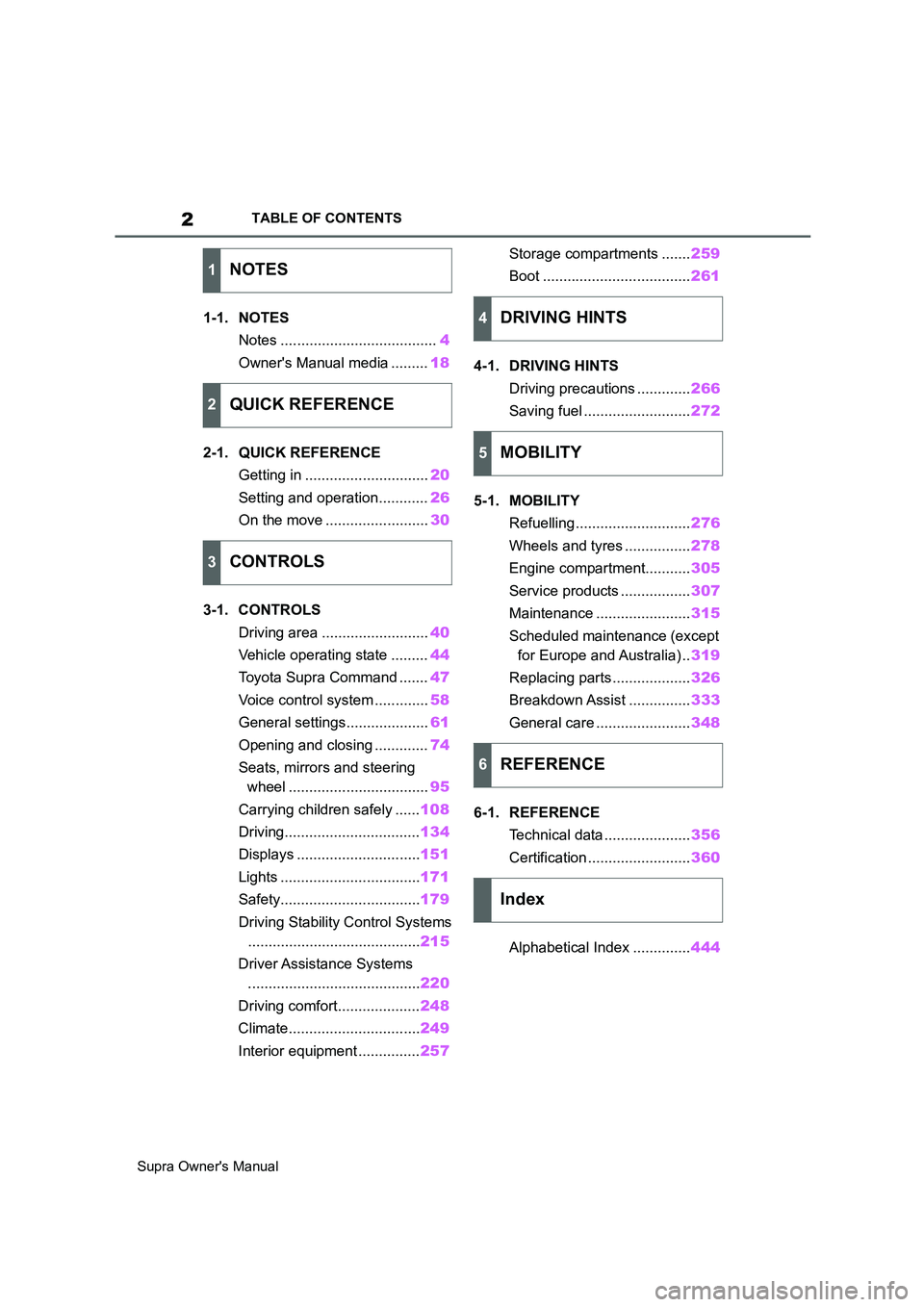
Supra Owner's ManualTABLE OF CONTENTS
1-1. NOTES
Notes ......................................4
Owner's Manual media .........18
2-1. QUICK REFERENCE
Getting in ..............................20
Setting and operation............26
On the move .........................30
3-1. CONTROLS
Driving area ..........................40
Vehicle operating state .........44
Toyota Supra Command .......47
Voice control system .............58
General settings....................61
Opening and closing .............74
Seats, mirrors and steering
wheel ..................................95
Carrying children safely ......108
Driving.................................134
Displays ..............................151
Lights ..................................171
Safety..................................179
Driving Stability Control Systems
..........................................215
Driver Assistance Systems
..........................................220
Driving comfort....................248
Climate................................249
Interior equipment ...............257Storage compartments .......259
Boot ....................................261
4-1. DRIVING HINTS
Driving precautions .............266
Saving fuel ..........................272
5-1. MOBILITY
Refuelling ............................276
Wheels and tyres ................278
Engine compartment...........305
Service products .................307
Maintenance .......................315
Scheduled maintenance (except
for Europe and Australia) ..319
Replacing parts ...................326
Breakdown Assist ...............333
General care .......................348
6-1. REFERENCE
Technical data .....................356
Certification .........................360
Alphabetical Index ..............444
1NOTES
2QUICK REFERENCE
3CONTROLS
4DRIVING HINTS
5MOBILITY
6REFERENCE
Index
Page 13 of 456
13
1
Supra Owner's Manual1-1. NOTES
NOTES
system may only collect and pro-
cess the following data:
• The vehicle identification number
for rapidly identifying the vehicle,
for example the model.
• Vehicle type, for example car.
• Type of vehicle drive, for exam-
ple petrol or diesel, for assessing
the risks involved in a rescue, for
example the risk of fire caused
by fuel.
• The vehicle's position at the time
of the accident, its last three
locations and the driving direc-
tion in order to locate the vehicle
faster when on very complex
route sections, for example.
• Log file for automatic system
activation and its time stamp.
• Control information, which tells
rescue services whether the
emergency call was triggered
automatically or manually, for
example.
• A time stamp for determining the
time of the accident in order to
optimise rescue services deploy-
ment plans.
• The driving direction for estab-
lishing which side of the car-
riageway is concerned, for
example.
The authorities of the state in
whose territory the eCall system
emergency call is made determine
the emergency call coordination
centres that will receive and pro-
cess the statutory emergency call.The eCall statutory emergency call
system ensures that the data con-
tained in the system memory can-
not be accessed outside the
system before an emergency call is
triggered.
The data collected for the eCall
statutory emergency call system is
only saved in the vehicle and sent
to the rescue coordination centre
when an emergency call is trig-
gered.
The eCall statutory emergency call
system ensures that it cannot be
traced and there is no permanent
tracking during normal operation.
The eCall statutory emergency call
system ensures that the data in the
internal system memory is deleted
automatically and continuously.
Data relating to the vehicle's loca-
tion is overwritten continuously in
the internal system memory so the
last three vehicle locations needed
for the system to function normally
are always available and no more.
The activity data log of the eCall
statutory emergency call system is
retained for no longer than is nec-
essary to handle the eCall emer-
gency call and under no
circumstances for any longer than
13 hours after the eCall emergency
call was triggered.Data processing configuration
Page 20 of 456
20
Supra Owner's Manual2-1. QUICK REFERENCE
2-1.QUICK REFE RENCE
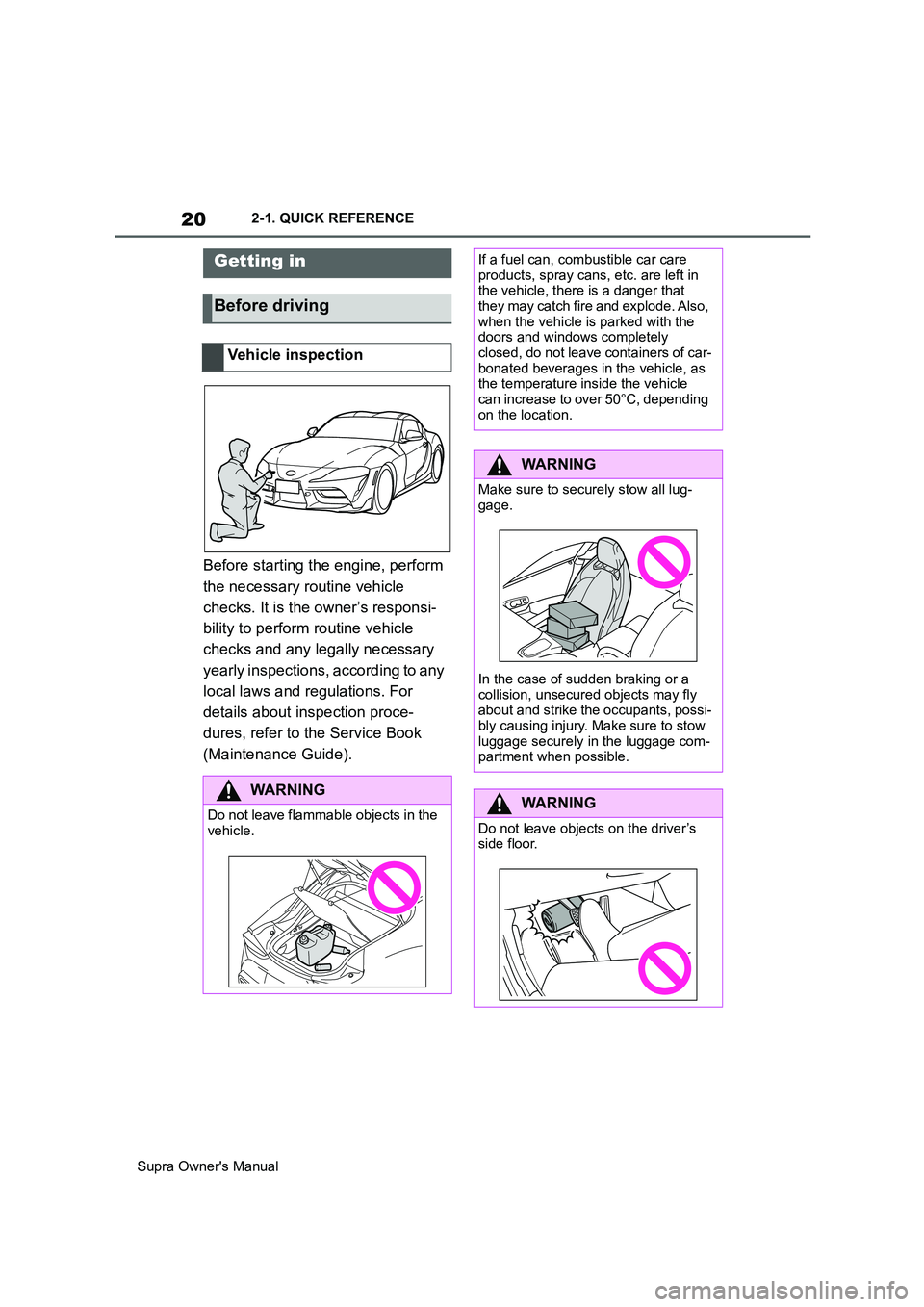
Before starting the engine, perform
the necessary routine vehicle
checks. It is the owner’s responsi-
bility to perform routine vehicle
checks and any legally necessary
yearly inspections, according to any
local laws and regulations. For
details about inspection proce-
dures, refer to the Service Book
(Maintenance Guide).
Getting in
Before driving
Vehicle inspection
WARNING
Do not leave flammable objects in the
vehicle.
If a fuel can, combustible car care
products, spray cans, etc. are left in
the vehicle, there is a danger that
they may catch fire and explode. Also,
when the vehicle is parked with the
doors and windows completely
closed, do not leave containers of car-
bonated beverages in the vehicle, as
the temperature inside the vehicle
can increase to over 50°C, depending
on the location.
WARNING
Make sure to securely stow all lug-
gage.
In the case of sudden braking or a
collision, unsecured objects may fly
about and strike the occupants, possi-
bly causing injury. Make sure to stow
luggage securely in the luggage com-
partment when possible.
WARNING
Do not leave objects on the driver’s
side floor.
Page 22 of 456
22
Supra Owner's Manual2-1. QUICK REFERENCE
objects before driving.
When backing up (reversing), if
you cannot see the area behind
the vehicle sufficiently, exit the
vehicle and check the area
before proceeding.
Refrain from driving when you are
fatigued or not feeling well.
Also, if driving for a long time, be
sure to stop and rest periodically.
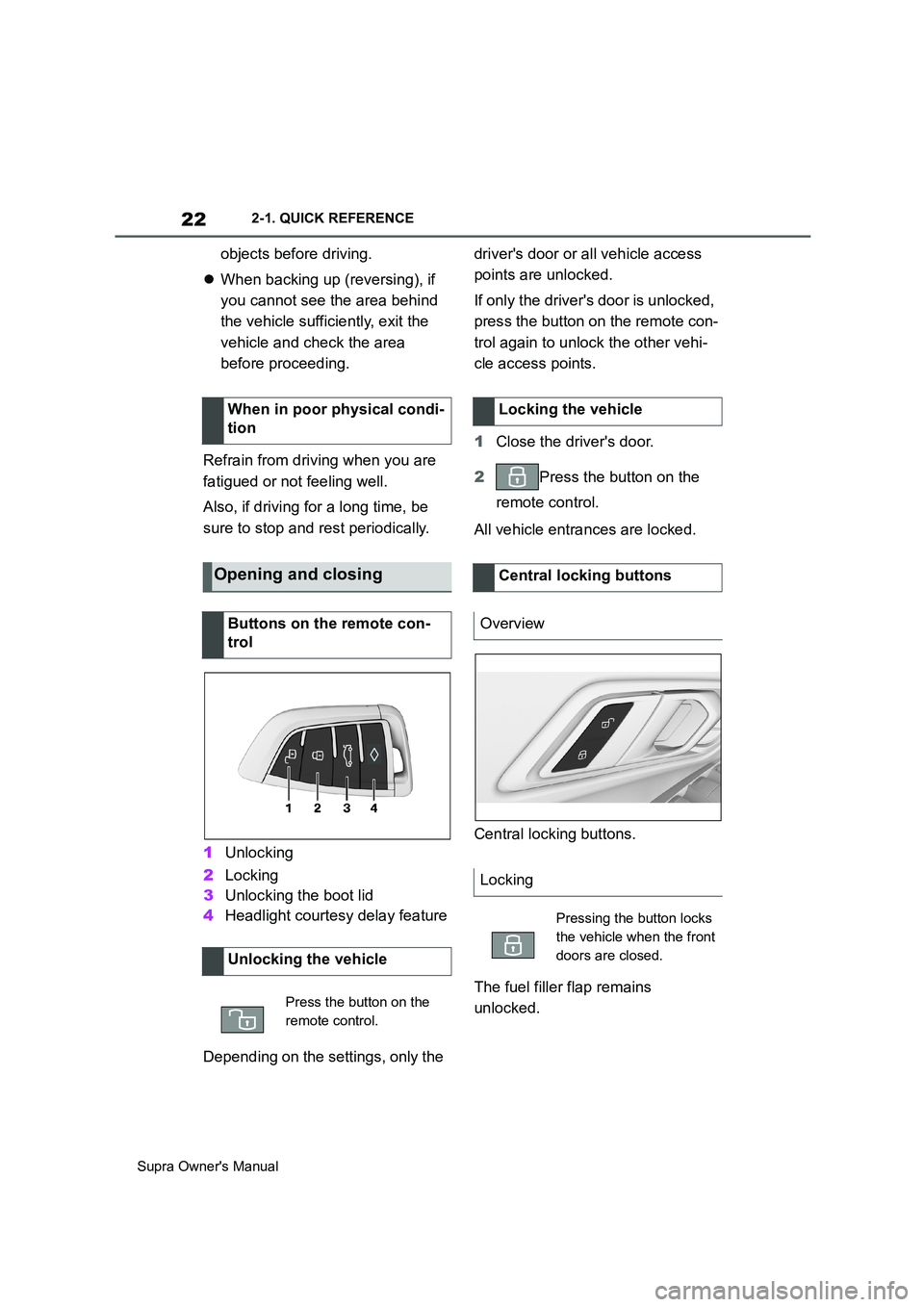
1Unlocking
2Locking
3Unlocking the boot lid
4Headlight courtesy delay feature
Depending on the settings, only the driver's door or all vehicle access
points are unlocked.
If only the driver's door is unlocked,
press the button on the remote con-
trol again to unlock the other vehi-
cle access points.
1Close the driver's door.
2Press the button on the
remote control.
All vehicle entrances are locked.
Central locking buttons.
The fuel filler flap remains
unlocked. When in poor physical condi-
tion
Opening and closing
Buttons on the remote con-
trol
Unlocking the vehicle
Press the button on the
remote control.
Locking the vehicle
Central locking buttons
Overview
Locking
Pressing the button locks
the vehicle when the front
doors are closed.
Page 30 of 456
30
Supra Owner's Manual2-1. QUICK REFERENCE
"Apple CarPlay"
Register iPhone via Bluetooth on
the vehicle.
Select CarPlay as the function:
"Apple CarPlay"
The iPhone is connected to the
vehicle and displayed in the device
list.
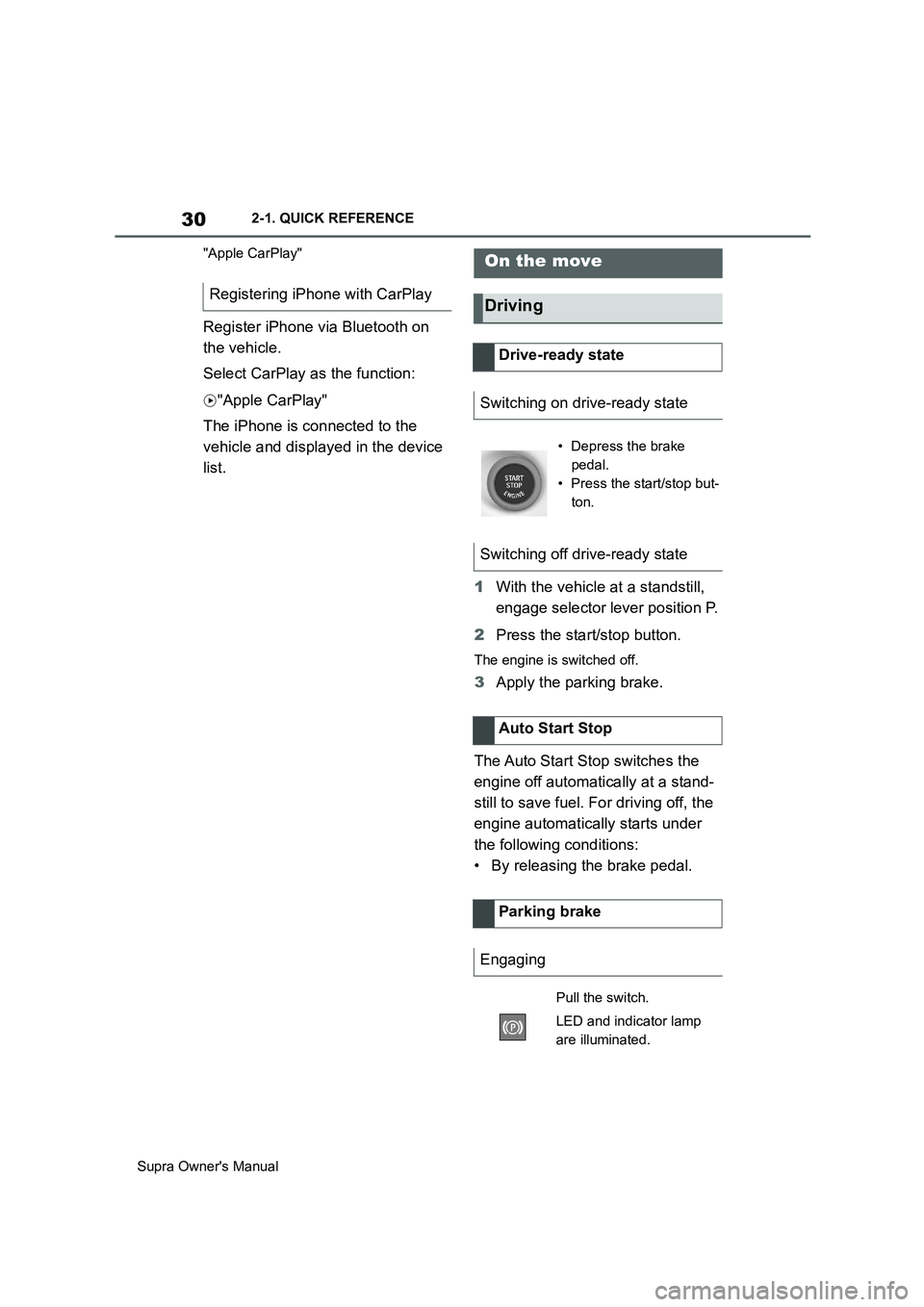
1With the vehicle at a standstill,
engage selector lever position P.
2Press the start/stop button.
The engine is switched off.
3Apply the parking brake.
The Auto Start Stop switches the
engine off automatically at a stand-
still to save fuel. For driving off, the
engine automatically starts under
the following conditions:
• By releasing the brake pedal. Registering iPhone with CarPlay
On the move
Driving
Drive-ready state
Switching on drive-ready state
• Depress the brake
pedal.
• Press the start/stop but-
ton.
Switching off drive-ready state
Auto Start Stop
Parking brake
Engaging
Pull the switch.
LED and indicator lamp
are illuminated.
Page 35 of 456
35
2
Supra Owner's Manual2-1. QUICK REFERENCE
QUICK REFERENCE
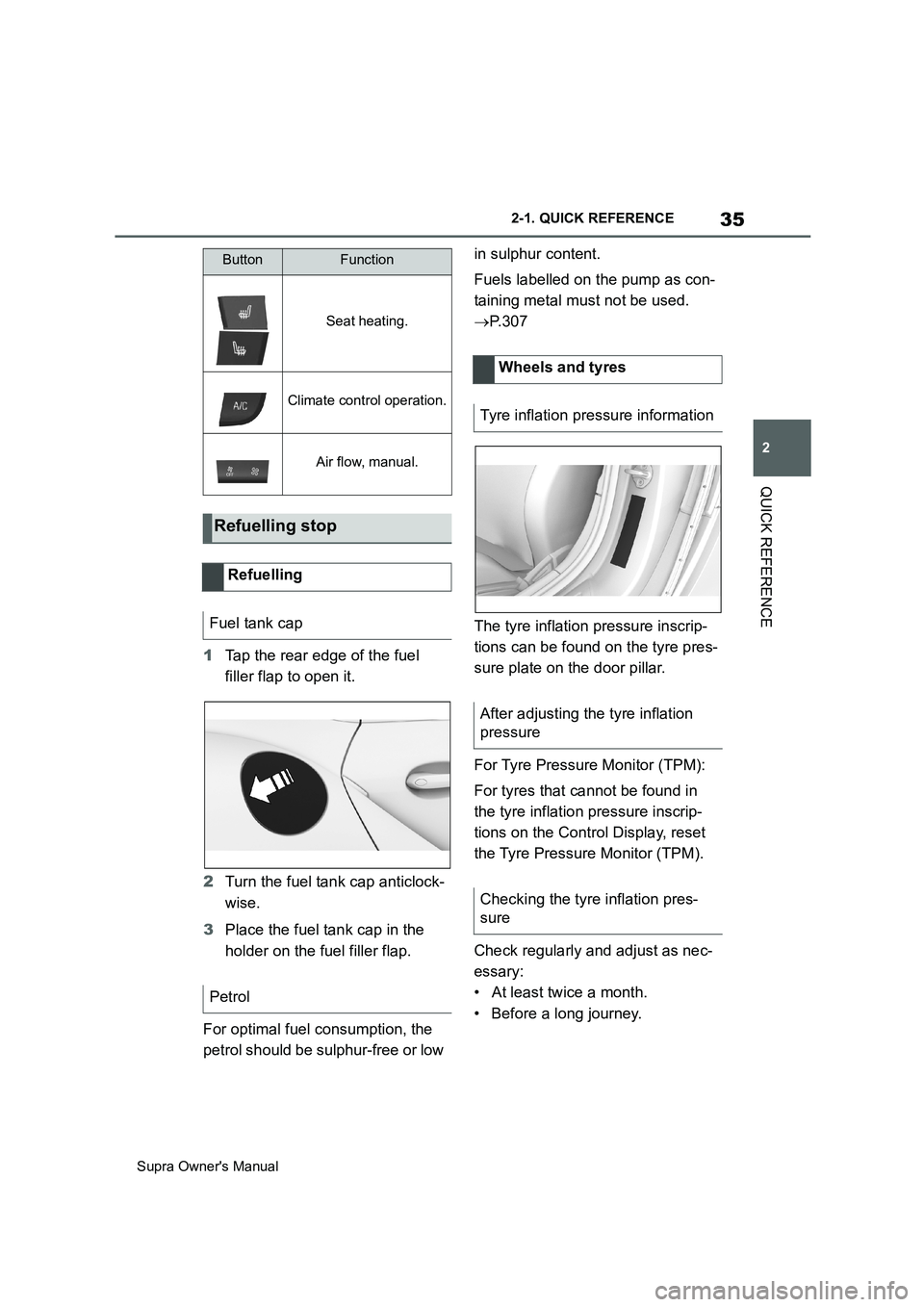
1Tap the rear edge of the fuel
filler flap to open it.
2Turn the fuel tank cap anticlock-
wise.
3Place the fuel tank cap in the
holder on the fuel filler flap.
For optimal fuel consumption, the
petrol should be sulphur-free or low in sulphur content.
Fuels labelled on the pump as con-
taining metal must not be used.
P. 3 0 7
The tyre inflation pressure inscrip-
tions can be found on the tyre pres-
sure plate on the door pillar.
For Tyre Pressure Monitor (TPM):
For tyres that cannot be found in
the tyre inflation pressure inscrip-
tions on the Control Display, reset
the Tyre Pressure Monitor (TPM).
Check regularly and adjust as nec-
essary:
• At least twice a month.
• Before a long journey.
Seat heating.
Climate control operation.
Air flow, manual.
Refuelling stop
Refuelling
Fuel tank cap
Petrol
ButtonFunction
Wheels and tyres
Tyre inflation pressure information
After adjusting the tyre inflation
pressure
Checking the tyre inflation pres-
sure
Page 46 of 456
46
Supra Owner's Manual3-1. CONTROLS
be operated when drive-ready state
is switched on.
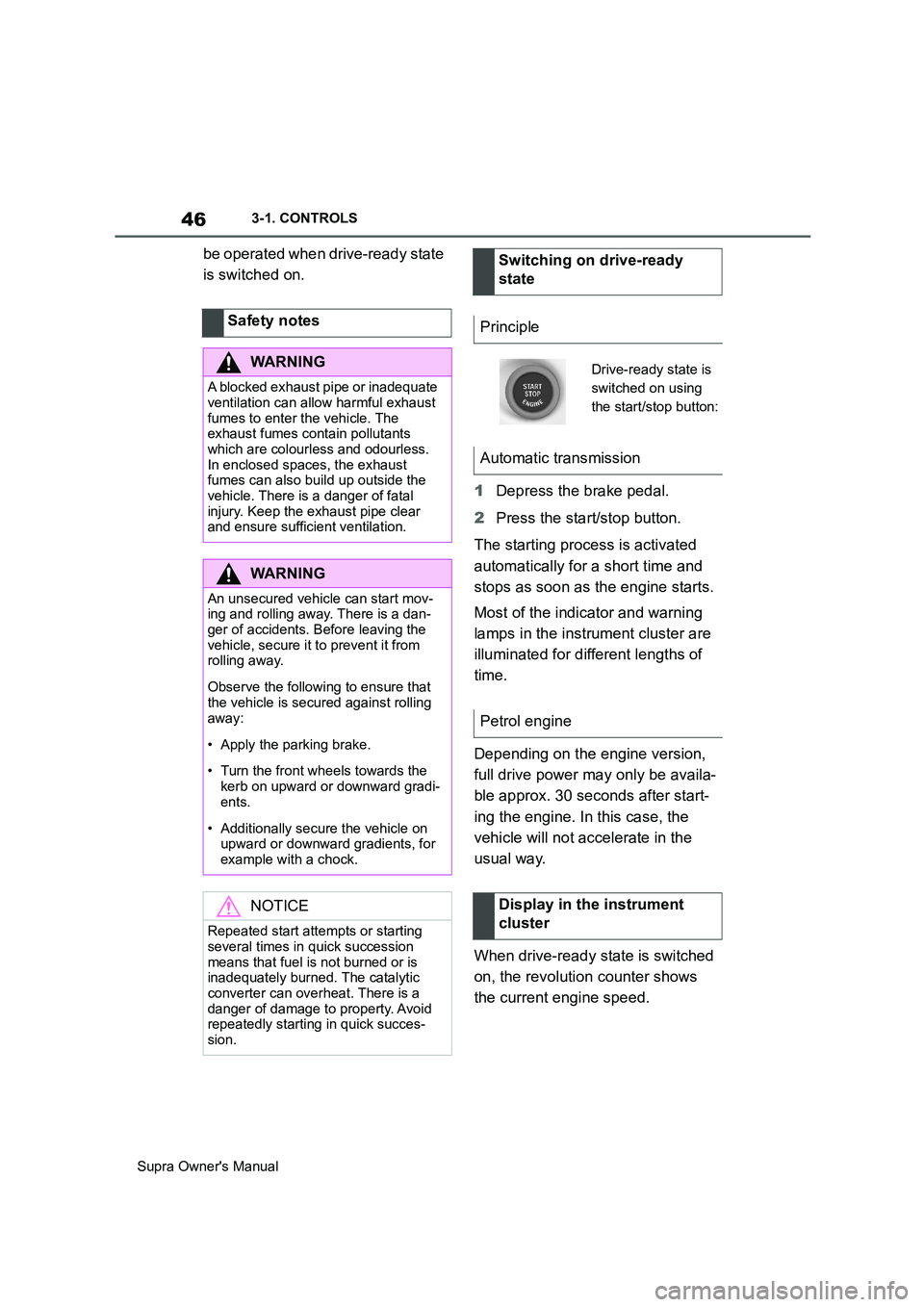
1Depress the brake pedal.
2Press the start/stop button.
The starting process is activated
automatically for a short time and
stops as soon as the engine starts.
Most of the indicator and warning
lamps in the instrument cluster are
illuminated for different lengths of
time.
Depending on the engine version,
full drive power may only be availa-
ble approx. 30 seconds after start-
ing the engine. In this case, the
vehicle will not accelerate in the
usual way.
When drive-ready state is switched
on, the revolution counter shows
the current engine speed. Safety notes
WARNING
A blocked exhaust pipe or inadequate
ventilation can allow harmful exhaust
fumes to enter the vehicle. The
exhaust fumes contain pollutants
which are colourless and odourless.
In enclosed spaces, the exhaust
fumes can also build up outside the
vehicle. There is a danger of fatal
injury. Keep the exhaust pipe clear
and ensure sufficient ventilation.
WARNING
An unsecured vehicle can start mov-
ing and rolling away. There is a dan-
ger of accidents. Before leaving the
vehicle, secure it to prevent it from
rolling away.
Observe the following to ensure that
the vehicle is secured against rolling
away:
• Apply the parking brake.
• Turn the front wheels towards the
kerb on upward or downward gradi-
ents.
• Additionally secure the vehicle on
upward or downward gradients, for
example with a chock.
NOTICE
Repeated start attempts or starting
several times in quick succession
means that fuel is not burned or is
inadequately burned. The catalytic
converter can overheat. There is a
danger of damage to property. Avoid
repeatedly starting in quick succes-
sion.
Switching on drive-ready
state
Principle
Drive-ready state is
switched on using
the start/stop button:
Automatic transmission
Petrol engine
Display in the instrument
cluster
Page 75 of 456
75
3
Supra Owner's Manual3-1. CONTROLS
CONTROLS
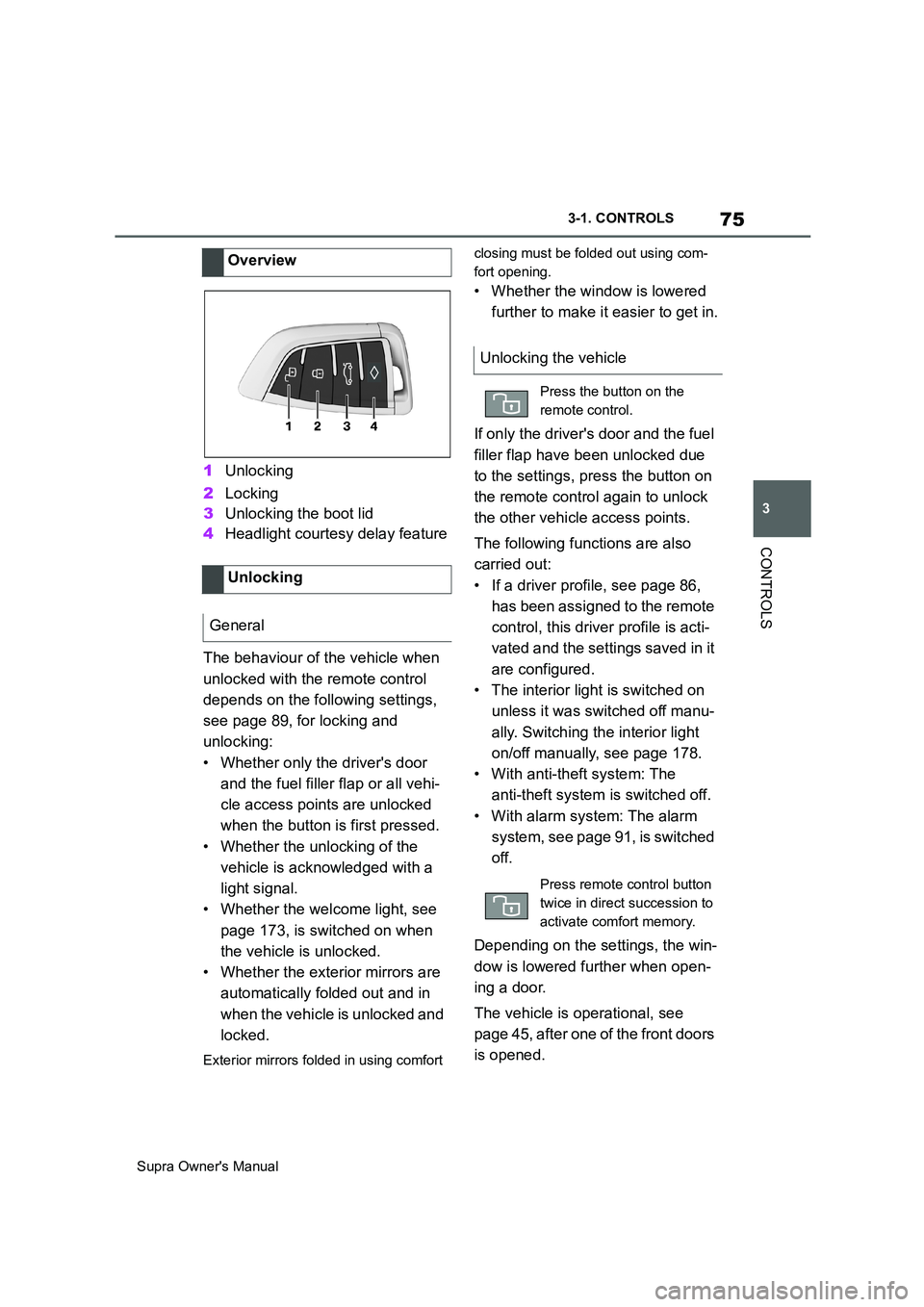
1Unlocking
2Locking
3Unlocking the boot lid
4Headlight courtesy delay feature
The behaviour of the vehicle when
unlocked with the remote control
depends on the following settings,
see page 89, for locking and
unlocking:
• Whether only the driver's door
and the fuel filler flap or all vehi-
cle access points are unlocked
when the button is first pressed.
• Whether the unlocking of the
vehicle is acknowledged with a
light signal.
• Whether the welcome light, see
page 173, is switched on when
the vehicle is unlocked.
• Whether the exterior mirrors are
automatically folded out and in
when the vehicle is unlocked and
locked.
Exterior mirrors folded in using comfort closing must be folded out using com-
fort opening.
• Whether the window is lowered
further to make it easier to get in.
If only the driver's door and the fuel
filler flap have been unlocked due
to the settings, press the button on
the remote control again to unlock
the other vehicle access points.
The following functions are also
carried out:
• If a driver profile, see page 86,
has been assigned to the remote
control, this driver profile is acti-
vated and the settings saved in it
are configured.
• The interior light is switched on
unless it was switched off manu-
ally. Switching the interior light
on/off manually, see page 178.
• With anti-theft system: The
anti-theft system is switched off.
• With alarm system: The alarm
system, see page 91, is switched
off.
Depending on the settings, the win-
dow is lowered further when open-
ing a door.
The vehicle is operational, see
page 45, after one of the front doors
is opened. Overview
Unlocking
General
Unlocking the vehicle
Press the button on the
remote control.
Press remote control button
twice in direct succession to
activate comfort memory.
Page 76 of 456
76
Supra Owner's Manual3-1. CONTROLS
The light functions might be
dependent on the ambient bright-
ness.
The windows are opened for as
long as the button on the remote
control is pressed.
Exterior mirrors which were folded
in via the comfort closing feature
are folded out.
The behaviour of the vehicle in the
case of remote control locking
depends on the following settings,
see page 89:
• Whether locking of the vehicle is
acknowledged with a light signal.
• Whether the exterior mirrors are
automatically folded in and out
when the vehicle is unlocked and
locked.
• Whether the headlight courtesy
delay feature, see page 173, is
activated when the vehicle is
locked.
1Close the driver's door.2 Press the button on the
remote control.
Following functions are carried out:
• All the doors, the boot lid and
fuel filler flap are locked.
• With anti-theft system: The
anti-theft system is switched on.
This prevents the doors from
being unlocked using the locking
buttons or the door openers.
• With alarm system: The alarm
system, see page 91, is switched
on.
If the drive-ready state is still
switched on when locking, the vehi-
cle horn sounds twice. In this case,
switch off the drive-ready state
using start/ stop button.
The windows are closed for as long
as the button on the remote control
is pressed. Comfort opening
Opening
Press and hold the button on
the remote control.
Locking
General
Locking the vehicle
Comfort closing
Safety notes
WARNING
Parts of the body can become
trapped when the comfort closing fea-
ture is operated. There is a danger of
injury. During comfort closing, make
sure that the area of movement is
kept clear.
Closing
Keep the button on the
remote control pressed after
locking.
Page 81 of 456
81
3
Supra Owner's Manual3-1. CONTROLS
CONTROLS
4Unlock or lock the door lock with
the integrated key.
The other doors must be unlocked
or locked from the inside.
The alarm system is not switched
on if the vehicle is locked with the
integrated key.
The alarm system is triggered when
the door is opened after being
unlocked via the door lock.
To stop the alarm, unlock the vehi-
cle with the remote control, if nec-
essary using the special ID feature
of the remote control, see page 78.
In the event of an accident of suffi-
cient severity, the vehicle is auto-
matically unlocked. The hazard
warning lights and interior lights illu-
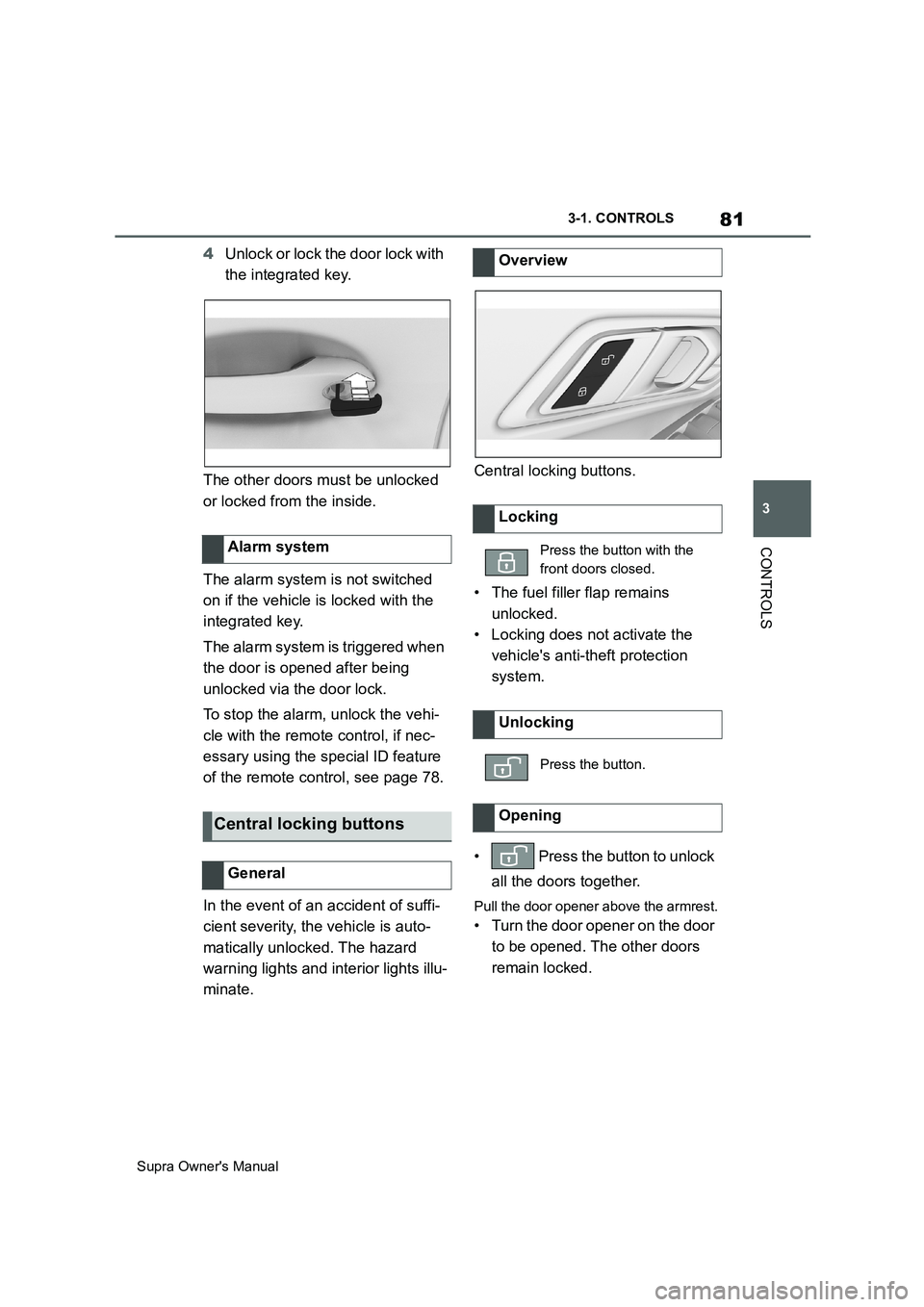
minate.Central locking buttons.
• The fuel filler flap remains
unlocked.
• Locking does not activate the
vehicle's anti-theft protection
system.
• Press the button to unlock
all the doors together.
Pull the door opener above the armrest.
• Turn the door opener on the door
to be opened. The other doors
remain locked. Alarm system
Central locking buttons
General
Overview
Locking
Press the button with the
front doors closed.
Unlocking
Press the button.
Opening