low beam TOYOTA SUPRA 2019 Owners Manual
[x] Cancel search | Manufacturer: TOYOTA, Model Year: 2019, Model line: SUPRA, Model: TOYOTA SUPRA 2019Pages: 456, PDF Size: 88.65 MB
Page 32 of 456
32
Supra Owner's Manual2-1. QUICK REFERENCE
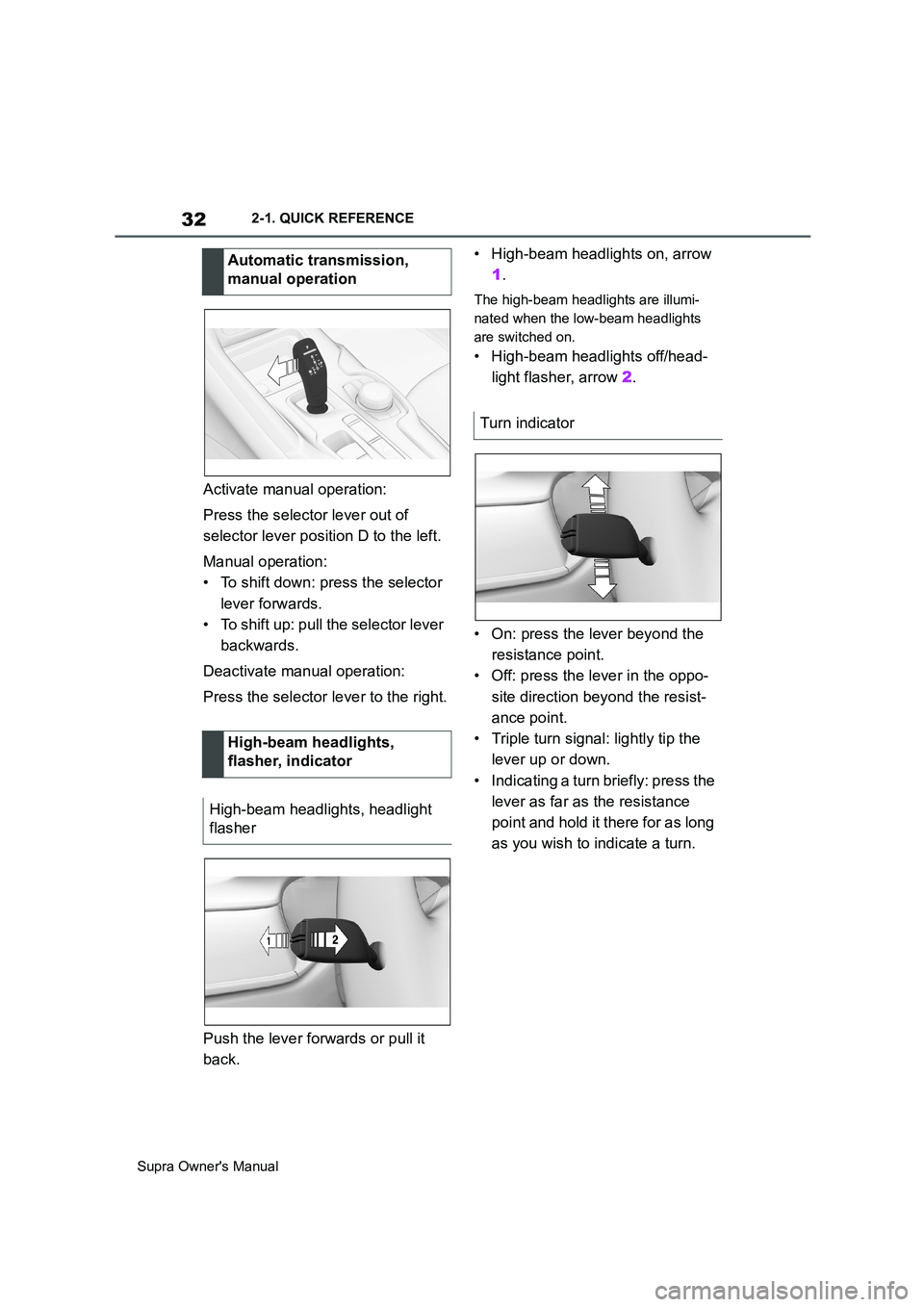
Activate manual operation:
Press the selector lever out of
selector lever position D to the left.
Manual operation:
• To shift down: press the selector
lever forwards.
• To shift up: pull the selector lever
backwards.
Deactivate manual operation:
Press the selector lever to the right.
Push the lever forwards or pull it
back.• High-beam headlights on, arrow
1.
The high-beam headlights are illumi-
nated when the low-beam headlights
are switched on.
• High-beam headlights off/head-
light flasher, arrow 2.
• On: press the lever beyond the
resistance point.
• Off: press the lever in the oppo-
site direction beyond the resist-
ance point.
• Triple turn signal: lightly tip the
lever up or down.
• Indicating a turn briefly: press the
lever as far as the resistance
point and hold it there for as long
as you wish to indicate a turn. Automatic transmission,
manual operation
High-beam headlights,
flasher, indicator
High-beam headlights, headlight
flasher
Turn indicator
Page 33 of 456
33
2
Supra Owner's Manual2-1. QUICK REFERENCE
QUICK REFERENCE
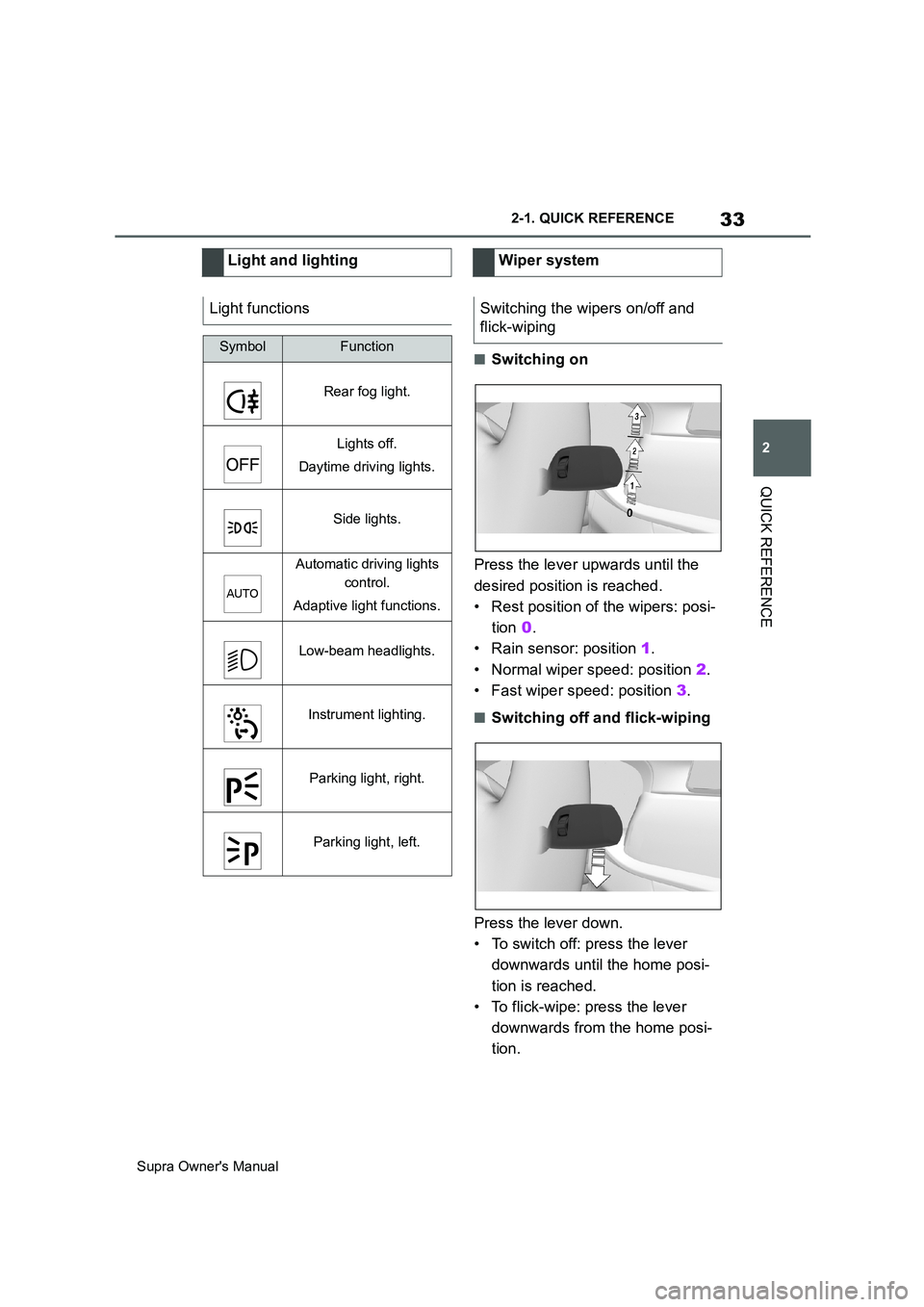
■Switching on
Press the lever upwards until the
desired position is reached.
• Rest position of the wipers: posi-
tion 0.
• Rain sensor: position 1.
• Normal wiper speed: position 2.
• Fast wiper speed: position 3.
■Switching off and flick-wiping
Press the lever down.
• To switch off: press the lever
downwards until the home posi-
tion is reached.
• To flick-wipe: press the lever
downwards from the home posi-
tion. Light and lighting
Light functions
SymbolFunction
Rear fog light.
Lights off.
Daytime driving lights.
Side lights.
Automatic driving lights
control.
Adaptive light functions.
Low-beam headlights.
Instrument lighting.
Parking light, right.
Parking light, left.
Wiper system
Switching the wipers on/off and
flick-wiping
Page 41 of 456
41
3
Supra Owner's Manual3-1. CONTROLS
CONTROLS
Automatic driving lights
control P.171
Automatic high-beamP.174
Low-beam headlights
P. 1 7 3
Instrument lighting P.177
Right parking light P.173
Left parking light P.173
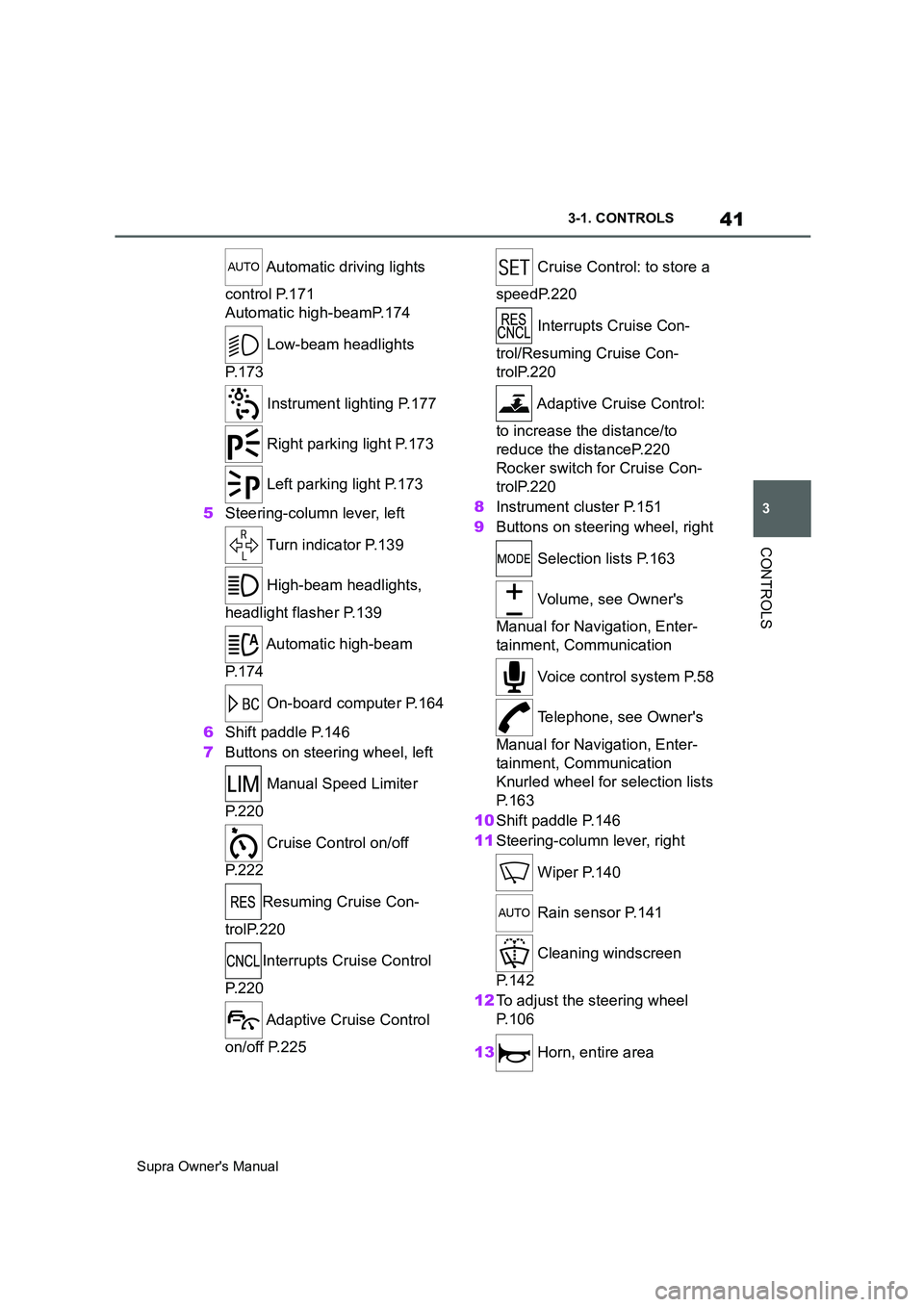
5Steering-column lever, left
Turn indicator P.139
High-beam headlights,
headlight flasher P.139
Automatic high-beam
P. 1 7 4
On-board computer P.164
6Shift paddle P.146
7Buttons on steering wheel, left
Manual Speed Limiter
P. 2 2 0
Cruise Control on/off
P. 2 2 2
Resuming Cruise Con-
trolP.220
Interrupts Cruise Control
P. 2 2 0
Adaptive Cruise Control
on/off P.225 Cruise Control: to store a
speedP.220
Interrupts Cruise Con-
trol/Resuming Cruise Con-
trolP.220
Adaptive Cruise Control:
to increase the distance/to
reduce the distanceP.220
Rocker switch for Cruise Con-
trolP.220
8Instrument cluster P.151
9Buttons on steering wheel, right
Selection lists P.163
Volume, see Owner's
Manual for Navigation, Enter-
tainment, Communication
Voice control system P.58
Telephone, see Owner's
Manual for Navigation, Enter-
tainment, Communication
Knurled wheel for selection lists
P. 1 6 3
10Shift paddle P.146
11Steering-column lever, right
Wiper P.140
Rain sensor P.141
Cleaning windscreen
P. 1 4 2
12To adjust the steering wheel
P. 1 0 6
13 Horn, entire area
Page 140 of 456
140
Supra Owner's Manual3-1. CONTROLS
back.
1High-beam headlights on, arrow
1.
The high-beam headlights are illumi-
nated when the low-beam headlights
are switched on.
2High-beam headlights off/head-
light flasher, arrow 2.
Do not use the wipers on a dry
windscreen, otherwise the wiper
blades will wear or become dam-
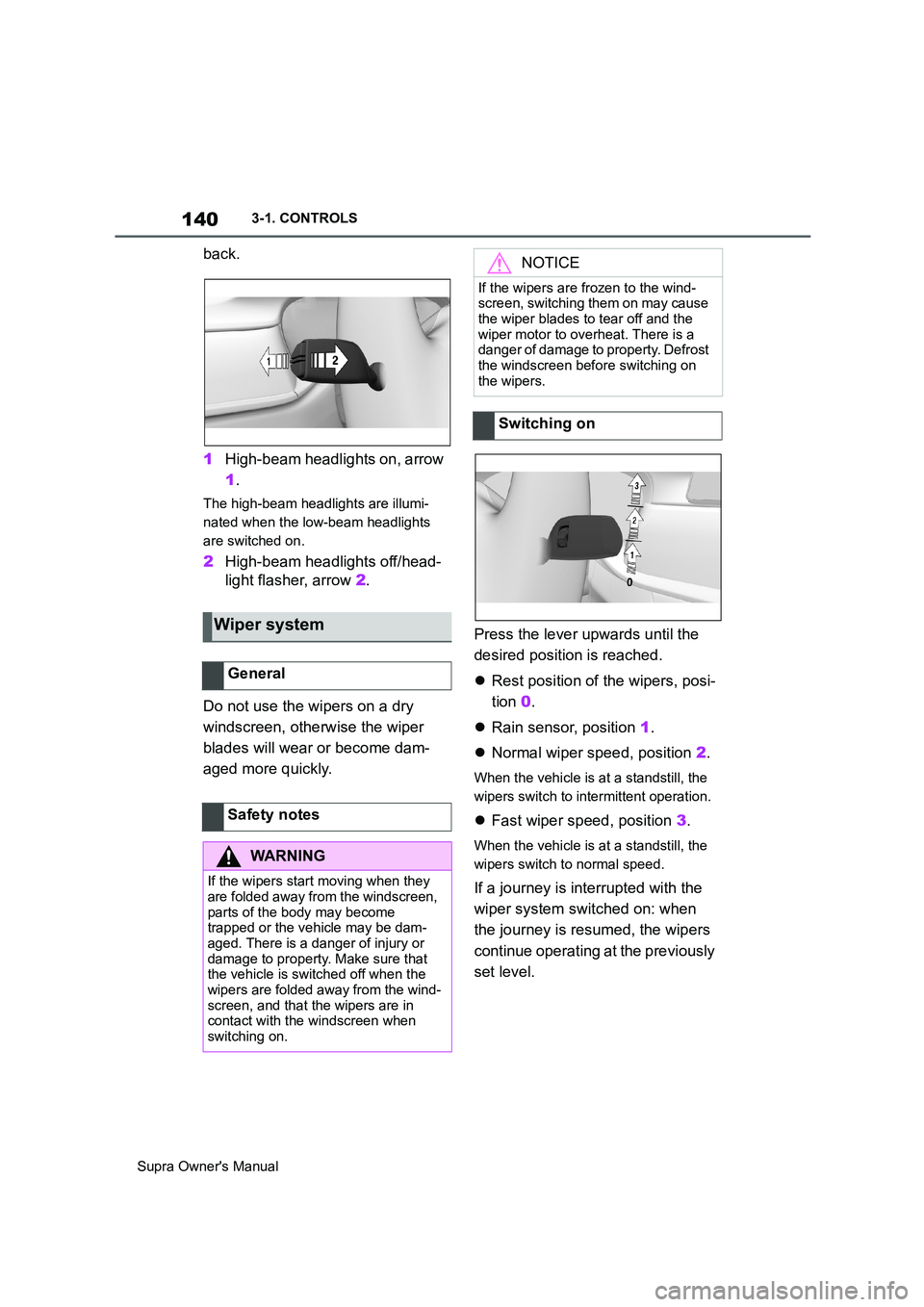
aged more quickly.Press the lever upwards until the
desired position is reached.
Rest position of the wipers, posi-
tion 0.
Rain sensor, position 1.
Normal wiper speed, position 2.
When the vehicle is at a standstill, the
wipers switch to intermittent operation.
Fast wiper speed, position 3.
When the vehicle is at a standstill, the
wipers switch to normal speed.
If a journey is interrupted with the
wiper system switched on: when
the journey is resumed, the wipers
continue operating at the previously
set level.
Wiper system
General
Safety notes
WARNING
If the wipers start moving when they
are folded away from the windscreen,
parts of the body may become
trapped or the vehicle may be dam-
aged. There is a danger of injury or
damage to property. Make sure that
the vehicle is switched off when the
wipers are folded away from the wind-
screen, and that the wipers are in
contact with the windscreen when
switching on.
NOTICE
If the wipers are frozen to the wind-
screen, switching them on may cause
the wiper blades to tear off and the
wiper motor to overheat. There is a
danger of damage to property. Defrost
the windscreen before switching on
the wipers.
Switching on
Page 156 of 456
156
Supra Owner's Manual3-1. CONTROLS
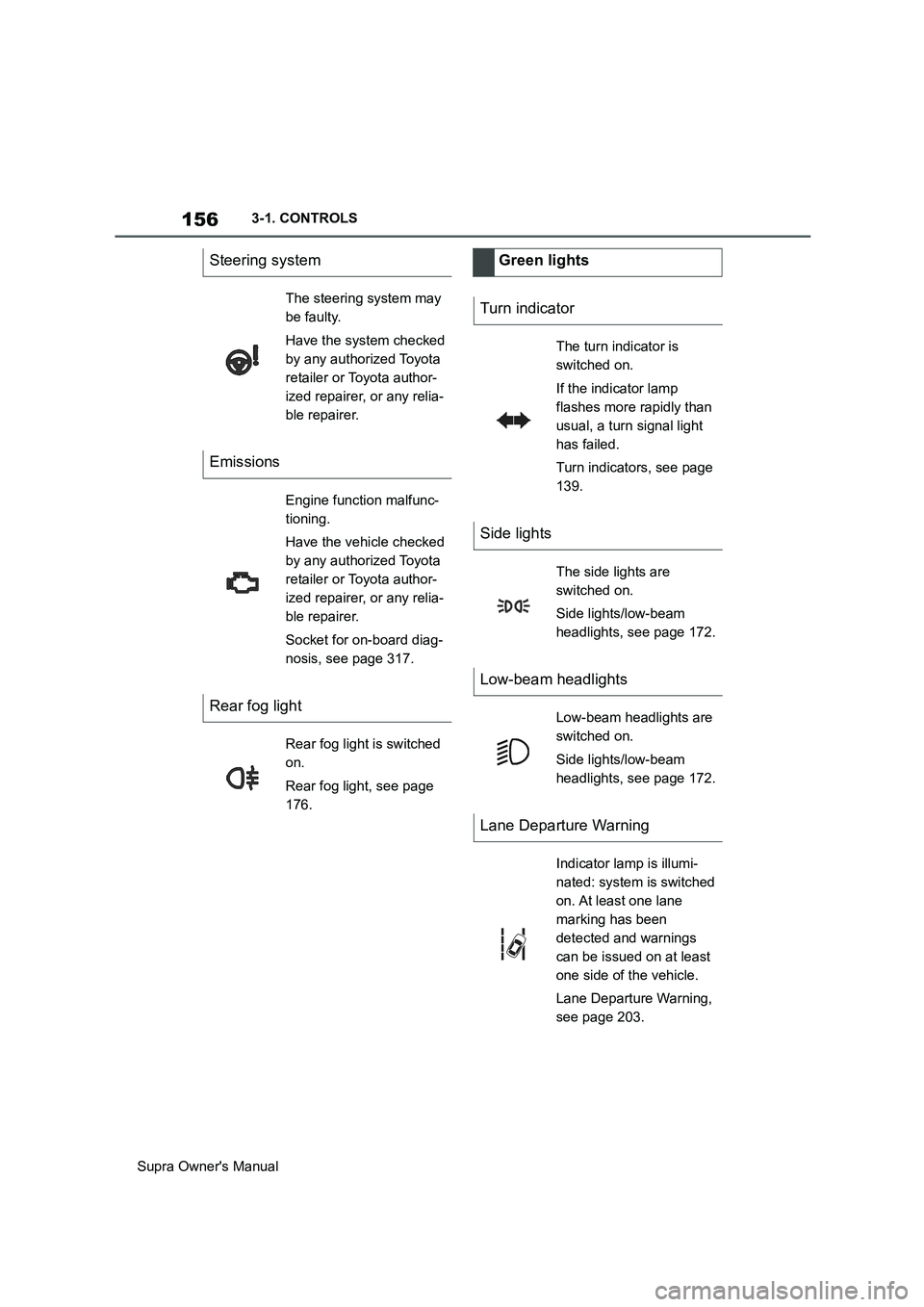
Steering system
The steering system may
be faulty.
Have the system checked
by any authorized Toyota
retailer or Toyota author-
ized repairer, or any relia-
ble repairer.
Emissions
Engine function malfunc-
tioning.
Have the vehicle checked
by any authorized Toyota
retailer or Toyota author-
ized repairer, or any relia-
ble repairer.
Socket for on-board diag-
nosis, see page 317.
Rear fog light
Rear fog light is switched
on.
Rear fog light, see page
176.
Green lights
Turn indicator
The turn indicator is
switched on.
If the indicator lamp
flashes more rapidly than
usual, a turn signal light
has failed.
Turn indicators, see page
139.
Side lights
The side lights are
switched on.
Side lights/low-beam
headlights, see page 172.
Low-beam headlights
Low-beam headlights are
switched on.
Side lights/low-beam
headlights, see page 172.
Lane Departure Warning
Indicator lamp is illumi-
nated: system is switched
on. At least one lane
marking has been
detected and warnings
can be issued on at least
one side of the vehicle.
Lane Departure Warning,
see page 203.
Page 169 of 456
169
3
Supra Owner's Manual3-1. CONTROLS
CONTROLS
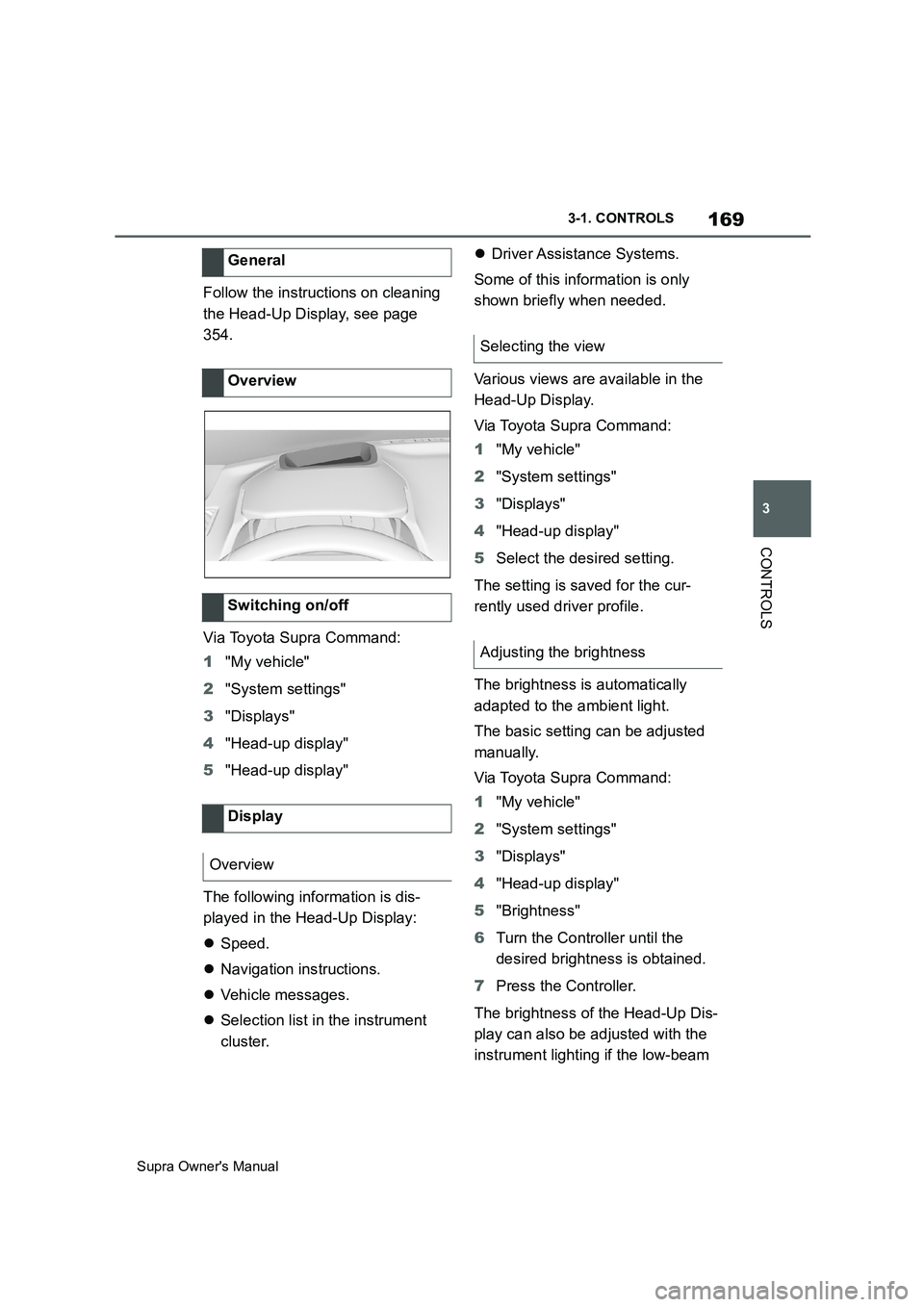
Follow the instructions on cleaning
the Head-Up Display, see page
354.
Via Toyota Supra Command:
1"My vehicle"
2"System settings"
3"Displays"
4"Head-up display"
5"Head-up display"
The following information is dis-
played in the Head-Up Display:
Speed.
Navigation instructions.
Vehicle messages.
Selection list in the instrument
cluster.Driver Assistance Systems.
Some of this information is only
shown briefly when needed.
Various views are available in the
Head-Up Display.
Via Toyota Supra Command:
1"My vehicle"
2"System settings"
3"Displays"
4"Head-up display"
5Select the desired setting.
The setting is saved for the cur-
rently used driver profile.
The brightness is automatically
adapted to the ambient light.
The basic setting can be adjusted
manually.
Via Toyota Supra Command:
1"My vehicle"
2"System settings"
3"Displays"
4"Head-up display"
5"Brightness"
6Turn the Controller until the
desired brightness is obtained.
7Press the Controller.
The brightness of the Head-Up Dis-
play can also be adjusted with the
instrument lighting if the low-beam General
Overview
Switching on/off
Display
Overview
Selecting the view
Adjusting the brightness
Page 171 of 456
171
3
Supra Owner's Manual3-1. CONTROLS
CONTROLS
This chapter describes all standard,
country-specific and special equip-
ment available for the model series.
It may therefore describe equip-
ment and functions which are not
installed in your vehicle, for exam-
ple on account of the optional
equipment selected or the country
specification. This also applies to
safety-relevant functions and sys-
tems. Please comply with the rele-
vant laws and regulations when
using the corresponding functions
and systems.
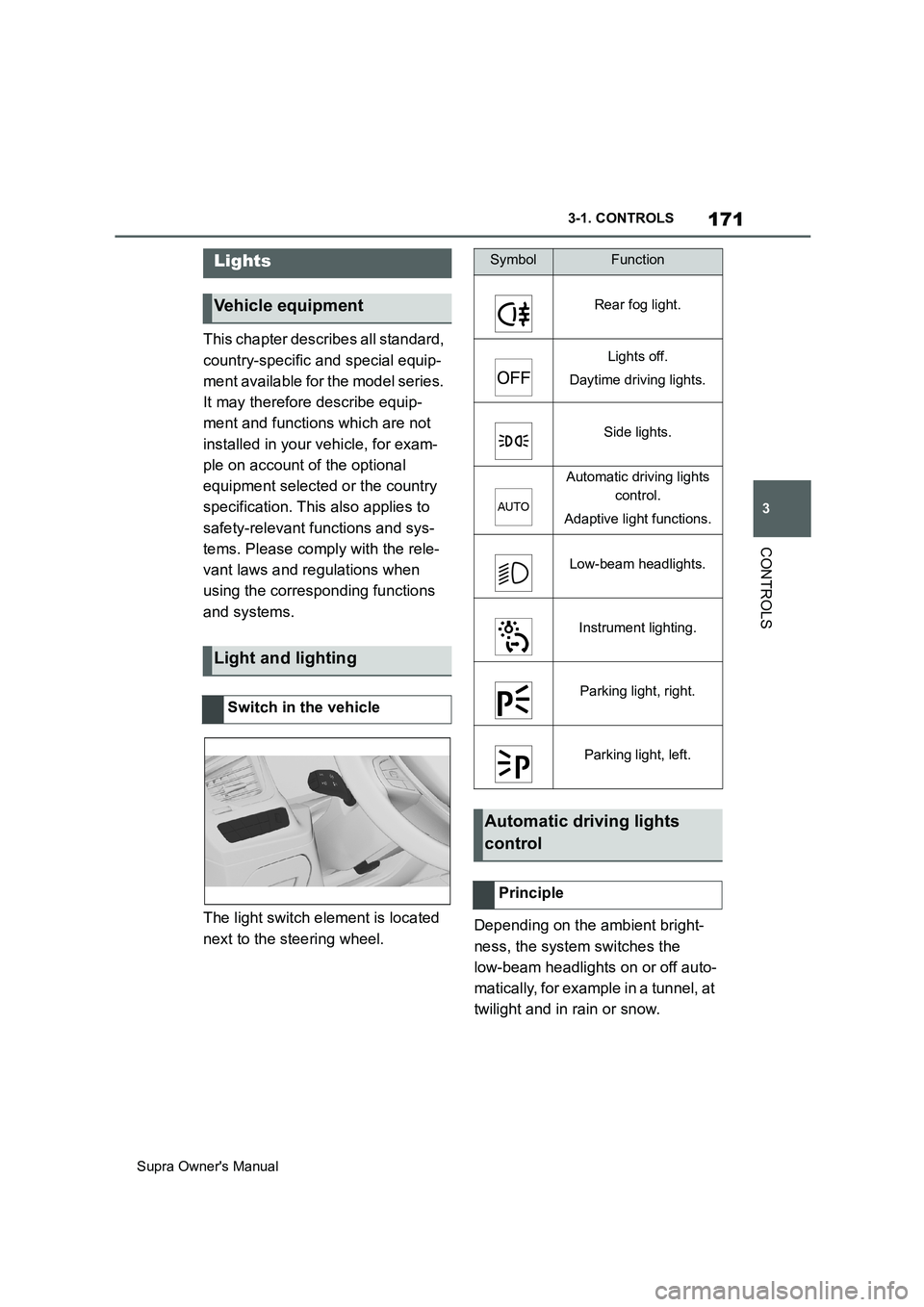
The light switch element is located
next to the steering wheel.Depending on the ambient bright-
ness, the system switches the
low-beam headlights on or off auto-
matically, for example in a tunnel, at
twilight and in rain or snow.
Lights
Vehicle equipment
Light and lighting
Switch in the vehicle
SymbolFunction
Rear fog light.
Lights off.
Daytime driving lights.
Side lights.
Automatic driving lights
control.
Adaptive light functions.
Low-beam headlights.
Instrument lighting.
Parking light, right.
Parking light, left.
Automatic driving lights
control
Principle
Page 172 of 456
172
Supra Owner's Manual3-1. CONTROLS
The headlights may also come on
when the sun is low against a blue
sky.
If the low-beam headlights are
switched on manually, the auto-
matic driving lights control is deacti-
vated.
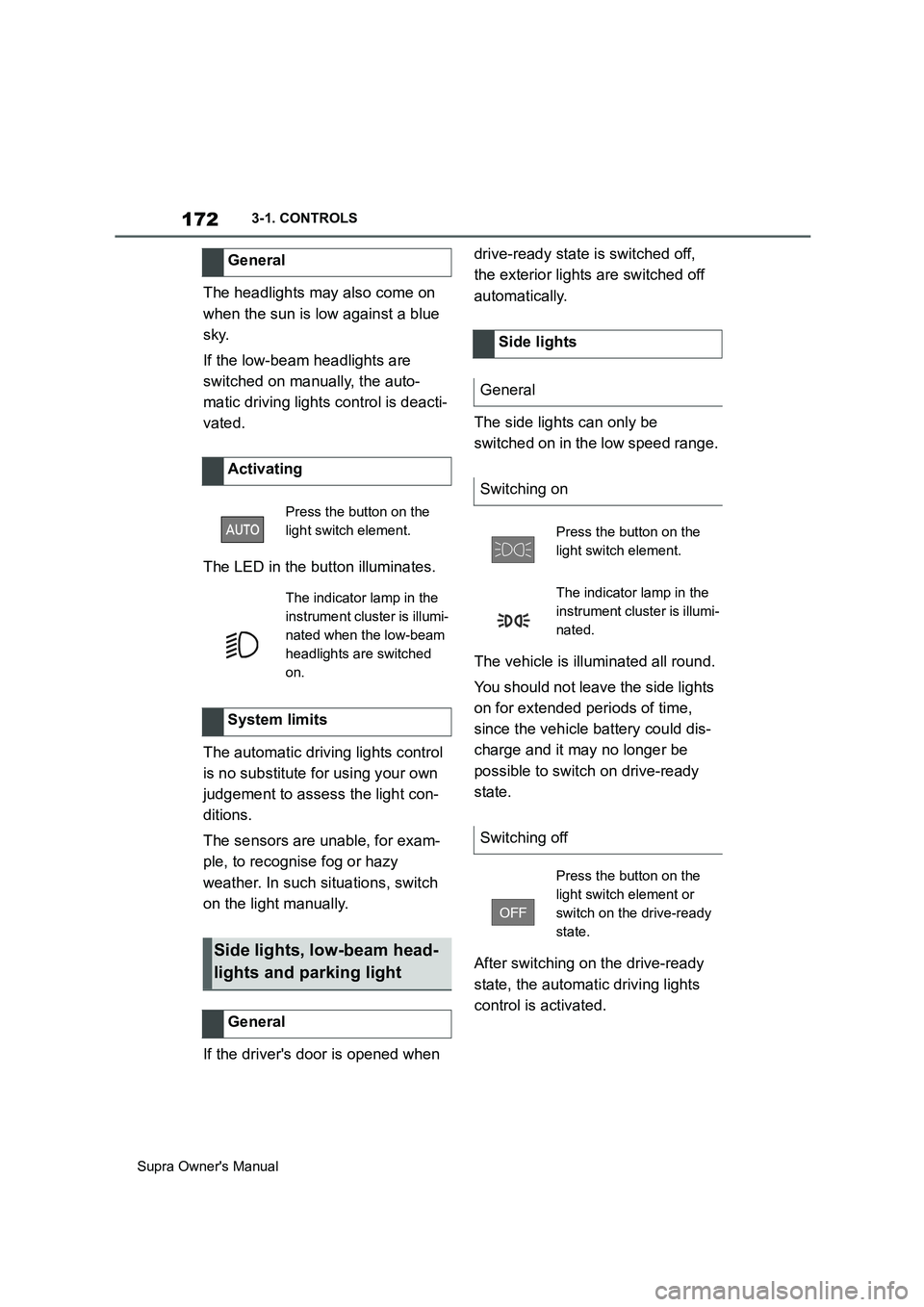
The LED in the button illuminates.
The automatic driving lights control
is no substitute for using your own
judgement to assess the light con-
ditions.
The sensors are unable, for exam-
ple, to recognise fog or hazy
weather. In such situations, switch
on the light manually.
If the driver's door is opened when drive-ready state is switched off,
the exterior lights are switched off
automatically.
The side lights can only be
switched on in the low speed range.
The vehicle is illuminated all round.
You should not leave the side lights
on for extended periods of time,
since the vehicle battery could dis-
charge and it may no longer be
possible to switch on drive-ready
state.
After switching on the drive-ready
state, the automatic driving lights
control is activated. General
Activating
Press the button on the
light switch element.
The indicator lamp in the
instrument cluster is illumi-
nated when the low-beam
headlights are switched
on.
System limits
Side lights, low-beam head-
lights and parking light
General
Side lights
General
Switching on
Press the button on the
light switch element.
The indicator lamp in the
instrument cluster is illumi-
nated.
Switching off
Press the button on the
light switch element or
switch on the drive-ready
state.
Page 173 of 456
173
3
Supra Owner's Manual3-1. CONTROLS
CONTROLS
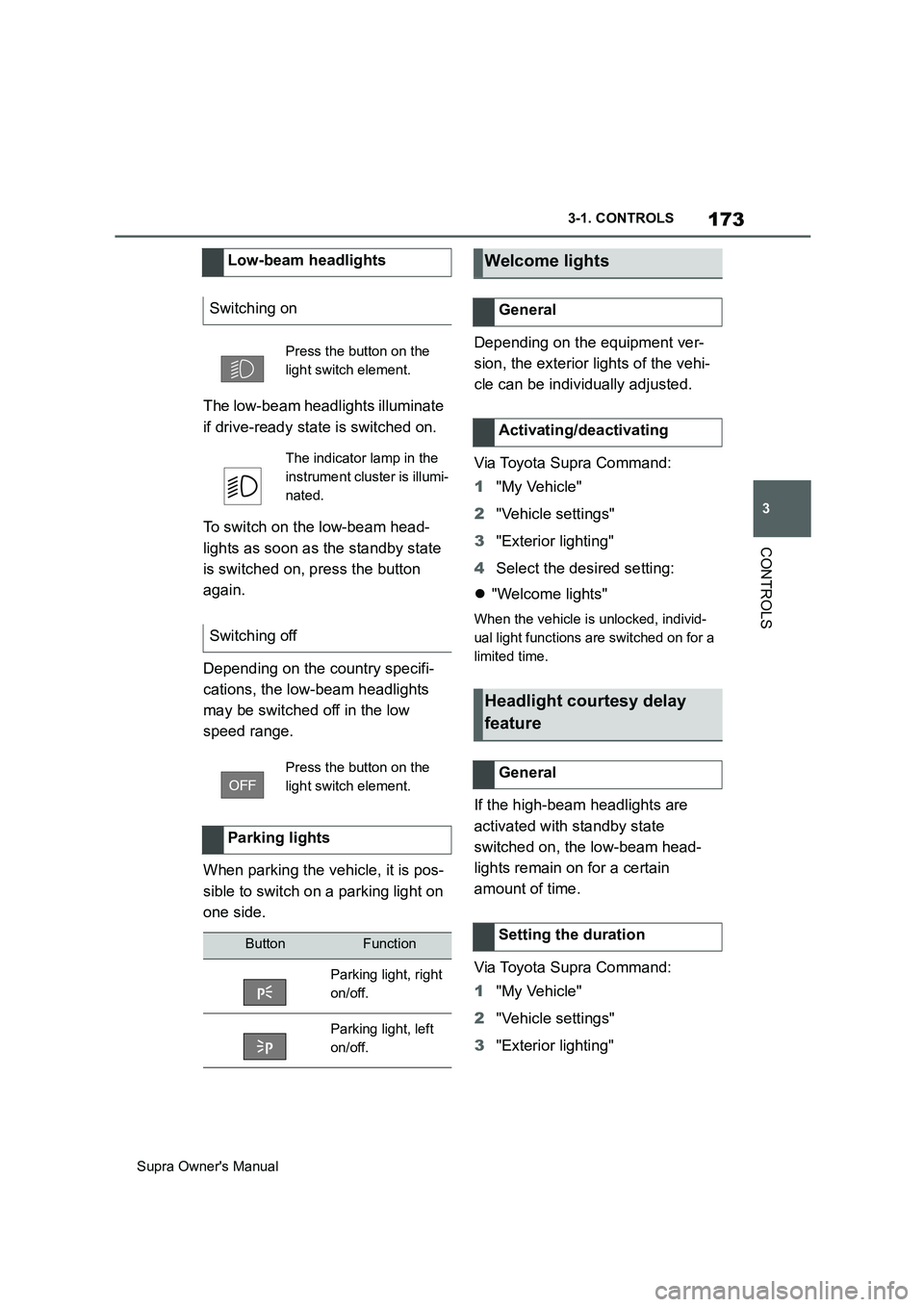
The low-beam headlights illuminate
if drive-ready state is switched on.
To switch on the low-beam head-
lights as soon as the standby state
is switched on, press the button
again.
Depending on the country specifi-
cations, the low-beam headlights
may be switched off in the low
speed range.
When parking the vehicle, it is pos-
sible to switch on a parking light on
one side.Depending on the equipment ver-
sion, the exterior lights of the vehi-
cle can be individually adjusted.
Via Toyota Supra Command:
1"My Vehicle"
2"Vehicle settings"
3"Exterior lighting"
4Select the desired setting:
"Welcome lights"
When the vehicle is unlocked, individ-
ual light functions are switched on for a
limited time.
If the high-beam headlights are
activated with standby state
switched on, the low-beam head-
lights remain on for a certain
amount of time.
Via Toyota Supra Command:
1"My Vehicle"
2"Vehicle settings"
3"Exterior lighting" Low-beam headlights
Switching on
Press the button on the
light switch element.
The indicator lamp in the
instrument cluster is illumi-
nated.
Switching off
Press the button on the
light switch element.
Parking lights
ButtonFunction
Parking light, right
on/off.
Parking light, left
on/off.
Welcome lights
General
Activating/deactivating
Headlight courtesy delay
feature
General
Setting the duration
Page 174 of 456
174
Supra Owner's Manual3-1. CONTROLS
4"Home lights"
5Select the desired setting.
The daytime driving lights illuminate
if drive-ready state is switched on.
In some countries daytime driving
lights are compulsory, in which
case the daytime driving lights can-
not be deactivated.
Via Toyota Supra Command:
1"My Vehicle"
2"Vehicle Settings"
3"Exterior lighting"
4"Daytime driving lights"
The setting is saved for the cur-
rently used driver profile.
Variable light distribution enables
even better illumination of the car-
riageway.
The light distribution is automati-
cally adapted to the speed.
If equipment includes a navigation system, the light distribution is
automatically adapted depending
on the navigation data and speed.
The illuminated area of the
low-beam headlights is extended at
the sides.
The illumination width of the
low-beam headlights is expanded.
In sharp turns up to a specified
speed, for example in hairpin bends
or when turning off, a cornering
light is added to illuminate the
inside area of the bend.
The cornering light is activated
automatically depending on the
steering angle or use of the turn
indicators.
The cornering light may be acti-
vated automatically when driving in
reverse, irrespective of the steer-
ing angle.
Automatic high-beam detects other
road users in good time and acti-
vates or deactivates the high beam
depending on the traffic situation.
Daytime driving lights
General
Activating/deactivating
Variable light distribution
Principle
General
City light
Motorway beam pattern
Cornering light
Automatic high-beam
Principle