maintenance TOYOTA SUPRA 2019 Owners Manual
[x] Cancel search | Manufacturer: TOYOTA, Model Year: 2019, Model line: SUPRA, Model: TOYOTA SUPRA 2019Pages: 456, PDF Size: 88.65 MB
Page 2 of 456
2
Supra Owner's ManualTABLE OF CONTENTS
1-1. NOTES
Notes ......................................4
Owner's Manual media .........18
2-1. QUICK REFERENCE
Getting in ..............................20
Setting and operation............26
On the move .........................30
3-1. CONTROLS
Driving area ..........................40
Vehicle operating state .........44
Toyota Supra Command .......47
Voice control system .............58
General settings....................61
Opening and closing .............74
Seats, mirrors and steering
wheel ..................................95
Carrying children safely ......108
Driving.................................134
Displays ..............................151
Lights ..................................171
Safety..................................179
Driving Stability Control Systems
..........................................215
Driver Assistance Systems
..........................................220
Driving comfort....................248
Climate................................249
Interior equipment ...............257Storage compartments .......259
Boot ....................................261
4-1. DRIVING HINTS
Driving precautions .............266
Saving fuel ..........................272
5-1. MOBILITY
Refuelling ............................276
Wheels and tyres ................278
Engine compartment...........305
Service products .................307
Maintenance .......................315
Scheduled maintenance (except
for Europe and Australia) ..319
Replacing parts ...................326
Breakdown Assist ...............333
General care .......................348
6-1. REFERENCE
Technical data .....................356
Certification .........................360
Alphabetical Index ..............444
1NOTES
2QUICK REFERENCE
3CONTROLS
4DRIVING HINTS
5MOBILITY
6REFERENCE
Index
Page 6 of 456
6
Supra Owner's Manual1-1. NOTES
manufacturer of your vehicles una-
ble to recognise legal claims based
on discrepancies between the data,
illustrations and descriptions in this
Owner's Manual and your own
vehicle's equipment. Please note,
too, that some of the optional
equipment described in this manual
is not available on Australian mod-
els due to restrictions imposed by
Australian Design Rules and other
requirements.
Should you require any further
information, please contact your
Service centre, who will be pleased
to advise you.
Please comply with the following
when using the vehicle:
• Owner's Manual.
• Information on the vehicle. Do
not remove stickers.
• Technical data of the vehicle.
• The applicable laws and safety
standards of the country in which
the vehicle is used.
• Vehicle papers and legal docu-
ments.
Your vehicle is technically designed
for the operating conditions and
approval requirements prevalent in
the country to which it was first delivered - homologation. If your
vehicle is to be operated in another
country, it may have to be adapted
be forehand to any prevailing differ-
ent operating conditions and
approval requirements. If your vehi-
cle does not comply with the
homologation requirements in a
certain country, you cannot lodge
warranty claims for your vehicle
there. Any authorized Toyota
retailer or Toyota authorized
repairer, or any reliable repairer is
able to provide further information.
The advanced technology used in
your vehicle, for example the
state-of-the-art materials and
high-performance electronics,
requires appropriate maintenance
and repair methods.
Consequently, the manufacturer of
your vehicle recommends having
corresponding work carried out by
Toyota. If you choose to use
another specialist workshop,
Toyota recommends using one that
Your own safety
Intended use
Warranty
Maintenance and repairs
WARNING
Work performed incorrectly on the
vehicle paintwork can cause the radar
sensors to fail or malfunction, result-
ing in a safety risk. There is a danger
of accidents or damage to property.
For vehicles with radar sensors, only
have paintwork or paint repairs on the
bumpers carried out by any author-
ized Toyota retailer or Toyota author-
ized repairer, or any reliable repairer.
Page 9 of 456
9
1
Supra Owner's Manual1-1. NOTES
NOTES
This data includes, for example:
• Status messages of the vehicle
and its individual components,
for example wheel rotation
speed, wheel speed, decelera-
tion, lateral acceleration, fas-
tened seat belt indicator.
• Ambient conditions, for example
temperature, rain sensor signals.
The data is only processed within
the vehicle itself and is usually tran-
sient. The data is not saved after
the vehicle is switched off.
Electronic parts, for example con-
trol devices and vehicle keys, con-
tain components for saving
technical information. Information
on vehicle condition, component
load, maintenance requirements,
events or errors can be saved tem-
porarily or permanently.
This information generally docu-
ments the condition of a compo-
nent, a module, a system or its
environment, for example:
• Operating states of system com-
ponents, for example, fill levels,
tyre inflation pressure, battery
status.
• Malfunctions and faults of impor-
tant system components, for
example, lights and brakes.
• Responses of the vehicle to par-
ticular driving situations, for
example triggering of an airbag,
activation of the drive stability
control systems.
• Information on vehicle-damag-ing events.
The data is required so that the
control units can perform their func-
tions. It is also used for detecting
and rectifying malfunctions, and
helps the vehicle manufacturer to
optimise vehicle functions.
The majority of this data is transient
and is only processed within the
vehicle itself. Only a small propor-
tion of the data is stored in event or
error memories in response to spe-
cific circumstances.
When service work is being carried
out, for example repairs, service
operations, warranty work and
quality assurance measures, this
technical information can be read
out from the vehicle together with
the vehicle identification number.
Any authorized Toyota retailer or
Toyota authorized repairer, or any
reliable repairer can read out the
information. The legally required
on-board diagnostics (OBD) socket
in the vehicle is used to read out
the data.
The data is collected, processed
and used by the relevant organisa-
tions in the service network. The
data documents the technical con-
ditions of the vehicle and helps in
locating errors, complying with war-
ranty obligations and improving
quality.
Furthermore, the manufacturer has
product monitoring obligations to
meet in line with product liability
Page 20 of 456
20
Supra Owner's Manual2-1. QUICK REFERENCE
2-1.QUICK REFE RENCE
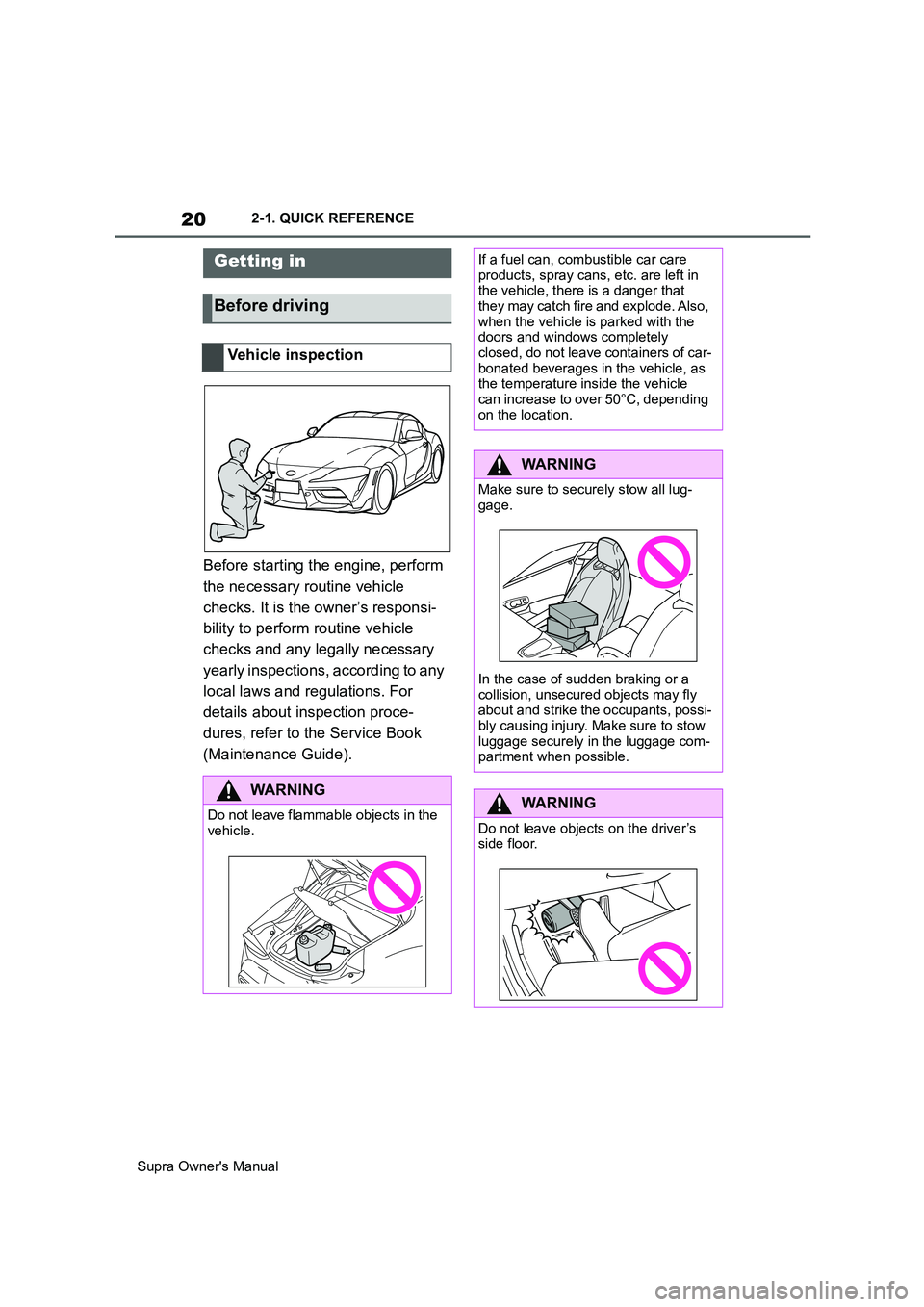
Before starting the engine, perform
the necessary routine vehicle
checks. It is the owner’s responsi-
bility to perform routine vehicle
checks and any legally necessary
yearly inspections, according to any
local laws and regulations. For
details about inspection proce-
dures, refer to the Service Book
(Maintenance Guide).
Getting in
Before driving
Vehicle inspection
WARNING
Do not leave flammable objects in the
vehicle.
If a fuel can, combustible car care
products, spray cans, etc. are left in
the vehicle, there is a danger that
they may catch fire and explode. Also,
when the vehicle is parked with the
doors and windows completely
closed, do not leave containers of car-
bonated beverages in the vehicle, as
the temperature inside the vehicle
can increase to over 50°C, depending
on the location.
WARNING
Make sure to securely stow all lug-
gage.
In the case of sudden braking or a
collision, unsecured objects may fly
about and strike the occupants, possi-
bly causing injury. Make sure to stow
luggage securely in the luggage com-
partment when possible.
WARNING
Do not leave objects on the driver’s
side floor.
Page 37 of 456
37
2
Supra Owner's Manual2-1. QUICK REFERENCE
QUICK REFERENCE
The Concierge Service provides
information about hotels, restau-
rants etc. and can send an SMS
with the required information to the
vehicle. Addresses can also be
sent directly to the navigation sys-
tem.
Via Toyota Supra Command:
1"Connected Serv."
2"Toyota Supra Assistance"
3"Concierge Services"
A voice connection to the Con-
cierge Service is established.
Remote maintenances are services
that help to keep the vehicle
mobile.
Remote maintenances can com-
prise the following services:
• Roadside assistance
• Battery guard
When leaving the vehicle, turn the
engine switch off, apply the parking
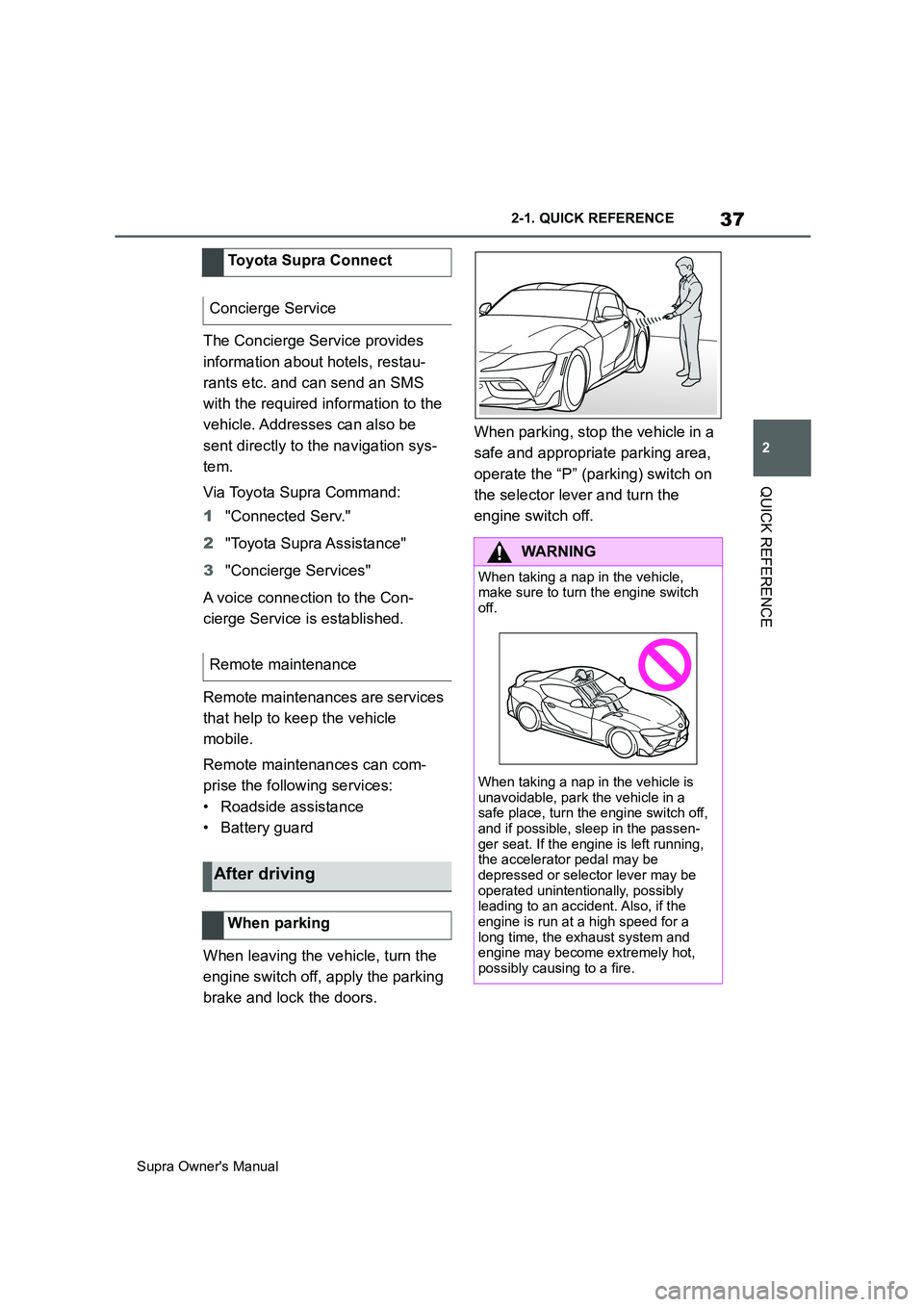
brake and lock the doors.When parking, stop the vehicle in a
safe and appropriate parking area,
operate the “P” (parking) switch on
the selector lever and turn the
engine switch off. Toyota Supra Connect
Concierge Service
Remote maintenance
After driving
When parking
WARNING
When taking a nap in the vehicle,
make sure to turn the engine switch
off.
When taking a nap in the vehicle is
unavoidable, park the vehicle in a
safe place, turn the engine switch off,
and if possible, sleep in the passen-
ger seat. If the engine is left running,
the accelerator pedal may be
depressed or selector lever may be
operated unintentionally, possibly
leading to an accident. Also, if the
engine is run at a high speed for a
long time, the exhaust system and
engine may become extremely hot,
possibly causing to a fire.
Page 159 of 456
159
3
Supra Owner's Manual3-1. CONTROLS
CONTROLS
The time is shown in the instrument
cluster. Setting the time and time
format, see page 62.
The function shows the current ser-
vice requirements and related
maintenance jobs.
The distance or time remaining until
the next service is displayed briefly
in the instrument cluster after the
ignition is switched on.
More detailed information on the
scope of maintenance can be dis-
played on the Control Display.Via Toyota Supra Command:
1"My vehicle"
2"Vehicle status"
3"Service requirements"
Essential maintenance routines and
any statutory inspections required are
displayed.
4Select an entry to display more
detailed information.
Enter deadlines for statutory vehi-
cle inspections.
Ensure that the date and time are
set correctly in the vehicle.
Via Toyota Supra Command:
1"My vehicle"
2"Vehicle status"
3"Service requirements"
4"Date:"
5Select the desired setting. Safety note
WARNING
Even at temperatures above
+3°C/+37 °F there may be an
increased risk of black ice, for exam-
ple on bridges or on shaded road
selection. There is a danger of acci-
dents. At low temperatures, adjust the
driving style to the weather condi-
tions.
Time
Service requirements
Principle
General
Display
Detailed information on service
requirements
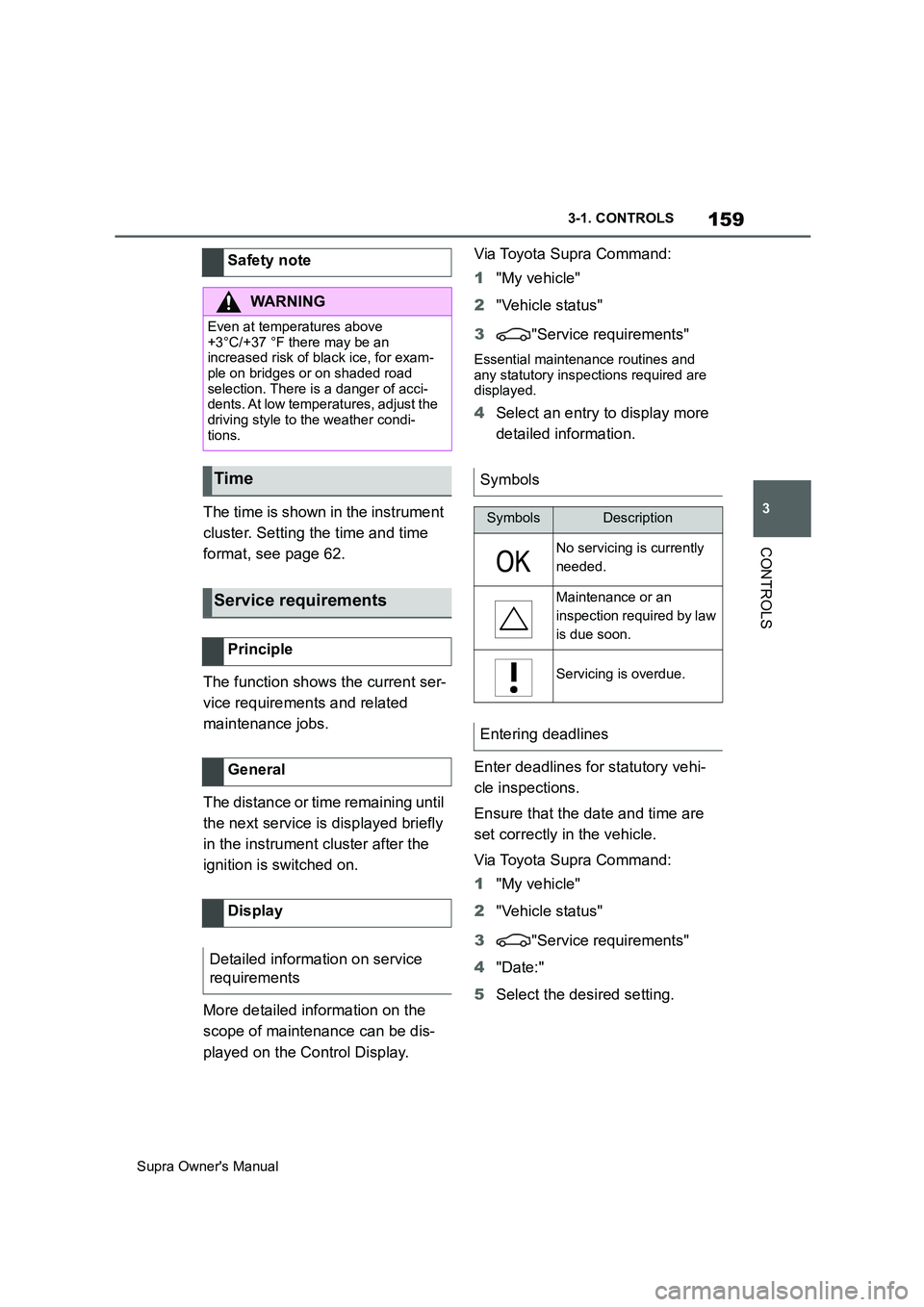
Symbols
SymbolsDescription
No servicing is currently
needed.
Maintenance or an
inspection required by law
is due soon.
Servicing is overdue.
Entering deadlines
Page 168 of 456
168
Supra Owner's Manual3-1. CONTROLS
Via Toyota Supra Command:
1"My Vehicle"
2"Vehicle settings"
3"Speed warning"
4"Warning at:"
5Turn the Controller until the
desired speed is displayed.
6Press the Controller.
Via Toyota Supra Command:
1"My Vehicle"
2"Vehicle settings"
3"Speed warning"
4"Speed warning"
Via Toyota Supra Command:
1"My Vehicle"
2"Vehicle settings"
3"Speed warning"
4"Select current speed"
The status can be displayed or
actions performed for some sys-
tems.Via Toyota Supra Command:
1"My vehicle"
2"Vehicle status"
• "Tyre Pressure Monitor": Sta-
tus of the Tyre Pressure Monitor,
see page 290
• "Engine oil level": Electronic
oil measurement, see page 309.
• "Vehicle messages": Vehicle
messages are stored in the
background and can be shown
on the Control Display. Display-
ing of saved vehicle messages,
see page 152.
• "Service requirements": dis-
play of the service requirements,
see page 159.
• "Remote maintenance call":
Remote maintenance call.
The system projects important
information, for example the speed,
into the driver's field of vision.
The driver can register this informa-
tion without having to divert atten-
tion from the road. Adjusting the speed warning
Activating/deactivating the
speed warning
Setting the current speed as
the speed warning
Vehicle status
General
Calling up the vehicle status
Overview of the information
Head-Up Display (vehicles
with head-up display)
Principle
Page 254 of 456
254
Supra Owner's Manual3-1. CONTROLS
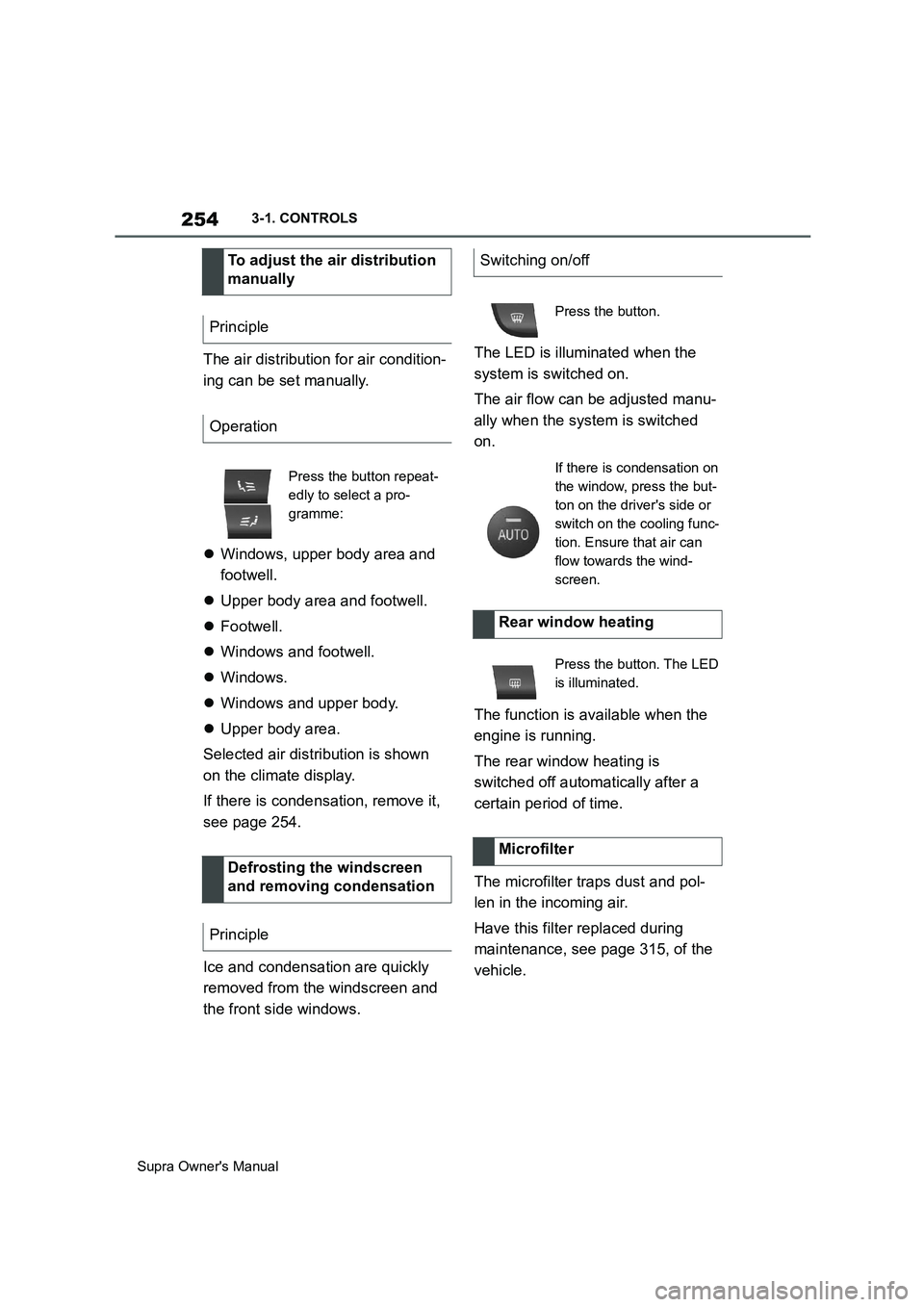
The air distribution for air condition-
ing can be set manually.
Windows, upper body area and
footwell.
Upper body area and footwell.
Footwell.
Windows and footwell.
Windows.
Windows and upper body.
Upper body area.
Selected air distribution is shown
on the climate display.
If there is condensation, remove it,
see page 254.
Ice and condensation are quickly
removed from the windscreen and
the front side windows.The LED is illuminated when the
system is switched on.
The air flow can be adjusted manu-
ally when the system is switched
on.
The function is available when the
engine is running.
The rear window heating is
switched off automatically after a
certain period of time.
The microfilter traps dust and pol-
len in the incoming air.
Have this filter replaced during
maintenance, see page 315, of the
vehicle. To adjust the air distribution
manually
Principle
Operation
Press the button repeat-
edly to select a pro-
gramme:
Defrosting the windscreen
and removing condensation
Principle
Switching on/off
Press the button.
If there is condensation on
the window, press the but-
ton on the driver's side or
switch on the cooling func-
tion. Ensure that air can
flow towards the wind-
screen.
Rear window heating
Press the button. The LED
is illuminated.
Microfilter
Page 272 of 456
272
Supra Owner's Manual4-1. DRIVING HINTS
tracks lead to increased wear. This
wear is not covered by the war-
ranty. The vehicle is not conceived
for use in motor sports competi-
tions.
Before and after driving on a racing
track, have the vehicle checked at
any authorized Toyota retailer or
Toyota authorized repairer, or any
reliable repairer.This chapter describes all standard,
country-specific and special equip-
ment available for the model series.
It may therefore describe equip-
ment and functions which are not
installed in your vehicle, for exam-
ple on account of the optional
equipment selected or the country
specification. This also applies to
safety-relevant functions and sys-
tems. Please comply with the rele-
vant laws and regulations when
using the corresponding functions
and systems.
The vehicle possesses wide-rang-
ing technologies for reducing con-
sumption and emission levels.
Fuel consumption depends on vari-
ous factors.
A number of measures, such as a
moderate driving style and regular
maintenance, can influence fuel
consumption and reduce the bur-
den on the environment.
Extra weight increases fuel con-
sumption.Saving fuel
Vehicle equipment
Reducing fuel consumption
General
Remove unnecessary loads
Page 274 of 456
274
Supra Owner's Manual4-1. DRIVING HINTS
When you stop the vehicle for
longer periods, for example at traf-
fic lights, railway crossings or in
traffic jams, switch off the engine.
The Auto Start/Stop of the vehicle
shuts off the engine automatically
during a stop.
If the engine is switched off and
then started again, the fuel con-
sumption and emissions are
reduced compared with a perma-
nently running engine. Savings can
be made just by stopping the
engine for a few seconds.
Fuel consumption also depends on
other factors, such as driving style,
road condition, maintenance or
environmental factors, for example.
Functions such as seat heating or
rear window heating require a great
deal of energy and increase fuel
consumption, especially in city traf-
fic and stop-and-go traffic.
Switch these functions off if they
are not required.Have the vehicle serviced regularly
to achieve optimal economy and
lifetime. Toyota recommends hav-
ing maintenance work carried out
by Toyota. Switch off the engine if stop-
ping for longer periods
Stopping the engine
Auto Start/Stop
Switch off functions which
are not currently required
Have maintenance work car-
ried out