remote start TOYOTA SUPRA 2020 Owners Manual (in English)
[x] Cancel search | Manufacturer: TOYOTA, Model Year: 2020, Model line: SUPRA, Model: TOYOTA SUPRA 2020Pages: 356, PDF Size: 6.04 MB
Page 64 of 356

643-1. AT A GLANCE
Supra Owner's Manual
In the driver profiles, individual
settings for several drivers can
be stored and called up again
when required.
There are three driver profiles
with which personal vehicle set-
tings can be stored. Every
remote control has one of these
driver profiles assigned.
If the vehicle is unlocked using a
remote control, the assigned
personal driver profile will be
activated. All settings stored in
the driver profile are automati-
cally applied.
If several drivers use their own
remote control, the vehicle will
adjust the personal settings
during unlocking. These settings
are also restored, if the vehicle
has been used in the meantime
by a person with a different
remote control.
Changes to the settings are
automatically stored in the driver
profile currently activated.
If another driver profile is
selected via Toyota Supra Com-
mand, the settings stored in it
will be applied automatically.
The new driver profile is
assigned to the vehicle key that is currently in use.
There is an additional guest pro-
file available that is not assigned
to any vehicle key. It can be
used to apply settings in the
vehicle without changing the
personal driver profiles.
For the system to be able to
identify the driver profile associ-
ated to a particular driver, the
detected remote control must be
clearly allocated to the driver.
This is the case when:
• The driver is only carrying his
or her own remote control.
• The driver unlocks the vehi- cle.
• The driver gets into the vehi- cle through the driver's door.
After switching on the Control
Display, the name of the active
driver profile is displayed.
Select driver profile, refer to
page 65.
As soon as the engine is started
or any key is pressed, the last
selected display is shown on the
Control Display.
To exit the welcome screen via
Toyota Supra Command: "OK"
Driver profile
Concept
General information
Functional requirements
Active driver profile
Page 80 of 356
804-1. CONTROLS
Supra Owner's Manual
switched off.P.92
After opening one of the front
doors, the vehicle is ready for
operation, refer to page 41.
The light functions may depend
on the ambient brightness.
The windows are opened, as
long as the button on the remote
control is pressed.
The behavior of the vehicle
during locking with the remote
control depends on the following
settings, refer to page 90:
• If the locking of the vehicle is confirmed with a light signal
or a sound signal.
• If the exterior mirrors are automatically folded in and
out when the vehicle is locked
and unlocked.
• If the headlight courtesy delay feature, refer to page 155, is
activated during locking.
1 Close the driver's door. 2
Press the button on the
remote control.
The following functions are exe-
cuted:
• All doors, the trunk lid, and the fuel filler flap are locked.
• With alarm system: The alarm system, refer to page 92, will
be switched on.
If the drive-ready state is still
switched on when you lock the
vehicle, the vehicle horn honks
twice. In this case, the
drive-ready state must be
switched off by means of the
Start/Stop button.
The windows are closed in the
area close to the vehicle, as
long as the button on the remote
control is pressed.
Convenient opening
Opening
Press and hold the button
on the remote control.
Locking
General information
Locking the vehicleWith Smart Key System:
convenient closing
Safety information
WA R N I N G
With convenient closing, body
parts can be jammed. There is a
risk of injury. Mak e sure that the
area of movement of the doors is
clear during convenient closing.
Closing
Press and hold the button
on the remote control after
locking.
Page 92 of 356
924-1. CONTROLS
Supra Owner's Manual
3"Doors/Key"
4 "Unlock at end of trip"
After drive-ready state is switched
off by pressing t he Start/Stop but-
ton, the locked ve hicle is automati-
cally unlocked.
Via Toyota Supra Command:
1 "My Vehicle"
2 "Vehicle settings"
3 "Doors/Key"
4 "Fold mirrors in when locked"
The exterior mirro rs are automati-
cally folded in during locking.
Via Toyota Supra Command:
1 "My Vehicle"
2 "Vehicle settings"
3 "Doors/Key"
4 "Turn off after door opening"
Opening the front doors establishes
the idle state, refer to page 40.
When the vehicle is locked, the
vehicle alarm system reacts to
the following changes:
• Opening a door, the hood or
the trunk lid. • Movements in the car's inte-
rior.
• Changes in the vehicle tilt, e. g., during attempts at stealing
a wheel or when towing the
vehicle.
• Disconnected battery voltage.
• Improper use of the socket for OBD Onboard Diagnosis.
• Locking the vehicle while a device is connected to the
socket for the OBD Onboard-
Diagnosis. For socket for the
OBD Onboard Diagnosis,
refer to page 300
The alarm system signals the
following changes visually and
acoustically:
• Acoustic alarm: Depending on local regulations, the acoustic
alarm may be suppressed.
• Visual alarm: By flashing the exterior lighting.
When you unlock and lock the
vehicle, either with the remote
control or with Comfort entry, the
alarm system is switched off and
on at the same time.
The alarm system is triggered
when a door is opened if the
door was unlocked using the
integrated key in the door lock.
Folding mirrors automati-
cally
Establishing idle state
after opening the front
doors
Alarm system
General information
Switching on/off
Opening the doors with
the alarm system switched
on
Page 94 of 356
944-1. CONTROLS
Supra Owner's Manual
tored.
The alarm system responds in
situations such as attempts to
steal a wheel or when the vehi-
cle is towed.
The car's interior is monitored to
the height of the seats. The
alarm system is switched on
together with the interior motion
sensor even when the window is
open. Falling objects such as
leaves can trigger the alarm
unintentionally.
The tilt alarm sensor and interior
motion sensor can trigger an
alarm, although no unauthorized
action occurred.
Possible situations for an
unwanted alarm:
• In automatic vehicle washes.
• In duplex garages.
• During transport on trains car-rying vehicles, at sea or on a
trailer.
• With animals in the vehicle.
• When the vehicle is locked after start of fueling.
The tilt alarm sensor and the
interior motion sensor can be
switched off in such situations. The indicator light lights up for
approx. 2 seconds and then
continues to flash.
The tilt alarm sensor and interior
motion sensor are switched off
until the vehicle is locked again.
• Unlock the vehicle with the
remote control.
• Unlock the vehicle using the remote control, if needed,
through emergency detection
of the remote control, refer to
page 82.
• With Smart Key System: if you are carrying the remote
control on your person, grasp
the driver side or front pas-
senger side door handle com-
pletely.
Interior motion sensor
Avoiding unintentional
alarms
General informationSwitching off the tilt alarm
sensor and interior motion
sensor
Press the button on the
remote control within 10
seconds as soon as the
vehicle is locked.
Switching off the alarm
Page 111 of 356
1114-1. CONTROLS
Supra Owner's Manual
4
CONTROLS
Before using a child restraint
system on the front passenger
seat, ensure that the front, knee,
and side airbags on the front
passenger side are deacti-
vated. Automatic deactivation of
front-seat passenger airbags,
refer to page 170. Pay attention to the specifica-
tions and the operating and
safety information of the child
restraint system manufacturer
when selecting, installing, and
using child restraint systems.
The right place for chil-
dren
Safety information
WA R N I N G
Unattended children or animals
can cause the vehicle to move
and endanger themselves and
traffic, for instance due to the fol-
lowing actions:
●Pressing the Start/Stop button.
●Releasing the parking brake.
●Opening and closing the doors
or windows.
●Engaging selector lever position
N.
●Using vehicle equipment.
There is a risk of accidents or inju-
ries. Do not leave children or ani-
mals unattended in the vehicle.
Take the remote control with you
when exiting and lock the vehicle.
Children on the front pas-
senger seat
General information
Safety information
WA R N I N G
Active front-sea t passenger air-
bags can injure a c hild in a child
restraint system when the airbags
are activated. Ther e is a risk of
injury. Make sure that the
front-seat passenger airbags are
deactivated and that the PAS-
SENGER AIRBAG OFF indicator
light lights up.
The safety belt cannot be fas-
tened correctly on children shorter
than 5 ft, 150 cm without suitable
additional child restraint systems.
The efficacy of safety gear, includ-
ing safety belts, can be limited or
lost when safety belts are fas-
tened incorrectly. An incorrectly
fastened safety belt can cause
additional injuries, for instance in
the event of an accident or during
braking and evasive maneuvers.
There is a risk of injuries or dan-
ger to life. Secure children shorter
than 5 ft, 150 cm using suitable
child restraint systems.
Installing child restraint
systems
General information
Page 119 of 356
1194-1. CONTROLS
Supra Owner's Manual
4
CONTROLS
The Auto Start/Stop function no
longer switches off the engine
automatically. A vehicle mes-
sage is displayed. It is possible
to continue driving. Have the
system checked by your Toyota
dealer.
The parking brake is used to
prevent the vehicle from rolling
when it is parked. Malfunction
Parking brake
Concept
Safety information
WA R N I N G
An unsecured vehicle can begin
to move and possibly roll away.
There is a risk of an accident.
Before exiting, secure the vehicle
against rolling.
In order to ensure that the vehicle
is secured again
st rolling away,
follow the following:
●Set the parking brake.
●On uphill grades or on a down-
hill slope, turn t he front wheels
in the direction of the curb.
●On uphill grades or on a down-
hill slope, also secure the vehi-
cle, for instance with a wheel
chock.
WA R N I N G
Unattended children or animals
can cause the vehicle to move
and endanger themselves and
traffic, for insta nce due to the fol-
lowing actions:
●Pressing the Sta rt/Stop button.
●Releasing the parking brake.
●Opening and closing the doors
or windows.
●Engaging selector lever position
N.
●Using vehicle equipment.
There is a risk of accidents or inju-
ries. Do not leave children or ani-
mals unattended in the vehicle.
Take the remote control with you
when exiting and l ock the vehicle.
Overview
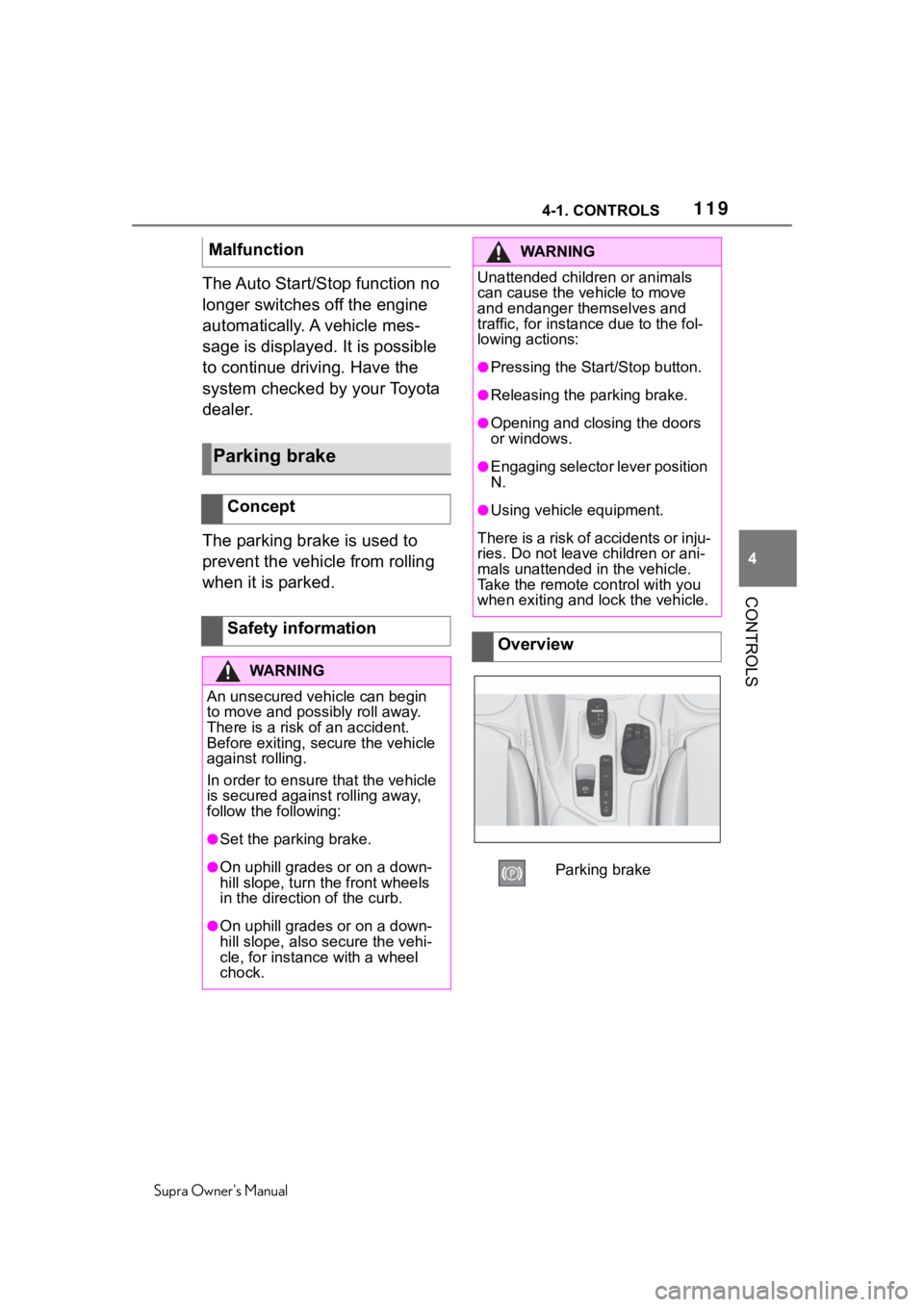
Parking brake
Page 342 of 356
342Alphabetical Index
Supra Owner's Manual
Alphabetical Index
A
A/C button, see Air conditioning ............................................... 230
ABS, Antilock Brake System . 195
ACC, see Dynamic radar cruise control with fu ll-speed range
............................................... 204
Acceleration Assistant, see Launch Control..................... 130
Accessories and parts ............... 6
Activated charcoal filter ........ 233
Active Guard, see Toyota Supra Safety .................................... 172
Adaptive brake assist ............ 196
Adaptive variable suspension ............................................... 227
Additional coolant tank cooling, Capacity ................................ 329
Additives, engine oil types .... 295
Air circulation, see Recircu- lated-air mode....................... 231
Air conditioning ...................... 230
Air distribution, manual ......... 232
Air flow, automa tic air condition-
ing .......................................... 232
Air outlets, see Ventilation .... 233
Air pressure, tires .................. 262
Airbags .................................... 160
Airbags, indicator and warning light........................................ 162
Alarm system ............................ 92
Alarm, unintentional................. 94
All-season tires, see Winter tires ............................................... 272
Antilock Brake System, ABS . 195
Anti-slip control, see VSC ..... 196
Anti-theft protection, locking .. 80
Anti-theft protection, see Lug bolt lock ................................ 287
Apple CarPlay, connection to the vehicle ..................................... 72 Approved axle load ................329
Approved total weight ............329
Assistance when driving off, see
Hill-start assist control.........196
Assistance with breakdown ..312
AUTO program, automatic air conditioning ........ ..................231
Auto Start/Stop function ........ 115
Automatic air conditioning ....228
Automatic cruise control with Stop & Go ..............................204
Automatic Curb Monitor, exte- rior mirror ..............................106
Automatic deactivation, front-seat passenger airbags...............................................170
Automatic headlight control ..153
Automatic high-beam .............155
Automatic locking ....................91
Automatic transmission.........125
Automatic transmission, Fluid ...............................................329
Automatic transmission, see Automatic transm ission.......125
Automatic unlocking ................91
Automatic vehicle wash .........319
Autonomous Emergency Brak- ing ..........................................193
Axle loads, weights ................329
B
Backrest curvature, see Lumbar support ................ ..................100
Backrest tilt ...............................99
Backrest, seats .........................97
Backrest, width .......................100
Bar for tow-starting/towing....317
Battery, changing, remote con- trol of the vehicle ....................82
Battery, disposing of ..............305
Battery, vehicle .. .....................303
Page 346 of 356
346Alphabetical Index
Supra Owner's Manual
Exhaust, see Exhaust gas sys- tem ......................................... 251
Exterior lighting during unlock- ing ............................................ 79
Exterior lighting with the vehicle locked ...................................... 81
Exterior mirror, Automatic Curb Monitor .................................. 106
Exterior mirror, automatic dim- ming feature.......................... 106
Exterior mirrors ...................... 105
Exterior mirrors, malfunction 106
External start .......................... 315
External temperature ............. 140
Eyelet for towing .................... 318
Eyes, see Lashing eyes in the cargo area ............................. 246
F
Failure message, see Vehicle messages .............................. 133
False alarm, see Avoiding unin- tentional alarms...................... 94
Fan, see Air flow ..................... 232
Fastening safety belts, see Safety belts ........................... 100
Filler neck for engine oil ........ 294
Flat tire message, TPM .......... 282
Flat tire warning light, TPM ... 282
Flat tire, changing wheels ..... 287
Flat tire, repairing ................... 272
Flat tire, see Tire Pressure Moni- tor TPM .................................. 278
Flooding .................................. 253
Floor carpet, care ................... 324
Floor mats, care ..................... 324
Fog, removing from the windows ............................................... 232
Fold-away position of the wipers ............................................... 124
Foot brake ............ ................... 253
For Your Own Safety .................. 5 Front airbags...........................160
Front collision mitigation.......174
Front fog lights, see Lights and
bulbs ......................................303
Front lights, see Lights and bulbs ......................................303
Front seats ................................97
Front-seat passenger airbags, automatic deactivation.........170
Front-seat passenger airbags, indicator light ........................171
Fuel ..........................................291
Fuel cap ...................................260
Fuel filler flap ..........................260
Fuel filler flap, unlocking manu- ally .........................................261
Fuel gauge...............................138
Fuel quality..............................291
Fuel recommendation ............291
Fuel, tank capacity .................329
Fuses .......................................305
G
Garage door opener, see Inte- grated Universal Remote Con-
trol ..........................................236
Gasoline ..................................291
Gear change, Automatic trans- mission ..................................125
Gear shift indicator.................142
General driving notes.............251
General settings .......................58
Glare shield, see Sun visor....240
Go function .............................204
Go function, ACC ....................204
GPS geolocation, vehicle posi- tion ...........................................60
H
Handbrake, see Parking brake ............................................... 119
Page 347 of 356
347
Supra Owner's Manual347Alphabetical Index
Hand-held transmitter, alternat- ing code ................................ 238
Hazard warning flashers ........ 312
Head restraints, front ............. 104
Headlight control, automatic . 153
Headlight courtesy delay feature ............................................... 155
Headlight courtesy delay feature, switching on ........................... 82
Headlight flasher .................... 121
Headlight glass ....................... 303
Headlights, care ..................... 320
Headlights, see Lights and bulbs
............................................... 303
Head-up Display ..................... 150
Head-up Display, care ............ 325
Head-up Display, see Memory function ................................. 107
Head-up Display, standard view ............................................... 150
Heavy cargo, stowing cargo.. 246
Height, vehicle ........................ 328
High beams ............................. 121
High beams/low beams, see Automatic high-beam .......... 155
Hill start assista nt, see Hill-start
assist control ........................ 196
Hills .......................................... 254
Hill-start assist control .......... 196
Hill-start assist control, see VSC ............................................... 196
Holder for beverages, see Cup holders .................................. 244
HomeLink, see Integrated Uni- versal Remote Control ......... 236
Hood ........................................ 289
Horn ........................................... 36
Hot exhaust gas system ........ 251
Humidity in the headlight, see Headlight glass..................... 303
Hydroplaning .......................... 253
I
Ice warning, see External tem- perature .................................140
Icy roads, see External tempera- ture .........................................140
Identification marks, tires ......266
Identification number, see Vehi- cle identification number .......12
Idle state, standby state, and drive-ready state .....................42
Indicator and warning lights, see Vehicle messages .................133
Individual air dist ribution.......232
Inflation pressure monitor, see Tire Pressure Monitor TPM ..278
Inflation pressure, tires ..........262
Information ..................................4
Initialize, Tire Pressure Monitor TPM ........................................281
Instrument cluster ..................132
Instrument lighting .................157
Integrated key ...........................84
Integrated Universal Remote Control ...................................236
Intelligent emergency call......313
Intended use ...............................5
Interior equipment ..................236
Interior lights...........................158
Interior lights during unlocking .................................................79
Interior lights wi th the vehicle
locked ......................................81
Interior mirror, automatic dim- ming feature ..........................107
Interior motion sensor .............94
Intersection warning, see Front collision mitigation ...............174
Interval display , see Service
requirements .........................141
Page 348 of 356
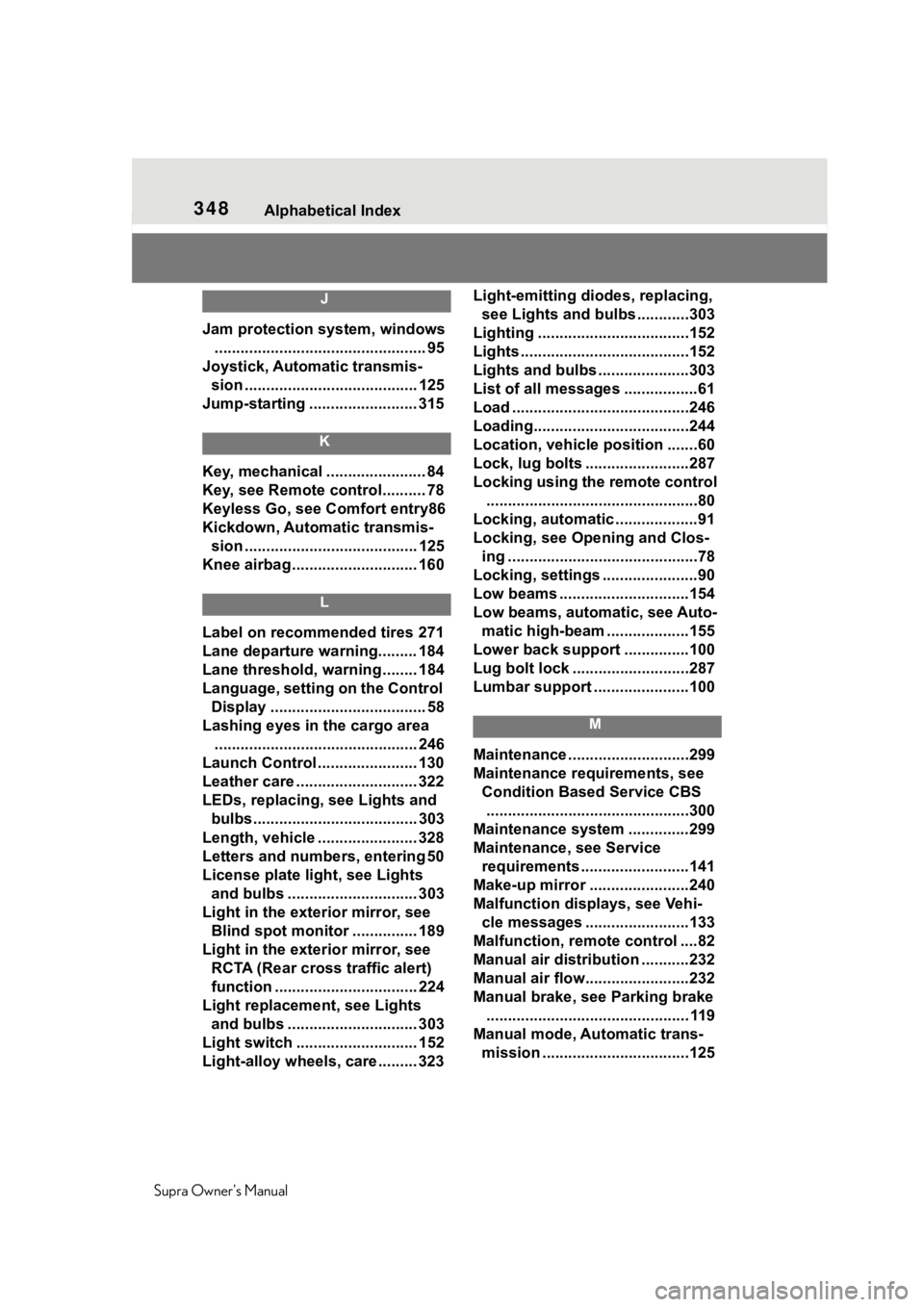
348Alphabetical Index
Supra Owner's Manual
J
Jam protection system, windows ................................................. 95
Joystick, Automatic transmis- sion ........................................ 125
Jump-starting ......................... 315
K
Key, mechanical ....................... 84
Key, see Remote control.......... 78
Keyless Go, see Comfort entry86
Kickdown, Automatic transmis- sion ........................................ 125
Knee airbag ............................. 160
L
Label on recommended tires 271
Lane departure warning......... 184
Lane threshold, warning ........ 184
Language, setting on the Control Display .................................... 58
Lashing eyes in the cargo area ............................................... 246
Launch Control ....................... 130
Leather care ............................ 322
LEDs, replacing, see Lights and
bulbs...................................... 303
Length, vehicle ....................... 328
Letters and numbers, entering 50
License plate li ght, see Lights
and bulbs .............................. 303
Light in the exterior mirror, see Blind spot monitor ............... 189
Light in the exterior mirror, see RCTA (Rear cross traffic alert)
function ................................. 224
Light replacement, see Lights and bulbs .............................. 303
Light switch ............................ 152
Light-alloy wheels, care ......... 323 Light-emitting diodes, replacing,
see Lights and bulbs ............303
Lighting ...................................152
Lights .......................................152
Lights and bulbs .....................303
List of all messages .................61
Load .........................................246
Loading....................................244
Location, vehicle position .......60
Lock, lug bolts ........................287
Locking using the remote control .................................................80
Locking, automatic ...................91
Locking, see Opening and Clos- ing ............................................78
Locking, settings ......................90
Low beams ..............................154
Low beams, automatic, see Auto- matic high-beam ...................155
Lower back support ...............100
Lug bolt lock ...........................287
Lumbar support ......................100
M
Maintenance ............................299
Maintenance requirements, see Condition Based Service CBS...............................................300
Maintenance system ..............299
Maintenance, see Service requirements .........................141
Make-up mirror .......................240
Malfunction displays, see Vehi- cle messages ........................133
Malfunction, remot e control ....82
Manual air distribution ...........232
Manual air flow...... ..................232
Manual brake, see Parking brake ............................................... 119
Manual mode, Automatic trans- mission ..................................125