wheel TOYOTA SUPRA 2021 Owners Manual (in English)
[x] Cancel search | Manufacturer: TOYOTA, Model Year: 2021, Model line: SUPRA, Model: TOYOTA SUPRA 2021Pages: 360, PDF Size: 10.41 MB
Page 2 of 360
2
Supra Owner's Manual_U (from Jul. '20 Prod.)TABLE OF CONTENTS
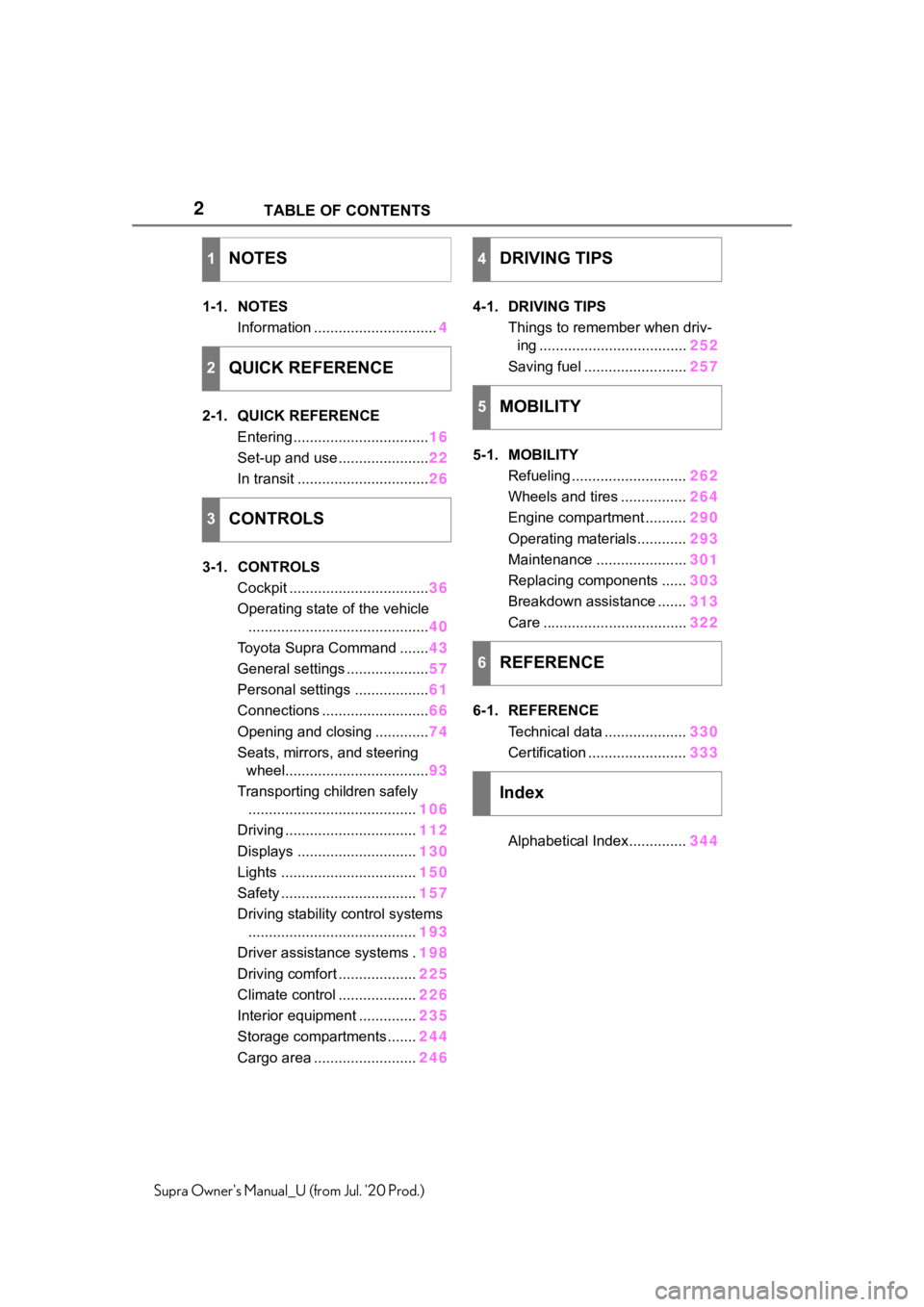
1-1. NOTES
Information .............................. 4
2-1. QUICK REFERENCE Entering ................................. 16
Set-up and use ...................... 22
In transit ................................ 26
3-1. CONTROLS Cockpit .................................. 36
Operating state of the vehicle ............................................ 40
Toyota Supra Command ....... 43
General settings .................... 57
Personal settings .................. 61
Connections .......................... 66
Opening and closing ............. 74
Seats, mirrors, and steering wheel................................... 93
Transporting children safely ......................................... 106
Driving ................................ 112
Displays ............................. 130
Lights ................................. 150
Safety ................................. 157
Driving stability control systems ......................................... 193
Driver assistance systems . 198
Driving comfort ................... 225
Climate control ................... 226
Interior equipment .............. 235
Storage compartments ....... 244
Cargo area ......................... 2464-1. DRIVING TIPS
Things to remember when driv-ing .................................... 252
Saving fuel ......................... 257
5-1. MOBILITY Refueling ............................ 262
Wheels and tires ................ 264
Engine compartment .......... 290
Operating materials............ 293
Maintenance ...................... 301
Replacing components ...... 303
Breakdown assistance ....... 313
Care ................................... 322
6-1. REFERENCE Technical data .................... 330
Certification ........................ 333
Alphabetical Index.............. 344
1NOTES
2QUICK REFERENCE
3CONTROLS
4DRIVING TIPS
5MOBILITY
6REFERENCE
Index
Page 8 of 360

81-1. NOTES
Supra Owner's Manual_U (from Jul. '20 Prod.)
assistance during driving, for
instance driver assistance sys-
tems. Furthermore, control units
facilitate comfort or infotainment
functions.
Information about stored or
exchanged data can be
requested from the manufac-
turer of the vehicle, in a sepa-
rate booklet, for example.
Each vehicle is marked with a
unique vehicle identification
number. Depending on the
country, the vehicle owner can
be identified with the vehicle
identification number, license
plate and corresponding authori-
ties. In addition, there are other
options to track data collected in
the vehicle to the driver or vehi-
cle owner, e.g. via the Toyota
Supra Connect account that is
used.
Control units process data to
operate the vehicle.
For example, this includes:
• Status messages for the vehi-cle and its Customize compo-
nents, e.g., wheel rotational
speed, wheel speed, deceler-
ation, transverse acceleration,
engaged safety belt indicator.
• Ambient conditions, e.g., tem- perature, rain sensor signals.
The processed data is only pro-
cessed in the vehicle itself and
generally volatile. The data is
not stored beyond the operating
period.
Electronic components, e.g.
control units and ignition keys,
contain components for storing
technical information. Informa-
tion about the vehicle condition,
component usage, mainte-
nance requirements or faults
can be stored temporarily or
permanently.
This information generally
records the state of a compo-
nent, a module, a system, or the
environment, for instance:
• Operating states of system components, e.g., fill levels,
tire inflation pressure, battery
status.
• Malfunctions and faults in important system compo-
nents, for instance lights and
brakes.
• Responses by the vehicle to special situations such as air-
bag deployment or engage-
ment of the driving stability
control systems.
• Information on vehicle-dam- aging events.
The data is required to perform
the control unit functions. Fur-
thermore, it also serves to rec-
ognize and correct malfunctions,
and helps the vehicle manufac-
Personal reference
Operating data in the vehi-
cle
Page 20 of 360
202-1. QUICK REFERENCE
Supra Owner's Manual_U (from Jul. '20 Prod.)
With the doors closed, touch the
indentation (lock sensor) on the
door handle with a finger for
approximately 1 second.
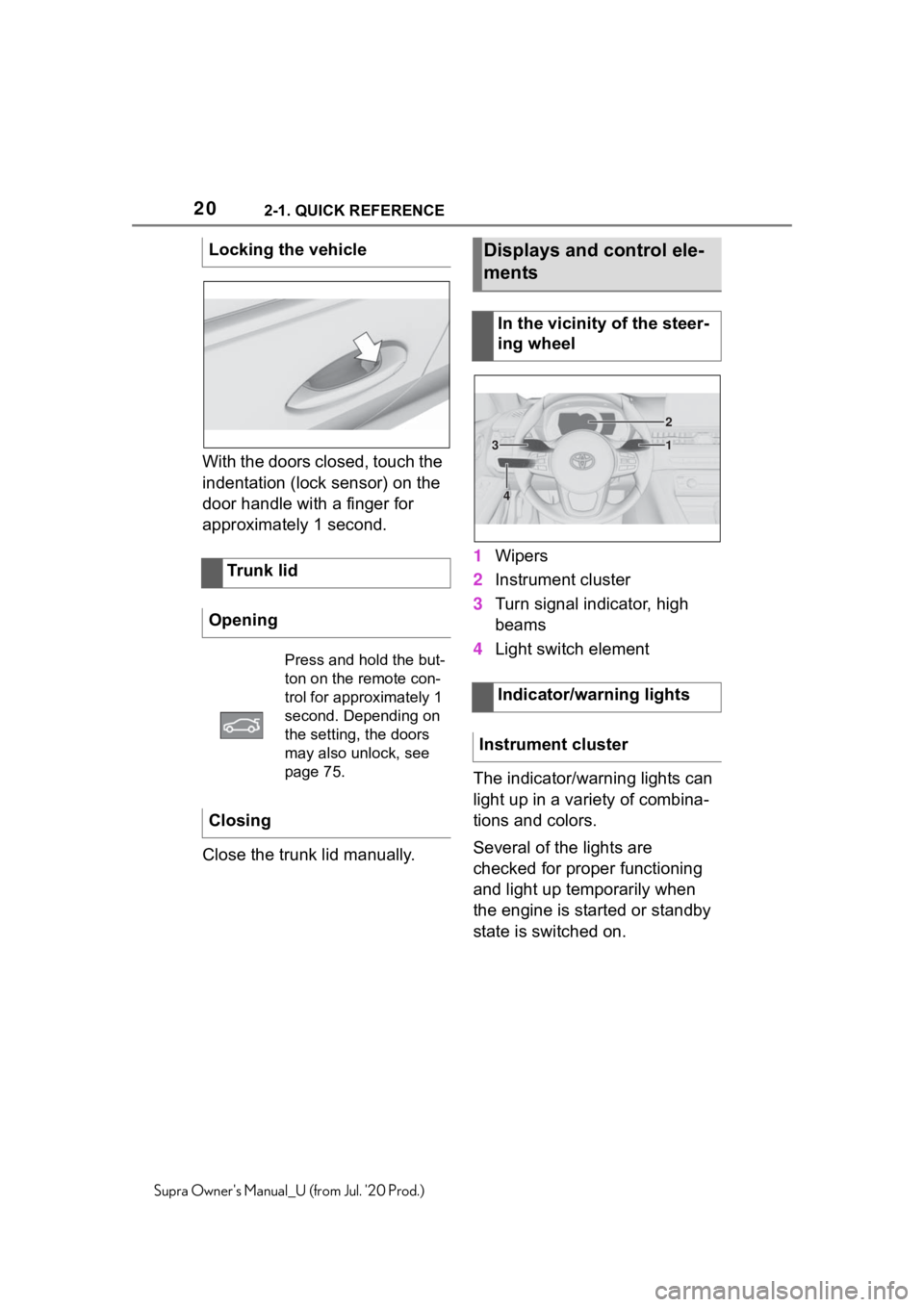
Close the trunk lid manually.1
Wipers
2 Instrument cluster
3 Turn signal indicator, high
beams
4 Light switch element
The indicator/warning lights can
light up in a variety of combina-
tions and colors.
Several of the lights are
checked for proper functioning
and light up temporarily when
the engine is started or standby
state is switched on.
Locking the vehicle
Trunk lid
Opening
Press and hold the but-
ton on the remote con-
trol for approximately 1
second. Depending on
the setting, the doors
may also unlock, see
page 75.
Closing
Displays and control ele-
ments
In the vicinity of the steer-
ing wheel
Indicator/warning lights
Instrument cluster
1
2
3
4
Page 22 of 360
222-1. QUICK REFERENCE
Supra Owner's Manual_U (from Jul. '20 Prod.)
■Activating the voice activa-
tion system
1 Press the button on the
steering wheel.
2 Wait for the signal.
3 Say the command.
If no other commands are possi-
ble, operate the function via Toy-
ota Supra Command.
■Terminating the voice acti-
vation system 1
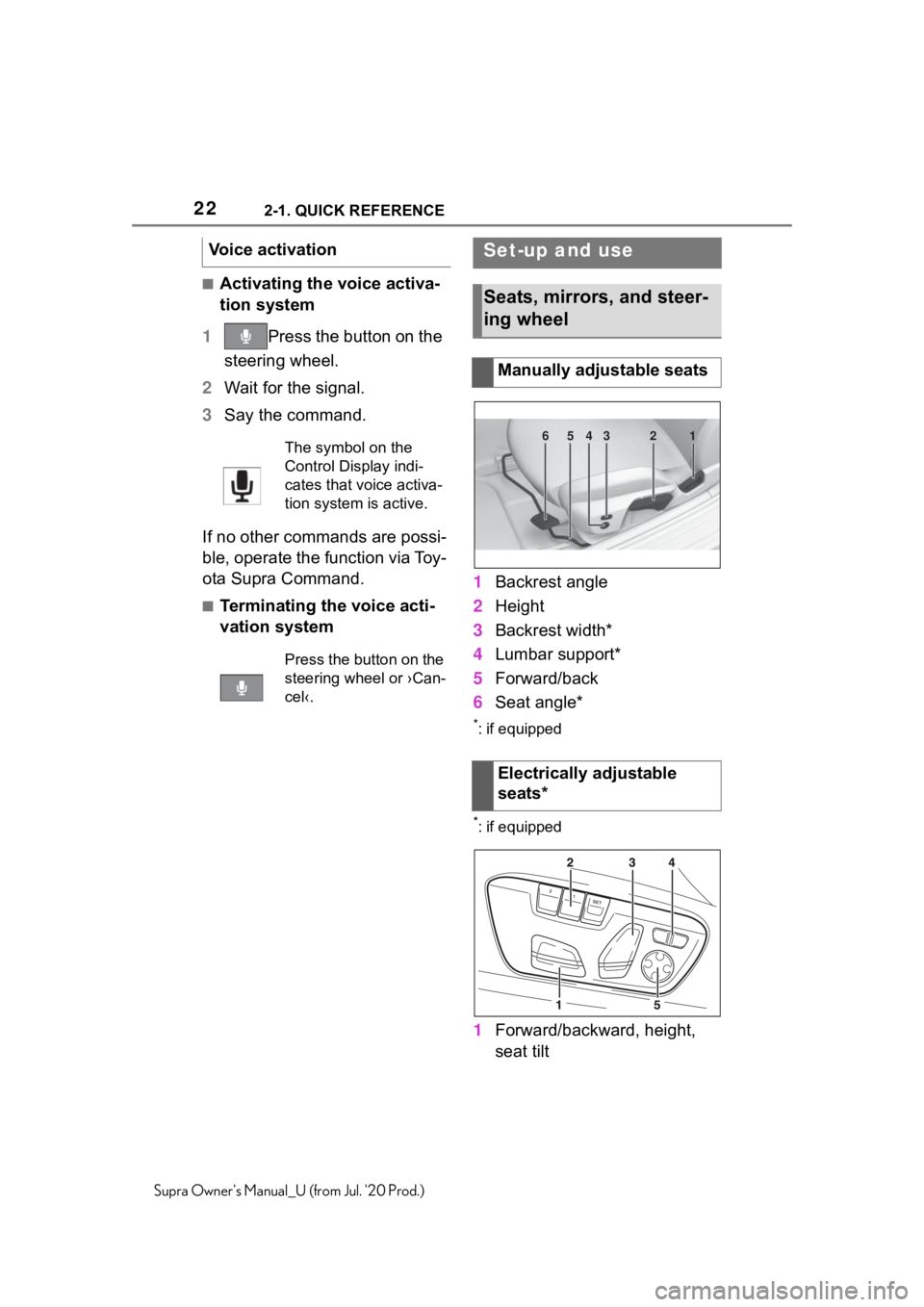
Backrest angle
2 Height
3 Backrest width*
4 Lumbar support*
5 Forward/back
6 Seat angle*
*: if equipped
*: if equipped
1Forward/backward, height,
seat tilt
Voice activation
The symbol on the
Control Display indi-
cates that voice activa-
tion system is active.
Press the button on the
steering wheel or ›Can-
cel‹.
Set-up and use
Seats, mirrors, and steer-
ing wheel
Manually adjustable seats
Electrically adjustable
seats*
654321
Page 23 of 360
232-1. QUICK REFERENCE
2
QUICK REFERENCE
Supra Owner's Manual_U (from Jul. '20 Prod.)
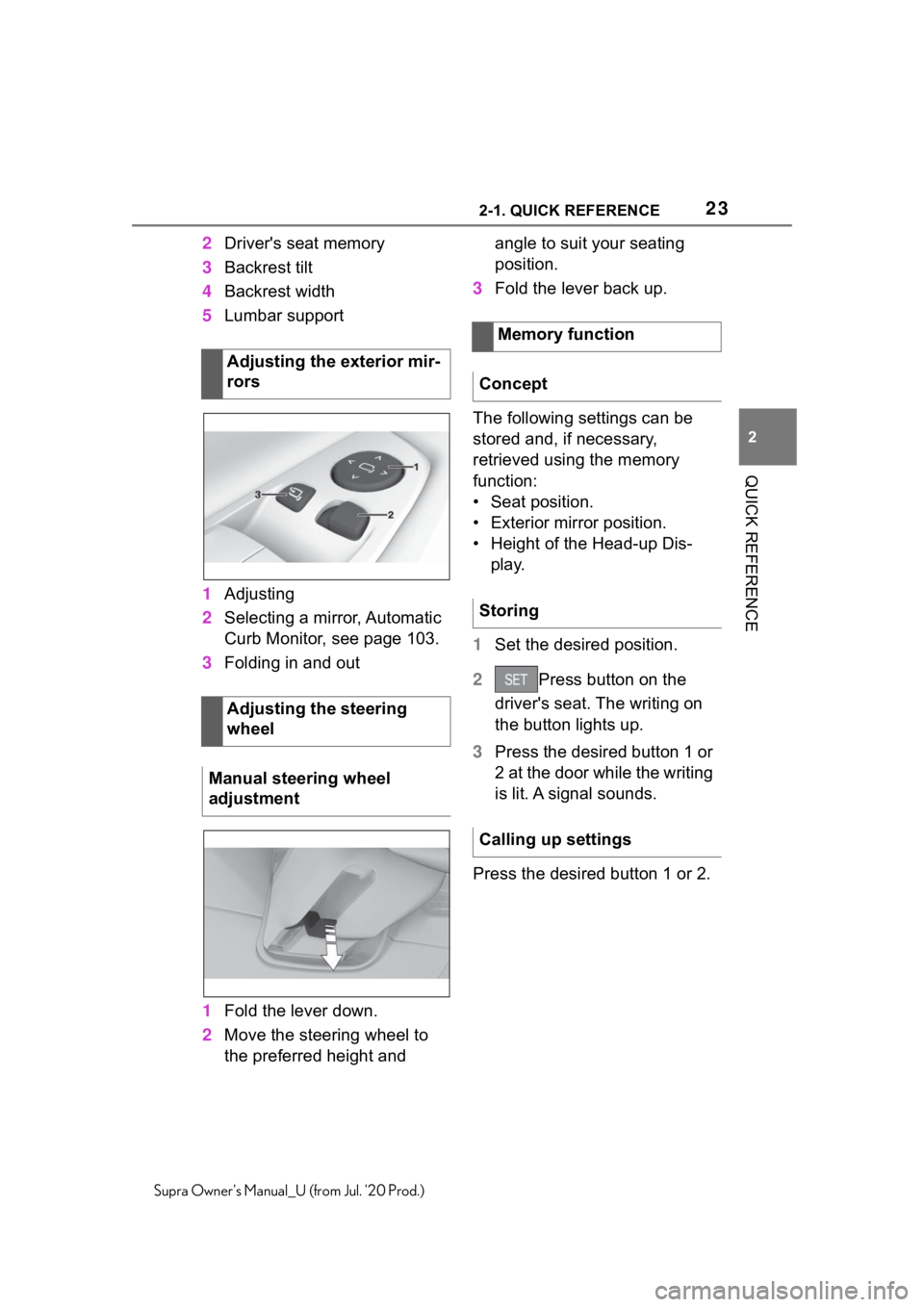
2Driver's seat memory
3 Backrest tilt
4 Backrest width
5 Lumbar support
1 Adjusting
2 Selecting a mirror, Automatic
Curb Monitor, see page 103.
3 Folding in and out
1 Fold the lever down.
2 Move the steering wheel to
the preferred height and angle to suit your seating
position.
3 Fold the lever back up.
The following settings can be
stored and, if necessary,
retrieved using the memory
function:
• Seat position.
• Exterior mirror position.
• Height of the Head-up Dis- play.
1 Set the desired position.
2 Press button on the
driver's seat. The writing on
the button lights up.
3 Press the desired button 1 or
2 at the door while the writing
is lit. A signal sounds.
Press the desired button 1 or 2.
Adjusting the exterior mir-
rors
Adjusting the steering
wheel
Manual steering wheel
adjustment
Memory function
Concept
Storing
Calling up settings
Page 24 of 360
242-1. QUICK REFERENCE
Supra Owner's Manual_U (from Jul. '20 Prod.)
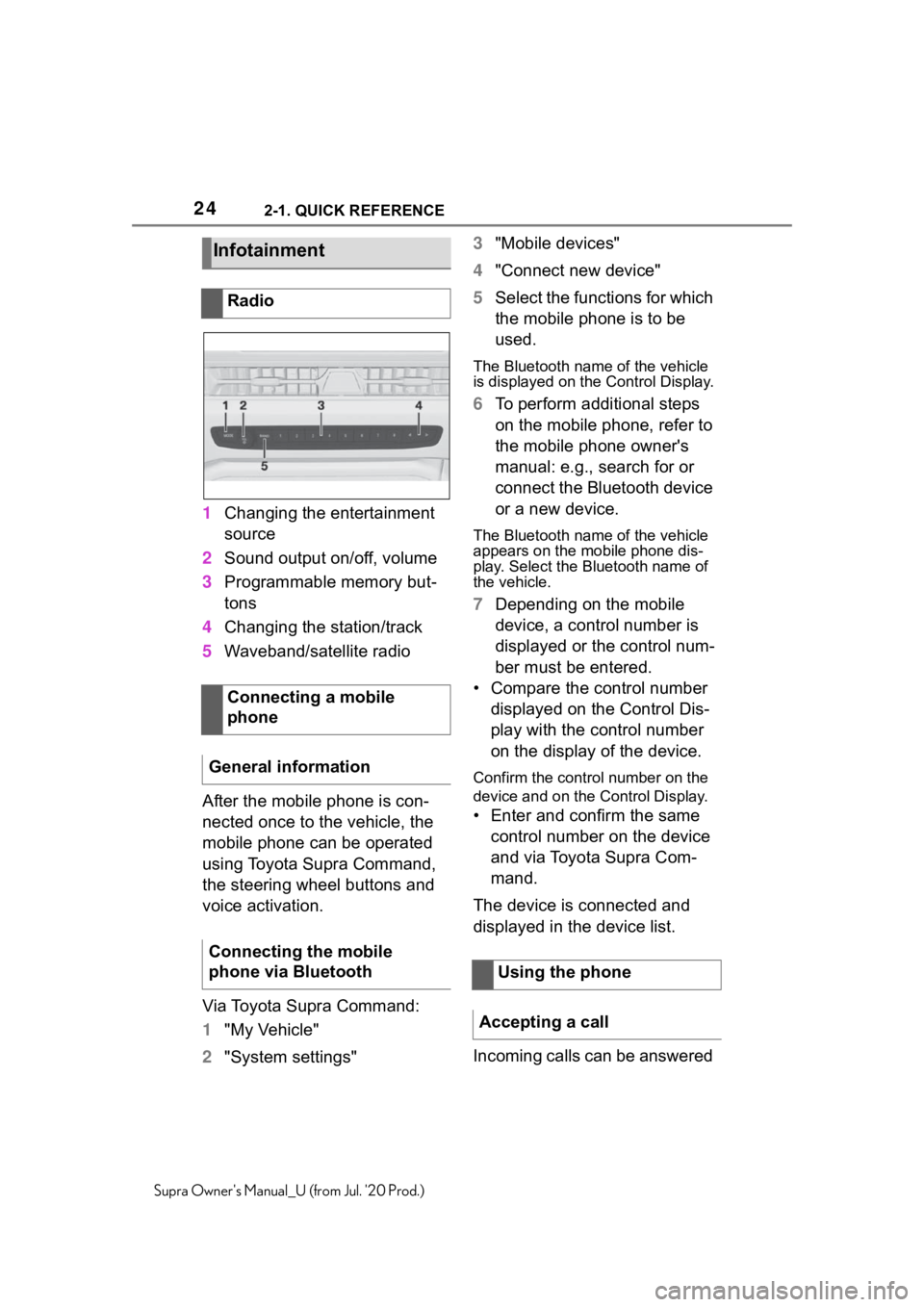
1Changing the entertainment
source
2 Sound output on/off, volume
3 Programmable memory but-
tons
4 Changing the station/track
5 Waveband/satellite radio
After the mobile phone is con-
nected once to the vehicle, the
mobile phone can be operated
using Toyota Supra Command,
the steering wheel buttons and
voice activation.
Via Toyota Supra Command:
1 "My Vehicle"
2 "System settings" 3
"Mobile devices"
4 "Connect new device"
5 Select the functions for which
the mobile phone is to be
used.
The Bluetooth name of the vehicle
is displayed on t he Control Display.
6To perform additional steps
on the mobile phone, refer to
the mobile phone owner's
manual: e.g., search for or
connect the Bluetooth device
or a new device.
The Bluetooth name of the vehicle
appears on the mobile phone dis-
play. Select the Bluetooth name of
the vehicle.
7Depending on the mobile
device, a control number is
displayed or the control num-
ber must be entered.
• Compare the control number displayed on the Control Dis-
play with the control number
on the display of the device.
Confirm the contro l number on the
device and on the Control Display.
• Enter and confirm the same
control number on the device
and via Toyota Supra Com-
mand.
The device is connected and
displayed in the device list.
Incoming calls can be answered
Infotainment
Radio
Connecting a mobile
phone
General information
Connecting the mobile
phone via Bluetooth
Using the phone
Accepting a call
Page 25 of 360
252-1. QUICK REFERENCE
2
QUICK REFERENCE
Supra Owner's Manual_U (from Jul. '20 Prod.)
in several ways.
• Via Toyota Supra Command:
"Accept"
• Press the button on the steering wheel.
• Via the selection list in the instrument cluster:
Use the thumbwheel on the steer-
ing wheel to select: "Accept"
Via Toyota Supra Command:
1 "Communication"
2 "Dial number"
3 Enter the numbers.
4 Select the symbol. The
connection is established via
the mobile phone to which
this function has been
assigned.
Establish the connection via the
additional phone:
1 Press the button.
2 "Call via"
*: if equipped
CarPlay allows certain func-
tions of a compatible Apple
iPhone to be used via Siri voice
operation and Toyota Supra Command.
• Compatible iPhone.
iPhone 5 or later
with iOS 7.1 or
later.
• Corresponding mobile wire-
less contract.
• Bluetooth, Wi-Fi, and Siri voice operation are switched
on on the iPhone.
Via Toyota Supra Command:
1 "My Vehicle"
2 "System settings"
3 "Mobile devices"
4 "Settings"
5 Select the following setting:
• "Bluetooth®"
• Corresponding mobile wire- less contract.
Pair iPhone via Bluetooth with
the vehicle.
Select CarPlay as the function: "Apple CarPlay"
The iPhone is connected to the
vehicle and displayed in the
device list.
Dialing a number
Apple CarPlay prepara-
tion*
Concept
Functional requirements
Switching on Bluetooth and
CarPlay
Pairing iPhone with CarPlay
Page 29 of 360
292-1. QUICK REFERENCE
2
QUICK REFERENCE
Supra Owner's Manual_U (from Jul. '20 Prod.)
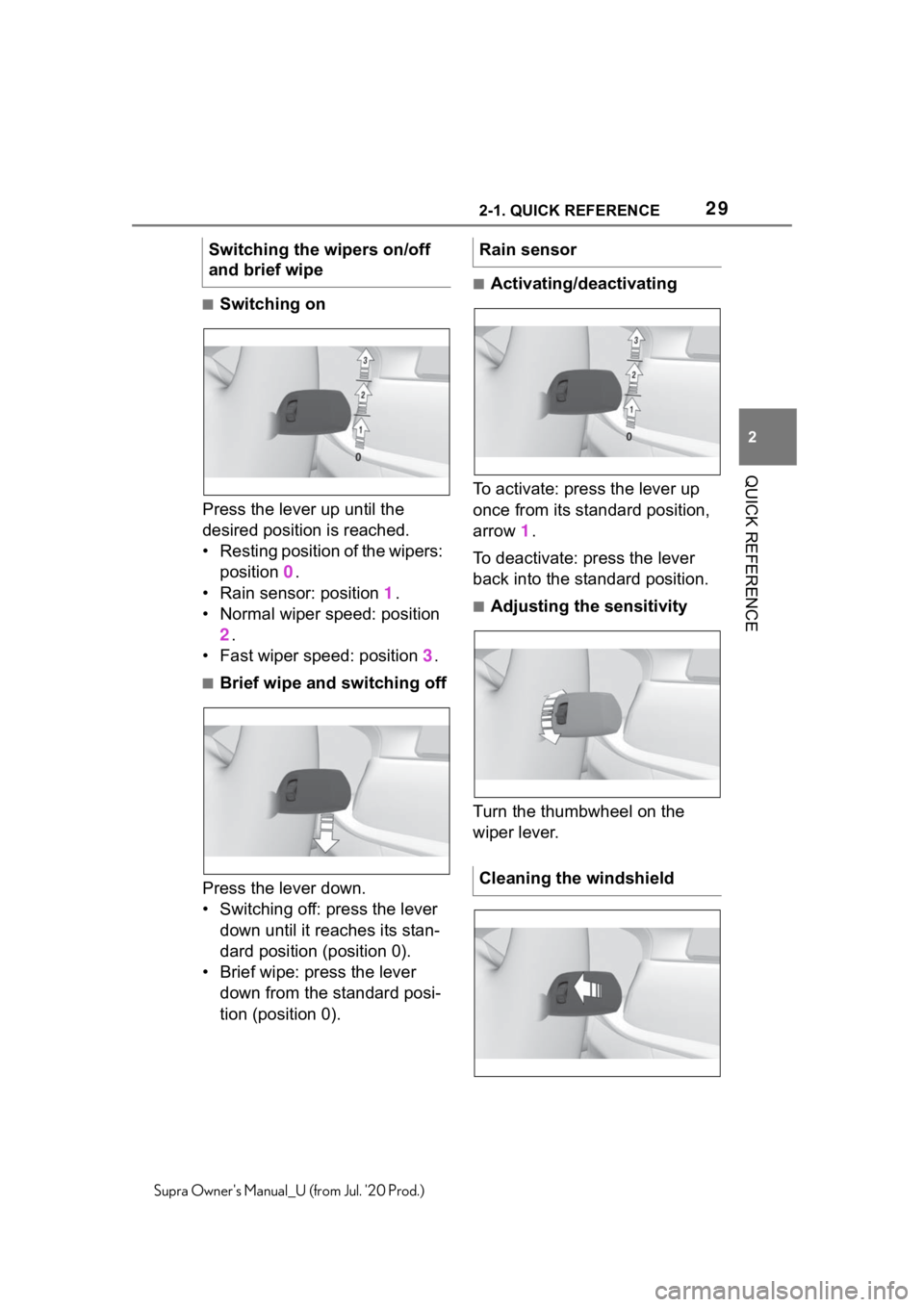
■Switching on
Press the lever up until the
desired position is reached.
• Resting position of the wipers: position 0.
• Rain sensor: position 1.
• Normal wiper speed: position 2.
• Fast wiper speed: position 3.
■Brief wipe and switching off
Press the lever down.
• Switching off: press the lever down until it reaches its stan-
dard position (position 0).
• Brief wipe: press the lever down from the standard posi-
tion (position 0).
■Activating/deactivating
To activate: press the lever up
once from its standard position,
arrow 1.
To deactivate: press the lever
back into the standard position.
■Adjusting the sensitivity
Turn the thumbwheel on the
wiper lever.
Switching the wipers on/off
and brief wipe
Rain sensor
Cleaning the windshield
Page 31 of 360
312-1. QUICK REFERENCE
2
QUICK REFERENCE
Supra Owner's Manual_U (from Jul. '20 Prod.)
gasoline should be sulfur-free or
very low in sulfur content.
Fuels that are marked on the
gas pump as containing metal
must not be used. P.293
The tire inflation pressure speci-
fications can be found in the tire
inflation pressure table in the
printed Owner's Manual.
With Tire Pressure Monitor
TPM:
The corrected tire inflation pres-
sures are applied automatically.
Make sure that the correct tire
settings have been made.
With tires that cannot be found
in the tire pressure values on
the Control Display, reset the
Tire Pressure Monitor TPM.
Regularly check the tire inflation
pressure and correct it as
needed:
• At least twice a month.
• Before embarking on an extended trip. The friction during hard braking
may produce brake dust and
make the rims dirty. Brake dust
can be removed by cleaning the
rims. Toyota recommends using
vehicle care and cleaning prod-
ucts from Toyota.
Depending on the previous dis-
plays, the status display
appears when the engine is run-
ning or after the vehicle has
been driven for at least 30 min-
utes.
Via Toyota Supra Command:
1
"My Vehicle"
2 "Vehicle status"
3 "Engine oil level"
Different messages appear on
the Control Display depending
on the engine oil level. Pay
attention to these messages.
Safely park the vehicle and
Wheels and tires
Tire inflation pressure speci-
fications
After correcting the tire infla-
tion pressure
Checking the tire inflation
pressureCleaning the wheels
Electronic oil measure-
ment
Functional requirements
Displaying the engine oil
level
Adding engine oil
General information
Page 35 of 360
35
3
3
CONTROLS
Supra Owner's Manual_U (from Jul. '20 Prod.)
CONTROLS
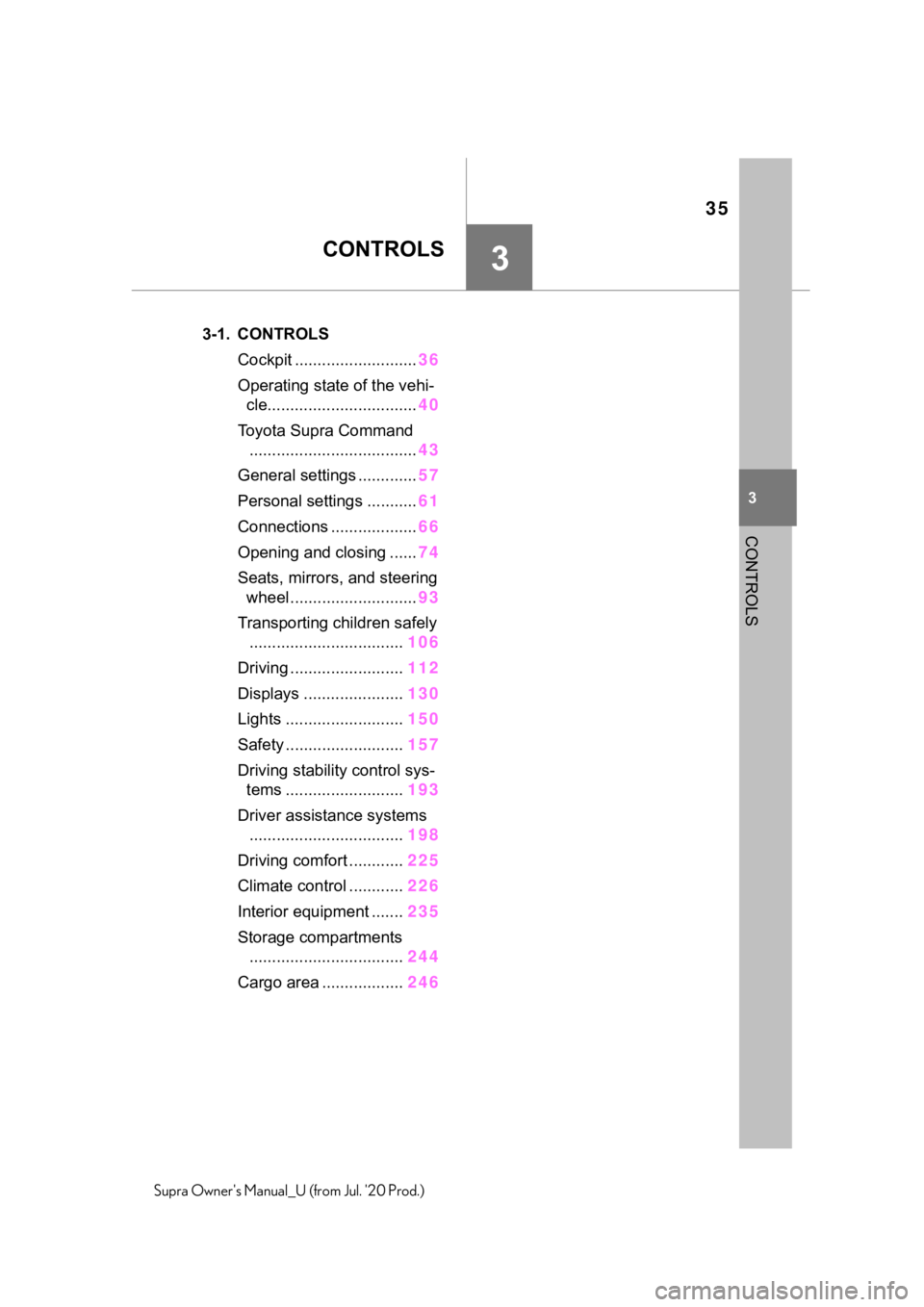
.3-1. CONTROLSCockpit ........................... 36
Operating state of the vehi- cle................................. 40
Toyota Supra Command ..................................... 43
General settings ............. 57
Personal settings ........... 61
Connections ................... 66
Opening and closing ...... 74
Seats, mirrors, and steering wheel ............................ 93
Transporting children safely .................................. 106
Driving ......................... 112
Displays ...................... 130
Lights .......................... 150
Safety .......................... 157
Driving stabilit y control sys-
tems .......................... 193
Driver assistance systems .................................. 198
Driving comfort ............ 225
Climate control ............ 226
Interior equipment ....... 235
Storage compartments .................................. 244
Cargo area .................. 246