automatic transmission TOYOTA SUPRA 2023 User Guide
[x] Cancel search | Manufacturer: TOYOTA, Model Year: 2023, Model line: SUPRA, Model: TOYOTA SUPRA 2023Pages: 372, PDF Size: 6.32 MB
Page 130 of 372
1303-1. CONTROLS
3Wipers return to their resting
position and are ready again
for operation.
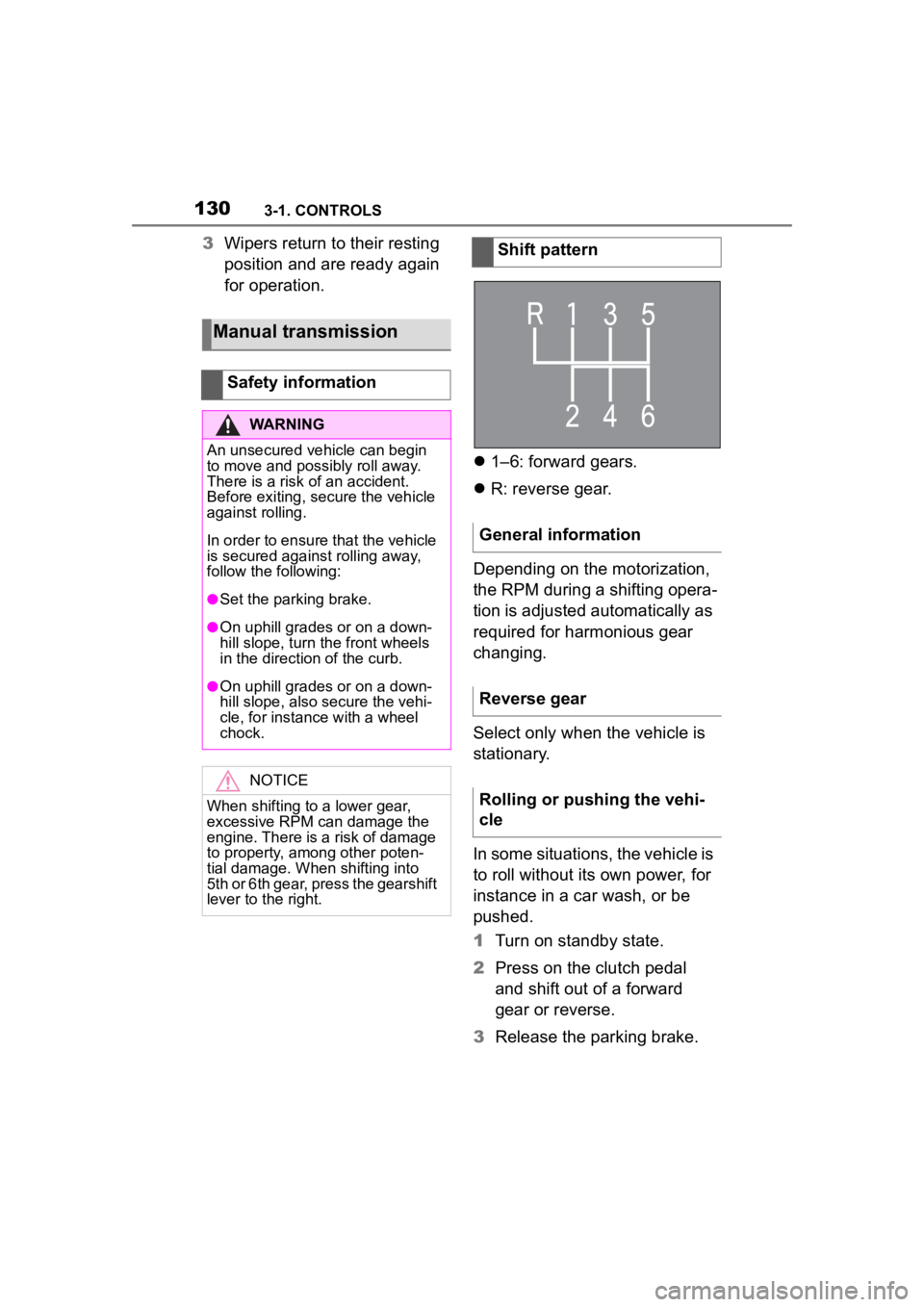
1–6: forward gears.
R: reverse gear.
Depending on the motorization,
the RPM during a shifting opera-
tion is adjusted automatically as
required for harmonious gear
changing.
Select only when the vehicle is
stationary.
In some situations, the vehicle is
to roll without its own power, for
instance in a car wash, or be
pushed.
1 Turn on standby state.
2 Press on the clutch pedal
and shift out of a forward
gear or reverse.
3 Release the parking brake.
Manual transmission
Safety information
WARNING
An unsecured vehicle can begin
to move and possibly roll away.
There is a risk of an accident.
Before exiting, secure the vehicle
against rolling.
In order to ensure that the vehicle
is secured against rolling away,
follow the following:
●Set the parking brake.
●On uphill grades or on a down-
hill slope, turn the front wheels
in the direction of the curb.
●On uphill grades or on a down-
hill slope, also secure the vehi-
cle, for instance with a wheel
chock.
NOTICE
When shifting to a lower gear,
excessive RPM can damage the
engine. There is a risk of damage
to property, among other poten-
tial damage. When shifting into
5th or 6th gear, press the gearshift
lever to the right.
Shift pattern
General information
Reverse gear
Rolling or pushing the vehi-
cle
Page 131 of 372
1313-1. CONTROLS
3
CONTROLS
The Automatic transmission
combines the functions of man-
ual shifting, if needed.
Selector lever position for nor-
mal vehicle operation. All gears
for forward travel are activated
automatically.
Engage selector lever position R
only when the vehicle is station-ary.
The vehicle may be pushed or
roll without power, for instance
in vehicle washes, refer to page
133, in selector lever position N.
Selector lever position, for
instance for parking the vehicle.
The transmission blocks the
drive wheels in selector lever
position P.
Engage selector lever position P
only when the vehicle is station-
ary.
■P is engaged automatically
Selector lever position P is
engaged automatically in situa-
tions such as the following:
After the drive-ready state is
switched off and selector
lever position R, D or M is
engaged.
After the standby state has
been switched off when selec-
tor lever position N is
engaged.
If the driver's safety belt is
unbuckled, the driver's door is
opened, and the brake pedal
is not pressed while the vehi-
cle is stationary and selector
lever position D, M or R is
engaged.
Automatic transmission
Concept
Safety information
WARNING
An unsecured vehicle can begin
to move and possibly roll away.
There is a risk of an accident.
Before exiting, secure the vehicle
against rolling.
In order to ensure that the vehicle
is secured against rolling away,
follow the following:
●Set the parking brake.
●On uphill grades or on a down-
hill slope, turn the front wheels
in the direction of the curb.
●On uphill grades or on a down-
hill slope, also secure the vehi-
cle, for instance with a wheel
chock.
Selector lever positions
Drive mode D
Reverse R
Neutral N
Parking position P
Page 134 of 372
1343-1. CONTROLS
To shift down: press the
selector lever forward.
To shift up: pull the selector
lever rearwards.
Push the selector lever to the
right.
D is displayed in the instrument
cluster.
The shift paddles on the steer-
ing wheel allow you to shift
gears quickly while keeping both
hands on the steering wheel.
■Shifting
The vehicle only shifts at suit-
able engine and road speeds.
■Short-term manual mode
In selector lever position D,
actuating a shift paddle switches
into manual mode temporarily.
After conservative driving in
manual mode without accelera-
tion or shifting via the shift pad-
dles for a certain amount of
time, the transmission switches
back to automatic mode. It is possible to switch into auto-
matic mode as follows:
Pull and hold right shift pad-
dle.
In addition to the briefly pulled
right shift paddle, briefly pull
the left shift paddle.
■Continuous manual mode
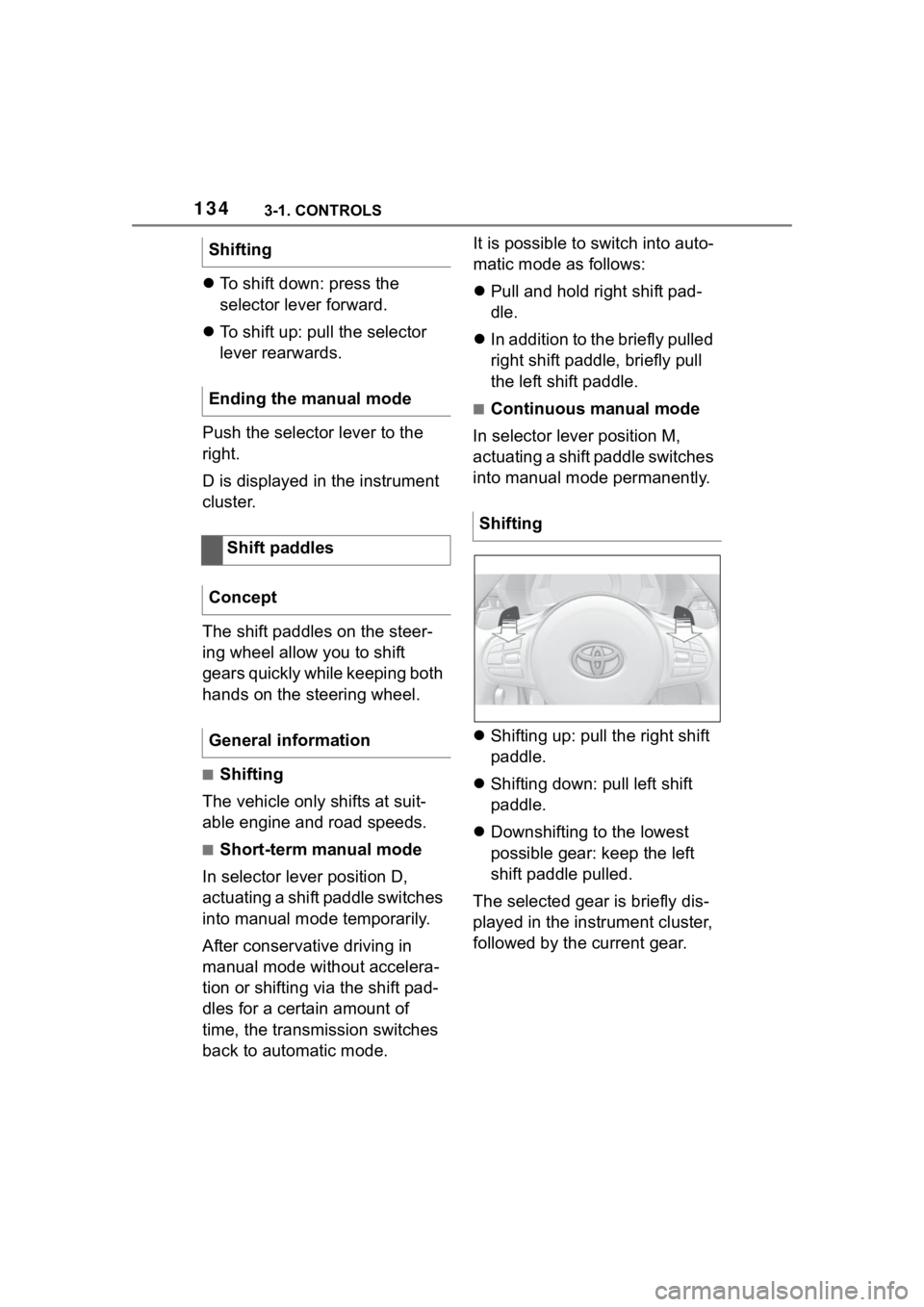
In selector lever position M,
actuating a shift paddle switches
into manual mode permanently.
Shifting up: pull the right shift
paddle.
Shifting down: pull left shift
paddle.
Downshifting to the lowest
possible gear: keep the left
shift paddle pulled.
The selected gear is briefly dis-
played in the instrument cluster,
followed by the current gear.
Shifting
Ending the manual mode
Shift paddles
Concept
General information
Shifting
Page 136 of 372
1363-1. CONTROLS
Do not use Launch Control
during the break-in, refer to
page 258, period.
Do not steer the steering wheel
when driving off with Launch
Control.
Launch Control is available
when the engine is at operating
temperature. The engine is at
operating temperature after an
uninterrupted trip of at least 6
miles/10 km.
1Switch on drive-ready state.
2 Press the sport button.
SPORT will be dis played on the
instrument cluster, indicating sport
mode has been selected.
3 Press the button.
TRACTION will be displayed on the
instrument cluster and the VSC
OFF indicator la mp will illuminate.
4Select the D selector lever
position.
5 Firmly depress the brake
pedal with your left foot.
6 Fully depress and hold the
accelerator pedal at the kick-
down position.
A flag symbol will be shown in the
instrument cluster.
7The engine speed will be
adjusted for launching. Release the brake pedal
within 3 seconds.
After Launch Control has been
used, the transmission must
cool down for approx. 5 minutes
before Launch Control can be
used again. Launch Control
adjusts to the surrounding con-
ditions, when used again.
To increase vehicle stability,
activate VSC Vehicle Stability
Control System again as soon
as possible.
An experienced driver may be
able to achieve better accelera-
tion values in VSC OFF mode.
The Sport mode button influ-
ences the driving dynamics
properties of the vehicle.
The following systems are
affected, for instance:
Engine characteristics.
Automatic transmission.
Functional requirements
Start with launch control
Repeated use during a trip
After using Launch Control
System limits
Sport mode button
Concept
General information
Page 145 of 372
1453-1. CONTROLS
3
CONTROLS
Always avoid engine speeds in
the red warning field. In this
range, the fuel supply is reduced
to protect the engine.
Depending on the vehicle equip-
ment, the shift position indica-
tors on the instrument cluster
indicates the maximum shift
point at which the best possible
acceleration can be achieved.
Depending on the equipment
and nationalmarket version, the
Shift lights are active in the sport
mode of the Automatic transmis-
sion and with manual transmis-
sion.
When the selected driving mode
is sport mode, a shift light will be
displayed.
Automatic transmission:
1Select SPORT using the
sport mode switch.
2 Activate manual mode of the
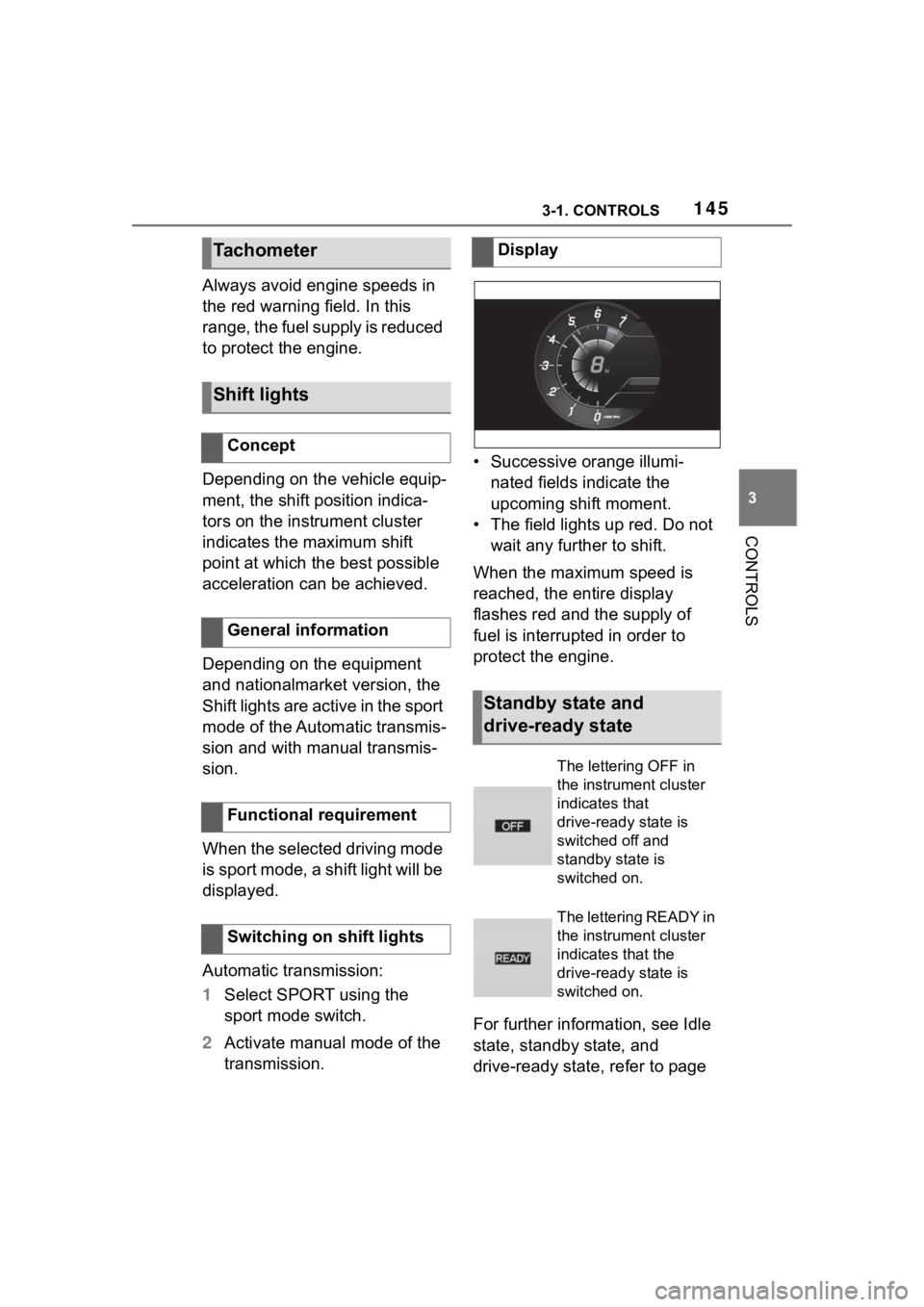
transmission. • Successive orange illumi-
nated fields indicate the
upcoming shift moment.
• The field lights up red. Do not wait any further to shift.
When the maximum speed is
reached, the entire display
flashes red and the supply of
fuel is interrupted in order to
protect the engine.
For further information, see Idle
state, standby state, and
drive-ready state, refer to page
Tachometer
Shift lights
Concept
General information
Functional requirement
Switching on shift lights
Display
Standby state and
drive-ready state
The lettering OFF in
the instrument cluster
indicates that
drive-ready state is
switched off and
standby state is
switched on.
The lettering READY in
the instrument cluster
indicates that the
drive-ready state is
switched on.
Page 148 of 372
1483-1. CONTROLS
Via Toyota Supra Command:
1"My vehicle"
2 "Vehicle status"
3 "Service required"
4 "Date:"
5 Select the desired setting.
The gear shift indicator recom-
mends the optimal gear for the
current driving situation and
supports an efficient driving
style.
Depending on the vehicle equip-
ment and country version, the
gear shift indicator is active in
the manual mode of the auto-
matic transmission and with
manual transmission.
Suggestions to shift gear up or
down are displayed in the instru-
ment cluster.
On vehicles without a gear shift
indicator, the engaged gear is
displayed. Suggestions to shift gear up or
down are displayed in the instru-
ment cluster.
On vehicles without a gear shift
indicator, the engaged gear is
displayed.
The display can be operated
when necessary.
Entertainment source.
Current audio source.
List of most recent telephone
calls.
If necessary, the corresponding
menu will open on the Control
Display.
Gear shift indicator
Concept
General information
Manual transmission: dis-
playing
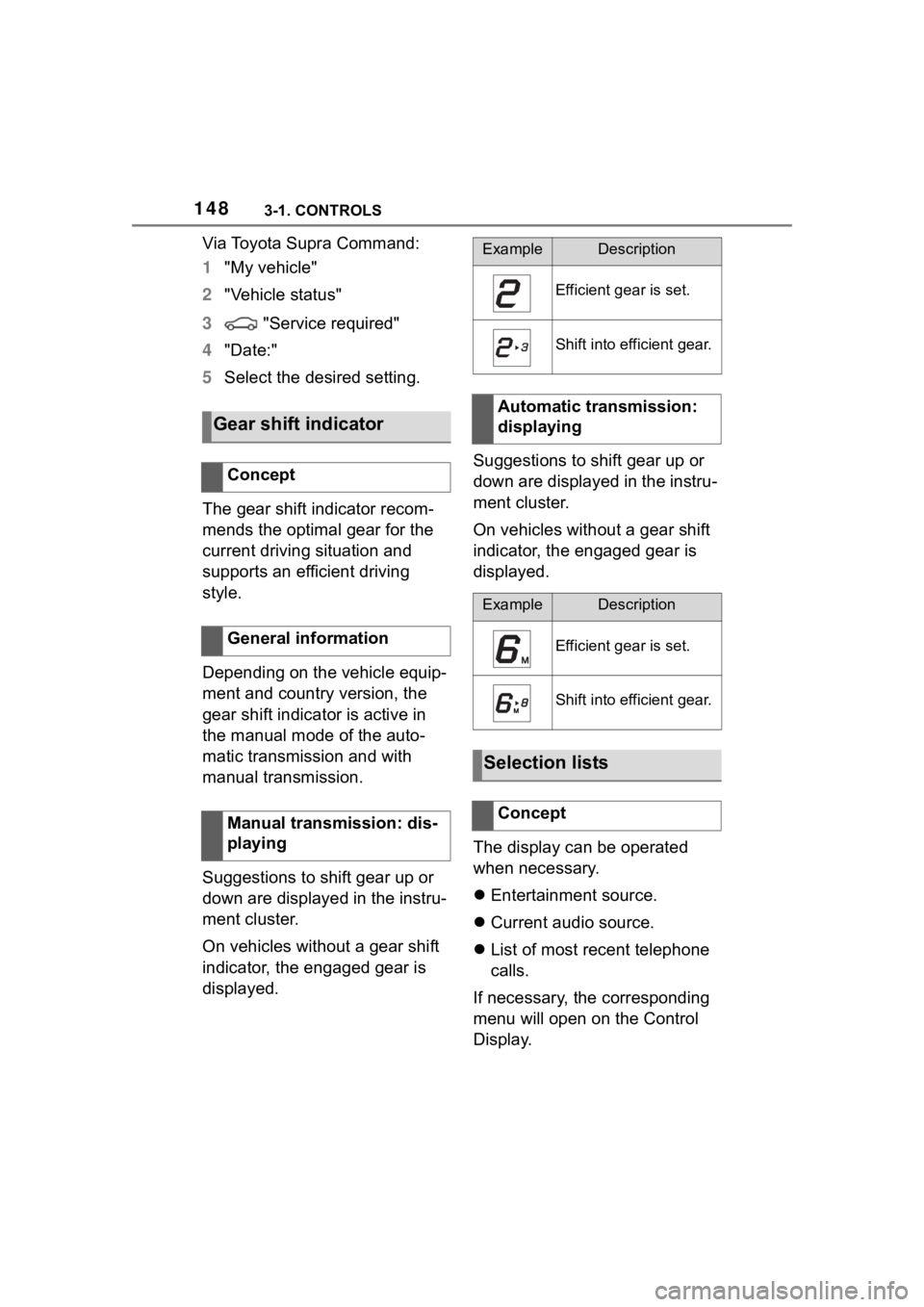
ExampleDescription
Efficient gear is set.
Shift into efficient gear.
Automatic transmission:
displaying
ExampleDescription
Efficient gear is set.
Shift into efficient gear.
Selection lists
Concept
Page 181 of 372

1813-1. CONTROLS
3
CONTROLS
If a prewarning is provided,
respond by braking as war-
ranted.
An acute warning is displayed in
case of the imminent danger of
a collision when the vehicle
approaches another object at a
high differential speed.
Intervene in the case of an
acute warning. Depending on
the driving situation and the
equipment version, the acute
warning may be accompanied
by a brief activation of the brak-
ing system.
With the warning time setting
"late" the brief activation of the
braking system is omitted.
If an acute warning is provided,
the system may also provide
assistance, such as through
braking, when there is risk of
collision.
Acute warnings may be pro-
vided even when there has been
no prior warning.
The warning prompts the driver
to intervene. When the brake
pedal is pressed quickly and
hard, the maximum braking
force of the vehicle is used.
The system may also assist in braking if there is a risk of colli-
sion.
When the vehicle is traveling at
a low speed, the vehicle may
come to a complete stop.
Manual transmission: during a
brake intervention up to a com-
plete stop, the engine may be
shut down.
City brake function: the braking
intervention occurs to up to
approx. 53 mph/85 km/h.
With radar sensor: the braking
intervention occurs to up to
approx. 155 mph/250 km/h.
At speeds above approx. 130
mph/210 km/h, the braking inter-
vention occurs as a brief braking
pressure. No automatic delay
occurs.
The driver may interrupt the
braking intervention function by
stepping on the accelerator
pedal or by actively moving the
steering wheel.
The system’s ability to detect
objects may be limited in some
circumstances. Refer to the
information in this Owner’s Man-
ual regarding the limitations of
the system and actively inter-
vene as warranted.
Acute warning with braking
function
Braking intervention
Page 207 of 372
2073-1. CONTROLS
3
CONTROLS
The indicator will come on.
Cruise control is active. The cur-
rent speed is maintained and
stored as desired speed.
VSC Vehicle Stability Control
System is switched on, if neces-
sary.
The displays go out. The stored
desired speed is deleted.
The system is automatically
interrupted in the following situa-
tions, for example:
When the driver applies the
brakes.
Manual transmission: the
clutch pedal is depressed for
a few seconds or released while a gear is not engaged.
Manual transmission: if the
gear engaged is too high for
the current speed.
Automatic transmission:
selector lever position D is
disengaged.
Traction mode is activated or
VSC Vehicle Stability Control
System is deactivated.
If VSC Vehicle Stability Con-
trol System intervenes.
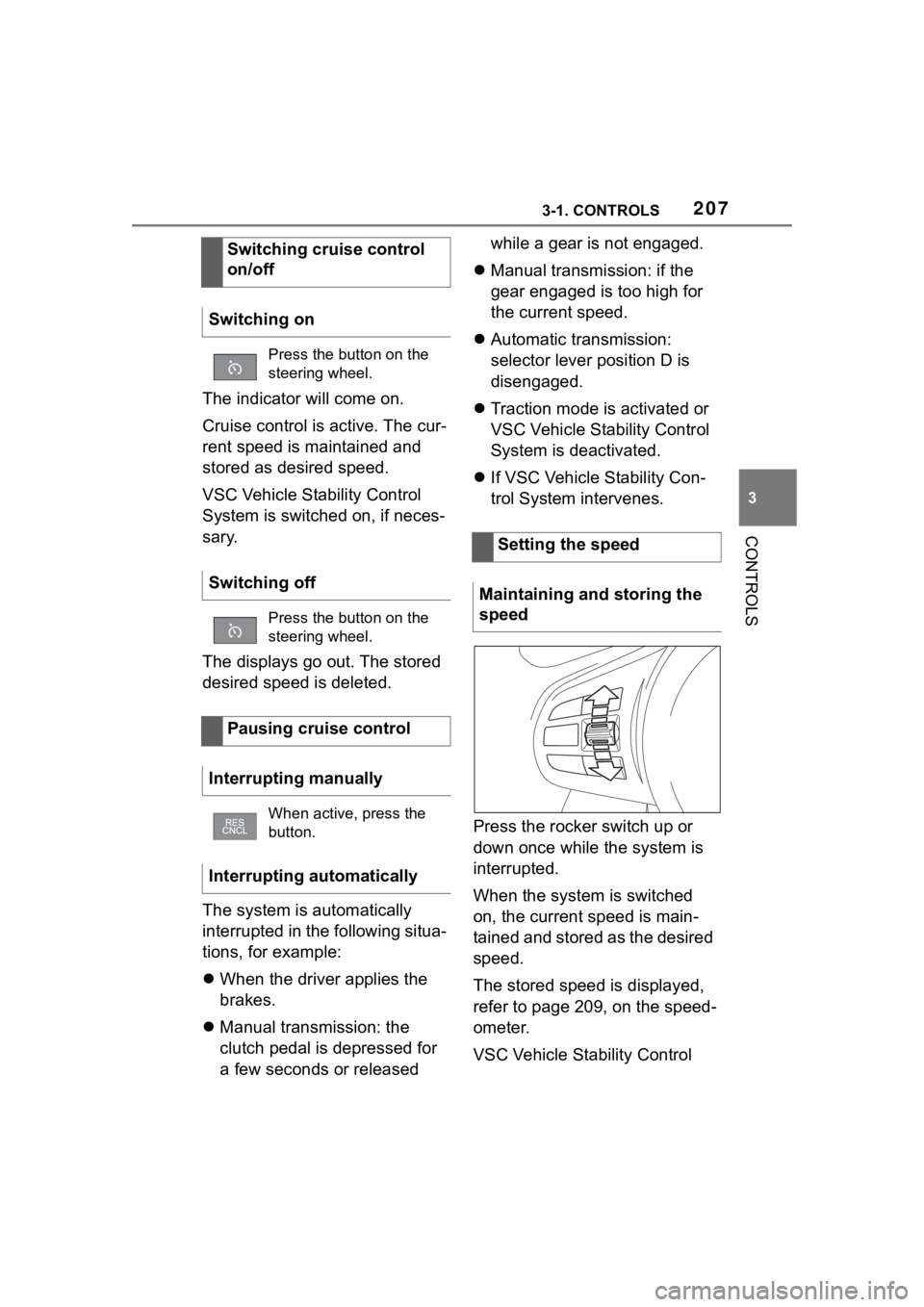
Press the rocker switch up or
down once while the system is
interrupted.
When the system is switched
on, the current speed is main-
tained and stored as the desired
speed.
The stored speed is displayed,
refer to page 209, on the speed-
ometer.
VSC Vehicle Stability Control
Switching cruise control
on/off
Switching on
Press the button on the
steering wheel.
Switching off
Press the button on the
steering wheel.
Pausing cruise control
Interrupting manually
When active, press the
button.
Interrupting automatically
Setting the speed
Maintaining and storing the
speed
Page 212 of 372
2123-1. CONTROLS
the same time.
Press the following button on
the steering wheel again:
The displays go out. The stored
desired speed is deleted.
When active, press the following
button on the steering wheel:
If interrupting the system while
stationary, press on the brake
pedal at the same time.
The system is automatically
interrupted in the following situa-
tions:
When the driver applies the
brakes.
Manual transmission: the
clutch pedal is depressed for
a few seconds or released
while a gear is not engaged.
Manual transmission: if the
gear engaged is too high for
the current speed.
Automatic transmission:selec-
tor lever position D isdisen-
gaged.
Traction mode is activated or
VSC Vehicle Stability Control
System is deactivated.
If VSC Vehicle Stability Con-
trol System intervenes.
If the safety belt is unbuckled
and the driver's door is
opened while the vehicle is
standing still.
If the system has not detected
objects for an extended
period, for instance on a road
with very little traffic without
curb or shoulder markings.
If the detection range of the
radar is impaired, for instance
by dirt or heavy fog.
After a longer stationary
period when the vehicle has
been braked to a stop by the
system.
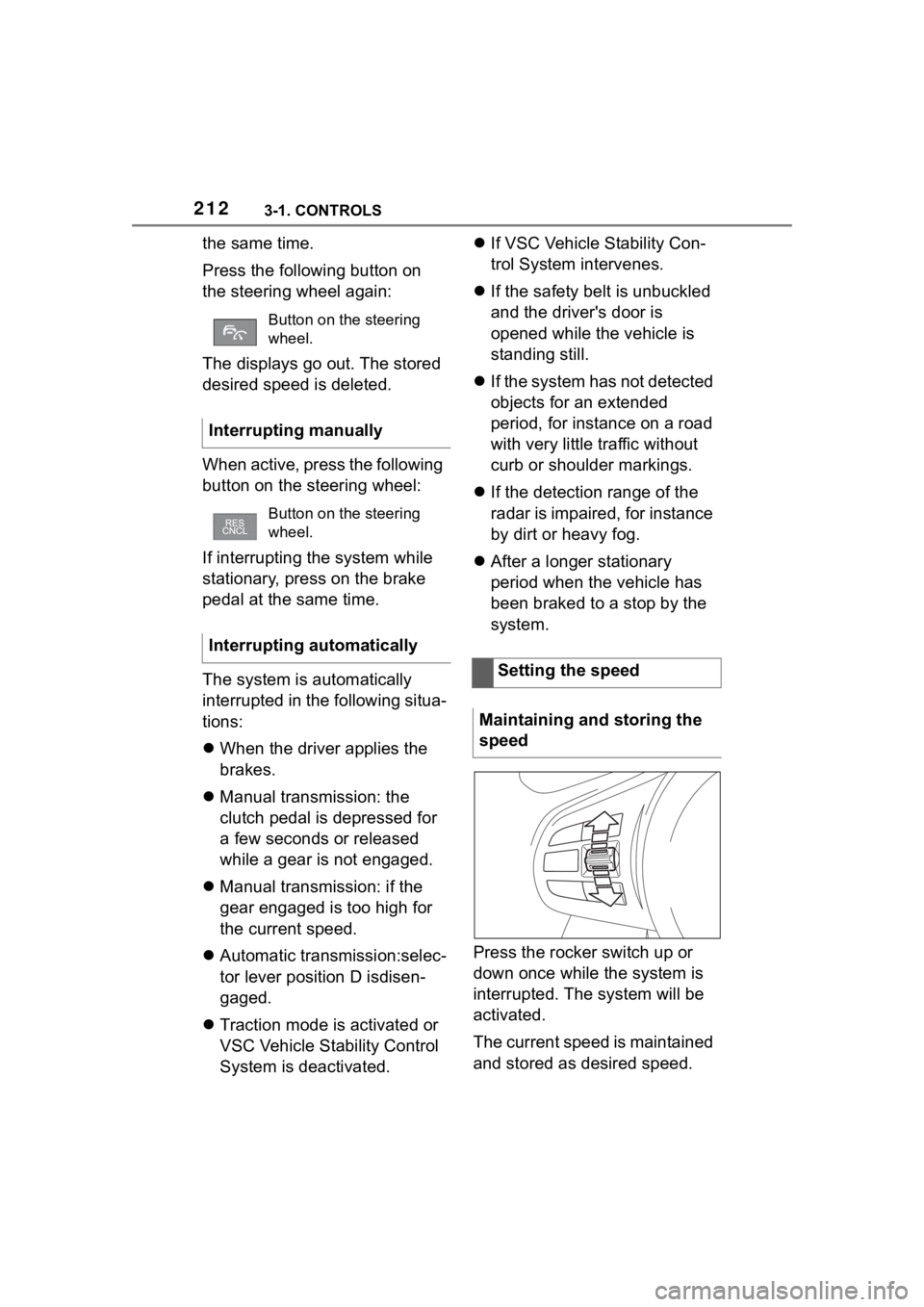
Press the rocker switch up or
down once while the system is
interrupted. The system will be
activated.
The current speed is maintained
and stored as desired speed.
Button on the steering
wheel.
Interrupting manually
Button on the steering
wheel.
Interrupting automatically
Setting the speed
Maintaining and storing the
speed
Page 222 of 372
2223-1. CONTROLS
object is detected to the left rear
of the vehicle, a signal tone
sounds from the left rear
speaker.
The shorter the distance to the
object, the shorter the intervals.
If the distance to a detected
object is less than approx. 8
in/20 cm, a continuous tone is
sounded.
If there are objects in front of
and behind the vehicle at the
same time, with a distance
smaller than approx. 8 in/20 cm,
an alternating constant tone will
sound.
Automatic transmission: the
intermittent tone and constant
tone are switched off if the
selector lever position P is
engaged.
The intermittent tone is switched
off after a short time when the
vehicle is stationary.
If an object approaches when
the vehicle is stationary, the
acoustic signal is reactivated.
■Vo l u m e
The Parking Sensor signal tone
volume can be adjusted.
Via Toyota Supra Command:
1 "My vehicle"
2 "System settings"
3 "Tone"
4 "Volume settings"
5 "Parking Sens." 6
Set the desired value.
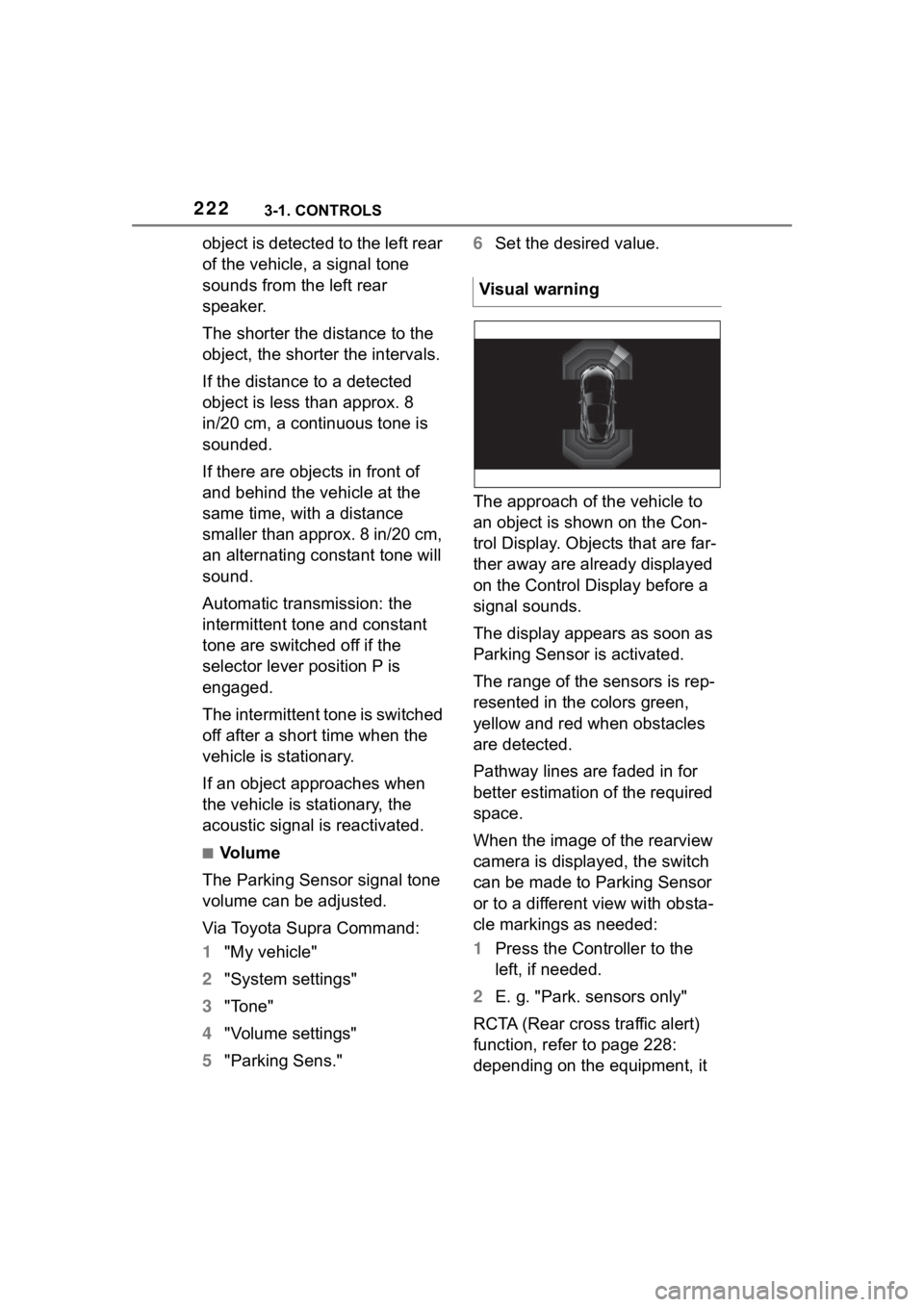
The approach of the vehicle to
an object is shown on the Con-
trol Display. Objects that are far-
ther away are already displayed
on the Control Display before a
signal sounds.
The display appears as soon as
Parking Sensor is activated.
The range of the sensors is rep-
resented in the colors green,
yellow and red when obstacles
are detected.
Pathway lines are faded in for
better estimation of the required
space.
When the image of the rearview
camera is displayed, the switch
can be made to Parking Sensor
or to a different view with obsta-
cle markings as needed:
1 Press the Controller to the
left, if needed.
2 E. g. "Park. sensors only"
RCTA (Rear cross traffic alert)
function, refer to page 228:
depending on the equipment, it Visual warning