brakes TOYOTA SUPRA 2023 Owners Manual
[x] Cancel search | Manufacturer: TOYOTA, Model Year: 2023, Model line: SUPRA, Model: TOYOTA SUPRA 2023Pages: 372, PDF Size: 6.32 MB
Page 8 of 372

81-1. NOTES
assistance during driving, for
instance driver assistance sys-
tems. Furthermore, control units
facilitate comfort or infotainment
functions.
Information about stored or
exchanged data can be
requested from the manufac-
turer of the vehicle, in a sepa-
rate booklet, for example.
Each vehicle is marked with a
unique vehicle identification
number. Depending on the
country, the vehicle owner can
be identified with the vehicle
identification number, license
plate and corresponding authori-
ties. In addition, there are other
options to track data collected in
the vehicle to the driver or vehi-
cle owner, e.g. via the Toyota
Supra Connect account that is
used.
Control units process data to
operate the vehicle.
For example, this includes:
• Status messages for the vehi-cle and its Customize compo-
nents, e.g., wheel rotational
speed, wheel speed, deceler-
ation, transverse acceleration,
engaged safety belt indicator.
• Ambient conditions, e.g., tem- perature, rain sensor signals.
The processed data is only pro-
cessed in the vehicle itself and
generally volatile. The data is
not stored beyond the operating
period.
Electronic components, e.g.
control units and ignition keys,
contain components for storing
technical information. Informa-
tion about the vehicle condition,
component usage, mainte-
nance requirements or faults
can be stored temporarily or
permanently.
This information generally
records the state of a compo-
nent, a module, a system, or the
environment, for instance:
• Operating states of system components, e.g., fill levels,
tire inflation pressure, battery
status.
• Malfunctions and faults in important system compo-
nents, for instance lights and
brakes.
• Responses by the vehicle to special situations such as air-
bag deployment or engage-
ment of the driving stability
control systems.
• Information on vehicle-dam- aging events.
The data is required to perform
the control unit functions. Fur-
thermore, it also serves to rec-
ognize and correct malfunctions,
and helps the vehicle manufac-
Personal reference
Operating data in the vehi-
cle
Page 124 of 372
1243-1. CONTROLS
■General information
To use as emergency brake
while driving:
Pull the switch and hold it. The
vehicle brakes hard while the
switch is being pulled.
A vehicle message is displayed.
If the vehicle is slowed down to
a speed of approx. 2 mph/3
km/h the parking brake is set.
1 Switch on drive-ready state.
2 Manual transmission:
press the switch while the
brake pedal is pressed.
Automatic transmission:
WARNING
Unattended children or animals in
the vehicle can cause the vehicle
to move and endanger them-
selves and traffic, for instance due
to the following actions:
●Pressing the Start/Stop button.
●Releasing the parking brake.
●Opening and closing the doors
or windows.
●Engaging selector lever position
N.
●Using vehicle equipment.
There is a risk of accidents or inju-
ries. Do not leave children or ani-
mals unattended in the vehicle.
Take the remote control with you
when exiting and lock the vehicle.
Overview
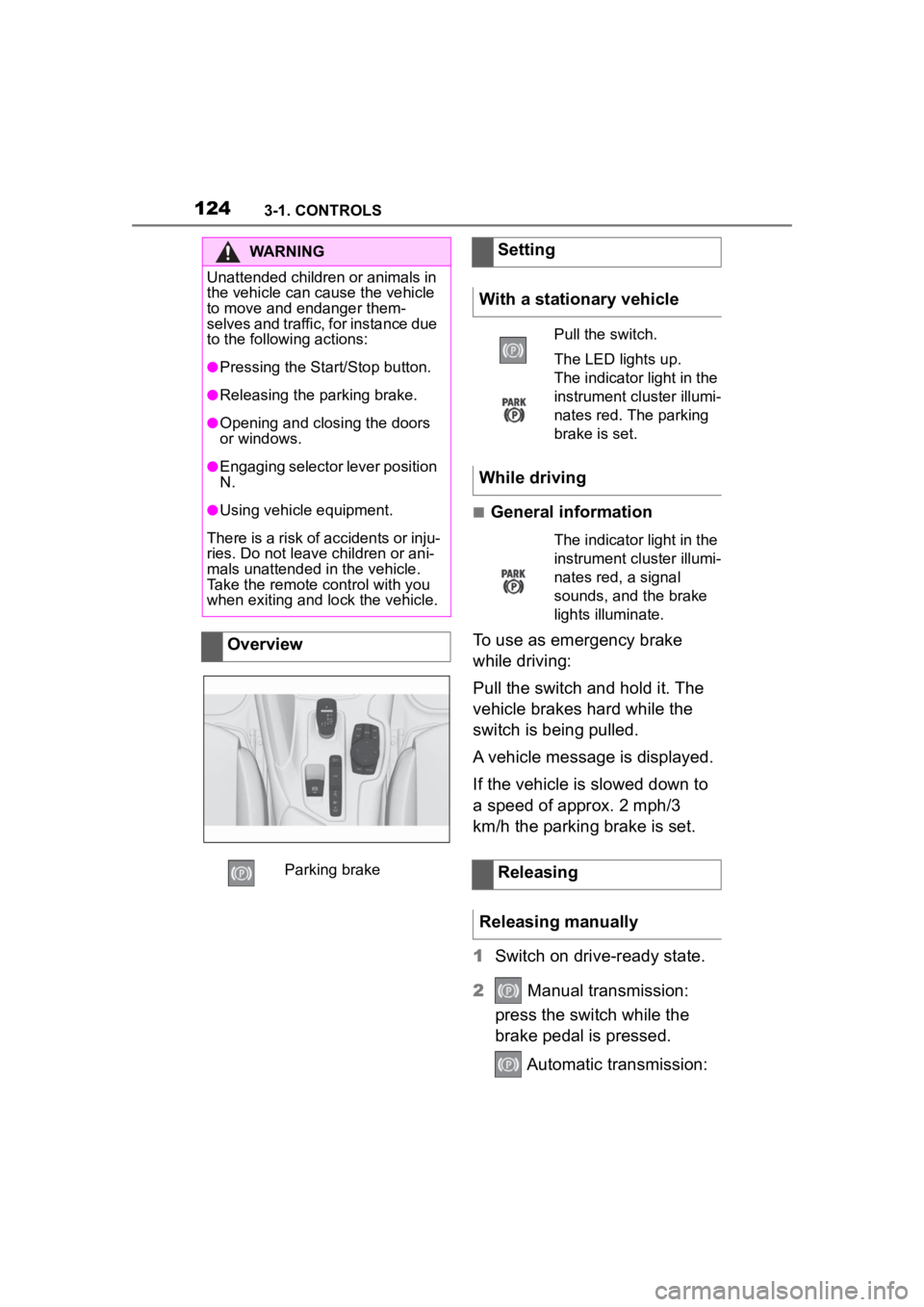
Parking brake
Setting
With a stationary vehicle
Pull the switch.
The LED lights up.
The indicator light in the
instrument cluster illumi-
nates red. The parking
brake is set.
While driving
The indicator light in the
instrument cluster illumi-
nates red, a signal
sounds, and the brake
lights illuminate.
Releasing
Releasing manually
Page 178 of 372
1783-1. CONTROLS
"ALL ON": all Toyota Supra
Safety systems are switched on.
Basic settings are activated for
the sub-functions, for instance
setting for warning time.
"Customized": the Toyota Supra
Safety systems are switched on
according to the individual set-
tings.
Some Toyota Supra Safety sys-
tems cannot be individually
switched off.
All Toyota Supra Safety systems
are switched off.
The system may prevent some
accidents. In the event of an
accident, the system may
reduce impact speed.
The system sounds a warning
before an imminentcollision and
activates brakes inde-
pendently,if needed.
Depending on the equipment
version, the system is controlled by the following sensors:
Camera in the area of the
interior mirror.
Radar sensor in the front
bumper.
The approach control warning is
available even if cruise control
has been deactivated.
With the vehicle approaching
another vehicle intentionally, the
approach control warning and
braking are delayed in order to
avoid false system reactions.
The system issues a two-phase
warning of a possible risk of col-
lision with vehicles at speeds
above approx. 3 mph/5 km/h.
The timing of warnings may vary
with the current driving situation.
Press the button repeat-
edly. The following set-
tings are switched
between:
Press and hold this button:
Front collision mitigation
Concept
General information
Safety information
WARNING
The system cannot serve as a
substitute for the driver's personal
judgment in assessing the traffic
situation. Based on the limits of
the system, it cannot inde-
pendently react to all traffic situa-
tions. There is a risk of accident.
Adjust driving style to traffic condi-
tions. Watch the surrounding traf-
fic situation closely, be ready to
take over steering and braking at
any time, and actively intervene
where appropriate.
Page 183 of 372
1833-1. CONTROLS
3
CONTROLS
settings are, for example the
warning time, the more warn-
ings are displayed. Therefore,
there may also be an excess of
premature or unjustified warn-
ings and reactions.
The system can help prevent
accidents involving pedestrians
and cyclists. In the event of an
accident, the system may
reduce impact speed. The sys-
tem sounds a warning in the city
speed range before an imminent
collision and activates brakes
independently, if needed.
The system issues a warning of
a possible risk of collision with
pedestrians and cyclists at
speeds above approx. 3 mph/5
km/h.
The system reacts to pedestri-
ans and cyclists who are within
the detection range of the sys-
tem.
Depending on the equipment
version, the system is controlled
by the following sensors:
Camera in the area of the
interior mirror.
Radar sensor in the front bumper.
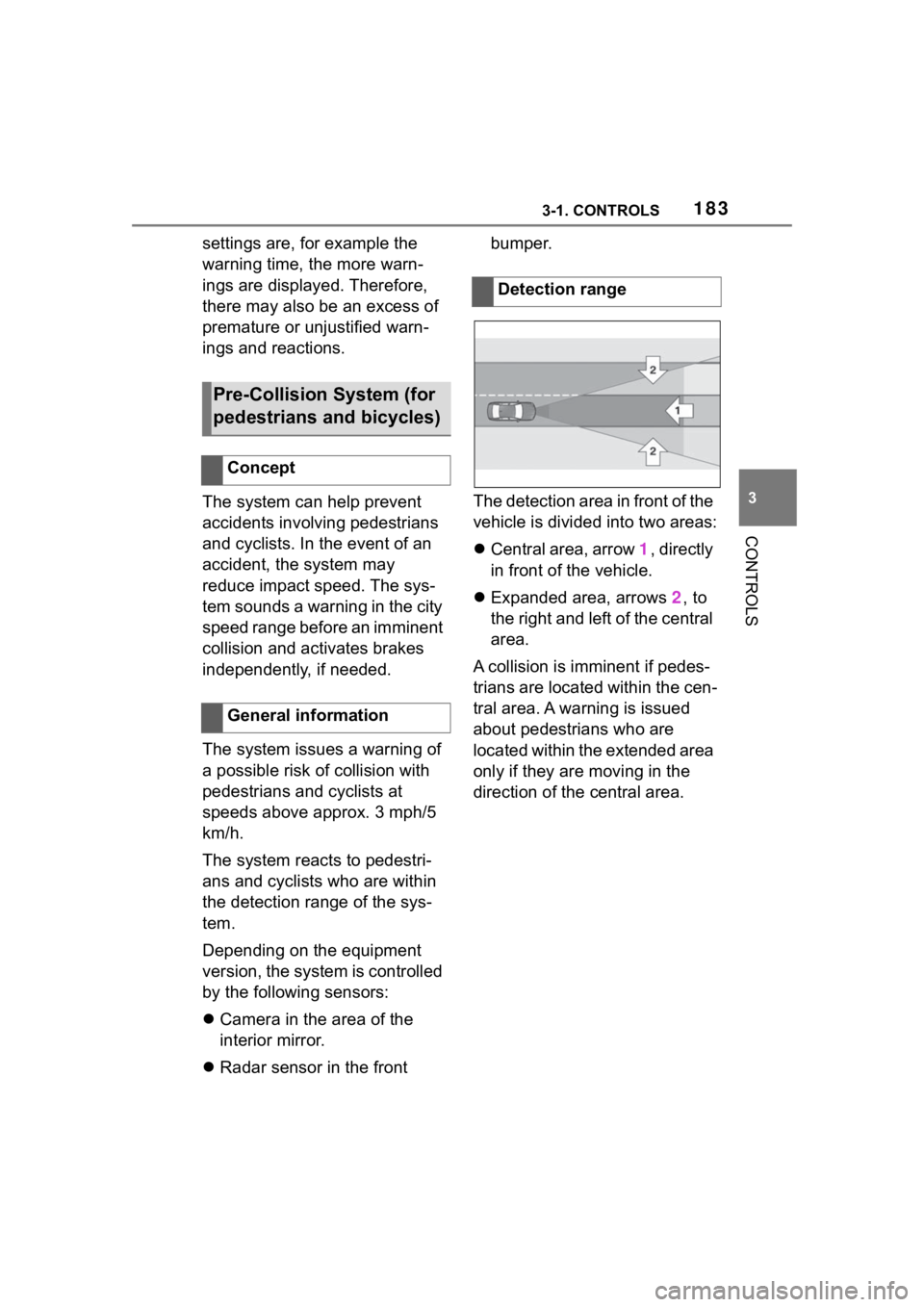
The detection area in front of the
vehicle is divided into two areas:
Central area, arrow 1, directly
in front of the vehicle.
Expanded area, arrows 2, to
the right and left of the central
area.
A collision is imminent if pedes-
trians are located within the cen-
tral area. A warning is issued
about pedestrians who are
located within the extended area
only if they are moving in the
direction of the central area.
Pre-Collision System (for
pedestrians and bicycles)
Concept
General information
Detection range
Page 199 of 372
1993-1. CONTROLS
3
CONTROLS
This chapter describes all stan-
dard, country-specific and
optional features offered with
the series. It also describes fea-
tures and functions that are not
necessarily available in your
vehicle, e.g., due to the selected
options or country versions. This
also applies to safety-related
functions and systems. When
using these functions and sys-
tems, the applicable laws and
regulations must be observed.
ABS prevents locking of the
wheels during braking.
The vehicle maintains its steer-
ing power even during full brake
applications, which increases
the active safety.
ABS is operational every time
you start the engine.
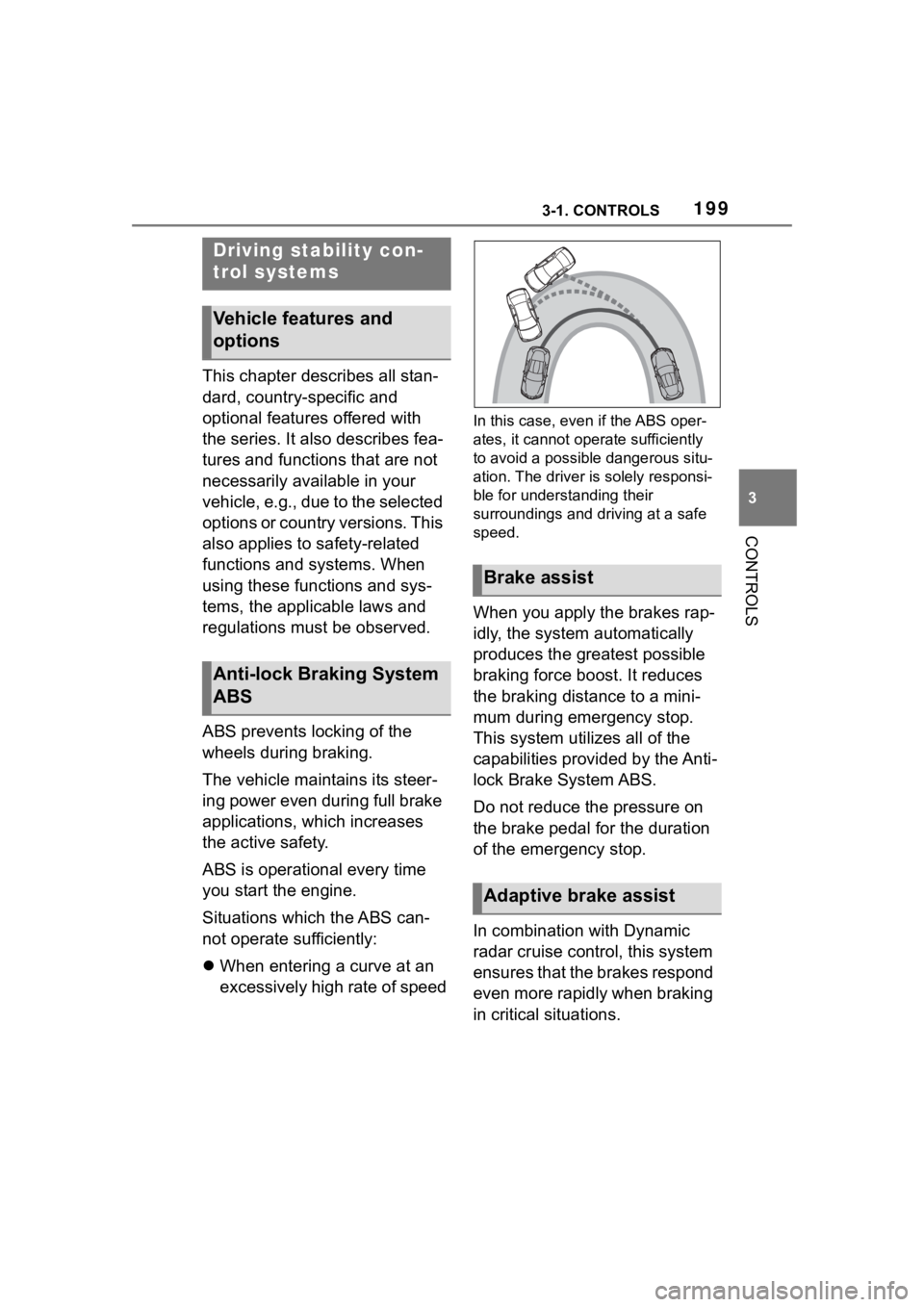
Situations which the ABS can-
not operate sufficiently:
When entering a curve at an
excessively high rate of speed
In this case, even if the ABS oper-
ates, it cannot ope rate sufficiently
to avoid a possible dangerous situ-
ation. The driver is solely responsi-
ble for understanding their
surroundings and d riving at a safe
speed.
When you apply the brakes rap-
idly, the system automatically
produces the greatest possible
braking force boost. It reduces
the braking distance to a mini-
mum during emergency stop.
This system utilizes all of the
capabilities provided by the Anti-
lock Brake System ABS.
Do not reduce the pressure on
the brake pedal for the duration
of the emergency stop.
In combination with Dynamic
radar cruise control, this system
ensures that the brakes respond
even more rapidly when braking
in critical situations.
Driving stability con-
trol systems
Vehicle features and
options
Anti-lock Braking System
ABS
Brake assist
Adaptive brake assist
Page 205 of 372
2053-1. CONTROLS
3
CONTROLS
Via Toyota Supra Command:
1"My vehicle"
2 "System settings"
3 "Displays"
4 "Instrument panel"
5 Select desired setting:
"Warn when speeding": acti-
vating/deactivating the flash-
ing of the Speed Limit Info
display in the instrument clus-
ter and Head-up Display
when the currently valid
speed limit is exceeded.
"Excess speed display": the
speed limit that is detected by
the Speed Limit Info is dis-
played with a marking in the
speedometer in the instru-
ment cluster.
Additional information:
• Cameras, refer to page 42.
The system may not be fully
functional and may provide
incorrect information in the fol-
lowing situations:
When signs are fully or par-
tially concealed by objects,
stickers or paint.
When driving very close to the
vehicle in front of you.
If the speed limits or road data
stored in the navigation sys-
tem are incorrect.
If the speed limits vary with
the time of day and the day of
the week.
In areas not covered by the
navigation system.
When roads differ from the
navigation, such as due to
changes in road routing.
In case of electronic traffic
signs.
When passing buses or trucks
with traffic signs applied to
them.
If the traffic signs are
non-conforming.
When signs that are valid for
a parallel road are detected.
In the presence of coun-
try-specific signs and road
configurations.
*: if equipped
Using this system, a desired
speed can be adjusted using the
buttons on the steering wheel.
The system maintains the
desired speed. The system
accelerates and brakes auto-
Settings
System limits
System limits of the sensors
Functional limitations
Cruise control*
Concept
Page 207 of 372
2073-1. CONTROLS
3
CONTROLS
The indicator will come on.
Cruise control is active. The cur-
rent speed is maintained and
stored as desired speed.
VSC Vehicle Stability Control
System is switched on, if neces-
sary.
The displays go out. The stored
desired speed is deleted.
The system is automatically
interrupted in the following situa-
tions, for example:
When the driver applies the
brakes.
Manual transmission: the
clutch pedal is depressed for
a few seconds or released while a gear is not engaged.
Manual transmission: if the
gear engaged is too high for
the current speed.
Automatic transmission:
selector lever position D is
disengaged.
Traction mode is activated or
VSC Vehicle Stability Control
System is deactivated.
If VSC Vehicle Stability Con-
trol System intervenes.
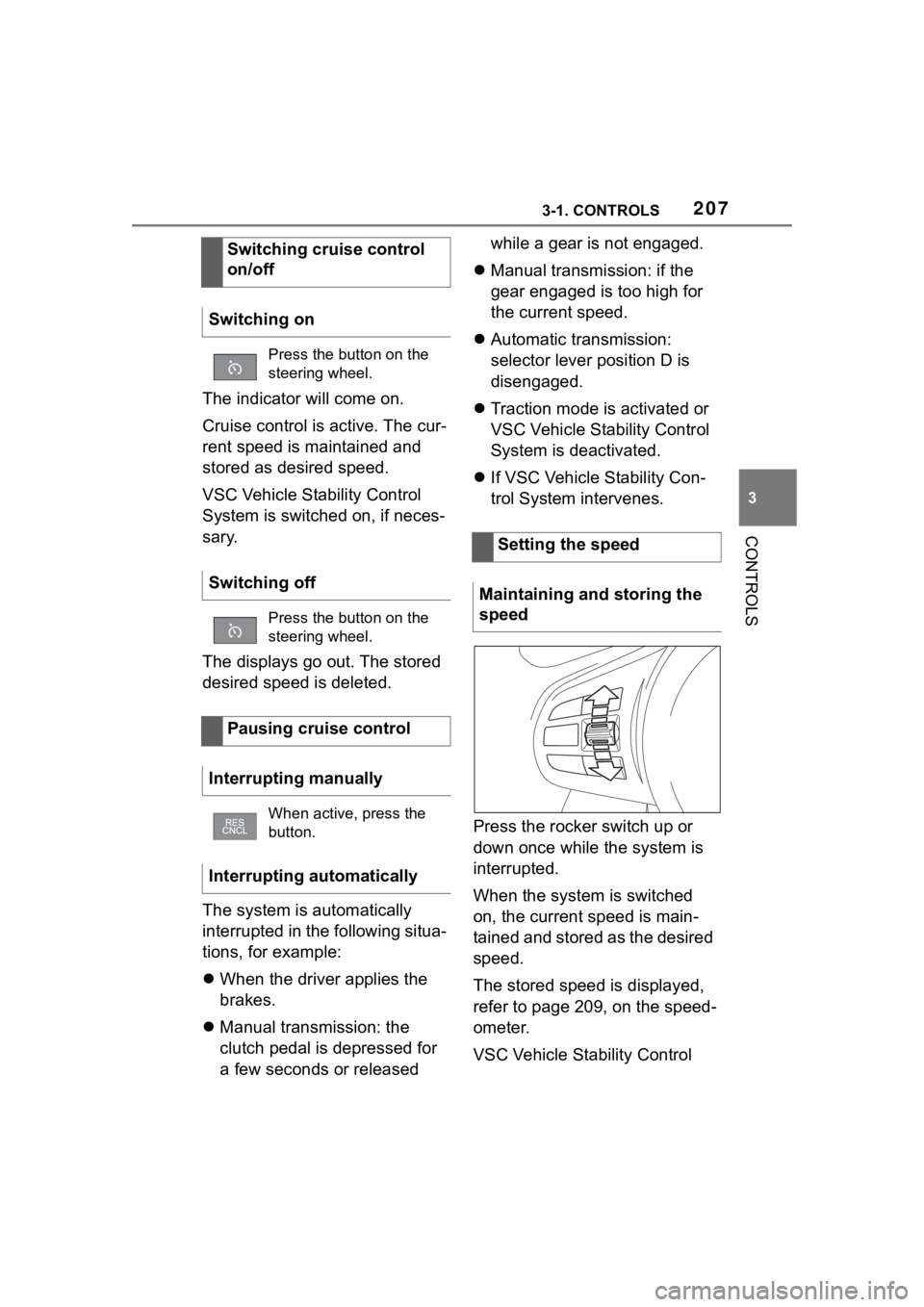
Press the rocker switch up or
down once while the system is
interrupted.
When the system is switched
on, the current speed is main-
tained and stored as the desired
speed.
The stored speed is displayed,
refer to page 209, on the speed-
ometer.
VSC Vehicle Stability Control
Switching cruise control
on/off
Switching on
Press the button on the
steering wheel.
Switching off
Press the button on the
steering wheel.
Pausing cruise control
Interrupting manually
When active, press the
button.
Interrupting automatically
Setting the speed
Maintaining and storing the
speed
Page 209 of 372
2093-1. CONTROLS
3
CONTROLSWith the proper equipment, the
value of the selected speed is
briefly displayed digitally.
Some system information can
also be displayed in the
Head-up Display.
The desired speed is also main-
tained downhill.
The speed may not be main-
tained on uphill grades if the
engine power is insufficient.
*: if equipped
Using this system, a desired
speed and a distance to a vehi-
cle ahead can be adjusted using
the buttons on the steering
wheel.
The system maintains the
desired speed on clear roads.
For this purpose, the vehicle
accelerates or brakes automati-
cally.
If a vehicle is driving ahead of
you, the system adjusts the
speed of your vehicle so that the
set distance to the vehicle
ahead is maintained. The speed
is adjusted as far as the given
situation allows.
Depending on the vehicle set-
tings, the characteristics of the
Cruise Control may change.
The distance can be adjusted in
several steps. For safety rea-
sons, it depends on the respec-
tive speed.
If the vehicle ahead of you
brakes to a halt, and then pro-
ceeds to drive again within a
brief period, the system is able
Displays in the instrument
cluster
Indicator light
Indicator light green:
system is active.
Gray indicator light: the
system has been inter-
rupted.
No indicator light: sys-
tem is switched off.
Status display
Displays in the Head-up
Display
The symbol is displayed
when the set desired
speed is reached.
System limits
Dynamic radar cruise
control with full-speed
range*
Concept
General information
Page 212 of 372
2123-1. CONTROLS
the same time.
Press the following button on
the steering wheel again:
The displays go out. The stored
desired speed is deleted.
When active, press the following
button on the steering wheel:
If interrupting the system while
stationary, press on the brake
pedal at the same time.
The system is automatically
interrupted in the following situa-
tions:
When the driver applies the
brakes.
Manual transmission: the
clutch pedal is depressed for
a few seconds or released
while a gear is not engaged.
Manual transmission: if the
gear engaged is too high for
the current speed.
Automatic transmission:selec-
tor lever position D isdisen-
gaged.
Traction mode is activated or
VSC Vehicle Stability Control
System is deactivated.
If VSC Vehicle Stability Con-
trol System intervenes.
If the safety belt is unbuckled
and the driver's door is
opened while the vehicle is
standing still.
If the system has not detected
objects for an extended
period, for instance on a road
with very little traffic without
curb or shoulder markings.
If the detection range of the
radar is impaired, for instance
by dirt or heavy fog.
After a longer stationary
period when the vehicle has
been braked to a stop by the
system.
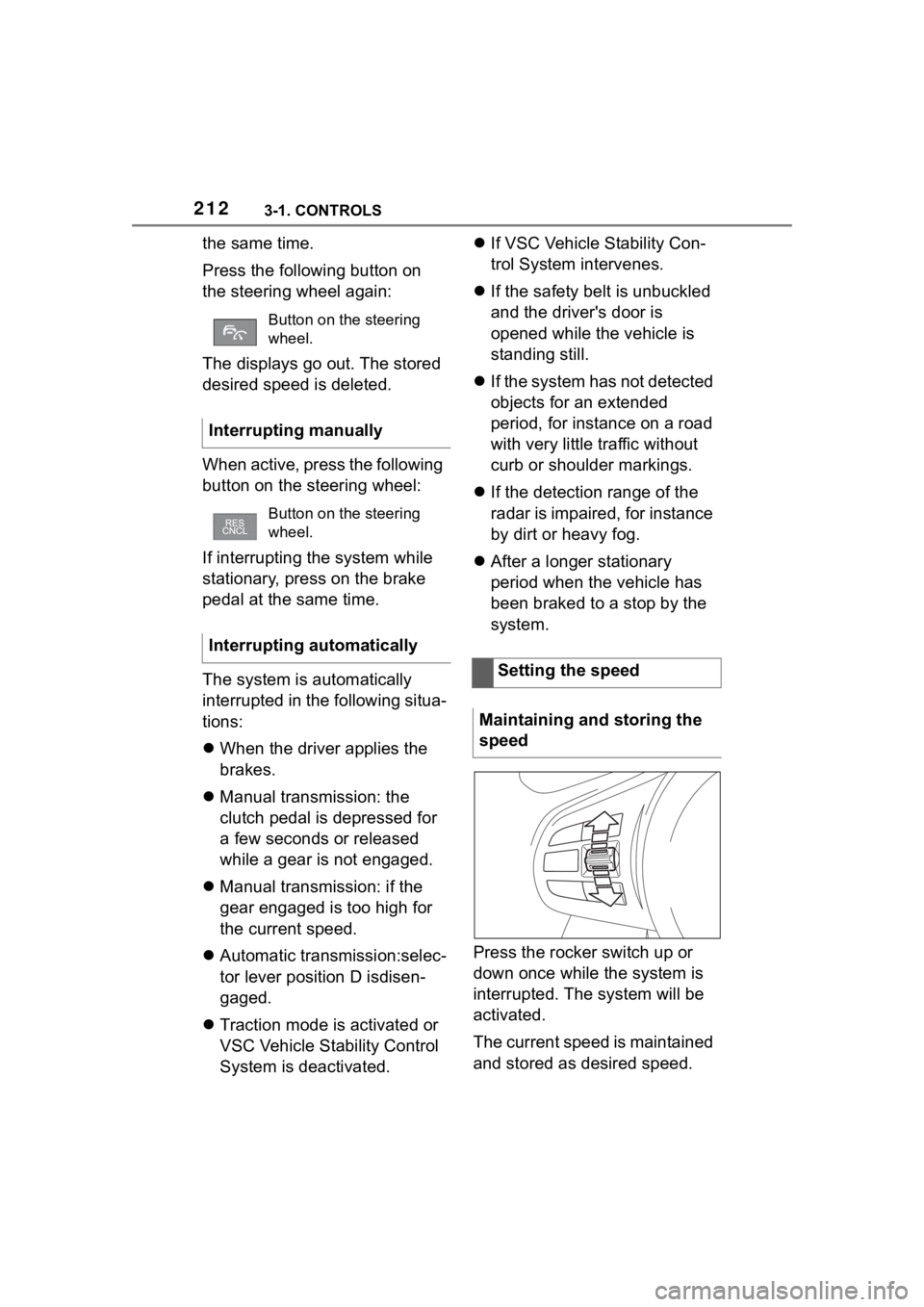
Press the rocker switch up or
down once while the system is
interrupted. The system will be
activated.
The current speed is maintained
and stored as desired speed.
Button on the steering
wheel.
Interrupting manually
Button on the steering
wheel.
Interrupting automatically
Setting the speed
Maintaining and storing the
speed
Page 215 of 372
2153-1. CONTROLS
3
CONTROLS
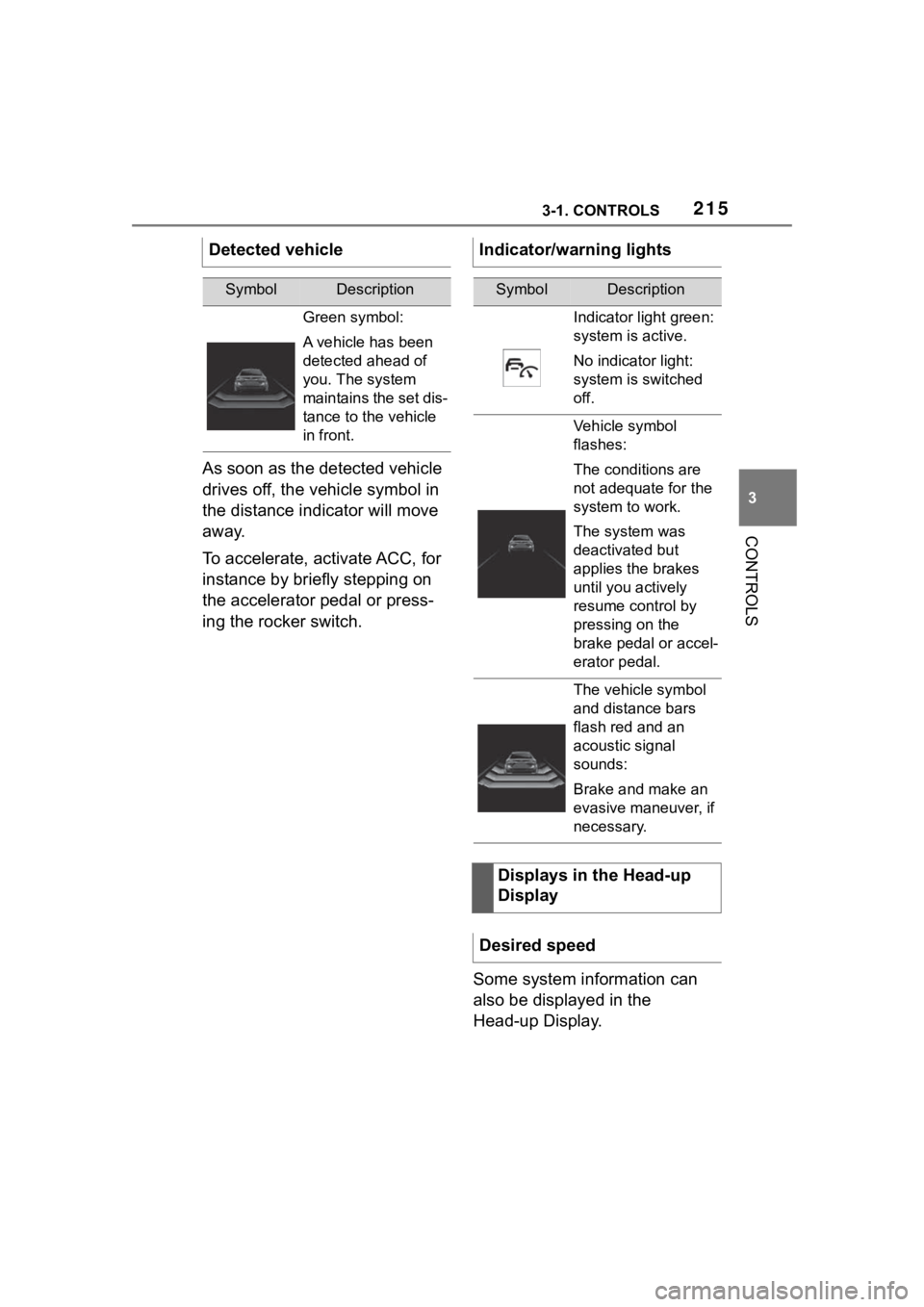
As soon as the detected vehicle
drives off, the vehicle symbol in
the distance indicator will move
away.
To accelerate, activate ACC, for
instance by briefly stepping on
the accelerator pedal or press-
ing the rocker switch.Some system information can
also be displayed in the
Head-up Display.
Detected vehicle
SymbolDescription
Green symbol:
A vehicle has been
detected ahead of
you. The system
maintains the set dis-
tance to the vehicle
in front.
Indicator/warning lights
SymbolDescription
Indicator light green:
system is active.
No indicator light:
system is switched
off.
Vehicle symbol
flashes:
The conditions are
not adequate for the
system to work.
The system was
deactivated but
applies the brakes
until you actively
resume control by
pressing on the
brake pedal or accel-
erator pedal.
The vehicle symbol
and distance bars
flash red and an
acoustic signal
sounds:
Brake and make an
evasive maneuver, if
necessary.
Displays in the Head-up
Display
Desired speed