automatic transmission TOYOTA tC 2011 (in English) Owner's Guide
[x] Cancel search | Manufacturer: TOYOTA, Model Year: 2011, Model line: tC, Model: TOYOTA tC 2011Pages: 473, PDF Size: 10.91 MB
Page 178 of 473
178 2-1. Driving procedures
■When driving with the cruise control system
The engine brake will not operate in the S mode, even when downshifting to
5 or 4. ( P. 200)
■ AI-SHIFT
AI-SHIFT automatically selects the suitable gear according to driver perfor-
mance and driving conditions.
AI-SHIFT automatically operates when the shift lever is in the D position.
(Shifting the shift lever to the S position cancels the function.)
■ If the “S” indicator does not come on even after shifting the shift lever
to S mode driving position
This may indicate a malfunction in the automatic transmission system. Have
the vehicle inspected by your Scion dealer immediately.
(In this situation, the transmission will operate in the same manner as when
the shift lever is in D.)
■ Downshifting restrictions warning buzzer
To help ensure safety and driving performance, downshifting operation may
sometimes be restricted. In some circumstances, downshifting may not be
possible even when the shift lever or a paddle shift switch (if equipped) is
operated. (The warning buzzer will sound twice.)
■ If the shift lever cannot be shifted from P
P. 392
CAUTION
■When driving on slippery road surfaces
Do not accelerate or shift gears suddenly.
Sudden changes in engine braking may cause the vehicle to spin or skid,
resulting in an accident.
Page 186 of 473
186 2-2. Instrument cluster
■Outside temperature display
■ Eco Driving Indicator Light set ting screen (vehicles with an
automatic transmission)
Instrument panel light control
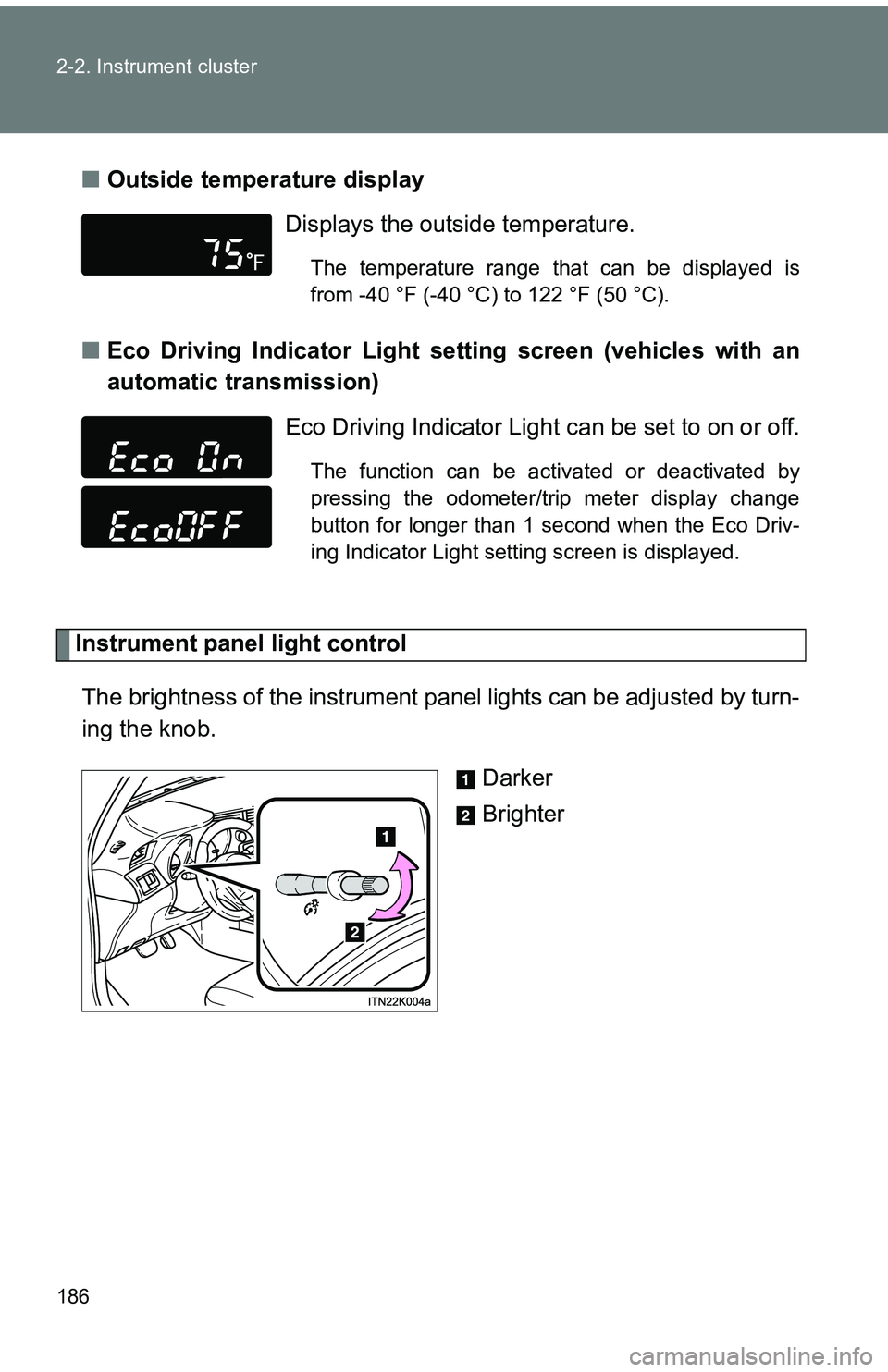
The brightness of the instrument pa nel lights can be adjusted by turn-
ing the knob.
Darker
Brighter
Displays the outside temperature.
The temperature range that can be displayed is
from -40 °F (-40 °C) to 122 °F (50 °C).
Eco Driving Indicator Light can be set to on or off.
The function can be activated or deactivated by
pressing the odometer/trip meter display change
button for longer than 1 second when the Eco Driv-
ing Indicator Light setting screen is displayed.
Page 189 of 473
189
2-2. Instrument cluster
2
When driving
■
Indicators
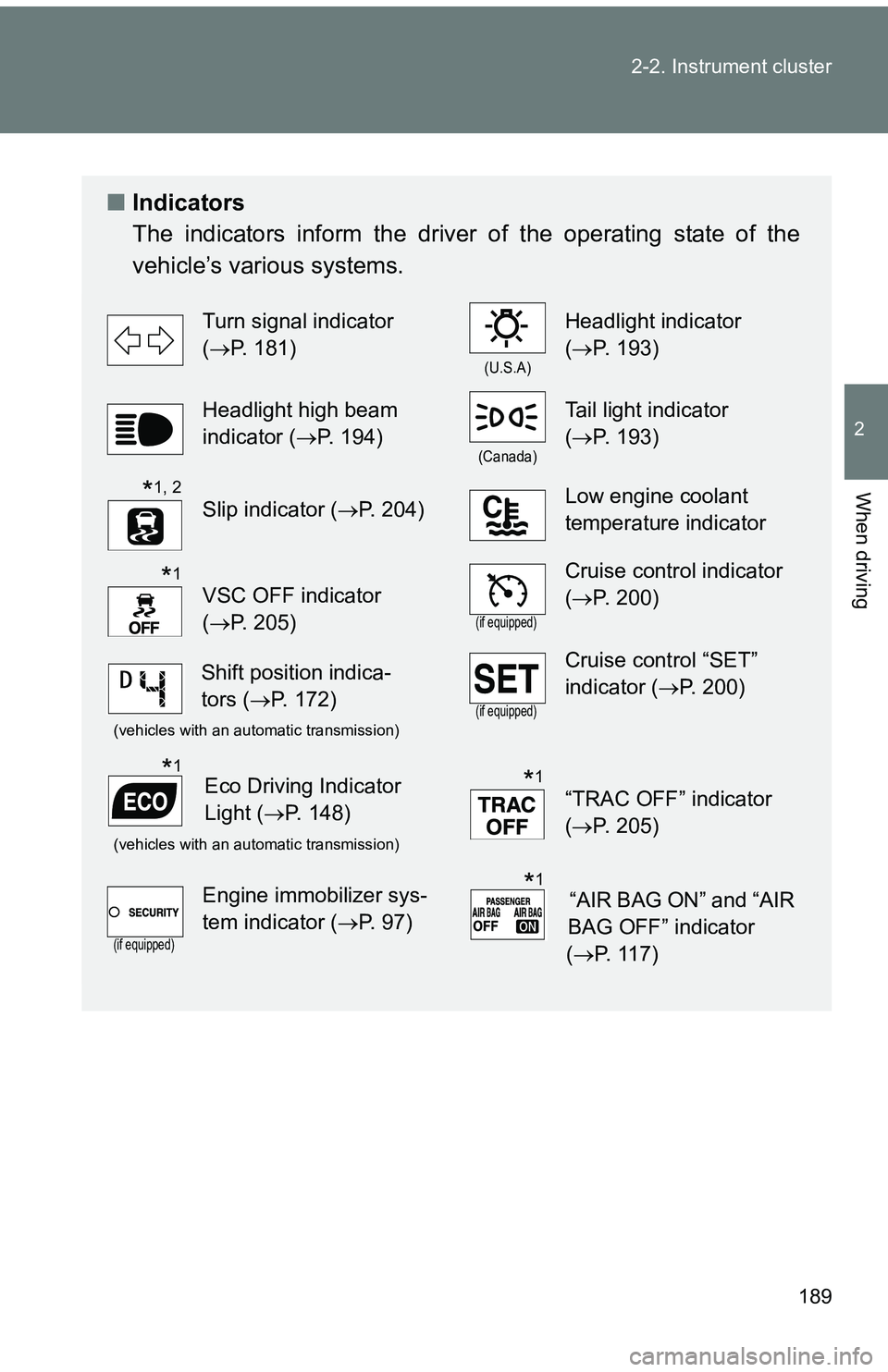
The indicators inform the driver of the operating state of the
vehicle’s various systems.
Turn signal indicator
(P. 181)
(U.S.A)
Headlight indicator
(P. 193)
Headlight high beam
indicator ( P. 194)
(Canada)
Tail light indicator
(P. 193)
Slip indicator ( P. 204)Low engine coolant
temperature indicator
VSC OFF indicator
(P. 205)
(if equipped)
Cruise control indicator
(P. 200)
(vehicles with an automatic transmission)(if equipped)
Cruise control “SET”
indicator (P. 200)
(vehicles with an automatic transmission)
“TRAC OFF” indicator
(P. 205)
(if equipped)
Engine immobilizer sys-
tem indicator ( P. 97)
*1, 2
*1
Shift position indica-
tors (P. 172)
Eco Driving Indicator
Light ( P. 148)*1*1
“AIR BAG ON” and “AIR
BAG OFF” indicator
( P. 117)*1
Page 202 of 473
202 2-4. Using other driving systems
■Cruise control can be set when
●The shift lever is in the D or an S mode range higher than 4 has been
selected. (vehicles with an automatic transmission)
● A range higher than 4 range has been selected by using the paddle shift
switch. (vehicles with a paddle shift switch)
● Vehicle speed is above approximately 25 mph (40 km/h).
■ Accelerating
The vehicle can be accelerated normally. After acceleration, the set speed
resumes.
■ Automatic cruise control cancelation
Cruise control will stop maintaining the vehicle speed in any of the following
situations.
●Actual vehicle speed falls more than approximately 10 mph (16 km/h)
below the preset vehicle speed.
At this time, the memorized set speed is not retained.
● Actual vehicle speed is below approximately 25 mph (40 km/h).
● VSC is activated.
■ If the cruise control indicator light flashes
Press the “ON-OFF” button once to deactivate the system, and then press
the button again to reactivate the system.
If the cruise control speed cannot be set or if the cruise control cancels
immediately after being activated, there may be a malfunction in the cruise
control system. Have the vehicle inspected by your Scion dealer.
Page 216 of 473
216 2-5. Driving information
■Before driving the vehicle
Perform the following according to the driving conditions:
●Do not try to forcibly open a window or move a wiper that is
frozen. Pour warm water over the frozen area to melt the ice.
Wipe away the water immediately to prevent it from freezing.
● To ensure proper operation of th e climate control system fan,
remove any snow that has accumulated on the air inlet vents
in front of the windshield.
● Remove any ice that has accumu lated on the vehicle chassis.
● Periodically check for and remove any excess ice or snow
that may have accumulated in the wheel well or on the
brakes.
■ When driving the vehicle
Accelerate the vehicle slowly and drive at a reduced speed suit-
able to the road conditions.
■ When parking the vehicle (in the winter time or in the cold
latitudes)
Park the vehicle and move the shift lever to P (automatic trans-
mission) or 1 or R (manual transmission) without setting the
parking brake. The parking brak e may freeze up, preventing it
from being released. If necessary , block the wheels to prevent
inadvertent sliding or creeping.
Page 222 of 473
222
2-5. Driving information
Dinghy towing (automatic transmission)
NOTICE
■To avoid serious damage to your vehicle
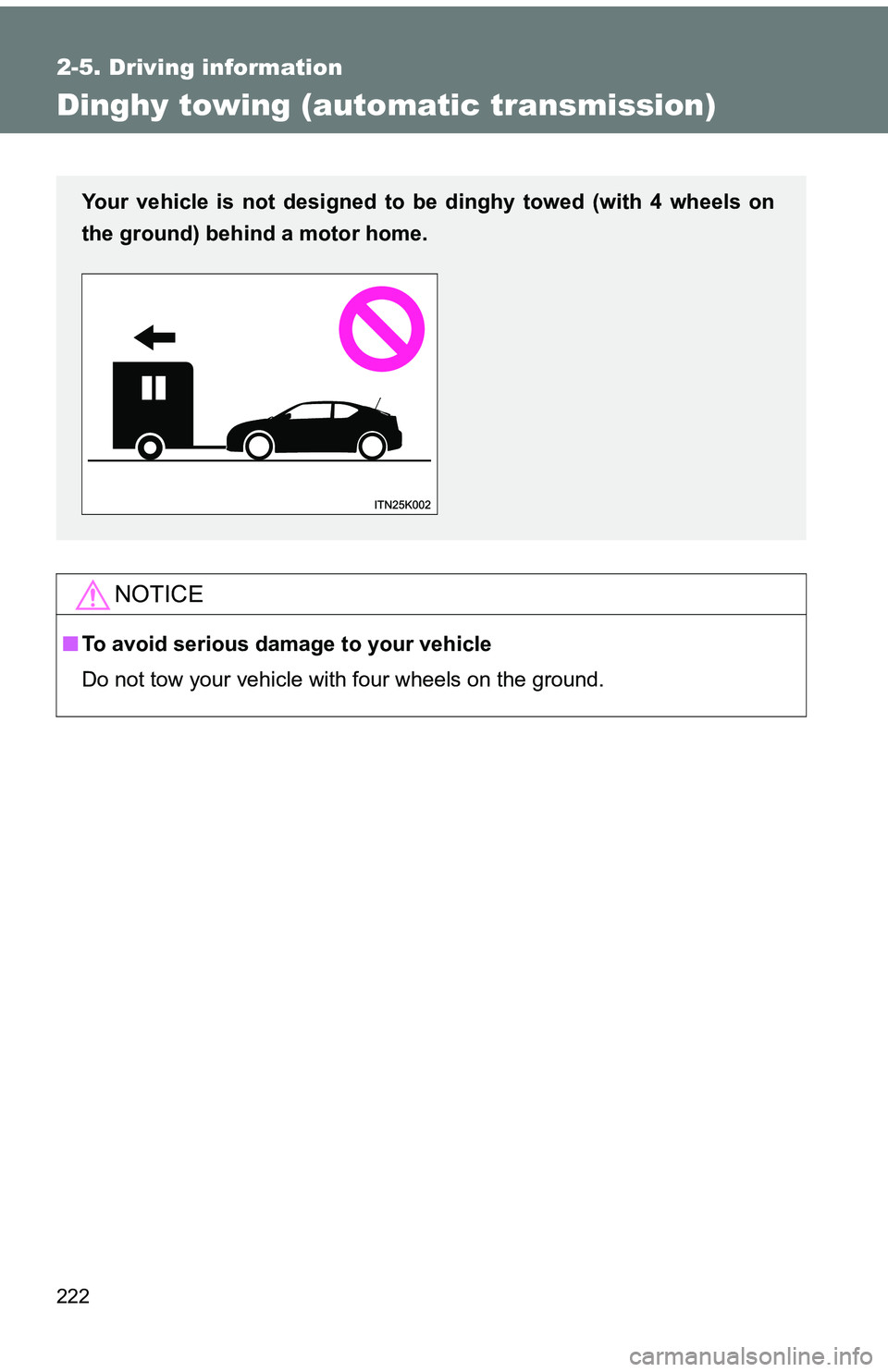
Do not tow your vehicle with four wheels on the ground.
Your vehicle is not designed to be dinghy towed (with 4 wheels on
the ground) behind a motor home.
Page 256 of 473
256 3-5. Other interior features
CAUTION
Observe the following precautions.
Failure to do so may cause the driver’s floor mat to slip, possibly interfering
with the pedals while driving. An unexpectedly high speed may result or it may
become difficult to stop the vehicle, leading to a serious accident.
■When installing the driver’s floor mat
●Do not use floor mats designed for other models or different model year
vehicles, even if they are Scion Genuine floor mats.
● Only use floor mats designed for the driver’s seat.
● Always install the floor mat securely using the retaining hooks (clips) pro-
vided.
● Do not use two or more floor mats on top of each other.
● Do not place the floor mat bottom-side up or upside-down.
■ Before driving
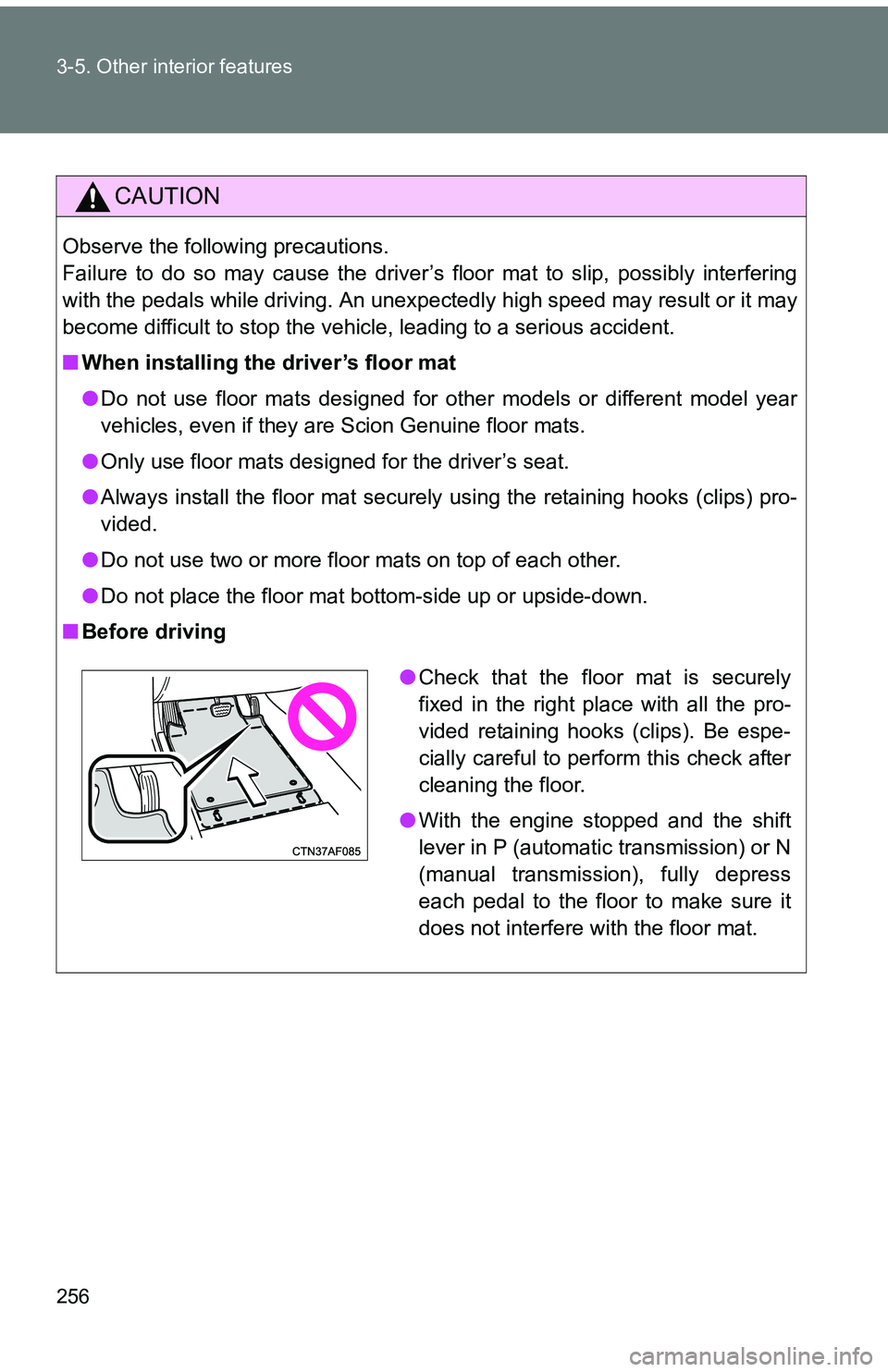
●Check that the floor mat is securely
fixed in the right place with all the pro-
vided retaining hooks (clips). Be espe-
cially careful to perform this check after
cleaning the floor.
● With the engine stopped and the shift
lever in P (automatic transmission) or N
(manual transmission), fully depress
each pedal to the floor to make sure it
does not interfere with the floor mat.
Page 273 of 473
273
4-2. Maintenance
4
Maintenance and care
Vehicle interior
ItemsCheck points
Accelerator pedal • The accelerator pedal should
move smoothly (without uneven
pedal effort or catching).
Automatic transmission “Park”
mechanism • When parked on a slope and the
shift lever is in P, is the vehicle
securely stopped?
Brake pedal • Does the brake pedal move
smoothly?
• Does the brake pedal have appro- priate clearance from the floor?
• Does the brake pedal have the correct amount of free play?
Brakes • The vehicle should not pull to one
side when the brakes are applied.
• The brakes should work effec- tively.
• The brake pedal should not feel spongy.
• The brake pedal should not get too close to the floor when the
brakes are applied.
Clutch pedal • Does the clutch pedal move
smoothly?
• Does the clutch pedal have appropriate clearance from the
floor?
• Does the clutch pedal have the correct amount of free play?
Page 285 of 473
284 4-3. Do-it-yourself maintenance
CAUTION
■When raising your vehicle
Make sure to observe the following precautions to reduce the possibility of
death or serious injury.
●When using a floor jack, follow the instructions of the manual provided with
the jack.
● Do not use the jack that was supplied with your vehicle.
● Do not put any part of your body underneath the vehicle when it is sup-
ported only by the floor jack.
● Always use floor jack and/or automotive jack stands on a solid, flat, level
surface.
● Do not start the engine while the vehicle is supported by the floor jack.
● Stop the vehicle on level, firm ground, firmly set the parking brake and shift
the shift lever in P (automatic transmission) or R (manual transmission).
● Make sure to set the floor jack properly at the jack point.
Raising the vehicle with an improperly positioned floor jack will damage
the vehicle and may cause the vehicle to fall off the floor jack.
● Do not raise the vehicle while someone is in the vehicle.
● When raising the vehicle, do not place any objects on top of or underneath
the floor jack.
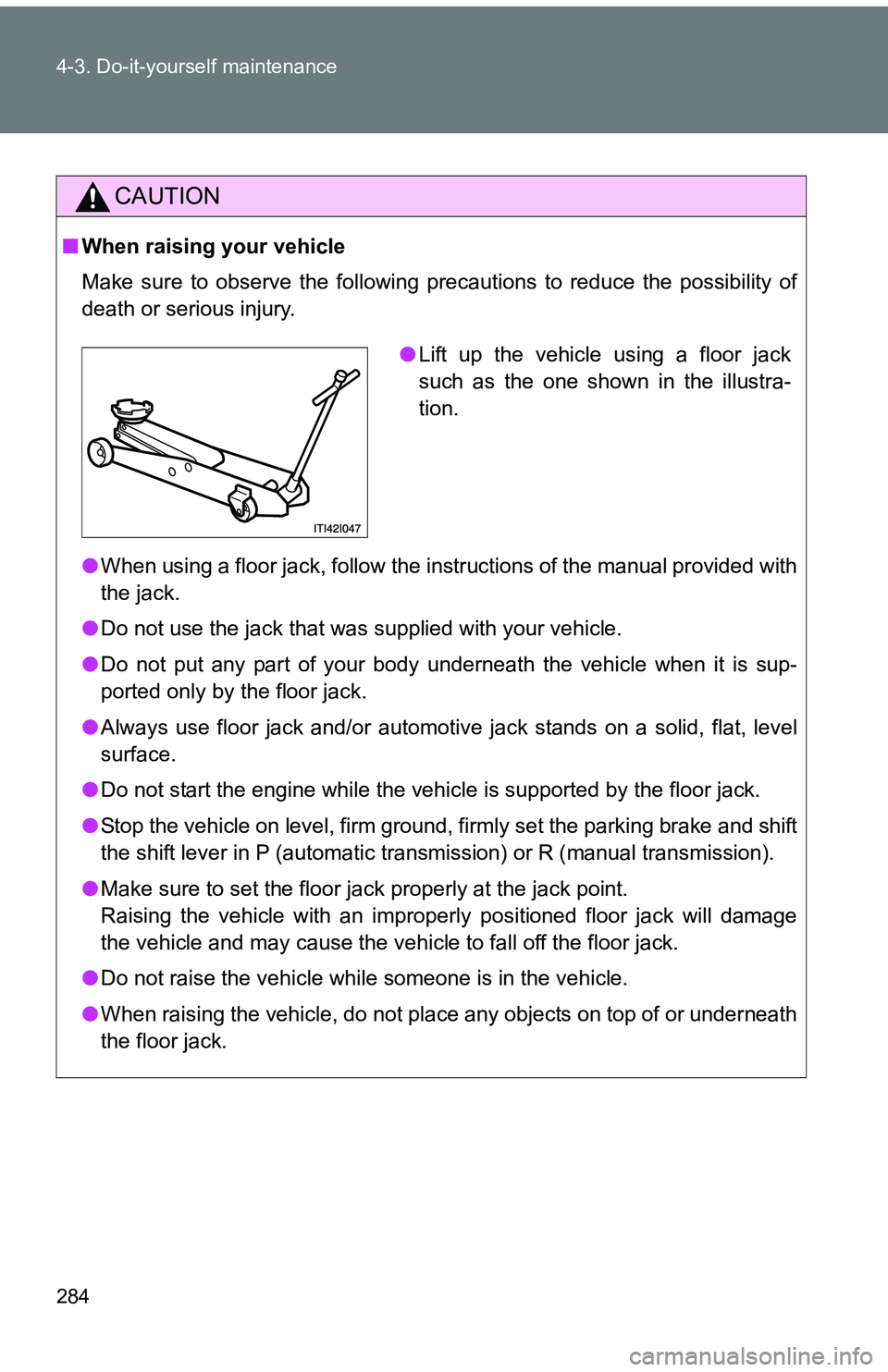
●Lift up the vehicle using a floor jack
such as the one shown in the illustra-
tion.
Page 328 of 473
327
4-3. Do-it-yourself maintenance
4
Maintenance and care
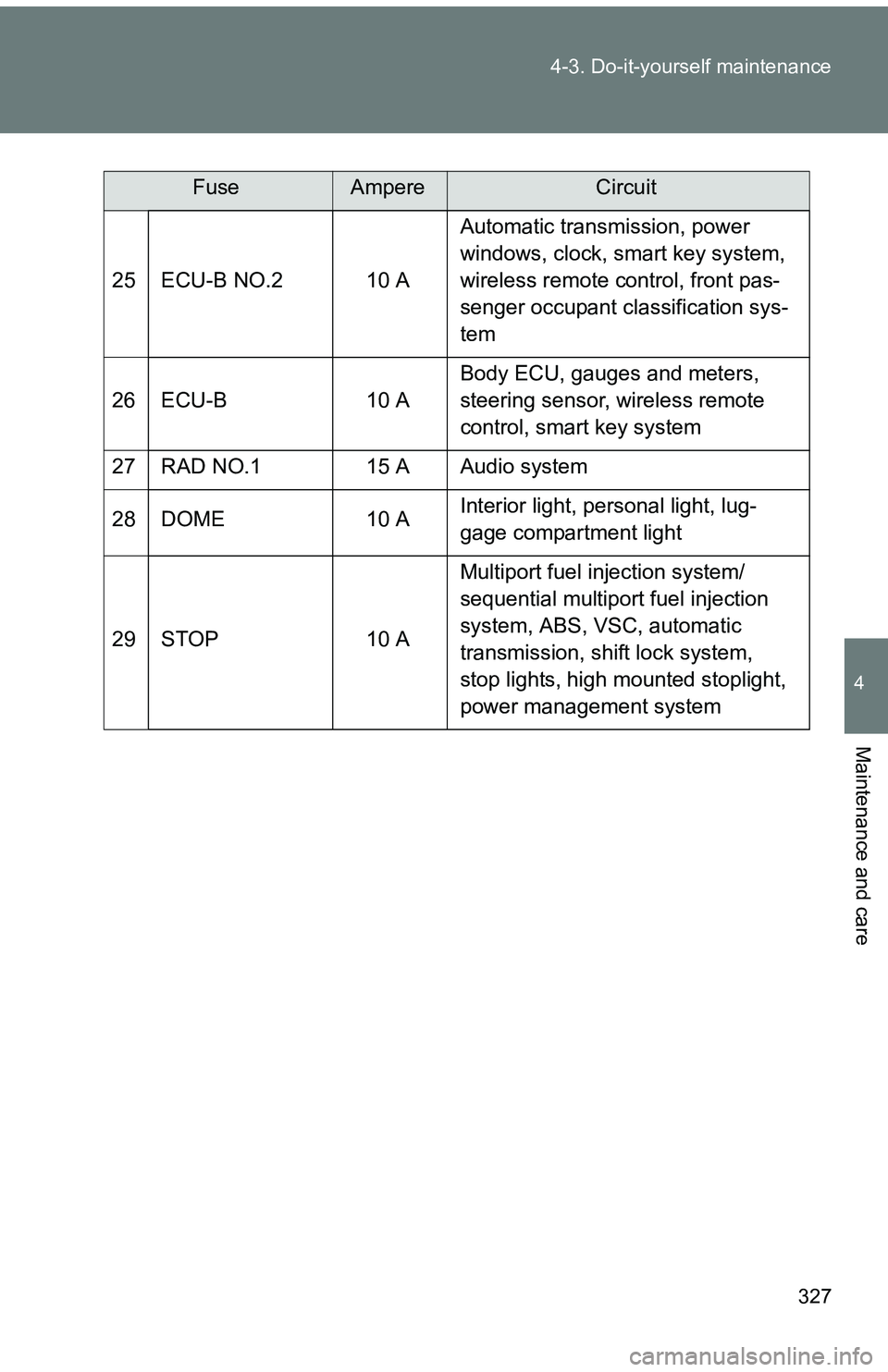
25 ECU-B NO.2 10 A
Automatic transmission, power
windows, clock, smart key system,
wireless remote control, front pas-
senger occupant classification sys-
tem
26 ECU-B 10 A Body ECU, gauges and meters,
steering sensor, wireless remote
control, smart key system
27 RAD NO.1 15 A Audio system
28 DOME 10 A Interior light, personal light, lug-
gage compartment light
29 STOP 10 A Multiport fuel injection system/
sequential multiport fuel injection
system, ABS, VSC, automatic
transmission, shift lock system,
stop lights, high mounted stoplight,
power management system
FuseAmpereCircuit