DRIVING TOYOTA VERSO 2011 Owners Manual
[x] Cancel search | Manufacturer: TOYOTA, Model Year: 2011, Model line: VERSO, Model: TOYOTA VERSO 2011Pages: 588, PDF Size: 31.32 MB
Page 244 of 588
244
2-3. Operating the lights and wipers
VERSO_WE_OM64524E
Fog light switch
The fog lights improve visibility in difficult driving conditions, such
as in rain or fog. The fog lights can be used when the headlights or
front position lights are turned on. (For vehicles with a front and rear
fog light switch, the rear fog lights can be used when the front fog
lights are turned on.)
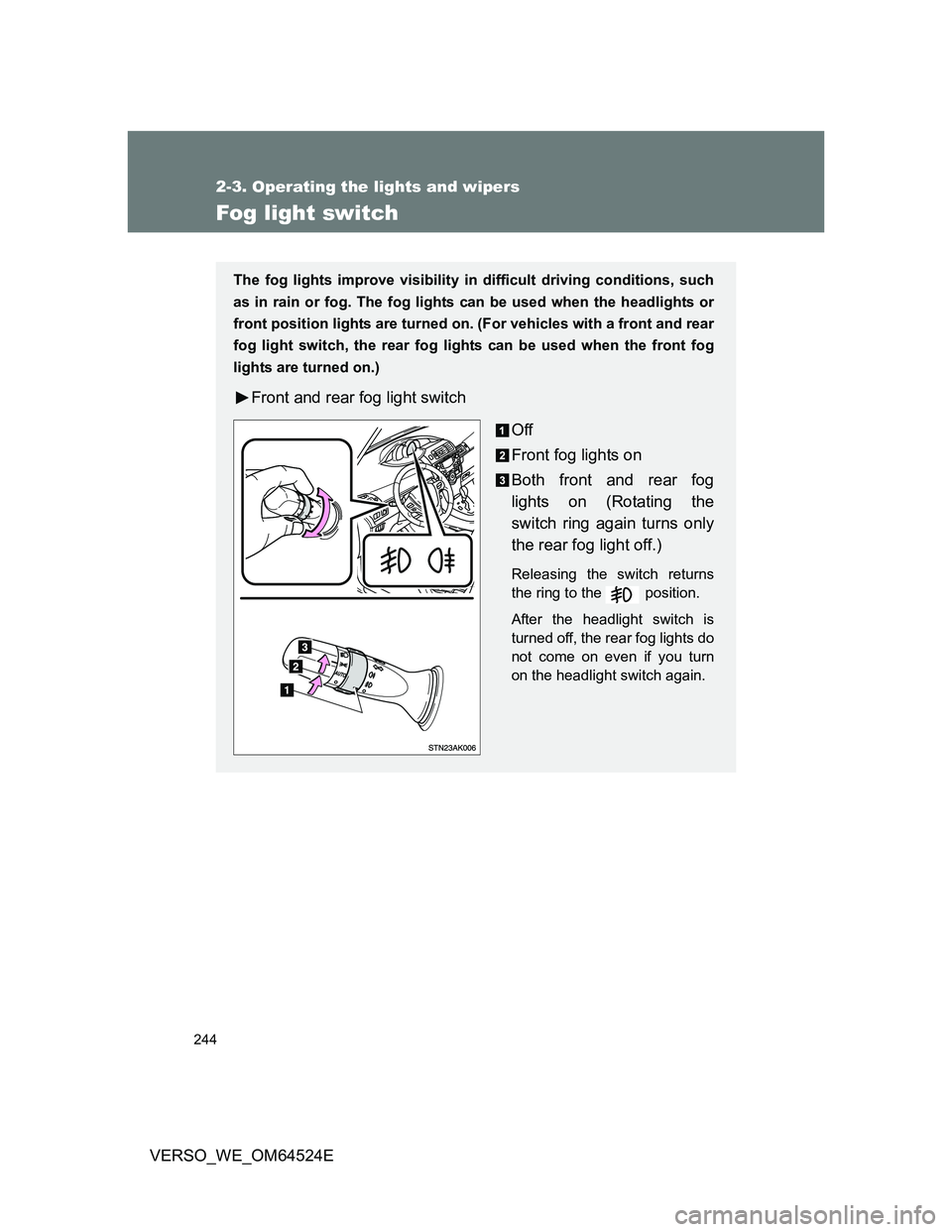
Front and rear fog light switch
Off
Front fog lights on
Both front and rear fog
lights on (Rotating the
switch ring again turns only
the rear fog light off.)
Releasing the switch returns
the ring to the position.
After the headlight switch is
turned off, the rear fog lights do
not come on even if you turn
on the headlight switch again.
Page 245 of 588
245 2-3. Operating the lights and wipers
2
When driving
VERSO_WE_OM64524E
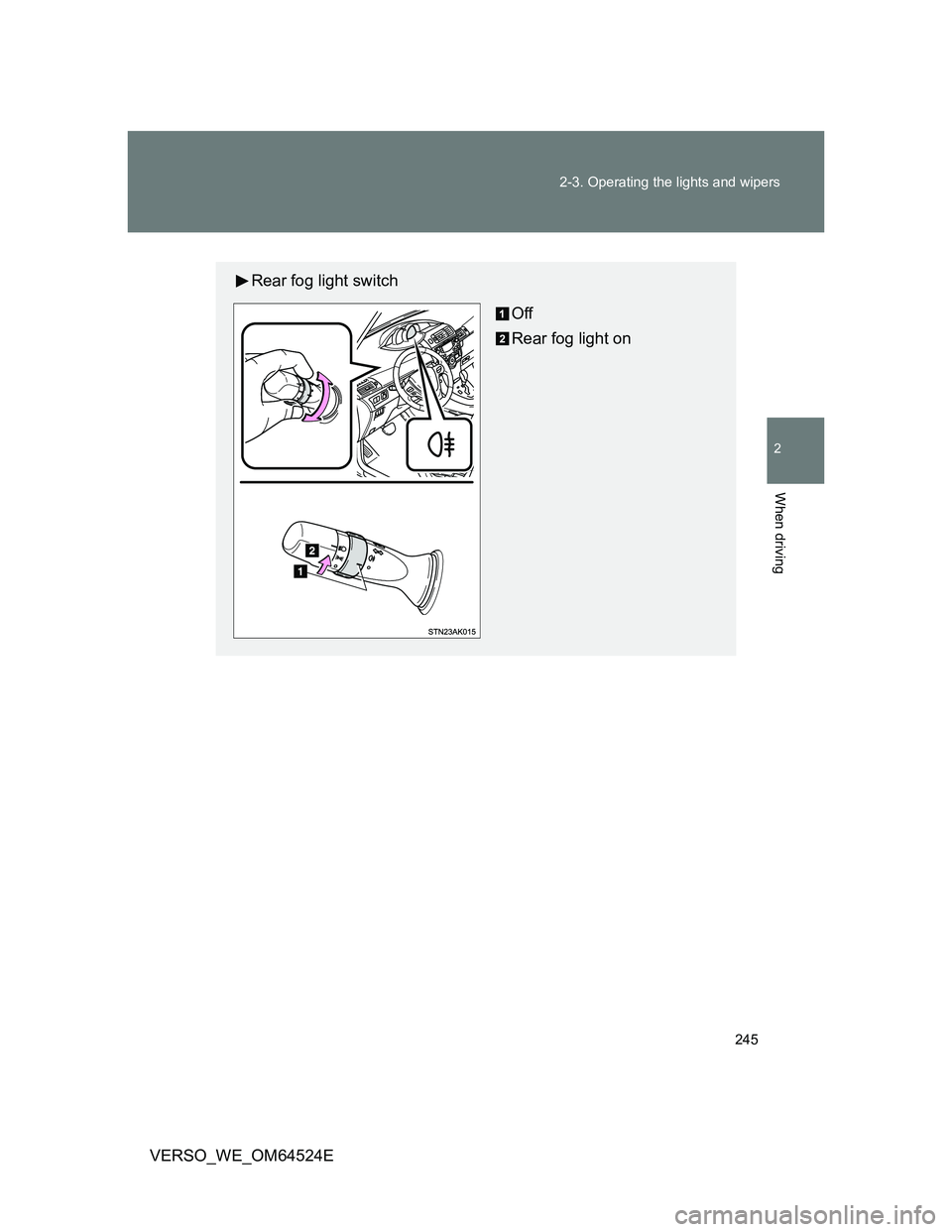
Rear fog light switch
Off
Rear fog light on
Page 247 of 588
247 2-3. Operating the lights and wipers
2
When driving
VERSO_WE_OM64524E
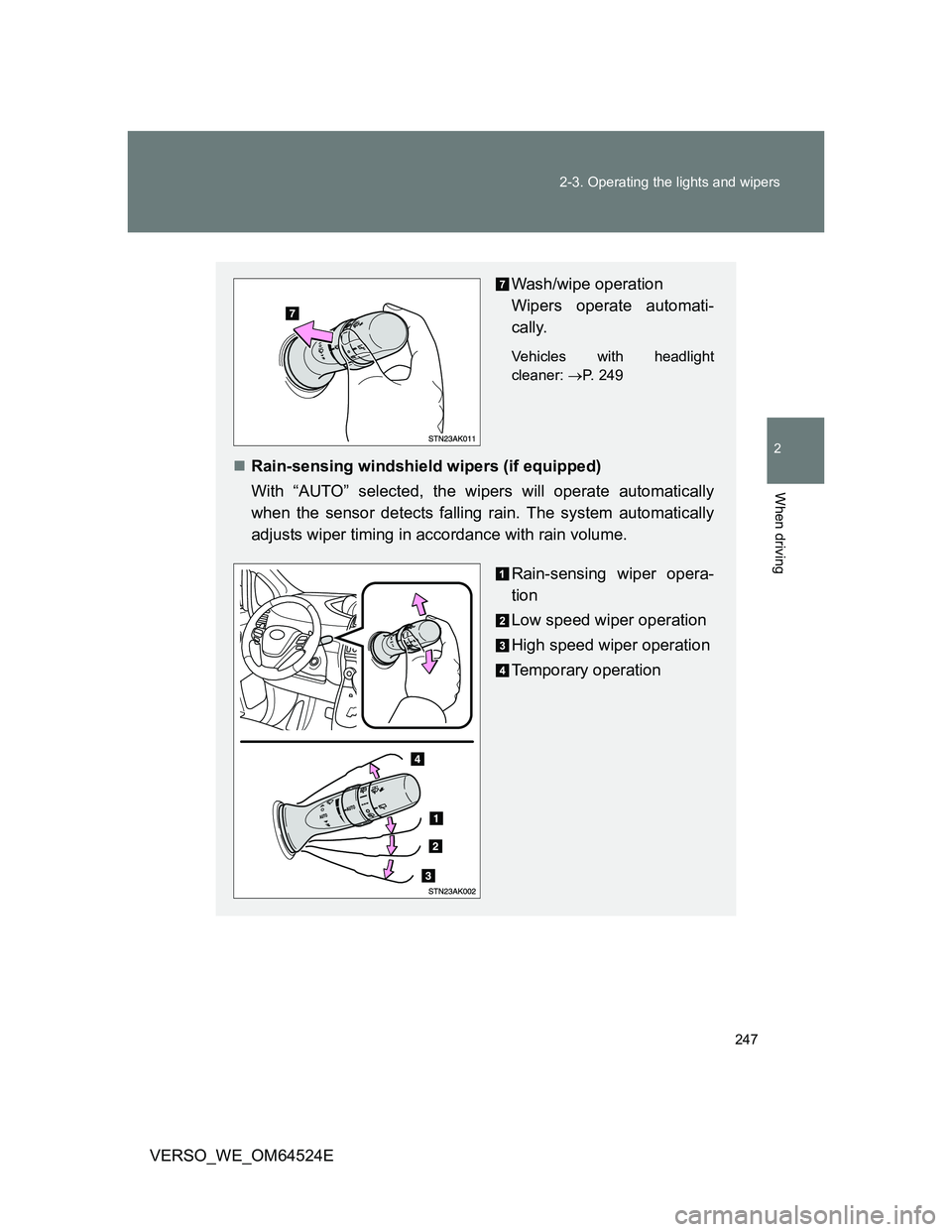
Wash/wipe operation
Wipers operate automati-
cally.
Vehicles with headlight
cleaner: P. 249
Rain-sensing windshield wipers (if equipped)
With “AUTO” selected, the wipers will operate automatically
when the sensor detects falling rain. The system automatically
adjusts wiper timing in accordance with rain volume.
Rain-sensing wiper opera-
tion
Low speed wiper operation
High speed wiper operation
Temporary operation
Page 249 of 588
249 2-3. Operating the lights and wipers
2
When driving
VERSO_WE_OM64524E
The headlight cleaner operation (if equipped)
Vehicles without smart entry & start system
When the windshield washer is operated with the engine switch in the
“ON” position and the headlights turned on, the headlight cleaners will
operate once. (Afterwards, the headlight cleaners operate automatically
once for every 5 times the windshield washer is operated.)
To operate the headlight cleaners again, pull back the washer lever 5
times.
(If the headlights are turned off and then on again, and then the wind-
shield washer is operated, the headlight cleaners will operate once.)
Vehicles with smart entry & start system
When the windshield washer is operated with the “ENGINE START
STOP” switch in the IGNITION ON mode and the headlights turned on,
the headlight cleaners will operate once. (Afterwards, the headlight clean-
ers operate automatically once for every 5 times the windshield washer is
operated.)
To operate the headlight cleaners again, pull back the washer lever 5
times.
(If the headlights are turned off and then on again, and then the wind-
shield washer is operated, the headlight cleaners will operate once.)
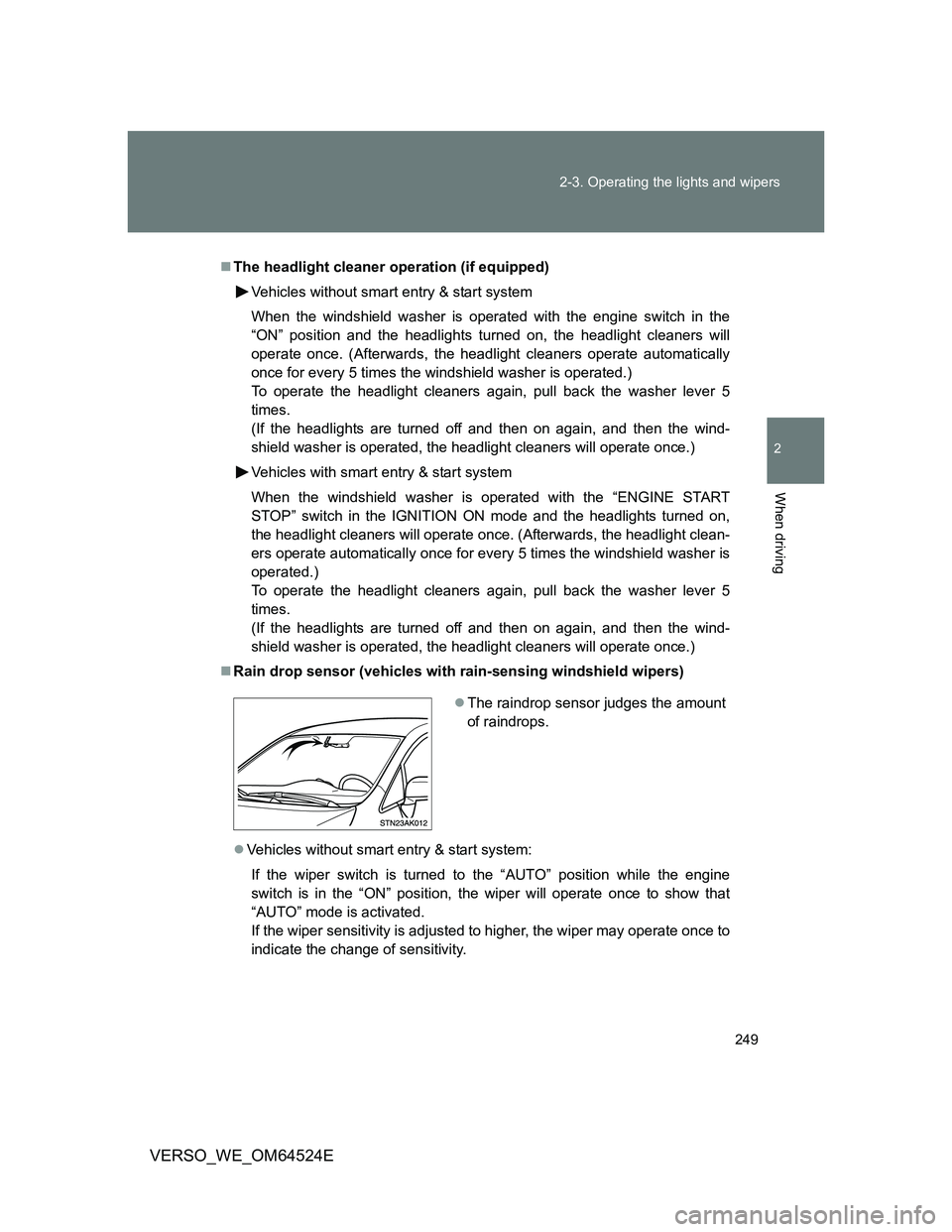
Rain drop sensor (vehicles with rain-sensing windshield wipers)
Vehicles without smart entry & start system:
If the wiper switch is turned to the “AUTO” position while the engine
switch is in the “ON” position, the wiper will operate once to show that
“AUTO” mode is activated.
If the wiper sensitivity is adjusted to higher, the wiper may operate once to
indicate the change of sensitivity.
The raindrop sensor judges the amount
of raindrops.
Page 251 of 588
251
2-3. Operating the lights and wipers
2
When driving
VERSO_WE_OM64524E
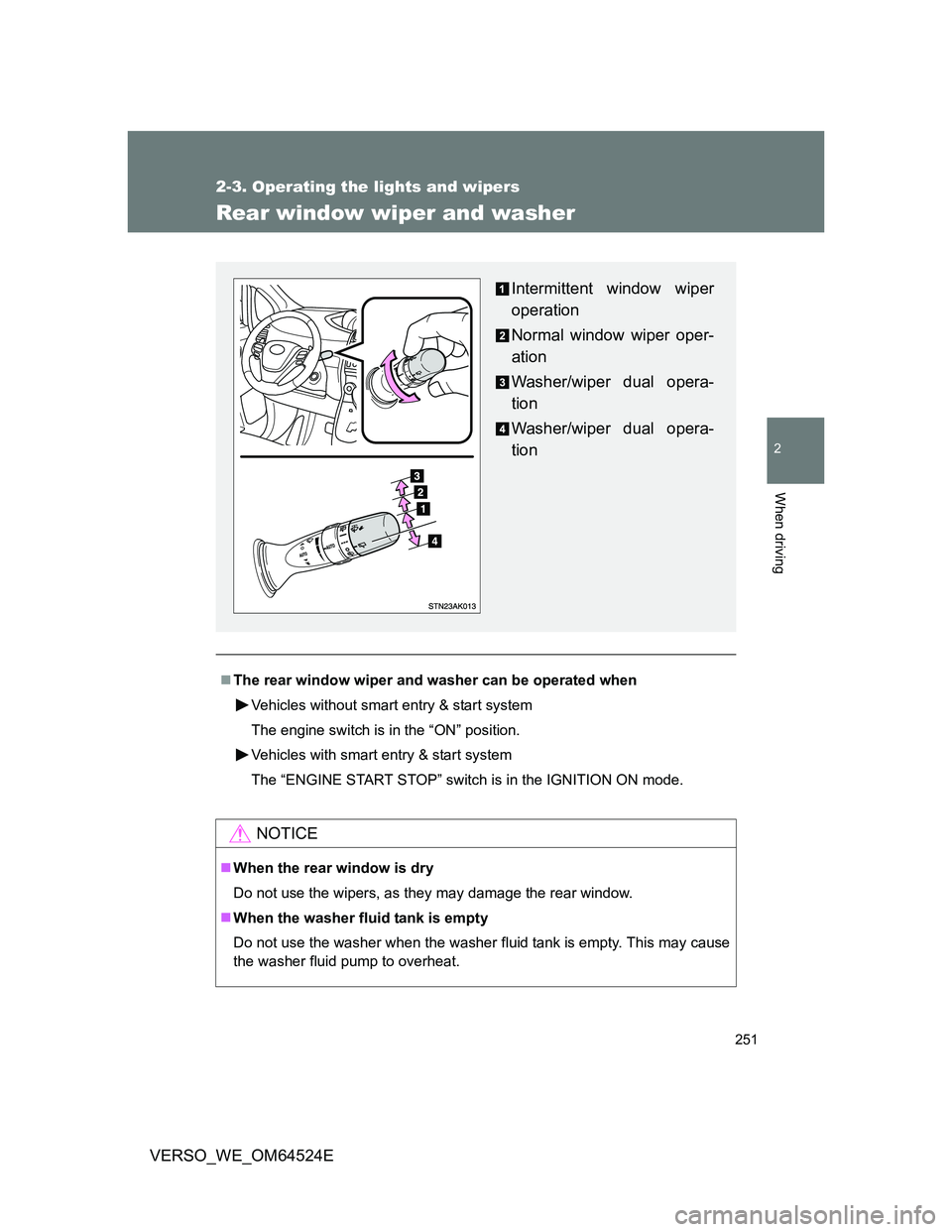
Rear window wiper and washer
The rear window wiper and washer can be operated when
Vehicles without smart entry & start system
The engine switch is in the “ON” position.
Vehicles with smart entry & start system
The “ENGINE START STOP” switch is in the IGNITION ON mode.
NOTICE
When the rear window is dry
Do not use the wipers, as they may damage the rear window.
When the washer fluid tank is empty
Do not use the washer when the washer fluid tank is empty. This may cause
the washer fluid pump to overheat.
Intermittent window wiper
operation
Normal window wiper oper-
ation
Washer/wiper dual opera-
tion
Washer/wiper dual opera-
tion
Page 252 of 588
252
VERSO_WE_OM64524E
2-4. Using other driving systems
Cruise control
: If equipped
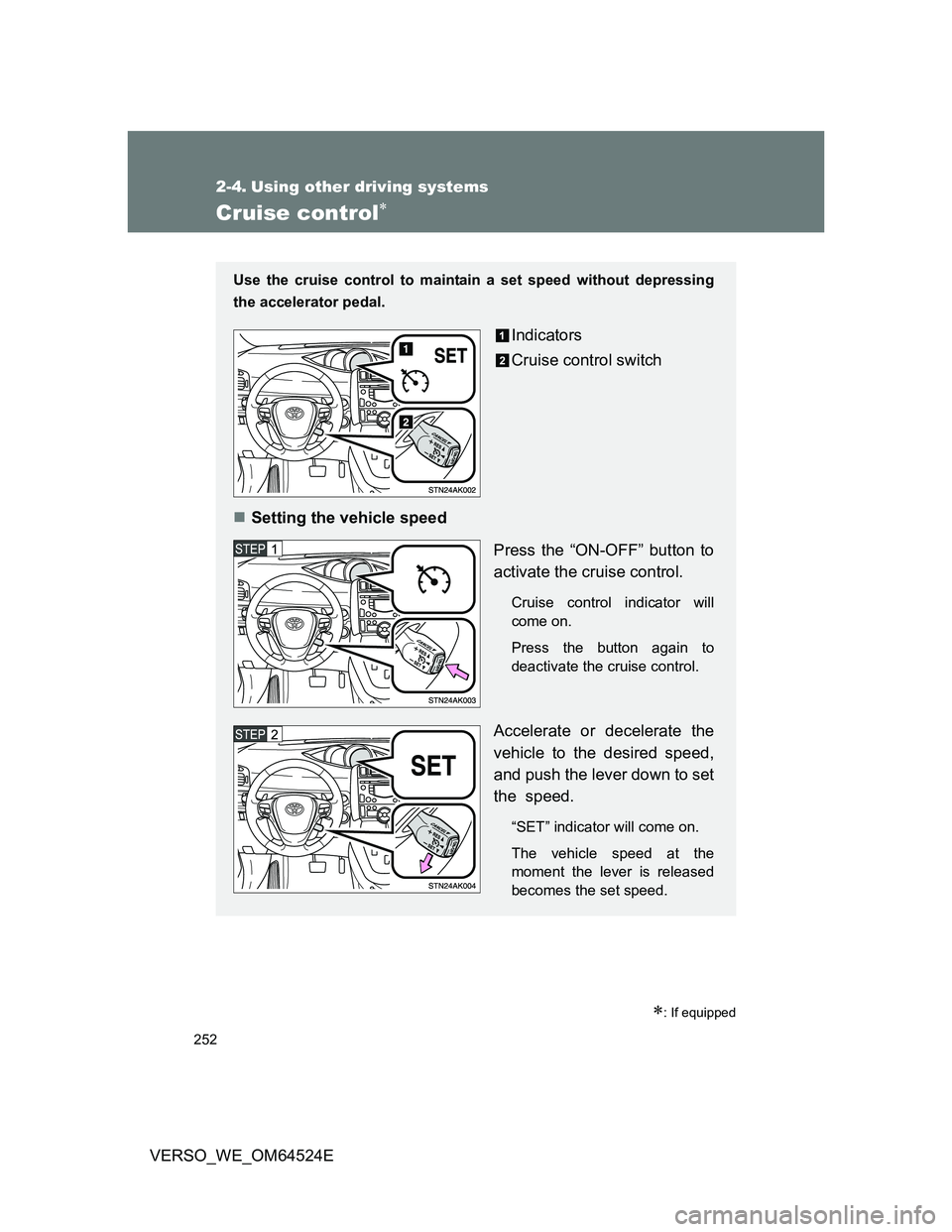
Use the cruise control to maintain a set speed without depressing
the accelerator pedal.
Indicators
Cruise control switch
Setting the vehicle speed
Press the “ON-OFF” button to
activate the cruise control.
Cruise control indicator will
come on.
Press the button again to
deactivate the cruise control.
Accelerate or decelerate the
vehicle to the desired speed,
and push the lever down to set
the speed.
“SET” indicator will come on.
The vehicle speed at the
moment the lever is released
becomes the set speed.
Page 253 of 588
253 2-4. Using other driving systems
2
When driving
VERSO_WE_OM64524E
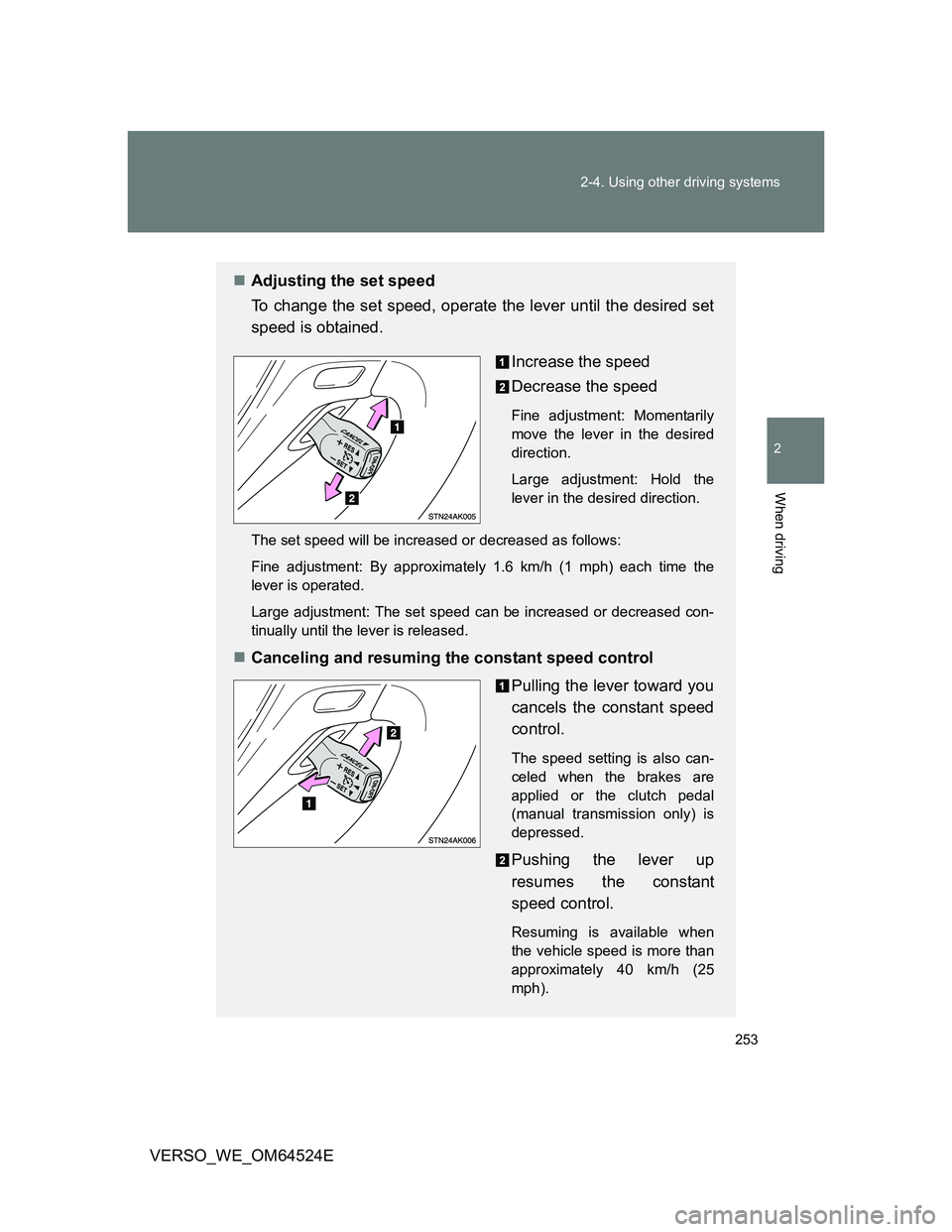
Adjusting the set speed
To change the set speed, operate the lever until the desired set
speed is obtained.
Increase the speed
Decrease the speed
Fine adjustment: Momentarily
move the lever in the desired
direction.
Large adjustment: Hold the
lever in the desired direction.
The set speed will be increased or decreased as follows:
Fine adjustment: By approximately 1.6 km/h (1 mph) each time the
lever is operated.
Large adjustment: The set speed can be increased or decreased con-
tinually until the lever is released.
Canceling and resuming the constant speed control
Pulling the lever toward you
cancels the constant speed
control.
The speed setting is also can-
celed when the brakes are
applied or the clutch pedal
(manual transmission only) is
depressed.
Pushing the lever up
resumes the constant
speed control.
Resuming is available when
the vehicle speed is more than
approximately 40 km/h (25
mph).
Page 254 of 588
254 2-4. Using other driving systems
VERSO_WE_OM64524E
Cruise control can be set when
Vehicles with a Multidrive
The shift lever is in the “D” or range 4 or higher of “M” has been selected.
Range 4 or higher has been selected by using the paddle shift.
(vehicles with paddle shift switch)
Vehicle speed is above approximately 40 km/h (25 mph).
Vehicles with an automatic transmission
The shift lever is in “D”.
Range 4 or higher of “D” has been selected by using the paddle shift.
(vehicles with paddle shift switch)
Vehicle speed is above approximately 40 km/h (25 mph).
Accelerating after setting the vehicle speed
The vehicle can be accelerated normally. After acceleration, the set
speed resumes.
Even without canceling the cruise control, the set speed can be
increased by first accelerating the vehicle to the desired speed and then
pushing the lever down to set the new speed.
Automatic cruise control cancellation
Cruise control will stop maintaining the vehicle speed in any of the following
situations.
Actual vehicle speed falls more than approximately 16 km/h (10 mph)
below the preset vehicle speed.
At this time, the memorized set speed is not retained.
Actual vehicle speed is below approximately 40 km/h (25 mph).
VSC+ is activated (if equipped).
Speed limiter is activated (if equipped).
If the cruise control indicator light flashes
Press the “ON-OFF” button once to deactivate the system, and then press
the button again to reactivate the system.
If the cruise control speed cannot be set or if the cruise control cancels
immediately after being activated, there may be a malfunction in the cruise
control system. Have the vehicle inspected by any authorized Toyota dealer
or repairer, or another duly qualified and equipped professional.
Page 255 of 588
255 2-4. Using other driving systems
2
When driving
VERSO_WE_OM64524E
CAUTION
To avoid operating the cruise control by mistake
Switch the cruise control off using the “ON-OFF” button when not in use.
Situations unsuitable for cruise control
Do not use cruise control in any of the following situations.
Doing so may result in loss of control and could cause an accident resulting
in death or serious injury.
In heavy traffic
On roads with sharp bends
On winding roads
On slippery roads, such as those covered with rain, ice or snow
On steep hills
Vehicle speed may exceed the set speed when driving down a steep hill.
When your vehicle is towing a trailer
Page 256 of 588
256
2-4. Using other driving systems
VERSO_WE_OM64524E
Speed limiter
: If equipped
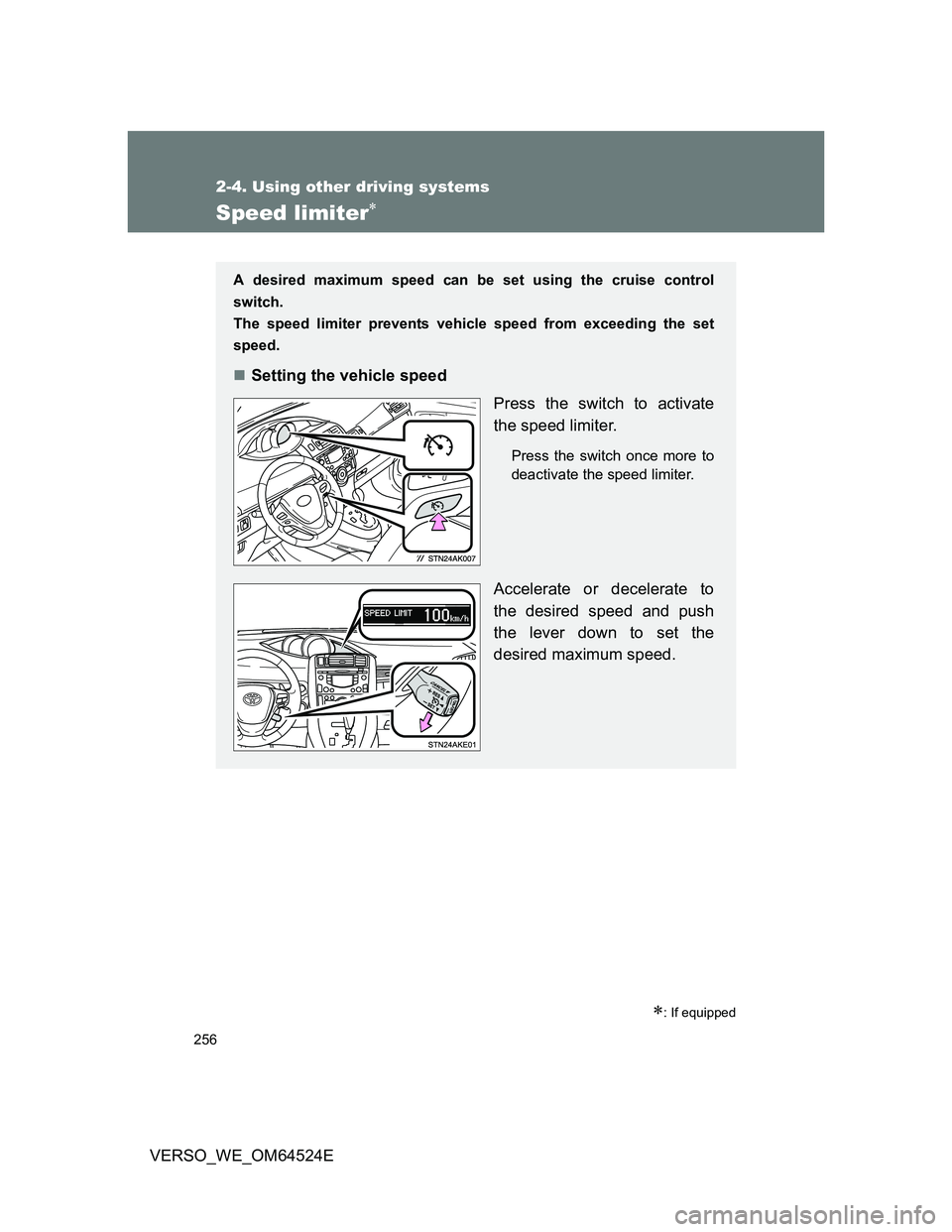
A desired maximum speed can be set using the cruise control
switch.
The speed limiter prevents vehicle speed from exceeding the set
speed.
Setting the vehicle speed
Press the switch to activate
the speed limiter.
Press the switch once more to
deactivate the speed limiter.
Accelerate or decelerate to
the desired speed and push
the lever down to set the
desired maximum speed.