change time TOYOTA VERSO 2014 User Guide
[x] Cancel search | Manufacturer: TOYOTA, Model Year: 2014, Model line: VERSO, Model: TOYOTA VERSO 2014Pages: 650, PDF Size: 36.61 MB
Page 362 of 650
362
3-2. Using the audio system
Using the steering wheel audio switches
Turning on the power
Press when the audio system is turned off.
Changing the audio source
Press when the audio system is turned on. The audio source
changes as follows each time is pressed. If a mode cannot be
used, it will be skipped.
AMFMCD modeiPod or USB memory
*AUX*
*
: If equipped
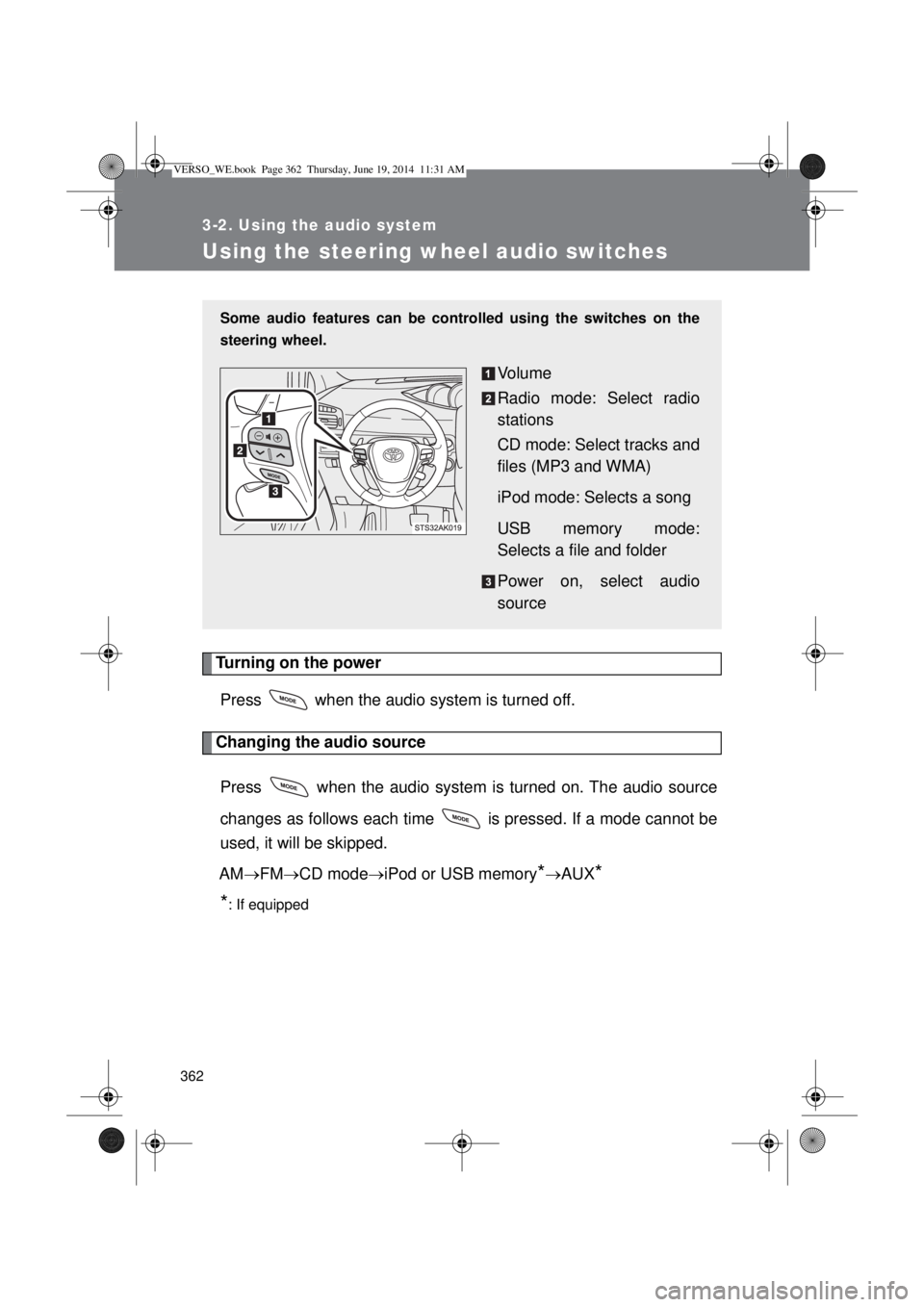
Some audio features can be controlled using the switches on the
steering wheel.
Volume
Radio mode: Select radio
stations
CD mode: Select tracks and
files (MP3 and WMA)
iPod mode: Selects a song
USB memory mode:
Selects a file and folder
Power on, select audio
source
VERSO_WE.book Page 362 Thursday, June 19, 2014 11:31 AM
Page 368 of 650

368 3-3. Using the interior lights
Illuminated entry system
Vehicles without smart entry & start system
The lights automatically turn on/off according to the engine switch posi-
tion, whether the doors are locked/unlocked, and whether the doors are
open/closed.
Vehicles with smart entry & start system
The lights automatically turn on/off according to “ENGINE START STOP”
switch mode, the presence of the electronic key, whether the doors are
locked/unlocked, and whether the doors are open/closed.
To prevent battery discharge
Vehicles without smart entry & start system
If the interior lights remain on when the engine switch is turned off, the
lights will go off automatically after 20 minutes.
Vehicles with smart entry & start system
If the interior lights remain on when the “ENGINE START STOP” switch
is turned off, the lights will go off automatically after 20 minutes.
Customization that can be configured at any authorized Toyota dealer
or repairer, or another duly qualified and equipped professional
Settings (e.g. The time elapsed before lights turn off) can be changed.
(Customizable features P. 629)
Personal/interior lights
VERSO_WE.book Page 368 Thursday, June 19, 2014 11:31 AM
Page 584 of 650

584 5-2. Steps to take in an emergency
Stopping the engine
Shift the shift lever to “P” (Multidrive or automatic transmission) or “N” (man-
ual transmission) and press the “ENGINE START STOP” switch as you nor-
mally do when stopping the engine.
Replacing the key battery
As the above procedure is the temporary measure, it is recommended that
the electronic key battery be replaced immediately when the battery
depletes. (P. 465)
Alarm (if equipped)
Using the mechanical key to lock the doors will not set the alarm system.
If a door is unlocked using the mechanical key when the alarm system is set,
the alarm may be triggered. (P. 136)
Changing “ENGINE START STOP” switch modes
Multidrive or automatic transmission
Within 10 seconds of the buzzer sounding, release the brake pedal and
press the “ENGINE START STOP” switch.
The engine does not start and modes will be changed each time the
switch is pressed. (P. 202)
Manual transmission
Within 10 seconds of the buzzer sounding, release the clutch pedal and
press the “ENGINE START STOP” switch.
The engine does not start and modes will be changed each time the
switch is pressed. (P. 202)
VERSO_WE.book Page 584 Thursday, June 19, 2014 11:31 AM
Page 629 of 650
629
6
Vehicle specifications
6-2. Customization
Customizable features
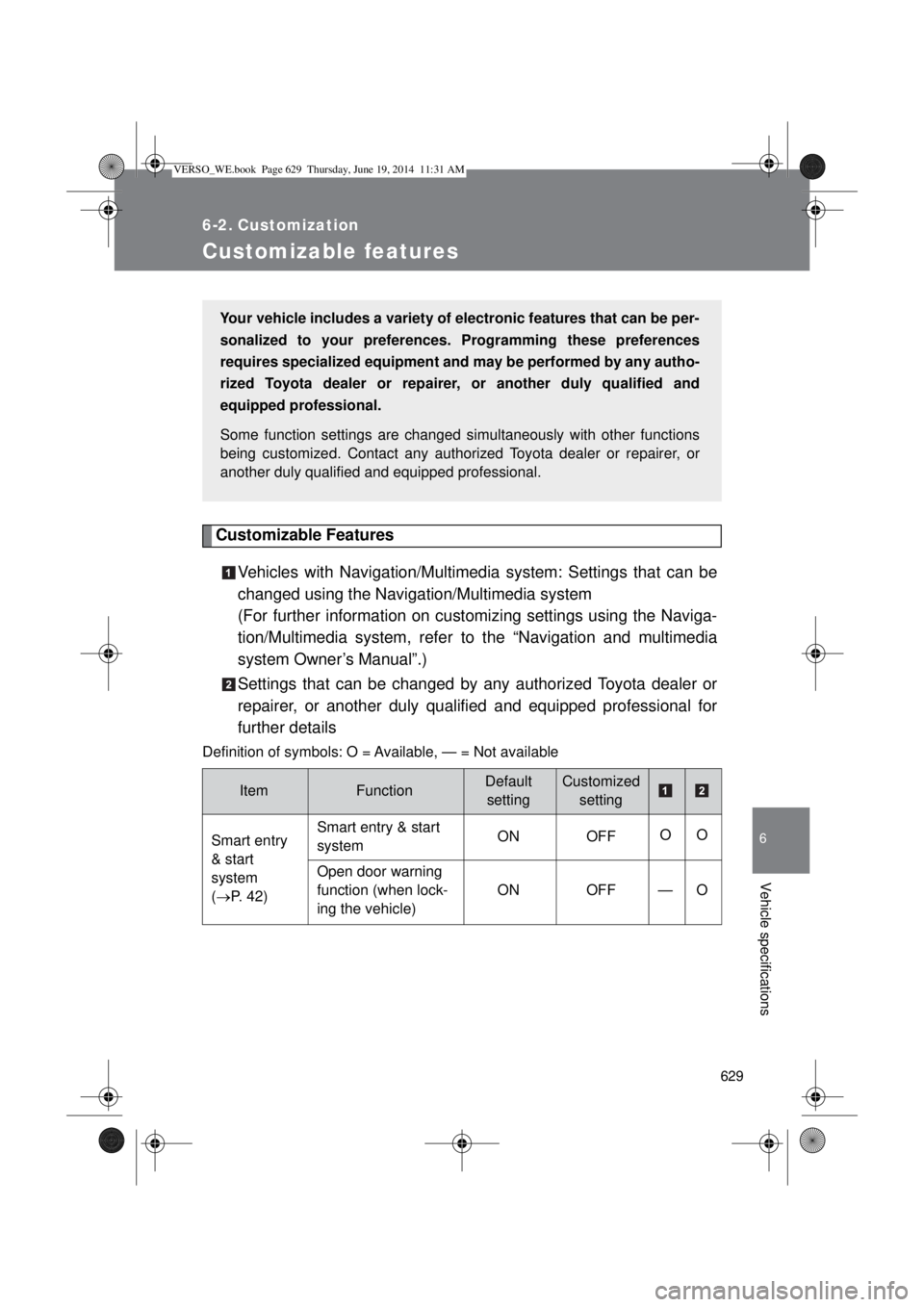
Customizable Features
Vehicles with Navigation/Multimedia system: Settings that can be
changed using the Navigation/Multimedia system
(For further information on customizing settings using the Naviga-
tion/Multimedia system, refer to the “Navigation and multimedia
system Owner’s Manual”.)
Settings that can be changed by any authorized Toyota dealer or
repairer, or another duly qualified and equipped professional for
further details
Definition of symbols: O = Available, — = Not available
ItemFunctionDefault
settingCustomized
setting
Smart entry
& start
system
(P. 42)Smart entry & start
systemON OFFOO
Open door warning
function (when lock-
ing the vehicle)ON OFF — O
Your vehicle includes a variety of electronic features that can be per-
sonalized to your preferences. Programming these preferences
requires specialized equipment and may be performed by any autho-
rized Toyota dealer or repairer, or another duly qualified and
equipped professional.
Some function settings are changed simultaneously with other functions
being customized. Contact any authorized Toyota dealer or repairer, or
another duly qualified and equipped professional.
VERSO_WE.book Page 629 Thursday, June 19, 2014 11:31 AM