lights TOYOTA VERSO 2014 User Guide
[x] Cancel search | Manufacturer: TOYOTA, Model Year: 2014, Model line: VERSO, Model: TOYOTA VERSO 2014Pages: 650, PDF Size: 36.61 MB
Page 181 of 650
2When driving
181
2-1. Driving procedures
Driving the vehicle ............ 182
Engine (ignition) switch
(vehicles without smart
entry & start system)....... 196
Engine (ignition) switch
(vehicles with smart
entry & start system)....... 200
Multidrive .......................... 206
Automatic transmission .... 212
Manual transmission......... 220
Turn signal lever ............... 224
Parking brake ................... 225
Horn .................................. 227
2-2. Instrument cluster
Gauges and meters .......... 228
Indicators and warning
lights ............................... 233
Multi-information display ... 239
2-3. Operating the lights and
wipers
Headlight switch ............... 251
Fog light switch ................. 258
Windshield wipers and
washer ............................ 259
Rear window wiper and
washer ............................ 2642-4. Using other driving systems
Cruise control.................... 265
Speed limiter ..................... 269
Toyota parking
assist-sensor .................. 272
Stop & Start system .......... 280
Driving assist systems ...... 287
Hill-start assist control....... 293
2-5. Driving information
Cargo and luggage ........... 295
Winter driving tips ............. 298
Trailer towing
(except Morocco) ............ 302
VERSO_WE.book Page 181 Thursday, June 19, 2014 11:31 AM
Page 224 of 650
224
2-1. Driving procedures
Turn signal lever
Turn signals can be operated when
Vehicles without smart entry & start system
The engine switch is in the “ON” position.
Vehicles with smart entry & start system
The “ENGINE START STOP” switch is in IGNITION ON mode.
If the indicators flash faster than usual
Check that a light bulb in the front or rear turn signal lights has not burned
out.
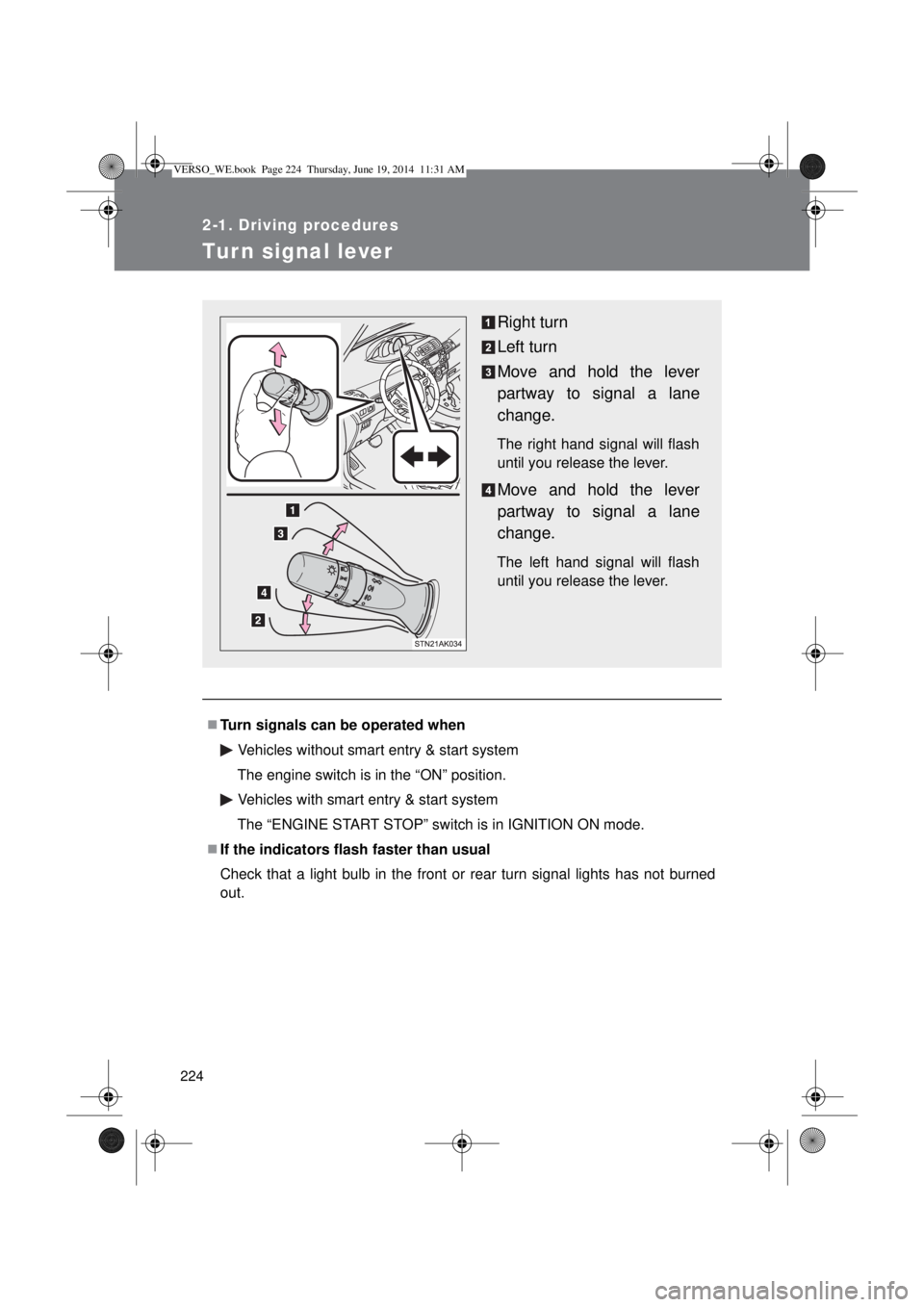
Right turn
Left turn
Move and hold the lever
partway to signal a lane
change.
The right hand signal will flash
until you release the lever.
Move and hold the lever
partway to signal a lane
change.
The left hand signal will flash
until you release the lever.
VERSO_WE.book Page 224 Thursday, June 19, 2014 11:31 AM
Page 232 of 650
232 2-2. Instrument cluster
Instrument panel light control
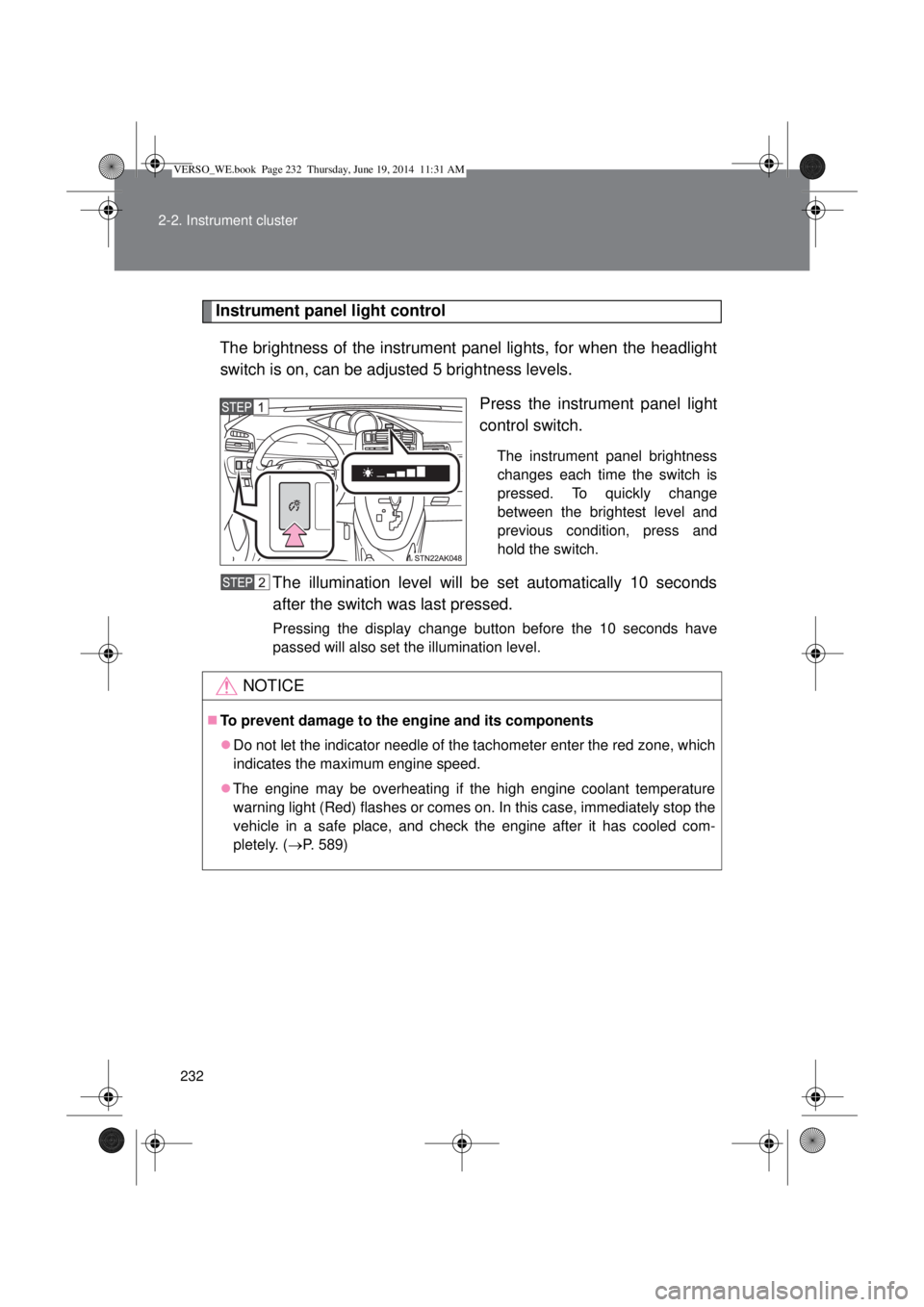
The brightness of the instrument panel lights, for when the headlight
switch is on, can be adjusted 5 brightness levels.
Press the instrument panel light
control switch.
The instrument panel brightness
changes each time the switch is
pressed. To quickly change
between the brightest level and
previous condition, press and
hold the switch.
The illumination level will be set automatically 10 seconds
after the switch was last pressed.
Pressing the display change button before the 10 seconds have
passed will also set the illumination level.
NOTICE
To prevent damage to the engine and its components
Do not let the indicator needle of the tachometer enter the red zone, which
indicates the maximum engine speed.
The engine may be overheating if the high engine coolant temperature
warning light (Red) flashes or comes on. In this case, immediately stop the
vehicle in a safe place, and check the engine after it has cooled com-
pletely. (P. 589)
VERSO_WE.book Page 232 Thursday, June 19, 2014 11:31 AM
Page 233 of 650
233
2-2. Instrument cluster
2
When driving
Indicators and warning lights
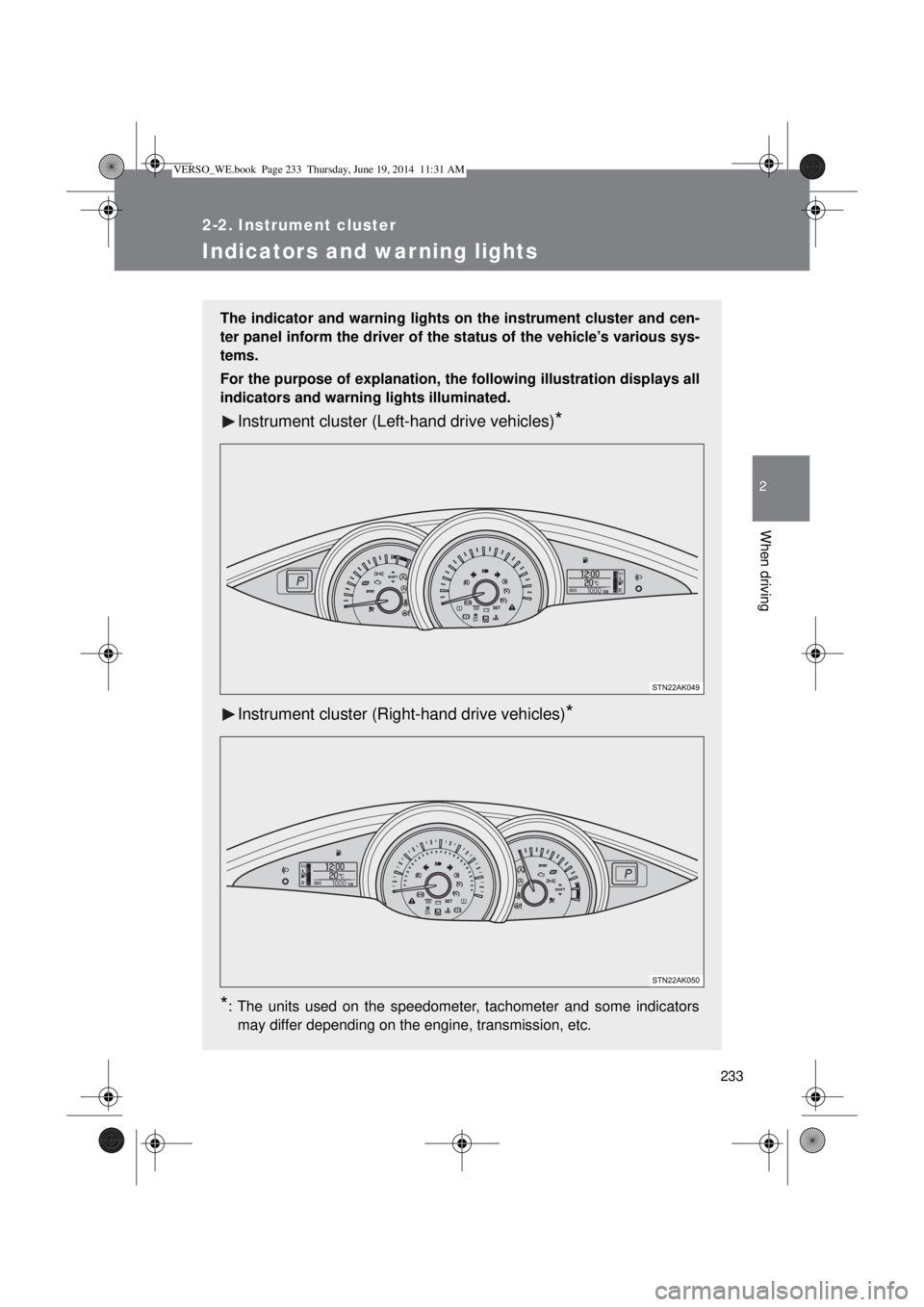
The indicator and warning lights on the instrument cluster and cen-
ter panel inform the driver of the status of the vehicle’s various sys-
tems.
For the purpose of explanation, the following illustration displays all
indicators and warning lights illuminated.
Instrument cluster (Left-hand drive vehicles)*
Instrument cluster (Right-hand drive vehicles)*
*
: The units used on the speedometer, tachometer and some indicators
may differ depending on the engine, transmission, etc.
VERSO_WE.book Page 233 Thursday, June 19, 2014 11:31 AM
Page 236 of 650
236 2-2. Instrument cluster
*1: These lights turn on when the engine switch is turned to the “ON” posi-
tion (vehicles without smart entry & start system) or the “ENGINE
START STOP” switch is turned to IGNITION ON mode (vehicles with
smart entry & start system) to indicate that a system check is being
performed. They will turn off after the engine is started, or after a few
seconds. There may be a malfunction in a system if a light does not
come on, or if the lights do not turn off. Have the vehicle inspected by
any authorized Toyota dealer or repairer, or another duly qualified and
equipped professional for details.
*2: The light flashes to indicate that the system is operating.
*3: Vehicles with a Multidrive or an automatic transmission
*4: This indicator turns on in blue when the engine coolant temperature is
low.
*5: Vehicles with an Automatic transmission
*6: Vehicles with a Manual transmission
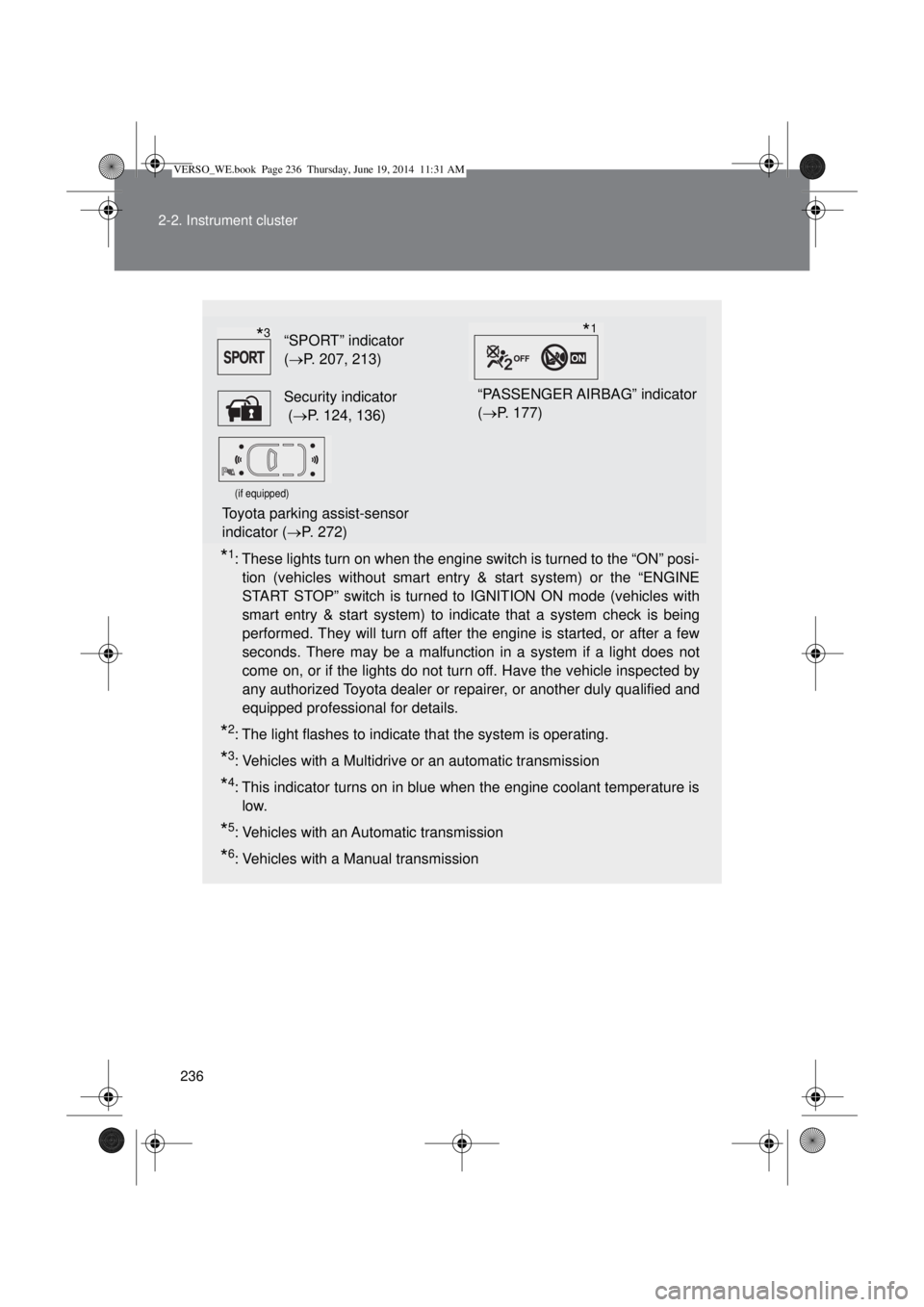
“SPORT” indicator
(P. 207, 213)
Security indicator
(P. 124, 136)“PASSENGER AIRBAG” indicator
(P. 177)
(if equipped)
Toyota parking assist-sensor
indicator (P. 272)
*3*1
VERSO_WE.book Page 236 Thursday, June 19, 2014 11:31 AM
Page 237 of 650
237 2-2. Instrument cluster
2
When driving
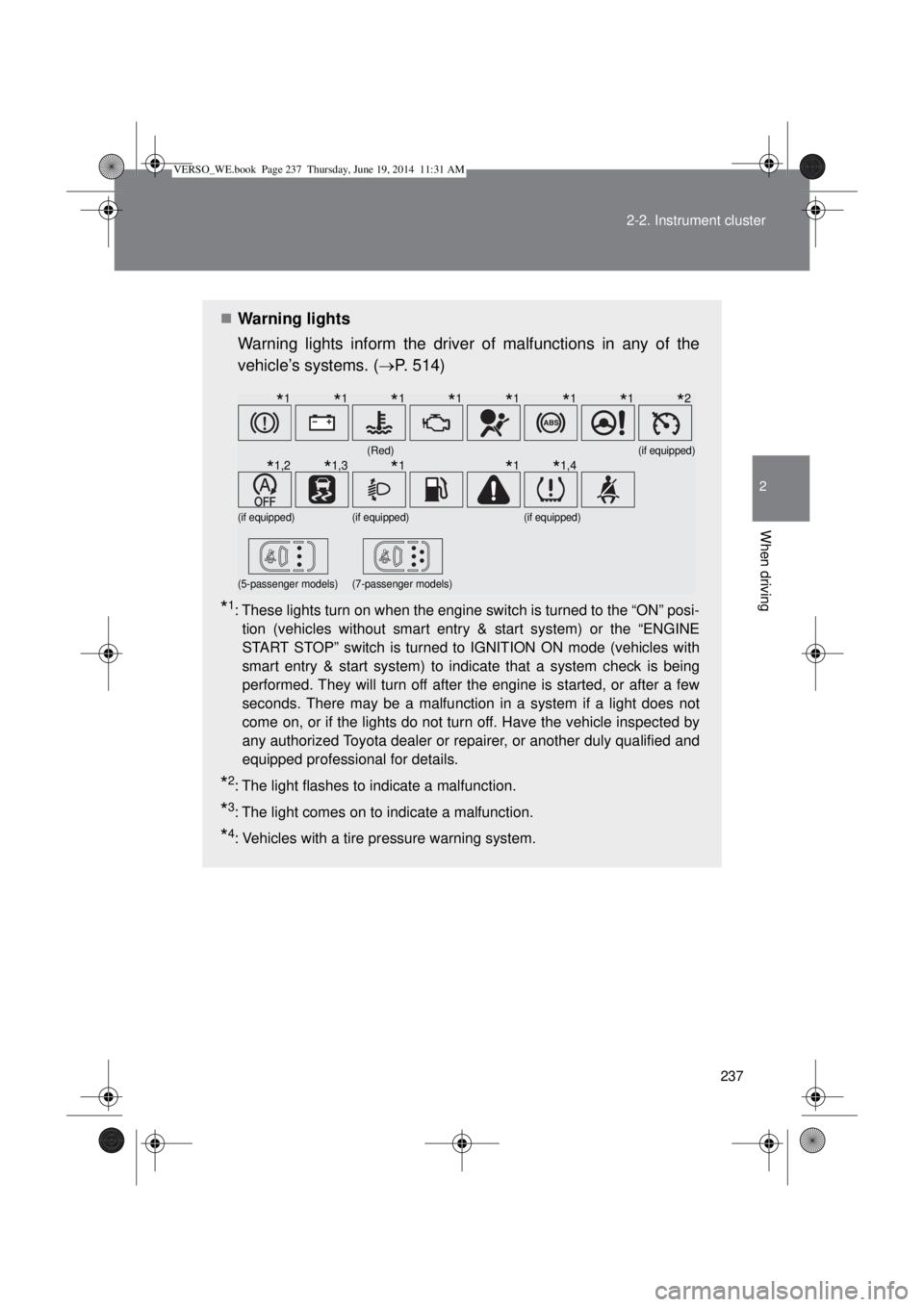
Warning lights
Warning lights inform the driver of malfunctions in any of the
vehicle’s systems. (P. 514)
*1: These lights turn on when the engine switch is turned to the “ON” posi-
tion (vehicles without smart entry & start system) or the “ENGINE
START STOP” switch is turned to IGNITION ON mode (vehicles with
smart entry & start system) to indicate that a system check is being
performed. They will turn off after the engine is started, or after a few
seconds. There may be a malfunction in a system if a light does not
come on, or if the lights do not turn off. Have the vehicle inspected by
any authorized Toyota dealer or repairer, or another duly qualified and
equipped professional for details.
*2: The light flashes to indicate a malfunction.
*3: The light comes on to indicate a malfunction.
*4: Vehicles with a tire pressure warning system.
(Red)(if equipped)
(if equipped)(if equipped)(if equipped)
(5-passenger models)(7-passenger models)
*1*1*1*1*1*1*1*2
*1,2*1,3*1*1*1,4
VERSO_WE.book Page 237 Thursday, June 19, 2014 11:31 AM
Page 251 of 650
251
2
When driving
2-3. Operating the lights and wipers
Headlight switch
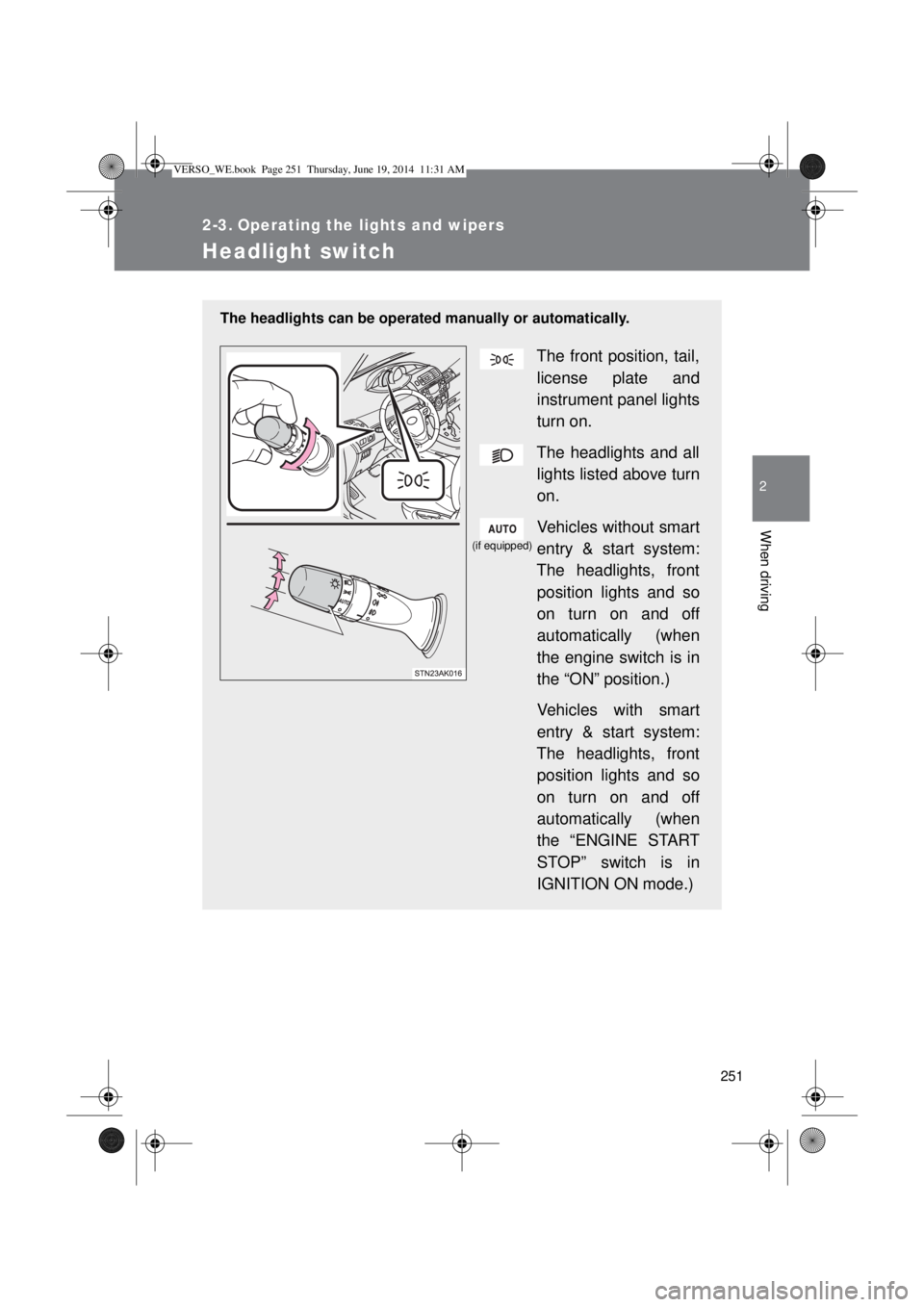
The headlights can be operated manually or automatically.
The front position, tail,
license plate and
instrument panel lights
turn on.
The headlights and all
lights listed above turn
on.
Vehicles without smart
entry & start system:
The headlights, front
position lights and so
on turn on and off
automatically (when
the engine switch is in
the “ON” position.)
Vehicles with smart
entry & start system:
The headlights, front
position lights and so
on turn on and off
automatically (when
the “ENGINE START
STOP” switch is in
IGNITION ON mode.)
(if equipped)
VERSO_WE.book Page 251 Thursday, June 19, 2014 11:31 AM
Page 252 of 650
252 2-3. Operating the lights and wipers
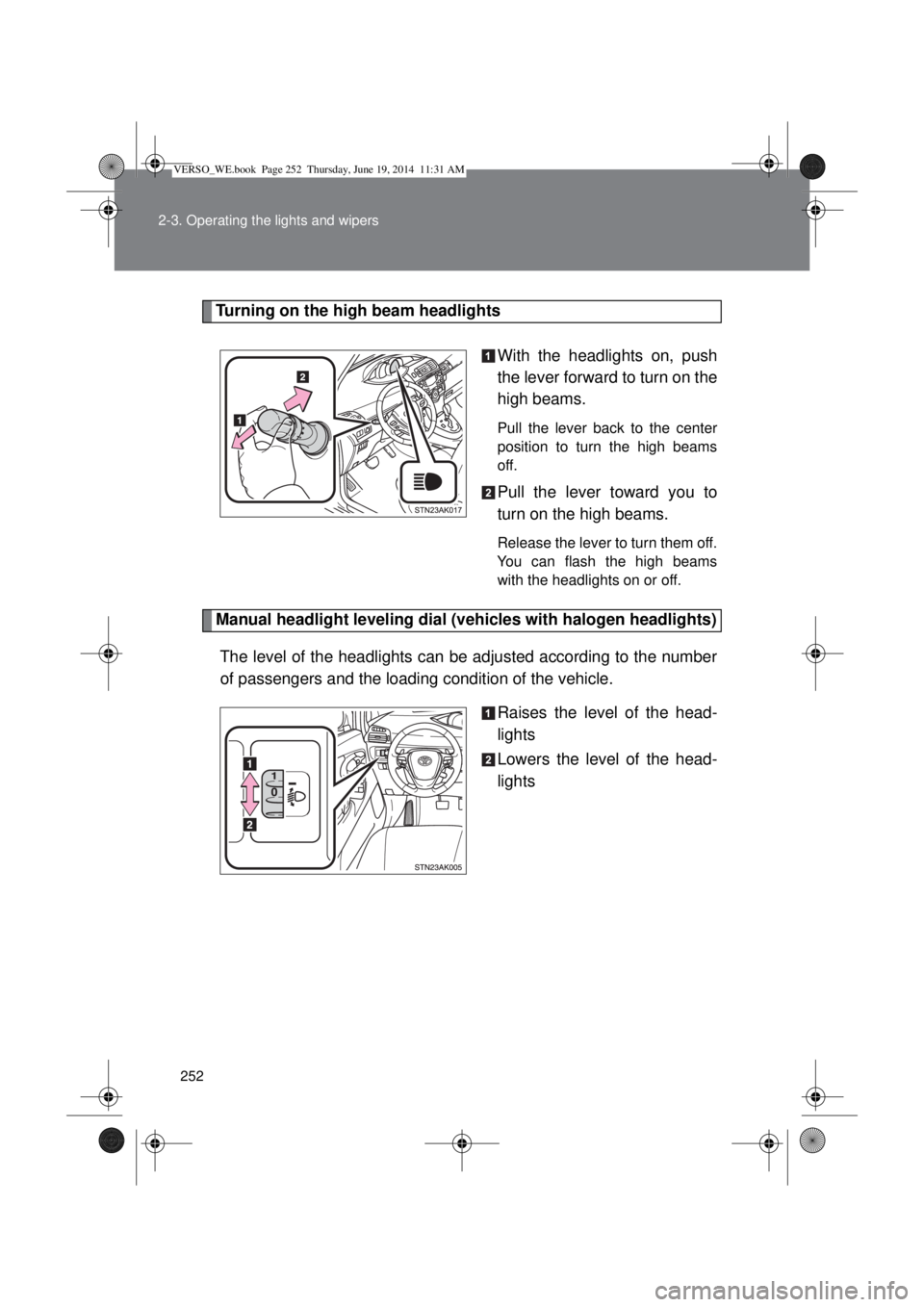
Turning on the high beam headlights
With the headlights on, push
the lever forward to turn on the
high beams.
Pull the lever back to the center
position to turn the high beams
off.
Pull the lever toward you to
turn on the high beams.
Release the lever to turn them off.
You can flash the high beams
with the headlights on or off.
Manual headlight leveling dial (vehicles with halogen headlights)
The level of the headlights can be adjusted according to the number
of passengers and the loading condition of the vehicle.
Raises the level of the head-
lights
Lowers the level of the head-
lights
VERSO_WE.book Page 252 Thursday, June 19, 2014 11:31 AM
Page 253 of 650
253 2-3. Operating the lights and wipers
2
When driving
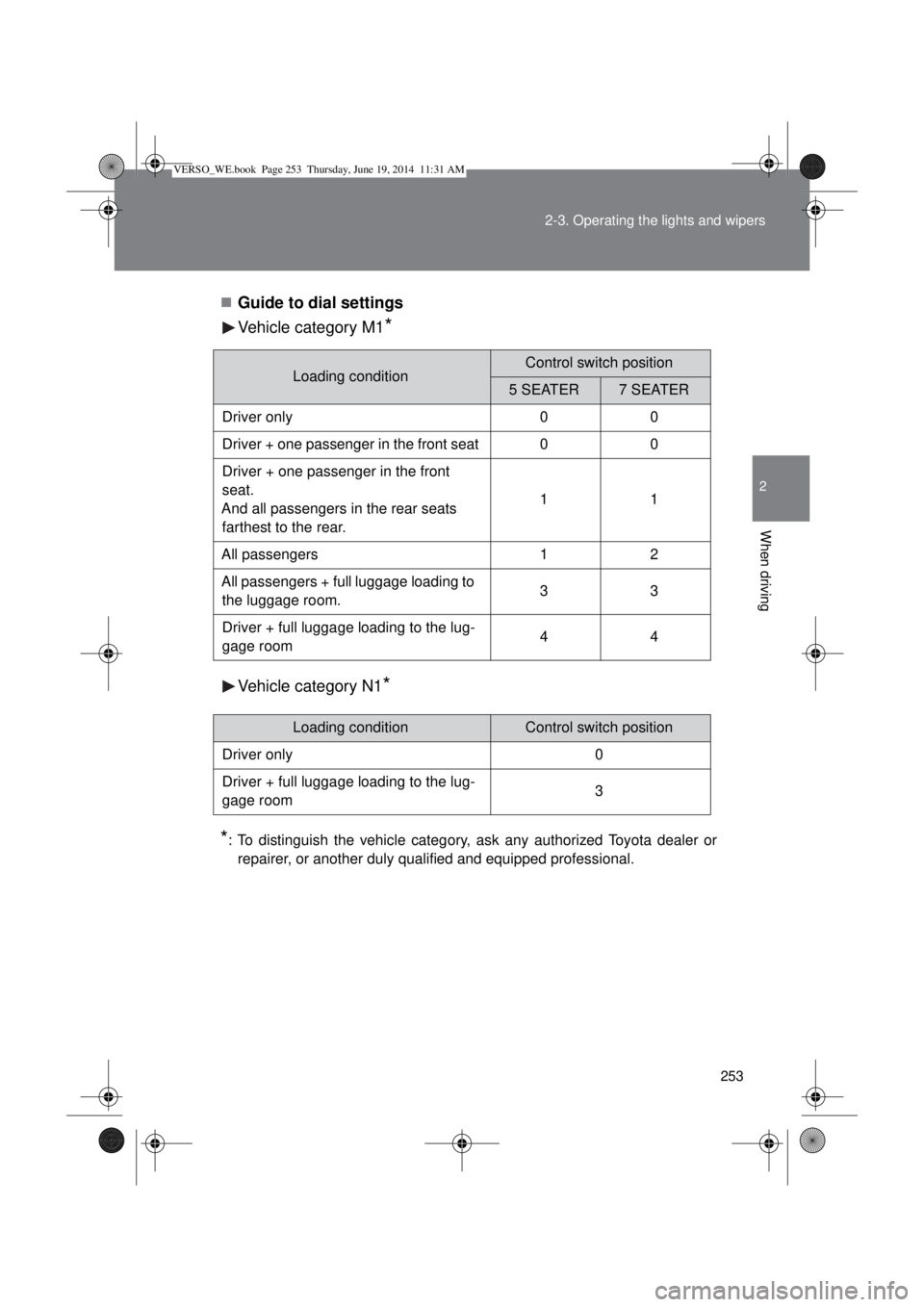
Guide to dial settings
Vehicle category M1
*
Vehicle category N1*
*
: To distinguish the vehicle category, ask any authorized Toyota dealer or
repairer, or another duly qualified and equipped professional.
Loading conditionControl switch position
5 SEATER7 SEATER
Driver only 0 0
Driver + one passenger in the front seat 0 0
Driver + one passenger in the front
seat.
And all passengers in the rear seats
farthest to the rear.11
All passengers 1 2
All passengers + full luggage loading to
the luggage room.33
Driver + full luggage loading to the lug-
gage room44
Loading conditionControl switch position
Driver only 0
Driver + full luggage loading to the lug-
gage room3
VERSO_WE.book Page 253 Thursday, June 19, 2014 11:31 AM
Page 254 of 650
254 2-3. Operating the lights and wipers
Daytime running light system (if equipped)
To make your vehicle more visible to other drivers, the daytime run-
ning lights turn on automatically whenever the engine is started and
then the parking brake is released. (However, the daytime running
light system will be canceled when the headlight switch is operated
manually or the automatic headlight system turns on the tail lights.)
Daytime running lights are not designed for use at night.
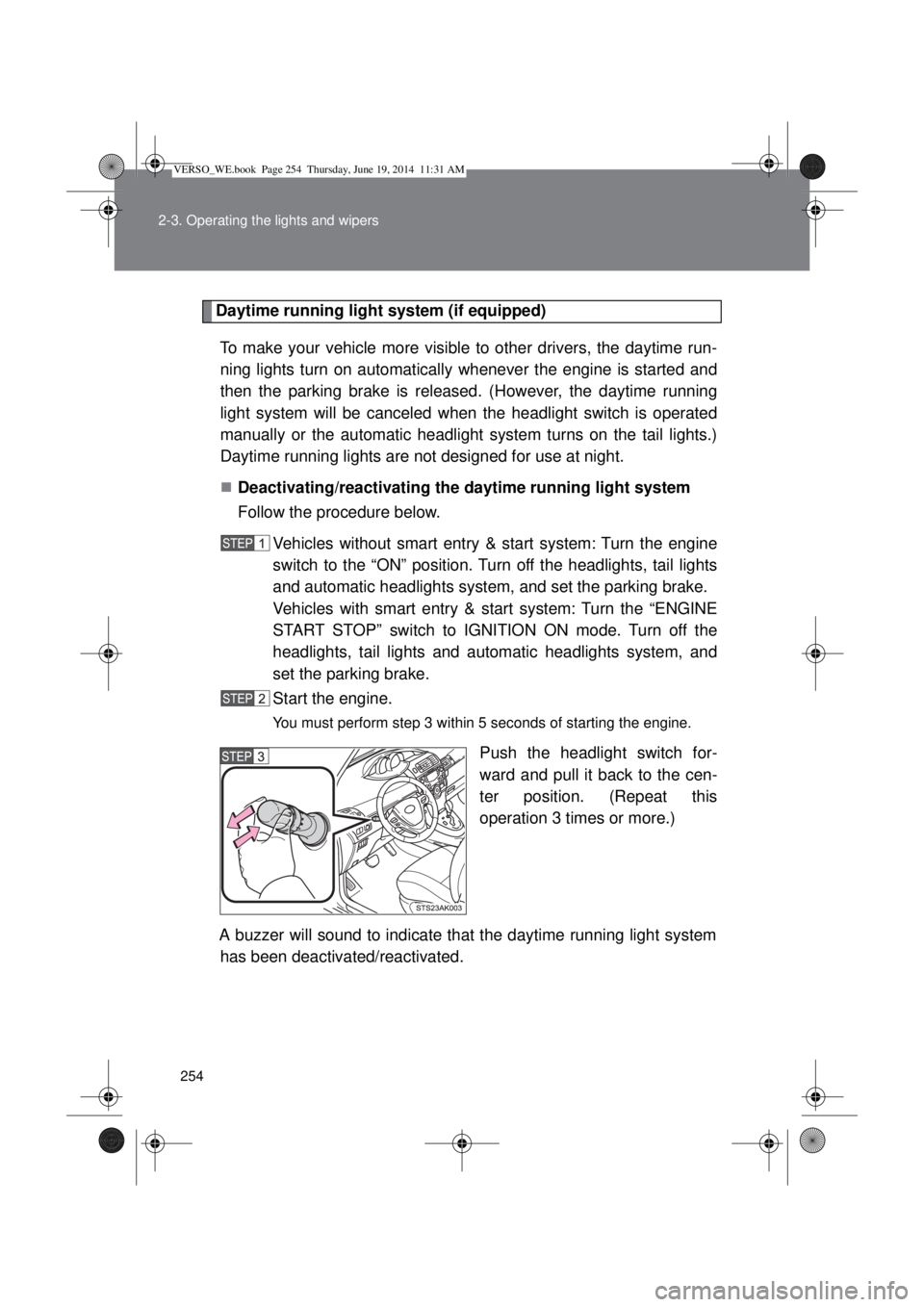
Deactivating/reactivating the daytime running light system
Follow the procedure below.
Vehicles without smart entry & start system: Turn the engine
switch to the “ON” position. Turn off the headlights, tail lights
and automatic headlights system, and set the parking brake.
Vehicles with smart entry & start system: Turn the “ENGINE
START STOP” switch to IGNITION ON mode. Turn off the
headlights, tail lights and automatic headlights system, and
set the parking brake.
Start the engine.
You must perform step 3 within 5 seconds of starting the engine.
Push the headlight switch for-
ward and pull it back to the cen-
ter position. (Repeat this
operation 3 times or more.)
A buzzer will sound to indicate that the daytime running light system
has been deactivated/reactivated.
VERSO_WE.book Page 254 Thursday, June 19, 2014 11:31 AM