transmission TOYOTA VERSO 2016 User Guide
[x] Cancel search | Manufacturer: TOYOTA, Model Year: 2016, Model line: VERSO, Model: TOYOTA VERSO 2016Pages: 664, PDF Size: 62.24 MB
Page 203 of 664
203
2-1. Driving procedures
2
When driving
VERSO_EE_OM64590E
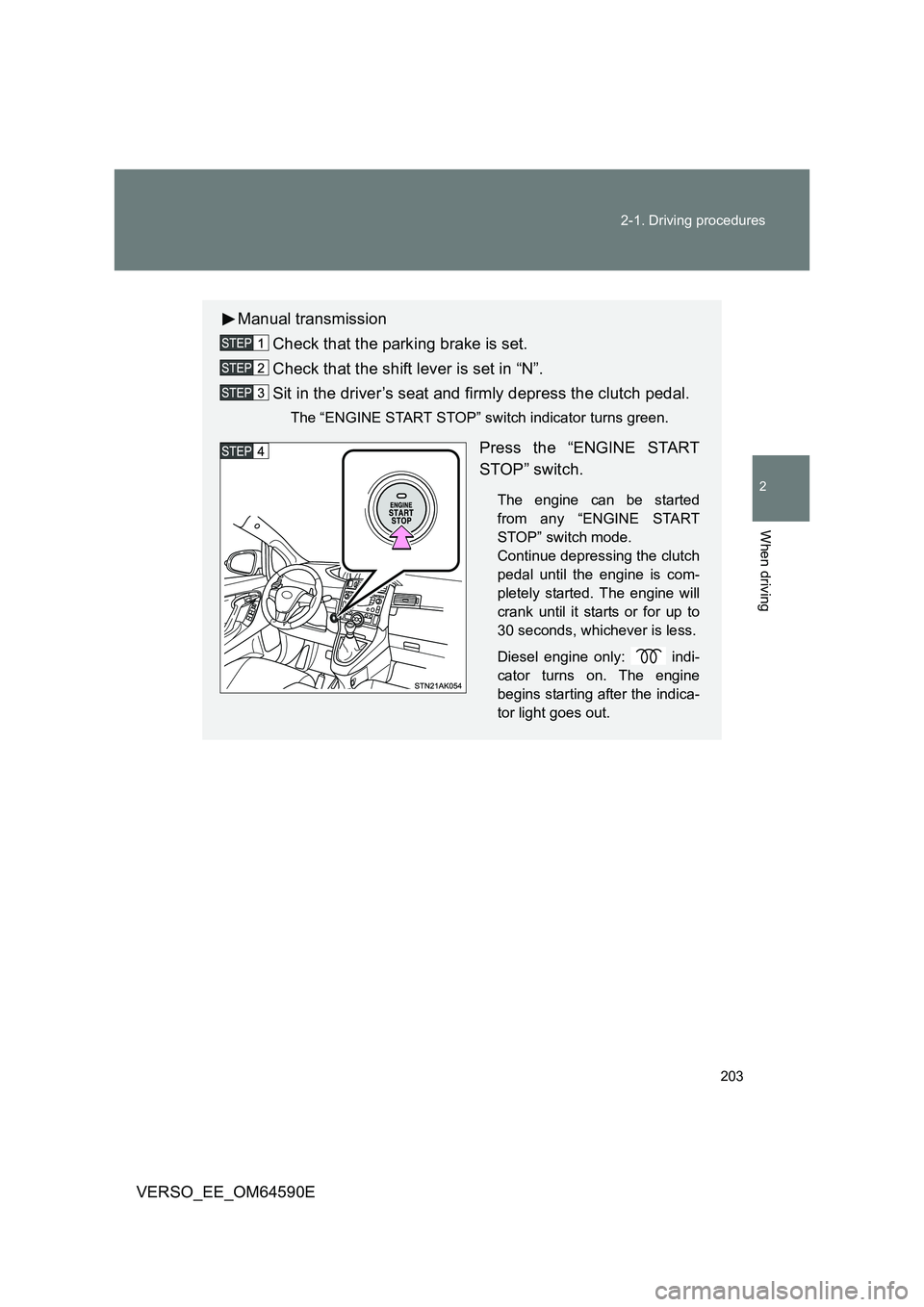
Manual transmission
Check that the parking brake is set.
Check that the shift lever is set in “N”.
Sit in the driver’s seat and firmly depress the clutch pedal.
The “ENGINE START STOP” switch indicator turns green.
Press the “ENGINE START
STOP” switch.
The engine can be started
from any “ENGINE START
STOP” switch mode.
Continue depressing the clutch
pedal until the engine is com-
pletely started. The engine will
crank until it starts or for up to
30 seconds, whichever is less.
Diesel engine only: indi-
cator turns on. The engine
begins starting after the indica-
tor light goes out.
Page 204 of 664
204
2-1. Driving procedures
VERSO_EE_OM64590E
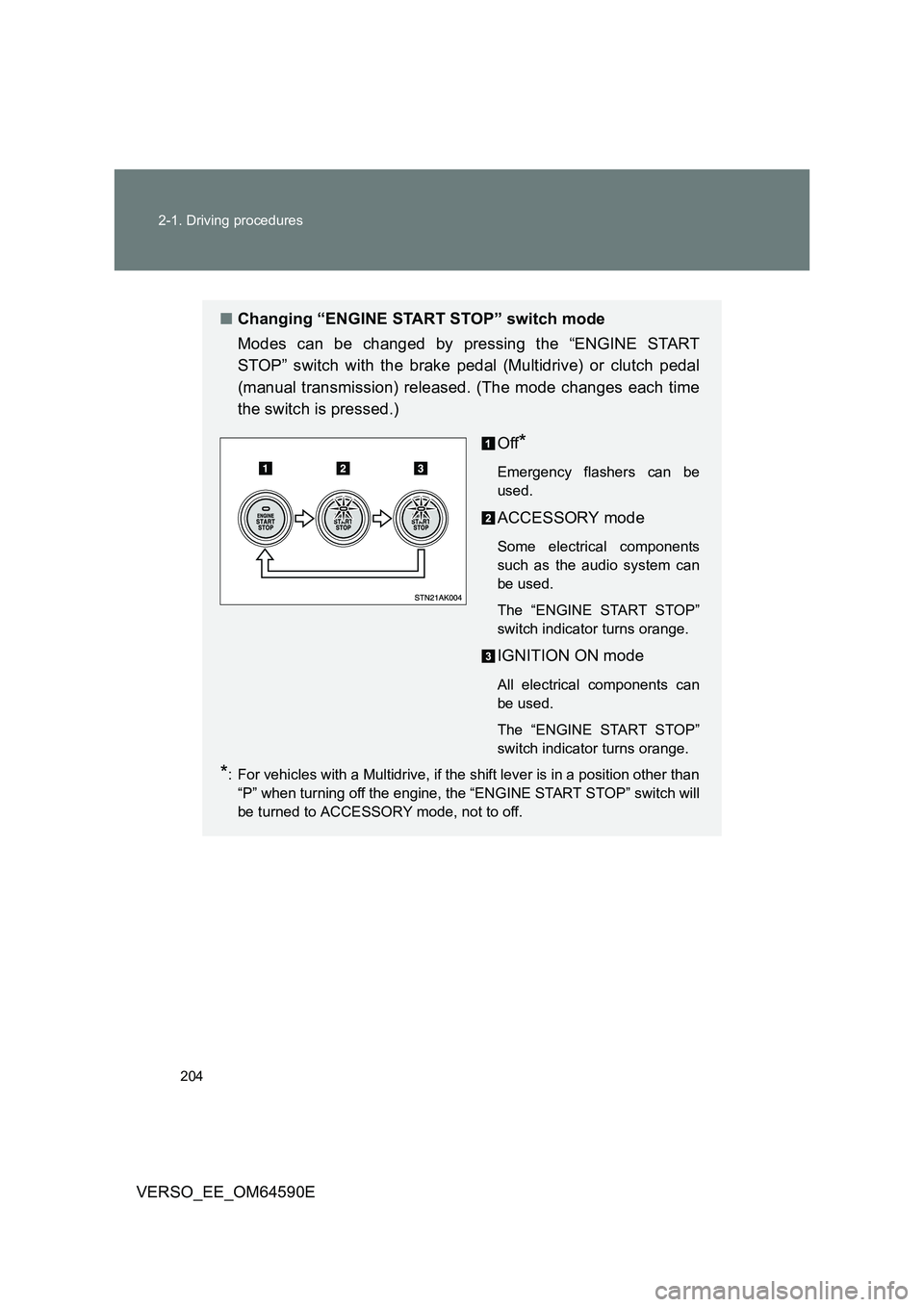
■ Changing “ENGINE START STOP” switch mode
Modes can be changed by pressing the “ENGINE START
STOP” switch with the brake pedal (Multidrive) or clutch pedal
(manual transmission) released. (The mode changes each time
the switch is pressed.)
Off*
Emergency flashers can be
used.
ACCESSORY mode
Some electrical components
such as the audio system can
be used.
The “ENGINE START STOP”
switch indicator turns orange.
IGNITION ON mode
All electrical components can
be used.
The “ENGINE START STOP”
switch indicator turns orange.
*: For vehicles with a Multidrive, if the shift lever is in a position other than
“P” when turning off the engine, the “ENGINE START STOP” switch will
be turned to ACCESSORY mode, not to off.
Page 206 of 664
206
2-1. Driving procedures
VERSO_EE_OM64590E
■ Auto power off function
Vehicles with a Multidrive
If the vehicle is left in ACCESSORY mode for more than 20 minutes with
the shift lever in “P”, the “ENGINE START STOP” switch will automatically
turn off.
Vehicles with a manual transmission
If the vehicle is left in ACCESSORY mode for more than 20 minutes, the
“ENGINE START STOP” switch will automatically turn off.
■ “ENGINE START STOP” switch operation
When operating the “ENGINE START STOP” switch, push it quickly and
firmly. If the switch is not pushed firmly, the mode may not change or the
engine may not start. Furthermore, if the switch is pushed quickly and firmly,
there is no need to hold it down.
■ Electronic key battery depletion
P. 4 7
■ When the electronic key battery is discharged
P. 600
■ Conditions affecting operation
P. 6 3
■ Note for the smart entry & start system
P. 4 7
WARNING
■When starting the engine
Always start the engine while sitting in the driver’s seat. Do not depress the
accelerator pedal while starting the engine under any circumstances.
Doing so may cause an accident resulting in death or serious injury.
Page 213 of 664
213
2-1. Driving procedures
2
When driving
VERSO_EE_OM64590E
■ Automatic deactivation of “SPORT” mode
Vehicles without smart entry & start system
If the engine switch is turned to the “LOCK” position after driving in
“SPORT” mode, the mode is automatically deactivated.
Vehicles with smart entry & start system
If the “ENGINE START STOP” switch is turned off after driving in
“SPORT” mode, the mode is automatically deactivated.
■ If the shift lever cannot be shifted from “P”
P. 597
■ If the “M” indicator is not displayed after shifting the shift lever to the
“M” position
If the display does not change to “M” on an occasion other than that
described above, it may indicate a malfunction in the transmission system.
Have your vehicle inspected by any authorized Toyota dealer or repairer, or
another duly qualified and equipped professional immediately.
■ Automatic gear step selection
When the vehicle comes to a stop, the transmission will automatically down-
shift to allow you to start off in 1st step.
Page 214 of 664
214
2-1. Driving procedures
VERSO_EE_OM64590E
Manual transmission
: If equipped
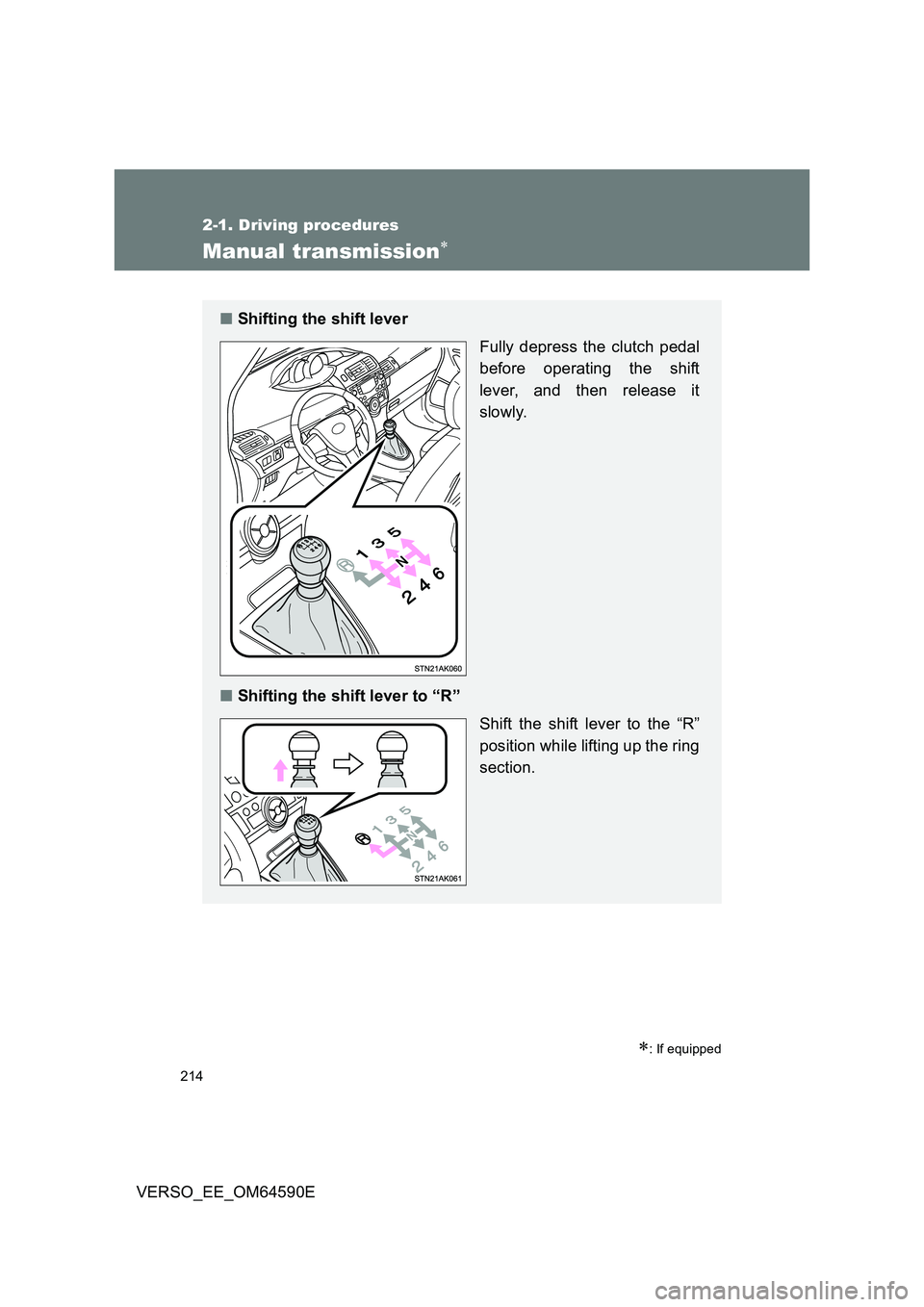
■Shifting the shift lever
Fully depress the clutch pedal
before operating the shift
lever, and then release it
slowly.
■ Shifting the shift lever to “R”
Shift the shift lever to the “R”
position while lifting up the ring
section.
Page 217 of 664
217
2-1. Driving procedures
2
When driving
VERSO_EE_OM64590E
NOTICE
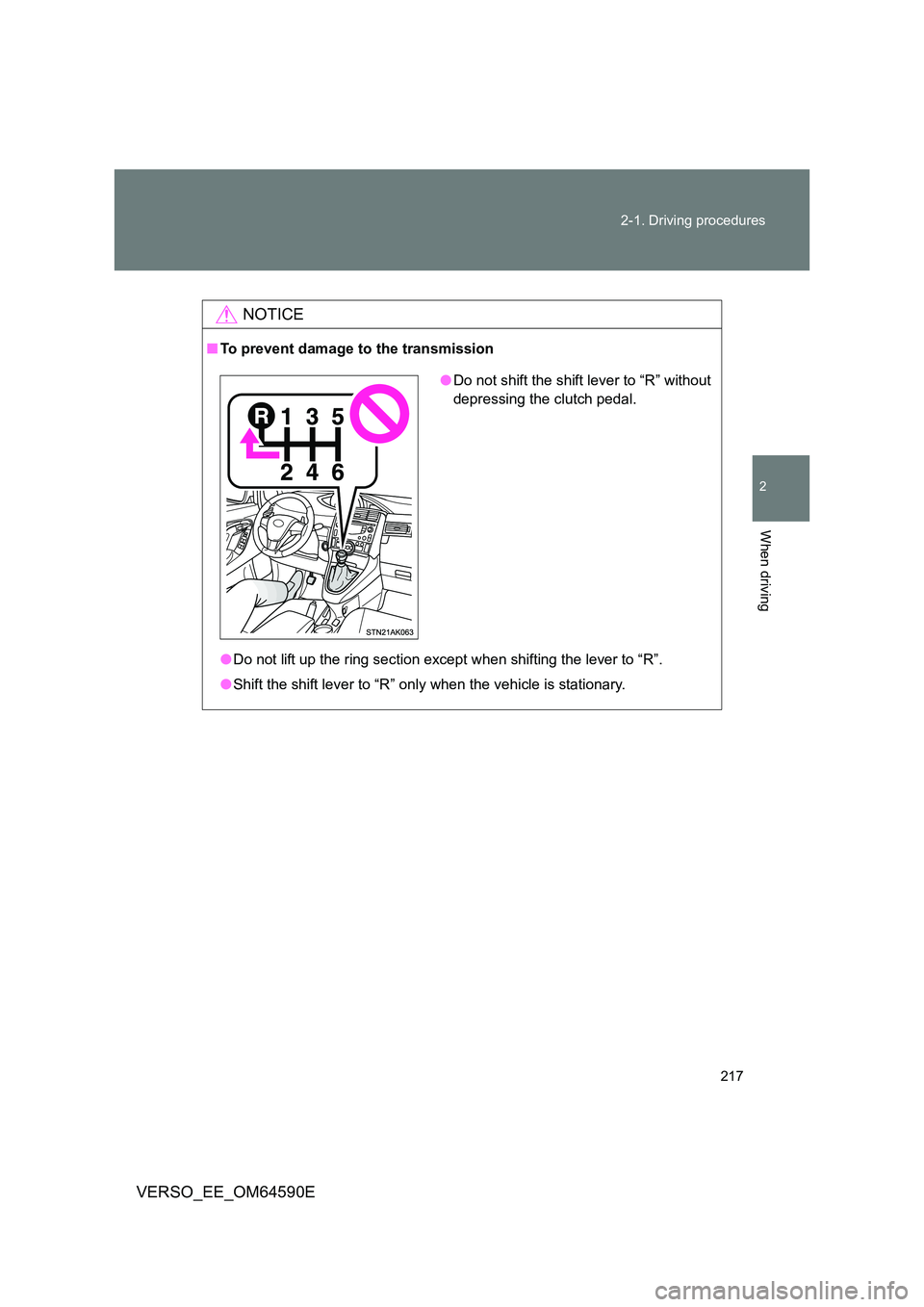
■ To prevent damage to the transmission
● Do not lift up the ring section except when shifting the lever to “R”.
● Shift the shift lever to “R” only when the vehicle is stationary.
●Do not shift the shift lever to “R” without
depressing the clutch pedal.
Page 227 of 664
227
2-2. Instrument cluster
2
When driving
VERSO_EE_OM64590E
Indicators and war ning lights
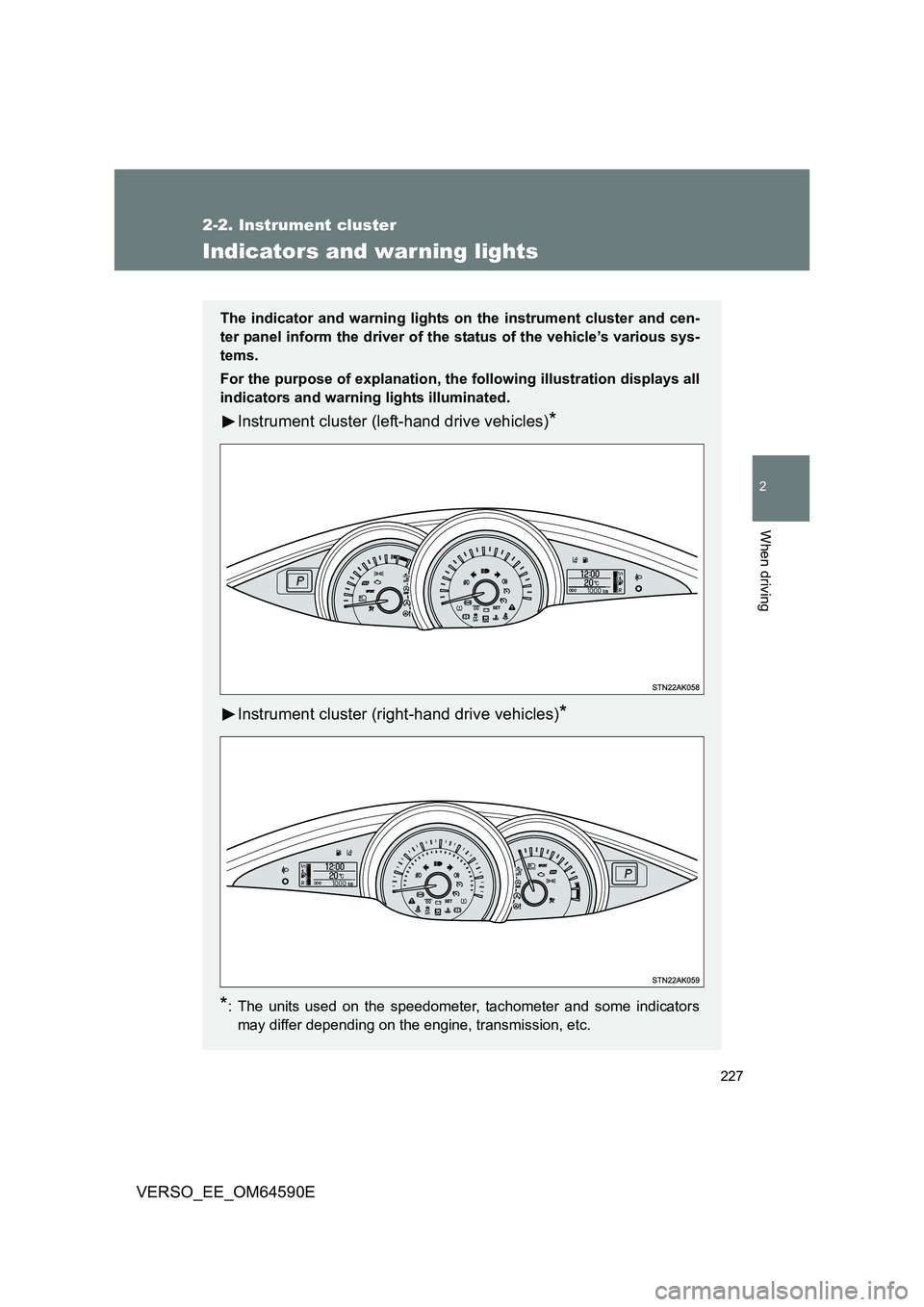
The indicator and warning lights on the instrument cluster and cen-
ter panel inform the driver of the status of the vehicle’s various sys-
tems.
For the purpose of explanation, the following illustration displays all
indicators and warning lights illuminated.
Instrument cluster (left-hand drive vehicles)*
Instrument cluster (right-hand drive vehicles)*
*: The units used on the speedometer, tachometer and some indicators
may differ depending on the engine, transmission, etc.
Page 230 of 664
230
2-2. Instrument cluster
VERSO_EE_OM64590E
*1: These lights turn on when the engine switch is turned to the “ON” posi-
tion (vehicles without smart entry & start system) or the “ENGINE
START STOP” switch is turned to IGNITION ON mode (vehicles with
smart entry & start system) to indicate that a system check is being
performed. They will turn off after the engine is started, or after a few
seconds. There may be a malfunction in a system if a light does not
come on, or if the lights do not turn off. Have the vehicle inspected by
any authorized Toyota dealer or repairer, or another duly qualified and
equipped professional for details.
*2: The light flashes to indicate that the system is operating.
*3: Vehicles with a Multidrive
*4: This indicator turns on in blue when the engine coolant temperature is
low.
*5: Vehicles with a manual transmission
*6: The light comes on when the system is turned off.
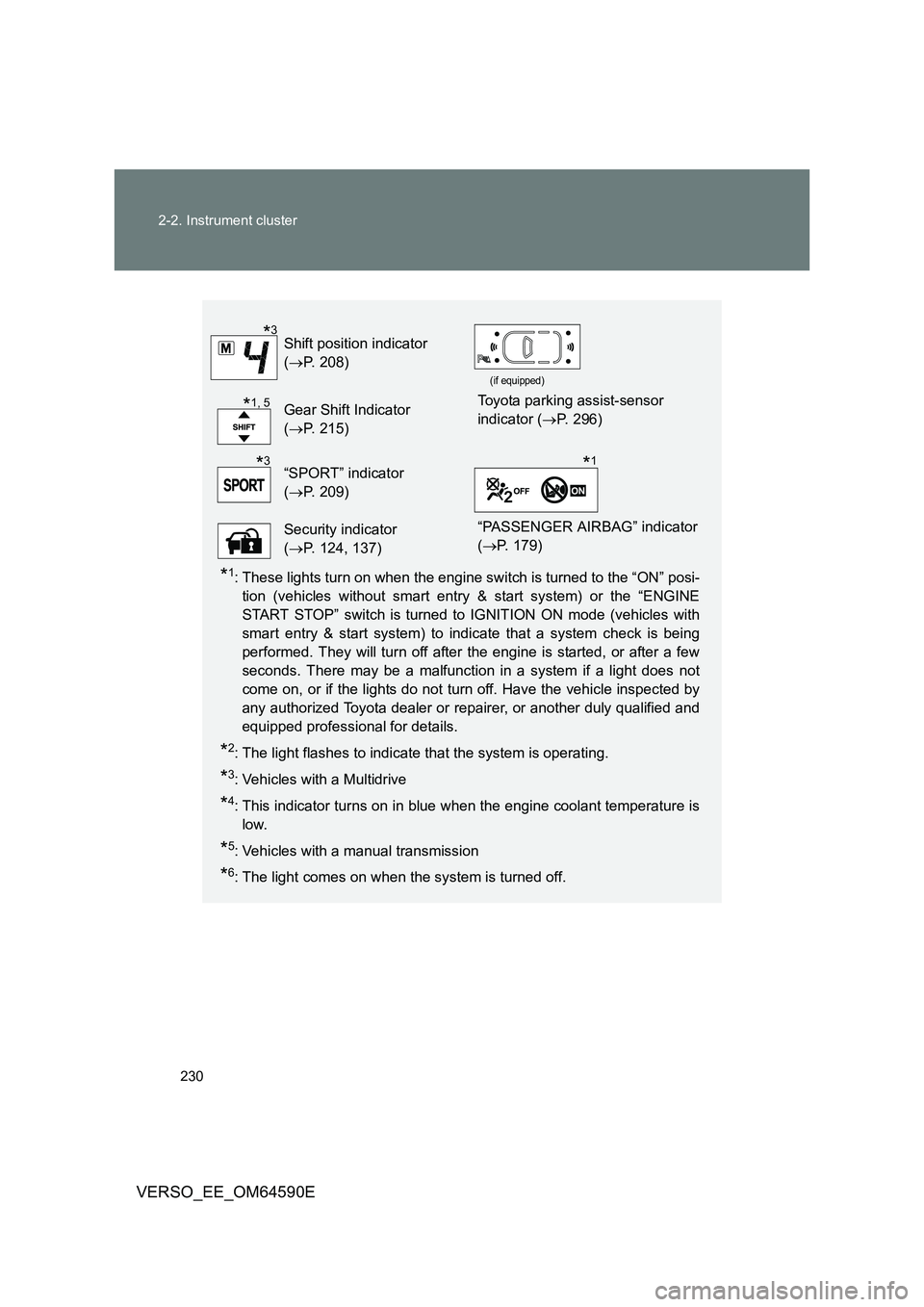
Shift position indicator
( P. 208)
(if equipped)
Gear Shift Indicator
( P. 215)
Toyota parking assist-sensor
indicator ( P. 296)
“SPORT” indicator
( P. 209)
Security indicator
( P. 124, 137)
“PASSENGER AIRBAG” indicator
( P. 179)
*3
*1, 5
*3*1
Page 290 of 664
290
2-5. Using other driving systems
VERSO_EE_OM64590E
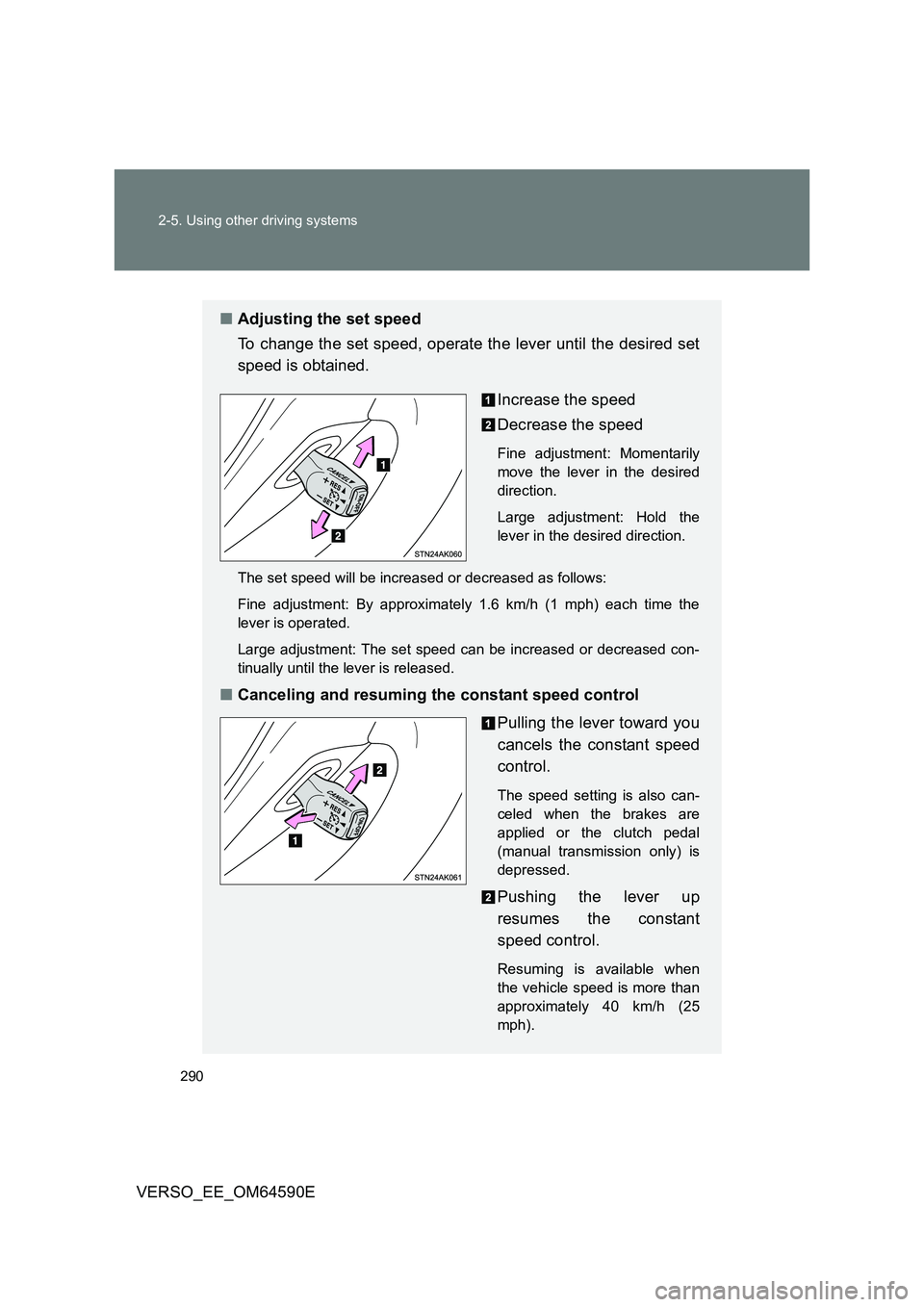
■ Adjusting the set speed
To change the set speed, operate the lever until the desired set
speed is obtained.
Increase the speed
Decrease the speed
Fine adjustment: Momentarily
move the lever in the desired
direction.
Large adjustment: Hold the
lever in the desired direction.
The set speed will be increased or decreased as follows:
Fine adjustment: By approximately 1.6 km/h (1 mph) each time the
lever is operated.
Large adjustment: The set speed can be increased or decreased con-
tinually until the lever is released.
■ Canceling and resuming the constant speed control
Pulling the lever toward you
cancels the constant speed
control.
The speed setting is also can-
celed when the brakes are
applied or the clutch pedal
(manual transmission only) is
depressed.
Pushing the lever up
resumes the constant
speed control.
Resuming is available when
the vehicle speed is more than
approximately 40 km/h (25
mph).
Page 321 of 664
321
2-6. Driving information
2
When driving
VERSO_EE_OM64590E
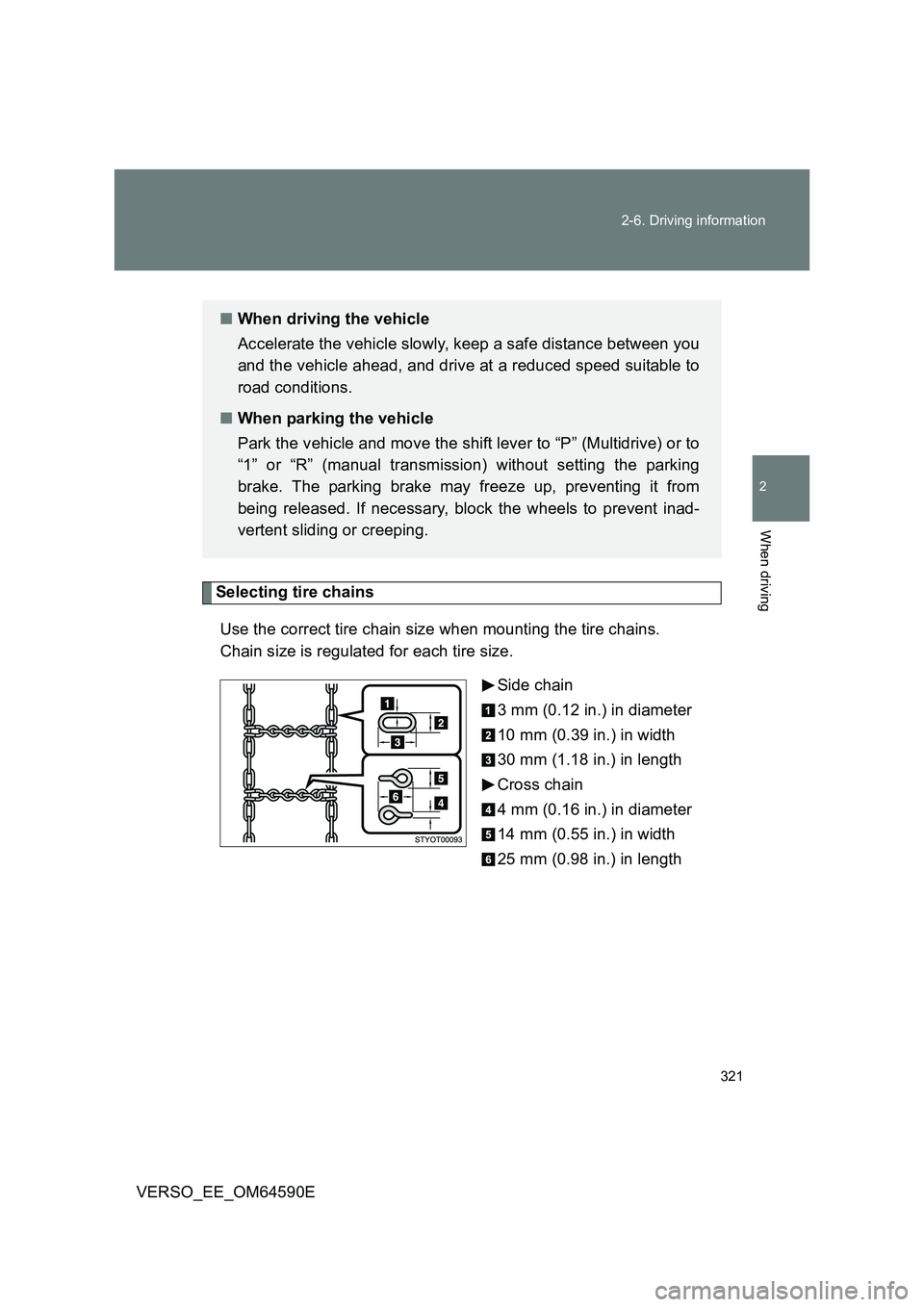
Selecting tire chains
Use the correct tire chain size when mounting the tire chains.
Chain size is regulated for each tire size.
Side chain
3 mm (0.12 in.) in diameter
10 mm (0.39 in.) in width
30 mm (1.18 in.) in length
Cross chain
4 mm (0.16 in.) in diameter
14 mm (0.55 in.) in width
25 mm (0.98 in.) in length
■ When driving the vehicle
Accelerate the vehicle slowly, keep a safe distance between you
and the vehicle ahead, and drive at a reduced speed suitable to
road conditions.
■ When parking the vehicle
Park the vehicle and move the shift lever to “P” (Multidrive) or to
“1” or “R” (manual transmission) without setting the parking
brake. The parking brake may freeze up, preventing it from
being released. If necessary, block the wheels to prevent inad-
vertent sliding or creeping.