brake TOYOTA VERSO 2016 Owner's Manual
[x] Cancel search | Manufacturer: TOYOTA, Model Year: 2016, Model line: VERSO, Model: TOYOTA VERSO 2016Pages: 664, PDF Size: 62.24 MB
Page 203 of 664
203
2-1. Driving procedures
2
When driving
VERSO_EE_OM64590E
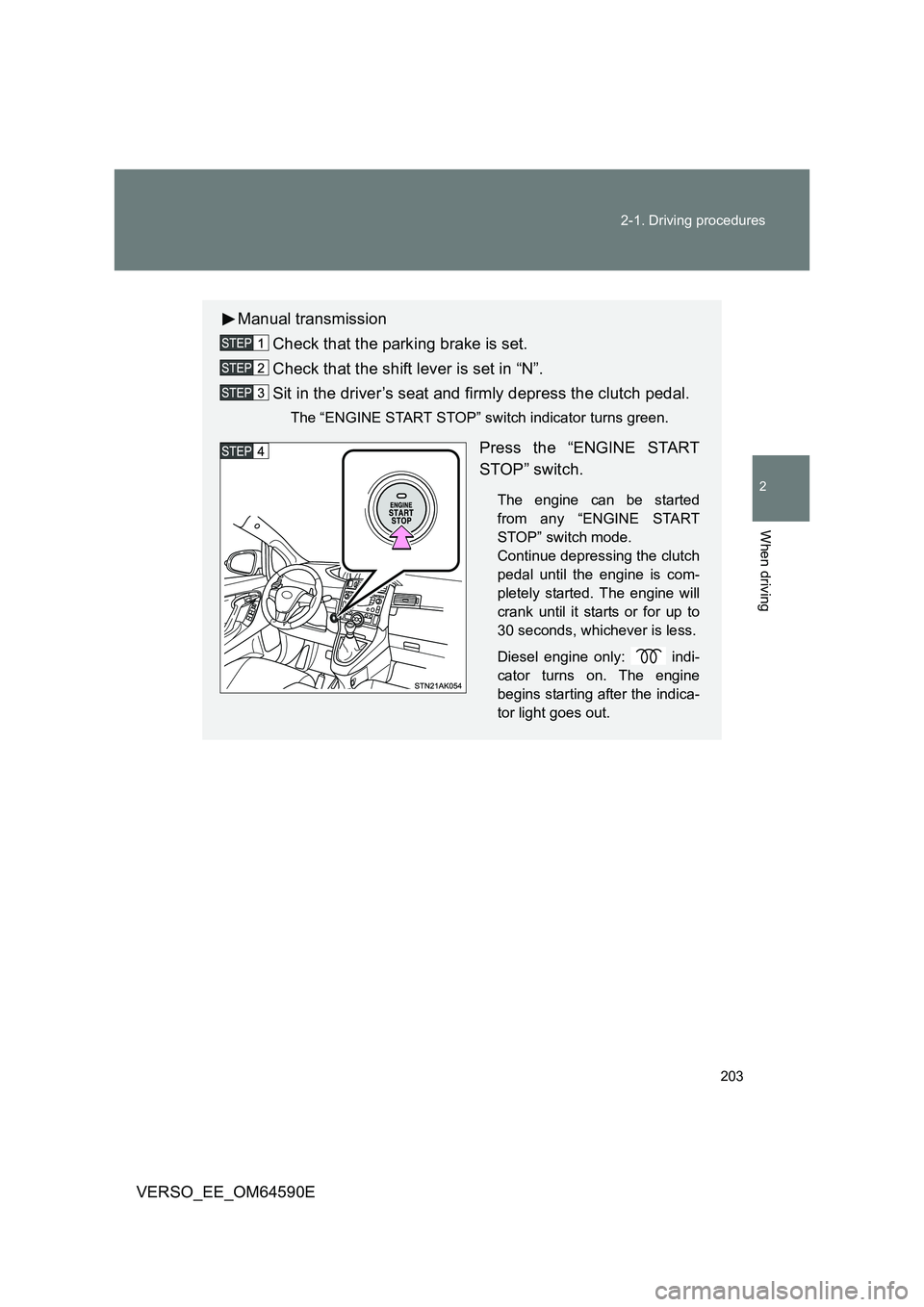
Manual transmission
Check that the parking brake is set.
Check that the shift lever is set in “N”.
Sit in the driver’s seat and firmly depress the clutch pedal.
The “ENGINE START STOP” switch indicator turns green.
Press the “ENGINE START
STOP” switch.
The engine can be started
from any “ENGINE START
STOP” switch mode.
Continue depressing the clutch
pedal until the engine is com-
pletely started. The engine will
crank until it starts or for up to
30 seconds, whichever is less.
Diesel engine only: indi-
cator turns on. The engine
begins starting after the indica-
tor light goes out.
Page 204 of 664
204
2-1. Driving procedures
VERSO_EE_OM64590E
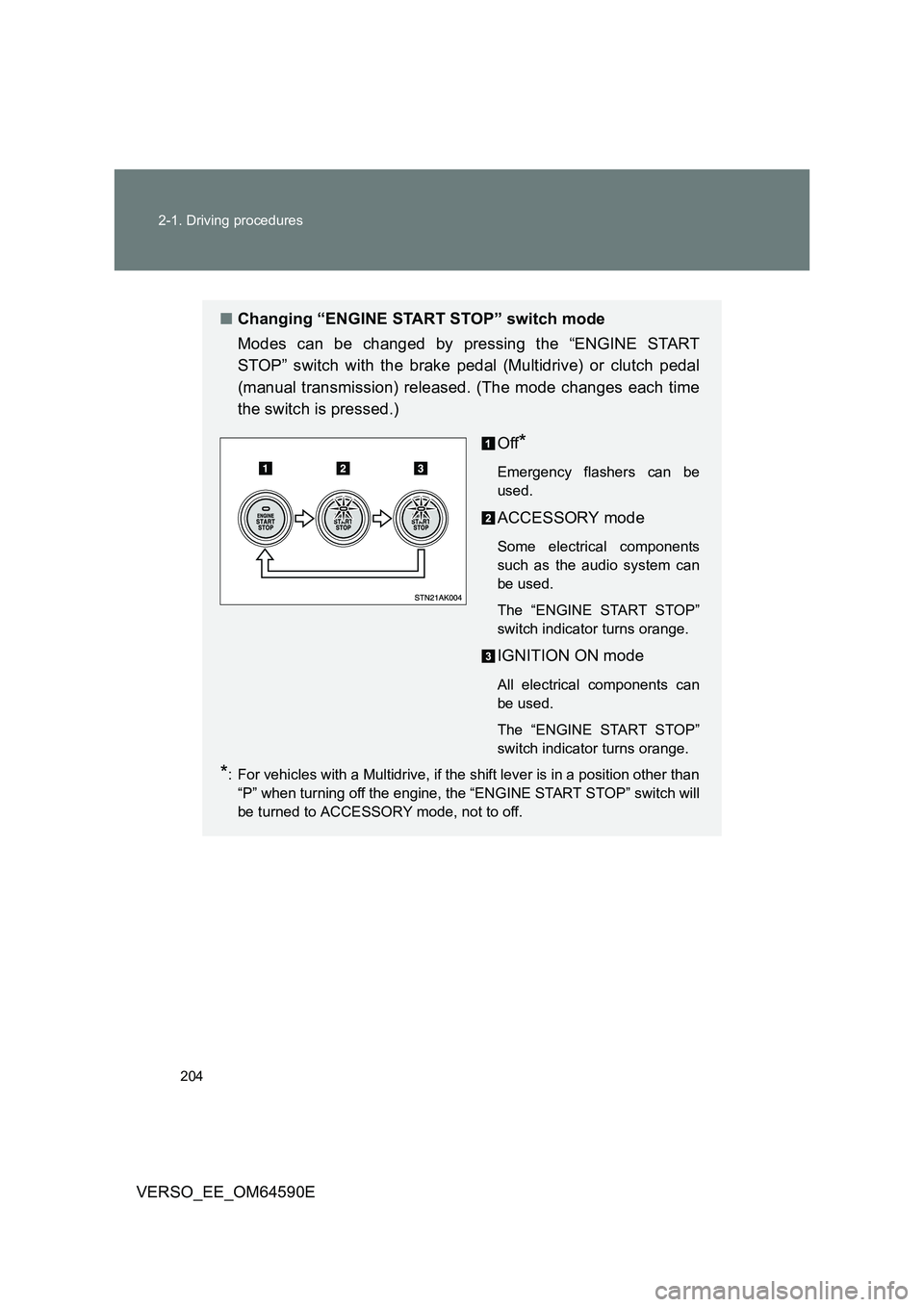
■ Changing “ENGINE START STOP” switch mode
Modes can be changed by pressing the “ENGINE START
STOP” switch with the brake pedal (Multidrive) or clutch pedal
(manual transmission) released. (The mode changes each time
the switch is pressed.)
Off*
Emergency flashers can be
used.
ACCESSORY mode
Some electrical components
such as the audio system can
be used.
The “ENGINE START STOP”
switch indicator turns orange.
IGNITION ON mode
All electrical components can
be used.
The “ENGINE START STOP”
switch indicator turns orange.
*: For vehicles with a Multidrive, if the shift lever is in a position other than
“P” when turning off the engine, the “ENGINE START STOP” switch will
be turned to ACCESSORY mode, not to off.
Page 207 of 664
207
2-1. Driving procedures
2
When driving
VERSO_EE_OM64590E
WARNING
■ Caution while driving
If the vehicle is coasting without engine power, for example if the engine
stalls, do not open a door or operate the lo cks until the vehicle is completely
stopped in a safe condition. Driving with the steering locked may cause an
accident, resulting in death or serious injury.
■ Stopping the engine in an emergency
If you want to stop the engine in an emergency while driving the vehicle,
press and hold the “ENGINE START STOP” switch for more than 2 seconds,
or press it briefly 3 times or more in succession. ( P. 613)
However, do not touch the “ENGINE START STOP” switch while driving
except in an emergency. Turning the engine off while driving will not cause
loss of steering or braking control, but the power assist to these systems will
be lost. This will make it more difficult to steer and brake, so you should pull
over and stop the vehicle as soon as it is safe to do so.
NOTICE
■ To prevent battery discharge
Do not leave the “ENGINE START STOP” switch in ACCESSORY or IGNI-
TION ON mode for long periods without the engine running.
■ When starting the engine
● Do not race a cold engine.
● If the engine becomes difficult to start or stalls frequently, have your vehi-
cle checked by any authorized Toyota dealer or repairer, or another duly
qualified and equipped professional immediately.
■ “ENGINE START STOP” switch operation
If you feel something catching or sense irregular resistance when operating
the “ENGINE START STOP” switch, then there may be a malfunction. Imme-
diately contact any authorized Toyota dealer or repairer, or another duly
qualified and equipped professional.
Page 208 of 664
208
2-1. Driving procedures
VERSO_EE_OM64590E
Multidrive
: If equipped
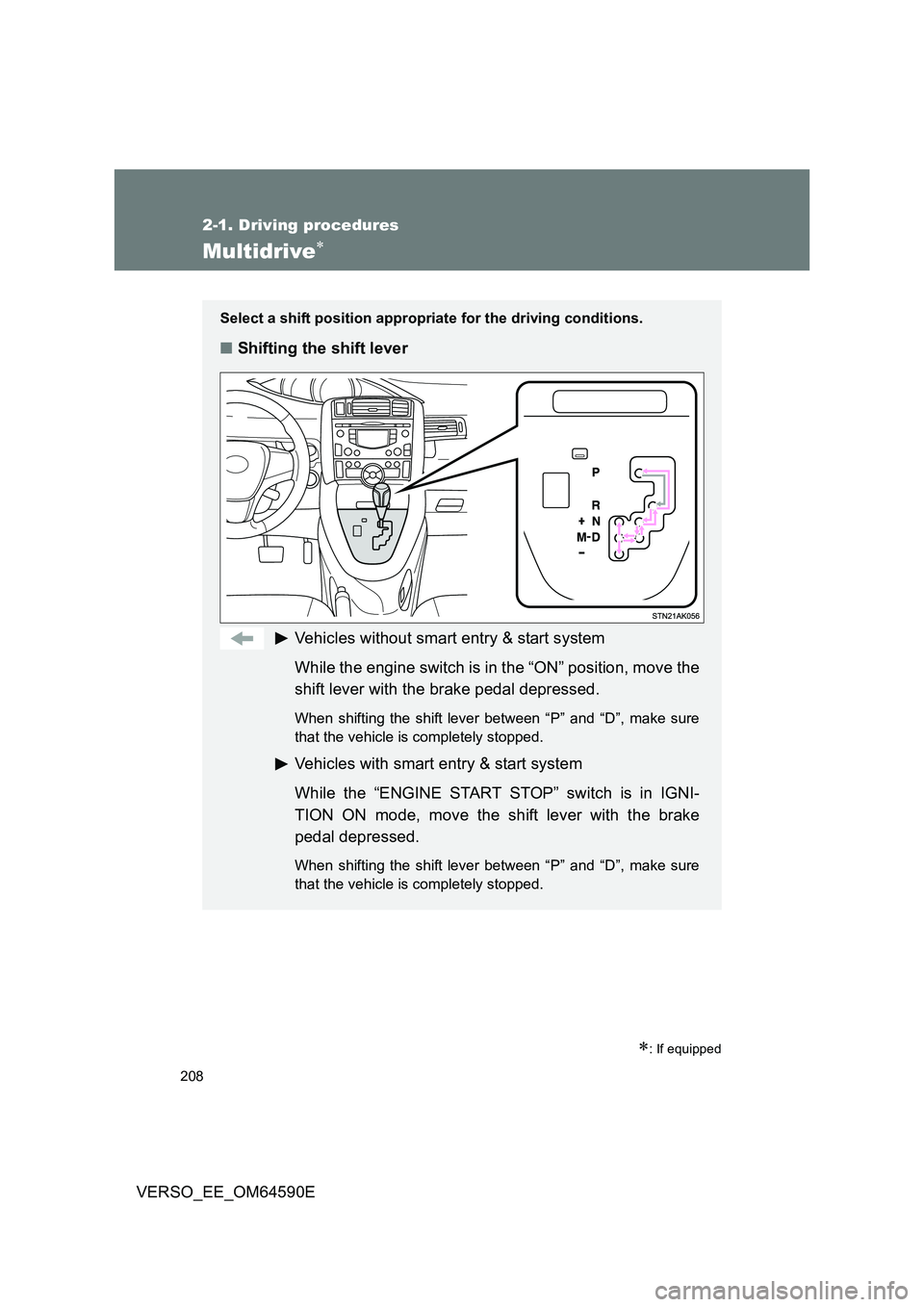
Select a shift position appropriate for the driving conditions.
■Shifting the shift lever
Vehicles without smart entry & start system
While the engine switch is in the “ON” position, move the
shift lever with the brake pedal depressed.
When shifting the shift lever between “P” and “D”, make sure
that the vehicle is completely stopped.
Vehicles with smart entry & start system
While the “ENGINE START STOP” switch is in IGNI-
TION ON mode, move the shift lever with the brake
pedal depressed.
When shifting the shift lever between “P” and “D”, make sure
that the vehicle is completely stopped.
Page 219 of 664
219
2-1. Driving procedures
2
When driving
VERSO_EE_OM64590E
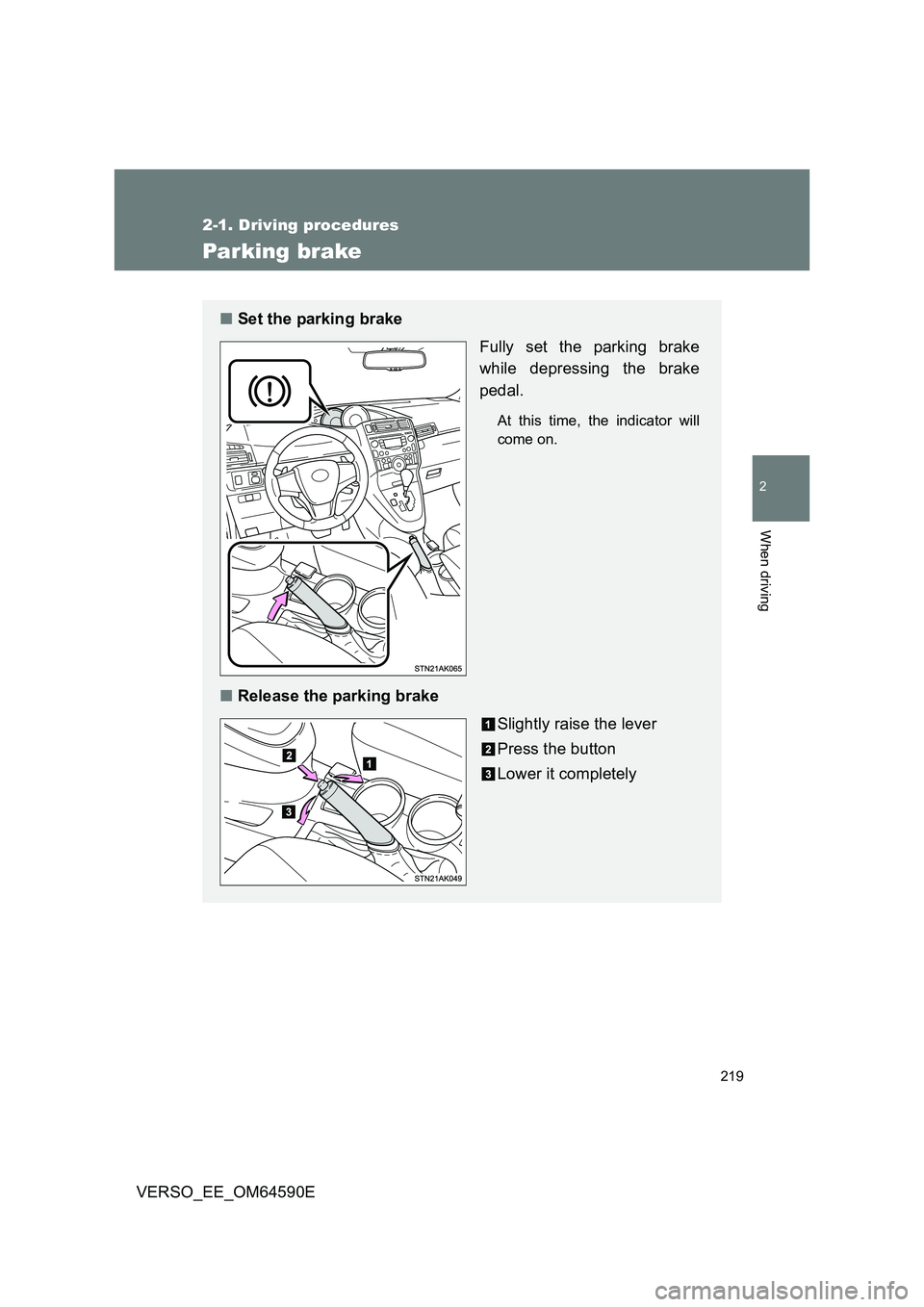
Parking brake
■Set the parking brake
Fully set the parking brake
while depressing the brake
pedal.
At this time, the indicator will
come on.
■ Release the parking brake
Slightly raise the lever
Press the button
Lower it completely
Page 220 of 664
220
2-1. Driving procedures
VERSO_EE_OM64590E
■ Usage in winter time
P. 320
NOTICE
■Before driving
Fully release the parking brake.
Driving the vehicle with the parking brake set will lead to brake components
overheating, which may affect braking performance and increase brake
wear.
Page 262 of 664
262
2-4. Toyota Safety Sense
VERSO_EE_OM64590E
Vehicle data recordings
The pre-collision system is equipped with a sophisticated computer
that will record certain data, such as:
• How far (if at all) the driver was depressing the accelerator and/or
brake pedal
• Vehicle speed
• Operation status of the pre-collision system functions
• Information (such as the distance and relative speed between your
vehicle and the vehicle ahead or another object)
The pre-collision system does not record conversations, sounds or
pictures.
● Data usage
Toyota may use the data recorded in these computers to diagnose
malfunctions, conduct research and development, and improve
quality.
Toyota will not disclose the recorded data to a third party except:
• With the consent of the vehicle owner or with the consent of the
lessee if the vehicle is leased
• In response to an official request by the police, a court of law or
a government agency
• For use by Toyota in a lawsuit
• For research purposes where the data is not tied to a specific
vehicle or vehicle owner
Page 267 of 664
267
2-4. Toyota Safety Sense
2
When driving
VERSO_EE_OM64590E
PCS (Pre-Collision System)
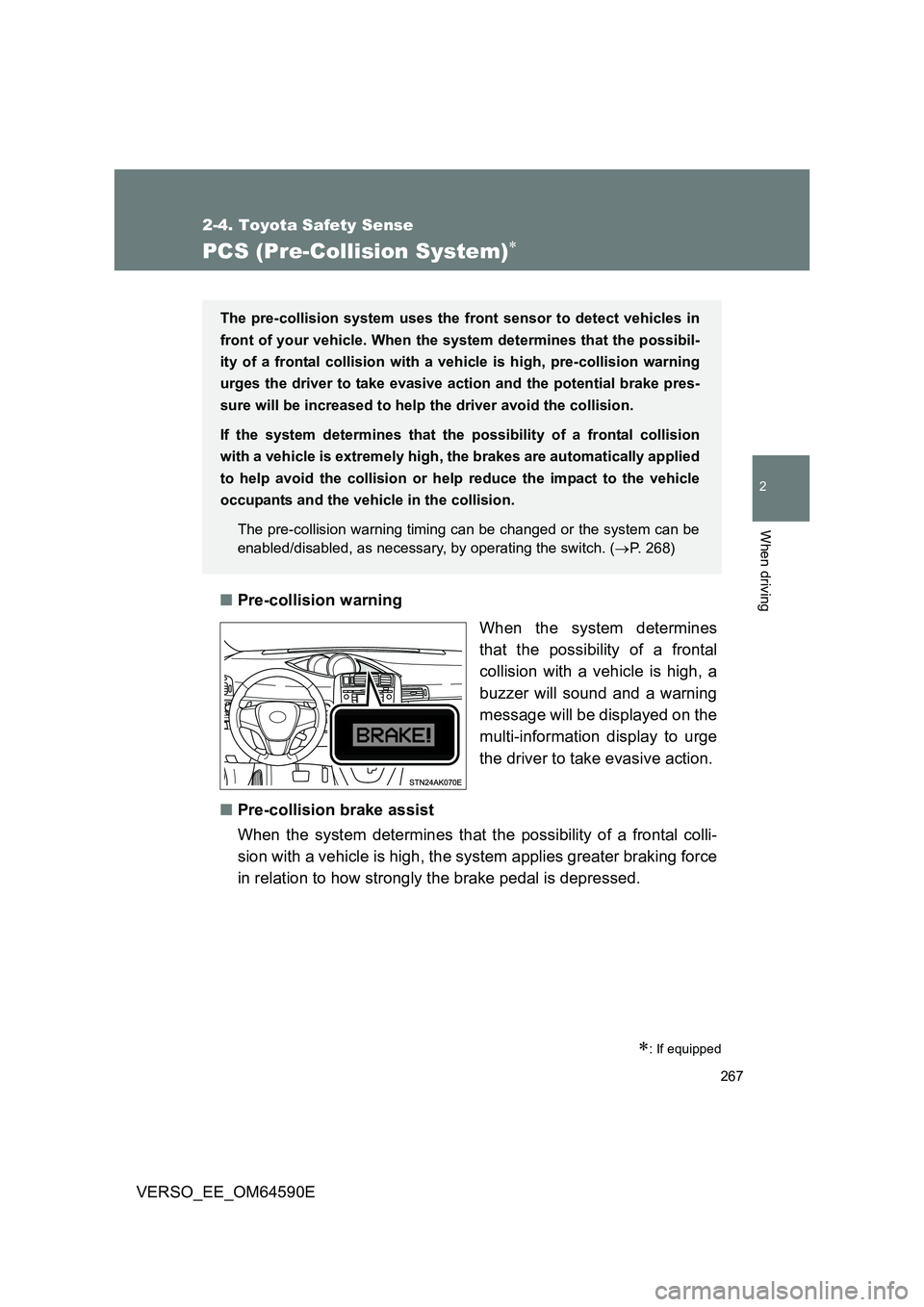
■Pre-collision warning
When the system determines
that the possibility of a frontal
collision with a vehicle is high, a
buzzer will sound and a warning
message will be displayed on the
multi-information display to urge
the driver to take evasive action.
■ Pre-collision brake assist
When the system determines that the possibility of a frontal colli-
sion with a vehicle is high, the system applies greater braking force
in relation to how strongly the brake pedal is depressed.
: If equipped
The pre-collision system uses the front sensor to detect vehicles in
front of your vehicle. When the system determines that the possibil-
ity of a frontal collision with a vehicle is high, pre-collision warning
urges the driver to take evasive action and the potential brake pres-
sure will be increased to help the driver avoid the collision.
If the system determines that the possibility of a frontal collision
with a vehicle is extremely high, the brakes are automatically applied
to help avoid the collision or he lp reduce the impact to the vehicle
occupants and the vehicle in the collision.
The pre-collision warning timing can be changed or the system can be
enabled/disabled, as necessary, by operating the switch. ( P. 268)
Page 268 of 664
268
2-4. Toyota Safety Sense
VERSO_EE_OM64590E
■ Pre-collision braking
When the system determines that the possibility of a frontal colli-
sion with a vehicle is high, the system warns the driver. If the sys-
tem determines that the possibility of a collision is extremely high,
the brakes are automatically applied to help avoid the collision or
reduce the collision speed.
Changing the pre-collision system
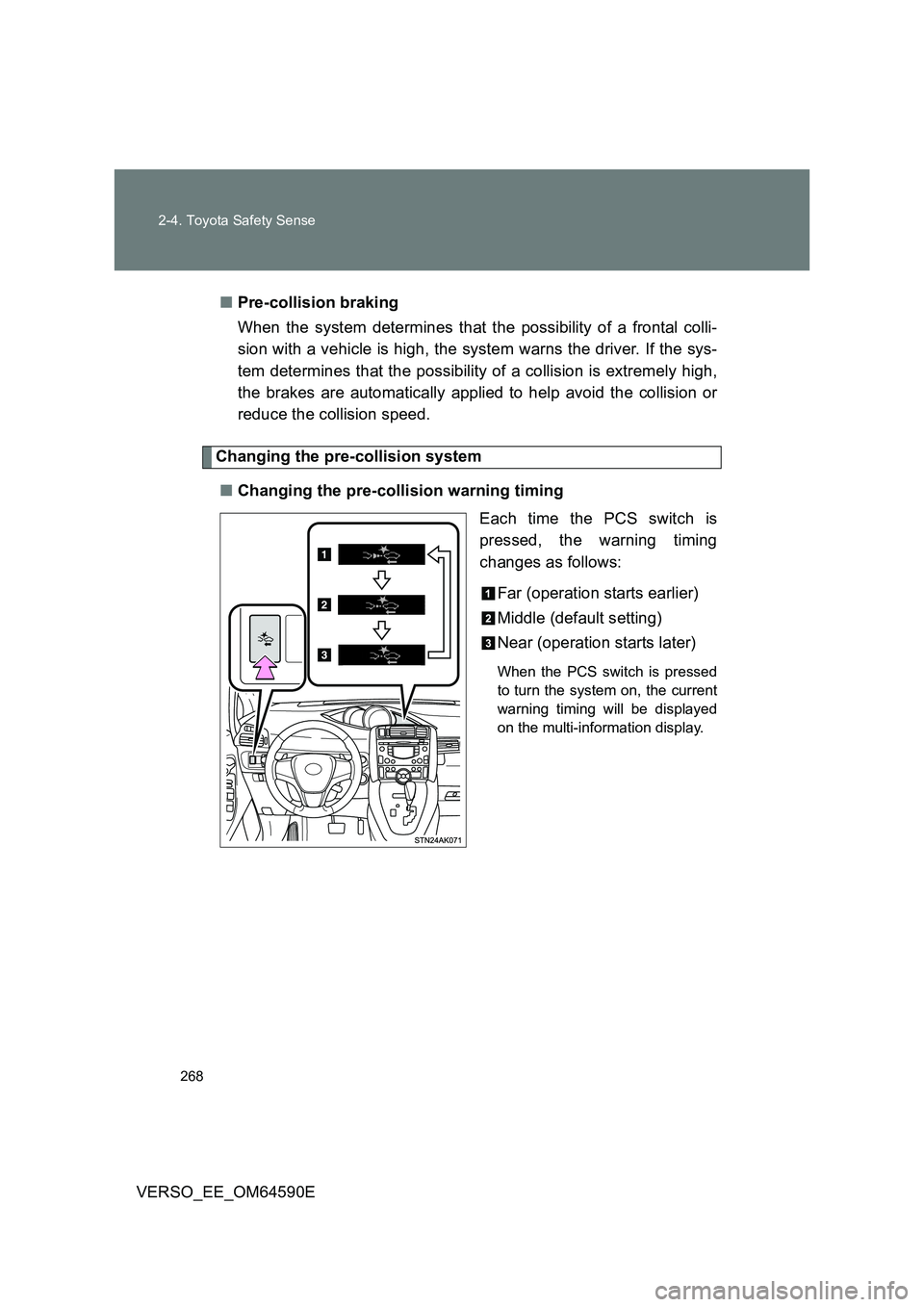
■ Changing the pre-collision warning timing
Each time the PCS switch is
pressed, the warning timing
changes as follows:
Far (operation starts earlier)
Middle (default setting)
Near (operation starts later)
When the PCS switch is pressed
to turn the system on, the current
warning timing will be displayed
on the multi-information display.
Page 270 of 664
270
2-4. Toyota Safety Sense
VERSO_EE_OM64590E
■ Operational conditions
The pre-collision system is enabled and determines that the possibility of a
frontal collision with a vehicle (except motorcycles and bicycles) is high.
● Pre-collision warning:
• Vehicle speed is approximately 15 to 140 km/h (10 to 86 mph).
• The relative speed between your vehicle and the vehicle ahead is
greater than approximately 15 km/h (10 mph).
● Pre-collision brake assist:
• Vehicle speed is approximately 30 to 80 km/h (19 to 49 mph).
• The relative speed between your vehicle and the vehicle ahead is
greater than approximately 30 km/h (19 mph).
● Pre-collision braking:
• Vehicle speed is approximately 10 to 80 km/h (7 to 49 mph).
• The relative speed between your vehicle and the vehicle ahead is
greater than approximately 10 km/h (7 mph).
When the brake pedal is stepped on, the system judges if evasion actions
are being done by the driver and the start timing for pre-collision braking
may be delayed.
During the following, the driver oper ations takes precedence and the system
may not operate:
● The accelerator pedal is depressed strongly.
● The steering wheel is turned sharply or abruptly.
In case of the following, the system will not operate:
● If a battery terminal has been disconnected and reconnected and then
the vehicle has not been driven for a certain amount of time
● If VSC is disabled (only the pre-collision warning function will be opera-
tional)
● If the PCS warning light is flashing or illuminated
● When the shift position is in “R”