warning TOYOTA VERSO 2016 Owners Manual
[x] Cancel search | Manufacturer: TOYOTA, Model Year: 2016, Model line: VERSO, Model: TOYOTA VERSO 2016Pages: 664, PDF Size: 62.24 MB
Page 3 of 664
1
2
3
4
5
6
3
VERSO_EE_OM64590E
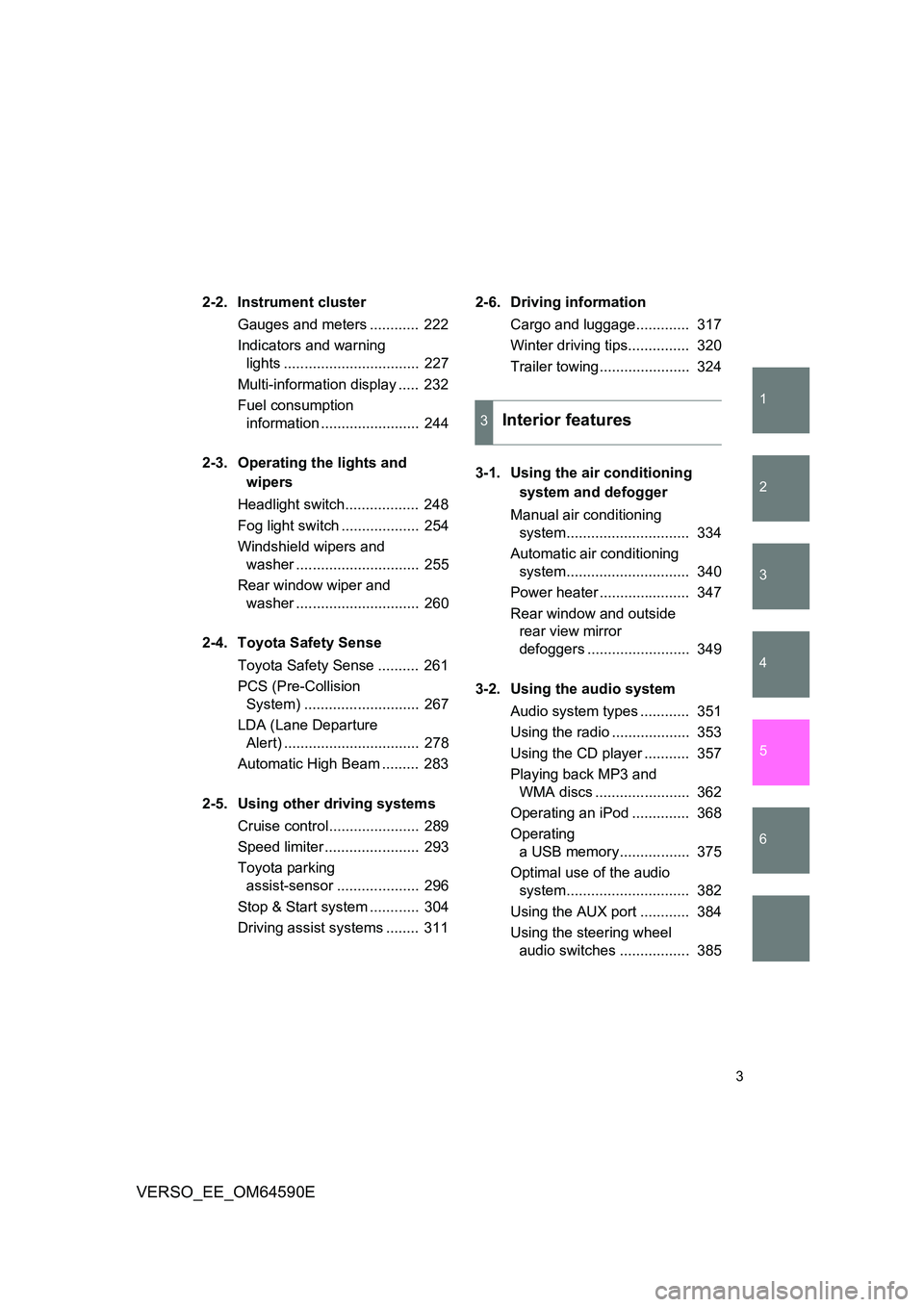
2-2. Instrument cluster
Gauges and meters ............ 222
Indicators and warning
lights ................................. 227
Multi-information display ..... 232
Fuel consumption
information ........................ 244
2-3. Operating the lights and
wipers
Headlight switch.................. 248
Fog light switch ................... 254
Windshield wipers and
washer .............................. 255
Rear window wiper and
washer .............................. 260
2-4. Toyota Safety Sense
Toyota Safety Sense .......... 261
PCS (Pre-Collision
System) ............................ 267
LDA (Lane Departure
Alert) ................................. 278
Automatic High Beam ......... 283
2-5. Using other driving systems
Cruise control...................... 289
Speed limiter ....................... 293
Toyota parking
assist-sensor .................... 296
Stop & Start system ............ 304
Driving assist systems ........ 311
2-6. Driving information
Cargo and luggage............. 317
Winter driving tips............... 320
Trailer towing...................... 324
3-1. Using the air conditioning
system and defogger
Manual air conditioning
system.............................. 334
Automatic air conditioning
system.............................. 340
Power heater ...................... 347
Rear window and outside
rear view mirror
defoggers ......................... 349
3-2. Using the audio system
Audio system types ............ 351
Using the radio ................... 353
Using the CD player ........... 357
Playing back MP3 and
WMA discs ....................... 362
Operating an iPod .............. 368
Operating
a USB memory................. 375
Optimal use of the audio
system.............................. 382
Using the AUX port ............ 384
Using the steering wheel
audio switches ................. 385
3Interior features
Page 5 of 664
1
2
3
4
5
6
5
VERSO_EE_OM64590E
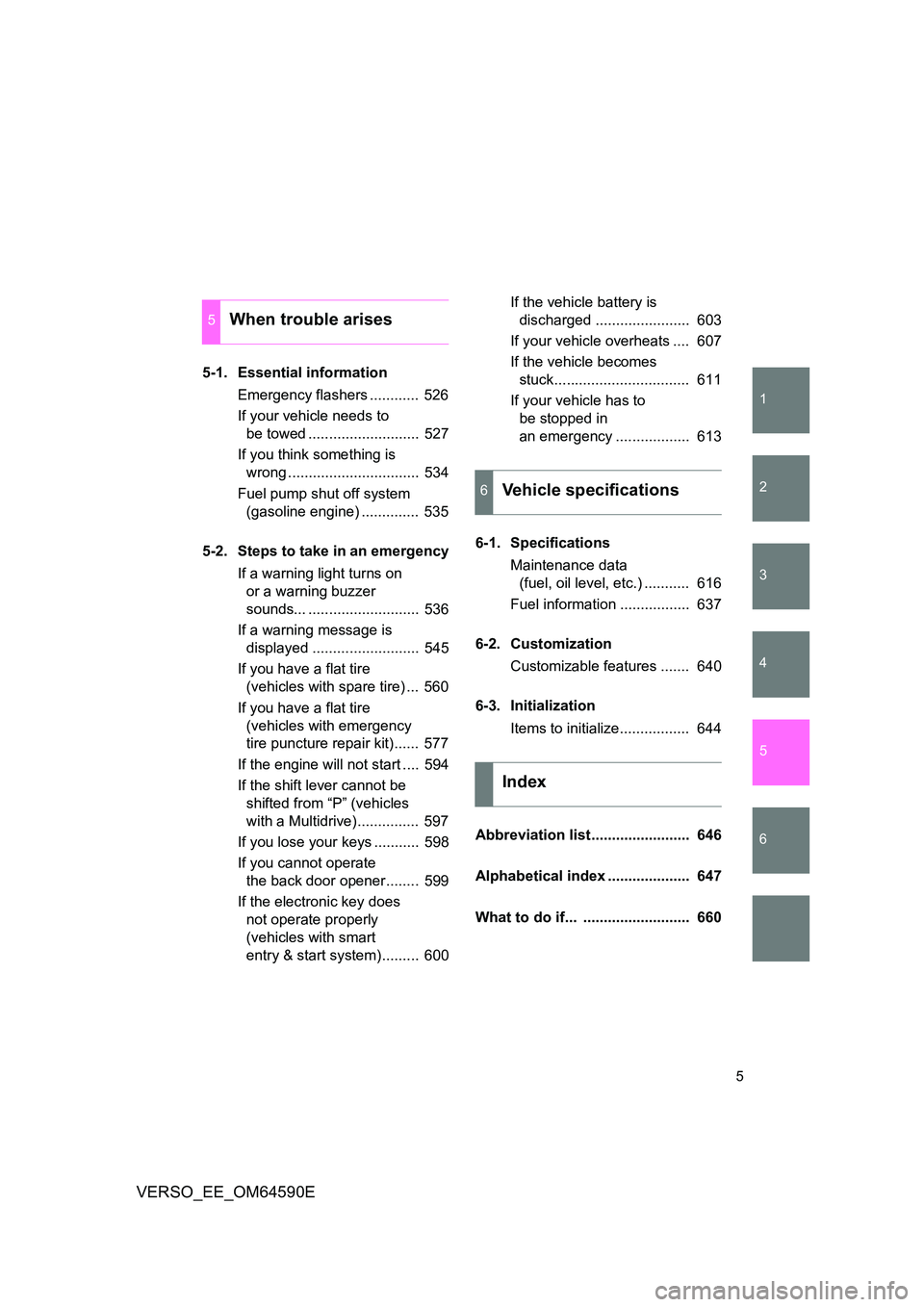
5-1. Essential information
Emergency flashers ............ 526
If your vehicle needs to
be towed ........................... 527
If you think something is
wrong ................................ 534
Fuel pump shut off system
(gasoline engine) .............. 535
5-2. Steps to take in an emergency
If a warning light turns on
or a warning buzzer
sounds... ........................... 536
If a warning message is
displayed .......................... 545
If you have a flat tire
(vehicles with spare tire) ... 560
If you have a flat tire
(vehicles with emergency
tire puncture repair kit)...... 577
If the engine will not start .... 594
If the shift lever cannot be
shifted from “P” (vehicles
with a Multidrive)............... 597
If you lose your keys ........... 598
If you cannot operate
the back door opener........ 599
If the electronic key does
not operate properly
(vehicles with smart
entry & start system)......... 600
If the vehicle battery is
discharged ....................... 603
If your vehicle overheats .... 607
If the vehicle becomes
stuck................................. 611
If your vehicle has to
be stopped in
an emergency .................. 613
6-1. Specifications
Maintenance data
(fuel, oil level, etc.) ........... 616
Fuel information ................. 637
6-2. Customization
Customizable features ....... 640
6-3. Initialization
Items to initialize................. 644
Abbreviation list........................ 646
Alphabetical index .................... 647
What to do if... .......................... 660
5When trouble arises
6Vehicle specifications
Index
Page 13 of 664
13
VERSO_EE_OM64590E
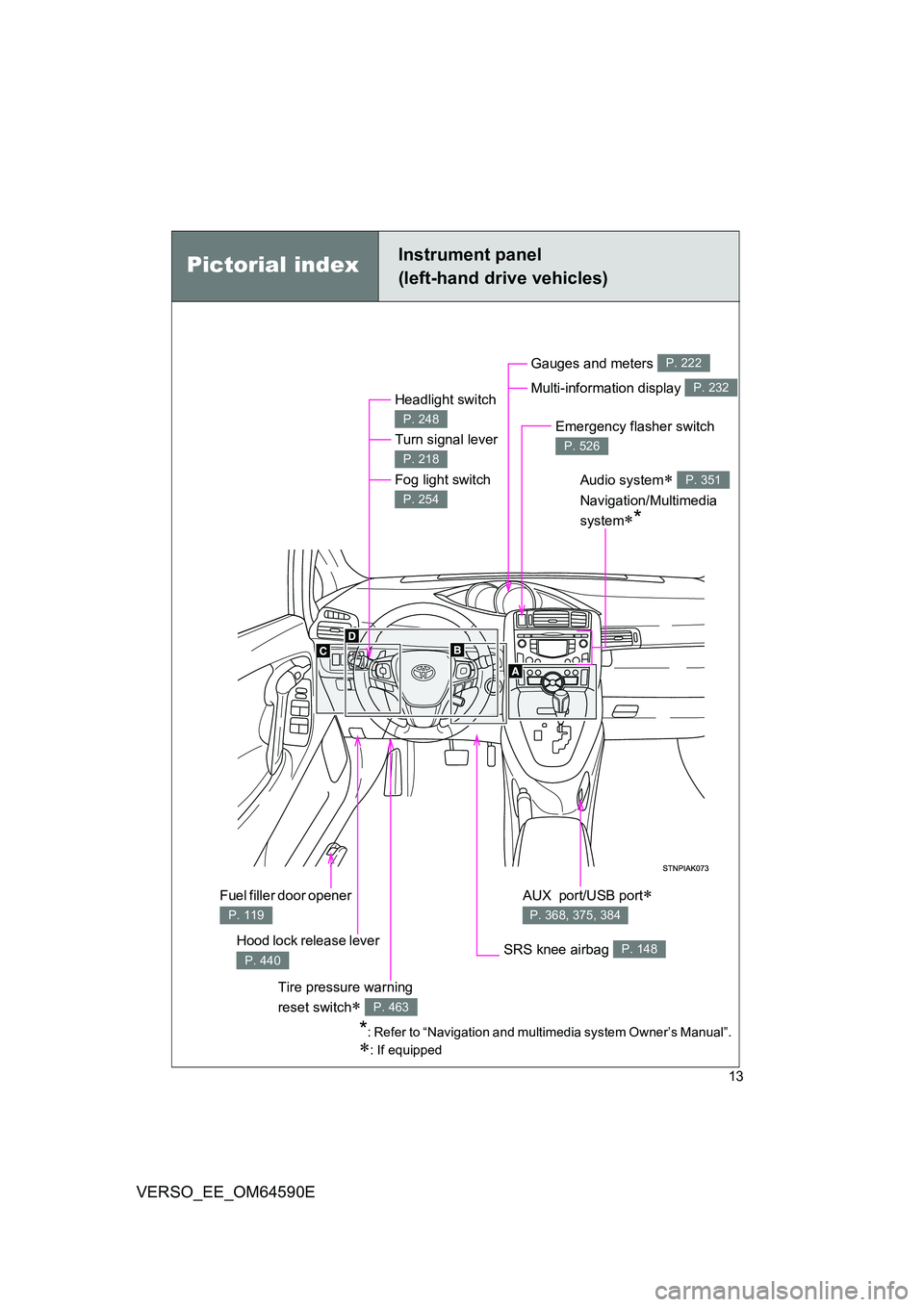
Pictorial indexInstrument panel
(left-hand drive vehicles)
Headlight switch
Turn signal lever
Fog light switch
P. 248
P. 218
P. 254
Hood lock release lever
P. 440
Gauges and meters
Multi-information display
P. 222
P. 232
Audio system
Navigation/Multimedia
system*
P. 351
SRS knee airbag P. 148
Emergency flasher switch
P. 526
*: Refer to “Navigation and multimedia system Owner’s Manual”.
: If equipped
AUX port/USB port
P. 368, 375, 384
Fuel filler door opener
P. 119
Tire pressure warning
reset switch P. 463
Page 24 of 664
24
VERSO_EE_OM64590E
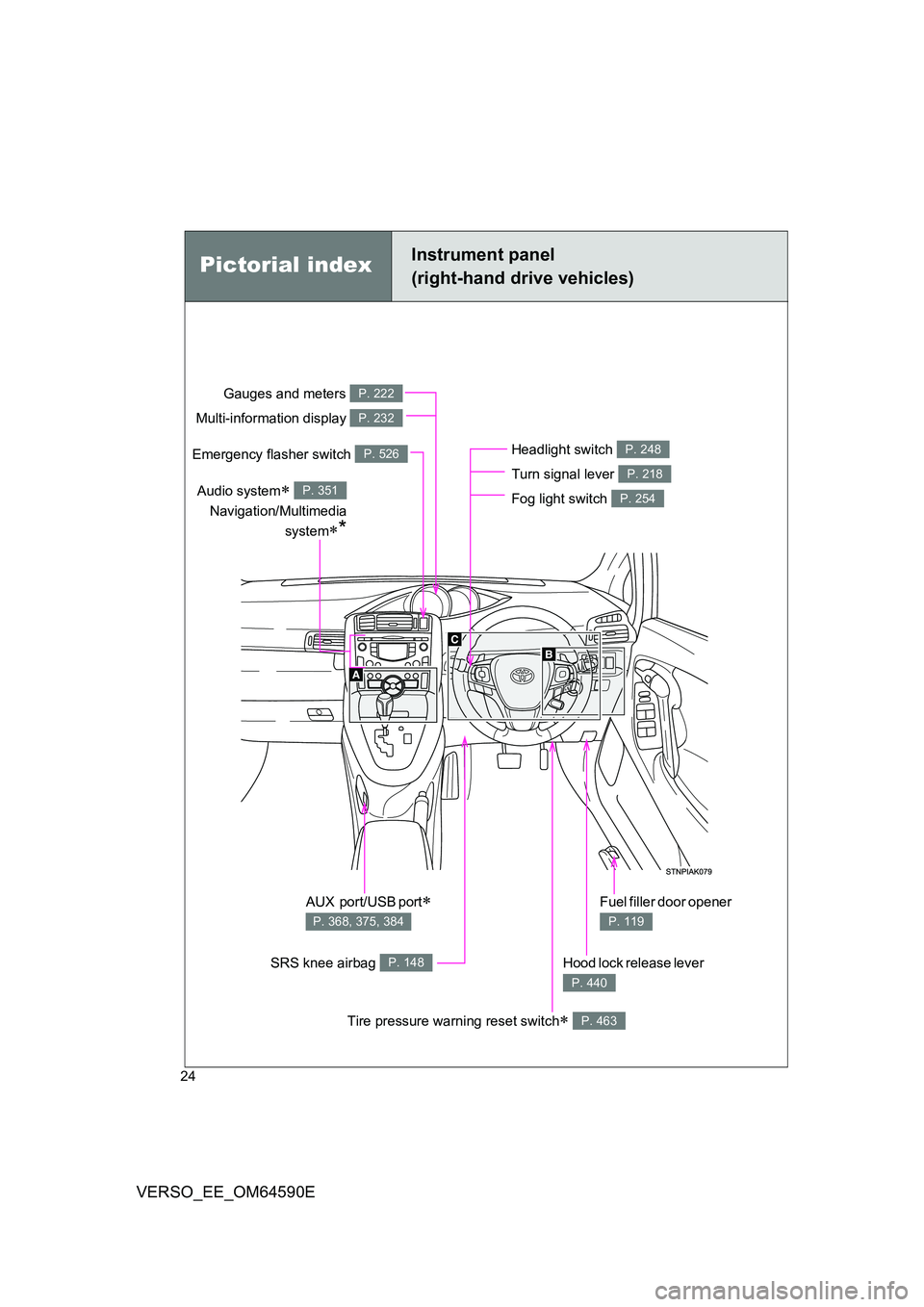
Pictorial indexInstrument panel
(right-hand drive vehicles)
Headlight switch
Turn signal lever
Fog light switch
P. 248
P. 218
P. 254
Hood lock release lever
P. 440
Gauges and meters
Multi-information display
P. 222
P. 232
Audio system
Navigation/Multimedia
system*
P. 351
SRS knee airbag P. 148
Emergency flasher switch P. 526
AUX port/USB port
P. 368, 375, 384
Fuel filler door opener
P. 119
Tire pressure warning reset switch P. 463
Page 34 of 664
34
VERSO_EE_OM64590E
WARNING
■General precautions while driving
Driving under the influence: Never drive your vehicle when under the influ-
ence of alcohol or drugs that have impaired your ability to operate your vehi-
cle. Alcohol and certain drugs delay reaction time, impair judgment and
reduce coordination, which could lead to an accident that could result in
death or serious injury.
Defensive driving: Always drive defensively. Anticipate mistakes that other
drivers or pedestrians might make and be ready to avoid accidents.
Driver distraction: Always give your full attention to driving. Anything that dis-
tracts the driver, such as adjusting controls, talking on a cellular phone or
reading can result in a collision with resulting death or serious injury to you,
your occupants or others.
■ General precautions regarding children’s safety
Never leave children unattended in the vehicle, and never allow children to
have or use the key.
Children may be able to start the vehicle or shift the vehicle into neutral.
There is also a danger that children may injure themselves by playing with
the cigarette lighter, the windows, or other features of the vehicle. In addi-
tion, heat build-up or extremely cold temperatures inside the vehicle can be
fatal to children.
Your vehicle contains batteries and/or accumulators. Do not discard
them into the environment but cooperate with separate collection
(Directive 2006/66/EC).
Page 35 of 664
35
VERSO_EE_OM64590E
Symbols used throughout this manual
Warnings & Notices
Symbols used in illustrations
WARNING
This is a warning against anything which may cause injury to people if the
warning is ignored. You are informed about what you must or must not do in
order to reduce the risk of injury to yourself and others.
NOTICE
This is a warning against anything which may cause damage to the vehicle or
its equipment if the warning is ignored. You are informed about what you must
or must not do in order to avoid or reduce the risk of damage to your Toyota
and its equipment.
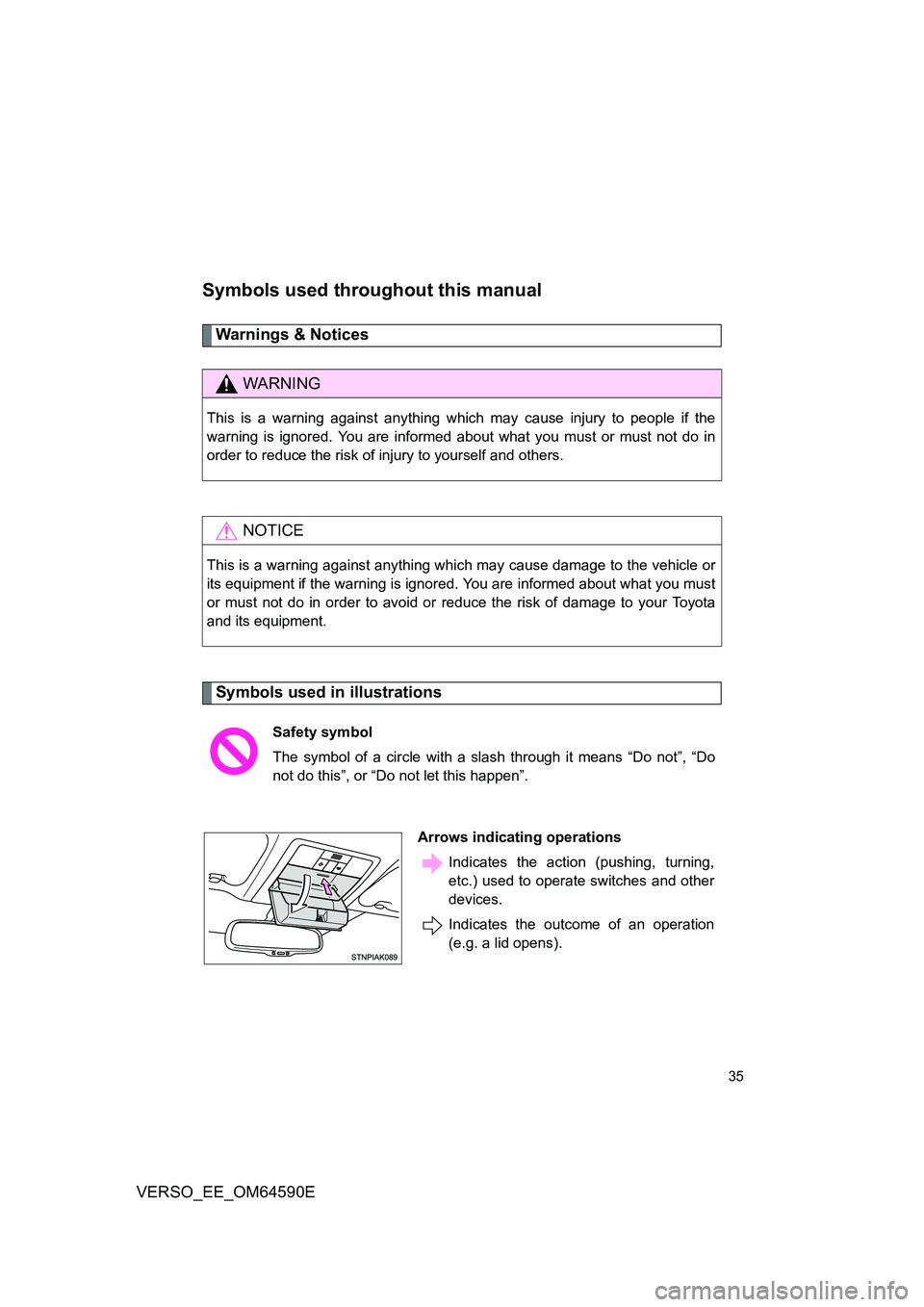
Safety symbol
The symbol of a circle with a slash through it means “Do not”, “Do
not do this”, or “Do not let this happen”.
Arrows indicating operations
Indicates the action (pushing, turning,
etc.) used to operate switches and other
devices.
Indicates the outcome of an operation
(e.g. a lid opens).
Page 48 of 664
48
1-2. Opening, closing and locking the doors
VERSO_EE_OM64590E
● Do not leave the electronic key on top of the instrument panel or near the
door pockets when exiting the vehicle. Depending on the radio wave
reception conditions, it may be detected by the antenna outside the cabin
and the door will become lockable from the outside, possibly trapping the
electronic key inside the vehicle.
■ Special note for smart entry & start system
● When the electronic key is in the operating range, anyone can lock and
unlock the doors even without having the electronic key. However, the
unlocking operation will not be active at a door that has not detected the
electronic key.
● When the electronic key is in the operating range and the door handles
get soaked with water due to car washing or heavy rain, the doors may
be locked or unlocked. If the doors ar e unlocked, the doors will automati-
cally be locked again when no door operations occur in approximately 30
seconds.
● If the electronic key is inside or near the vehicle and if the doors are
locked using the wireless remote control, the doors may not be unlocked
with the smart entry & start system. In this case, unlock the doors using
the wireless remote control.
■ Note for door locking operation
● When touching a lock sensor to lock the doors while wearing gloves, the
response may be slow or the doors may not be locked. In this case,
touch the lock sensor without wearing a glove.
● When door handles get wet while washing the vehicle with the electronic
key on your person, the doors may be locked and unlocked repeatedly. In
this case, keep the electronic key 2 m (6 ft.) or more away from the vehi-
cle while washing (pay attention to key theft).
● When the electronic key is inside the vehicle and door handles get wet
due to a car wash, a warning message stating that the key is in the cabin
may appear on the multi-information display, interior and exterior alarms
may sound. In this case, lock the doors to stop the alarms.
Page 50 of 664
50
1-2. Opening, closing and locking the doors
VERSO_EE_OM64590E
■ Alarms and warning indicators
A combination of exterior and interior al arms as well as warnings displayed
on the multi-information display are used to prevent theft of the vehicle and
unforeseeable accidents resulting from erroneous operation. Take appropri-
ate measures in response to any warning indications on the multi-informa-
tion display. ( P. 545)
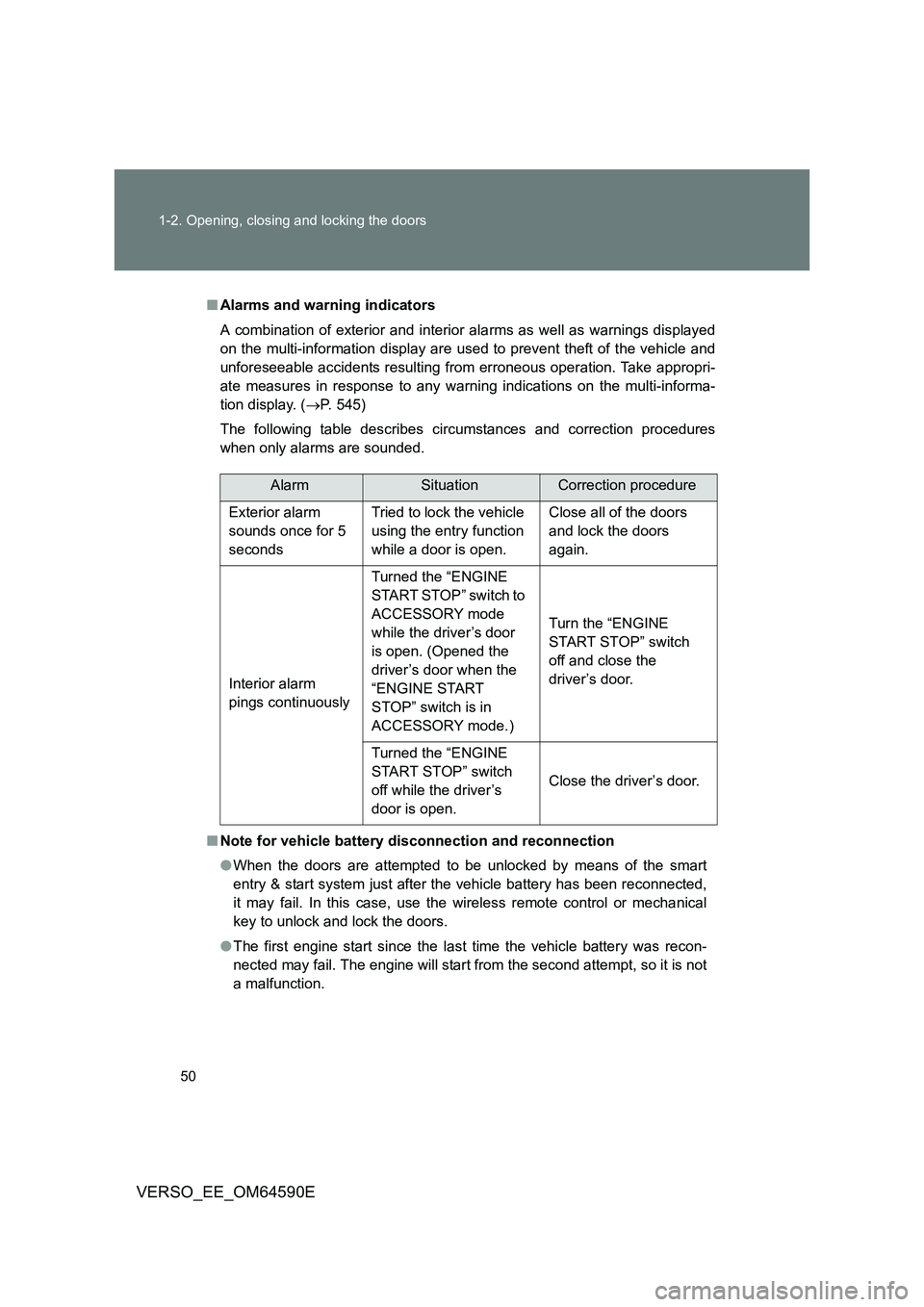
The following table describes circumstances and correction procedures
when only alarms are sounded.
■ Note for vehicle battery disconnection and reconnection
● When the doors are attempted to be unlocked by means of the smart
entry & start system just after the vehicle battery has been reconnected,
it may fail. In this case, use the wireless remote control or mechanical
key to unlock and lock the doors.
● The first engine start since the last time the vehicle battery was recon-
nected may fail. The engine will start from the second attempt, so it is not
a malfunction.
AlarmSituationCorrection procedure
Exterior alarm
sounds once for 5
seconds
Tried to lock the vehicle
using the entry function
while a door is open.
Close all of the doors
and lock the doors
again.
Interior alarm
pings continuously
Turned the “ENGINE
START STOP” switch to
ACCESSORY mode
while the driver’s door
is open. (Opened the
driver’s door when the
“ENGINE START
STOP” switch is in
ACCESSORY mode.)
Turn the “ENGINE
START STOP” switch
off and close the
driver’s door.
Turned the “ENGINE
START STOP” switch
off while the driver’s
door is open.
Close the driver’s door.
Page 62 of 664
62
1-2. Opening, closing and locking the doors
VERSO_EE_OM64590E
WARNING
■ Caution regarding interference with electronic devices
● People with implantable cardiac pacemakers, cardiac resynchronization
therapy-pacemakers or implantable cardioverter defibrillators should main-
tain a reasonable distance between themselves and the smart entry &
start system antennas. ( P. 44)
The radio waves may affect the operation of such devices. If necessary,
the entry function can be disabled. Ask any authorized Toyota dealer or
repairer, or another duly qualified and equipped professional for details,
such as the frequency of radio waves and timing of the emitted radio
waves. Then, consult your doctor to see if you should disable the entry
function.
● Users of any electrical medical device other than implantable cardiac
pacemakers, cardiac resynchronization therapy-pacemakers or implant-
able cardioverter defibrillators should consult the manufacturer of the
device for information about its operation under the influence of radio
waves.
Radio waves could have unexpected effects on the operation of such
medical devices.
Ask any authorized Toyota dealer or repairer, or another duly qualified and
equipped professional for details for disabling the entry function.
Page 78 of 664
78
1-2. Opening, closing and locking the doors
VERSO_EE_OM64590E
When the setting or canceling operation is complete, all doors are
locked and then unlocked.
Vehicles with Navigation/Multimedia system
P. 6 4 0
■Impact detection door lock release system
In the event that the vehicle is subject to a strong impact, all the doors are
unlocked. Depending on the force of the impact or the type of accident, how-
ever, the system may not operate.
■ Using the mechanical key (vehicles with smart entry & start system)
The doors can also be locked and unlocked with the mechanical key.
( P. 600)
■ If a wrong key is used (vehicles with alarm)
The key cylinder rotates freely to inside mechanism.
WARNING
■ To prevent an accident
Observe the following precautions while driving the vehicle.
Failing to do so may result in a door opening and an occupant falling out,
resulting in death or serious injury.
● Always use a seat belt.
● Ensure that all doors are properly closed.
● Do not pull the inside handle of the doors while driving.
The doors may be opened and the passengers are thrown out of the vehi-
cle and it may result in serious injury or death.
Be especially careful for the front doors, as the doors may be opened even
if the inside door lock buttons are in locked position.
● Set the rear door child-protector locks when children are seated in the rear
seat.