remote control TOYOTA xD 2012 Owners Manual (in English)
[x] Cancel search | Manufacturer: TOYOTA, Model Year: 2012, Model line: xD, Model: TOYOTA xD 2012Pages: 392, PDF Size: 8.62 MB
Page 2 of 392
TABLE OF CONTENTSIndex
2
Scion_xD_U_(OM52C20U)
1-1. Key informationKeys ..................................... 22
1-2. Opening, closing and locking
the d oors
Wireless remote control ....... 24
Side doors ............................ 28
Back door ............................. 31
1-3. Adjustable components
(seats, mirrors, steering
wheel)
Front seats ........................... 36
Rear seats ............................ 37
Head restraints ..................... 42
Seat belts ............................. 44
Steering wheel ..................... 55
Anti-glare inside
rear view mirror .................. 56
Outside
rear view mirrors ................ 57
1-4. Opening and clos ing
the win dows
Power windows .................... 59 1-5. Refueling
Opening the fuel tank cap ................. 61
1-6. Theft deterrent system Engine immobilizer
system ................................ 65
Theft prevention labels
(for U.S.A.) ......................... 67
1-7. Safety information Correct driving posture ......... 68
SRS airbags ......................... 70
Front passenger occupant
classification system ........... 82
Child restraint systems ......... 88
Installing child restraints ....... 93
2-1. Driving procedures Driving the vehicle .............. 108
Engine (ignition) switch....... 121
Automatic transmission ...... 125
Manual transmission........... 128
Turn signal lever ................. 129
Parking brake ..................... 130
Horn .................................... 131
1Before driving
2When driving
Page 4 of 392

TABLE OF CONTENTSIndex
4
Scion_xD_U_(OM52C20U)
4-1. Maintenance and careCleaning and protecting
the vehicle exterior ........... 202
Cleaning and protecting
the vehicle interior ............ 205
4-2. Maintenance Maintenance
requirements .................... 208
General maintenance ......... 210
Emission inspection and
maintenance (I/M)
programs .......................... 214
4-3. Do-it-yourself maintenance Do-it-yourself service
precautions ...................... 215
Hood................................... 218
Positioning a floor jack ....... 220
Engine compartment .......... 222
Tires ................................... 236
Tire inflation pressure......... 244
Wheels ............................... 248
Air conditioning filter
(for Puerto Rico) ............... 251
Wireless remote control
battery .............................. 254
Checking and replacing
fuses ................................ 256
Light bulbs .......................... 267 5-1. Essential information
Emergency flashers ............ 278
If your vehicle needs
to be towed ....................... 279
If you think something
is wrong ............................ 286
Fuel pump shut off
system .............................. 287
Event data recorder ............ 288
5-2. Steps to take in an emergency If a warning light turns on or a warning buzzer
sounds... ........................... 290
If you have a flat tire ........... 303
If the engine
will not start ...................... 317
If the shift lever cannot be
shifted from P (automatic
transmission) .................... 318
If you lose your keys ........... 319
If you cannot operate
the back door opener ....... 320
If the vehicle battery
is discharged .................... 321
If your vehicle overheats..... 326
If the vehicle becomes stuck ................................. 329
If your vehicle has to be stopped
in an emergency ............... 331
4Maintenance and care5When trouble arises
Page 14 of 392
14
Scion_xD_U_(OM52C20U)
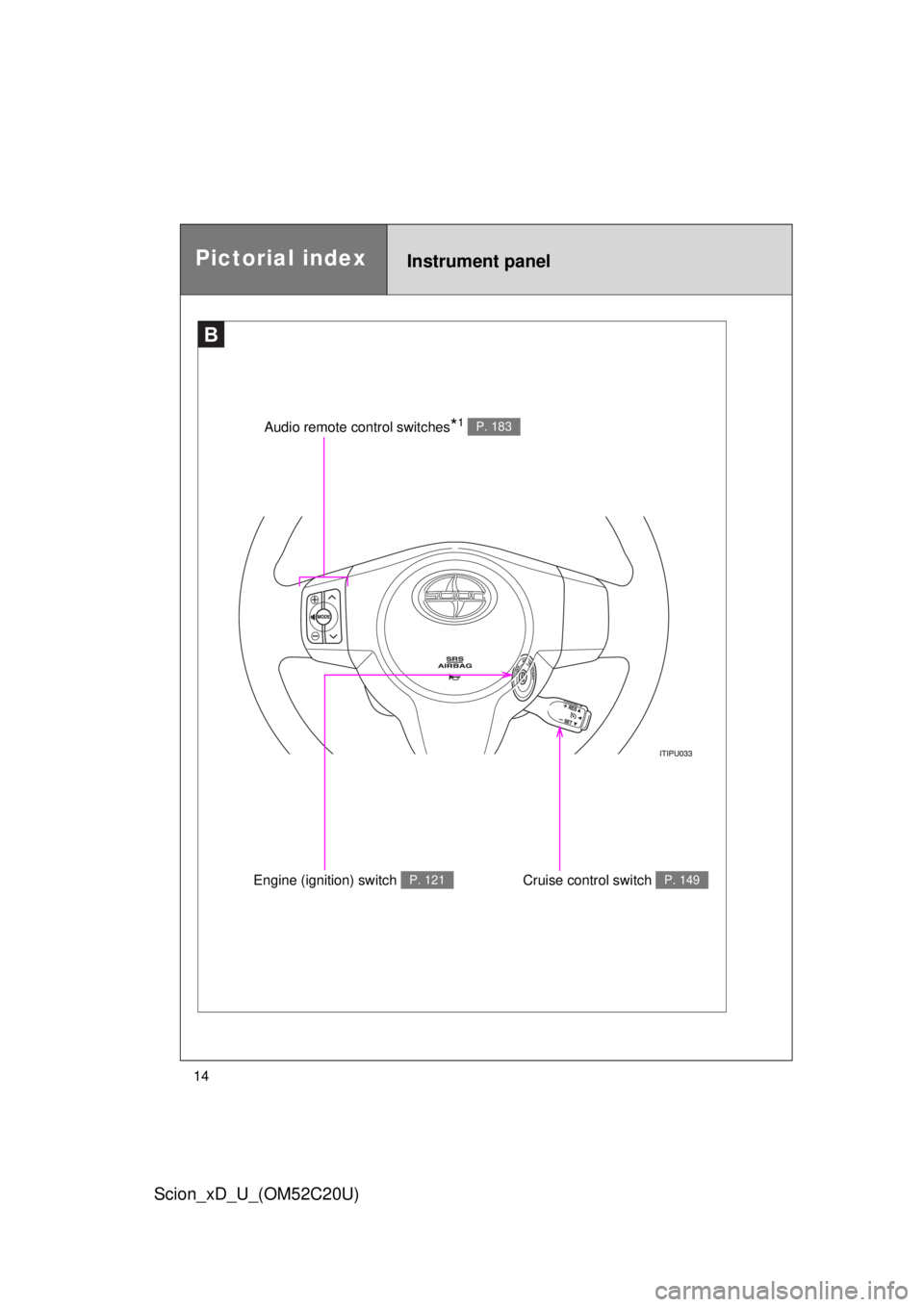
B
Audio remote control switches*1 P. 183
Engine (ignition) switch P. 121Cruise control switch P. 149
Instrument panelPictorial index
Page 17 of 392

17
Scion_xD_U_(OM52C20U)
Installation of a mobile two-way radio system
The installation of a mobile two-way radio system in your vehicle could affect
electronic systems such as:
●Multiport fuel injection system/sequential multiport fuel injection system
● Cruise control system
● Anti-lock brake system
● SRS airbag system and seat belt pretensioner system
Be sure to check with your Scion dealer for precautionary measures or spe-
cial instructions regarding installation of a mobile two-way radio system.
Scrapping of your Scion
The SRS airbag and seat belt pretensioner devices in your Scion contain
explosive chemicals. If the vehicle is scrapped with the airbags and seat belt
pretensioners left as they are, this may cause an accident such as fire. Be
sure to have the systems of the SRS airbag and seat belt pretensioner
removed and disposed of by a qualified service shop or by your Scion dealer
before you scrap your vehicle.
Perchlorate Material
Special handling may apply,
See www.dtsc.ca.gov/hazardouswaste/perchlorate.
Your vehicle has components that may contain perchlorate. These compo-
nents may include airbags, seat belt pretensioners, and wireless remote con-
trol batteries.
Page 21 of 392
Before driving1
21
Scion_xD_U_(OM52C20U)
1-1. Key informationKeys ................................... 22
1-2. Opening, closing and locking
the doors
Wireless remote control ..... 24
Side doors .......................... 28
Back door ........................... 31
1-3. Adjustable components
(seats, mirrors, steering
wheel)
Front seats ......................... 36
Rear seats.......................... 37
Head restraints................... 42
Seat belts ........................... 44
Steering wheel ................... 55
Anti-glare inside
rear view mirror ................ 56
Outside
rear view mirrors .............. 57 1-4. Opening and closing
the windows
Power windows .................. 59
1-5. Refueling Opening the fuel tank cap .............. 61
1-6. Theft deterrent system Engine immobilizer system ............................. 65
Theft prevention labels
(for U.S.A.) ....................... 67
1-7. Safety information Correct driving posture....... 68
SRS airbags ....................... 70
Front passenger occupant
classification system ........ 82
Child restraint systems....... 88
Installing child restraints .................. 93
Page 22 of 392
22
Scion_xD_U_(OM52C20U)
1-1. Key information
Keys
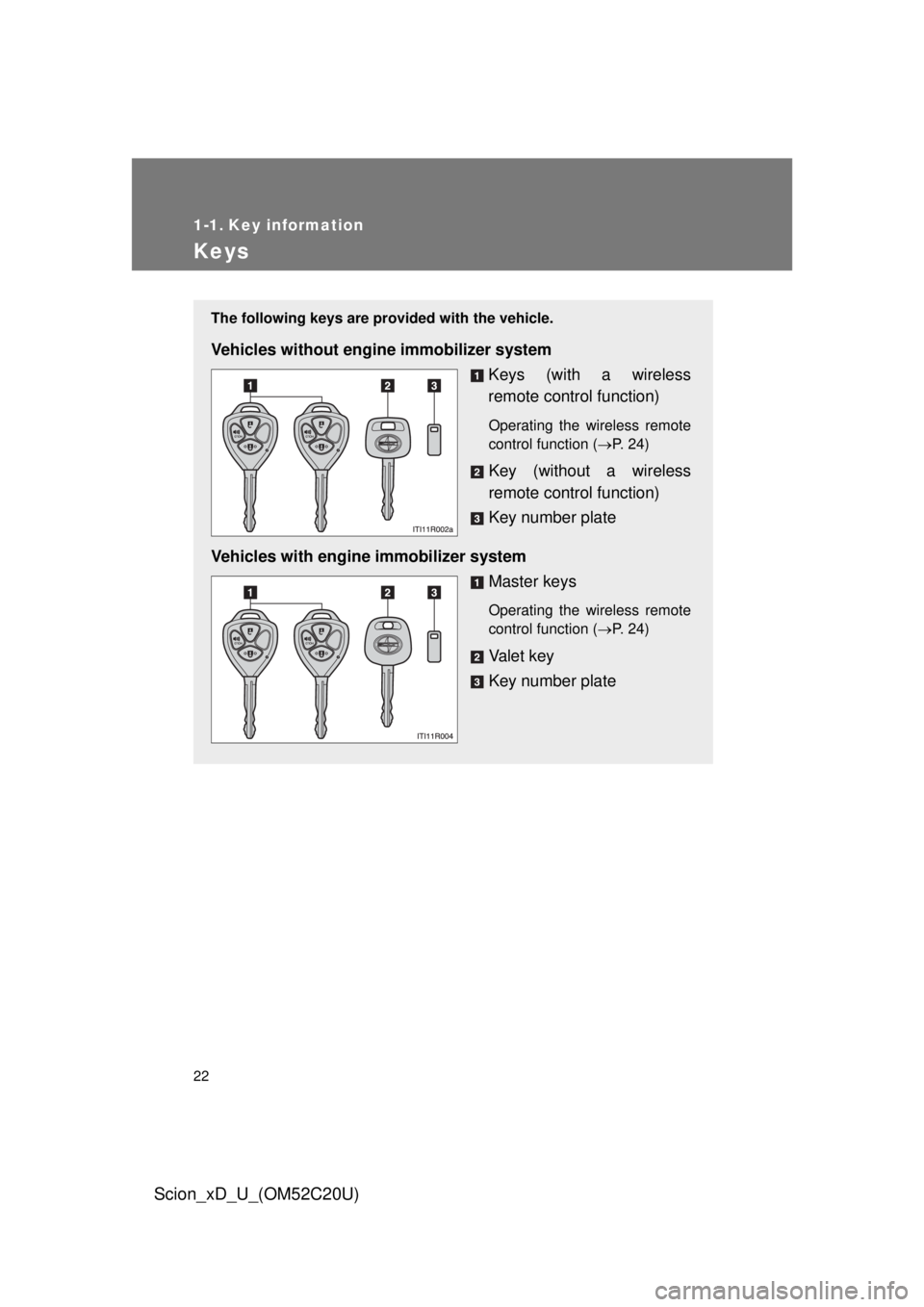
The following keys are provided with the vehicle.
Vehicles without engine immobilizer system
Keys (with a wireless
remote control function)
Operating the wireless remote
control function (P. 24)
Key (without a wireless
remote control function)
Key number plate
Vehicles with engine immobilizer system Master keys
Operating the wireless remote
control function (P. 24)
Va l e t k e y
Key number plate
Page 23 of 392
23
1-1. Key information
1
Before driving
Scion_xD_U_(OM52C20U)
■
When required to leave the vehicle’s key with a parking attendant
Carry the master key for your own use and provide the attendant with the
valet key.
■ Key number plate
Keep the plate in a safe place such as your wallet, not in the vehicle. In the
event that a key is lost, a new key can be made by your Scion dealer using
the key number plate. ( P. 319)
■ When riding in an aircraft
When bringing a key with wireless remote control function onto an aircra\
ft,
make sure you do not press any buttons on the key while inside the aircraft
cabin. If you are carrying the key in your bag etc., ensure that the buttons
are not likely to be pressed accidentally. Pressing a button may cause the
key to emit radio waves that could interfere with the operation of the a\
ircraft.
NOTICE
■To prevent key damage
Observe the following:
● Do not subject the keys to strong shocks, expose them to high tempera-
tures by placing them in direct sunlight, or get them wet.
● Do not expose the keys to electromagnetic materials or attach any mate-
rial that blocks electromagnetic waves to the key surface.
● Do not disassemble the key.
Page 24 of 392
24
Scion_xD_U_(OM52C20U)
1-2. Opening, closing and locking the doors
Wireless remote control
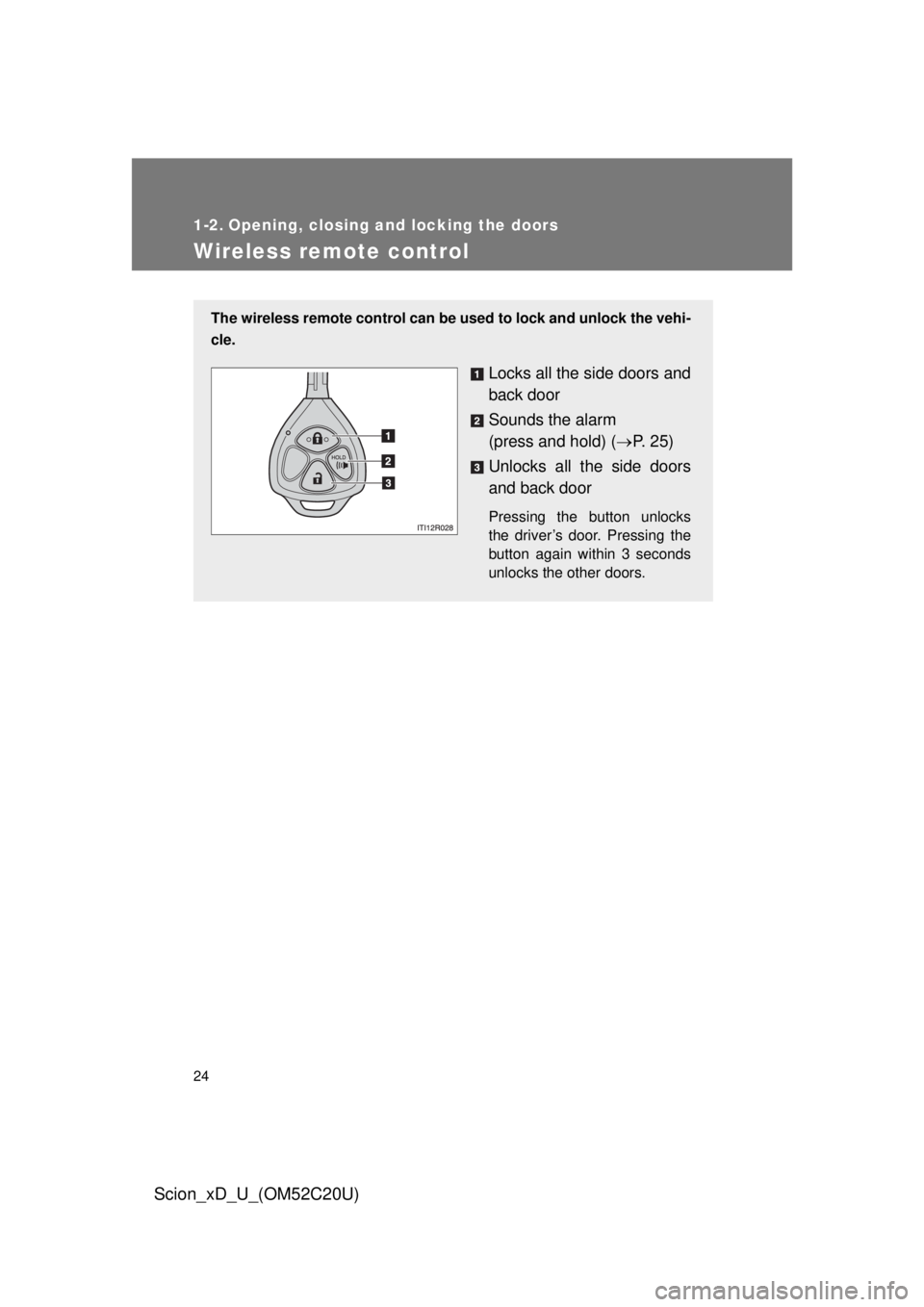
The wireless remote control can be used to lock and unlock the vehi-
cle.
Locks all the side doors and
back door
Sounds the alarm
(press and hold) ( P. 2 5 )
Unlocks all the side doors
and back door
Pressing the button unlocks
the driver’s door. Pressing the
button again within 3 seconds
unlocks the other doors.
Page 25 of 392
25
1-2. Opening, closing and locking the doors
1
Before driving
Scion_xD_U_(OM52C20U)
■
Operation signals
A buzzer sounds and the emergency flashers flash to indicate that the doors
have been locked/unlocked. (Locked: Once; Unlocked: Twice)
■ Door lock buzzer
If an attempt to lock the doors is made when a door is not fully closed, a
buzzer sounds continuously for 10 seconds. Fully close the door to stop the
buzzer, and lock the vehicle once more.
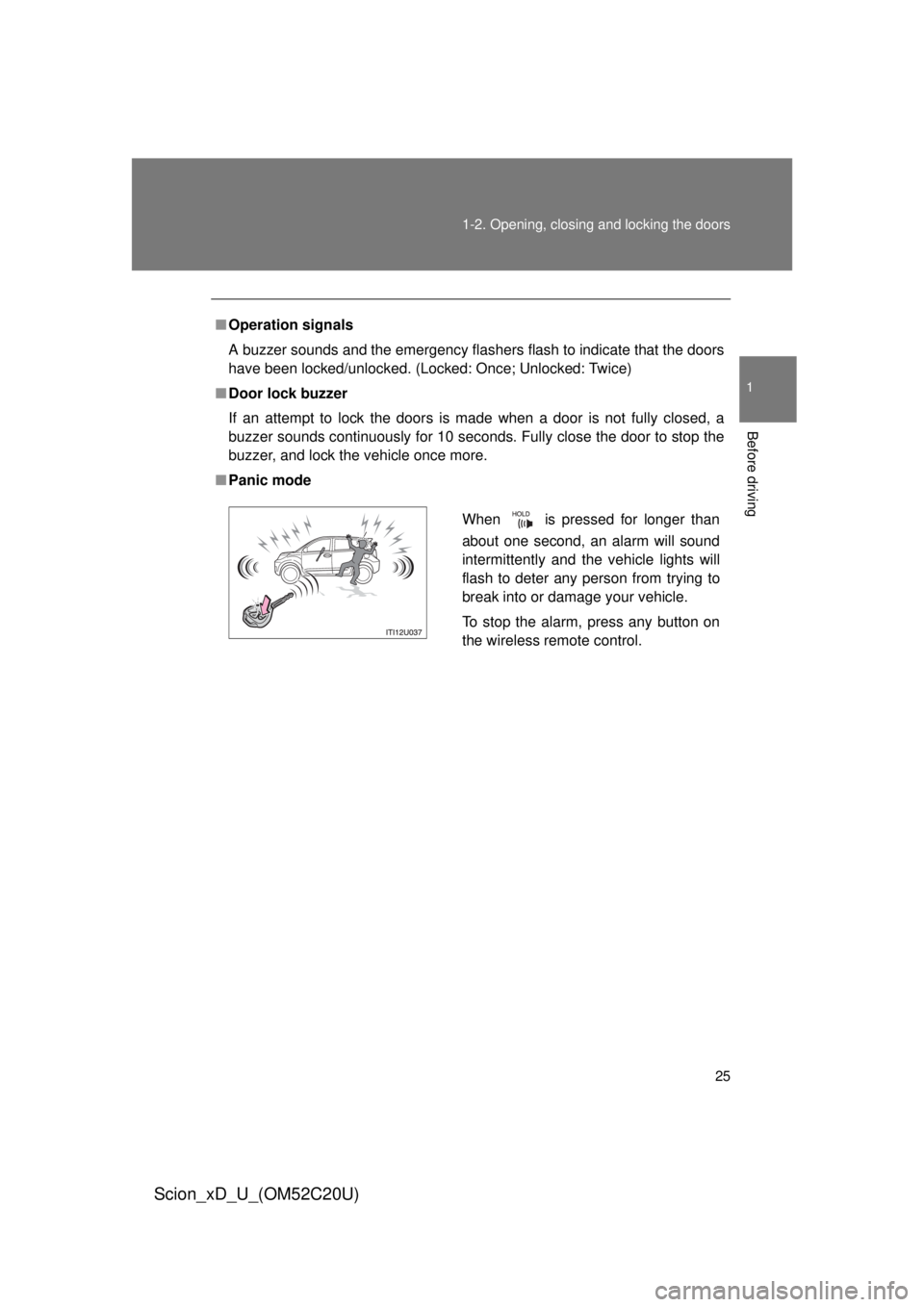
■ Panic mode
When is pressed for longer than
about one second, an alarm will sound
intermittently and the vehicle lights will
flash to deter any person from trying to
break into or damage your vehicle.
To stop the alarm, press any button on
the wireless remote control.
Page 26 of 392
26 1-2. Opening, closing and locking the doors
Scion_xD_U_(OM52C20U)
■Security feature
If a door is not opened within approximately 30 seconds after the vehicle is
unlocked, the security feature automatically locks the vehicle again.
■ Conditions affecting operation
The wireless remote control function may not operate normally in the follow-
ing situations:
● Near a TV tower, radio station, electr ic power plant, airport or other facil-
ity that generates strong radio waves
● When carrying a portable radio, cell ular phone or other wireless commu-
nication devices
● When multiple wireless keys are in the vicinity
● When the wireless key is in contact with, or is covered by, a metallic
object
● When a wireless key (that emits radio waves) is being used nearby
● When the wireless key has been left near an electrical appliance such as
a personal computer
■ Key battery depletion
If the wireless remote control function does not operate, the battery may be
depleted. Replace the battery when necessary. ( P. 254)
■ Customization
Settings (e.g. door lock buzzer) can be changed.
(Customizable features: P. 361)