Each wheel TOYOTA YARIS 2022 Owners Manual
[x] Cancel search | Manufacturer: TOYOTA, Model Year: 2022, Model line: YARIS, Model: TOYOTA YARIS 2022Pages: 590, PDF Size: 128.6 MB
Page 43 of 590
41
1
HV Owner's Manual_Europe_M52N30_en
1-1. For safe use
For safety and security
WARNING
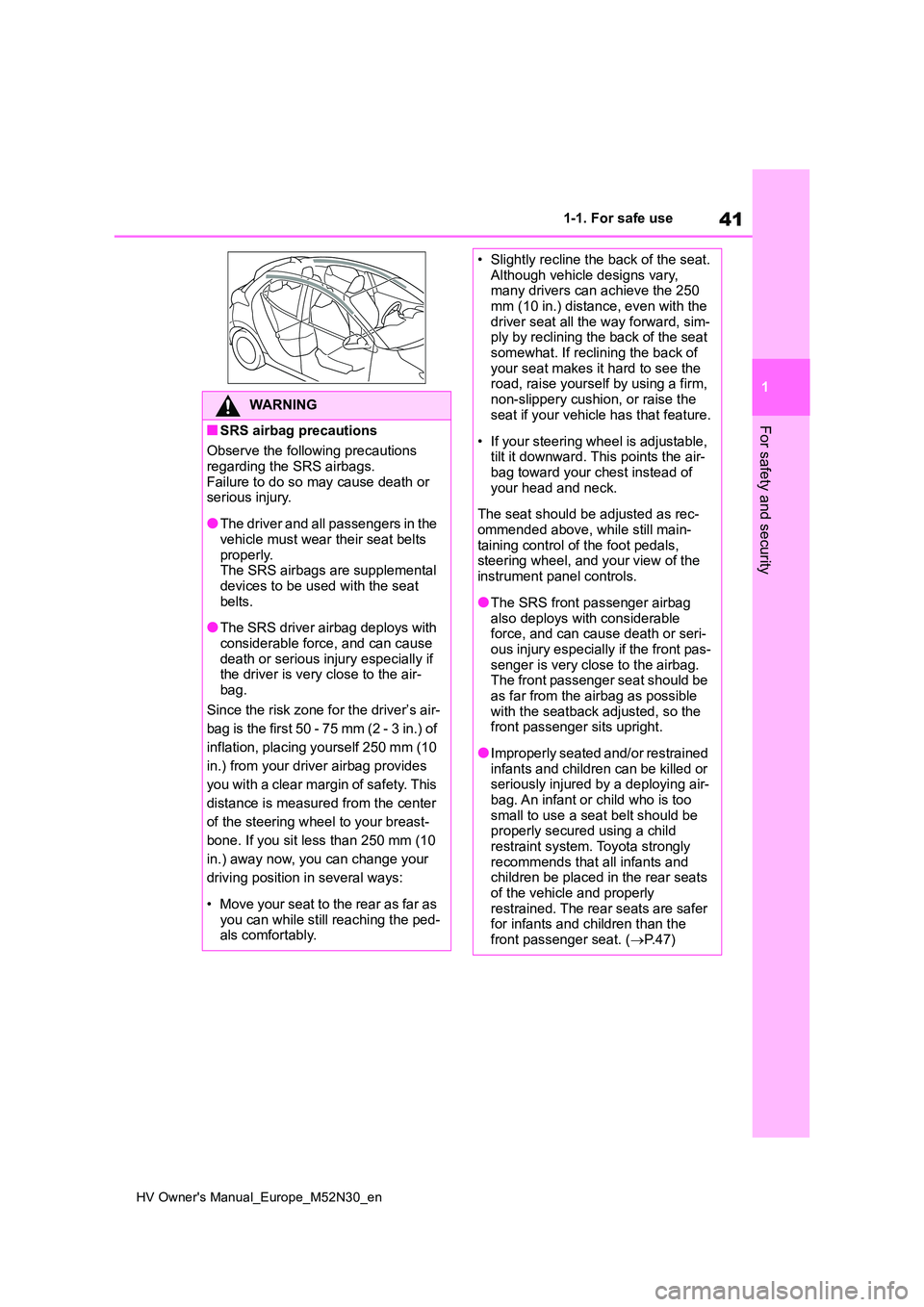
■SRS airbag precautions
Observe the following precautions
regarding the SRS airbags. Failure to do so may cause death or serious injury.
●The driver and all passengers in the vehicle must wear their seat belts
properly. The SRS airbags are supplemental devices to be used with the seat
belts.
●The SRS driver airbag deploys with
considerable force, and can cause death or serious injury especially if the driver is very close to the air-
bag.
Since the risk zone for the driver’s air-
bag is the first 50 - 75 mm (2 - 3 in.) of
inflation, placing yourself 250 mm (10
in.) from your driver airbag provides
you with a clear margin of safety. This
distance is measured from the center
of the steering wheel to your breast-
bone. If you sit less than 250 mm (10
in.) away now, you can change your
driving position in several ways:
• Move your seat to the rear as far as you can while still reaching the ped-als comfortably.
• Slightly recline the back of the seat.Although vehicle designs vary, many drivers can achieve the 250
mm (10 in.) distance, even with the driver seat all the way forward, sim-ply by reclining the back of the seat
somewhat. If reclining the back of your seat makes it hard to see the road, raise yourself by using a firm,
non-slippery cushion, or raise the seat if your vehicle has that feature.
• If your steering wheel is adjustable, tilt it downward. This points the air-bag toward your chest instead of
your head and neck.
The seat should be adjusted as rec-
ommended above, while still main- taining control of the foot pedals, steering wheel, and your view of the
instrument panel controls.
●The SRS front passenger airbag
also deploys with considerable force, and can cause death or seri-ous injury especially if the front pas-
senger is very close to the airbag. The front passenger seat should be as far from the airbag as possible
with the seatback adjusted, so the front passenger sits upright.
●Improperly seated and/or restrained infants and children can be killed or seriously injured by a deploying air-
bag. An infant or child who is too small to use a seat belt should be properly secured using a child
restraint system. Toyota strongly recommends that all infants and children be placed in the rear seats
of the vehicle and properly restrained. The rear seats are safer for infants and children than the
front passenger seat. ( P. 4 7 )
Page 121 of 590
119
2
HV Owner's Manual_Europe_M52N30_en
2-1. Instrument cluster
Vehicle status information and indicators
equipped) (P.209)
LTA (Lane Tracing Assist) (if
equipped) ( P.220)
PKSB (Parking Support Brake)
(if equipped) ( P.265)
Brake Override System
( P.160)
Drive-Start Control (P.165)
Details of content displayed on the
head-up display may differ from that
displayed on the multi-information dis-
play. For details, refer to the explana-
tion of each system.
■ icon
Displayed when a warning mes-
sage is displayed on the multi-infor-
mation display. ( P.383)
■Warning message
Some warning messages are dis-
played when necessary, according
to certain conditions.
Details of content displayed on the
head-up display may differ from that
displayed on the multi-information dis-
play.
■Audio system operation status
(if equipped)
Displayed when an audio remote
control switch on the steering wheel
is operated.
■Hands-free system status (if
equipped)
Displayed when the hands-free
system is operated.
■When a pop-up display is displayed
When a pop-up display is displayed, a
current display may no longer be dis- played. In this case, the display will return after the pop-up display disap-
pears.
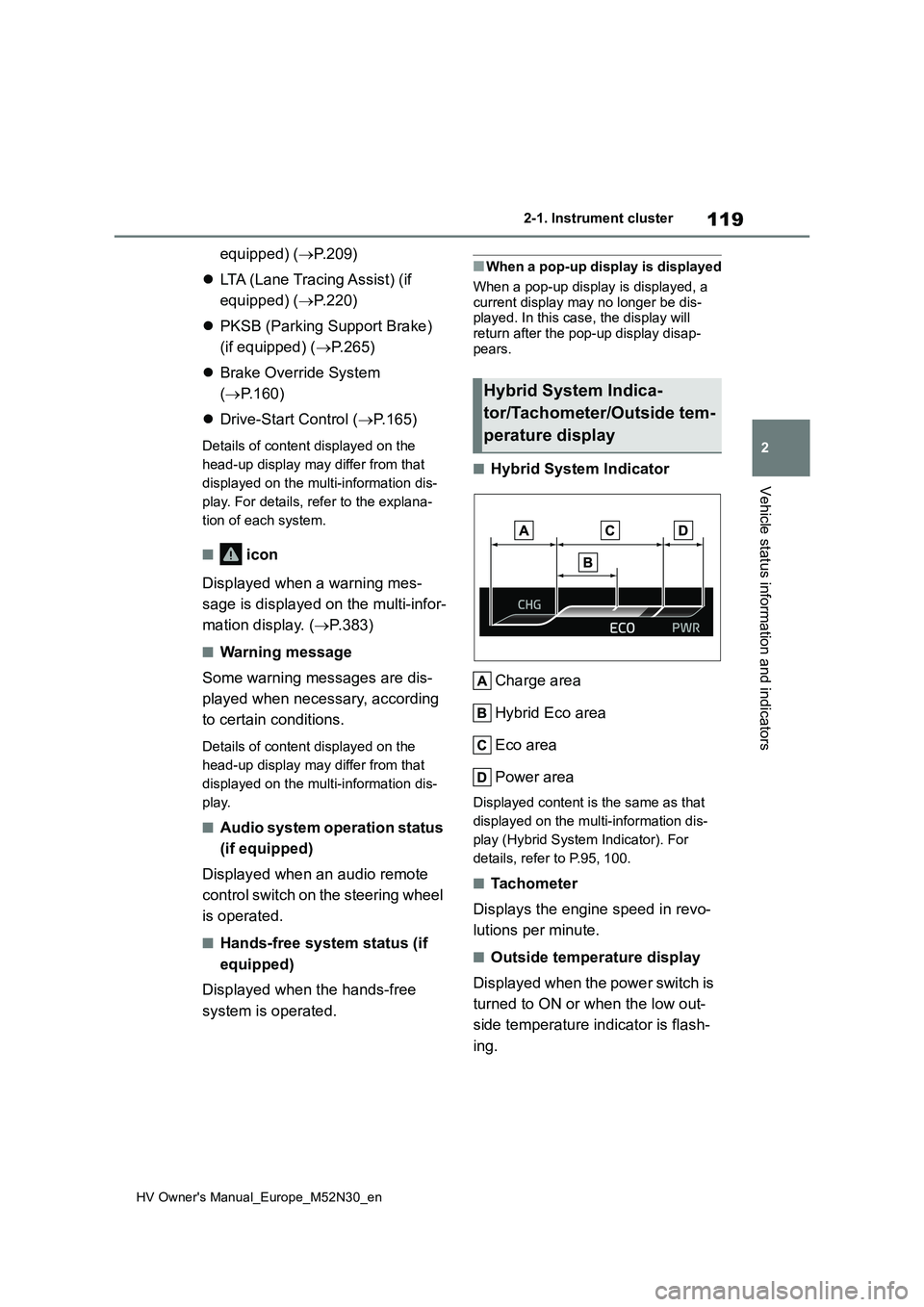
■Hybrid System Indicator
Charge area
Hybrid Eco area
Eco area
Power area
Displayed content is the same as that
displayed on the multi-information dis-
play (Hybrid System Indicator). For
details, refer to P.95, 100.
■Tachometer
Displays the engine speed in revo-
lutions per minute.
■Outside temperature display
Displayed when the power switch is
turned to ON or when the low out-
side temperature indicator is flash-
ing.
Hybrid System Indica-
tor/Tachometer/Outside tem-
perature display
Page 154 of 590
152
HV Owner's Manual_Europe_M52N30_en
3-4. Adjusting the steering wheel and mirrors
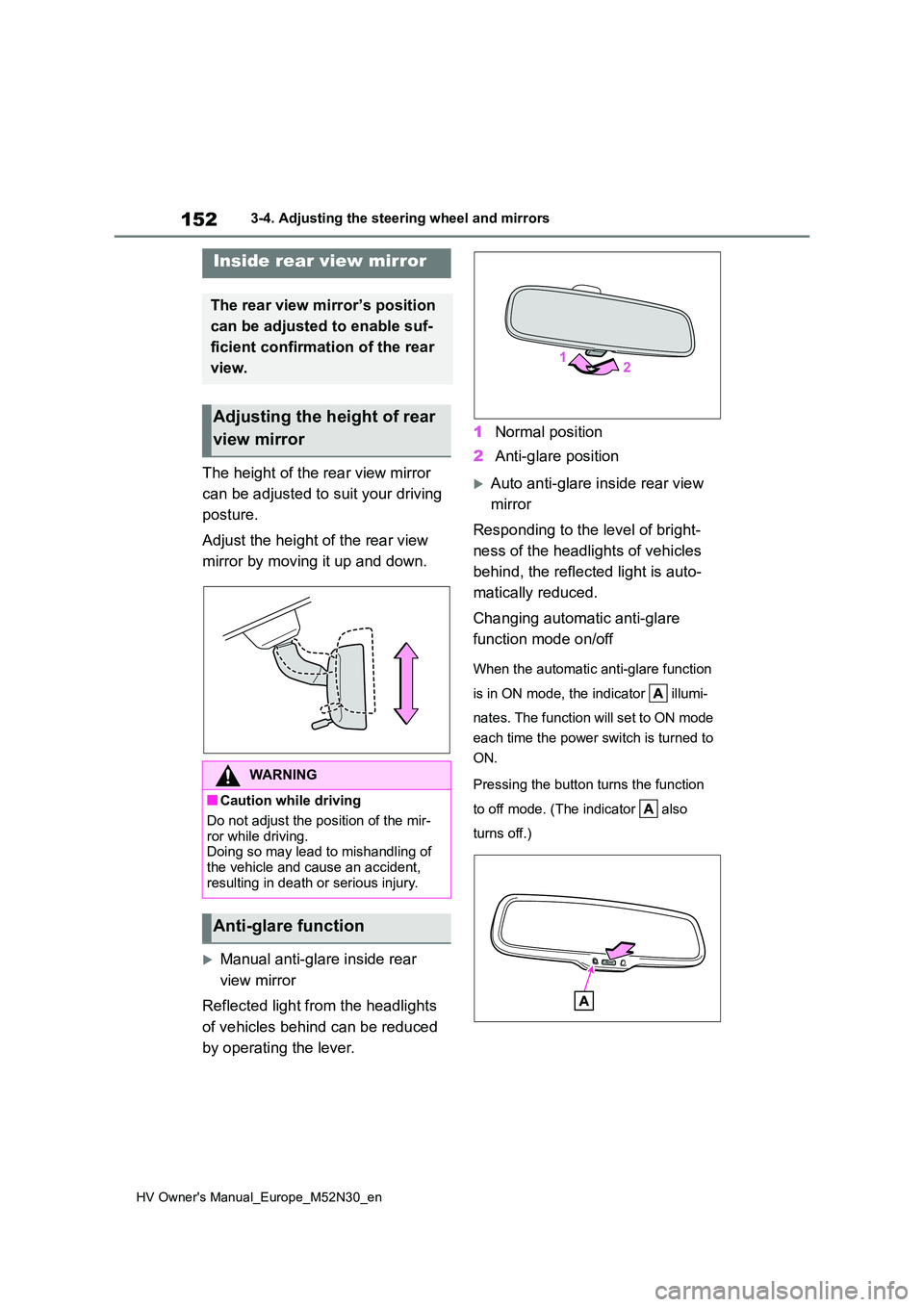
The height of the rear view mirror
can be adjusted to suit your driving
posture.
Adjust the height of the rear view
mirror by moving it up and down.
Manual anti-glare inside rear
view mirror
Reflected light from the headlights
of vehicles behind can be reduced
by operating the lever.
1 Normal position
2 Anti-glare position
Auto anti-glare inside rear view
mirror
Responding to the level of bright-
ness of the headlights of vehicles
behind, the reflected light is auto-
matically reduced.
Changing automatic anti-glare
function mode on/off
When the automatic anti-glare function
is in ON mode, the indicator illumi-
nates. The function will set to ON mode
each time the power switch is turned to
ON.
Pressing the button turns the function
to off mode. (The indicator also
turns off.)
Inside rear view mirror
The rear view mirror’s position
can be adjusted to enable suf-
ficient confirmation of the rear
view.
Adjusting the height of rear
view mirror
WARNING
■Caution while driving
Do not adjust the position of the mir-
ror while driving. Doing so may lead to mishandling of the vehicle and cause an accident,
resulting in death or serious injury.
Anti-glare function
Page 214 of 590
212
HV Owner's Manual_Europe_M52N30_en
4-5. Using the driving support systems
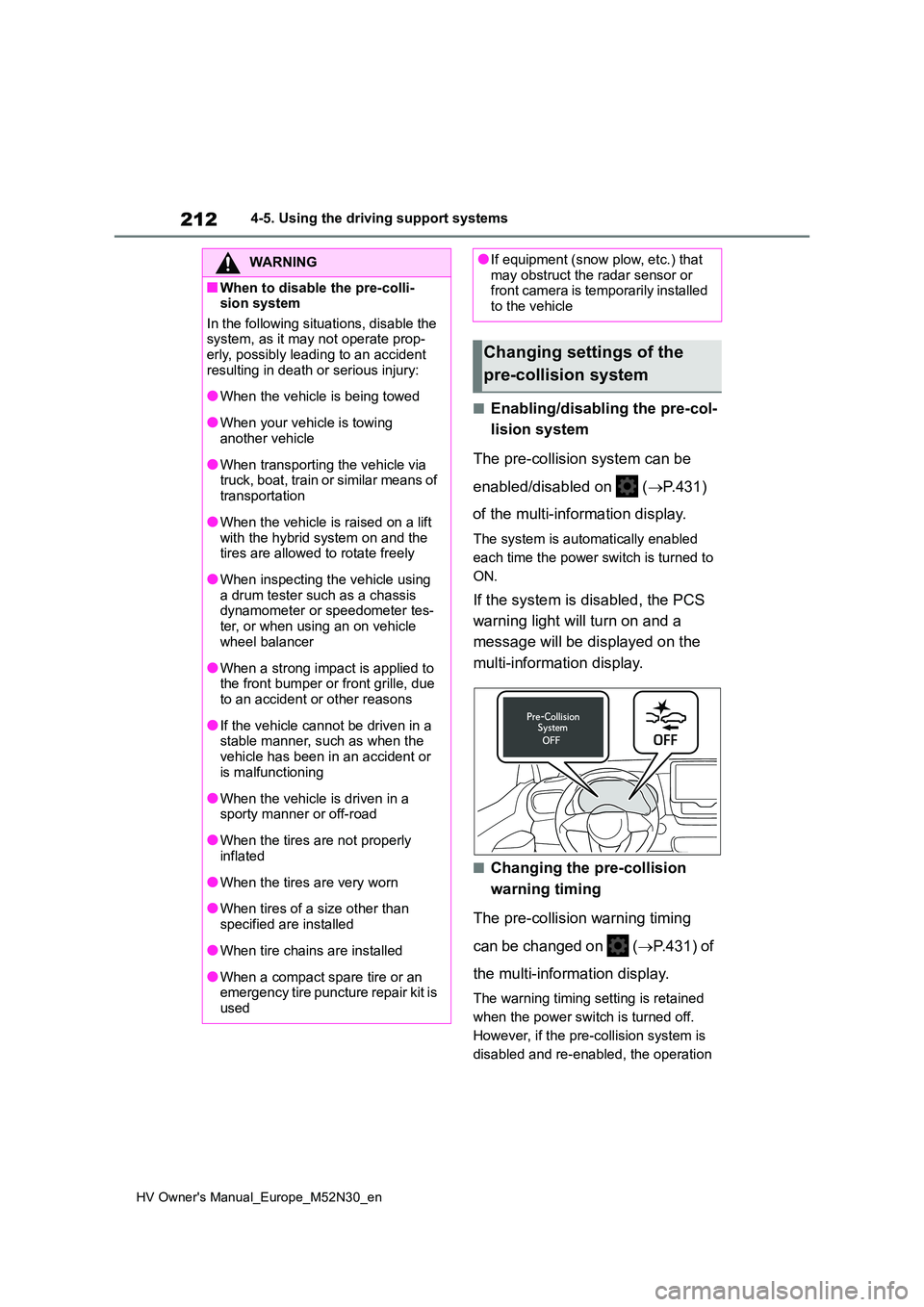
■Enabling/disabling the pre-col-
lision system
The pre-collision system can be
enabled/disabled on ( P.431)
of the multi-information display.
The system is automatically enabled
each time the power switch is turned to
ON.
If the system is disabled, the PCS
warning light will turn on and a
message will be displayed on the
multi-information display.
■Changing the pre-collision
warning timing
The pre-collision warning timing
can be changed on ( P.431) of
the multi-information display.
The warning timing setting is retained
when the power switch is turned off.
However, if the pre-collision system is
disabled and re-enabled, the operation
WARNING
■When to disable the pre-colli- sion system
In the following situations, disable the system, as it may not operate prop-erly, possibly leading to an accident
resulting in death or serious injury:
●When the vehicle is being towed
●When your vehicle is towing another vehicle
●When transporting the vehicle via truck, boat, train or similar means of
transportation
●When the vehicle is raised on a lift
with the hybrid system on and the tires are allowed to rotate freely
●When inspecting the vehicle using a drum tester such as a chassis dynamometer or speedometer tes-
ter, or when using an on vehicle wheel balancer
●When a strong impact is applied to the front bumper or front grille, due to an accident or other reasons
●If the vehicle cannot be driven in a stable manner, such as when the
vehicle has been in an accident or is malfunctioning
●When the vehicle is driven in a sporty manner or off-road
●When the tires are not properly inflated
●When the tires are very worn
●When tires of a size other than
specified are installed
●When tire chains are installed
●When a compact spare tire or an emergency tire puncture repair kit is
used
●If equipment (snow plow, etc.) that may obstruct the radar sensor or front camera is temporarily installed
to the vehicle
Changing settings of the
pre-collision system
Page 227 of 590
225
4
HV Owner's Manual_Europe_M52N30_en
4-5. Using the driving support systems
Driving
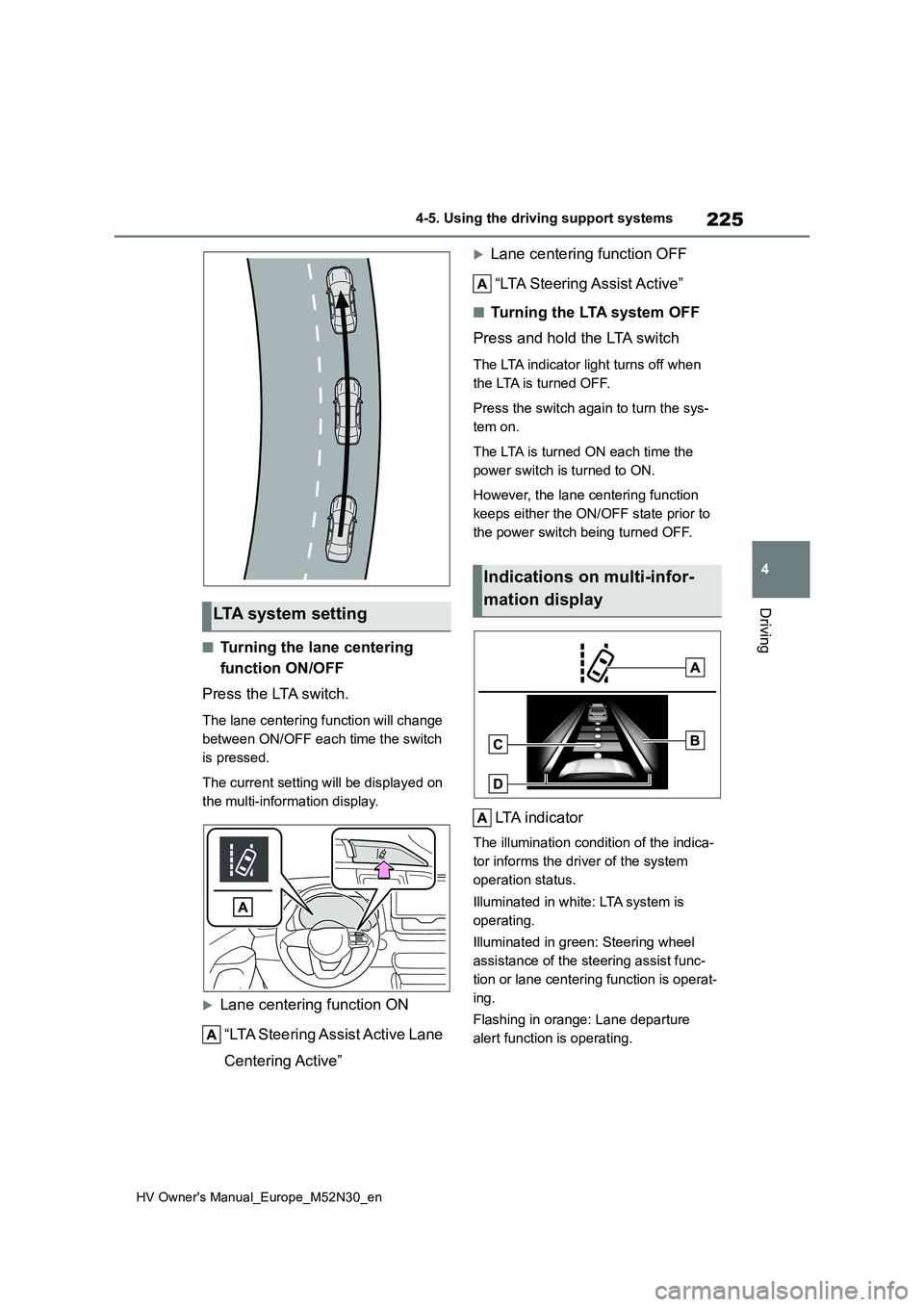
■Turning the lane centering
function ON/OFF
Press the LTA switch.
The lane centering function will change
between ON/OFF each time the switch
is pressed.
The current setting will be displayed on
the multi-information display.
Lane centering function ON
“LTA Steering Assist Active Lane
Centering Active”
Lane centering function OFF
“LTA Steering Assist Active”
■Tu r n i n g t h e LTA s y s t e m O F F
Press and hold the LTA switch
The LTA indicator light turns off when
the LTA is turned OFF.
Press the switch again to turn the sys-
tem on.
The LTA is turned ON each time the
power switch is turned to ON.
However, the lane centering function
keeps either the ON/OFF state prior to
the power switch being turned OFF.
LTA indicator
The illumination condition of the indica-
tor informs the driver of the system
operation status.
Illuminated in white: LTA system is
operating.
Illuminated in green: Steering wheel
assistance of the steering assist func-
tion or lane centering function is operat-
ing.
Flashing in orange: Lane departure
alert function is operating.
LTA system setting
Indications on multi-infor-
mation display
Page 228 of 590
226
HV Owner's Manual_Europe_M52N30_en
4-5. Using the driving support systems
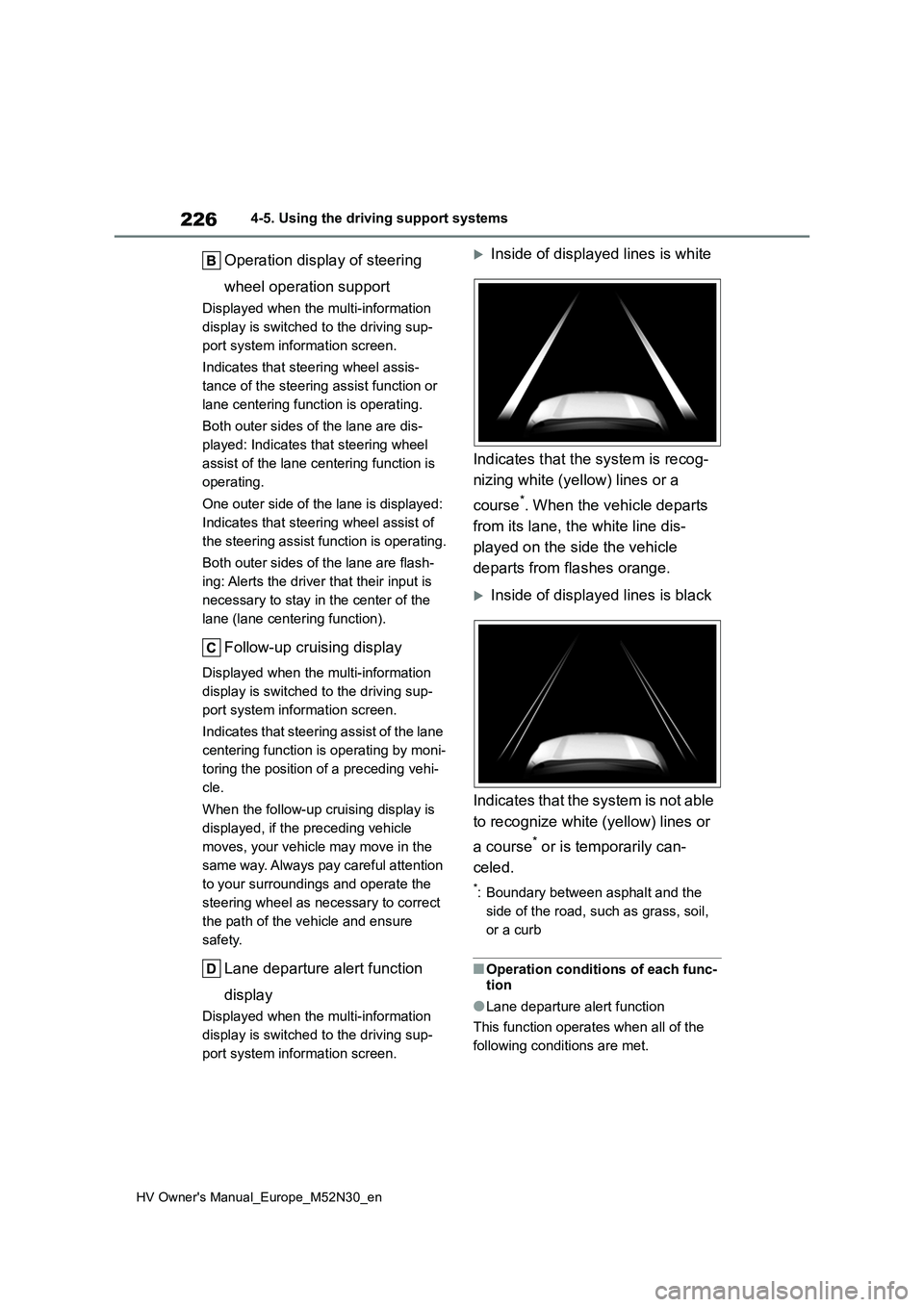
Operation display of steering
wheel operation support
Displayed when the multi-information
display is switched to the driving sup-
port system information screen.
Indicates that steering wheel assis-
tance of the steering assist function or
lane centering function is operating.
Both outer sides of the lane are dis-
played: Indicates that steering wheel
assist of the lane centering function is
operating.
One outer side of the lane is displayed:
Indicates that steering wheel assist of
the steering assist function is operating.
Both outer sides of the lane are flash-
ing: Alerts the driver that their input is
necessary to stay in the center of the
lane (lane centering function).
Follow-up cruising display
Displayed when the multi-information
display is switched to the driving sup-
port system information screen.
Indicates that steering assist of the lane
centering function is operating by moni-
toring the position of a preceding vehi-
cle.
When the follow-up cruising display is
displayed, if the preceding vehicle
moves, your vehicle may move in the
same way. Always pay careful attention
to your surroundings and operate the
steering wheel as necessary to correct
the path of the vehicle and ensure
safety.
Lane departure alert function
display
Displayed when the multi-information
display is switched to the driving sup-
port system information screen.
Inside of displayed lines is white
Indicates that the system is recog-
nizing white (yellow) lines or a
course*. When the vehicle departs
from its lane, the white line dis-
played on the side the vehicle
departs from flashes orange.
Inside of displayed lines is black
Indicates that the system is not able
to recognize white (yellow) lines or
a course* or is temporarily can-
celed.
*: Boundary between asphalt and the
side of the road, such as grass, soil,
or a curb
■Operation conditions of each func-
tion
●Lane departure alert function
This function operates when all of the
following conditions are met.
Page 231 of 590
229
4
HV Owner's Manual_Europe_M52N30_en
4-5. Using the driving support systems
Driving
steering wheel assist is operating, the
buzzer sounds and the driver is warned.
Each time the buzzer sounds, the con-
tinuing time of the buzzer becomes lon-
ger.
The buzzer also sounds even if the alert
type is set to steering wheel vibration.
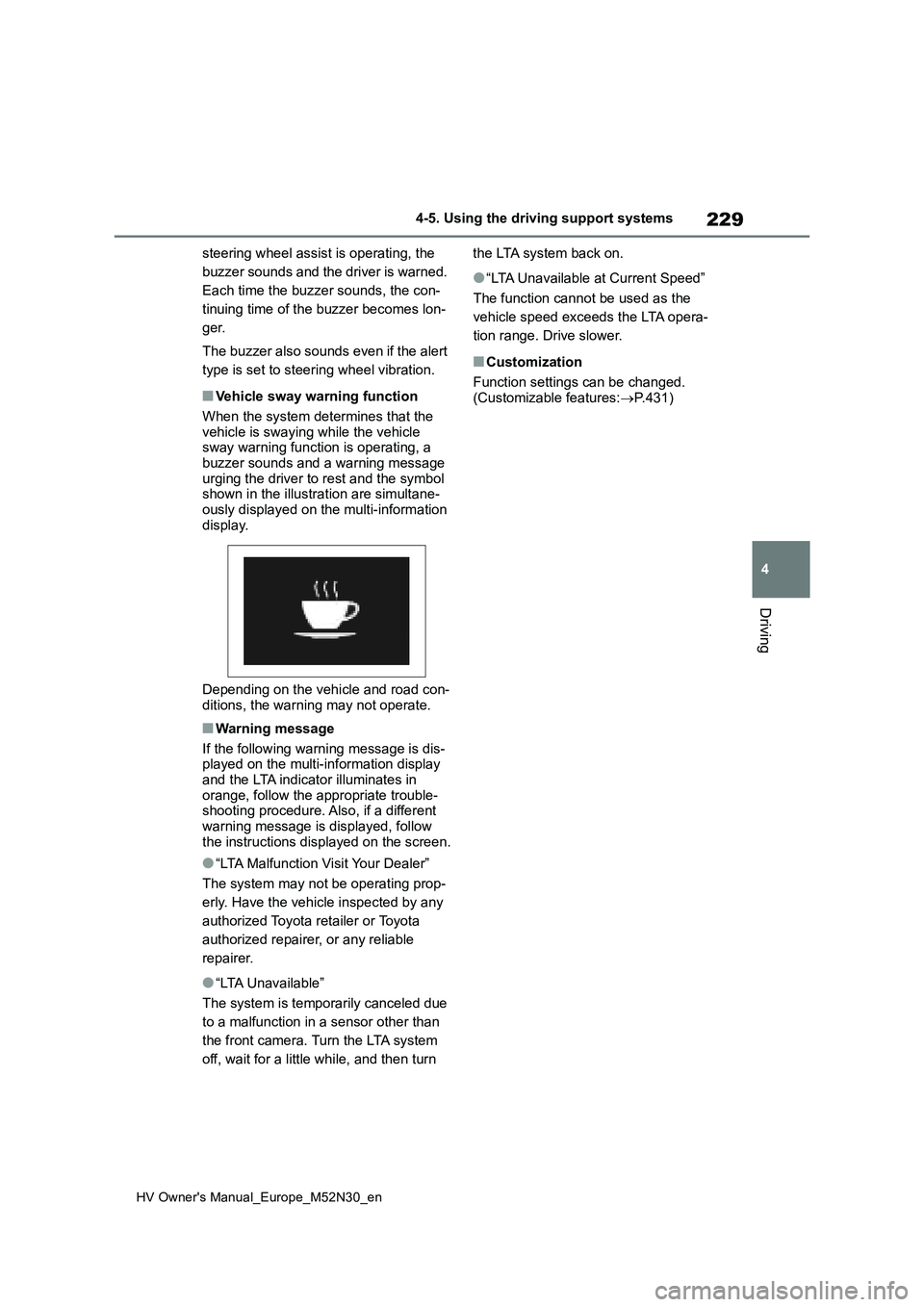
■Vehicle sway warning function
When the system determines that the
vehicle is swaying while the vehicle sway warning function is operating, a buzzer sounds and a warning message
urging the driver to rest and the symbol shown in the illustration are simultane-ously displayed on the multi-information
display.
Depending on the vehicle and road con-
ditions, the warning may not operate.
■Warning message
If the following warning message is dis- played on the multi-information display
and the LTA indicator illuminates in orange, follow the appropriate trouble-shooting procedure. Also, if a different
warning message is displayed, follow the instructions displayed on the screen.
●“LTA Malfunction Visit Your Dealer”
The system may not be operating prop-
erly. Have the vehicle inspected by any
authorized Toyota retailer or Toyota
authorized repairer, or any reliable
repairer.
●“LTA Unavailable”
The system is temporarily canceled due
to a malfunction in a sensor other than
the front camera. Turn the LTA system
off, wait for a little while, and then turn
the LTA system back on.
●“LTA Unavailable at Current Speed”
The function cannot be used as the
vehicle speed exceeds the LTA opera-
tion range. Drive slower.
■Customization
Function settings can be changed. (Customizable features: P.431)
Page 236 of 590
234
HV Owner's Manual_Europe_M52N30_en
4-5. Using the driving support systems
When the turn signal lever is operated and your vehicle moves t o an overtaking lane
while driving at 80 km/h (50 mph) or more, the vehicle will acc elerate to help to over-
take a passing vehicle.
The system’s identification of what is an overtaking lane may b e determined solely
based on the location of the steering wheel in the vehicle (lef t side driver position
versus right side driver position.) If the vehicle is driven to a region where the over-
taking lane is on a different side from where the vehicle is no rmally driven, the vehi-
cle may accelerate when the turn signal lever is operated in th e opposite direction to
the overtaking lane (e.g., if the driver normally operates the vehicle in a region
where the overtaking lane is to the right but then drives to a region where the over-
taking lane is to the left, the vehicle may accelerate when the right turn signal is acti-
vated).
Example of acceleration
When there are no longer any preceding vehicles driving slower than the
set speed
The system accelerates until the set speed is reached. The syst em then returns to
constant speed cruising.
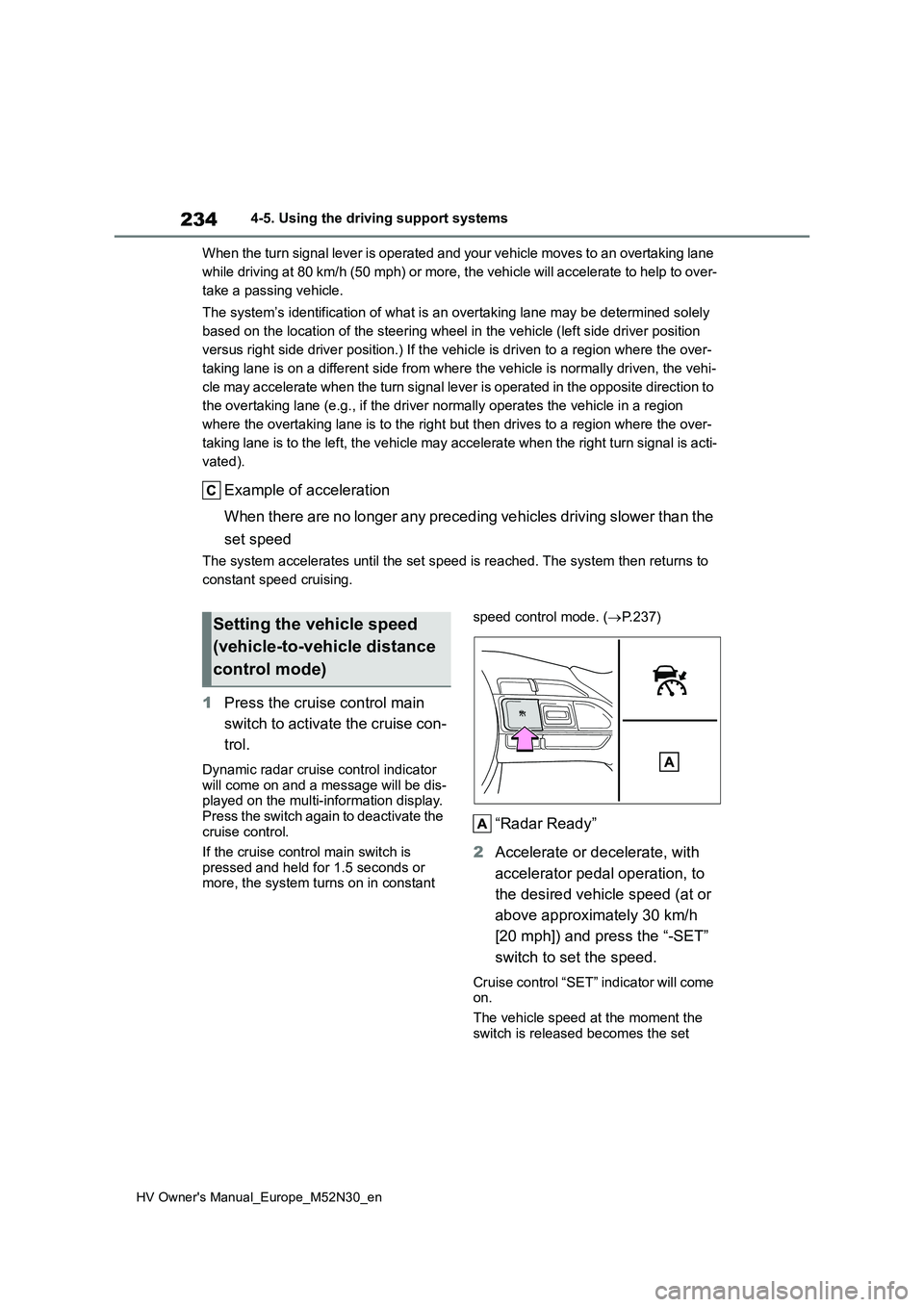
1 Press the cruise control main
switch to activate the cruise con-
trol.
Dynamic radar cruise control indicator will come on and a message will be dis-played on the multi-information display.
Press the switch again to deactivate the cruise control.
If the cruise control main switch is
pressed and held for 1.5 seconds or more, the system turns on in constant
speed control mode. ( P.237)
“Radar Ready”
2 Accelerate or decelerate, with
accelerator pedal operation, to
the desired vehicle speed (at or
above approximately 30 km/h
[20 mph]) and press the “-SET”
switch to set the speed.
Cruise control “SET” indicator will come on.
The vehicle speed at the moment the
switch is released becomes the set
Setting the vehicle speed
(vehicle-to-vehicle distance
control mode)
Page 287 of 590
285
4
HV Owner's Manual_Europe_M52N30_en
4-6. Driving tips
Driving
the driving conditions:
Do not try to forcibly open a win-
dow or move a wiper that is fro-
zen. Pour warm water over the
frozen area to melt the ice. Wipe
away the water immediately to
prevent it from freezing.
To ensure proper operation of
the climate control system fan,
remove any snow that has accu-
mulated on the air inlet vents in
front of the windshield.
Check for and remove any
excess ice or snow that may
have accumulated on the exte-
rior lights, vehicle’s roof, chassis,
around the tires or on the brakes.
Remove any snow or mud from
the bottom of your shoes before
getting in the vehicle.
Accelerate the vehicle slowly, keep
a safe distance between you and
the vehicle ahead, and drive at a
reduced speed suitable to road
conditions.
Park the vehicle and shift the
shift lever to P without setting the
parking brake. The parking brake
may freeze up, preventing it from
being released. If the vehicle is
parked without setting the park-
ing brake, make sure to block the
wheels.
Failure to do so may be danger-
ous because it may cause the
vehicle to move unexpectedly,
possibly leading to an accident.
If the vehicle is parked without
setting the parking brake, con-
firm that the shift lever cannot be
moved out of P*.
*: The shift lever will be locked if it is
attempted to be shifted from P to any
other position without depressing the
brake pedal. If the shift lever can be
shifted from P, there may be a prob-
lem with the shift lock system. Have
the vehicle inspected by any autho-
rized Toyota retailer or Toyota autho-
rized repairer, or any reliable repairer
or legitimate tire retailers immedi-
ately.
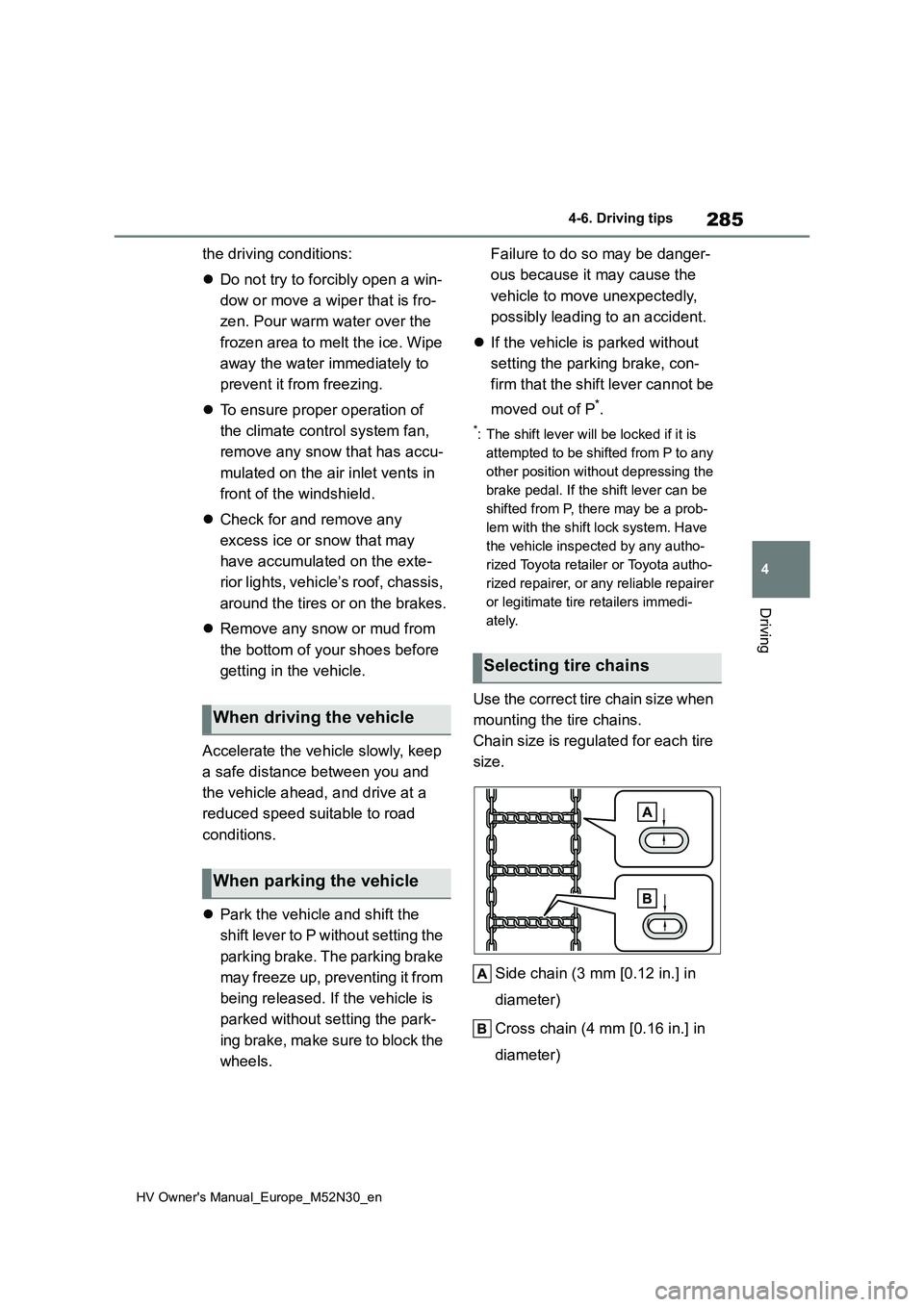
Use the correct tire chain size when
mounting the tire chains.
Chain size is regulated for each tire
size.
Side chain (3 mm [0.12 in.] in
diameter)
Cross chain (4 mm [0.16 in.] in
diameter)
When driving the vehicle
When parking the vehicle
Selecting tire chains
Page 314 of 590
312
HV Owner's Manual_Europe_M52N30_en
6-1. Maintenance and care
6-1.Mainte nance a nd care
Working from top to bottom, lib-
erally apply water to the vehicle
body, wheel wells and underside
of the vehicle to remove any dirt
and dust.
Wash the vehicle body using a
sponge or soft cloth, such as a
chamois.
For hard-to-remove marks, use
car wash soap and rinse thor-
oughly with water.
Wipe away any water.
Wax the vehicle when the water-
proof coating deteriorates.
If water does not bead on a clean sur-
face, apply wax when the vehicle body
is cool.
■Automatic car washes
●Before washing the vehicle: • Fold the mirrors.
Start washing from the front of the vehi-
cle. Extend the mirrors before driving.
●Brushes used in automatic car washes may scratch the vehicle sur-
face, parts (wheel, etc.) and harm your vehicle’s paint.
●In certain automatic car washes, the rear spoiler (if equipped) may interfere with machine operation. This may pre-
vent the vehicle from being cleaned
properly or result in damage to the
rear spoiler.
■High pressure car washes
As water may enter the cabin, do not bring the nozzle tip near the gaps
around the doors or perimeter of the windows, or spray these areas continu-ously.
■When using a car wash (vehicles
with a smart entry & start system)
If the door handle becomes wet while the electronic key is within the effective
range, the door may lock and unlock repeatedly. In that case, follow the fol-lowing correction procedures to wash
the vehicle:
●Place the key in a position 2 m (6 ft.)
or more separate from the vehicle while the vehicle is being washed. (Take care to ensure that the key is
not stolen.)
●Set the electronic key to battery-sav-
ing mode to disable the smart entry & start system. ( P.141)
■Wheels and wheel ornaments (if equipped)
●Remove any dirt immediately by using a neutral detergent.
●Wash detergent off with water immedi-ately after use.
●To protect the paint from damage, make sure to observe the following
precautions. • Do not use acidic, alkaline or abrasive detergent
• Do not use hard brushes • Do not use detergent on the wheels when they are hot, such as after driv-
ing or parking in hot weather
■Bumpers
Do not scrub with abrasive cleaners.
■Plated portions (if equipped)
If dirt cannot be removed, clean the
parts as follows:
●Use a soft cloth dampened with an
approximately 5% solution of neutral detergent and water to clean the dirt
Cleaning and protecting
the vehicle exterior
Perform cleaning in a manner
appropriate to each compo-
nent and its material.
Cleaning instructions