cellular TOYOTA YARIS 2022 Owners Manual
[x] Cancel search | Manufacturer: TOYOTA, Model Year: 2022, Model line: YARIS, Model: TOYOTA YARIS 2022Pages: 590, PDF Size: 128.6 MB
Page 10 of 590
8
HV Owner's Manual_Europe_M52N30_en
The SRS airbag and seat belt
pretensioner devices in your Toyota
contain explosive chemicals. If the
vehicle is scrapped with the airbags
and seat belt pretensioners left as
they are, this may cause an acci-
dent such as fire. Be sure to have
the systems of the SRS airbag and
seat belt pretensioner removed and
disposed of by a qualified service
shop or by any authorized Toyota
retailer or Toyota authorized
repairer, or any reliable repairer
before you scrap your vehicle.
Toyota Motor Europe NV/SA, Ave-
nue du Bourget 60 - 1140 Brussels,
Belgium www.toyota-europe.com
Toyota (GB) PLC Great Burgh,
Burgh Heath, Epsom, Surrey, KT18
5UX, UK
Scrapping of your Toyota
WARNING
■General precautions while driv- ing
Driving under the influence: Never drive your vehicle when under the influence of alcohol or drugs that have
impaired your ability to operate your vehicle. Alcohol and certain drugs delay reaction time, impair judgment
and reduce coordination, which could lead to an accident that could result in death or serious injury.
Defensive driving: Always drive defensively. Anticipate mistakes that other drivers or pedestrians might
make and be ready to avoid acci- dents.
Driver distraction: Always give your
full attention to driving. Anything that distracts the driver, such as adjusting controls, talking on a cellular phone or
reading can result in a collision with resulting death or serious injury to you, your occupants or others.
■General precaution regarding children’s safety
Never leave children unattended in
the vehicle, and never allow children to have or use the key.
Children may be able to start the vehi-
cle or shift the vehicle into neutral. There is also a danger that children may injure themselves by playing with
the windows, or other features of the vehicle. In addition, heat build-up or extremely cold temperatures inside
the vehicle can be fatal to children.
Page 68 of 590
66
HV Owner's Manual_Europe_M52N30_en
1-3. Emergency assistance
1-3.Emerg ency as sista nce
*1: If equipped
*2: Operates within the eCall coverage.
The system name differs depending
on the country.
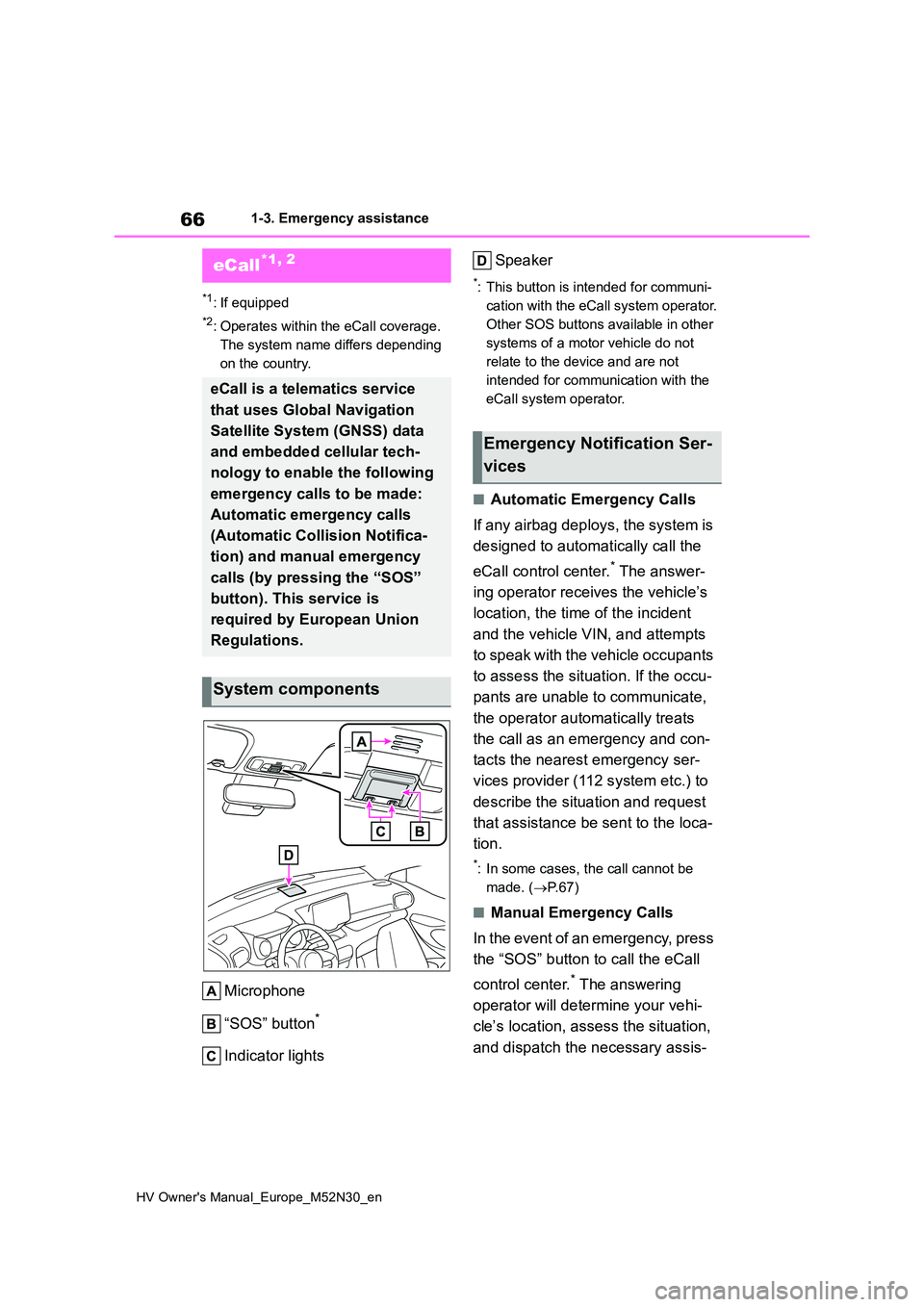
Microphone
“SOS” button*
Indicator lights
Speaker
*: This button is intended for communi-
cation with the eCall system operator.
Other SOS buttons available in other
systems of a motor vehicle do not
relate to the device and are not
intended for communication with the
eCall system operator.
■Automatic Emergency Calls
If any airbag deploys, the system is
designed to automatically call the
eCall control center.* The answer-
ing operator receives the vehicle’s
location, the time of the incident
and the vehicle VIN, and attempts
to speak with the vehicle occupants
to assess the situation. If the occu-
pants are unable to communicate,
the operator automatically treats
the call as an emergency and con-
tacts the nearest emergency ser-
vices provider (112 system etc.) to
describe the situation and request
that assistance be sent to the loca-
tion.
*: In some cases, the call cannot be
made. ( P. 6 7 )
■Manual Emergency Calls
In the event of an emergency, press
the “SOS” button to call the eCall
control center.* The answering
operator will determine your vehi-
cle’s location, assess the situation,
and dispatch the necessary assis-
eCall*1, 2
eCall is a telematics service
that uses Global Navigation
Satellite System (GNSS) data
and embedded cellular tech-
nology to enable the following
emergency calls to be made:
Automatic emergency calls
(Automatic Collision Notifica-
tion) and manual emergency
calls (by pressing the “SOS”
button). This service is
required by European Union
Regulations.
System components
Emergency Notification Ser-
vices
Page 69 of 590
67
1
HV Owner's Manual_Europe_M52N30_en
1-3. Emergency assistance
For safety and security
tance required.
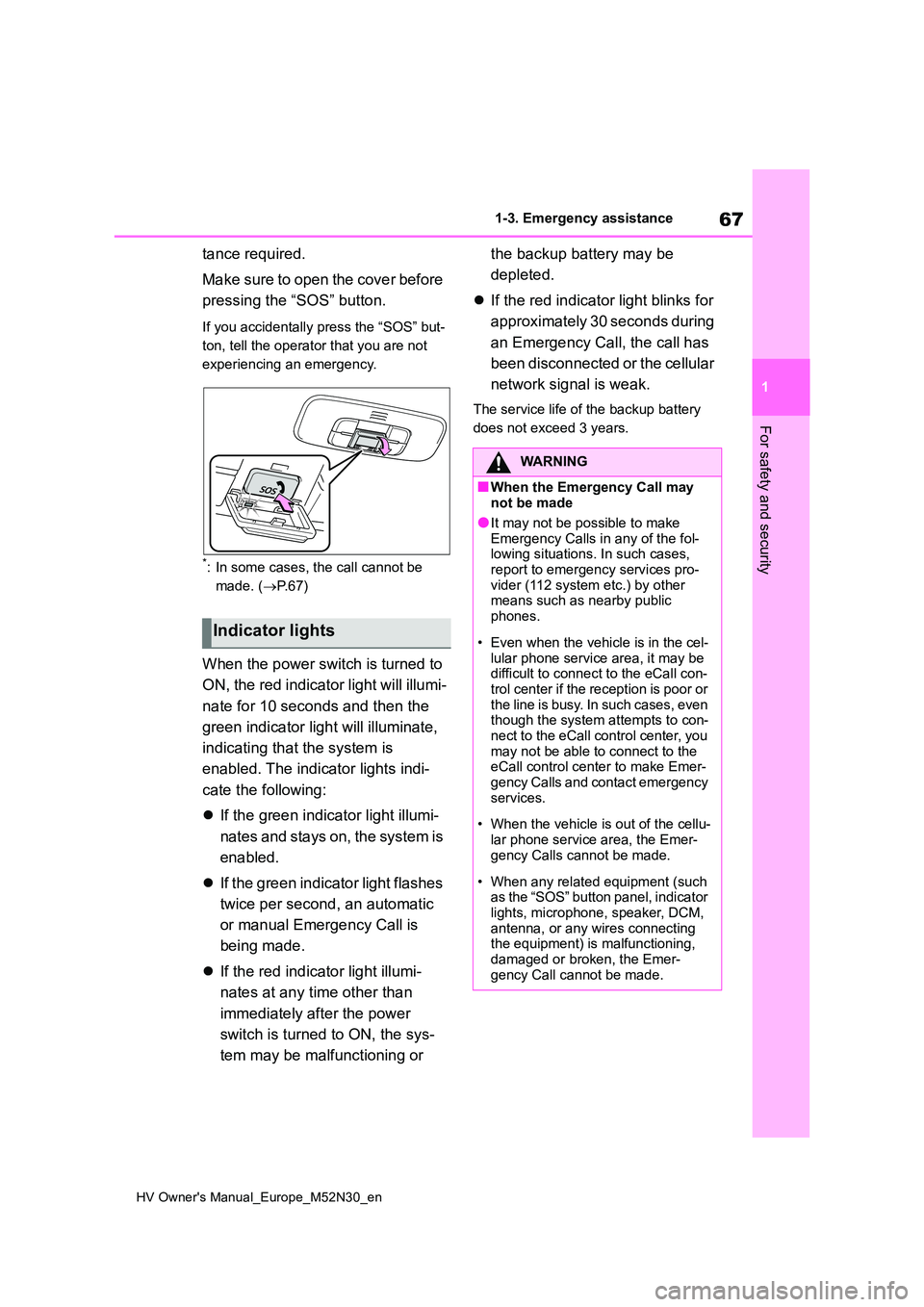
Make sure to open the cover before
pressing the “SOS” button.
If you accidentally press the “SOS” but-
ton, tell the operator that you are not
experiencing an emergency.
*: In some cases, the call cannot be
made. ( P. 6 7 )
When the power switch is turned to
ON, the red indicator light will illumi-
nate for 10 seconds and then the
green indicator light will illuminate,
indicating that the system is
enabled. The indicator lights indi-
cate the following:
If the green indicator light illumi-
nates and stays on, the system is
enabled.
If the green indicator light flashes
twice per second, an automatic
or manual Emergency Call is
being made.
If the red indicator light illumi-
nates at any time other than
immediately after the power
switch is turned to ON, the sys-
tem may be malfunctioning or
the backup battery may be
depleted.
If the red indicator light blinks for
approximately 30 seconds during
an Emergency Call, the call has
been disconnected or the cellular
network signal is weak.
The service life of the backup battery
does not exceed 3 years.
Indicator lights
WARNING
■When the Emergency Call may not be made
●It may not be possible to make Emergency Calls in any of the fol-lowing situations. In such cases,
report to emergency services pro- vider (112 system etc.) by other means such as nearby public
phones.
• Even when the vehicle is in the cel-
lular phone service area, it may be difficult to connect to the eCall con-trol center if the reception is poor or
the line is busy. In such cases, even though the system attempts to con-nect to the eCall control center, you
may not be able to connect to the eCall control center to make Emer-gency Calls and contact emergency
services.
• When the vehicle is out of the cellu-
lar phone service area, the Emer- gency Calls cannot be made.
• When any related equipment (such as the “SOS” button panel, indicator lights, microphone, speaker, DCM,
antenna, or any wires connecting the equipment) is malfunctioning, damaged or broken, the Emer-
gency Call cannot be made.
Page 70 of 590
68
HV Owner's Manual_Europe_M52N30_en
1-3. Emergency assistance
WARNING
• During an Emergency Call, the sys- tem makes repeated attempts to
connect to the eCall control center. However, if it cannot connect to the eCall control center due to poor
radio wave reception, the system may not be able to connect to the cellular network and the call may
finish without connecting. The red indicator light will blink for approxi-mately 30 seconds to indicate this
disconnection.
●If the 12-volt battery’s voltage
decreases or there is a disconnec- tion, the system may not be able to connect to the eCall control center.
●The Emergency Call system might not work outside of EU area,
depending on the available infra- structure in the country.
■When the Emergency Call sys-tem is replaced with a new one
The Emergency Call system should
be registered. Contact any authorized Toyota retailer or Toyota authorized repairer, or any reliable repairer.
■For your safety
●Please drive safely.
The function of this system is to assist you in making the Emer-gency Call in case of accidents
such as traffic accidents or sudden medical emergencies, and it does not protect the driver or passengers
in any way. Please drive safely and fasten your seatbelts at all times for your safety.
●In case of an emergency, make lives the top priority.
●If you smell anything burning or other unusual smells, leave the
vehicle and evacuate to a safe area immediately.
●If the airbags deploy when the sys-tem is operating normally, the sys-tem makes emergency call. The
system also makes emergency call when the vehicle is struck from the r e a r o r r ol l s ov er, ev e n i f t h e a ir b a gs
do not deploy.
●For safety, do not make the Emer-
gency Call while driving. Making calls during driving may cause mishandling of the steering
wheel, which may lead to unex- pected accidents.Stop the vehicle and confirm the
safety of your surroundings before making the Emergency Call.
●When changing fuses, please use the specified fuses. Using other fuses may cause ignition or smoke
in the circuit and lead to a fire.
●Using the system while there is
smoke or an unusual smell may cause a fire. Stop using the system immediately and consult any autho-
rized Toyota retailer or Toyota authorized repairer, or any reliable repairer.
NOTICE
■To prevent damage
Do not pour any liquids onto the “SOS” button panel, etc. and do not
impact it.
■If the “SOS” button panel,
speaker or microphone malfunc- tions during an Emergency Call or manual maintenance check
It may not be possible to make Emer- gency Calls, confirm the system sta-tus, or communicate with the eCall
control center operator. If any of the above equipment is damaged, please consult any authorized Toyota retailer
or Toyota authorized repairer, or any reliable repairer.
Page 131 of 590
129
3
HV Owner's Manual_Europe_M52N30_en
3-1. Key information
Before driving
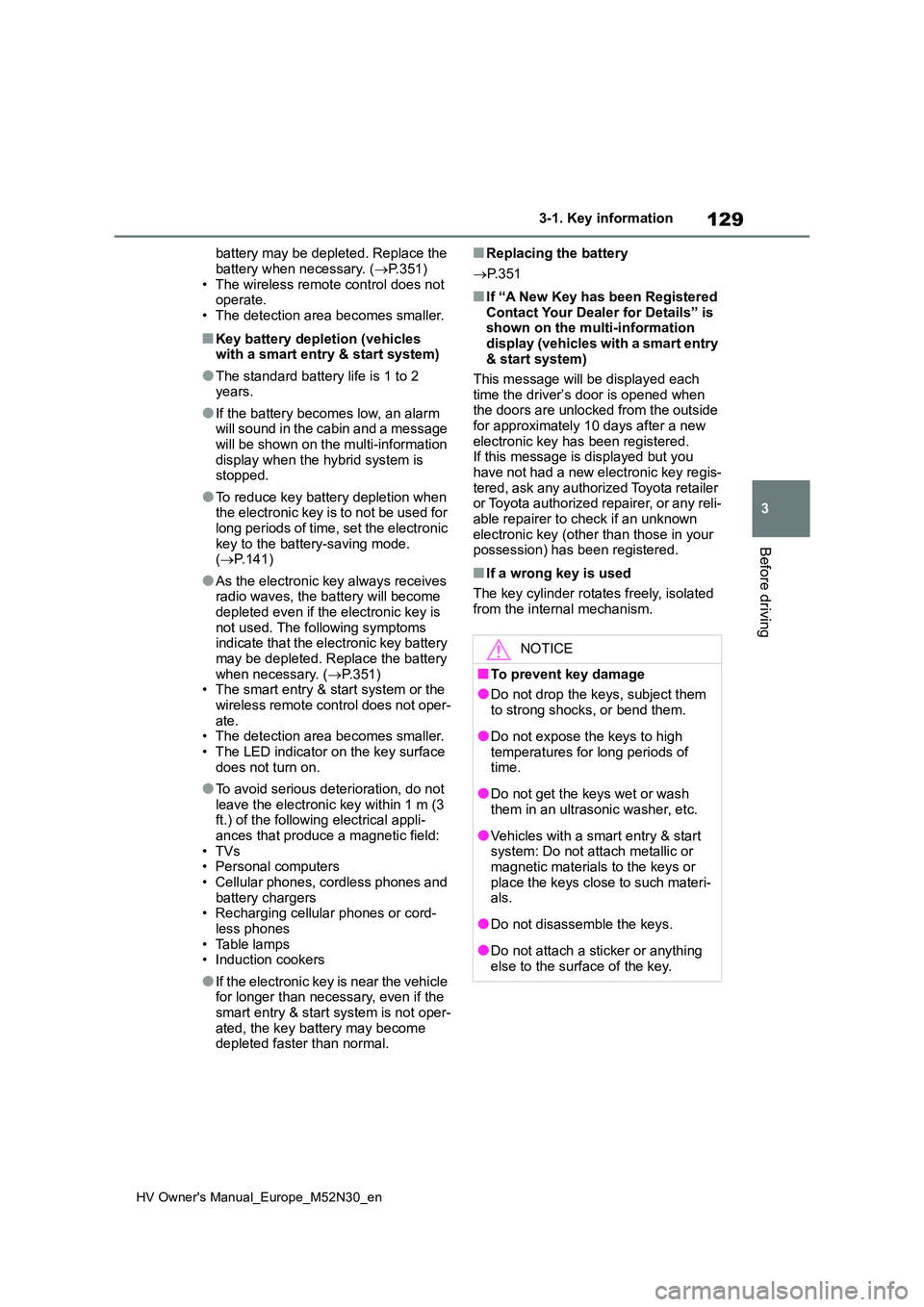
battery may be depleted. Replace the
battery when necessary. ( P.351) • The wireless remote control does not operate.
• The detection area becomes smaller.
■Key battery depletion (vehicles with a smart entry & start system)
●The standard battery life is 1 to 2 years.
●If the battery becomes low, an alarm will sound in the cabin and a message will be shown on the multi-information
display when the hybrid system is stopped.
●To reduce key battery depletion when the electronic key is to not be used for long periods of time, set the electronic
key to the battery-saving mode. ( P.141)
●As the electronic key always receives radio waves, the battery will become depleted even if the electronic key is
not used. The following symptoms indicate that the electronic key battery may be depleted. Replace the battery
when necessary. ( P.351) • The smart entry & start system or the wireless remote control does not oper-
ate. • The detection area becomes smaller.• The LED indicator on the key surface
does not turn on.
●To avoid serious deterioration, do not
leave the electronic key within 1 m (3 ft.) of the following electrical appli-ances that produce a magnetic field:
•TVs • Personal computers• Cellular phones, cordless phones and
battery chargers • Recharging cellular phones or cord-less phones
• Table lamps • Induction cookers
●If the electronic key is near the vehicle for longer than necessary, even if the smart entry & start system is not oper-
ated, the key battery may become depleted faster than normal.
■Replacing the battery
P. 3 5 1
■If “A New Key has been Registered Contact Your Dealer for Details” is shown on the multi-information
display (vehicles with a smart entry & start system)
This message will be displayed each
time the driver’s door is opened when the doors are unlocked from the outside for approximately 10 days after a new
electronic key has been registered. If this message is displayed but you have not had a new electronic key regis-
tered, ask any authorized Toyota retailer or Toyota authorized repairer, or any reli-able repairer to check if an unknown
electronic key (other than those in your possession) has been registered.
■If a wrong key is used
The key cylinder rotates freely, isolated
from the internal mechanism.
NOTICE
■To prevent key damage
●Do not drop the keys, subject them
to strong shocks, or bend them.
●Do not expose the keys to high
temperatures for long periods of time.
●Do not get the keys wet or wash them in an ultrasonic washer, etc.
●Vehicles with a smart entry & start system: Do not attach metallic or magnetic materials to the keys or
place the keys close to such materi- als.
●Do not disassemble the keys.
●Do not attach a sticker or anything
else to the surface of the key.
Page 307 of 590
305
5
HV Owner's Manual_Europe_M52N30_en
5-4. Other interior features
Interior features
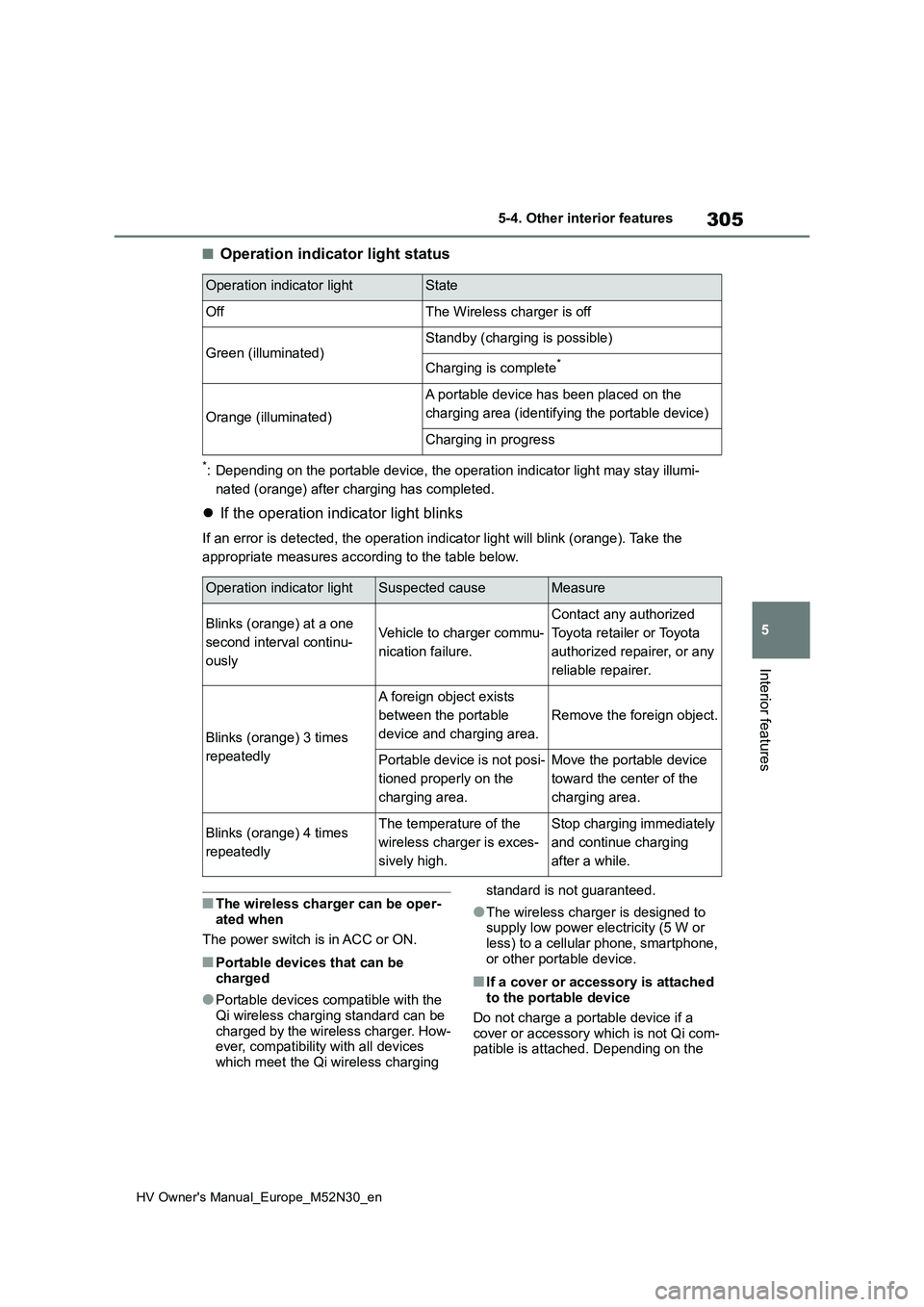
■Operation indicator light status
*: Depending on the portable device, the operation indicator light may stay illumi-
nated (orange) after charging has completed.
If the operation indicator light blinks
If an error is detected, the operation indicator light will blink (orange). Take the
appropriate measures according to the table below.
■The wireless charger can be oper-
ated when
The power switch is in ACC or ON.
■Portable devices that can be charged
●Portable devices compatible with the Qi wireless charging standard can be
charged by the wireless charger. How- ever, compatibility with all devices which meet the Qi wireless charging
standard is not guaranteed.
●The wireless charger is designed to supply low power electricity (5 W or
less) to a cellular phone, smartphone, or other portable device.
■If a cover or accessory is attached to the portable device
Do not charge a portable device if a cover or accessory which is not Qi com-patible is attached. Depending on the
Operation indicator lightState
OffThe Wireless charger is off
Green (illuminated)Standby (charging is possible)
Charging is complete*
Orange (illuminated)
A portable device has been placed on the
charging area (identifying the portable device)
Charging in progress
Operation indicator lightSuspected causeMeasure
Blinks (orange) at a one
second interval continu-
ously
Vehicle to charger commu-
nication failure.
Contact any authorized
Toyota retailer or Toyota
authorized repairer, or any
reliable repairer.
Blinks (orange) 3 times
repeatedly
A foreign object exists
between the portable
device and charging area.
Remove the foreign object.
Portable device is not posi-
tioned properly on the
charging area.
Move the portable device
toward the center of the
charging area.
Blinks (orange) 4 times
repeatedly
The temperature of the
wireless charger is exces-
sively high.
Stop charging immediately
and continue charging
after a while.