pcs TOYOTA YARIS 2022 Owners Manual
[x] Cancel search | Manufacturer: TOYOTA, Model Year: 2022, Model line: YARIS, Model: TOYOTA YARIS 2022Pages: 590, PDF Size: 128.6 MB
Page 5 of 590
3
HV Owner's Manual_Europe_M52N30_en
TABLE OF CONTENTS
1
6
5
4
3
2
8
7
3-5. Opening and closing the win-
dows
Power windows ................... 156
4-1. Before driving
Driving the vehicle .............. 160
Cargo and luggage ............. 166
Trailer towing (vehicles without
towing packages - including
Reunion) ........................... 167
Trailer towing (vehicles with tow-
ing packages - except for
Reunion) ........................... 167
4-2. Driving procedures
Power (ignition) s witch (vehicles
without a smart entry & start
system) ............................. 173
Power (ignition) s witch (vehicles
with a smart entry & start sys-
tem) .................................. 175
EV drive mode .................... 179
Hybrid transmission ............ 181
Turn signal lever ................. 184
Parking brake...................... 184
Brake Hold .......................... 187
4-3. Operating the lights and wip-
ers
Headlight switch.................. 190
AHB (Automatic High Beam)
.......................................... 193
Fog light switch ................... 196
Windshield wipers and washer
.......................................... 197
Rear window wiper and washer
.......................................... 200
4-4. Refueling
Opening the fuel tank cap ... 202
4-5. Using the driving support sys-
tems
Toyota Safety Sense ........... 204
PCS (Pre-Collision System) 209
LTA (Lane Tracing Assist) ... 220
Dynamic radar cruise control
with full-speed range ........ 230
Speed limiter ....................... 242
RSA (Road Sign Assist) ...... 244
BSM (Blind Spot Monitor) ... 248
Toyota parking assist-sensor
.......................................... 253
RCTA (Rear Crossing Traffic
Alert) ................................. 260
PKSB (Parking Support Brake)
.......................................... 265
Parking Support Brake function
(static objects) .................. 270
Parking Support Brake function
(rear-crossing vehicles) .... 273
Driving mode select switch . 275
GPF (Gasoline Particulate Filter)
system .............................. 276
Driving assist systems ........ 277
4-6. Driving tips
Hybrid vehicle driving tips ... 282
Winter driving tips ............... 284
4Driving
Page 37 of 590
35
1
HV Owner's Manual_Europe_M52N30_en
1-1. For safe use
For safety and security
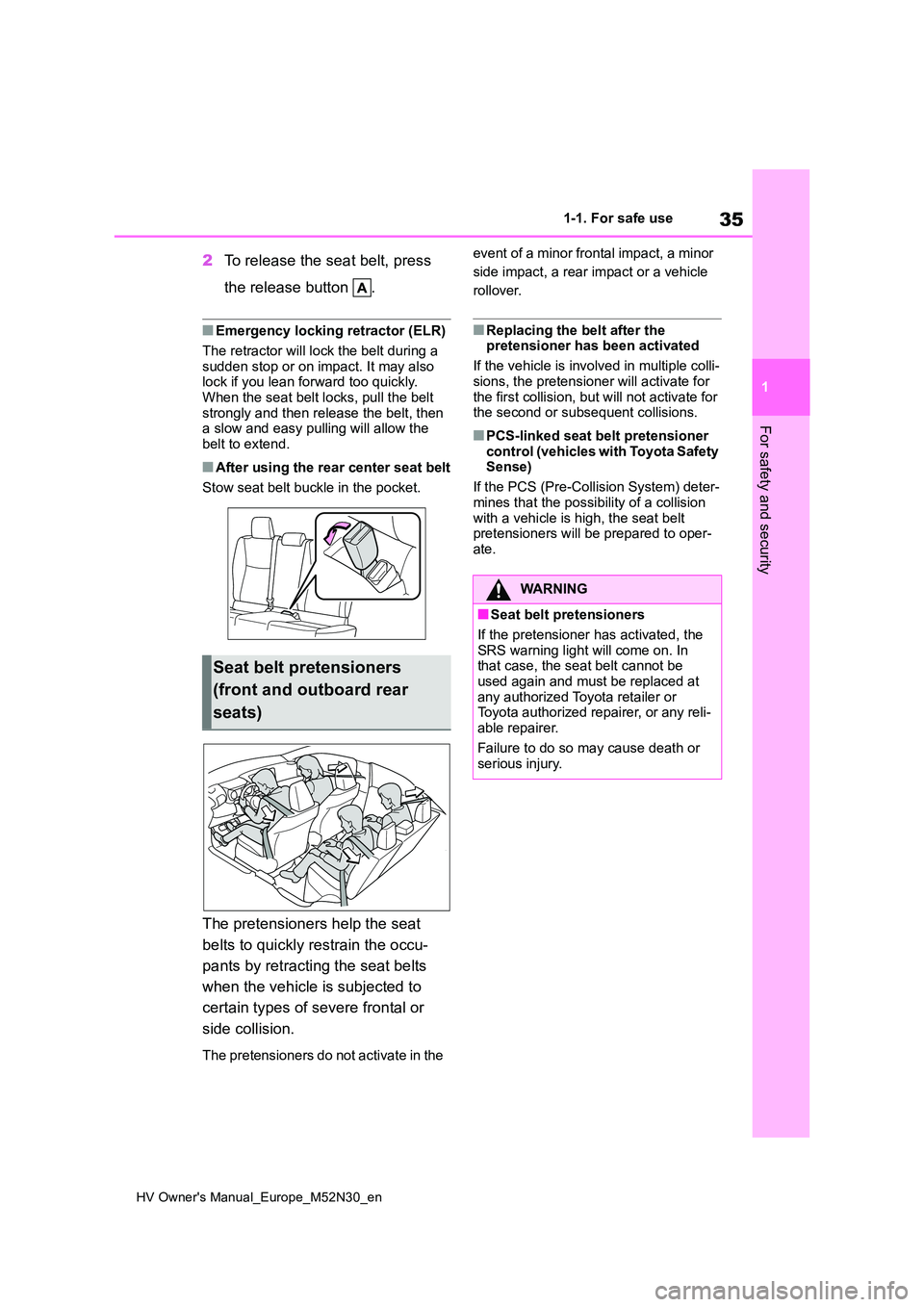
2To release the seat belt, press
the release button .
■Emergency locking retractor (ELR)
The retractor will lock the belt during a sudden stop or on impact. It may also lock if you lean forward too quickly.
When the seat belt locks, pull the belt strongly and then release the belt, then a slow and easy pulling will allow the
belt to extend.
■After using the rear center seat belt
Stow seat belt buckle in the pocket.
The pretensioners help the seat
belts to quickly restrain the occu-
pants by retracting the seat belts
when the vehicle is subjected to
certain types of severe frontal or
side collision.
The pretensioners do not activate in the
event of a minor frontal impact, a minor
side impact, a rear impact or a vehicle
rollover.
■Replacing the belt after the pretensioner has been activated
If the vehicle is involved in multiple colli-
sions, the pretensioner will activate for the first collision, but will not activate for the second or subsequent collisions.
■PCS-linked seat belt pretensioner
control (vehicles with Toyota Safety Sense)
If the PCS (Pre-Collision System) deter-
mines that the possibility of a collision with a vehicle is high, the seat belt pretensioners will be prepared to oper-
ate.
Seat belt pretensioners
(front and outboard rear
seats)
WARNING
■Seat belt pretensioners
If the pretensioner has activated, the SRS warning light will come on. In that case, the seat belt cannot be
used again and must be replaced at any authorized Toyota retailer or Toyota authorized repairer, or any reli-
able repairer.
Failure to do so may cause death or serious injury.
Page 94 of 590
92
HV Owner's Manual_Europe_M52N30_en
2-1. Instrument cluster
*1: These lights come on when the
power switch is turned to ON to indi-
cate that a system check is being
performed. They will turn off after the
hybrid system is started, or after a
few seconds. There may be a mal-
function in a system if the lights do
not come on, or turn off. Have the
vehicle inspected by any authorized
Toyota retailer or Toyota authorized
repairer, or any reliable repairer.
*2: This light illuminates on the multi-
information display.
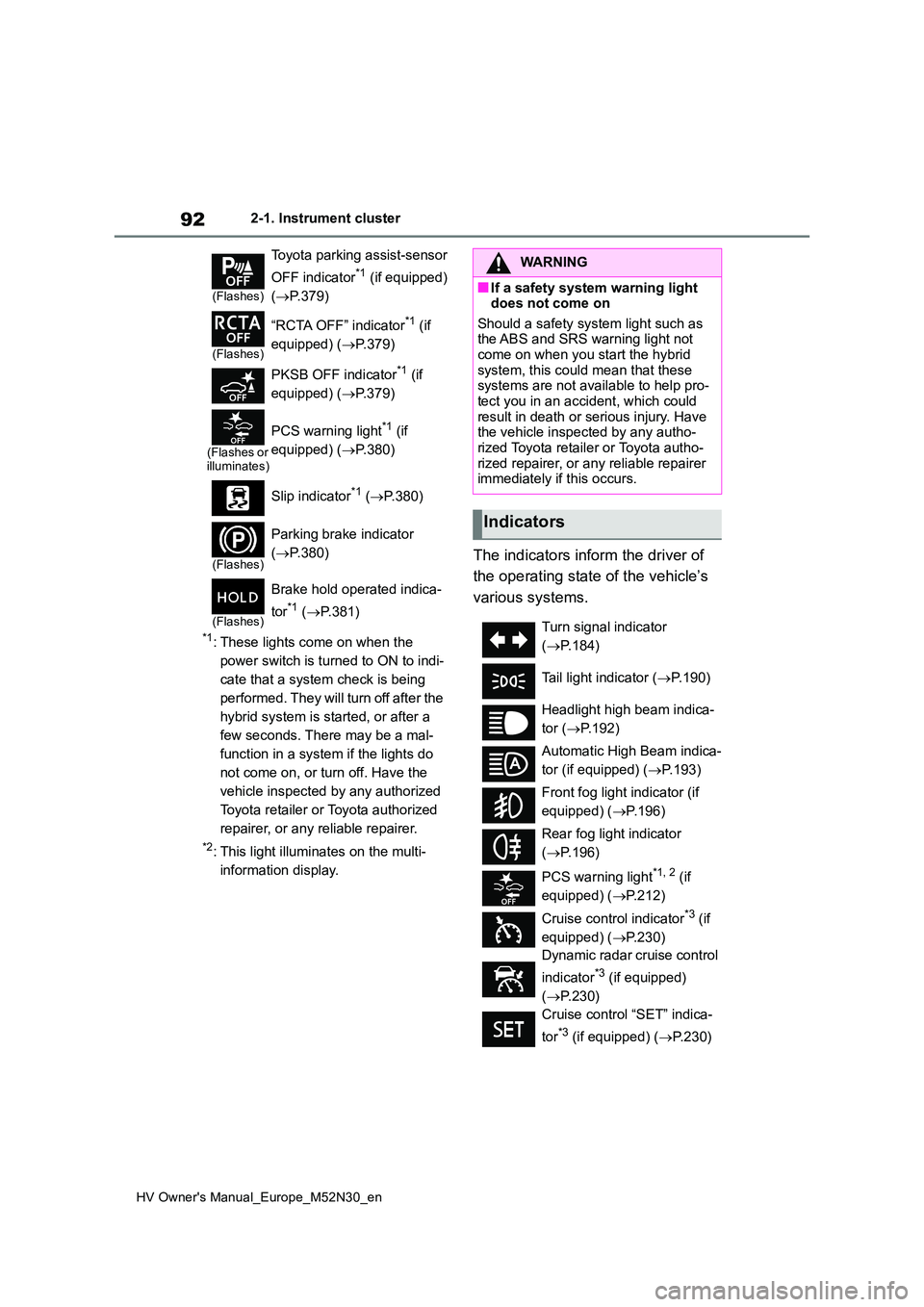
The indicators inform the driver of
the operating state of the vehicle’s
various systems.
(Flashes)
Toyota parking assist-sensor
OFF indicator*1 (if equipped)
( P.379)
(Flashes)
“RCTA OFF” indicator*1 (if
equipped) ( P.379)
PKSB OFF indicator*1 (if
equipped) ( P.379)
(Flashes or illuminates)
PCS warning light*1 (if
equipped) ( P.380)
Slip indicator*1 ( P.380)
(Flashes)
Parking brake indicator
( P.380)
(Flashes)
Brake hold operated indica-
tor*1 ( P.381)
WARNING
■If a safety system warning light does not come on
Should a safety system light such as the ABS and SRS warning light not come on when you start the hybrid
system, this could mean that these systems are not available to help pro-tect you in an accident, which could
result in death or serious injury. Have the vehicle inspected by any autho-rized Toyota retailer or Toyota autho-
rized repairer, or any reliable repairer immediately if this occurs.
Indicators
Turn signal indicator
( P.184)
Tail light indicator ( P.190)
Headlight high beam indica-
tor ( P.192)
Automatic High Beam indica-
tor (if equipped) ( P.193)
Front fog light indicator (if
equipped) ( P.196)
Rear fog light indicator
( P.196)
PCS warning light*1, 2 (if
equipped) ( P.212)
Cruise control indicator*3 (if
equipped) ( P.230)
Dynamic radar cruise control
indicator*3 (if equipped)
( P.230)
Cruise control “SET” indica-
tor*3 (if equipped) ( P.230)
Page 120 of 590
118
HV Owner's Manual_Europe_M52N30_en
2-1. Instrument cluster
Display angle
Select to adjust the angle of the head-
up display.
■Enabling/disabling of the head-up
display
If the head-up display is disabled, it will remain disabled when the power switch
is turned off then back to ON.
■Display brightness
The brightness of the head-up display
can be adjusted on of the multi-
information display. Also, it is automati-
cally adjusted according to the ambient
brightness.
■Driving support system status
display
Displays the operational status of
the following systems:
Dynamic radar cruise control
with full-speed range (if
equipped) ( P.230)
LTA (Lane Tracing Assist) (if
equipped) ( P.220)
Details of content displayed on the
head-up display may differ from that
displayed on the multi-information dis-
play. For details, refer to the explana-
tion of each system.
■Navigation system-linked dis-
play area (if equipped)
Displays the following items which
are linked to the navigation system:
Street name
Route guidance to destination (if
equipped)
Compass (heading-up display)
Pop-up displays for the following
systems will be displayed when
necessary:
■Driving support systems
Displays a warning/sugges-
tion/advice message or the operat-
ing state of a relevant system.
PCS (Pre-Collision System) (if
WARNING
■Caution for changing settings of the head-up display
If the hybrid system is operating while
changing certain settings on the set- tings display, ensure that the vehicle is parked in a place with adequate
ventilation. In a closed area such as a garage, exhaust gases including harmful carbon monoxide (CO) may
collect and enter the vehicle. This may lead to death or a serious health hazard.
NOTICE
■When changing the settings of the head-up display
To prevent 12-volt battery discharge, ensure that the hybrid system is oper-ating while changing the settings of
the head-up display.
Driving support system sta-
tus/navigation system-
linked display area
Pop-up display
Page 161 of 590
4
159
HV Owner's Manual_Europe_M52N30_en
4
Driving
Driving
4-1. Before driving
Driving the vehicle ............ 160
Cargo and luggage ........... 166
Trailer towing (vehicles without
towing packages - including
Reunion) ......................... 167
Trailer towing (vehicles with
towing packages - except for
Reunion) ......................... 167
4-2. Driving procedures
Power (ignition) switch (vehi-
cles without a smart entry &
start system) ................... 173
Power (ignition) switch (vehi-
cles with a smart entry & start
system) ........................... 175
EV drive mode .................. 179
Hybrid transmission .......... 181
Turn signal lever ............... 184
Parking brake ................... 184
Brake Hold ........................ 187
4-3. Operating the lights and wip-
ers
Headlight switch ............... 190
AHB (Automatic High Beam)
....................................... 193
Fog light switch ................. 196
Windshield wipers and washer
....................................... 197
Rear window wiper and washer
....................................... 200
4-4. Refueling
Opening the fuel tank cap. 202
4-5. Using the driving support
systems
Toyota Safety Sense ......... 204
PCS (Pre-Collision System)
........................................ 209
LTA (Lane Tracing Assist) . 220
Dynamic radar cruise control
with full-speed range ...... 230
Speed limiter ..................... 242
RSA (Road Sign Assist) .... 244
BSM (Blind Spot Monitor) . 248
Toyota parking assist-sensor
........................................ 253
RCTA (Rear Crossing Traffic
Alert) ............................... 260
PKSB (Parking Support Brake)
........................................ 265
Parking Support Brake function
(static objects) ................ 270
Parking Support Brake function
(rear-crossing vehicles) .. 273
Driving mode select switch 275
GPF (Gasoline Particulate Fil-
ter) system ...................... 276
Driving assist systems ...... 277
4-6. Driving tips
Hybrid vehicle driving tips . 282
Winter driving tips ............. 284
Page 206 of 590
204
HV Owner's Manual_Europe_M52N30_en
4-5. Using the driving support systems
4-5.Using the d riving s upport sy ste ms
*: If equipped
■PCS (Pre-Collision System)
P. 2 0 9
■LTA (Lane Tracing Assist)
P. 2 2 0
■AHB (Automatic High Beam)
P. 1 9 3
■RSA (Road Sign Assist) (if
equipped)
P. 2 4 4
■Dynamic radar cruise control
with full-speed range
P. 2 3 0
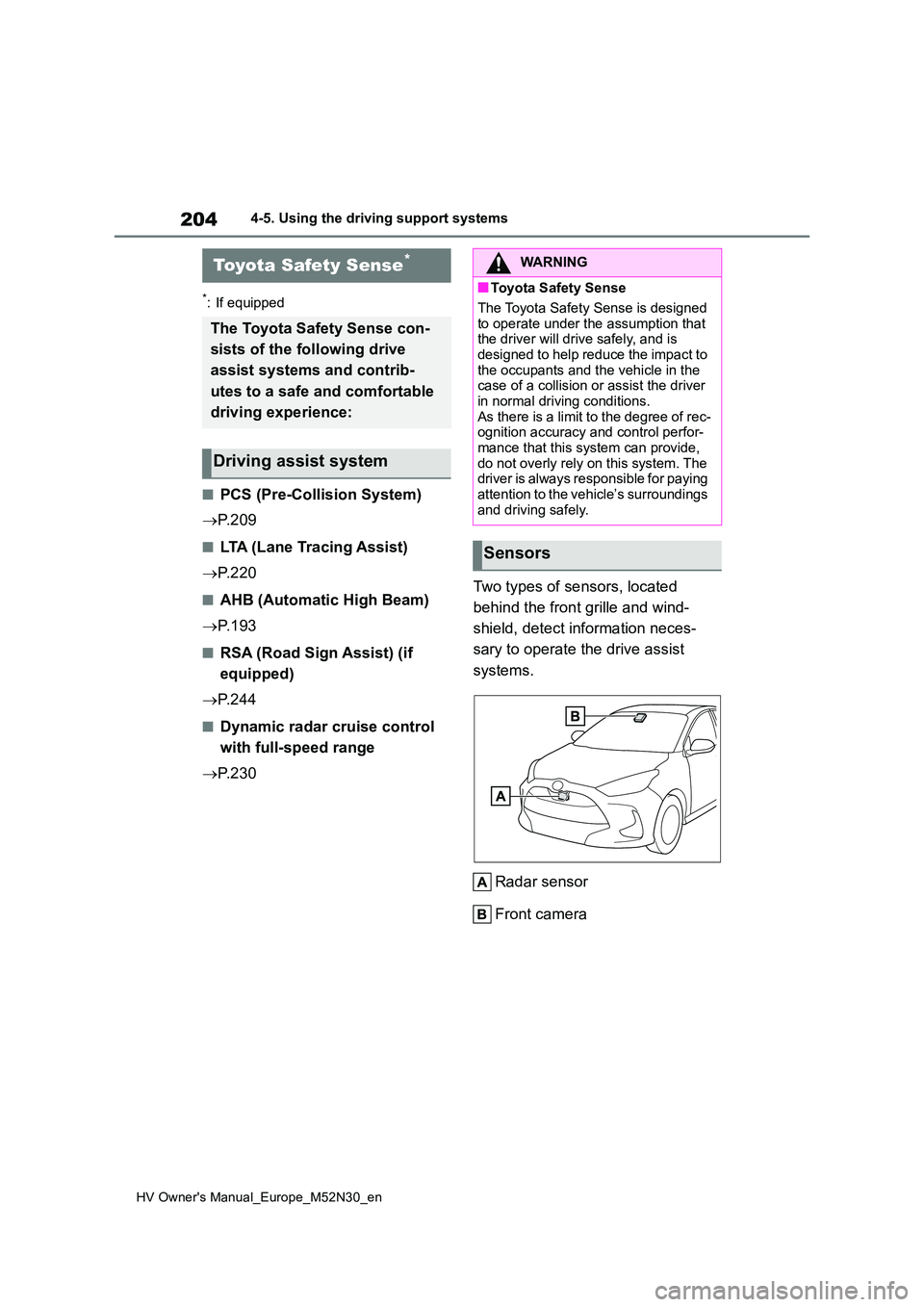
Two types of sensors, located
behind the front grille and wind-
shield, detect information neces-
sary to operate the drive assist
systems.
Radar sensor
Front camera
Toyota Safety Sense*
The Toyota Safety Sense con-
sists of the following drive
assist systems and contrib-
utes to a safe and comfortable
driving experience:
Driving assist system
WARNING
■Toyota Safety Sense
The Toyota Safety Sense is designed
to operate under the assumption that the driver will drive safely, and is designed to help reduce the impact to
the occupants and the vehicle in the case of a collision or assist the driver in normal driving conditions.
As there is a limit to the degree of rec- ognition accuracy and control perfor-mance that this system can provide,
do not overly rely on this system. The driver is always responsible for paying attention to the vehicle’s surroundings
and driving safely.
Sensors
Page 211 of 590
209
4
HV Owner's Manual_Europe_M52N30_en
4-5. Using the driving support systems
Driving
*: If equipped
The system can detect the follow-
ing (The detectable objects differs
depending on the function.):
Vehicles
Bicyclists
Pedestrians
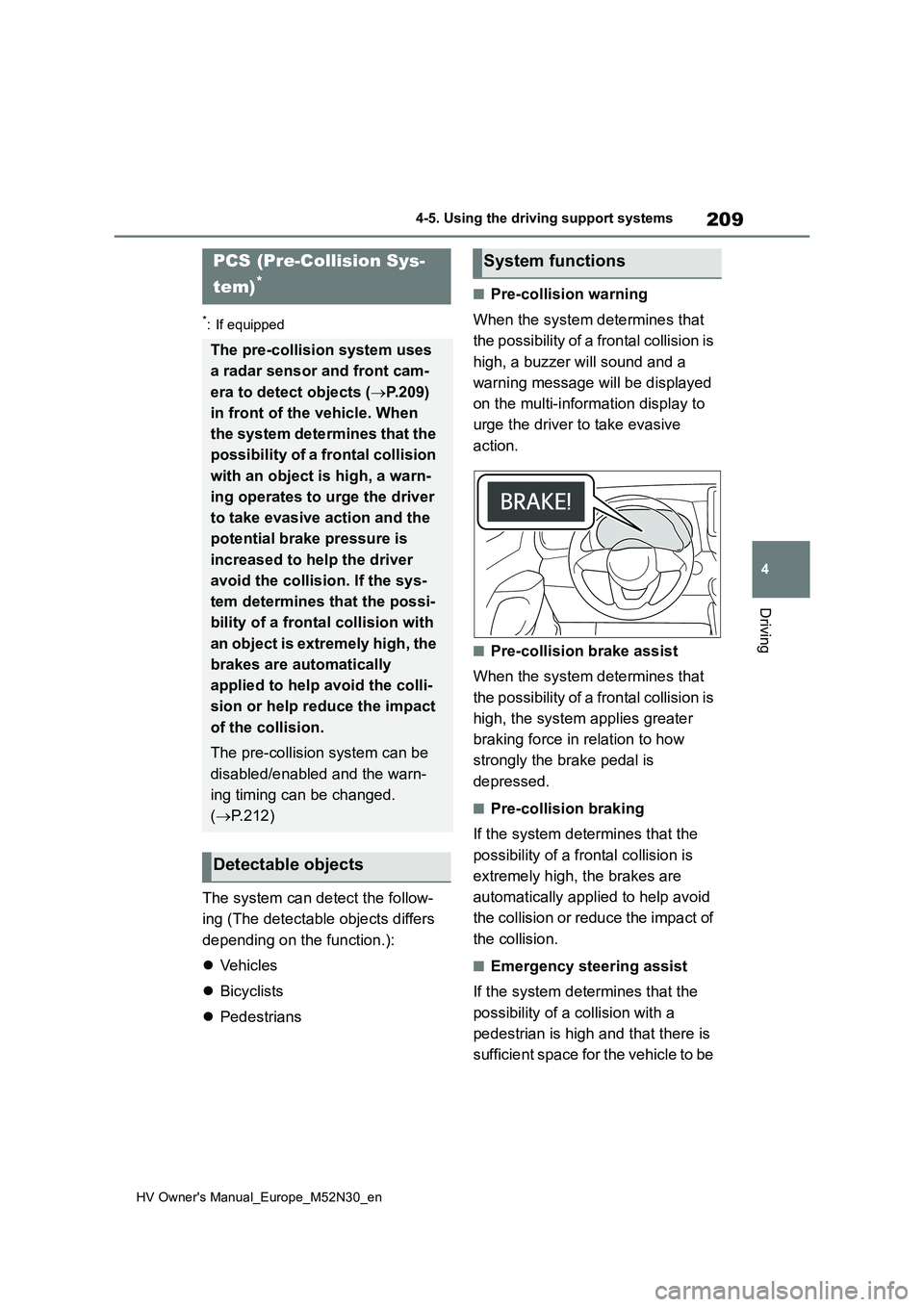
■Pre-collision warning
When the system determines that
the possibility of a frontal collision is
high, a buzzer will sound and a
warning message will be displayed
on the multi-information display to
urge the driver to take evasive
action.
■Pre-collision brake assist
When the system determines that
the possibility of a frontal collision is
high, the system applies greater
braking force in relation to how
strongly the brake pedal is
depressed.
■Pre-collision braking
If the system determines that the
possibility of a frontal collision is
extremely high, the brakes are
automatically applied to help avoid
the collision or reduce the impact of
the collision.
■Emergency steering assist
If the system determines that the
possibility of a collision with a
pedestrian is high and that there is
sufficient space for the vehicle to be
PCS (Pre-Collision Sys-
tem)*
The pre-collision system uses
a radar sensor and front cam-
era to detect objects ( P.209)
in front of the vehicle. When
the system determines that the
possibility of a frontal collision
with an object is high, a warn-
ing operates to urge the driver
to take evasive action and the
potential brake pressure is
increased to he lp the driver
avoid the collision. If the sys-
tem determines that the possi-
bility of a frontal collision with
an object is extremely high, the
brakes are automatically
applied to help avoid the colli-
sion or help reduce the impact
of the collision.
The pre-collision system can be
disabled/enabled and the warn-
ing timing can be changed.
( P.212)
Detectable objects
System functions
Page 214 of 590
212
HV Owner's Manual_Europe_M52N30_en
4-5. Using the driving support systems
■Enabling/disabling the pre-col-
lision system
The pre-collision system can be
enabled/disabled on ( P.431)
of the multi-information display.
The system is automatically enabled
each time the power switch is turned to
ON.
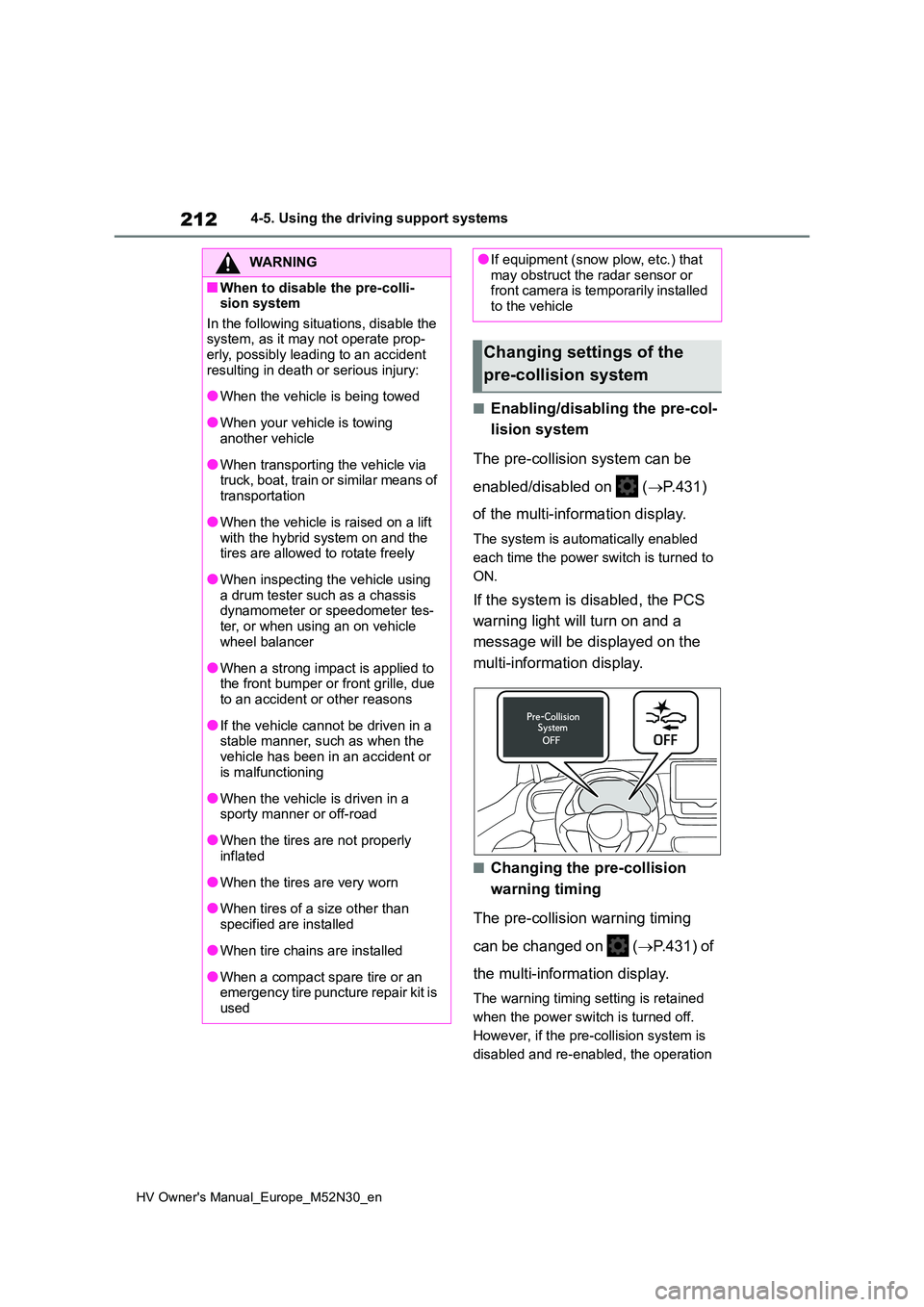
If the system is disabled, the PCS
warning light will turn on and a
message will be displayed on the
multi-information display.
■Changing the pre-collision
warning timing
The pre-collision warning timing
can be changed on ( P.431) of
the multi-information display.
The warning timing setting is retained
when the power switch is turned off.
However, if the pre-collision system is
disabled and re-enabled, the operation
WARNING
■When to disable the pre-colli- sion system
In the following situations, disable the system, as it may not operate prop-erly, possibly leading to an accident
resulting in death or serious injury:
●When the vehicle is being towed
●When your vehicle is towing another vehicle
●When transporting the vehicle via truck, boat, train or similar means of
transportation
●When the vehicle is raised on a lift
with the hybrid system on and the tires are allowed to rotate freely
●When inspecting the vehicle using a drum tester such as a chassis dynamometer or speedometer tes-
ter, or when using an on vehicle wheel balancer
●When a strong impact is applied to the front bumper or front grille, due to an accident or other reasons
●If the vehicle cannot be driven in a stable manner, such as when the
vehicle has been in an accident or is malfunctioning
●When the vehicle is driven in a sporty manner or off-road
●When the tires are not properly inflated
●When the tires are very worn
●When tires of a size other than
specified are installed
●When tire chains are installed
●When a compact spare tire or an emergency tire puncture repair kit is
used
●If equipment (snow plow, etc.) that may obstruct the radar sensor or front camera is temporarily installed
to the vehicle
Changing settings of the
pre-collision system
Page 221 of 590
219
4
HV Owner's Manual_Europe_M52N30_en
4-5. Using the driving support systems
Driving
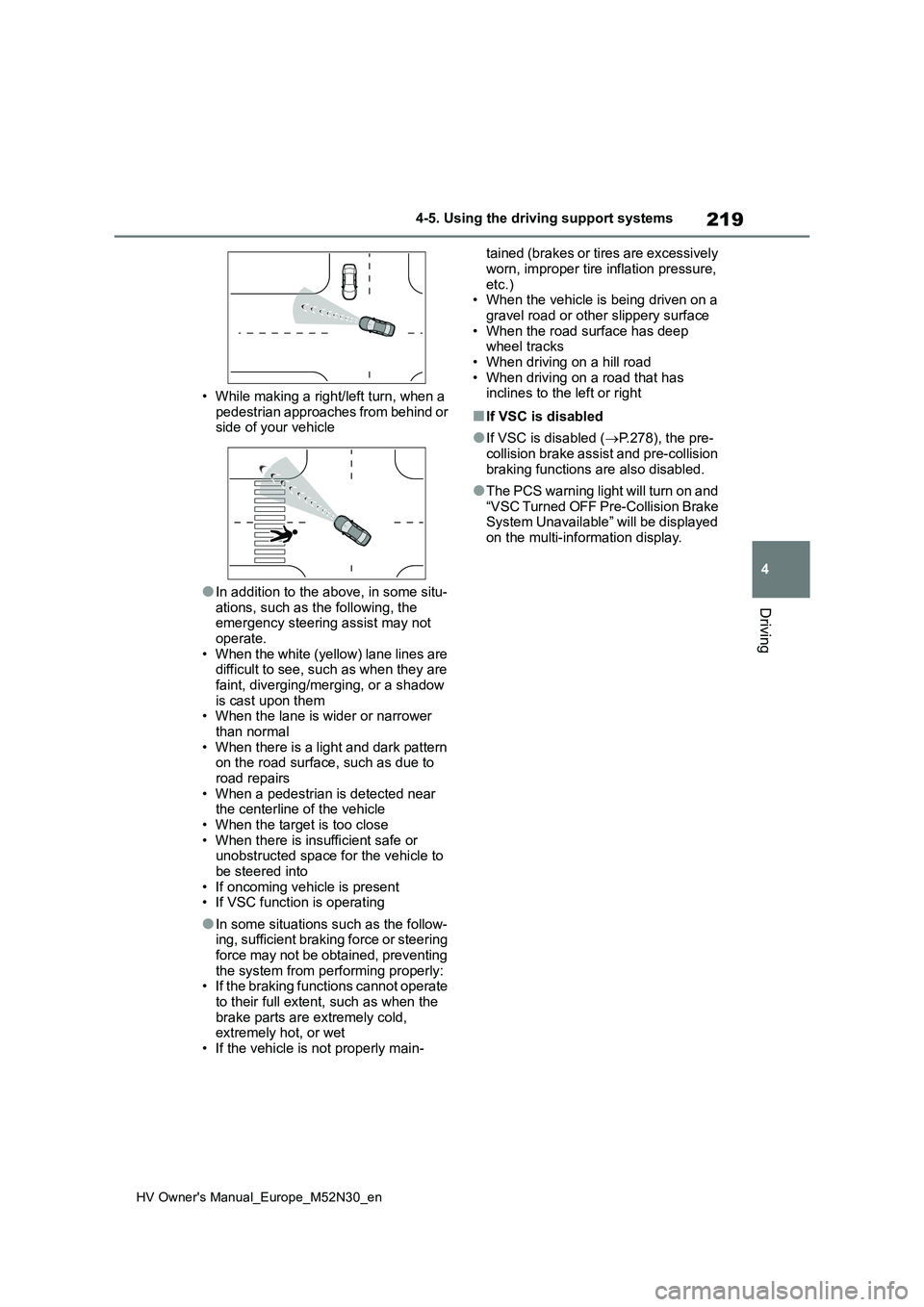
• While making a right/left turn, when a
pedestrian approaches from behind or side of your vehicle
●In addition to the above, in some situ-ations, such as the following, the emergency steering assist may not
operate. • When the white (yellow) lane lines are difficult to see, such as when they are
faint, diverging/merging, or a shadow is cast upon them• When the lane is wider or narrower
than normal • When there is a light and dark pattern on the road surface, such as due to
road repairs • When a pedestrian is detected near the centerline of the vehicle
• When the target is too close • When there is insufficient safe or unobstructed space for the vehicle to
be steered into • If oncoming vehicle is present• If VSC function is operating
●In some situations such as the follow-ing, sufficient braking force or steering
force may not be obtained, preventing the system from performing properly:• If the braking functions cannot operate
to their full extent, such as when the brake parts are extremely cold, extremely hot, or wet
• If the vehicle is not properly main-
tained (brakes or tires are excessively
worn, improper tire inflation pressure, etc.)• When the vehicle is being driven on a
gravel road or other slippery surface • When the road surface has deep wheel tracks
• When driving on a hill road • When driving on a road that has inclines to the left or right
■If VSC is disabled
●If VSC is disabled ( P.278), the pre- collision brake assist and pre-collision
braking functions are also disabled.
●The PCS warning light will turn on and
“VSC Turned OFF Pre-Collision Brake System Unavailable” will be displayed on the multi-information display.
Page 229 of 590
227
4
HV Owner's Manual_Europe_M52N30_en
4-5. Using the driving support systems
Driving
• LTA is turned on.
• Vehicle speed is approximately 50
km/h (32 mph) or more.*1
• System recognizes white (yellow) lane
lines or a course*2. (When a white
[yellow] line or course*2 is recognized on only one side, the system will oper-
ate only for the recognized side.) • Width of traffic lane is approximately 3 m (9.8 ft.) or more.
• Turn signal lever is not operated.
(Vehicle with BSM: Except when
another vehicle is in the lane on the side
where the turn signal was operated)
• Vehicle is not being driven around a sharp curve.
• No system malfunctions are detected. ( P.229)*1: The function operates even if the
vehicle speed is less than approxi-
mately 50 km/h (32 mph) when the
lane centering function is operating.
*2: Boundary between asphalt and the
side of the road, such as grass, soil,
or a curb
●Steering assist function
This function operates when all of the
following conditions are met in addition
to the operation conditions for the lane
departure alert function.
• Vehicle is not accelerated or deceler- ated by a fixed amount or more.
• Steering wheel is not operated with a steering force level suitable for chang-ing lanes.
• ABS, VSC, TRC and PCS are not operating.• TRC or VSC is not turned off.
• Hands off steering wheel warning is not displayed. ( P.228)
●Vehicle sway warning function
This function operates when all of the
following conditions are met.
• Setting for “Sway Warning” in of
the multi-information display is set to
“ON”. ( P.431) • Vehicle speed is approximately 50
km/h (32 mph) or more. • Width of traffic lane is approximately 3 m (9.8 ft.) or more.
• No system malfunctions are detected. ( P.229)
●Lane centering function
This function operates when all of the
following conditions are met.
• LTA is turned on.
• Setting for “Lane Center” in of the
multi-information display is set to “ON”
( P.431) • This function recognizes white (yel- low) lane lines or the position of a pre-
ceding vehicle (except when the preceding vehicle is small, such as a motorcycle).
• The dynamic radar cruise control with full-speed range is operating in vehi-cle-to-vehicle distance control mode.
• Width of traffic lane is approximately 3 to 4 m (10 to 13 ft.).• Turn signal lever is not operated.
• Vehicle is not being driven around a sharp curve.• No system malfunctions are detected.
( P.229) • Vehicle does not accelerate or decel-erate by a fixed amount or more.
• Steering wheel is not operated with a steering force level suitable for chang-ing lanes.
• ABS, VSC, TRC and PCS are not operating.• TRC or VSC is not turned off.
• Hands off steering wheel warning is not displayed. ( P.228) • The vehicle is being driven in the
center of a lane. • Steering assist function is not operat-ing.
■Temporary cancelation of functions
●When operation conditions are no lon-ger met, a function may be temporar-
ily canceled. However, when the operation conditions are met again, operation of the function is automati-