cruise control TOYOTA YARIS CROSS 2021 User Guide
[x] Cancel search | Manufacturer: TOYOTA, Model Year: 2021, Model line: YARIS CROSS, Model: TOYOTA YARIS CROSS 2021Pages: 650, PDF Size: 132.86 MB
Page 123 of 650
121
2
YARIS CROSS Owner's Manual_Europe_M52K60_en
2-1. Instrument cluster
Vehicle status information and indicators
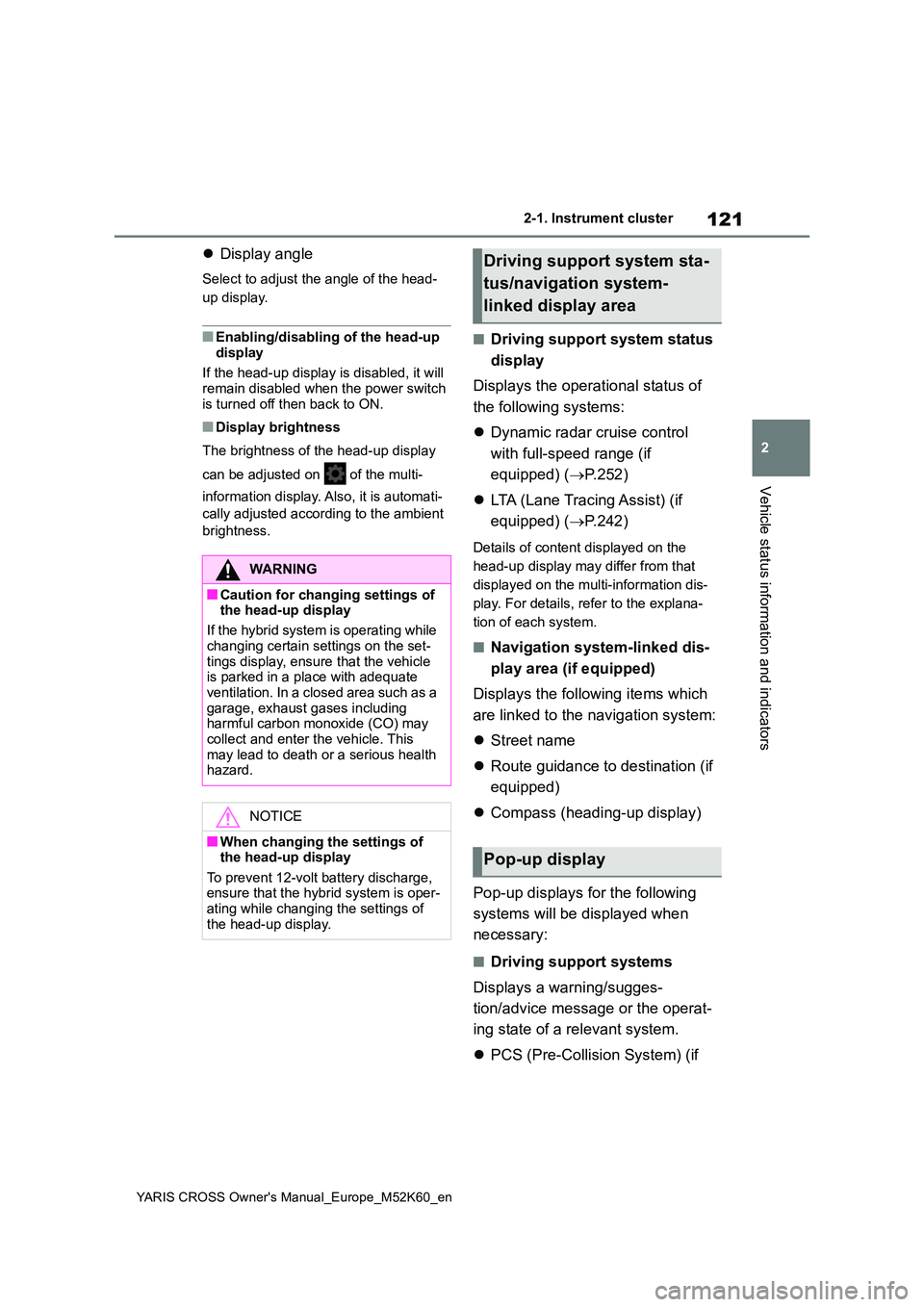
Display angle
Select to adjust the angle of the head-
up display.
■Enabling/disabling of the head-up
display
If the head-up display is disabled, it will remain disabled when the power switch
is turned off then back to ON.
■Display brightness
The brightness of the head-up display
can be adjusted on of the multi-
information display. Also, it is automati-
cally adjusted according to the ambient
brightness.
■Driving support system status
display
Displays the operational status of
the following systems:
Dynamic radar cruise control
with full-speed range (if
equipped) ( P.252)
LTA (Lane Tracing Assist) (if
equipped) ( P.242)
Details of content displayed on the
head-up display may differ from that
displayed on the multi-information dis-
play. For details, refer to the explana-
tion of each system.
■Navigation system-linked dis-
play area (if equipped)
Displays the following items which
are linked to the navigation system:
Street name
Route guidance to destination (if
equipped)
Compass (heading-up display)
Pop-up displays for the following
systems will be displayed when
necessary:
■Driving support systems
Displays a warning/sugges-
tion/advice message or the operat-
ing state of a relevant system.
PCS (Pre-Collision System) (if
WARNING
■Caution for changing settings of the head-up display
If the hybrid system is operating while
changing certain settings on the set- tings display, ensure that the vehicle is parked in a place with adequate
ventilation. In a closed area such as a garage, exhaust gases including harmful carbon monoxide (CO) may
collect and enter the vehicle. This may lead to death or a serious health hazard.
NOTICE
■When changing the settings of the head-up display
To prevent 12-volt battery discharge, ensure that the hybrid system is oper-ating while changing the settings of
the head-up display.
Driving support system sta-
tus/navigation system-
linked display area
Pop-up display
Page 175 of 650
4
173
YARIS CROSS Owner's Manual_Europe_M52K60_en
4
Driving
Driving
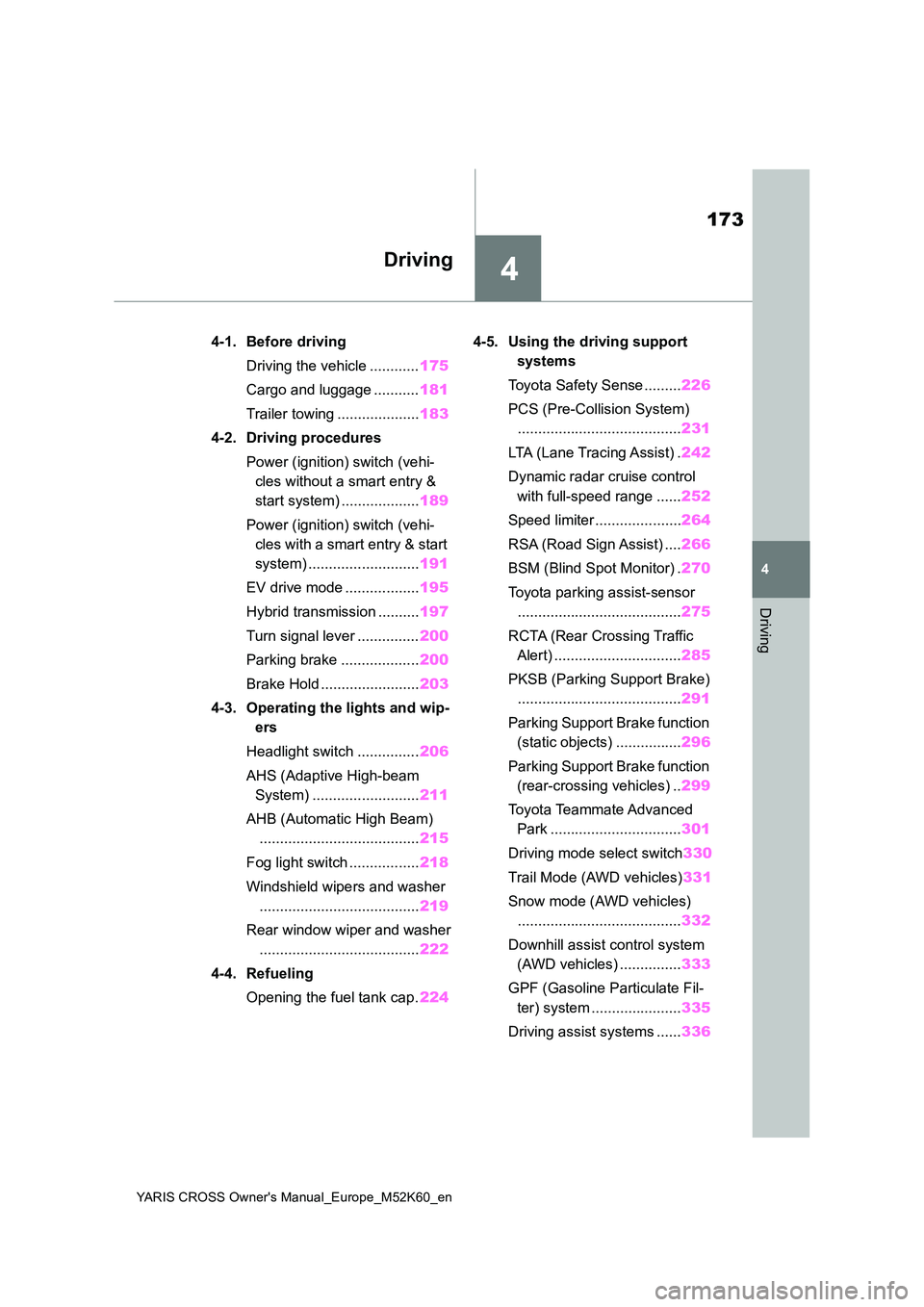
4-1. Before driving
Driving the vehicle ............ 175
Cargo and luggage ........... 181
Trailer towing .................... 183
4-2. Driving procedures
Power (ignition) switch (vehi-
cles without a smart entry &
start system) ................... 189
Power (ignition) switch (vehi-
cles with a smart entry & start
system) ........................... 191
EV drive mode .................. 195
Hybrid transmission .......... 197
Turn signal lever ............... 200
Parking brake ................... 200
Brake Hold ........................ 203
4-3. Operating the lights and wip-
ers
Headlight switch ............... 206
AHS (Adaptive High-beam
System) .......................... 211
AHB (Automatic High Beam)
....................................... 215
Fog light switch ................. 218
Windshield wipers and washer
....................................... 219
Rear window wiper and washer
....................................... 222
4-4. Refueling
Opening the fuel tank cap. 224
4-5. Using the driving support
systems
Toyota Safety Sense ......... 226
PCS (Pre-Collision System)
........................................ 231
LTA (Lane Tracing Assist) . 242
Dynamic radar cruise control
with full-speed range ...... 252
Speed limiter ..................... 264
RSA (Road Sign Assist) .... 266
BSM (Blind Spot Monitor) . 270
Toyota parking assist-sensor
........................................ 275
RCTA (Rear Crossing Traffic
Alert) ............................... 285
PKSB (Parking Support Brake)
........................................ 291
Parking Support Brake function
(static objects) ................ 296
Parking Support Brake function
(rear-crossing vehicles) .. 299
Toyota Teammate Advanced
Park ................................ 301
Driving mode select switch 330
Trail Mode (AWD vehicles) 331
Snow mode (AWD vehicles)
........................................ 332
Downhill assist control system
(AWD vehicles) ............... 333
GPF (Gasoline Particulate Fil-
ter) system ...................... 335
Driving assist systems ...... 336
Page 190 of 650
188
YARIS CROSS Owner's Manual_Europe_M52K60_en
4-1. Before driving
WARNING
■Before descending hills or long declines
Reduce speed and downshift. How- ever, never downshift suddenly while descending steep or long downhill
grades.
■Operation of the brake pedal
Do not hold the brake pedal depressed often or for long periods of time. Doing so may result in the brake
overheating or reduce braking effects.
■To avoid accident or injury
●Vehicles with a compact spare tire: Do not tow a trailer when the com-pact spare tire is installed on your
vehicle.
●Vehicles with the emergency tire
puncture repair kit: Do not tow a trailer when the tire installed is repaired with the emergency tire
puncture repair kit.
●Vehicles with a Dynamic radar
cruise control with full-speed range: Do not use dynamic radar cruise control when you are towing.
NOTICE
■Do not directly splice trailer lights
Directly splicing trailer lights may damage your vehicle’s electrical sys-tem and cause a malfunction.
Page 199 of 650
197
4
YARIS CROSS Owner's Manual_Europe_M52K60_en
4-2. Driving procedures
Driving
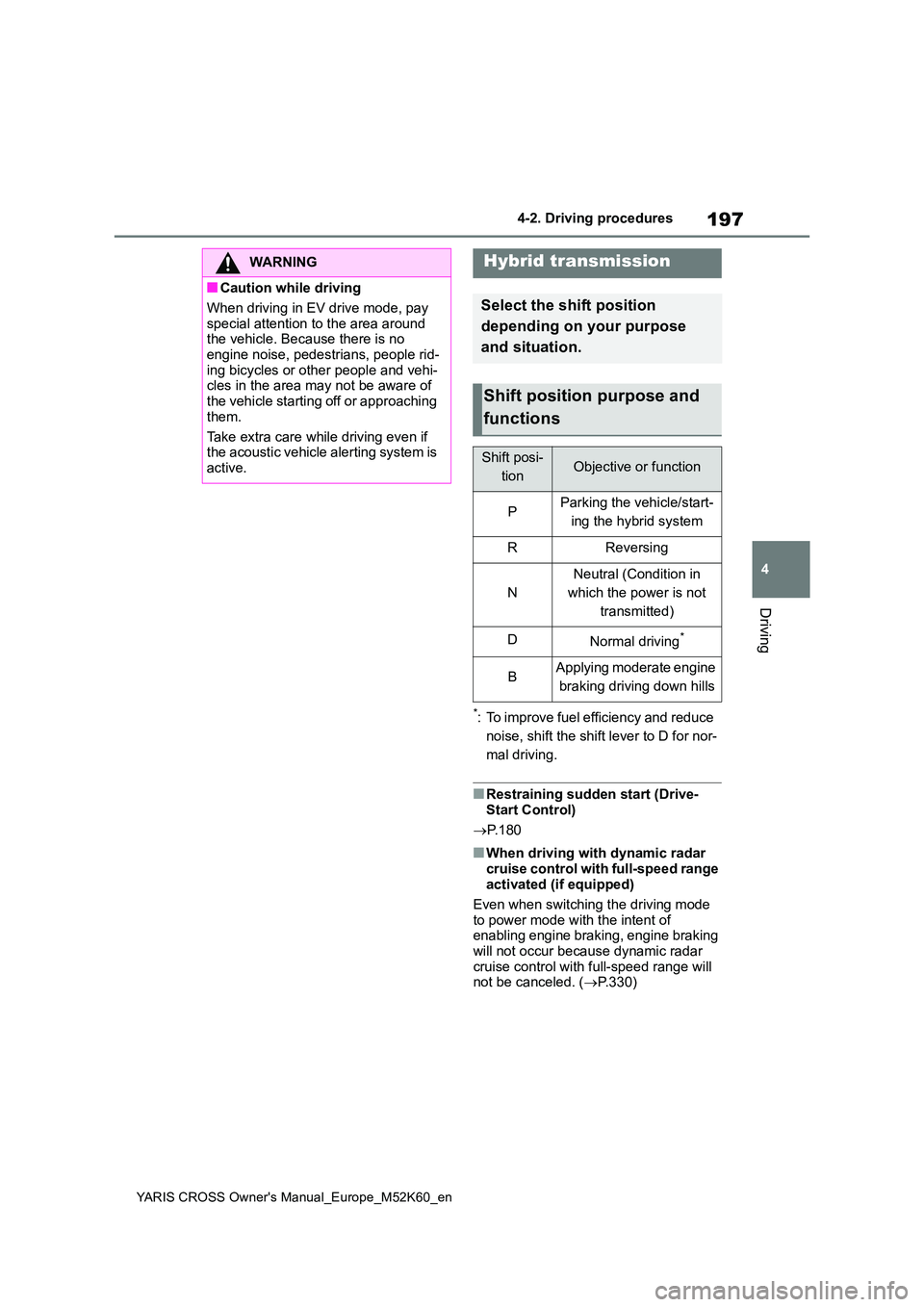
*: To improve fuel efficiency and reduce
noise, shift the shift lever to D for nor-
mal driving.
■Restraining sudden start (Drive- Start Control)
P. 1 8 0
■When driving with dynamic radar
cruise control with full-speed range activated (if equipped)
Even when switching the driving mode
to power mode with the intent of enabling engine braking, engine braking will not occur because dynamic radar
cruise control with full-speed range will not be canceled. ( P.330)
WARNING
■Caution while driving
When driving in EV drive mode, pay
special attention to the area around the vehicle. Because there is no engine noise, pedestrians, people rid-
ing bicycles or other people and vehi- cles in the area may not be aware of the vehicle starting off or approaching
them.
Take extra care while driving even if the acoustic vehicle alerting system is
active.
Hybrid transmission
Select the shift position
depending on your purpose
and situation.
Shift position purpose and
functions
Shift posi-
tionObjective or function
PParking the vehicle/start-
ing the hybrid system
RReversing
N
Neutral (Condition in
which the power is not
transmitted)
DNormal driving*
BApplying moderate engine
braking driving down hills
Page 228 of 650
226
YARIS CROSS Owner's Manual_Europe_M52K60_en
4-5. Using the driving support systems
4-5.Using the d riving s upport sy ste ms
*: If equipped
■PCS (Pre-Collision System)
P. 2 3 1
■LTA (Lane Tracing Assist)
P. 2 4 2
■AHS (Adaptive High-beam
System) (if equipped)
P. 2 1 1
■AHB (Automatic High Beam)
(if equipped)
P. 2 1 5
■RSA (Road Sign Assist)
P. 2 6 6
■Dynamic radar cruise control
with full-speed range
P. 2 5 2
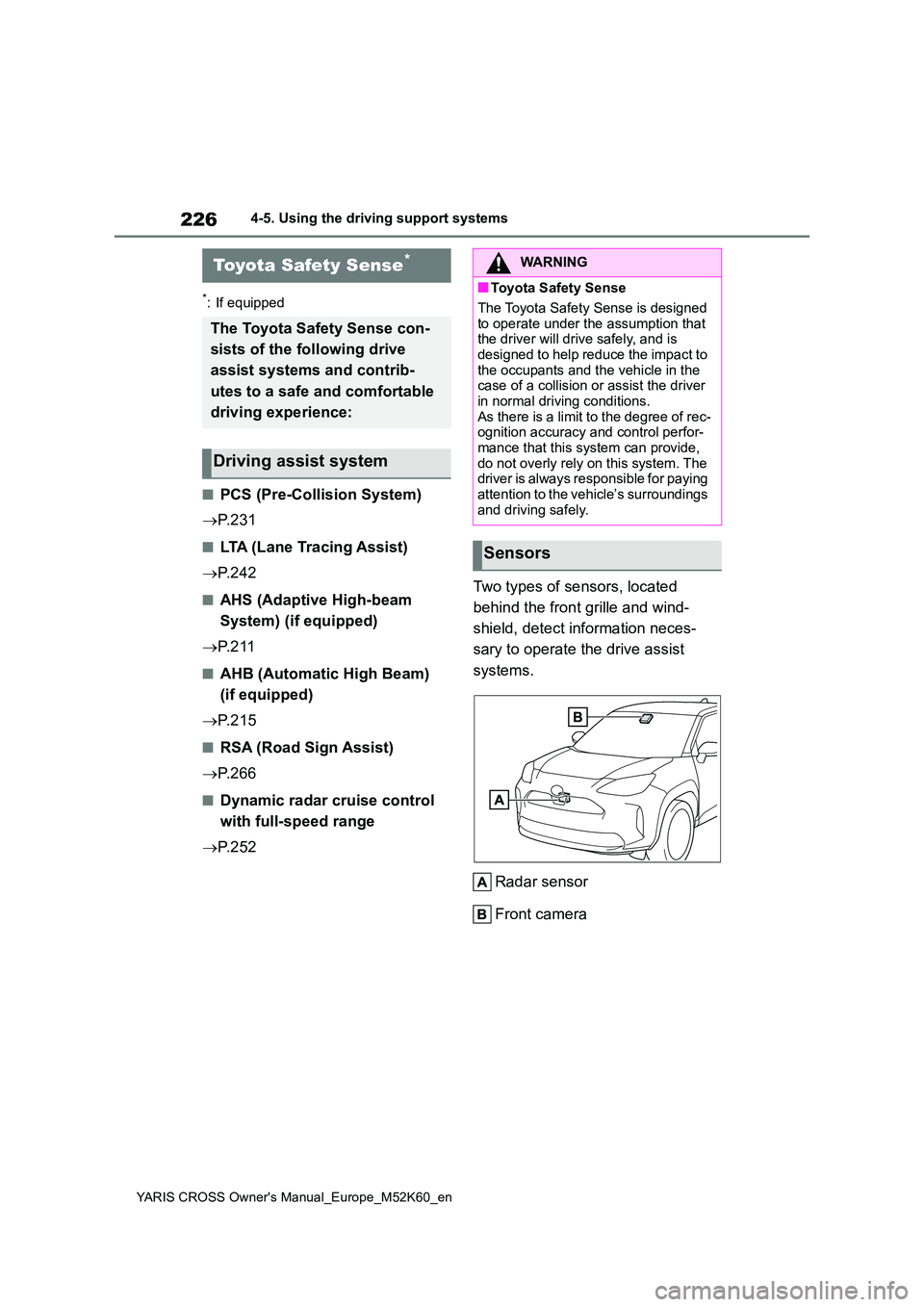
Two types of sensors, located
behind the front grille and wind-
shield, detect information neces-
sary to operate the drive assist
systems.
Radar sensor
Front camera
Toyota Safety Sense*
The Toyota Safety Sense con-
sists of the following drive
assist systems and contrib-
utes to a safe and comfortable
driving experience:
Driving assist system
WARNING
■Toyota Safety Sense
The Toyota Safety Sense is designed
to operate under the assumption that the driver will drive safely, and is designed to help reduce the impact to
the occupants and the vehicle in the case of a collision or assist the driver in normal driving conditions.
As there is a limit to the degree of rec- ognition accuracy and control perfor-mance that this system can provide,
do not overly rely on this system. The driver is always responsible for paying attention to the vehicle’s surroundings
and driving safely.
Sensors
Page 244 of 650
242
YARIS CROSS Owner's Manual_Europe_M52K60_en
4-5. Using the driving support systems
• When driving on a road that has
inclines to the left or right
■If VSC is disabled
●If VSC is disabled ( P.337), the pre-
collision brake assist and pre-collision braking functions are also disabled.
●The PCS warning light will turn on and “VSC Turned OFF Pre-Collision Brake System Unavailable” will be displayed
on the multi-information display.
*: If equipped
While driving on a road with clear
white (yellow) lane lines, the LTA
system warns the driver if the vehi-
cle may deviate from the current
lane or course*, and also can
slightly operate the steering wheel
to help avoid deviation from the
lane or course*. Also, while the
dynamic radar cruise control with
full-speed range is operating, this
system will operate the steering
wheel to maintain the vehicle’s lane
position.
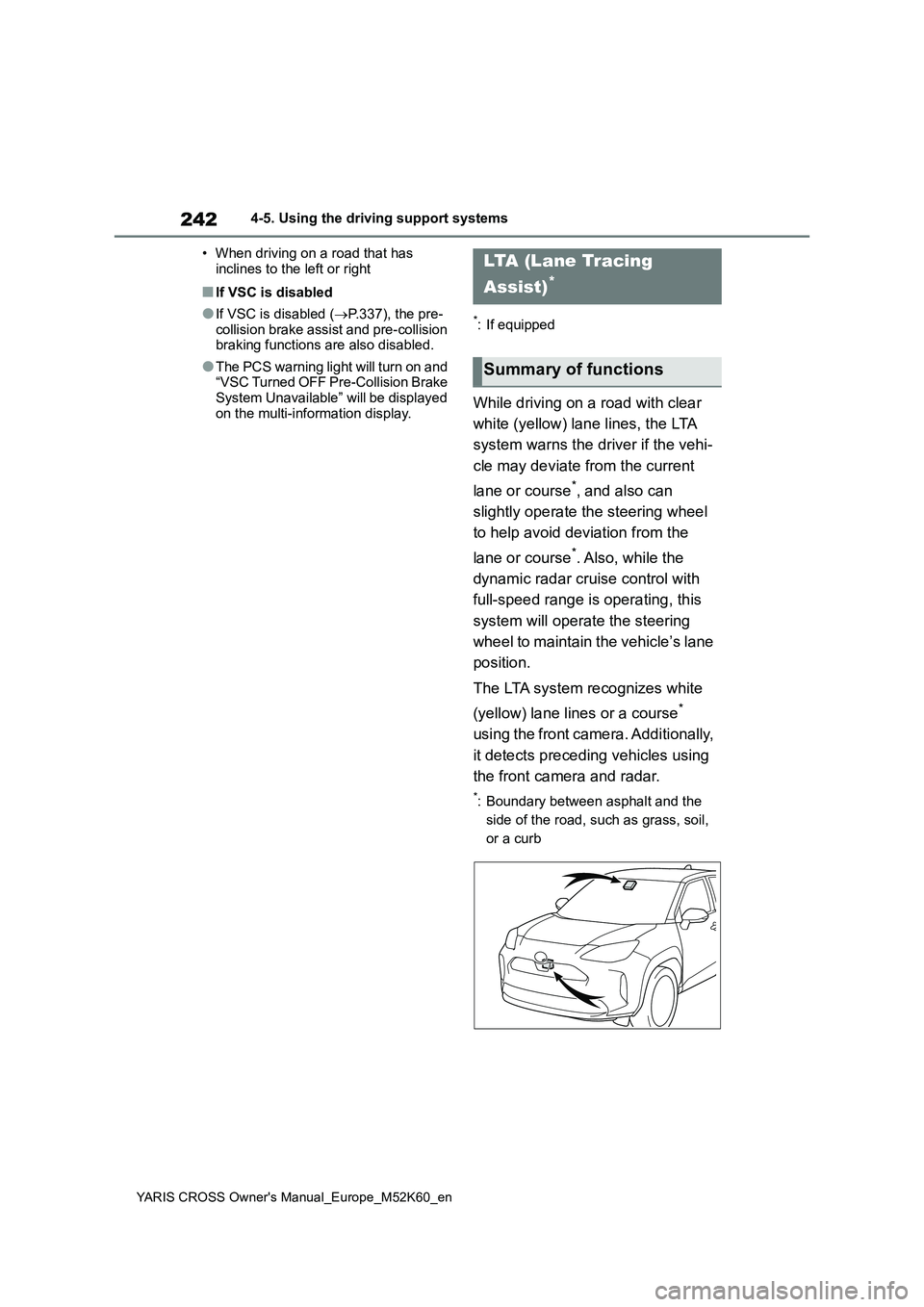
The LTA system recognizes white
(yellow) lane lines or a course*
using the front camera. Additionally,
it detects preceding vehicles using
the front camera and radar.
*: Boundary between asphalt and the
side of the road, such as grass, soil,
or a curb
LTA (Lane Tracing
Assist)*
Summary of functions
Page 249 of 650
247
4
YARIS CROSS Owner's Manual_Europe_M52K60_en
4-5. Using the driving support systems
Driving
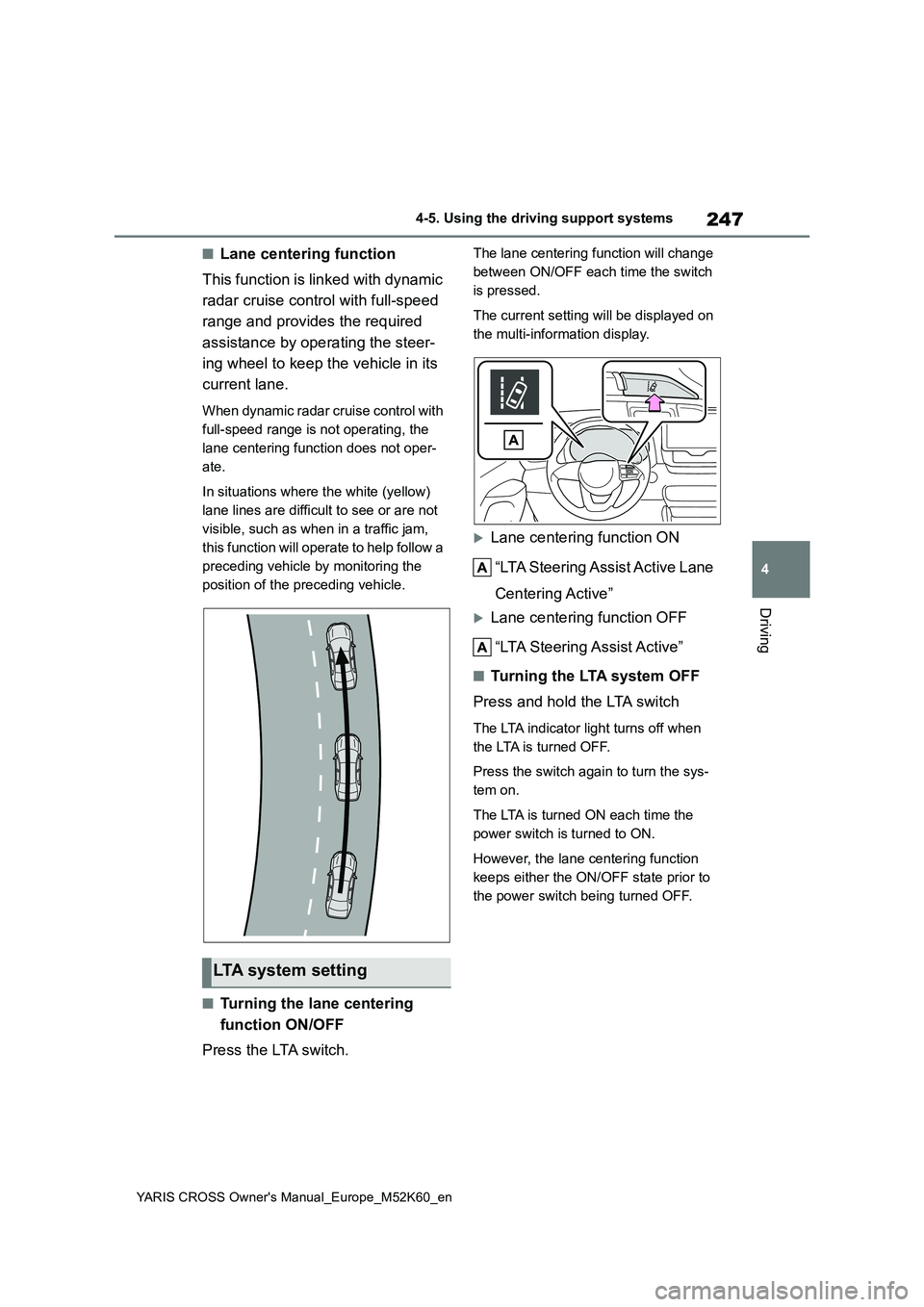
■Lane centering function
This function is linked with dynamic
radar cruise control with full-speed
range and provides the required
assistance by operating the steer-
ing wheel to keep the vehicle in its
current lane.
When dynamic radar cruise control with
full-speed range is not operating, the
lane centering function does not oper-
ate.
In situations where the white (yellow)
lane lines are difficult to see or are not
visible, such as when in a traffic jam,
this function will operate to help follow a
preceding vehicle by monitoring the
position of the preceding vehicle.
■Turning the lane centering
function ON/OFF
Press the LTA switch.
The lane centering function will change
between ON/OFF each time the switch
is pressed.
The current setting will be displayed on
the multi-information display.
Lane centering function ON
“LTA Steering Assist Active Lane
Centering Active”
Lane centering function OFF
“LTA Steering Assist Active”
■Tu r n i n g t h e LTA s y s t e m O F F
Press and hold the LTA switch
The LTA indicator light turns off when
the LTA is turned OFF.
Press the switch again to turn the sys-
tem on.
The LTA is turned ON each time the
power switch is turned to ON.
However, the lane centering function
keeps either the ON/OFF state prior to
the power switch being turned OFF.
LTA system setting
Page 252 of 650
250
YARIS CROSS Owner's Manual_Europe_M52K60_en
4-5. Using the driving support systems
• The dynamic radar cruise control with
full-speed range is operating in vehi- cle-to-vehicle distance control mode.• Width of traffic lane is approximately 3
to 4 m (10 to 13 ft.). • Turn signal lever is not operated.• Vehicle is not being driven around a
sharp curve. • No system malfunctions are detected. ( P.251)
• Vehicle does not accelerate or decel- erate by a fixed amount or more.• Steering wheel is not operated with a
steering force level suitable for chang- ing lanes.• ABS, VSC, TRC and PCS are not
operating. • TRC or VSC is not turned off.• Hands off steering wheel warning is
not displayed. ( P.250) • The vehicle is being driven in the center of a lane.
• Steering assist function is not operat- ing.
■Temporary cancelation of functions
●When operation conditions are no lon-ger met, a function may be temporar-ily canceled. However, when the
operation conditions are met again, operation of the function is automati-cally restored. ( P.249)
●If the operation conditions (P.249) are no longer met while the lane cen-
tering function is operating, the steer- ing wheel may vibrate and the buzzer may sound to indicate that the func-
tion has been temporarily canceled. However, if the steering wheel vibra-tion customization setting is set to on,
the system will notify the driver by vibrating the steering wheel instead of sounding the buzzer.
■Steering assist function/lane cen-
tering function
●Depending on the vehicle speed, lane
departure situation, road conditions, etc., the driver may not feel the func-tion is operating or the function may
not operate at all.
●The steering control of the function is
overridden by the driver’s steering
wheel operation.
●Do not attempt to test the operation of
the steering assist function.
■Lane departure alert function
●The warning buzzer may be difficult to
hear due to external noise, audio play- back, etc. Also, it may be difficult to feel steering wheel vibrations due to
the road conditions, etc.
●If the edge of the course* is not clear
or straight, the lane departure alert function may not operate.
●Vehicle with BSM: It may not be possi-ble for the system to determine if there
is a danger of a collision with a vehicle in an adjacent lane.
●Do not attempt to test the operation of the lane departure alert function.*: Boundary between asphalt and the
side of the road, such as grass, soil,
or a curb
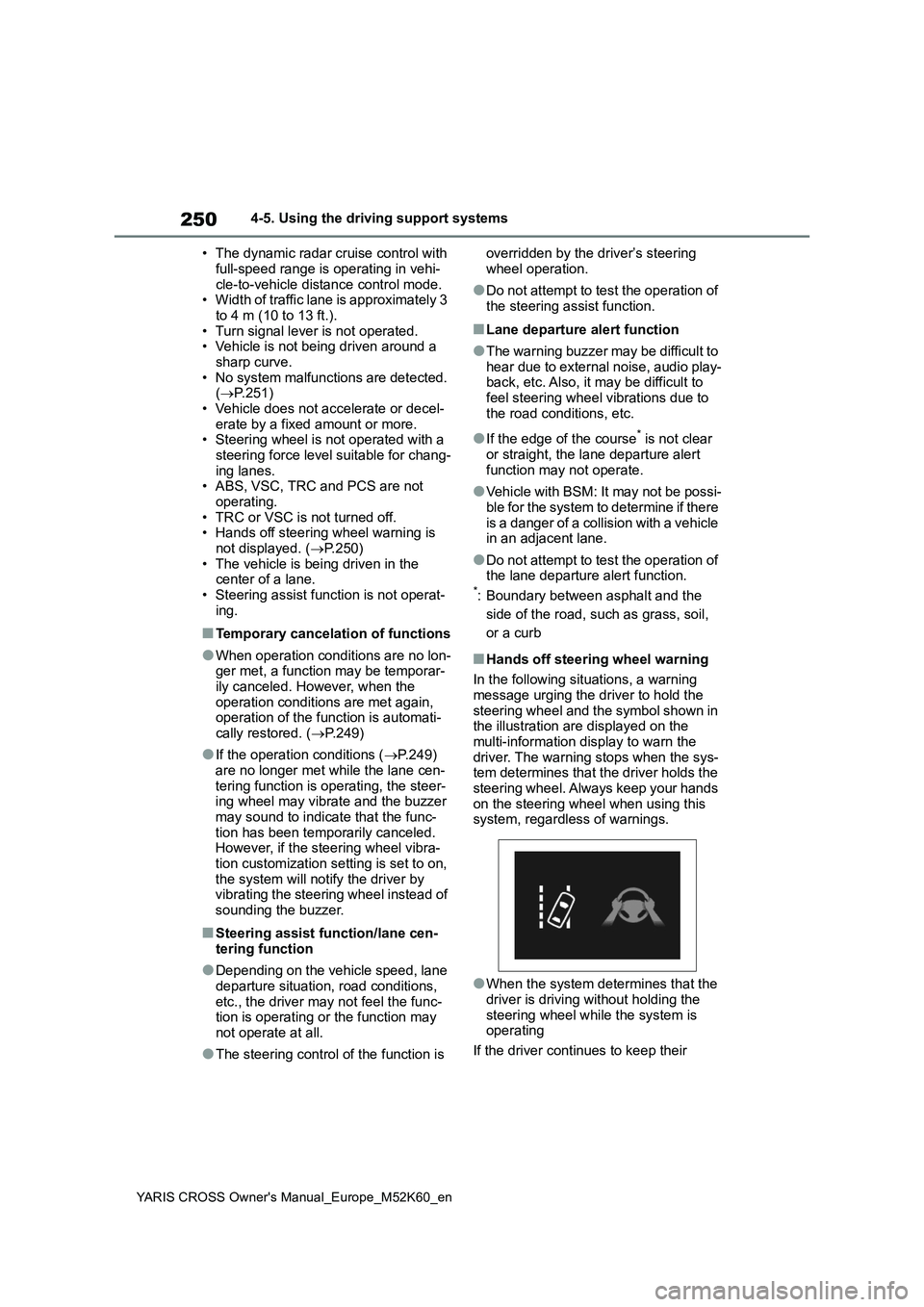
■Hands off steering wheel warning
In the following situations, a warning
message urging the driver to hold the steering wheel and the symbol shown in the illustration are displayed on the
multi-information display to warn the driver. The warning stops when the sys-tem determines that the driver holds the
steering wheel. Always keep your hands on the steering wheel when using this system, regardless of warnings.
●When the system determines that the driver is driving without holding the
steering wheel while the system is operating
If the driver continues to keep their
Page 254 of 650
252
YARIS CROSS Owner's Manual_Europe_M52K60_en
4-5. Using the driving support systems
*: If equipped
In vehicle-to-vehicle distance con-
trol mode, the vehicle automati-
cally accelerates, decelerates and
stops to match the speed changes
of the preceding vehicle even if the
accelerator pedal is not depressed.
In constant speed control mode,
the vehicle runs at a fixed speed.
Use the dynamic radar cruise con-
trol with full-speed range on free-
ways and highways.
Vehicle-to-vehicle distance con-
trol mode ( P.255)
Constant speed control mode
( P.259)
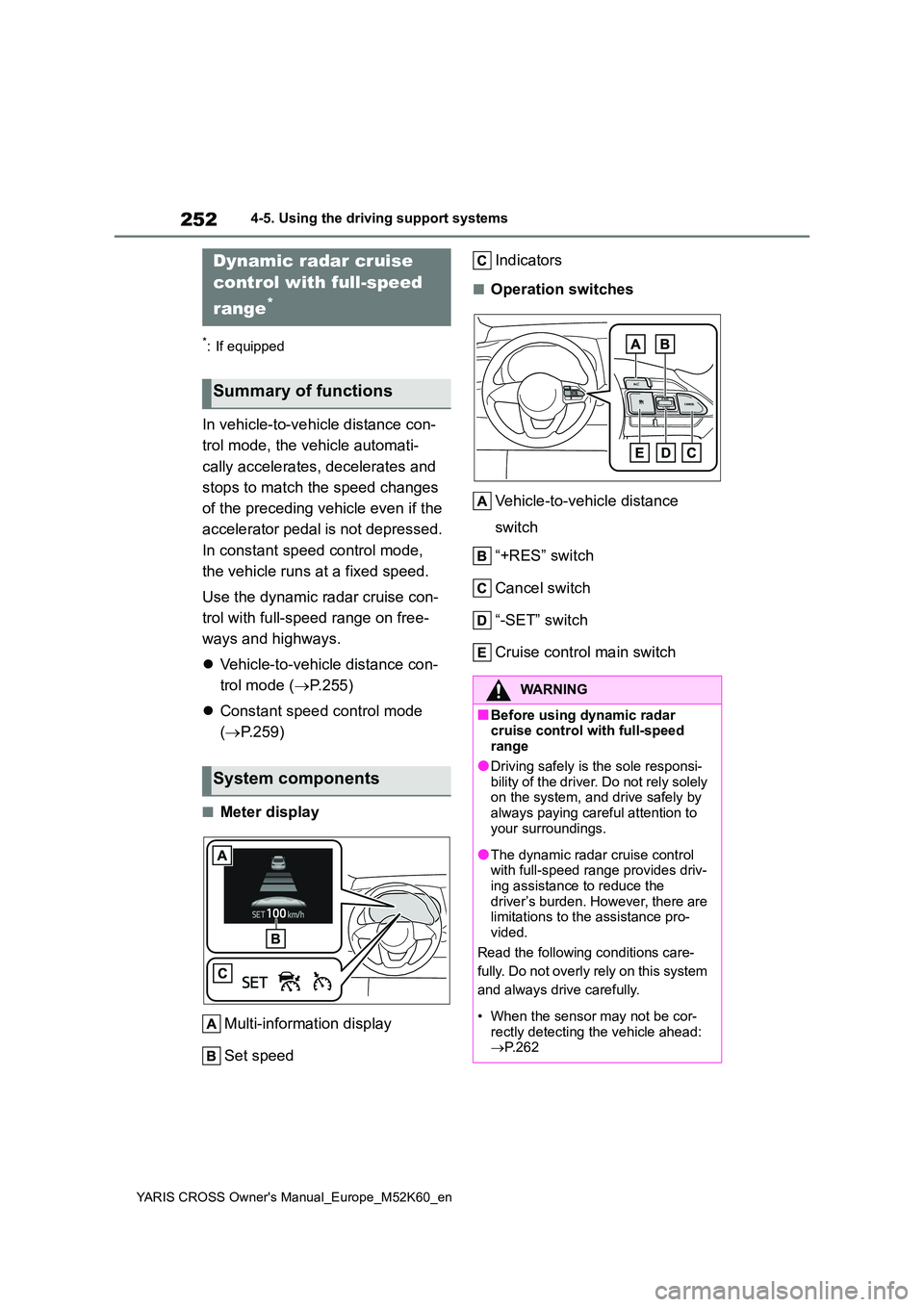
■Meter display
Multi-information display
Set speed
Indicators
■Operation switches
Vehicle-to-vehicle distance
switch
“+RES” switch
Cancel switch
“-SET” switch
Cruise control main switch
Dynamic radar cruise
control with full-speed
range*
Summary of functions
System components
WARNING
■Before using dynamic radar cruise control with full-speed range
●Driving safely is the sole responsi-bility of the driver. Do not rely solely on the system, and drive safely by
always paying careful attention to your surroundings.
●The dynamic radar cruise control with full-speed range provides driv-ing assistance to reduce the
driver’s burden. However, there are limitations to the assistance pro-vided.
Read the following conditions care-
fully. Do not overly rely on this system
and always drive carefully.
• When the sensor may not be cor-
rectly detecting the vehicle ahead: P.262
Page 256 of 650
254
YARIS CROSS Owner's Manual_Europe_M52K60_en
4-5. Using the driving support systems
WARNING
■Situations unsuitable for dynamic radar cruise control
with full-speed range
Do not use dynamic radar cruise con- trol with full-speed range in any of the
following situations. Doing so may result in inappropriate speed control and could cause an accident resulting
in death or serious injury.
●Roads where there are pedestrians,
cyclists, etc.
●In heavy traffic
●On roads with sharp bends
●On winding roads
●On slippery roads, such as those
covered with rain, ice or snow
●On steep downhills, or where there
are sudden changes between sharp up and down gradients
Vehicle speed may exceed the set
speed when driving down a steep hill.
●At entrances to freeways and high- ways
●When weather conditions are bad enough that they may prevent the
sensors from detecting correctly (fog, snow, sandstorm, heavy rain, etc.)
●When there is rain, snow, etc., on the front surface of the radar or
front camera
●In traffic conditions that require fre-
quent repeated acceleration and deceleration
●When your vehicle is towing a trailer or during emergency towing
●When an approach warning buzzer is heard often