start stop button TOYOTA YARIS CROSS 2023 User Guide
[x] Cancel search | Manufacturer: TOYOTA, Model Year: 2023, Model line: YARIS CROSS, Model: TOYOTA YARIS CROSS 2023Pages: 698, PDF Size: 147.65 MB
Page 320 of 698
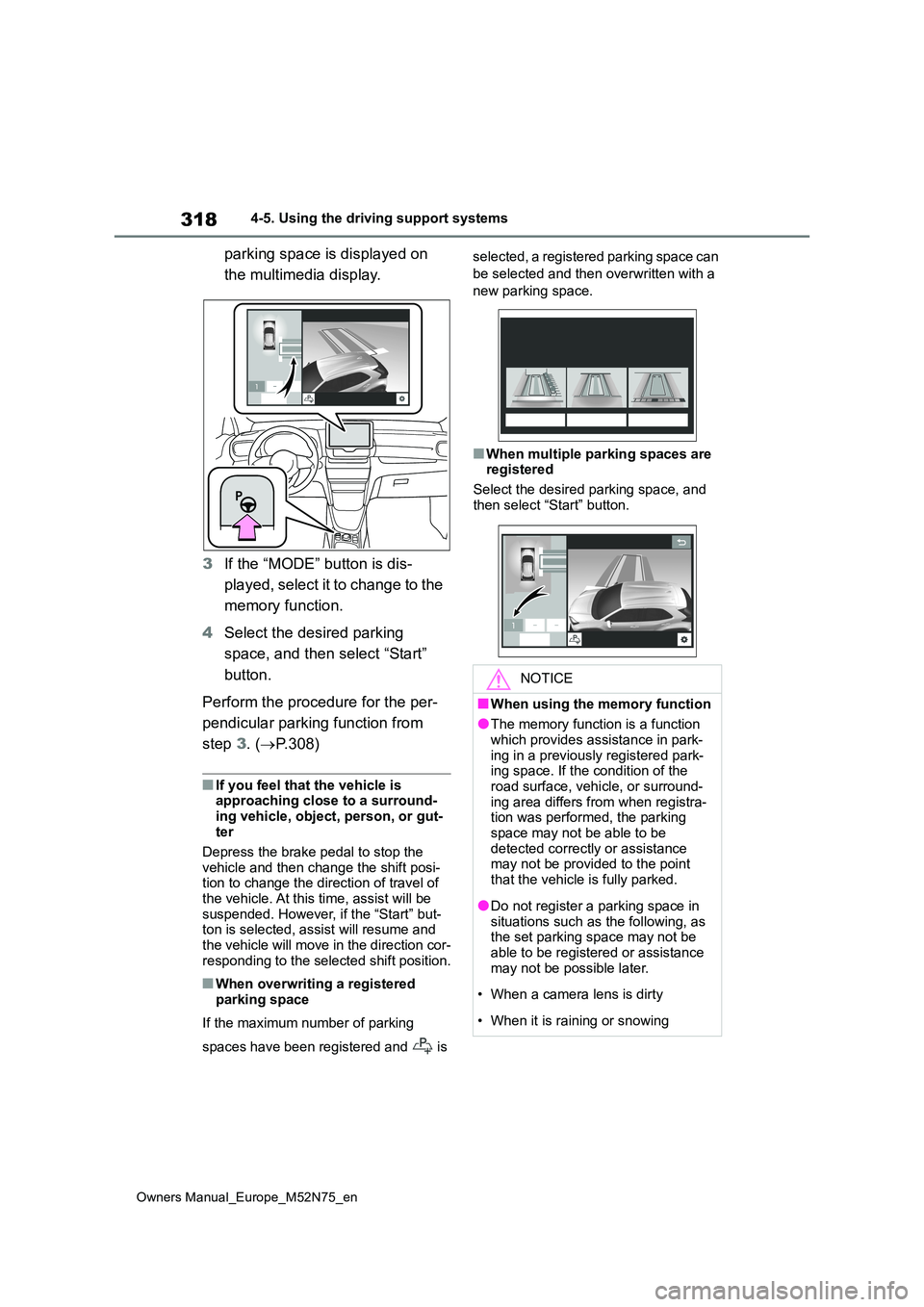
318
Owners Manual_Europe_M52N75_en
4-5. Using the driving support systems
parking space is displayed on
the multimedia display.
3 If the “MODE” button is dis-
played, select it to change to the
memory function.
4 Select the desired parking
space, and then select “Start”
button.
Perform the procedure for the per-
pendicular parking function from
step 3. (P.308)
■If you feel that the vehicle is approaching close to a surround-
ing vehicle, object, person, or gut- ter
Depress the brake pedal to stop the
vehicle and then change the shift posi- tion to change the direction of travel of the vehicle. At this time, assist will be
suspended. However, if the “Start” but- ton is selected, assist will resume and the vehicle will move in the direction cor-
responding to the selected shift position.
■When overwriting a registered parking space
If the maximum number of parking
spaces have been registered and is
selected, a registered parking space can
be selected and then overwritten with a
new parking space.
■When multiple parking spaces are registered
Select the desired parking space, and
then select “Start” button.
NOTICE
■When using the memory function
●The memory function is a function
which provides assistance in park- ing in a previously registered park-ing space. If the condition of the
road surface, vehicle, or surround- ing area differs from when registra-tion was performed, the parking
space may not be able to be detected correctly or assistance may not be provided to the point
that the vehicle is fully parked.
●Do not register a parking space in
situations such as the following, as the set parking space may not be able to be registered or assistance
may not be possible later.
• When a camera lens is dirty
• When it is raining or snowing
Page 473 of 698
471
7
Owners Manual_Europe_M52N75_en
7-2. Steps to take in an emergency
When trouble arises
1Ensure that the shift lever is in P
and depress the brake pedal.
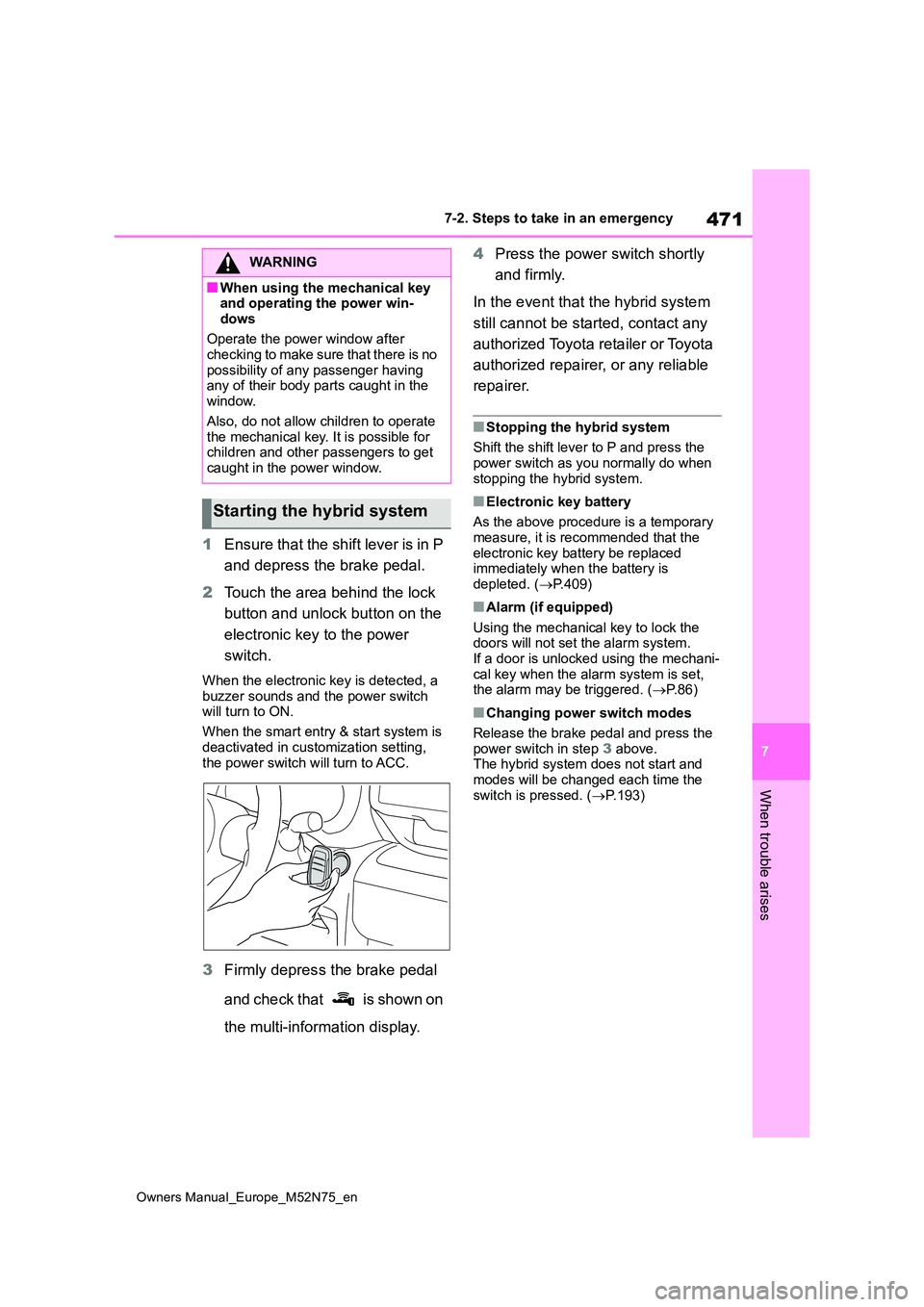
2 Touch the area behind the lock
button and unlock button on the
electronic key to the power
switch.
When the electronic key is detected, a
buzzer sounds and the power switch will turn to ON.
When the smart entry & start system is
deactivated in customization setting, the power switch will turn to ACC.
3 Firmly depress the brake pedal
and check that is shown on
the multi-information display.
4 Press the power switch shortly
and firmly.
In the event that the hybrid system
still cannot be started, contact any
authorized Toyota retailer or Toyota
authorized repairer, or any reliable
repairer.
■Stopping the hybrid system
Shift the shift lever to P and press the power switch as you normally do when
stopping the hybrid system.
■Electronic key battery
As the above procedure is a temporary measure, it is recommended that the
electronic key battery be replaced immediately when the battery is depleted. ( P.409)
■Alarm (if equipped)
Using the mechanical key to lock the doors will not set the alarm system.If a door is unlocked using the mechani-
cal key when the alarm system is set, the alarm may be triggered. ( P. 8 6 )
■Changing power switch modes
Release the brake pedal and press the
power switch in step 3 above. The hybrid system does not start and modes will be changed each time the
switch is pressed. ( P.193)
WARNING
■When using the mechanical key and operating the power win-
dows
Operate the power window after checking to make sure that there is no
possibility of any passenger having any of their body parts caught in the window.
Also, do not allow children to operate the mechanical key. It is possible for children and other passengers to get
caught in the power window.
Starting the hybrid system