tires TOYOTA YARIS CROSS 2023 User Guide
[x] Cancel search | Manufacturer: TOYOTA, Model Year: 2023, Model line: YARIS CROSS, Model: TOYOTA YARIS CROSS 2023Pages: 698, PDF Size: 147.65 MB
Page 247 of 698
245
4
Owners Manual_Europe_M52N75_en
4-5. Using the driving support systems
Driving
■Lane departure alert function
When the system determines that
the vehicle might depart from its
lane*, a warning is displayed on the
multi-information display, and either
a warning buzzer will sound or the
steering wheel will vibrate to alert
the driver.
When the warning buzzer sounds or
the steering wheel vibrates, check the
area around your vehicle and carefully
operate the steering wheel to move the
vehicle back to the center of the lane.
Vehicle with BSM: When the system
determines that the vehicle might
depart from its lane and that the possi-
bility of a collision with an overtaking
vehicle in the adjacent lane is high, the
lane departure alert will operate even if
the turn signals are operating.
*: May recognize the boundaries
between the asphalt and the side of
the road, such as grass, soil, or the
curb, to be road lanes.
WARNING
●The traffic lines are yellow (which may be more difficult to recognize
than lines that are white).
●The white (yellow) lines cross over
a curb, etc.
●The vehicle is driven on a bright
surface, such as concrete.
●The vehicle is driven on a surface
that is bright due to reflected light, etc.
●The vehicle is driven in an area where the brightness changes sud-denly, such as at the entrances and
exits of tunnels, etc.
●Light from the headlights of an
oncoming vehicle, the sun, etc., enters the camera.
●The vehicle is driven on a slope.
●The vehicle is driven on a road
which tilts left or right, or a winding road.
●The vehicle is driven on an unpaved or rough road.
●The traffic lane is excessively nar-row or wide.
●The vehicle is extremely tilted due to carrying heavy luggage or having improper tire pressure.
●The distance to the preceding vehi-cle is extremely short.
●The vehicle is moving up and down a large amount due to road condi-
tions during driving (poor roads or road seams).
●When driving in a tunnel or at night with the headlights off or when a headlight is dim due to its lens
being dirty or it being misaligned.
●The vehicle is struck by a cross-
wind.
●The vehicle is affected by wind from a vehicle driven in a nearby lane.
●The vehicle has just changed lanes or crossed an intersection.
●Tires which differ by structure, man-ufacturer, brand or tread pattern are used.
●When tires of a size other than specified are installed.
●Snow tires, etc., are equipped.
●The vehicle is being driven at extremely high speeds.
Functions included in LTA
system
Page 277 of 698
275
4
Owners Manual_Europe_M52N75_en
4-5. Using the driving support systems
Driving
• When driving on roads with sharp
bends, consecutive curves, or uneven surfaces• When vehicle lanes are wide, or when
driving on the edge of a lane, and the vehicle in an adjacent lane is far away from your vehicle
• When towing a trailer • When an accessory (such as a bicycle carrier) is installed to the rear of the
vehicle • When there is a significant difference in height between your vehicle and
the vehicle that enters the detection area• Immediately after the Blind Spot Moni-
tor is turned on
●Instances of the Blind Spot Monitor
unnecessarily detecting a vehicle and/or object may increase in the fol-lowing situations:
• When the sensor is misaligned due to a strong impact to the sensor or its surrounding area
• When the distance between your vehi- cle and a guardrail, wall, etc., that enters the detection area is short
• When driving up and down consecu- tive steep inclines, such as hills, dips in the road, etc.
• When vehicle lanes are narrow, or when driving on the edge of a lane, and a vehicle traveling in a lane other
than the adjacent lanes enters the detection area• When driving on roads with sharp
bends, consecutive curves, or uneven surfaces• When the tires are slipping or spinning
• When the distance between your vehi- cle and a following vehicle is short• When an accessory (such as a bicycle
carrier) is installed to the rear of the vehicle
*: If equipped
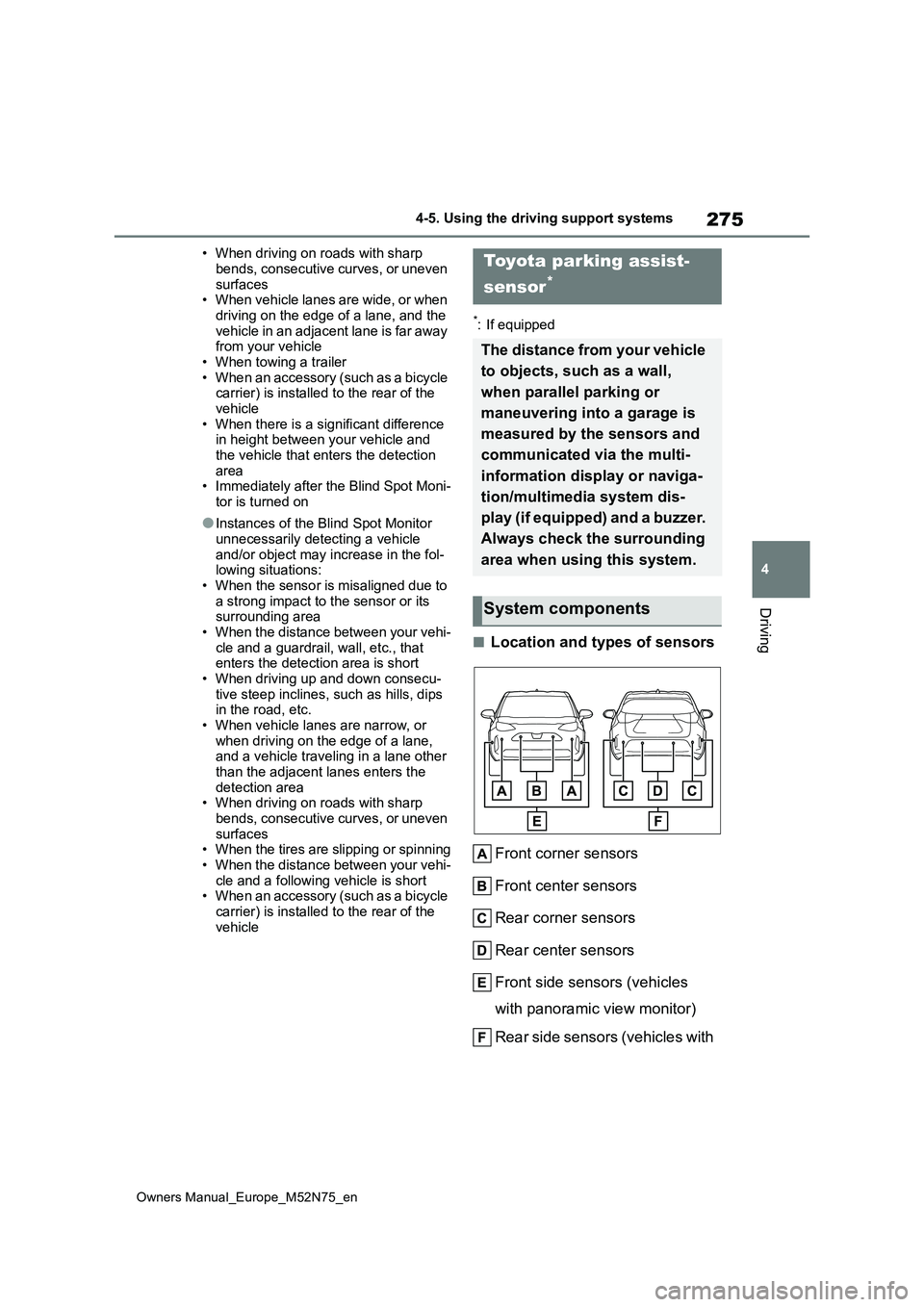
■Location and types of sensors
Front corner sensors
Front center sensors
Rear corner sensors
Rear center sensors
Front side sensors (vehicles
with panoramic view monitor)
Rear side sensors (vehicles with
Toyota parking assist-
sensor*
The distance from your vehicle
to objects, such as a wall,
when parallel parking or
maneuvering into a garage is
measured by the sensors and
communicated via the multi-
information display or naviga-
tion/multimedia system dis-
play (if equipped) and a buzzer.
Always check the surrounding
area when using this system.
System components
Page 279 of 698
277
4
Owners Manual_Europe_M52N75_en
4-5. Using the driving support systems
Driving
When the Toyota parking assist-
sensor function is disabled, the
Toyota parking assist-sensor OFF
indicator ( P.92) illuminates.
To re-enable the system when it
was disabled, select on the
multi-information display, select
and then on. If disabled using this
method, the system will not be re-
enabled by turning the power
switch off and then to ON.
■The system can be operated when
●The power switch is in ON.
●Toyota parking assist-sensor function
WARNING
■Cautions regarding the use of
the system
There is a limit to the degree of recog- nition accuracy and control perfor-
mance that this system can provide, do not overly rely on this system. The driver is always responsible for paying
attention to the vehicle’s surroundings and driving safely.
■To ensure the system can oper-ate properly
Observe the following precautions.
Failing to do so may result in the vehi- cle being unable to be driven safely and possibly cause an accident.
●Do not damage the sensors, and always keep them clean.
●Do not attach a sticker or install an electronic component, such as a
backlit license plate (especially fluo- rescent type), fog lights, fender pole or wireless antenna near a radar
sensor.
●Do not subject the surrounding area of the sensor to a strong impact. If subjected to an impact, have the
vehicle inspected by your any authorized Toyota retailer or Toyota authorized repairer, or any reliable
repairer. If the front or rear bumper needs to be removed/installed or replaced, contact any authorized
Toyota retailer or Toyota authorized repairer, or any reliable repairer.
●Do n ot m od i fy, d is a sse mb l e o r p ai n t the sensors.
●Do not attach a license plate cover.
●Keep your tires properly inflated.
■When to disable the function
In the following situations, disable the
function as it may operate even though there is no possibility of a colli-sion.
●Failing to observe the warnings above.
●A non-genuine Toyota suspension (lowered suspension, etc.) is
installed.
■Notes when washing the vehicle
Do not apply intensive bursts of water or steam to the sensor area.
Doing so may result in the sensor
malfunctioning.
●When using a high pressure
washer to wash the vehicle, do not spray the sensors directly, as doing so may cause a sensor to malfunc-
tion.
●When using steam to clean the
vehicle, do not direct steam too close to the sensors as doing so may cause a sensor to malfunction.
Page 291 of 698
289
4
Owners Manual_Europe_M52N75_en
4-5. Using the driving support systems
Driving
●When mud, snow, ice, a sticker, etc.,
is covering the sensor or surrounding area on the position above the rear bumper
●When driving on a road surface that is wet with standing water during bad
weather, such as heavy rain, snow, or fog
●When multiple vehicles are approach-ing with only a small gap between each vehicle
●When a vehicle is approaching at high speed
●When equipment that may obstruct a sensor is installed, such as a towing
eyelet, bumper protector (an addi- tional trim strip, etc.), bicycle carrier, or snow plow
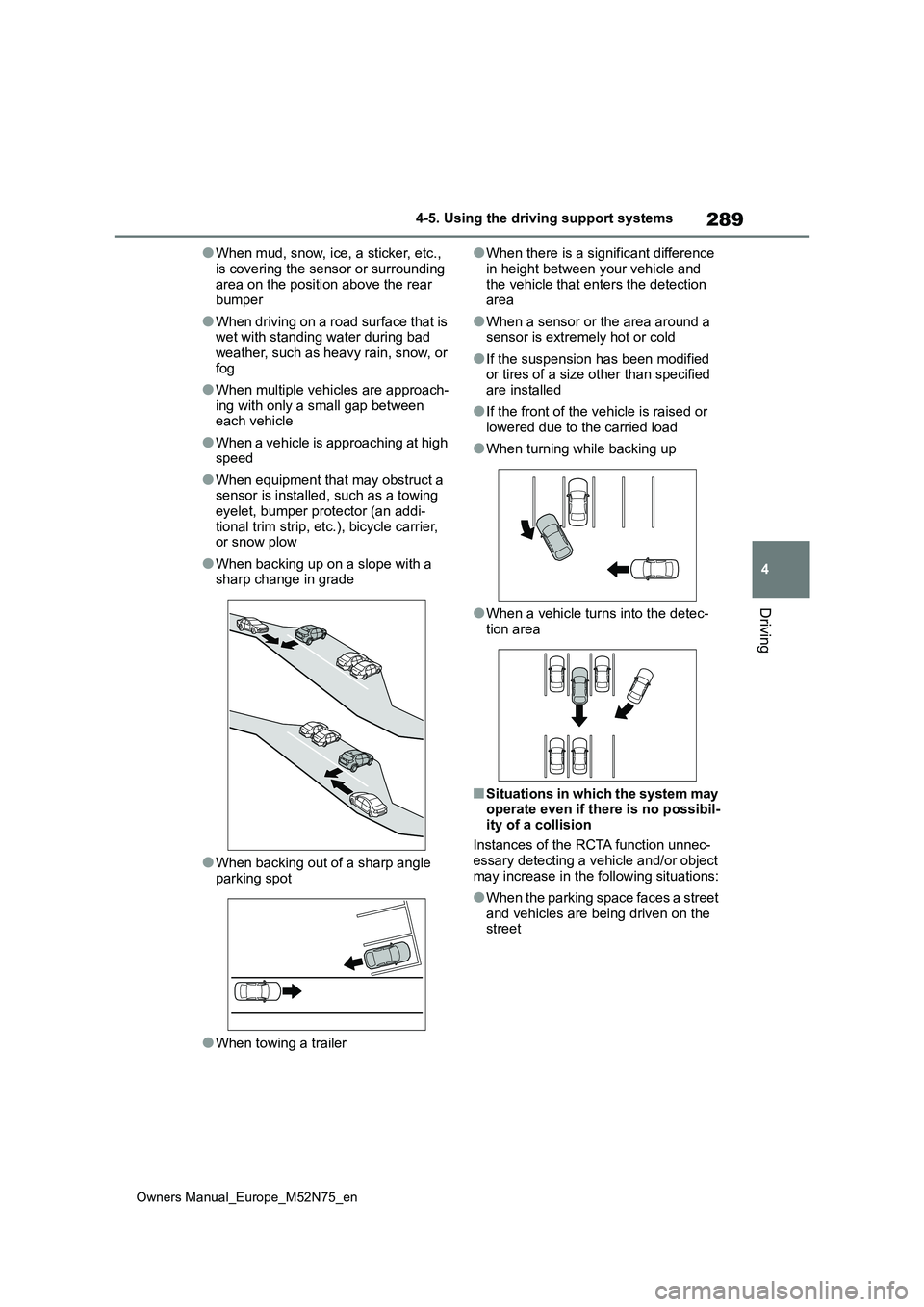
●When backing up on a slope with a sharp change in grade
●When backing out of a sharp angle parking spot
●When towing a trailer
●When there is a significant difference
in height between your vehicle and the vehicle that enters the detection area
●When a sensor or the area around a sensor is extremely hot or cold
●If the suspension has been modified or tires of a size other than specified
are installed
●If the front of the vehicle is raised or
lowered due to the carried load
●When turning while backing up
●When a vehicle turns into the detec- tion area
■Situations in which the system may operate even if there is no possibil-
ity of a collision
Instances of the RCTA function unnec- essary detecting a vehicle and/or object
may increase in the following situations:
●When the parking space faces a street
and vehicles are being driven on the street
Page 292 of 698
290
Owners Manual_Europe_M52N75_en
4-5. Using the driving support systems
●When the distance between your vehi-
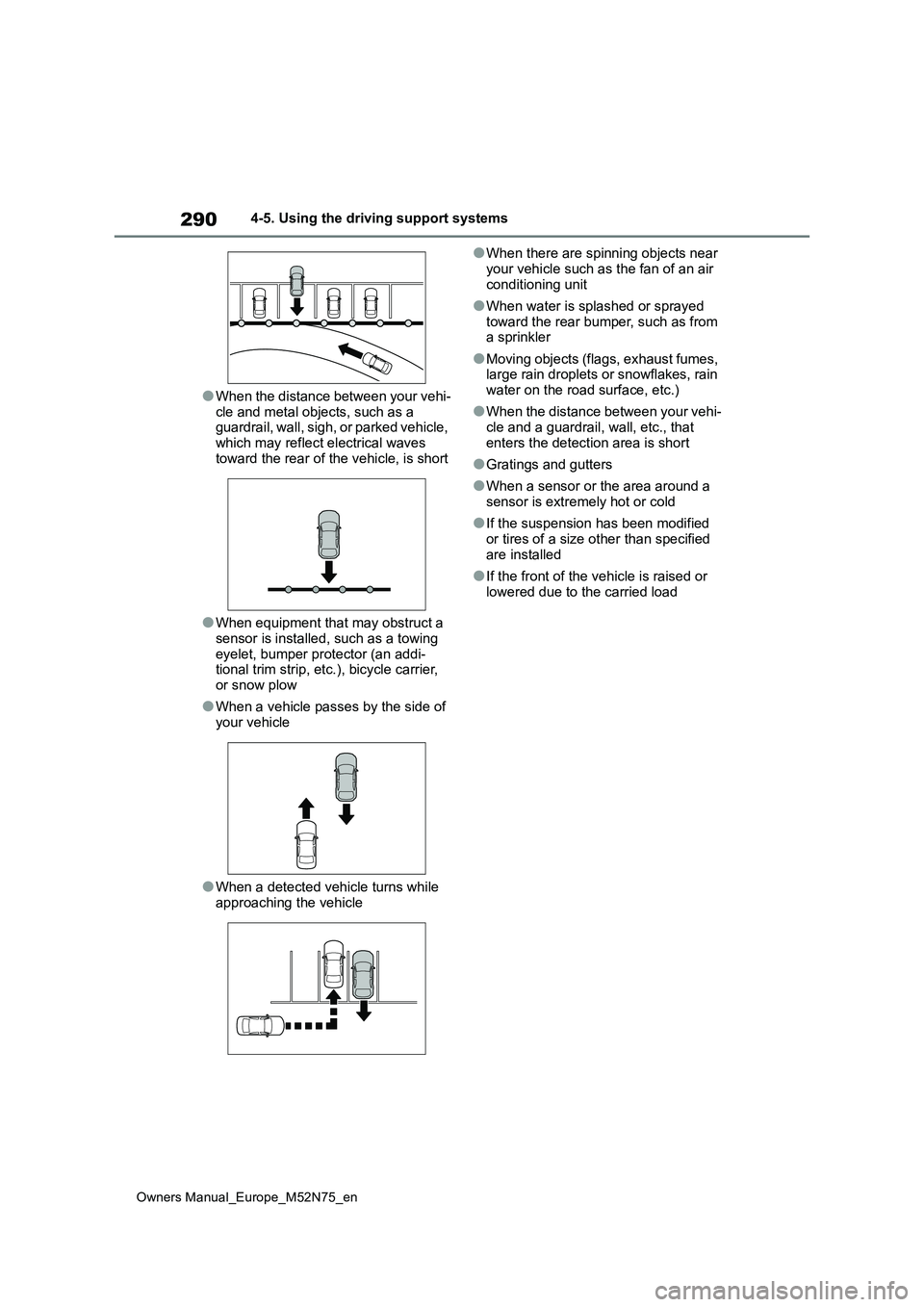
cle and metal objects, such as a guardrail, wall, sigh, or parked vehicle, which may reflect electrical waves
toward the rear of the vehicle, is short
●When equipment that may obstruct a
sensor is installed, such as a towing eyelet, bumper protector (an addi-tional trim strip, etc.), bicycle carrier,
or snow plow
●When a vehicle passes by the side of
your vehicle
●When a detected vehicle turns while
approaching the vehicle
●When there are spinning objects near
your vehicle such as the fan of an air conditioning unit
●When water is splashed or sprayed toward the rear bumper, such as from a sprinkler
●Moving objects (flags, exhaust fumes, large rain droplets or snowflakes, rain
water on the road surface, etc.)
●When the distance between your vehi-
cle and a guardrail, wall, etc., that enters the detection area is short
●Gratings and gutters
●When a sensor or the area around a
sensor is extremely hot or cold
●If the suspension has been modified
or tires of a size other than specified are installed
●If the front of the vehicle is raised or lowered due to the carried load
Page 294 of 698
292
Owners Manual_Europe_M52N75_en
4-5. Using the driving support systems
The Parking Support Brake can be
enabled/disabled on the multi-infor-
mation display. All of the Parking
Support Brake functions (static
objects and rear-crossing vehicles)
are enabled/disabled simultane-
ously.
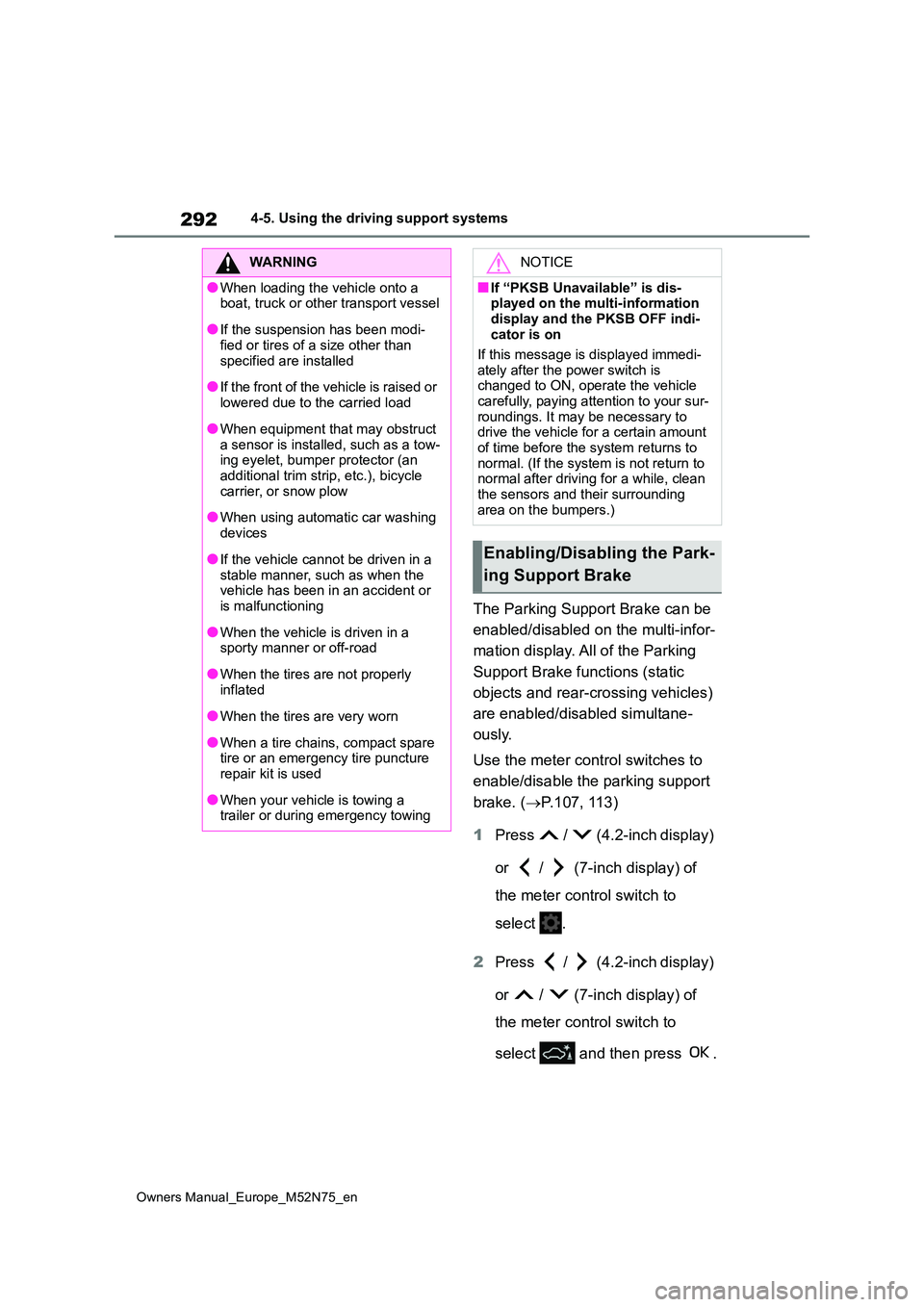
Use the meter control switches to
enable/disable the parking support
brake. ( P.107, 113)
1 Press / (4.2-inch display)
or / (7-inch display) of
the meter control switch to
select .
2 Press / (4.2-inch display)
or / (7-inch display) of
the meter control switch to
select and then press .
WARNING
●When loading the vehicle onto a boat, truck or other transport vessel
●If the suspension has been modi-fied or tires of a size other than
specified are installed
●If the front of the vehicle is raised or
lowered due to the carried load
●When equipment that may obstruct
a sensor is installed, such as a tow- ing eyelet, bumper protector (an additional trim strip, etc.), bicycle
carrier, or snow plow
●When using automatic car washing
devices
●If the vehicle cannot be driven in a
stable manner, such as when the vehicle has been in an accident or is malfunctioning
●When the vehicle is driven in a sporty manner or off-road
●When the tires are not properly inflated
●When the tires are very worn
●When a tire chains, compact spare tire or an emergency tire puncture repair kit is used
●When your vehicle is towing a trailer or during emergency towing
NOTICE
■If “PKSB Unavailable” is dis-played on the multi-information
display and the PKSB OFF indi- cator is on
If this message is displayed immedi-
ately after the power switch is changed to ON, operate the vehicle carefully, paying attention to your sur-
roundings. It may be necessary to drive the vehicle for a certain amount of time before the system returns to
normal. (If the system is not return to normal after driving for a while, clean the sensors and their surrounding
area on the bumpers.)
Enabling/Disabling the Park-
ing Support Brake
Page 323 of 698
321
4
Owners Manual_Europe_M52N75_en
4-5. Using the driving support systems
Driving
Select on the multimedia dis-
play, and then select “Advanced
Park”.
■Speed Profile
The vehicle speed for when parking
assistance is performed can be set.
This setting cannot be changed for
when registering a parking space to the
memory function.
■Obstacle Detection Range
The distance from which obstacles
will be avoided while parking assis-
tance is being performed can be
set.
■Preferred Parking Method
The preferred parking direction dis-
played when at a parking space
which perpendicular or parallel
parking is possible can be set.
■Parking Path Adjustment
The course for when parking assis-
tance is operating can be adjusted
inward or outward.
If the tires are worn, the path of vehicle
may be offset from the center of the
parking space.
■Road Width Adjustment
When parking assistance is started,
the amount of lateral movement
while the vehicle is moving forward
can be adjusted.
■Clear Registered Parking
Space
Parking space information regis-
tered to the memory function can
be deleted.
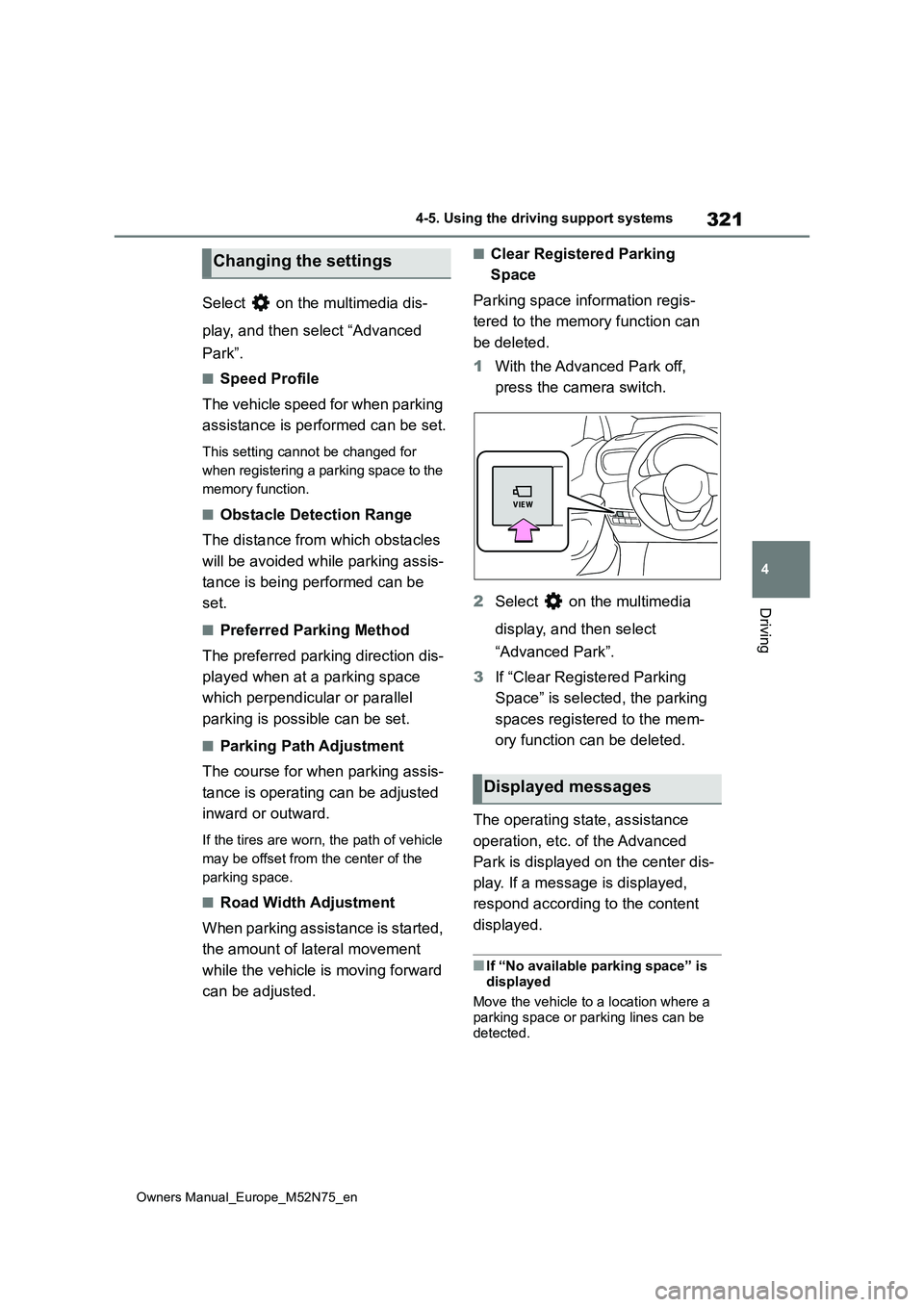
1 With the Advanced Park off,
press the camera switch.
2 Select on the multimedia
display, and then select
“Advanced Park”.
3 If “Clear Registered Parking
Space” is selected, the parking
spaces registered to the mem-
ory function can be deleted.
The operating state, assistance
operation, etc. of the Advanced
Park is displayed on the center dis-
play. If a message is displayed,
respond according to the content
displayed.
■If “No available parking space” is
displayed
Move the vehicle to a location where a parking space or parking lines can be
detected.
Changing the settings
Displayed messages
Page 326 of 698
324
Owners Manual_Europe_M52N75_en
4-5. Using the driving support systems
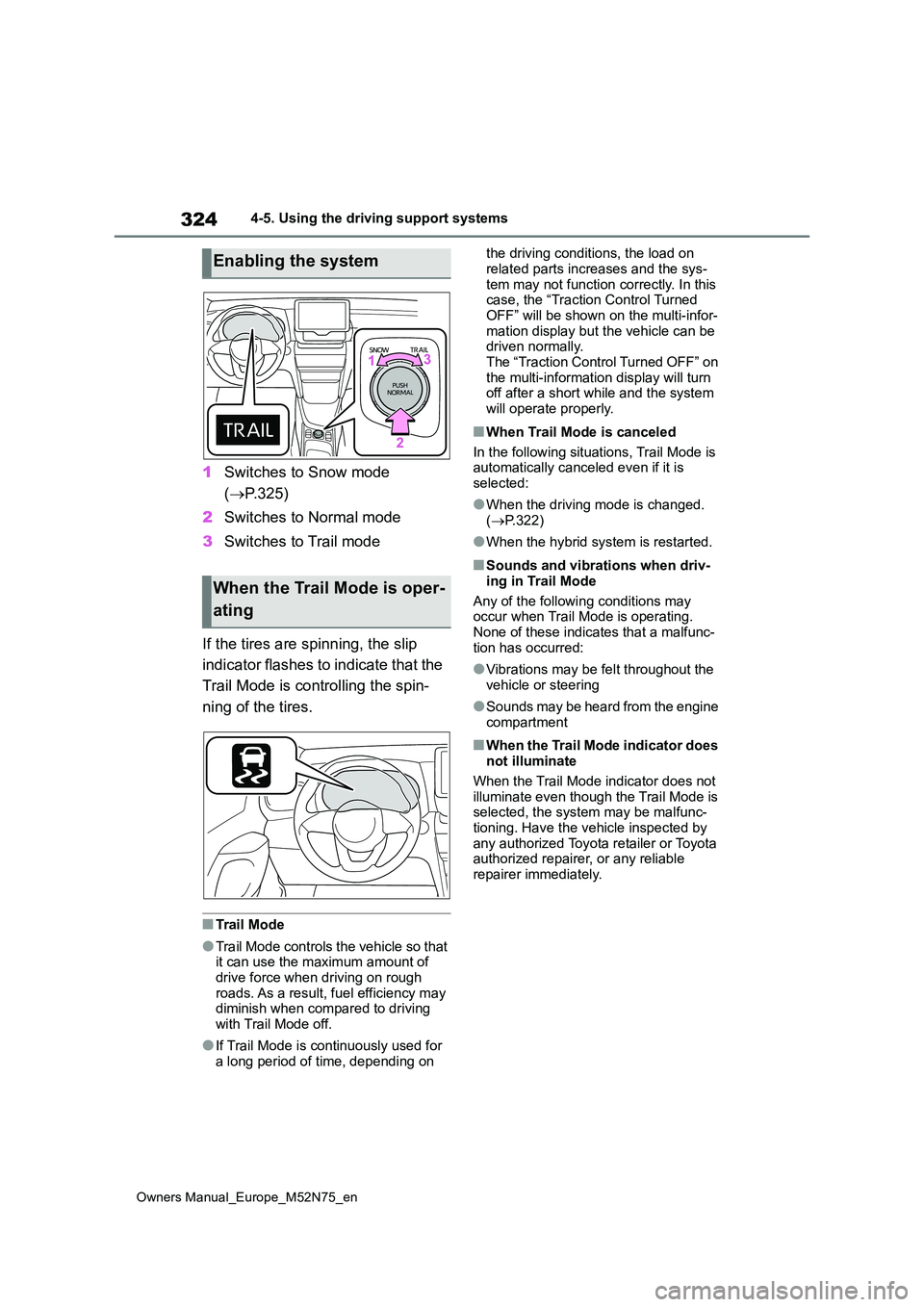
1Switches to Snow mode
( P.325)
2 Switches to Normal mode
3 Switches to Trail mode
If the tires are spinning, the slip
indicator flashes to indicate that the
Trail Mode is controlling the spin-
ning of the tires.
■Trail Mode
●Trail Mode controls the vehicle so that it can use the maximum amount of drive force when driving on rough
roads. As a result, fuel efficiency may diminish when compared to driving with Trail Mode off.
●If Trail Mode is continuously used for a long period of time, depending on
the driving conditions, the load on
related parts increases and the sys- tem may not function correctly. In this case, the “Traction Control Turned
OFF” will be shown on the multi-infor- mation display but the vehicle can be driven normally.
The “Traction Control Turned OFF” on the multi-information display will turn off after a short while and the system
will operate properly.
■When Trail Mode is canceled
In the following situations, Trail Mode is automatically canceled even if it is
selected:
●When the driving mode is changed.
( P.322)
●When the hybrid system is restarted.
■Sounds and vibrations when driv-
ing in Trail Mode
Any of the following conditions may occur when Trail Mode is operating.
None of these indicates that a malfunc- tion has occurred:
●Vibrations may be felt throughout the vehicle or steering
●Sounds may be heard from the engine compartment
■When the Trail Mode indicator does not illuminate
When the Trail Mode indicator does not illuminate even though the Trail Mode is selected, the system may be malfunc-
tioning. Have the vehicle inspected by any authorized Toyota retailer or Toyota authorized repairer, or any reliable
repairer immediately.
Enabling the system
When the Trail Mode is oper-
ating
Page 335 of 698
333
4
Owners Manual_Europe_M52N75_en
4-5. Using the driving support systems
Driving
WARNING
■The ABS does not operate effec- tively when
●The limits of tire gripping perfor-mance have been exceeded (such as excessively worn tires on a snow
covered road).
●The vehicle hydroplanes while driv-
ing at high speed on wet or slick roads.
■Stopping distance when the ABS is operating may exceed that of normal conditions
The ABS is not designed to shorten the vehicle’s stopping distance. Always maintain a safe distance from
the vehicle in front of you, especially in the following situations:
●When driving on dirt, gravel or snow-covered roads
●When driving with tire chains
●When driving over bumps in the
road
●When driving over roads with pot-
holes or uneven surfaces
■TRC/VSC may not operate effec-
tively when
Directional control and power may not be achievable while driving on slip-
pery road surfaces, even if the TRC/VSC system is operating. Drive the vehicle carefully in conditions
where stability and power may be lost.
■Active Cornering Assist does not operate effectively when
●Do not overly rely on Active Corner-
ing Assist. Active Cornering Assist may not operate effectively when accelerating down slopes or driving
on slippery road surfaces.
●When Active Cornering Assist fre- quently operates, Active Cornering Assist may temporarily stop operat-
ing to ensure proper operation of the brakes, TRC and VSC.
■Hill-start assist control does not operate effectively when
●Do not overly rely on hill-start assist
control. Hill-start assist control may not operate effectively on steep inclines and roads covered with ice.
●Unlike the parking brake, hill-start assist control is not intended to hold
the vehicle stationary for an extended period of time. Do not attempt to use hill-start assist con-
trol to hold the vehicle on an incline, as doing so may lead to an acci-dent.
■When the TRC/ABS/VSC is acti-vated
The slip indicator light flashes. Always drive carefully. Reckless driving may cause an accident. Exercise particular
care when the indicator light flashes.
■When the TRC/VSC systems are
turned off
Be especially careful and drive at a speed appropriate to the road condi-
tions. As these are the systems to help ensure vehicle stability and driv-ing force, do not turn the TRC/VSC
systems off unless necessary.
■Replacing tires
Make sure that all tires are of the specified size, brand, tread pattern and total load capacity. In addition,
make sure that the tires are inflated to the recommended tire inflation pres-sure level.
The ABS, TRC and VSC systems will not function correctly if different tires are installed on the vehicle.
Contact any authorized Toyota retailer or Toyota authorized repairer, or any reliable repairer for further information
when replacing tires or wheels.
Page 336 of 698
334
Owners Manual_Europe_M52N75_en
4-5. Using the driving support systems
WARNING
■Handling of tires and the suspen- sion
Using tires with any kind of problem or modifying the suspension will affect the driving assist systems, and may
cause a system to malfunction.
■Secondary Collision Brake
Do not rely solely upon the Secondary Collision Brake. This system is designed to help reduce the possibil-
ity of further damage due to a second- ary collision, however, that effect changes according to various condi-
tions. Overly relying on the system may result in death or serious injury.