air condition TOYOTA YARIS CROSS 2023 Owner's Manual
[x] Cancel search | Manufacturer: TOYOTA, Model Year: 2023, Model line: YARIS CROSS, Model: TOYOTA YARIS CROSS 2023Pages: 698, PDF Size: 147.65 MB
Page 237 of 698
235
4
Owners Manual_Europe_M52N75_en
4-5. Using the driving support systems
Driving
■Enabling/disabling the pre-col-
lision system
The pre-collision system can be
enabled/disabled on ( P.494)
of the multi-information display.
The system is automatically enabled
each time the power switch is turned to
ON.
If the system is disabled, the PCS
warning light will turn on and a
message will be displayed on the
multi-information display.
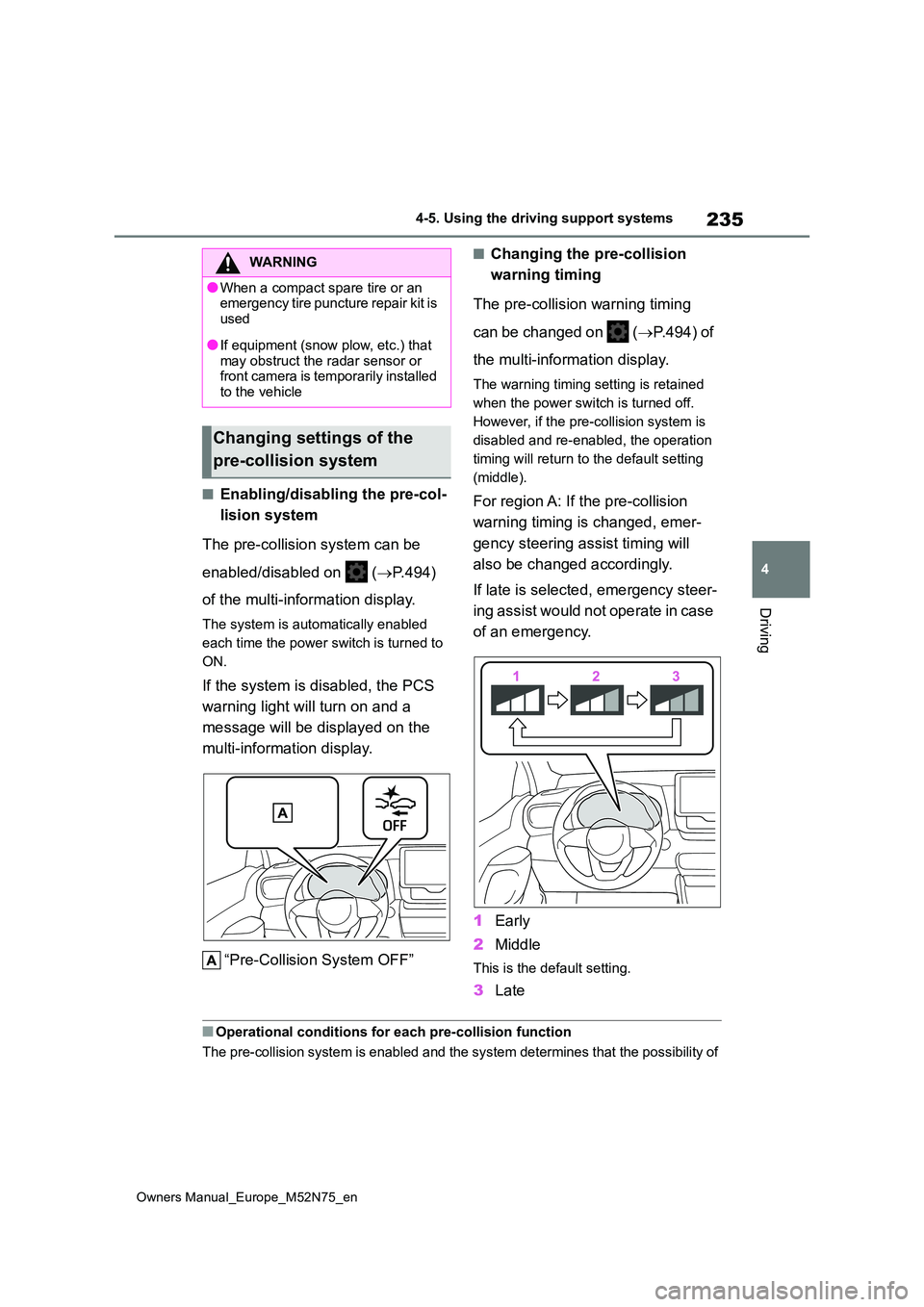
“Pre-Collision System OFF”
■Changing the pre-collision
warning timing
The pre-collision warning timing
can be changed on ( P.494) of
the multi-information display.
The warning timing setting is retained
when the power switch is turned off.
However, if the pre-collision system is
disabled and re-enabled, the operation
timing will return to the default setting
(middle).
For region A: If the pre-collision
warning timing is changed, emer-
gency steering assist timing will
also be changed accordingly.
If late is selected, emergency steer-
ing assist would not operate in case
of an emergency.
1 Early
2 Middle
This is the default setting.
3Late
■Operational conditions for each pre-collision function
The pre-collision system is enabled and the system determines t hat the possibility of
WARNING
●When a compact spare tire or an emergency tire puncture repair kit is
used
●If equipment (snow plow, etc.) that
may obstruct the radar sensor or front camera is temporarily installed to the vehicle
Changing settings of the
pre-collision system
Page 245 of 698
243
4
Owners Manual_Europe_M52N75_en
4-5. Using the driving support systems
Driving
WARNING
■Before using LTA system
●Do not rely solely upon the LTA sys-
tem. The LTA system does not automatically drive the vehicle or reduce the amount of attention that
must be paid to the area in front of the vehicle. The driver must always assume full responsibility for driving
safely by paying careful attention to the surrounding conditions and operating the steering wheel to cor-
rect the path of the vehicle. Also, the driver must take adequate breaks when fatigued, such as from
driving for a long period of time.
●Failure to perform appropriate driv-
ing operations and pay careful attention may lead to an accident, resulting in death or serious injury.
■Situations unsuitable for LTA system
In the following situations, use the LTA switch to turn the system off. Fail-ure to do so may lead to an accident,
resulting in death or serious injury.
●Vehicle is driven on a road surface
which is slippery due to rainy weather, fallen snow, freezing, etc.
●Vehicle is driven on a snow-cov-ered road.
●White (yellow) lines are difficult to see due to rain, snow, fog, dust, etc.
●Vehicle is driven in a temporary lane or restricted lane due to con-
struction work.
●Vehicle is driven in a construction
zone.
●A spare tire, tire chains, etc., are
equipped.
●When the tires have been exces-
sively worn, or when the tire infla- tion pressure is low.
●When your vehicle is towing a trailer or during emergency towing.
■Preventing LTA system malfunc-tions and operations performed by mistake
●Do not modify the headlights or place stickers, etc., on the surface of the lights.
●Do not modify the suspension, etc. If the suspension, etc., needs to be
replaced, contact any authorized Toyota retailer or Toyota authorized repairer, or any reliable repairer.
●Do not install or place anything on the hood or grille. Also, do not
install a grille guard (bull bars, kan- garoo bar, etc.).
●If your windshield needs repairs, contact any authorized Toyota retailer or Toyota authorized
repairer, or any reliable repairer.
■Conditions in which functions
may not operate properly
In the following situations, the func- tions may not operate properly and
the vehicle may depart from its lane. Drive safely by always paying careful attention to your surroundings and
operate the steering wheel to correct the path of the vehicle without relying solely on the functions.
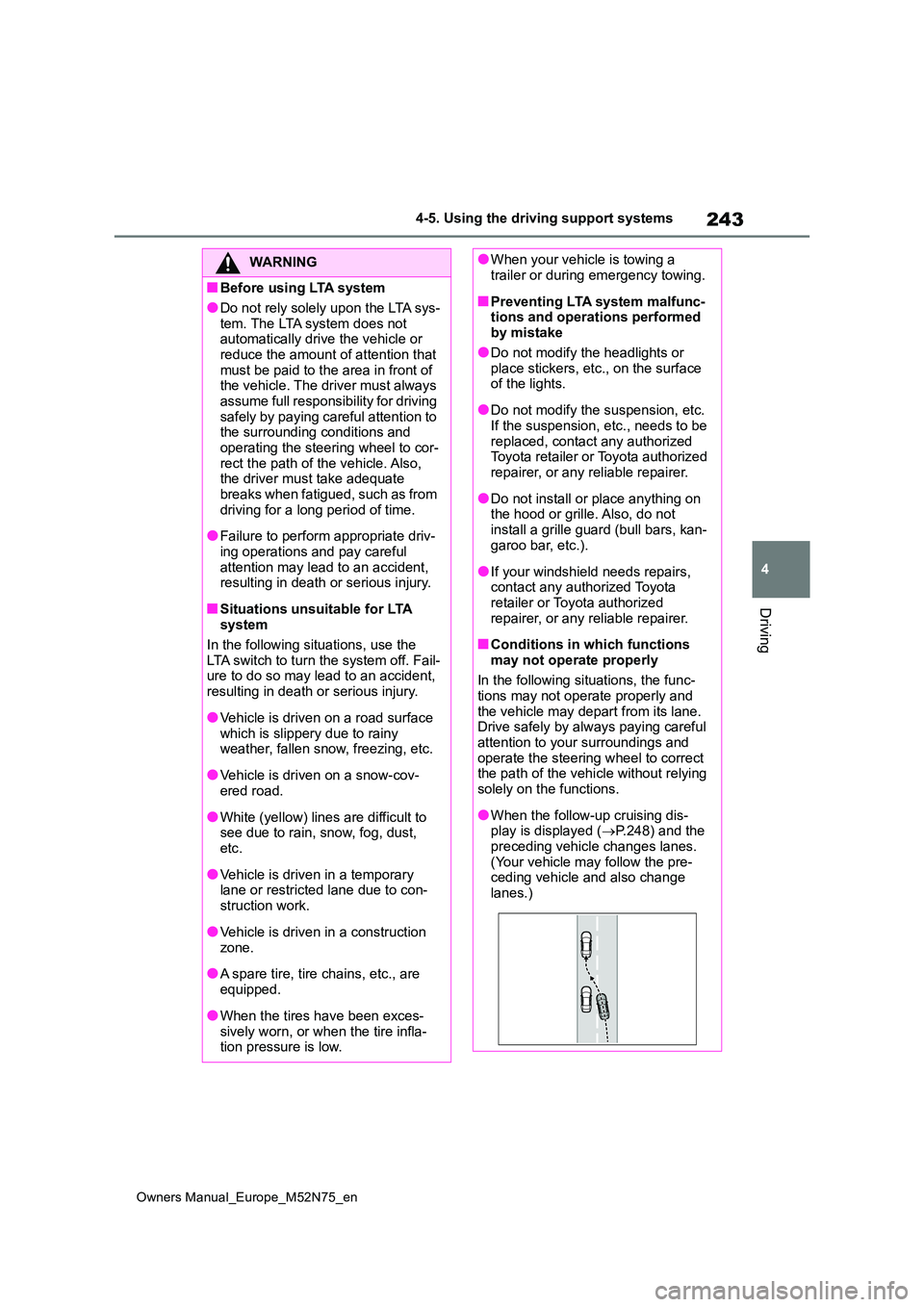
●When the follow-up cruising dis-play is displayed ( P.248) and the
preceding vehicle changes lanes. (Your vehicle may follow the pre-ceding vehicle and also change
lanes.)
Page 253 of 698
251
4
Owners Manual_Europe_M52N75_en
4-5. Using the driving support systems
Driving
The buzzer also sounds even if the alert
type is set to steering wheel vibration.
●When the system determines that the vehicle may deviate from the lane while driving around a curve while the
lane centering function is operating.
Depending on the vehicle condition and
road conditions, the warning may not
operate. Also, if the system determines
that the vehicle is driving around a
curve, warnings will occur earlier than
during straight-lane driving.
●When the system determines that the
driver is driving without holding the steering wheel while the steering wheel assist of the steering assist
function is operating.
If the driver continues to keep their
hands off of the steering wheel and the
steering wheel assist is operating, the
buzzer sounds and the driver is warned.
Each time the buzzer sounds, the con-
tinuing time of the buzzer becomes lon-
ger.
The buzzer also sounds even if the alert
type is set to steering wheel vibration.
■Vehicle sway warning function
When the system determines that the vehicle is swaying while the vehicle
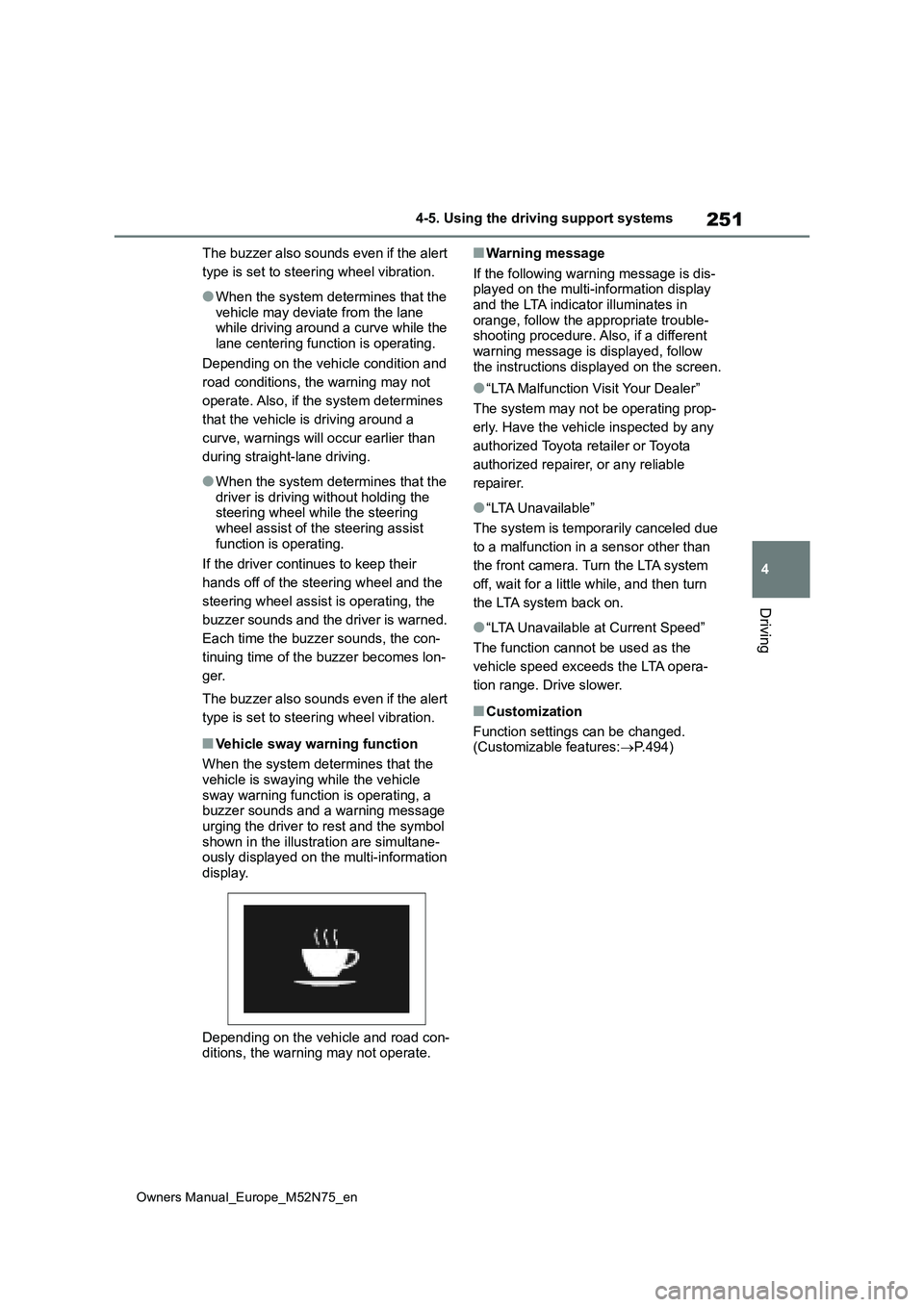
sway warning function is operating, a buzzer sounds and a warning message urging the driver to rest and the symbol
shown in the illustration are simultane- ously displayed on the multi-information display.
Depending on the vehicle and road con- ditions, the warning may not operate.
■Warning message
If the following warning message is dis- played on the multi-information display and the LTA indicator illuminates in
orange, follow the appropriate trouble- shooting procedure. Also, if a different warning message is displayed, follow
the instructions displayed on the screen.
●“LTA Malfunction Visit Your Dealer”
The system may not be operating prop-
erly. Have the vehicle inspected by any
authorized Toyota retailer or Toyota
authorized repairer, or any reliable
repairer.
●“LTA Unavailable”
The system is temporarily canceled due
to a malfunction in a sensor other than
the front camera. Turn the LTA system
off, wait for a little while, and then turn
the LTA system back on.
●“LTA Unavailable at Current Speed”
The function cannot be used as the
vehicle speed exceeds the LTA opera-
tion range. Drive slower.
■Customization
Function settings can be changed. (Customizable features: P.494)
Page 264 of 698
262
Owners Manual_Europe_M52N75_en
4-5. Using the driving support systems
■Automatic cancelation of constant
speed control mode
Constant speed control mode is auto- matically canceled in the following situa-
tions:
●Actual vehicle speed is more than
approximately 16 km/h (10 mph) below the set vehicle speed.
●Actual vehicle speed falls below approximately 30 km/h (20 mph).
●VSC is activated.
●TRC is activated for a period of time.
●When the VSC or TRC system is turned off.
●When the brake control or output restriction control of a driving support
system operates. (For example: Pre-Collision System, Drive-Start Control)
●The parking brake is operated.
If constant speed control mode is auto-
matically canceled for any reasons other than the above, there may be a malfunc-tion in the system. Contact any autho-
rized Toyota retailer or Toyota authorized repairer, or any reliable repairer.
■The Dynamic Radar Cruise Control
with Road Sign Assist may not operate properly when (if equipped)
As the Dynamic Radar Cruise Control with Road Sign Assist may not operate properly in conditions in which RSA may
not operate or detect correctly ( P.269), when using this function, make sure to check the speed limit sign
displayed.
In the following situations, the set speed may not be changed to the recognized
speed limit by pressing and holding the “+RES”/“-SET” switch.
●If speed limit information is not avail-able
●When the recognized speed limit is the same as the set speed
●When the recognized speed limit is
outside of the speed range that the
dynamic radar cruise control system can operate
■Brake operation
A brake operation sound may be heard
and the brake pedal response may change, but these are not malfunctions.
■Warning messages and buzzers for dynamic radar cruise control with
full-speed range
Warning messages and buzzers are used to indicate a system malfunction or
to inform the driver of the need for cau- tion while driving. If a warning message is shown on the multi-information dis-
play, read the message and follow the instructions. ( P.229, 445)
■When the sensor may not be cor- rectly detecting the vehicle ahead
In the case of the following and depend- ing on the conditions, operate the brake pedal when deceleration of the system
is insufficient or operate the accelerator pedal when acceleration is required.
As the sensor may not be able to cor-
rectly detect these types of vehicles, the approach warning ( P.259) may not be activated.
●Vehicles that cut in suddenly
●Vehicles traveling at low speeds
●Vehicles that are not moving in the
same lane
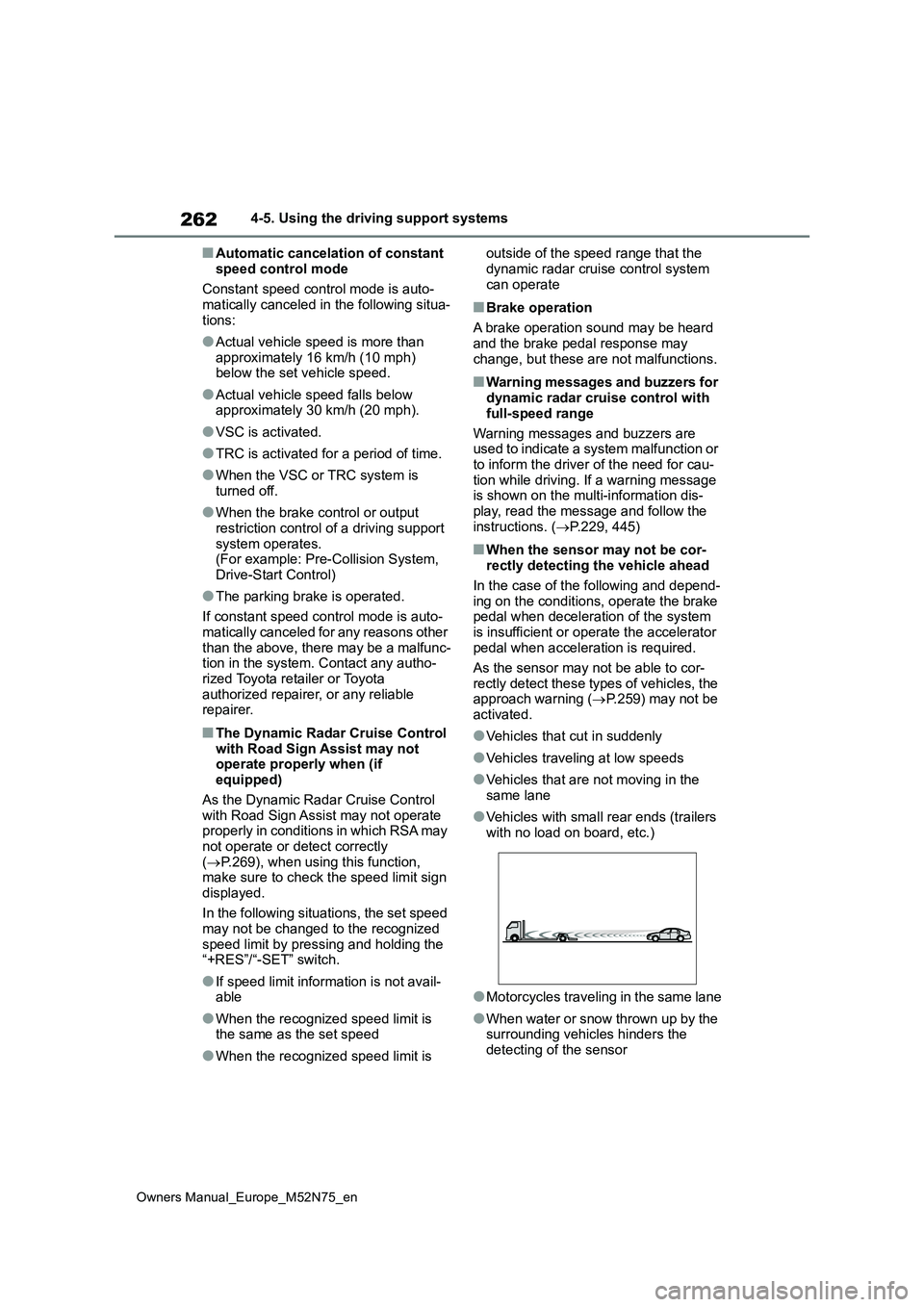
●Vehicles with small rear ends (trailers
with no load on board, etc.)
●Motorcycles traveling in the same lane
●When water or snow thrown up by the surrounding vehicles hinders the
detecting of the sensor
Page 272 of 698
270
Owners Manual_Europe_M52N75_en
4-5. Using the driving support systems
●S t ic ke r s a r e a t t ac he d t o t h e r e ar o f t he
preceding vehicle.
●A sign resembling a system compati-
ble sign is recognized.
●Side road speed signs may be
detected and displayed (if positioned in sight of the front camera) while the vehicle is traveling on the main road.
●Roundabout exit road speed signs may be detected and displayed (if
positioned in sight of the front camera) while traveling on a roundabout.
●The front of the vehicle is raised or lowered due to the carried load.
●The surrounding brightness is not suf-ficient or changes suddenly.
●When a sign intended for trucks, etc., is recognized.
●The vehicle is driven in a country with a different direction of traffic.
●The 7-inch/8-inch display navigation system map data is outdated.
●The 7-inch/8-inch display navigation system is not operating.
●The speed information displayed on the meter and on the 7-inch/8-inch display navigation system may be dif-
ferent due to the 7-inch/8-inch display navigation system using map data.
■Speed limit sign display
If the power switch was last turned off
while a speed limit sign was displayed on the multi-information display, the same sign displays again when the
power switch is turned to ON.
■If “RSA Malfunction Visit Your Dealer” is shown
The system may be malfunctioning.
Have the vehicle inspected by any authorized Toyota retailer or Toyota authorized repairer, or any reliable
repairer.
■Customization
Some functions can be customized. (Customizable features: P.494)
*: If equipped
BSM (Blind Spot Moni-
tor)*
The Blind Spot Monitor is a
system that uses rear side
radar sensors installed on the
inner side of the rear bumper
on the left and right side to
assist the driver in confirming
safety when changing lanes.
WARNING
■Cautions regarding the use of
the system
The driver is solely responsible for safe driving. Always drive safely, tak-
ing care to observe your surround- ings.
The Blind Spot Monitor is a supple-
mentary function which alerts the driver that a vehicle is in a blind spot of the outside rear view mirrors or is
approaching rapidly from behind into a blind spot. Do not overly rely on the
Blind Spot Monitor. As the function cannot judge if it is safe to change lanes, over reliance could lead to an
accident resulting in death or serious injury.
As the system may not function cor-
rectly under certain conditions, the driver’s own visual confirmation of safety is necessary.
Page 274 of 698
272
Owners Manual_Europe_M52N75_en
4-5. Using the driving support systems
Use the meter control switches to
turn on/off the function.
1 Press / (4.2-inch display)
or / (7-inch display) of
the meter control switch to
select .
2 Press / (4.2-inch display)
or / (7-inch display) of
the meter control switch to
select and then press .
WARNING
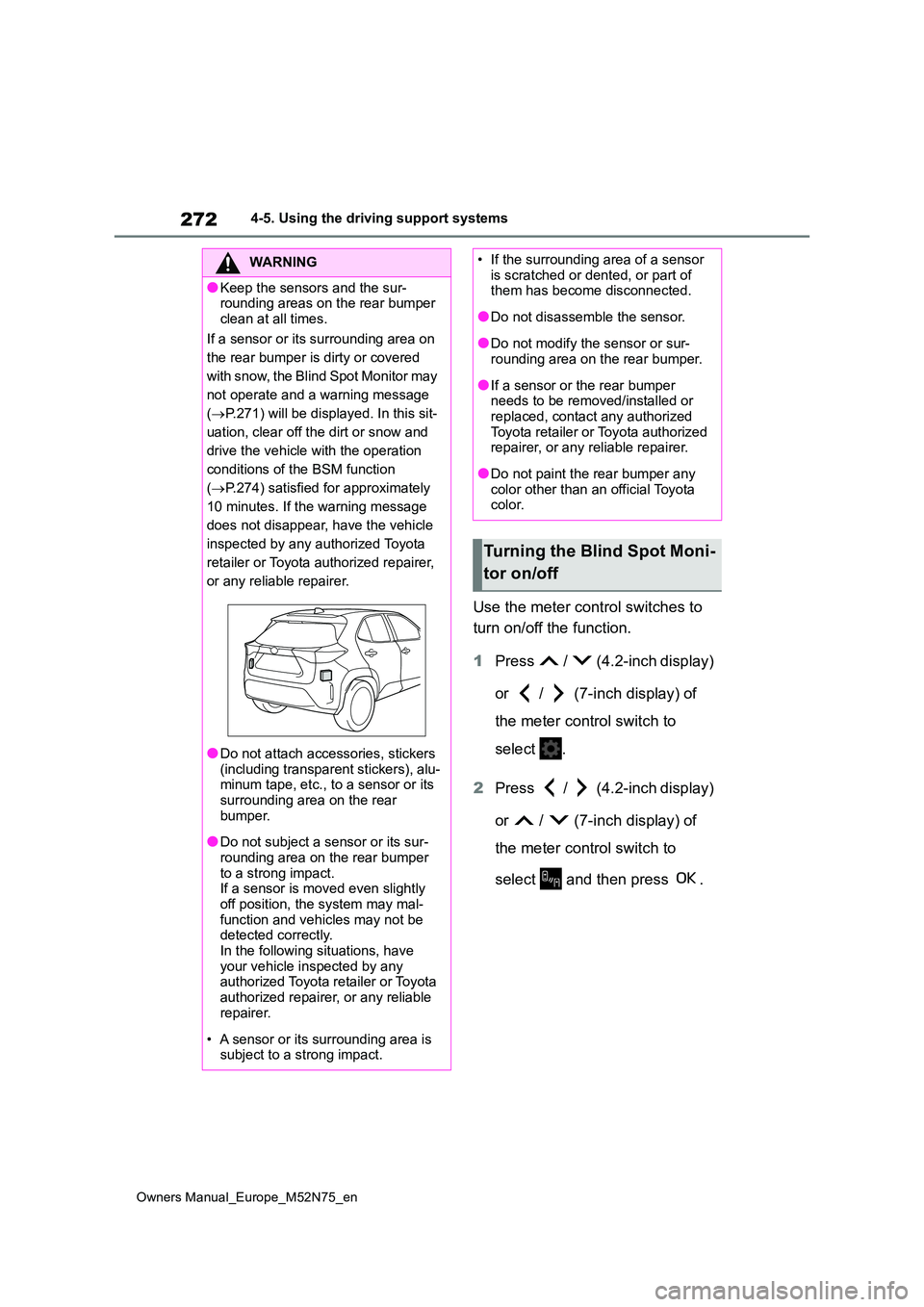
●Keep the sensors and the sur- rounding areas on the rear bumper
clean at all times.
If a sensor or its surrounding area on
the rear bumper is dirty or covered
w i t h s n o w, t h e B l i n d S p o t M o n i t o r m a y
not operate and a warning message
( P.271) will be displayed. In this sit-
uation, clear off the dirt or snow and
drive the vehicle with the operation
conditions of the BSM function
( P.274) satisfied for approximately
10 minutes. If the warning message
does not disappear, have the vehicle
inspected by any authorized Toyota
retailer or Toyota authorized repairer,
or any reliable repairer.
●Do not attach accessories, stickers
(including transparent stickers), alu- minum tape, etc., to a sensor or its surrounding area on the rear
bumper.
●Do not subject a sensor or its sur-
rounding area on the rear bumper to a strong impact.If a sensor is moved even slightly
off position, the system may mal- function and vehicles may not be detected correctly.
In the following situations, have your vehicle inspected by any authorized Toyota retailer or Toyota
authorized repairer, or any reliable repairer.
• A sensor or its surrounding area is subject to a strong impact.
• If the surrounding area of a sensor is scratched or dented, or part of them has become disconnected.
●Do not disassemble the sensor.
●Do not modify the sensor or sur-rounding area on the rear bumper.
●If a sensor or the rear bumper needs to be removed/installed or replaced, contact any authorized
Toyota retailer or Toyota authorized repairer, or any reliable repairer.
●Do not paint the rear bumper any color other than an official Toyota color.
Turning the Blind Spot Moni-
tor on/off
Page 280 of 698
278
Owners Manual_Europe_M52N75_en
4-5. Using the driving support systems
is on.
●The vehicle speed is less than about 10 km/h (6 mph).
●The shift lever is in other than P.
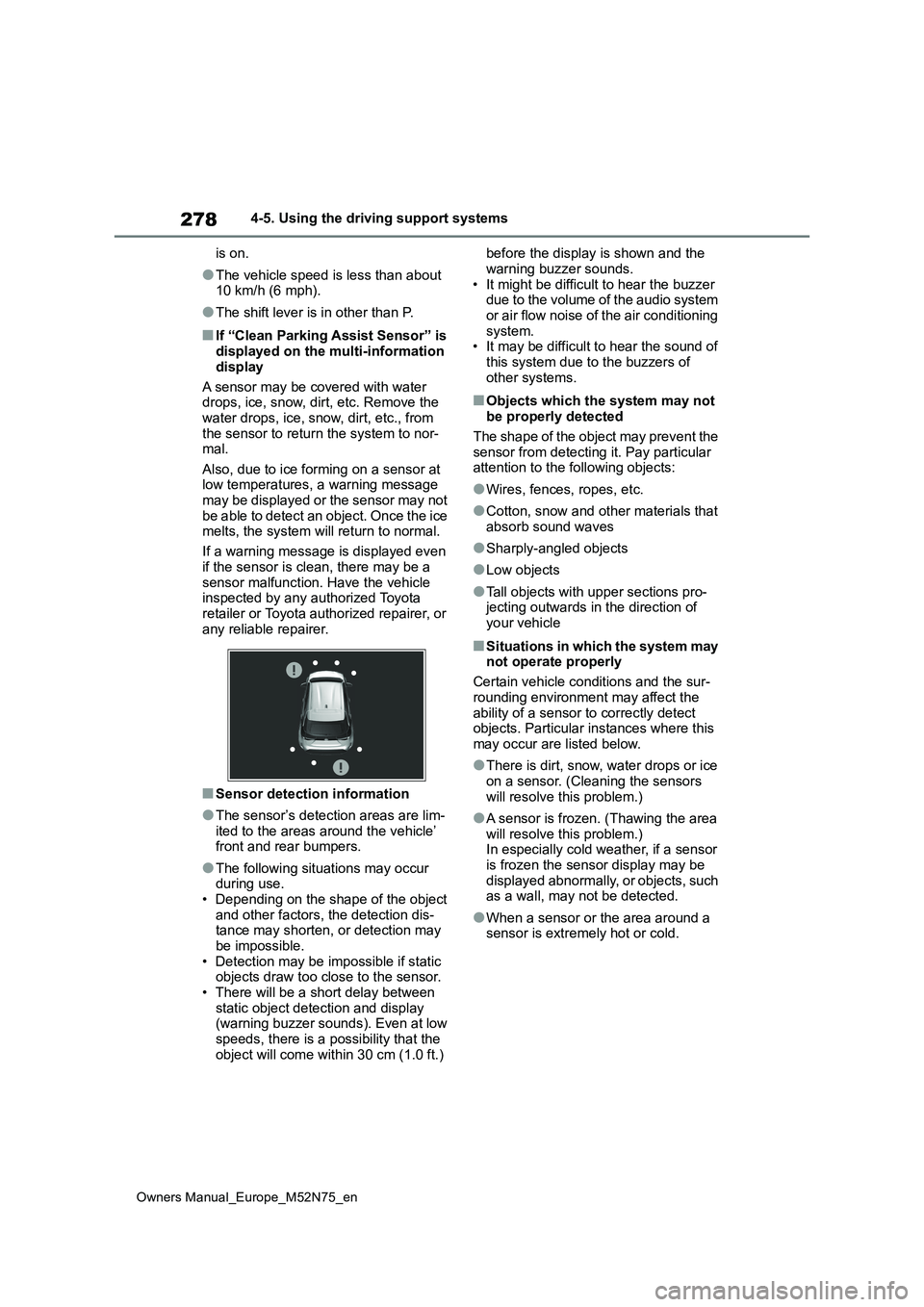
■If “Clean Parking Assist Sensor” is displayed on the multi-information
display
A sensor may be covered with water drops, ice, snow, dirt, etc. Remove the
water drops, ice, snow, dirt, etc., from the sensor to return the system to nor-mal.
Also, due to ice forming on a sensor at low temperatures, a warning message may be displayed or the sensor may not
be able to detect an object. Once the ice melts, the system will return to normal.
If a warning message is displayed even
if the sensor is clean, there may be a sensor malfunction. Have the vehicle inspected by any authorized Toyota
retailer or Toyota authorized repairer, or any reliable repairer.
■Sensor detection information
●The sensor’s detection areas are lim-
ited to the areas around the vehicle’ front and rear bumpers.
●The following situations may occur during use.• Depending on the shape of the object
and other factors, the detection dis- tance may shorten, or detection may be impossible.
• Detection may be impossible if static objects draw too close to the sensor.• There will be a short delay between
static object detection and display (warning buzzer sounds). Even at low speeds, there is a possibility that the
object will come within 30 cm (1.0 ft.)
before the display is shown and the
warning buzzer sounds. • It might be difficult to hear the buzzer due to the volume of the audio system
or air flow noise of the air conditioning system.• It may be difficult to hear the sound of
this system due to the buzzers of other systems.
■Objects which the system may not be properly detected
The shape of the object may prevent the sensor from detecting it. Pay particular attention to the following objects:
●Wires, fences, ropes, etc.
●Cotton, snow and other materials that absorb sound waves
●Sharply-angled objects
●Low objects
●Tall objects with upper sections pro-jecting outwards in the direction of
your vehicle
■Situations in which the system may not operate properly
Certain vehicle conditions and the sur-
rounding environment may affect the ability of a sensor to correctly detect objects. Particular instances where this
may occur are listed below.
●There is dirt, snow, water drops or ice
on a sensor. (Cleaning the sensors will resolve this problem.)
●A sensor is frozen. (Thawing the area will resolve this problem.) In especially cold weather, if a sensor
is frozen the sensor display may be displayed abnormally, or objects, such as a wall, may not be detected.
●When a sensor or the area around a sensor is extremely hot or cold.
Page 292 of 698
290
Owners Manual_Europe_M52N75_en
4-5. Using the driving support systems
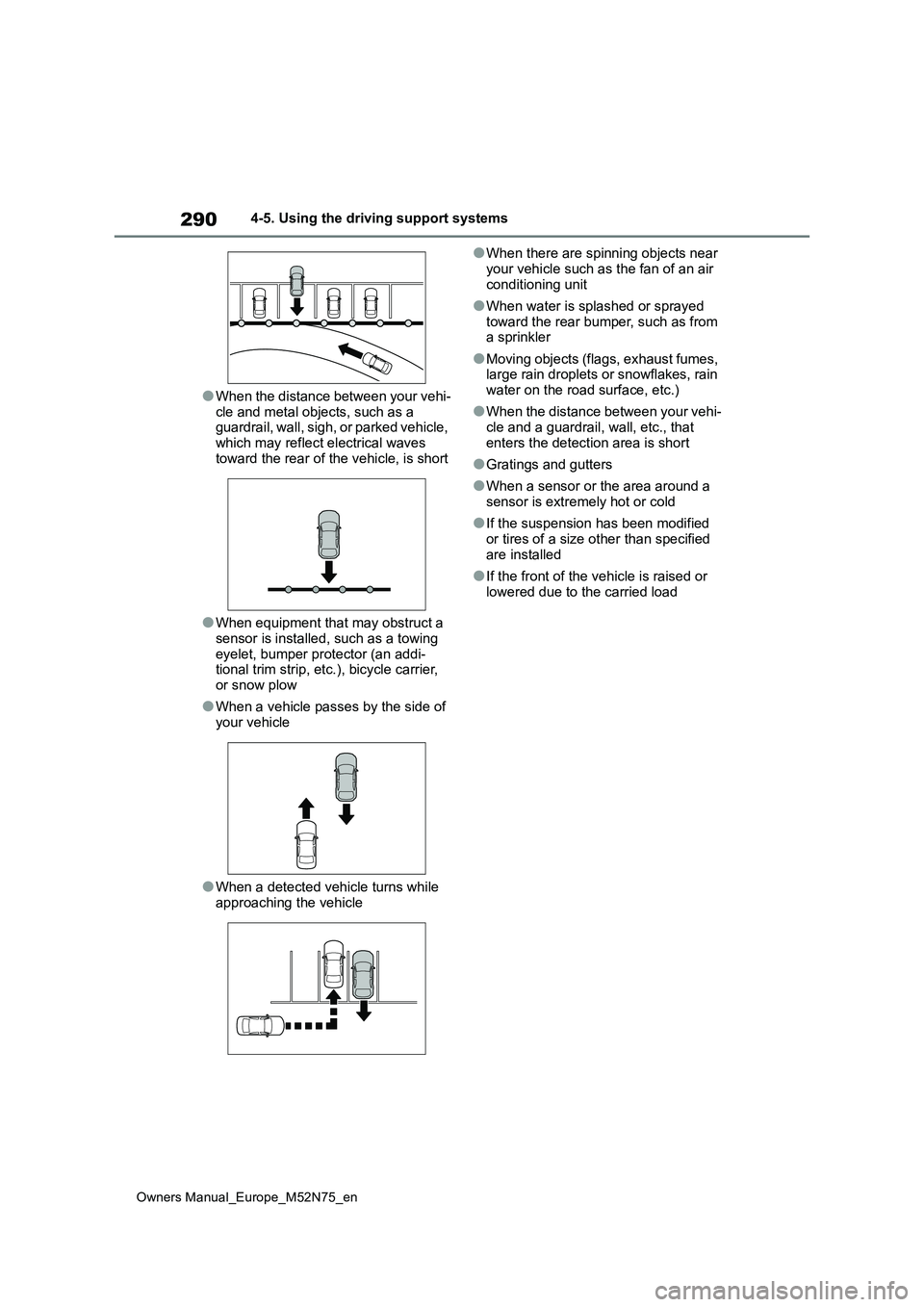
●When the distance between your vehi-
cle and metal objects, such as a guardrail, wall, sigh, or parked vehicle, which may reflect electrical waves
toward the rear of the vehicle, is short
●When equipment that may obstruct a
sensor is installed, such as a towing eyelet, bumper protector (an addi-tional trim strip, etc.), bicycle carrier,
or snow plow
●When a vehicle passes by the side of
your vehicle
●When a detected vehicle turns while
approaching the vehicle
●When there are spinning objects near
your vehicle such as the fan of an air conditioning unit
●When water is splashed or sprayed toward the rear bumper, such as from a sprinkler
●Moving objects (flags, exhaust fumes, large rain droplets or snowflakes, rain
water on the road surface, etc.)
●When the distance between your vehi-
cle and a guardrail, wall, etc., that enters the detection area is short
●Gratings and gutters
●When a sensor or the area around a
sensor is extremely hot or cold
●If the suspension has been modified
or tires of a size other than specified are installed
●If the front of the vehicle is raised or lowered due to the carried load
Page 325 of 698
323
4
Owners Manual_Europe_M52N75_en
4-5. Using the driving support systems
Driving
provide quick, powerful acceleration.
Making it suitable for when agile driving
response is desired, such as when driv-
ing on roads with many curves.
When the Power mode is selected,
Power mode indicator comes on.
3 Eco drive mode
Helps the driver accelerate in an eco-
friendly manner and improve fuel econ-
omy through moderate throttle charac-
teristics and by controlling the operation
of the air conditioning system (heat-
ing/cooling).
When the Eco drive mode is selected,
Eco drive mode indicator comes on.
■Operation of the air conditioning system in Eco drive mode
Eco drive mode controls the heat- ing/cooling operations and fan speed of the air conditioning system to enhance
fuel efficiency. To improve air condition- ing performance, perform the following operations:
●Turn off air conditioning eco mode ( P.342)
●Adjust the fan speed (P.343)
●Turn off Eco drive mode
■Automatic deactivation of Power mode
If the power switch is turned off after
driving in power mode, the drive mode will be changed to normal mode.
Trail Mode (AWD vehi-
cles)
Trail Mode is designed to con-
trol the spinning of the drive
wheels by integratedly con-
trolling AWD, brake and drive
force control systems. Use the
Trail Mode when driving
bumpy roads, etc.
WARNING
■Before using Trail Mode
Make sure to observe the following
precautions.Failure to observe these precautions may result in an unex-pected accident.
●Trail mode is intended for use when driving on rough roads.
●Check that the Trail Mode indicator is illuminated before driving.
●Trail Mode is not intended to expand the limits of the vehicle. Thoroughly check the road condi-
tions and drive with caution.
NOTICE
■I n o rd e r t o e n su re t h a t Trai l M o de operates properly
Do not continuously use the Trail
Mode for a long period of time. Depending on the driving conditions, the load on related parts increases
and the system may not operate prop- erly.
Page 326 of 698
324
Owners Manual_Europe_M52N75_en
4-5. Using the driving support systems
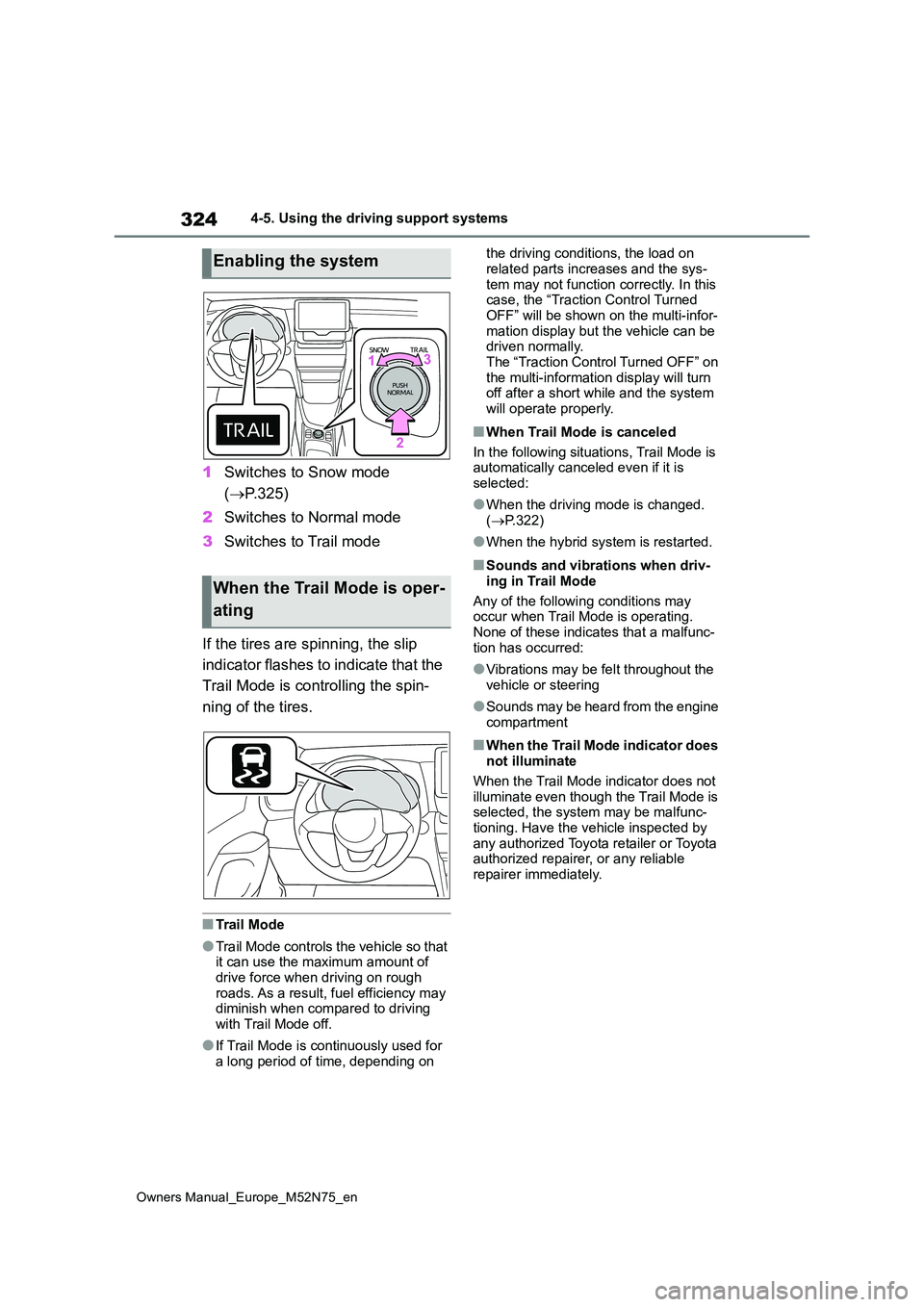
1Switches to Snow mode
( P.325)
2 Switches to Normal mode
3 Switches to Trail mode
If the tires are spinning, the slip
indicator flashes to indicate that the
Trail Mode is controlling the spin-
ning of the tires.
■Trail Mode
●Trail Mode controls the vehicle so that it can use the maximum amount of drive force when driving on rough
roads. As a result, fuel efficiency may diminish when compared to driving with Trail Mode off.
●If Trail Mode is continuously used for a long period of time, depending on
the driving conditions, the load on
related parts increases and the sys- tem may not function correctly. In this case, the “Traction Control Turned
OFF” will be shown on the multi-infor- mation display but the vehicle can be driven normally.
The “Traction Control Turned OFF” on the multi-information display will turn off after a short while and the system
will operate properly.
■When Trail Mode is canceled
In the following situations, Trail Mode is automatically canceled even if it is
selected:
●When the driving mode is changed.
( P.322)
●When the hybrid system is restarted.
■Sounds and vibrations when driv-
ing in Trail Mode
Any of the following conditions may occur when Trail Mode is operating.
None of these indicates that a malfunc- tion has occurred:
●Vibrations may be felt throughout the vehicle or steering
●Sounds may be heard from the engine compartment
■When the Trail Mode indicator does not illuminate
When the Trail Mode indicator does not illuminate even though the Trail Mode is selected, the system may be malfunc-
tioning. Have the vehicle inspected by any authorized Toyota retailer or Toyota authorized repairer, or any reliable
repairer immediately.
Enabling the system
When the Trail Mode is oper-
ating