Car Play TOYOTA YARIS CROSS 2023 Owners Manual
[x] Cancel search | Manufacturer: TOYOTA, Model Year: 2023, Model line: YARIS CROSS, Model: TOYOTA YARIS CROSS 2023Pages: 698, PDF Size: 147.65 MB
Page 3 of 698
1
6
5
4
3
2
7
8
Owners Manual_Europe_M52N75_en
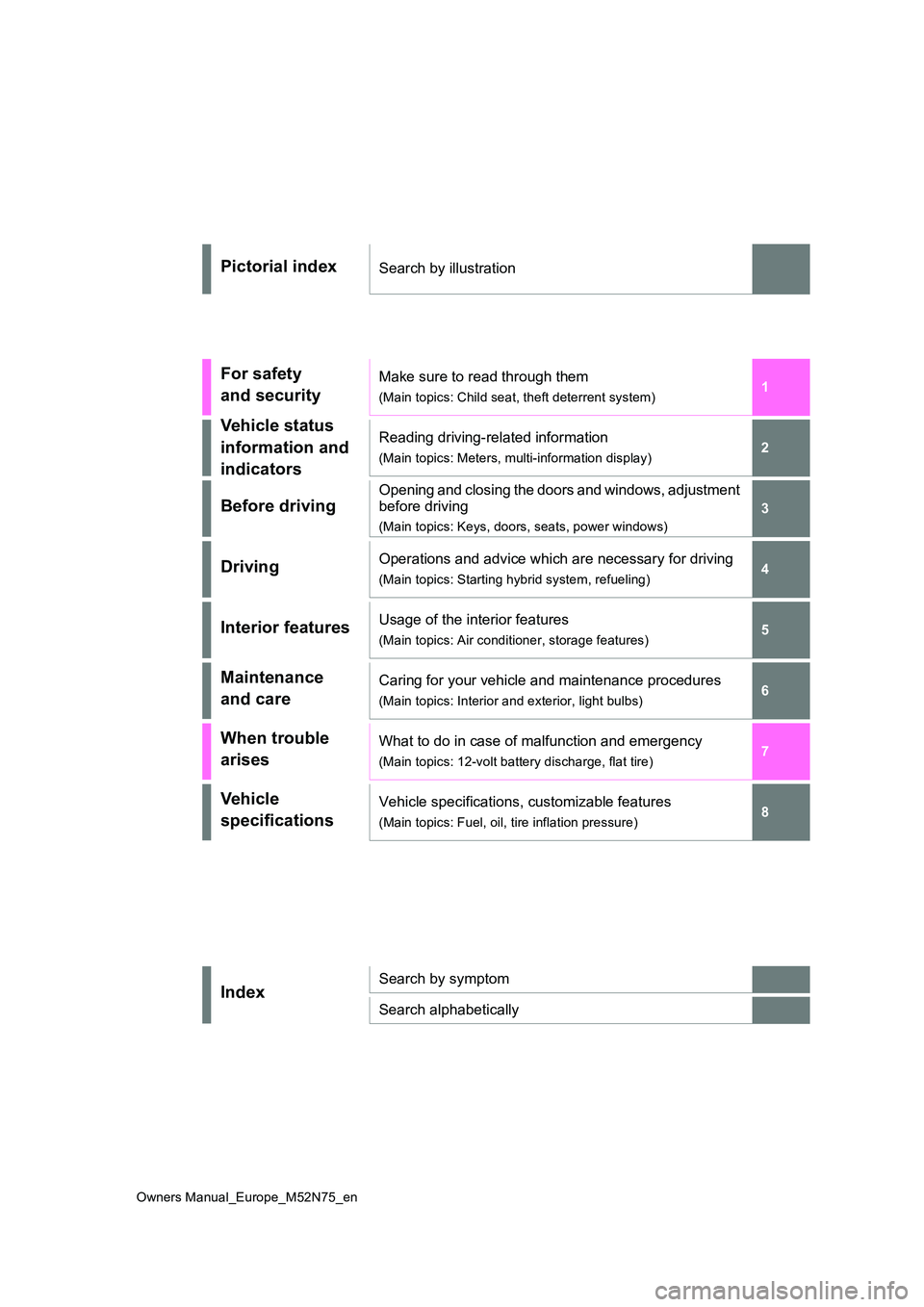
Pictorial indexSearch by illustration
For safety
and security
Make sure to read through them
(Main topics: Child seat, theft deterrent system)
Vehicle status
information and
indicators
Reading driving-related information
(Main topics: Meters, multi-information display)
Before driving
Opening and closing the doors and windows, adjustment
before driving
(Main topics: Keys, doors, seats, power windows)
DrivingOperations and advice which are necessary for driving
(Main topics: Starting hybrid system, refueling)
Interior featuresUsage of the interior features
(Main topics: Air conditioner, storage features)
Maintenance
and care
Caring for your vehicle and maintenance procedures
(Main topics: Interior and exterior, light bulbs)
When trouble
arises
What to do in case of malfunction and emergency
(Main topics: 12-volt battery discharge, flat tire)
Vehicle
specifications
Vehicle specifications, customizable features
(Main topics: Fuel, oil, tire inflation pressure)
IndexSearch by symptom
Search alphabetically
Page 113 of 698
111
2
Owners Manual_Europe_M52N75_en
2-1. Instrument cluster
Vehicle status information and indicators
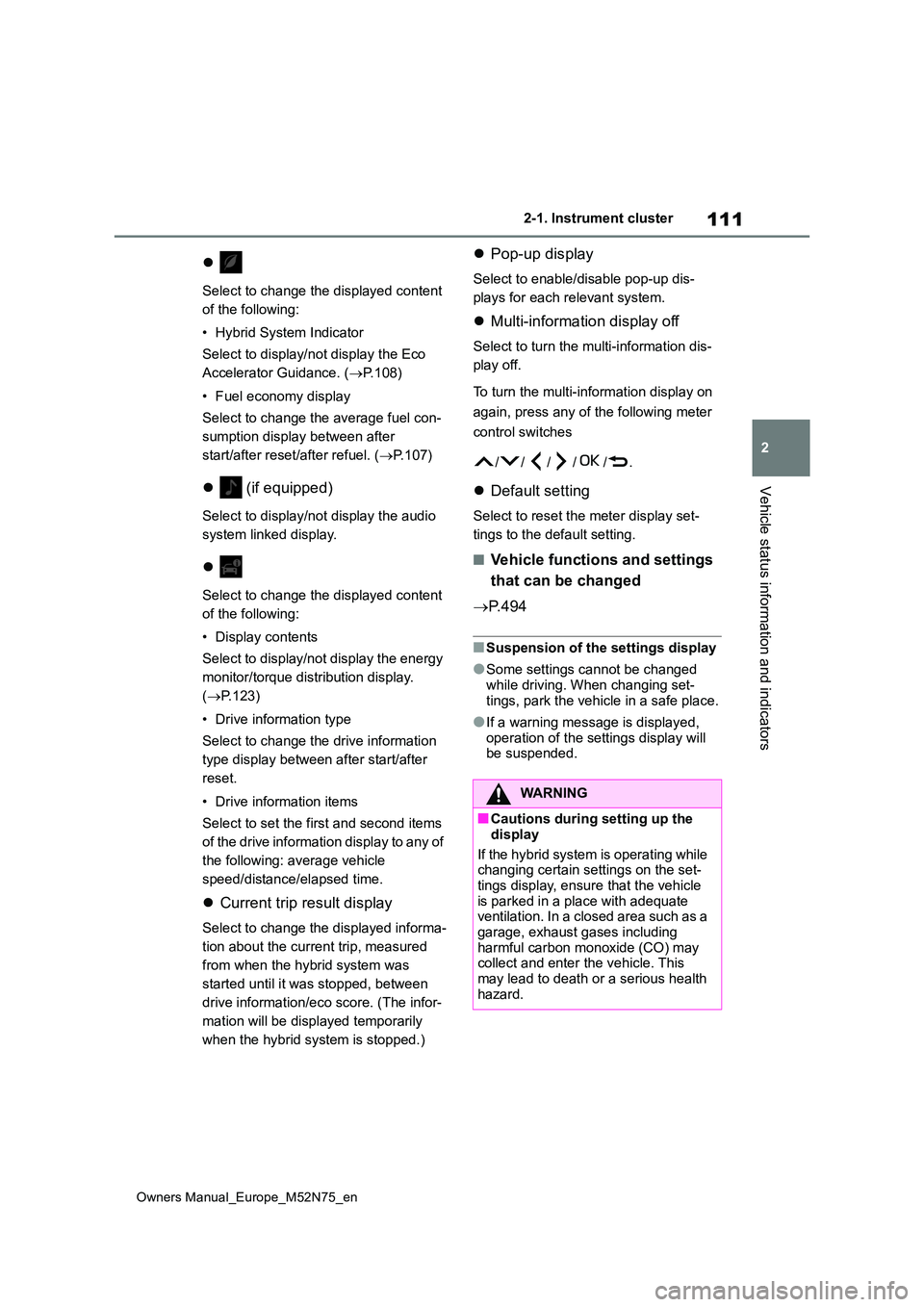
Select to change the displayed content
of the following:
• Hybrid System Indicator
Select to display/not display the Eco
Accelerator Guidance. ( P.108)
• Fuel economy display
Select to change the average fuel con-
sumption display between after
start/after reset/after refuel. ( P.107)
(if equipped)
Select to display/not display the audio
system linked display.
Select to change the displayed content
of the following:
• Display contents
Select to display/not display the energy
monitor/torque distribution display.
( P.123)
• Drive information type
Select to change the drive information
type display between after start/after
reset.
• Drive information items
Select to set the first and second items
of the drive information display to any of
the following: average vehicle
speed/distance/elapsed time.
Current trip result display
Select to change the displayed informa-
tion about the current trip, measured
from when the hybrid system was
started until it was stopped, between
drive information/eco score. (The infor-
mation will be displayed temporarily
when the hybrid system is stopped.)
Pop-up display
Select to enable/disable pop-up dis-
plays for each relevant system.
Multi-information display off
Select to turn the multi-information dis-
play off.
To turn the multi-information display on
again, press any of the following meter
control switches
//// /.
Default setting
Select to reset the meter display set-
tings to the default setting.
■Vehicle functions and settings
that can be changed
P. 4 9 4
■Suspension of the settings display
●Some settings cannot be changed while driving. When changing set-
tings, park the vehicle in a safe place.
●If a warning message is displayed,
operation of the settings display will be suspended.
WARNING
■Cautions during setting up the
display
If the hybrid system is operating while changing certain settings on the set-
tings display, ensure that the vehicle is parked in a place with adequate ventilation. In a closed area such as a
garage, exhaust gases including harmful carbon monoxide (CO) may collect and enter the vehicle. This
may lead to death or a serious health hazard.
Page 120 of 698
118
Owners Manual_Europe_M52N75_en
2-1. Instrument cluster
Current trip result display
Select to change the displayed informa-
tion about the current trip, measured
from when the hybrid system was
started until it was stopped, between
drive information/eco score. (The infor-
mation will be displayed temporarily
when the hybrid system is stopped.)
Pop-up display
Select to enable/disable pop-up dis-
plays for each relevant system.
Multi-information display off
Select to turn the multi-information dis-
play off.
To turn the multi-information display on
again, press any of the following meter
control switches
//// /.
Default setting
Select to reset the meter display set-
tings to the default setting.
■Vehicle functions and settings
that can be changed
P. 4 9 4
■Suspension of the settings display
●Some settings cannot be changed
while driving. When changing set- tings, park the vehicle in a safe place.
●If a warning message is displayed, operation of the settings display will be suspended.
WARNING
■Cautions during setting up the display
If the hybrid system is operating while changing certain settings on the set-tings display, ensure that the vehicle
is parked in a place with adequate ventilation. In a closed area such as a garage, exhaust gases including
harmful carbon monoxide (CO) may collect and enter the vehicle. This may lead to death or a serious health
hazard.
NOTICE
■During setting up the display
To prevent 12-volt battery discharge, ensure that the hybrid system is oper-ating while setting up the display fea-
tures.
Page 123 of 698
121
2
Owners Manual_Europe_M52N75_en
2-1. Instrument cluster
Vehicle status information and indicators
Display angle
Select to adjust the angle of the head-
up display.
■Enabling/disabling of the head-up
display
If the head-up display is disabled, it will remain disabled when the power switch
is turned off then back to ON.
■Display brightness
The brightness of the head-up display
can be adjusted on of the multi-
information display. Also, it is automati-
cally adjusted according to the ambient
brightness.
■Driving support system status
display
Displays the operational status of
the following systems:
Dynamic radar cruise control
with full-speed range (if
equipped) ( P.252)
LTA (Lane Tracing Assist) (if
equipped) ( P.242)
Details of content displayed on the
head-up display may differ from that
displayed on the multi-information dis-
play. For details, refer to the explana-
tion of each system.
■Navigation system-linked dis-
play area (if equipped)
Displays the following items which
are linked to the navigation system:
Street name
Route guidance to destination (if
equipped)
Compass (heading-up display)
Pop-up displays for the following
systems will be displayed when
necessary:
■Driving support systems
Displays a warning/sugges-
tion/advice message or the operat-
ing state of a relevant system.
PCS (Pre-Collision System) (if
WARNING
■Caution for changing settings of the head-up display
If the hybrid system is operating while
changing certain settings on the set- tings display, ensure that the vehicle is parked in a place with adequate
ventilation. In a closed area such as a garage, exhaust gases including harmful carbon monoxide (CO) may
collect and enter the vehicle. This may lead to death or a serious health hazard.
NOTICE
■When changing the settings of the head-up display
To prevent 12-volt battery discharge, ensure that the hybrid system is oper-ating while changing the settings of
the head-up display.
Driving support system sta-
tus/navigation system-
linked display area
Pop-up display
Page 135 of 698
133
3
Owners Manual_Europe_M52N75_en
3-1. Key information
Before driving
Toyota authorized repairer, or any
reliable repairer.
*2: If equipped
■Conditions affecting the operation of the wireless remote control (vehicles without a smart entry &
start system)
The wireless remote control function may not operate normally in the follow-
ing situations:
●When the wireless key battery is
depleted
●Near a TV tower, electric power plant,
gas station, radio station, large dis- play, airport or other facility that gen-erates strong radio waves or electrical
noise
●When carrying a portable radio, cellu-
lar phone or other wireless communi- cation devices
●When the wireless key is in contact with, or is covered by a metallic object
●When another wireless key (that emits radio waves) is being used nearby
●If window tint with a metallic content or metallic objects are attached to the rear window
■Conditions affecting the operation
of the smart entry & start system or wireless remote control (vehicles
with a smart entry & start system)
P. 1 5 4
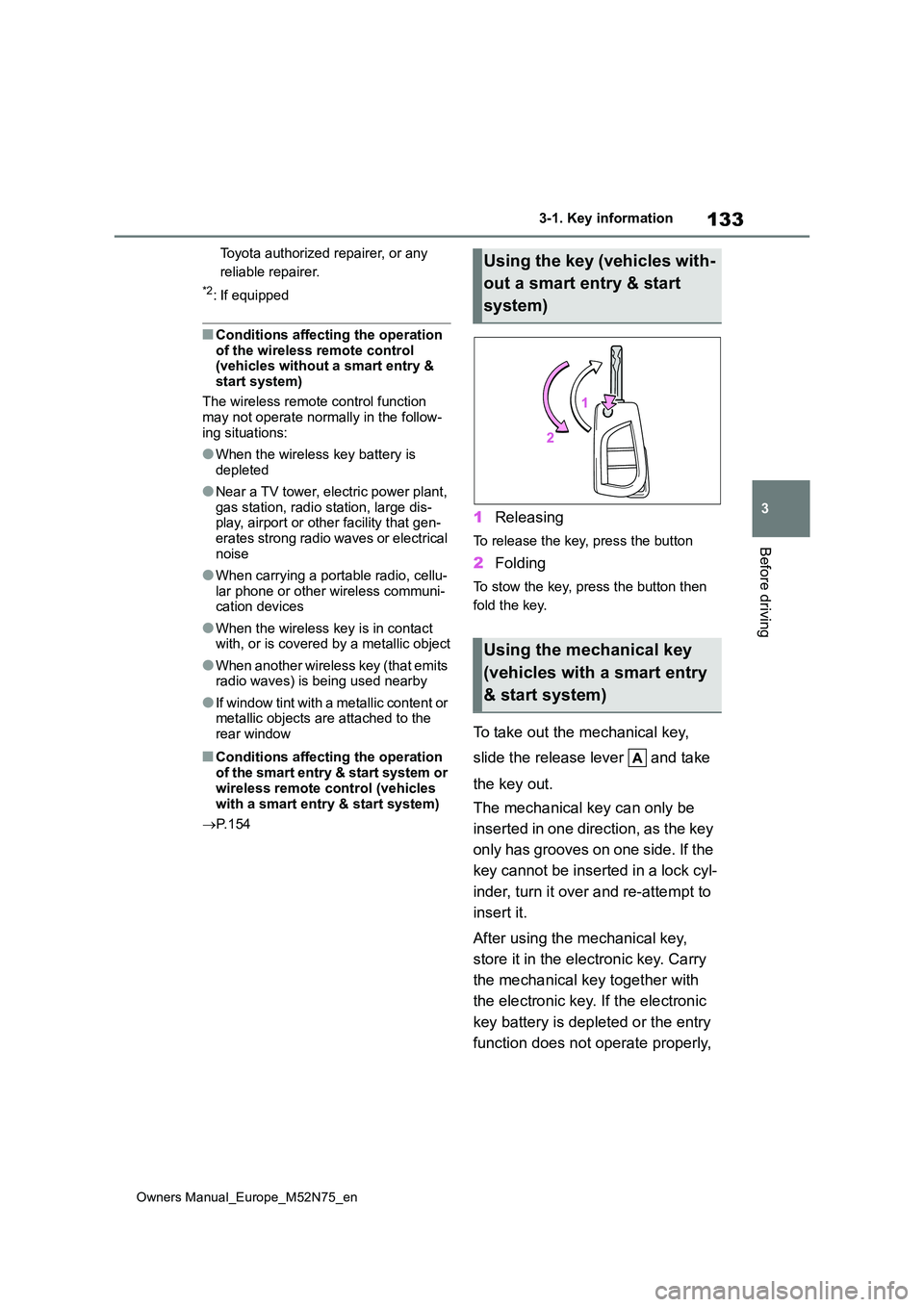
1Releasing
To release the key, press the button
2Folding
To stow the key, press the button then
fold the key.
To take out the mechanical key,
slide the release lever and take
the key out.
The mechanical key can only be
inserted in one direction, as the key
only has grooves on one side. If the
key cannot be inserted in a lock cyl-
inder, turn it over and re-attempt to
insert it.
After using the mechanical key,
store it in the electronic key. Carry
the mechanical key together with
the electronic key. If the electronic
key battery is depleted or the entry
function does not operate properly,
Using the key (vehicles with-
out a smart entry & start
system)
Using the mechanical key
(vehicles with a smart entry
& start system)
Page 139 of 698
137
3
Owners Manual_Europe_M52N75_en
3-2. Opening, closing and locking the doors
Before driving
■Door lock buzzer (vehicles with a
smart entry & start system)
If an attempt to lock the doors using the entry function or wireless remote control
is made when a door is not fully closed, a buzzer will sound continuously for 5 seconds. Fully close the door to stop the
buzzer, and lock the doors again.
■Alarm (if equipped)
Locking the doors will set the alarm sys- tem. ( P.86)
■Conditions affecting the operation
of the smart entry & start system or wireless remote control
Vehicles without a smart entry & start
system
P. 1 3 3
Vehicles with a smart entry & start system
P. 1 5 4
■If the smart entry & start system or
the wireless remote control does not operate properly
Vehicles without a smart entry & start
system
Replace the key battery with a new one
if it is depleted. ( P.409)
Vehicles with a smart entry & start system
Use the mechanical key to lock and
unlock the doors. ( P.470)
Replace the key battery with a new one
if it is depleted. ( P.409)
■If the 12-volt battery is discharged
(vehicles with a smart entry & start system)
The doors cannot be locked and
unlocked using the entry function or wireless remote control. Lock or unlock the doors using the mechanical key.
( P.470)
■Rear seat reminder function
●In order to remind you not to forget
luggage, etc., in the rear seat, when the power switch is turned to OFF
after any of the following conditions
are met, a buzzer will sound and a message will be displayed on the multi-information display for approxi-
mately 6 seconds. • The hybrid system is started within 10 minutes after opening and closing a
rear door. • A rear door has been opened and closed after the hybrid system was
started.
However, if a rear door is opened and
then closed within approximately 2 sec-
onds, the rear seat reminder function
may not operate.
●The rear seat reminder function deter-
mines that luggage, etc., has been placed in a rear seat based on open-ing and closing of a rear door. There-
fore, depending on the situation, the rear seat reminder function may not operate and you may still forget lug-
gage, etc., in the rear seat, or it may operate unnecessarily.
●The rear seat reminder function can be enabled/disabled. ( P.494)
■Customization
Some functions can be customized.
( P.494)
WARNING
■To prevent an accident
Observe the following precautions
while driving the vehicle. Failure to do so may result in a door opening and an occupant being
thrown out of the vehicle, resulting in death or serious injury.
●Ensure that all doors are properly closed and locked.
●Do not pull the inside door handle while driving.Be especially careful of the front
doors, as the doors may be opened even if the inside lock buttons are in the locked position.
Page 149 of 698
147
3
Owners Manual_Europe_M52N75_en
3-2. Opening, closing and locking the doors
Before driving
of the rear bumper and moved away
from the rear bumper. The power back door may also be operated by putting a hand, an elbow,
a knee, etc. near the lower center part of the rear bumper and moving it away from the rear bumper. Make sure to
hold it close enough to the center part of the rear bumper.
■Situations in which the Hands Free Power Back Door may not operate
properly
In the following situations, the Hands Free Power Back Door may not operate
properly:
●When a foot remains under the rear
bumper
●If the rear bumper is strongly hit with a
foot or is touched for a while
If the rear bumper has been touched for
a while, wait for a short time before
attempting to operate the Hands Free
Power Back Door again.
●When operated while a person is too
close to the rear bumper
●When an external radio wave source
interferes with the communication between the electronic key and the vehicle ( P.154)
●When the vehicle is parked near an electrical noise source which affects
the sensitivity of the Hands Free Power Back Door, such as a pay park-ing spot, gas station, electrically
heated road, or fluorescent light
●When the vehicle is near a TV tower,
electric power plant, radio station, large display, airport or other facility that generates strong radio waves or
electrical noise
●When a large amount of water is
applied to the rear bumper, such as when the vehicle is being washed or in heavy rain
●When mud, snow, ice, etc. is attached to the rear bumper
●When the vehicle has been parked for
a while near objects that may move
and contact the rear bumper, such as plants
●When an accessory is installed to the rear bumper
If an accessory has been installed, turn
the Hands Free Power Back Door (kick
sensor) operation setting off.
■Preventing unintentional operation of the Hands Free Power Back Door
When an electronic key is in the opera- tion range, the Hands Free Power Back Door may operate unintentionally, so be
careful in the following situations.
●When a large amount of water is
applied to the rear bumper, such as when the vehicle is being washed or in heavy rain
●When dirt is wiped off the rear bumper
●When a small animal or small object, such as a ball, moves under the rear bumper
●When an object is moved from under the rear bumper
●If someone is swinging their legs while sitting on the rear bumper
●If the legs or another part of some-one’s body contacts the rear bumper
while passing by the vehicle
●When the vehicle is parked near an
electrical noise source which affects the sensitivity of the Hands Free Power Back Door, such as a pay park-
ing spot, gas station, electrically heated road, or fluorescent light
●When the vehicle is near a TV tower, electric power plant, radio station, large display, airport or other facility
that generates strong radio waves or electrical noise
●When the vehicle is parked in a place where objects such as plants are near the rear bumper
●If luggage, etc. is set near the rear bumper
●If accessories or a vehicle cover is
Page 153 of 698
151
3
Owners Manual_Europe_M52N75_en
3-2. Opening, closing and locking the doors
Before driving
The settings of the power back door
system can be changed by display-
ing the “Vehicle Settings” -
(4.2-inch display) or
(7-inch display) screen from
the setting screen of the multi-infor-
mation display. ( P.494)
The changed power back door settings
are not reset by turning the power
switch to OFF. In order to restore the
original settings, they need to be
changed back on the setting screen of
the multi-information display.
The open position of the power
back door can be adjusted.
1 Stop the back door in the desir-
able position. ( P.142)
2 Press and hold the power back
door switch on the back door for
approximately 2 seconds.
When the settings are completed, the buzzer sounds 4 times.
When opening the back door the next time, the back door will stop at that
NOTICE
●Do not park the vehicle near objects that may move and contact the
lower center part of the rear bumper, such as grass or trees.If the vehicle has been parked for a
while near objects that may move and contact the lower center part of the rear bumper, such as grass or
trees, the kick sensor may not oper- ate. In this situation, move the vehi-cle from the current position and
then check if the kick sensor oper- ates. If it does not operate, have the vehicle inspected by any authorized
Toyota retailer or Toyota authorized repairer, or any reliable repairer.
●Do not subject the kick sensor or its surrounding area to a strong impact.
If the kick sensor or its surrounding area has been subjected to a strong impact, the kick sensor may not
operate properly. If the kick sensor does not operate in the following situations, have the vehicle
inspected by any authorized Toyota retailer or Toyota authorized repairer, or any reliable repairer.
• The kick sensor or its surrounding area has been subjected to a strong impact.
• The lower center part of the rear bumper is scratched or damaged.
●Do not disassemble the rear bumper.
●Do not attach stickers to the rear bumper.
●Do not paint the rear bumper.
●If a bicycle carrier or similar heavy
object is attached to the power back door, disable the kick sensor. ( P.151)
Changing settings of the
power back door system
(vehicles with power back
door)
Adjusting the open position
of the back door (vehicles
with power back door)
Page 154 of 698
152
Owners Manual_Europe_M52N75_en
3-2. Opening, closing and locking the doors
position.
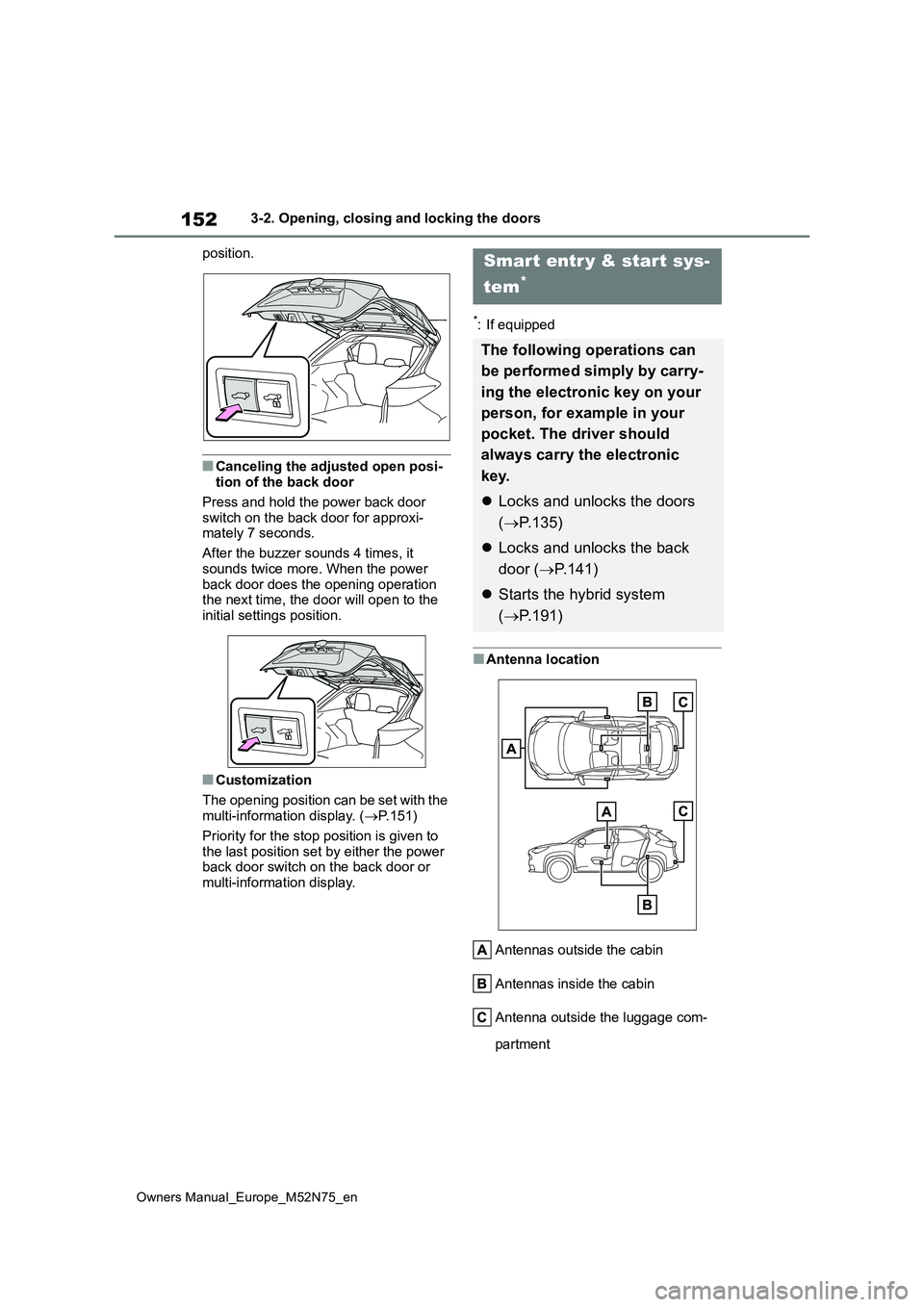
■Canceling the adjusted open posi- tion of the back door
Press and hold the power back door
switch on the back door for approxi- mately 7 seconds.
After the buzzer sounds 4 times, it
sounds twice more. When the power back door does the opening operation the next time, the door will open to the
initial settings position.
■Customization
The opening position can be set with the multi-information display. ( P.151)
Priority for the stop position is given to
the last position set by either the power back door switch on the back door or multi-information display.
*: If equipped
■Antenna location
Antennas outside the cabin
Antennas inside the cabin
Antenna outside the luggage com-
partment
Smart entr y & start sys-
tem*
The following operations can
be performed simply by carry-
ing the electronic key on your
person, for example in your
pocket. The driver should
always carry the electronic
key.
Locks and unlocks the doors
( P.135)
Locks and unlocks the back
door ( P.141)
Starts the hybrid system
( P.191)
Page 156 of 698
154
Owners Manual_Europe_M52N75_en
3-2. Opening, closing and locking the doors
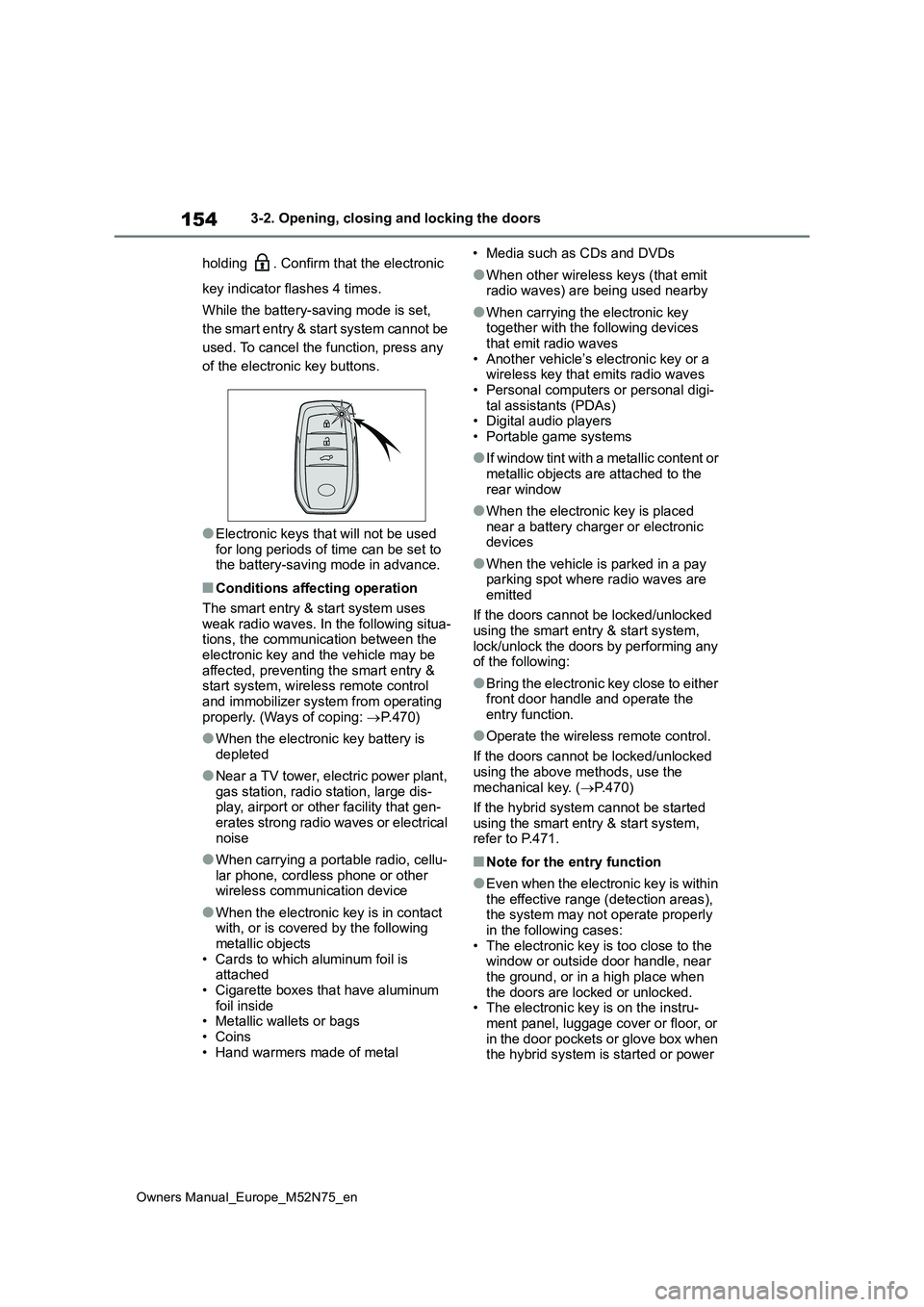
holding . Confirm that the electronic
key indicator flashes 4 times.
While the battery-saving mode is set,
the smart entry & start system cannot be
used. To cancel the function, press any
of the electronic key buttons.
●Electronic keys that will not be used for long periods of time can be set to the battery-saving mode in advance.
■Conditions affecting operation
The smart entry & start system uses weak radio waves. In the following situa-tions, the communication between the
electronic key and the vehicle may be affected, preventing the smart entry & start system, wireless remote control
and immobilizer system from operating properly. (Ways of coping: P.470)
●When the electronic key battery is depleted
●Near a TV tower, electric power plant, gas station, radio station, large dis-play, airport or other facility that gen-
erates strong radio waves or electrical noise
●When carrying a portable radio, cellu-lar phone, cordless phone or other wireless communication device
●When the electronic key is in contact with, or is covered by the following
metallic objects • Cards to which aluminum foil is attached
• Cigarette boxes that have aluminum foil inside• Metallic wallets or bags
• Coins • Hand warmers made of metal
• Media such as CDs and DVDs
●When other wireless keys (that emit radio waves) are being used nearby
●When carrying the electronic key together with the following devices
that emit radio waves • Another vehicle’s electronic key or a wireless key that emits radio waves
• Personal computers or personal digi- tal assistants (PDAs)• Digital audio players
• Portable game systems
●I f w i n d o w t i n t w i t h a m e t a l l i c c o n t e n t o r
metallic objects are attached to the rear window
●When the electronic key is placed near a battery charger or electronic devices
●When the vehicle is parked in a pay parking spot where radio waves are
emitted
If the doors cannot be locked/unlocked using the smart entry & start system,
lock/unlock the doors by performing any of the following:
●Bring the electronic key close to either front door handle and operate the entry function.
●Operate the wireless remote control.
If the doors cannot be locked/unlocked
using the above methods, use the mechanical key. ( P.470)
If the hybrid system cannot be started
using the smart entry & start system, refer to P.471.
■Note for the entry function
●Even when the electronic key is within the effective range (detection areas), the system may not operate properly
in the following cases: • The electronic key is too close to the window or outside door handle, near
the ground, or in a high place when the doors are locked or unlocked.• The electronic key is on the instru-
ment panel, luggage cover or floor, or in the door pockets or glove box when the hybrid system is started or power